Tag Archives: DMA

🖥️ Input and Output Devices – Complete Detailed Guide


🔰 Introduction to Input and Output Devices

Image
Image
Image

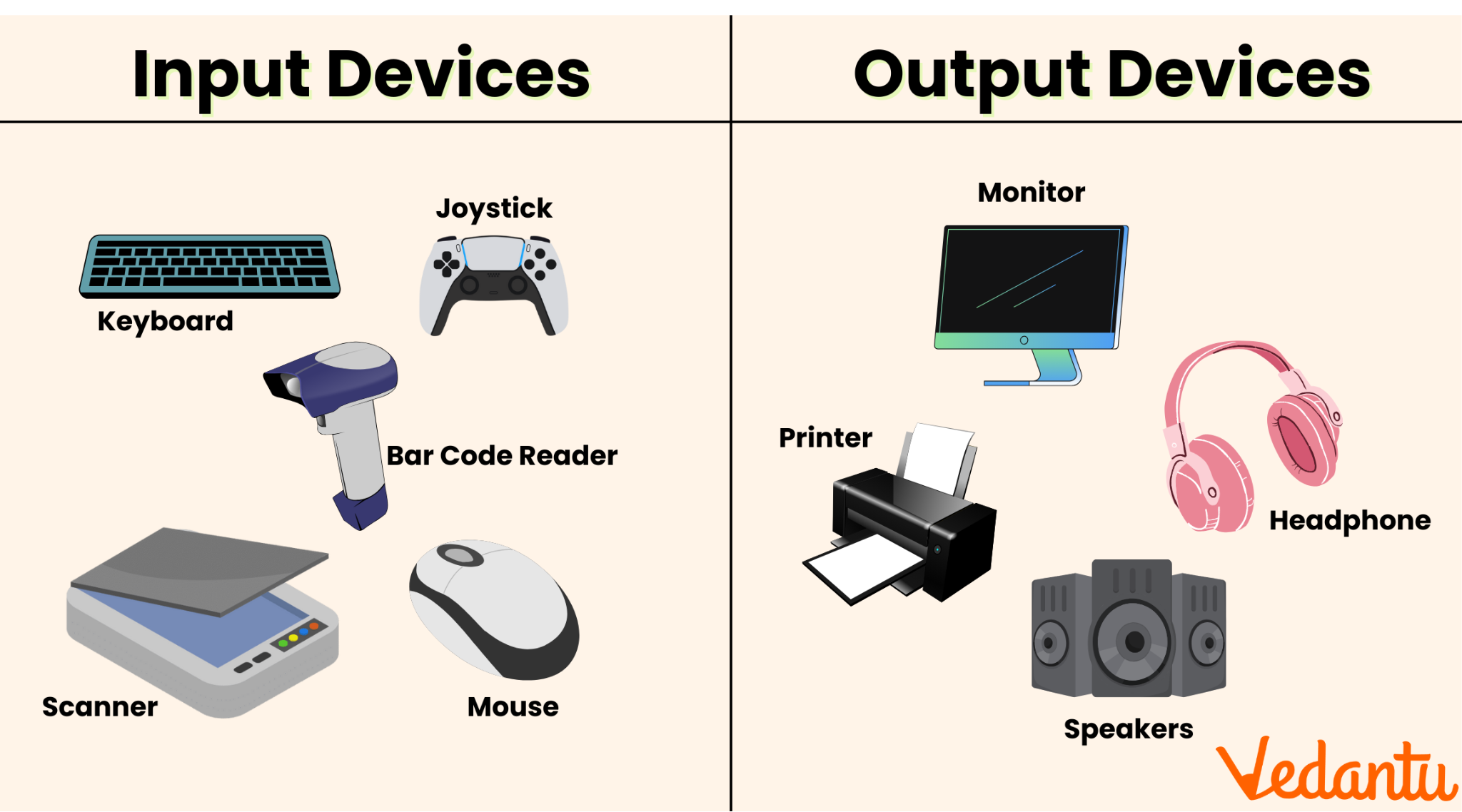
Input and Output (I/O) devices are essential components of any computer system. They serve as the communication bridge between humans and machines, allowing users to provide data (input) and receive processed results (output).

  • Input Devices → Send data into the computer
  • Output Devices → Receive data from the computer

Without I/O devices, a computer would be an isolated machine incapable of interaction.


🧠 Understanding the I/O System

The I/O system consists of:

  • Physical devices (keyboard, monitor, etc.)
  • Controllers and interfaces
  • Software drivers
  • Communication buses

Key Functions:

  • Data acquisition
  • Data presentation
  • Control signals
  • Feedback mechanisms

⌨️ INPUT DEVICES


📌 What Are Input Devices?

Image
Image
Image
Image

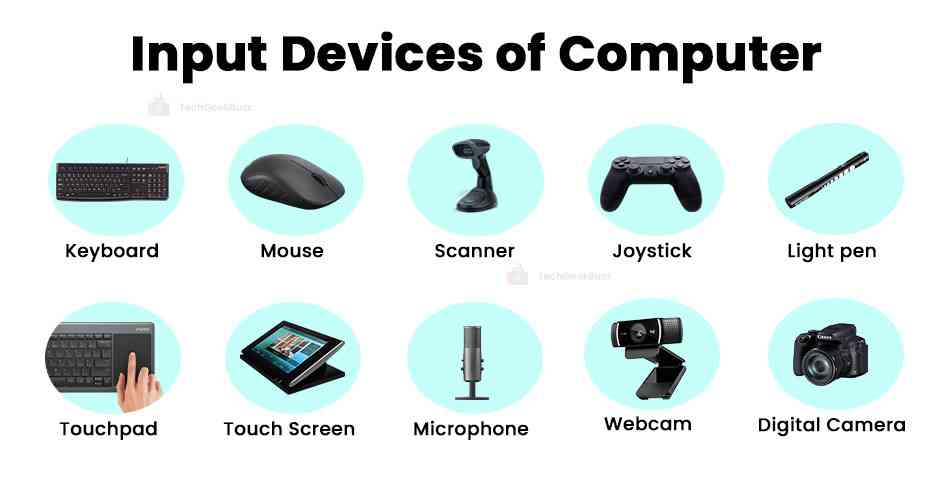
Input devices allow users to enter data, commands, and instructions into a computer system.

Characteristics:

  • Convert human actions into machine-readable signals
  • Provide control and interaction
  • Can be manual or automatic

🔤 Types of Input Devices


1. Keyboard

Image
Image
Image
Image

The keyboard is the most common input device.

Features:

  • QWERTY layout
  • Function keys (F1–F12)
  • Numeric keypad
  • Special keys (Ctrl, Alt, Shift)

Types:

  • Mechanical keyboards
  • Membrane keyboards
  • Virtual keyboards

Working:

Each key press generates a scan code, which is interpreted by the computer.


🖱️ 2. Mouse

Image
Image
Image
Image

The mouse is a pointing device used to control the cursor.

Types:

  • Optical mouse
  • Laser mouse
  • Wireless mouse

Functions:

  • Clicking
  • Dragging
  • Scrolling

📱 3. Touchscreen

Image
Image
Image
Image

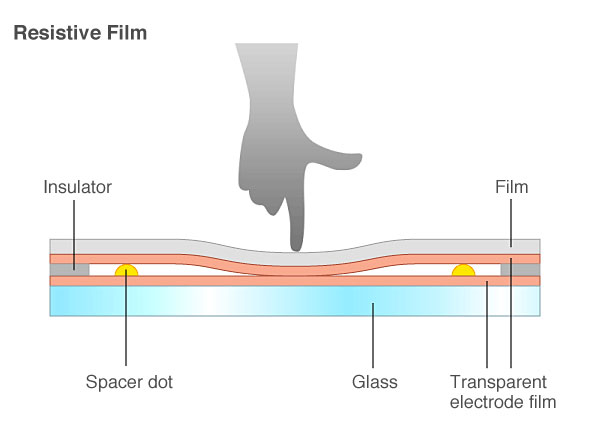
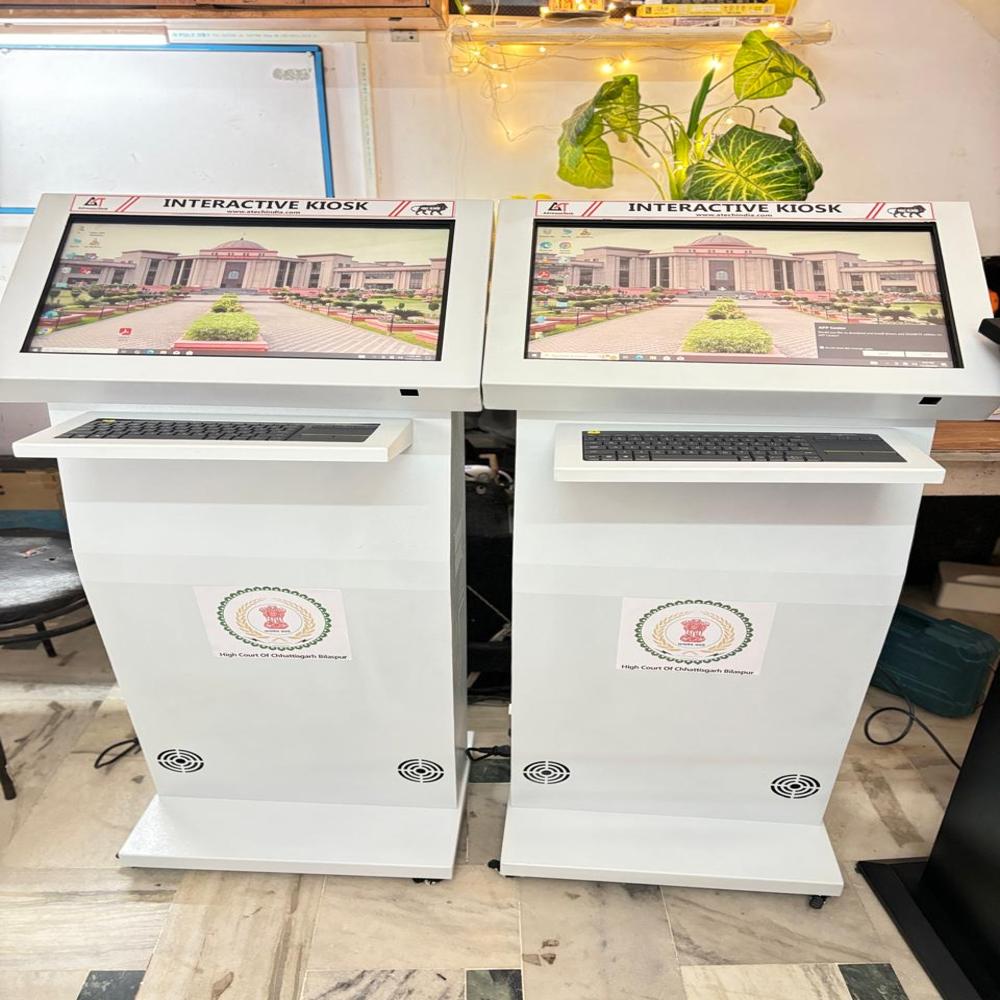
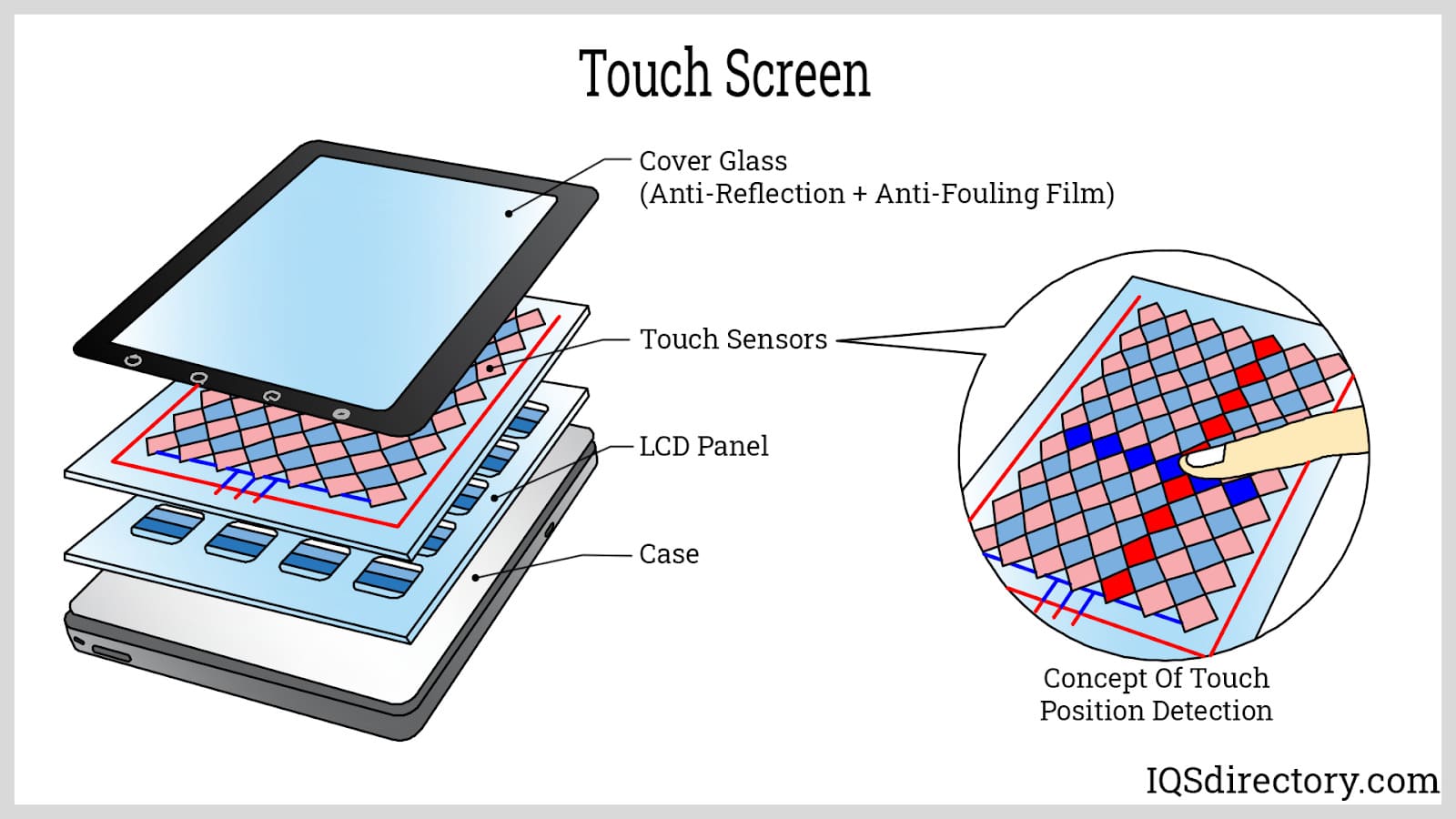
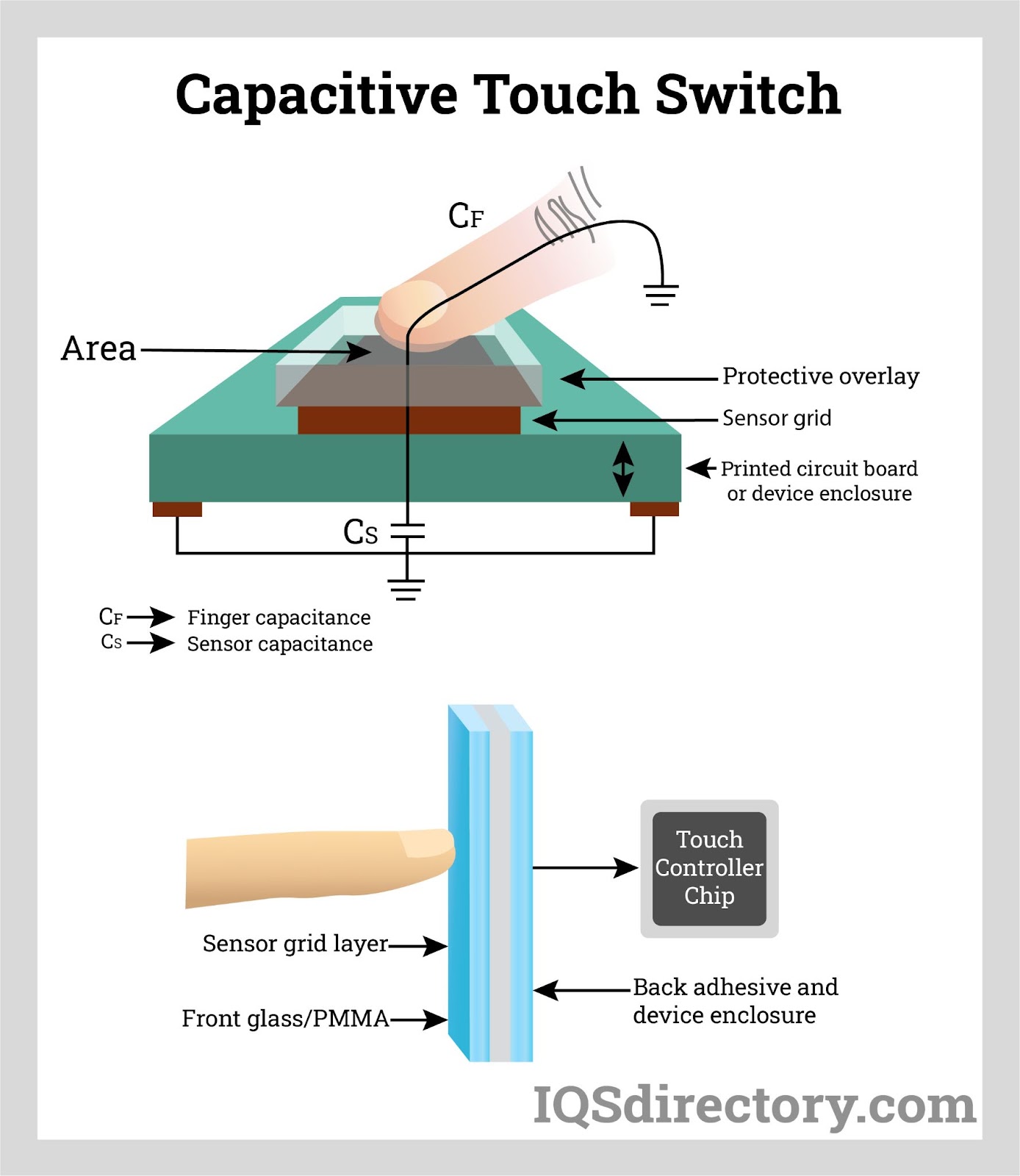
Touchscreens allow direct interaction using fingers.

Types:

  • Resistive
  • Capacitive
  • Infrared

Uses:

  • Smartphones
  • ATMs
  • Interactive kiosks

🎤 4. Microphone

Image
Image
Image
Image

Used to input audio signals.

Applications:

  • Voice commands
  • Recording
  • Communication

📷 5. Scanner

Image
Image
Image
Image

Converts physical documents into digital format.

Types:

  • Flatbed scanner
  • Handheld scanner
  • Barcode scanner

Technology:

Uses optical sensors to capture images.


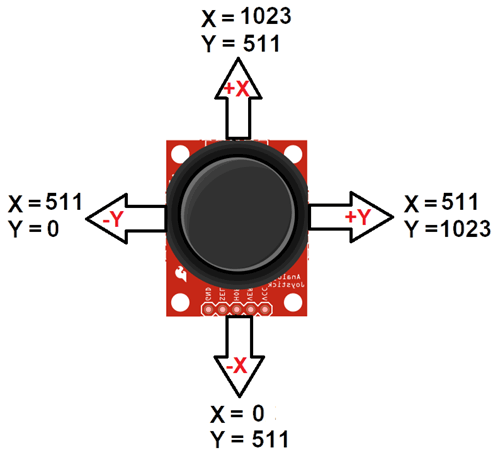
🎮 6. Joystick

Image
Image
Image
Image

Used mainly for gaming and simulations.


📸 7. Webcam

Image
Image
Image
Image

Captures images and video.


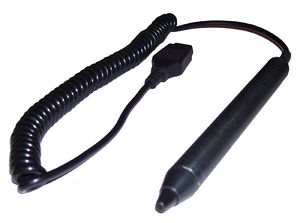
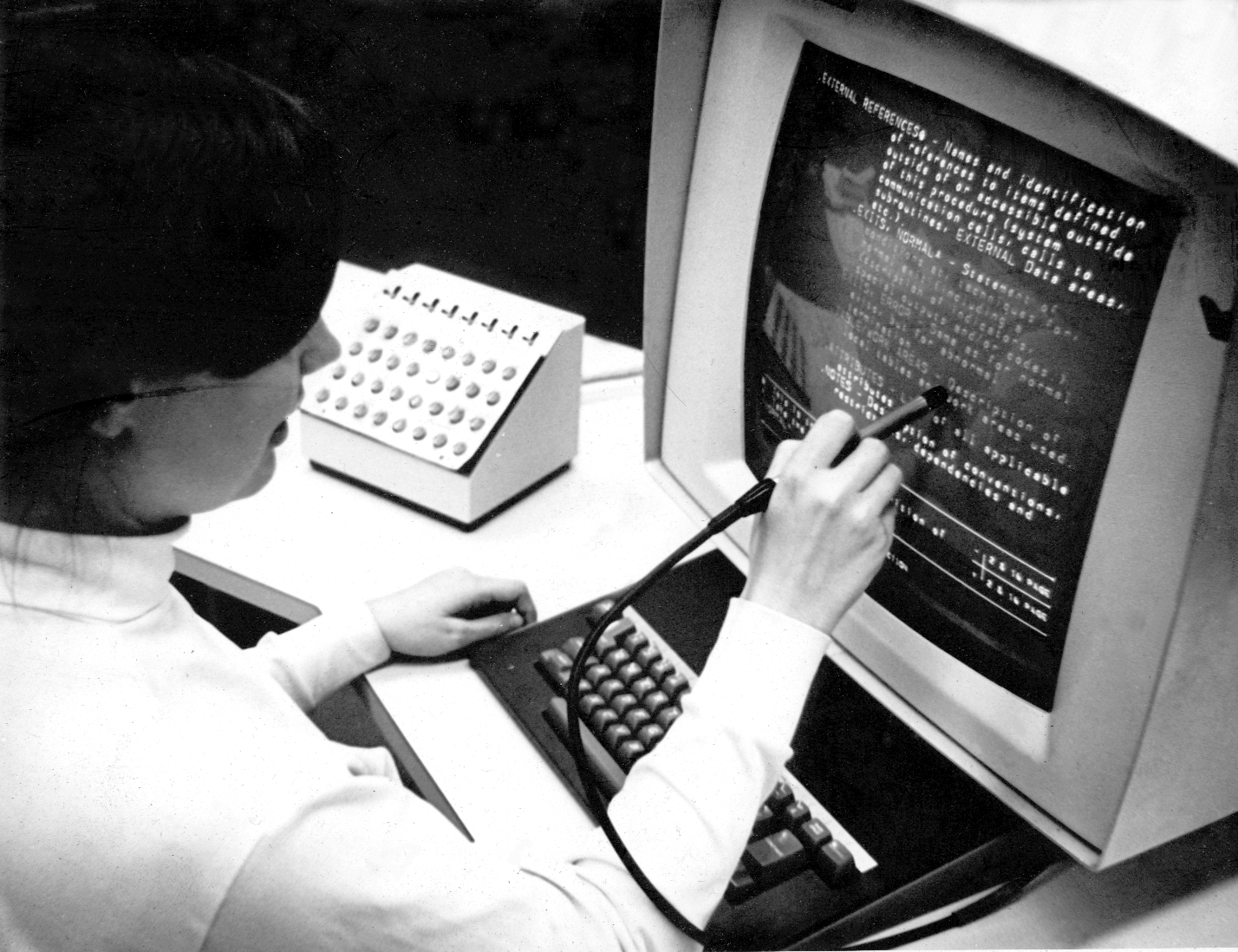
✍️ 8. Light Pen
Image
Image
Image
Image

Used for drawing directly on screens (older tech).


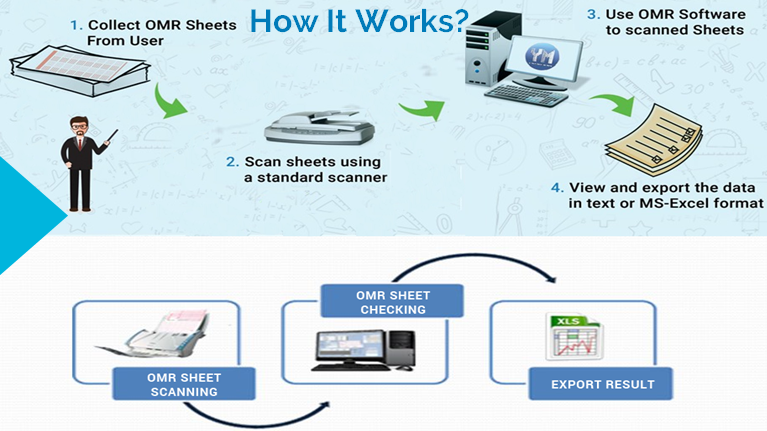
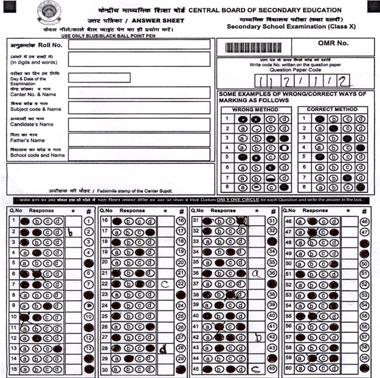
🧾 9. Optical Mark Reader (OMR)

Image
Image
Image
Image

Reads marked answers (e.g., exams).


🔤 10. Optical Character Reader (OCR)

Converts printed text into editable digital text.


🧬 11. Biometric Devices

Image
Image
Image
Image

Used for security and identification.

Types:

  • Fingerprint scanner
  • Iris scanner
  • Face recognition

🌐 Advanced Input Devices

  • Motion sensors
  • Gesture recognition
  • VR controllers
  • Eye-tracking devices

🖥️ OUTPUT DEVICES


📌 What Are Output Devices?
Image
Image
Image
Image

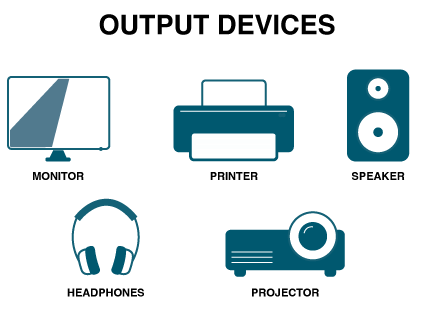
Output devices present processed data to users.

Characteristics:

  • Convert digital signals into human-readable form
  • Provide visual, audio, or physical output

📺 Types of Output Devices


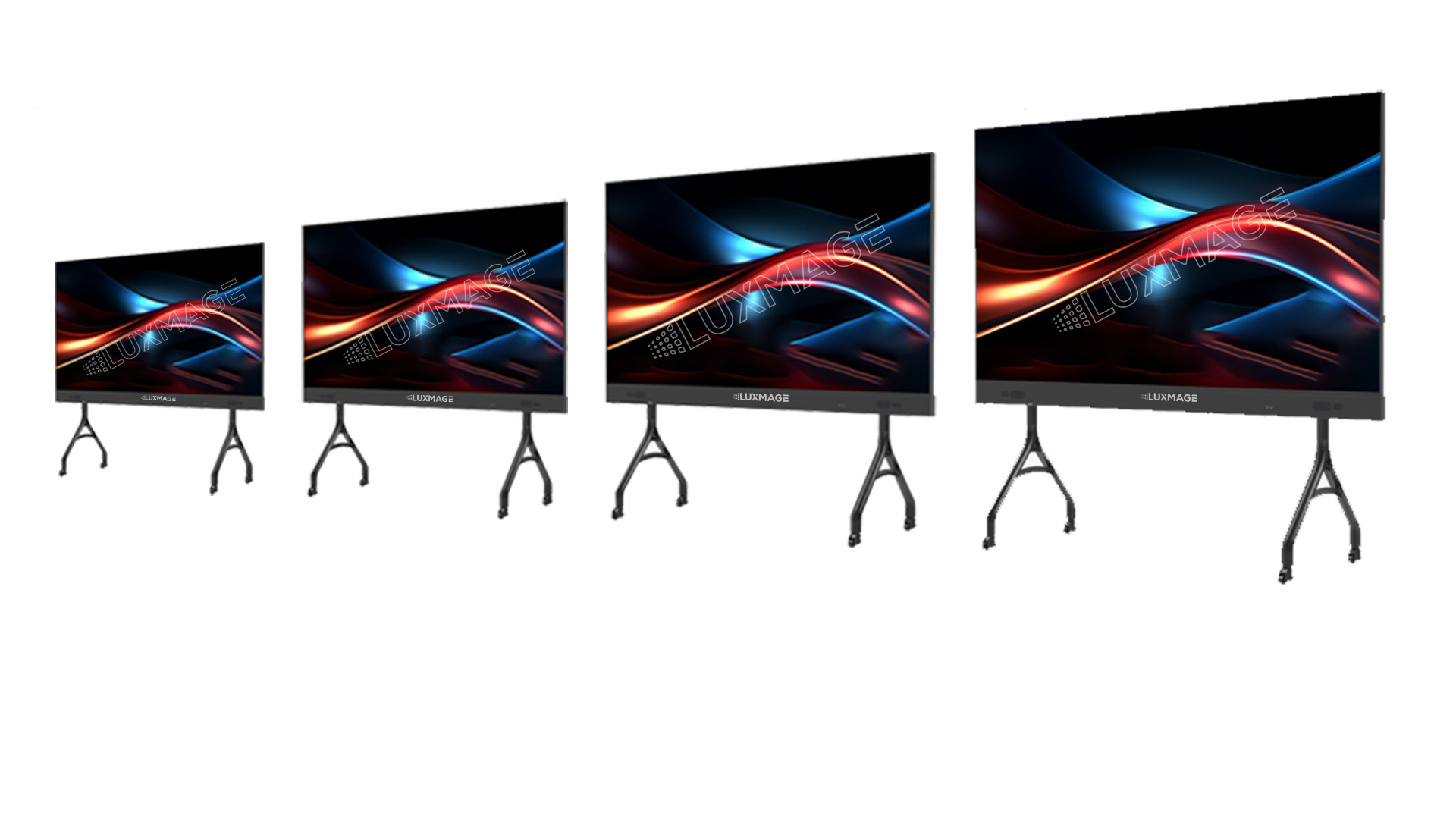
🖥️ 1. Monitor

Image
Image
Image
Image

Displays visual output.

Types:

  • CRT (old)
  • LCD
  • LED
  • OLED

Features:

  • Resolution
  • Refresh rate
  • Screen size

🖨️ 2. Printer

Image
Image
Image
Image

Produces hard copies.

Types:

  • Inkjet
  • Laser
  • Dot matrix

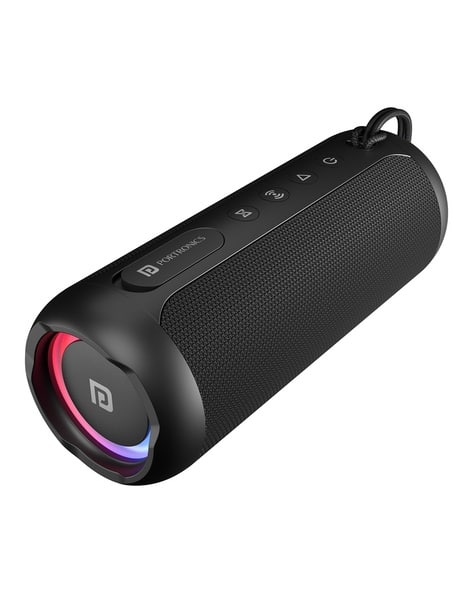
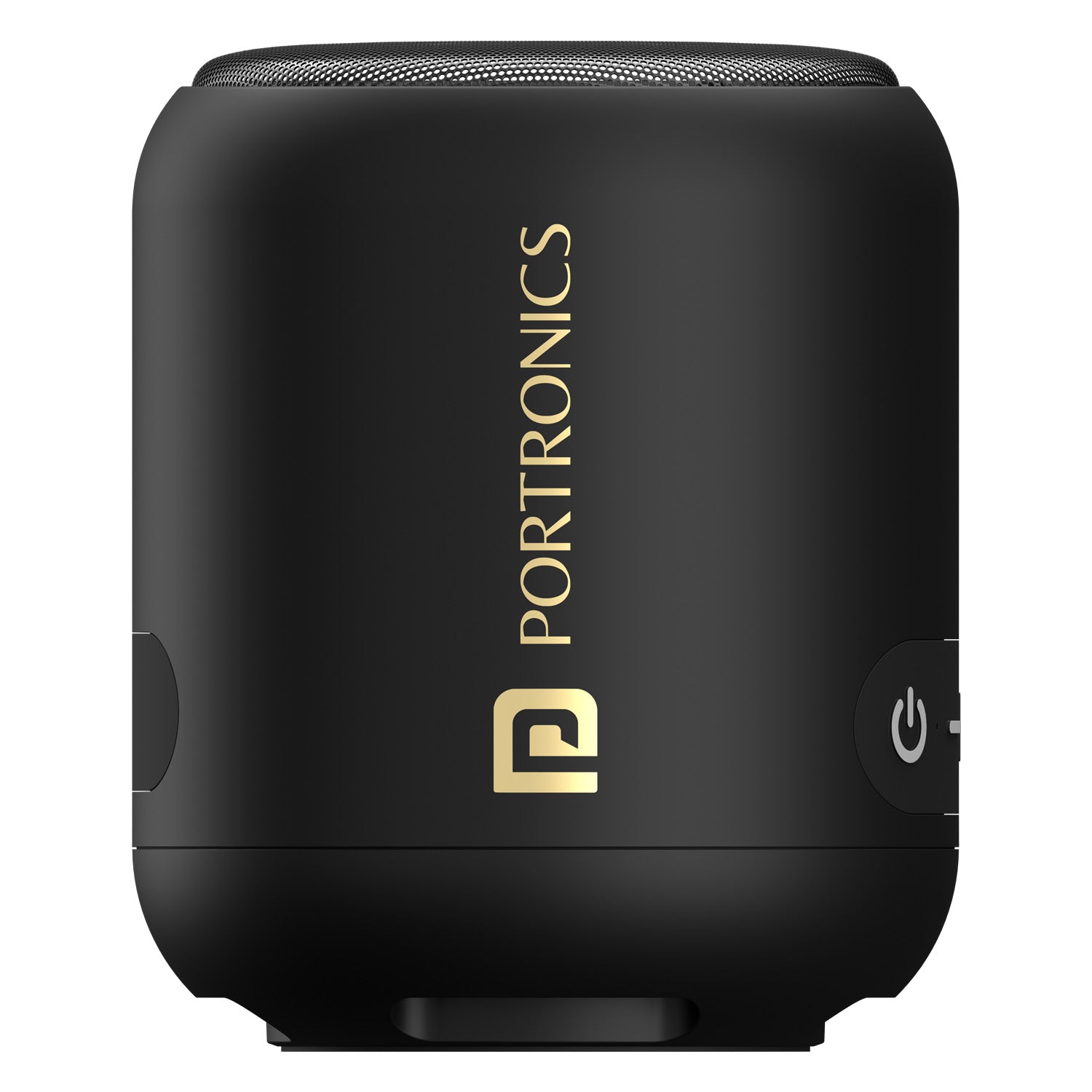
🔊 3. Speakers

Image
Image
Image
Image

Produce sound output.


🎧 4. Headphones

Provide personal audio output.


📽️ 5. Projector

Image
Image
Image

Displays visuals on large screens.


🧾 6. Plotter

Image
Image
Image
Image

Used for large technical drawings.


📟 7. Braille Display

Image
Image
Image
Image

Helps visually impaired users.


🌐 Advanced Output Devices

  • VR headsets
  • AR displays
  • Holographic displays

🔄 Input vs Output Devices

FeatureInput DevicesOutput Devices
FunctionEnter dataDisplay results
DirectionUser → ComputerComputer → User
ExamplesKeyboard, MouseMonitor, Printer

⚙️ Input/Output Interfaces


🔌 Ports and Connections

Image
Image
Image
Image

Common interfaces:

  • USB
  • HDMI
  • VGA
  • Bluetooth
  • Wi-Fi

🔄 I/O Data Transfer Methods

  1. Programmed I/O
  2. Interrupt-driven I/O
  3. Direct Memory Access (DMA)

🧠 Drivers and Software

  • Device drivers enable communication
  • OS manages I/O operations
  • Examples: printer drivers, audio drivers

⚡ Performance Factors

  • Speed
  • Accuracy
  • Latency
  • Bandwidth

🔐 Security in I/O Devices

  • Biometric authentication
  • Encryption
  • Secure input methods

🧩 Emerging Trends

Image
Image
Image
Image
  • AI-based interfaces
  • Voice assistants
  • Brain-computer interfaces
  • Smart wearables

📊 Advantages of I/O Devices

  • User interaction
  • Automation
  • Accessibility
  • Efficiency

⚠️ Limitations

  • Cost
  • Maintenance
  • Compatibility issues
  • Security risks

🧠 Conclusion

Input and Output devices are fundamental to computing systems. They enable:

  • Human-computer interaction
  • Data processing and visualization
  • Automation and control

As technology evolves, I/O devices are becoming more intelligent, immersive, and intuitive, shaping the future of human-computer interaction.


🏷️ Tags

🖥️ Basic Computer Architecture – Complete Detailed Guide


🧩 Overview of Computer Architecture

Image
Image
Image
Image

Computer architecture refers to the design, structure, and functional behavior of a computer system. It defines how different components of a computer—such as the CPU, memory, and input/output devices—interact with each other to execute programs.

At its core, computer architecture answers three main questions:

  1. What does the system do? (Functionality)
  2. How is it organized? (Structure)
  3. How does it operate? (Behavior)

The architecture of a computer is usually divided into:

  • Instruction Set Architecture (ISA) – Interface between hardware and software
  • Microarchitecture – Internal implementation of the processor
  • System Design – Integration of hardware components

🧠 Historical Background

1. Early Computing Machines

Image
Image
Image
Image

The development of computer architecture began with early mechanical devices:

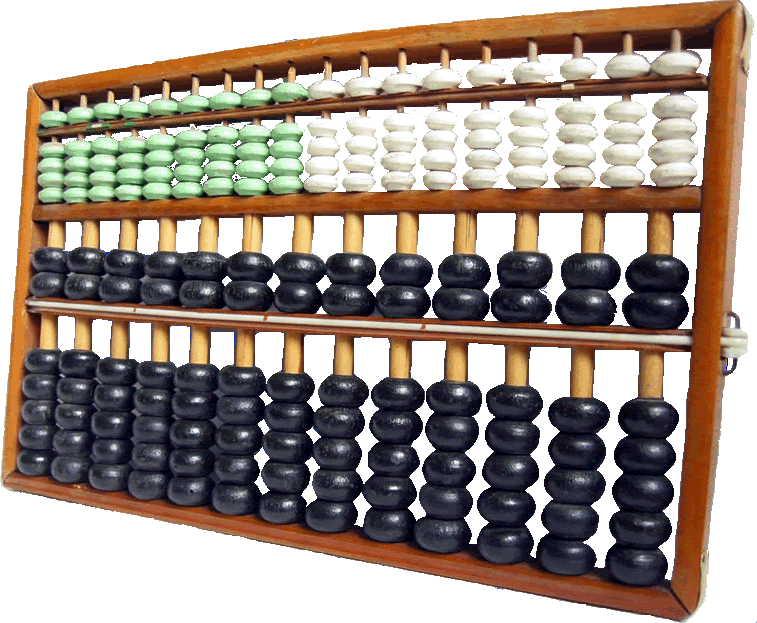
  • Abacus – First counting tool
  • Analytical Engine (Charles Babbage) – Concept of programmable machines
  • ENIAC – First electronic general-purpose computer

2. Von Neumann Architecture

Image
Image
Image
Image

The Von Neumann architecture is the foundation of modern computers. It introduced the stored-program concept, where instructions and data are stored in the same memory.

Key components:

  • Central Processing Unit (CPU)
  • Memory
  • Input/Output devices
  • Bus system

⚙️ Core Components of Computer Architecture


1. Central Processing Unit (CPU)

Image
Image
Image
Image

The CPU is the brain of the computer, responsible for executing instructions.

Components of CPU:

a. Arithmetic Logic Unit (ALU)
  • Performs arithmetic operations: addition, subtraction
  • Performs logical operations: AND, OR, NOT
  • Executes comparisons
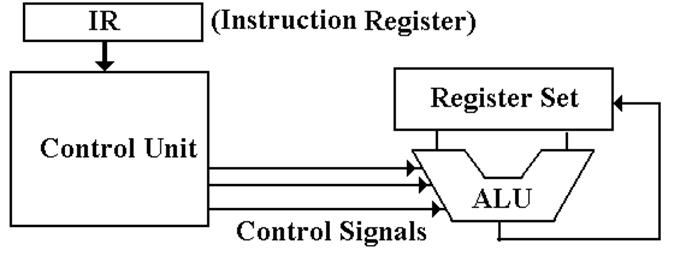
b. Control Unit (CU)
  • Directs operations of the processor
  • Fetches instructions from memory
  • Decodes and executes them
c. Registers
  • Small, fast storage locations inside CPU
  • Examples:
    • Program Counter (PC)
    • Instruction Register (IR)
    • Accumulator

2. Memory Unit

Image
Image
Image
Image

Memory stores data and instructions.

Types of Memory:

a. Primary Memory
  • RAM (Random Access Memory) – Volatile
  • ROM (Read Only Memory) – Non-volatile
b. Secondary Memory
  • Hard Disk, SSD, Optical Disks
  • Permanent storage
c. Cache Memory
  • High-speed memory
  • Located close to CPU
  • Improves performance

3. Input and Output Units

Image
Image
Image
Image

Input Devices:

  • Keyboard
  • Mouse
  • Scanner

Output Devices:

  • Monitor
  • Printer
  • Speakers

These units enable communication between user and computer.


4. Bus System

Image
Image
Image
Image

The bus is a communication system that transfers data between components.

Types of Buses:

  • Data Bus – Transfers data
  • Address Bus – Carries memory addresses
  • Control Bus – Sends control signals

🔄 Instruction Cycle (Fetch-Decode-Execute)

Image
Image
Image
Image

The CPU processes instructions in a cycle:

  1. Fetch – Retrieve instruction from memory
  2. Decode – Interpret instruction
  3. Execute – Perform operation

This cycle repeats continuously.


🧮 Instruction Set Architecture (ISA)

ISA defines:

  • Instruction formats
  • Addressing modes
  • Data types
  • Registers

Examples:

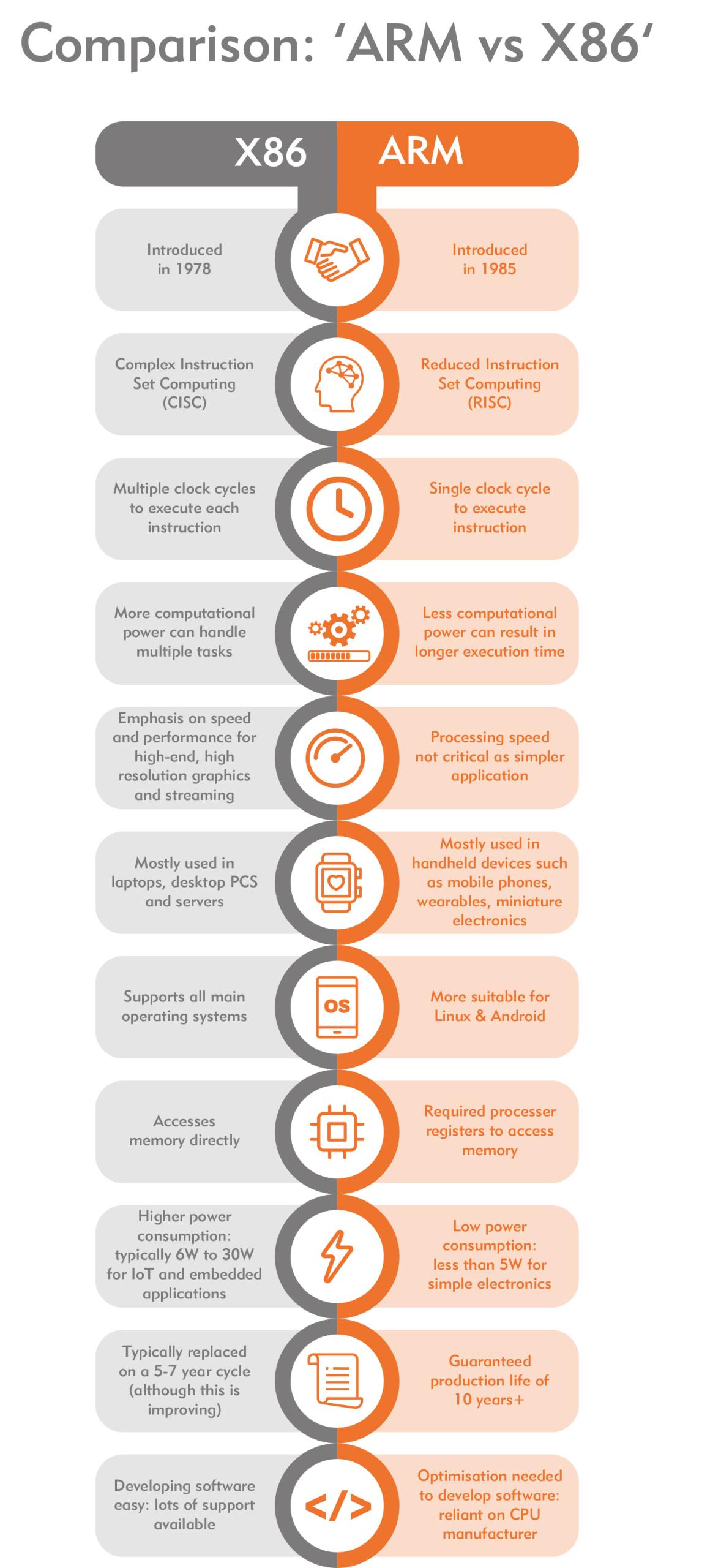
  • RISC (Reduced Instruction Set Computer)
  • CISC (Complex Instruction Set Computer)

⚡ RISC vs CISC Architecture

Image
Image
Image
Image
FeatureRISCCISC
InstructionsSimpleComplex
ExecutionFastSlower
ExamplesARMx86

🧠 Memory Hierarchy

Memory is organized based on speed and cost:

  1. Registers (fastest)
  2. Cache
  3. RAM
  4. Secondary Storage (slowest)

Key principle:

Faster memory is more expensive and smaller.


⚙️ Microarchitecture

Microarchitecture refers to:

  • Internal design of CPU
  • Pipelining
  • Superscalar execution
  • Branch prediction

🔁 Pipelining

Image
Image
Image
Image

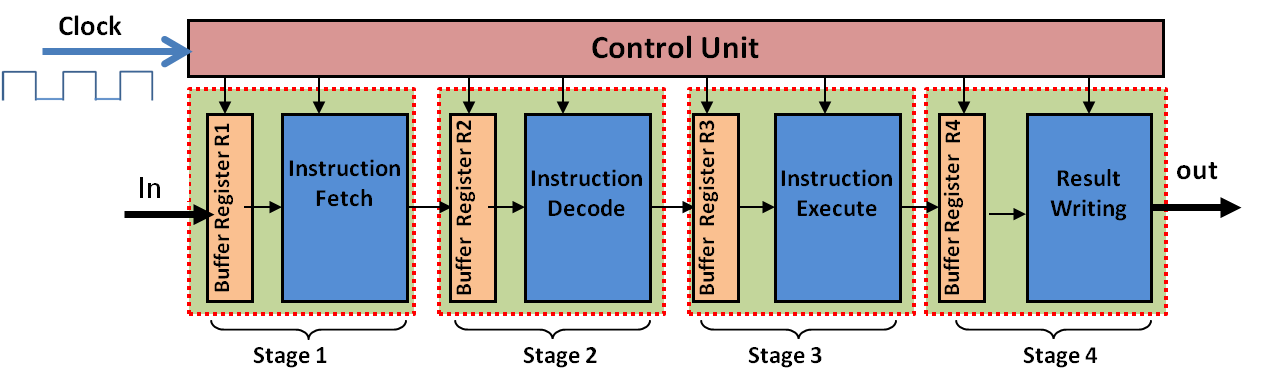
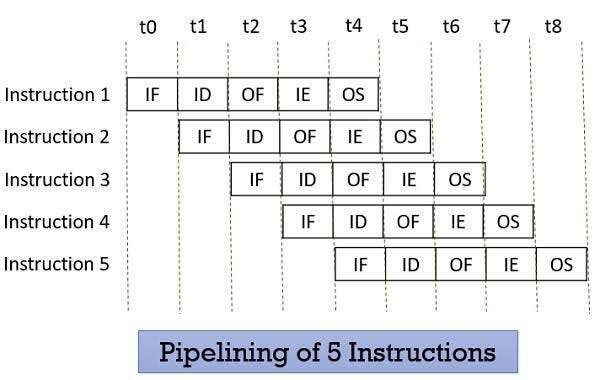
Pipelining improves performance by overlapping instruction execution.

Stages:

  • Fetch
  • Decode
  • Execute
  • Memory
  • Write-back

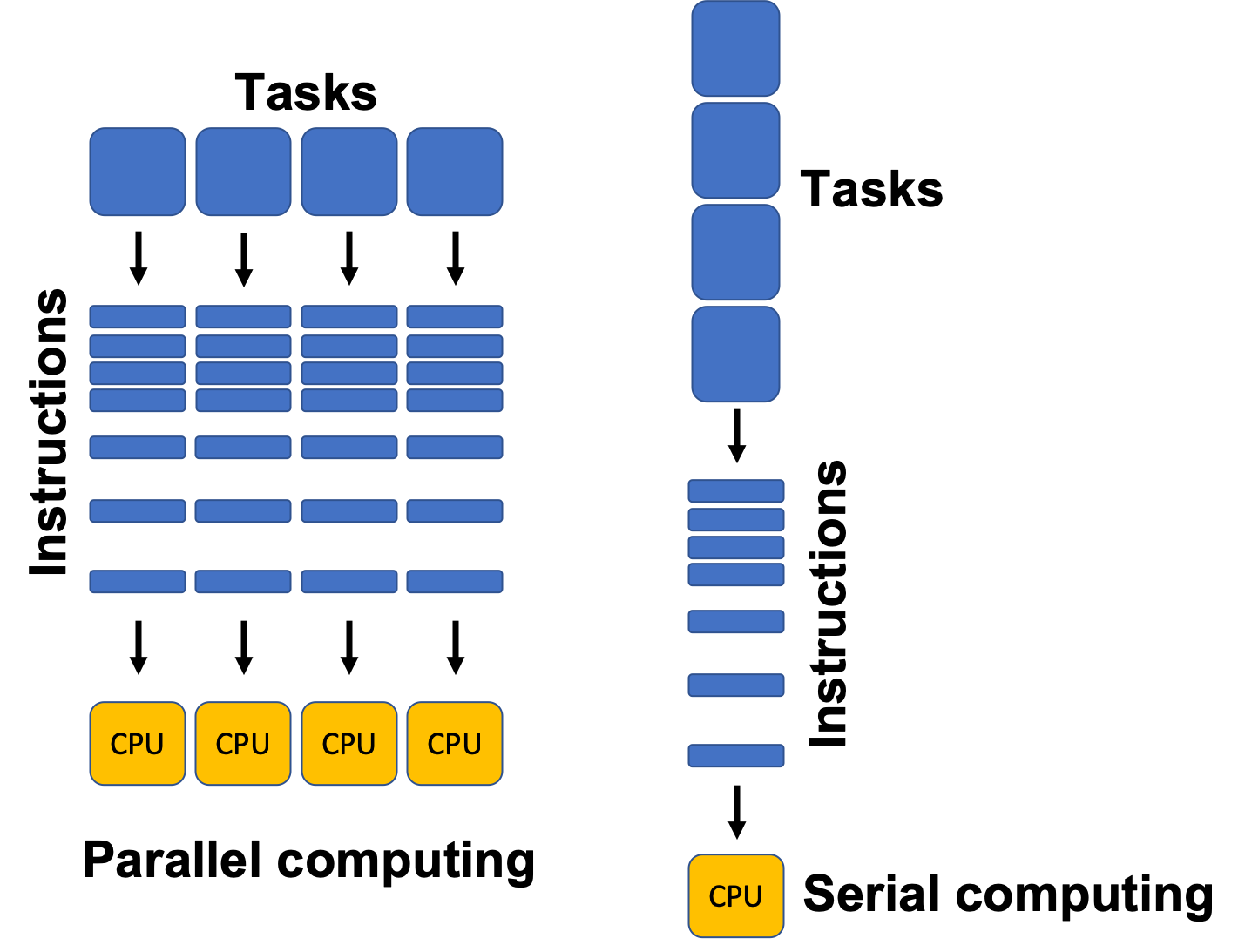
🧩 Parallelism in Architecture

Types:

  • Instruction-Level Parallelism (ILP)
  • Data-Level Parallelism (DLP)
  • Thread-Level Parallelism (TLP)

Examples:

  • Multi-core processors
  • GPUs

🖥️ Types of Computer Architectures


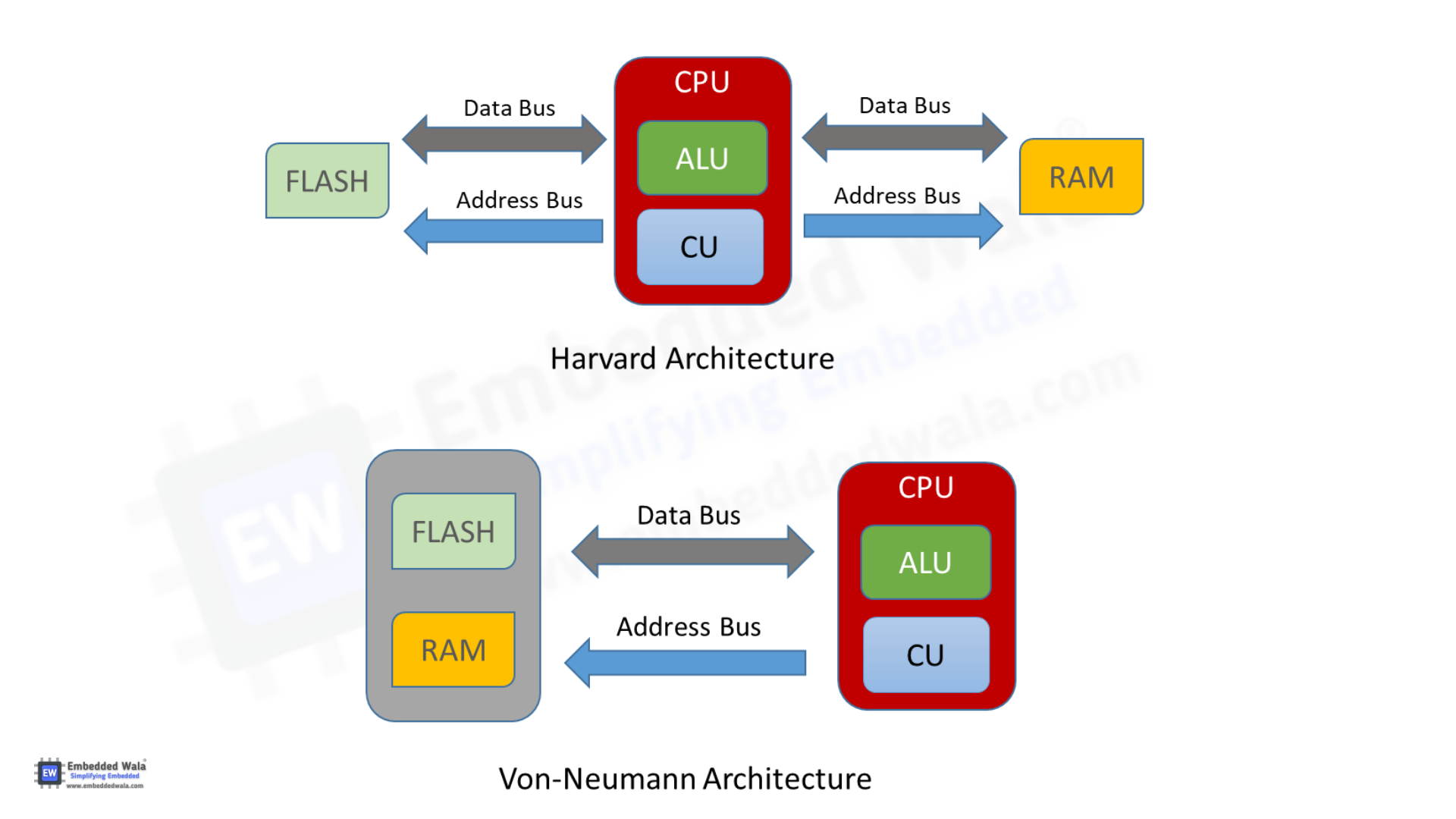
1. Von Neumann Architecture
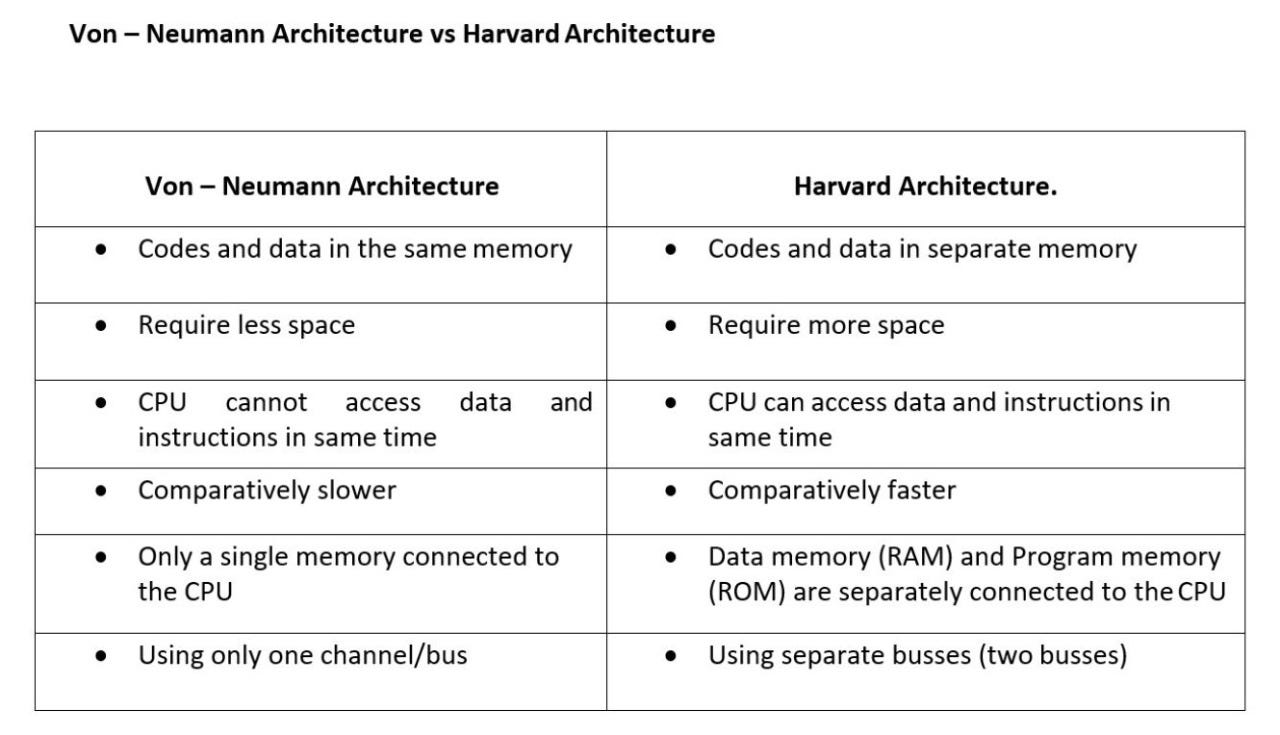
  • Single memory for data and instructions
  • Simpler design
  • Bottleneck issue

2. Harvard Architecture

Image
Image
Image
Image
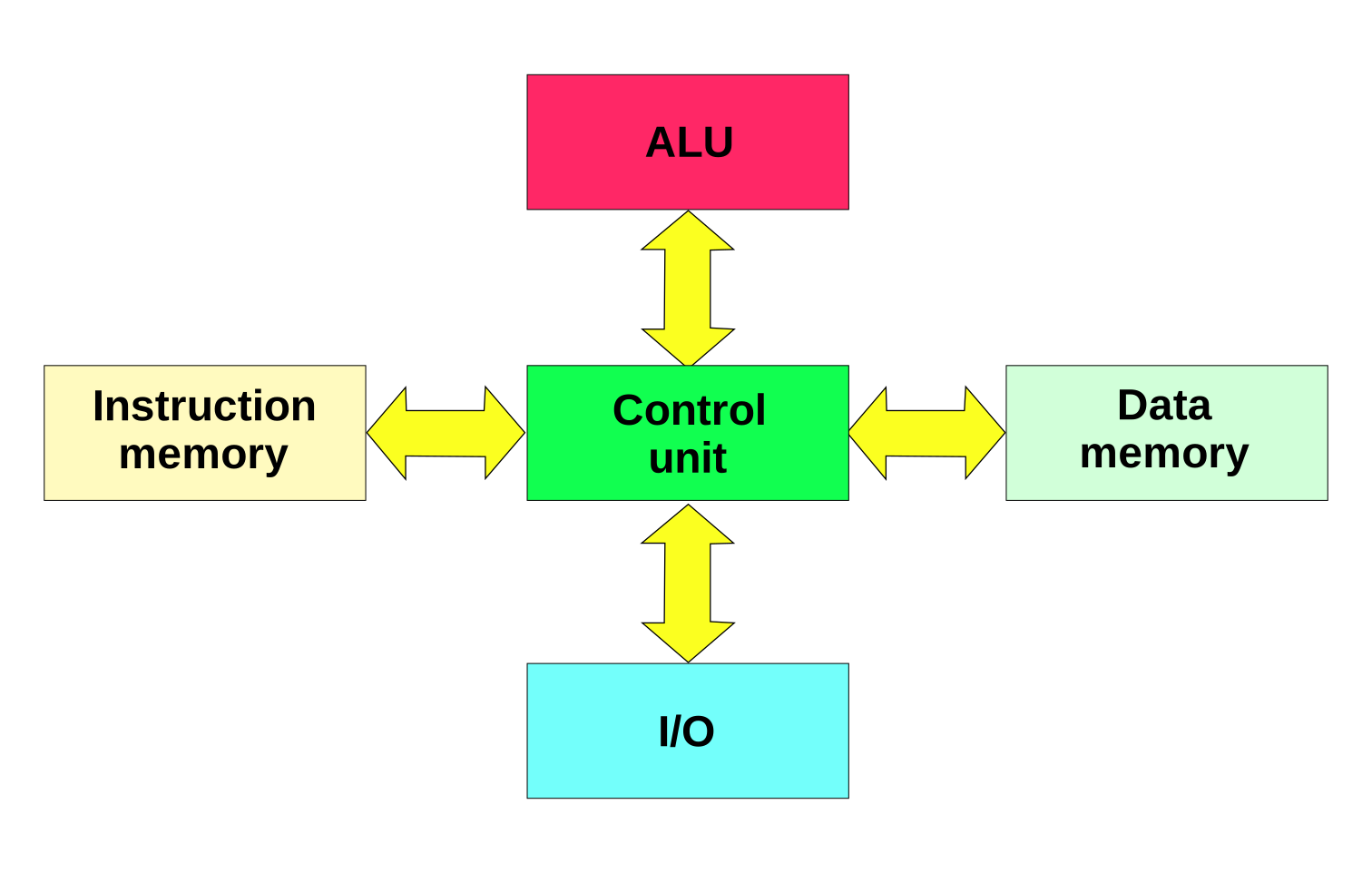
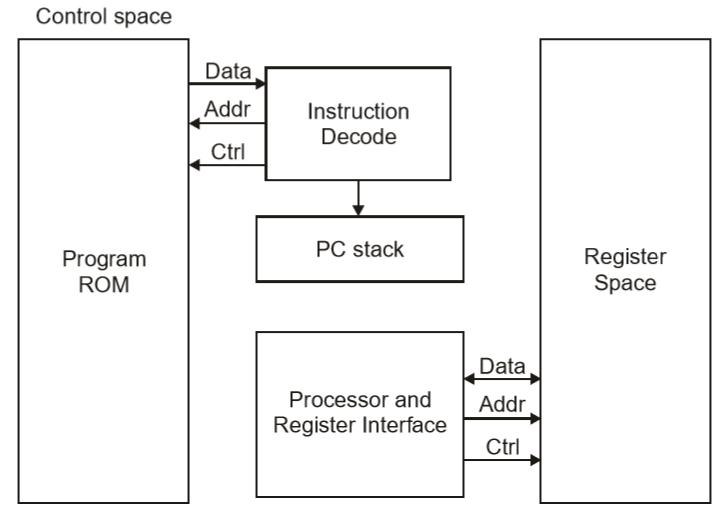
  • Separate memory for data and instructions
  • Faster access
  • Used in embedded systems

🧮 Addressing Modes

Defines how operands are accessed:

  • Immediate
  • Direct
  • Indirect
  • Indexed
  • Register

⚡ Performance Metrics


1. Clock Speed

  • Measured in GHz
  • Determines how many cycles per second

2. Throughput

  • Number of tasks per unit time

3. Latency

  • Time taken to execute a task

🔐 Control Signals and Timing

  • Control unit generates signals
  • Synchronization through clock pulses
  • Ensures proper sequencing

🧠 Registers in Detail

Types:

  • General-purpose registers
  • Special-purpose registers:
    • Program Counter
    • Stack Pointer
    • Status Register

📦 Cache Memory Levels

  • L1 Cache – fastest, smallest
  • L2 Cache – larger, slower
  • L3 Cache – shared among cores

🧩 Multiprocessing and Multicore Systems

Image
Image
Image
Image
  • Multiple processors or cores
  • Improves performance and multitasking

🔄 Interrupts in Computer Architecture

  • Signals from devices to CPU
  • Types:
    • Hardware interrupts
    • Software interrupts

🧮 Input/Output Organization

Methods:

  • Programmed I/O
  • Interrupt-driven I/O
  • Direct Memory Access (DMA)

🔐 Bus Arbitration

  • Determines which device controls the bus
  • Methods:
    • Centralized
    • Distributed

🧠 Evolution of Computer Architecture


Generations:

  1. Vacuum Tubes
  2. Transistors
  3. Integrated Circuits
  4. Microprocessors
  5. AI-based architectures

⚙️ Modern Trends in Computer Architecture

Image
Image
Image
Image
  • Quantum Computing
  • Neuromorphic Computing
  • Edge Computing
  • Cloud Computing

🧾 Advantages of Computer Architecture Design

  • Efficient processing
  • Scalability
  • Flexibility
  • Optimization of resources

⚠️ Limitations

  • Complexity
  • Cost
  • Power consumption
  • Heat generation

🧠 Conclusion

Basic computer architecture forms the foundation of all computing systems. From simple machines to modern AI-powered systems, understanding architecture helps in:

  • Designing efficient systems
  • Improving performance
  • Building advanced technologies

It connects hardware and software, enabling computers to solve complex problems efficiently.


🏷️ Tags