


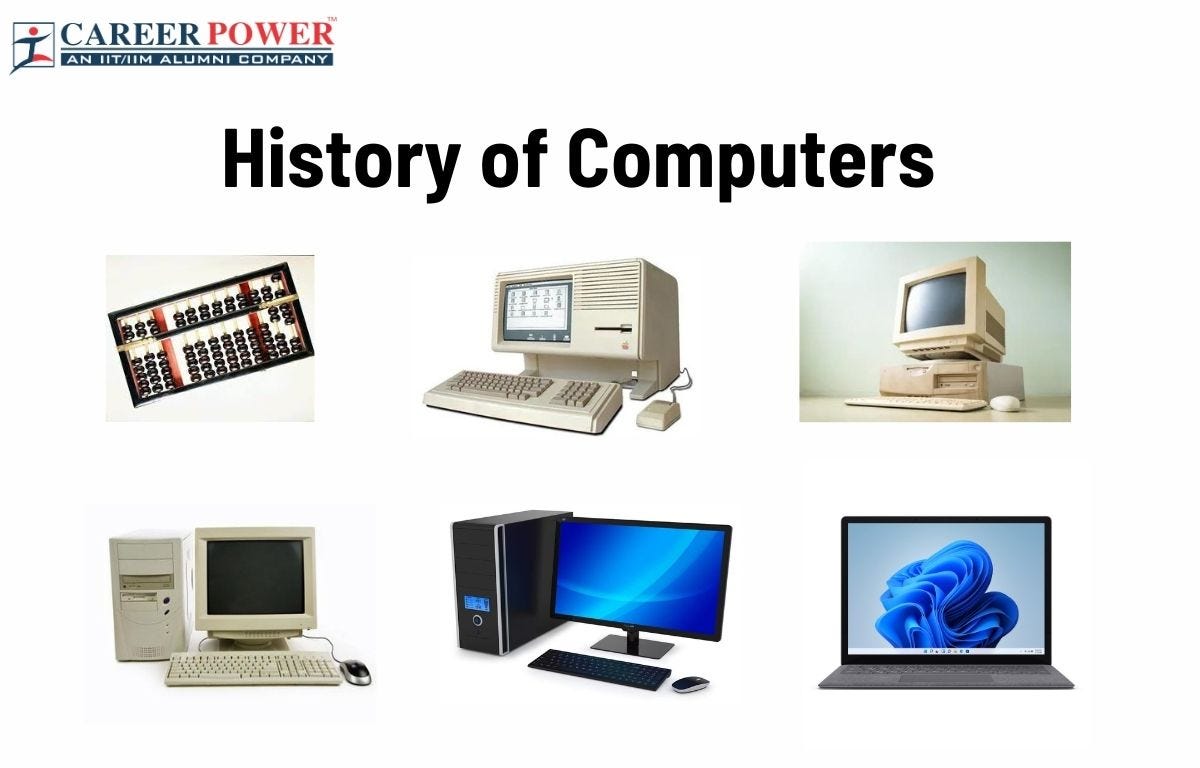
1. Meaning and Definition of Computers
A computer is an electronic device that processes data according to a set of instructions called programs. It accepts raw data as input, processes it using a central processing unit, stores the results, and produces meaningful information as output.
The word computer originally referred to a person who performed calculations manually. With technological advancement, the term now refers to programmable electronic machines capable of performing millions or billions of operations per second.
A widely accepted definition states:
A computer is an electronic programmable machine that receives input, processes data based on instructions, stores information, and produces output.
Computers are essential tools in modern society and are used in almost every field including education, medicine, engineering, communication, entertainment, business, banking, transportation, and scientific research.
2. Basic Characteristics of Computers
Computers possess several important characteristics that make them powerful tools.
Speed
Computers can perform calculations extremely fast. Modern processors can execute billions of instructions per second. Tasks that would take humans hours or days can be completed in seconds.
Accuracy
Computers produce highly accurate results when the instructions and input data are correct. Errors usually occur due to incorrect input or faulty programs rather than the computer itself.
Automation
Once a program is started, a computer can perform tasks automatically without human intervention until the program finishes.
Storage Capacity
Computers can store large volumes of data. Storage devices such as hard drives, SSDs, and cloud storage allow computers to keep enormous amounts of information.
Diligence
Unlike humans, computers do not get tired or bored. They can perform repetitive tasks continuously with the same efficiency.
Versatility
Computers can perform a wide variety of tasks including word processing, data analysis, multimedia editing, scientific simulations, and gaming.
Multitasking
Modern computers can run multiple applications simultaneously, allowing users to perform different tasks at the same time.
Reliability
Computers are reliable machines that can run continuously for long periods without failure when properly maintained.
3. Components of a Computer System
A computer system consists of two main parts:
- Hardware
- Software
Both components work together to perform computing tasks.
4. Computer Hardware


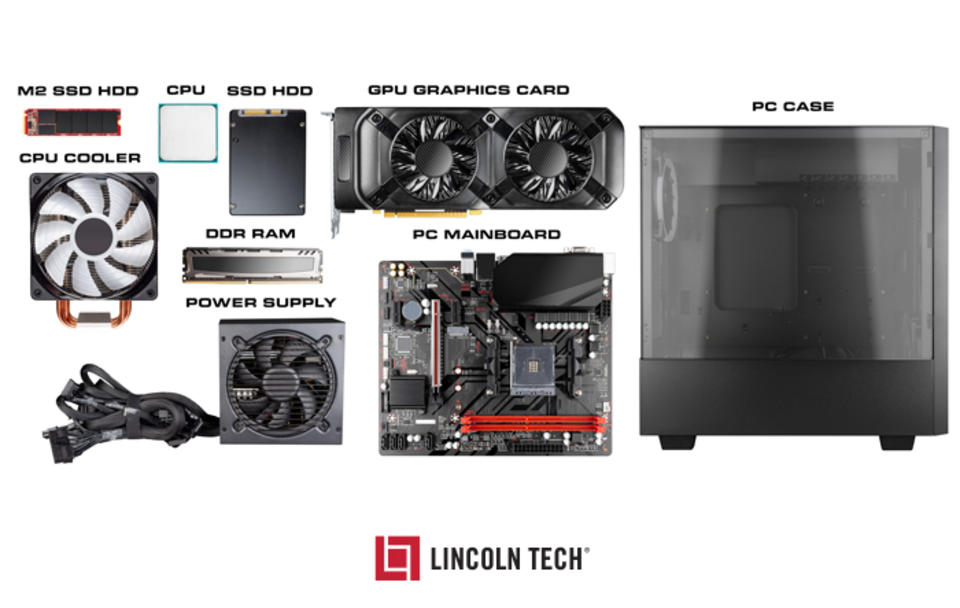

Hardware refers to the physical components of a computer that can be seen and touched.
Central Processing Unit (CPU)
The CPU is the brain of the computer. It performs calculations and executes instructions from programs.
The CPU has three main parts:
Arithmetic Logic Unit (ALU)
Performs mathematical calculations and logical operations.
Control Unit (CU)
Directs the flow of data and instructions inside the computer.
Registers
Small storage locations within the CPU used for temporary data during processing.
Memory (Primary Memory)
Primary memory stores data and instructions that are currently being processed.
Types include:
RAM (Random Access Memory)
RAM is temporary memory used to store data currently in use. It is volatile, meaning the data is lost when power is turned off.
ROM (Read Only Memory)
ROM contains permanent instructions required to start the computer. It is non-volatile.
Secondary Storage
Secondary storage is used for long-term data storage.
Examples include:
Hard Disk Drive (HDD)
Solid State Drive (SSD)
USB Flash Drive
CD/DVD
Memory Cards
These devices retain data even when the computer is turned off.
Input Devices
Input devices allow users to send data and commands to a computer.
Common input devices include:
Keyboard
Mouse
Scanner
Microphone
Webcam
Joystick
Touchscreen
These devices convert user actions into signals that the computer can process.
Output Devices
Output devices display the results of computer processing.
Common output devices include:
Monitor
Printer
Speakers
Headphones
Projector
Plotter
These devices convert digital information into human-readable form.
5. Computer Software




Software refers to programs or instructions that tell the computer what to do.
Software is divided into two major categories:
System Software
System software manages computer hardware and provides a platform for applications.
Examples include:
Operating Systems
Device Drivers
Utility Programs
Common operating systems:
Windows
Linux
macOS
Android
iOS
The operating system controls memory, processes, hardware devices, and file systems.
Application Software
Application software allows users to perform specific tasks.
Examples include:
Word processors
Spreadsheet programs
Web browsers
Media players
Graphic design tools
Accounting software
Examples:
Microsoft Word
Excel
Google Chrome
Adobe Photoshop
6. Generations of Computers

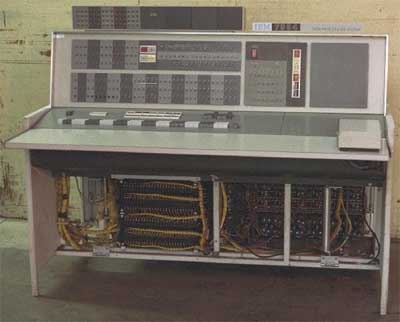
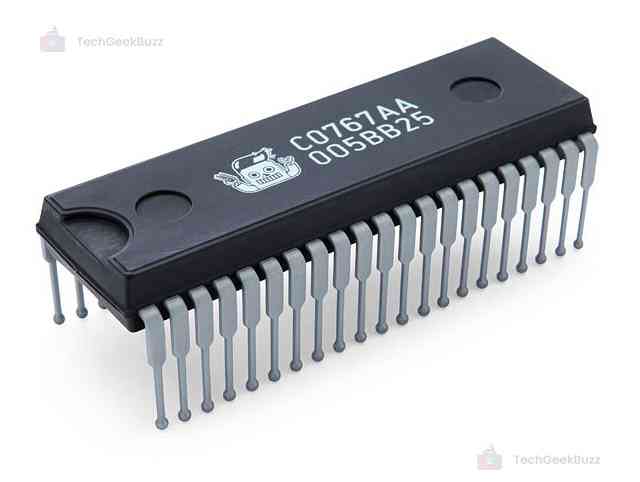
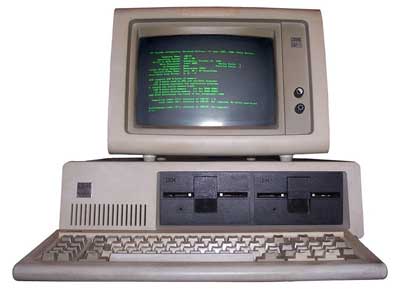
Computers evolved through several technological stages called generations.
First Generation Computers (1940–1956)
Used vacuum tubes for circuitry.
Characteristics:
Very large machines
Consumed huge electricity
Produced heat
Slow processing speed
Used machine language
Examples:
ENIAC
UNIVAC
Second Generation Computers (1956–1963)
Used transistors instead of vacuum tubes.
Advantages:
Smaller size
Less heat
More reliable
Faster processing
Programming languages such as COBOL and FORTRAN were developed.
Third Generation Computers (1964–1971)
Used Integrated Circuits (ICs).
Advantages:
Higher speed
Greater reliability
Reduced size
Lower cost
Operating systems and multiprogramming were introduced.
Fourth Generation Computers (1971–Present)
Used microprocessors.
Characteristics:
Personal computers
High processing power
Compact size
Graphical user interfaces
Examples:
Desktop computers
Laptops
Smartphones
Fifth Generation Computers
Focuses on Artificial Intelligence and advanced computing technologies.
Characteristics include:
Machine learning
Natural language processing
Quantum computing
Advanced robotics
These computers aim to simulate human intelligence.
7. Types of Computers
Computers can be classified based on size, purpose, and processing power.
Supercomputers
The fastest and most powerful computers used for scientific research.
Applications include:
Weather forecasting
Climate modeling
Space research
Nuclear simulations
Mainframe Computers
Used by large organizations to process huge volumes of data.
Applications include:
Banking systems
Government databases
Airline reservations
Minicomputers
Medium-sized computers used by businesses and laboratories.
Microcomputers
Personal computers designed for individual use.
Examples:
Desktop computers
Laptops
Tablets
Smartphones
8. Data and Information
Data
Data refers to raw facts and figures.
Examples:
Numbers
Text
Images
Audio
Video
Information
Information is processed data that has meaning.
Example:
Student marks (data) → grade report (information)
Computers convert raw data into useful information through processing.
9. Computer Processing Cycle
Every computer follows a basic cycle called the IPOS cycle.
Input → Process → Output → Storage
Input
Data is entered using input devices.
Processing
The CPU processes the data according to program instructions.
Output
Results are displayed or printed.
Storage
Data and results are stored for future use.
10. Applications of Computers
Computers are used in many fields.
Education
Online learning
Virtual classrooms
Digital libraries
Research
Business
Accounting
Inventory management
Payroll processing
Customer databases
Healthcare
Medical imaging
Patient records
Diagnostic systems
Telemedicine
Banking
Online banking
ATM machines
Fraud detection
Transaction processing
Communication
Email
Video conferencing
Social media
Instant messaging
Entertainment
Video games
Streaming services
Digital music
Animation
11. Computer Networking
A computer network connects multiple computers to share resources and information.
Types of networks include:
LAN – Local Area Network
MAN – Metropolitan Area Network
WAN – Wide Area Network
The Internet is the largest global network connecting billions of computers.
Networking enables communication, file sharing, cloud computing, and online services.
12. Advantages of Computers
Computers provide numerous benefits.
High speed processing
Accurate calculations
Large storage capacity
Automation of tasks
Improved productivity
Global communication
Access to information
13. Limitations of Computers
Despite their advantages, computers also have limitations.
Dependence on electricity
Security risks such as hacking
Potential job displacement
Health issues due to prolonged use
Need for regular maintenance
Computers cannot think independently without programmed instructions.
14. Emerging Trends in Computing
Modern computing is rapidly evolving.
Artificial Intelligence
Machines that simulate human intelligence.
Cloud Computing
Data and applications stored on remote servers.
Internet of Things (IoT)
Interconnected smart devices.
Quantum Computing
Computers based on quantum mechanics.
Edge Computing
Processing data closer to the source instead of centralized servers.
These technologies are shaping the future of computing.
15. Importance of Computer Literacy
Computer literacy is the ability to use computers effectively.
Essential skills include:
Operating systems usage
Internet navigation
Word processing
Spreadsheets
Basic programming
Cybersecurity awareness
Computer literacy is increasingly important for education, employment, and daily life.
16. Future of Computers
The future of computers involves more powerful, intelligent, and interconnected systems.
Possible developments include:
Human-like AI assistants
Advanced robotics
Brain-computer interfaces
Quantum processors
Fully autonomous systems
Computers will continue to transform industries, science, and society.
Conclusion
Computers have become one of the most significant technological inventions in human history. From their early beginnings as room-sized machines to today’s compact and powerful devices, computers have revolutionized the way people work, communicate, learn, and solve problems. Understanding the basic concepts of computers—including hardware, software, data processing, and networking—provides a foundation for further study in information technology and computer science. As technology continues to advance, computers will play an even greater role in shaping the future of humanity.