Arrays and strings are among the most fundamental data structures in computer science and programming. They form the building blocks for more complex structures like lists, stacks, queues, trees, and databases.
Array → Stores a collection of elements of the same data type
String → Stores a sequence of characters (text)
In simple terms:
Arrays manage collections of data, while strings manage textual data
🧠 ARRAYS
📌 What is an Array?
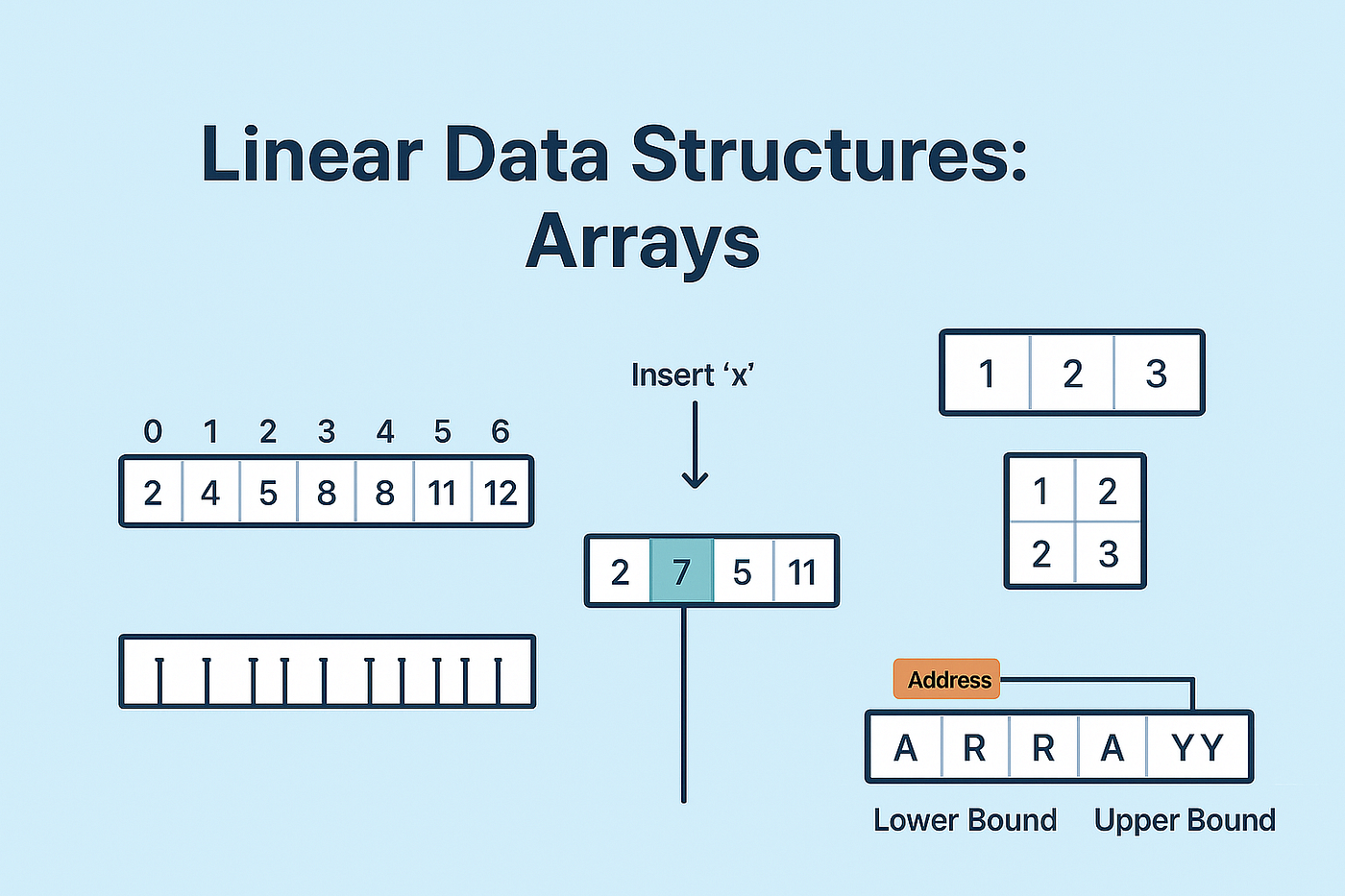
An array is a data structure that stores multiple elements of the same type in contiguous memory locations.
Example:
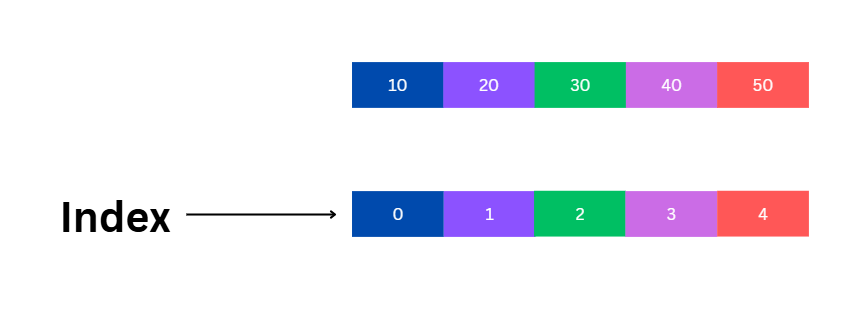
int arr[5] = {10, 20, 30, 40, 50};
⚙️ Characteristics of Arrays
Fixed size (in most languages)
Homogeneous elements (same type)
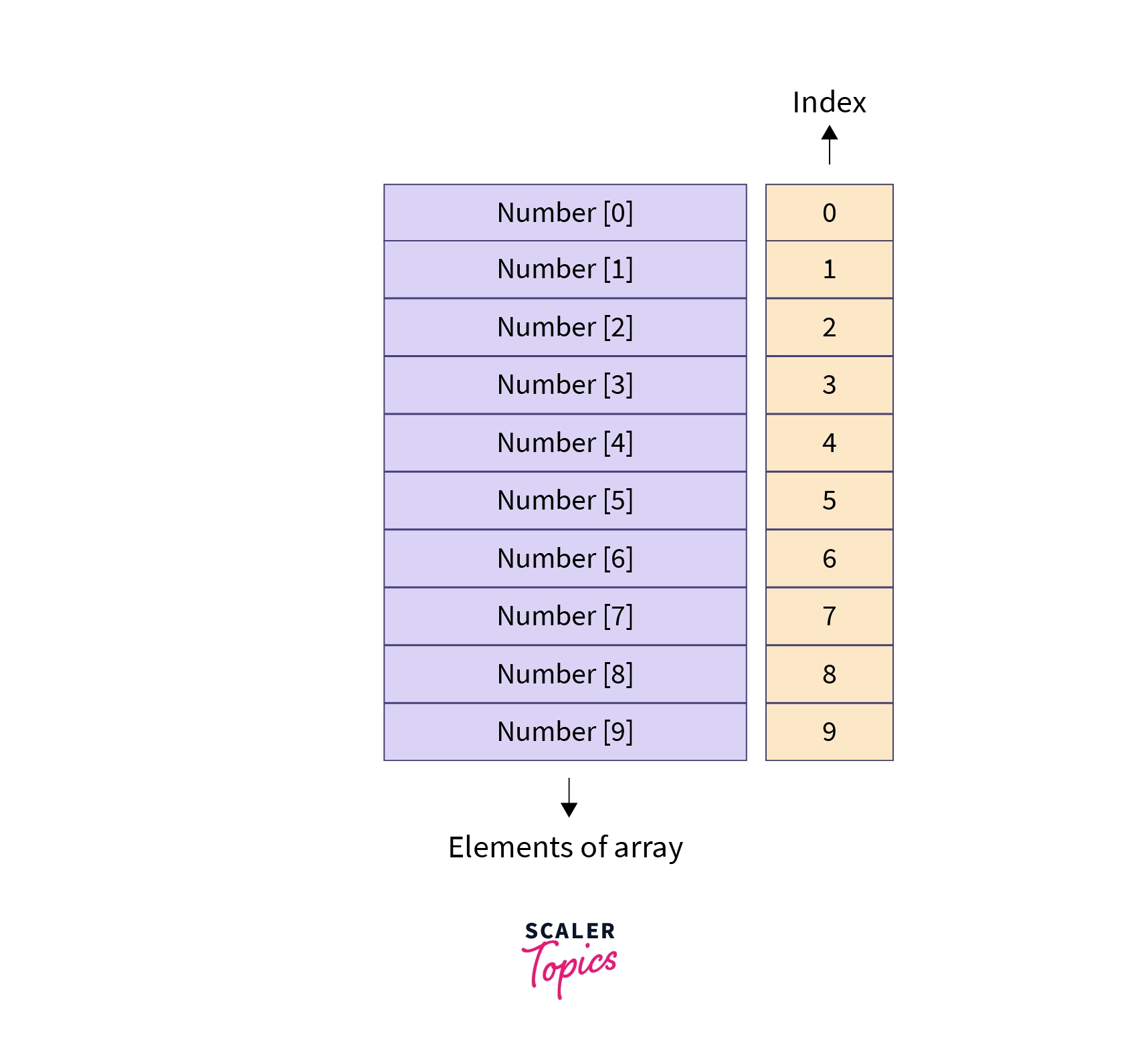
Indexed access (0-based index)
Stored in contiguous memory
🧩 Array Representation in Memory
Each element is stored sequentially:
Index:   0   1   2   3   4
Value:  10  20  30  40  50
Address calculation:
Address = Base + (Index × Size of element)
🔢 Types of Arrays
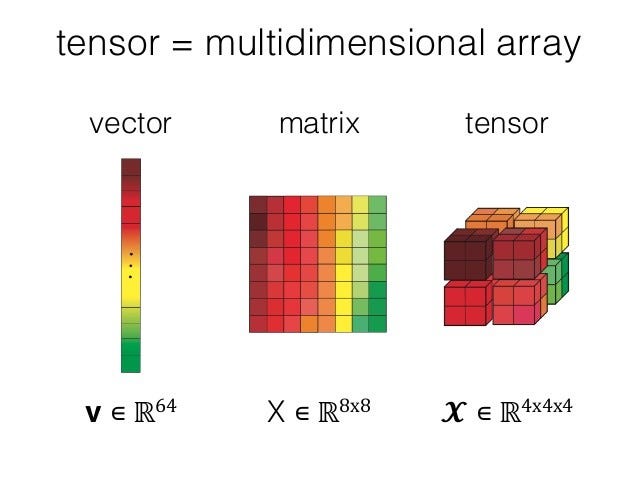
🔹 1. One-Dimensional Array
Linear structure
Single index
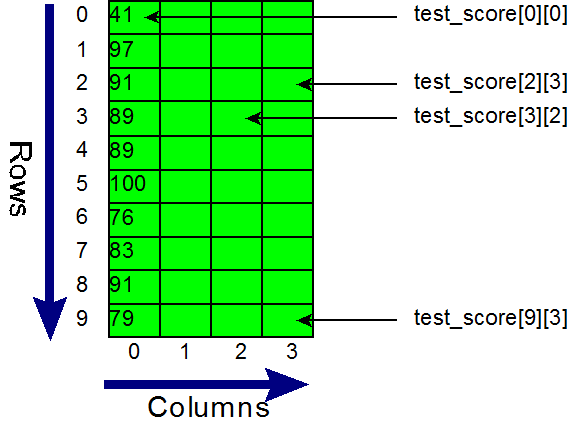
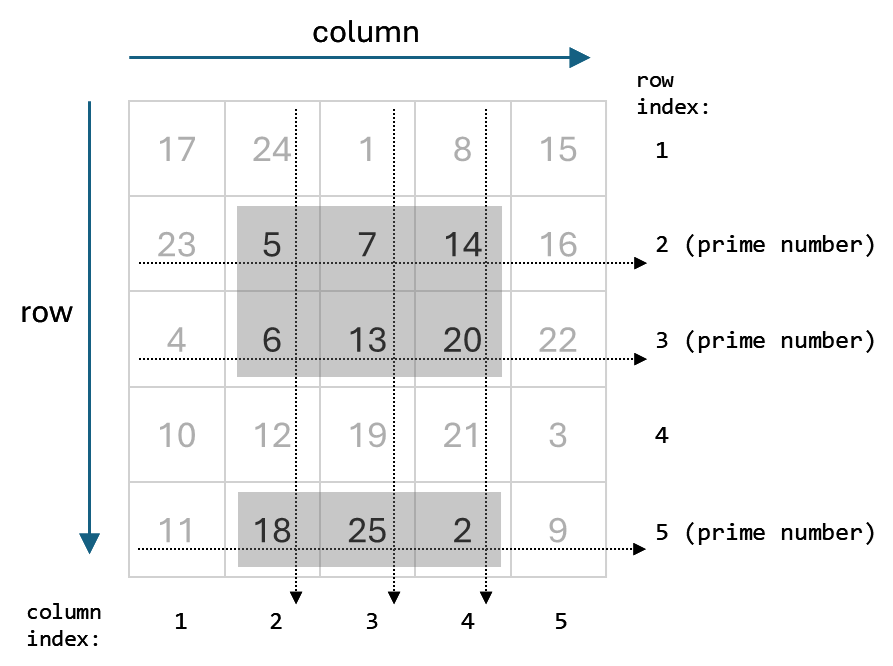
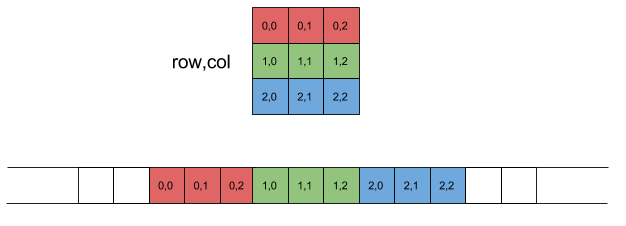
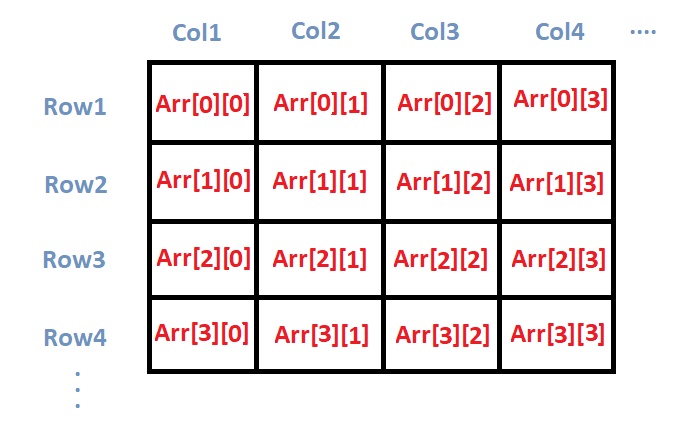
🔹 2. Two-Dimensional Array
Matrix format
Rows and columns
Example:
int arr[2][3];
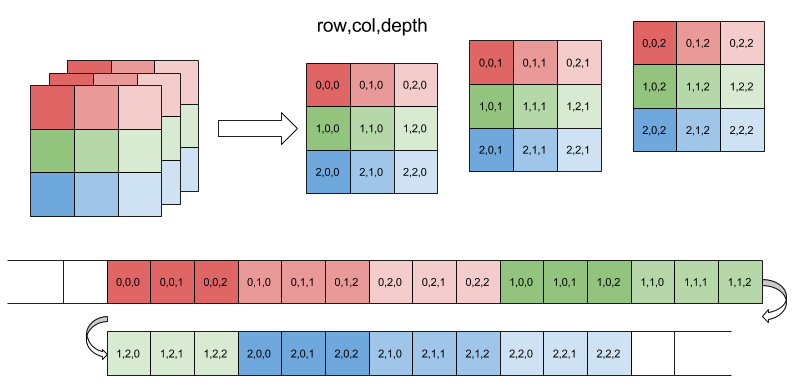
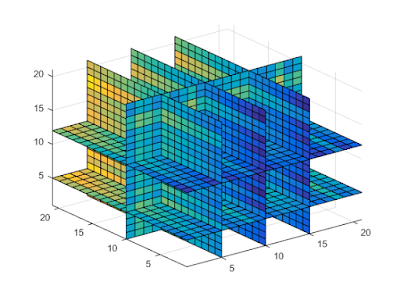
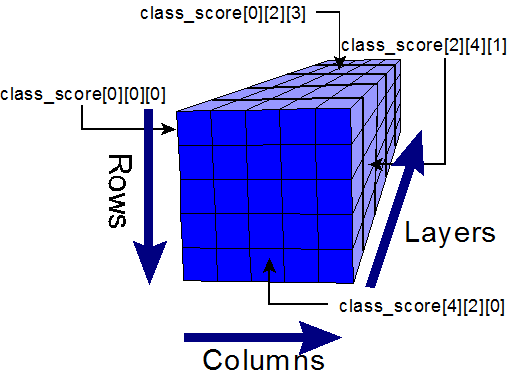
🔹 3. Multi-Dimensional Array
Used in scientific computing
Example: 3D arrays
⚙️ Array Operations
🔹 Traversal
Access each element
🔹 Insertion
Add element (costly if fixed size)
🔹 Deletion
Remove element and shift
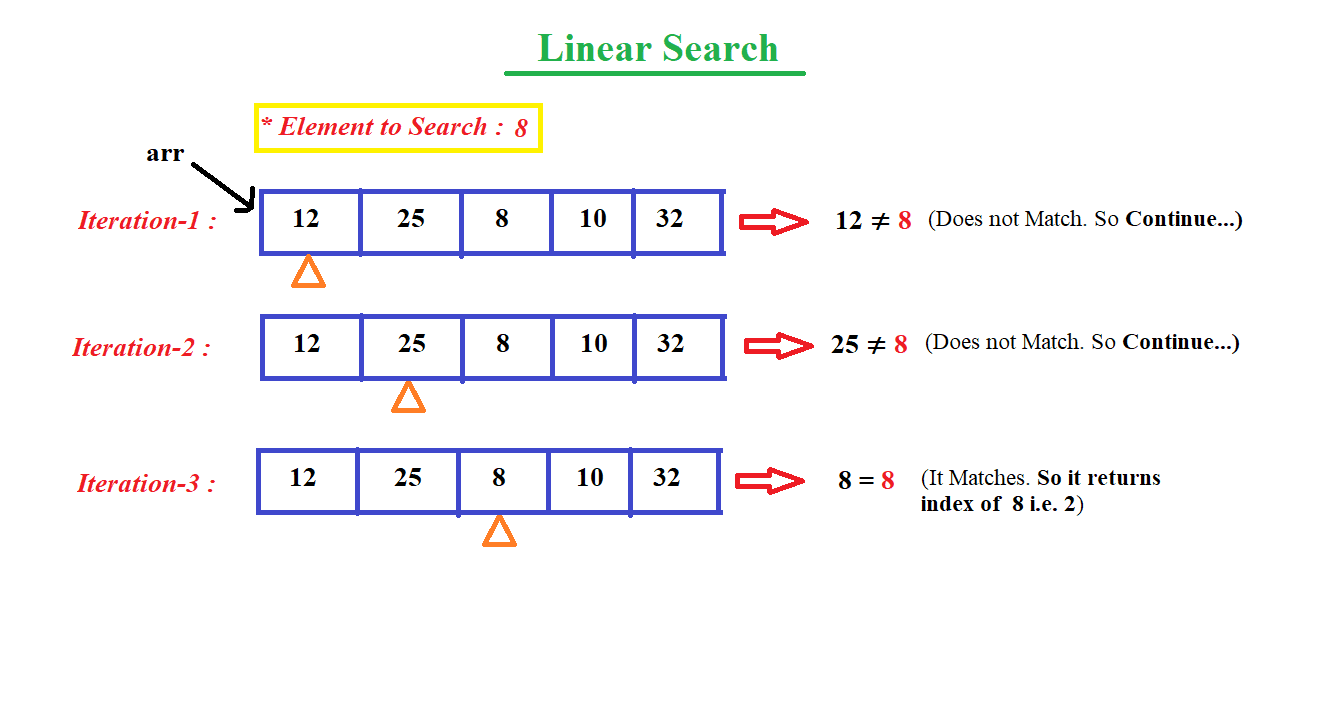
🔹 Searching
Linear search
Binary search
🔹 Sorting
Bubble sort
Merge sort
Quick sort
🔍 Searching Techniques
⚡ Advantages of Arrays
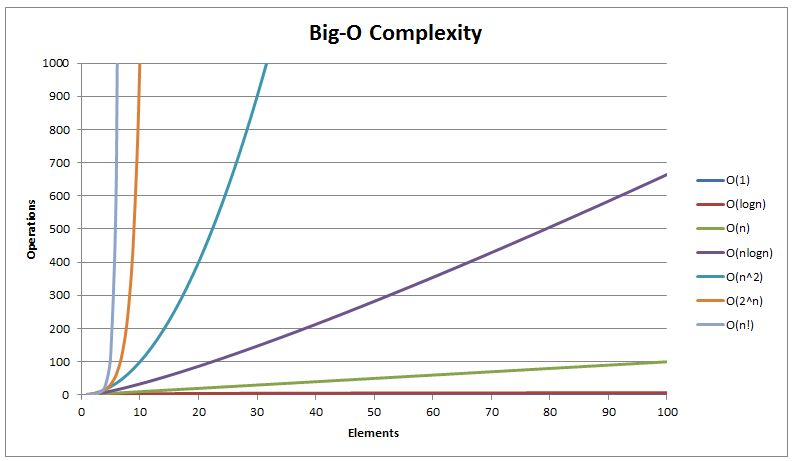
Fast access (O(1))
Simple implementation
Efficient memory usage
⚠️ Limitations of Arrays
Fixed size
Insertion/deletion costly
Wasted memory
🔤 STRINGS
📌 What is a String?
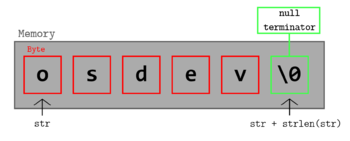
A string is a sequence of characters stored in memory.
Example:
char str[] = "Hello";
🧠 String Representation
Stored as:
H e l l o \0
(\0 = null terminator)
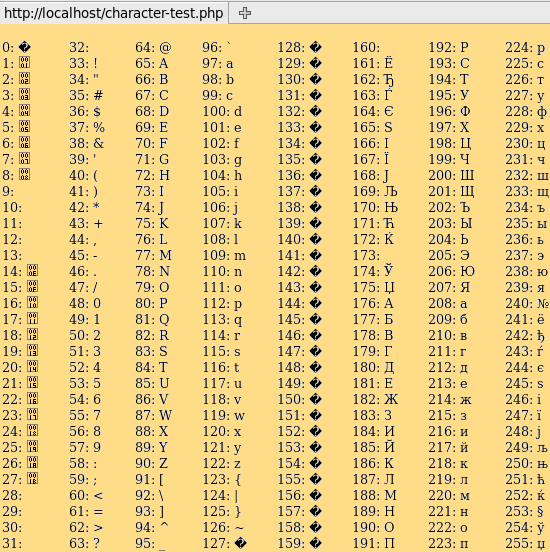
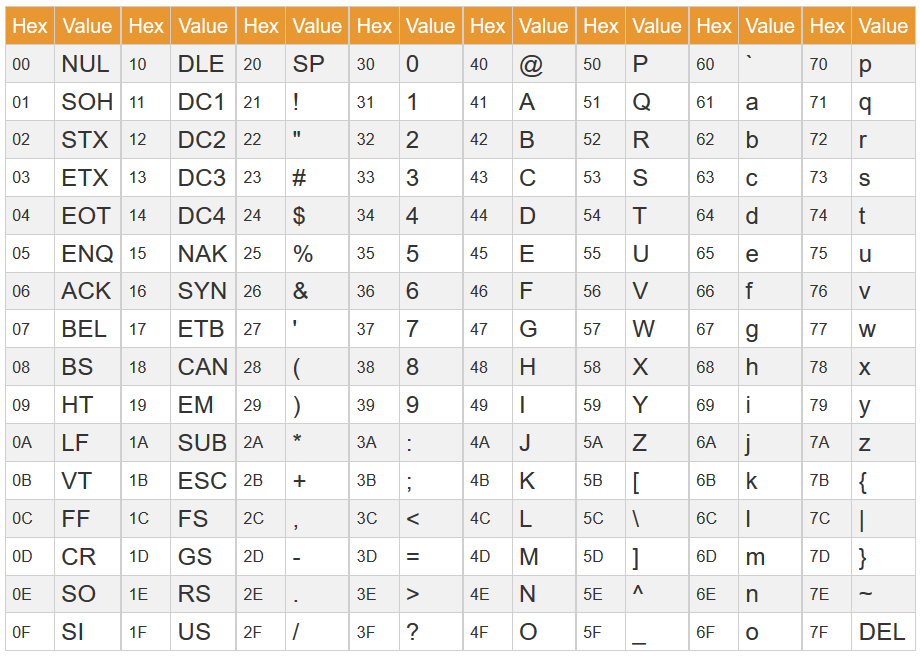
🔤 Character Encoding
🔹 ASCII
7/8-bit encoding
Limited characters
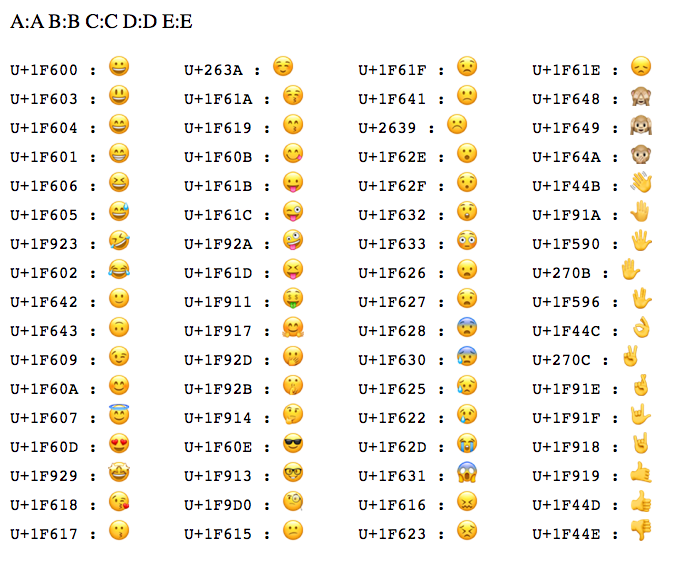
🔹 Unicode
Supports global languages
UTF-8, UTF-16
⚙️ String Operations
🔹 Basic Operations
Length
Concatenation
Comparison
Substring
🔹 Advanced Operations
Pattern matching
Parsing
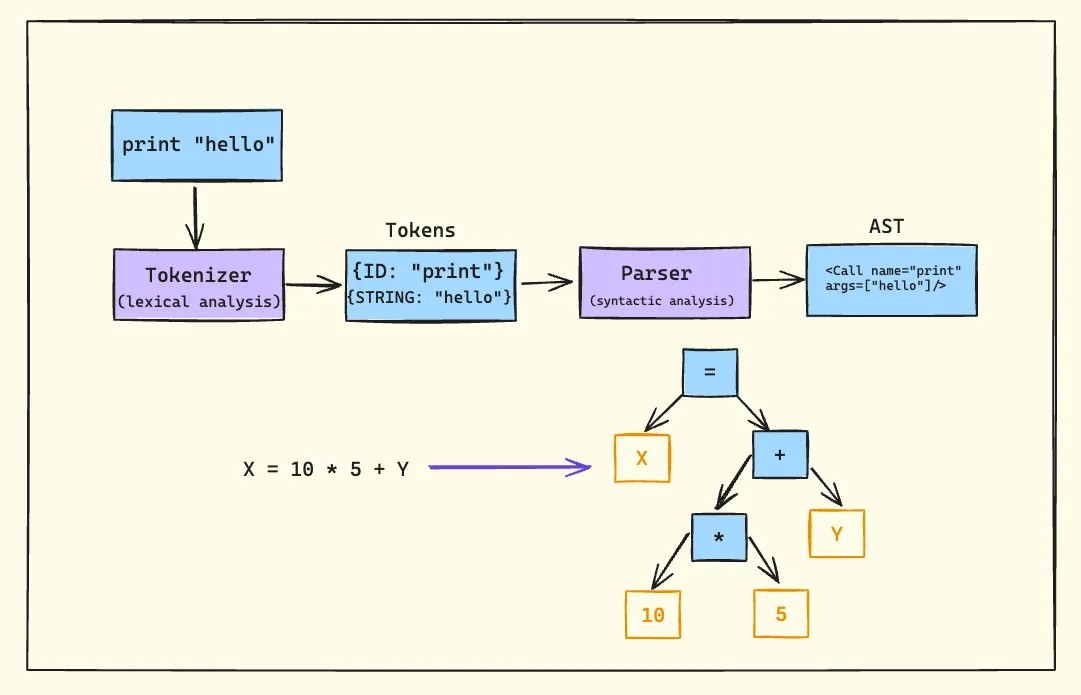
Tokenization
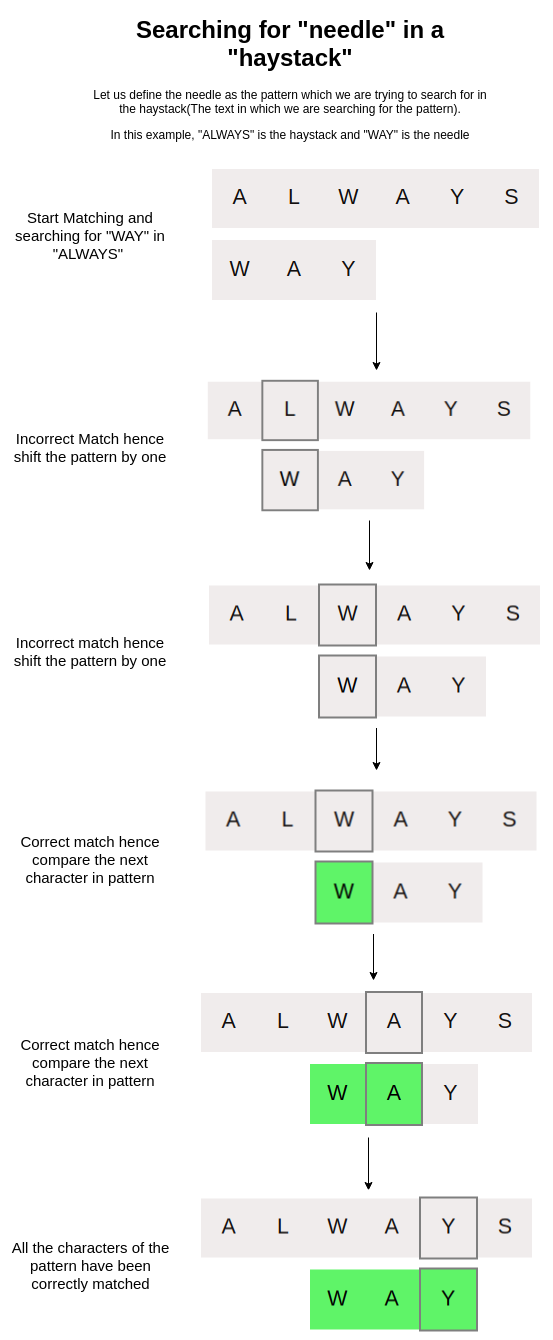
🔍 String Searching Algorithms
🔹 Naive Algorithm
🔹 KMP Algorithm
🔹 Rabin-Karp Algorithm
🔄 Arrays vs Strings
⚖️ Comparison Table
Feature
Array
String
Data Type
Any
Characters
Size
Fixed
Variable
Usage
General data
Text
🧠 Memory Management
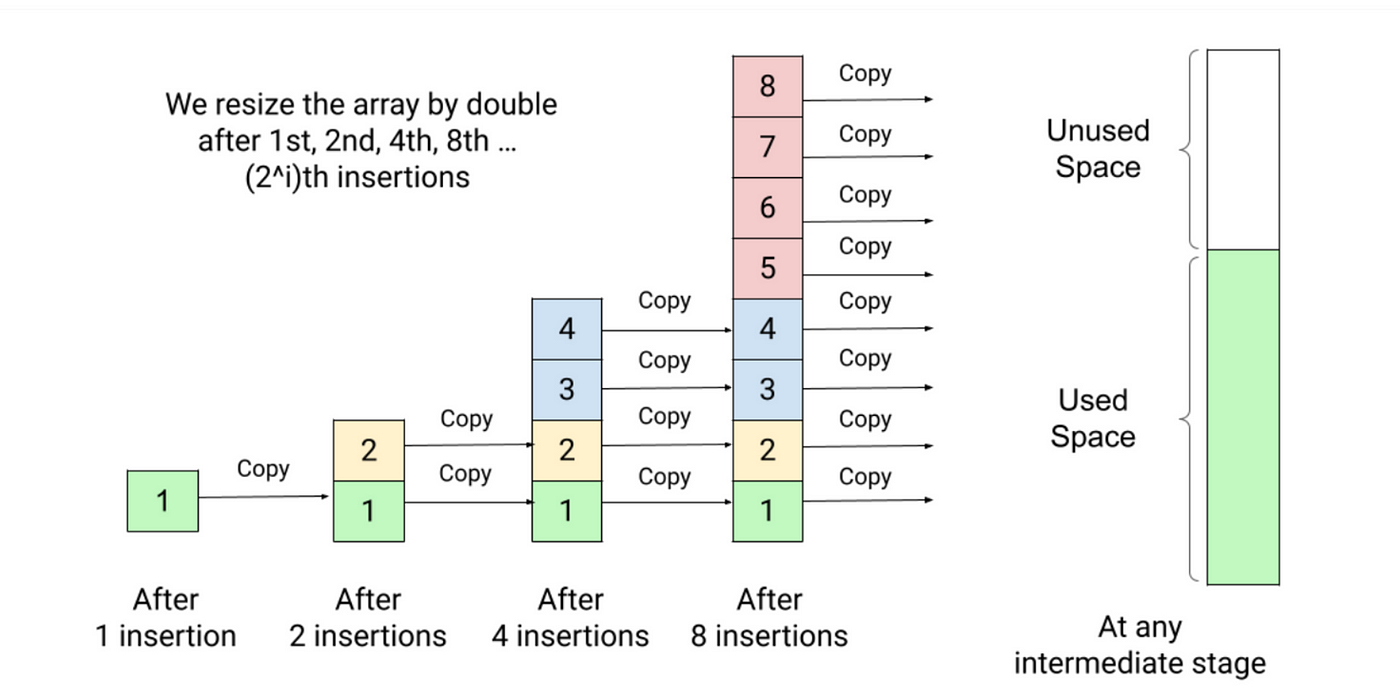
📦 Static vs Dynamic Arrays
Static → Fixed size
Dynamic → Resizable
Example:
Python lists
Java ArrayList
🧠 Dynamic Strings
Strings can be mutable or immutable
⚙️ Multidimensional Strings
🧩 Examples:
Array of strings
String matrices
🧠 Applications of Arrays and Strings
💻 Programming
Data storage
Algorithms
🌐 Web Development
Text processing
Input handling
🤖 AI and Data Science
Data representation
NLP (Natural Language Processing)
🎮 Gaming
Graphics arrays
Text rendering
⚡ Advantages
Arrays:
Fast access
Structured storage
Strings:
Easy text manipulation
Human-readable
⚠️ Limitations
Arrays:
Fixed size
Less flexible
Strings:
Memory overhead
Slower operations
🚀 Advanced Topics
Dynamic arrays
String hashing
Suffix arrays
Advanced data structures
🧾 Conclusion
Arrays and strings are core data structures in computing. They:
A computer is an electronic device that processes data according to a set of instructions called programs. It accepts raw data as input, processes it using a central processing unit, stores the results, and produces meaningful information as output.
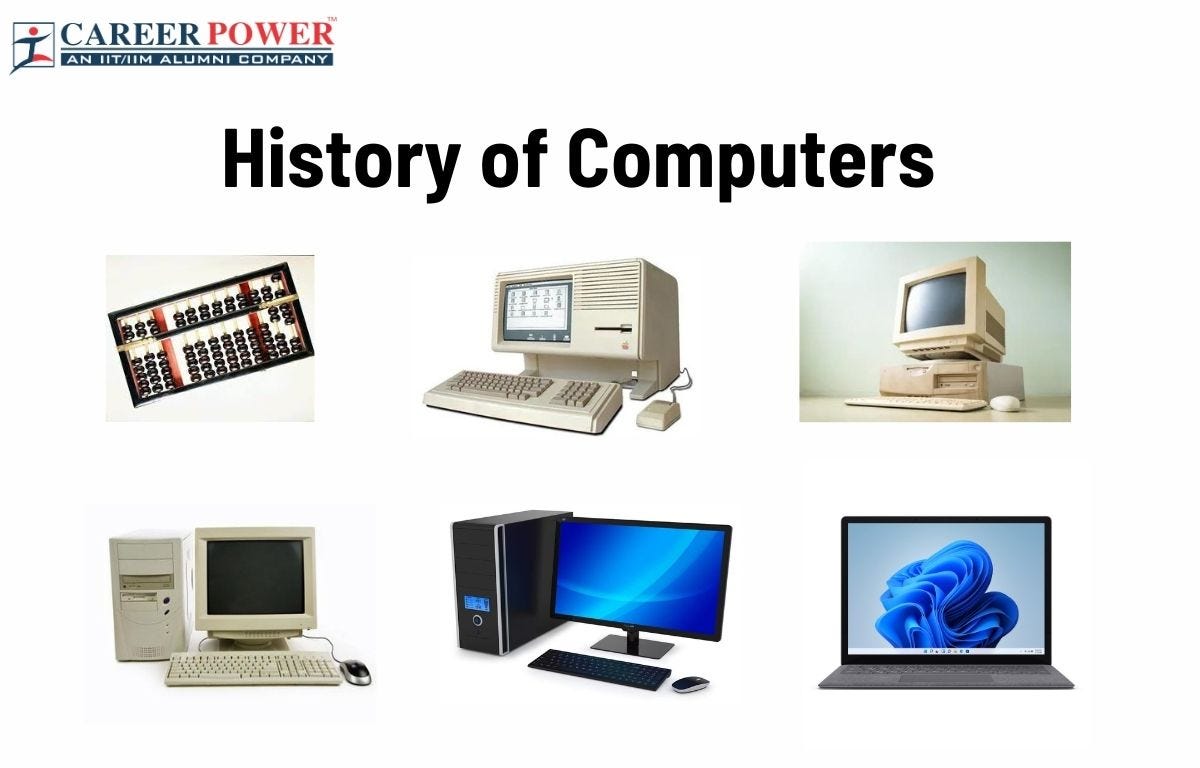
The word computer originally referred to a person who performed calculations manually. With technological advancement, the term now refers to programmable electronic machines capable of performing millions or billions of operations per second.
A widely accepted definition states:
A computer is an electronic programmable machine that receives input, processes data based on instructions, stores information, and produces output.
Computers are essential tools in modern society and are used in almost every field including education, medicine, engineering, communication, entertainment, business, banking, transportation, and scientific research.
2. Basic Characteristics of Computers
Computers possess several important characteristics that make them powerful tools.
Speed
Computers can perform calculations extremely fast. Modern processors can execute billions of instructions per second. Tasks that would take humans hours or days can be completed in seconds.
Accuracy
Computers produce highly accurate results when the instructions and input data are correct. Errors usually occur due to incorrect input or faulty programs rather than the computer itself.
Automation
Once a program is started, a computer can perform tasks automatically without human intervention until the program finishes.
Storage Capacity
Computers can store large volumes of data. Storage devices such as hard drives, SSDs, and cloud storage allow computers to keep enormous amounts of information.
Diligence
Unlike humans, computers do not get tired or bored. They can perform repetitive tasks continuously with the same efficiency.
Versatility
Computers can perform a wide variety of tasks including word processing, data analysis, multimedia editing, scientific simulations, and gaming.
Multitasking
Modern computers can run multiple applications simultaneously, allowing users to perform different tasks at the same time.
Reliability
Computers are reliable machines that can run continuously for long periods without failure when properly maintained.
3. Components of a Computer System
A computer system consists of two main parts:
Hardware
Software
Both components work together to perform computing tasks.
4. Computer Hardware
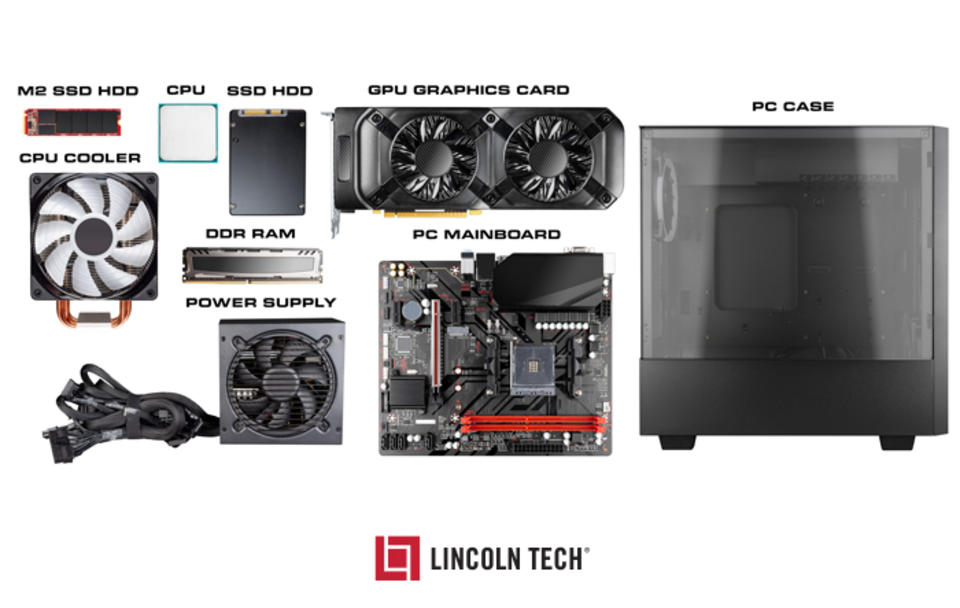
Hardware refers to the physical components of a computer that can be seen and touched.
Central Processing Unit (CPU)
The CPU is the brain of the computer. It performs calculations and executes instructions from programs.
The CPU has three main parts:
Arithmetic Logic Unit (ALU)
Performs mathematical calculations and logical operations.
Control Unit (CU)
Directs the flow of data and instructions inside the computer.
Registers
Small storage locations within the CPU used for temporary data during processing.
Memory (Primary Memory)
Primary memory stores data and instructions that are currently being processed.
Types include:
RAM (Random Access Memory)
RAM is temporary memory used to store data currently in use. It is volatile, meaning the data is lost when power is turned off.
ROM (Read Only Memory)
ROM contains permanent instructions required to start the computer. It is non-volatile.
Secondary Storage
Secondary storage is used for long-term data storage.
Examples include:
Hard Disk Drive (HDD) Solid State Drive (SSD) USB Flash Drive CD/DVD Memory Cards
These devices retain data even when the computer is turned off.
Input Devices
Input devices allow users to send data and commands to a computer.
Email Video conferencing Social media Instant messaging
Entertainment
Video games Streaming services Digital music Animation
11. Computer Networking
A computer network connects multiple computers to share resources and information.
Types of networks include:
LAN – Local Area Network MAN – Metropolitan Area Network WAN – Wide Area Network
The Internet is the largest global network connecting billions of computers.
Networking enables communication, file sharing, cloud computing, and online services.
12. Advantages of Computers
Computers provide numerous benefits.
High speed processing Accurate calculations Large storage capacity Automation of tasks Improved productivity Global communication Access to information
13. Limitations of Computers
Despite their advantages, computers also have limitations.
Dependence on electricity Security risks such as hacking Potential job displacement Health issues due to prolonged use Need for regular maintenance
Computers cannot think independently without programmed instructions.
14. Emerging Trends in Computing
Modern computing is rapidly evolving.
Artificial Intelligence
Machines that simulate human intelligence.
Cloud Computing
Data and applications stored on remote servers.
Internet of Things (IoT)
Interconnected smart devices.
Quantum Computing
Computers based on quantum mechanics.
Edge Computing
Processing data closer to the source instead of centralized servers.
These technologies are shaping the future of computing.
15. Importance of Computer Literacy
Computer literacy is the ability to use computers effectively.
Essential skills include:
Operating systems usage Internet navigation Word processing Spreadsheets Basic programming Cybersecurity awareness
Computer literacy is increasingly important for education, employment, and daily life.
16. Future of Computers
The future of computers involves more powerful, intelligent, and interconnected systems.
Possible developments include:
Human-like AI assistants Advanced robotics Brain-computer interfaces Quantum processors Fully autonomous systems
Computers will continue to transform industries, science, and society.
Conclusion
Computers have become one of the most significant technological inventions in human history. From their early beginnings as room-sized machines to today’s compact and powerful devices, computers have revolutionized the way people work, communicate, learn, and solve problems. Understanding the basic concepts of computers—including hardware, software, data processing, and networking—provides a foundation for further study in information technology and computer science. As technology continues to advance, computers will play an even greater role in shaping the future of humanity.