Tag Archives: sorting algorithms

📊 Sorting Algorithms


🧩 What is Sorting?

Image
Image
Image
Image

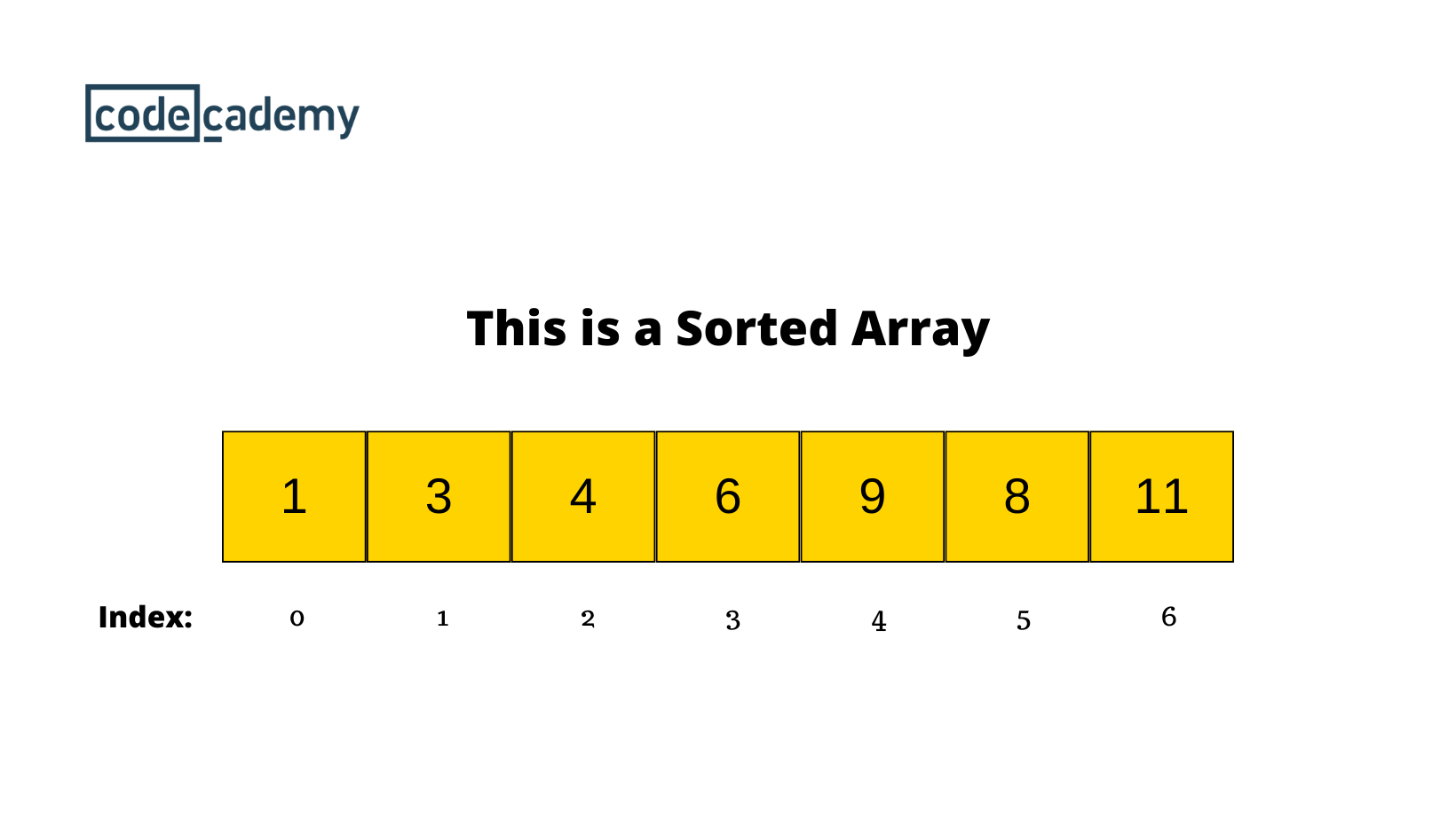
Sorting is the process of arranging data in a specific order, typically:

  • Ascending order (small → large)
  • Descending order (large → small)

Sorting is a fundamental operation in computer science and plays a crucial role in:

  • Searching algorithms
  • Data analysis
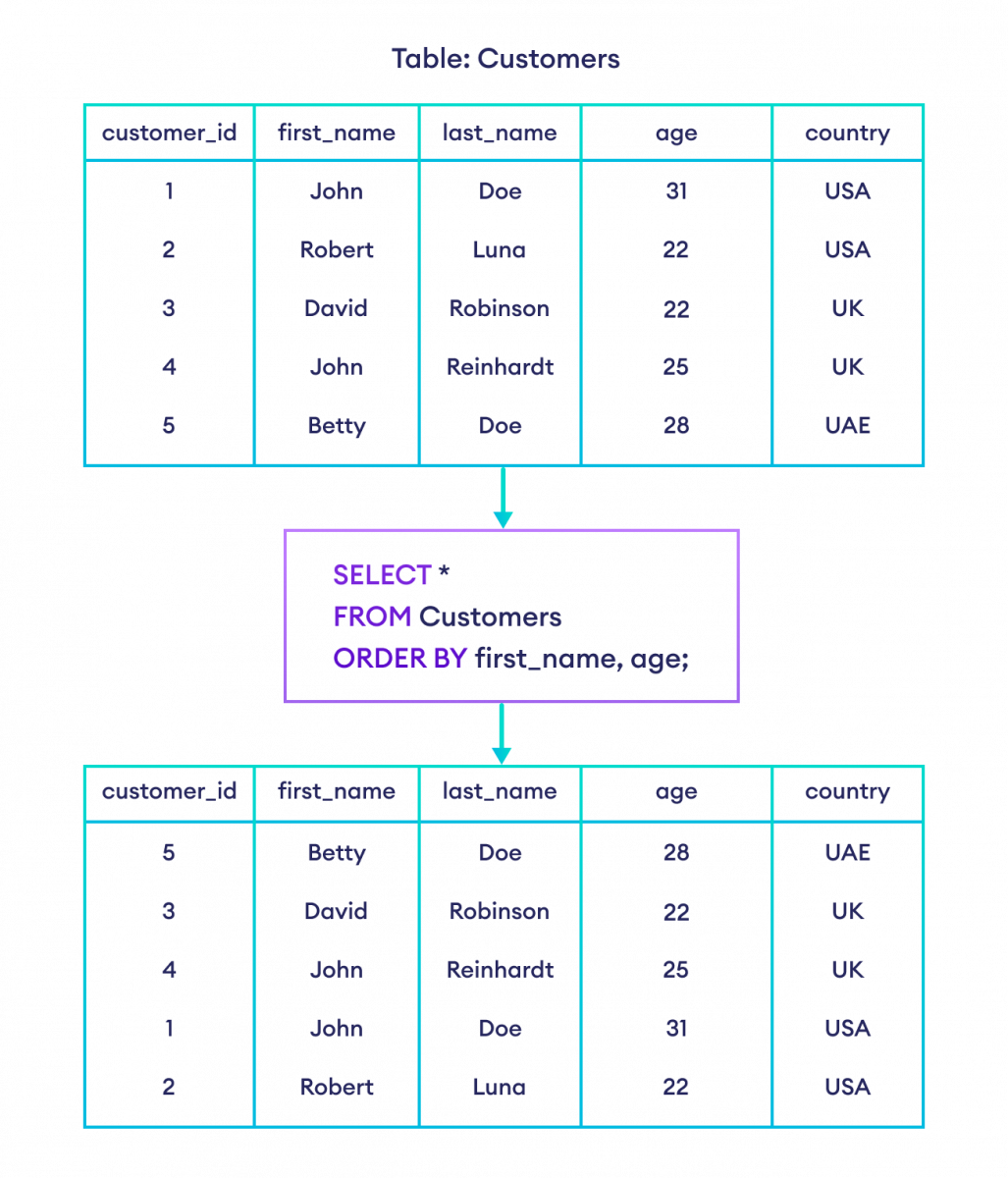
  • Database management
  • Optimization problems

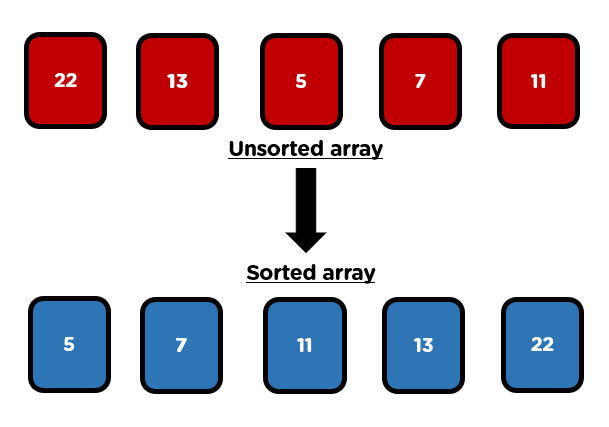
Example:

Unsorted: [5, 2, 9, 1, 6]
Sorted:   [1, 2, 5, 6, 9]

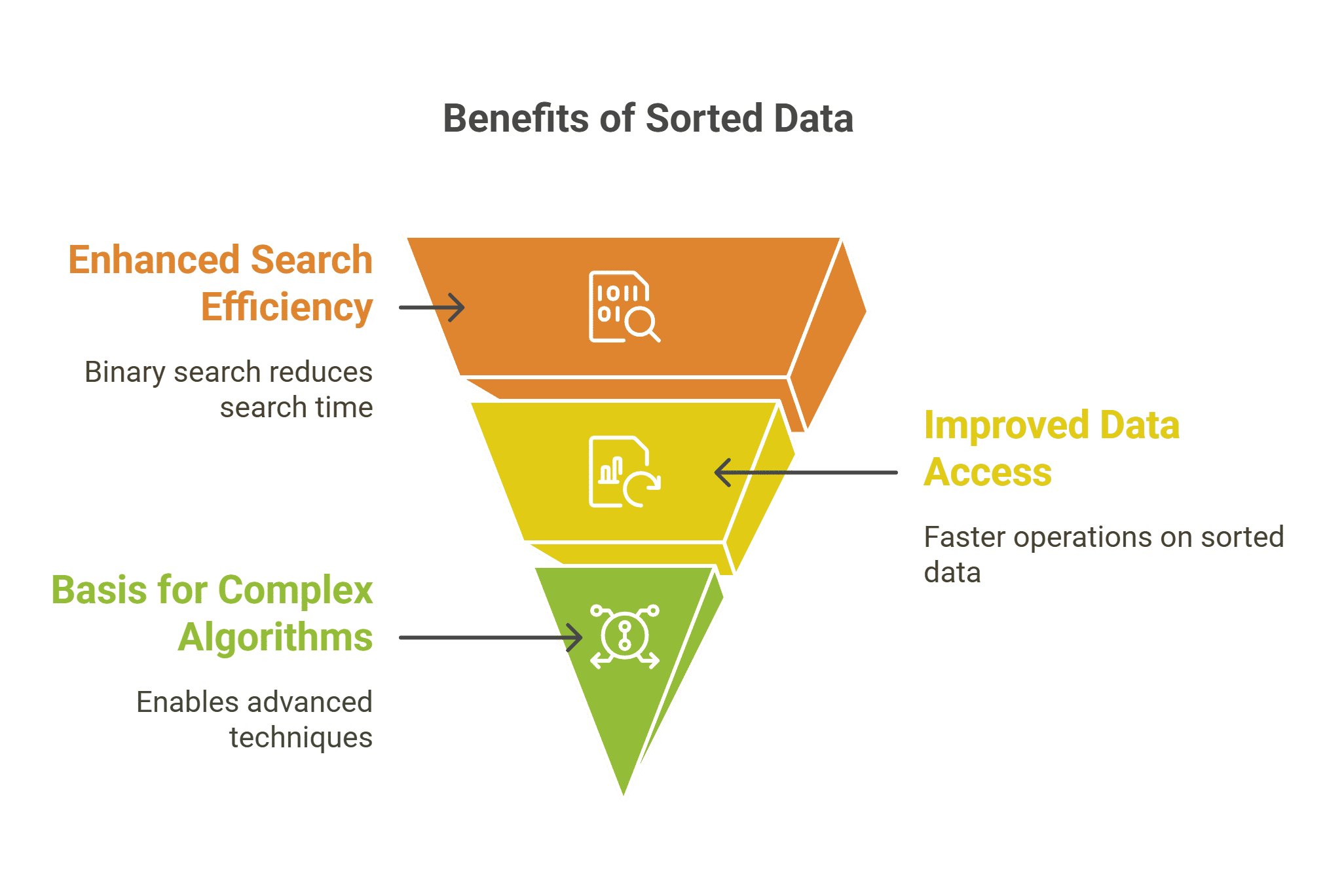
🧠 Why Sorting is Important

  • Improves efficiency of searching (e.g., Binary Search)
  • Enables easier data analysis
  • Helps in duplicate detection
  • Forms the backbone of many algorithms

⚙️ Classification of Sorting Algorithms

Sorting algorithms can be classified based on several criteria:

🔹 Based on Method

  • Comparison-based sorting
  • Non-comparison-based sorting

🔹 Based on Memory Usage

  • In-place sorting
  • Out-of-place sorting

🔹 Based on Stability

  • Stable sorting
  • Unstable sorting

🔢 Comparison-Based Sorting Algorithms


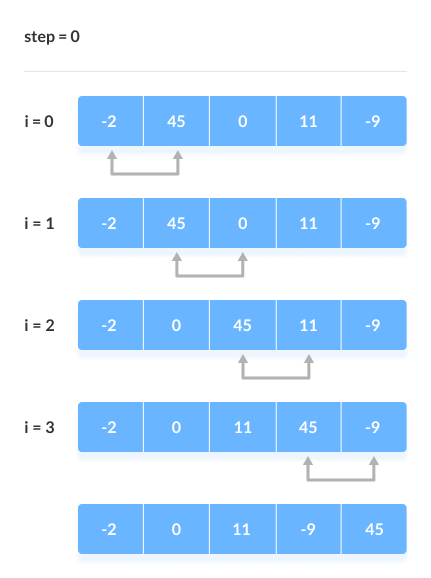
🔹 1. Bubble Sort
Image
Image
Image

📌 Concept:

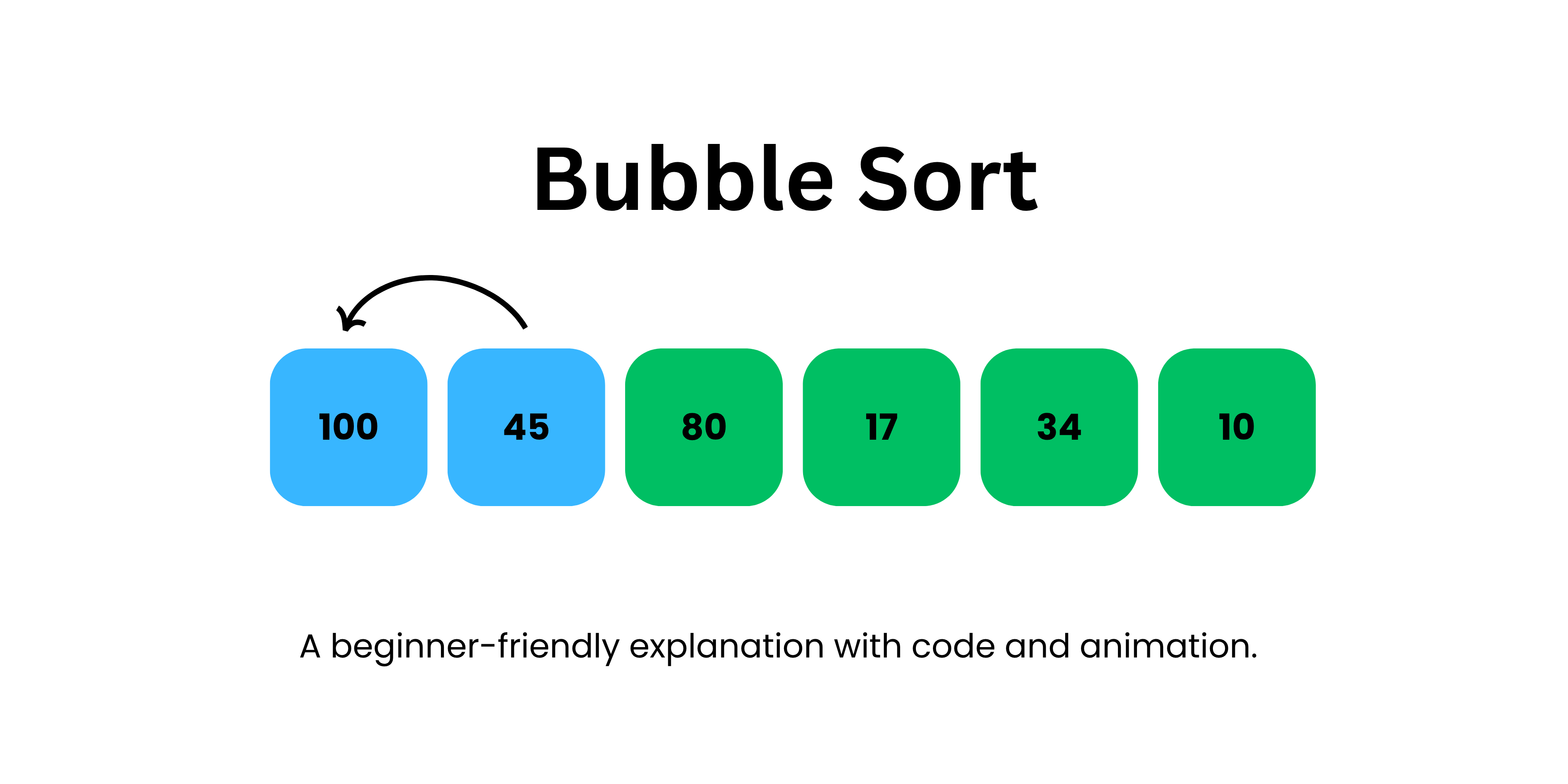
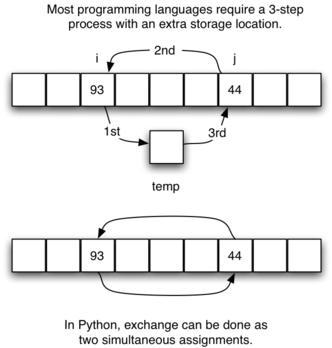
Repeatedly compares adjacent elements and swaps them if they are in the wrong order.

🧾 Algorithm:

  1. Compare adjacent elements
  2. Swap if needed
  3. Repeat until sorted

💻 Example:

def bubble_sort(arr):
    n = len(arr)
    for i in range(n):
        for j in range(0, n-i-1):
            if arr[j] > arr[j+1]:
                arr[j], arr[j+1] = arr[j+1], arr[j]

⏱️ Complexity:

  • Best: O(n)
  • Average: O(n²)
  • Worst: O(n²)

✅ Pros:

  • Simple
  • Easy to understand

❌ Cons:

  • Very slow for large data

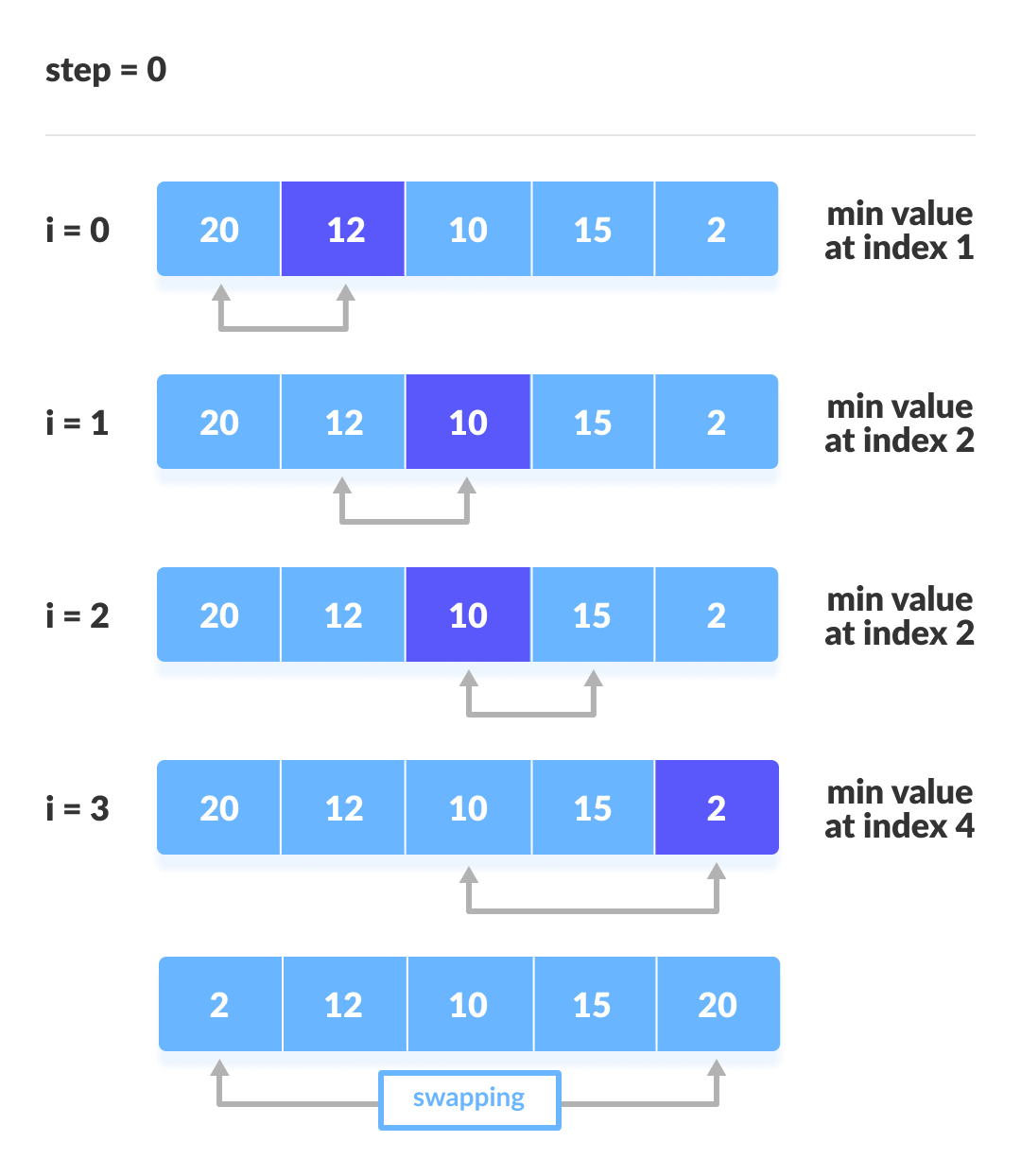
🔹 2. Selection Sort
Image
Image
Image

📌 Concept:

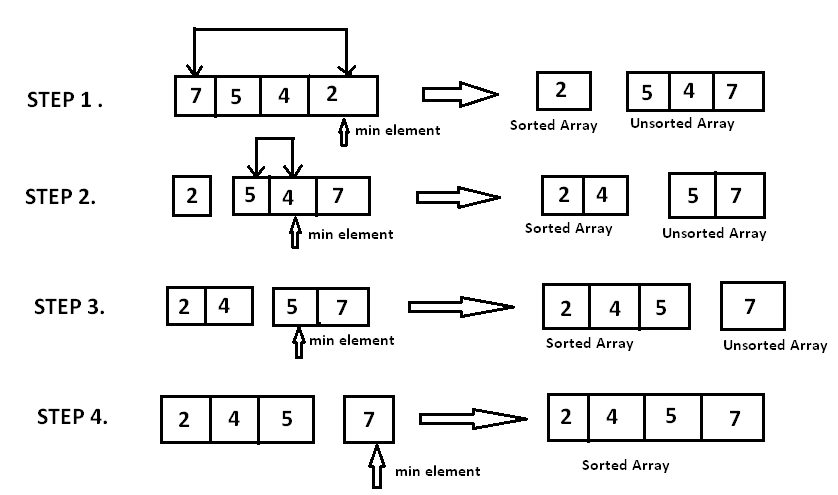
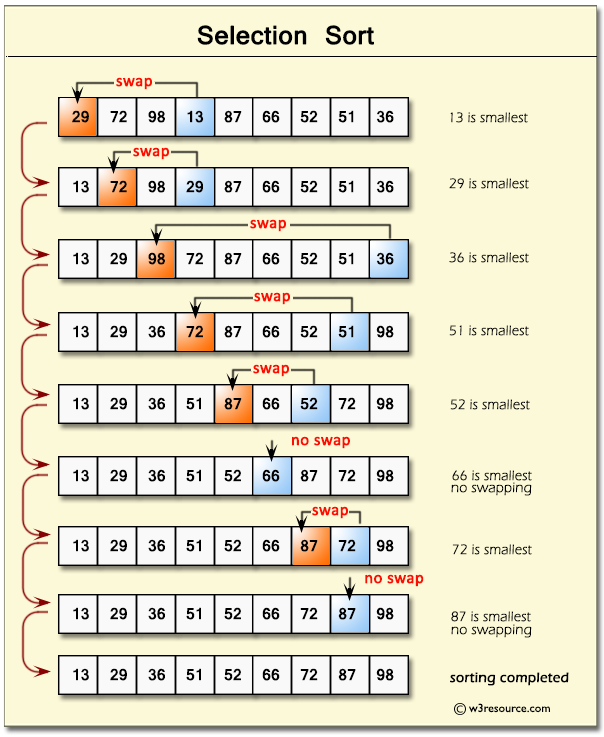
Selects the smallest element and places it in correct position.

⏱️ Complexity:

  • O(n²) for all cases

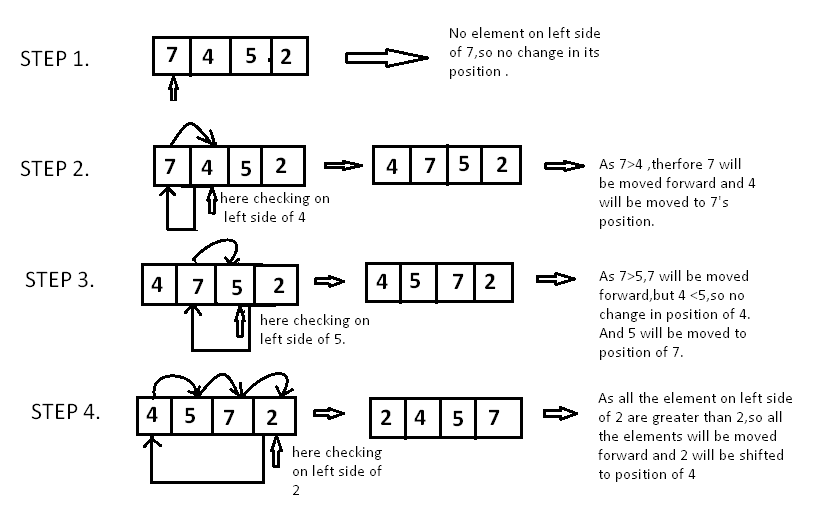
🔹 3. Insertion Sort
Image
Image
Image
Image

📌 Concept:

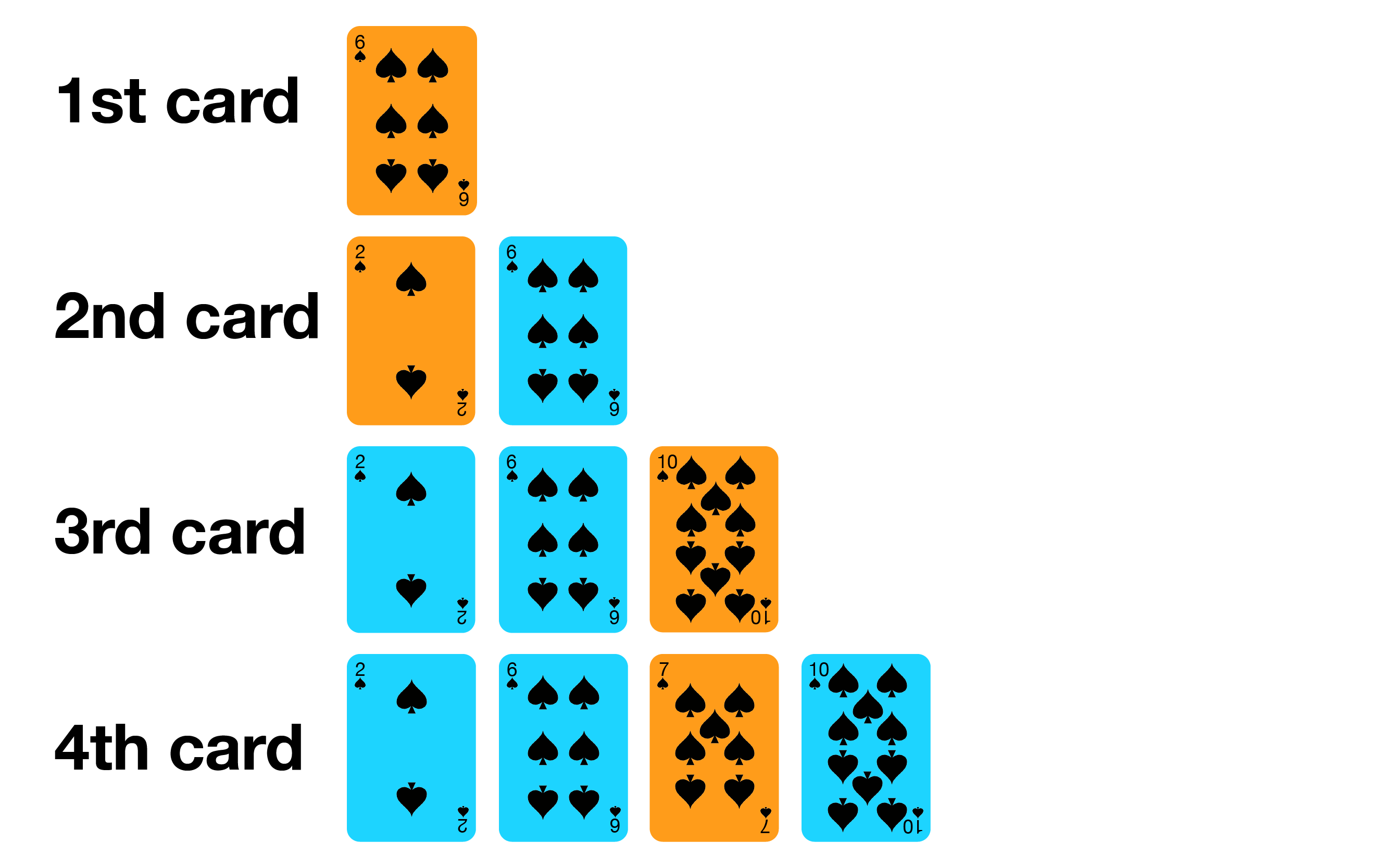
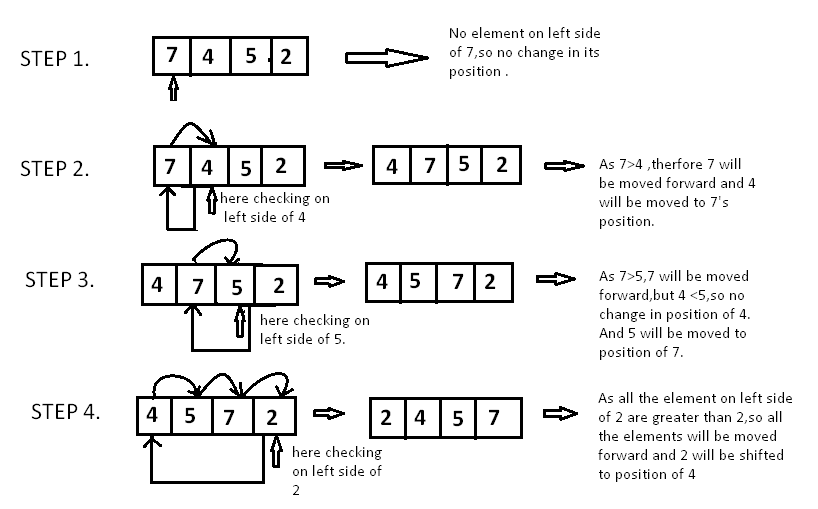
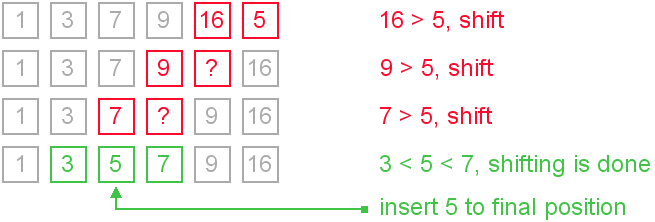
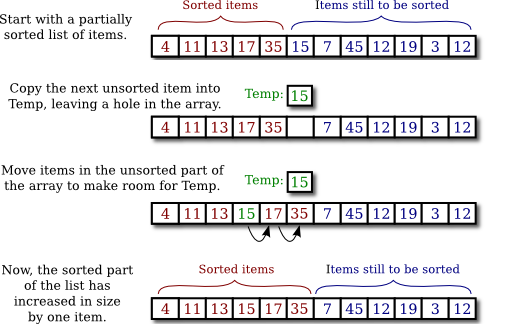
Builds sorted array one element at a time.

⏱️ Complexity:

  • Best: O(n)
  • Worst: O(n²)

📌 Use Case:

Small datasets


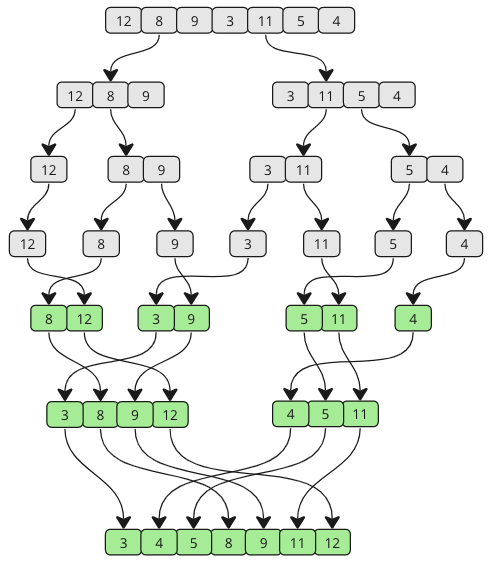
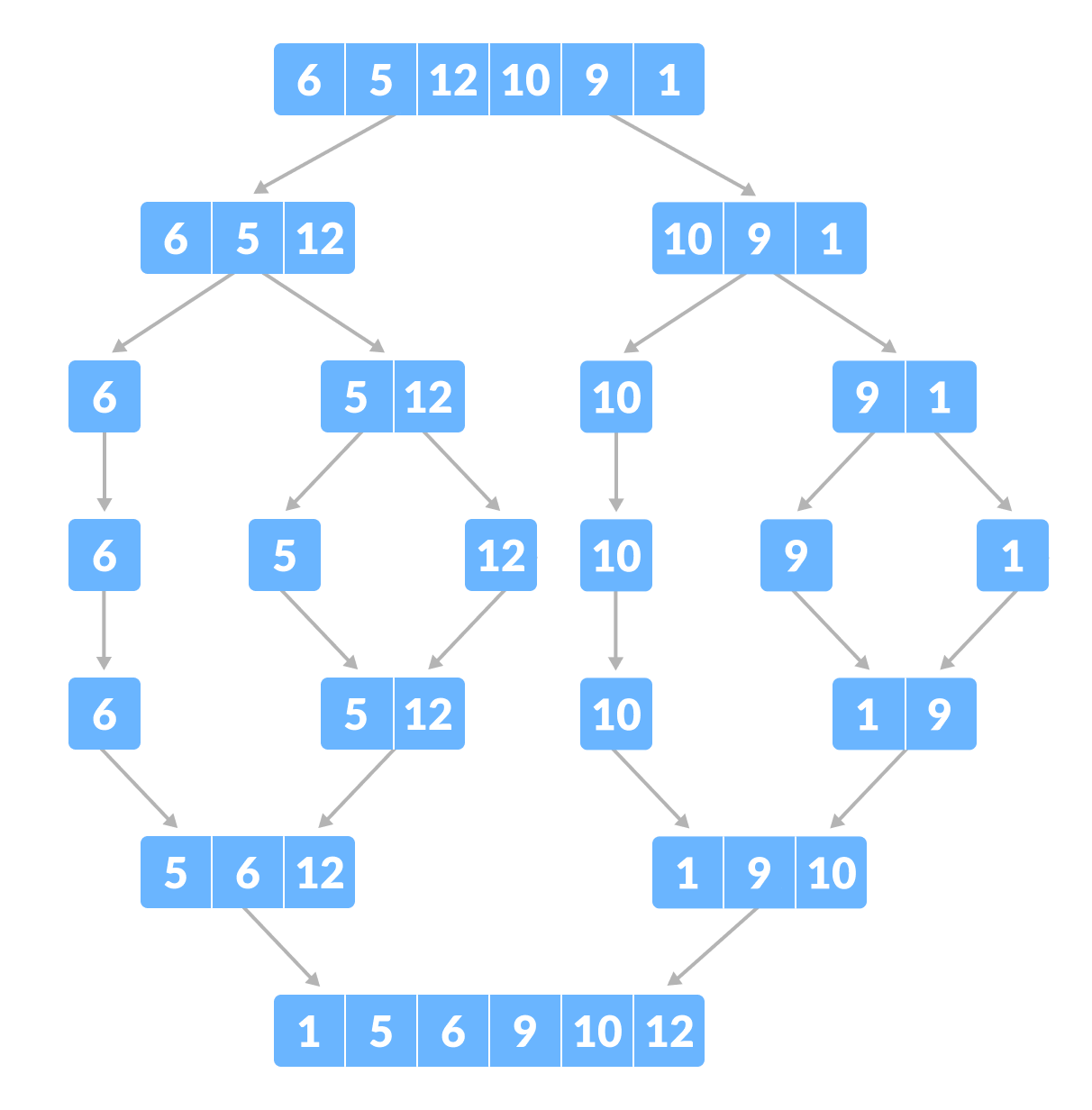
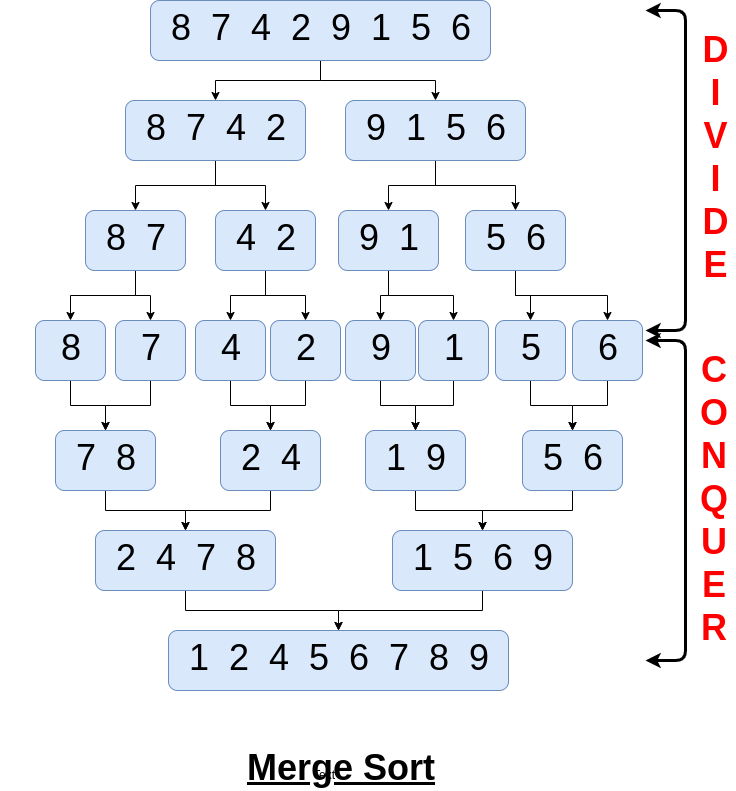
🔹 4. Merge Sort
Image
Image
Image
Image

📌 Concept:

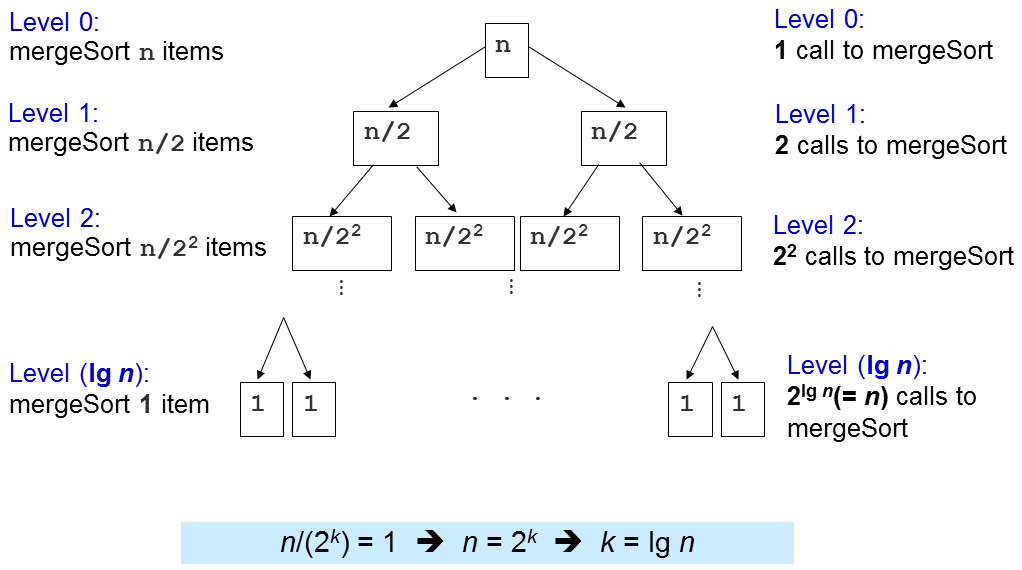
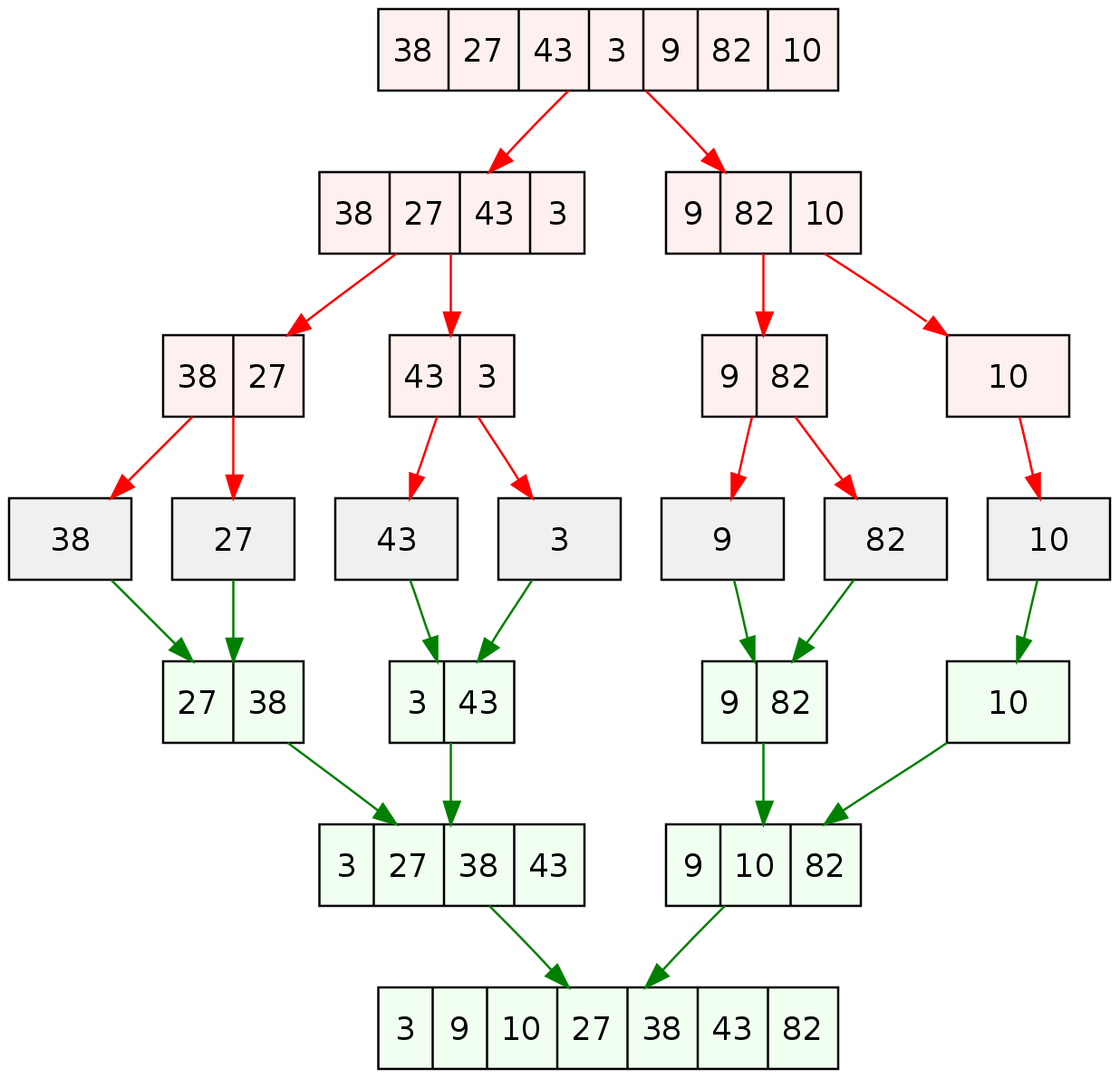
Divide and conquer algorithm.

Steps:

  1. Divide array into halves
  2. Sort each half
  3. Merge them

⏱️ Complexity:

  • O(n log n)

✅ Pros:

  • Stable
  • Efficient

❌ Cons:

  • Extra memory needed

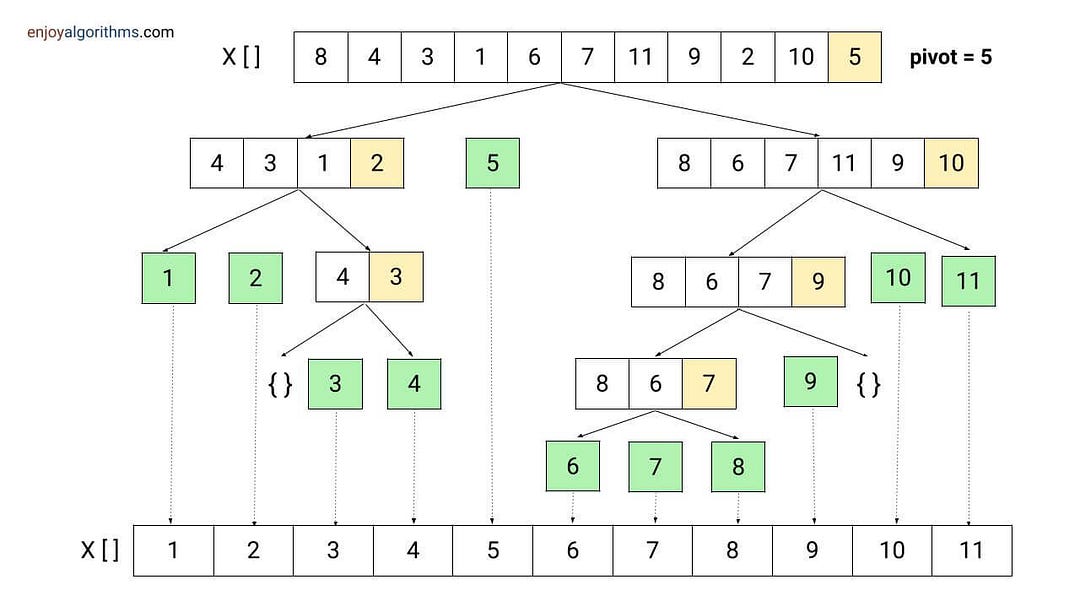
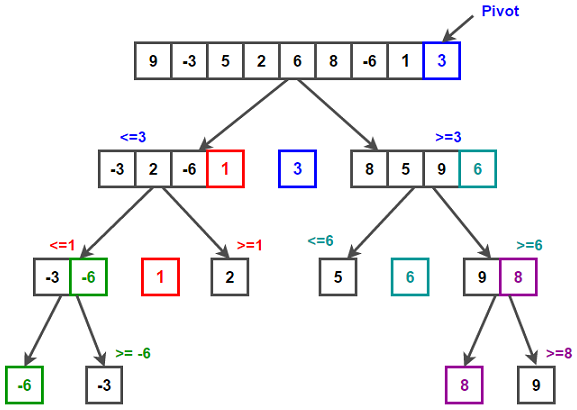
🔹 5. Quick Sort

Image
Image
Image
Image

📌 Concept:

Uses pivot to partition array.

⏱️ Complexity:

  • Best: O(n log n)
  • Worst: O(n²)

✅ Pros:

  • Fast in practice

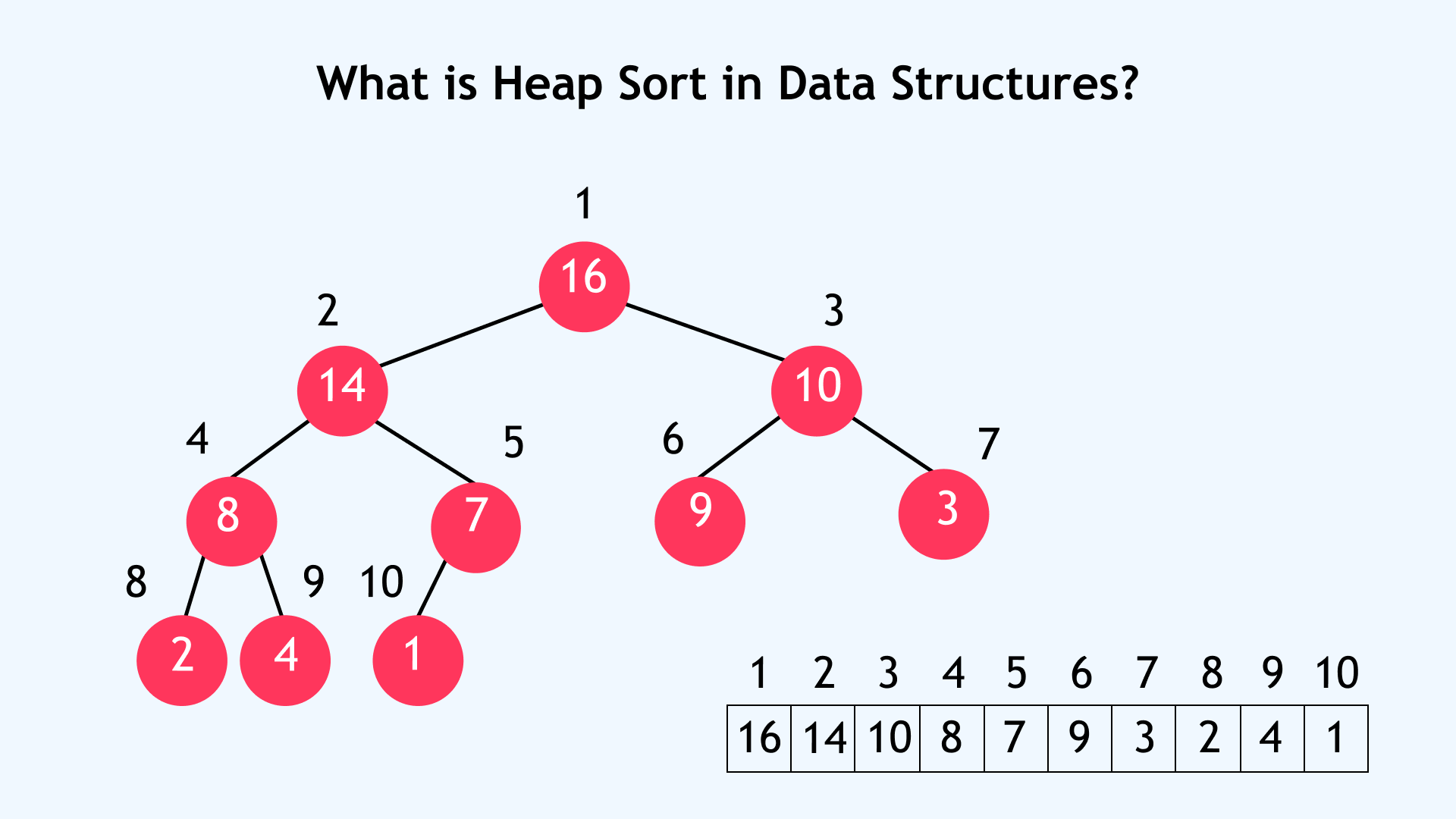
🔹 6. Heap Sort

Image
Image
Image
Image

📌 Concept:

Uses binary heap.

⏱️ Complexity:

  • O(n log n)

🔢 Non-Comparison Sorting Algorithms


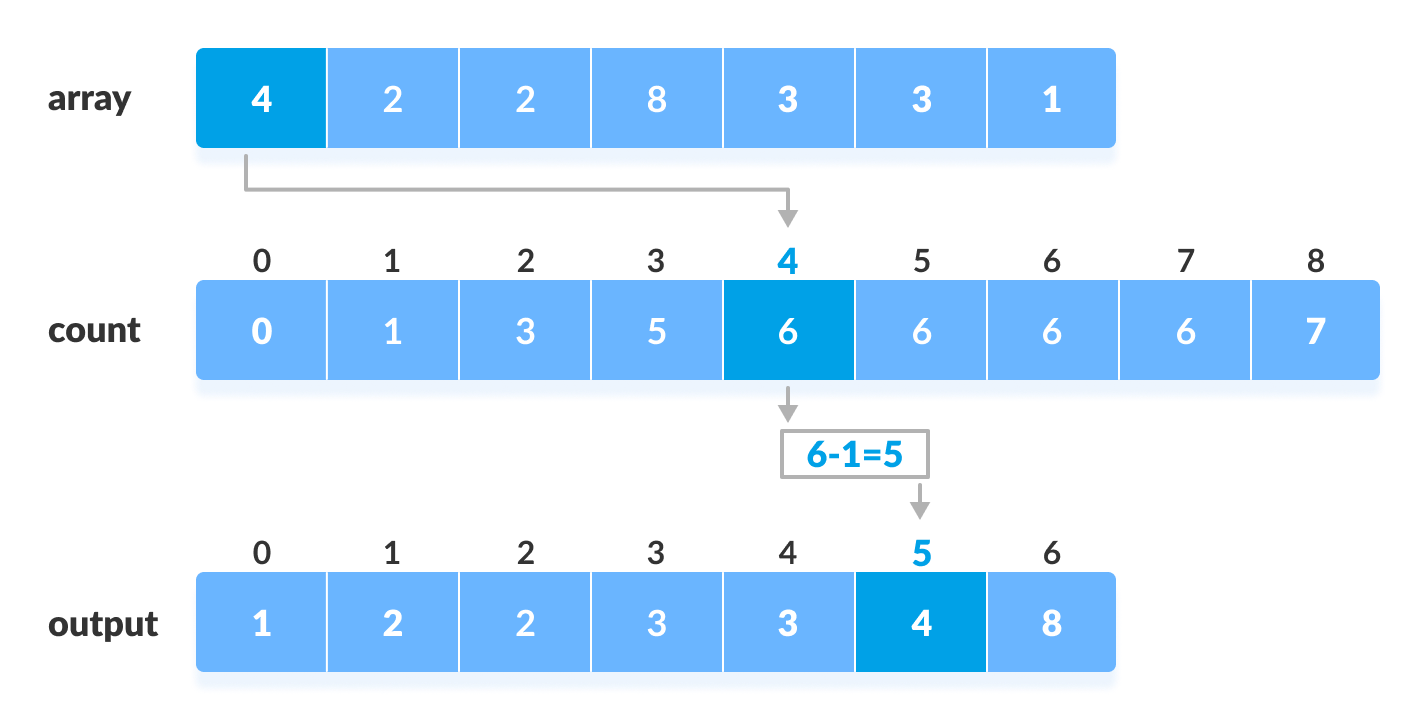
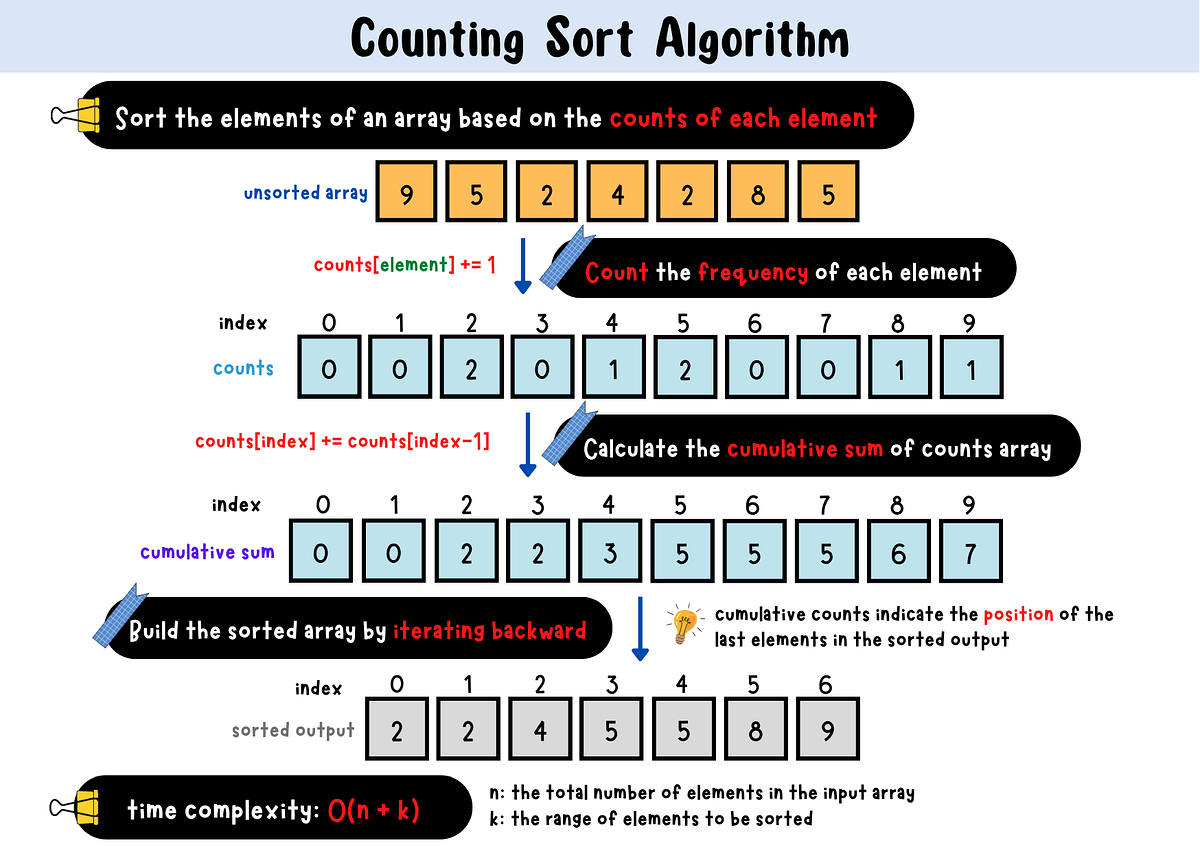
🔹 1. Counting Sort
Image
Image
Image
Image

📌 Concept:

Counts occurrences of elements.

⏱️ Complexity:

  • O(n + k)

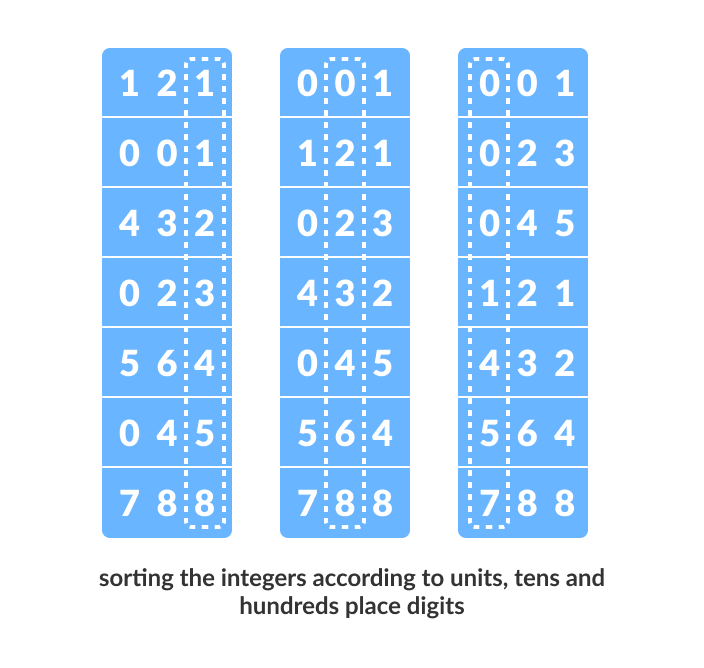
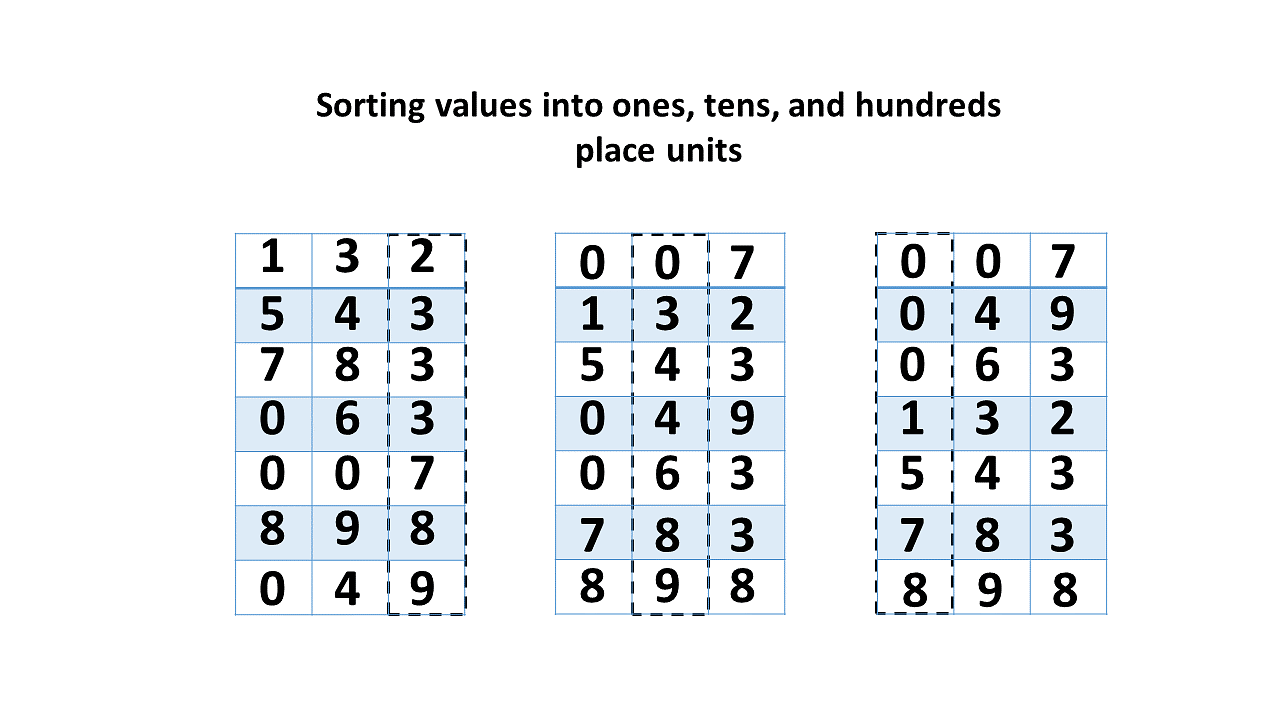
🔹 2. Radix Sort

Image
Image
Image
Image

📌 Concept:

Sorts digits from least to most significant.


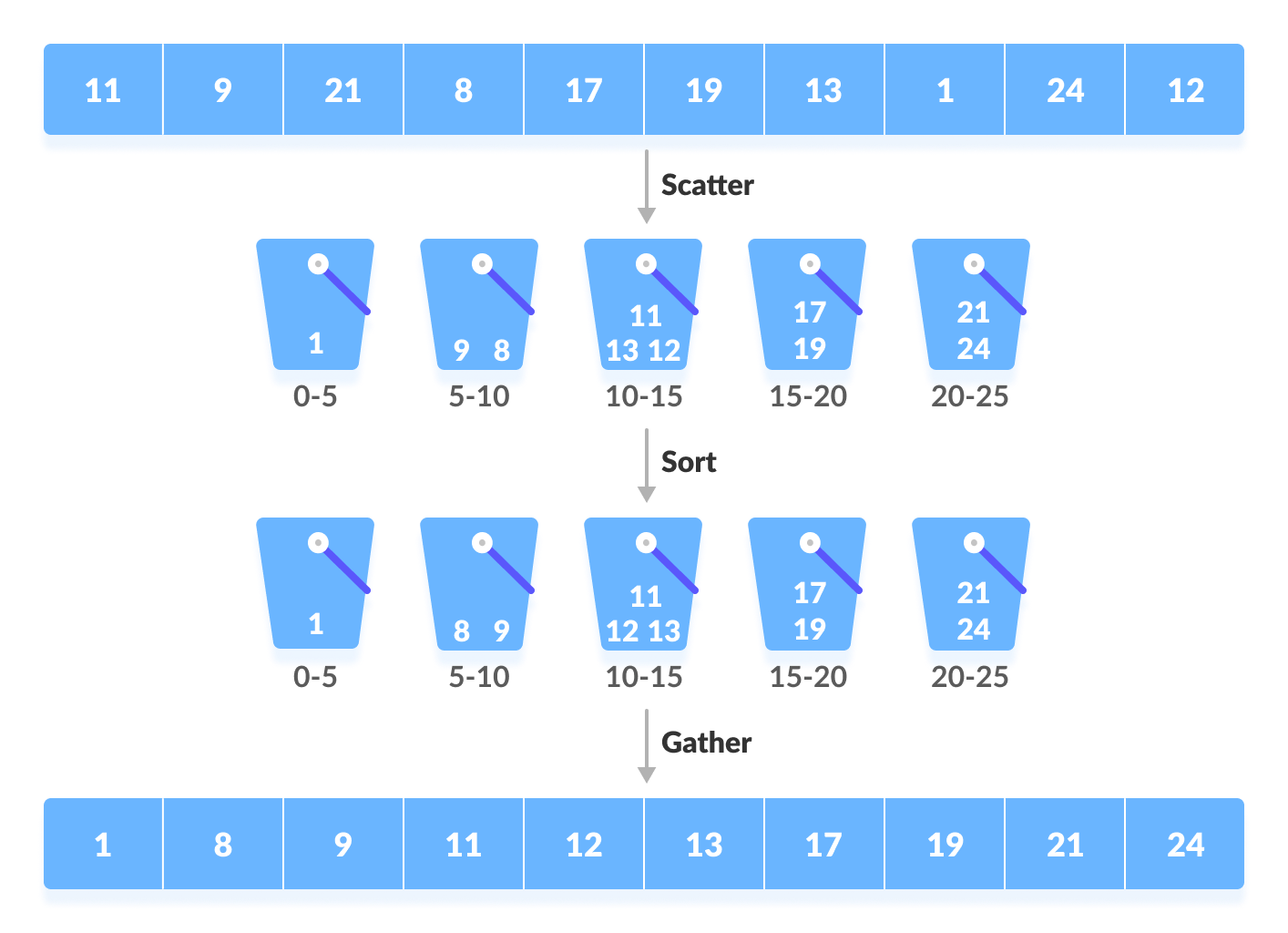
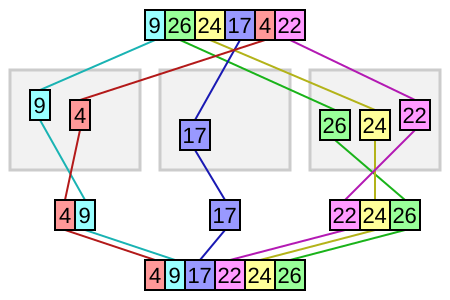
🔹 3. Bucket Sort
Image
Image
Image

📌 Concept:

Distributes elements into buckets.


🧮 Time Complexity Comparison Table

AlgorithmBest CaseAverageWorst Case
Bubble SortO(n)O(n²)O(n²)
Selection SortO(n²)O(n²)O(n²)
Insertion SortO(n)O(n²)O(n²)
Merge SortO(n log n)O(n log n)O(n log n)
Quick SortO(n log n)O(n log n)O(n²)
Heap SortO(n log n)O(n log n)O(n log n)
Counting SortO(n+k)O(n+k)O(n+k)
Radix SortO(nk)O(nk)O(nk)

⚡ Stable vs Unstable Sorting

Stable Sorting:

Maintains order of equal elements.

  • Merge Sort
  • Insertion Sort

Unstable Sorting:

Does not preserve order.

  • Quick Sort
  • Heap Sort

🧠 Advanced Sorting Concepts


🔹 1. External Sorting

Image
Image
Image
Image

Used for data that doesn’t fit in memory.


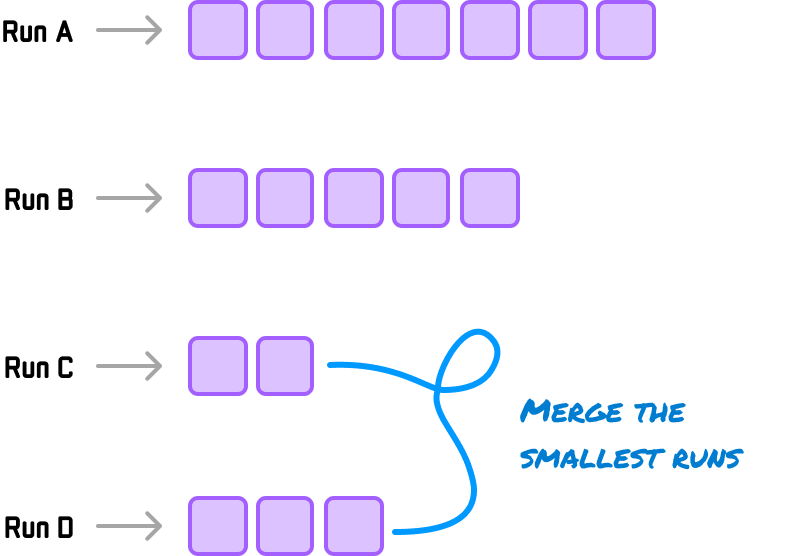
🔹 2. Tim Sort
Image
Image
Image
Image

Hybrid of merge and insertion sort.


🔹 3. Intro Sort
Image
Image
Image
Image

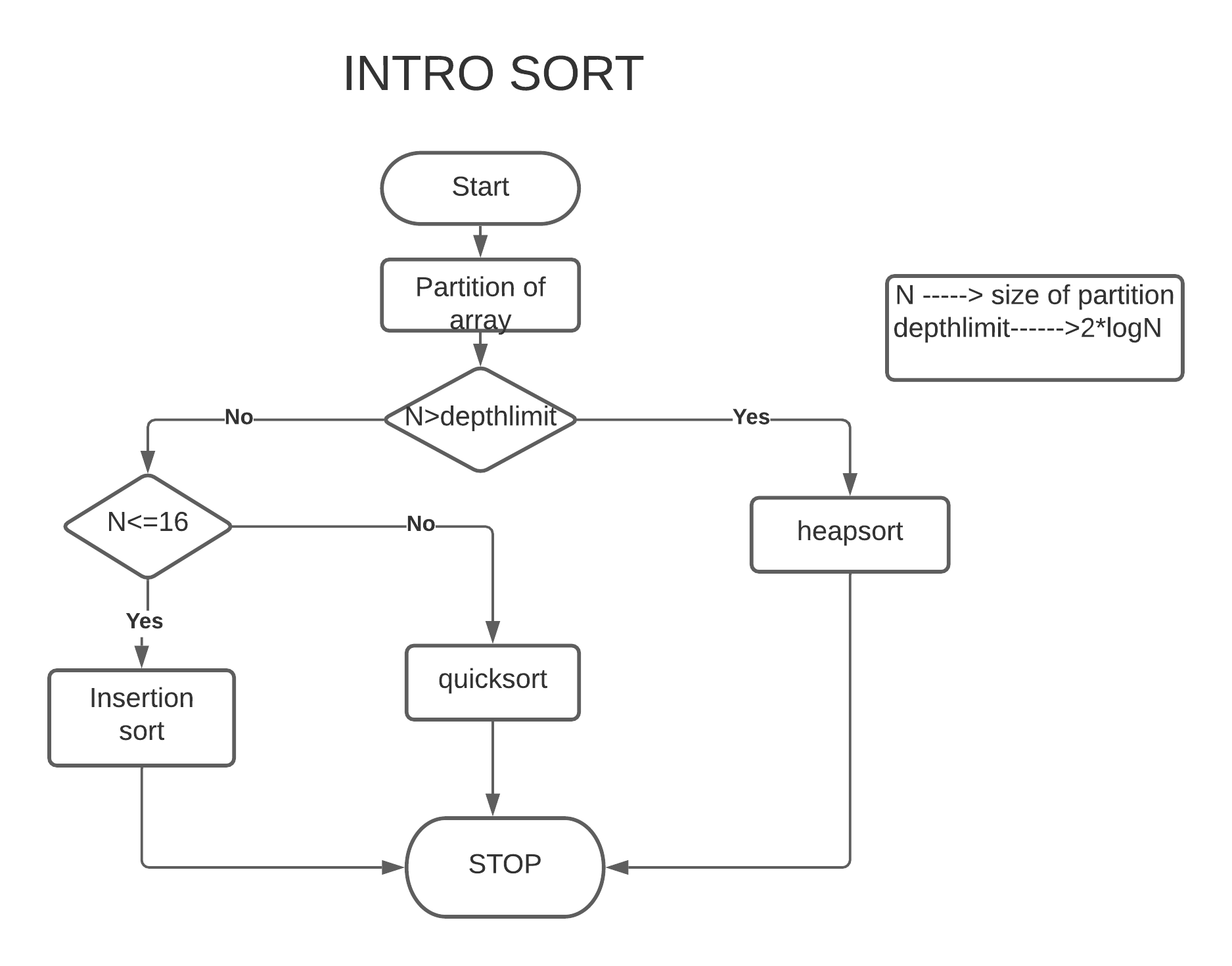
Combines Quick + Heap sort.


🔬 Applications of Sorting


📊 1. Data Analysis
Image
Image
Image
Image

🌐 2. Search Optimization

Image
Image
Image
Image

🧾 3. Database Systems

Image
Image
Image
Image

🎮 4. Game Development

Image
Image
Image
Image

🧠 5. Machine Learning

Image
Image
Image
Image

🔁 Choosing the Right Algorithm

ScenarioBest Algorithm
Small dataInsertion Sort
Large dataMerge / Quick Sort
Memory limitedHeap Sort
Integer range smallCounting Sort

🧪 In-Place vs Out-of-Place

  • In-place: Quick Sort, Heap Sort
  • Out-of-place: Merge Sort

🚀 Real-World Importance

Sorting is used in:

  • Operating systems
  • Databases
  • AI systems
  • Web applications
  • Financial systems

🧾 Conclusion

Sorting algorithms are essential tools in computer science that enable efficient data organization and processing. Each algorithm has its strengths and weaknesses, and choosing the right one depends on the specific problem.

Mastering sorting algorithms is crucial for:

  • Algorithm design
  • Competitive programming
  • Software engineering
🏷️ Tags

🧩 Arrays and Strings – Complete Detailed Guide


🌐 Introduction to Arrays and Strings

Image
Image
Image
Image

Arrays and strings are among the most fundamental data structures in computer science and programming. They form the building blocks for more complex structures like lists, stacks, queues, trees, and databases.

  • Array → Stores a collection of elements of the same data type
  • String → Stores a sequence of characters (text)

In simple terms:

Arrays manage collections of data, while strings manage textual data


🧠 ARRAYS


📌 What is an Array?

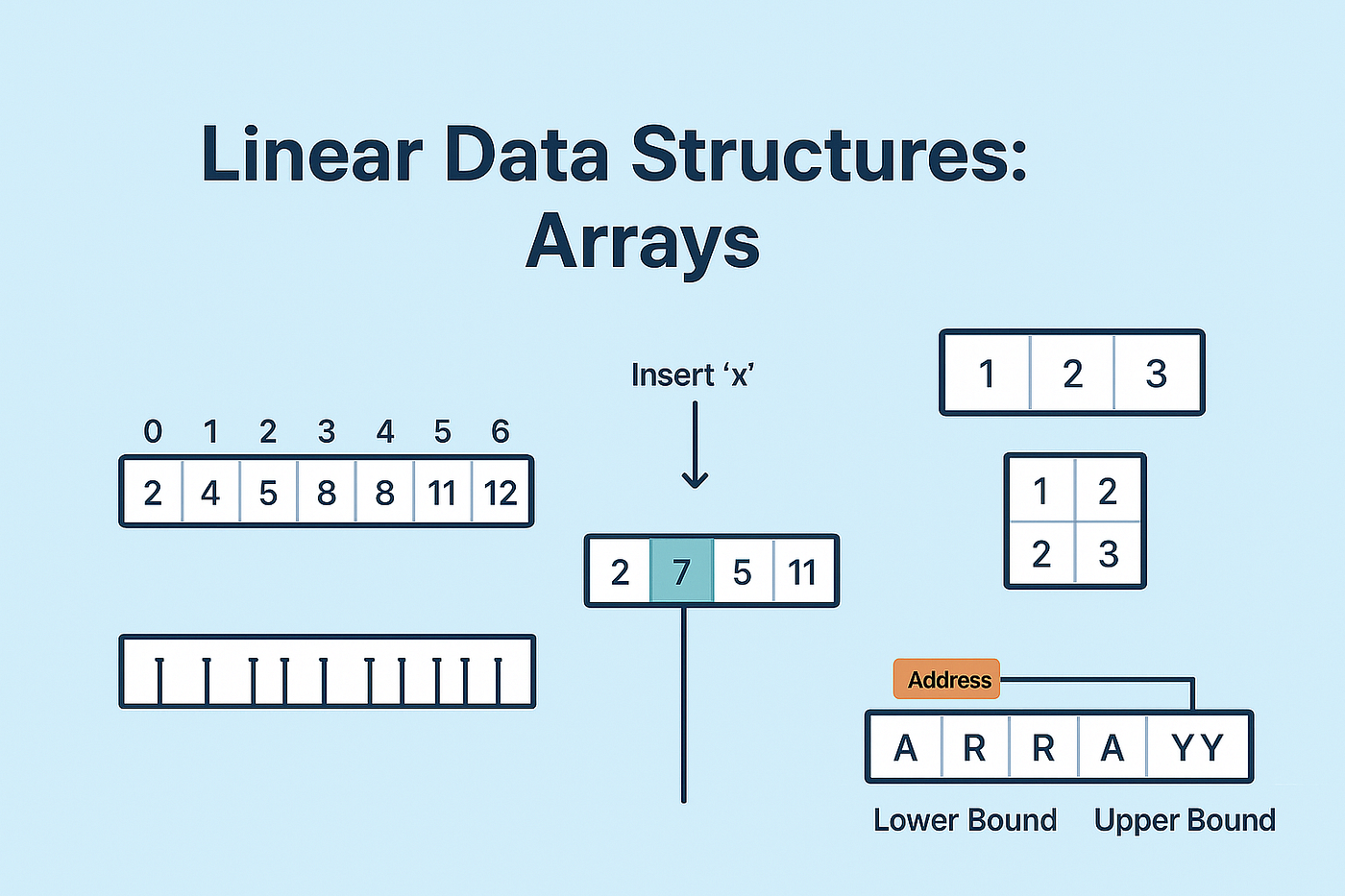
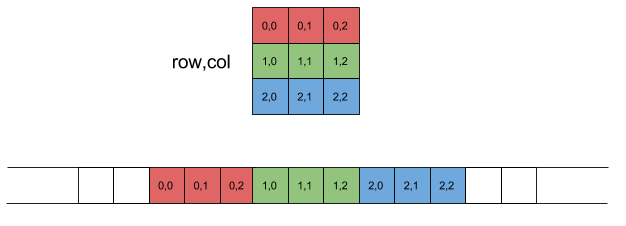
An array is a data structure that stores multiple elements of the same type in contiguous memory locations.

Example:

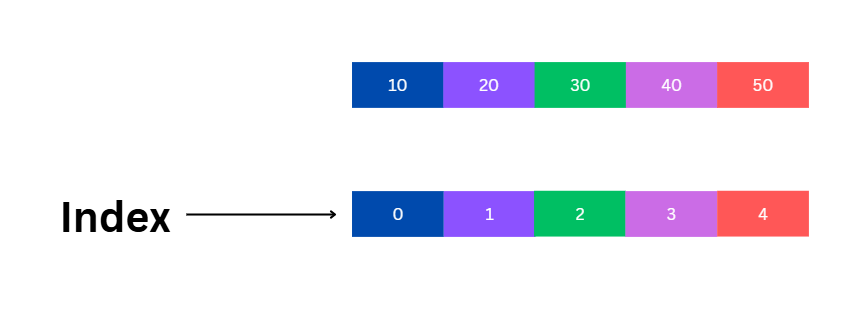
int arr[5] = {10, 20, 30, 40, 50};

⚙️ Characteristics of Arrays

  • Fixed size (in most languages)
  • Homogeneous elements (same type)
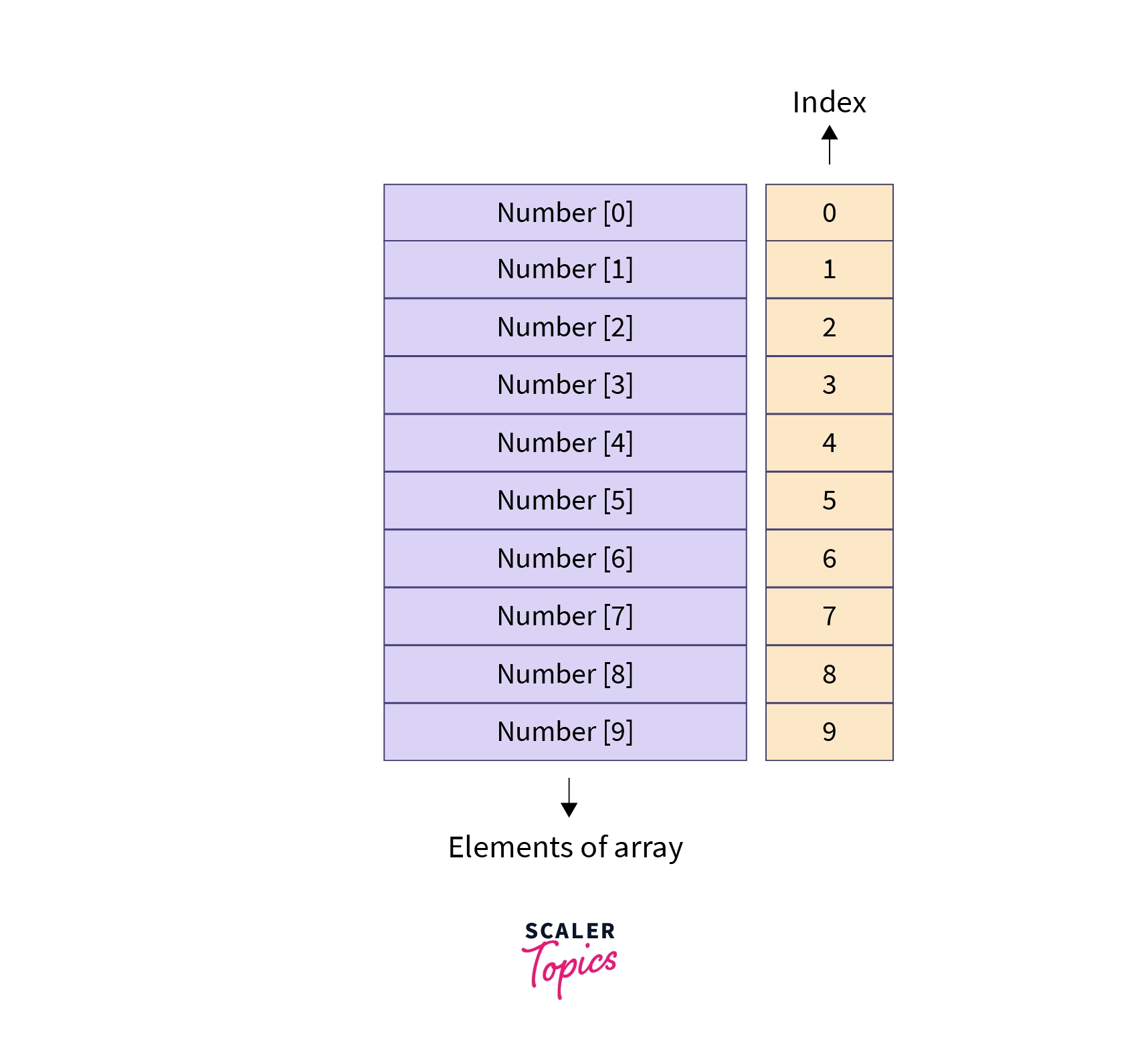
  • Indexed access (0-based index)
  • Stored in contiguous memory

🧩 Array Representation in Memory

Image
Image
Image
Image

Each element is stored sequentially:

Index:   0   1   2   3   4
Value:  10  20  30  40  50

Address calculation:

Address = Base + (Index × Size of element)

🔢 Types of Arrays


🔹 1. One-Dimensional Array

Image
Image
Image
Image
  • Linear structure
  • Single index

🔹 2. Two-Dimensional Array

Image
Image
Image
Image
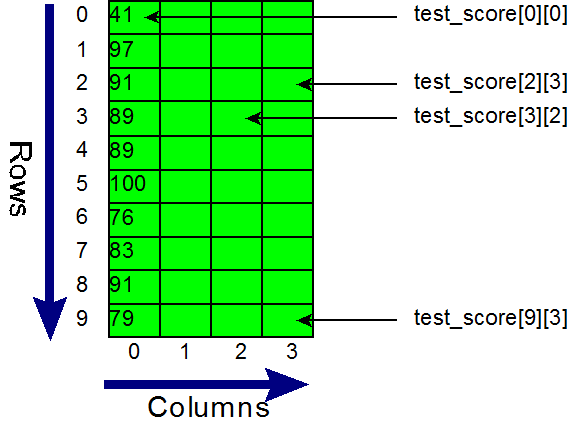
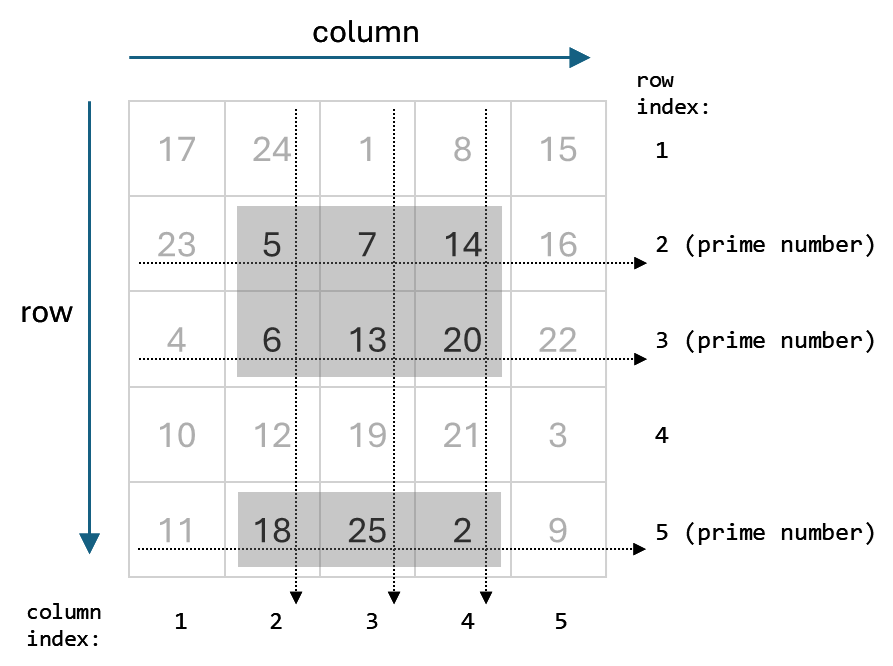
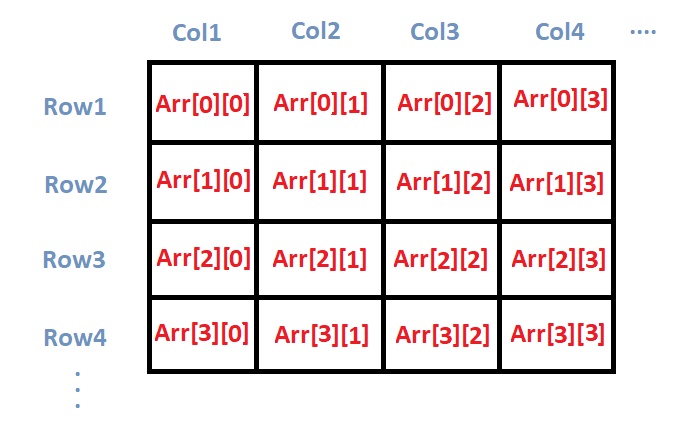
  • Matrix format
  • Rows and columns

Example:

int arr[2][3];

🔹 3. Multi-Dimensional Array

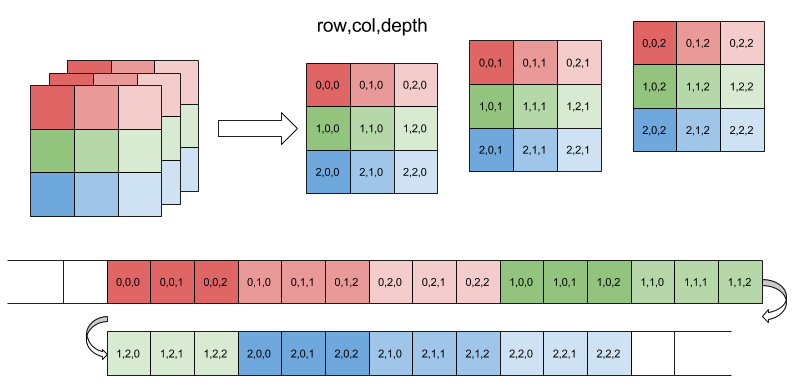
Image
Image
Image
Image
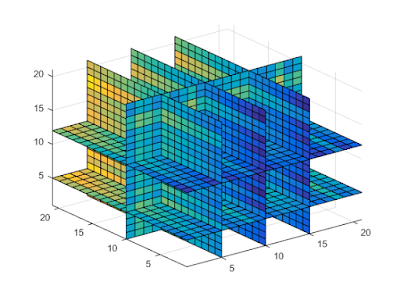
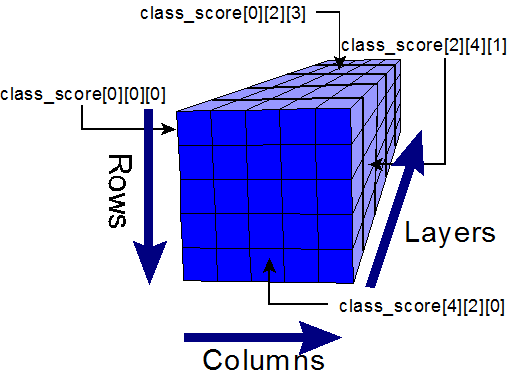
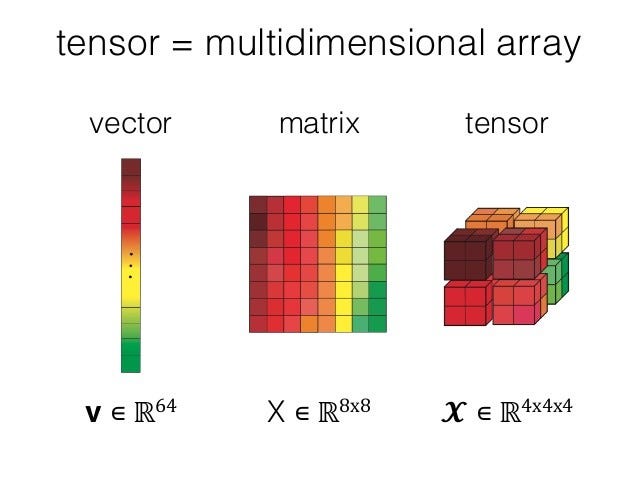
  • Used in scientific computing
  • Example: 3D arrays

⚙️ Array Operations


🔹 Traversal

  • Access each element

🔹 Insertion

  • Add element (costly if fixed size)

🔹 Deletion

  • Remove element and shift

🔹 Searching

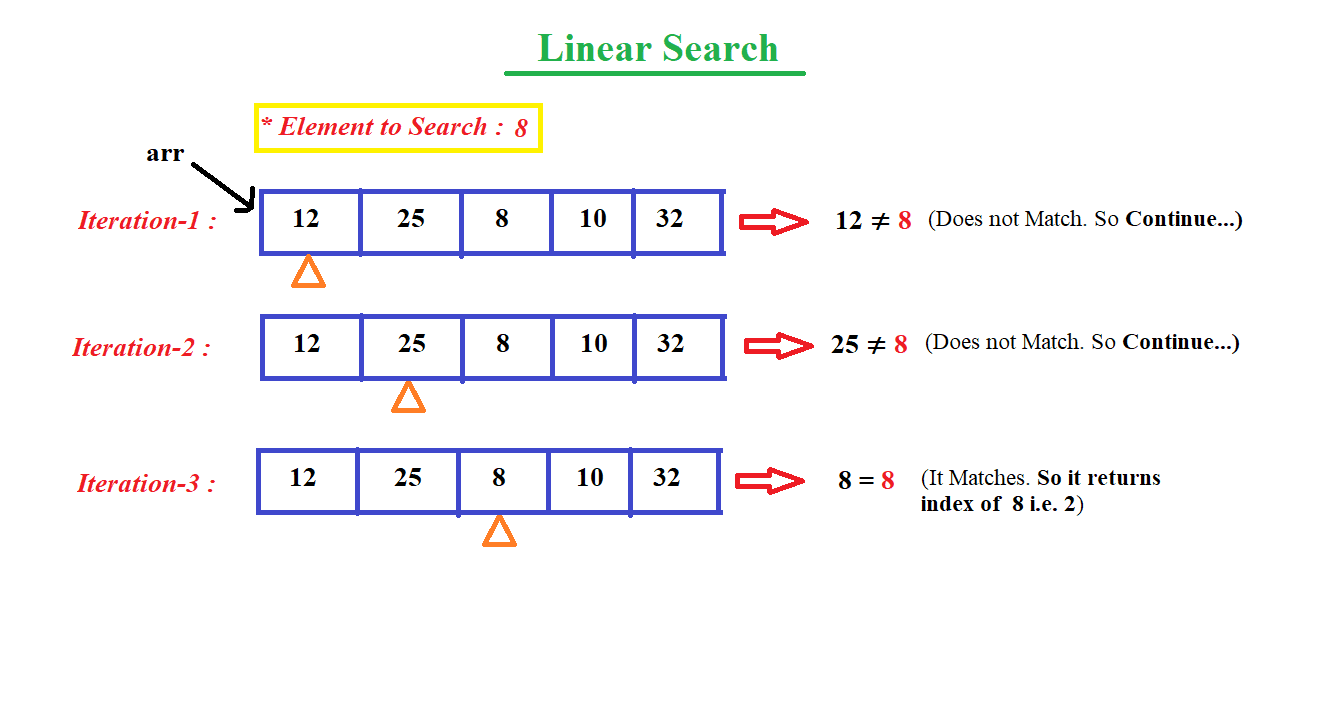
  • Linear search
  • Binary search

🔹 Sorting

  • Bubble sort
  • Merge sort
  • Quick sort

🔍 Searching Techniques

Image
Image
Image
Image

⚡ Advantages of Arrays

  • Fast access (O(1))
  • Simple implementation
  • Efficient memory usage

⚠️ Limitations of Arrays

  • Fixed size
  • Insertion/deletion costly
  • Wasted memory

🔤 STRINGS


📌 What is a String?

A string is a sequence of characters stored in memory.

Example:

char str[] = "Hello";

🧠 String Representation

Image
Image
Image
Image

Stored as:

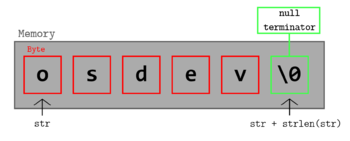
H  e  l  l  o  \0

(\0 = null terminator)


🔤 Character Encoding


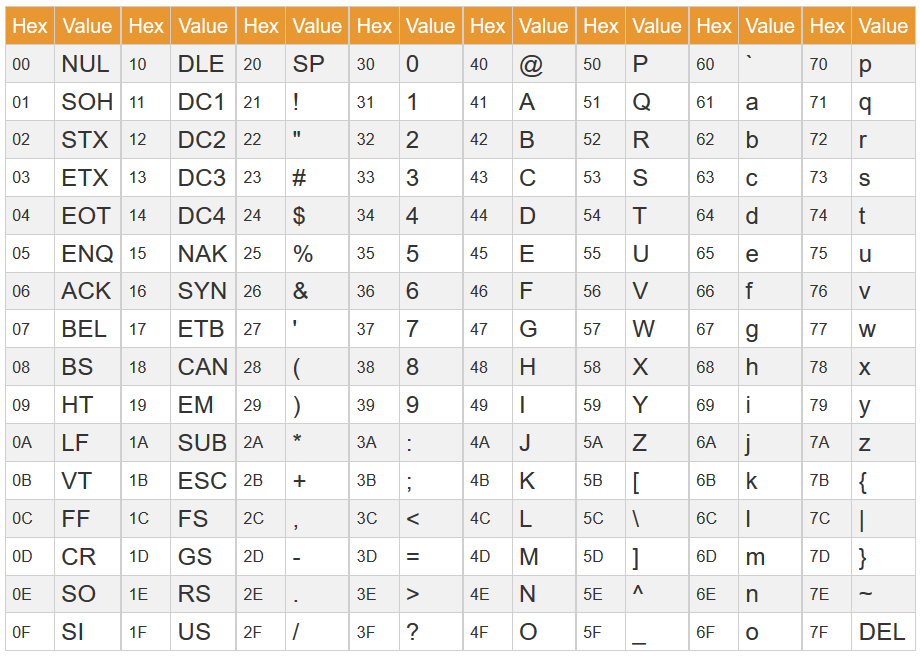
🔹 ASCII

Image
Image
Image
Image
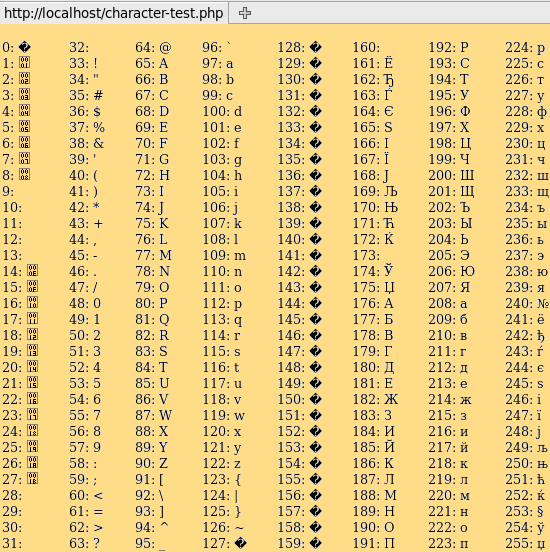
  • 7/8-bit encoding
  • Limited characters

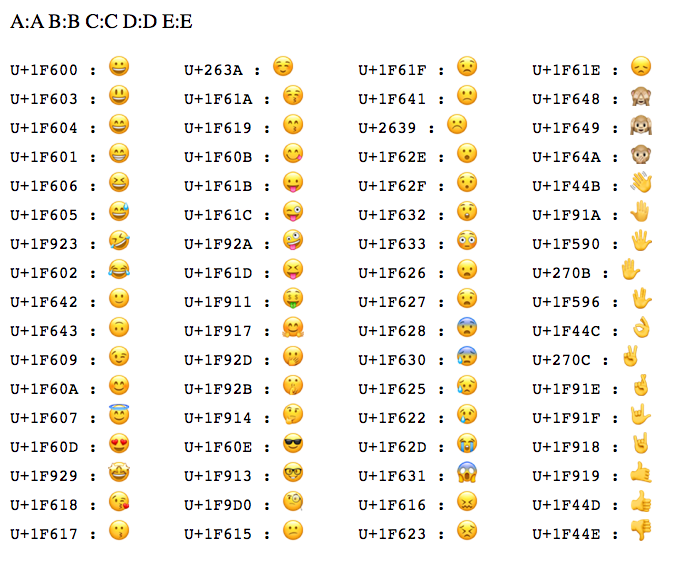
🔹 Unicode

Image
Image
Image
Image
  • Supports global languages
  • UTF-8, UTF-16

⚙️ String Operations


🔹 Basic Operations

  • Length
  • Concatenation
  • Comparison
  • Substring

🔹 Advanced Operations

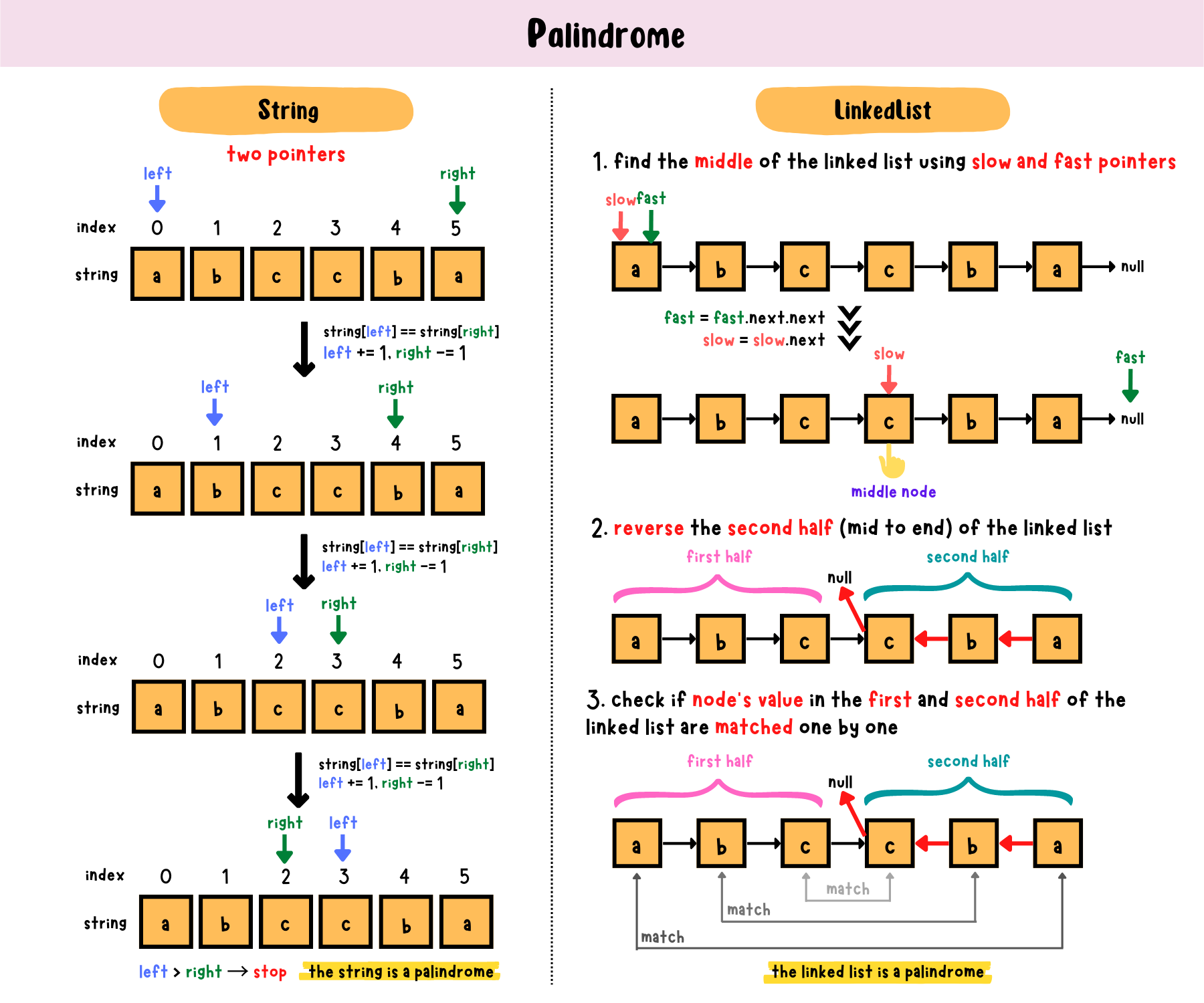
Image
Image
Image
Image
  • Pattern matching
  • Parsing
  • Tokenization

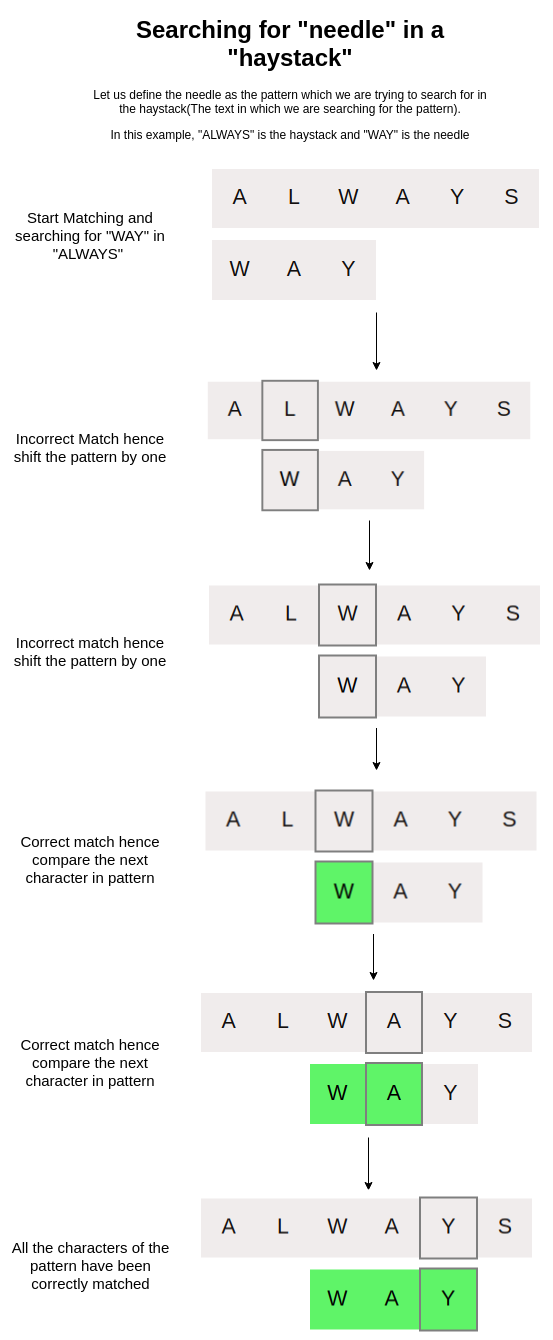
🔍 String Searching Algorithms


🔹 Naive Algorithm

🔹 KMP Algorithm

🔹 Rabin-Karp Algorithm


🔄 Arrays vs Strings


⚖️ Comparison Table

FeatureArrayString
Data TypeAnyCharacters
SizeFixedVariable
UsageGeneral dataText

🧠 Memory Management


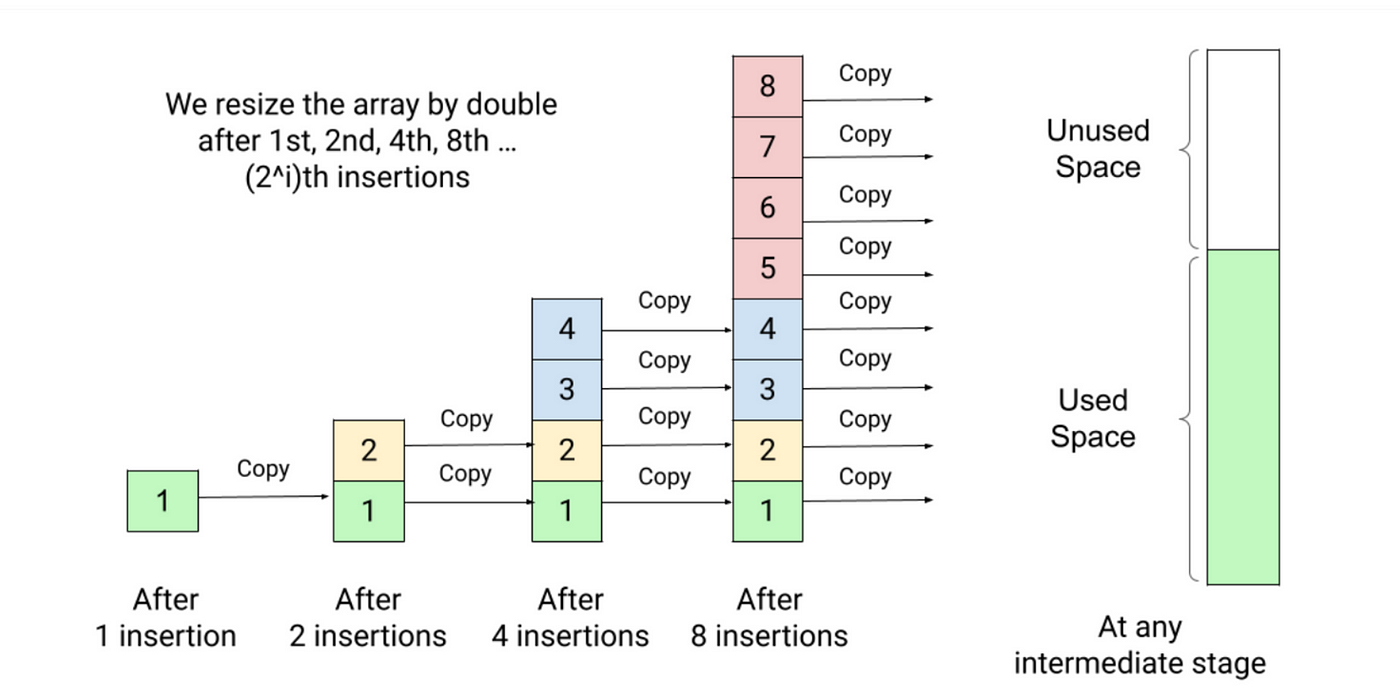
📦 Static vs Dynamic Arrays

  • Static → Fixed size
  • Dynamic → Resizable

Example:

  • Python lists
  • Java ArrayList

🧠 Dynamic Strings

  • Strings can be mutable or immutable

⚙️ Multidimensional Strings


🧩 Examples:

  • Array of strings
  • String matrices

🧠 Applications of Arrays and Strings


💻 Programming

  • Data storage
  • Algorithms

🌐 Web Development

  • Text processing
  • Input handling

🤖 AI and Data Science

  • Data representation
  • NLP (Natural Language Processing)

🎮 Gaming

  • Graphics arrays
  • Text rendering

⚡ Advantages


Arrays:

  • Fast access
  • Structured storage

Strings:

  • Easy text manipulation
  • Human-readable

⚠️ Limitations


Arrays:

  • Fixed size
  • Less flexible

Strings:

  • Memory overhead
  • Slower operations

🚀 Advanced Topics

Image
Image
Image
Image
  • Dynamic arrays
  • String hashing
  • Suffix arrays
  • Advanced data structures

🧾 Conclusion

Arrays and strings are core data structures in computing. They:

  • Store and organize data
  • Enable efficient algorithms
  • Form the basis of advanced programming

Understanding them is essential for:

  • Coding interviews
  • Software development
  • Algorithm design

🏷️ Tags

Algorithms

Image
Image
Image
Image

1. Introduction to Algorithms

An algorithm is a step-by-step procedure or set of instructions designed to solve a specific problem or perform a particular task. Algorithms are fundamental to computer science and programming because they describe the logic behind how computers process data and perform operations.

In simple terms, an algorithm is like a recipe that tells a computer what to do and in what order to do it. Each algorithm consists of clearly defined steps that lead to a desired output when given certain inputs.

Algorithms are not limited to computer programs; they are used in everyday life as well. For example:

  • Following a recipe to cook a dish
  • Instructions for assembling furniture
  • Steps for solving a mathematical equation
  • Directions for navigating a route on a map

Algorithms play a crucial role in modern technology. They power search engines, social media platforms, navigation systems, artificial intelligence applications, and data analysis tools.


2. Characteristics of an Algorithm

For a procedure to be considered an algorithm, it must satisfy certain characteristics.

Input

An algorithm takes zero or more inputs.

Example:

Numbers provided to perform calculations.


Output

An algorithm produces at least one output.

Example:

The result of a mathematical operation.


Definiteness

Each step must be clearly defined and unambiguous.


Finiteness

The algorithm must terminate after a finite number of steps.


Effectiveness

Every step should be basic enough to be performed exactly and in finite time.


3. Representation of Algorithms

Algorithms can be represented in several ways.


Flowcharts

Flowcharts use graphical symbols to represent algorithm steps.

Common symbols include:

  • Oval (start/end)
  • Rectangle (process)
  • Diamond (decision)

Flowcharts help visualize algorithm logic.


Pseudocode

Pseudocode describes algorithms using a mix of natural language and programming constructs.

Example:

START
Read number
If number is even
   print "Even"
Else
   print "Odd"
END

Programming Languages

Algorithms are implemented using languages such as:

  • Python
  • Java
  • C++
  • JavaScript

4. Types of Algorithms

Algorithms can be classified based on their design and application.


Brute Force Algorithms

Brute force algorithms try all possible solutions until the correct one is found.

Example:

Searching every number in a list.

Advantages:

  • Simple to implement.

Disadvantages:

  • Inefficient for large data.

Divide and Conquer

This technique divides a problem into smaller subproblems, solves them independently, and combines the results.

Examples:

  • Merge sort
  • Quick sort
  • Binary search

Greedy Algorithms

Greedy algorithms make the best choice at each step.

Example:

Selecting the shortest edge in minimum spanning tree algorithms.


Dynamic Programming

Dynamic programming solves complex problems by storing results of subproblems.

Examples:

  • Fibonacci sequence
  • Knapsack problem

Backtracking Algorithms

Backtracking systematically explores all possible solutions.

Example:

Solving puzzles like Sudoku.


5. Searching Algorithms

Searching algorithms find elements within data structures.


Linear Search

Checks every element sequentially.

Example:

Search for number in an array.

Time complexity:

O(n)


Binary Search

Works on sorted arrays.

Process:

Divide array into halves repeatedly.

Time complexity:

O(log n)

Binary search is much faster than linear search.


6. Sorting Algorithms

Sorting algorithms arrange data in a specific order.

Examples include:


Bubble Sort

Repeatedly compares adjacent elements.

Simple but inefficient.

Time complexity:

O(n²)


Selection Sort

Selects the smallest element and swaps it with the first element.


Insertion Sort

Builds sorted list gradually.


Merge Sort

Uses divide-and-conquer.

Time complexity:

O(n log n)


Quick Sort

Highly efficient sorting algorithm.

Average complexity:

O(n log n)


7. Graph Algorithms

Graph algorithms operate on graph structures.

Examples include:


Breadth-First Search (BFS)

Explores vertices level by level.

Used in shortest path problems.


Depth-First Search (DFS)

Explores as far as possible before backtracking.

Used for cycle detection.


Dijkstra’s Algorithm

Finds shortest path in weighted graphs.

Used in navigation systems.


8. Algorithm Complexity

Algorithm complexity measures efficiency.

Two main types:

  • Time complexity
  • Space complexity

Time Complexity

Time complexity measures how long an algorithm takes.

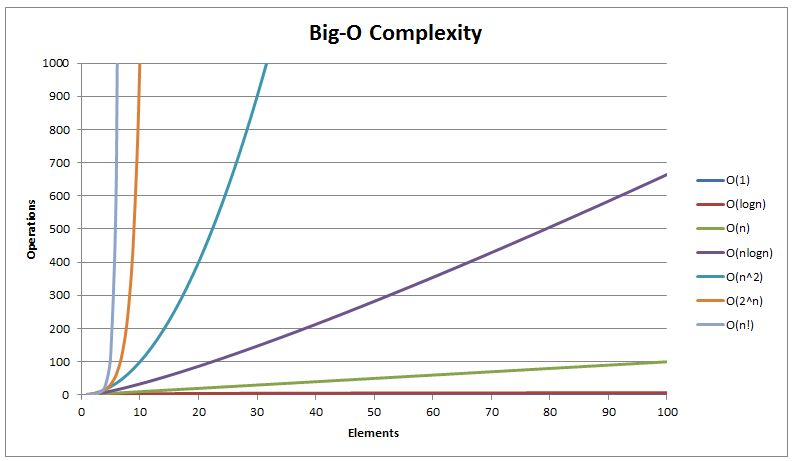
Common complexity classes:

O(1) constant time
O(log n) logarithmic
O(n) linear
O(n log n)
O(n²) quadratic


Space Complexity

Space complexity measures memory usage.

Efficient algorithms use minimal memory.


9. Big-O Notation

Big-O notation describes the upper bound of algorithm complexity.

Example:

Binary search → O(log n)

Bubble sort → O(n²)

Big-O helps compare algorithm efficiency.


10. Recursion in Algorithms

Recursion occurs when a function calls itself.

Example:

Factorial calculation.

n! = n × (n−1)!

Recursion simplifies certain problems but may use more memory.


11. Algorithm Optimization

Optimization improves algorithm efficiency.

Techniques include:

  • reducing unnecessary operations
  • using efficient data structures
  • caching intermediate results

12. Parallel Algorithms

Parallel algorithms execute multiple operations simultaneously.

Used in:

  • supercomputers
  • distributed systems
  • machine learning

13. Randomized Algorithms

Randomized algorithms use randomness in decision-making.

Example:

Randomized quicksort.

They often provide good average performance.


14. Approximation Algorithms

Used when exact solutions are difficult.

Example:

Traveling salesman problem.

Approximation algorithms provide near-optimal solutions.


15. Algorithms in Artificial Intelligence

AI relies heavily on algorithms.

Examples:

  • search algorithms
  • machine learning algorithms
  • optimization techniques

16. Algorithms in Cryptography

Encryption methods use algorithms.

Examples:

  • RSA algorithm
  • AES encryption

These algorithms protect digital data.


17. Algorithms in Data Science

Data science uses algorithms for:

  • data analysis
  • pattern recognition
  • predictive modeling

Machine learning algorithms include:

  • decision trees
  • neural networks
  • clustering algorithms

18. Algorithms in Everyday Life

Algorithms are used in many daily applications.

Examples:

  • Google search ranking
  • GPS navigation
  • recommendation systems
  • online shopping suggestions

19. Importance of Algorithms

Algorithms allow computers to solve problems efficiently.

They help manage large datasets, automate processes, and optimize decision-making.

Without algorithms, modern computing systems would not function effectively.


Conclusion

Algorithms are fundamental to computer science and mathematics, providing systematic methods for solving problems and processing information. From simple tasks such as searching and sorting data to complex operations in artificial intelligence and cryptography, algorithms play a crucial role in modern technology.

Understanding algorithms involves studying their design, efficiency, and implementation. Concepts such as time complexity, recursion, and optimization help developers create faster and more efficient programs. Algorithms are also essential in fields such as machine learning, data science, networking, and cybersecurity.

As technology continues to evolve, the importance of algorithms continues to grow. Efficient algorithms enable faster computation, better decision-making, and improved performance across various applications. Mastering algorithms is therefore essential for anyone interested in computer science, data science, or software engineering.


Tags