Tag Archives: Arrays

📘 Arrays in Computer Science


🧩 What is an Array?

Image
Image
Image

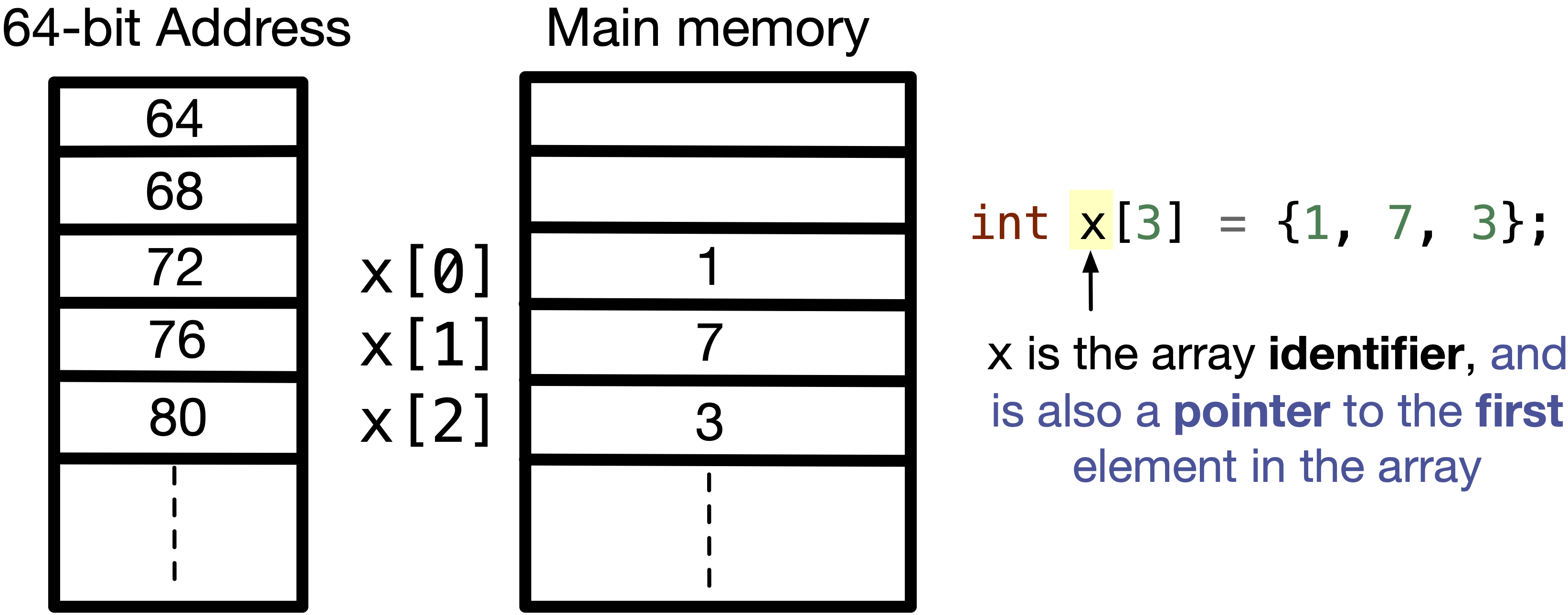
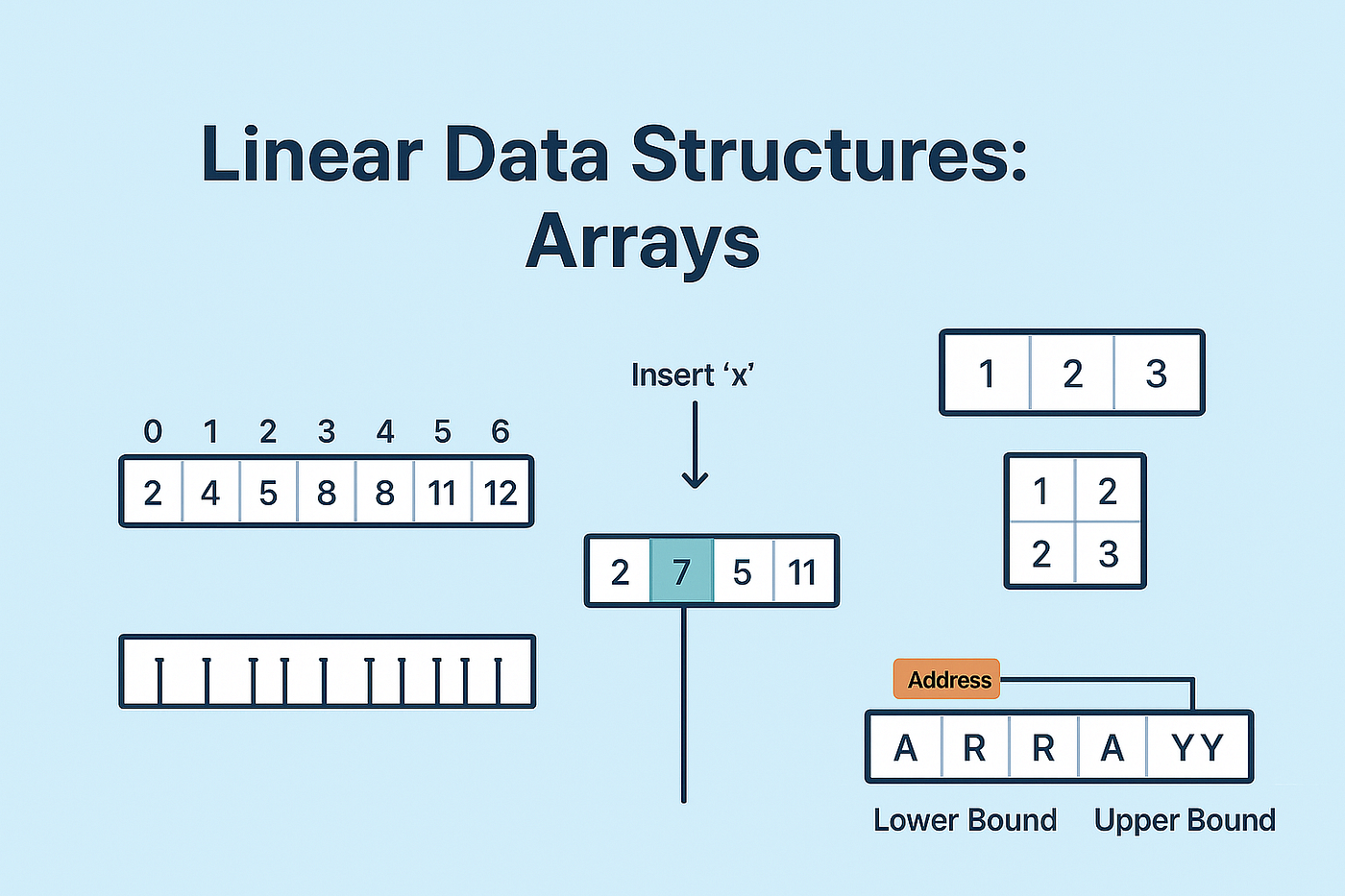
An array is one of the most fundamental and widely used data structures in computer science. It is a collection of elements stored in contiguous memory locations, where each element can be accessed directly using an index. Arrays are used to store multiple values of the same data type in a single variable, making them extremely efficient for certain operations.

At its core, an array provides a way to group related data together. For example, instead of creating separate variables for storing marks of students:

int m1 = 90, m2 = 85, m3 = 88;

You can use an array:

int marks[3] = {90, 85, 88};

This not only simplifies code but also enables powerful operations such as iteration, sorting, searching, and more.


🧠 Key Characteristics of Arrays

1. Contiguous Memory Allocation

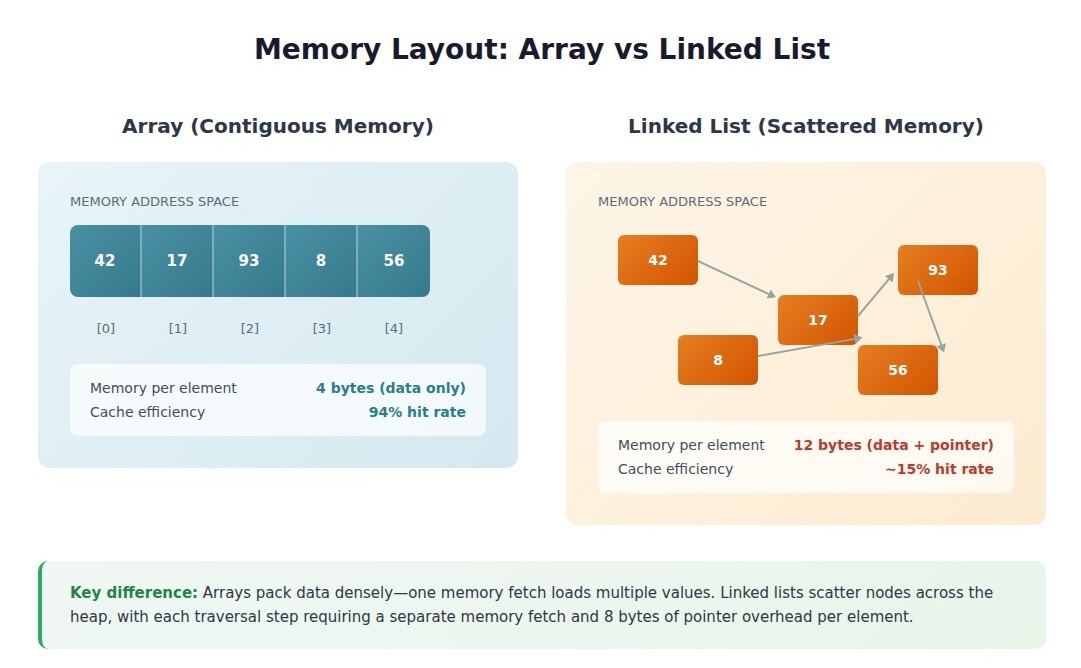
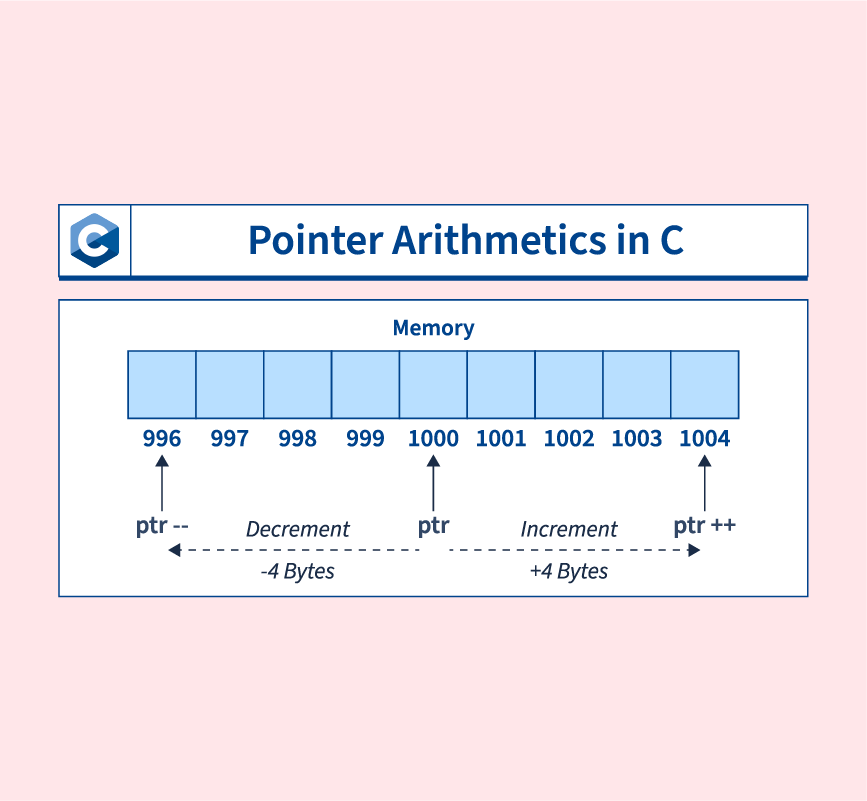
All elements of an array are stored in adjacent memory locations. This allows fast access using pointer arithmetic.

2. Fixed Size

Once declared, the size of an array is usually fixed (in most languages like C, C++). However, some languages provide dynamic arrays.

3. Homogeneous Elements

All elements in an array must be of the same data type.

4. Indexed Access

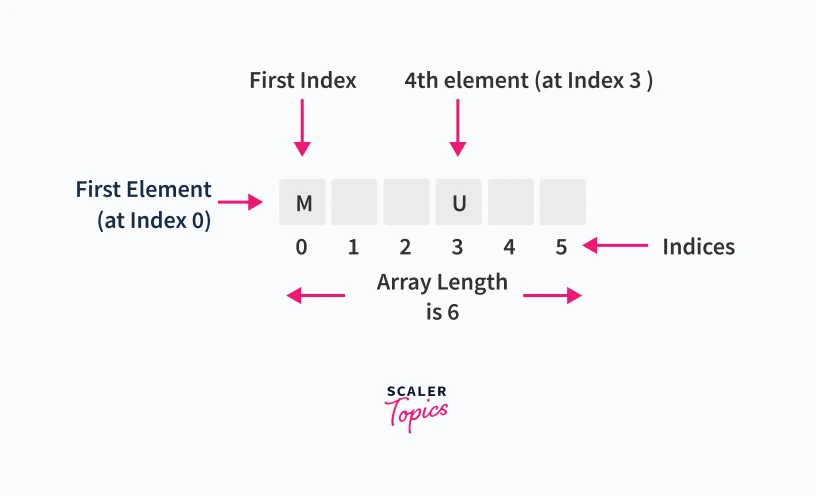
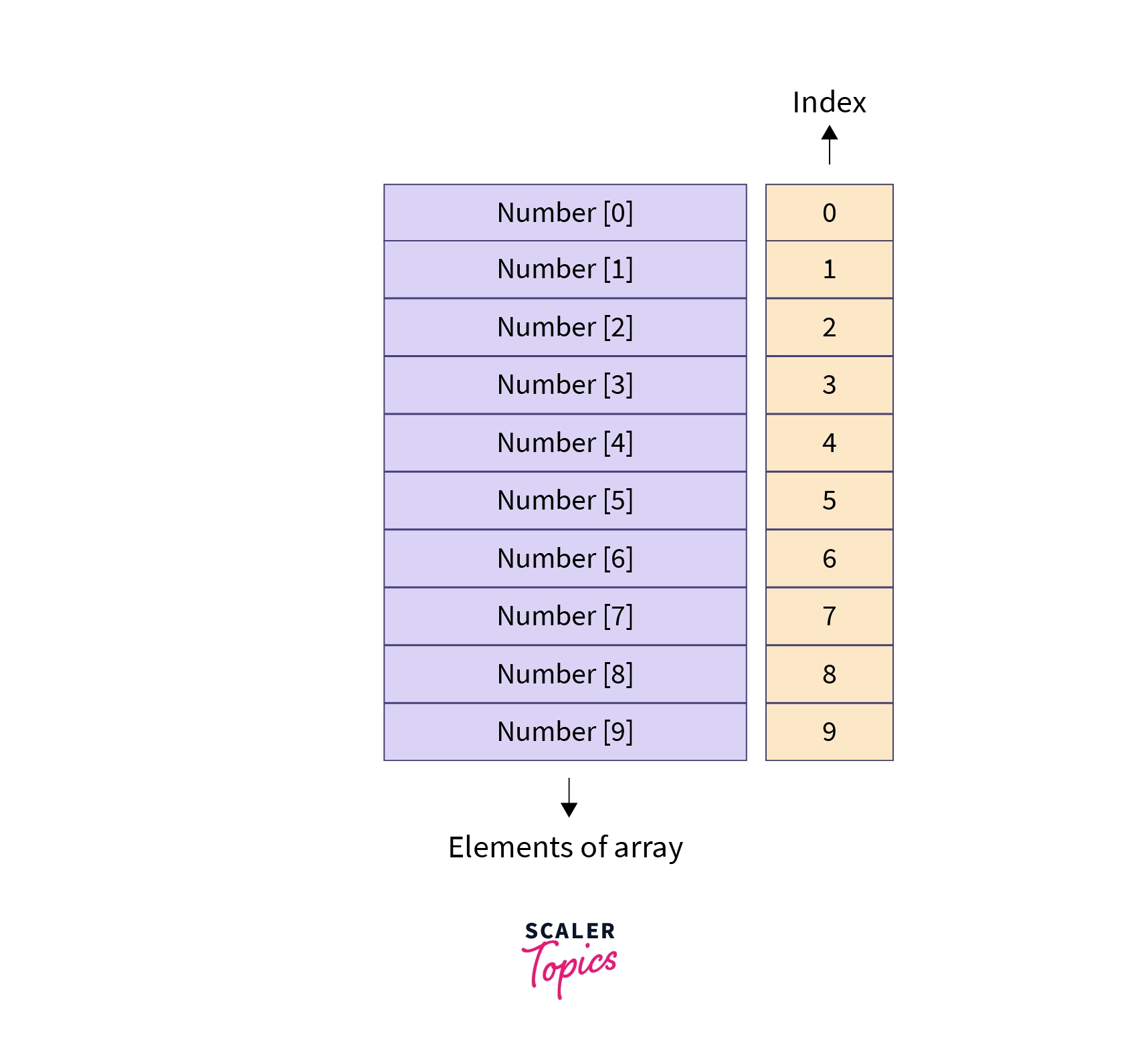
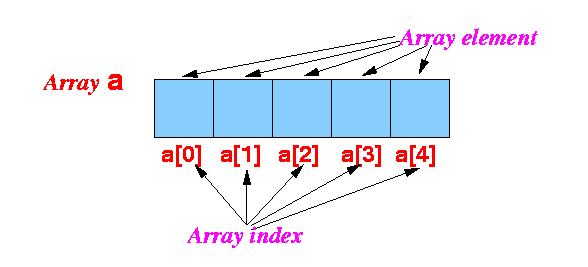
Each element is accessed using an index (starting from 0 in most languages).


🧮 Types of Arrays

🔹 1. One-Dimensional Array
Image
Image

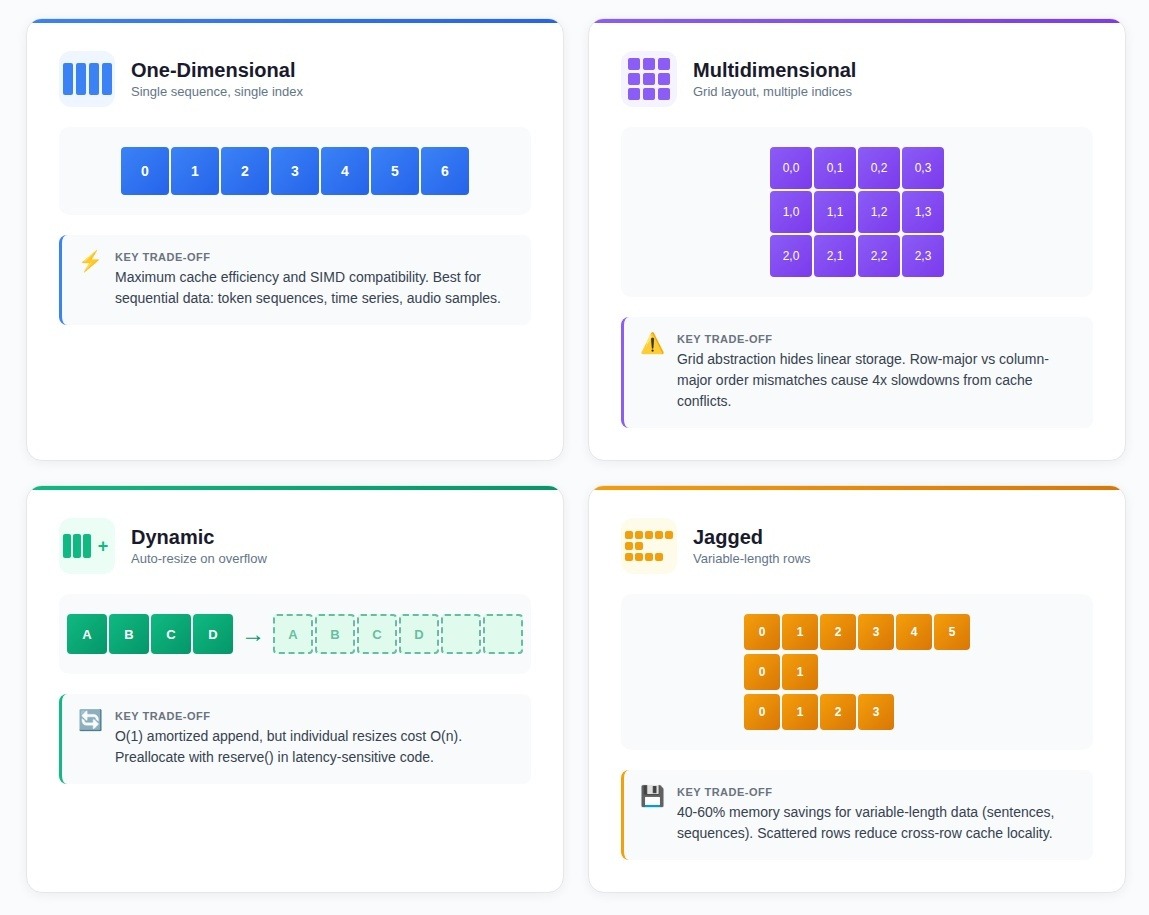
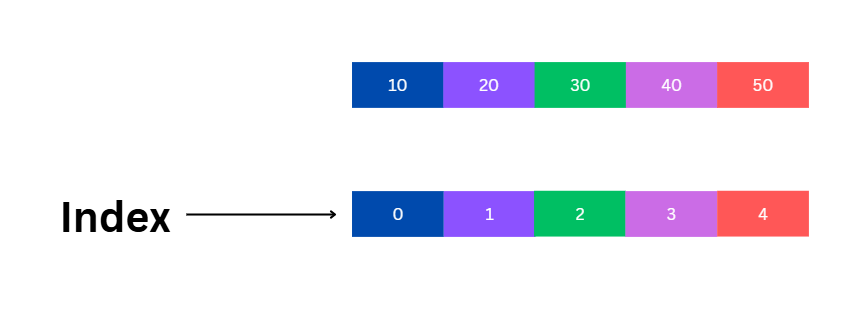
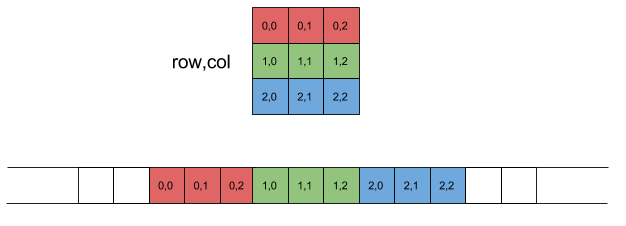
A one-dimensional array is a linear collection of elements.

Example:

arr = [10, 20, 30, 40, 50]

Indexing:

  • arr[0] = 10
  • arr[1] = 20

🔹 2. Two-Dimensional Array (Matrix)

Image
Image
Image
Image

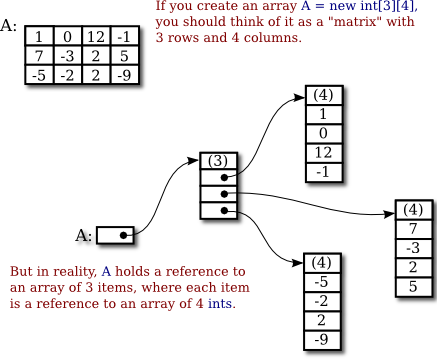
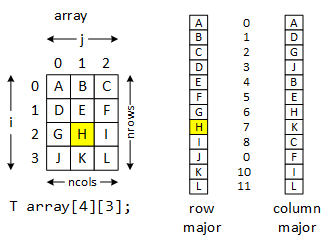
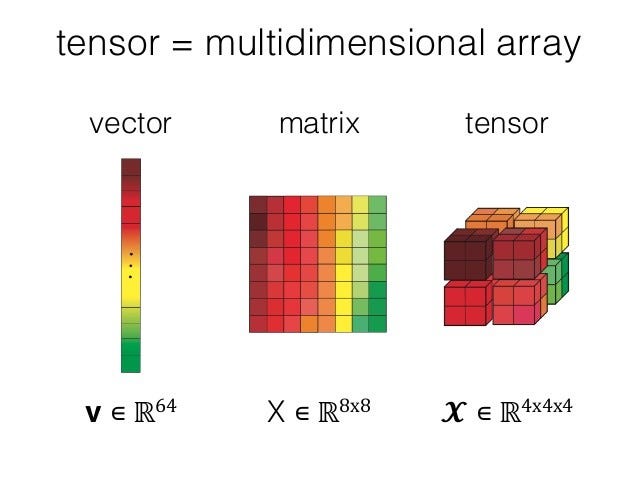
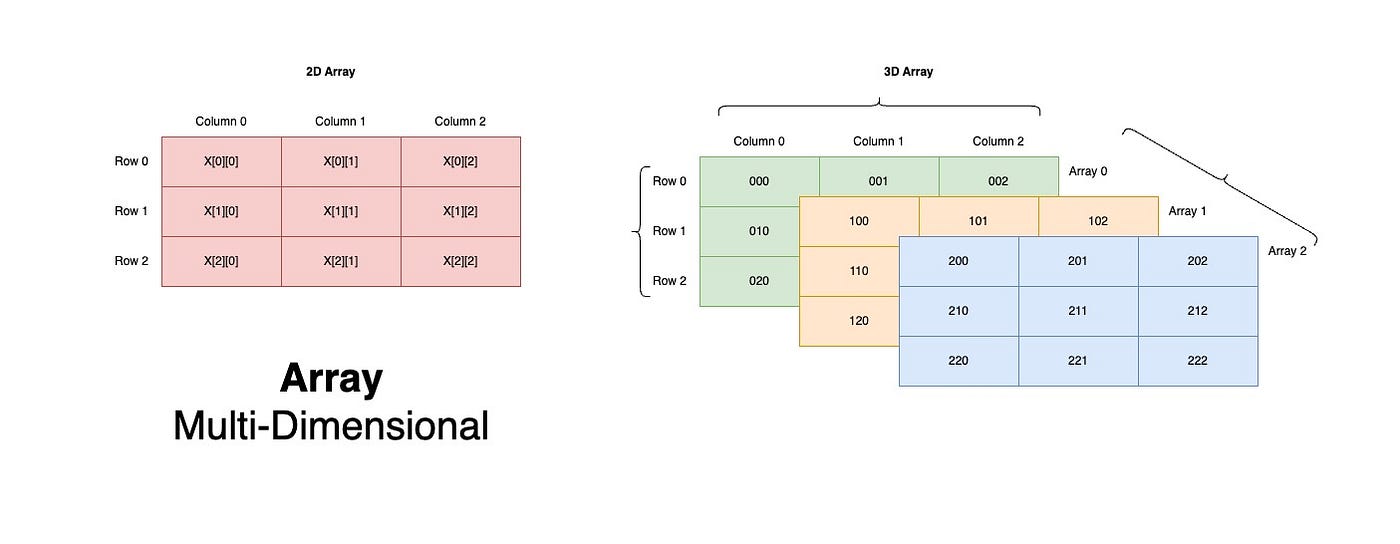
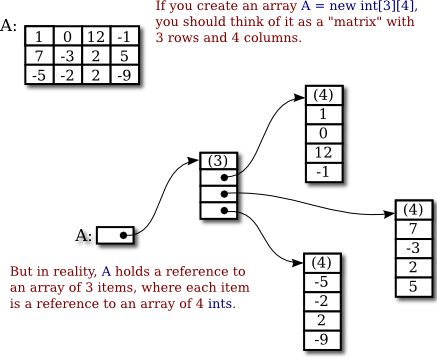
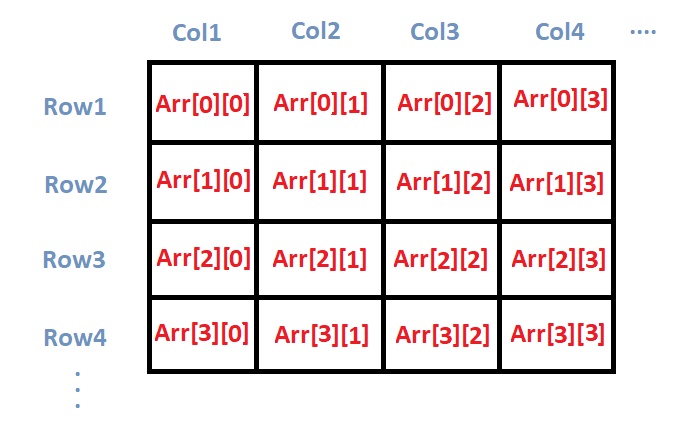
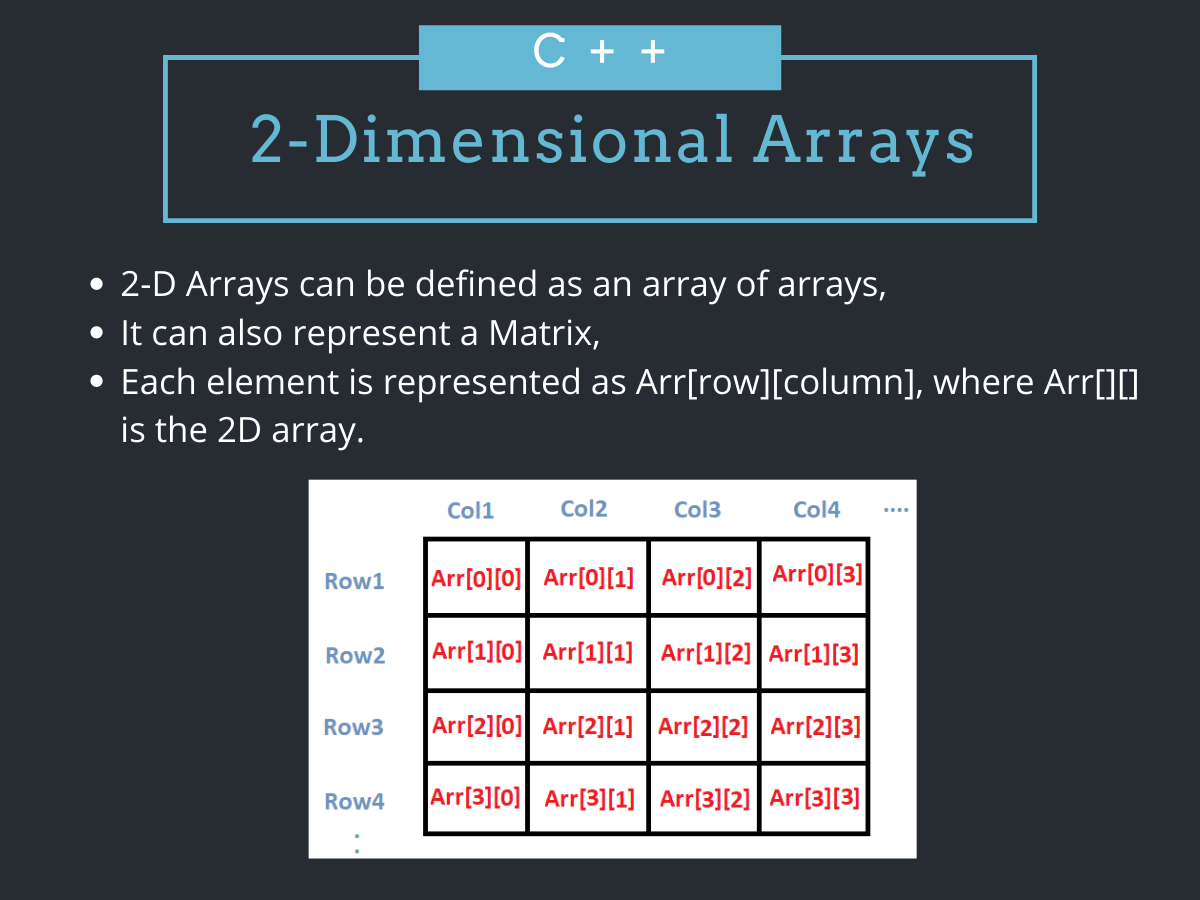
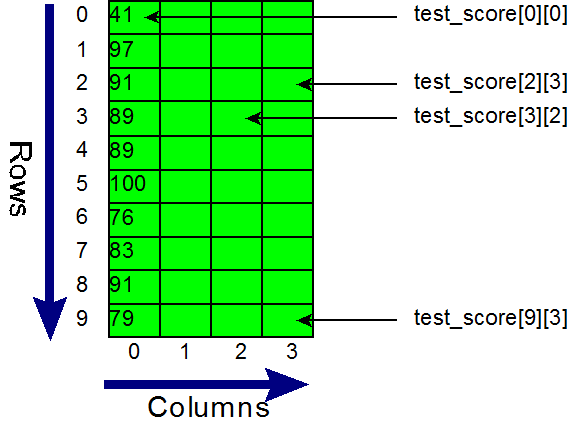
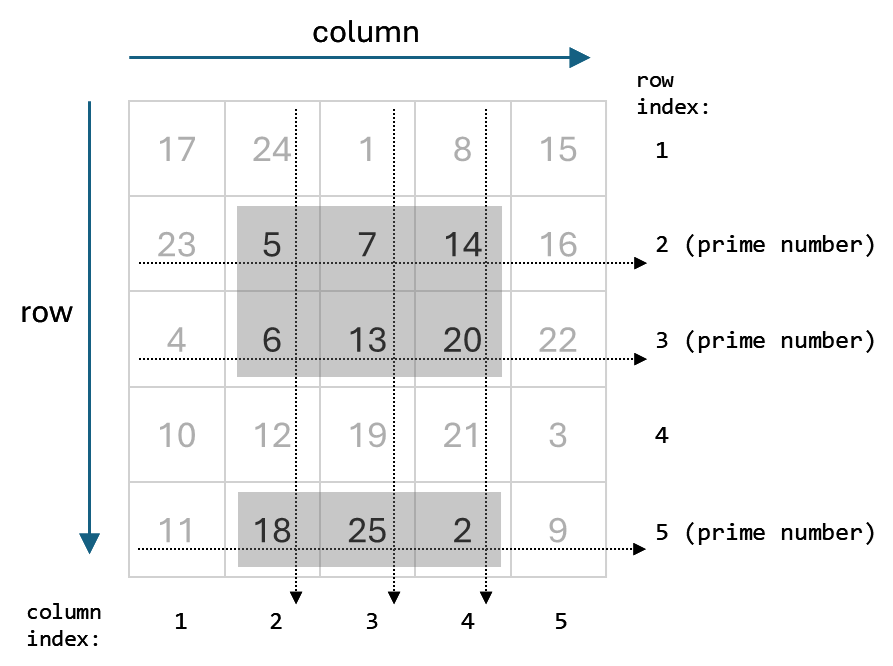
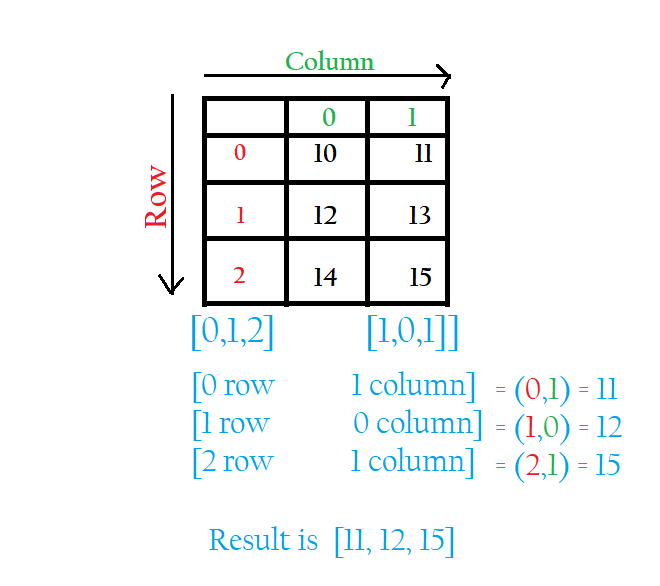
A two-dimensional array represents data in rows and columns.

Example:

matrix = [
  [1, 2, 3],
  [4, 5, 6]
]

🔹 3. Multi-Dimensional Arrays

Image
Image
Image

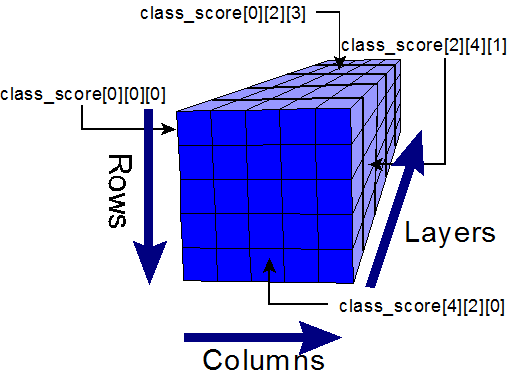
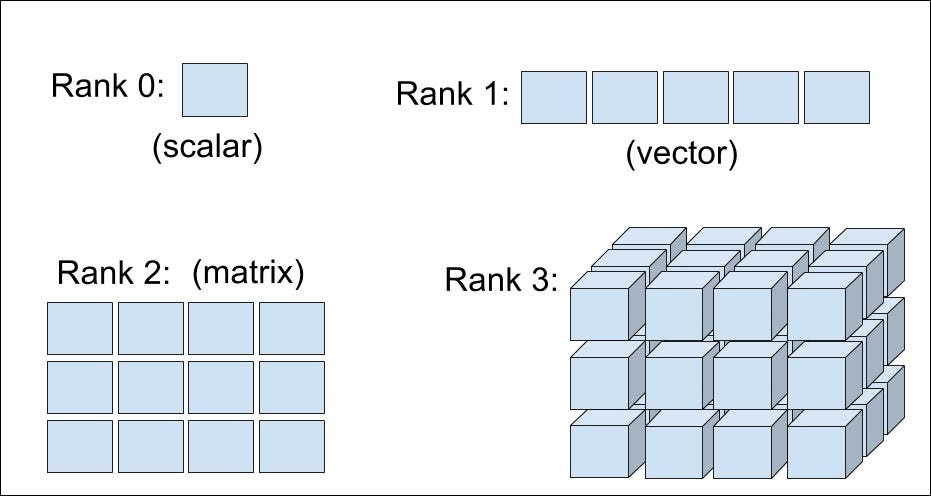
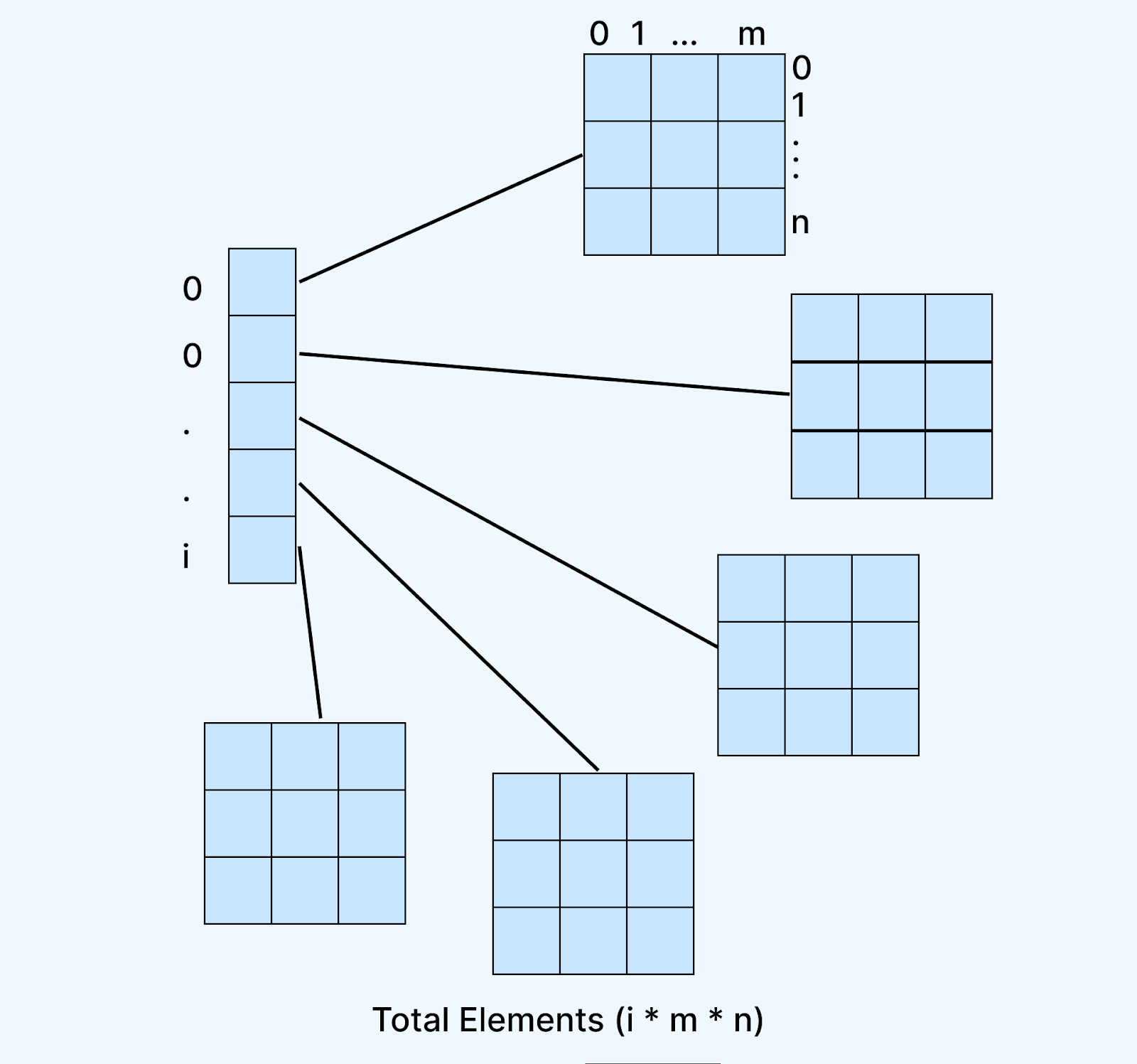
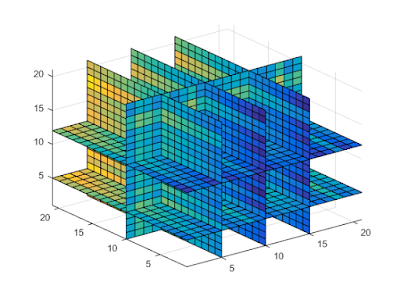
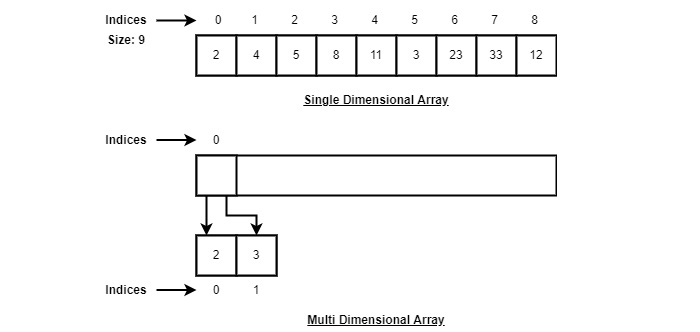
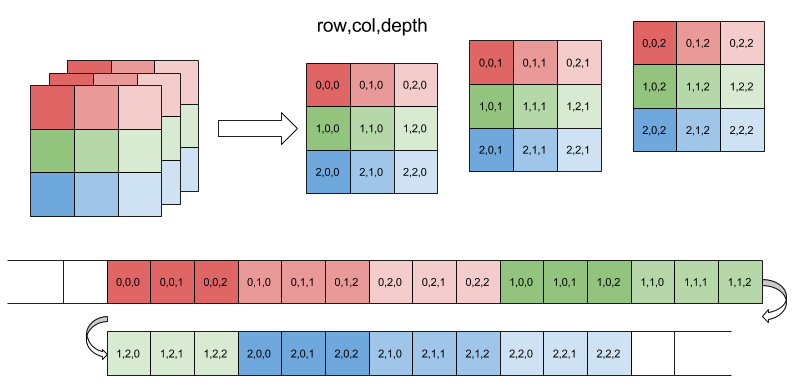
These extend beyond two dimensions, such as 3D arrays used in scientific computing.


🔹 4. Dynamic Arrays

Image
Image
Image
Image

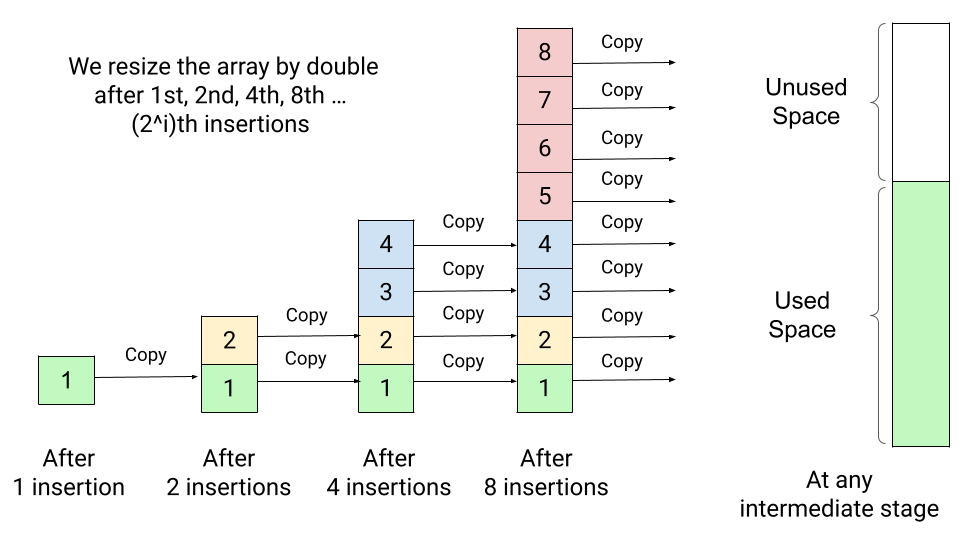
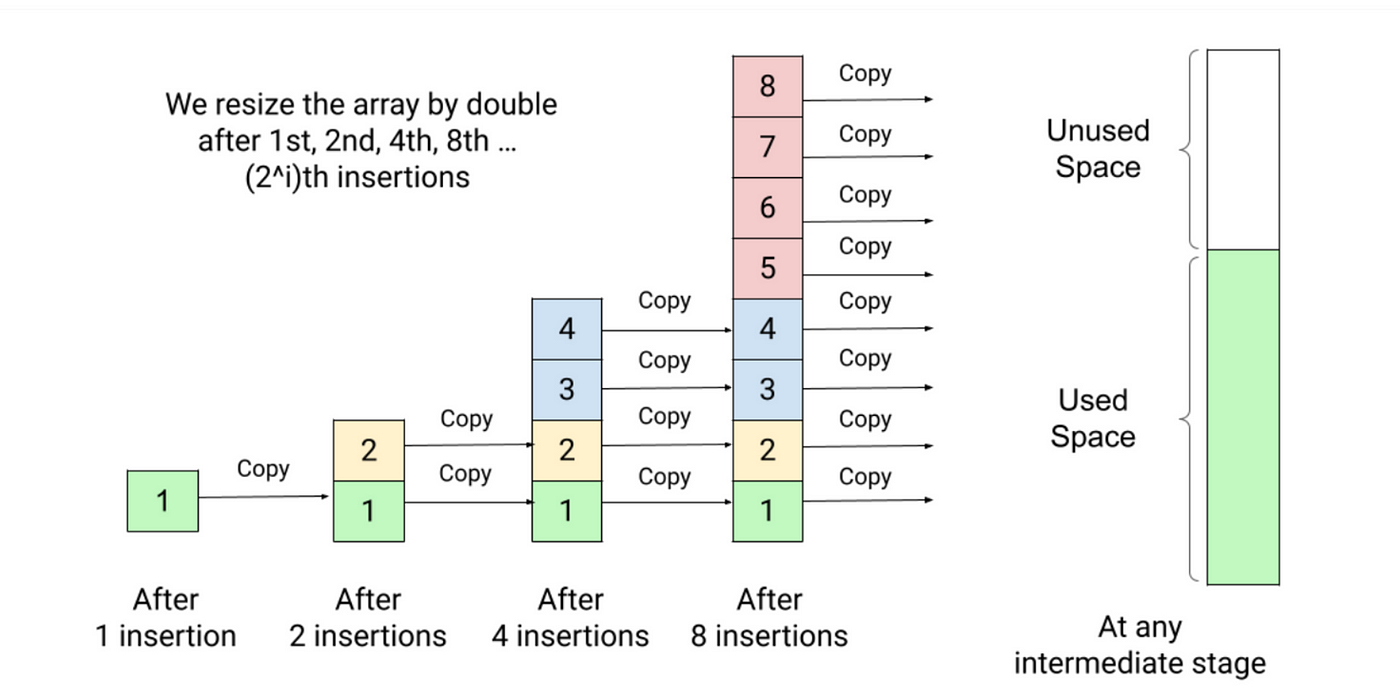
Dynamic arrays can grow or shrink in size during runtime.

Examples:

  • Python lists
  • C++ vectors
  • Java ArrayList

⚙️ Array Operations

1. Traversal

Accessing each element sequentially.

for i in arr:
    print(i)

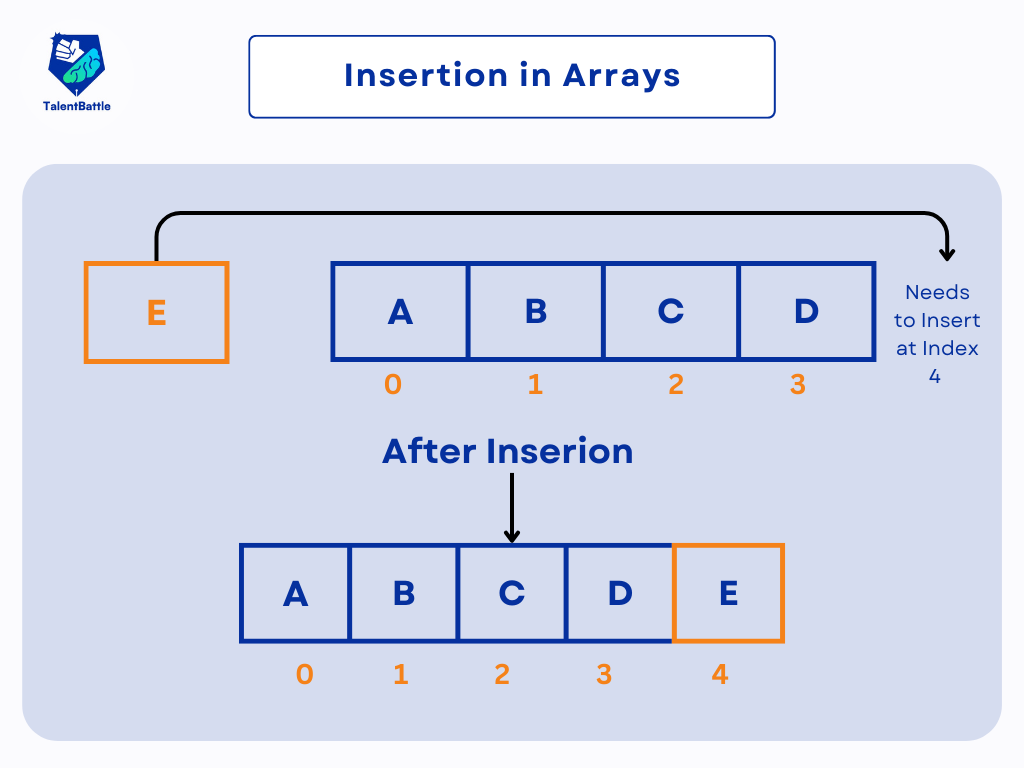
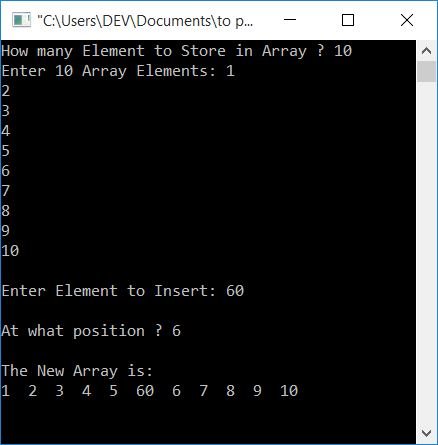
2. Insertion

Image
Image

Insertion requires shifting elements.


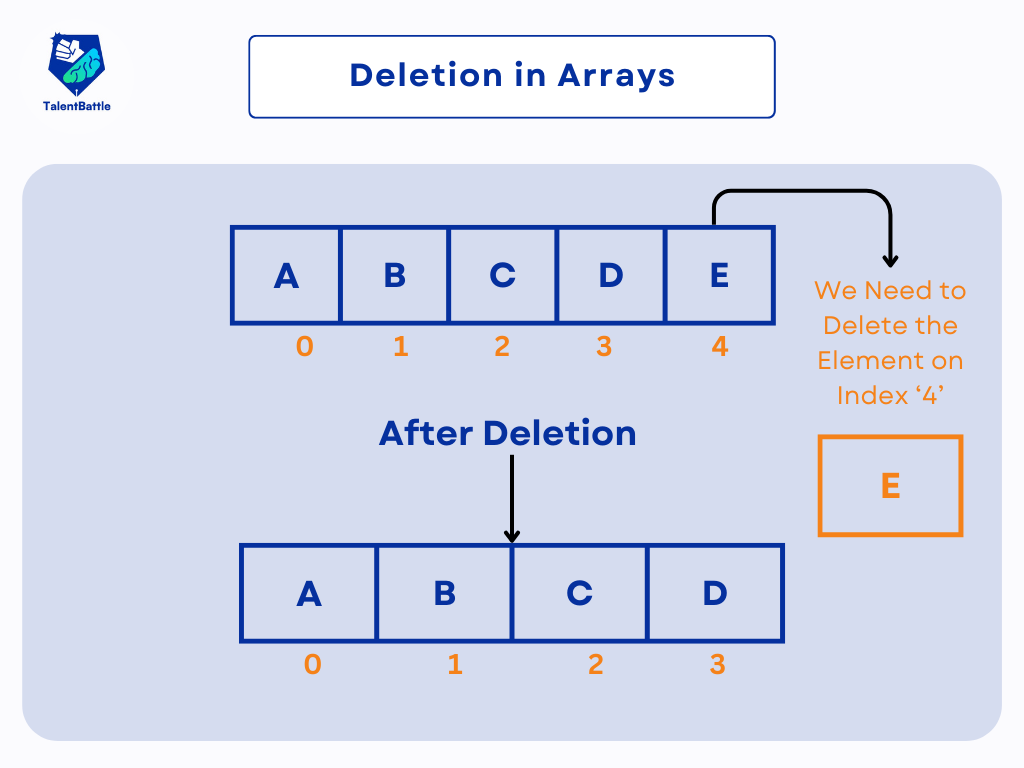
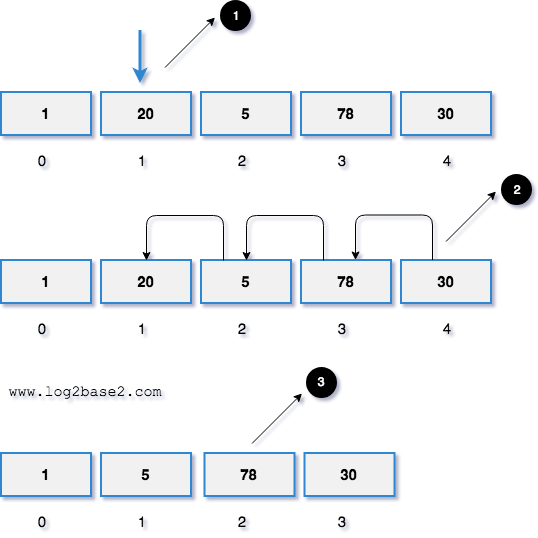
3. Deletion

Image
Image
Image
Image

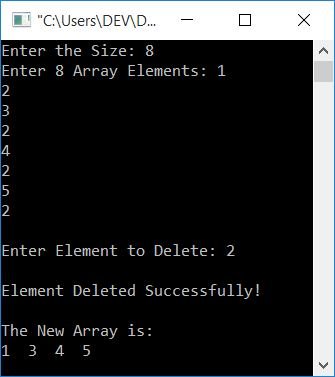
Deletion involves removing an element and shifting remaining elements.


4. Searching

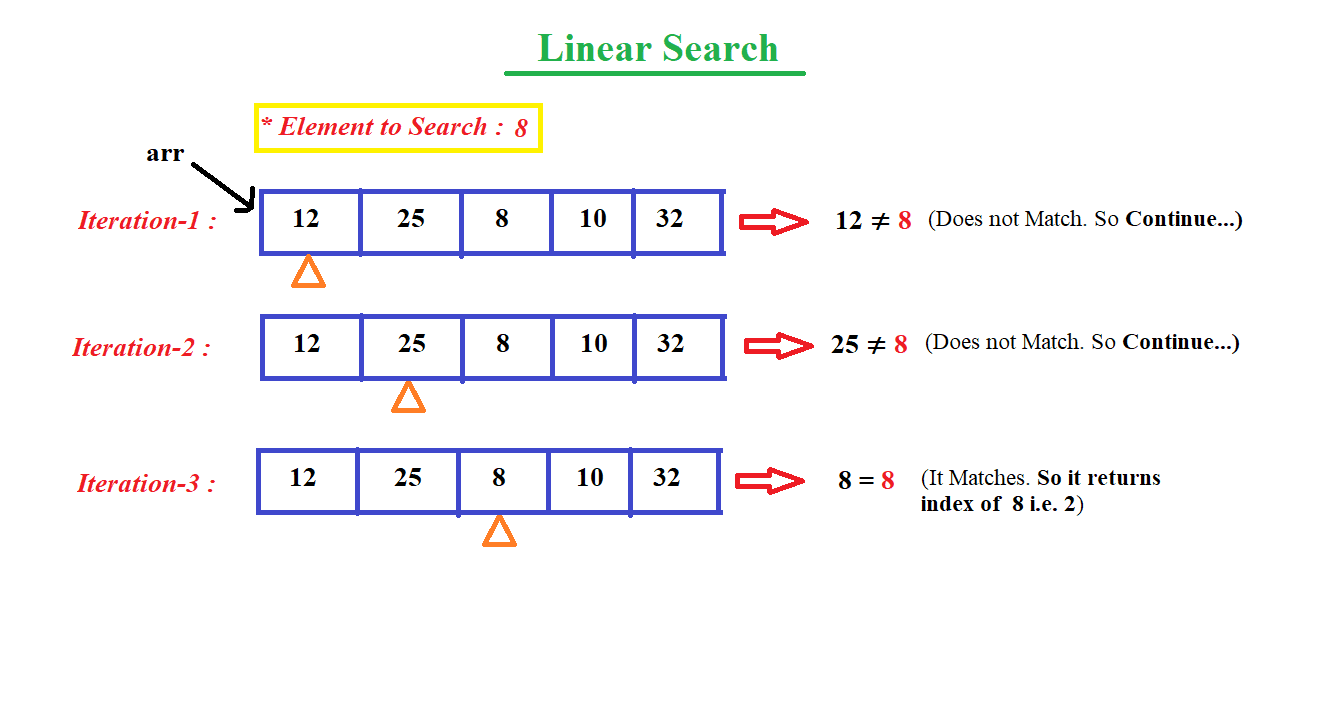
Linear Search

for i in range(len(arr)):
    if arr[i] == key:
        return i

Binary Search (Sorted Arrays)

# Efficient search

5. Sorting

Image
Image
Image
Image

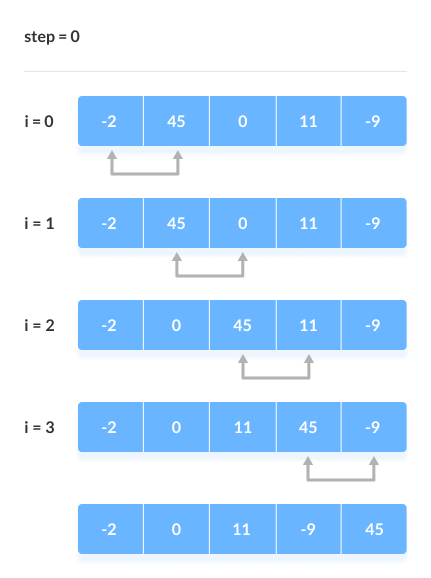
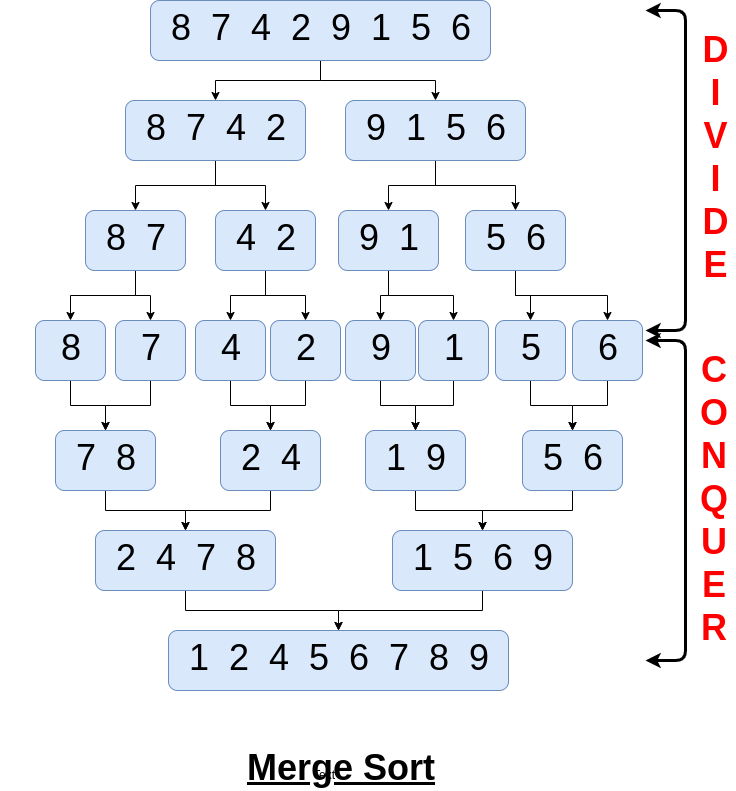
Common algorithms:

  • Bubble Sort
  • Selection Sort
  • Merge Sort
  • Quick Sort

🧪 Memory Representation

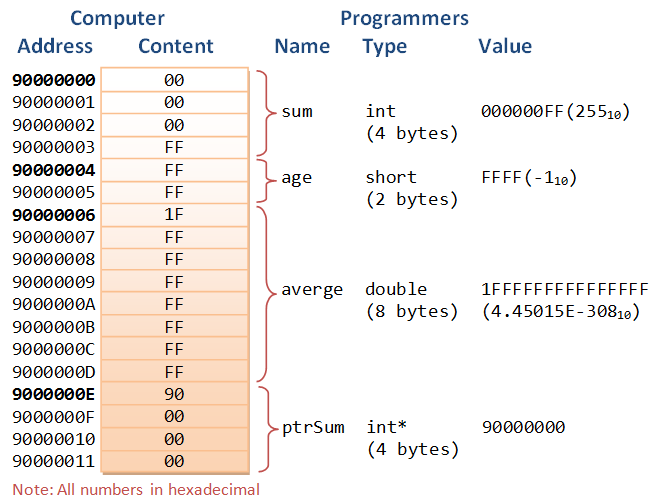
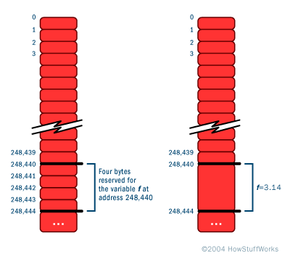
Array elements are stored in contiguous memory blocks.

Address Calculation:

Address = Base Address + (Index × Size of Element)

Example:
If base address = 1000 and each element is 4 bytes:

  • arr[2] → 1000 + (2×4) = 1008

⚡ Advantages of Arrays

  • Fast access (O(1))
  • Easy to traverse
  • Efficient memory usage
  • Suitable for mathematical computations

⚠️ Disadvantages of Arrays

  • Fixed size (in static arrays)
  • Insertion/deletion costly
  • Wasted memory if unused
  • Homogeneous data only

🧩 Arrays vs Other Data Structures

FeatureArrayLinked List
MemoryContiguousNon-contiguous
AccessFastSlow
SizeFixedDynamic

🧑‍💻 Arrays in Different Programming Languages

Python

arr = [1, 2, 3]

C

int arr[3] = {1, 2, 3};

Java

int[] arr = {1, 2, 3};

JavaScript

let arr = [1, 2, 3];

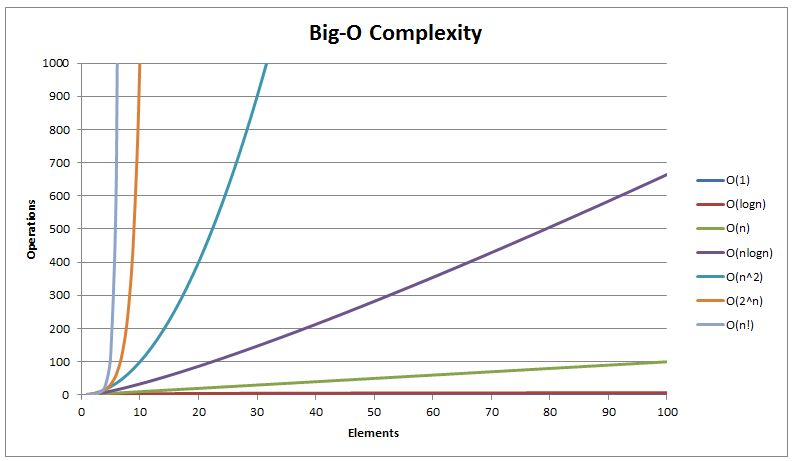
📊 Time Complexity of Array Operations

OperationTime Complexity
AccessO(1)
SearchO(n)
InsertO(n)
DeleteO(n)

🧠 Advanced Concepts

🔹 Sparse Arrays

Image
Image
Image
Image

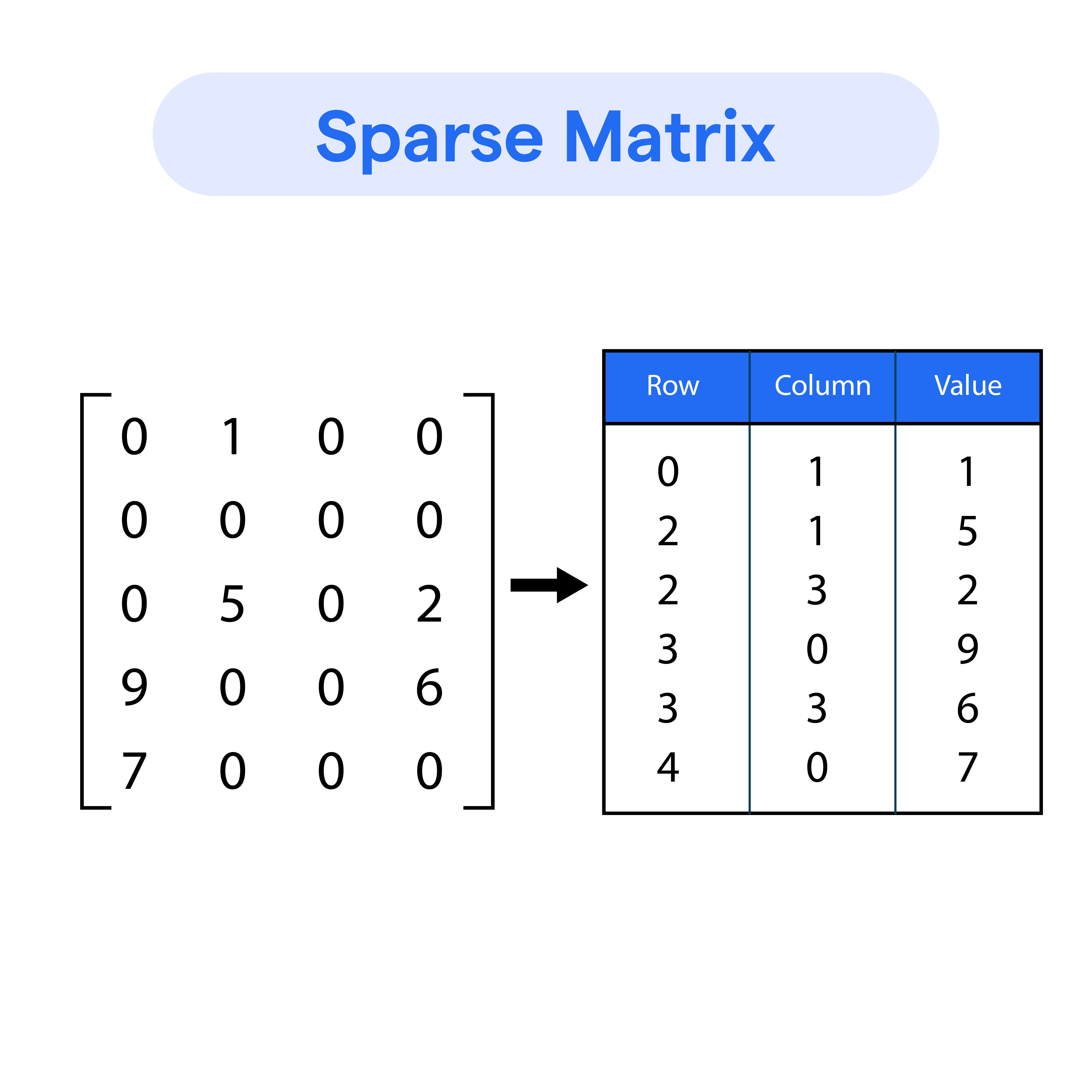
Arrays with many zero elements.


🔹 Jagged Arrays

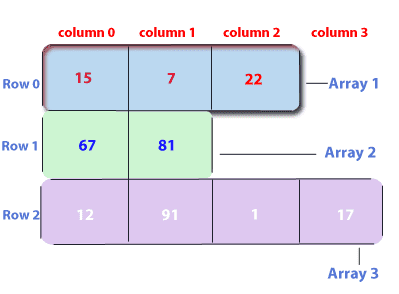
Image
Image

Arrays with varying row lengths.


🔹 Circular Arrays

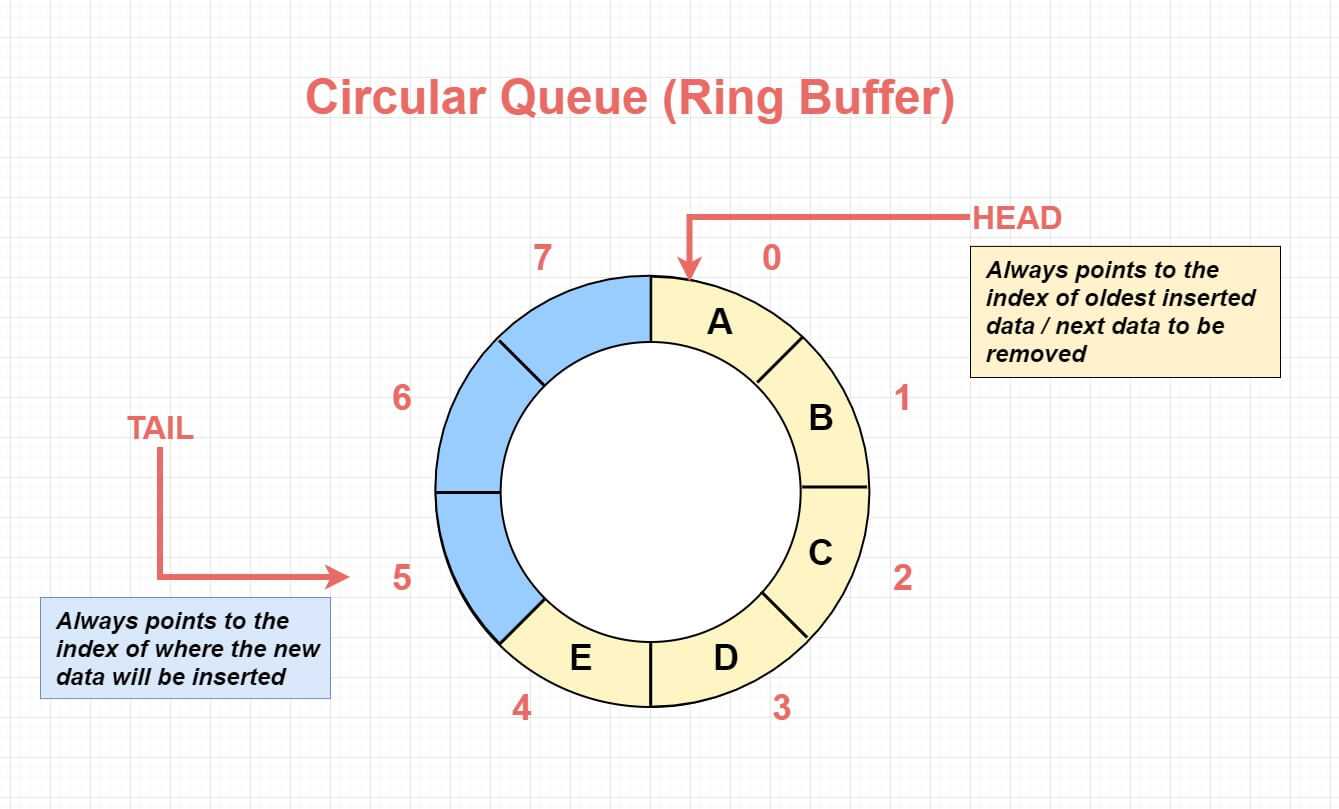
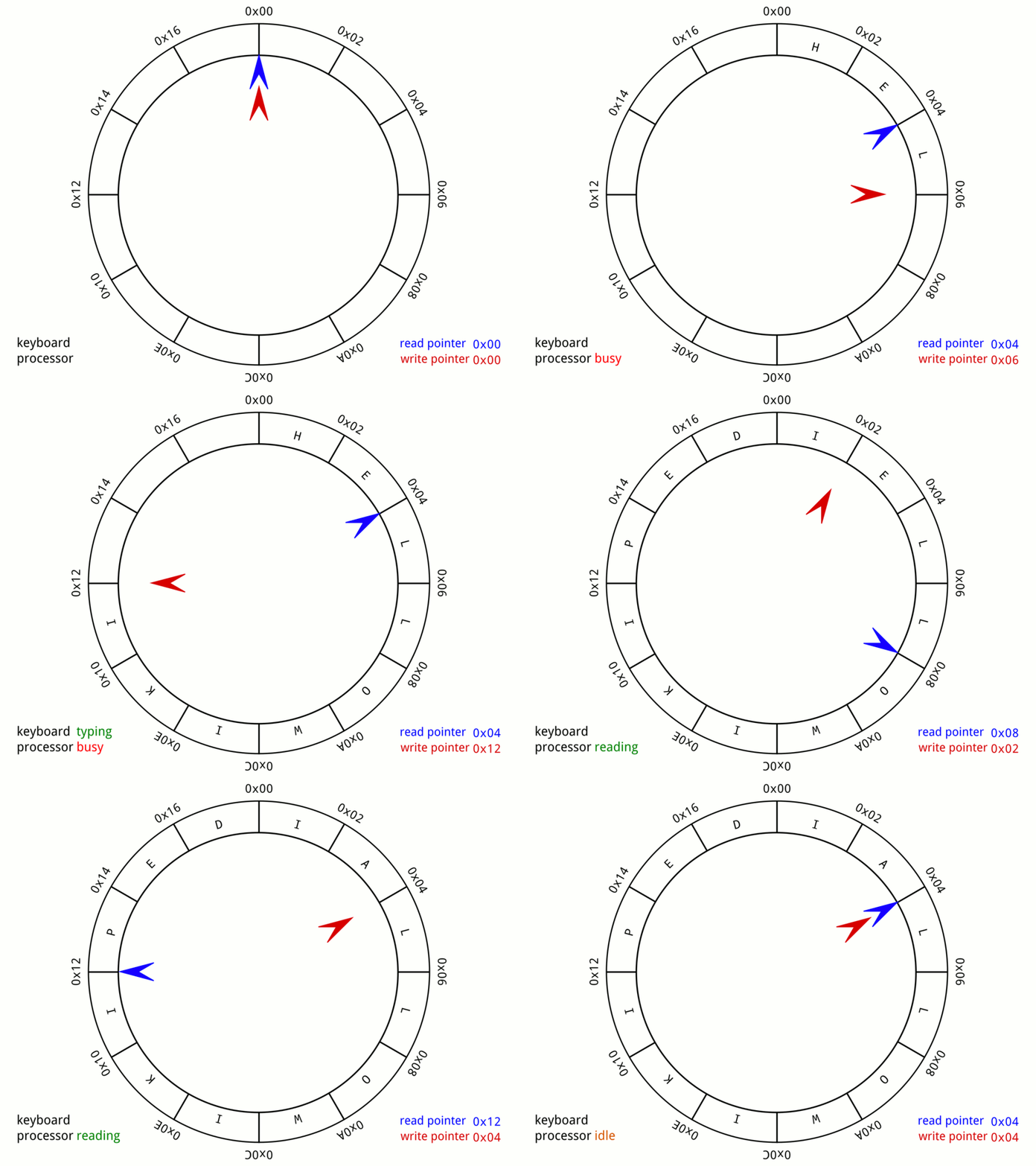
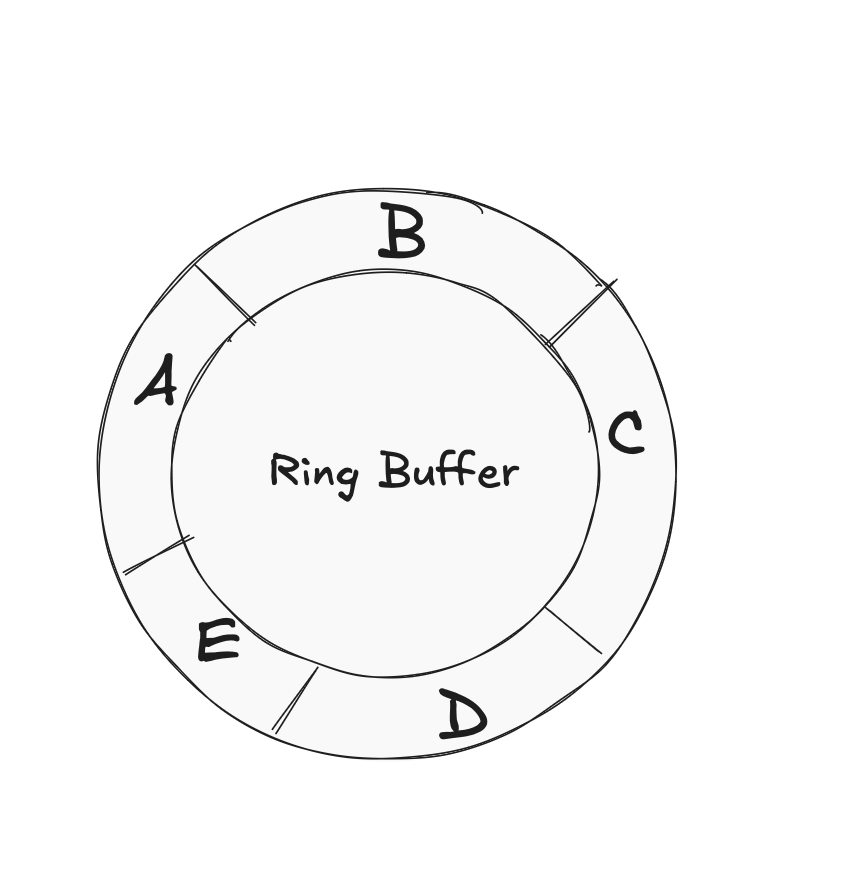
Image
Image
Image
Image

Used in buffers and queues.


🔬 Real-World Applications of Arrays

📱 1. Image Processing

Image
Image
Image
Image

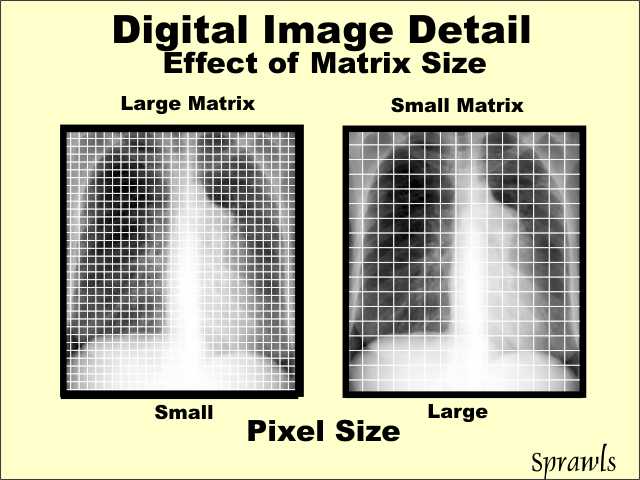
Images are stored as arrays of pixels.


🎮 2. Game Development

Image
Image
Image
Image

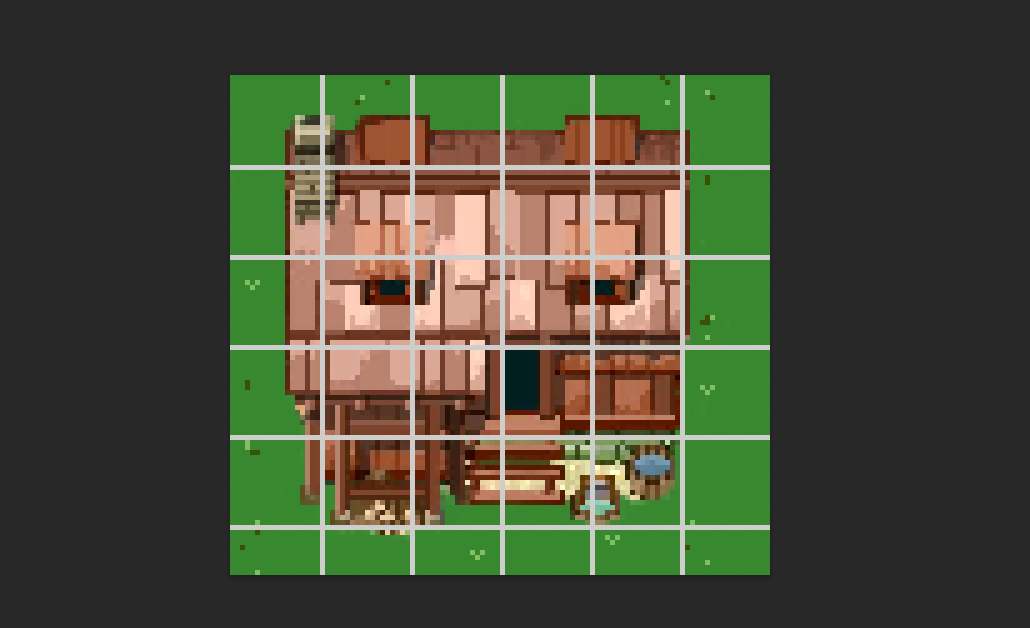
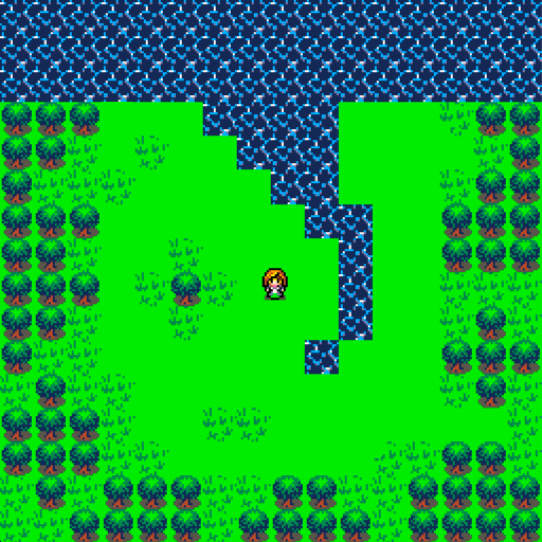
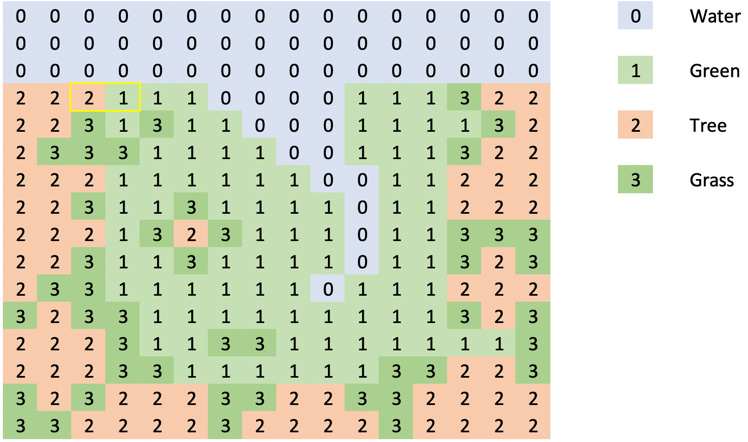
Game boards and maps use arrays.


📊 3. Data Analysis

Image
Image
Image
Image

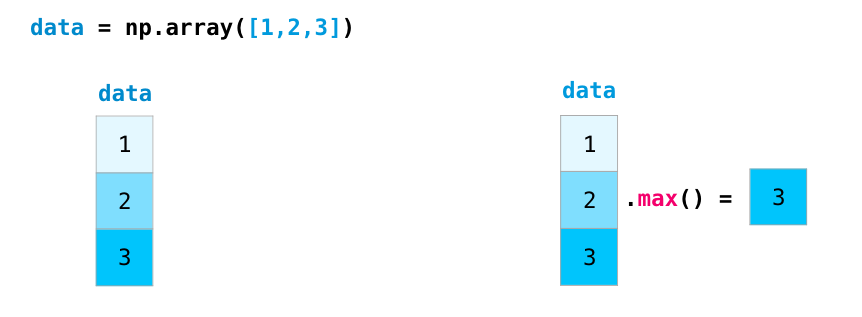
Libraries like NumPy rely on arrays.


🌐 4. Databases

Image
Image
Image
Image

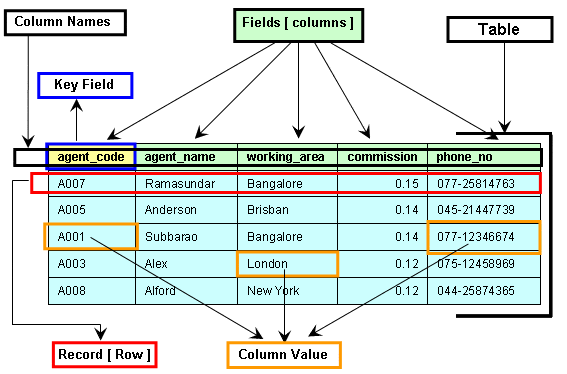
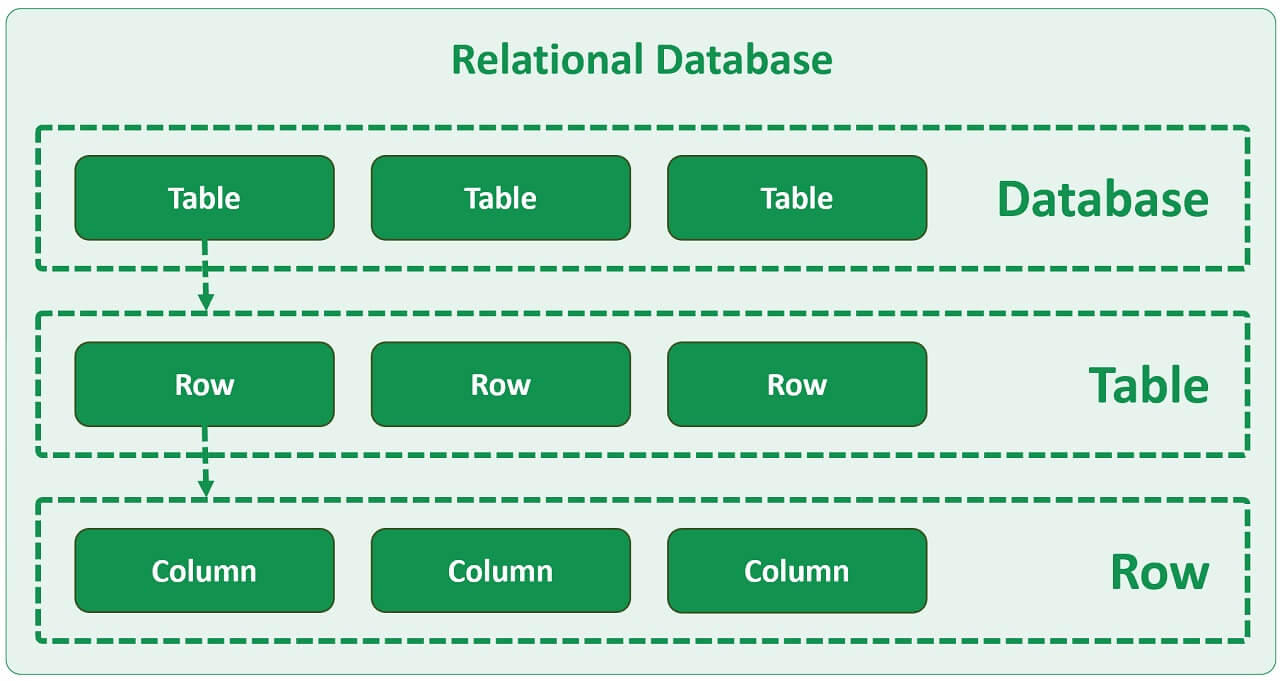
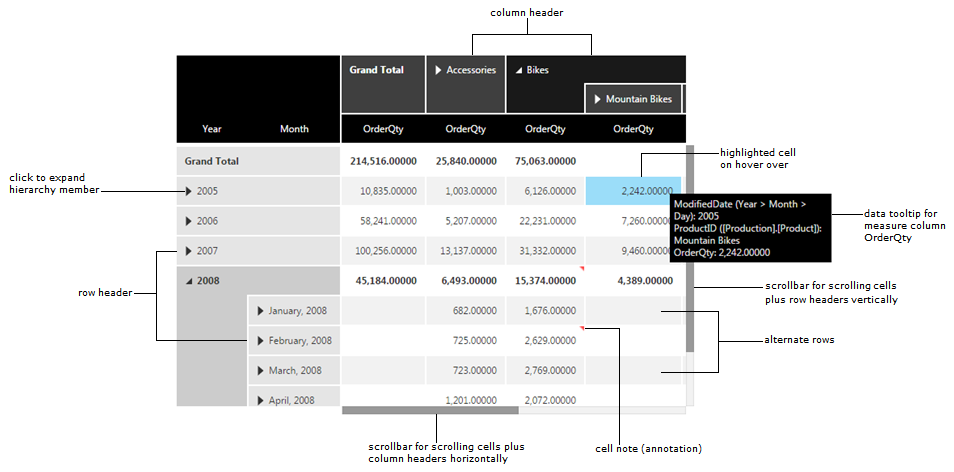
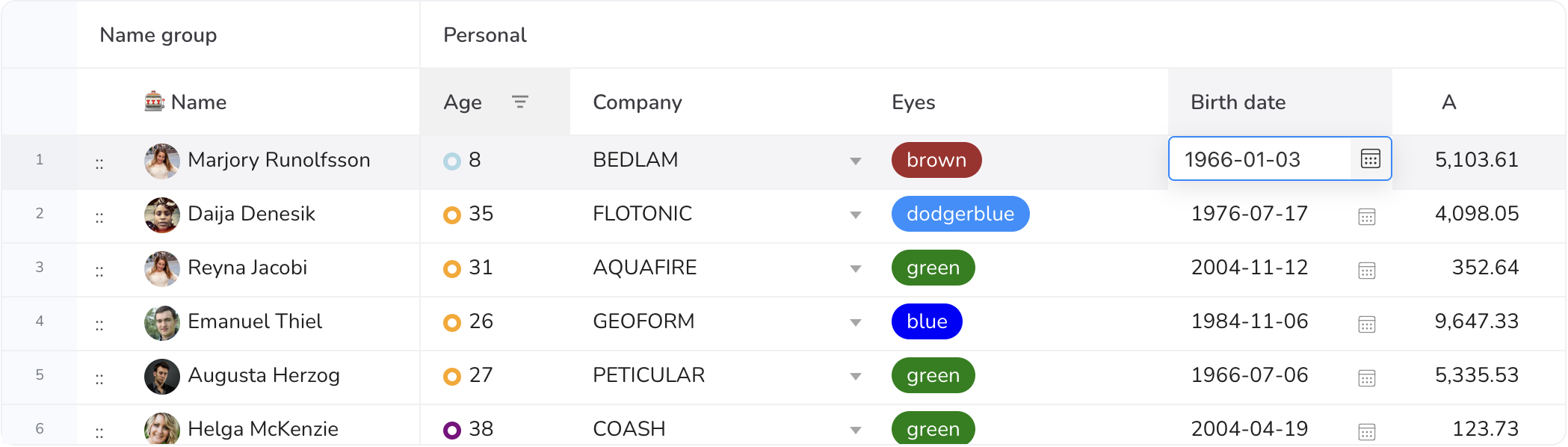
Tables resemble 2D arrays.


🚀 Conclusion

Arrays are a foundational concept in programming and computer science. They provide an efficient way to store and manipulate collections of data. Despite their limitations, arrays are essential for understanding more complex data structures like lists, stacks, queues, and trees.

Mastering arrays builds a strong base for algorithms, problem-solving, and software development.


🏷️ Tags

🌐 JavaScript Programming – Complete Detailed Guide (with Software Development Language Context)


🌐 Introduction to JavaScript Programming

Image
Image
Image
Image

JavaScript (JS) is a high-level, interpreted programming language primarily used to create interactive and dynamic web applications. It is one of the core technologies of the web, alongside HTML and CSS.

In simple terms:

JavaScript = the language that makes websites interactive

Originally designed for browsers, JavaScript is now used for:

  • Frontend development
  • Backend development (Node.js)
  • Mobile apps
  • Desktop apps
  • Game development

🧠 Importance of JavaScript

  • Runs in all web browsers
  • Enables dynamic content
  • Essential for modern web apps
  • Full-stack development capability
  • Massive ecosystem

🧩 Basic Structure of JavaScript


📄 Example Program

console.log("Hello, World!");

🧠 Features:

Image
Image
Image
Image
  • Dynamic typing
  • Interpreted language
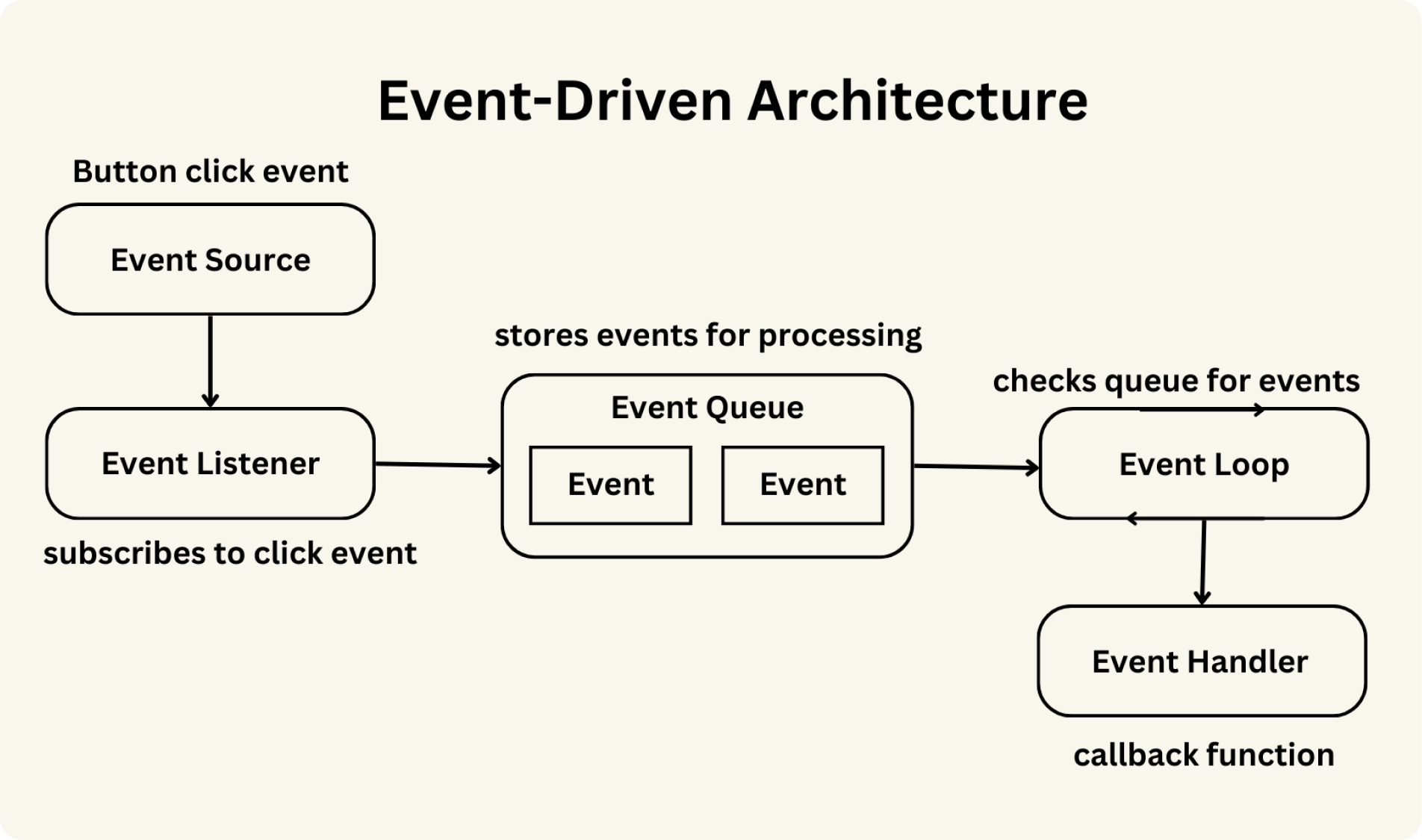
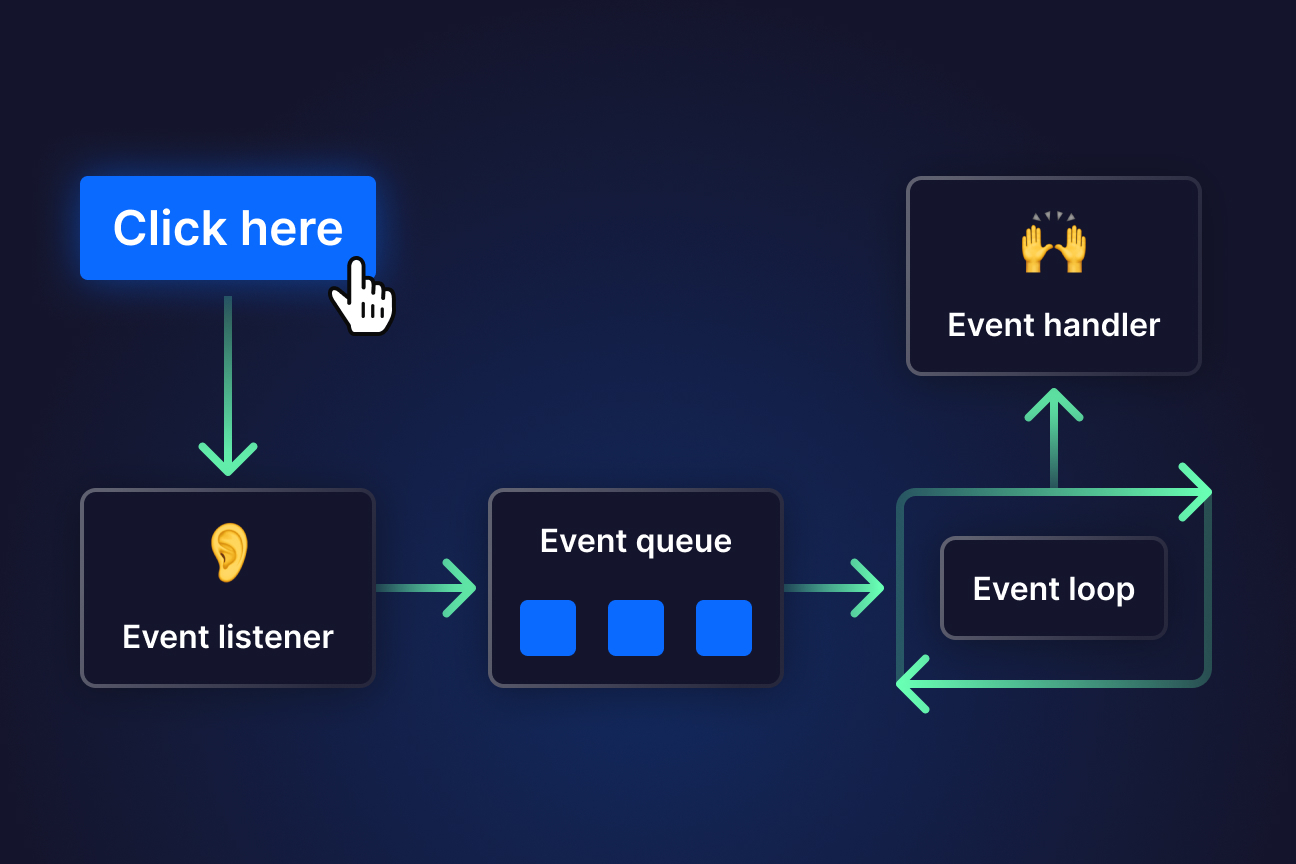
  • Event-driven
  • Prototype-based

⚙️ Data Types in JavaScript


🔢 Primitive Data Types

Image
Image
Image
Image
TypeExample
Number10
String“Hello”
Booleantrue
Undefinedundefined
Nullnull

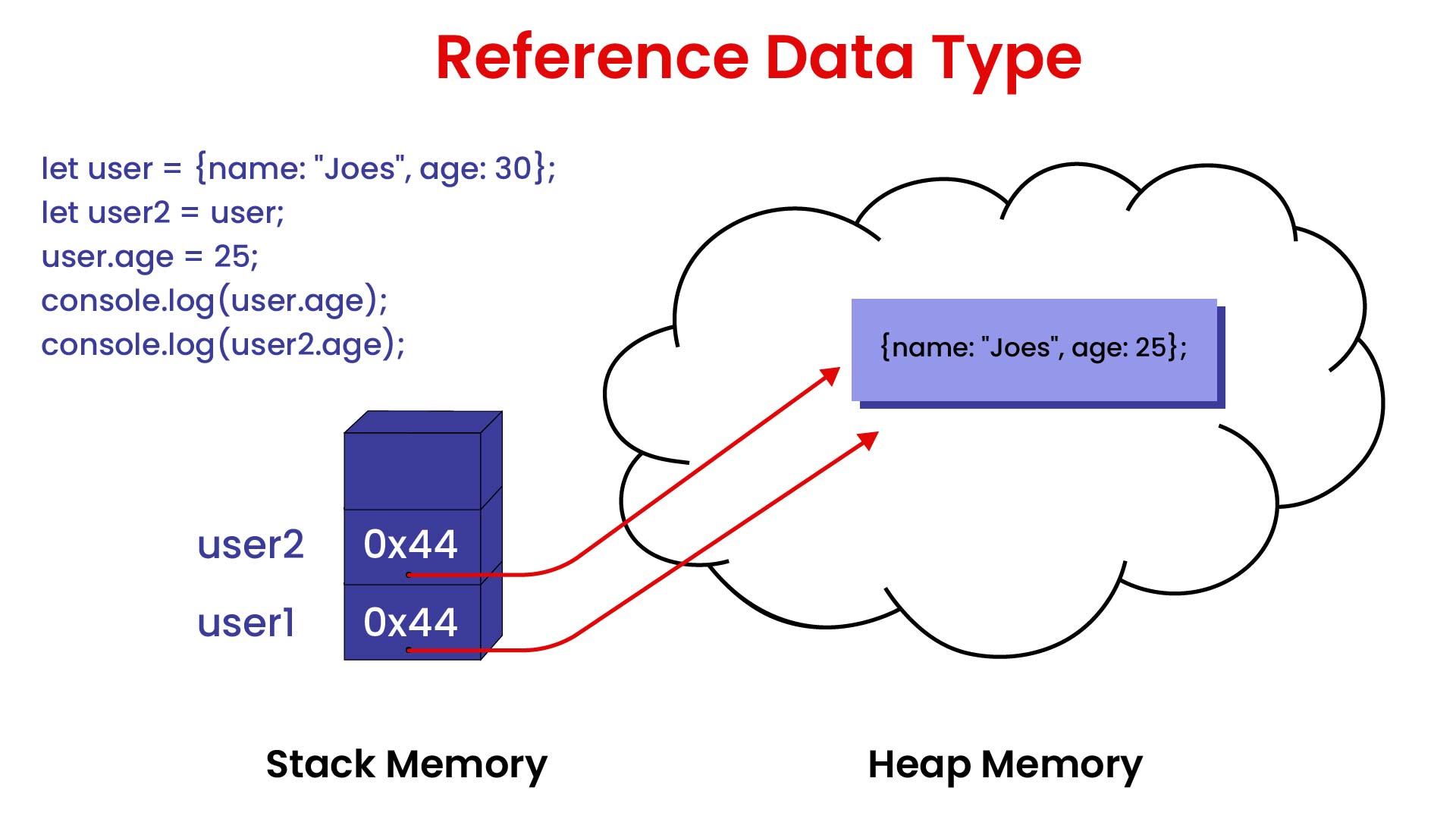
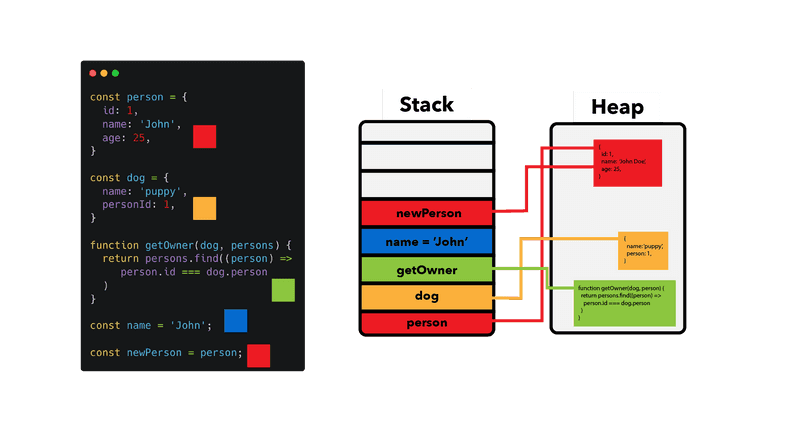
🧩 Reference Types

  • Objects
  • Arrays
  • Functions

🔤 Variables and Scope


📌 Variables

let x = 10;
const name = "JS";

🔄 Scope Types:

  • Global
  • Local
  • Block scope

⚙️ Operators in JavaScript


🔢 Types:

  • Arithmetic (+, -, *, /)
  • Comparison (==, ===)
  • Logical (&&, ||)
  • Assignment (=, +=)

🔄 Control Structures


🔀 Conditional Statements

Image
Image
Image
Image

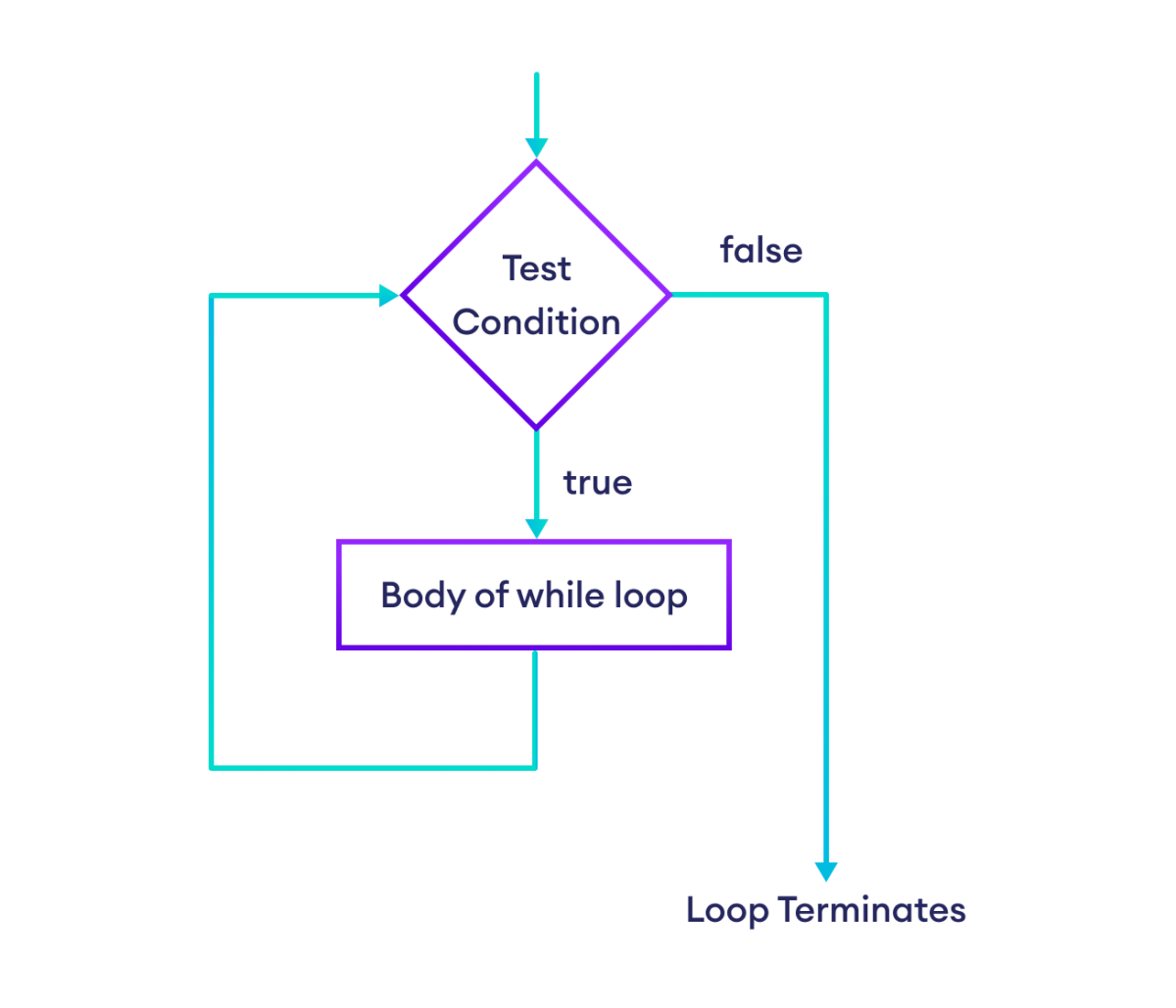
🔁 Loops

Image
Image
Image
Image

🧠 Functions in JavaScript


📌 Example:

function add(a, b) {
    return a + b;
}

⚙️ Types:

  • Function declaration
  • Function expression
  • Arrow functions

🧩 Objects in JavaScript


📦 Concept

Image
Image
Image
Image
let person = {
    name: "John",
    age: 25
};

🔤 Arrays in JavaScript

Image
Image
Image
Image
  • Dynamic
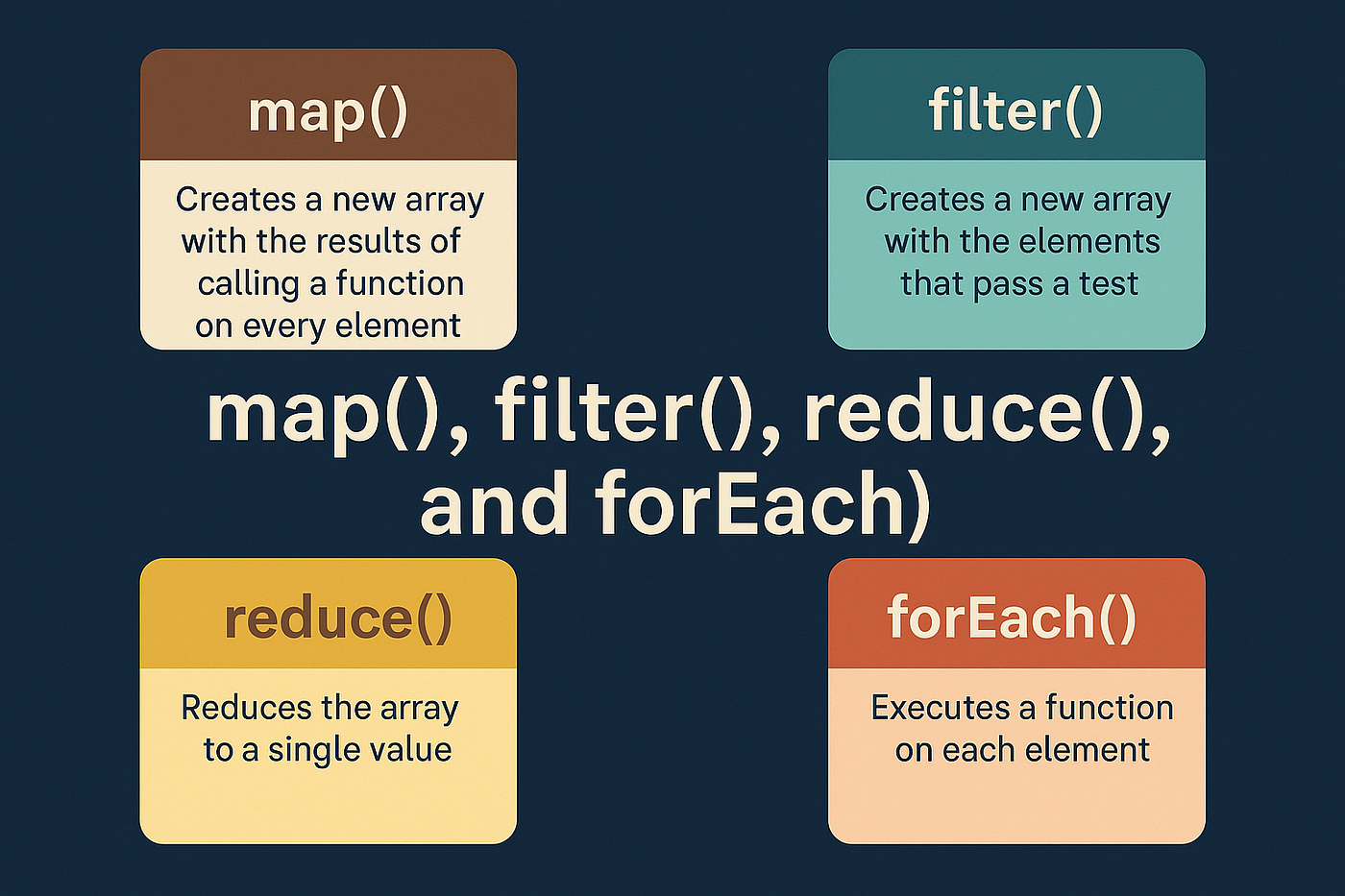
  • Methods: map(), filter(), reduce()

🔤 Strings in JavaScript

Image
Image
Image
Image
  • Immutable
  • Template literals

🌐 DOM (Document Object Model)


🧠 Concept

Image
Image
Image
Image
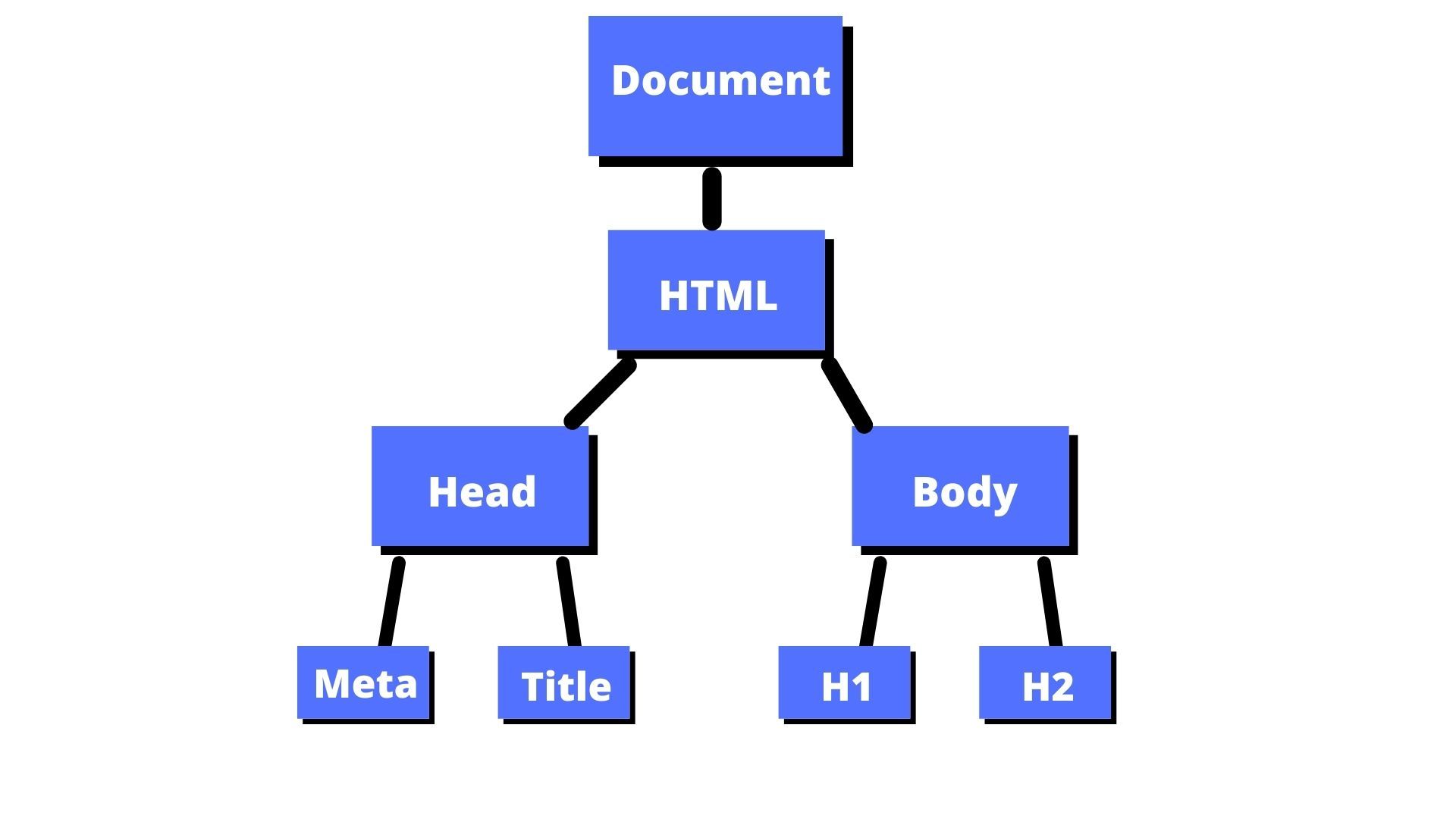
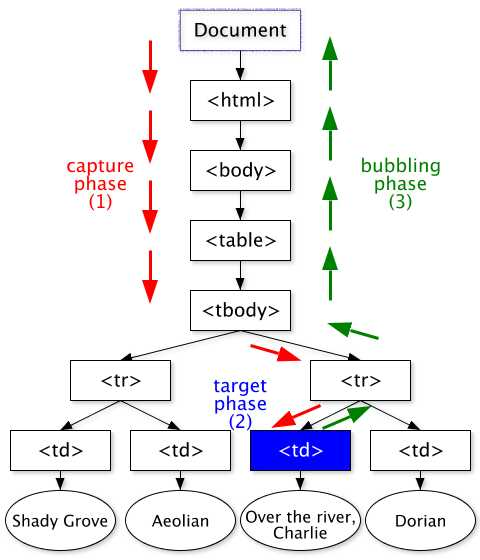
  • Represents HTML structure
  • Allows dynamic updates

⚡ Event Handling


📌 Example:

button.addEventListener("click", function() {
    alert("Clicked!");
});

🔄 Asynchronous JavaScript


🧠 Concepts

Image
Image
Image
Image

🔹 Techniques:

  • Callbacks
  • Promises
  • Async/Await

💾 Error Handling


⚠️ Example:

try {
    let x = y;
} catch (e) {
    console.log("Error");
}

📦 Modules in JavaScript


🧩 Concept

Image
Image
Image
Image
  • Import/export functionality

🌐 JavaScript in Software Development Context


🧠 Role Among Languages

Image
Image
Image
Image

⚖️ Comparison

LanguageStrength
JavaScriptWeb development
PythonData science
JavaEnterprise

🚀 Applications of JavaScript


🌐 Frontend Development

Image
Image
Image
Image

🖥️ Backend Development

  • Node.js

📱 Mobile Apps

  • React Native

🎮 Game Development

  • Browser-based games

⚡ Advantages of JavaScript

  • Runs in browsers
  • Versatile
  • Large ecosystem
  • Supports full-stack

⚠️ Limitations

  • Security issues
  • Browser inconsistencies
  • Single-threaded

🚀 Modern JavaScript Trends

Image
Image
Image
Image
  • ES6+ features
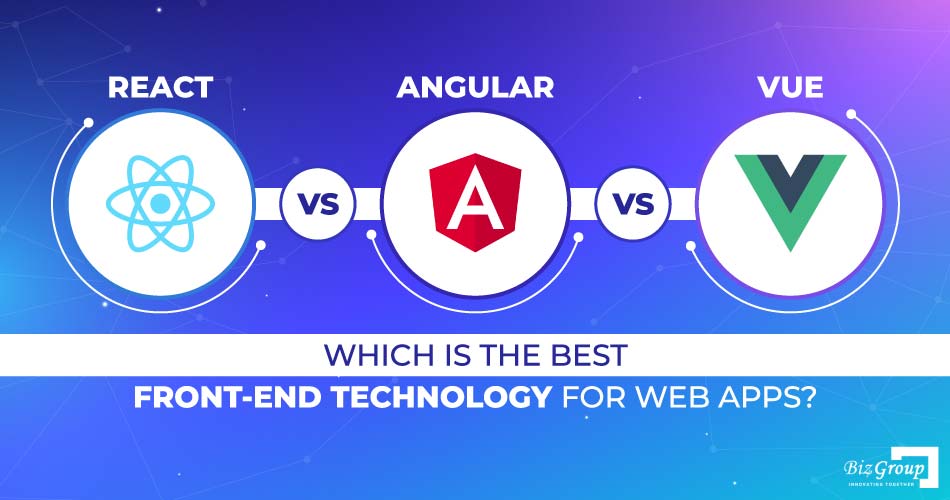
  • Frameworks (React, Vue)
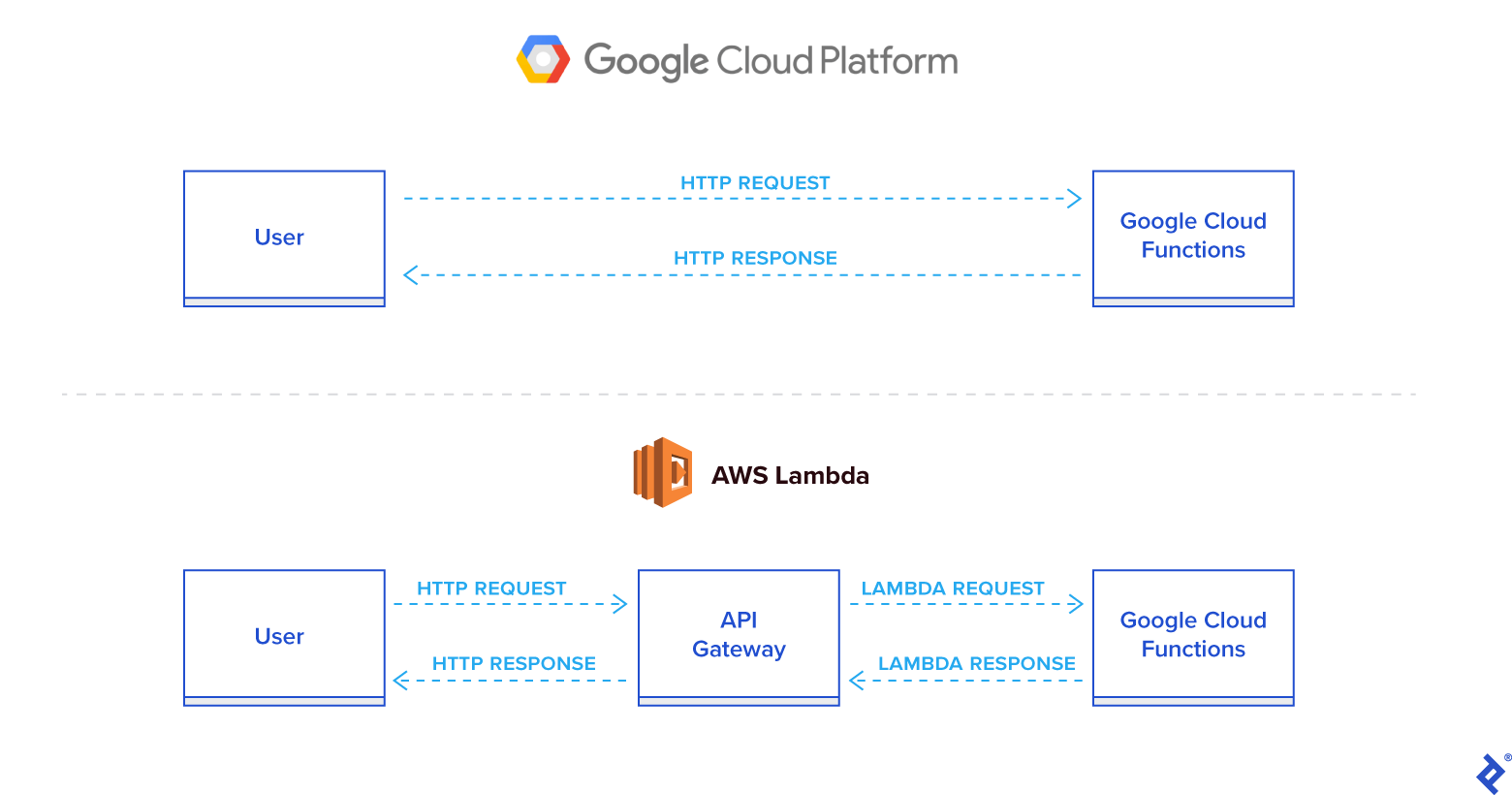
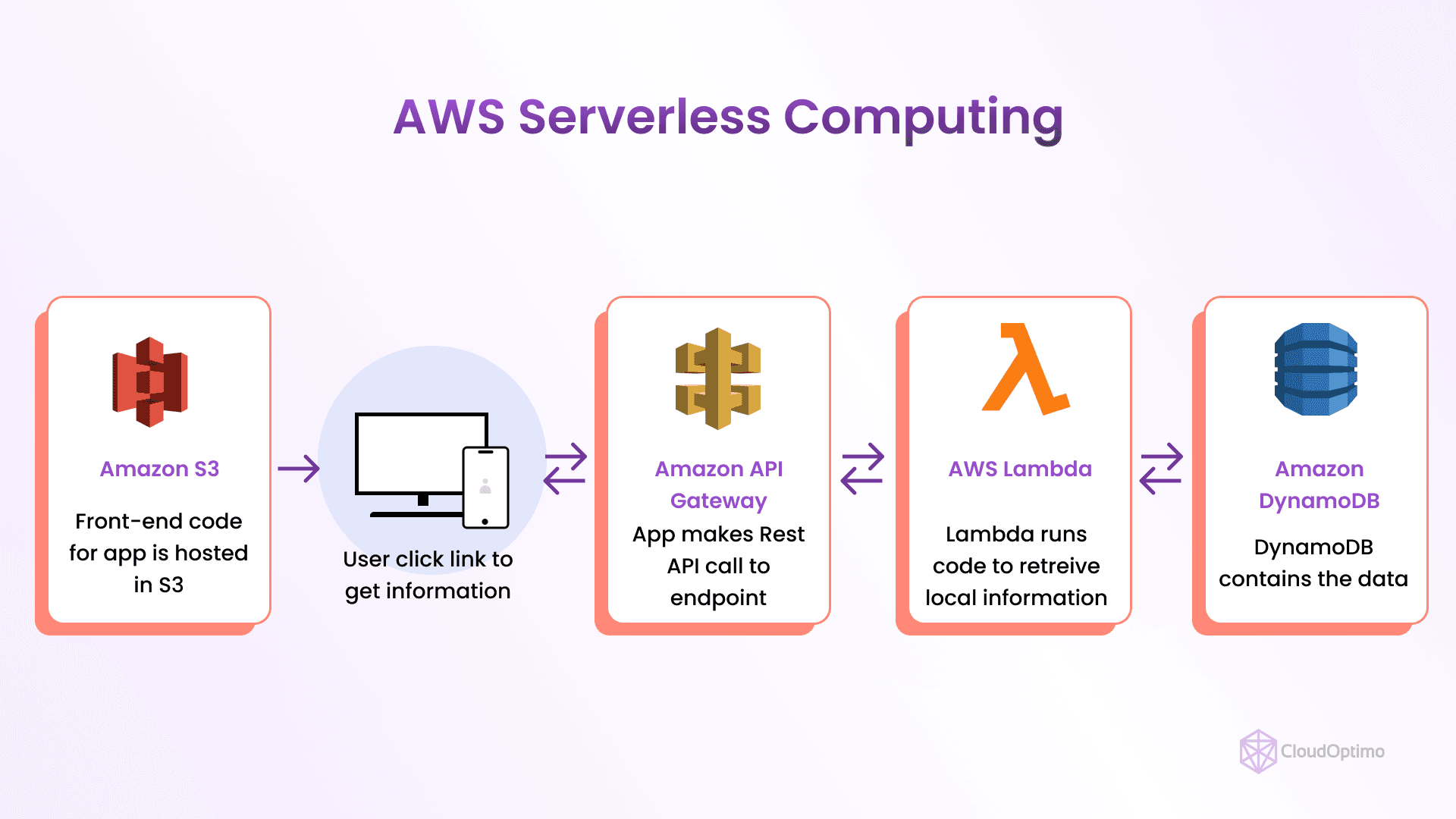
  • Serverless computing
  • Progressive Web Apps

🧾 Conclusion

JavaScript is a core language of the web that:

  • Powers interactive applications
  • Enables full-stack development
  • Continues to evolve rapidly

Learning JavaScript is essential for:

  • Web developers
  • Software engineers
  • Full-stack development

🏷️ Tags

☕ Java Programming – Complete Detailed Guide (with Software Development Language Context)


🌐 Introduction to Java Programming

Image
Image
Image
Image

Java is a high-level, object-oriented, platform-independent programming language widely used for building enterprise applications, mobile apps, web systems, and large-scale software.

It was designed with the philosophy:

“Write Once, Run Anywhere” (WORA)

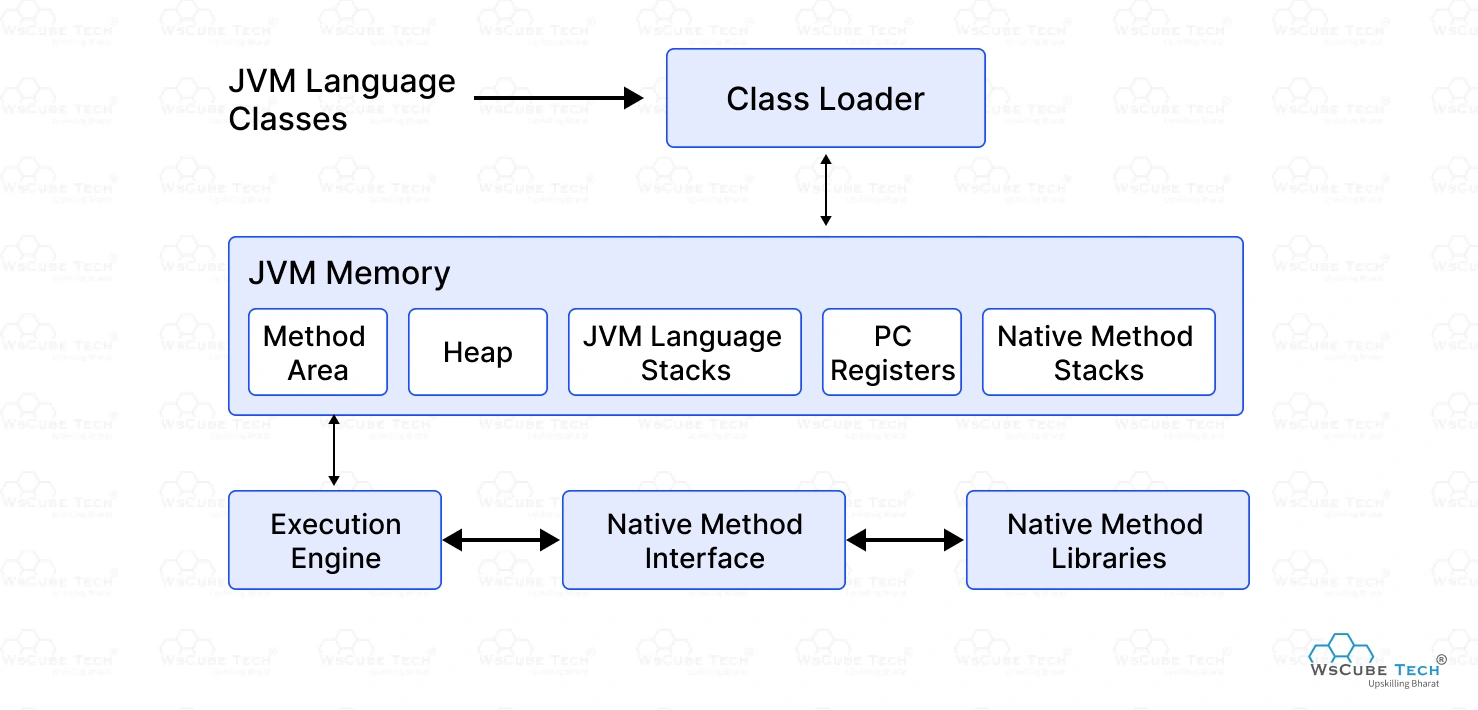
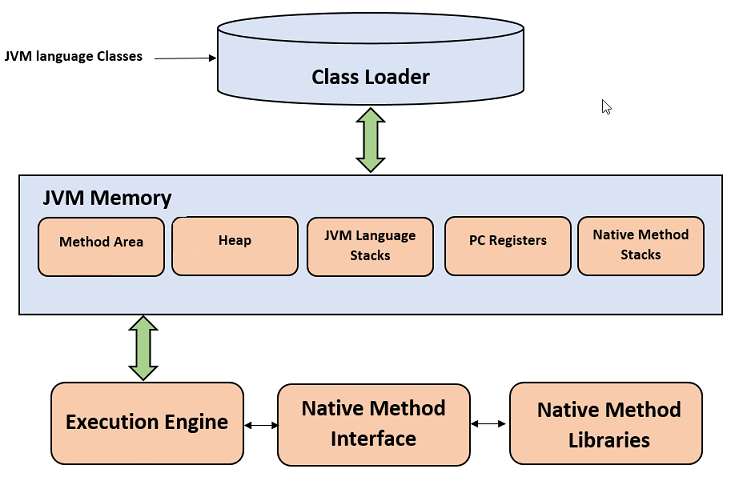
This means Java programs can run on any system that has a Java Virtual Machine (JVM).


🧠 Importance of Java

  • Platform-independent
  • Strong object-oriented features
  • Widely used in enterprise applications
  • Secure and robust
  • Large ecosystem and community

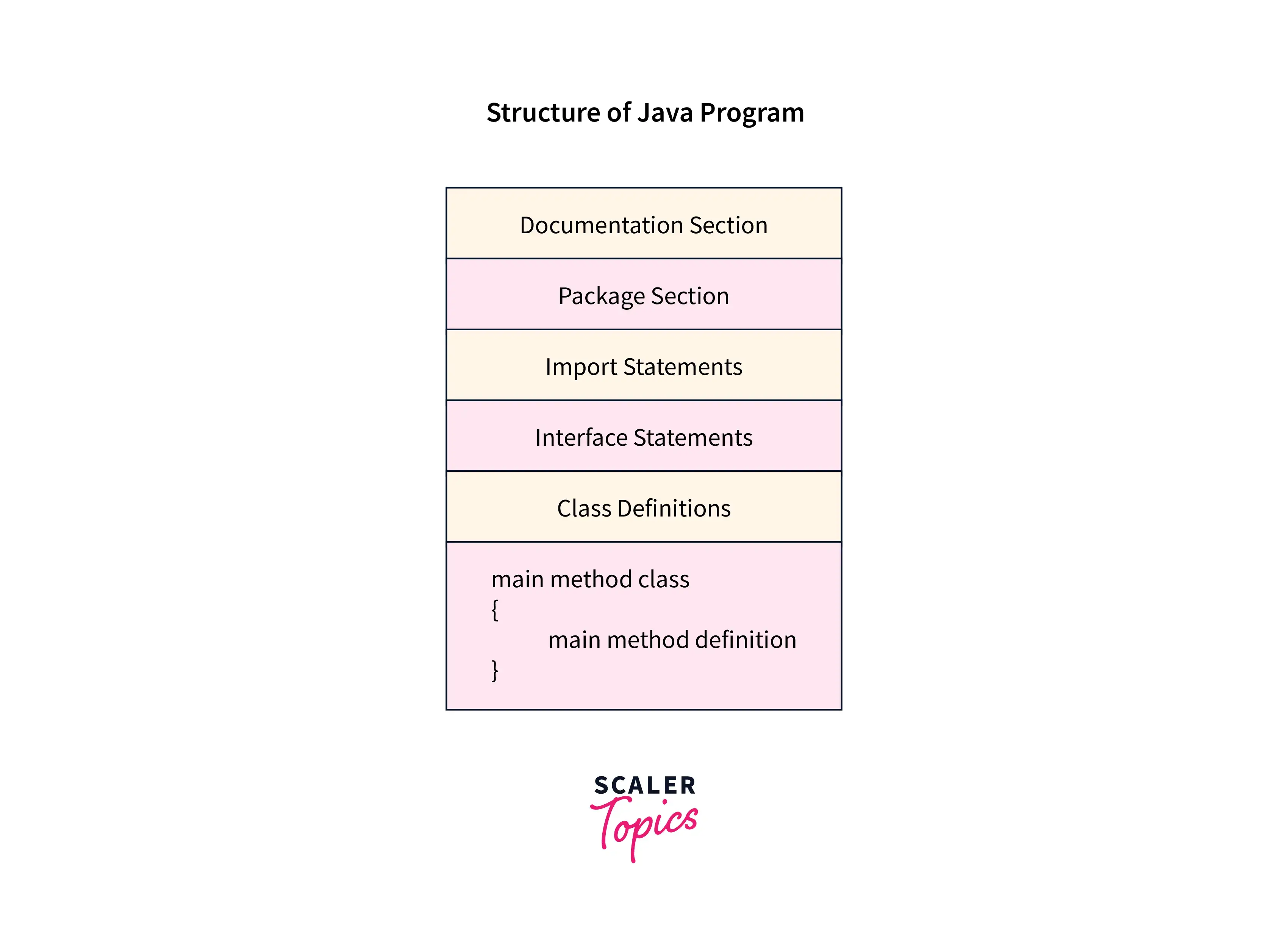
🧩 Basic Structure of a Java Program


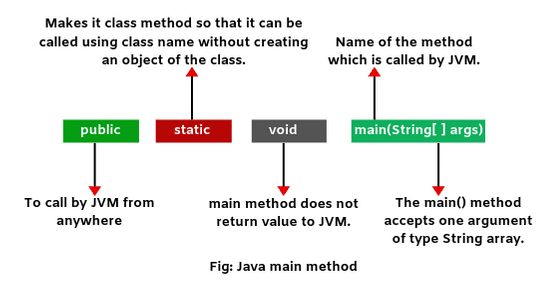
📄 Example Program

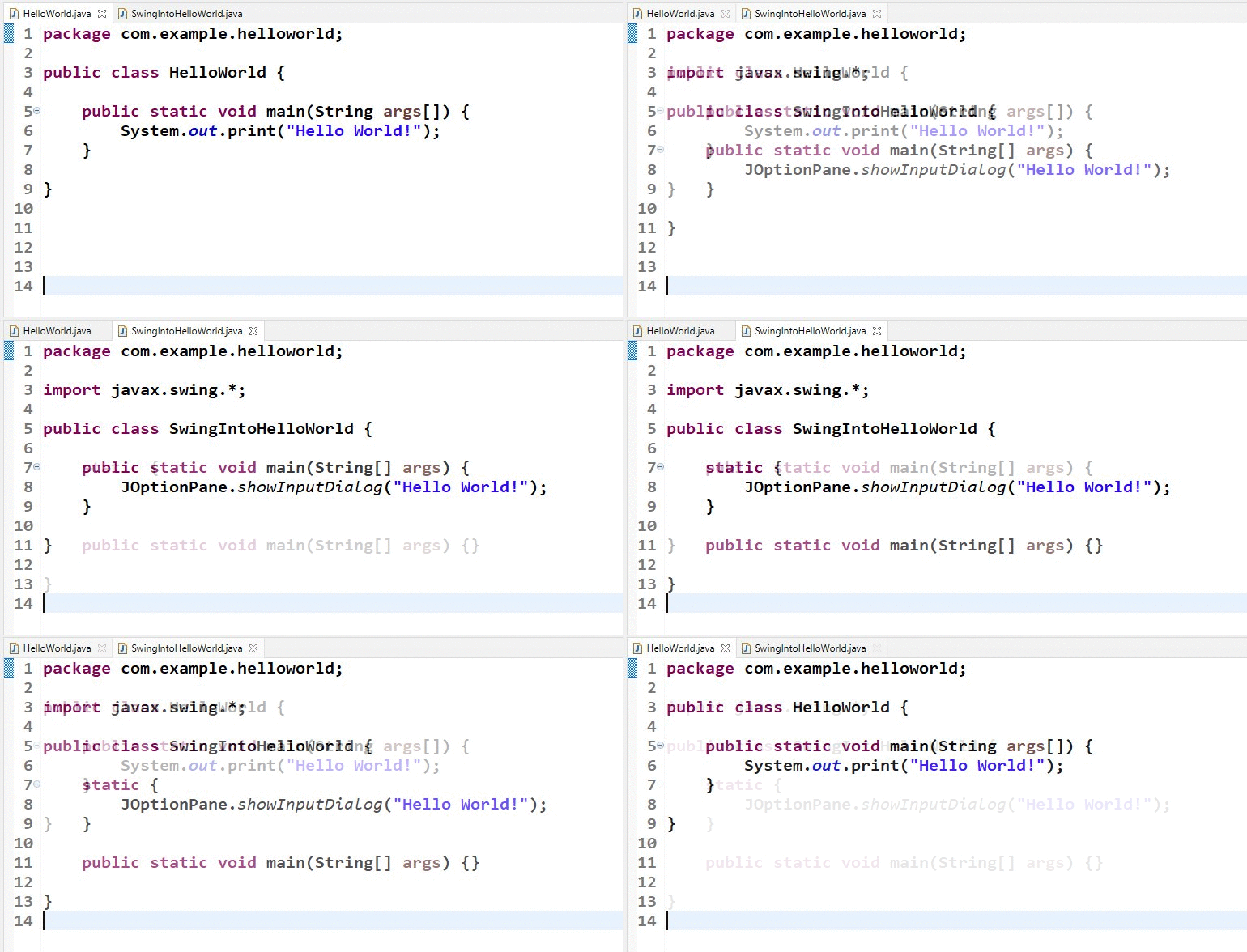
class HelloWorld {
    public static void main(String[] args) {
        System.out.println("Hello, World!");
    }
}

🧠 Components:

Image
Image
Image
Image
  • Class definition
  • Main method
  • Statements
  • Output functions

⚙️ Java Architecture


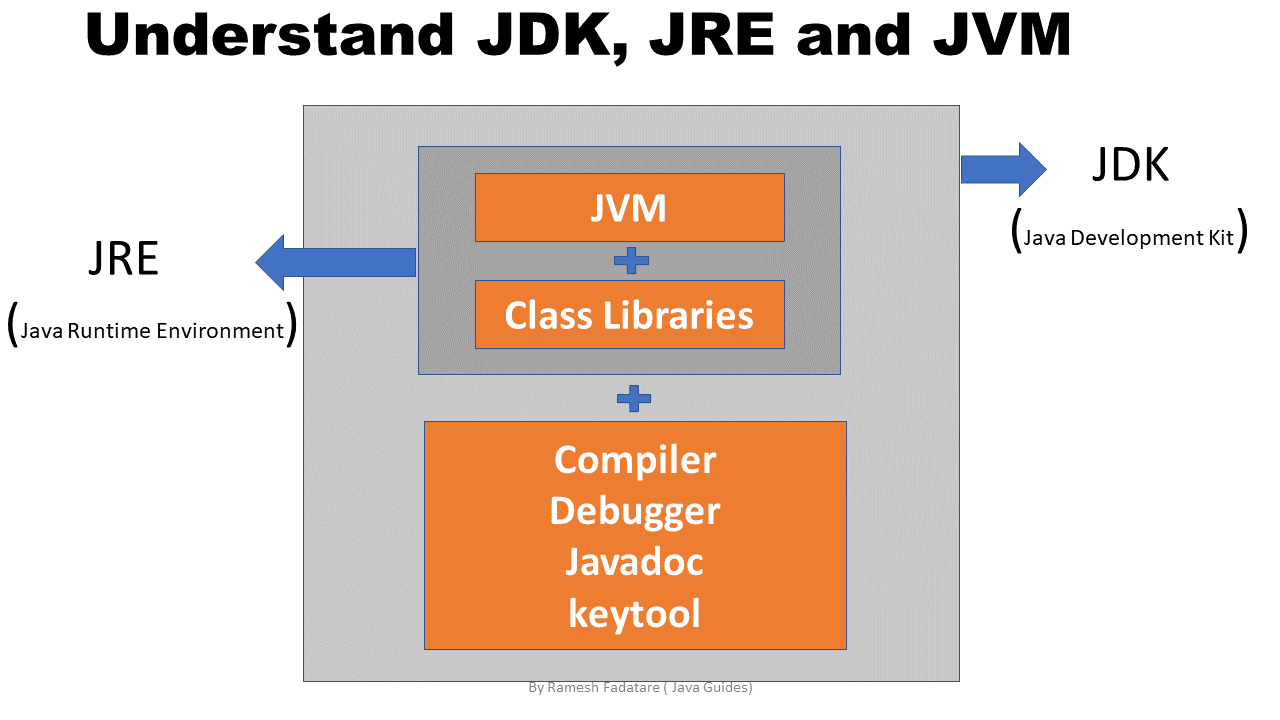
🧠 JVM, JRE, JDK

Image
Image
Image
Image

🔹 JVM (Java Virtual Machine)

  • Executes bytecode

🔹 JRE (Java Runtime Environment)

  • Provides runtime environment

🔹 JDK (Java Development Kit)

  • Tools for development

⚙️ Data Types in Java


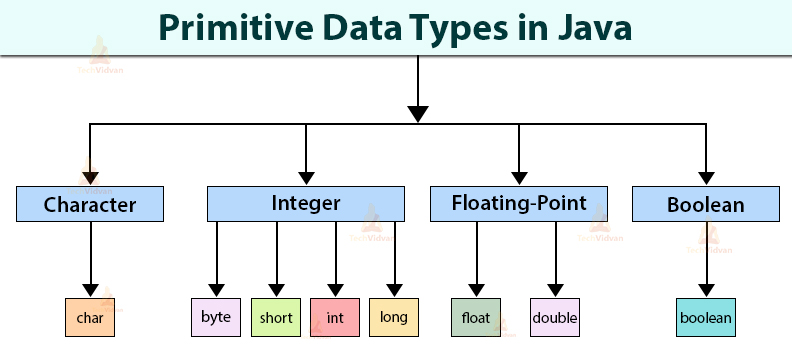
🔢 Primitive Data Types

Image
Image
Image
Image
TypeExample
int10
float3.14
char‘A’
booleantrue

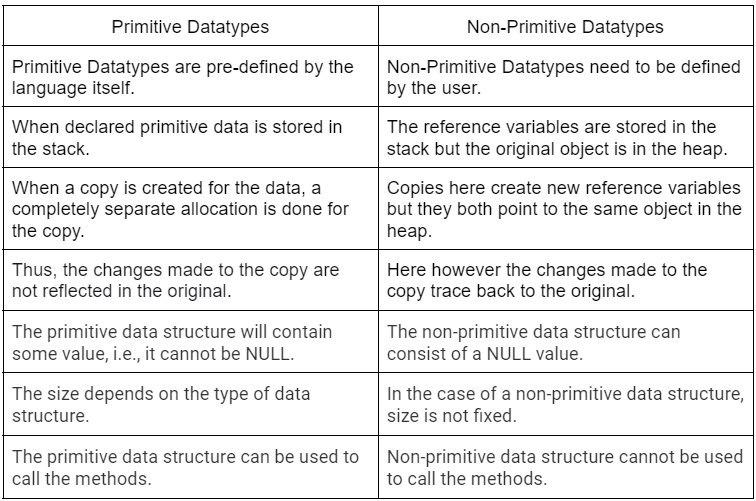
🧩 Non-Primitive Types

  • Strings
  • Arrays
  • Classes

🔤 Variables and Constants


📌 Variables

int x = 10;

🔒 Constants

final int MAX = 100;

⚙️ Operators in Java


🔢 Types:

  • Arithmetic (+, -, *, /)
  • Relational (==, >, <)
  • Logical (&&, ||)
  • Bitwise (&, |, ^)

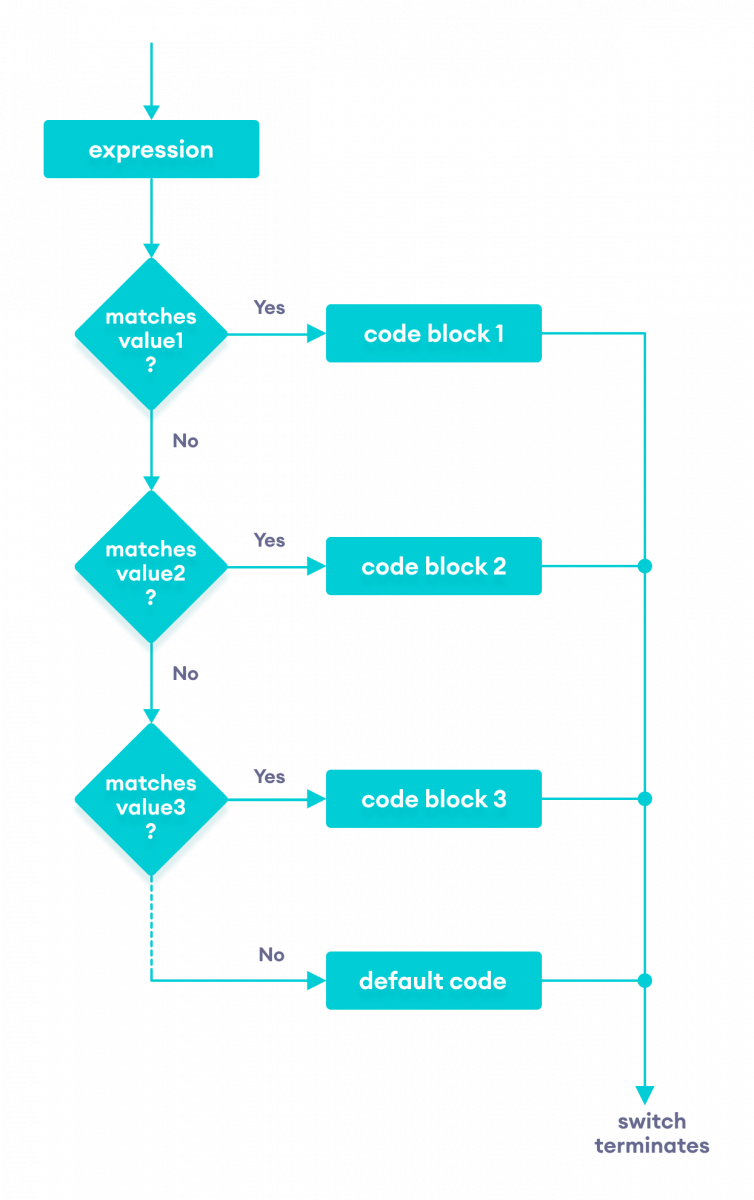
🔄 Control Structures


🔀 Conditional Statements

Image
Image
Image
Image

🔁 Loops

Image
Image
Image
Image

🧠 Object-Oriented Programming in Java


🧩 Core Concepts

Image
Image
Image
Image

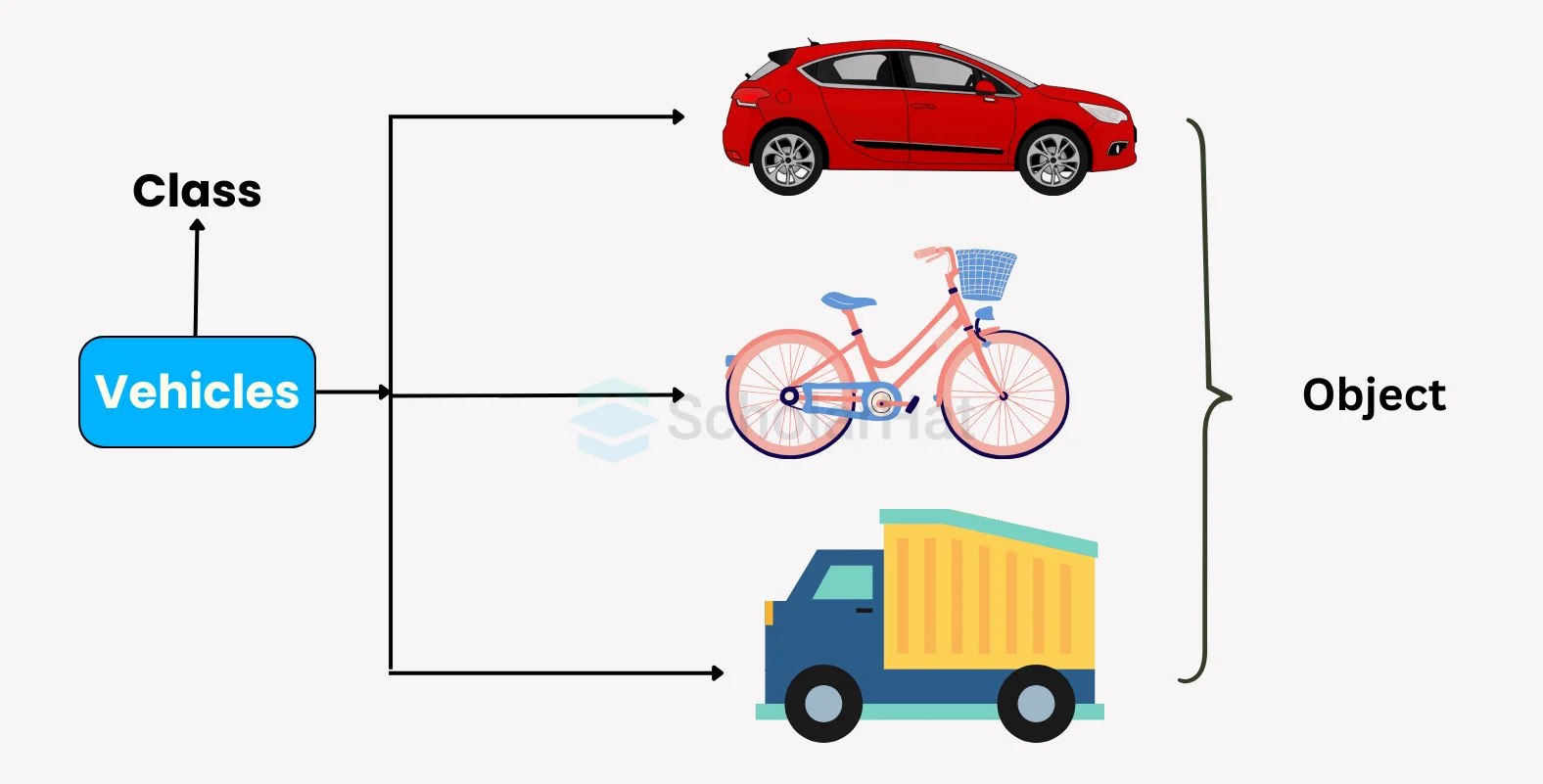
🔹 Class and Object

class Car {
    int speed;
}

🔹 Encapsulation

  • Data hiding using private variables

🔹 Inheritance

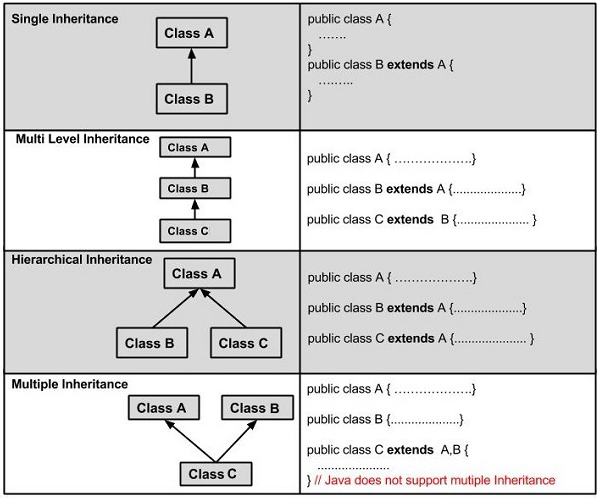
Image
Image
Image
Image

🔹 Polymorphism

  • Method overloading
  • Method overriding

🔹 Abstraction

  • Abstract classes
  • Interfaces

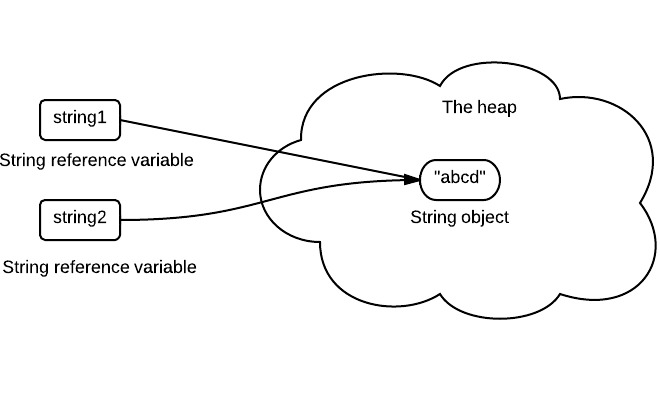
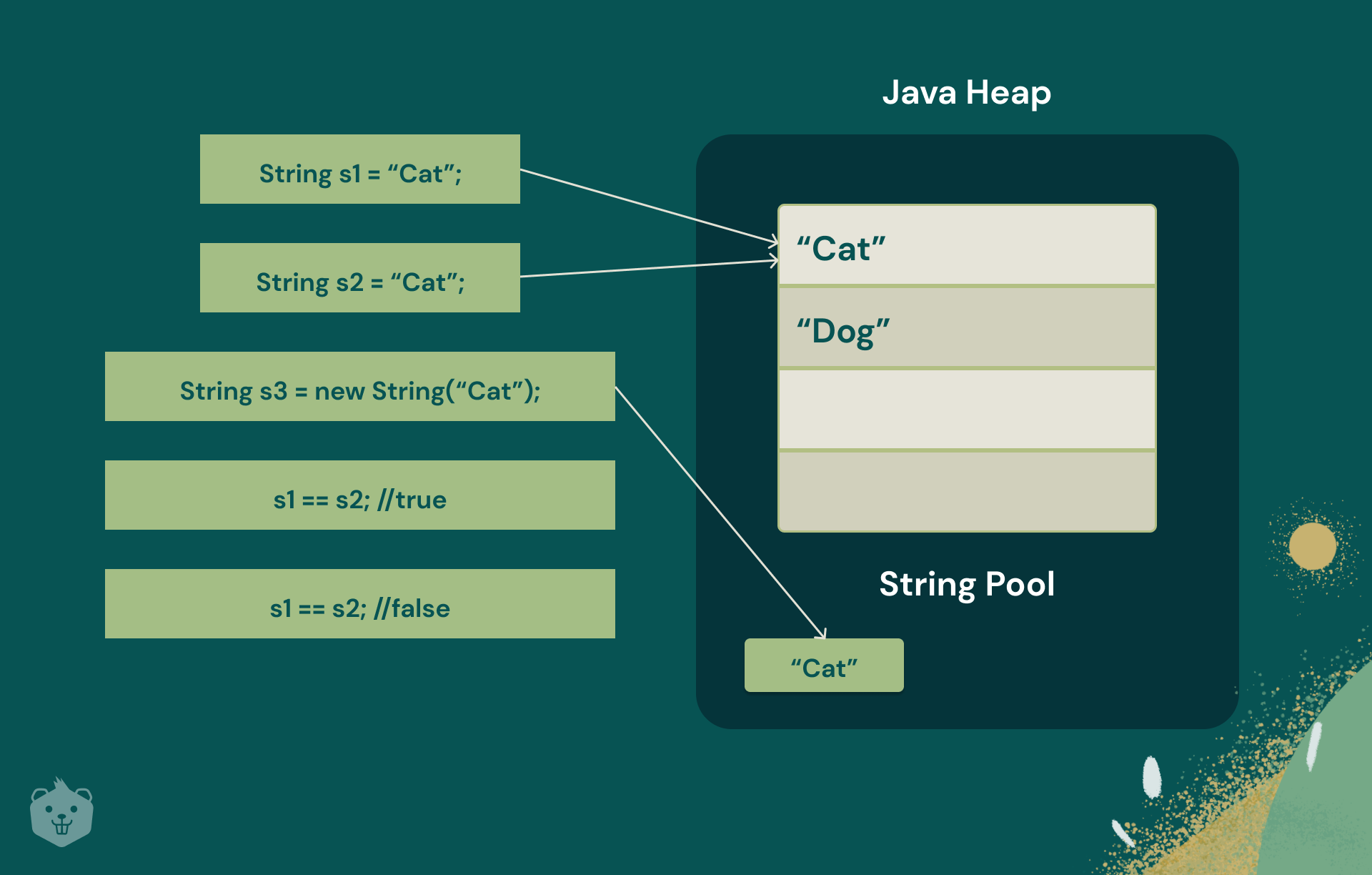
🧠 Strings in Java

Image
Image
Image
Image
  • Immutable
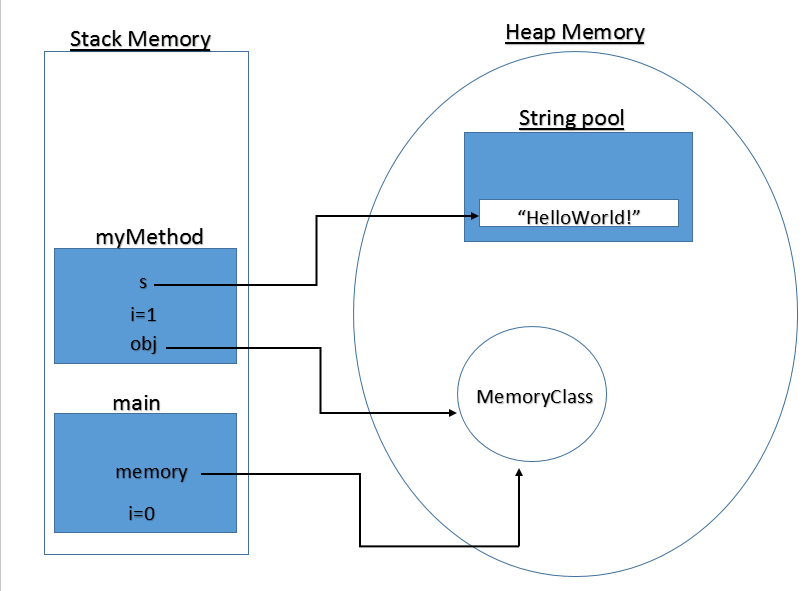
  • Stored in string pool

🧩 Arrays in Java

Image
Image
Image
Image

🧠 Exception Handling


⚠️ Example:

try {
    int x = 10 / 0;
} catch (Exception e) {
    System.out.println("Error");
}

🔹 Types:

  • Checked exceptions
  • Unchecked exceptions

💾 File Handling


📄 Streams:

Image
Image
Image
  • FileReader
  • FileWriter
  • BufferedReader

🧠 Multithreading


⚙️ Concept

Image
Image
Image
Image
  • Multiple threads run concurrently

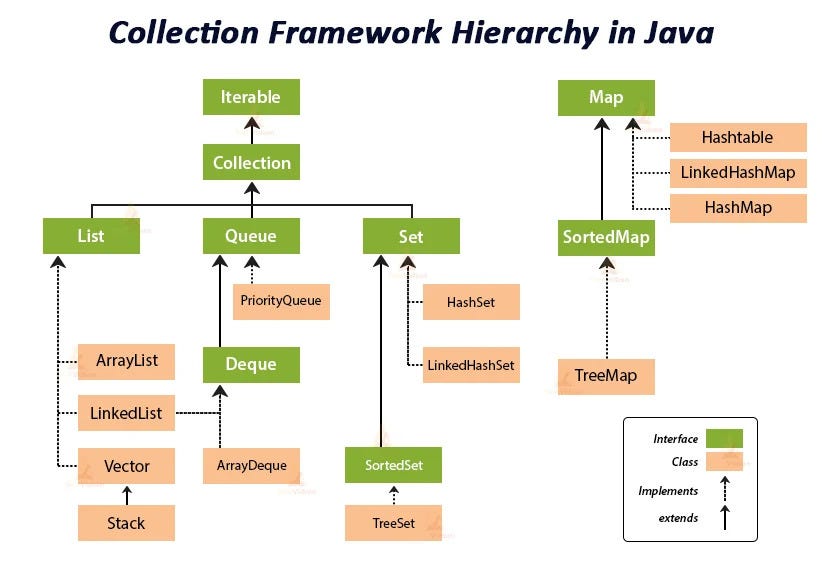
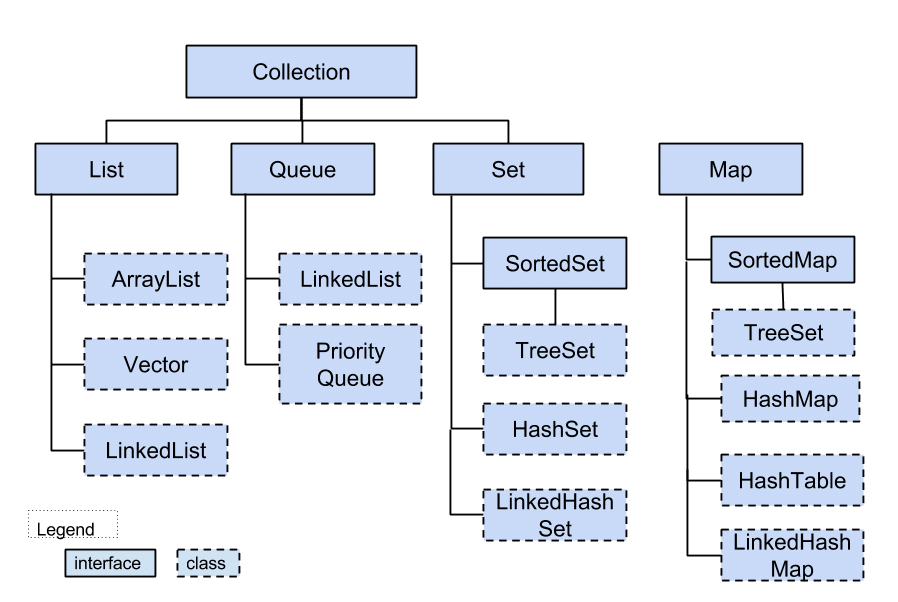
📦 Collections Framework


🧩 Components

Image
Image
Image
Image
  • List
  • Set
  • Map

🌐 Java in Software Development Context


🧠 Role Among Languages

Image
Image
Image
Image

⚖️ Comparison

LanguageStrength
JavaEnterprise, portability
PythonSimplicity
C++Performance

🚀 Applications of Java


🌐 Web Development

Image
Image
Image
Image

📱 Android Development

  • Android apps use Java/Kotlin

🏦 Enterprise Systems

  • Banking
  • ERP systems

☁️ Cloud Applications

  • Distributed systems

⚡ Advantages of Java

  • Platform independence
  • Secure
  • Robust
  • Scalable

⚠️ Limitations

  • Slower than C++
  • Verbose syntax
  • Higher memory usage

🚀 Modern Java Trends

Image
Image
Image
Image
  • Lambda expressions
  • Streams API
  • Microservices
  • Cloud-native development

🧾 Conclusion

Java is a powerful, versatile, and widely used programming language that:

  • Supports enterprise-level applications
  • Ensures platform independence
  • Provides strong OOP features

Learning Java helps in:

  • Building scalable systems
  • Understanding OOP deeply
  • Entering enterprise software development

🏷️ Tags

💻 C++ Programming – Complete Detailed Guide (with Software Development Language Context)


🌐 Introduction to C++ Programming

Image
Image
Image
Image

C++ is a powerful, high-performance programming language that extends the C language by adding object-oriented programming (OOP) features, along with many modern programming capabilities. It is widely used in system software, game development, embedded systems, and high-performance applications.

In simple terms:

C++ = C + Object-Oriented + High Performance

C++ supports multiple programming paradigms:

  • Procedural
  • Object-Oriented
  • Generic (templates)

🧠 Importance of C++

  • Combines low-level and high-level programming
  • Used in performance-critical applications
  • Foundation for many modern technologies
  • Widely used in competitive programming
  • Supports OOP and reusable code

🧩 Basic Structure of a C++ Program


📄 Example Program

#include <iostream>
using namespace std;

int main() {
    cout << "Hello, World!";
    return 0;
}

🧠 Components:

Image
Image
  • #include → Header files
  • namespace → Scope management
  • main() → Entry point
  • cout → Output

⚙️ Data Types in C++


🔢 Basic Data Types

TypeDescription
intInteger
floatDecimal
doubleHigh precision
charCharacter
boolBoolean

🧩 Derived Types

  • Arrays
  • Pointers
  • References

🧠 User-Defined Types

  • struct
  • class
  • enum

🔤 Variables and Constants


📌 Variables

int x = 10;

🔒 Constants

const int MAX = 100;

⚙️ Operators in C++


🔢 Types:

  • Arithmetic (+, -, *, /)
  • Relational (==, >, <)
  • Logical (&&, ||)
  • Bitwise (&, |, ^)
  • Assignment (=, +=)

🧮 Bitwise Operations

Image
Image
Image
Image

🔄 Control Structures


🔀 Decision Making

Image
Image
Image

🔁 Loops

Image
Image
Image
Image

🧠 Functions in C++


📌 Definition

int add(int a, int b) {
    return a + b;
}

⚙️ Features:

  • Function overloading
  • Inline functions
  • Recursion

🧩 Object-Oriented Programming (OOP)


🧠 Core Concepts

Image
Image
Image
Image

🔹 1. Class and Object

class Car {
public:
    int speed;
};

🔹 2. Encapsulation

  • Data hiding
  • Use of access modifiers

🔹 3. Inheritance

Image
Image
Image
Image
  • Reuse of code

🔹 4. Polymorphism

  • Function overloading
  • Operator overloading

🔹 5. Abstraction

  • Hide implementation details

🧠 Arrays in C++

Image
Image
Image
Image
  • Same as C but with enhancements

🔤 Strings in C++


📌 Types:

Image
Image
Image
Image
  • C-style strings
  • std::string

🧠 Pointers and References


📌 Pointers

Image
Image
Image
Image

🔄 References

  • Alias for variables
int &ref = x;

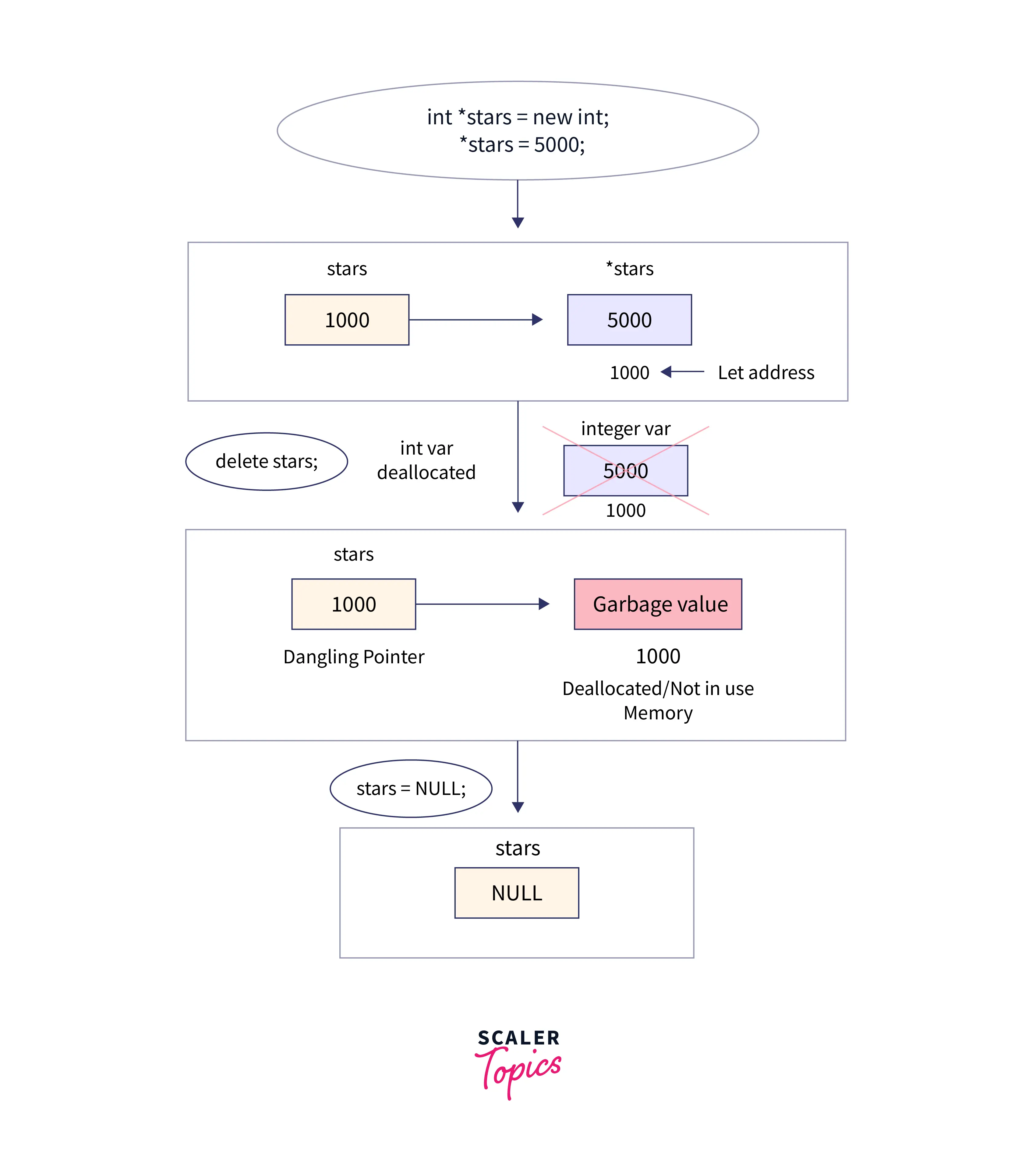
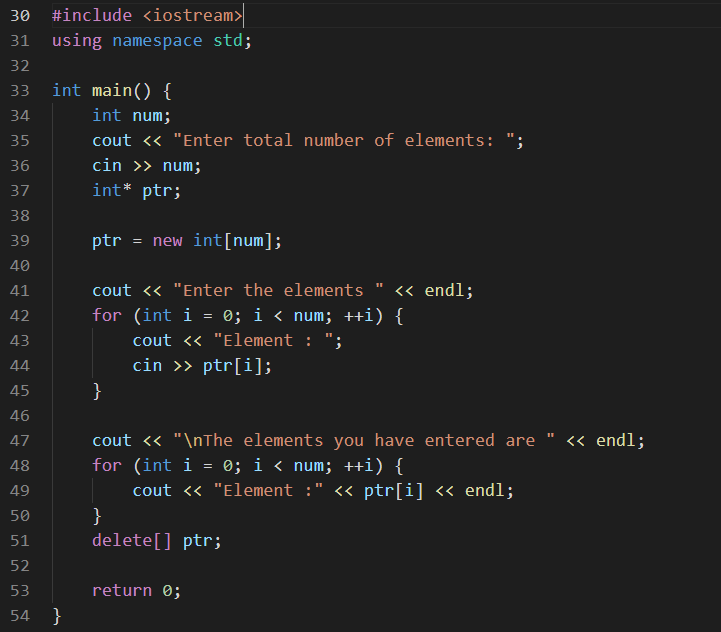
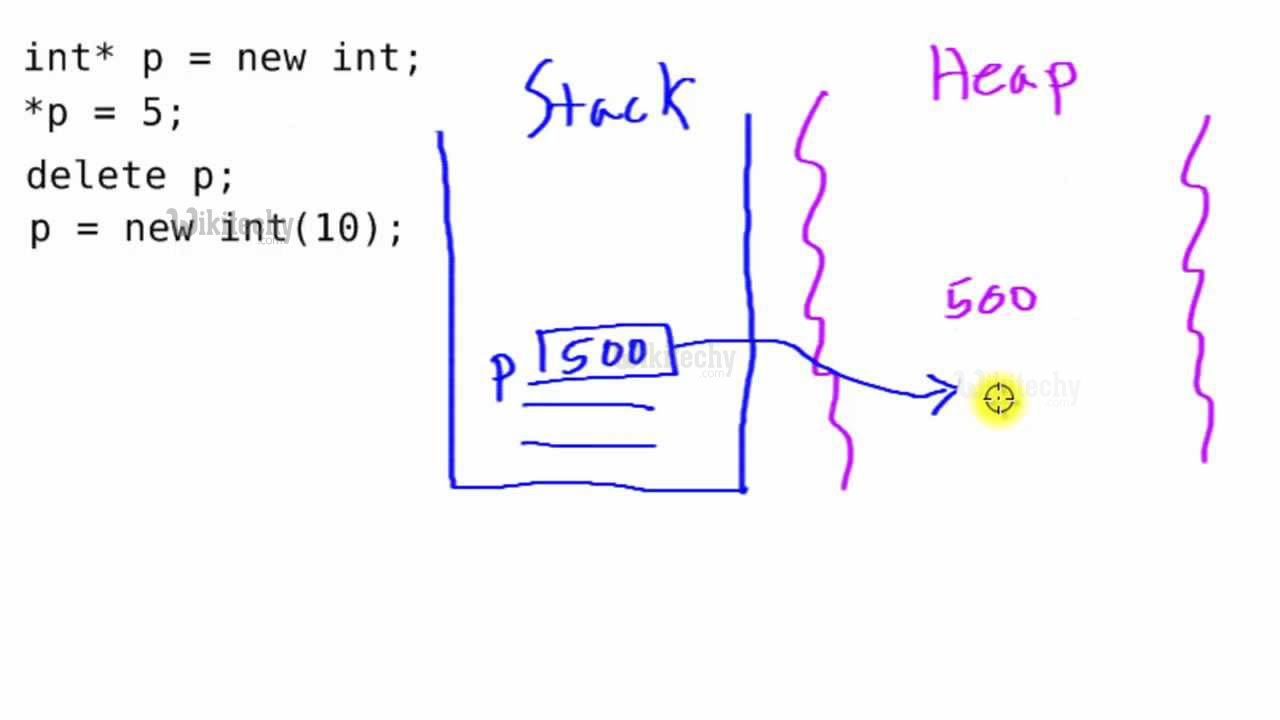
💾 Dynamic Memory Allocation


📦 Operators:

Image
Image
Image
Image
  • new
  • delete

🧩 Structures and Classes


⚖️ Difference:

FeatureStructClass
Default AccessPublicPrivate

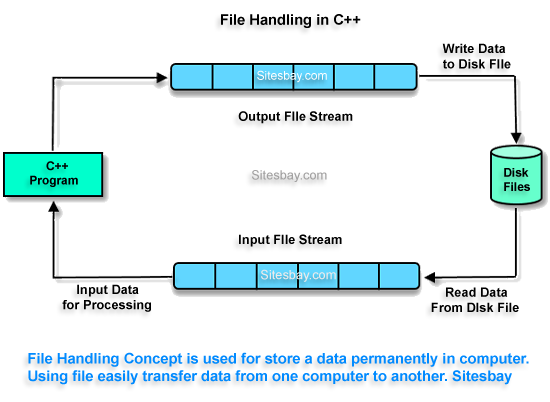
📂 File Handling


📄 Streams:

Image
Image
Image
Image
  • ifstream
  • ofstream
  • fstream

🧠 Standard Template Library (STL)


📦 Components

Image
Image
Image
Image
  • Containers (vector, list, map)
  • Algorithms (sort, search)
  • Iterators

⚙️ Exception Handling


🔥 Concept:

try {
    // code
} catch (...) {
    // handle error
}

🧠 Templates (Generic Programming)


📌 Example:

template <typename T>
T add(T a, T b) {
    return a + b;
}

🌐 C++ in Software Development Context


🧠 Role Among Languages

Image
Image
Image
Image

🔹 Compared to Other Languages:

LanguageTypeUse
C++OOP + Low-levelSystems, games
PythonHigh-levelAI, scripting
JavaOOPEnterprise

🚀 Applications of C++


🎮 Game Development

Image
Image
Image
Image

⚙️ System Software

  • Operating systems
  • Compilers

🚗 Embedded Systems

  • Robotics
  • Automotive systems

💹 Finance Systems

  • High-frequency trading

⚡ Advantages of C++

  • High performance
  • Object-oriented
  • Flexible
  • Rich libraries

⚠️ Limitations

  • Complex syntax
  • Manual memory management
  • Steep learning curve

🚀 Modern C++ Trends

Image
Image
Image
Image
  • Smart pointers
  • Lambda expressions
  • Multithreading
  • C++20 features

🧾 Conclusion

C++ is a powerful and versatile programming language that:

  • Combines performance with abstraction
  • Supports multiple paradigms
  • Powers modern applications

Learning C++ helps in:

  • Mastering programming fundamentals
  • Building high-performance systems
  • Understanding advanced concepts

🏷️ Tags

💻 C Programming – Complete Detailed Guide (with Software Development Language Context)


🌐 Introduction to C Programming

Image
Image

C programming is one of the most influential and widely used programming languages in the world. Developed in the early 1970s, it is a general-purpose, procedural programming language that provides low-level access to memory and system resources.

In simple terms:

C = powerful language that connects software with hardware

C is often called the mother of modern programming languages because many languages (like C++, Java, Python) are derived from or influenced by it.


🧠 Importance of C Programming

  • Foundation for learning programming
  • Used in operating systems (e.g., Linux kernel)
  • High performance and efficiency
  • Direct memory access using pointers
  • Widely used in embedded systems

🧩 Basic Structure of a C Program


📄 Structure Overview

Image
Image
Image

Example:

#include <stdio.h>

int main() {
    printf("Hello, World!");
    return 0;
}

🧠 Components:

  • Preprocessor directives (#include)
  • Main function (main())
  • Statements and expressions
  • Return statement

⚙️ Data Types in C


🔢 Basic Data Types

TypeDescription
intInteger values
floatDecimal values
charCharacters
doubleHigh precision numbers

🧩 Derived Data Types

  • Arrays
  • Pointers
  • Structures
  • Unions

🧠 User-Defined Types

  • typedef
  • struct
  • enum

🔤 Variables and Constants


📌 Variables

Used to store data:

int x = 10;

🔒 Constants

  • Fixed values
#define PI 3.14

⚙️ Operators in C


🔢 Types of Operators


➕ Arithmetic Operators

  • +, -, *, /, %

⚖️ Relational Operators

  • ==, !=, >, <

🔗 Logical Operators

  • &&, ||, !

🧮 Bitwise Operators

Image
Image
Image
Image
  • &, |, ^, <<, >>

🔄 Control Structures


🔀 Decision Making

Image
if (x > 0) {
    printf("Positive");
}

🔁 Loops

Image
Image
  • for
  • while
  • do-while

🧠 Functions in C


📌 Definition

Functions are reusable blocks of code.

int add(int a, int b) {
    return a + b;
}

⚙️ Types:

  • Library functions
  • User-defined functions

🧩 Arrays in C

Image
Image
Image
Image
  • Store multiple values
  • Indexed structure

🔤 Strings in C

Image
Image
Image
  • Array of characters
  • Null-terminated

🧠 Pointers in C


📌 Concept

Image
Image
Image
Image

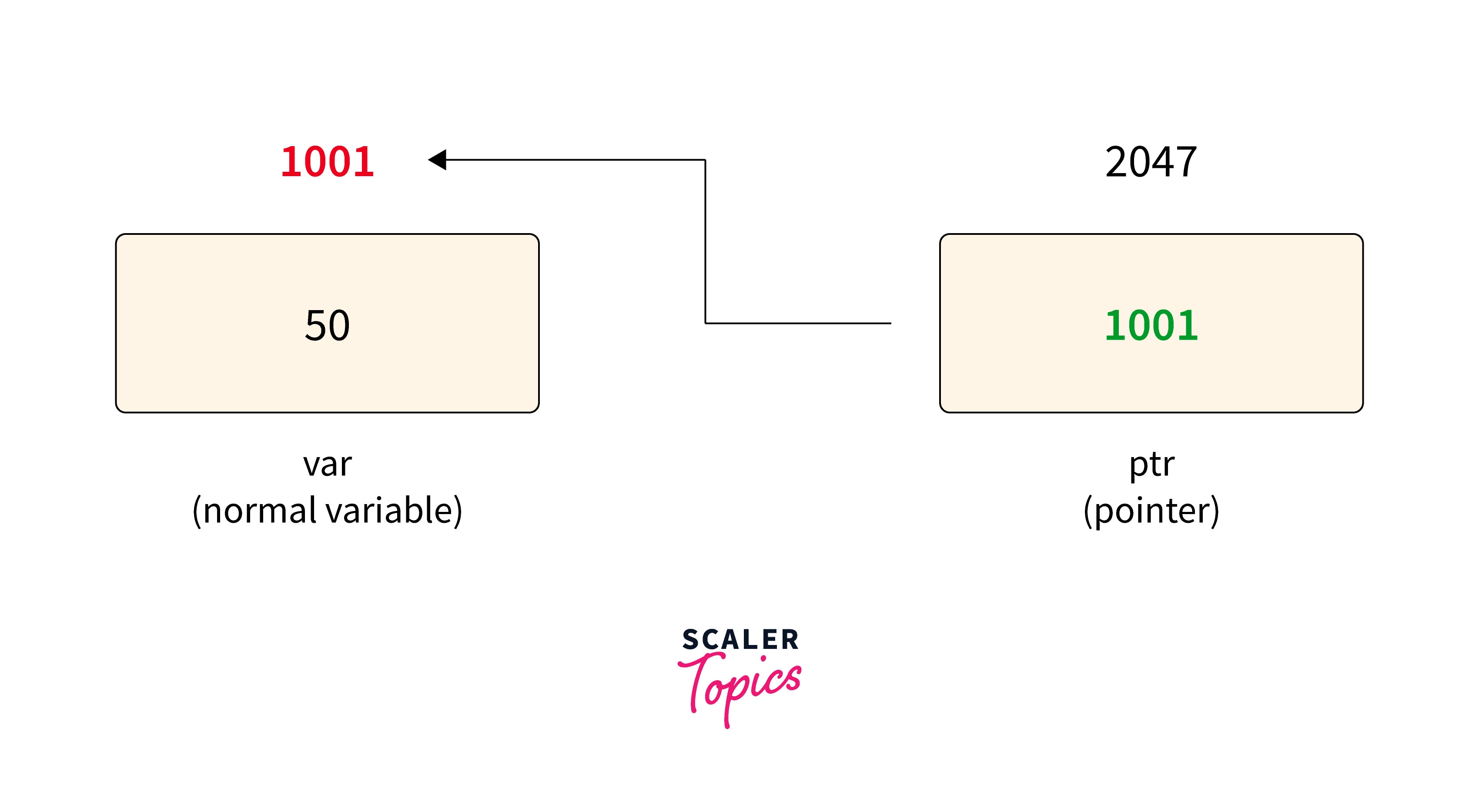
Pointers store memory addresses.

int *ptr;

⚙️ Uses:

  • Dynamic memory allocation
  • Efficient array handling
  • Function arguments

💾 Dynamic Memory Allocation


📦 Functions:

Image
Image
Image
Image
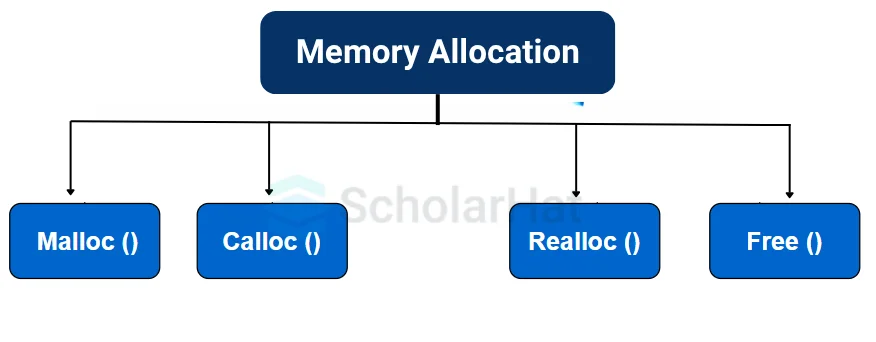
  • malloc()
  • calloc()
  • realloc()
  • free()

🧩 Structures and Unions


📦 Structures

Image
Image
Image
Image
struct Student {
    int id;
    char name[20];
};

🔄 Unions

  • Share memory among variables

📂 File Handling in C


📄 Operations:

Image
Image
Image
Image
  • fopen()
  • fread()
  • fwrite()
  • fclose()

🧠 Preprocessor Directives


🔹 Examples:

  • #include
  • #define
  • #ifdef

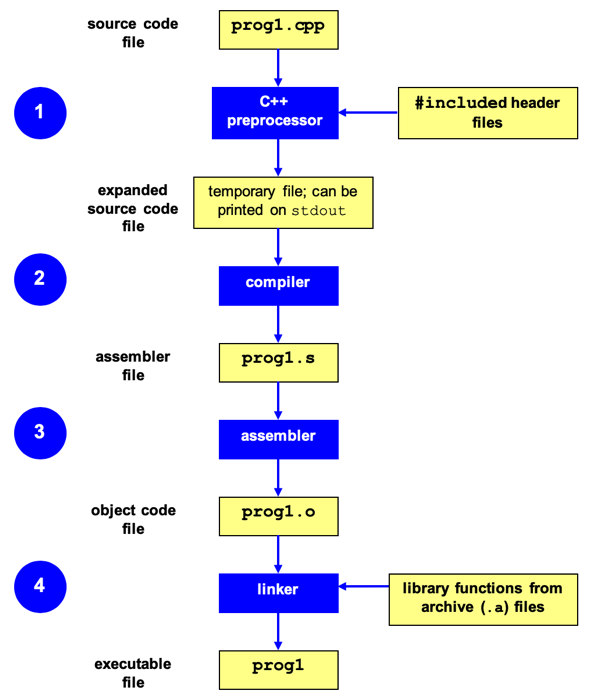
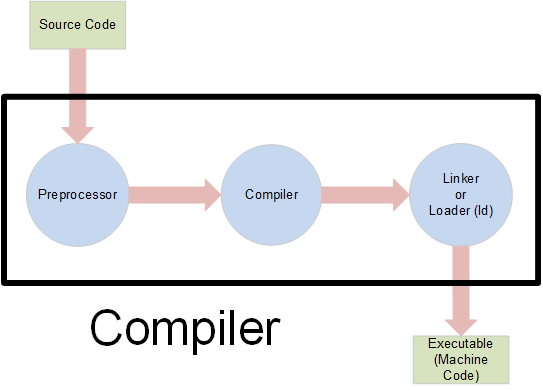
⚙️ Compilation Process


🔄 Steps

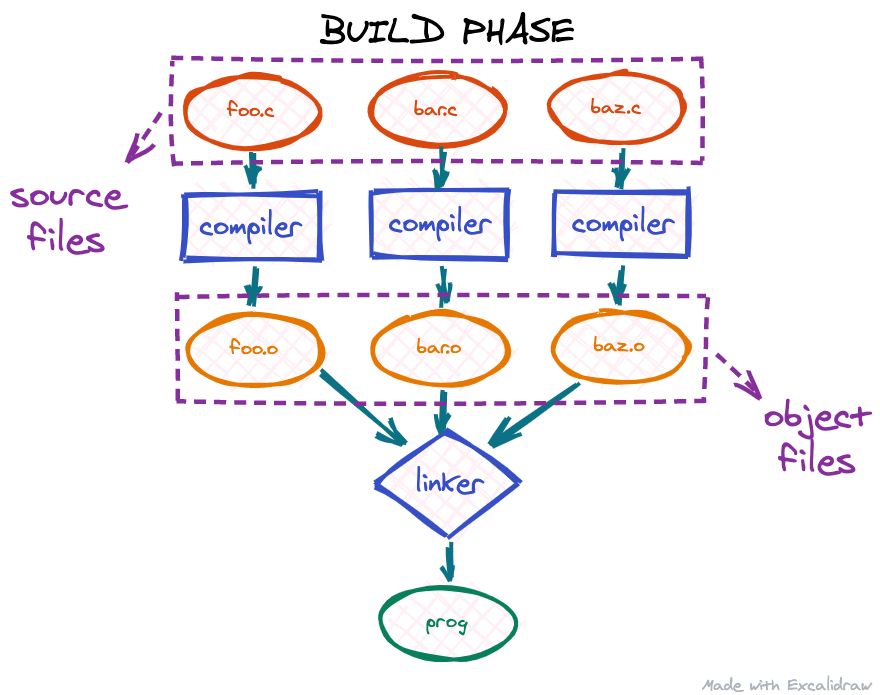
Image
Image
Image
Image
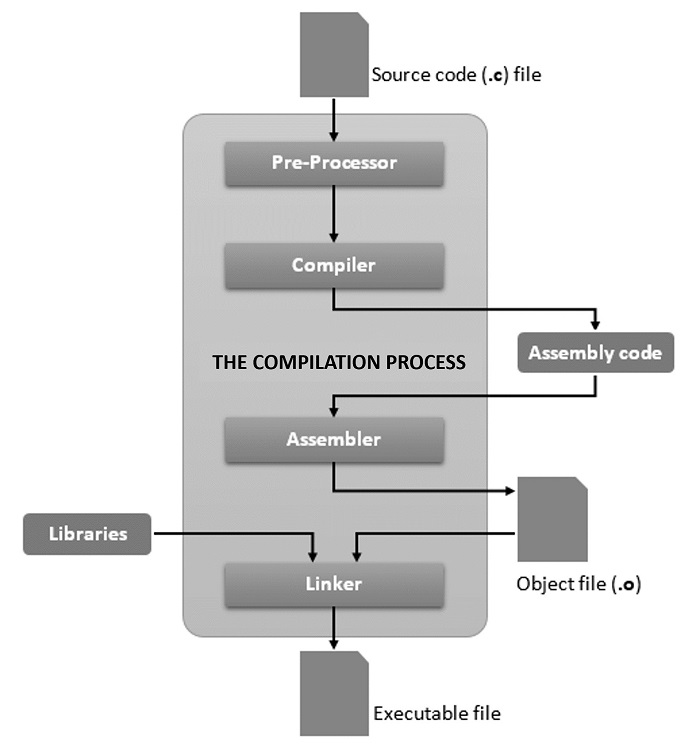
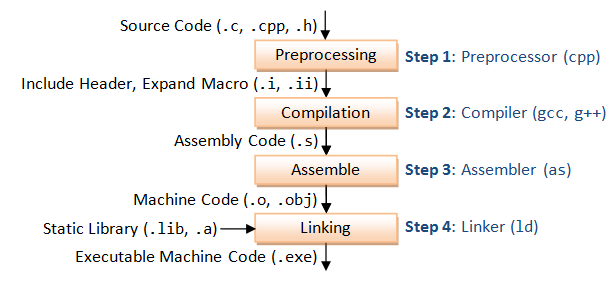
  1. Preprocessing
  2. Compilation
  3. Linking
  4. Execution

🧠 Applications of C Programming


💻 System Programming

  • Operating systems
  • Compilers

⚙️ Embedded Systems

  • Microcontrollers
  • IoT devices

🎮 Game Development

  • Performance-critical code

🌐 Networking

  • Protocol implementations

⚡ Advantages of C

  • Fast and efficient
  • Portable
  • Low-level access
  • Rich library support

⚠️ Limitations

  • No built-in OOP
  • Manual memory management
  • Error-prone

🌐 C in Software Development Languages Context


🧠 Role of C Among Languages

Image
Image
Image
Image

🔹 Low-Level Languages

  • C
  • Assembly

🔹 High-Level Languages

  • Python
  • Java
  • JavaScript

🔹 Object-Oriented Languages

  • C++
  • Java

⚖️ Comparison

LanguageTypeUse
CProceduralSystem programming
PythonHigh-levelAI, scripting
JavaOOPEnterprise apps

🚀 Modern Trends


🔬 Developments

Image
Image
Image
Image
  • Embedded systems
  • IoT
  • High-performance computing
  • Kernel development

🧾 Conclusion

C programming is a powerful foundational language that:

  • Teaches core programming concepts
  • Enables system-level programming
  • Forms the base for many modern languages

Learning C helps in:

  • Understanding memory and performance
  • Building efficient applications
  • Mastering advanced programming concepts

🏷️ Tag

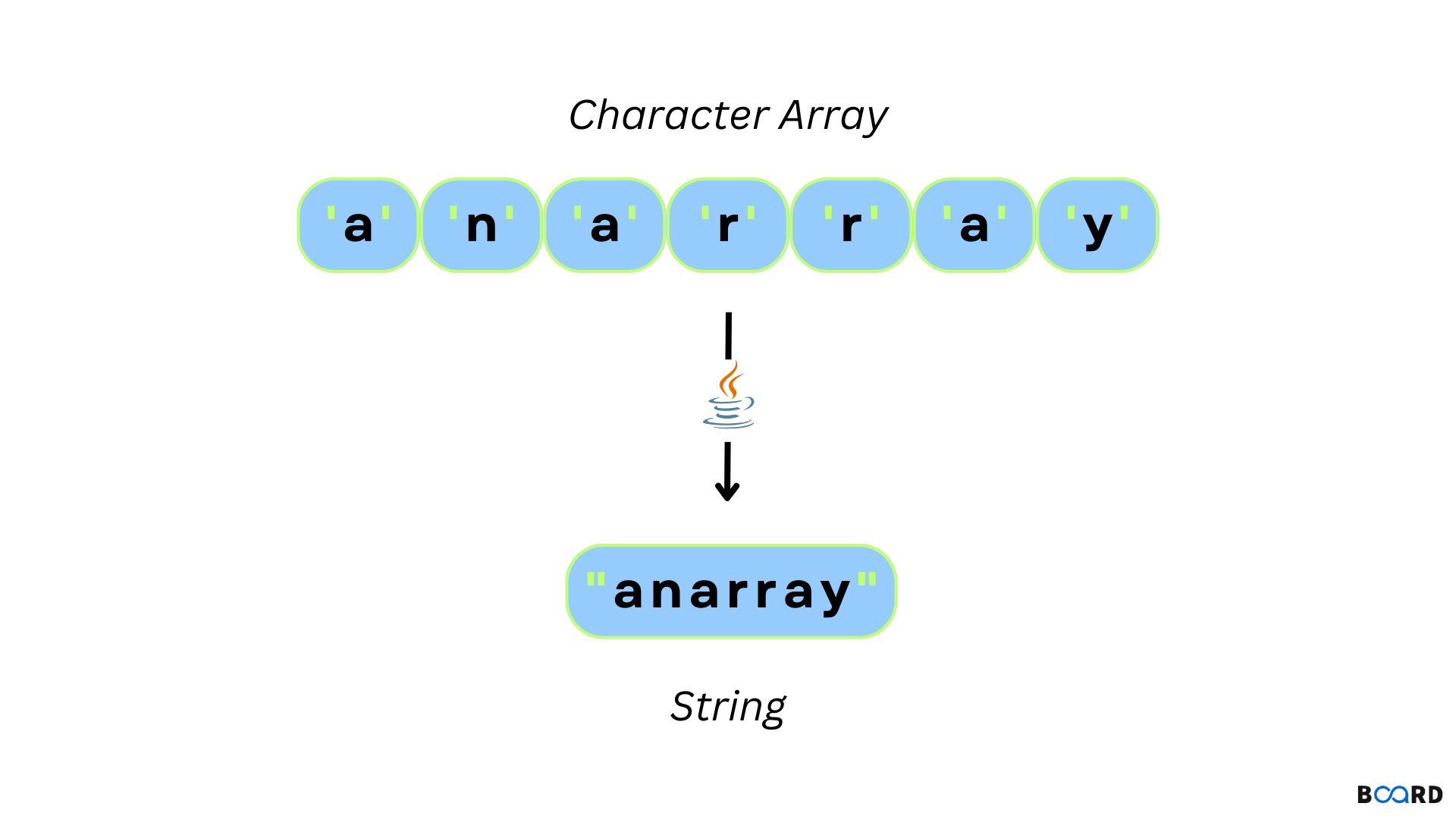
🧩 Arrays and Strings – Complete Detailed Guide


🌐 Introduction to Arrays and Strings

Image
Image
Image
Image

Arrays and strings are among the most fundamental data structures in computer science and programming. They form the building blocks for more complex structures like lists, stacks, queues, trees, and databases.

  • Array → Stores a collection of elements of the same data type
  • String → Stores a sequence of characters (text)

In simple terms:

Arrays manage collections of data, while strings manage textual data


🧠 ARRAYS


📌 What is an Array?

An array is a data structure that stores multiple elements of the same type in contiguous memory locations.

Example:

int arr[5] = {10, 20, 30, 40, 50};

⚙️ Characteristics of Arrays

  • Fixed size (in most languages)
  • Homogeneous elements (same type)
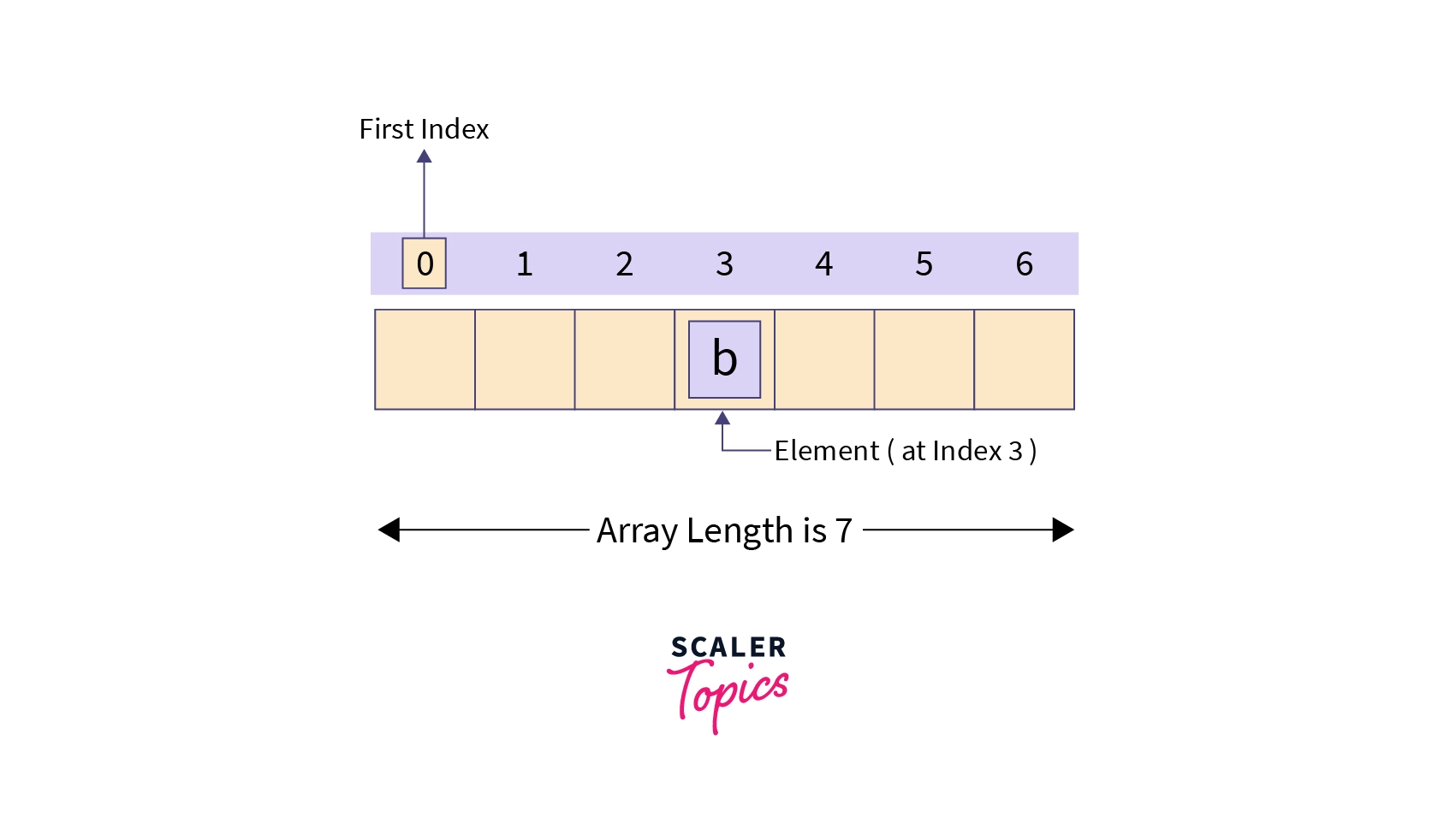
  • Indexed access (0-based index)
  • Stored in contiguous memory

🧩 Array Representation in Memory

Image
Image
Image
Image

Each element is stored sequentially:

Index:   0   1   2   3   4
Value:  10  20  30  40  50

Address calculation:

Address = Base + (Index × Size of element)

🔢 Types of Arrays


🔹 1. One-Dimensional Array
Image
Image
Image
Image
  • Linear structure
  • Single index

🔹 2. Two-Dimensional Array
Image
Image
Image
Image
  • Matrix format
  • Rows and columns

Example:

int arr[2][3];

🔹 3. Multi-Dimensional Array
Image
Image
Image
Image
  • Used in scientific computing
  • Example: 3D arrays

⚙️ Array Operations


🔹 Traversal

  • Access each element

🔹 Insertion

  • Add element (costly if fixed size)

🔹 Deletion

  • Remove element and shift

🔹 Searching

  • Linear search
  • Binary search

🔹 Sorting

  • Bubble sort
  • Merge sort
  • Quick sort

🔍 Searching Techniques

Image
Image
Image
Image

⚡ Advantages of Arrays

  • Fast access (O(1))
  • Simple implementation
  • Efficient memory usage

⚠️ Limitations of Arrays

  • Fixed size
  • Insertion/deletion costly
  • Wasted memory

🔤 STRINGS


📌 What is a String?

A string is a sequence of characters stored in memory.

Example:

char str[] = "Hello";

🧠 String Representation

Image
Image
Image
Image

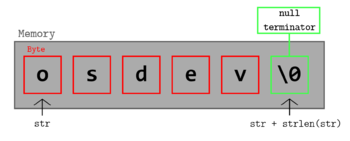
Stored as:

H  e  l  l  o  \0

(\0 = null terminator)


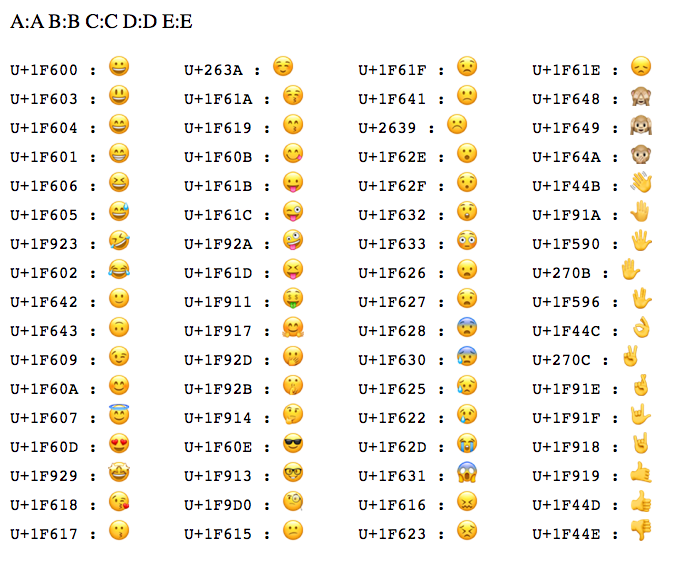
🔤 Character Encoding


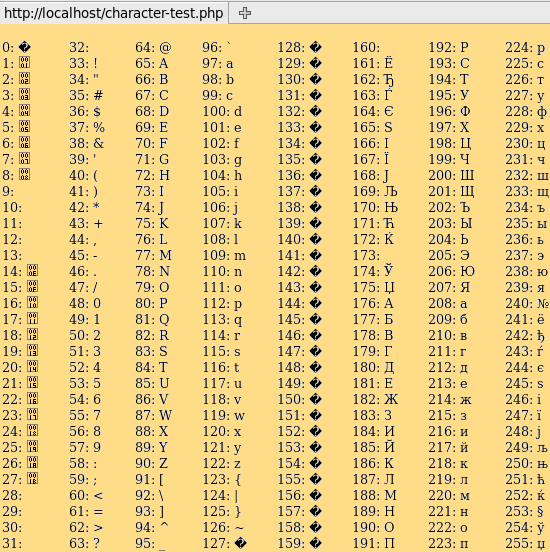
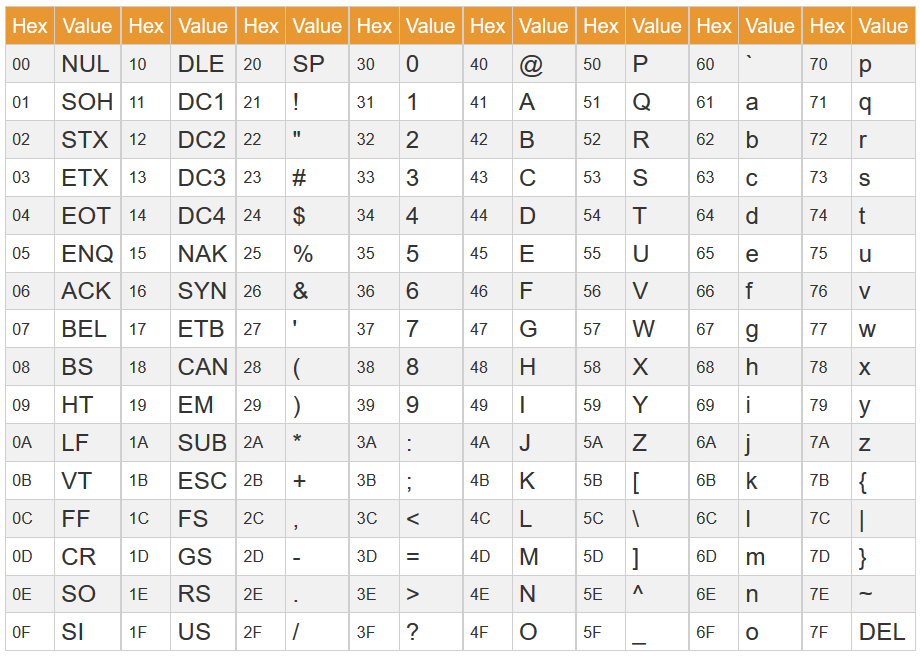
🔹 ASCII

Image
Image
Image
Image
  • 7/8-bit encoding
  • Limited characters

🔹 Unicode

Image
Image
Image
Image
  • Supports global languages
  • UTF-8, UTF-16

⚙️ String Operations


🔹 Basic Operations

  • Length
  • Concatenation
  • Comparison
  • Substring

🔹 Advanced Operations

Image
Image
Image
Image
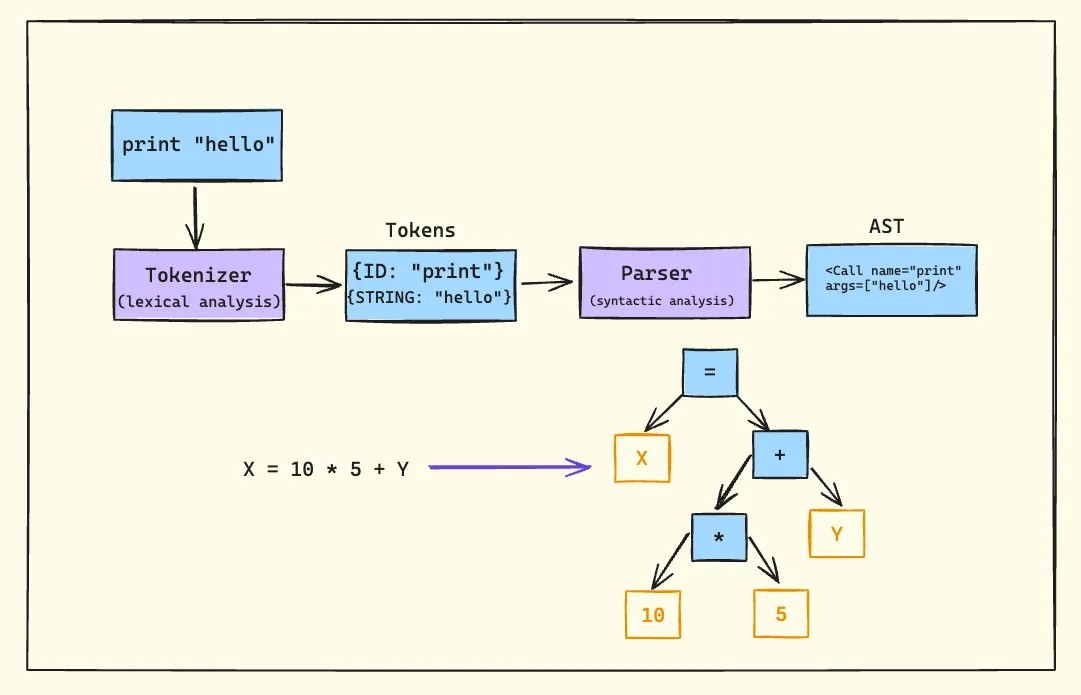
  • Pattern matching
  • Parsing
  • Tokenization

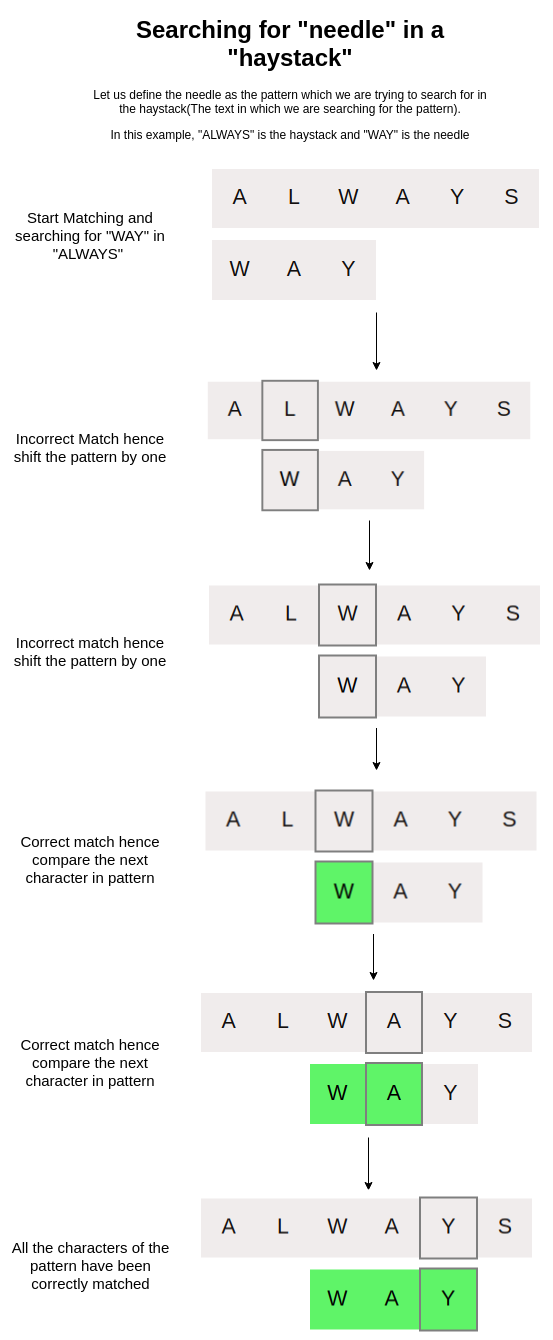
🔍 String Searching Algorithms


🔹 Naive Algorithm

🔹 KMP Algorithm

🔹 Rabin-Karp Algorithm


🔄 Arrays vs Strings


⚖️ Comparison Table

FeatureArrayString
Data TypeAnyCharacters
SizeFixedVariable
UsageGeneral dataText

🧠 Memory Management


📦 Static vs Dynamic Arrays

  • Static → Fixed size
  • Dynamic → Resizable

Example:

  • Python lists
  • Java ArrayList

🧠 Dynamic Strings

  • Strings can be mutable or immutable

⚙️ Multidimensional Strings


🧩 Examples:

  • Array of strings
  • String matrices

🧠 Applications of Arrays and Strings


💻 Programming

  • Data storage
  • Algorithms

🌐 Web Development

  • Text processing
  • Input handling

🤖 AI and Data Science

  • Data representation
  • NLP (Natural Language Processing)

🎮 Gaming

  • Graphics arrays
  • Text rendering

⚡ Advantages


Arrays:

  • Fast access
  • Structured storage

Strings:

  • Easy text manipulation
  • Human-readable

⚠️ Limitations


Arrays:

  • Fixed size
  • Less flexible

Strings:

  • Memory overhead
  • Slower operations

🚀 Advanced Topics

Image
Image
Image
Image
  • Dynamic arrays
  • String hashing
  • Suffix arrays
  • Advanced data structures

🧾 Conclusion

Arrays and strings are core data structures in computing. They:

  • Store and organize data
  • Enable efficient algorithms
  • Form the basis of advanced programming

Understanding them is essential for:

  • Coding interviews
  • Software development
  • Algorithm design

🏷️ Tags