Tag Archives: insertion

📘 Linked Lists in Computer Science


🧩 What is a Linked List?

Image
Image
Image

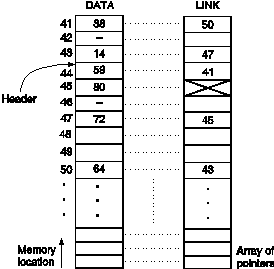
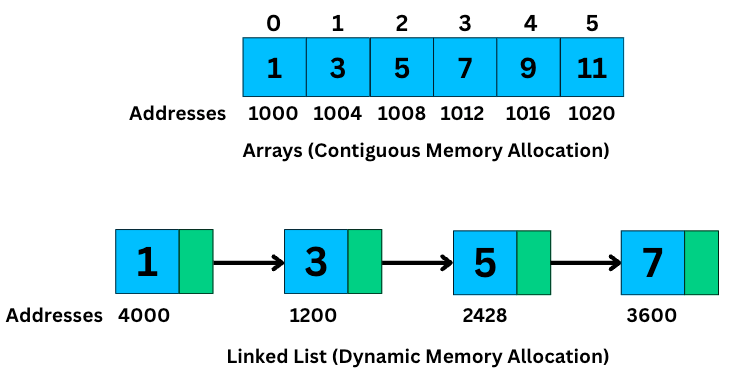
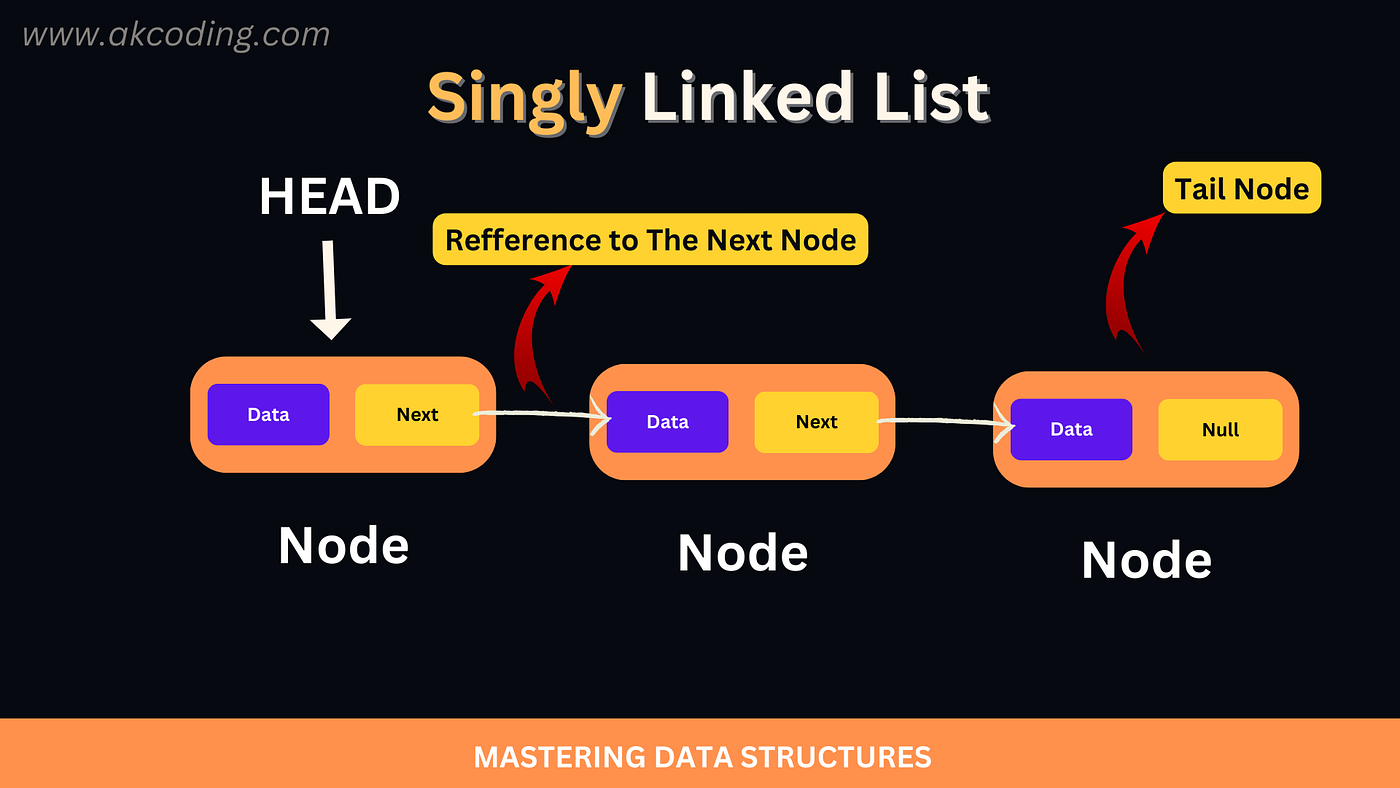
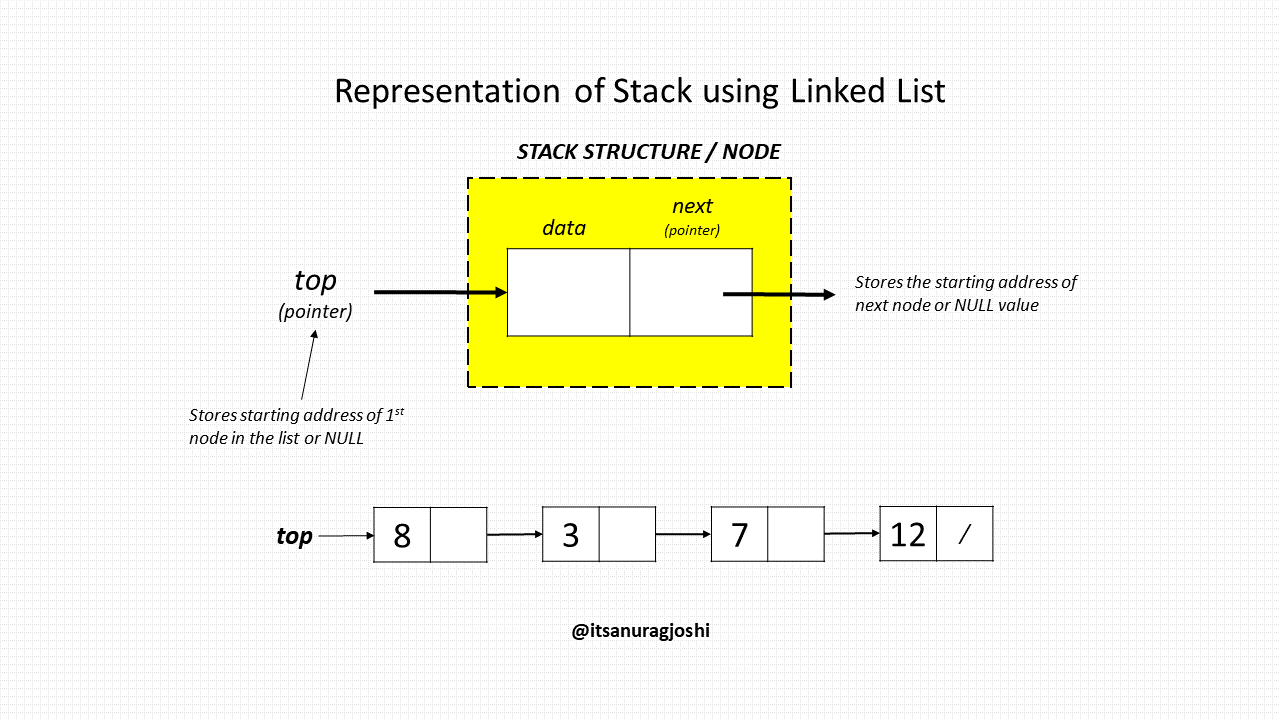
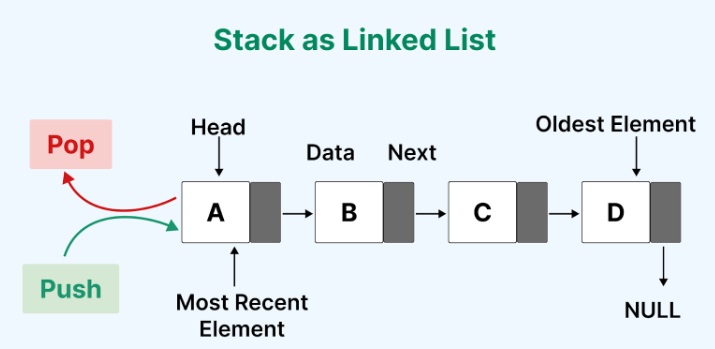
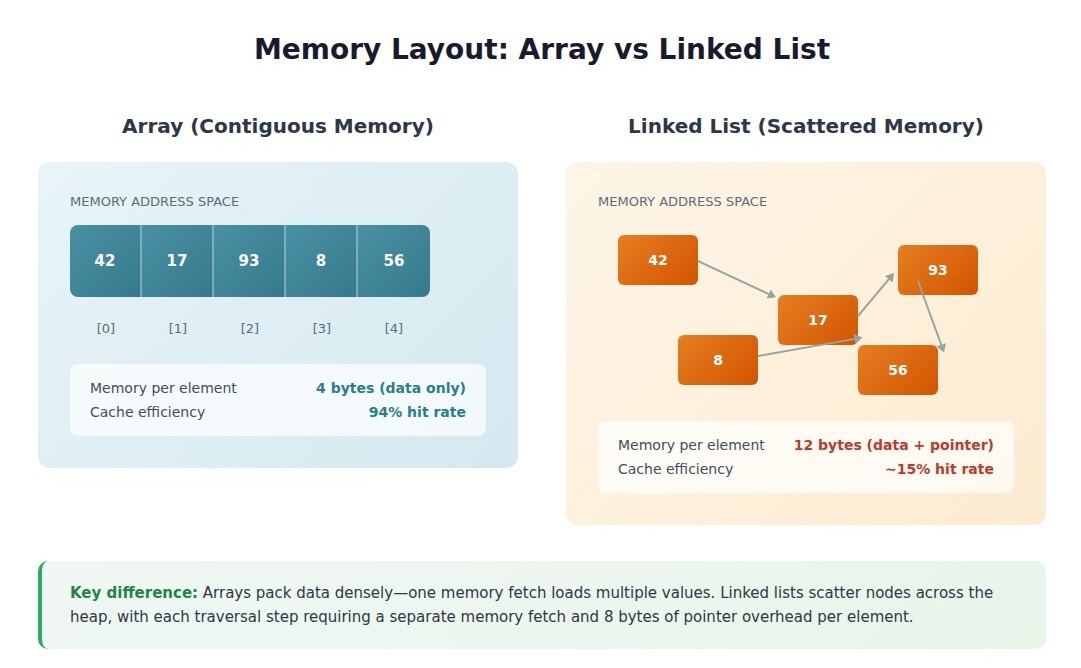
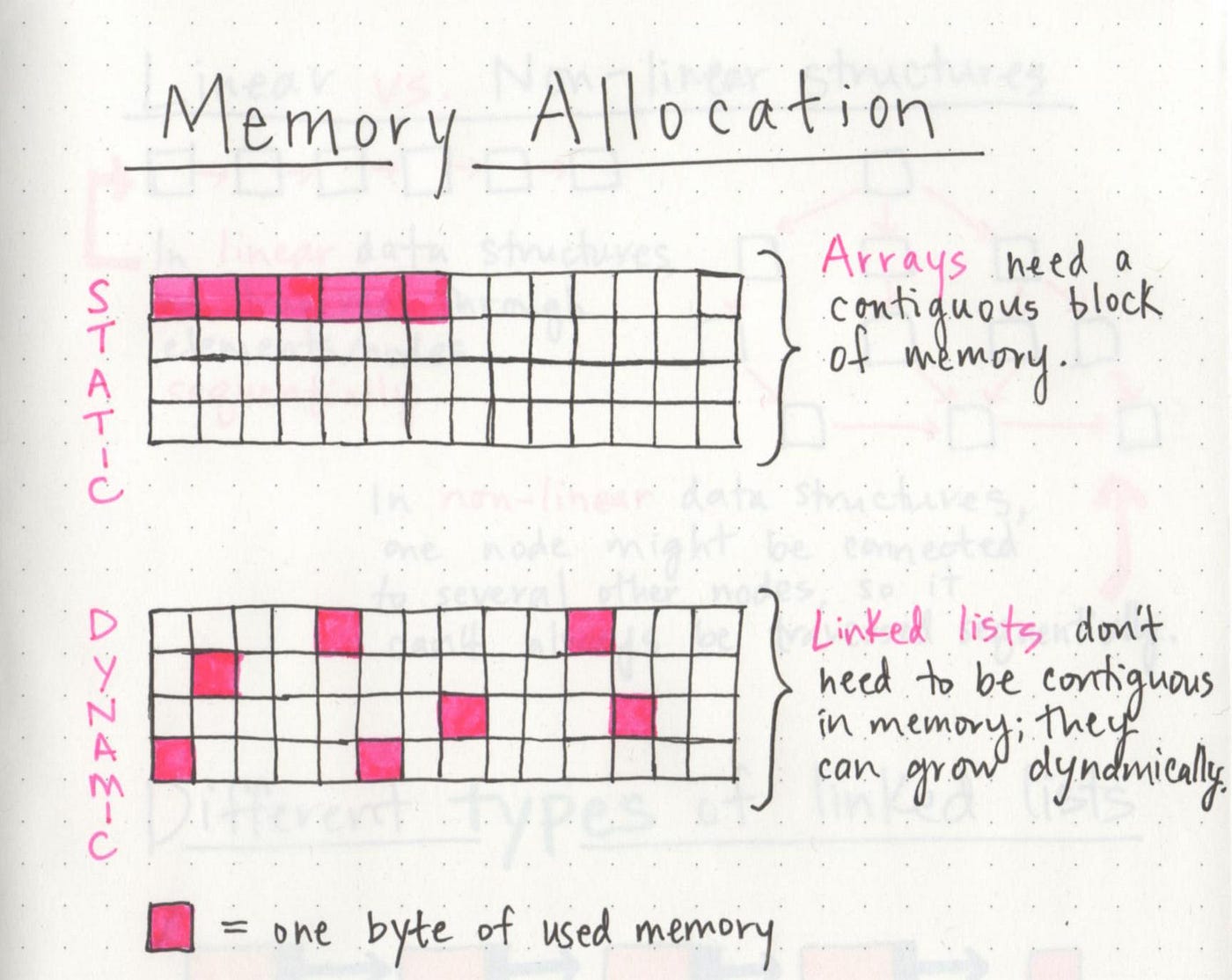
A linked list is a fundamental linear data structure in computer science in which elements, called nodes, are connected using pointers (or references). Unlike arrays, where elements are stored in contiguous memory locations, linked list elements can be stored anywhere in memory, and each node stores the address of the next node in the sequence.

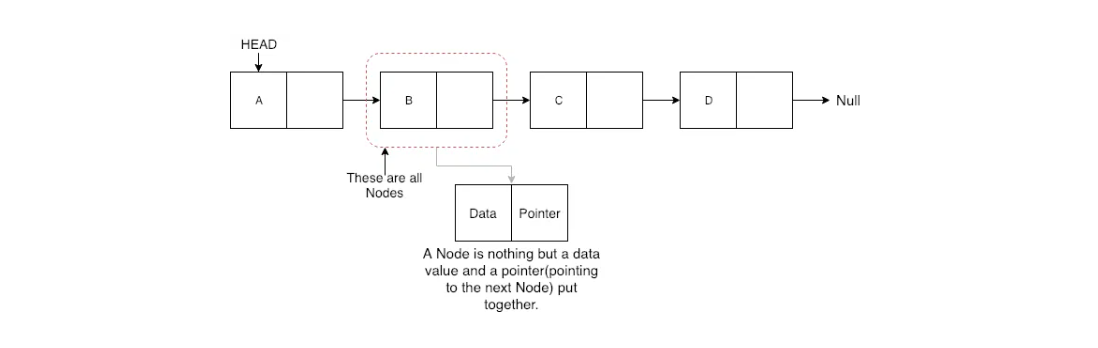
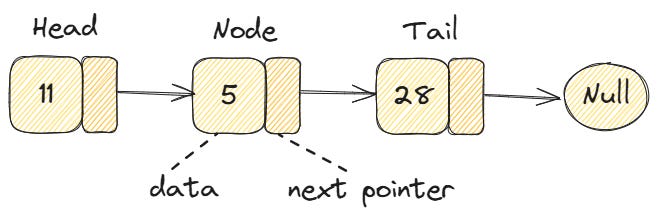
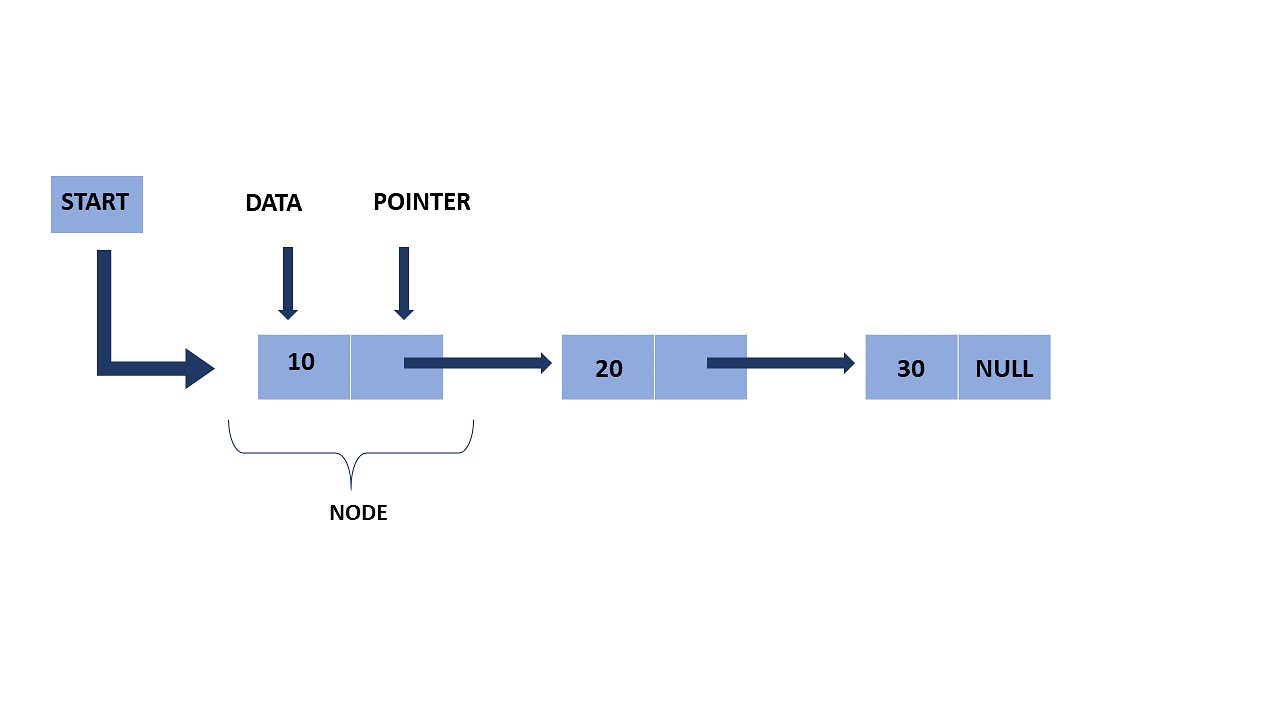
A typical node in a linked list consists of two parts:

  1. Data – stores the actual value
  2. Pointer/Reference – stores the address of the next node

In simple terms, a linked list looks like a chain:

[Data | Next] → [Data | Next] → [Data | Next] → NULL

🧠 Key Characteristics of Linked Lists

🔹 1. Dynamic Size

Linked lists can grow or shrink during runtime. You don’t need to define a fixed size beforehand.

🔹 2. Non-Contiguous Memory

Nodes are stored at random memory locations and connected using pointers.

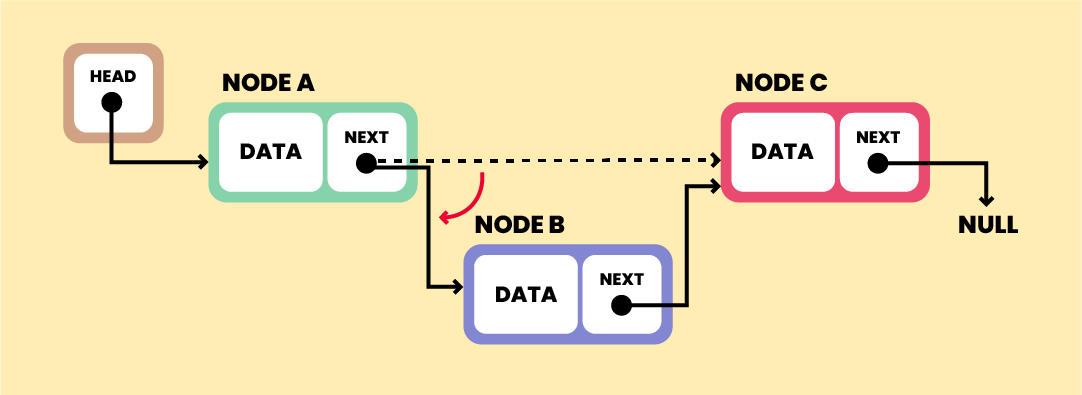
🔹 3. Efficient Insertions/Deletions

Unlike arrays, inserting or deleting elements does not require shifting elements.

🔹 4. Sequential Access

Elements must be accessed sequentially (no direct indexing like arrays).


🧱 Structure of a Node
Image
Image
Image
Image

In most programming languages, a node is defined as:

Example in C:

struct Node {
    int data;
    struct Node* next;
};

Example in Python:

class Node:
    def __init__(self, data):
        self.data = data
        self.next = None

🔗 Types of Linked Lists


🔹 1. Singly Linked List
Image
Image
Image
Image

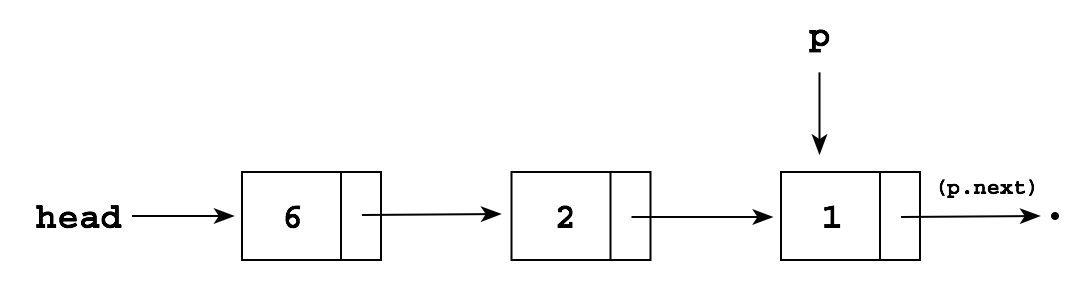
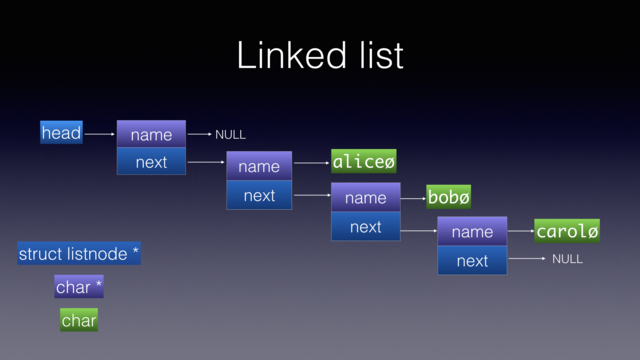
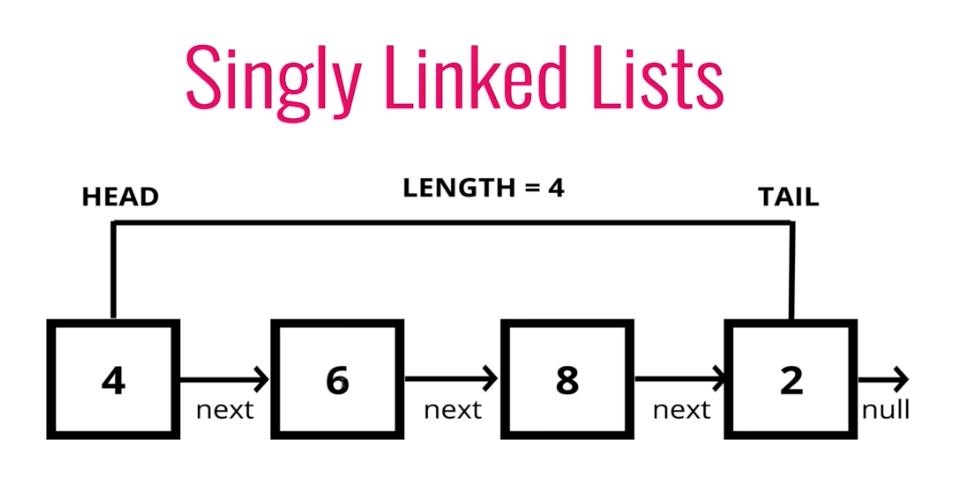
Each node points to the next node.

Structure:

Head → Node1 → Node2 → Node3 → NULL

Features:

  • Simple implementation
  • Traversal in one direction only

🔹 2. Doubly Linked List
Image
Image
Image

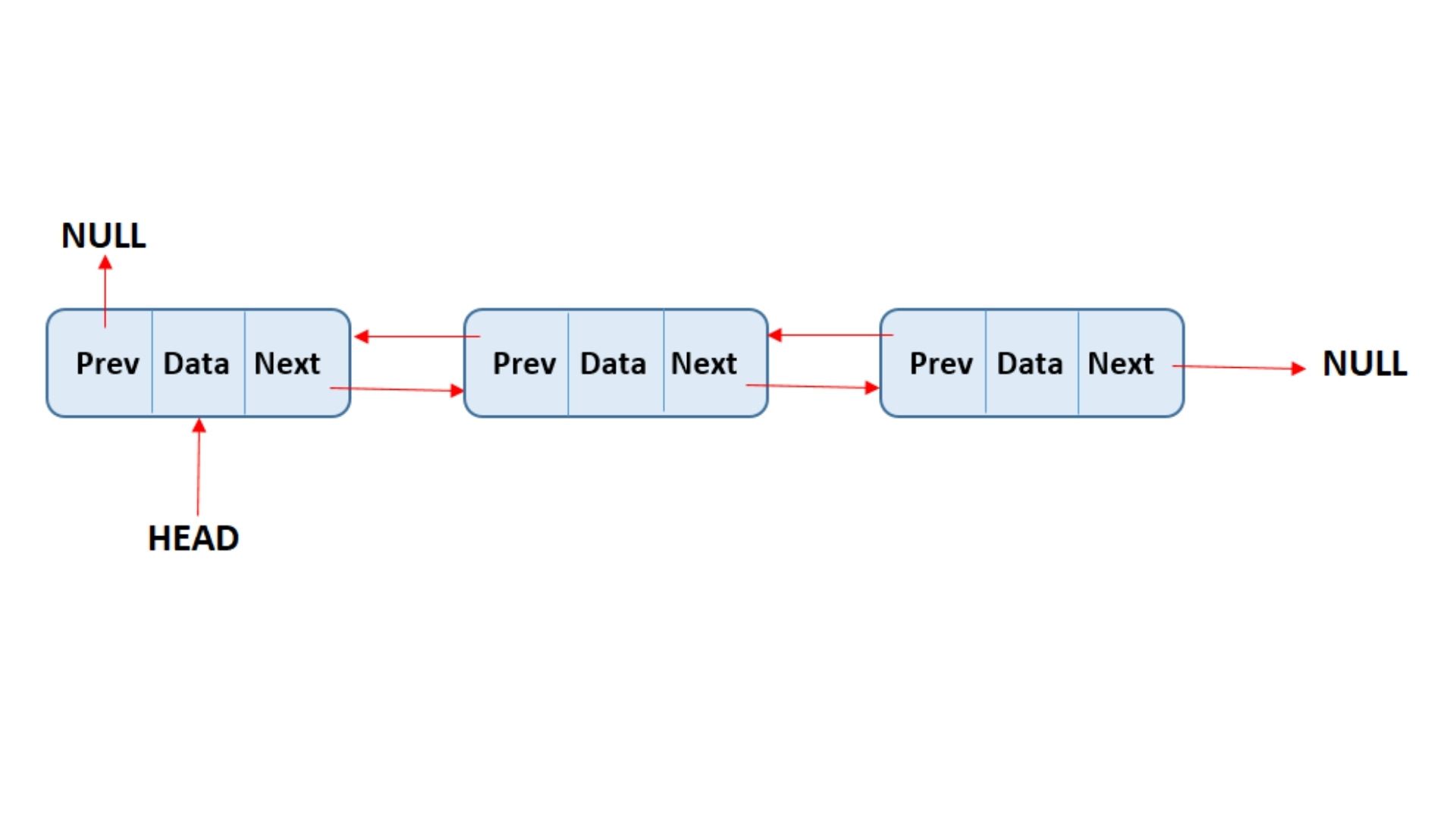
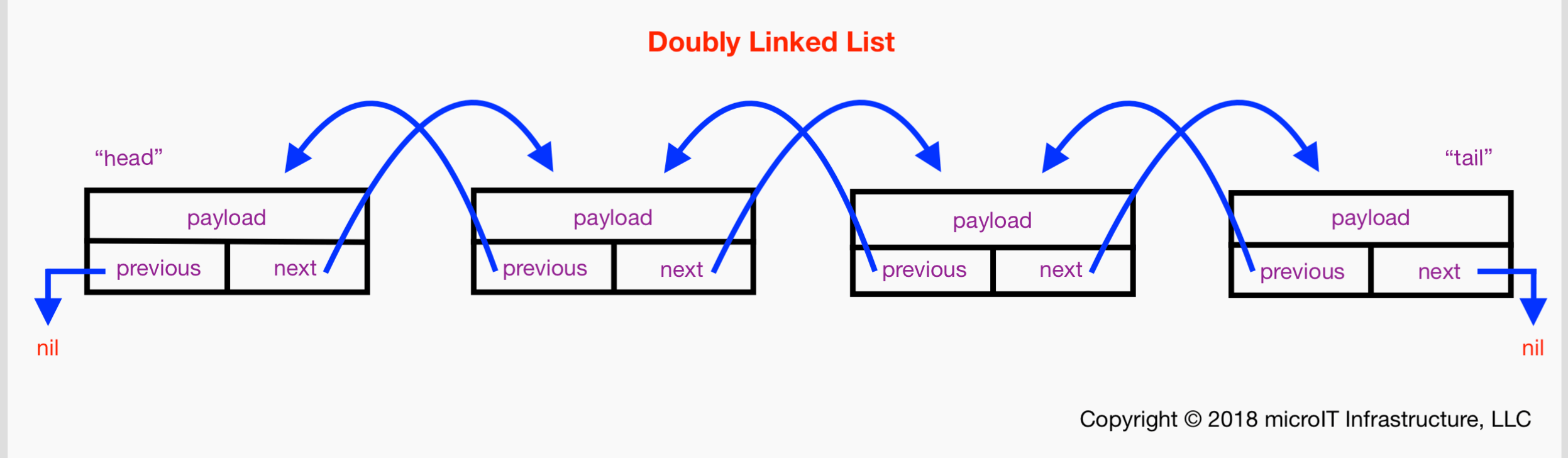
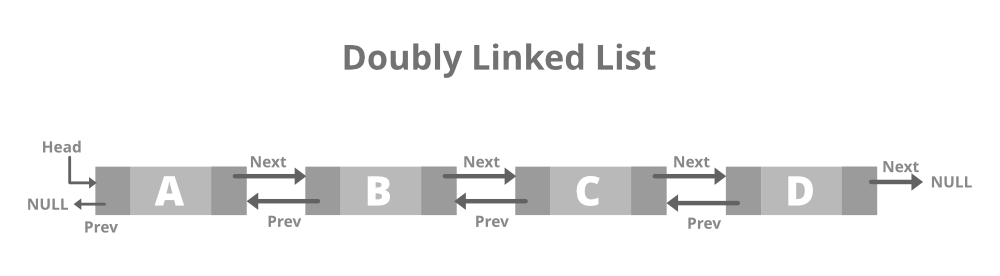
Each node contains:

  • Pointer to next node
  • Pointer to previous node

Structure:

NULL ← Node1 ⇄ Node2 ⇄ Node3 → NULL

Features:

  • Traversal in both directions
  • Extra memory required for previous pointer

🔹 3. Circular Linked List

Image
Image

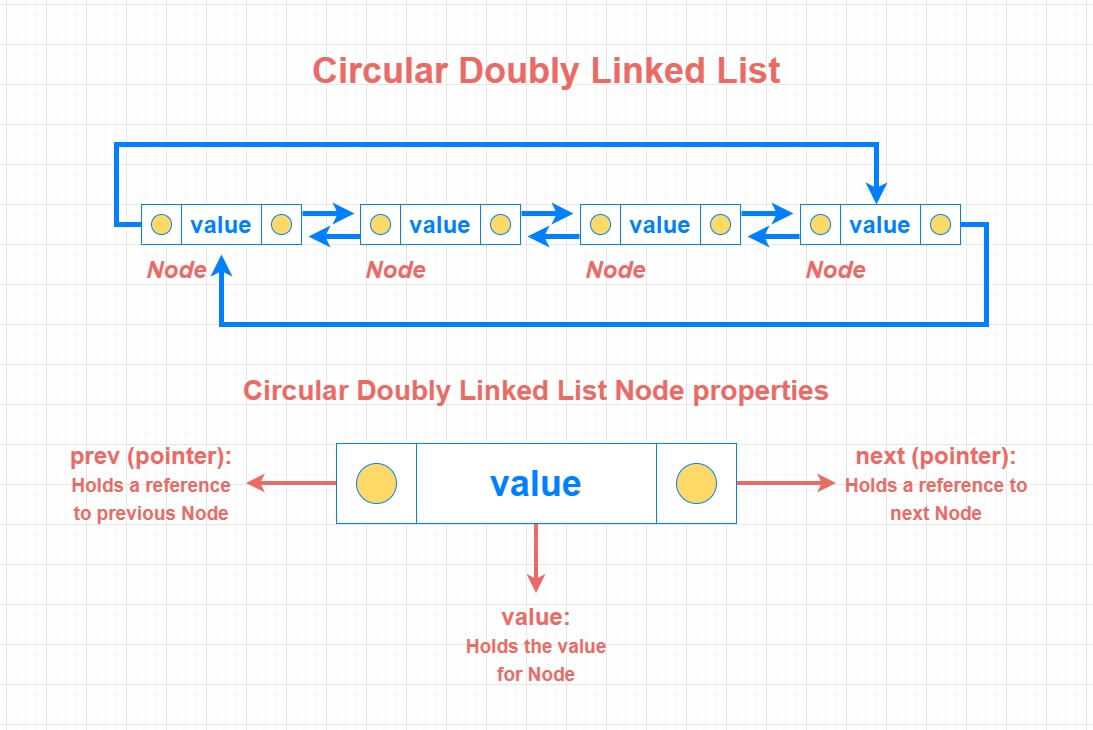
Last node points back to the first node.

Structure:

Head → Node1 → Node2 → Node3 ↺

🔹 4. Circular Doubly Linked List
Image

Combines circular and doubly linked features.


⚙️ Basic Operations on Linked Lists


🔹 1. Traversal

Image
Image
Image

Accessing elements one by one.

current = head
while current:
    print(current.data)
    current = current.next

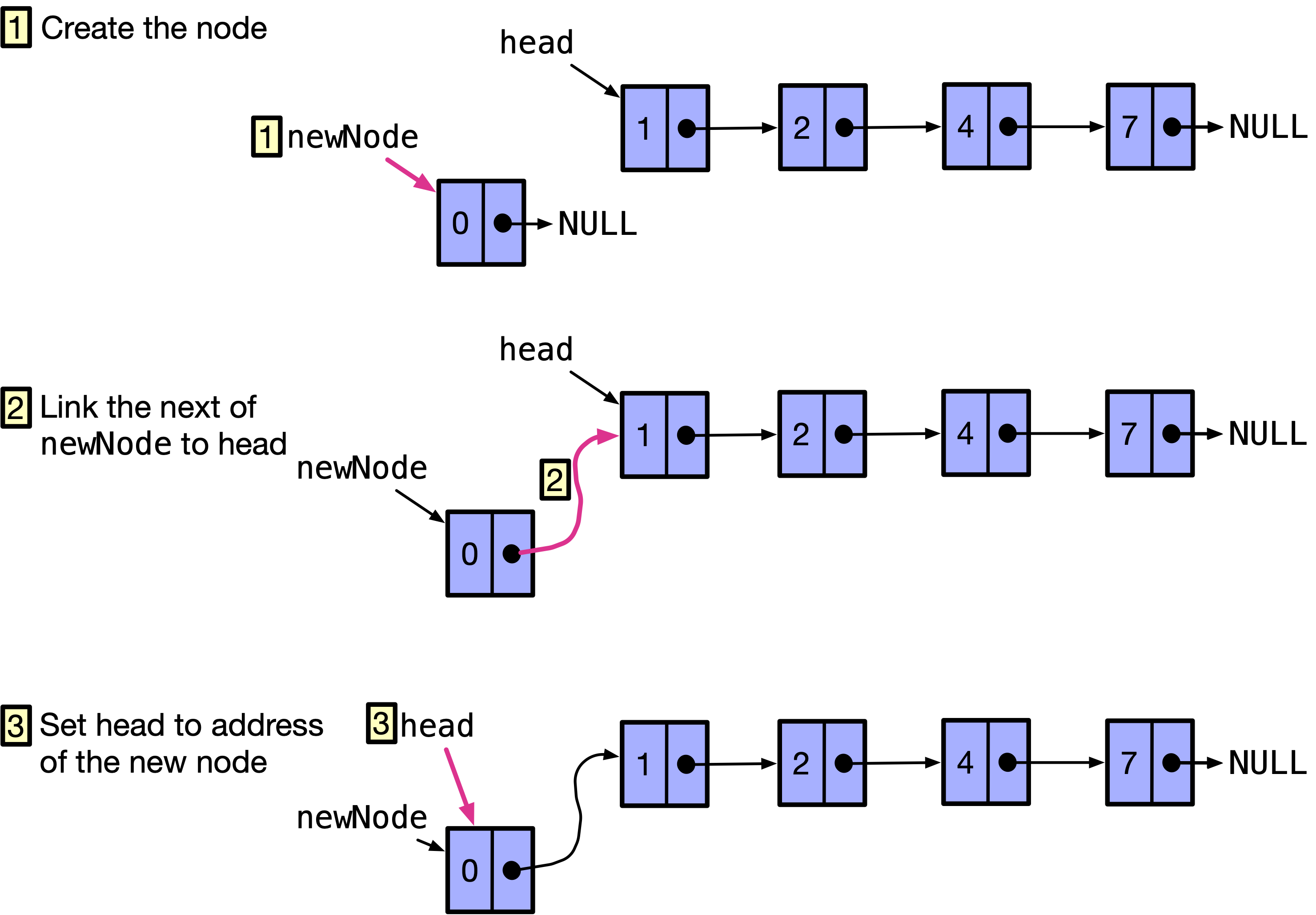
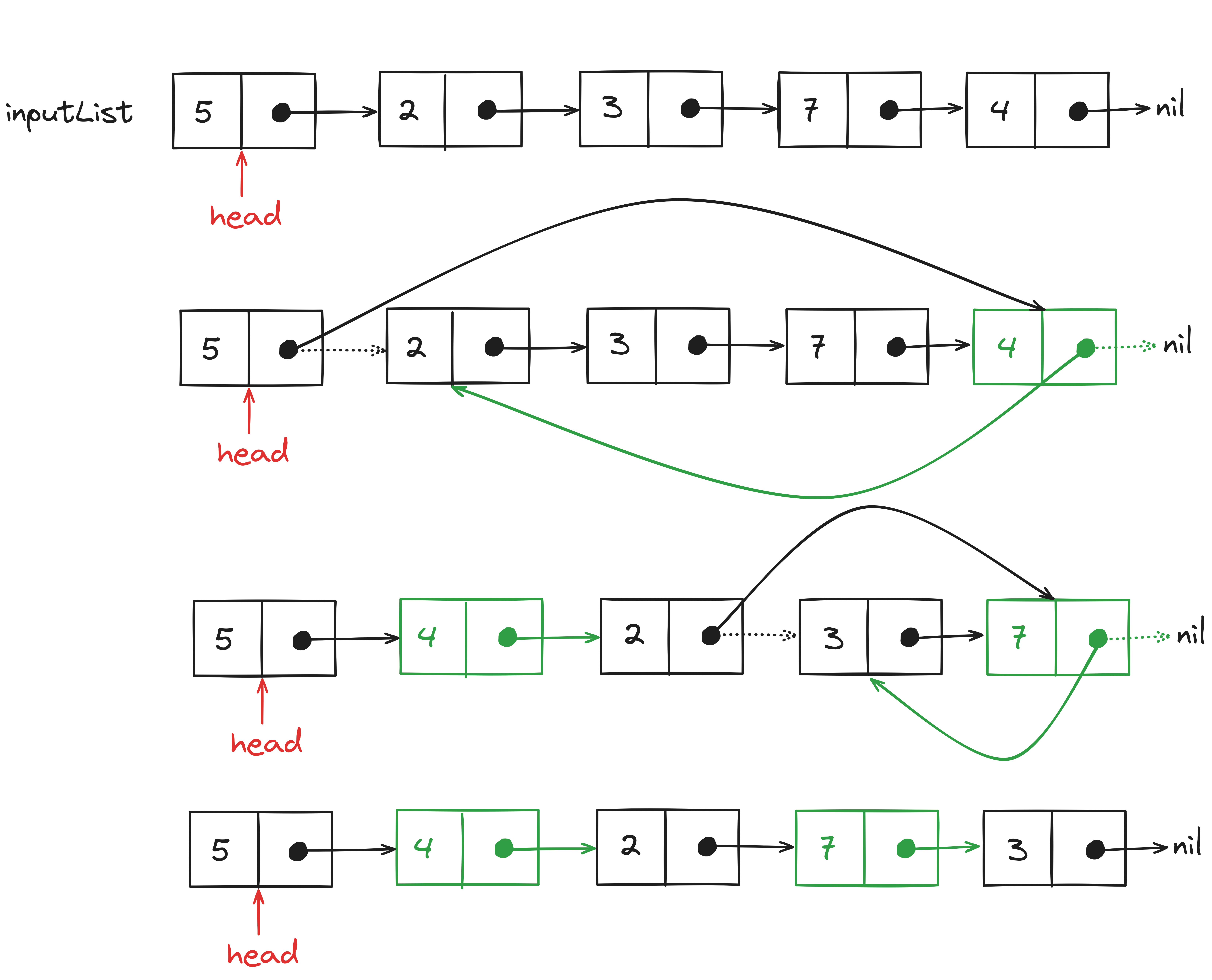
🔹 2. Insertion
Image
Image
Image
Image

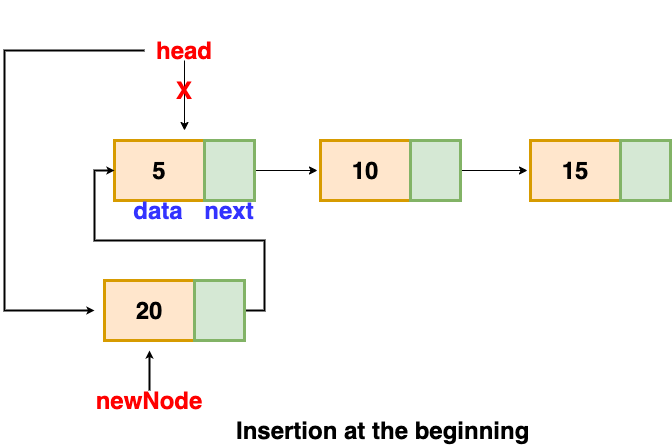
Types:

  • At beginning
  • At end
  • At specific position

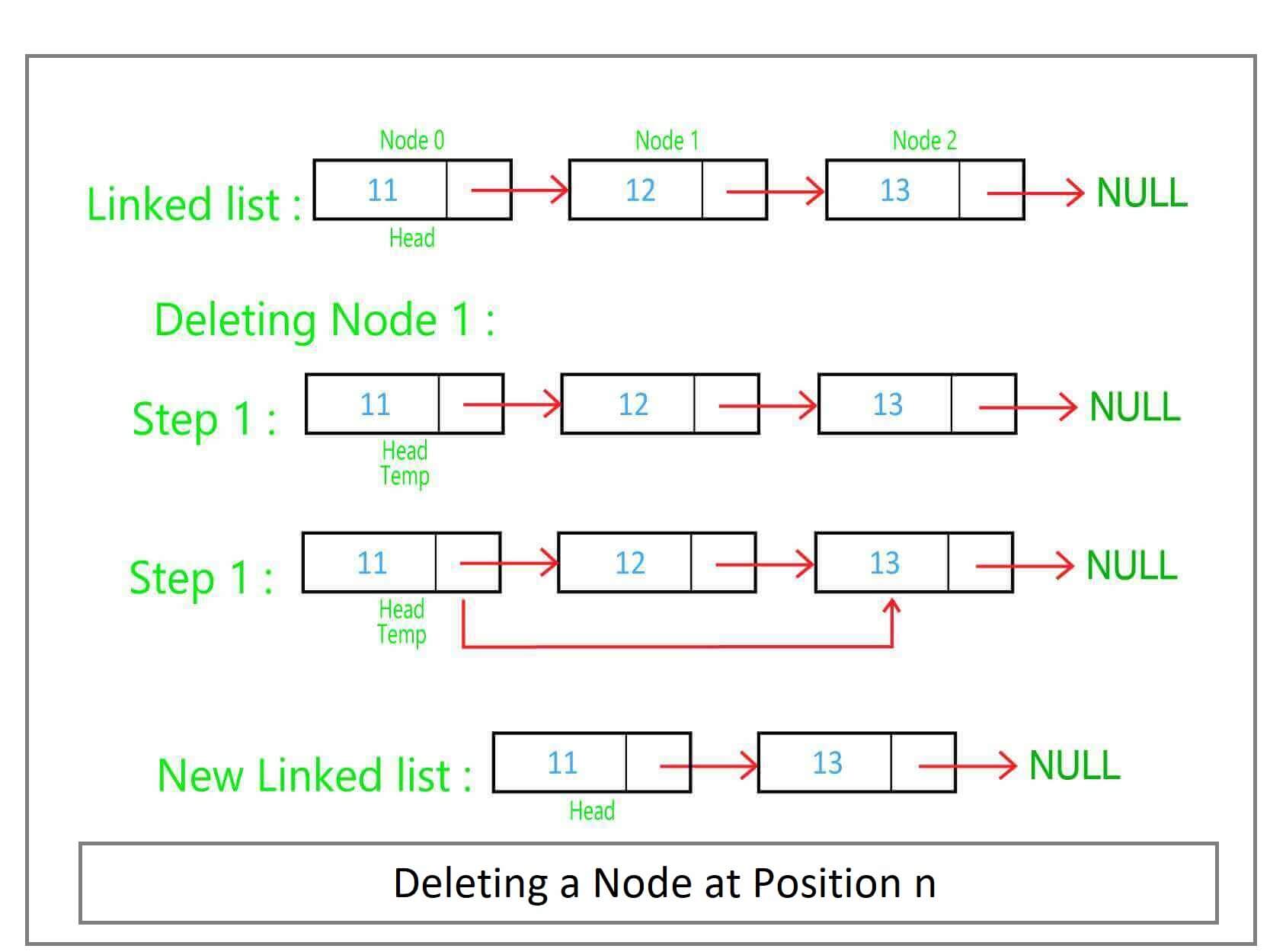
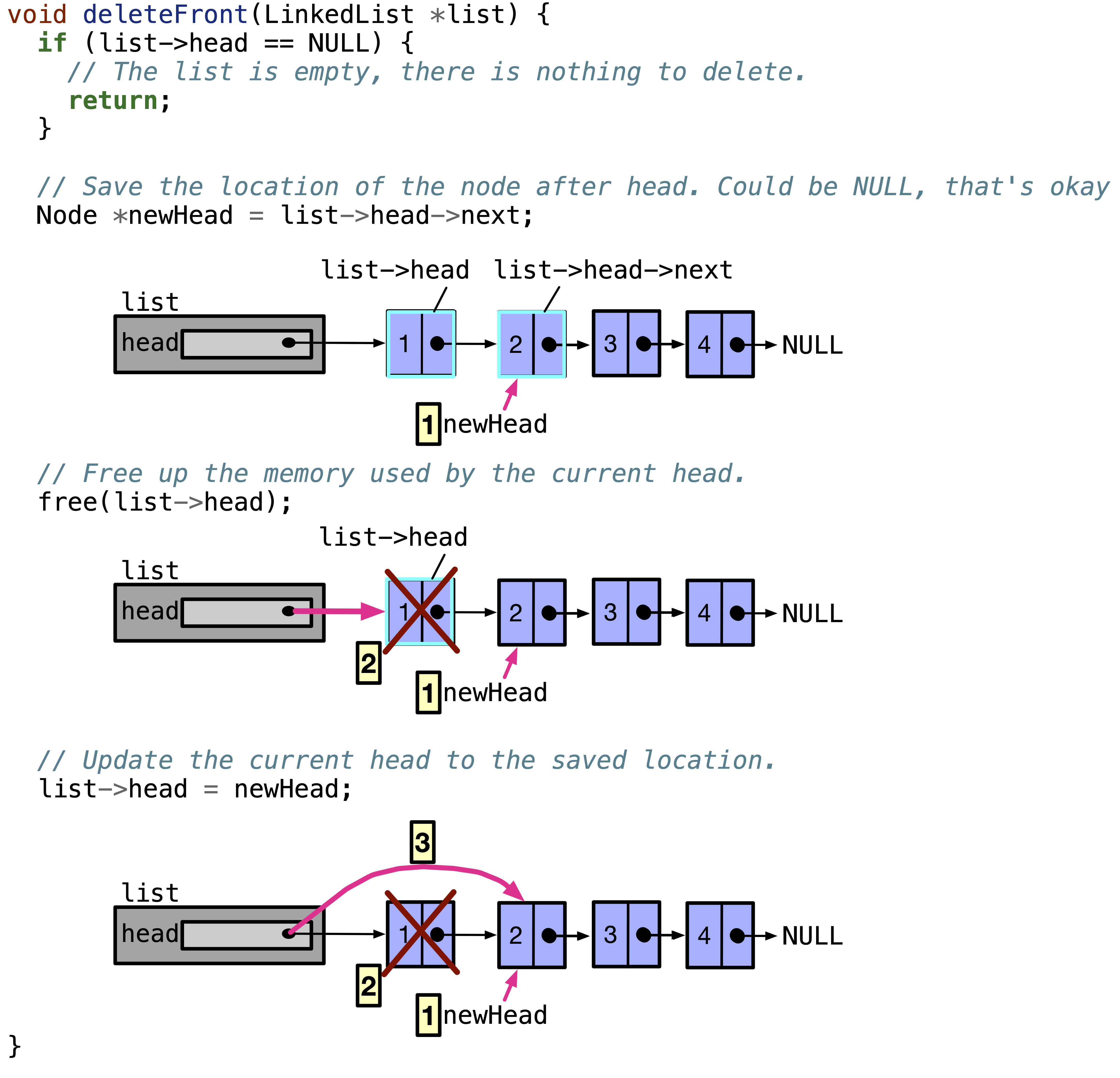
🔹 3. Deletion

Image
Image
Image
Image

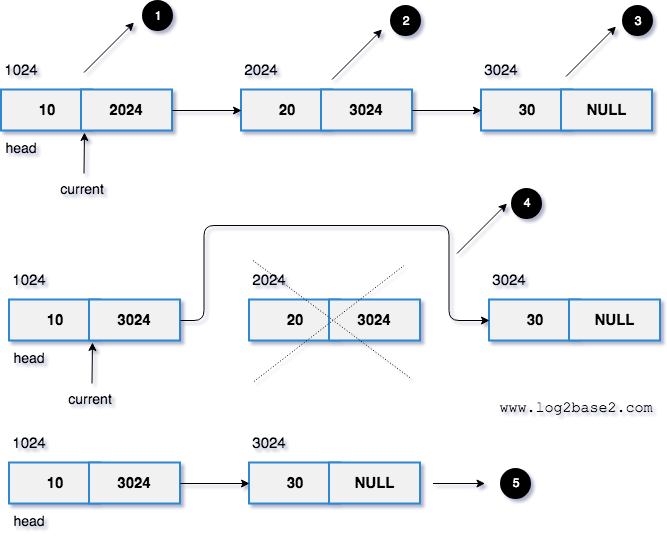
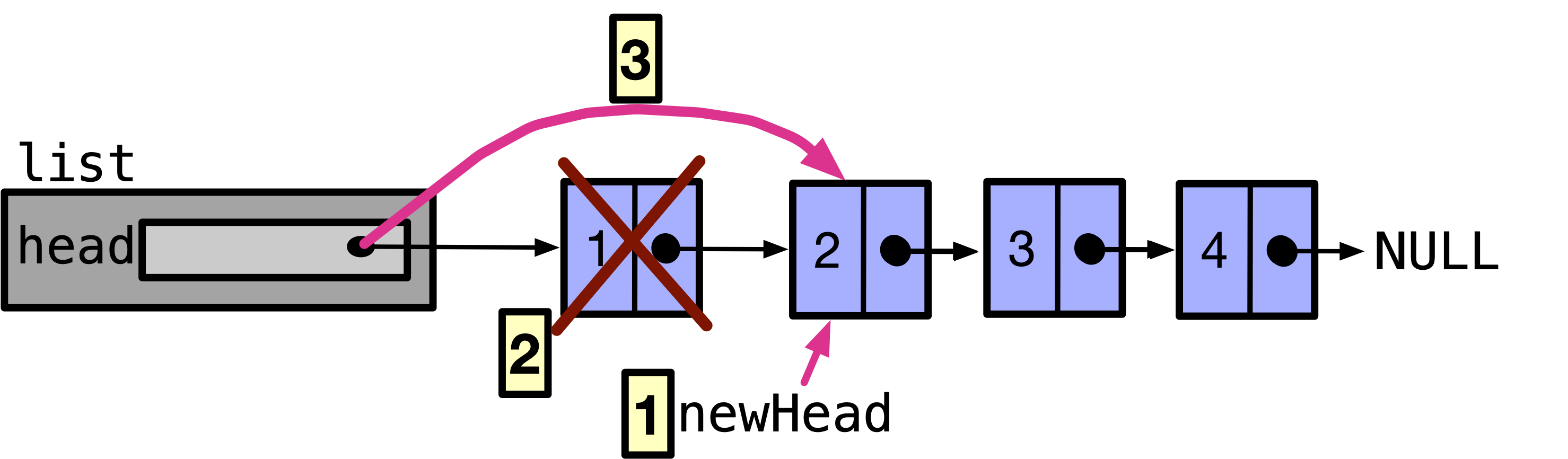
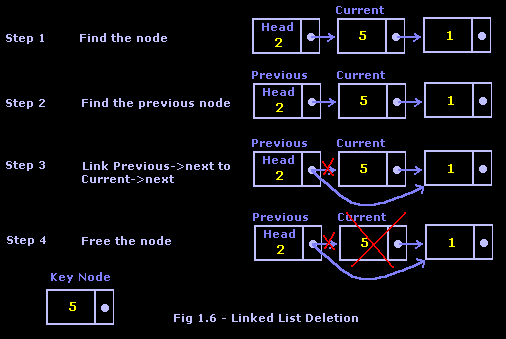
Removing nodes and updating pointers.


🔹 4. Searching

def search(head, key):
    current = head
    while current:
        if current.data == key:
            return True
        current = current.next
    return False

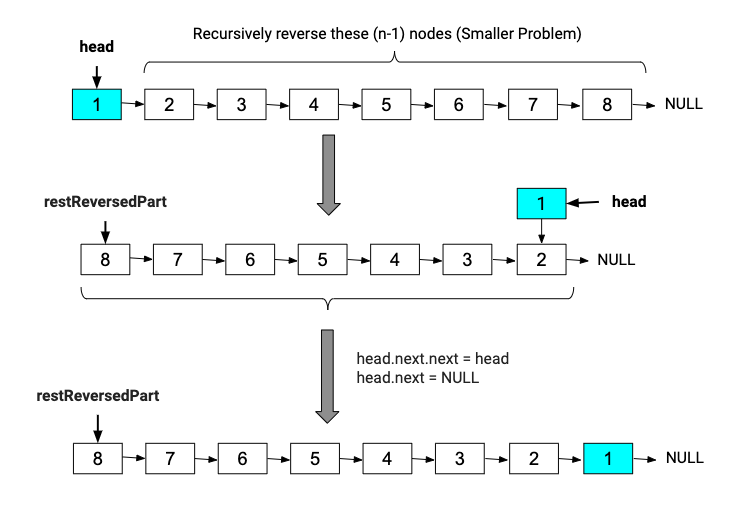
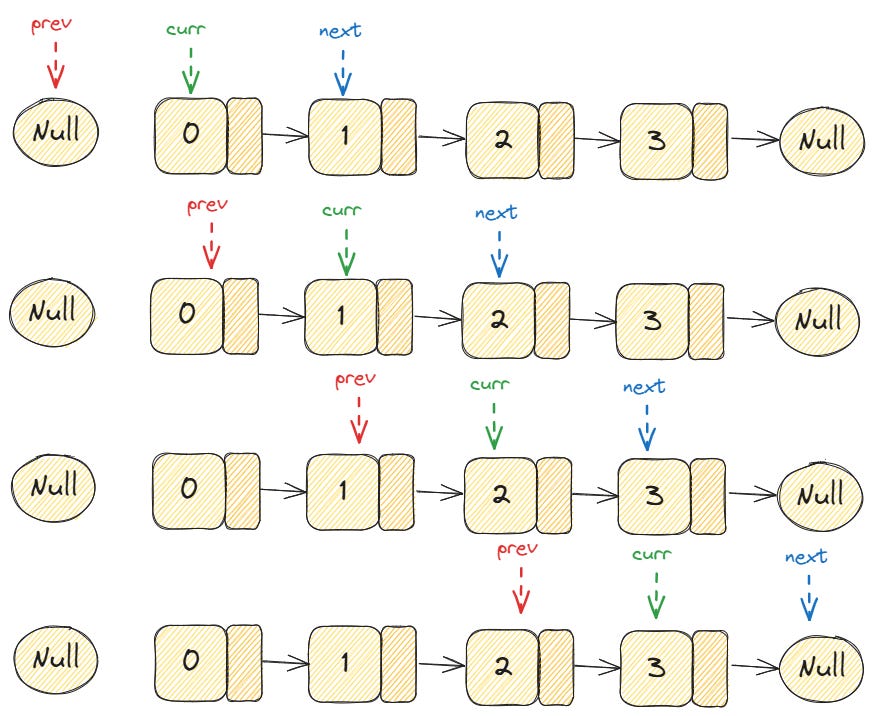
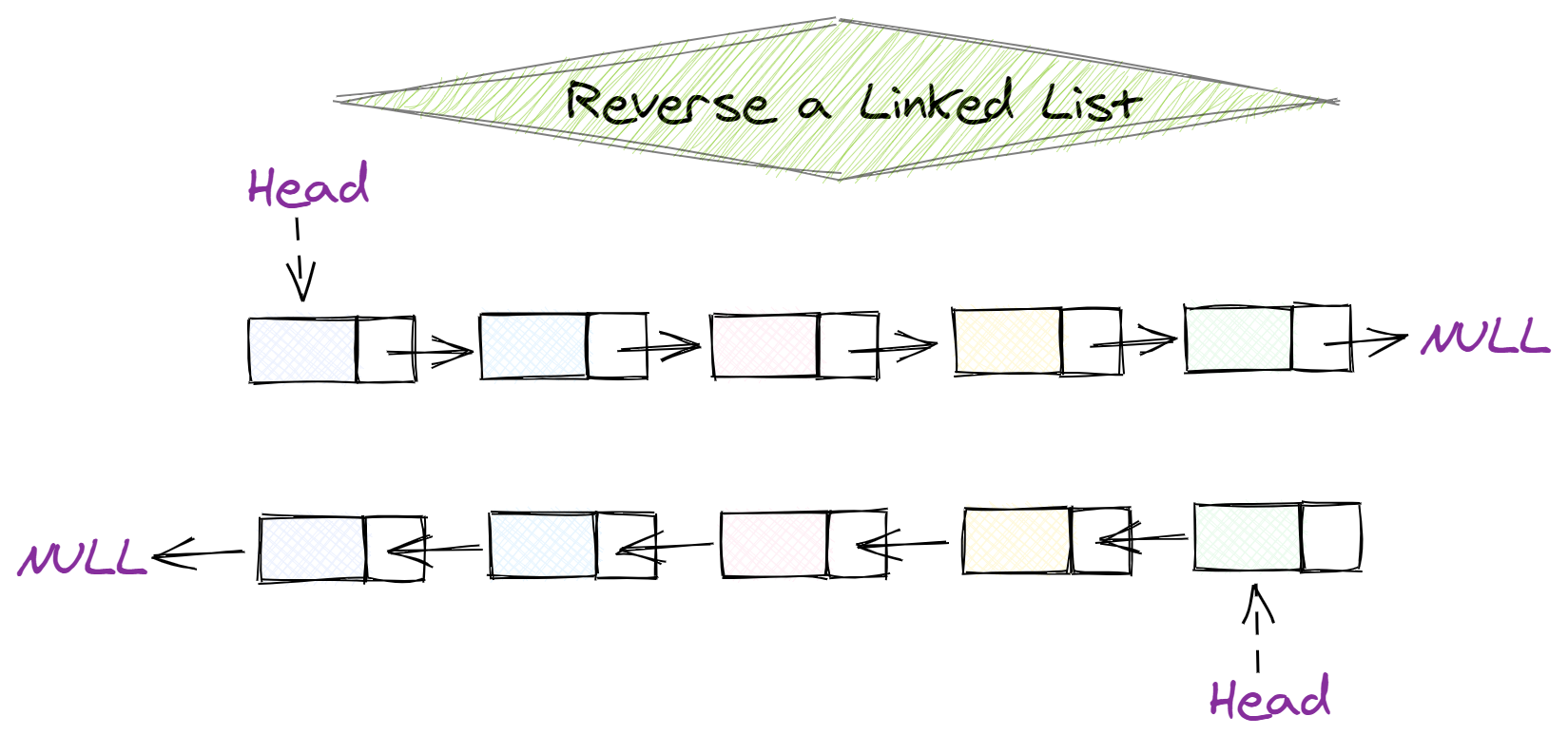
🔹 5. Reversal
Image
Image
Image
Image

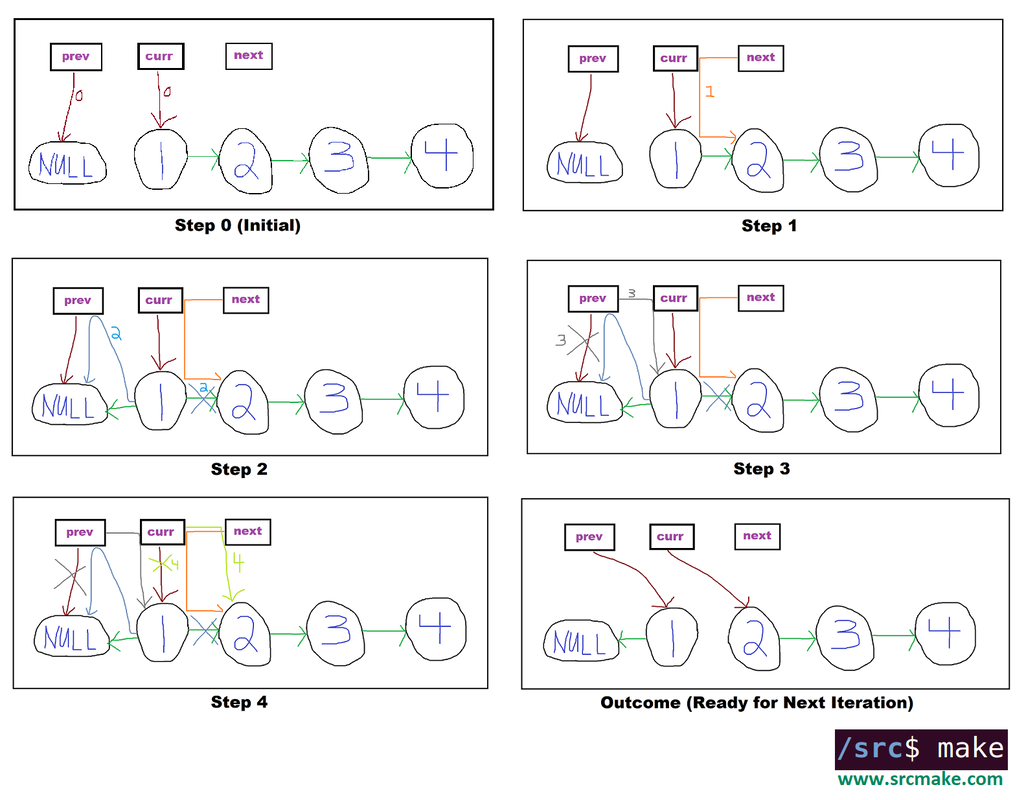
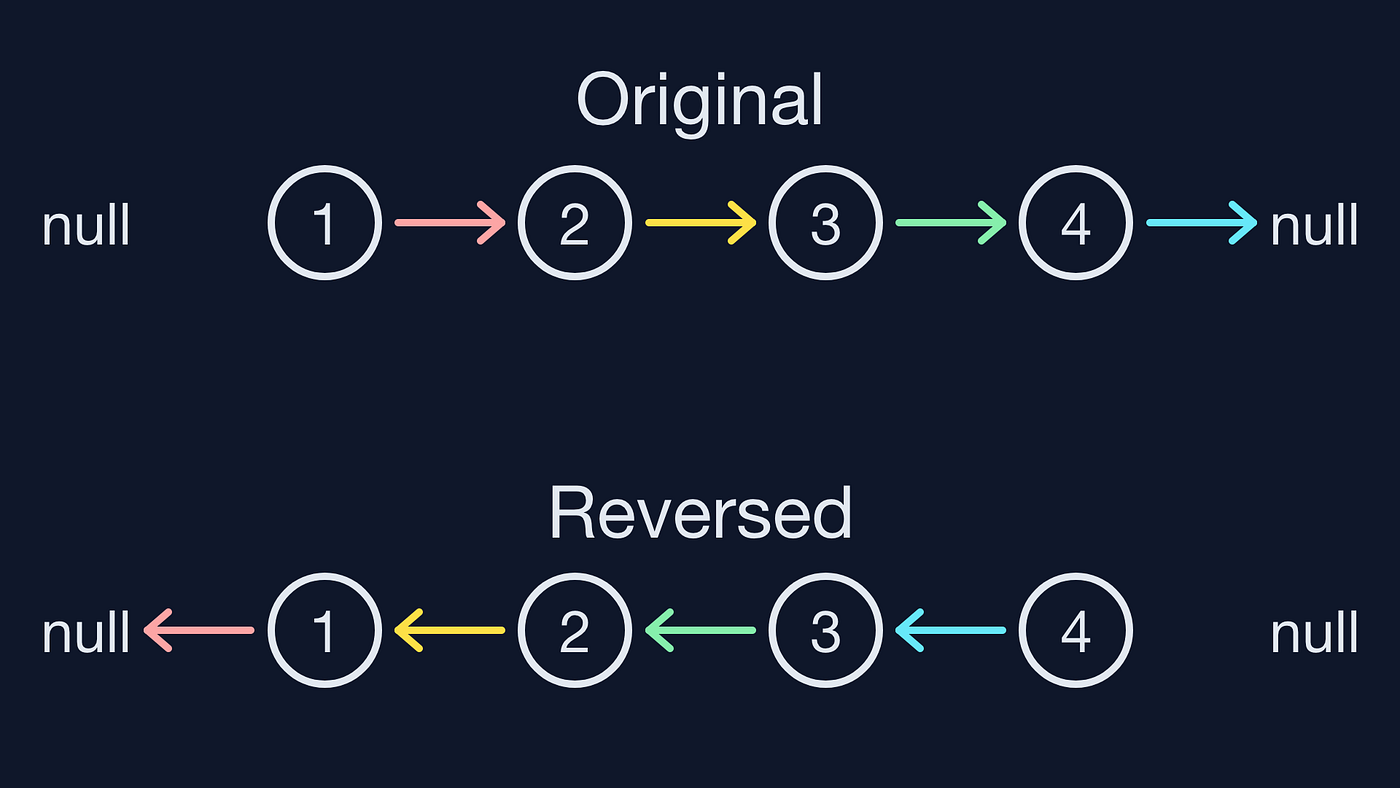
Reversing direction of pointers.


🧮 Time Complexity of Operations

OperationTime Complexity
AccessO(n)
SearchO(n)
InsertionO(1) (at head)
DeletionO(1) (if pointer known)

⚡ Advantages of Linked Lists

  • Dynamic size
  • Efficient insertions and deletions
  • No memory wastage due to pre-allocation
  • Flexible data structure

⚠️ Disadvantages of Linked Lists

  • No random access
  • Extra memory for pointers
  • Complex implementation
  • Cache inefficiency

🧑‍💻 Linked Lists in Different Languages

Python

class Node:
    def __init__(self, data):
        self.data = data
        self.next = None

C++

class Node {
public:
    int data;
    Node* next;
};

Java

class Node {
    int data;
    Node next;
}

JavaScript

class Node {
  constructor(data) {
    this.data = data;
    this.next = null;
  }
}

🧠 Advanced Concepts


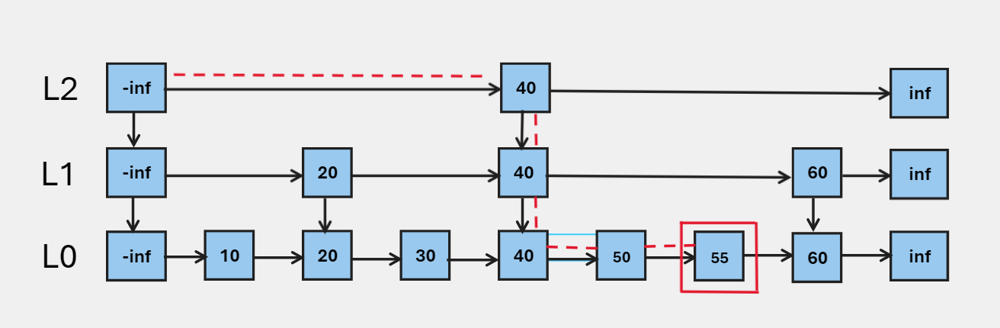
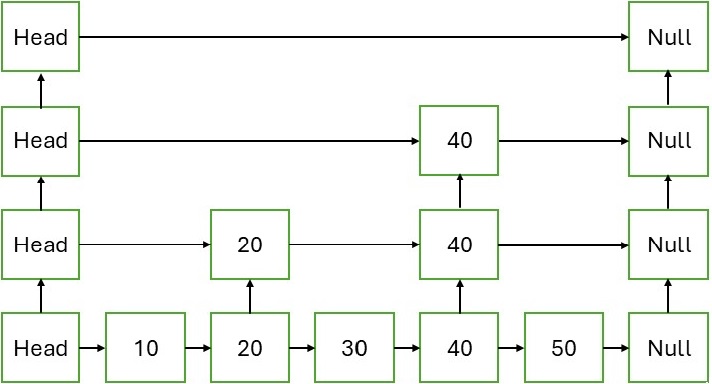
🔹 1. Skip Lists

Image
Image
Image
Image

Improves search time using multiple levels.


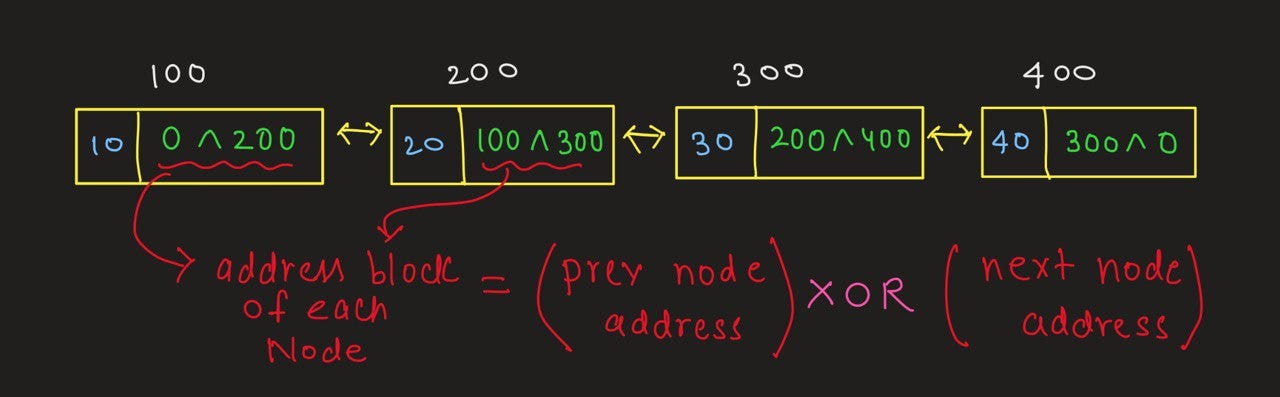
🔹 2. XOR Linked Lists

Image
Image
Image
Image

Memory-efficient doubly linked list using XOR operations.


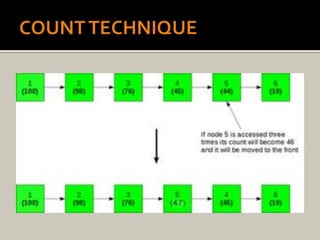
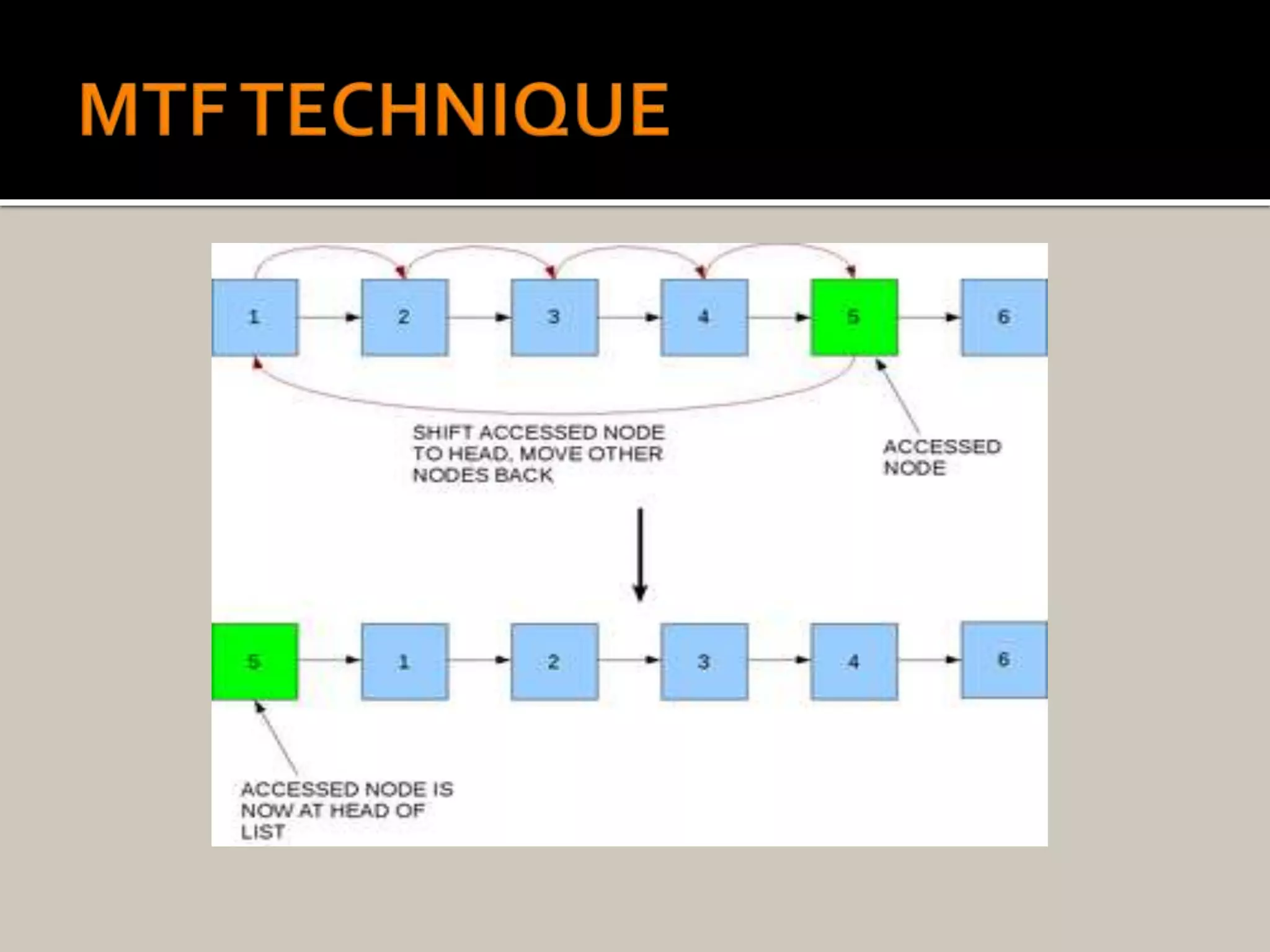
🔹 3. Self-Organizing Lists
Image
Image
Image
Image

Frequently accessed elements move to front.


🔬 Applications of Linked Lists


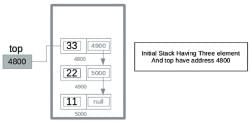
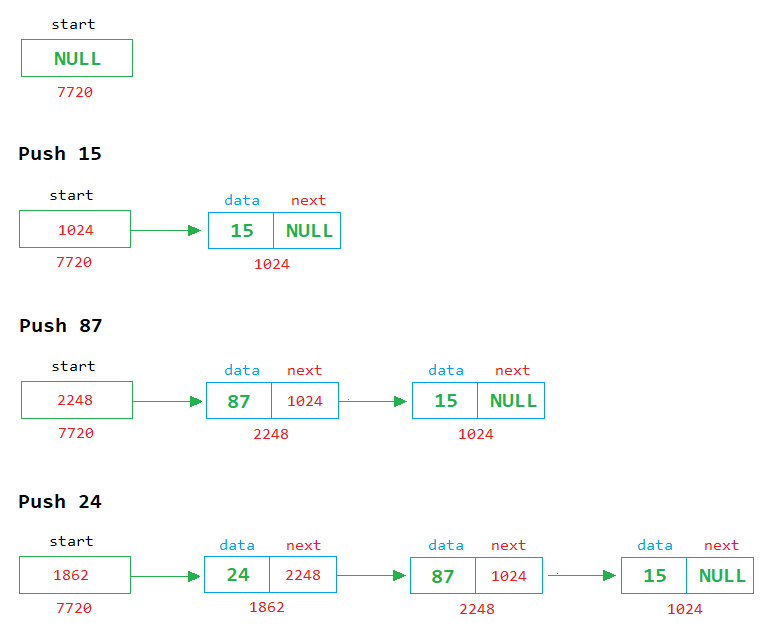
📚 1. Implementation of Stacks and Queues
Image
Image
Image

Linked lists are widely used to implement stacks and queues.


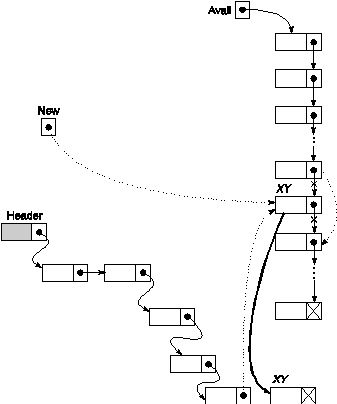
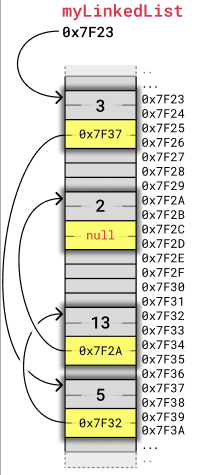
🌐 2. Dynamic Memory Allocation
Image
Image
Image
Image

Used in memory management systems.


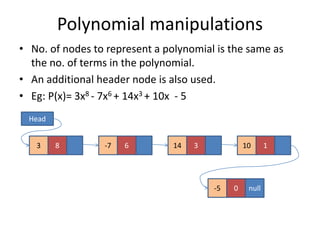
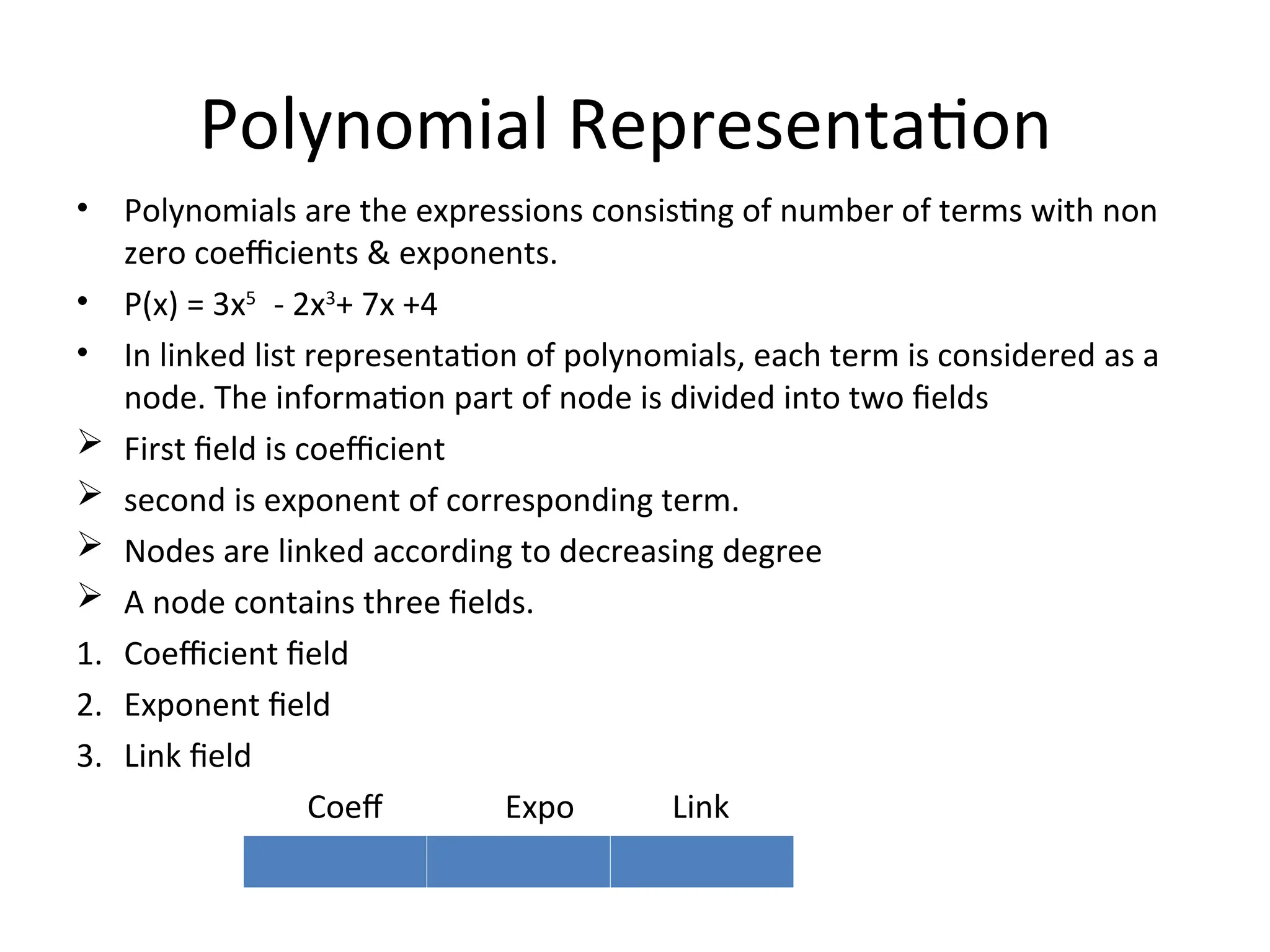
🧾 3. Polynomial Representation
Image
Image
Image

Each node stores coefficient and power.


🎵 4. Music Playlist Systems

Image
Image

Songs linked sequentially.


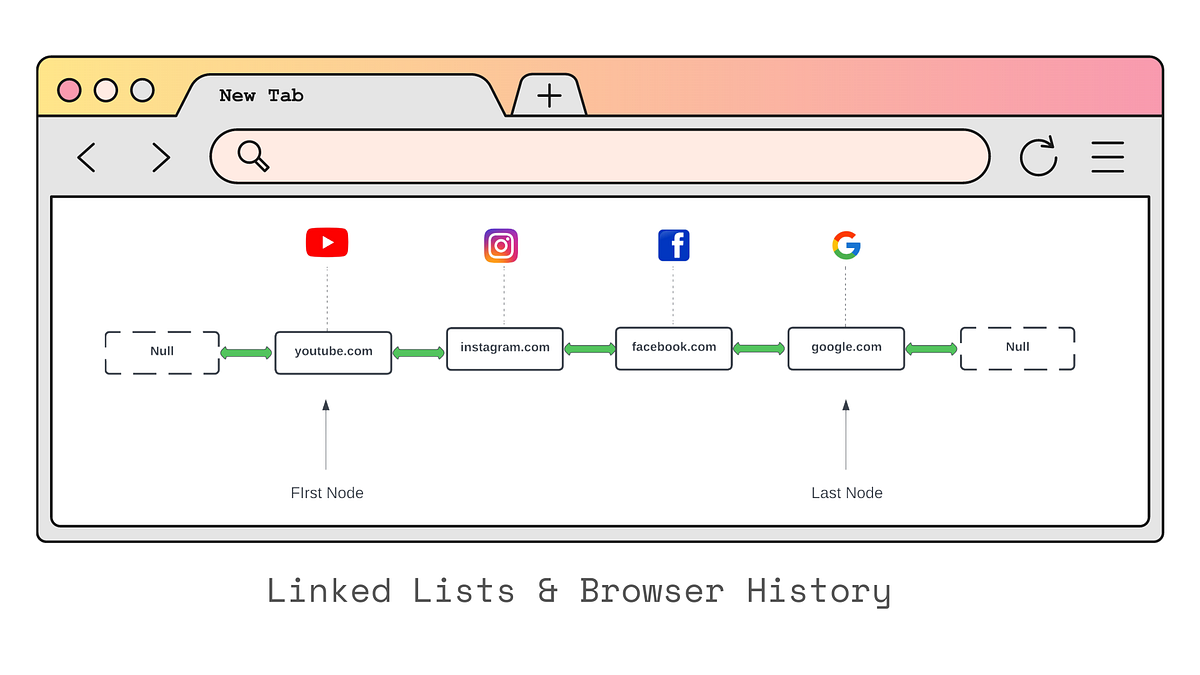
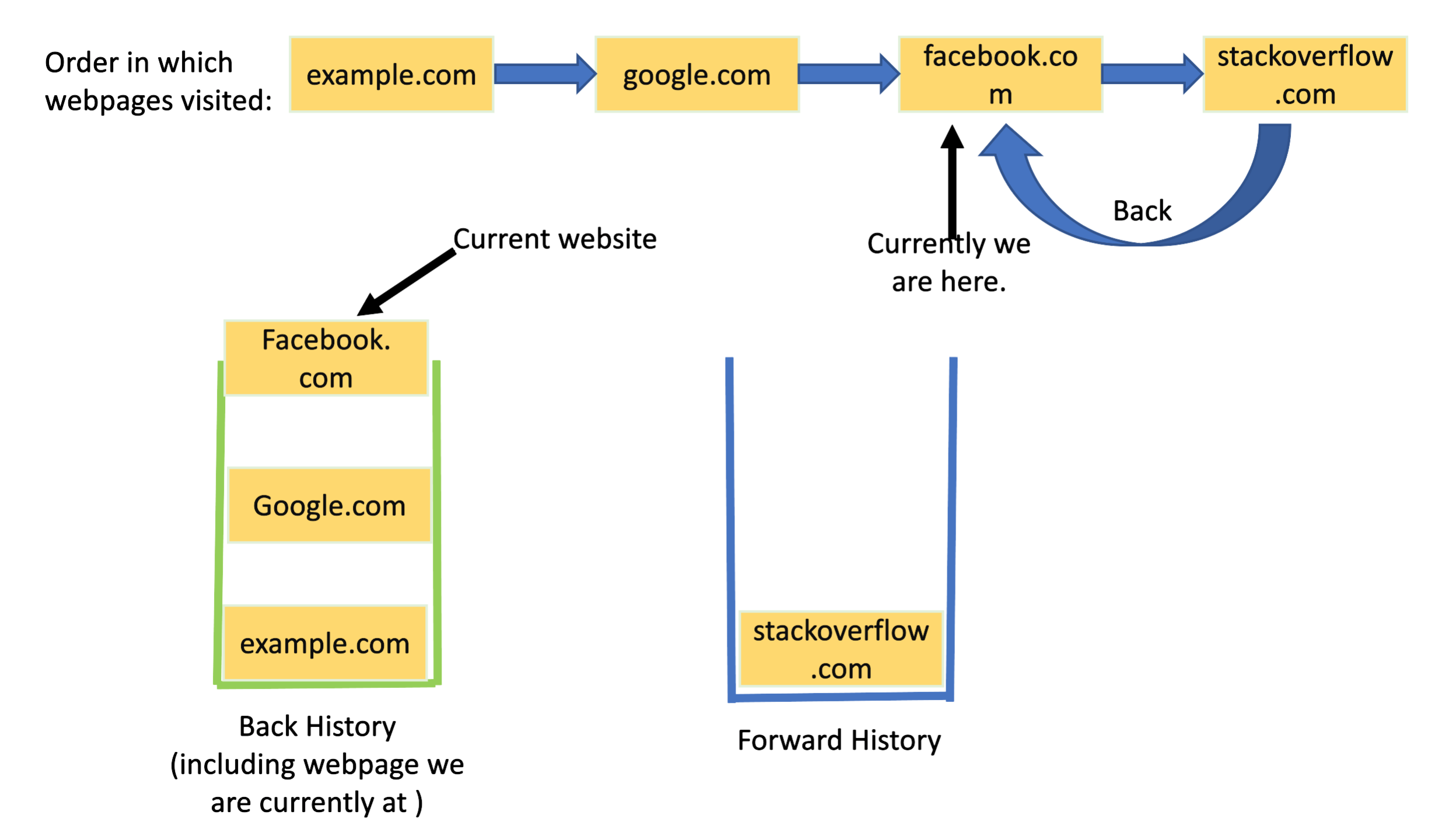
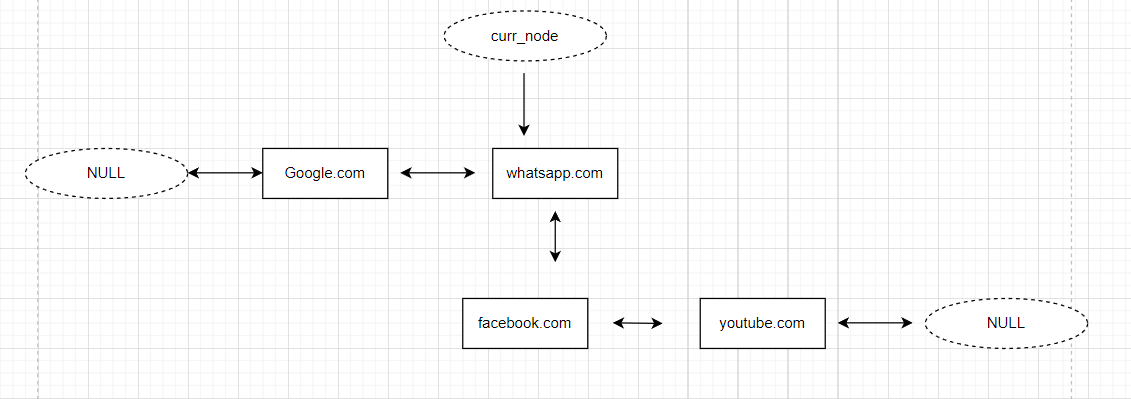
🌍 5. Browser Navigation
Image
Image
Image
Image

Back/forward navigation uses doubly linked lists.


🔁 Linked List vs Array

FeatureLinked ListArray
MemoryNon-contiguousContiguous
SizeDynamicFixed
AccessSlowFast
Insert/DeleteEfficientCostly

🧪 Memory Representation

Each node contains:

  • Data
  • Pointer (address of next node)

Example:

[10 | 1000] → [20 | 2000] → [30 | NULL]

🚀 Real-World Importance

Linked lists are foundational for:

  • Graph representations
  • Hash tables (chaining)
  • Operating systems
  • File systems
  • Networking

🧾 Conclusion

Linked lists are a powerful alternative to arrays when dynamic memory and efficient insertions/deletions are required. Although they lack direct access and may use extra memory, their flexibility makes them essential in many applications.

Understanding linked lists deeply helps in mastering advanced data structures like trees, graphs, and hash maps.
🏷️ Tags

📘 Arrays in Computer Science


🧩 What is an Array?

Image
Image
Image

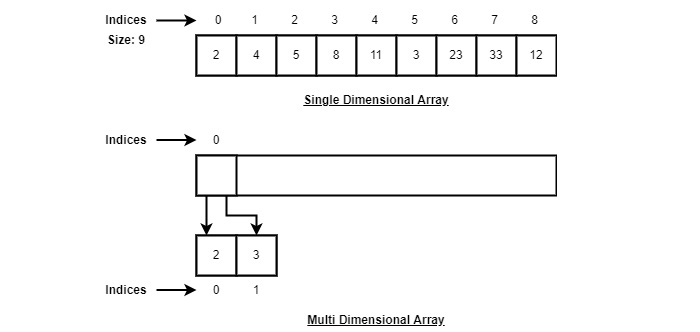
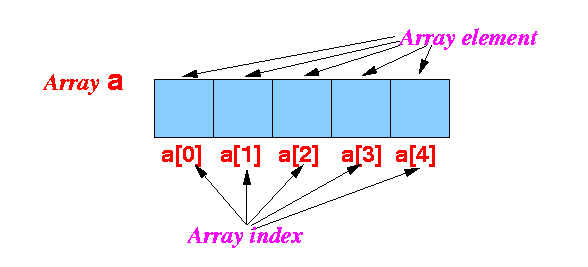
An array is one of the most fundamental and widely used data structures in computer science. It is a collection of elements stored in contiguous memory locations, where each element can be accessed directly using an index. Arrays are used to store multiple values of the same data type in a single variable, making them extremely efficient for certain operations.
At its core, an array provides a way to group related data together. For example, instead of creating separate variables for storing marks of students:

int m1 = 90, m2 = 85, m3 = 88;

You can use an array:

int marks[3] = {90, 85, 88};

This not only simplifies code but also enables powerful operations such as iteration, sorting, searching, and more.


🧠 Key Characteristics of Arrays

1. Contiguous Memory Allocation

All elements of an array are stored in adjacent memory locations. This allows fast access using pointer arithmetic.

2. Fixed Size

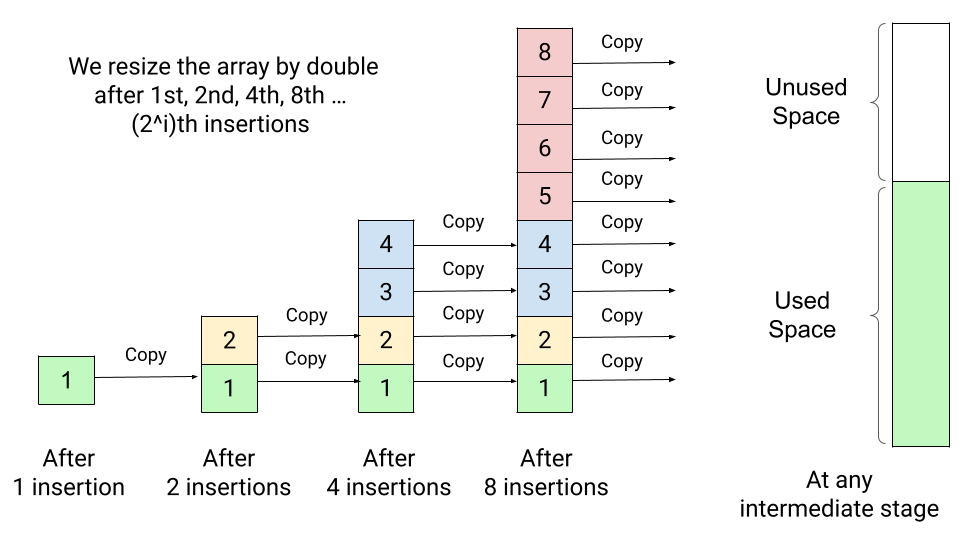
Once declared, the size of an array is usually fixed (in most languages like C, C++). However, some languages provide dynamic arrays.

3. Homogeneous Elements

All elements in an array must be of the same data type.

4. Indexed Access

Each element is accessed using an index (starting from 0 in most languages).


🧮 Types of Arrays

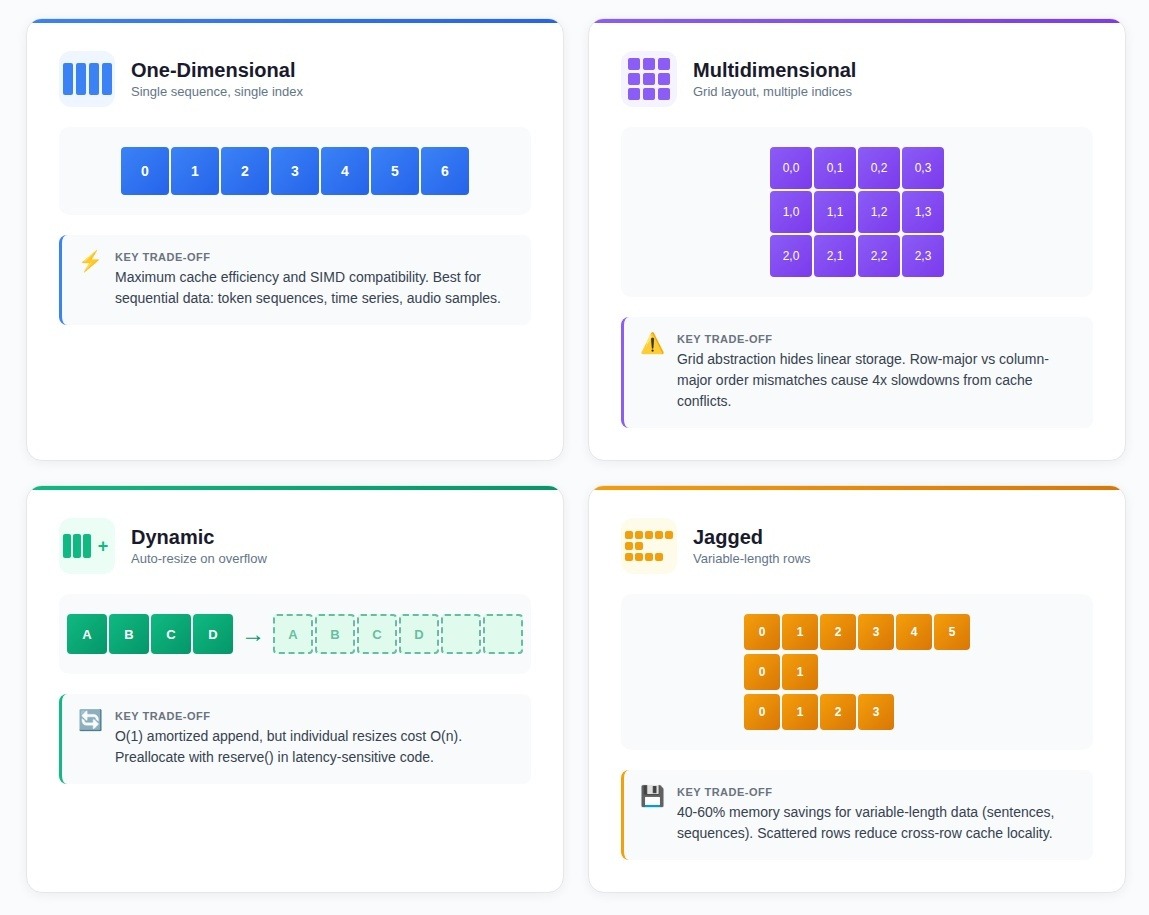
🔹 1. One-Dimensional Array

Image
Image

A one-dimensional array is a linear collection of elements.

Example:

arr = [10, 20, 30, 40, 50]

Indexing:

  • arr[0] = 10
  • arr[1] = 20

🔹 2. Two-Dimensional Array (Matrix)

Image
Image
Image
Image

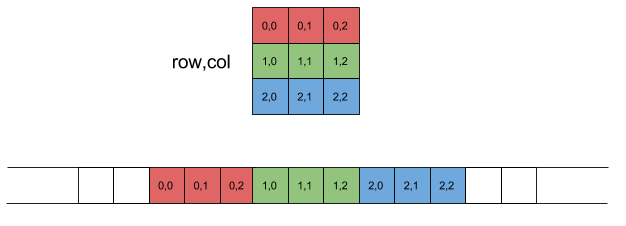
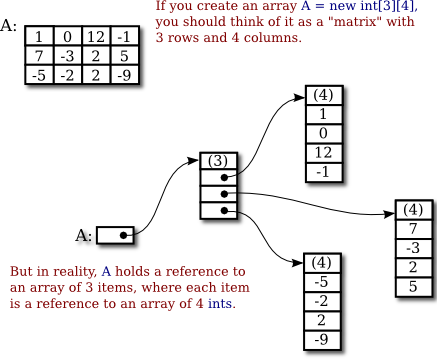
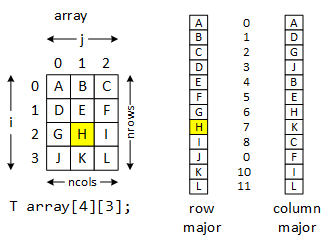
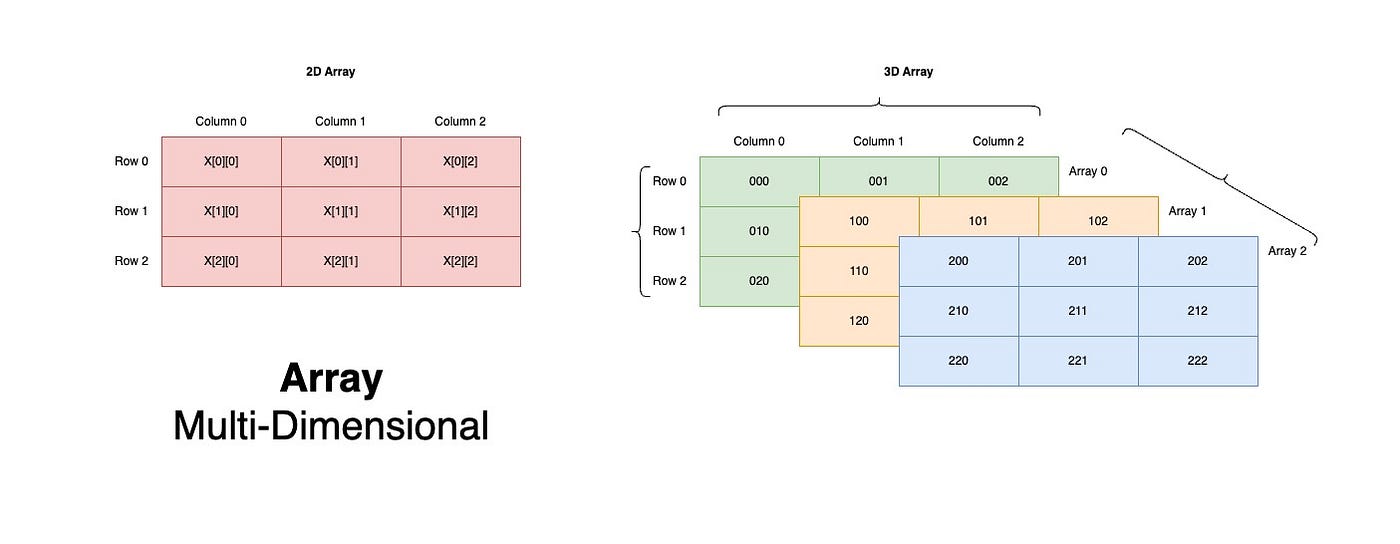
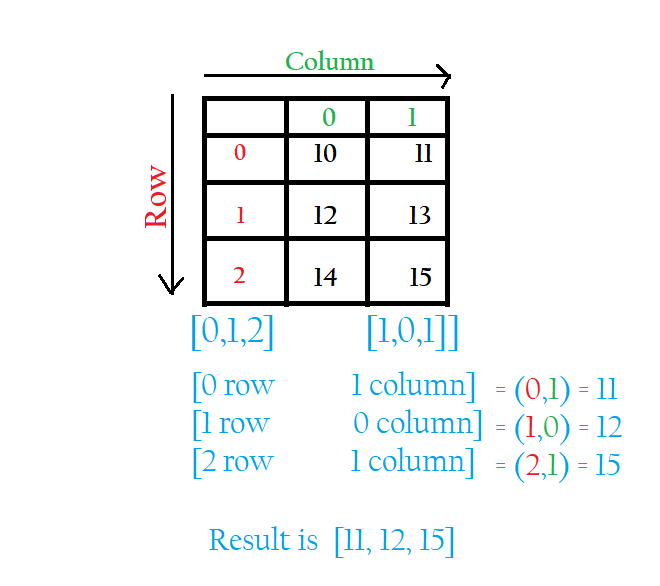
A two-dimensional array represents data in rows and columns.

Example:

matrix = [
  [1, 2, 3],
  [4, 5, 6]
]

🔹 3. Multi-Dimensional Arrays

Image
Image
Image

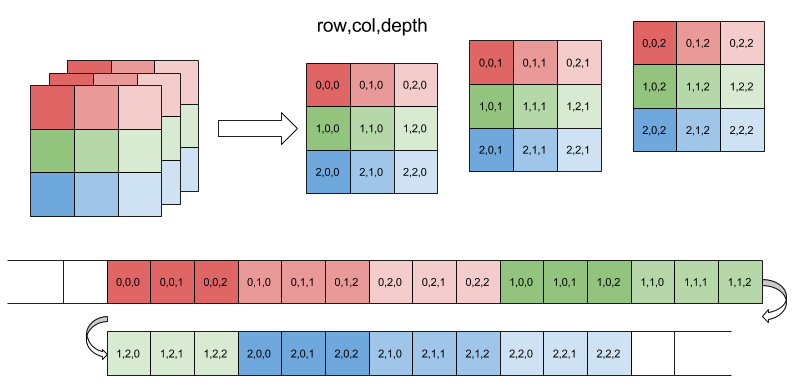
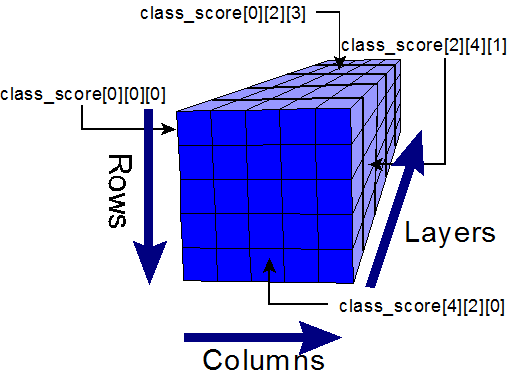
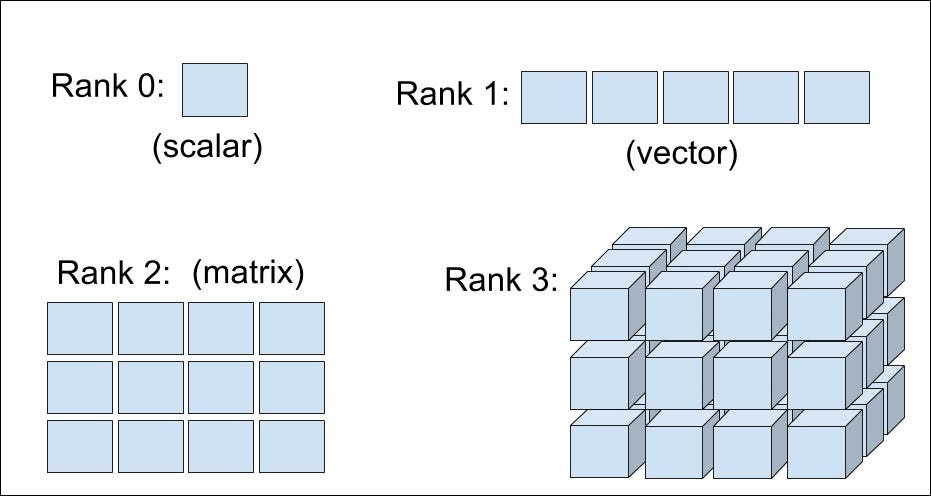
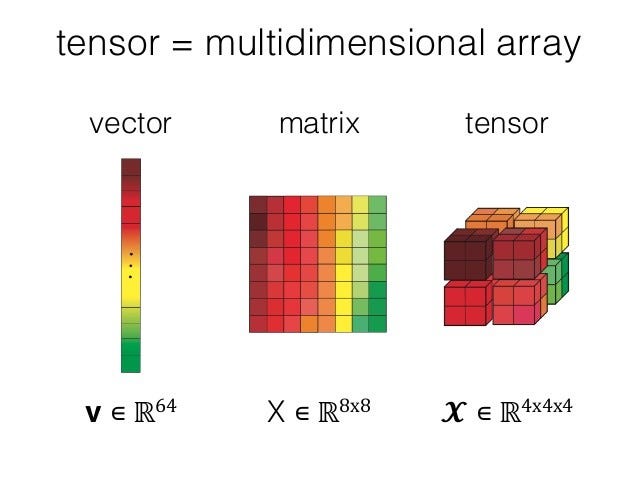
These extend beyond two dimensions, such as 3D arrays used in scientific computing.


🔹 4. Dynamic Arrays

Image
Image
Image
Image

Dynamic arrays can grow or shrink in size during runtime.

Examples:

  • Python lists
  • C++ vectors
  • Java ArrayList

⚙️ Array Operations

1. Traversal

Accessing each element sequentially.

for i in arr:
    print(i)

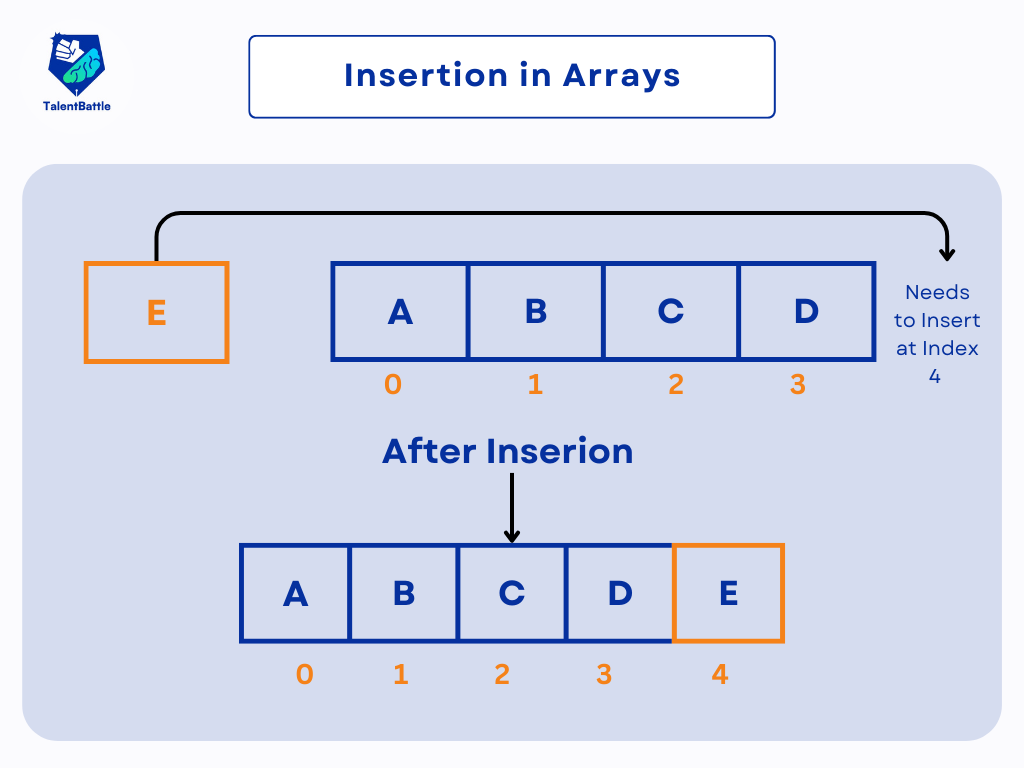
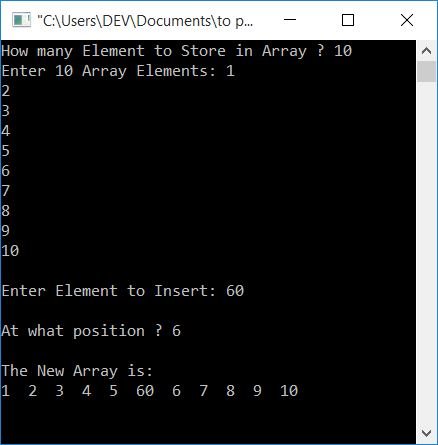
2. Insertion

Image
Image

Insertion requires shifting elements.


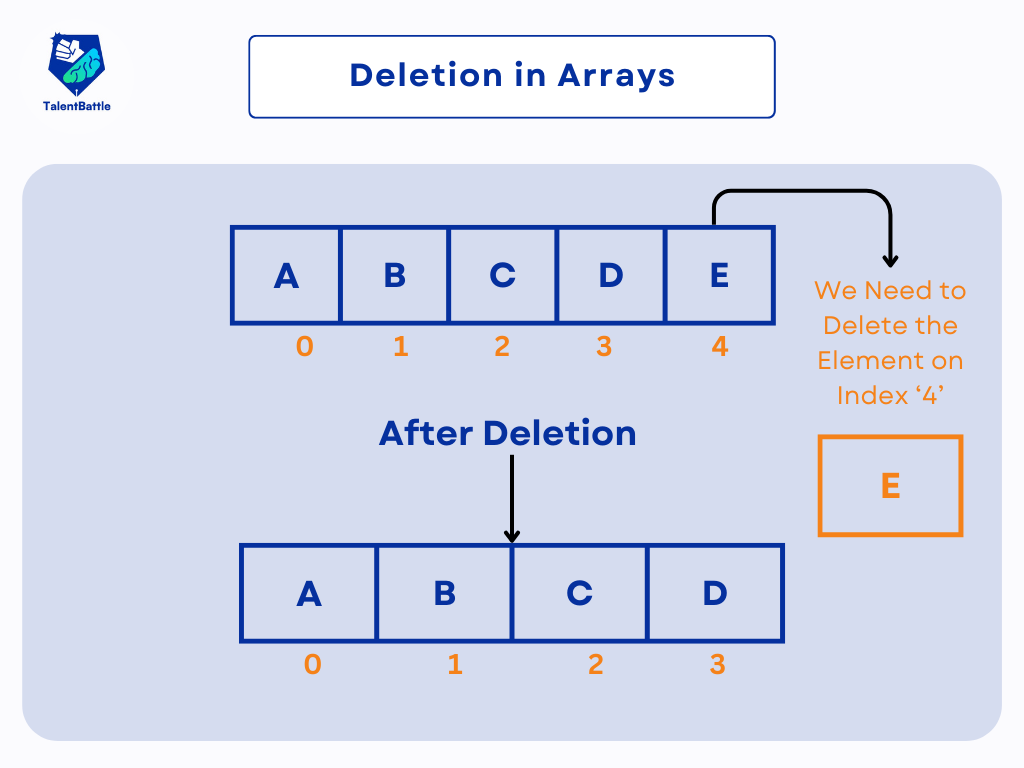
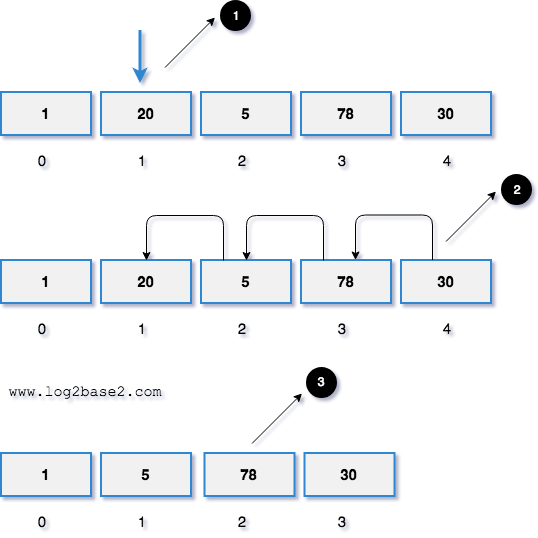
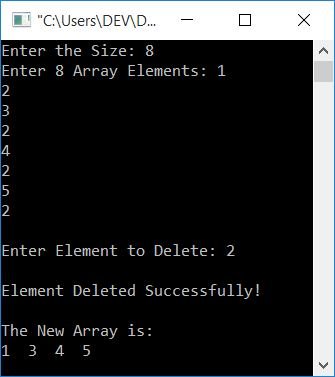
3. Deletion

Image
Image
Image
Image

Deletion involves removing an element and shifting remaining elements.


4. Searching

Linear Search

for i in range(len(arr)):
    if arr[i] == key:
        return i

Binary Search (Sorted Arrays)

# Efficient search

5. Sorting

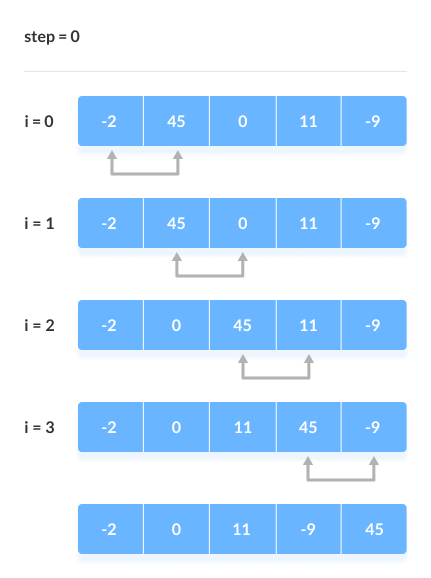
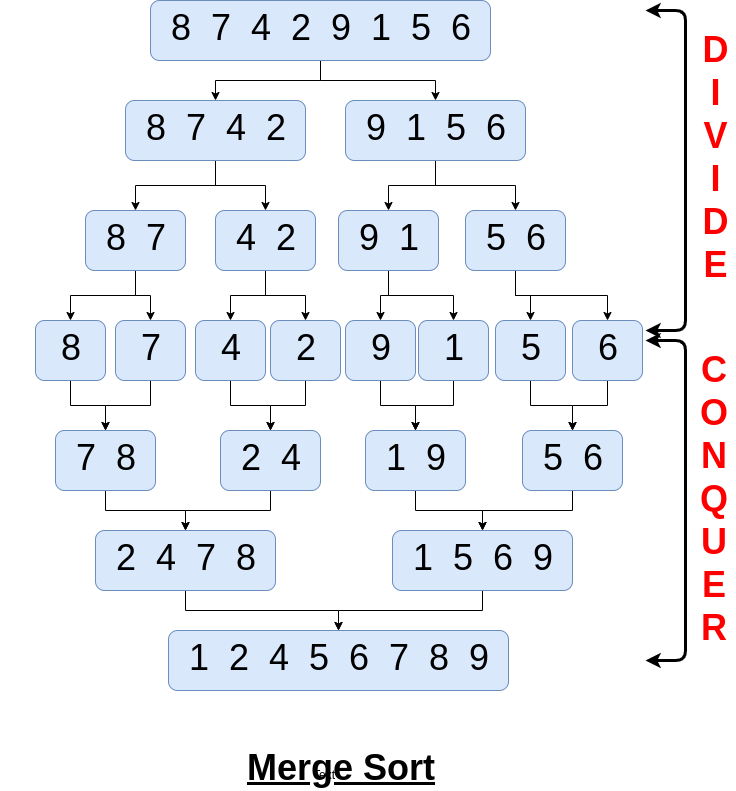
Image
Image
Image
Image

Common algorithms:

  • Bubble Sort
  • Selection Sort
  • Merge Sort
  • Quick Sort

🧪 Memory Representation

Array elements are stored in contiguous memory blocks.

Address Calculation:

Address = Base Address + (Index × Size of Element)

Example:
If base address = 1000 and each element is 4 bytes:

  • arr[2] → 1000 + (2×4) = 1008

⚡ Advantages of Arrays

  • Fast access (O(1))
  • Easy to traverse
  • Efficient memory usage
  • Suitable for mathematical computations

⚠️ Disadvantages of Arrays

  • Fixed size (in static arrays)
  • Insertion/deletion costly
  • Wasted memory if unused
  • Homogeneous data only

🧩 Arrays vs Other Data Structures

FeatureArrayLinked List
MemoryContiguousNon-contiguous
AccessFastSlow
SizeFixedDynamic

🧑‍💻 Arrays in Different Programming Languages

Python

arr = [1, 2, 3]

C

int arr[3] = {1, 2, 3};

Java

int[] arr = {1, 2, 3};

JavaScript

let arr = [1, 2, 3];

📊 Time Complexity of Array Operations

OperationTime Complexity
AccessO(1)
SearchO(n)
InsertO(n)
DeleteO(n)

🧠 Advanced Concepts

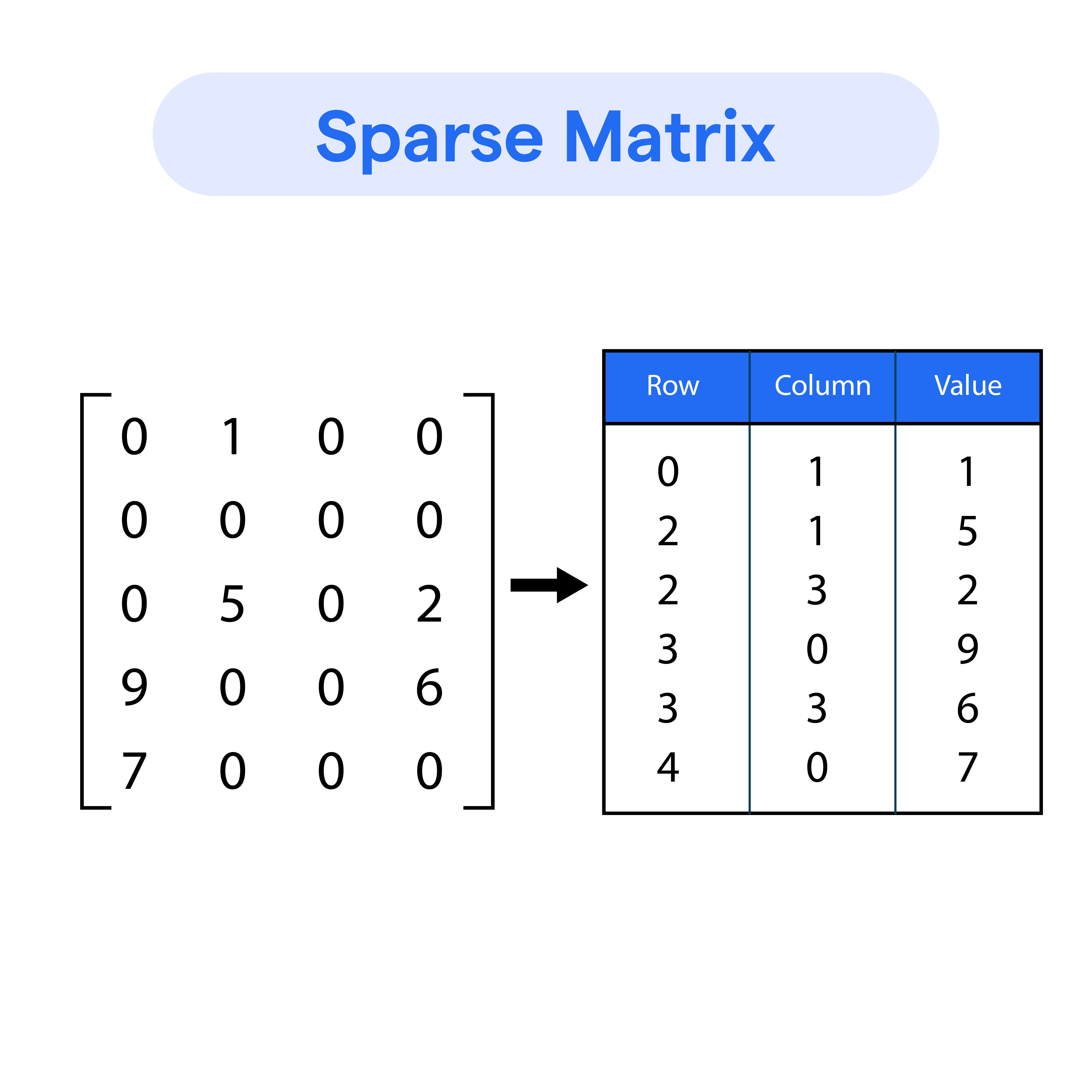
🔹 Sparse Arrays

Image
Image
Image
Image

Arrays with many zero elements.


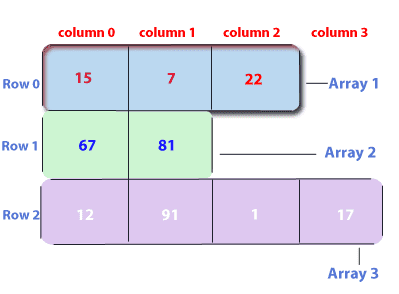
🔹 Jagged Arrays

Image
Image

Arrays with varying row lengths.


🔹 Circular Arrays

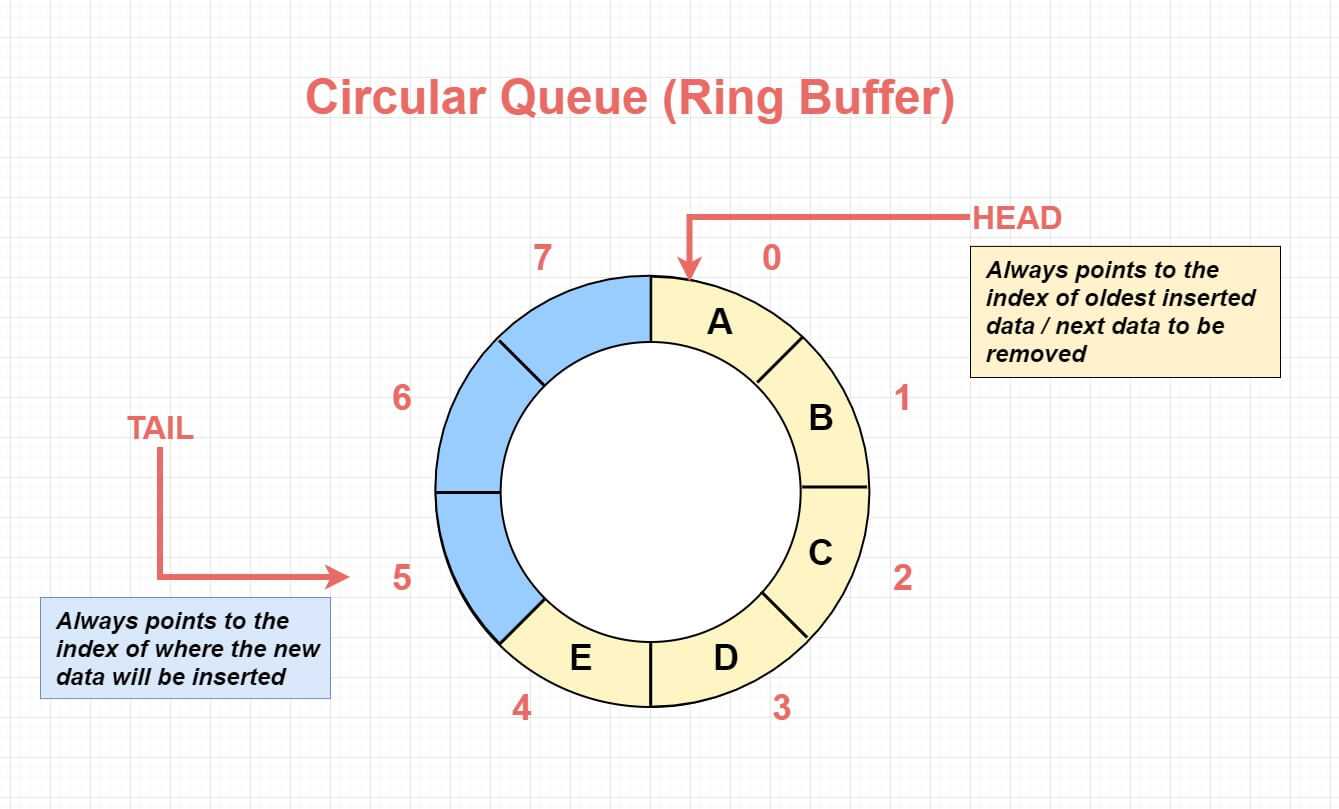
Image
Image
Image
Image

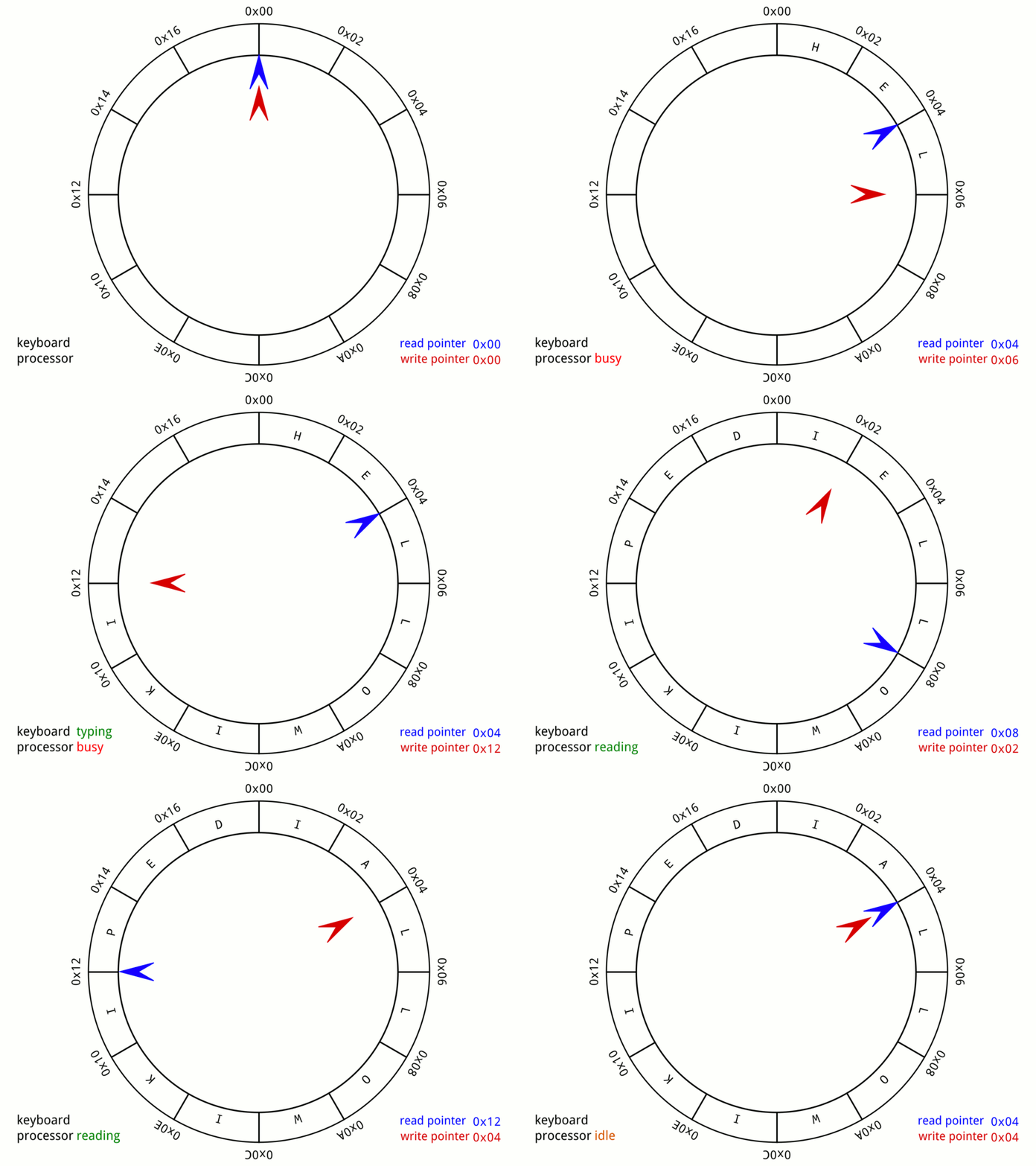
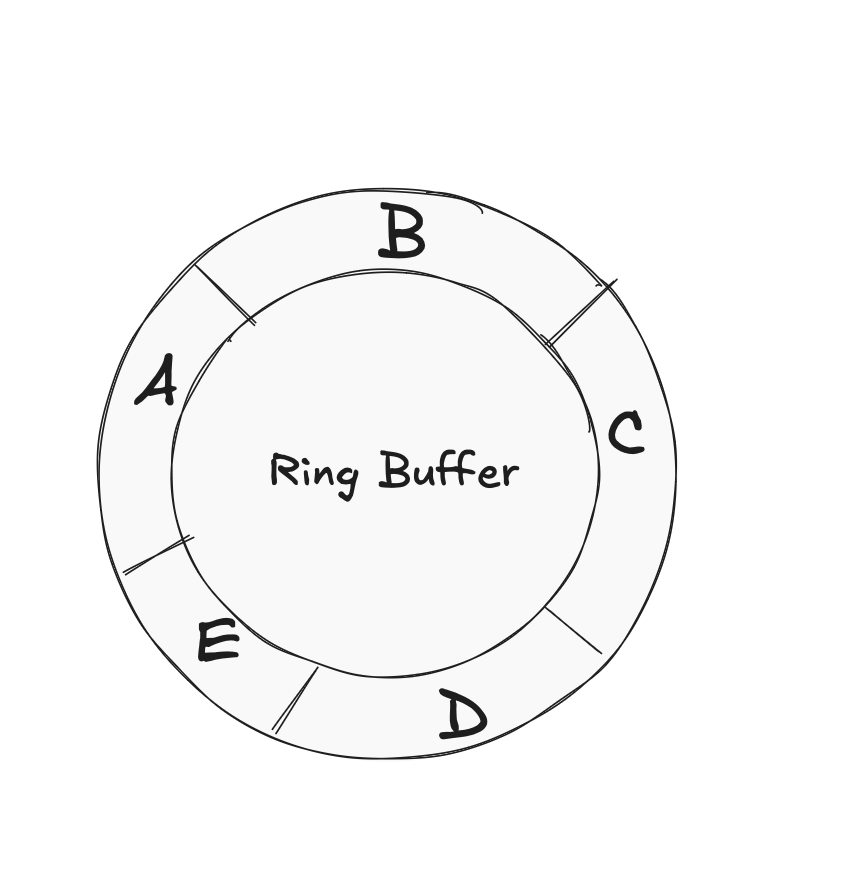
Used in buffers and queues.


🔬 Real-World Applications of Arrays

📱 1. Image Processing

Image
Image
Image
Image

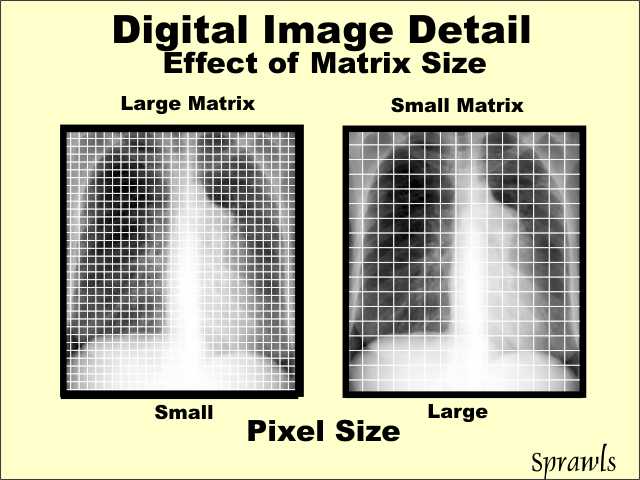
Images are stored as arrays of pixels.


🎮 2. Game Development

Image
Image
Image
Image

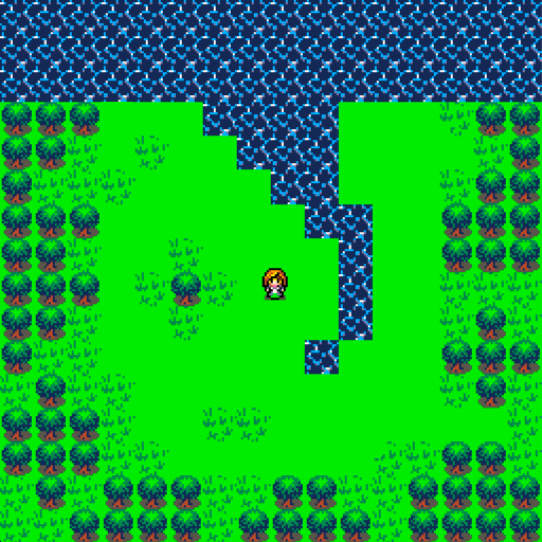
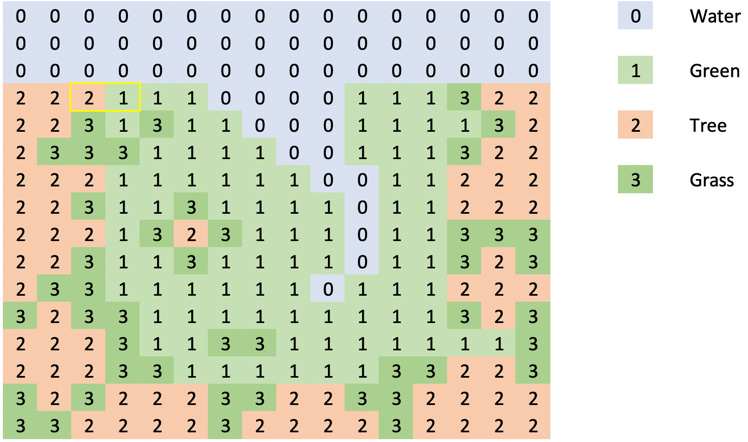
Game boards and maps use arrays.


📊 3. Data Analysis

Image
Image
Image
Image

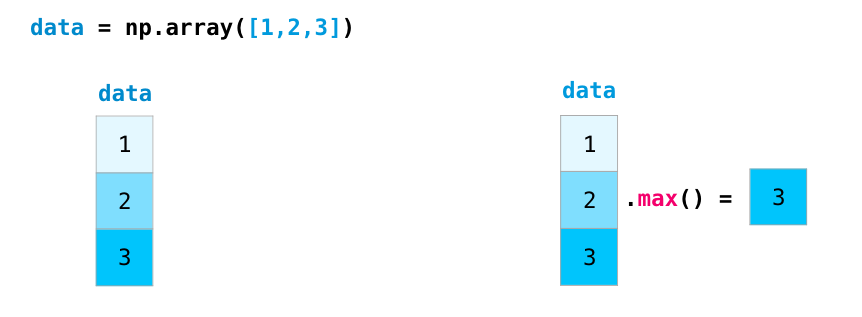
Libraries like NumPy rely on arrays.


🌐 4. Databases

Image
Image
Image
Image

Tables resemble 2D arrays.


🚀 Conclusion

Arrays are a foundational concept in programming and computer science. They provide an efficient way to store and manipulate collections of data. Despite their limitations, arrays are essential for understanding more complex data structures like lists, stacks, queues, and trees.

Mastering arrays builds a strong base for algorithms, problem-solving, and software development.


🏷️ Tags