Tag Archives: ASCII

🧩 Arrays and Strings – Complete Detailed Guide


🌐 Introduction to Arrays and Strings
Image
Image
Image
Image

Arrays and strings are among the most fundamental data structures in computer science and programming. They form the building blocks for more complex structures like lists, stacks, queues, trees, and databases.

  • Array → Stores a collection of elements of the same data type
  • String → Stores a sequence of characters (text)

In simple terms:

Arrays manage collections of data, while strings manage textual data


🧠 ARRAYS


📌 What is an Array?

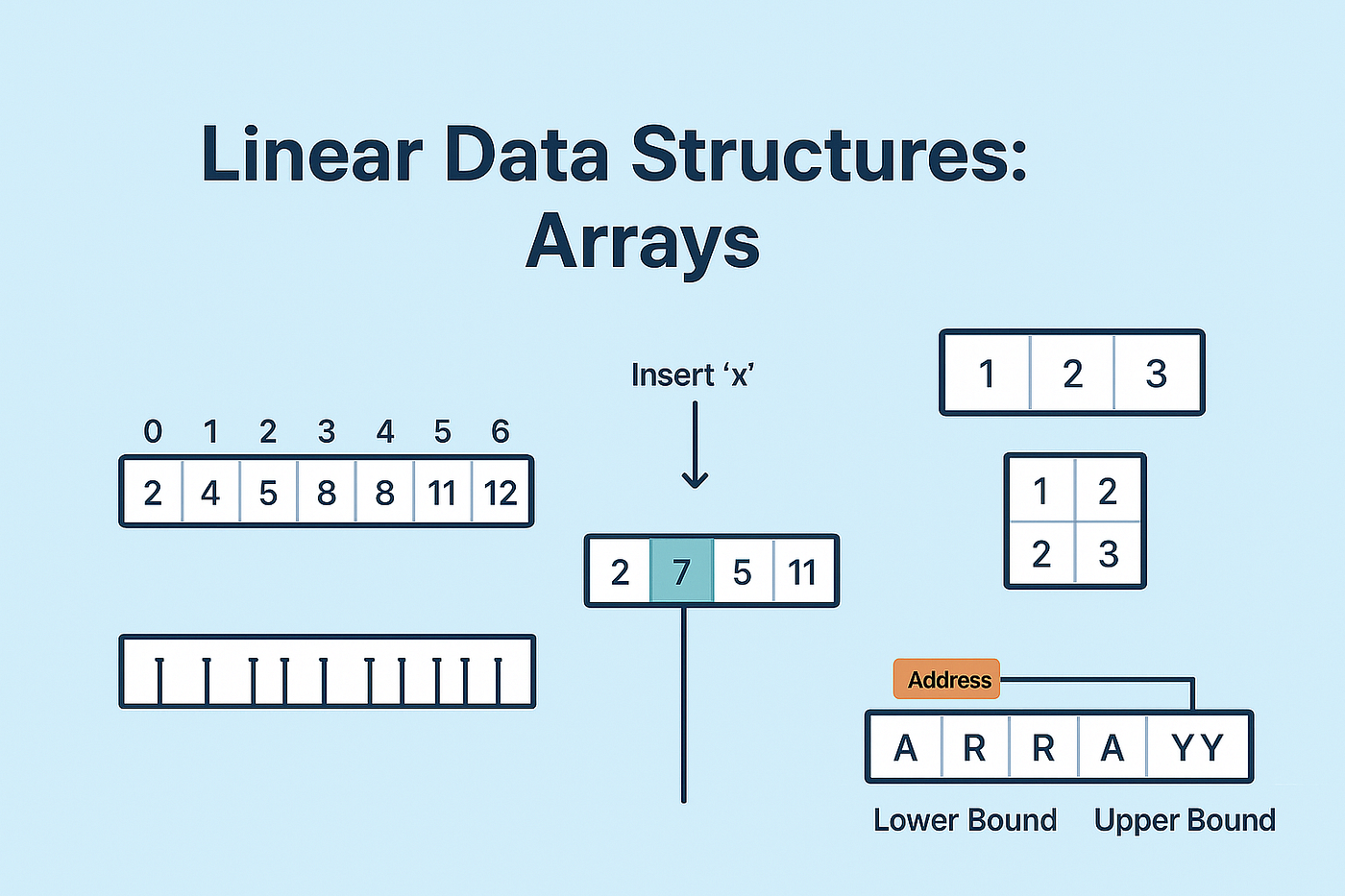
An array is a data structure that stores multiple elements of the same type in contiguous memory locations.

Example:

int arr[5] = {10, 20, 30, 40, 50};

⚙️ Characteristics of Arrays

  • Fixed size (in most languages)
  • Homogeneous elements (same type)
  • Indexed access (0-based index)
  • Stored in contiguous memory

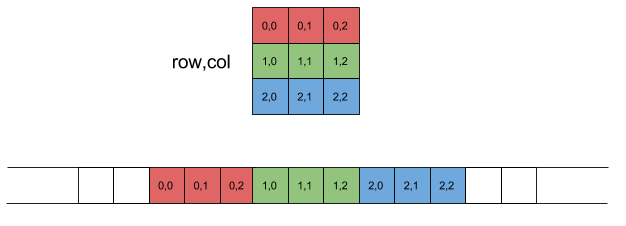
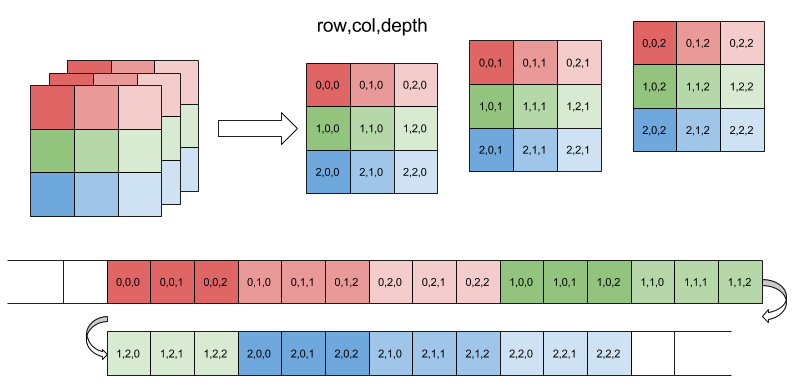
🧩 Array Representation in Memory
Image
Image
Image
Image

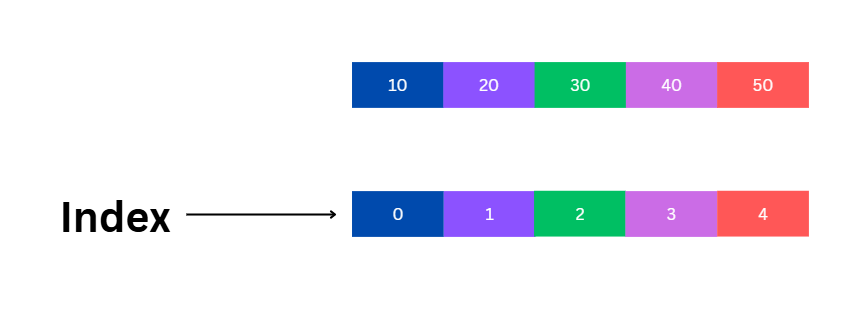
Each element is stored sequentially:

Index:   0   1   2   3   4
Value:  10  20  30  40  50

Address calculation:

Address = Base + (Index × Size of element)

🔢 Types of Arrays


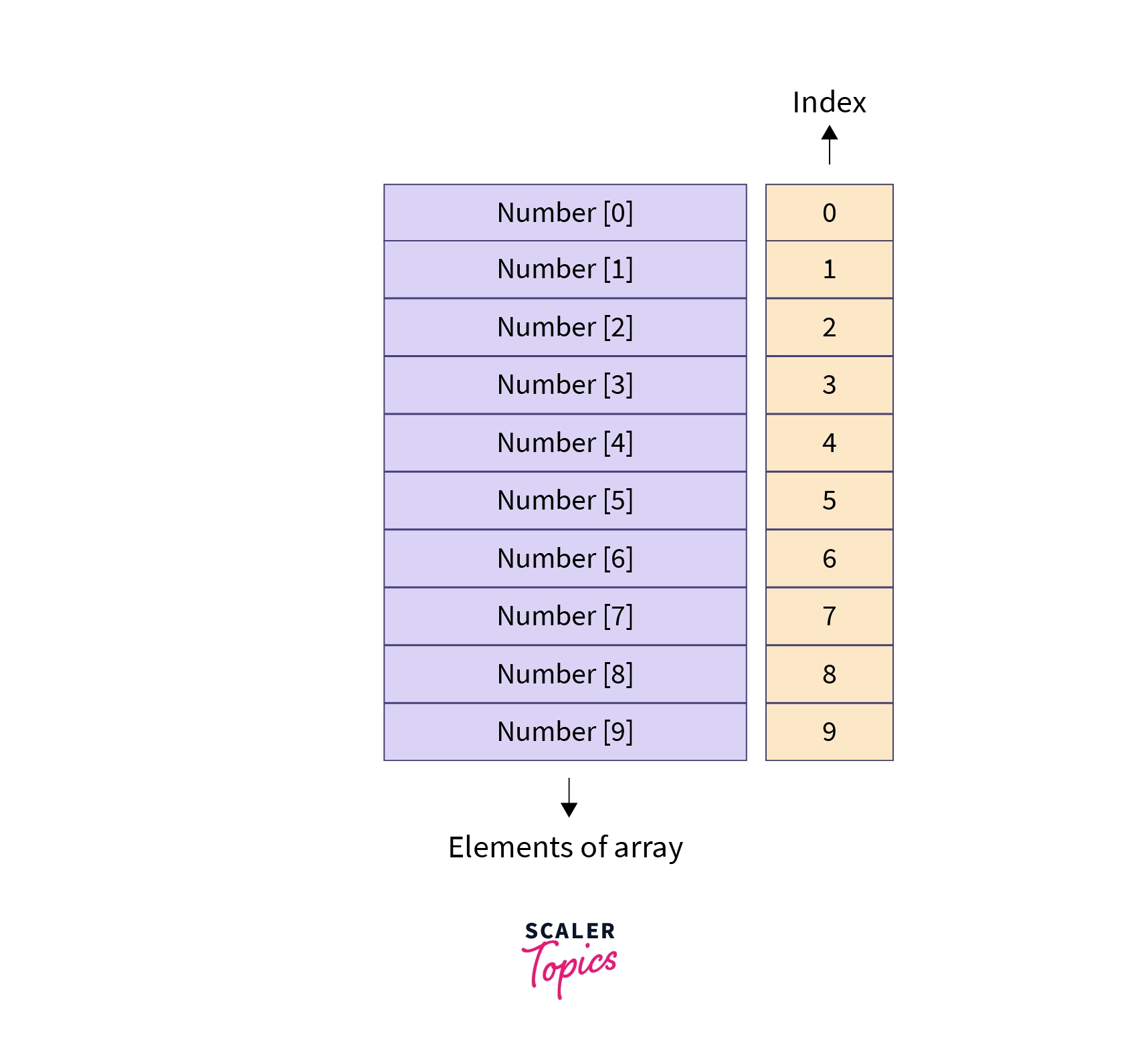
🔹 1. One-Dimensional Array
Image
Image
Image
Image
  • Linear structure
  • Single index

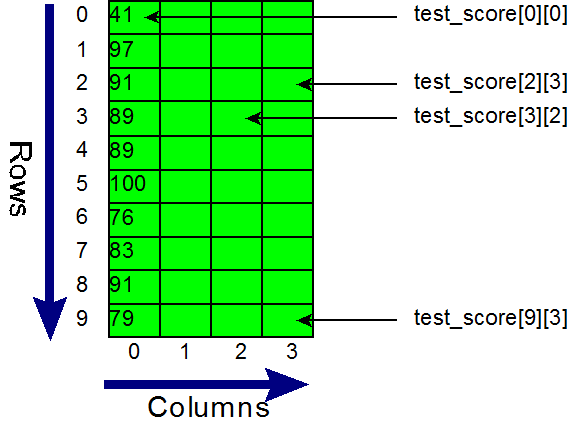
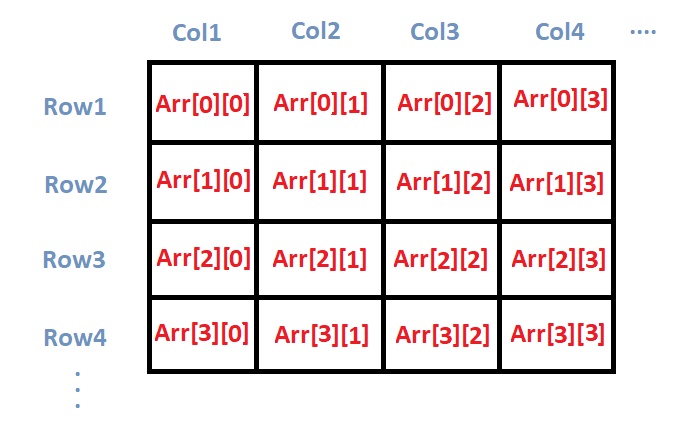
🔹 2. Two-Dimensional Array

Image
Image
Image
Image
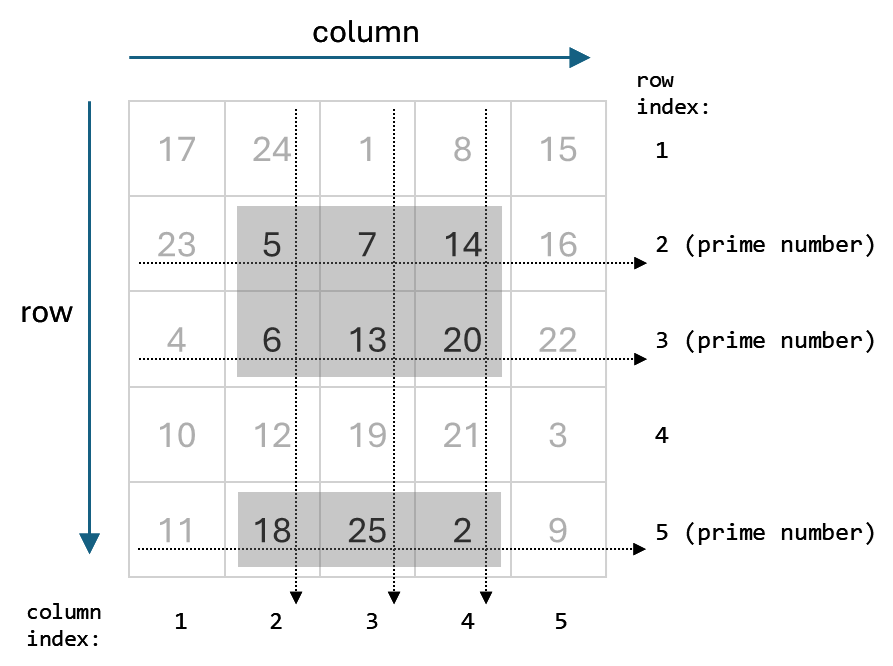
  • Matrix format
  • Rows and columns

Example:

int arr[2][3];

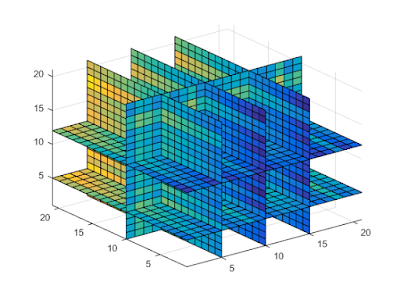
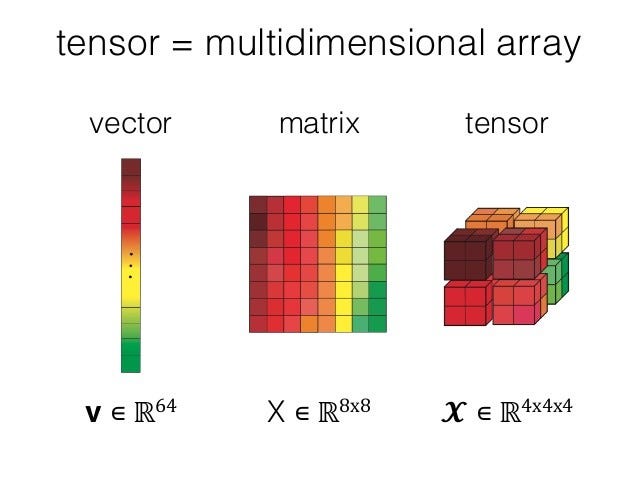
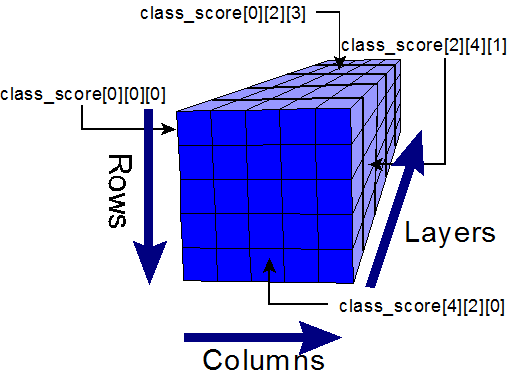
🔹 3. Multi-Dimensional Array
Image
Image
Image
Image
  • Used in scientific computing
  • Example: 3D arrays

⚙️ Array Operations


🔹 Traversal

  • Access each element

🔹 Insertion

  • Add element (costly if fixed size)

🔹 Deletion

  • Remove element and shift

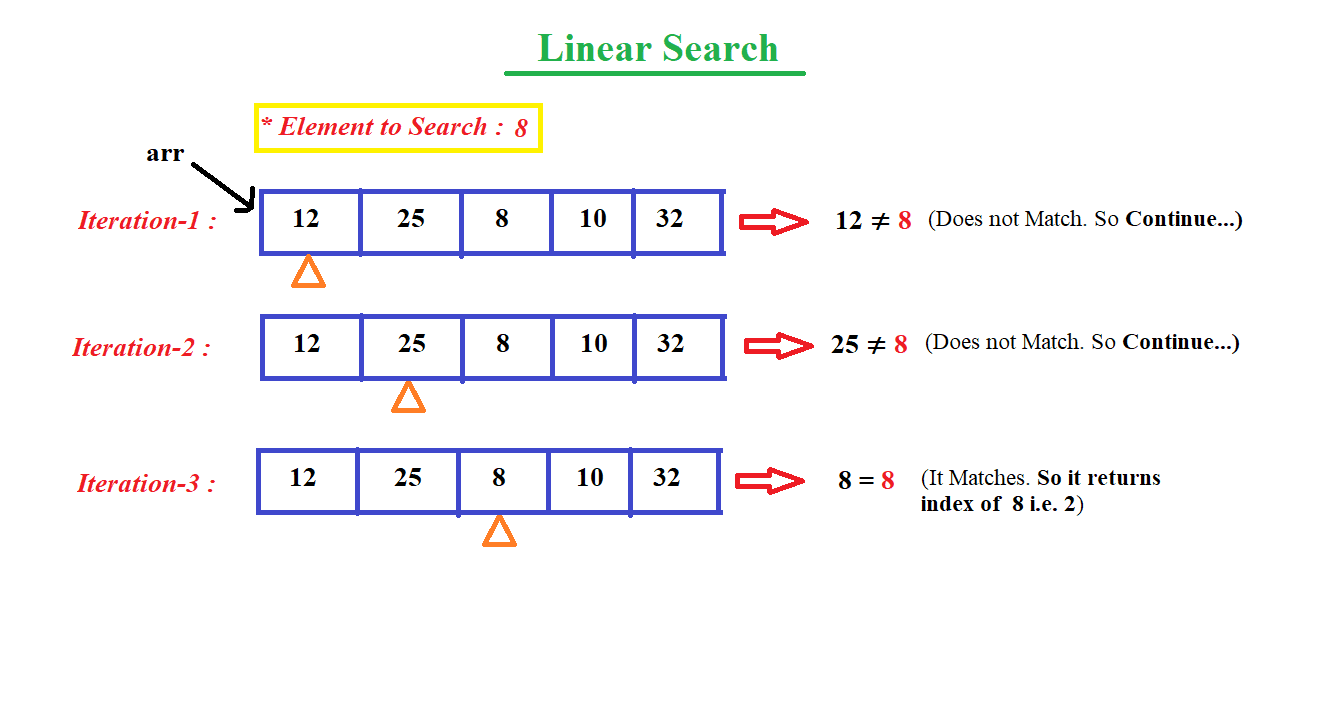
🔹 Searching

  • Linear search
  • Binary search

🔹 Sorting

  • Bubble sort
  • Merge sort
  • Quick sort

🔍 Searching Techniques

Image
Image
Image
Image

⚡ Advantages of Arrays

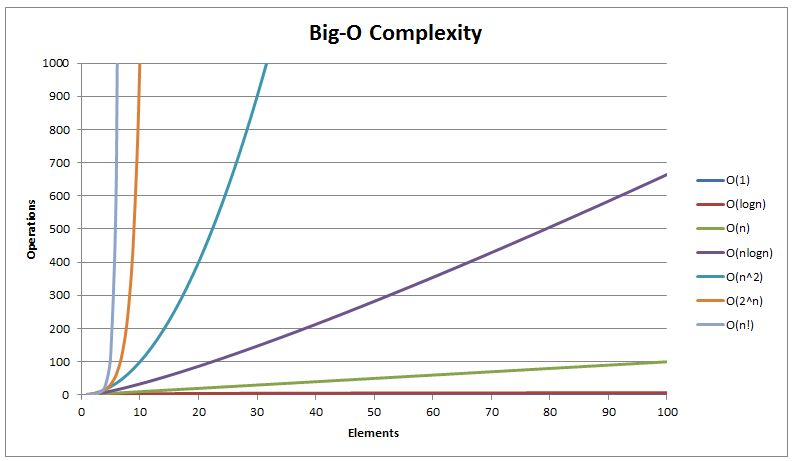
  • Fast access (O(1))
  • Simple implementation
  • Efficient memory usage

⚠️ Limitations of Arrays

  • Fixed size
  • Insertion/deletion costly
  • Wasted memory

🔤 STRINGS


📌 What is a String?

A string is a sequence of characters stored in memory.

Example:

char str[] = "Hello";

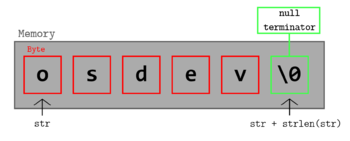
🧠 String Representation
Image
Image
Image
Image

Stored as:

H  e  l  l  o  \0

(\0 = null terminator)


🔤 Character Encoding


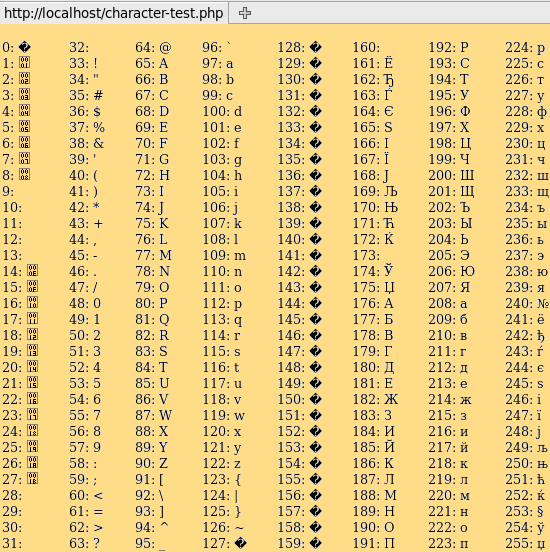
🔹 ASCII

Image
Image
Image
Image
  • 7/8-bit encoding
  • Limited characters

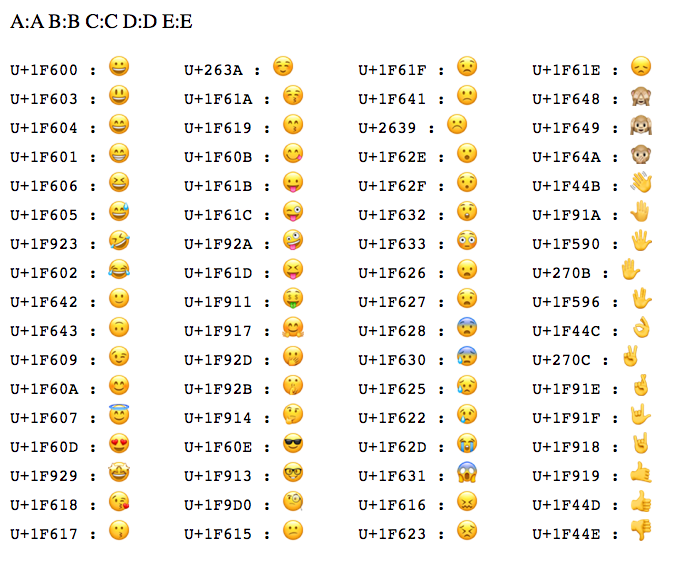
🔹 Unicode

Image
Image
Image
Image
  • Supports global languages
  • UTF-8, UTF-16

⚙️ String Operations


🔹 Basic Operations

  • Length
  • Concatenation
  • Comparison
  • Substring

🔹 Advanced Operations

Image
Image
Image
Image
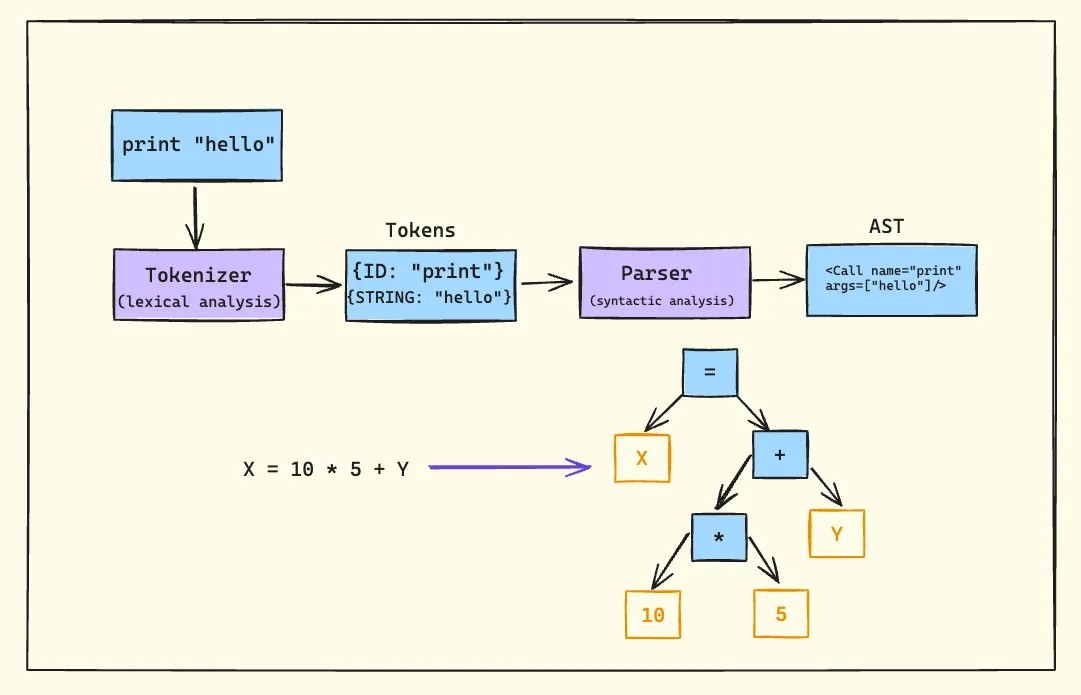
  • Pattern matching
  • Parsing
  • Tokenization

🔍 String Searching Algorithms


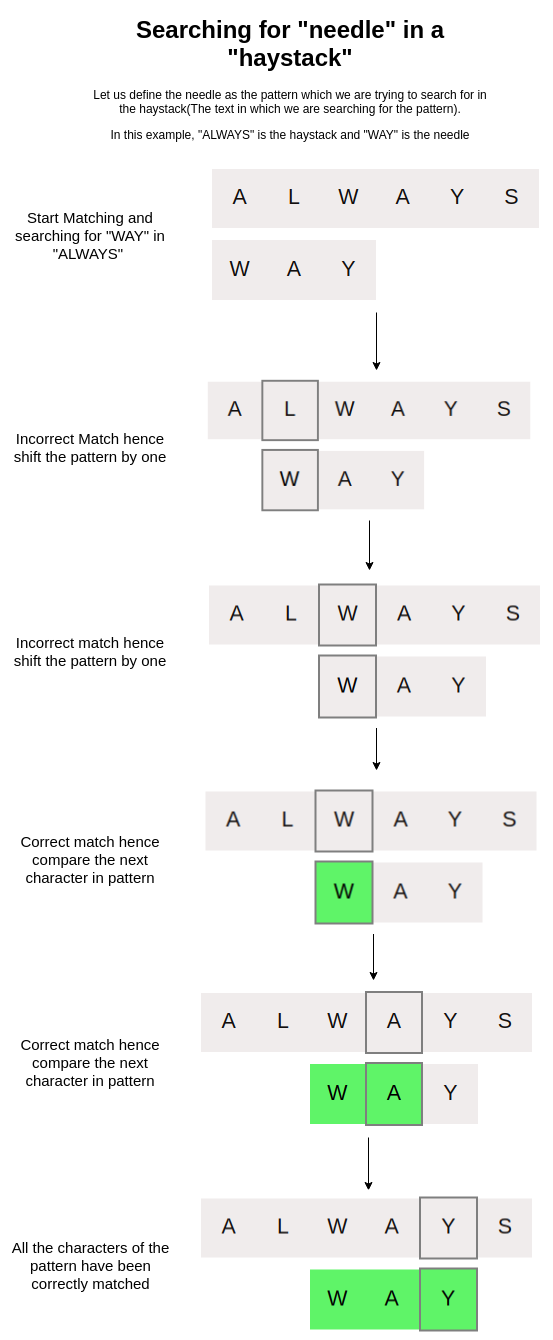
🔹 Naive Algorithm

🔹 KMP Algorithm

🔹 Rabin-Karp Algorithm


🔄 Arrays vs Strings


⚖️ Comparison Table

FeatureArrayString
Data TypeAnyCharacters
SizeFixedVariable
UsageGeneral dataText

🧠 Memory Management


📦 Static vs Dynamic Arrays

  • Static → Fixed size
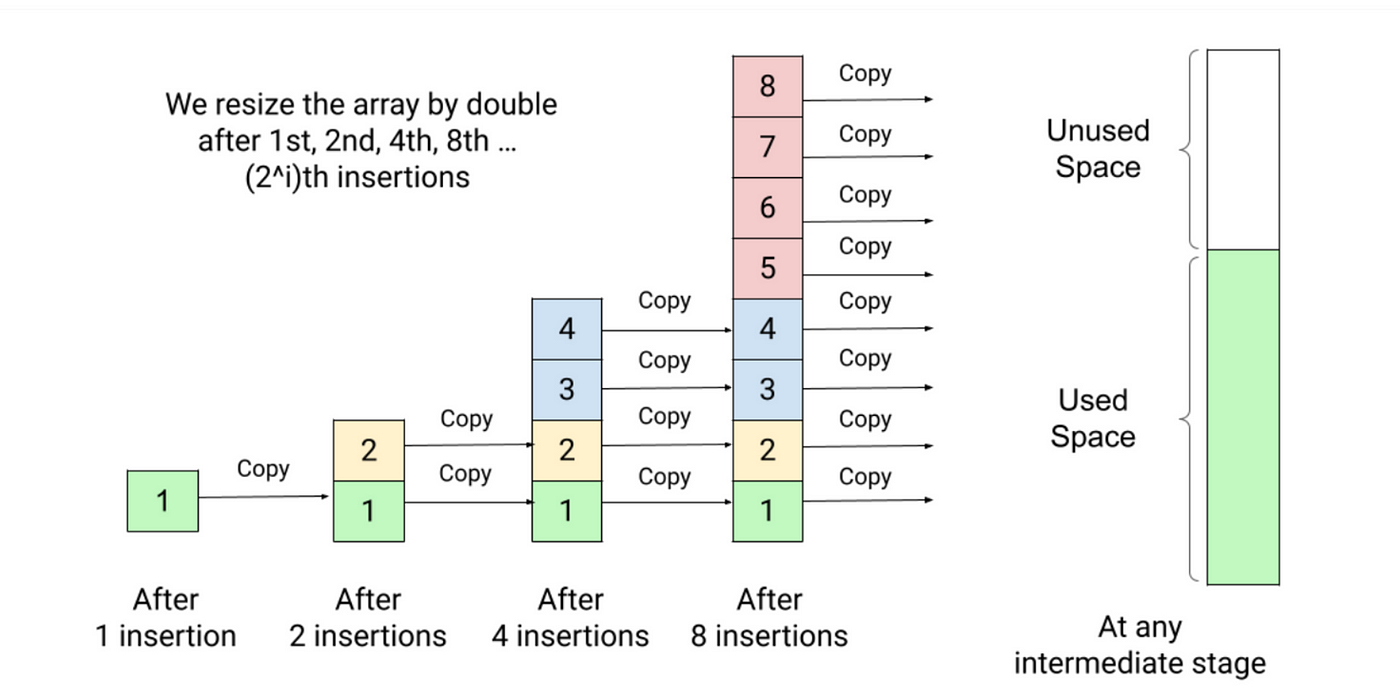
  • Dynamic → Resizable

Example:

  • Python lists
  • Java ArrayList

🧠 Dynamic Strings

  • Strings can be mutable or immutable

⚙️ Multidimensional Strings


🧩 Examples:

  • Array of strings
  • String matrices

🧠 Applications of Arrays and Strings


💻 Programming

  • Data storage
  • Algorithms

🌐 Web Development

  • Text processing
  • Input handling

🤖 AI and Data Science

  • Data representation
  • NLP (Natural Language Processing)

🎮 Gaming

  • Graphics arrays
  • Text rendering

⚡ Advantages


Arrays:

  • Fast access
  • Structured storage

Strings:

  • Easy text manipulation
  • Human-readable

⚠️ Limitations


Arrays:

  • Fixed size
  • Less flexible

Strings:

  • Memory overhead
  • Slower operations

🚀 Advanced Topics

Image
Image
Image
Image
  • Dynamic arrays
  • String hashing
  • Suffix arrays
  • Advanced data structures

🧾 Conclusion

Arrays and strings are core data structures in computing. They:

  • Store and organize data
  • Enable efficient algorithms
  • Form the basis of advanced programming

Understanding them is essential for:

  • Coding interviews
  • Software development
  • Algorithm design

🏷️ Tags

📊 Data Representation in Computers – Complete Detailed Guide


🌐 Introduction to Data Representation

Image
Image
Image
Image

Data representation is the method by which information is encoded, stored, and processed inside a computer system. Since computers can only understand binary (0 and 1), all forms of data—numbers, text, images, audio, and video—must be converted into binary format.

In simple terms:

Data representation = Converting real-world information into binary form

This concept is fundamental to computer science, digital electronics, programming, artificial intelligence, and data communication.


🧠 Why Data Representation Is Important

  • Enables computers to process different types of data
  • Ensures efficient storage and transmission
  • Maintains accuracy and precision
  • Supports interoperability between systems
  • Forms the basis of algorithms and programming

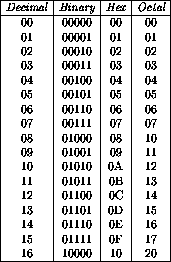
🔢 Number Representation


🧮 1. Number Systems Overview

Image
Image
Image
Image

Computers primarily use the binary number system, but other systems are also used:

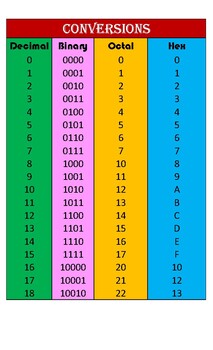
SystemBaseUsage
Binary2Internal processing
Decimal10Human interaction
Octal8Compact binary form
Hexadecimal16Programming/debugging

🔢 2. Integer Representation

Image
Image
Image
Image

Types:

a. Unsigned Integers

  • Represent only positive numbers
  • Example (8-bit):
    Range = 0 to 255

b. Signed Integers

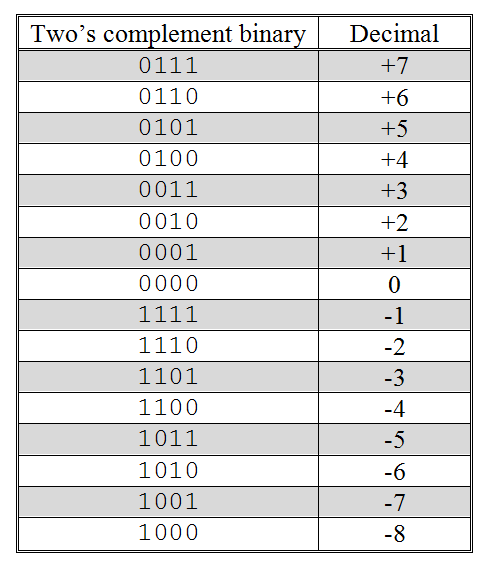
Represent both positive and negative numbers.

Methods:

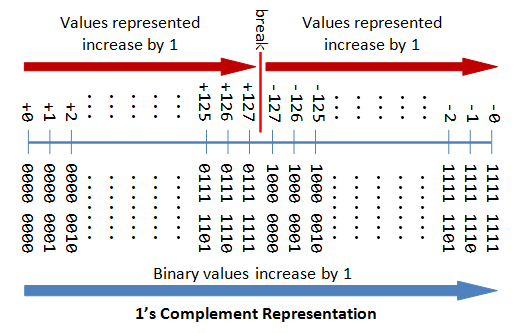
  • Sign-Magnitude
  • One’s Complement
  • Two’s Complement (most common)

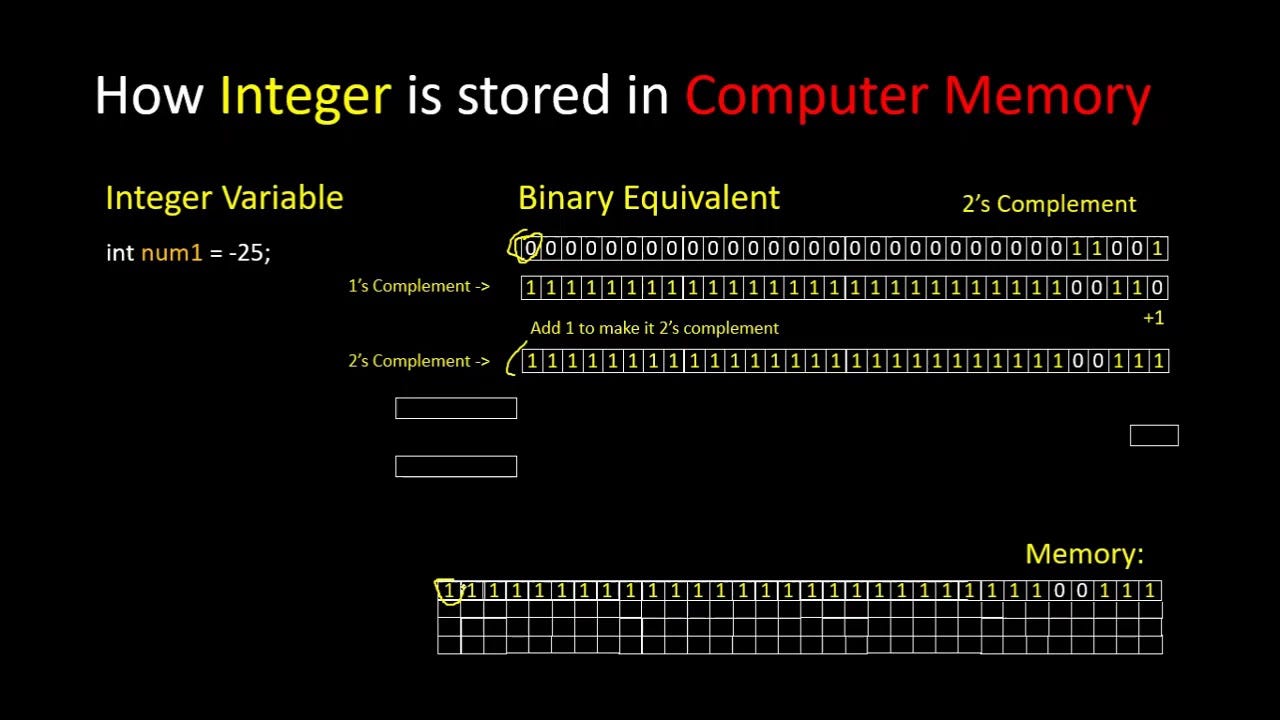
⚙️ Two’s Complement Representation

Steps:

  1. Invert bits
  2. Add 1

Example:

+5 = 00000101
-5 = 11111011

Advantages:

  • Simplifies arithmetic operations
  • Only one representation for zero

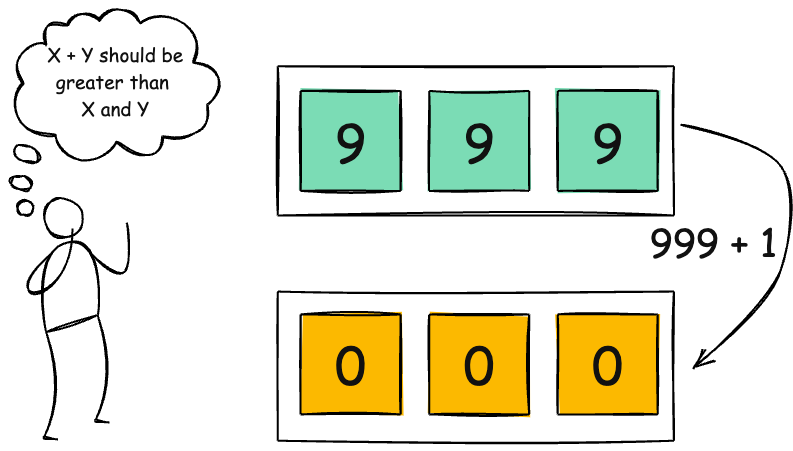
⚠️ Overflow and Underflow

Occurs when:

  • Number exceeds available bits
  • Leads to incorrect results

🔢 3. Floating-Point Representation

Image
Image
Image
Image

Used for representing real numbers (decimals).

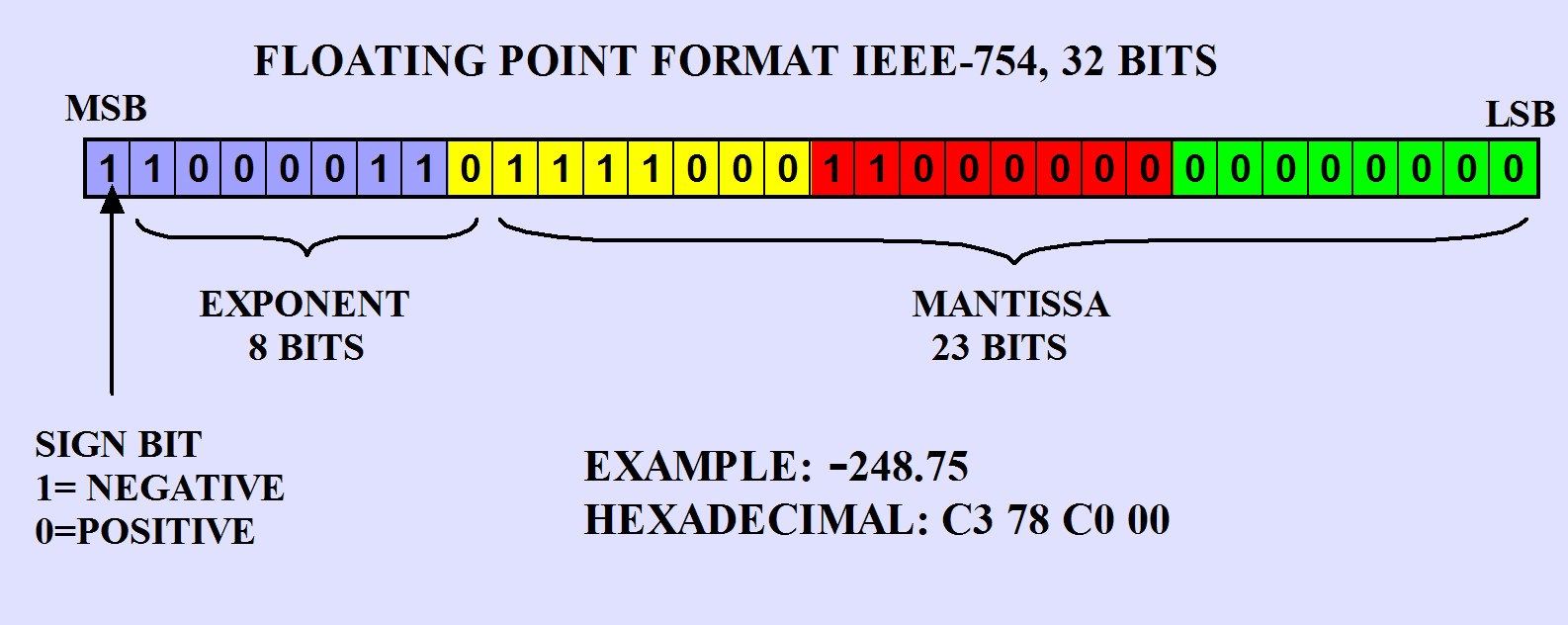
IEEE 754 Standard:

Components:

  • Sign bit
  • Exponent
  • Mantissa (fraction)

Example:

3.75 → Binary → Floating-point format

Types:

  • Single precision (32-bit)
  • Double precision (64-bit)

⚠️ Precision Issues

  • Rounding errors
  • Limited precision
  • Representation gaps

🔤 Character Representation


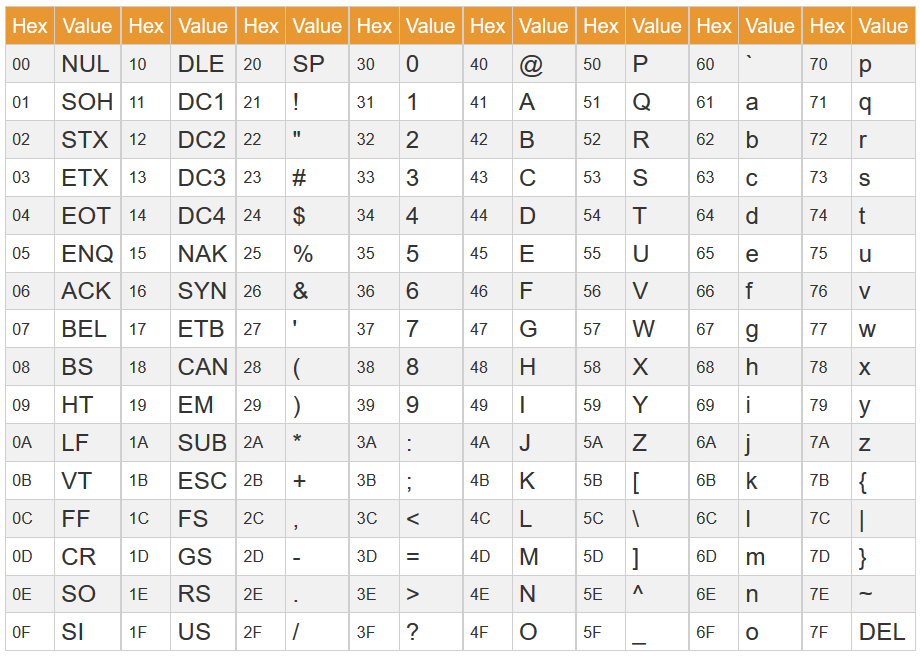
🔡 1. ASCII Encoding

Image
Image
Image
Image

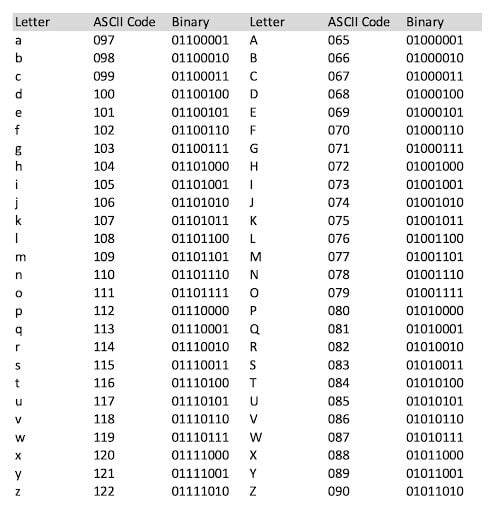
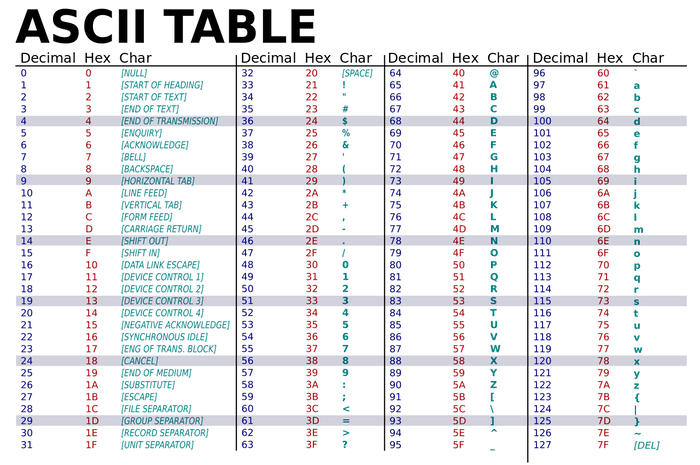
ASCII (American Standard Code for Information Interchange):

  • Uses 7 or 8 bits
  • Represents 128 or 256 characters

Example:

  • A → 65 → 01000001

🌍 2. Unicode

Image
Image
Image
Image

Unicode supports global languages.

Formats:

  • UTF-8
  • UTF-16
  • UTF-32

Advantages:

  • Universal character support
  • Compatible with ASCII

🖼️ Image Representation


📷 1. Bitmap Images

Image
Image
Image
Image

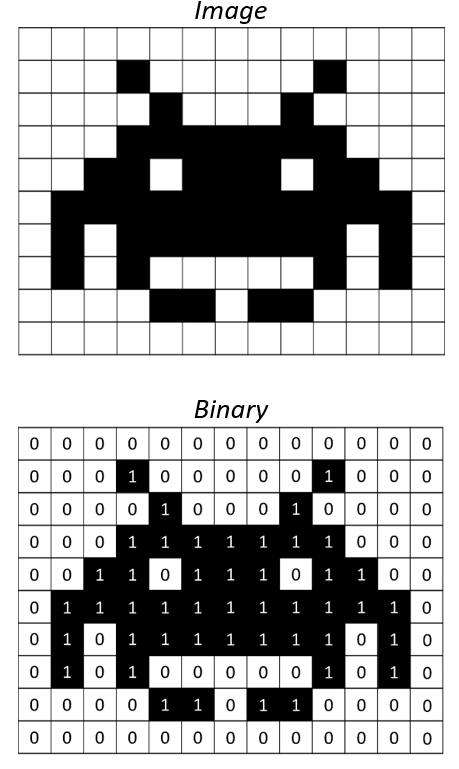
Images are represented as a grid of pixels.

Components:

  • Resolution
  • Color depth
  • Pixel values

🎨 2. Color Representation

Image
Image
Image
Image

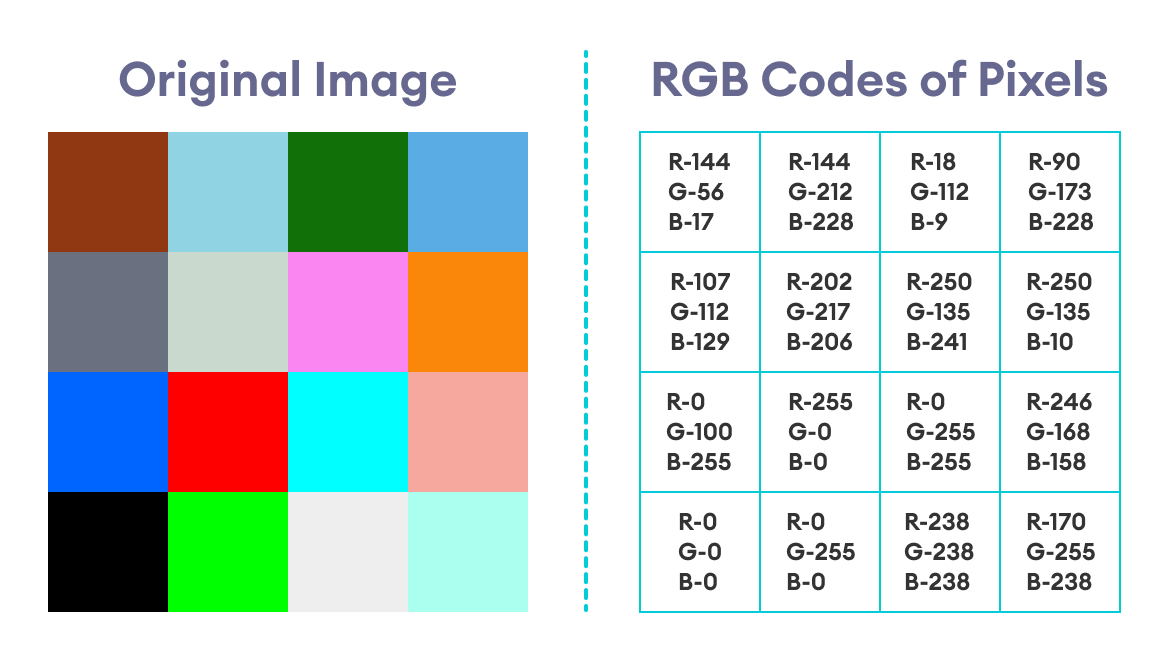
RGB Model:

  • Red, Green, Blue components
  • Each color stored in binary

Example:

  • 24-bit color → 16 million colors

🧩 3. Image Compression

Types:

  • Lossless (PNG)
  • Lossy (JPEG)

Purpose:

  • Reduce file size
  • Maintain quality

🔊 Audio Representation


🎵 1. Analog to Digital Conversion

Image
Image
Image
Image

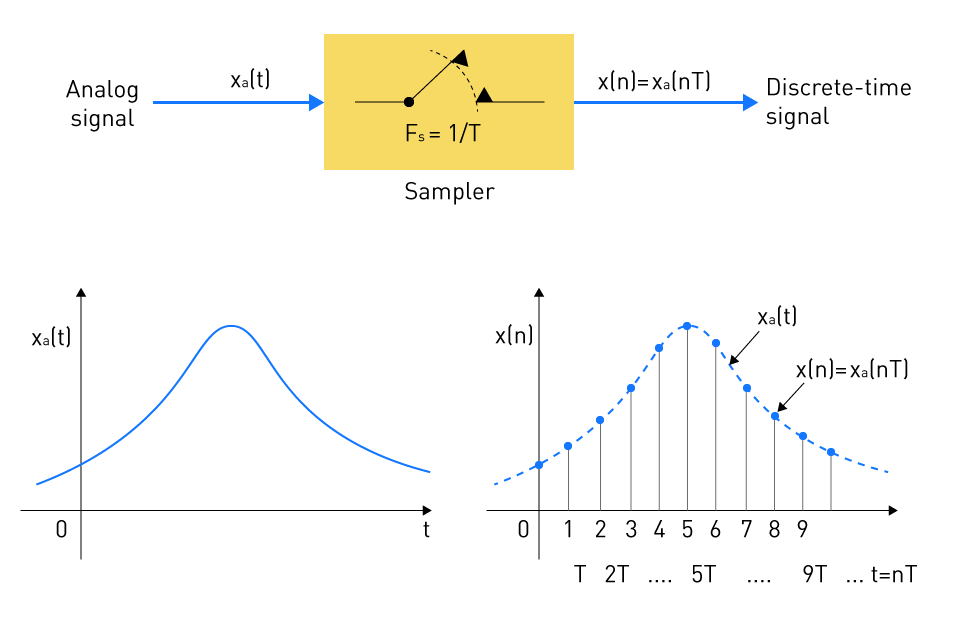
Steps:

  1. Sampling
  2. Quantization
  3. Encoding

🔊 2. Sampling Rate

  • Measured in Hz
  • Example: 44.1 kHz

🎚️ 3. Bit Depth

  • Determines audio quality
  • Higher bits → better quality

🎧 4. Audio Formats

  • WAV (uncompressed)
  • MP3 (compressed)

🎥 Video Representation


🎬 1. Frame-Based Representation

Image
Image
Image
Image

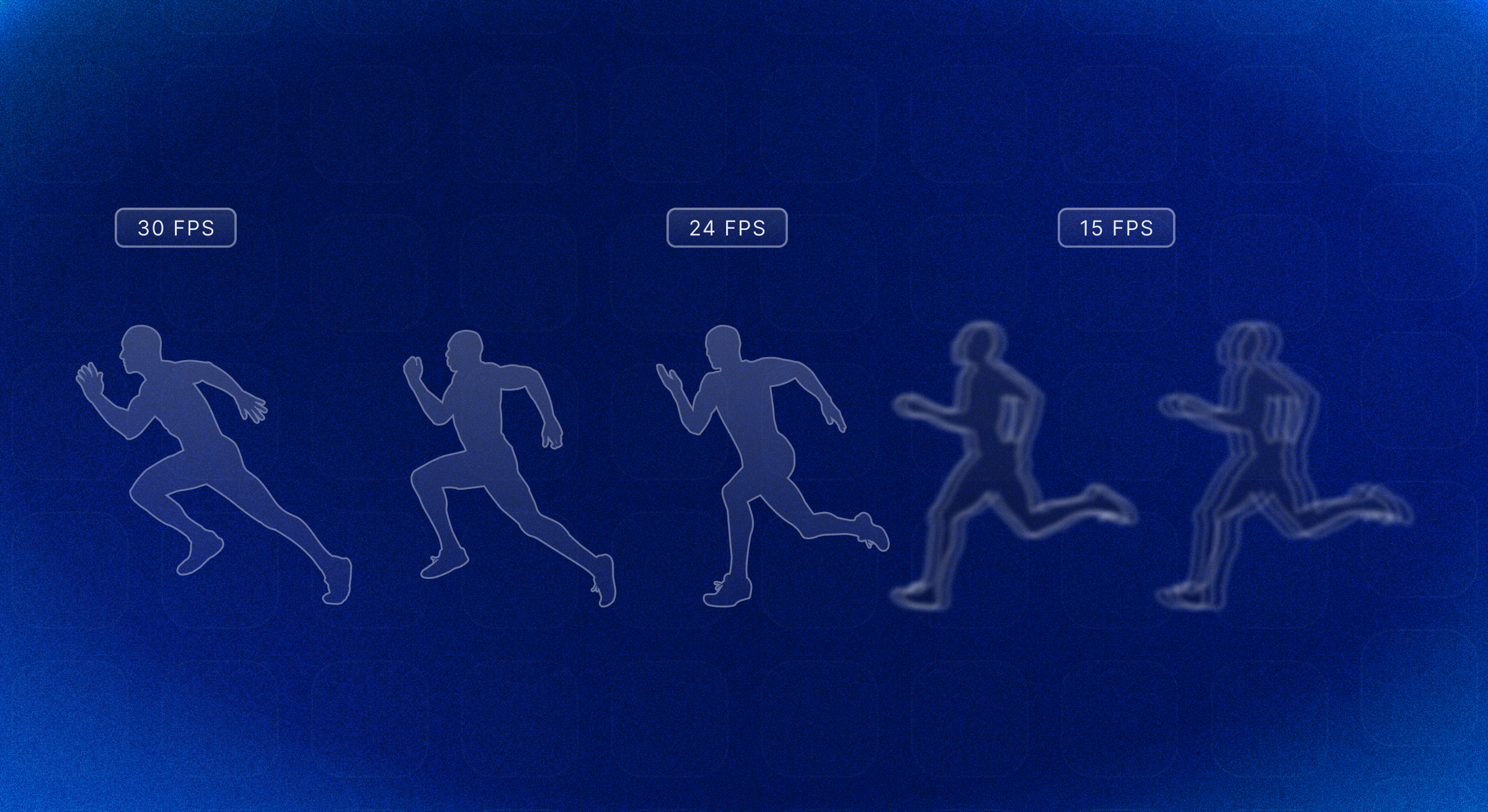
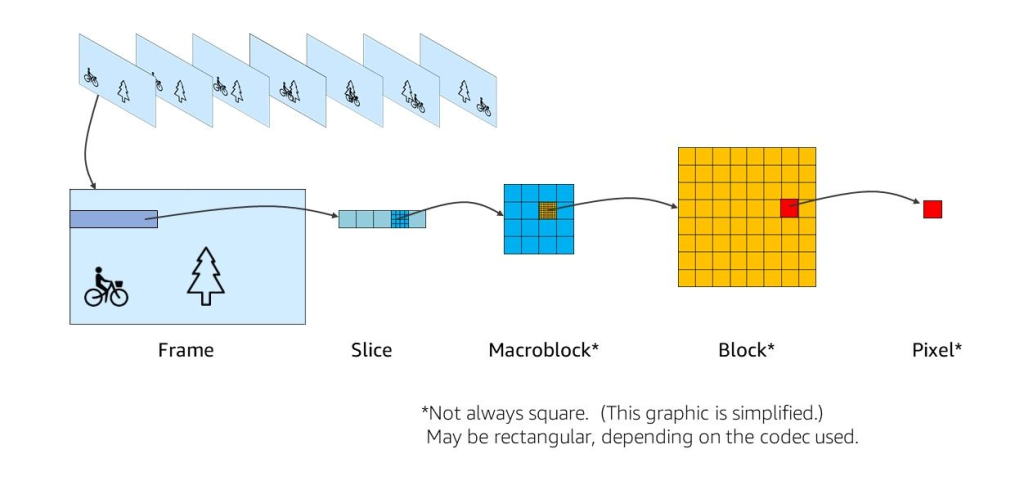
Video = sequence of images (frames)


⏱️ 2. Frame Rate

  • Frames per second (fps)
  • Example: 30 fps

📦 3. Video Compression

  • Reduces file size
  • Uses codecs (H.264, HEVC)

🧠 Data Representation in Memory


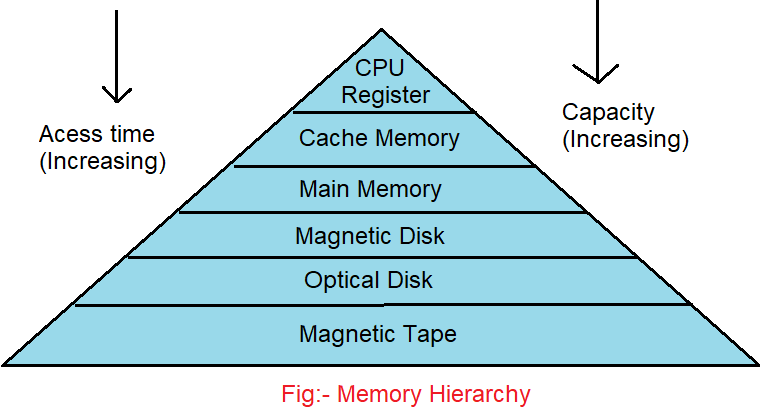
💾 Memory Storage

Image
Image
Image
Image
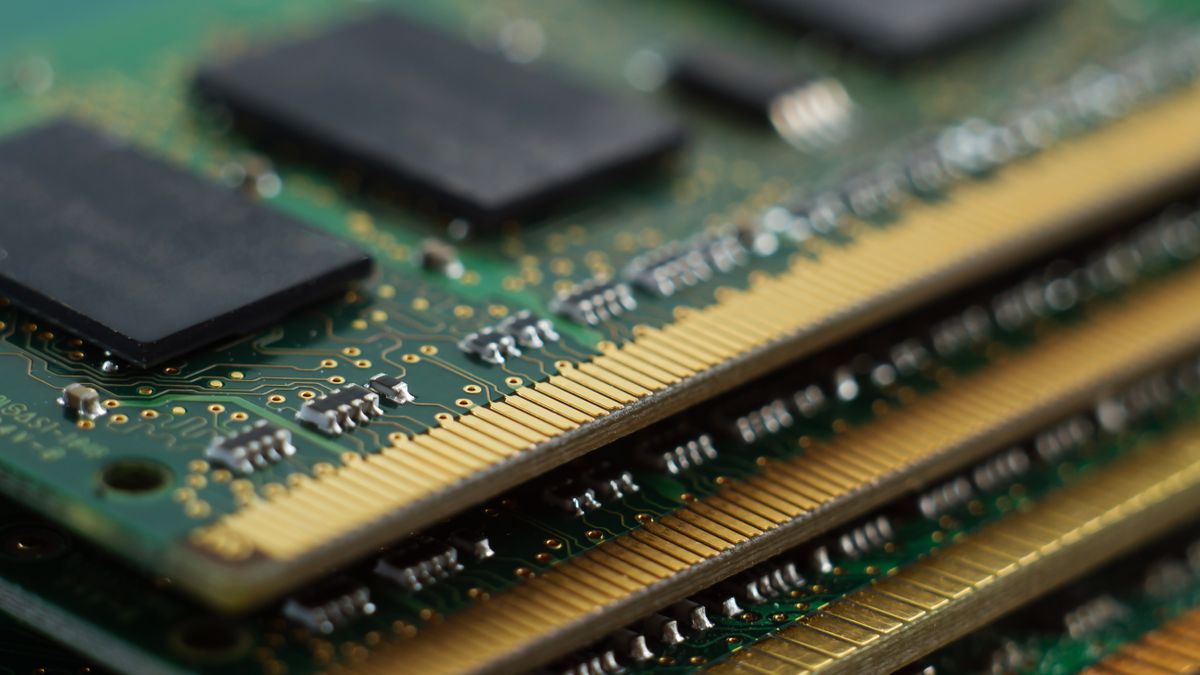
  • Data stored as binary in memory cells
  • Organized into bytes and words

🔢 Endianness

  • Big-endian
  • Little-endian

Defines byte order in memory.


🔐 Error Detection and Correction


⚠️ Techniques:

Image
Image
Image
Image
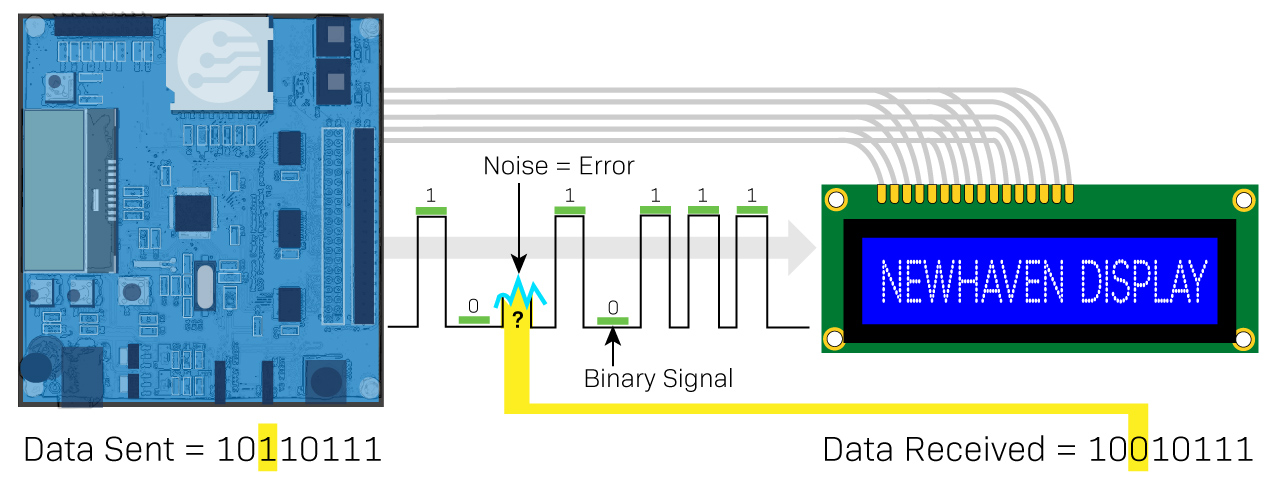
  • Parity bits
  • Hamming code
  • CRC

⚙️ Data Compression


📦 Types:

  • Lossless
  • Lossy

Used in:

  • Images
  • Audio
  • Video

🧩 Data Types in Programming


🔤 Types:

  • Integer
  • Float
  • Character
  • Boolean

Each type has a binary representation.


🌐 Data Representation in Networking


📡 Encoding Techniques:

Image
Image
Image
Image
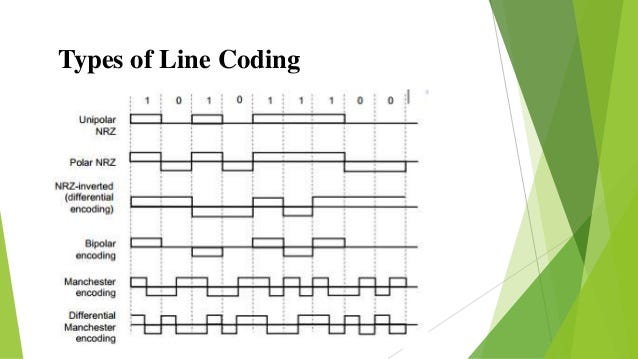
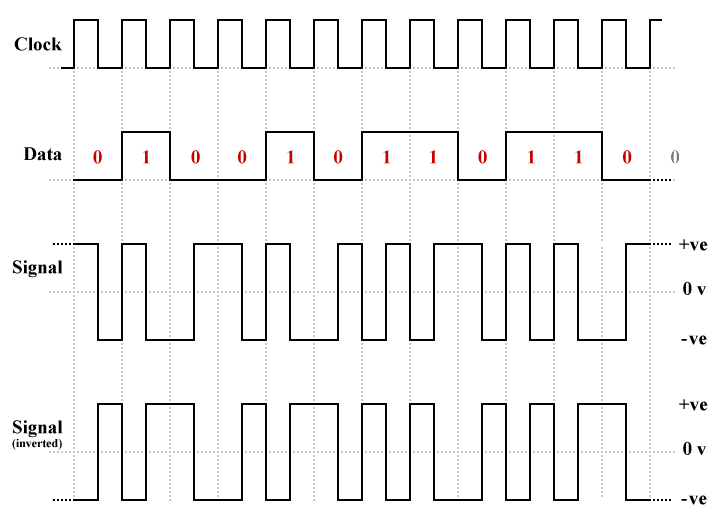
  • NRZ
  • Manchester encoding

⚡ Advantages of Data Representation

  • Efficient storage
  • Fast processing
  • Standardization
  • Compatibility

⚠️ Limitations

  • Precision loss
  • Complexity
  • Conversion overhead

🧠 Modern Trends


🚀 Emerging Technologies

Image
Image
Image
Image
  • Quantum data representation
  • AI data encoding
  • Big data structures
  • Blockchain systems

🧾 Conclusion

Data representation is the foundation of all computing processes. It enables computers to:

  • Understand real-world data
  • Process complex information
  • Store and transmit efficiently

From numbers and text to multimedia and AI systems, every digital interaction relies on how effectively data is represented.


🏷️ Tags