Tag Archives: Error Detection

📊 Data Representation in Computers – Complete Detailed Guide


🌐 Introduction to Data Representation

Image
Image
Image
Image

Data representation is the method by which information is encoded, stored, and processed inside a computer system. Since computers can only understand binary (0 and 1), all forms of data—numbers, text, images, audio, and video—must be converted into binary format.

In simple terms:

Data representation = Converting real-world information into binary form

This concept is fundamental to computer science, digital electronics, programming, artificial intelligence, and data communication.


🧠 Why Data Representation Is Important

  • Enables computers to process different types of data
  • Ensures efficient storage and transmission
  • Maintains accuracy and precision
  • Supports interoperability between systems
  • Forms the basis of algorithms and programming

🔢 Number Representation


🧮 1. Number Systems Overview

Image
Image
Image
Image

Computers primarily use the binary number system, but other systems are also used:

SystemBaseUsage
Binary2Internal processing
Decimal10Human interaction
Octal8Compact binary form
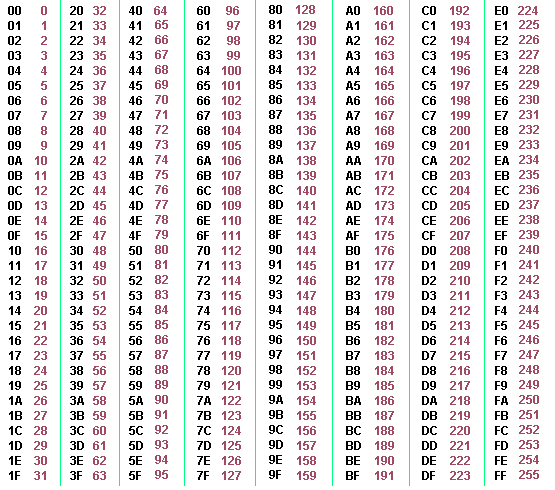
Hexadecimal16Programming/debugging

🔢 2. Integer Representation

Image
Image
Image
Image

Types:

a. Unsigned Integers

  • Represent only positive numbers
  • Example (8-bit):
    Range = 0 to 255

b. Signed Integers

Represent both positive and negative numbers.

Methods:

  • Sign-Magnitude
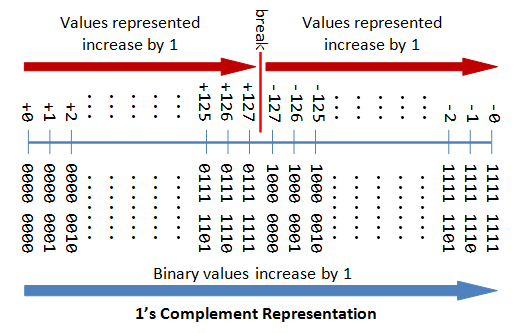
  • One’s Complement
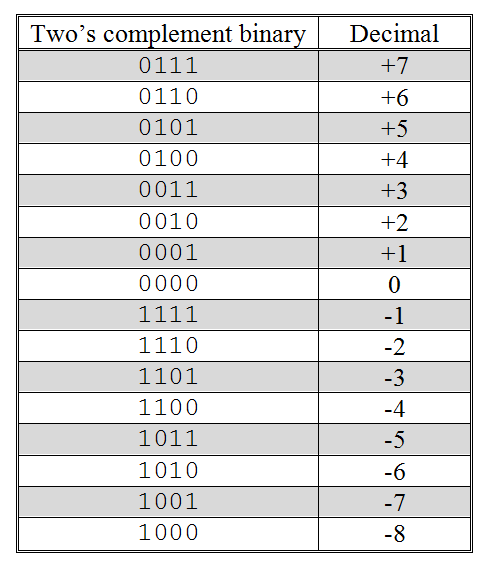
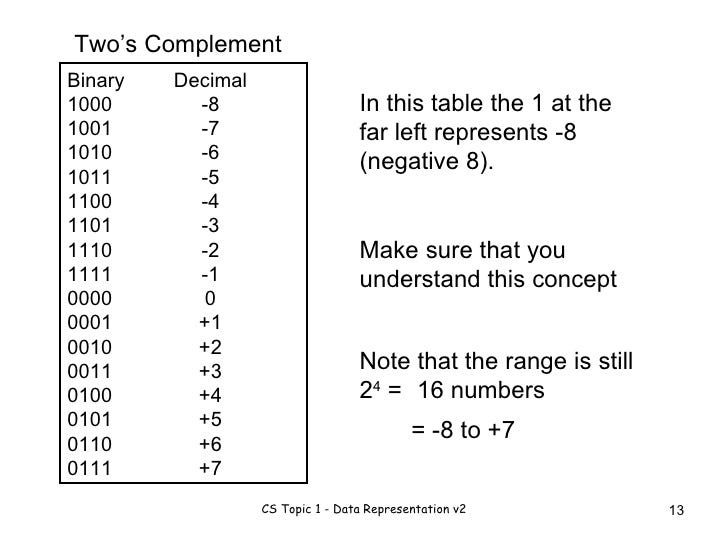
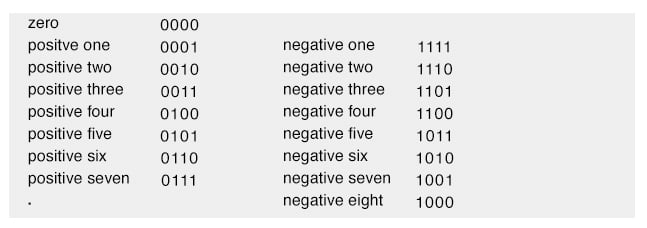
  • Two’s Complement (most common)

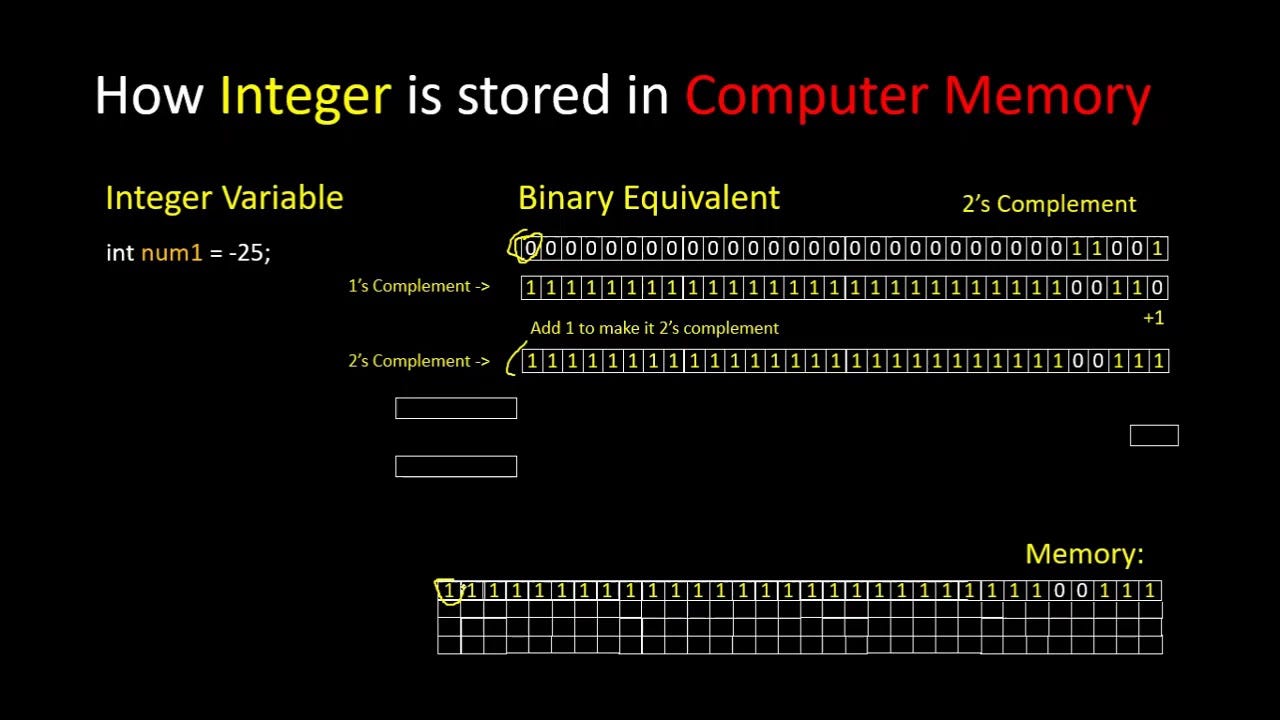
⚙️ Two’s Complement Representation

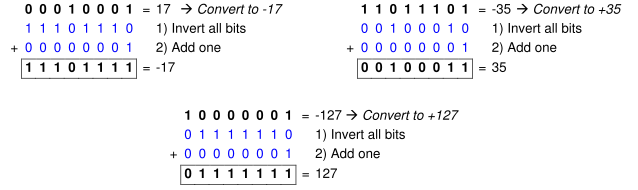
Steps:

  1. Invert bits
  2. Add 1

Example:

+5 = 00000101
-5 = 11111011

Advantages:

  • Simplifies arithmetic operations
  • Only one representation for zero

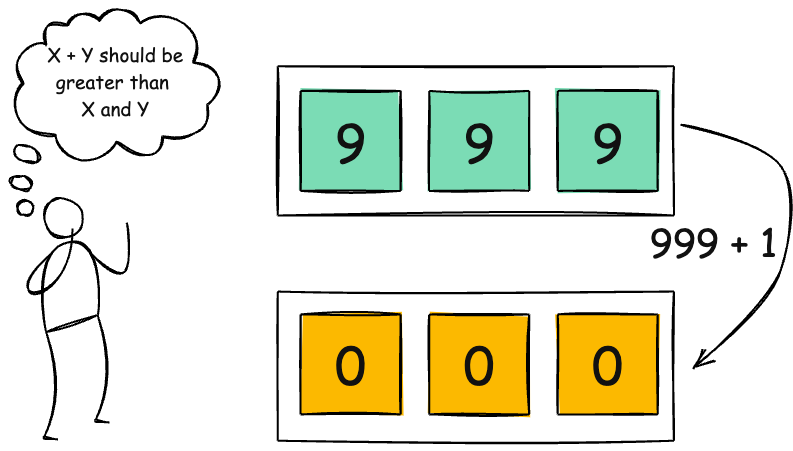
⚠️ Overflow and Underflow

Occurs when:

  • Number exceeds available bits
  • Leads to incorrect results

🔢 3. Floating-Point Representation
Image
Image
Image
Image

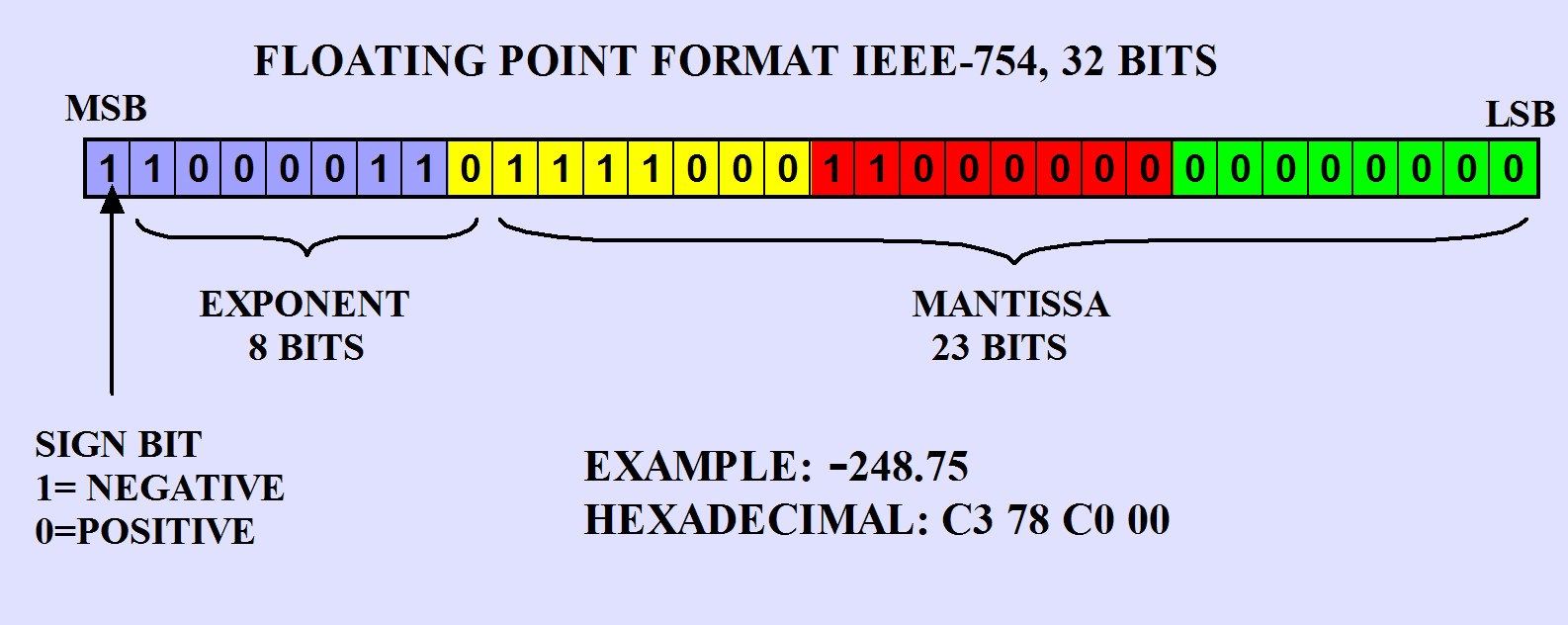
Used for representing real numbers (decimals).

IEEE 754 Standard:

Components:

  • Sign bit
  • Exponent
  • Mantissa (fraction)

Example:

3.75 → Binary → Floating-point format

Types:

  • Single precision (32-bit)
  • Double precision (64-bit)

⚠️ Precision Issues

  • Rounding errors
  • Limited precision
  • Representation gaps

🔤 Character Representation


🔡 1. ASCII Encoding

Image
Image
Image
Image

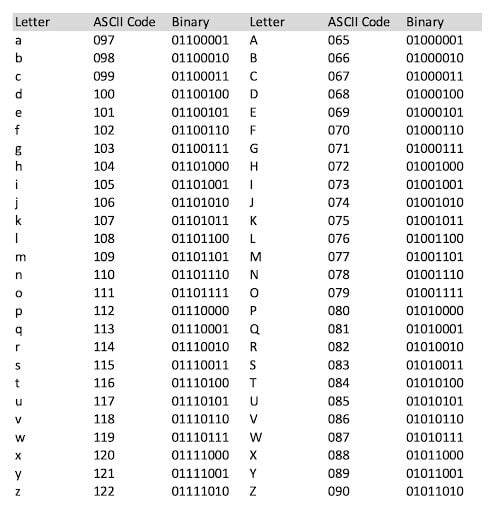
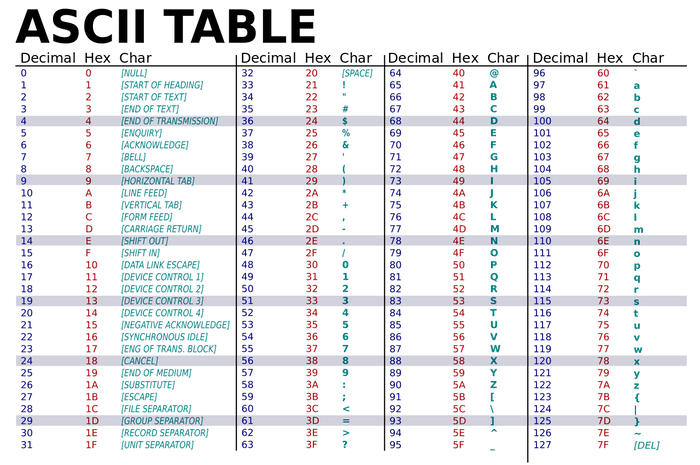
ASCII (American Standard Code for Information Interchange):

  • Uses 7 or 8 bits
  • Represents 128 or 256 characters

Example:

  • A → 65 → 01000001

🌍 2. Unicode

Image
Image
Image
Image

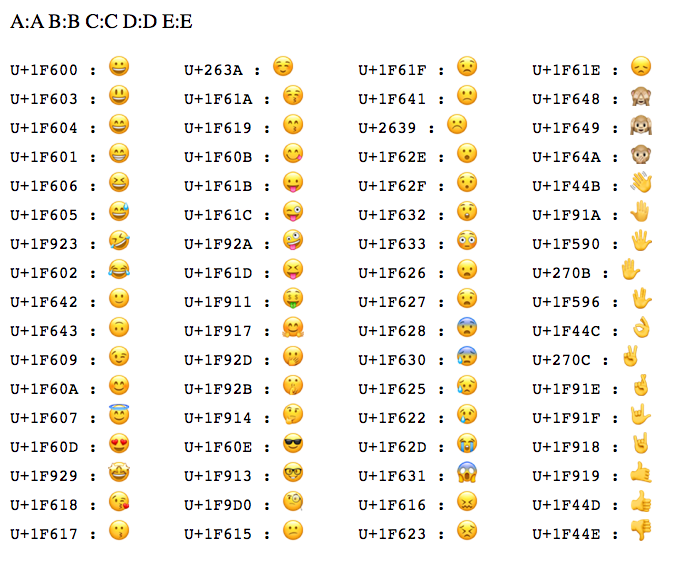
Unicode supports global languages.

Formats:

  • UTF-8
  • UTF-16
  • UTF-32

Advantages:

  • Universal character support
  • Compatible with ASCII

🖼️ Image Representation


📷 1. Bitmap Images
Image
Image
Image
Image

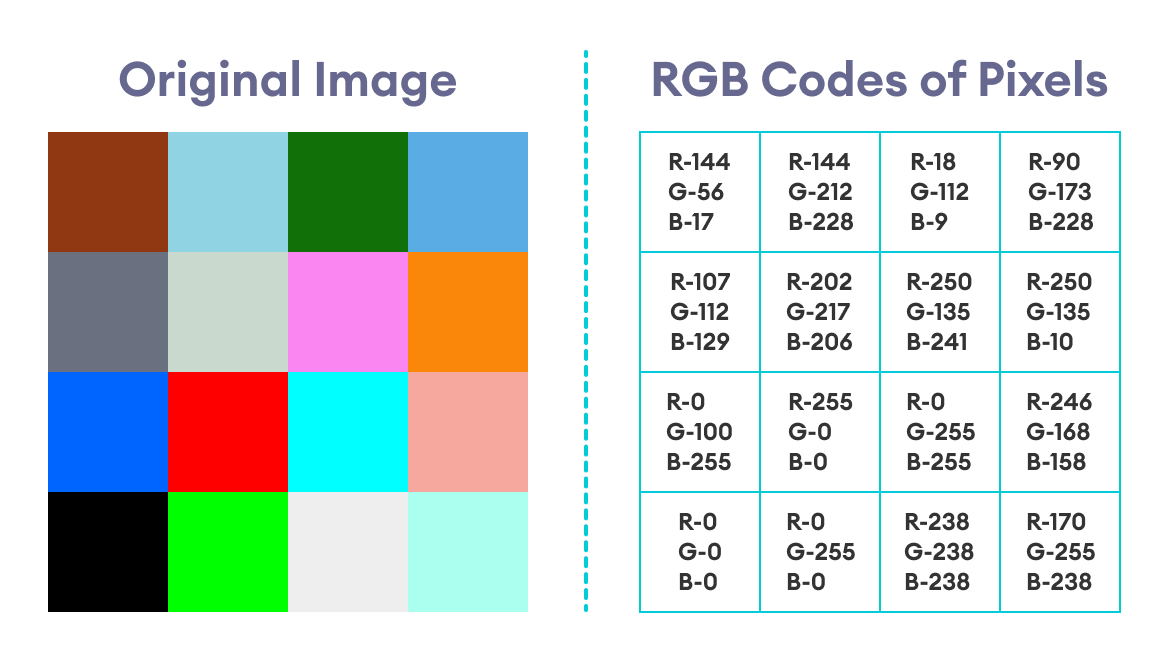
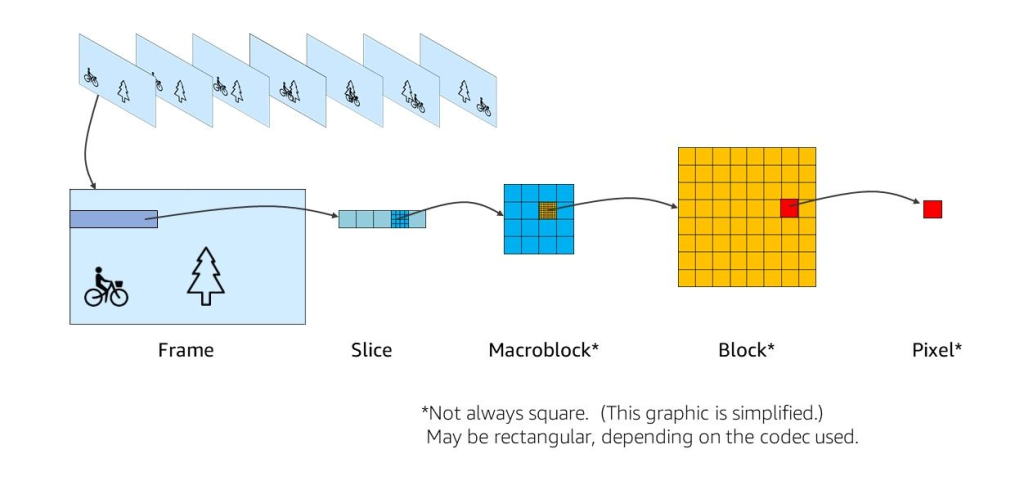
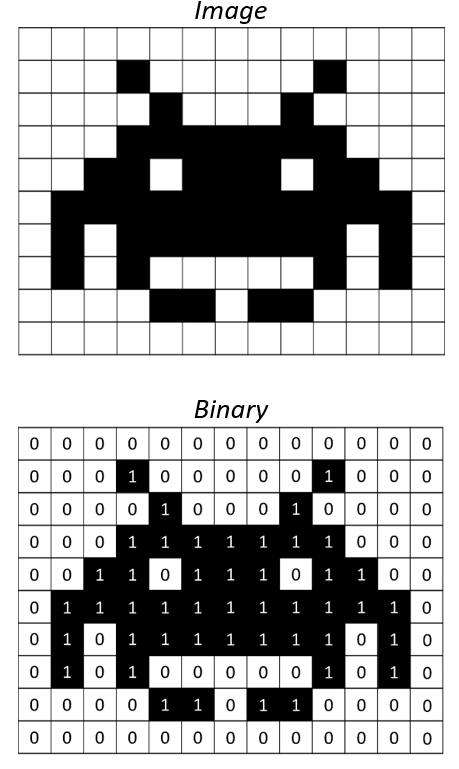
Images are represented as a grid of pixels.

Components:

  • Resolution
  • Color depth
  • Pixel values

🎨 2. Color Representation

Image
Image
Image
Image

RGB Model:

  • Red, Green, Blue components
  • Each color stored in binary

Example:

  • 24-bit color → 16 million colors

🧩 3. Image Compression

Types:

  • Lossless (PNG)
  • Lossy (JPEG)

Purpose:

  • Reduce file size
  • Maintain quality

🔊 Audio Representation


🎵 1. Analog to Digital Conversion
Image
Image
Image
Image

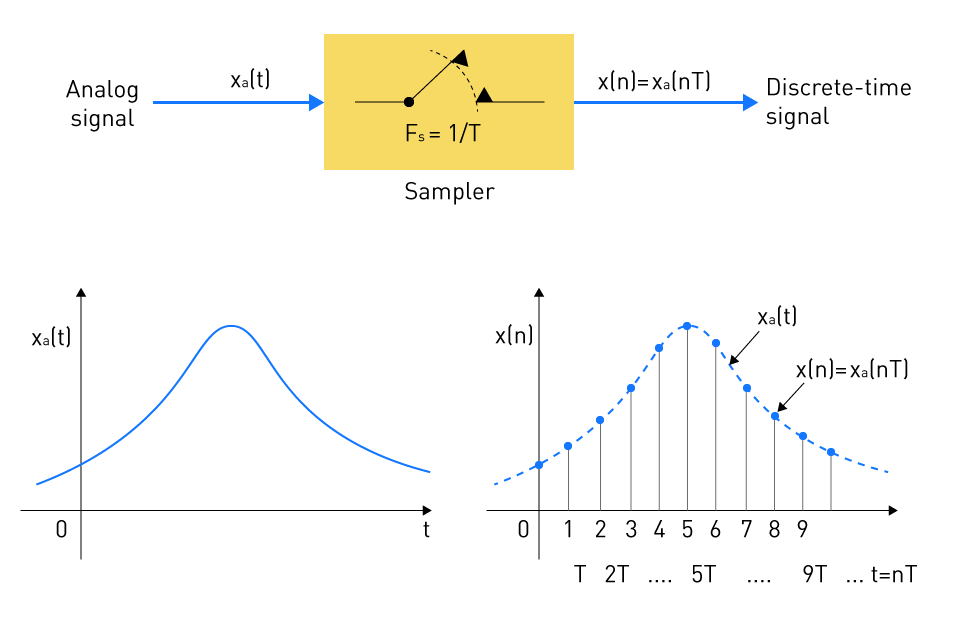
Steps:

  1. Sampling
  2. Quantization
  3. Encoding

🔊 2. Sampling Rate

  • Measured in Hz
  • Example: 44.1 kHz

🎚️ 3. Bit Depth

  • Determines audio quality
  • Higher bits → better quality

🎧 4. Audio Formats

  • WAV (uncompressed)
  • MP3 (compressed)

🎥 Video Representation


🎬 1. Frame-Based Representation
Image
Image
Image
Image

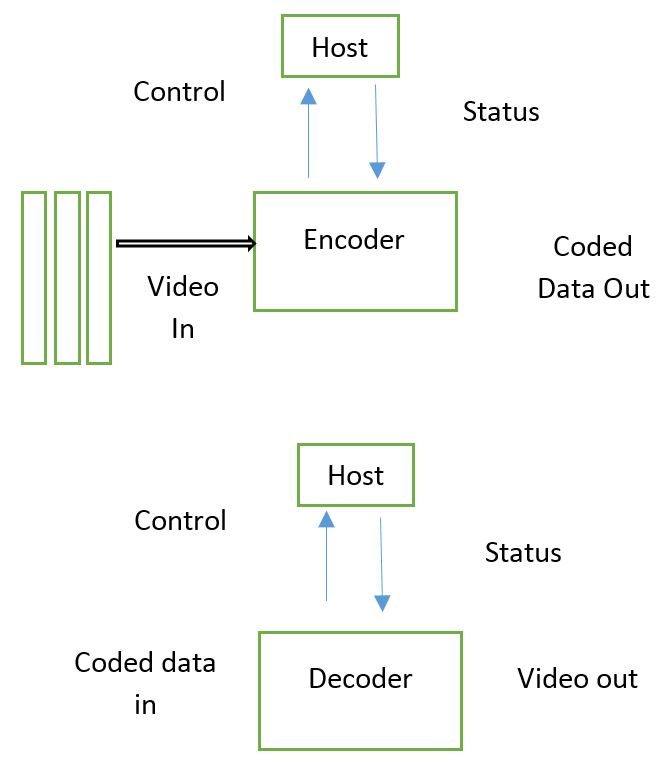
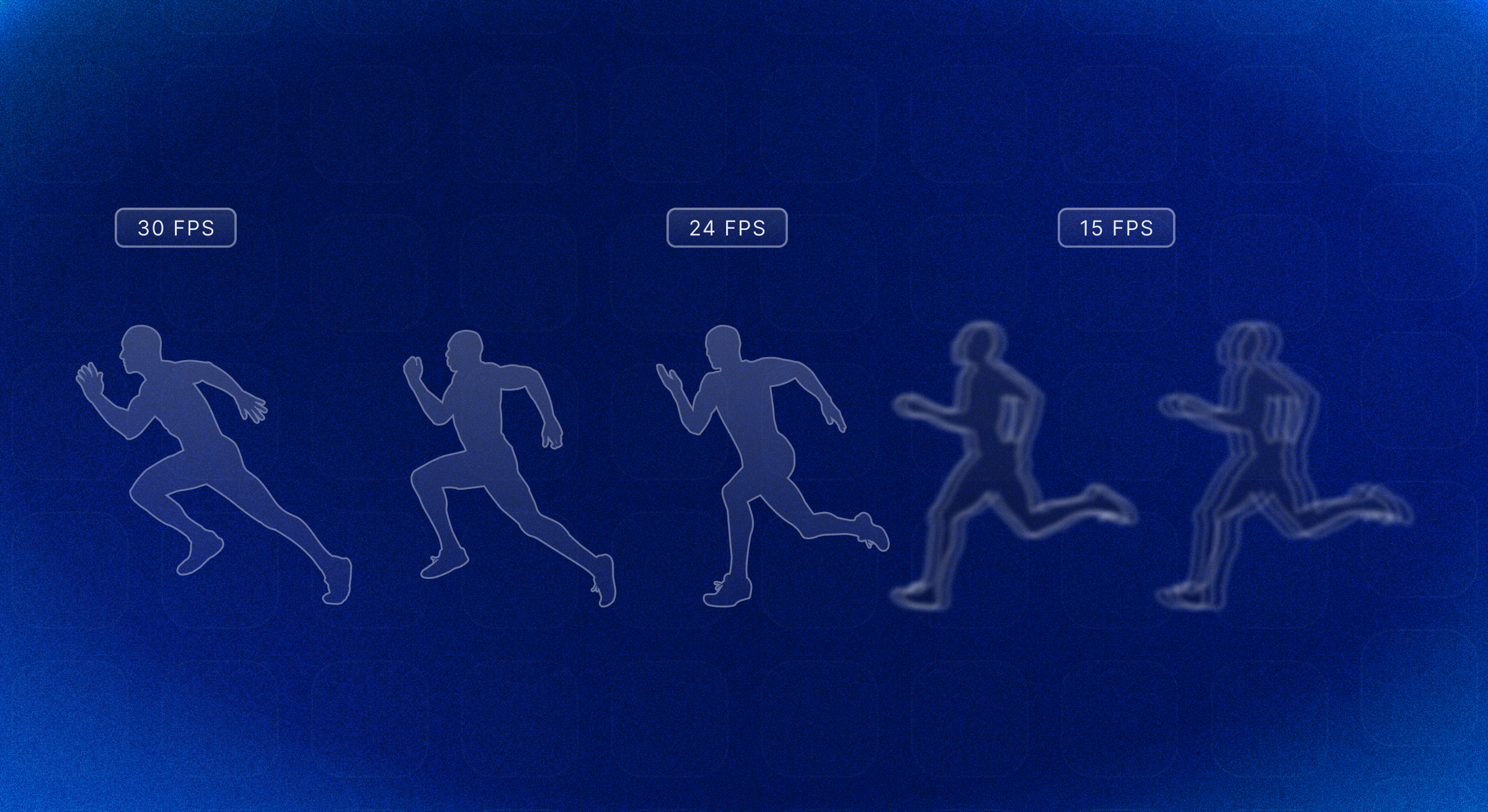
Video = sequence of images (frames)


⏱️ 2. Frame Rate

  • Frames per second (fps)
  • Example: 30 fps

📦 3. Video Compression

  • Reduces file size
  • Uses codecs (H.264, HEVC)

🧠 Data Representation in Memory


💾 Memory Storage

Image
Image
Image
Image
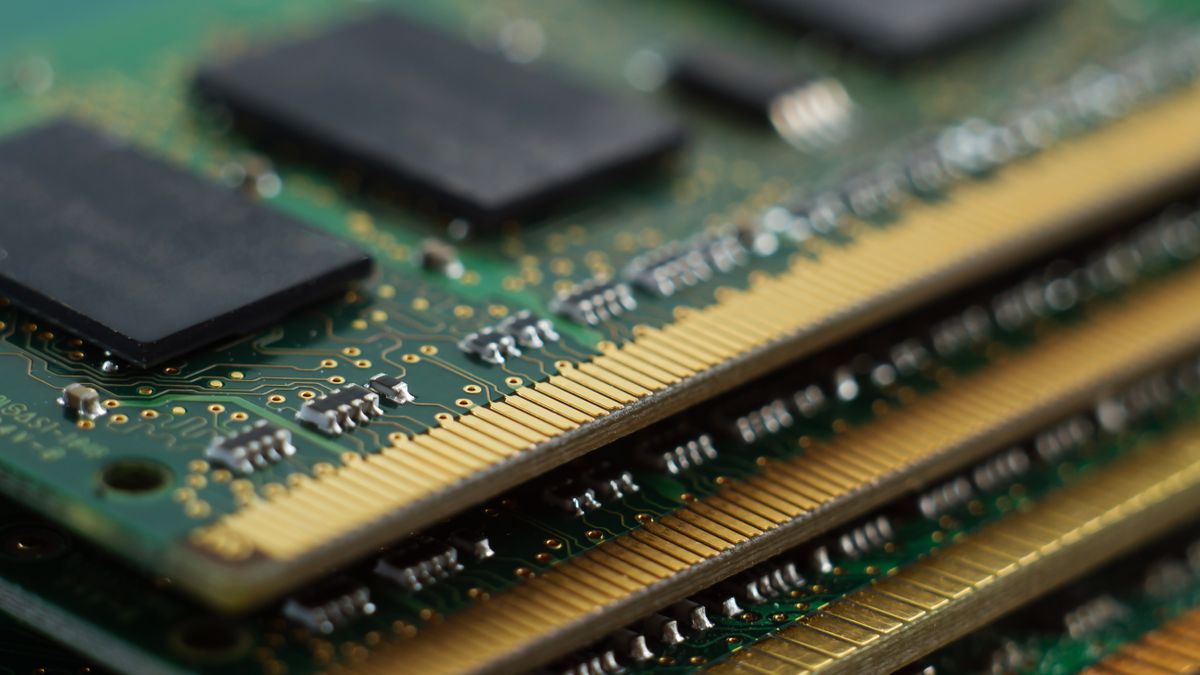
  • Data stored as binary in memory cells
  • Organized into bytes and words

🔢 Endianness

  • Big-endian
  • Little-endian

Defines byte order in memory.


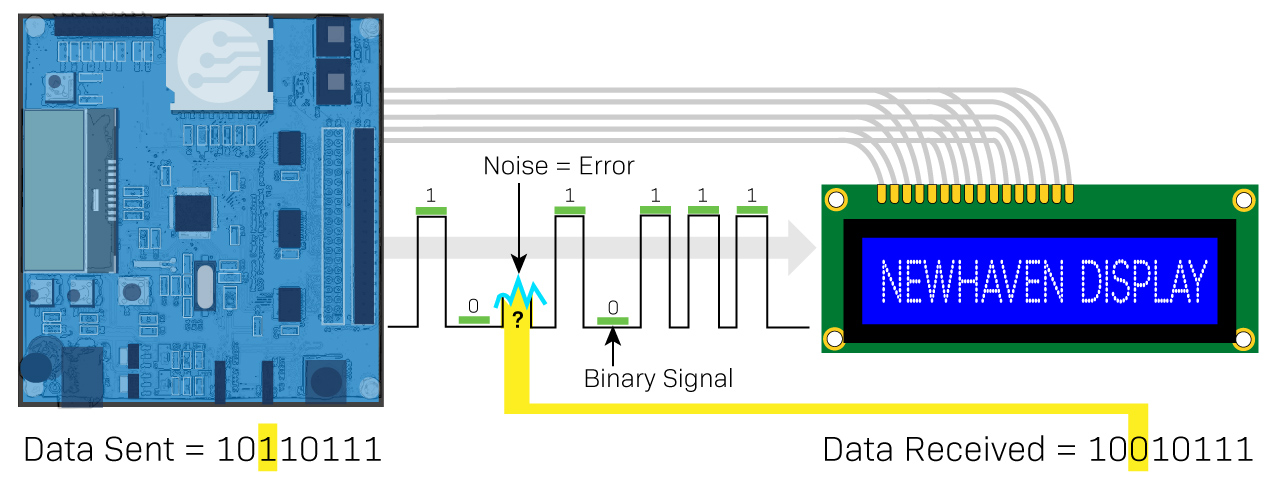
🔐 Error Detection and Correction


⚠️ Techniques:
Image
Image
Image
Image
  • Parity bits
  • Hamming code
  • CRC

⚙️ Data Compression


📦 Types:

  • Lossless
  • Lossy

Used in:

  • Images
  • Audio
  • Video

🧩 Data Types in Programming


🔤 Types:

  • Integer
  • Float
  • Character
  • Boolean

Each type has a binary representation.


🌐 Data Representation in Networking


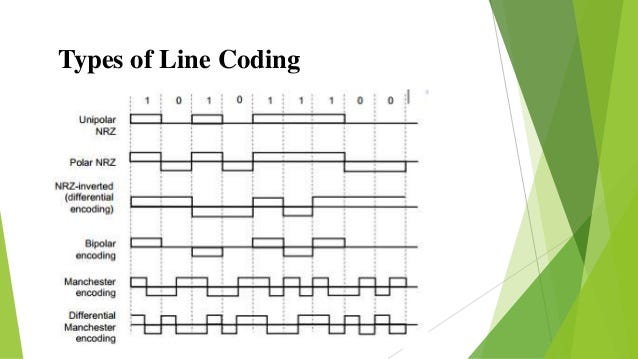
📡 Encoding Techniques:

Image
Image
Image
Image
  • NRZ
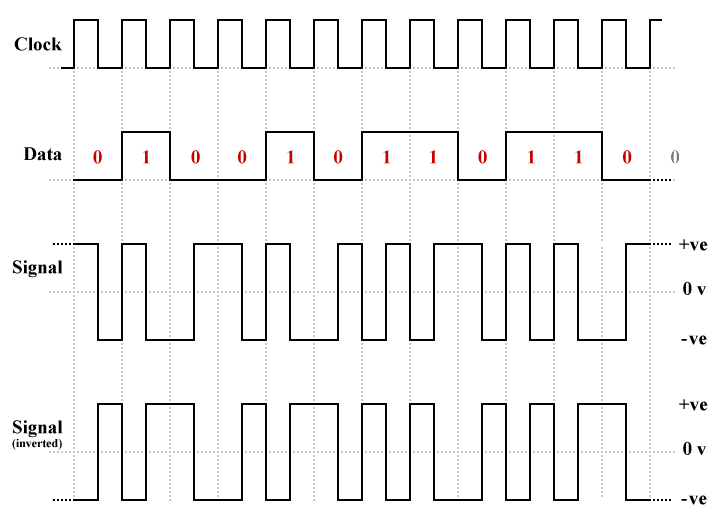
  • Manchester encoding

⚡ Advantages of Data Representation

  • Efficient storage
  • Fast processing
  • Standardization
  • Compatibility

⚠️ Limitations

  • Precision loss
  • Complexity
  • Conversion overhead

🧠 Modern Trends


🚀 Emerging Technologies

Image
Image
Image
Image
  • Quantum data representation
  • AI data encoding
  • Big data structures
  • Blockchain systems

🧾 Conclusion

Data representation is the foundation of all computing processes. It enables computers to:

  • Understand real-world data
  • Process complex information
  • Store and transmit efficiently

From numbers and text to multimedia and AI systems, every digital interaction relies on how effectively data is represented.


🏷️ Tags

🔢 Binary Number System – Complete Detailed Guide


🌐 Introduction to the Binary Number System

Image
Image
Image
Image

The binary number system is the foundation of all modern computing and digital electronics. It is a base-2 number system, meaning it uses only two digits:

0 and 1

Every piece of data inside a computer—whether text, images, videos, or programs—is ultimately represented using binary digits (bits).

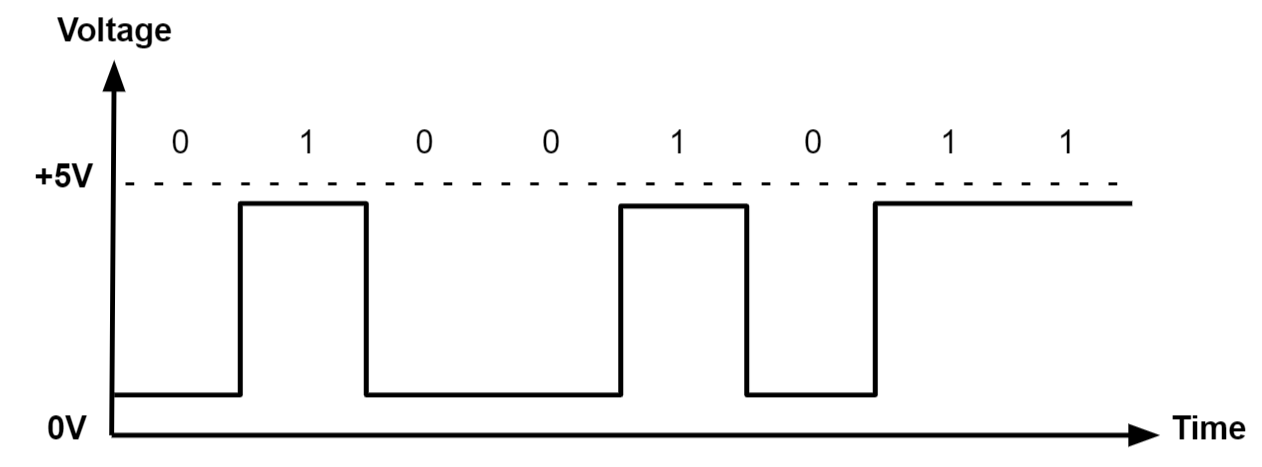
Binary works because electronic circuits can easily represent two states:

  • 0 → OFF (Low voltage)
  • 1 → ON (High voltage)

🧠 Why Binary Is Used in Computers

Computers rely on binary because:

  • Electronic circuits have two stable states (on/off)
  • Binary simplifies hardware design
  • It reduces errors in signal transmission
  • It is efficient for logic operations

🔢 Understanding Number Systems

Before diving deeper, it’s important to understand number systems:

SystemBaseDigits
Decimal100–9
Binary20–1
Octal80–7
Hexadecimal160–9, A–F

🧮 Structure of Binary Numbers

Image
Image
Image

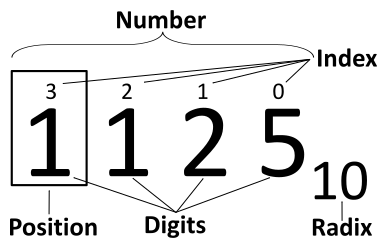
Each position in a binary number represents a power of 2:

Example:

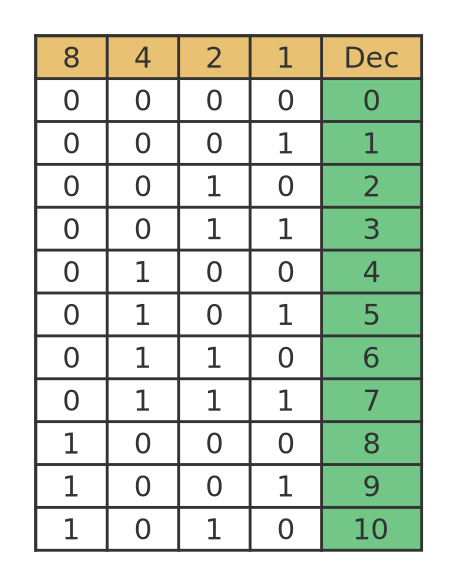
1011₂ = (1×2³) + (0×2²) + (1×2¹) + (1×2⁰)
      = 8 + 0 + 2 + 1
      = 11₁₀

🧩 Bits, Bytes, and Data Units

UnitSize
Bit1 binary digit
Nibble4 bits
Byte8 bits
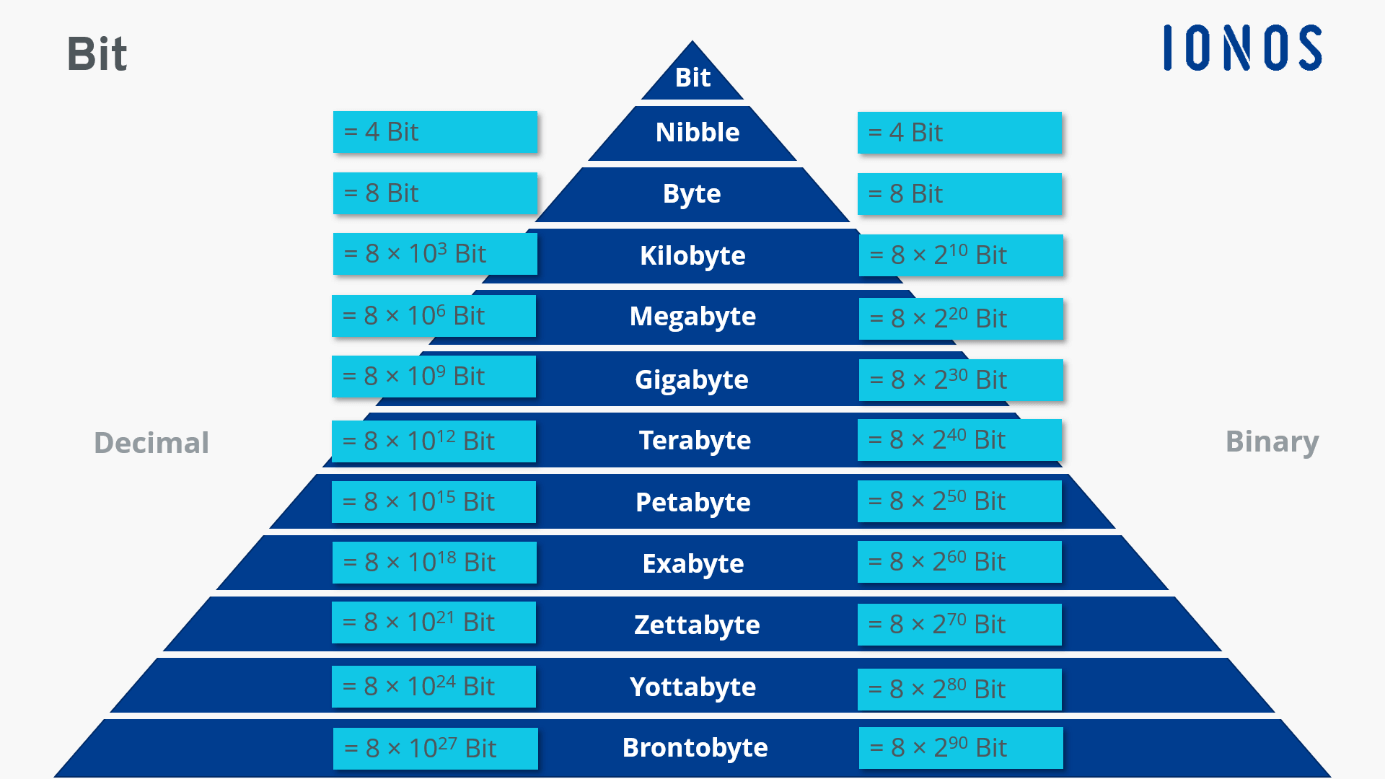
Kilobyte1024 bytes
Megabyte1024 KB

🔄 Conversion Between Number Systems


🔁 Decimal to Binary

Image
Image

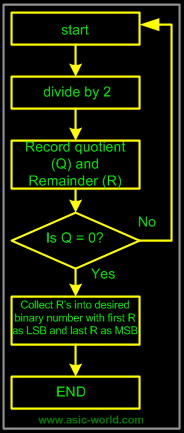
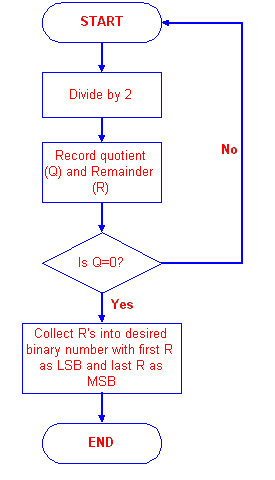
Method: Repeated Division by 2

Example: Convert 13 to binary

13 ÷ 2 = 6 remainder 1
6 ÷ 2 = 3 remainder 0
3 ÷ 2 = 1 remainder 1
1 ÷ 2 = 0 remainder 1

Binary = 1101

🔁 Binary to Decimal

Multiply each bit by powers of 2:

Example:

1101₂ = 13₁₀

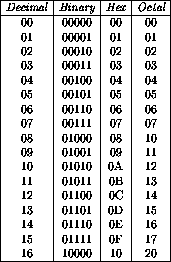
🔁 Binary to Octal and Hexadecimal

Image
Image
Image
Image

Binary → Octal:

Group bits in 3s

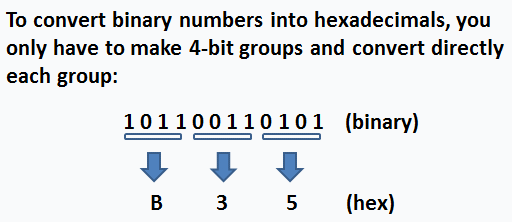
Binary → Hex:

Group bits in 4s


➕ Binary Arithmetic


➕ Binary Addition

Image
Image
Image
Image

Rules:

0 + 0 = 0
0 + 1 = 1
1 + 1 = 10 (carry 1)
1 + 1 + 1 = 11

➖ Binary Subtraction

Rules:

1 - 0 = 1
1 - 1 = 0
0 - 1 = borrow

✖️ Binary Multiplication

Image
Image
Image
Image

Similar to decimal multiplication but simpler.


➗ Binary Division

Performed using repeated subtraction or long division method.


🧠 Signed Binary Numbers


🔢 1. Sign-Magnitude Representation

  • First bit = sign
  • Remaining bits = magnitude

🔢 2. One’s Complement

  • Flip all bits

🔢 3. Two’s Complement

Image
Image
Image
Image

Steps:

  1. Invert bits
  2. Add 1

Example:

+5 = 0101
-5 = 1011

🧮 Binary Codes


🔤 1. ASCII Code

Image
Image
Image
Image
  • Represents characters using binary
  • Example:
    • A = 65 = 01000001

🌍 2. Unicode

  • Supports global languages
  • Uses more bits than ASCII

🔢 3. BCD (Binary Coded Decimal)

Represents decimal digits separately.


⚙️ Binary in Digital Circuits

Image
Image
Image
Image

Binary is used in:

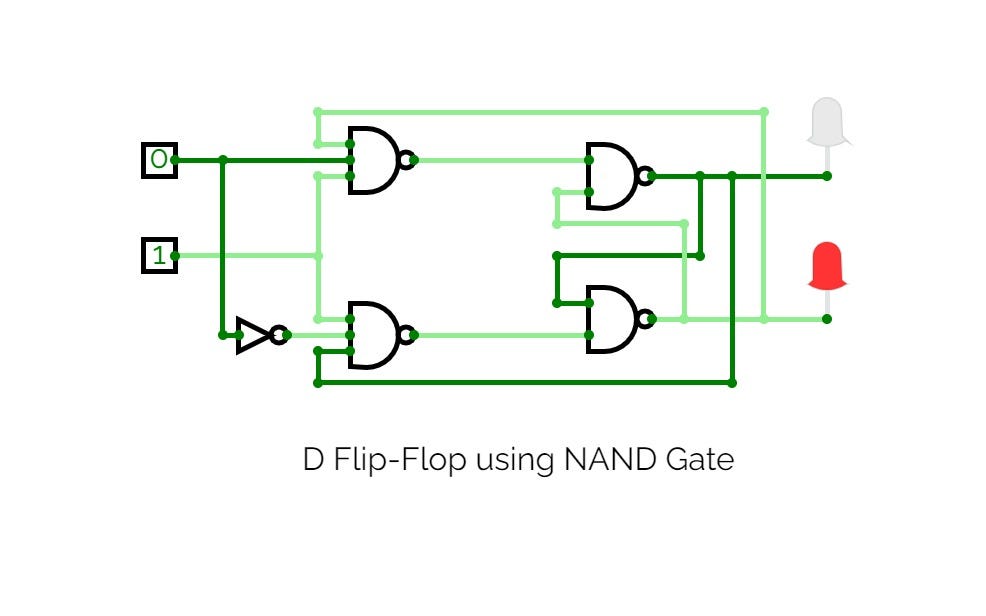
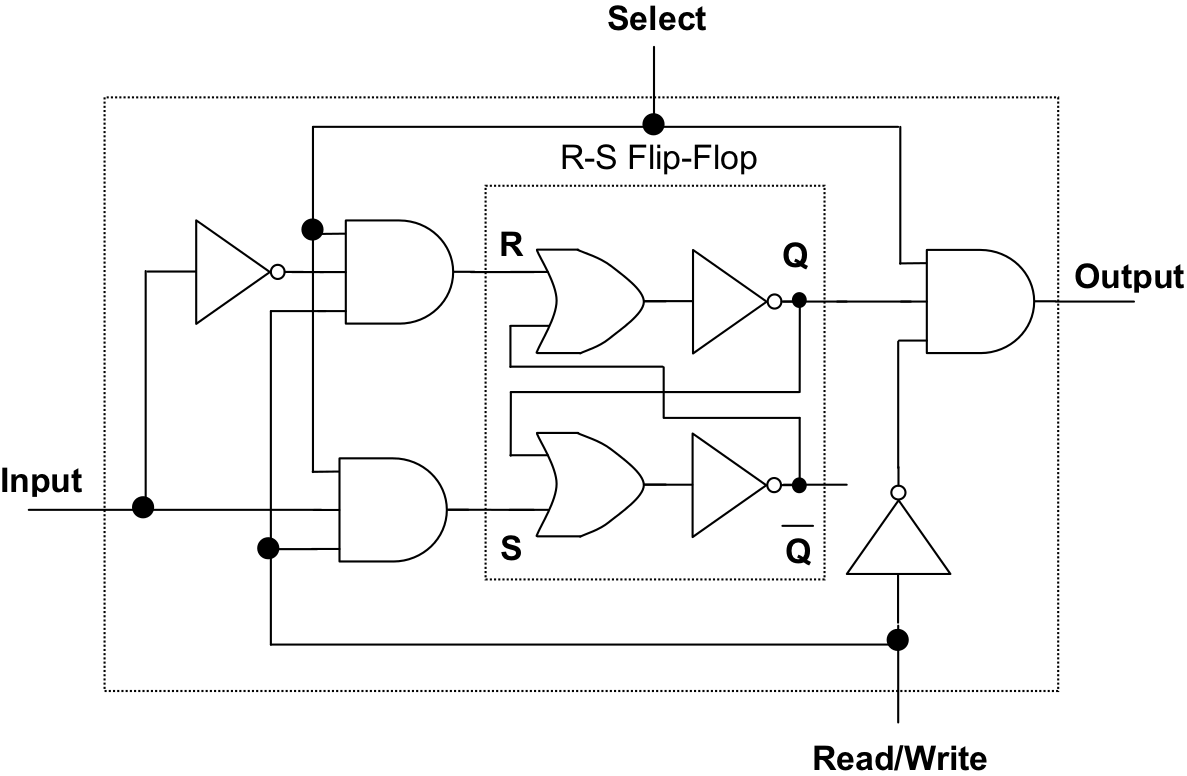
  • Logic gates (AND, OR, NOT)
  • Flip-flops
  • Registers
  • Memory circuits

🔌 Boolean Algebra and Binary

  • 0 = False
  • 1 = True

Operations:

  • AND
  • OR
  • NOT

🧠 Applications of Binary System


💻 1. Computer Processing

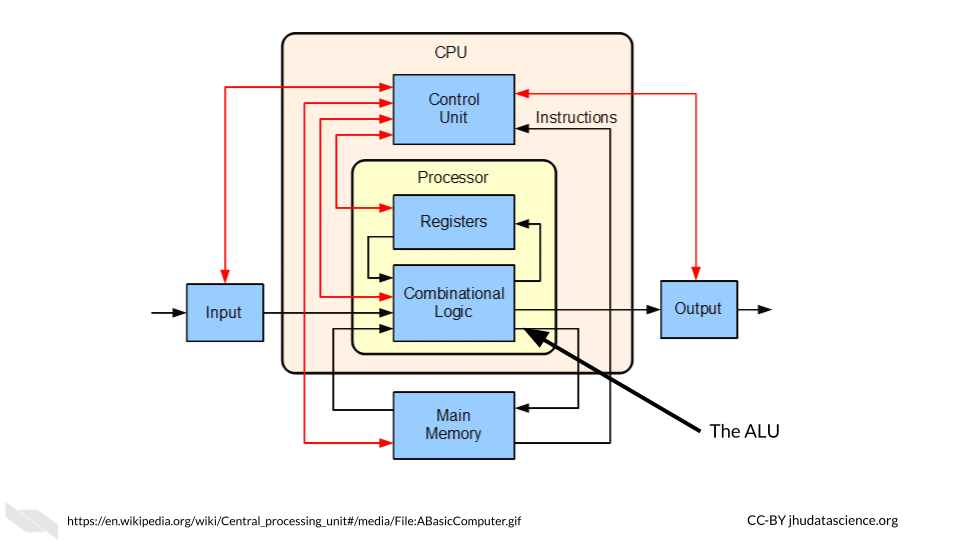
All operations inside CPU use binary.


📡 2. Communication Systems

Binary signals used in:

  • Networking
  • Data transmission

🖼️ 3. Image Representation

Image
Image
Image
Image

Images are stored as binary pixel data.


🎵 4. Audio Encoding

Sound converted into binary signals.


🎮 5. Gaming and Graphics

All rendering uses binary computations.


🔐 6. Cryptography

Binary used in encryption algorithms.


⚡ Advantages of Binary System

  • Simple implementation
  • Reliable
  • Efficient for machines
  • Error-resistant

⚠️ Limitations

  • Lengthy representations
  • Hard for humans to read
  • Conversion required

🔄 Binary vs Decimal

FeatureBinaryDecimal
Base210
Digits0,10–9
UsageComputersHumans

🧠 Advanced Concepts


⚡ Floating Point Representation

Used for real numbers.


🔢 Fixed Point Representation

Used for precise calculations.


🧩 Gray Code

Only one bit changes at a time.


🔄 Error Detection Codes

  • Parity bits
  • Hamming code

🧠 Future of Binary

Although binary dominates today:

  • Quantum computing uses qubits
  • Multi-valued logic systems are emerging

🧾 Conclusion

The binary number system is the backbone of computing technology. From basic calculations to advanced AI systems, everything depends on binary representation. Understanding binary is essential for:

  • Programming
  • Electronics
  • Data science
  • Cybersecurity

🏷️ Tags