
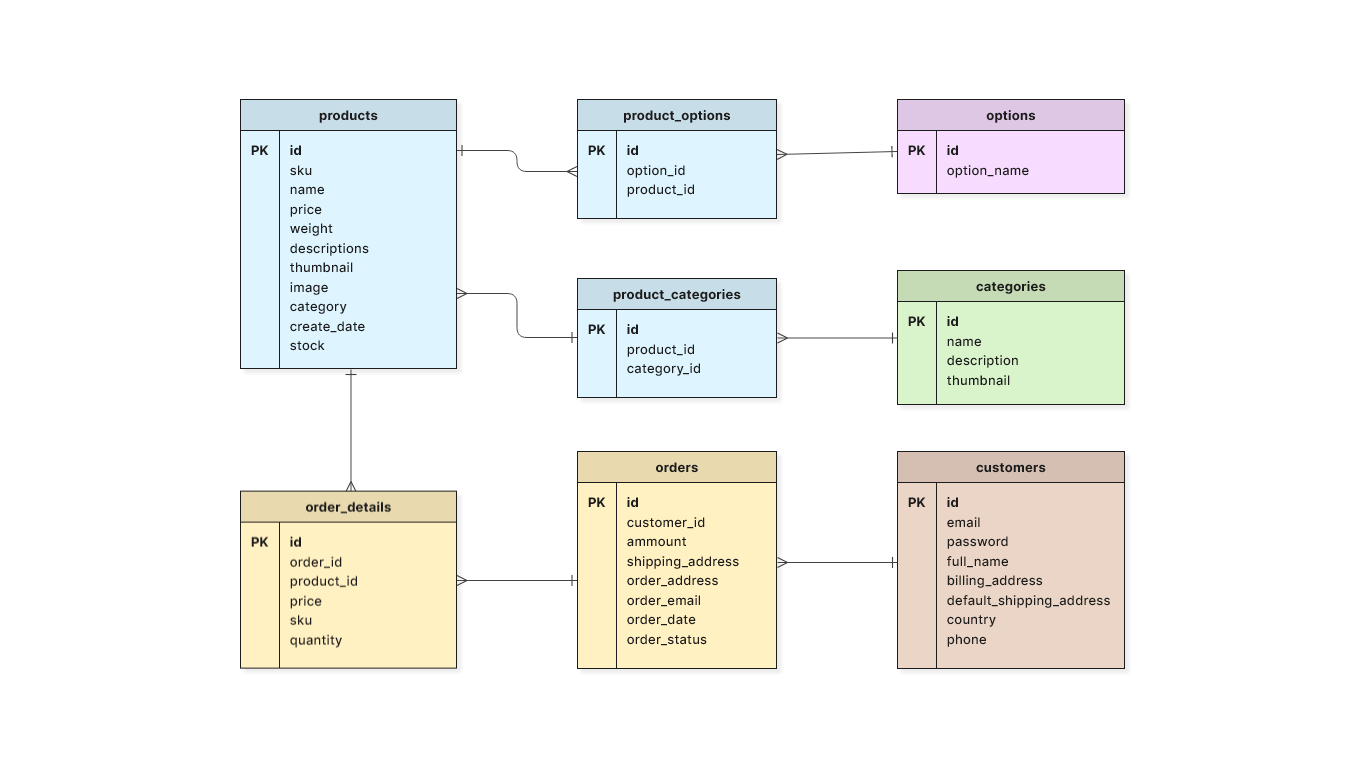
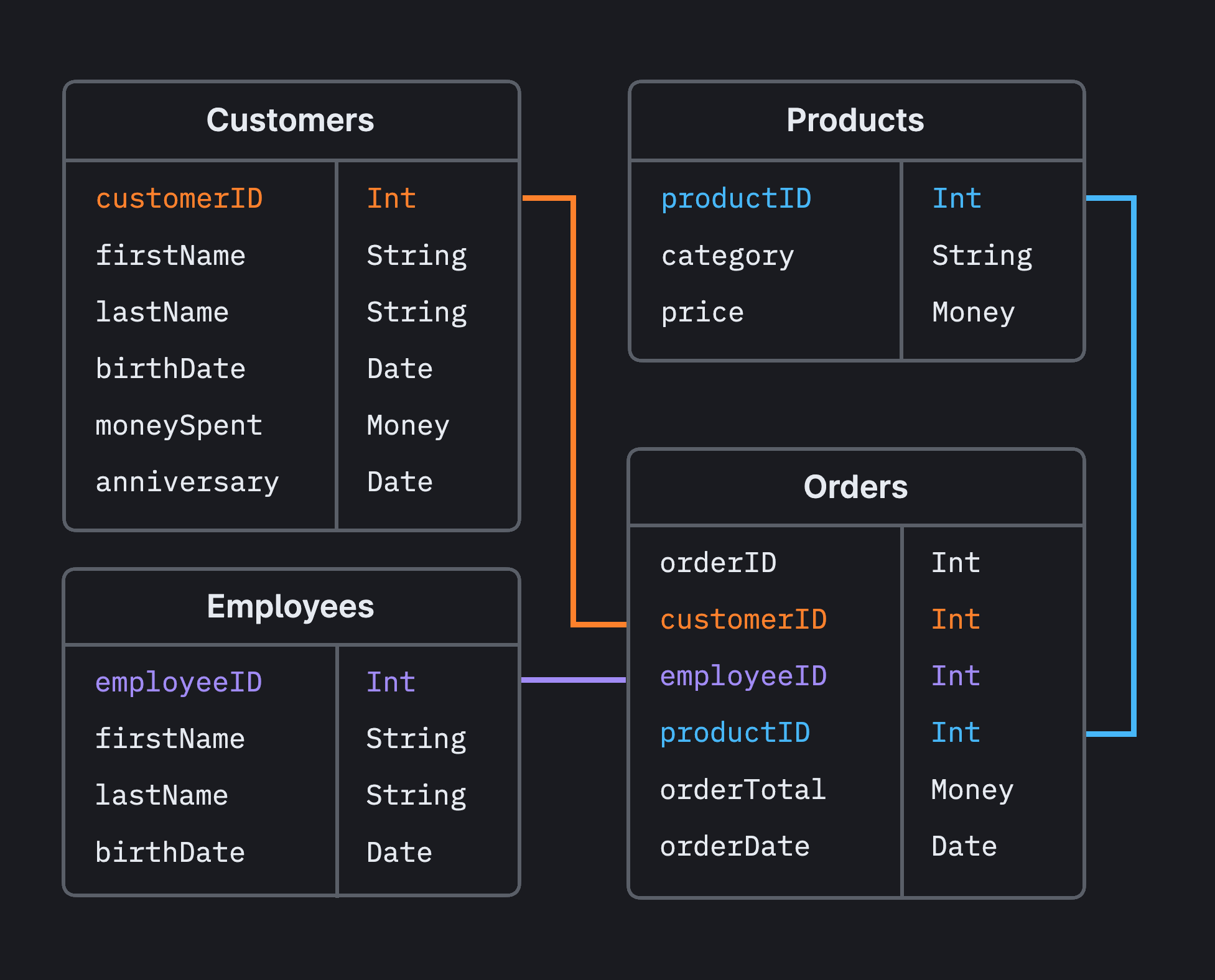


📘 1. Introduction to Database Design
Database Design is the structured process of organizing data into a model that efficiently supports storage, retrieval, and manipulation. It defines how data is stored, how different data elements relate to each other, and how users interact with the database.
A well-designed database ensures:
- High performance ⚡
- Data consistency ✔️
- Scalability 📈
- Security 🔐
- Maintainability 🛠️
Database design is the foundation of all data-driven systems, including:
- Web applications
- Mobile apps
- Enterprise software
- Banking systems
- AI and analytics platforms
🧠 2. Importance of Database Design
🔹 Why It Matters
Poor database design leads to:
- Data redundancy
- Inconsistent data
- Slow queries
- Difficult maintenance
- Scalability issues
Good database design provides:
- Efficient data access
- Reduced duplication
- Logical organization
- Improved data integrity
🏛️ 3. Types of Database Design

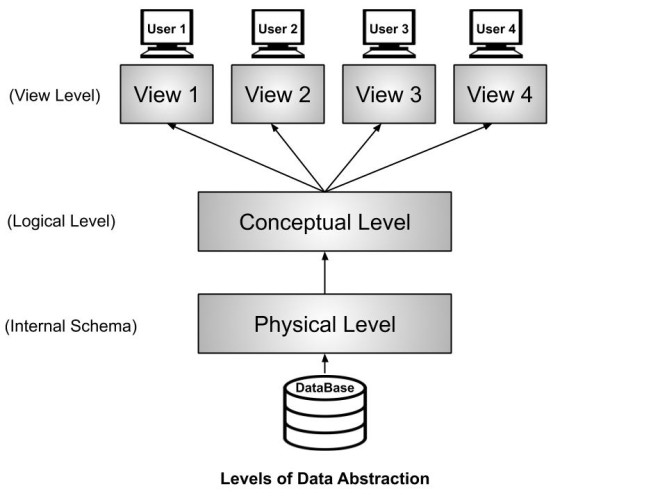
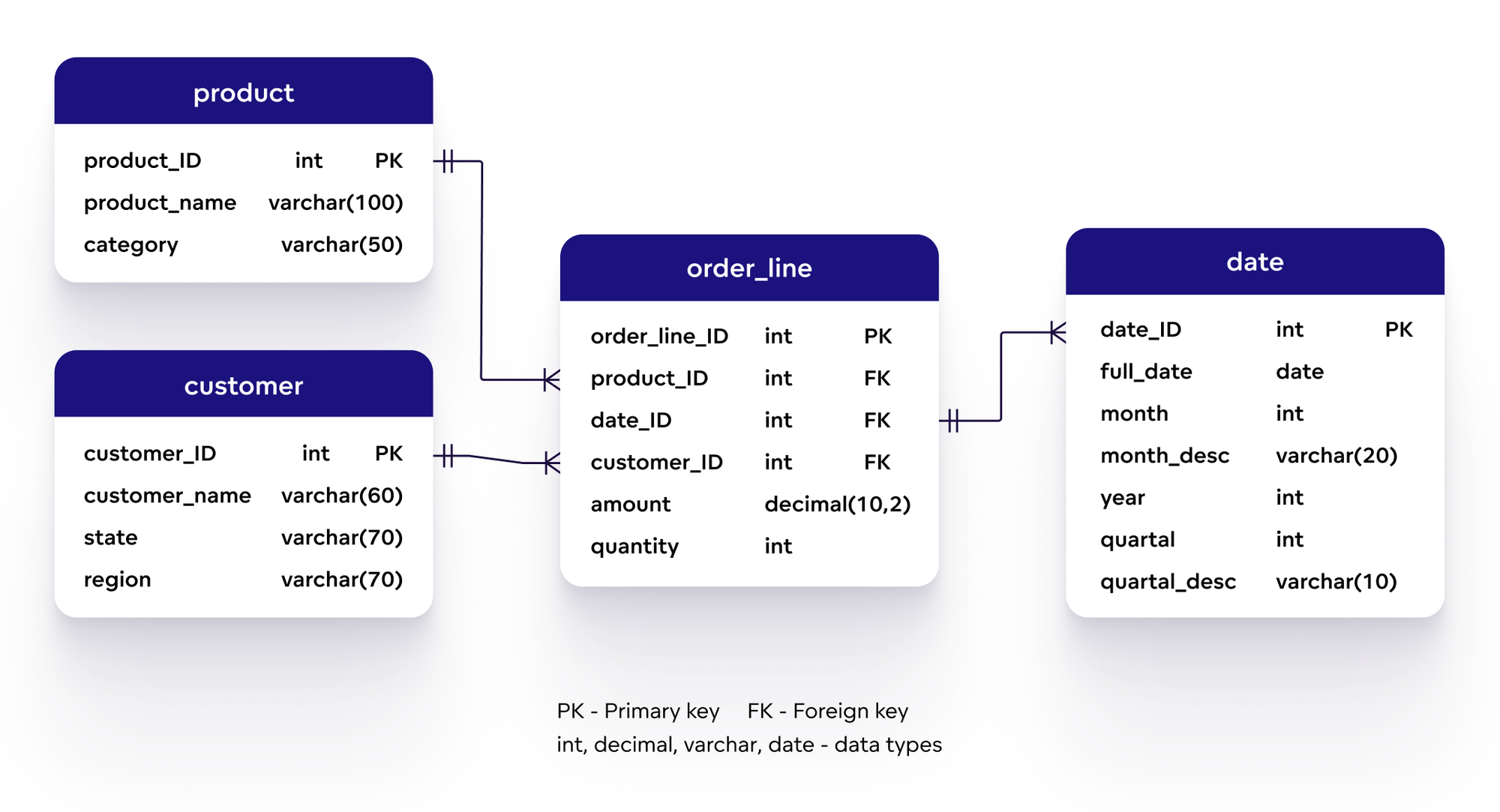
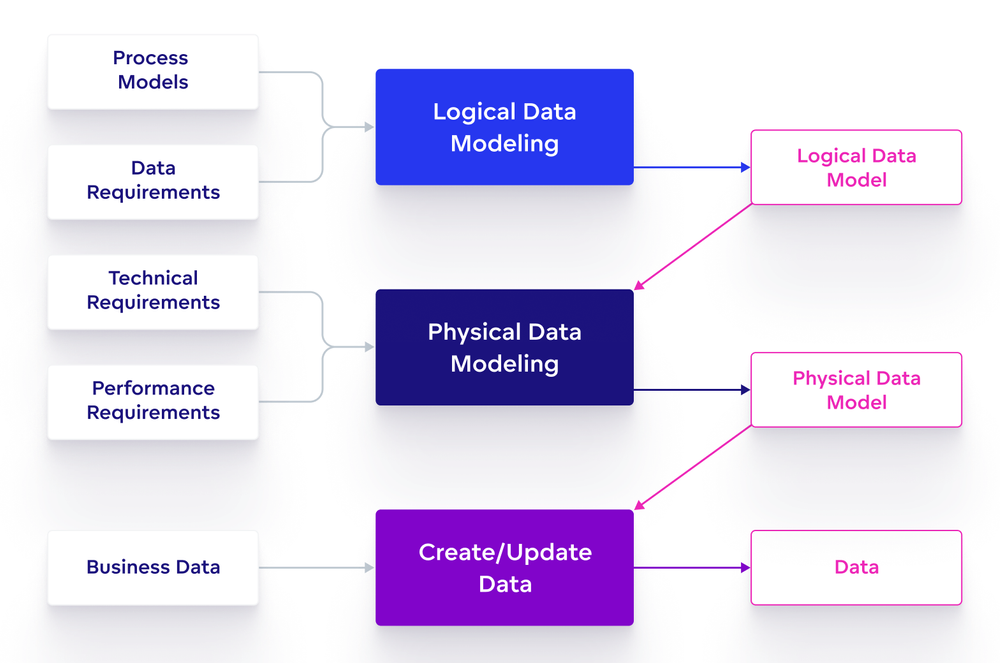
Database design is typically divided into three levels:
🔹 1. Conceptual Design
- High-level design
- Focuses on what data is needed
- Uses Entity-Relationship Diagrams (ERD)
Example:
- Entities: Student, Course
- Relationship: Enrollment
🔹 2. Logical Design
- Defines structure without implementation details
- Includes tables, columns, keys
🔹 3. Physical Design
- Actual implementation in DBMS
- Includes indexing, storage, partitioning
🧩 4. Data Modeling
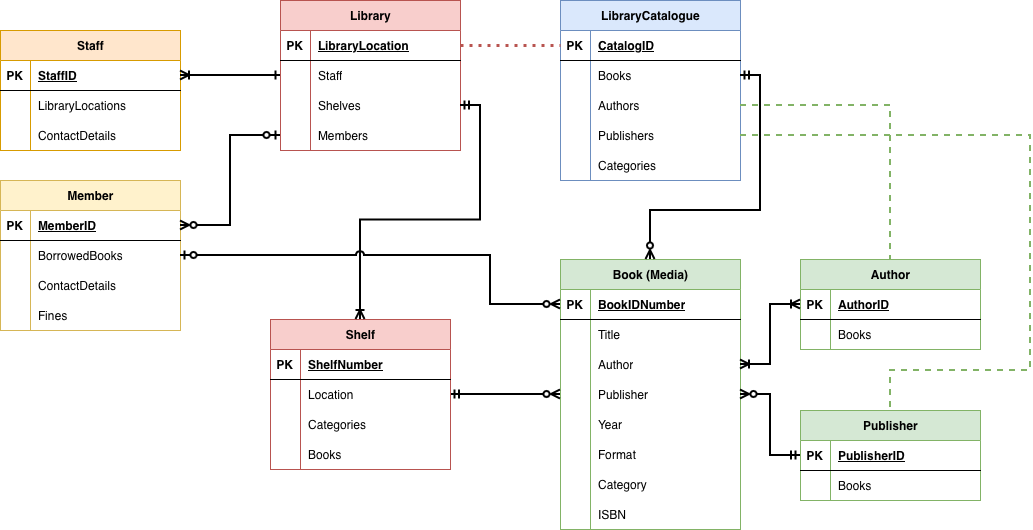


Data modeling is the process of creating a data structure.
🔹 Components of Data Modeling
1. Entities
Objects in the system (e.g., User, Product)
2. Attributes
Properties of entities (e.g., Name, Price)
3. Relationships
Connections between entities
🔹 Types of Relationships
- One-to-One (1:1)
- One-to-Many (1:N)
- Many-to-Many (M:N)
🔑 5. Keys in Database Design
Keys uniquely identify records and define relationships.
🔹 Types of Keys
- Primary Key – Unique identifier
- Foreign Key – Links tables
- Candidate Key – Possible primary keys
- Composite Key – Combination of columns
- Super Key – Set of attributes that uniquely identify
🧱 6. Normalization
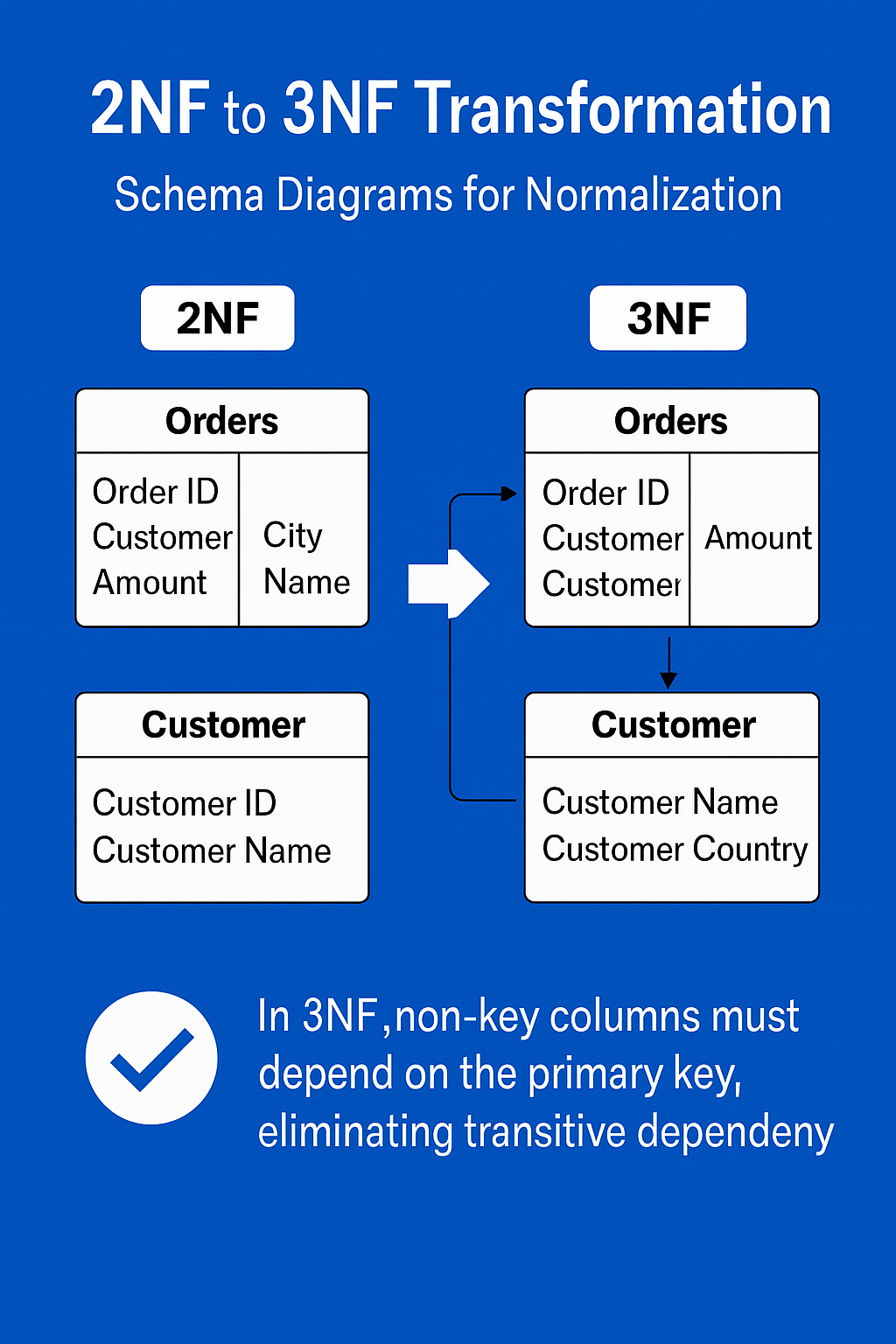

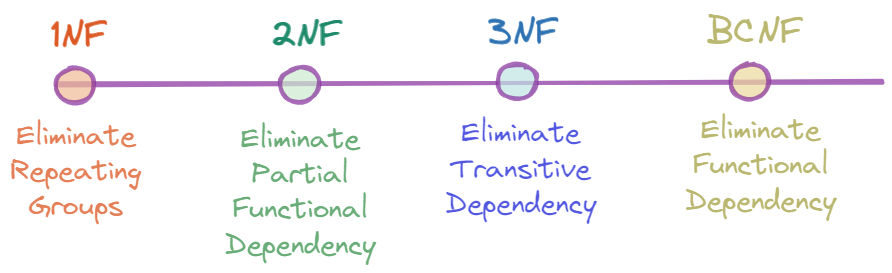

Normalization organizes data to reduce redundancy.
🔹 Normal Forms
1NF (First Normal Form)
- Atomic values
- No repeating groups
2NF (Second Normal Form)
- Remove partial dependencies
3NF (Third Normal Form)
- Remove transitive dependencies
BCNF (Boyce-Codd Normal Form)
- Stronger version of 3NF
🔹 Benefits
- Eliminates redundancy
- Improves consistency
- Simplifies updates
🔄 7. Denormalization
Sometimes normalization is reversed for performance.
🔹 Why Denormalize?
- Faster reads
- Reduced joins
- Better performance in analytics
🔹 Trade-offs
- Data redundancy
- Increased storage
- Complex updates
🧮 8. Constraints and Integrity
🔹 Types of Constraints
- NOT NULL
- UNIQUE
- PRIMARY KEY
- FOREIGN KEY
- CHECK
🔹 Types of Integrity
- Entity Integrity
- Referential Integrity
- Domain Integrity
📊 9. Indexing
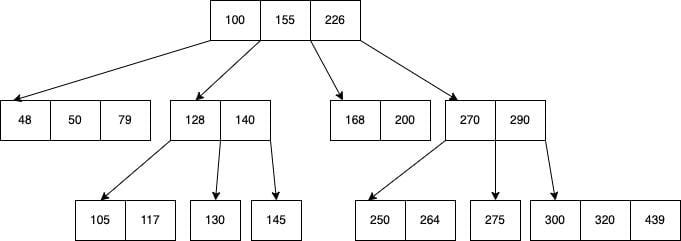
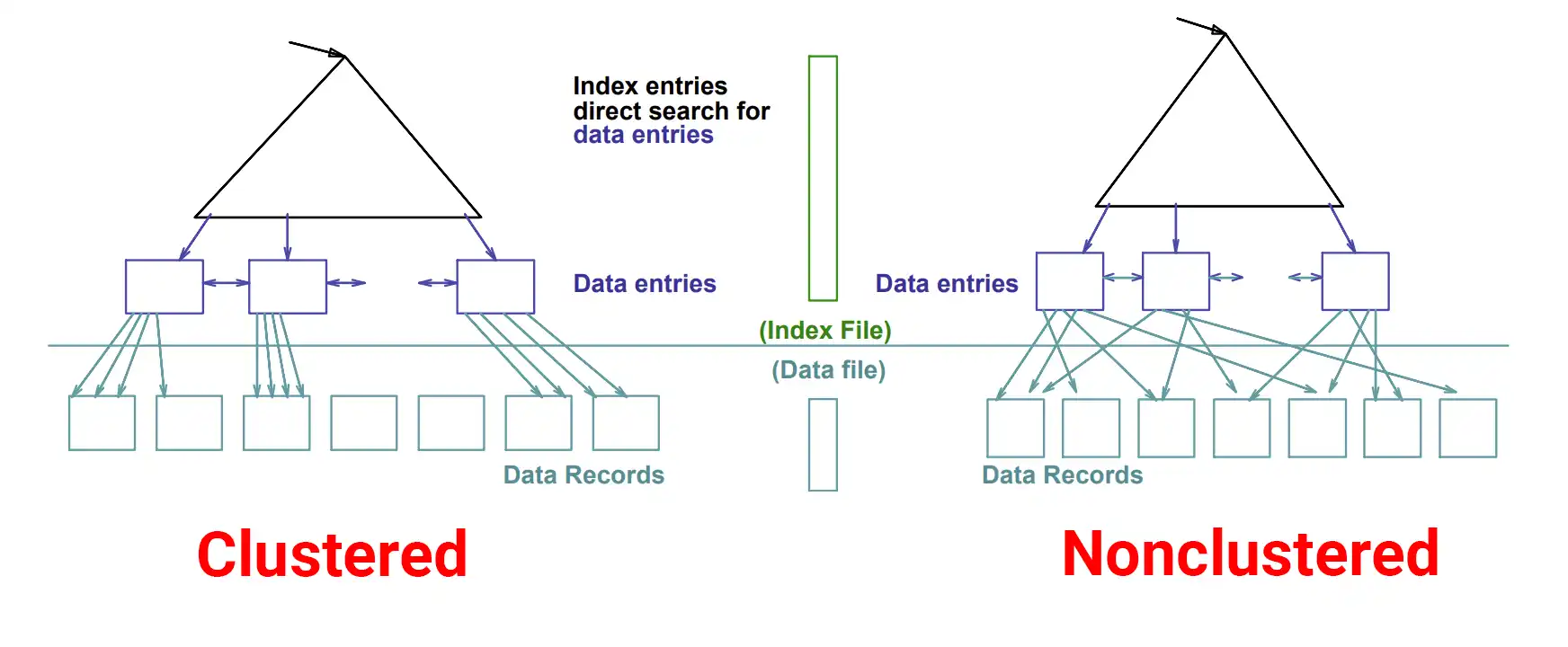

Indexes speed up data retrieval.
🔹 Types of Indexes
- Clustered Index
- Non-clustered Index
- Composite Index
- Unique Index
🔹 Advantages
- Faster queries
- Efficient searching
🔹 Disadvantages
- Extra storage
- Slower inserts/updates
🧠 10. Relationships in Depth
🔹 One-to-One
Example: User ↔ Profile
🔹 One-to-Many
Example: Customer → Orders
🔹 Many-to-Many
Example: Students ↔ Courses
Requires a junction table
🏗️ 11. Schema Design
A schema defines database structure.
🔹 Types of Schema
- Star Schema ⭐
- Snowflake Schema ❄️
- Flat Schema
🔹 Star Schema
- Central fact table
- Connected dimension tables
🔹 Snowflake Schema
- Normalized version of star schema
📦 12. Database Design Process
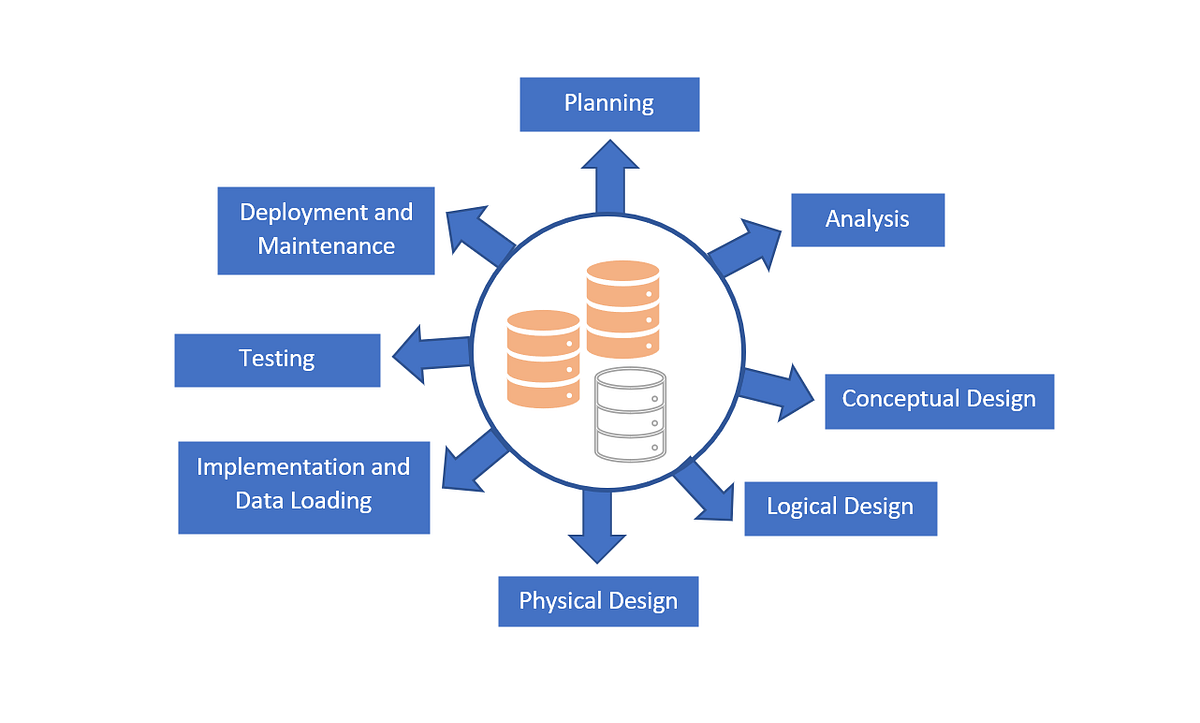


🔹 Steps
- Requirement Analysis
- Conceptual Design
- Logical Design
- Normalization
- Physical Design
- Implementation
- Testing
- Maintenance
🔐 13. Security in Database Design
- Authentication
- Authorization
- Encryption
- Data masking
🔹 Best Practices
- Use least privilege
- Encrypt sensitive data
- Regular backups
⚡ 14. Performance Optimization
- Proper indexing
- Query optimization
- Caching
- Partitioning
🧩 15. Transactions and ACID
🔹 ACID Properties
- Atomicity
- Consistency
- Isolation
- Durability
🌐 16. Distributed Database Design
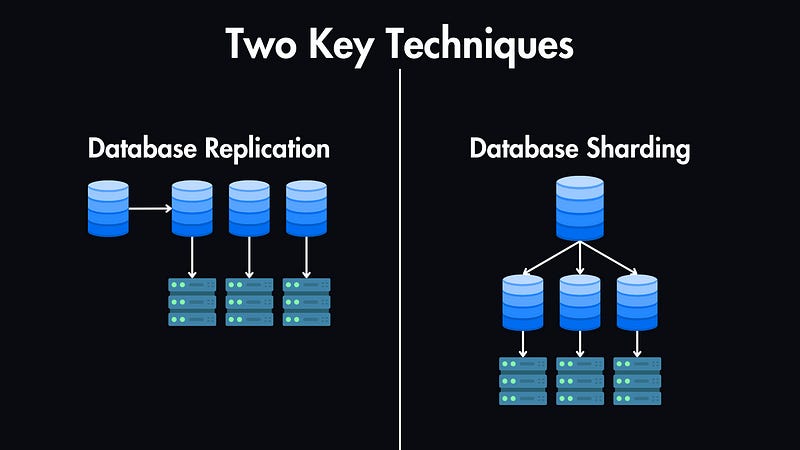

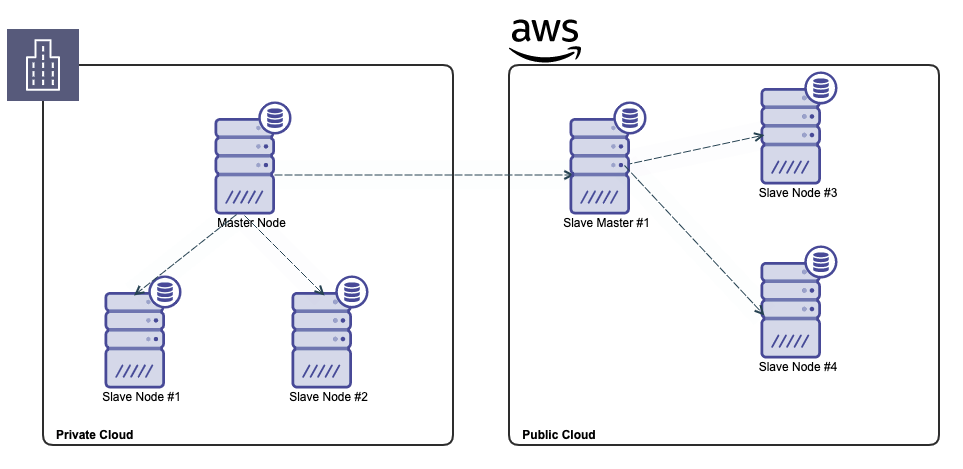

🔹 Techniques
- Sharding
- Replication
- Partitioning
🔄 17. NoSQL vs Relational Design
| Feature | Relational | NoSQL |
|---|---|---|
| Schema | Fixed | Flexible |
| Scaling | Vertical | Horizontal |
| Use Case | Structured data | Big data |
🧪 18. Advanced Concepts
- Data Warehousing
- OLAP vs OLTP
- Materialized Views
- Event Sourcing
- CQRS
📈 19. Real-World Example
🔹 E-commerce Database
Tables:
- Users
- Products
- Orders
- Payments
Relationships:
- User → Orders (1:N)
- Orders → Products (M:N)
🧰 20. Tools for Database Design
- ER modeling tools
- SQL-based tools
- Cloud DB tools
📚 21. Advantages of Good Design
- Scalability
- Performance
- Data integrity
- Flexibility
⚠️ 22. Common Mistakes
- Poor normalization
- Over-indexing
- Ignoring scalability
- Weak constraints
🔮 23. Future Trends
- Cloud-native databases
- AI-driven optimization
- Serverless databases
- Multi-model databases
🏁 Conclusion
Database design is a critical skill in modern computing. A well-designed database ensures that systems are efficient, scalable, and reliable. Whether you’re building a simple app or a complex enterprise system, mastering database design principles will help you create robust and high-performing solutions.