🧩 What is a Queue?
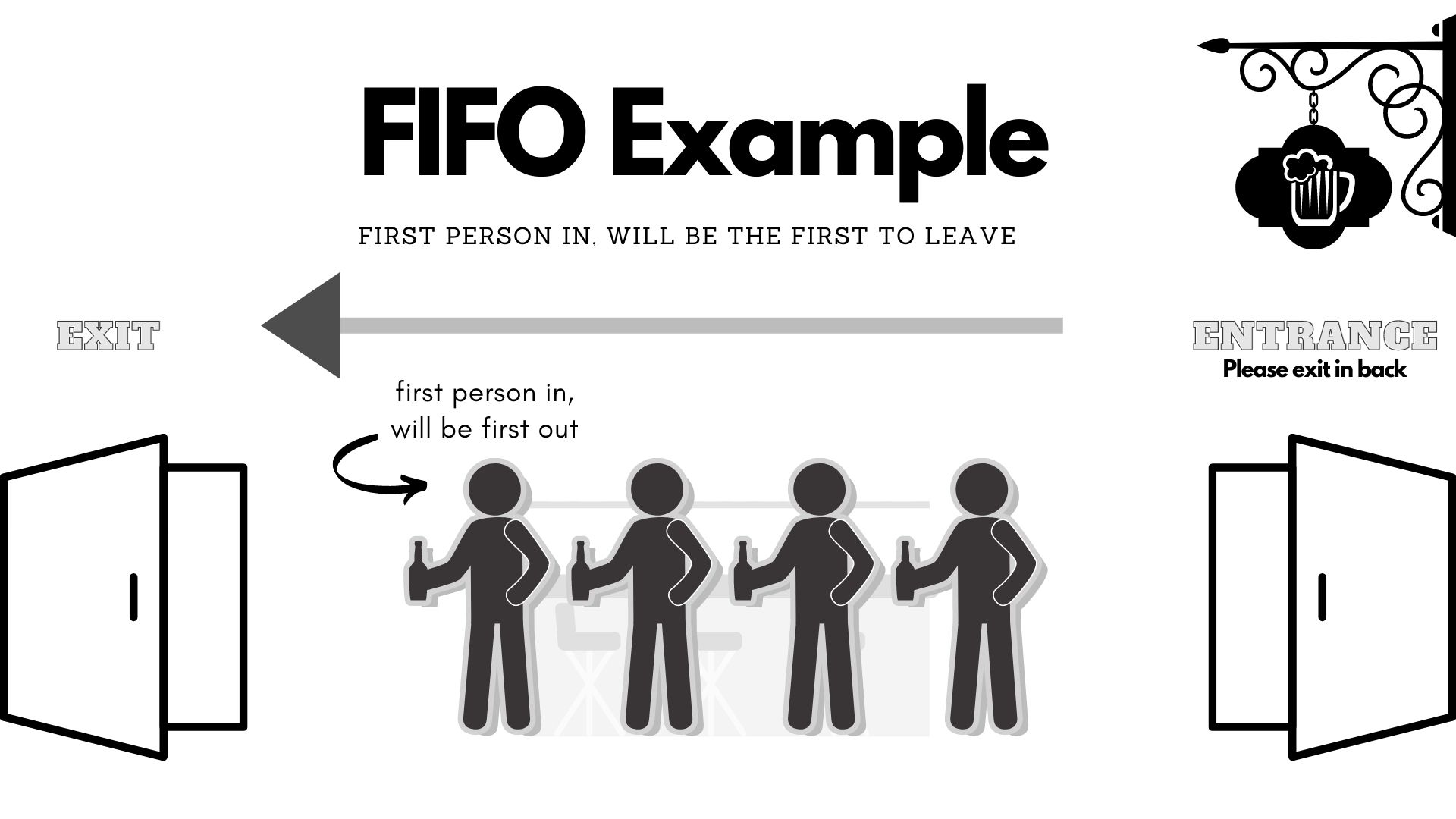
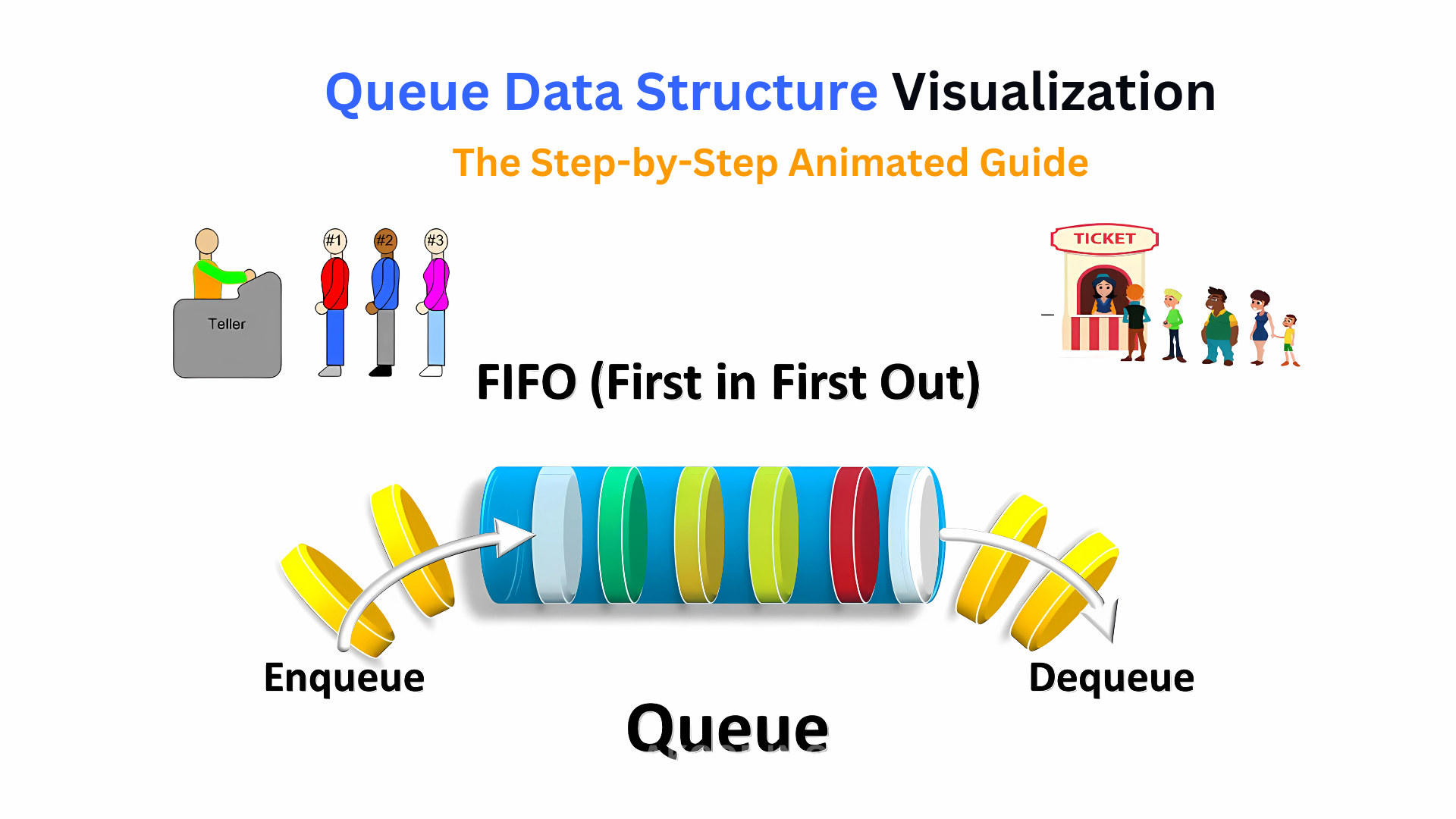
A queue is a fundamental linear data structure that follows the principle of FIFO (First In, First Out). This means that the first element added to the queue is the first one to be removed.
Think of a queue like a line of people waiting at a ticket counter:
- The person who arrives first gets served first.
- New people join at the end of the line.
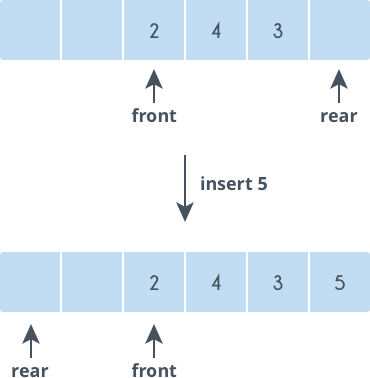
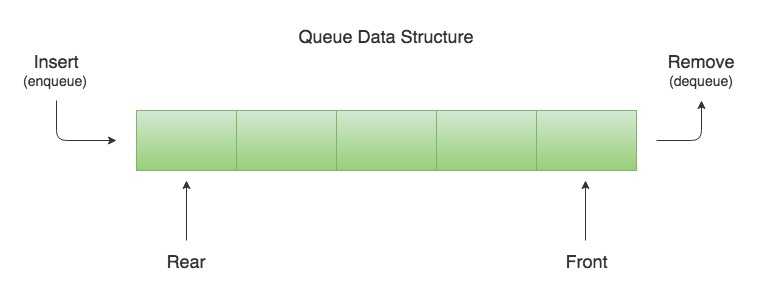
In programming terms, a queue allows insertion at one end (rear) and deletion at the other end (front).
🧠 Key Characteristics of Queues
🔹 1. FIFO Principle
The defining rule of a queue is First In, First Out.
🔹 2. Two Ends
- Front → where elements are removed
- Rear → where elements are added
🔹 3. Sequential Access
Elements are processed in order.
🔹 4. Dynamic or Static Implementation
Queues can be implemented using:
- Arrays
- Linked lists
🧱 Basic Structure of a Queue
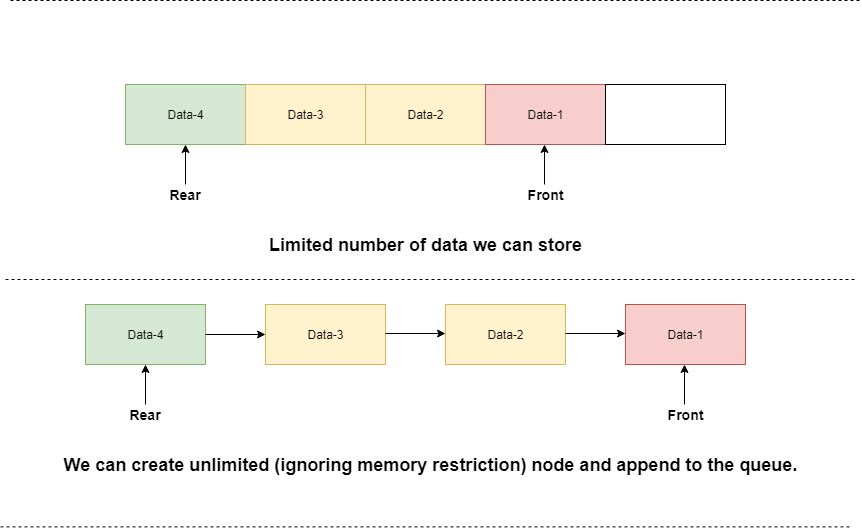
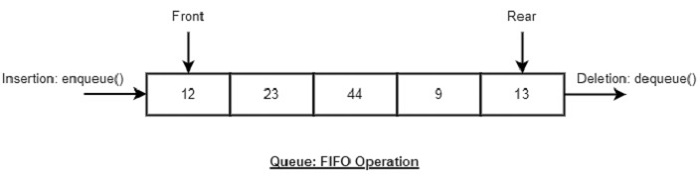
A queue consists of:
- Front pointer
- Rear pointer
- Collection of elements
Example:
Front → [10][20][30] ← Rear
⚙️ Core Queue Operations
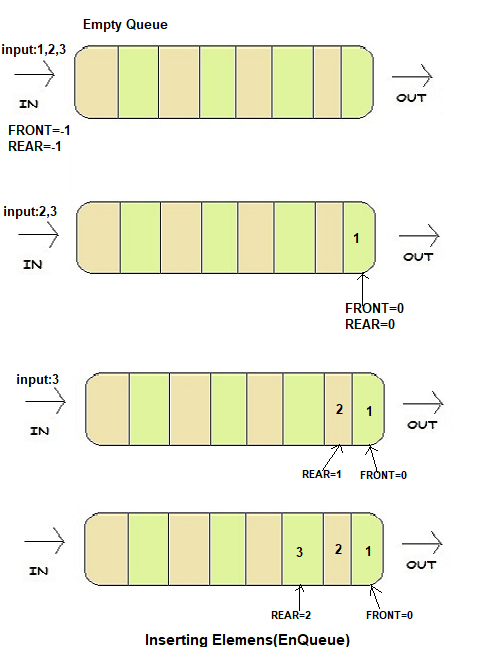
🔹 1. Enqueue (Insertion)
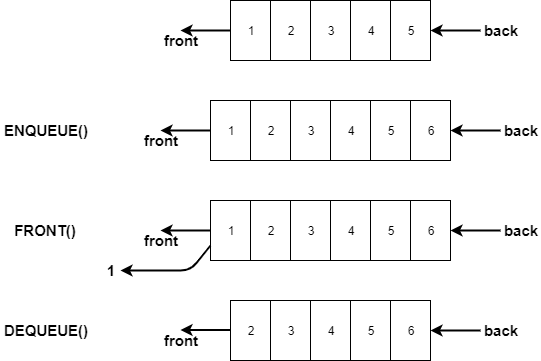

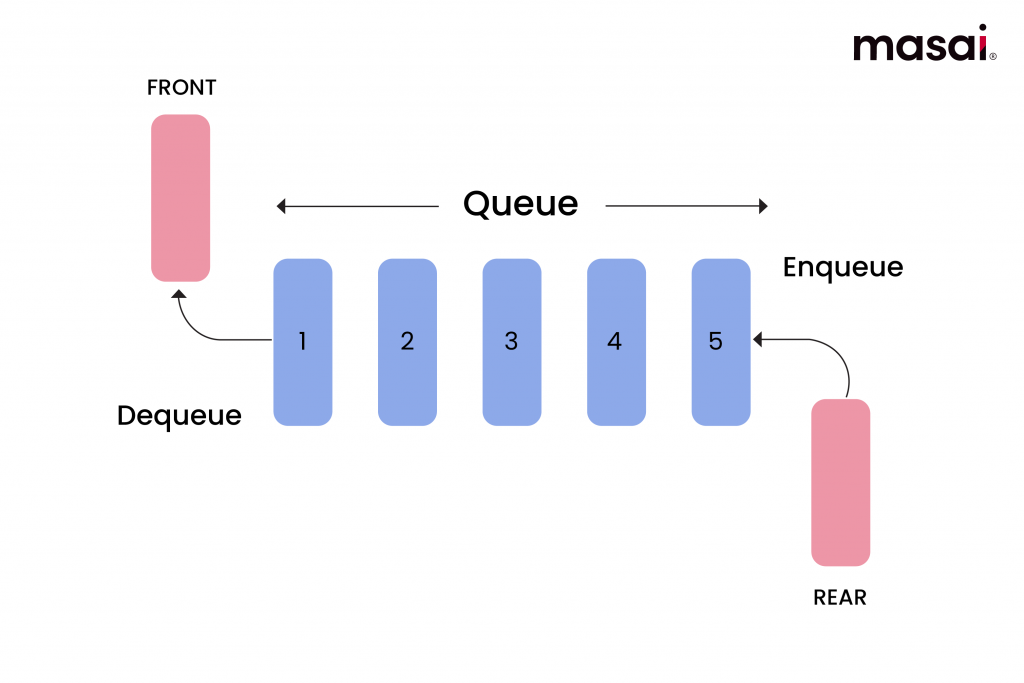
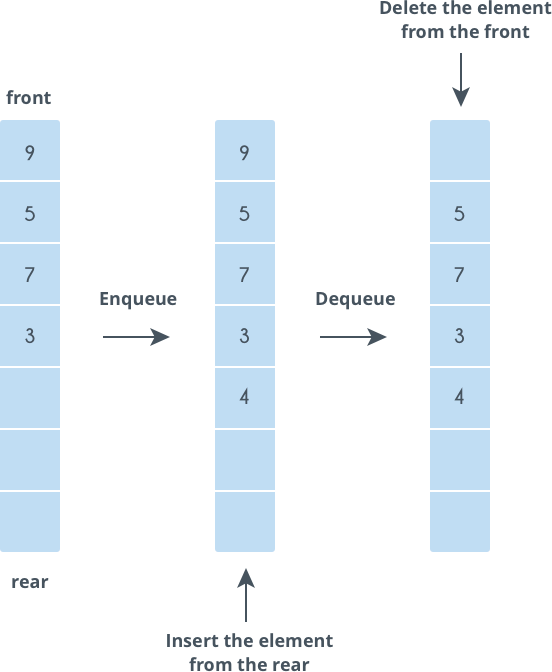
Adds an element at the rear.
queue.append(10)
🔹 2. Dequeue (Deletion)
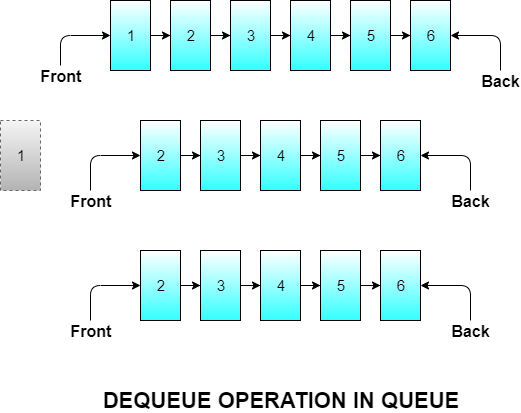
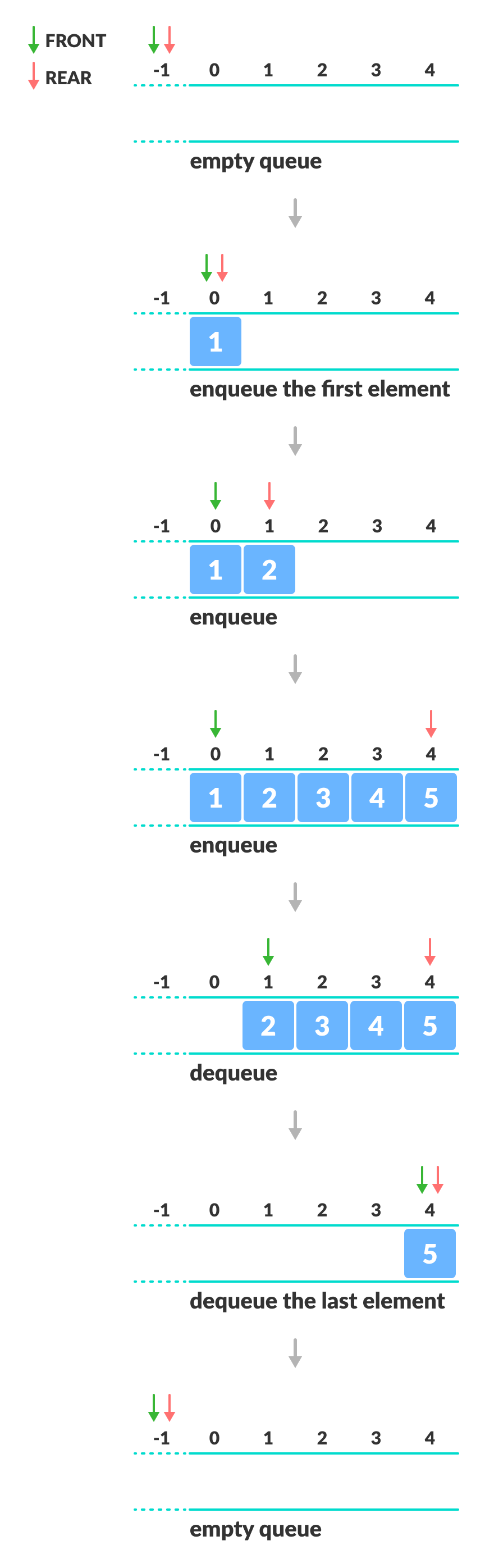
Removes an element from the front.
queue.pop(0)
🔹 3. Peek (Front Element)
queue[0]
Returns the front element without removing it.
🔹 4. isEmpty Operation
len(queue) == 0
🔹 5. isFull Operation (Array-based Queue)
Checks whether the queue has reached its maximum capacity.
🧮 Types of Queues
🔹 1. Simple Queue (Linear Queue)
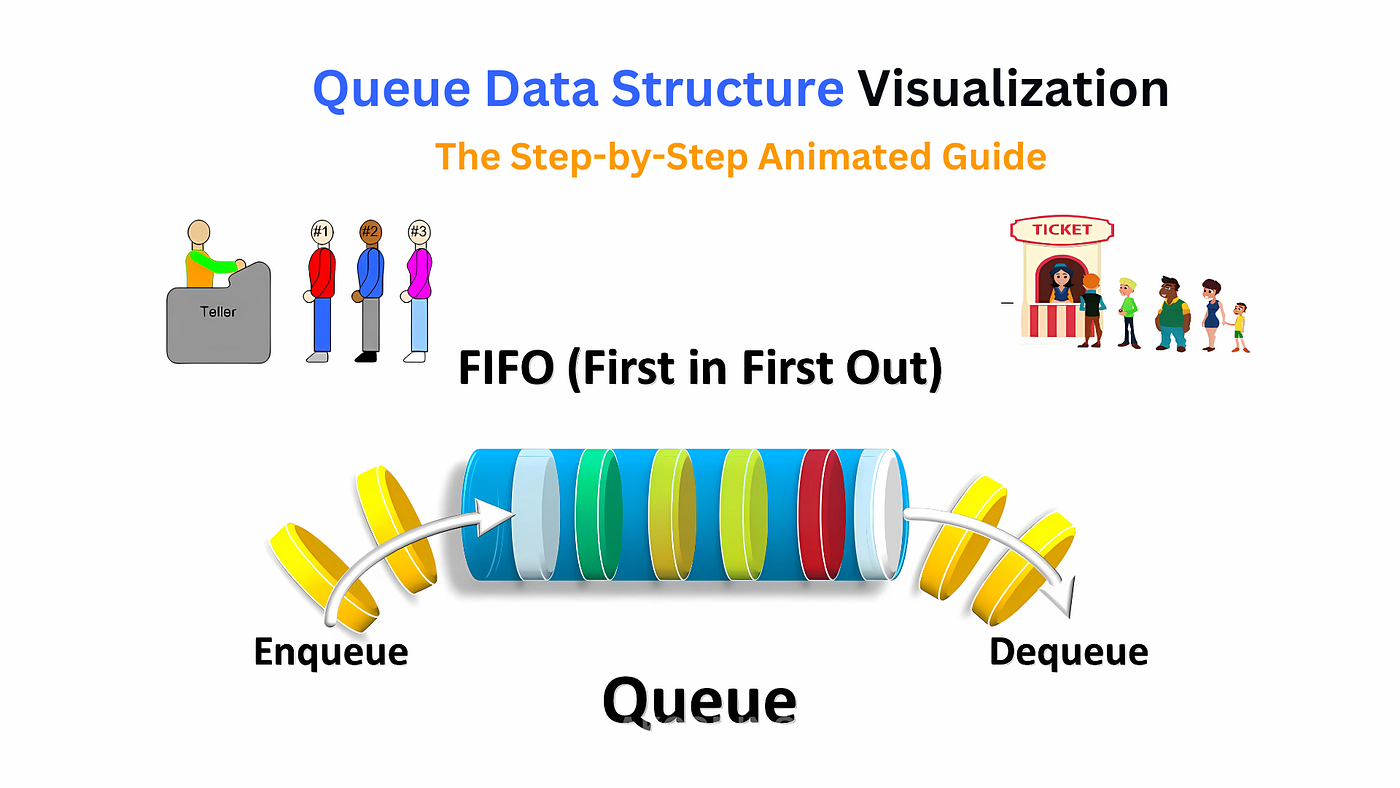
Basic FIFO queue.
🔹 2. Circular Queue


In a circular queue, the last position is connected to the first, forming a circle.
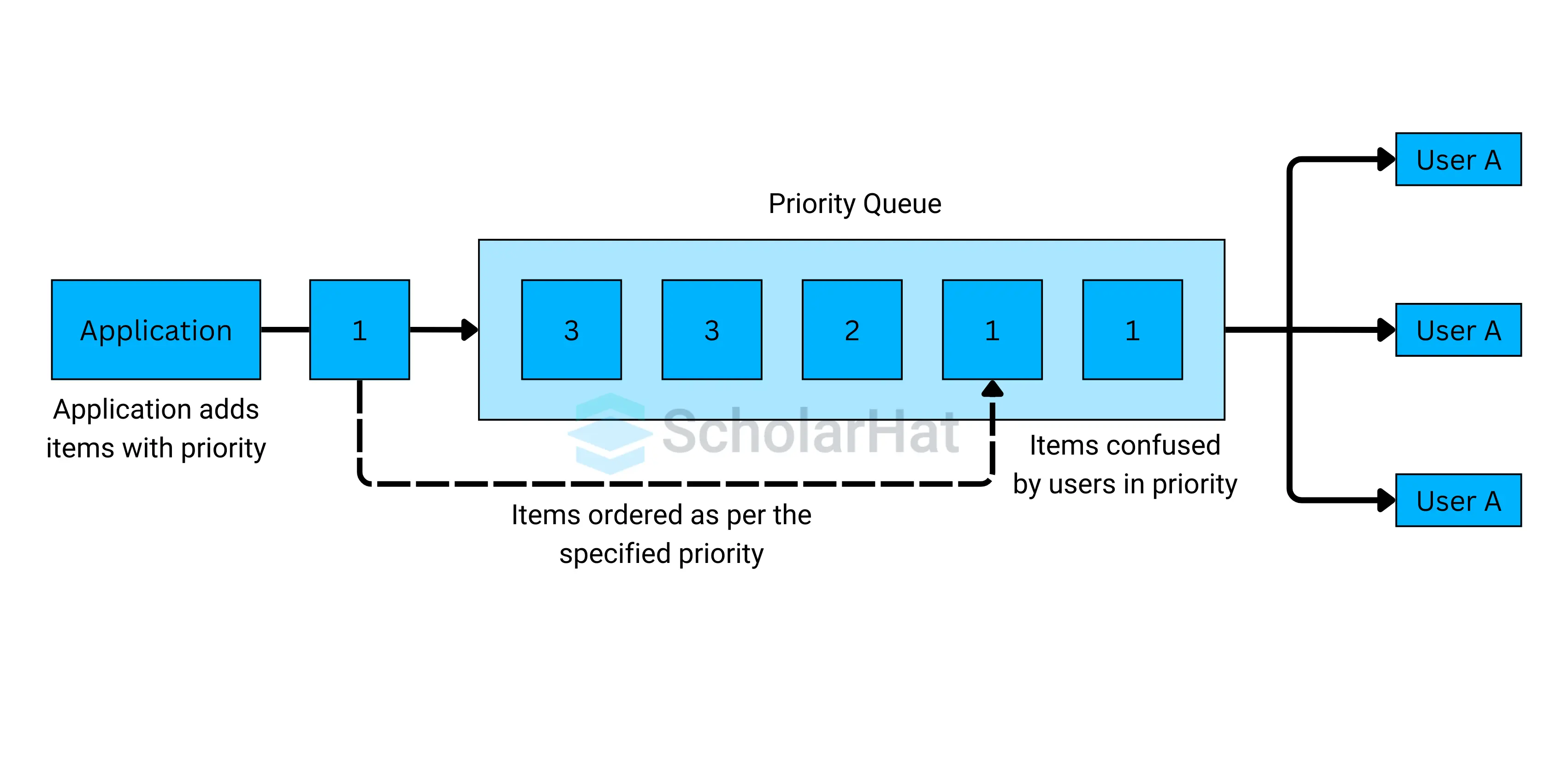
🔹 3. Priority Queue
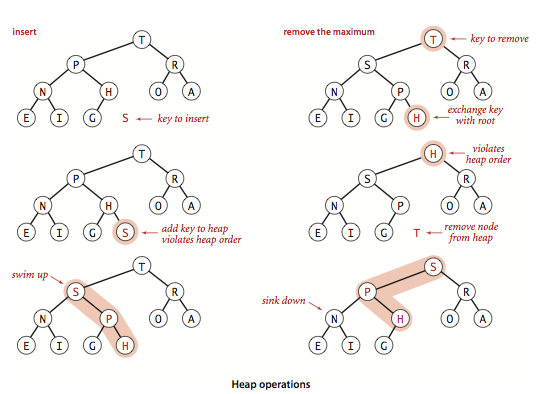

Elements are served based on priority, not order.
🔹 4. Deque (Double-Ended Queue)
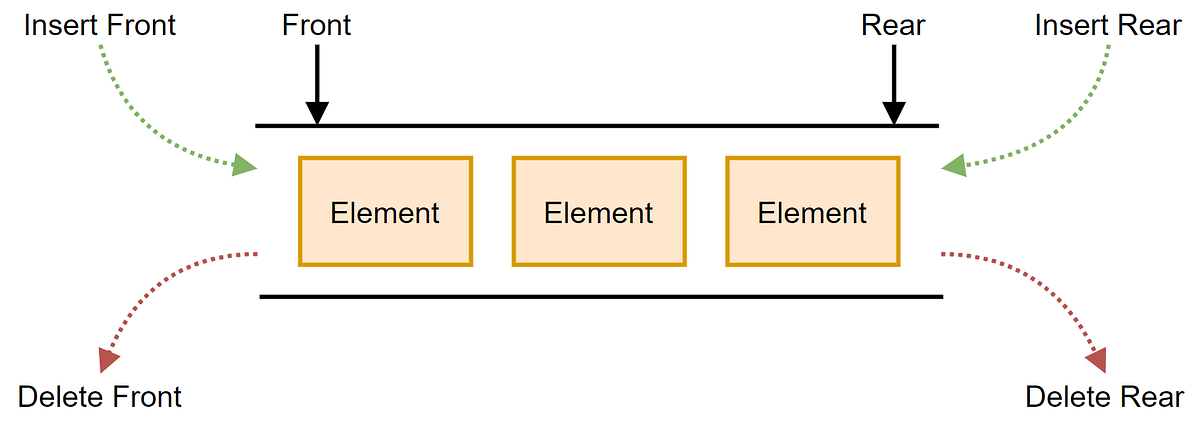
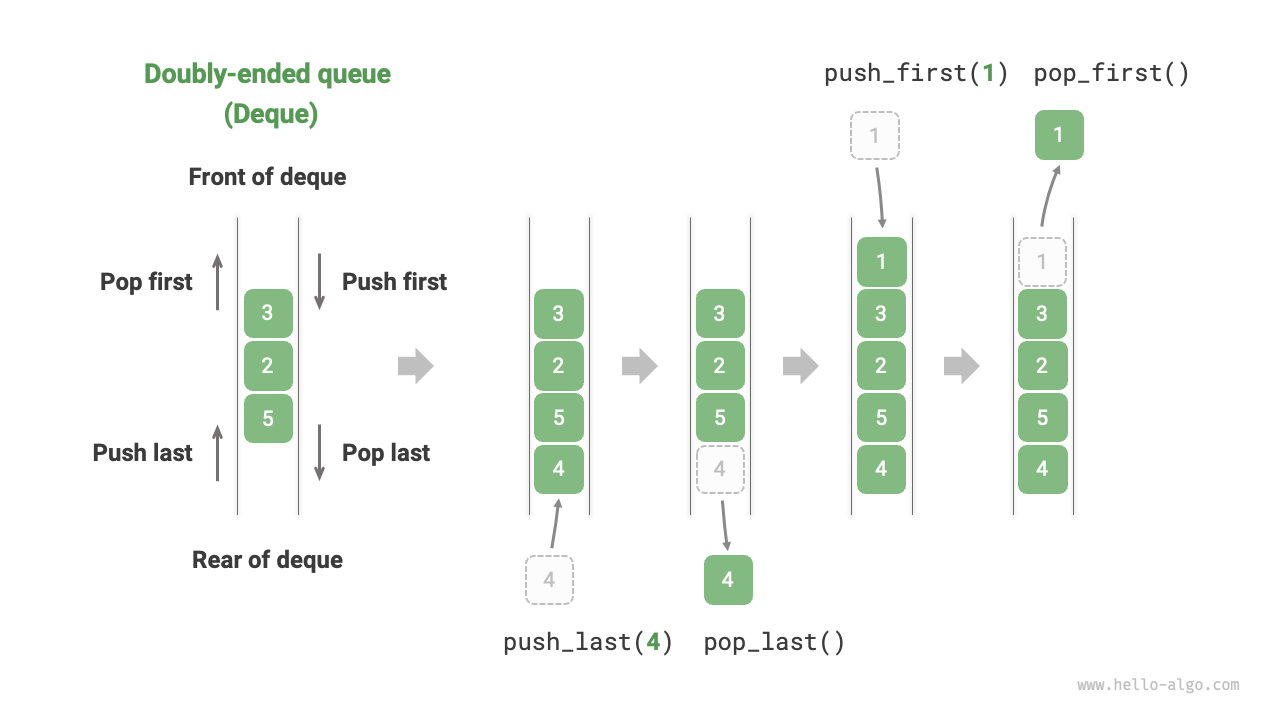


Insertion and deletion at both ends.
🔹 5. Input-Restricted Queue

Insertion allowed only at one end.
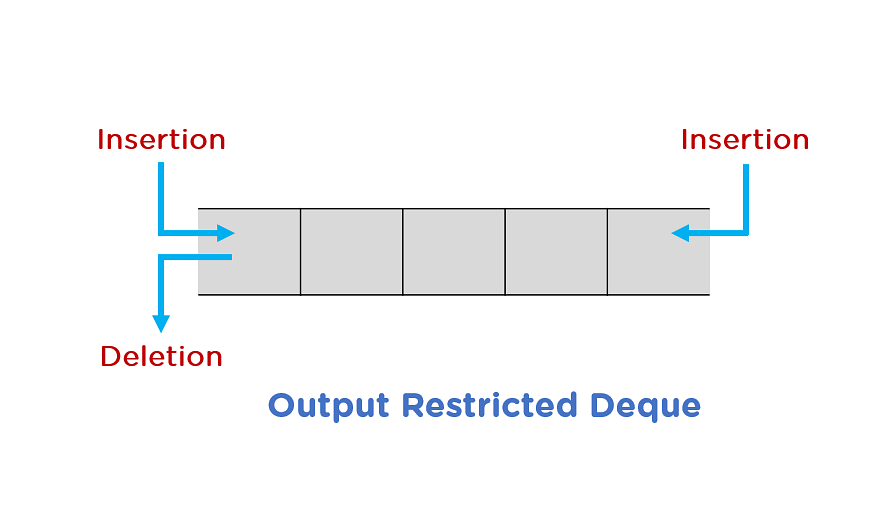
🔹 6. Output-Restricted Queue

Deletion allowed only at one end.
⚠️ Queue Conditions
🔴 Overflow


Occurs when inserting into a full queue.
🔵 Underflow
Occurs when deleting from an empty queue.
🧑💻 Queue Implementation
🔹 1. Using Arrays
class Queue:
    def __init__(self):
        self.queue = []

    def enqueue(self, data):
        self.queue.append(data)

    def dequeue(self):
        if self.is_empty():
            return "Underflow"
        return self.queue.pop(0)

    def peek(self):
        return self.queue[0]

    def is_empty(self):
        return len(self.queue) == 0
🔹 2. Using Linked Lists
class Node:
    def __init__(self, data):
        self.data = data
        self.next = None

class Queue:
    def __init__(self):
        self.front = None
        self.rear = None

    def enqueue(self, data):
        new_node = Node(data)
        if self.rear is None:
            self.front = self.rear = new_node
            return
        self.rear.next = new_node
        self.rear = new_node

    def dequeue(self):
        if self.front is None:
            return "Underflow"
        temp = self.front
        self.front = self.front.next
        return temp.data
🧮 Time Complexity of Queue Operations
| Operation | Time Complexity |
|---|---|
| Enqueue | O(1) |
| Dequeue | O(1) |
| Peek | O(1) |
| Search | O(n) |
⚡ Advantages of Queues
- Maintains order of elements
- Efficient for scheduling
- Useful in real-time systems
- Easy to implement
⚠️ Disadvantages of Queues
- Limited access (no random access)
- Fixed size (in array implementation)
- Inefficient shifting (in simple arrays)
🧠 Advanced Queue Concepts
🔹 1. Heap-Based Priority Queue

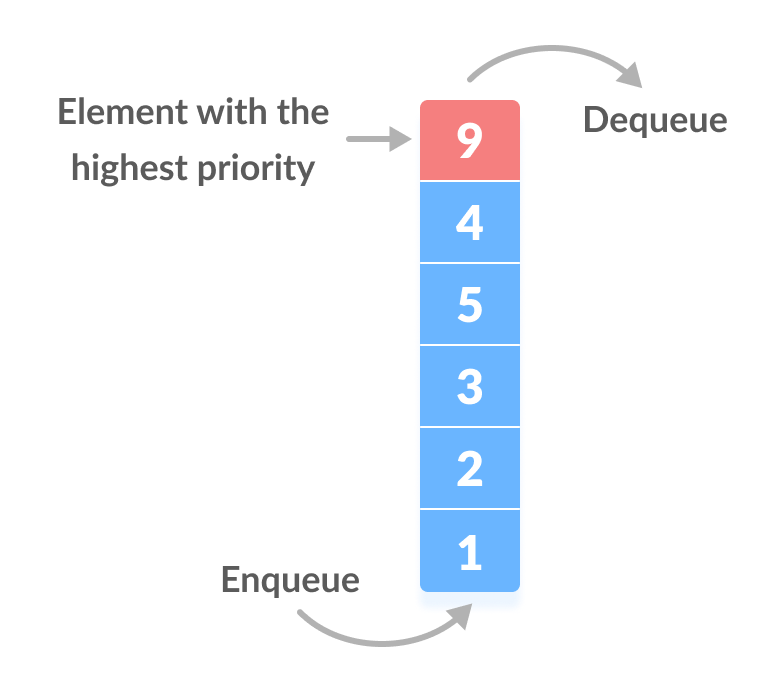
Uses heaps for efficient priority handling.
🔹 2. Double-Ended Queue (Deque)
Supports operations at both ends.
🔹 3. Blocking Queue
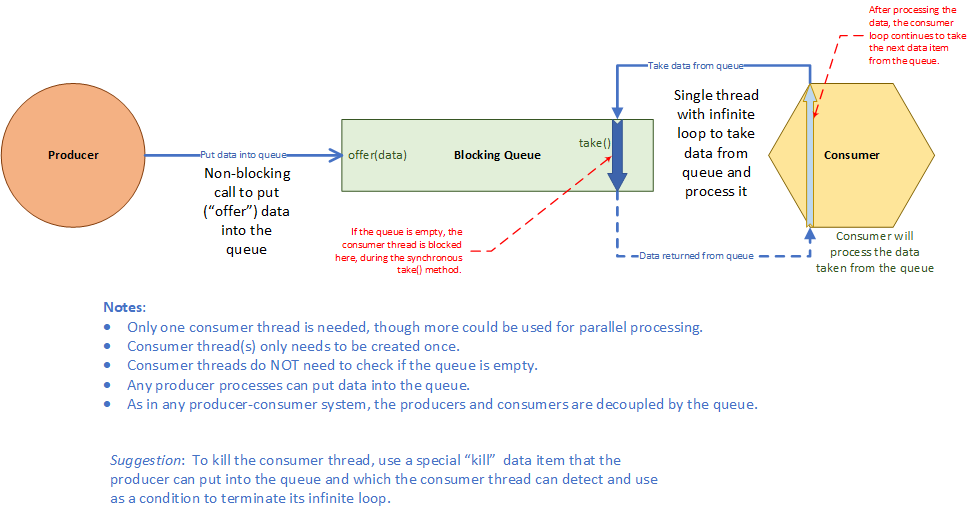
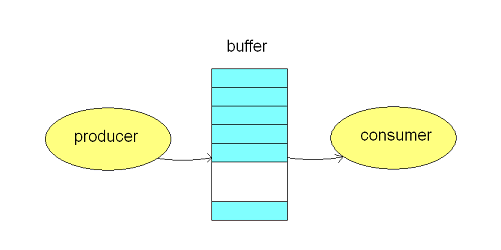
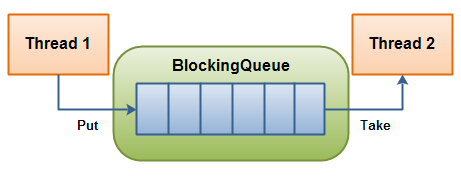

Used in multithreading.
🔹 4. Message Queues

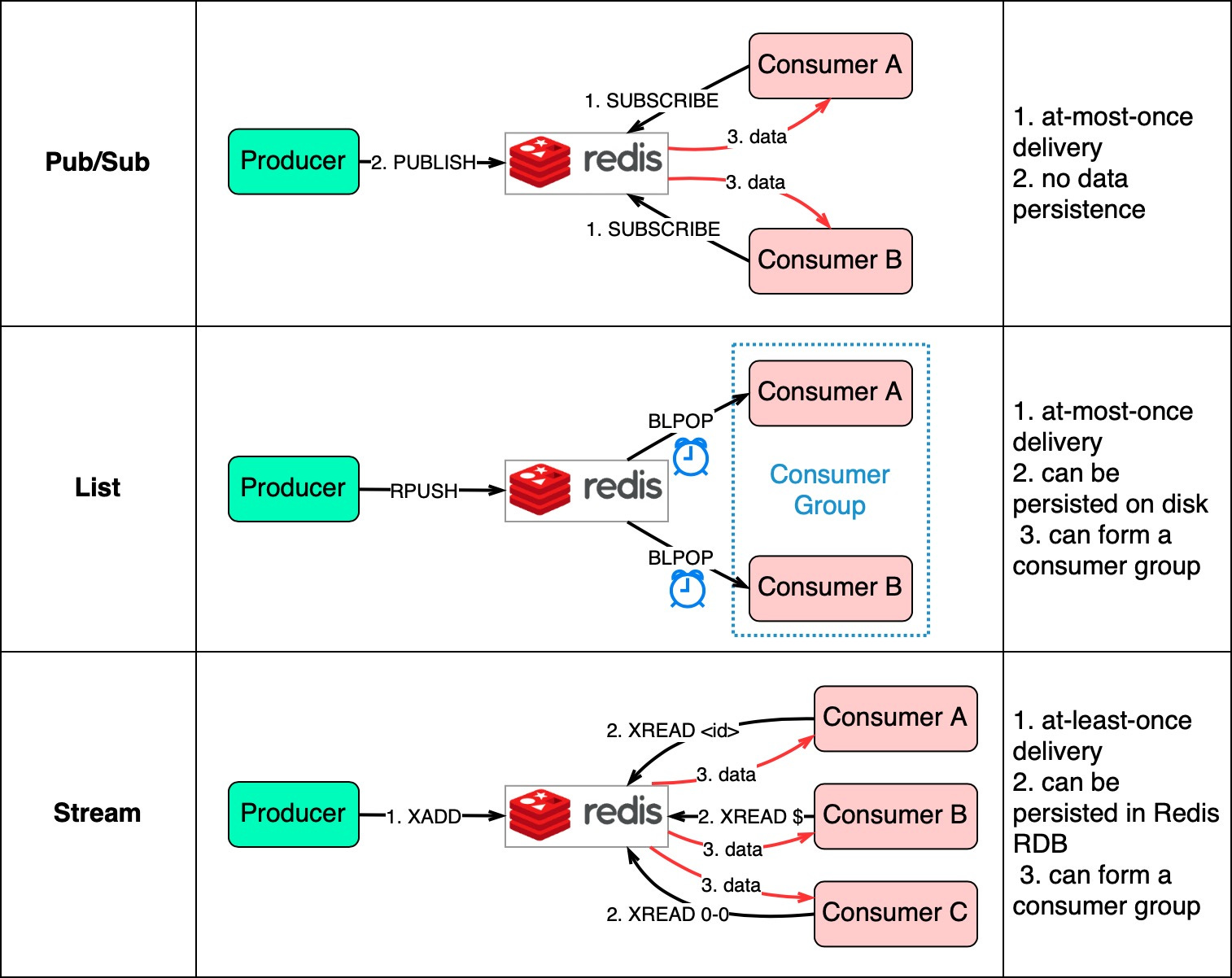
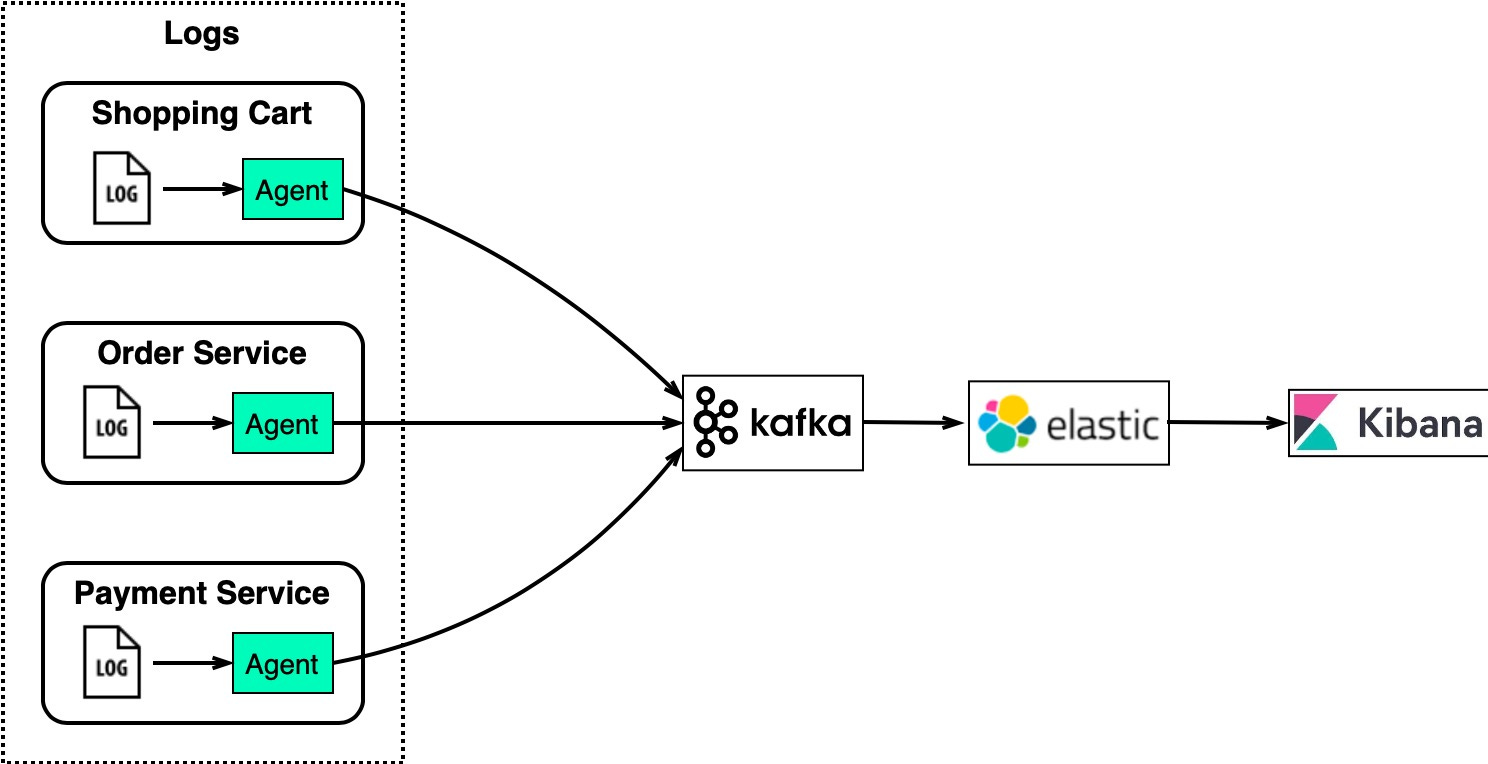
Used in distributed systems.
🔬 Applications of Queues
🖨️ 1. CPU Scheduling
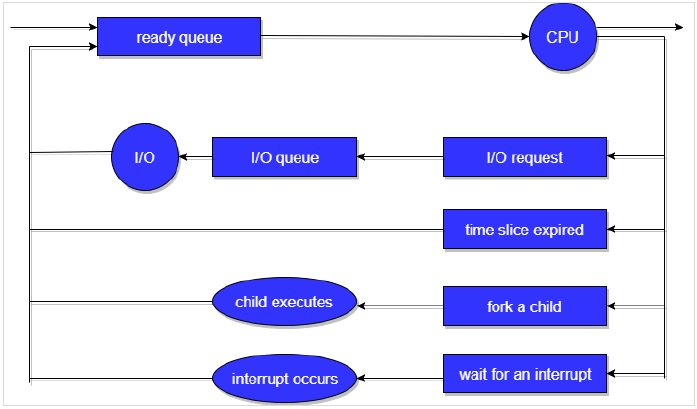

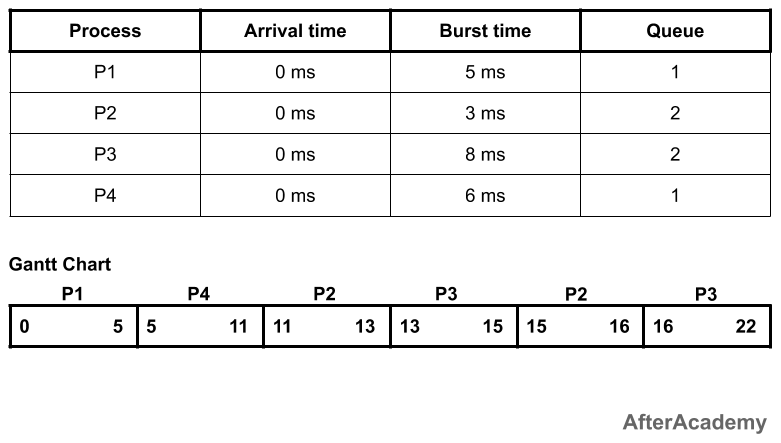
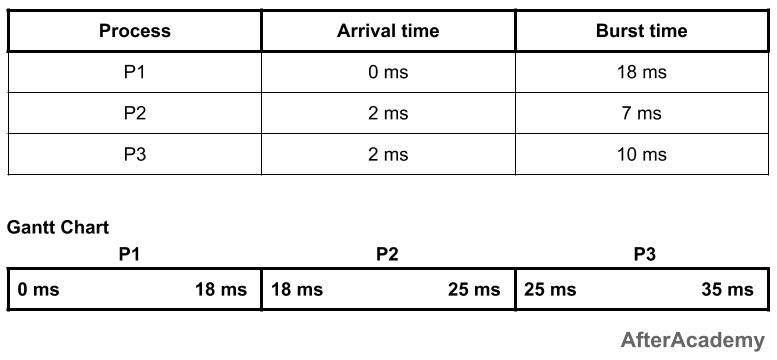
Processes are scheduled using queues.
🌐 2. Network Packet Handling

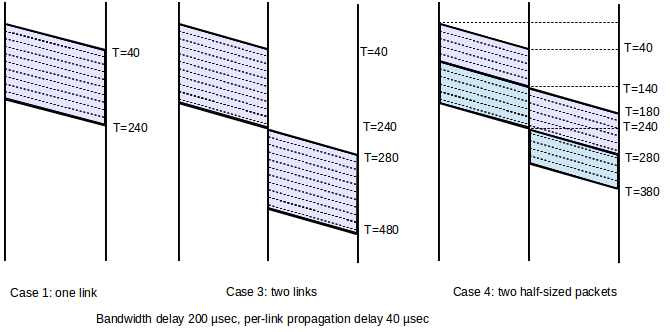
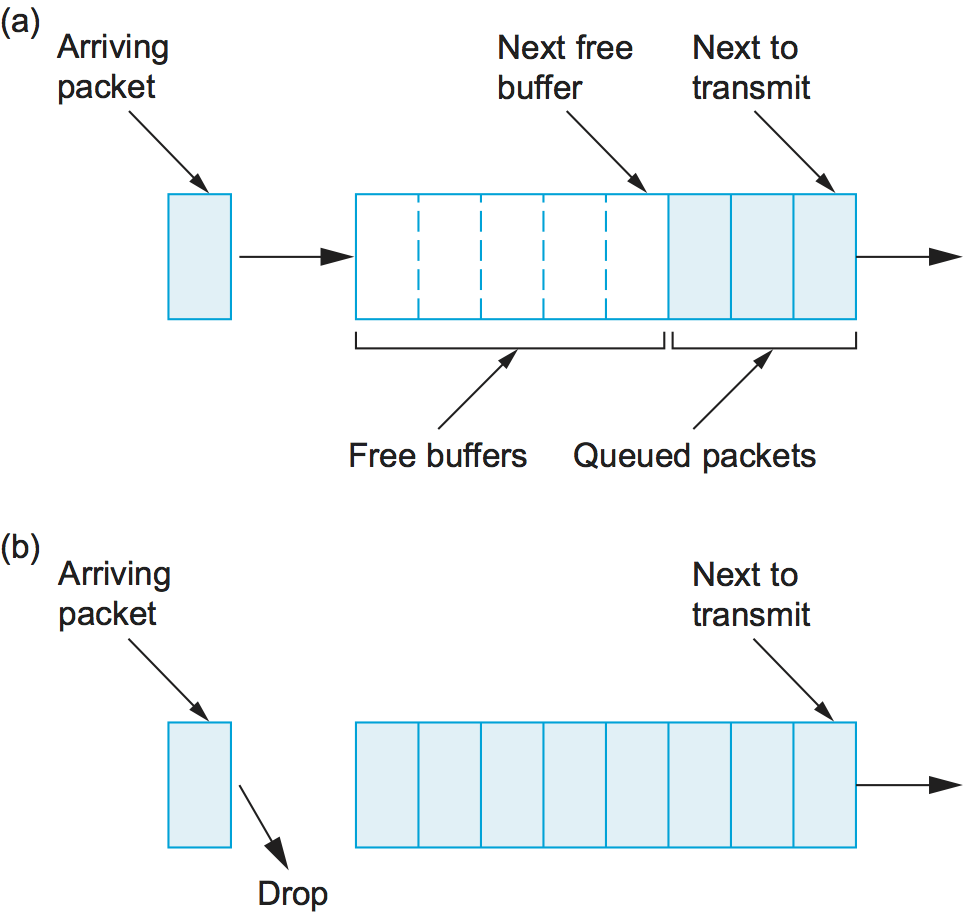
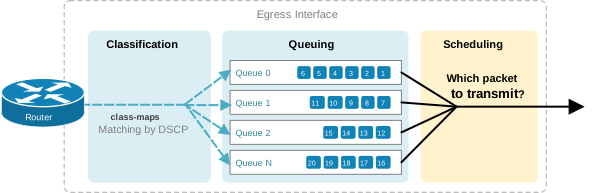
Packets are processed in order.
🎮 3. Game Development
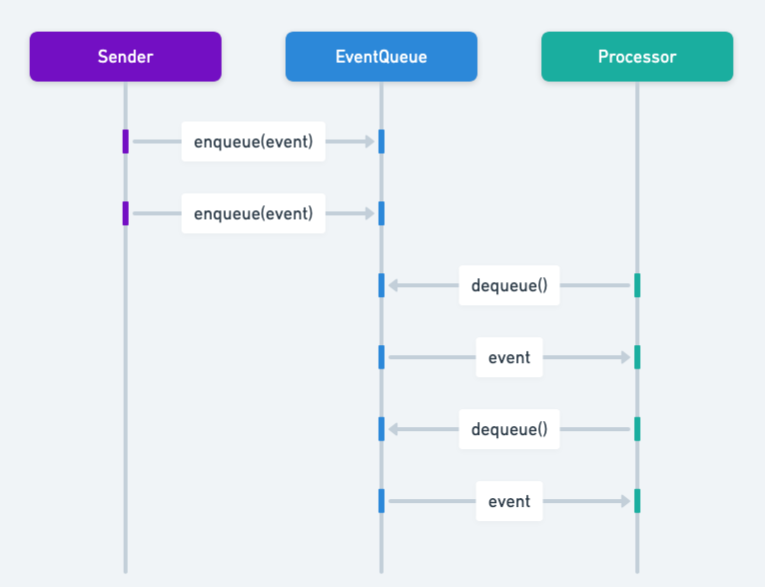


Event handling systems.
🧾 4. Printer Queue


Jobs processed in order.
🧮 5. Breadth First Search (BFS)


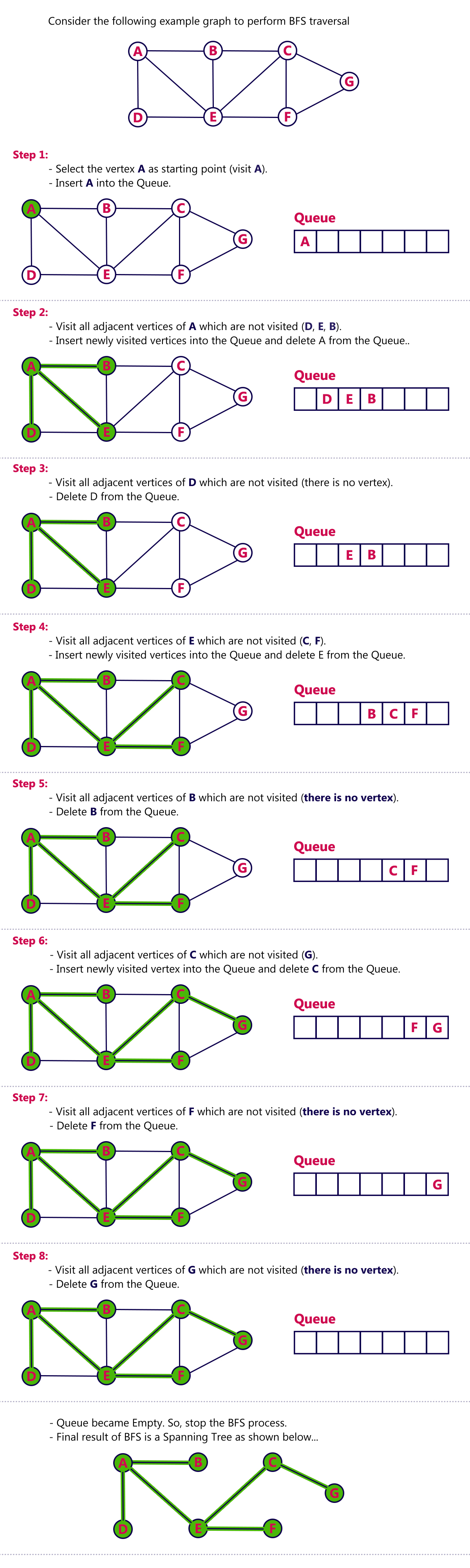

Used in graph traversal.
🔁 Queue vs Stack
| Feature | Queue | Stack |
|---|---|---|
| Principle | FIFO | LIFO |
| Insertion | Rear | Top |
| Deletion | Front | Top |
🧪 Memory Representation
Array-Based:
Front → [10, 20, 30] ← Rear
Linked List-Based:
Front → [10] → [20] → [30] ← Rear
🚀 Real-World Importance
Queues are essential in:
- Operating systems
- Networking
- Real-time systems
- Simulation systems
- Distributed computing
🧾 Conclusion
Queues are an essential data structure that ensures fair and orderly processing of data. Their FIFO nature makes them ideal for scheduling, buffering, and real-time processing systems.
Understanding queues is crucial for mastering algorithms, system design, and real-world problem solving.