Tag Archives: Contiguous Allocation

🧠 Memory Management


🌐 Introduction to Memory Management
Image
Image
Image
Image

Memory Management is a core function of an operating system (OS) that handles the allocation, organization, and optimization of main memory (RAM) for processes and applications.

In simple terms:

Memory management = efficient use of RAM for program execution

It ensures that each process gets enough memory while maintaining system stability, performance, and security.


🧠 Importance of Memory Management

  • Efficient utilization of memory
  • Supports multitasking
  • Prevents memory conflicts
  • Enhances system performance
  • Provides process isolation and protection

🧩 Basic Concepts of Memory


💾 What is Memory?

Memory is a storage area where data and instructions are kept during processing.


📊 Types of Memory

Image
Image

🔹 Primary Memory

  • RAM
  • Cache
  • Registers

🔹 Secondary Memory

  • HDD
  • SSD

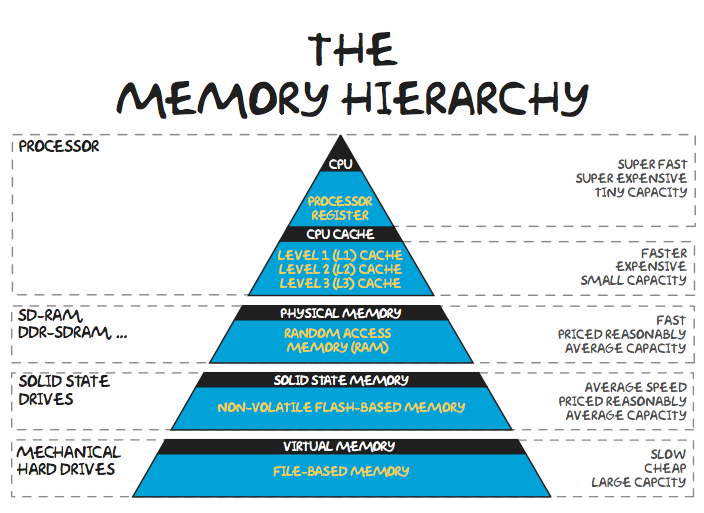
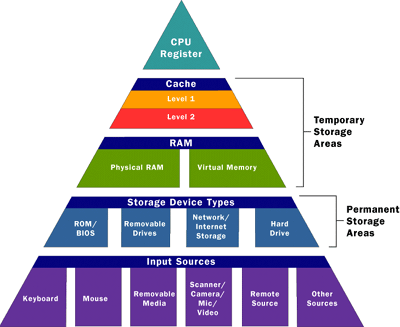
🧠 Memory Hierarchy

  1. Registers (fastest)
  2. Cache
  3. RAM
  4. Secondary storage (slowest)

⚙️ Memory Allocation


🔹 Static Allocation

  • Memory allocated at compile time
  • Fixed size

🔹 Dynamic Allocation

  • Memory allocated at runtime
  • Flexible

🧠 Process Memory Layout

Image
Image
Image

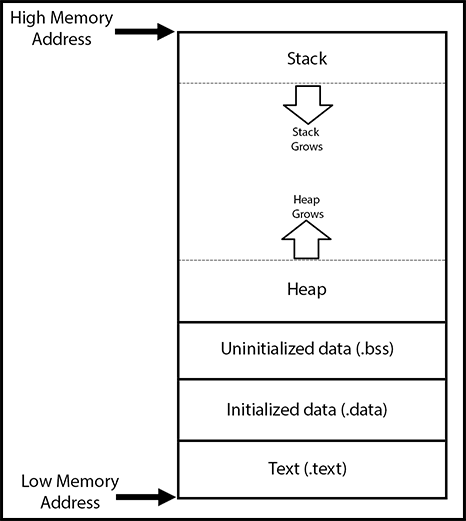
Each process has:

  • Code segment
  • Data segment
  • Heap
  • Stack

🔄 Contiguous Memory Allocation


📦 Concept
Image
Image
Image
Image

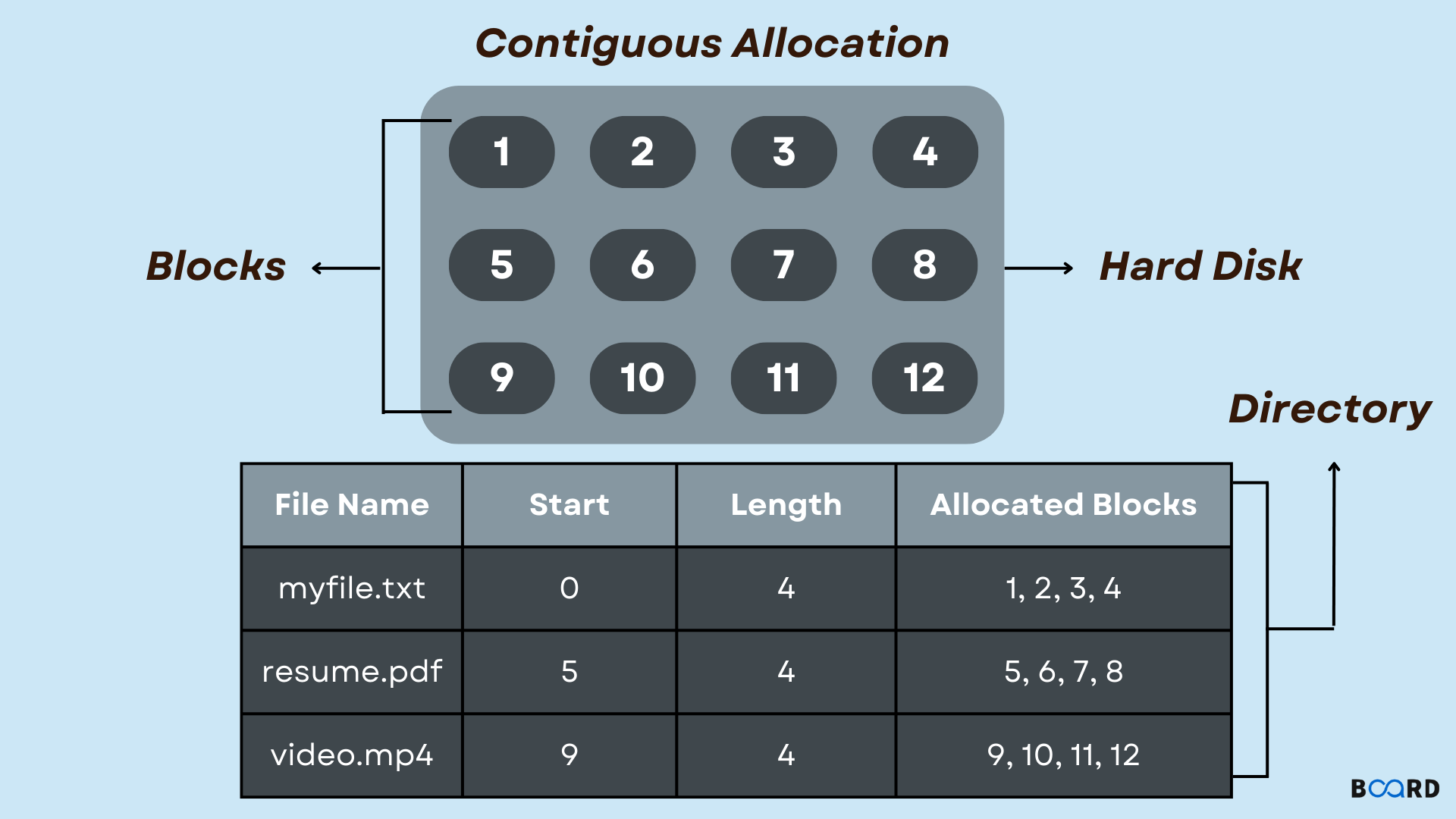
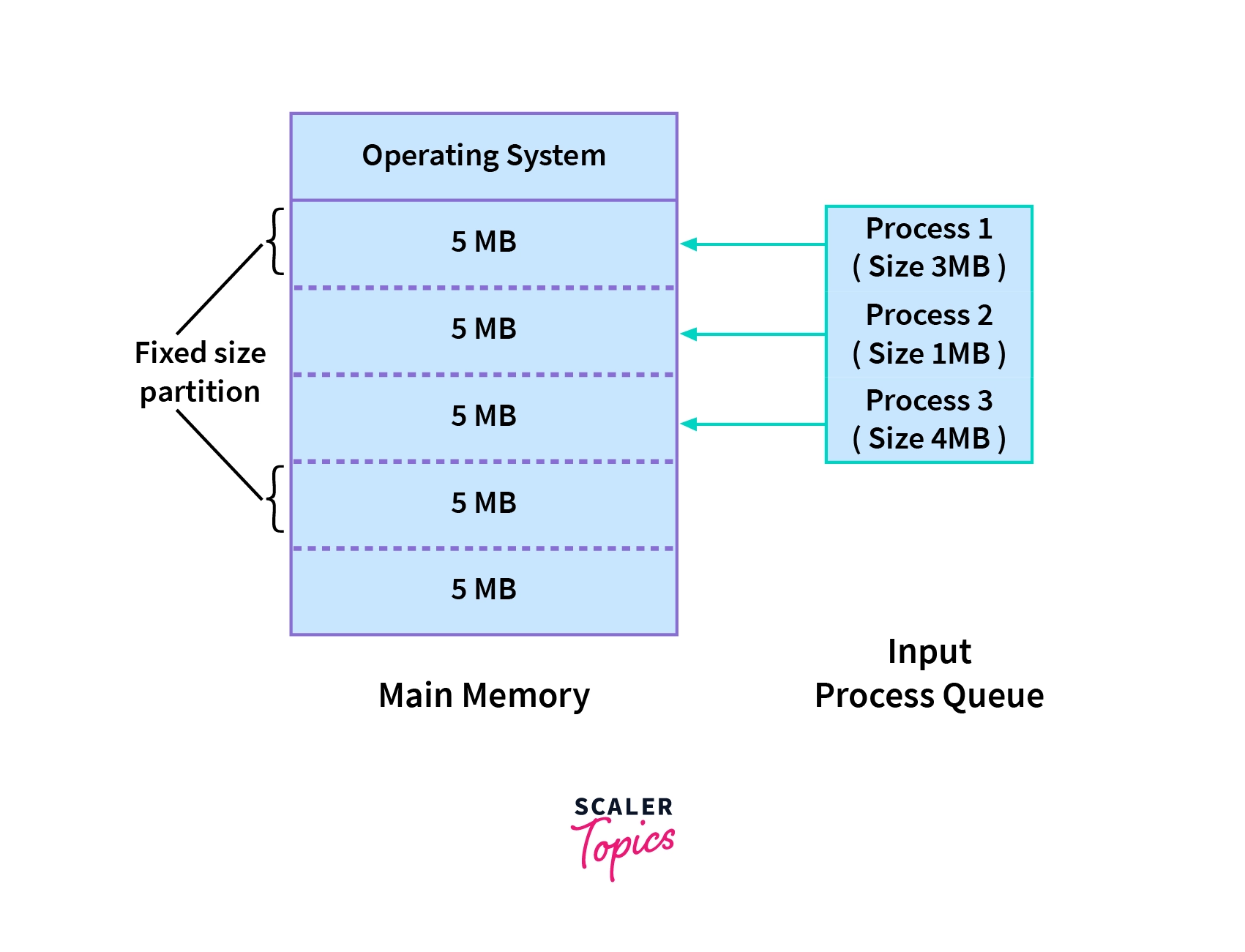
Processes are stored in continuous memory blocks.


⚠️ Fragmentation

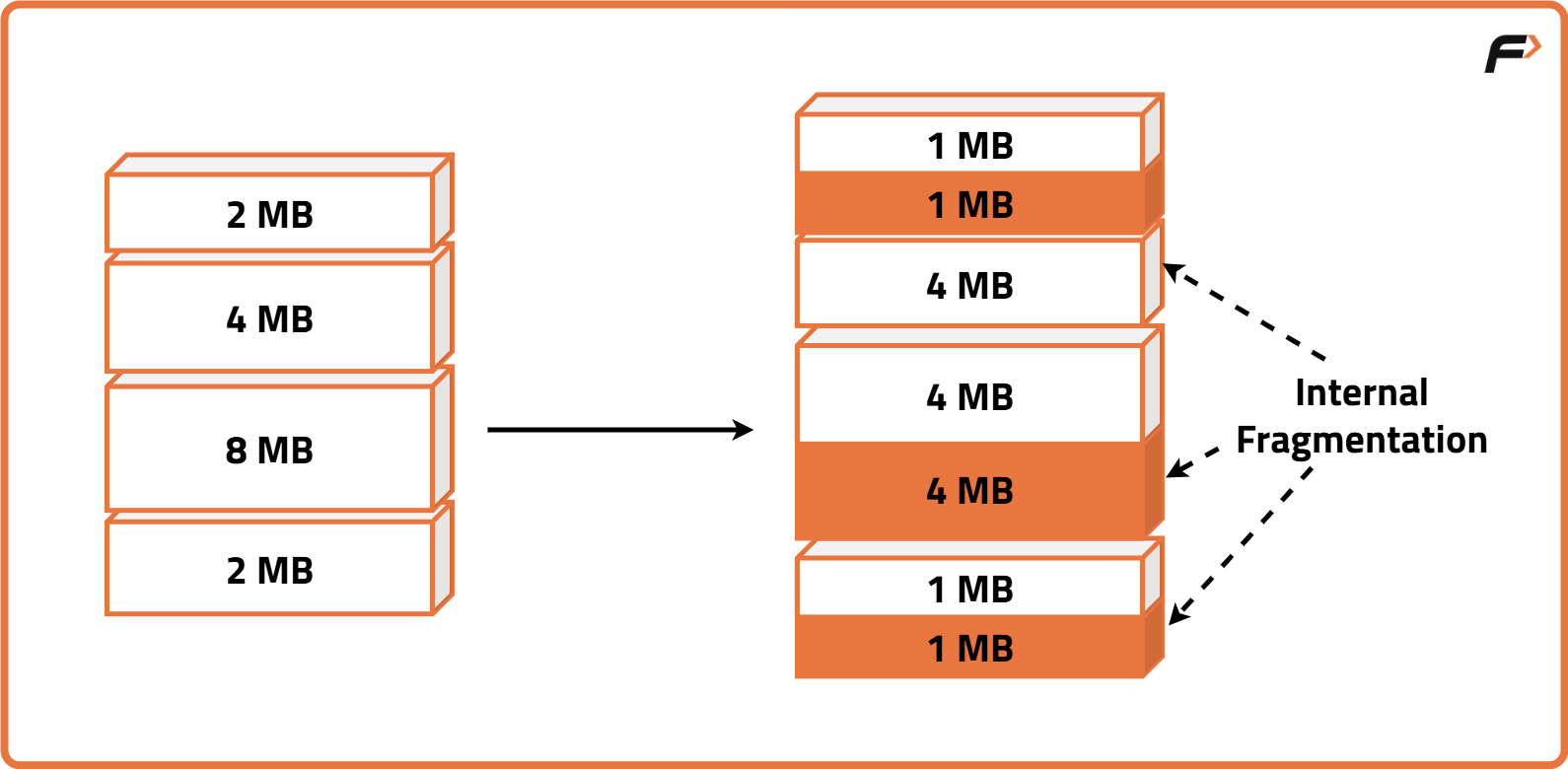
🔹 Internal Fragmentation

  • Unused space inside allocated memory

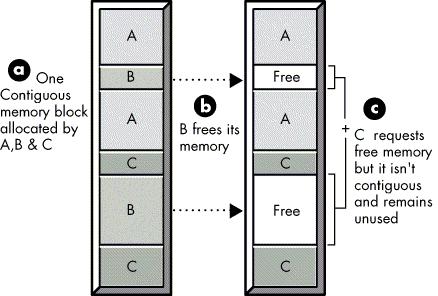
🔹 External Fragmentation

  • Scattered free space

🔄 Allocation Strategies

  • First Fit
  • Best Fit
  • Worst Fit

🧠 Paging


📄 Concept

Image
Image
Image
Image

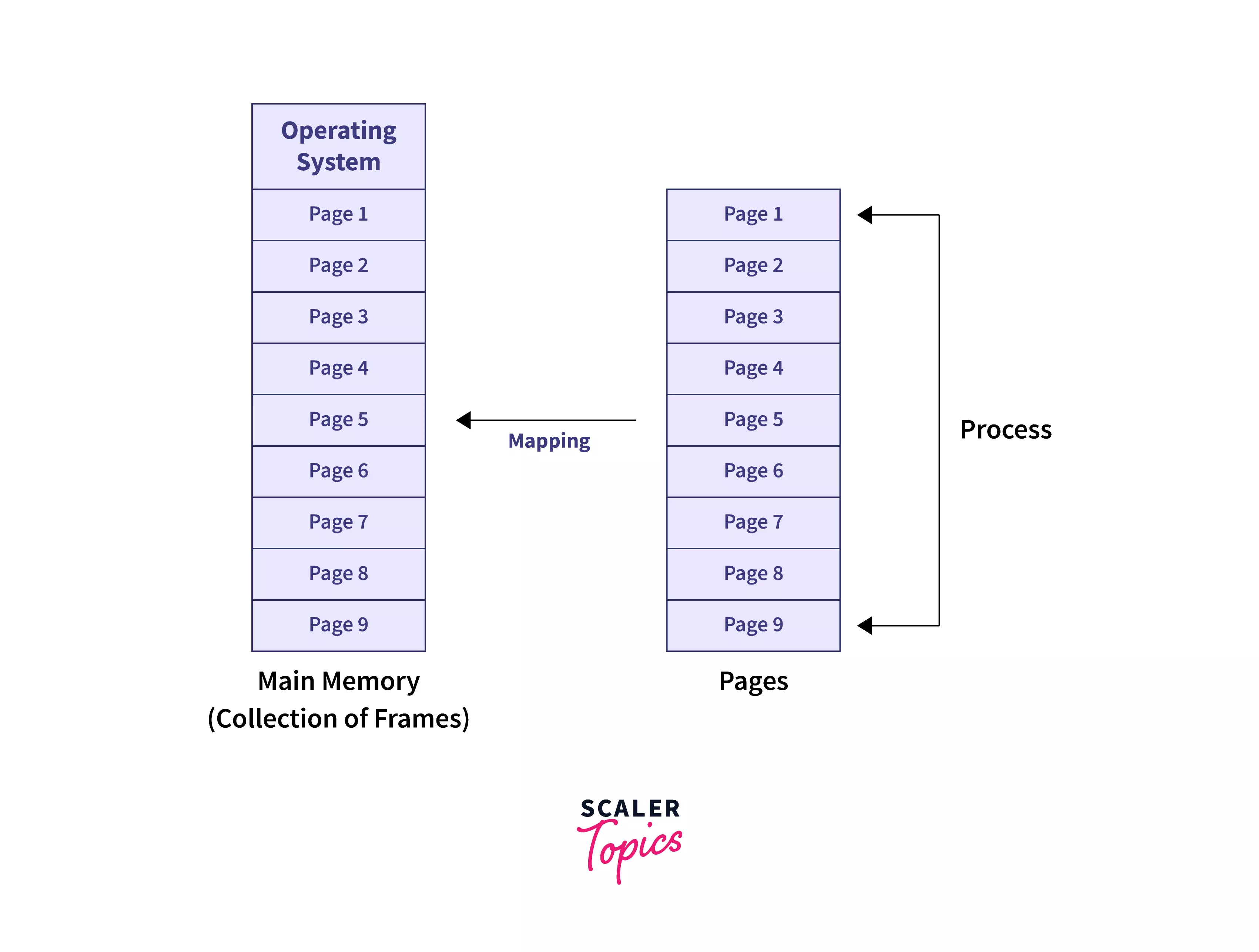
Paging divides memory into:

  • Pages (logical)
  • Frames (physical)

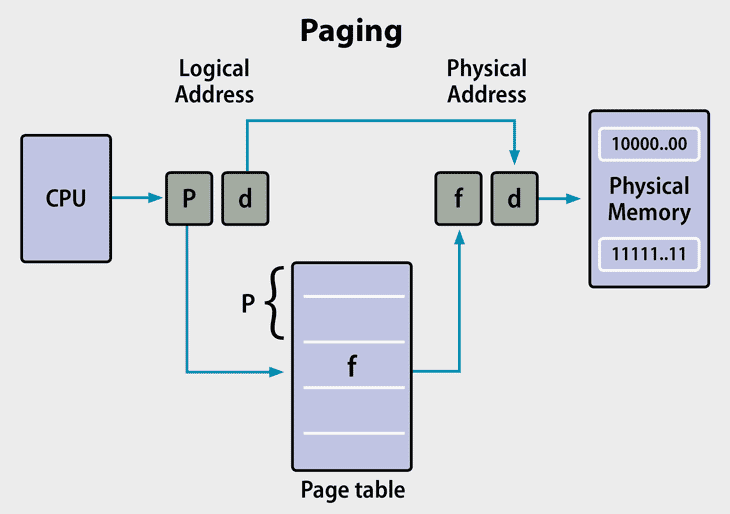
⚙️ Page Table

  • Maps pages to frames

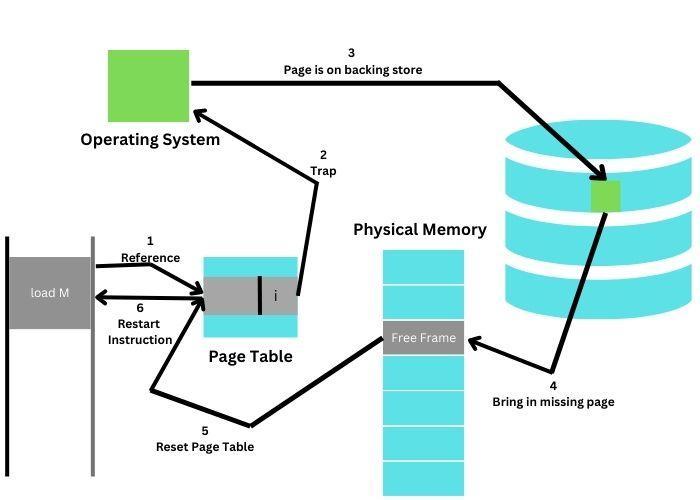
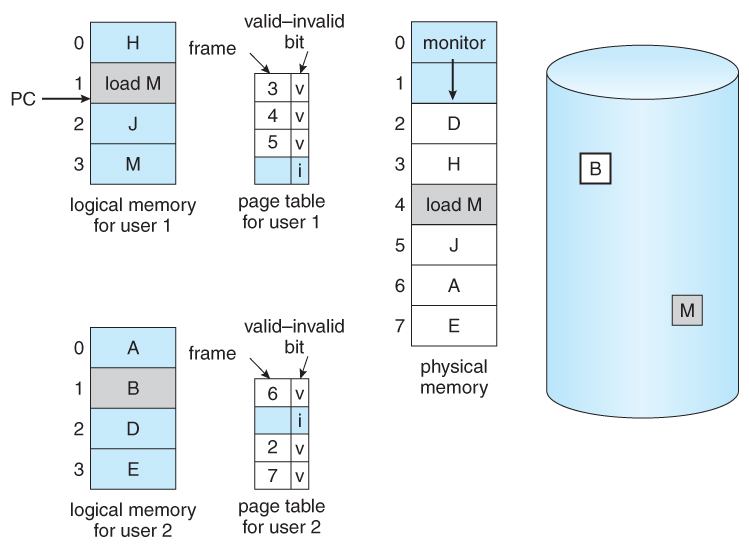
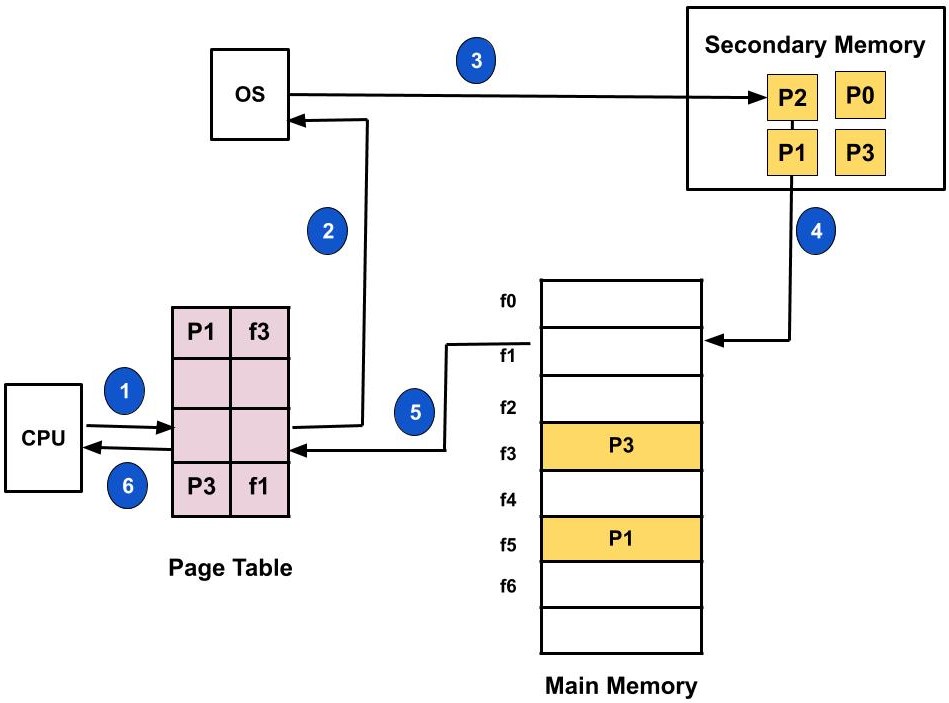
⚠️ Page Fault

Occurs when required page is not in memory.


🧠 Segmentation


📄 Concept

Image
Image
Image

Memory divided into segments:

  • Code
  • Data
  • Stack

⚠️ Issues

  • External fragmentation

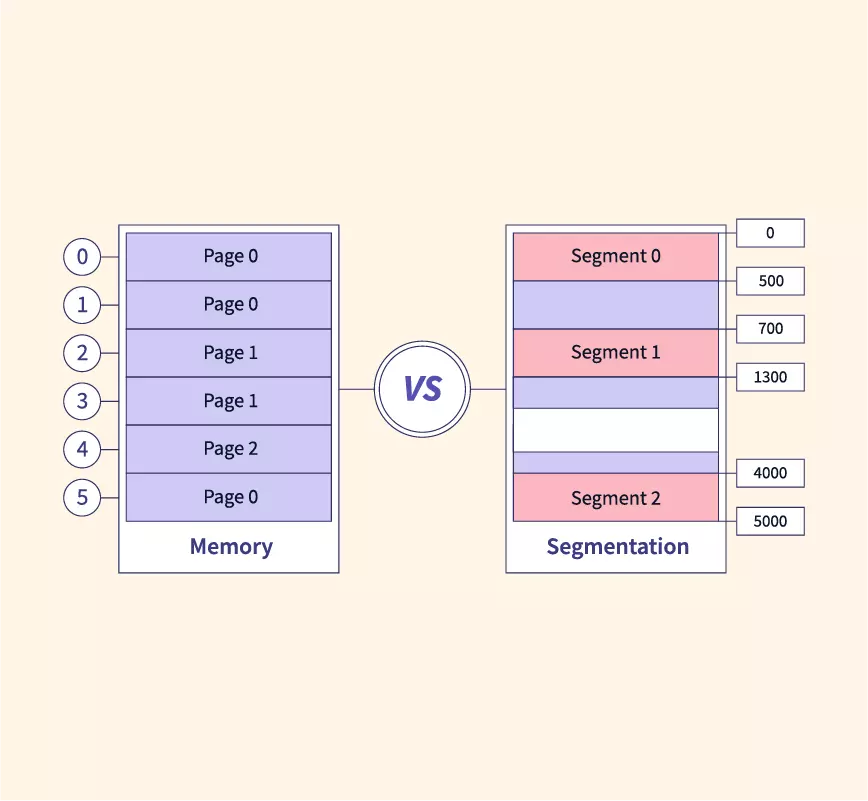
🔄 Paging vs Segmentation

FeaturePagingSegmentation
SizeFixedVariable
FragmentationInternalExternal
ComplexityModerateHigh

🧠 Virtual Memory


🌐 Concept

Image
Image
Image
Image

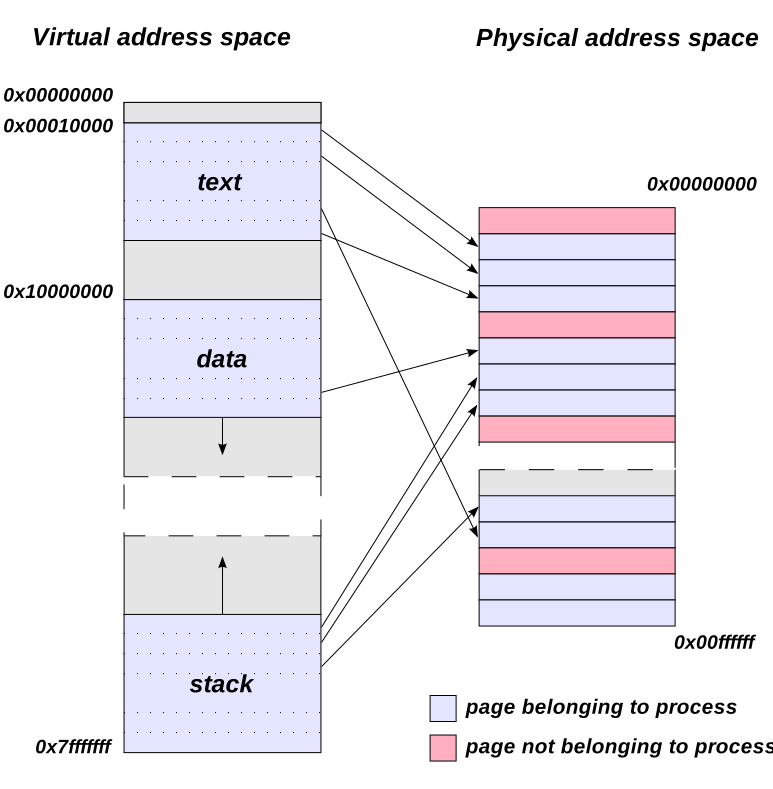
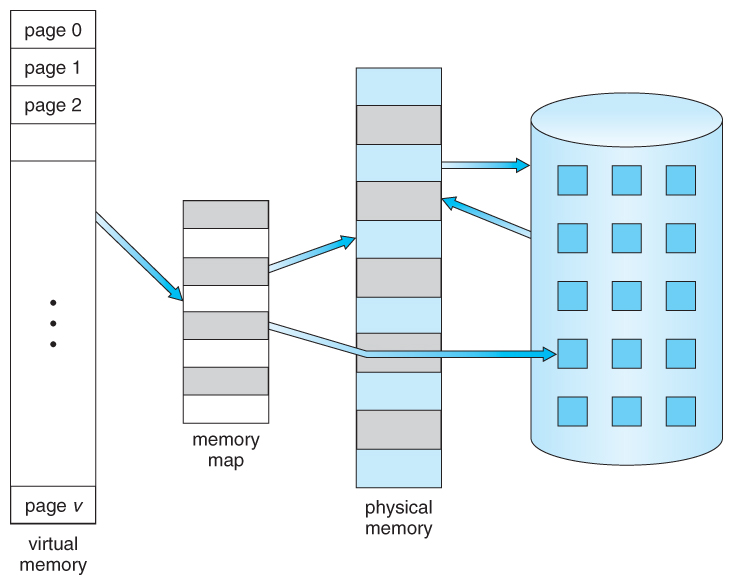
Virtual memory allows programs to use more memory than physically available.


⚙️ Techniques:

  • Demand paging
  • Swapping

🔄 Page Replacement Algorithms


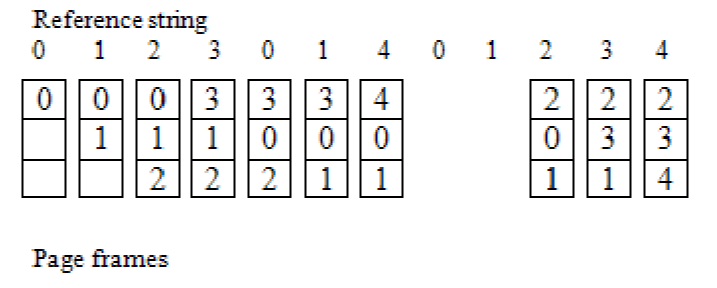
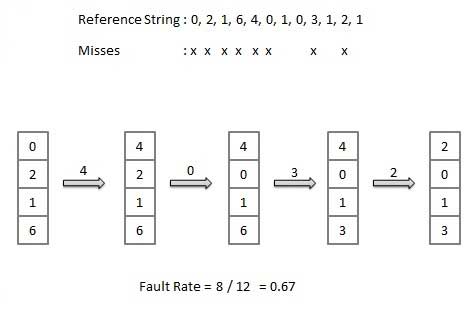
🔹 FIFO (First In First Out)

Image
Image
Image

🔹 LRU (Least Recently Used)

Image
Image
Image
Image

🔹 Optimal Algorithm

Image
Image
Image
Image

🔐 Memory Protection


🛡️ Techniques:

  • Base and limit registers
  • Access control
  • Address binding

🔄 Address Binding


🧠 Types:

  • Compile-time
  • Load-time
  • Execution-time

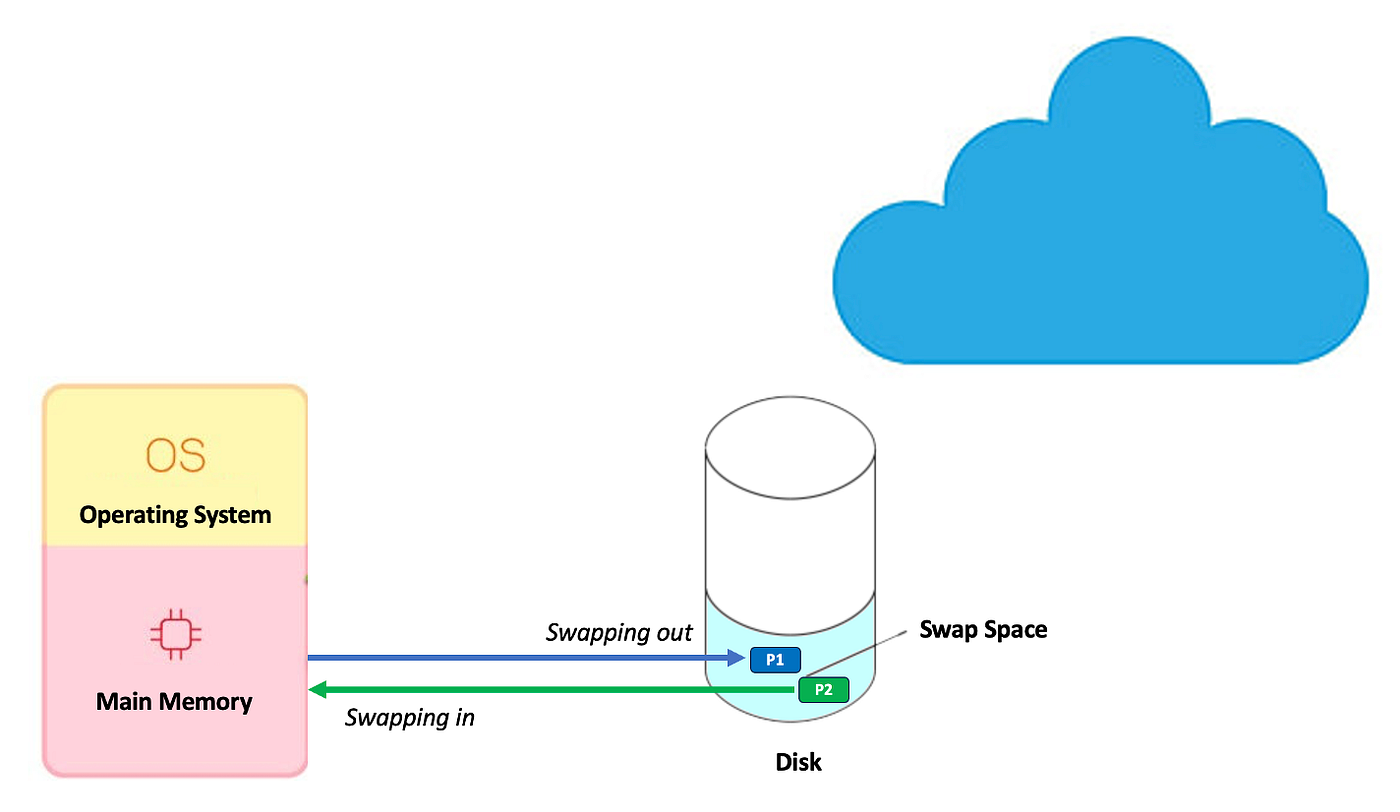
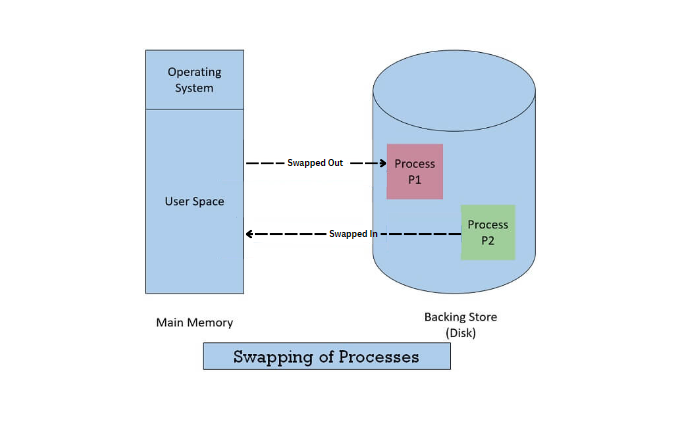
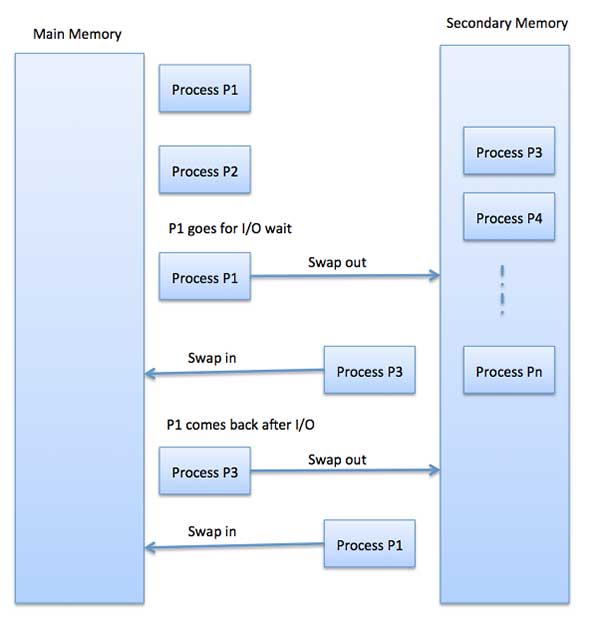
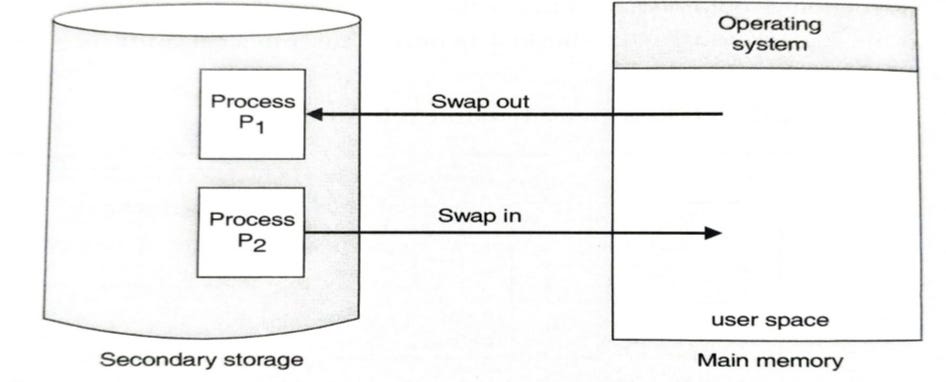
🧠 Swapping


🔄 Concept
Image
Image
Image
Image
  • Moves processes between RAM and disk

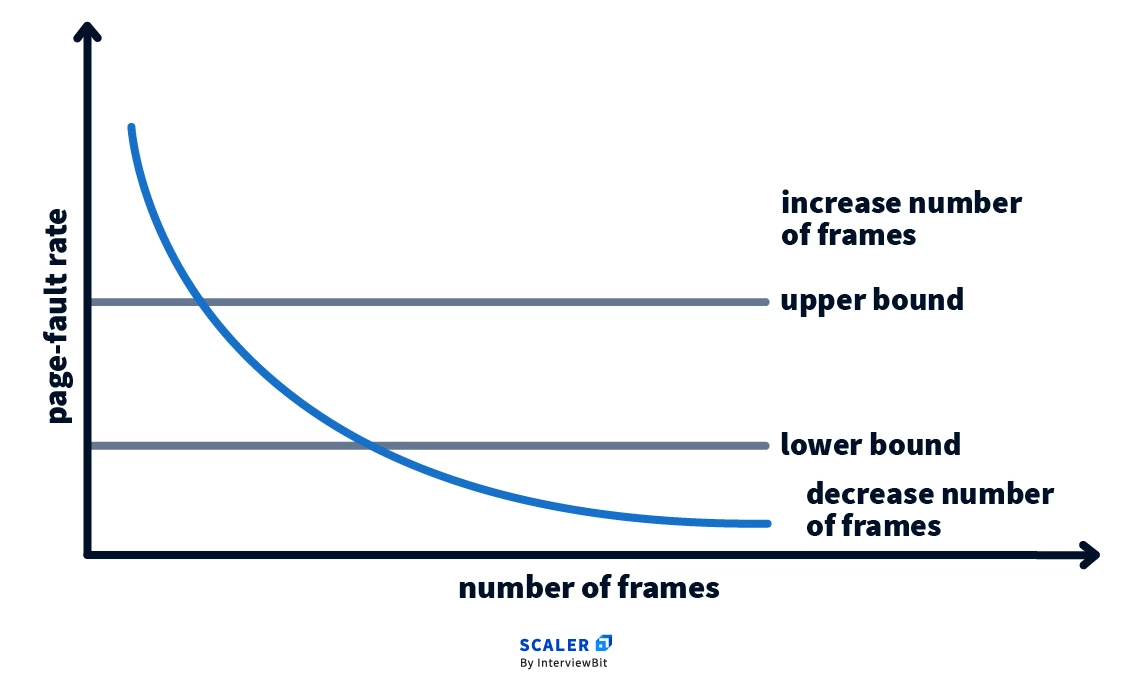
🧩 Thrashing


⚠️ Concept

Image
Image
Image
Image
  • Excessive paging
  • Reduces performance

🧠 Cache Memory Management


⚡ Concept

Image
Image
Image
  • Stores frequently used data
  • Reduces access time

🔄 Cache Mapping Techniques

  • Direct mapping
  • Associative mapping
  • Set-associative mapping

🧠 Modern Memory Management Techniques


🚀 Advanced Concepts
Image
Image
Image
Image
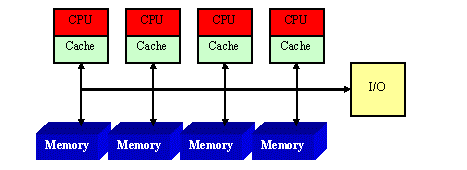
  • NUMA architecture
  • Memory virtualization
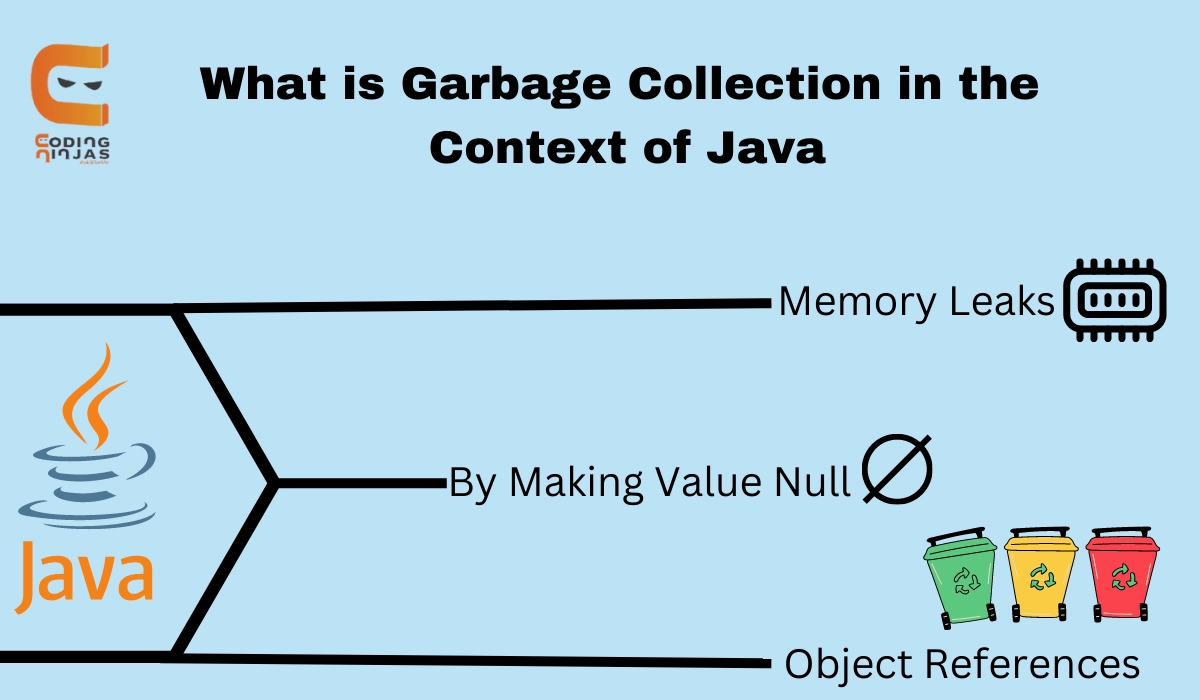
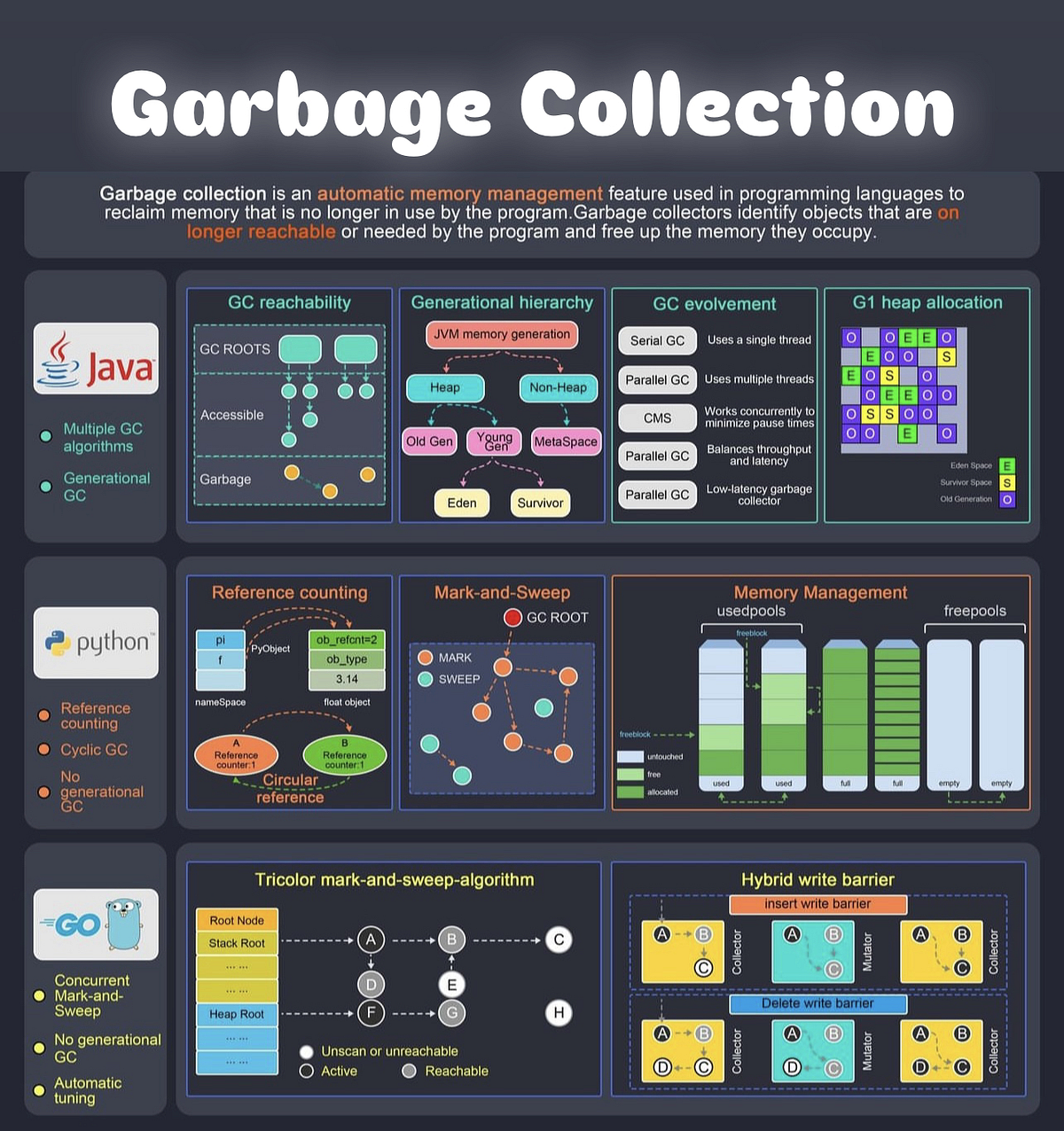
  • Garbage collection
  • Memory compression

⚡ Advantages of Memory Management

  • Efficient resource utilization
  • Improved performance
  • Supports multitasking
  • Ensures security

⚠️ Challenges

  • Fragmentation
  • Thrashing
  • Overhead
  • Complexity

🧠 Conclusion

Memory management is a critical component of operating systems that ensures efficient execution of programs. It enables:

  • Multitasking
  • Efficient memory usage
  • System stability

Understanding memory management is essential for:

  • OS design
  • Software development
  • Performance optimization

🏷️ Tags

📂 File Systems – Complete Detailed Guide


🌐 Introduction to File Systems

Image
Image
Image
Image

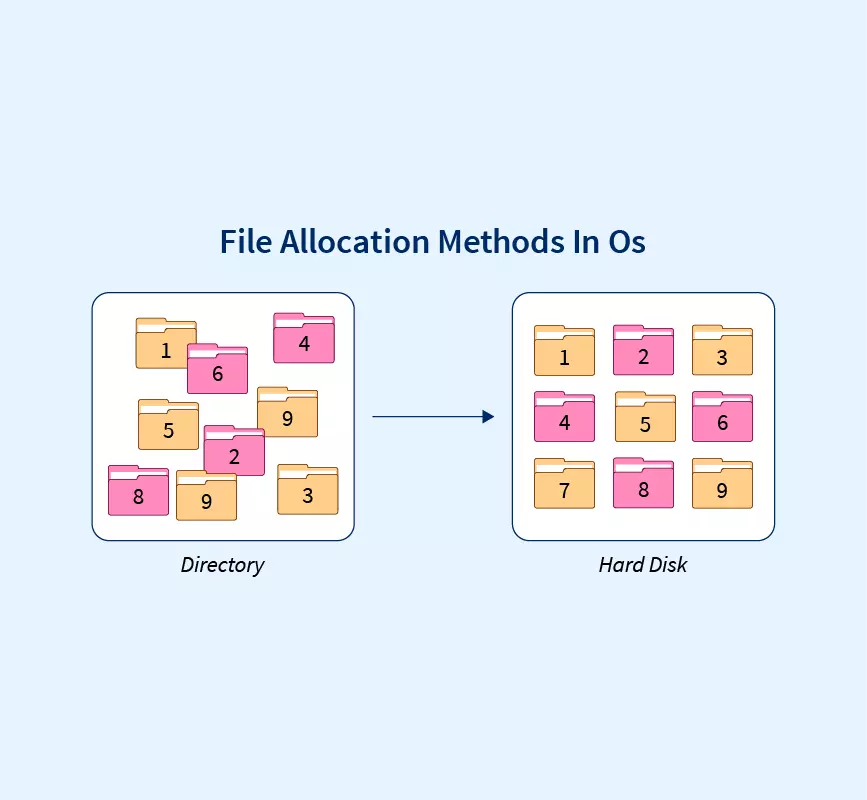
A file system is a method used by an operating system to store, organize, retrieve, and manage data on storage devices such as hard drives, SSDs, and USB drives.

In simple terms:

File system = structure that organizes data into files and folders

Without a file system, data would be stored as raw bits, making it nearly impossible to locate or manage information.


🧠 Importance of File Systems

  • Organizes data efficiently
  • Enables fast access and retrieval
  • Supports file security and permissions
  • Ensures data integrity
  • Facilitates storage management

🧩 Basic Concepts of File Systems


📄 What is a File?

A file is a collection of related data stored as a single unit.

Examples:

  • Text file (.txt)
  • Image file (.jpg)
  • Program file (.exe)

📁 What is a Directory (Folder)?

Image
Image
Image
Image

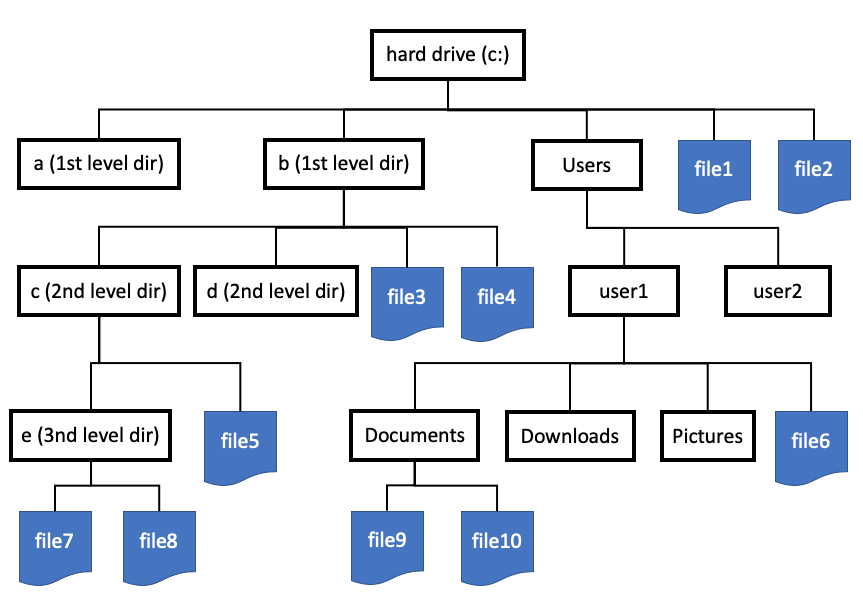
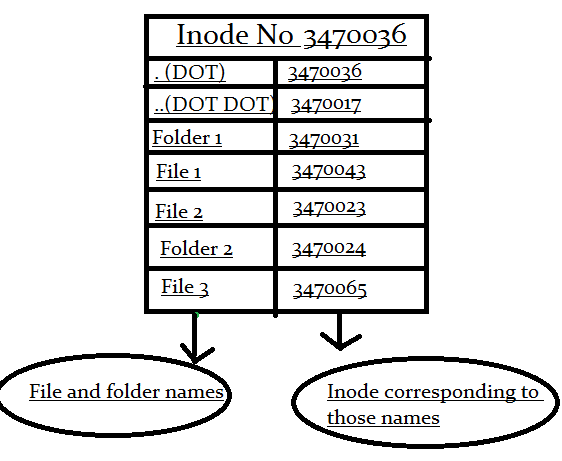
A directory is a container used to organize files.


🌳 File System Hierarchy

  • Root directory
  • Subdirectories
  • Files

Example:

/ (root)
 ├── home
 ├── documents
 └── files

🧠 File Attributes

Each file has metadata:

  • Name
  • Size
  • Type
  • Creation date
  • Permissions

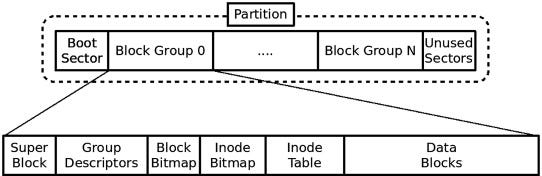
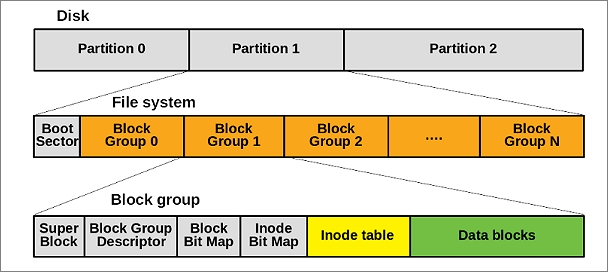
💾 File System Structure


🧩 Disk Layout

Image
Image
Image
Image

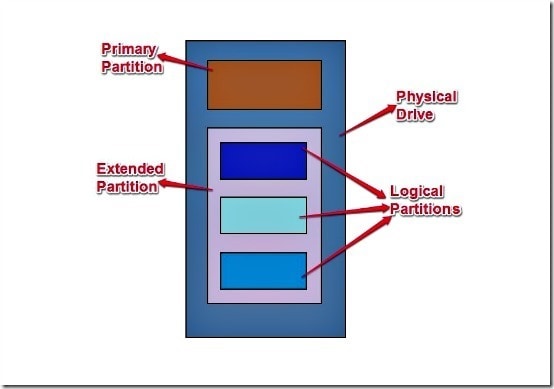
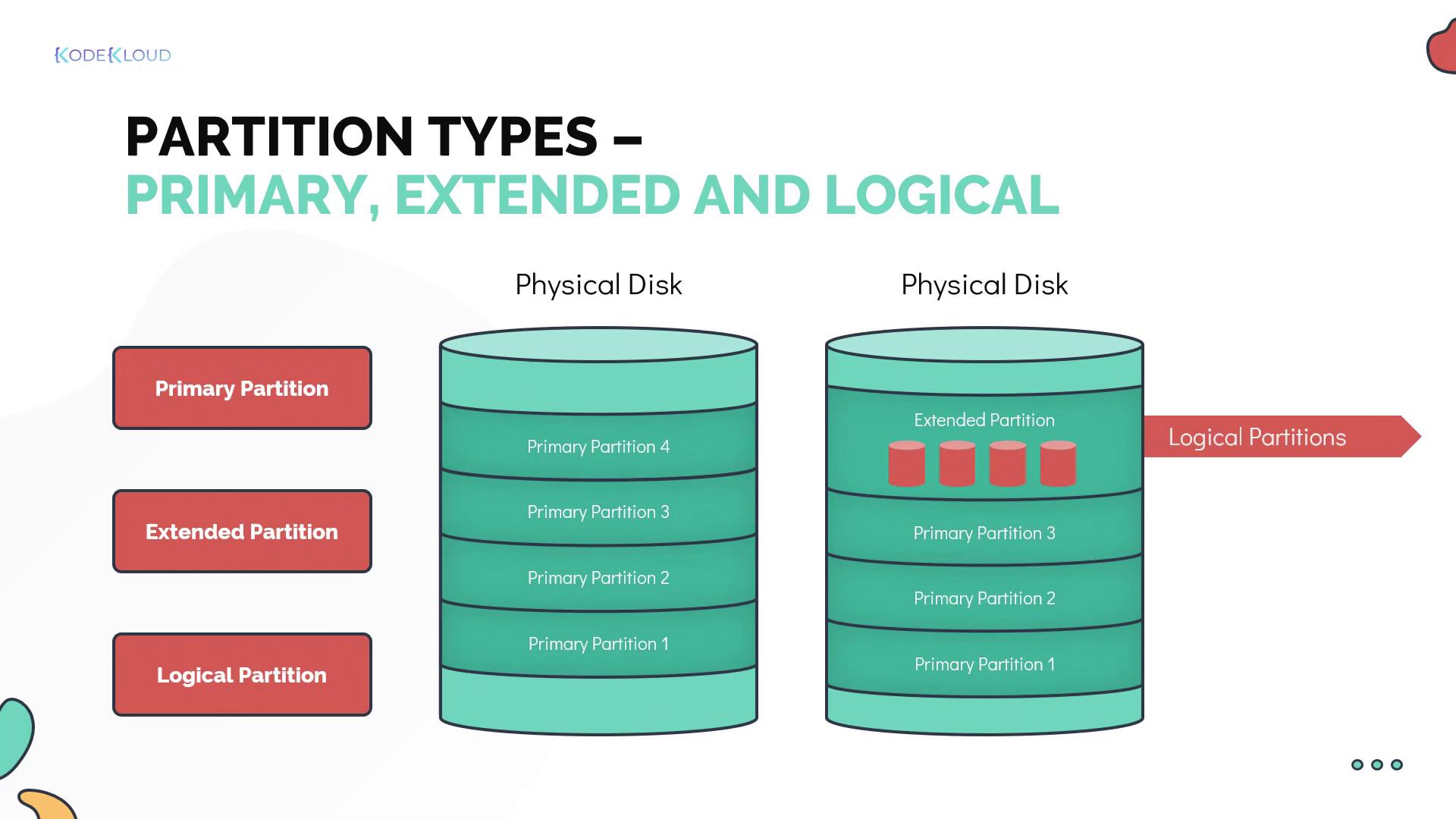
Storage devices are divided into:

  • Tracks
  • Sectors
  • Blocks

📦 File Allocation Methods

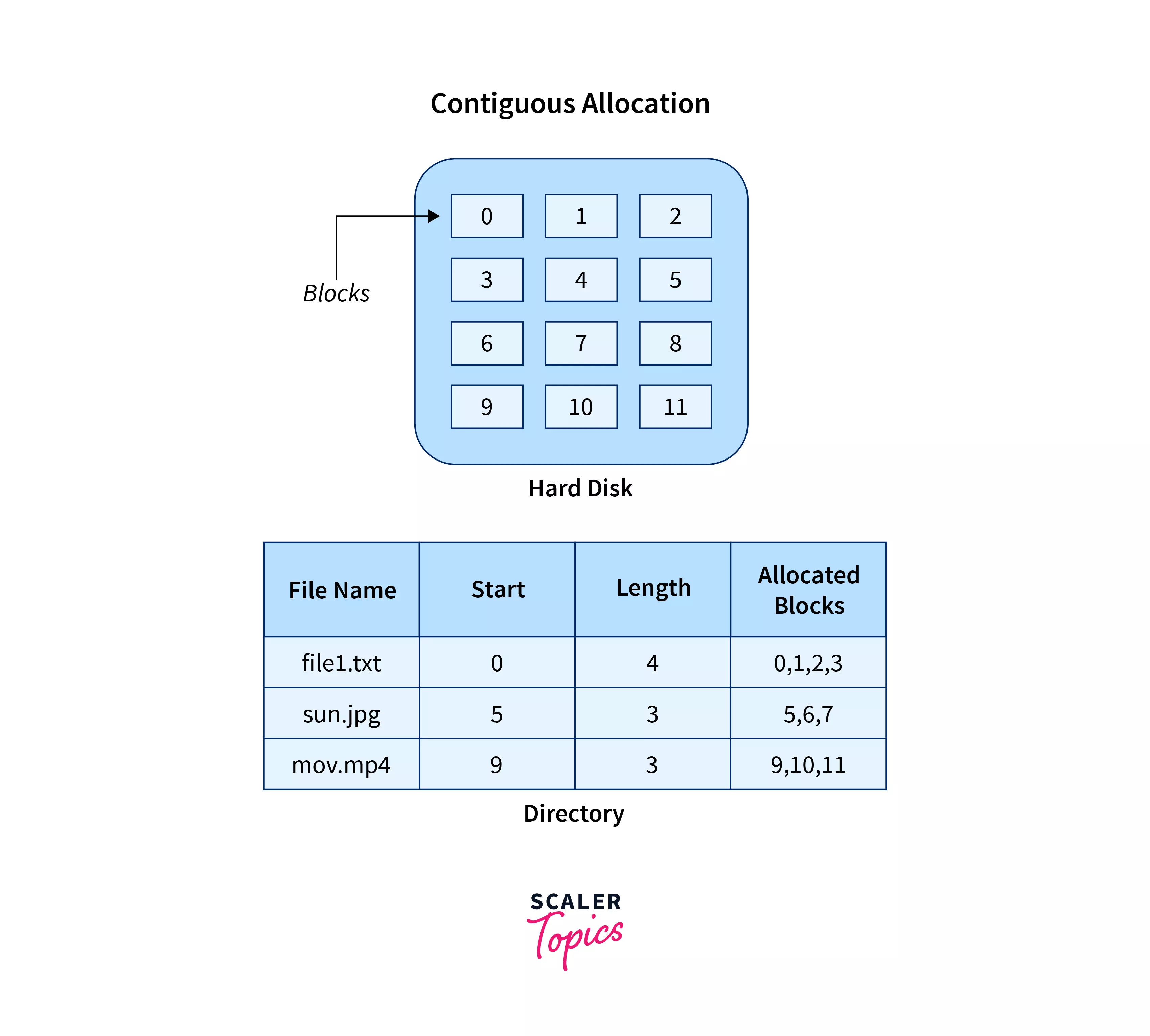
🔹 1. Contiguous Allocation
Image
Image
Image
Image
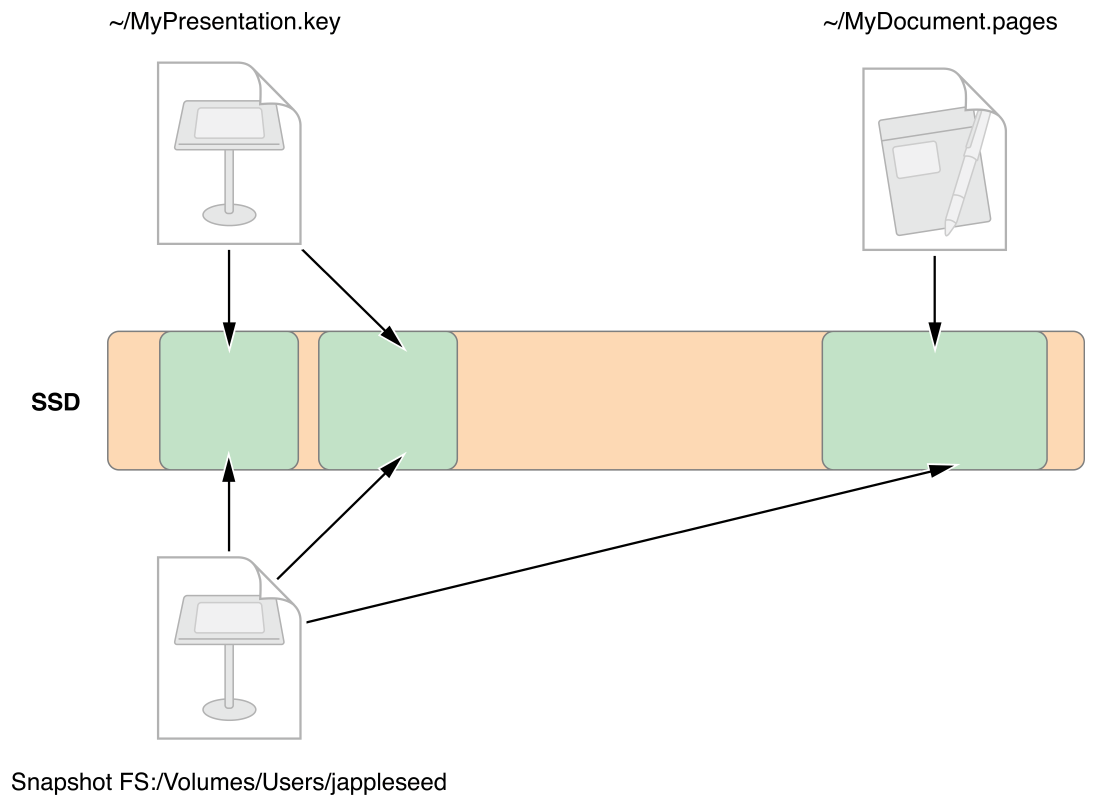
  • Files stored in continuous blocks
  • Fast access

Limitations:

  • External fragmentation
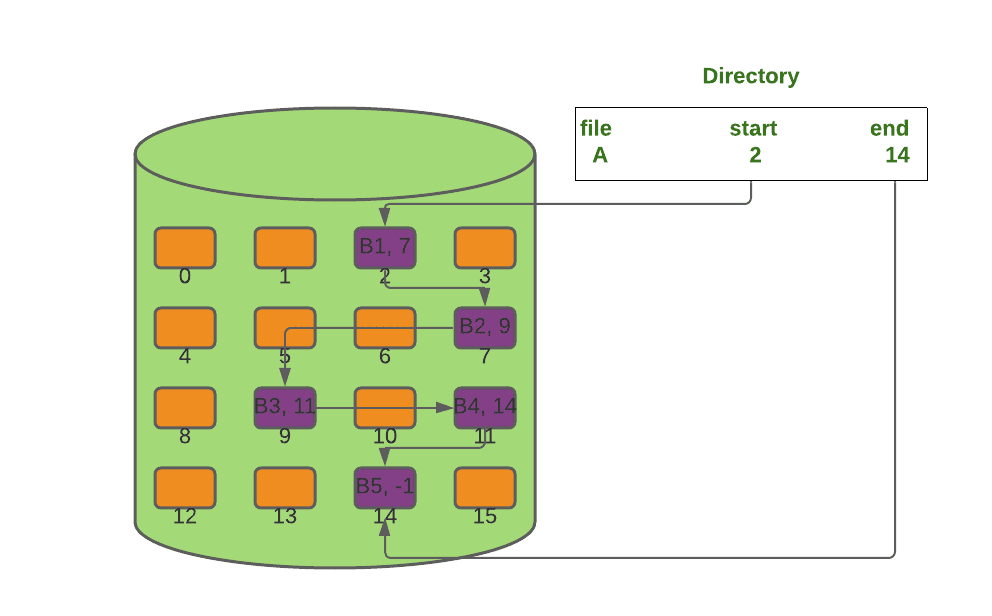
🔹 2. Linked Allocation

Image
Image
Image
Image
  • Each block points to the next
  • Flexible storage

🔹 3. Indexed Allocation

Image
Image
Image
Image
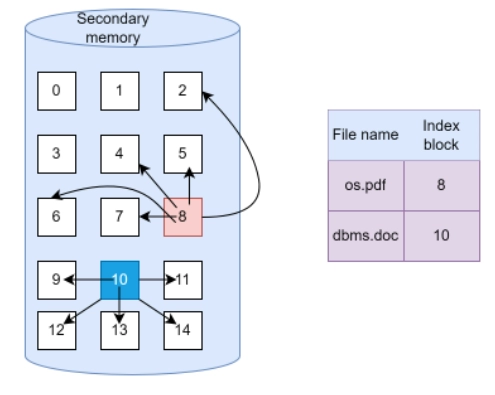
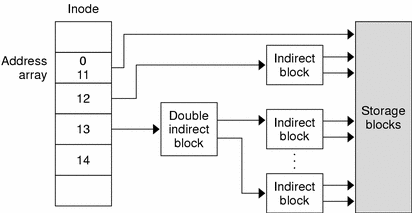
  • Uses index block
  • Efficient access

🧠 Types of File Systems


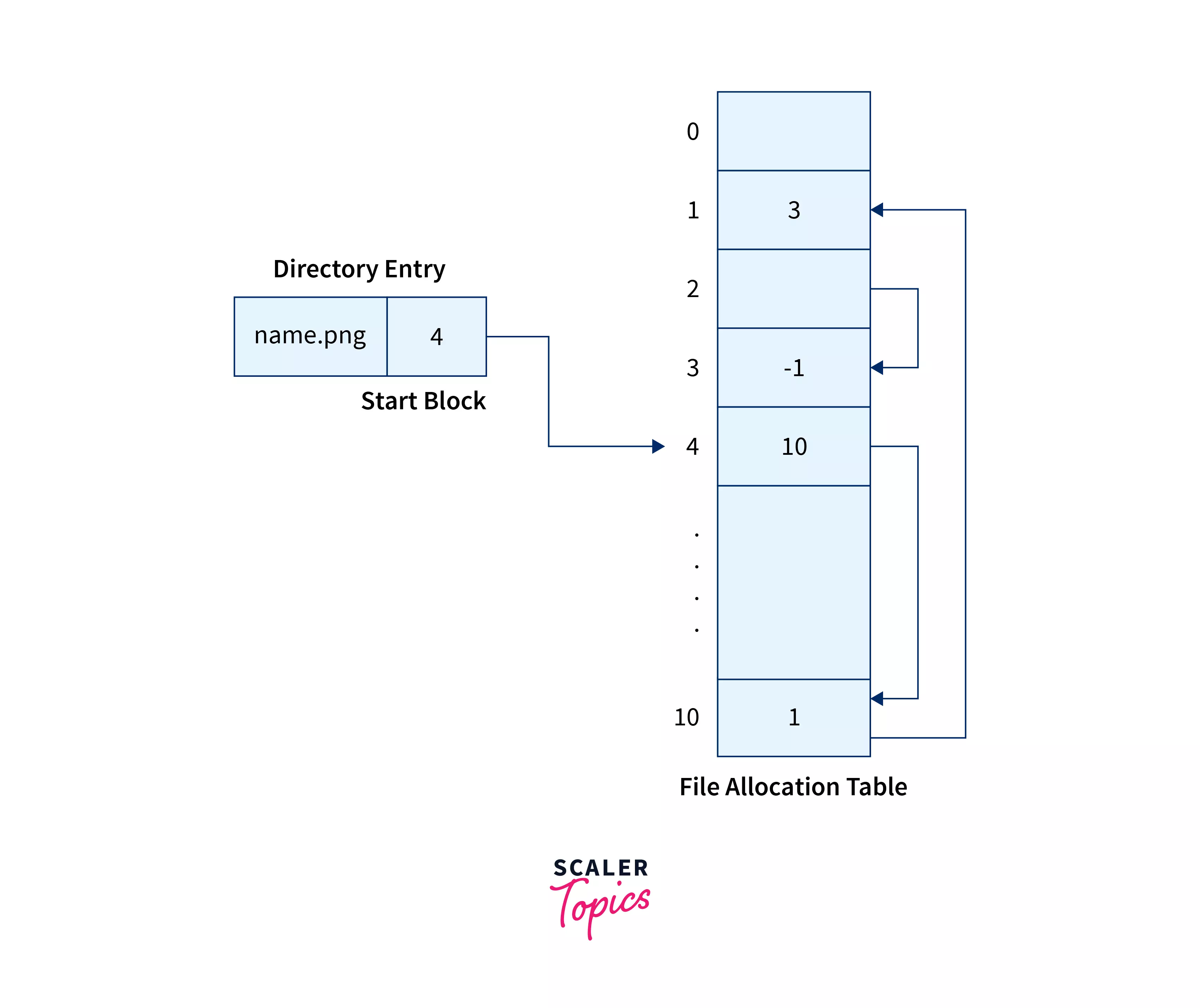
🪟 1. FAT (File Allocation Table)

Image
Image
Image
Image
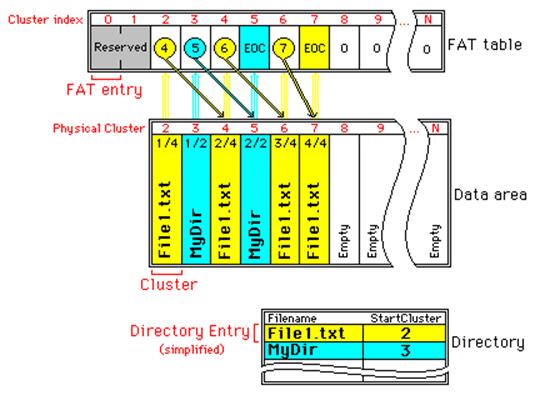
  • Simple and widely used
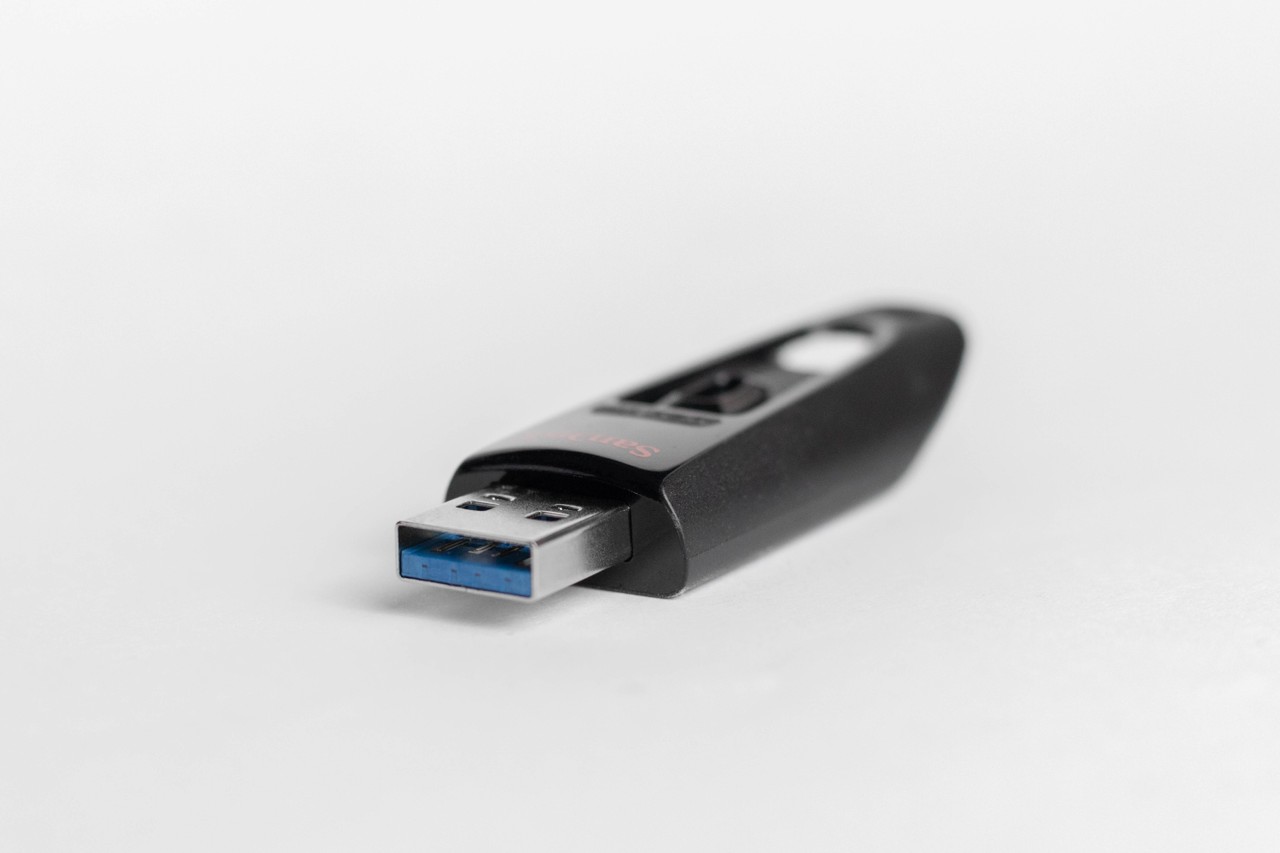
  • Used in USB drives

Types:

  • FAT12
  • FAT16
  • FAT32

🪟 2. NTFS (New Technology File System)

Image
Image
Image
Image
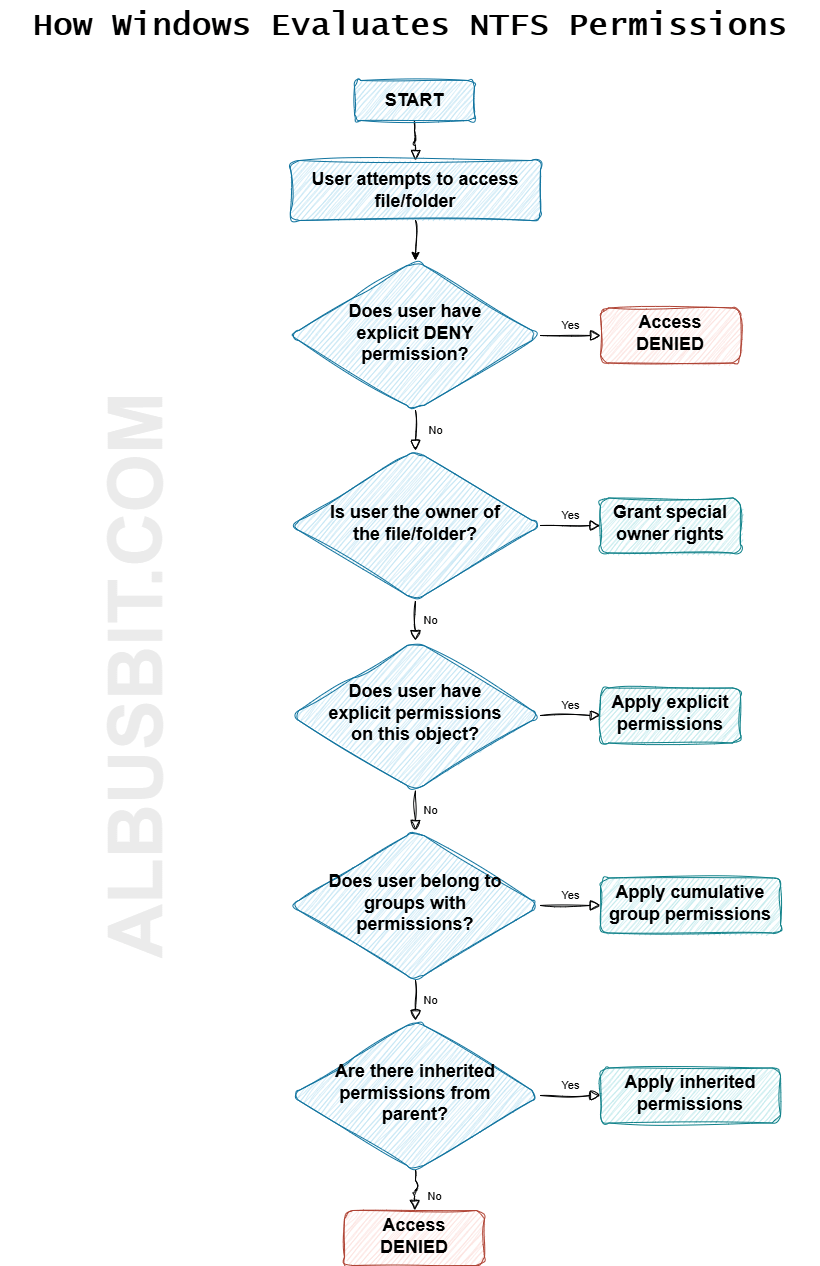
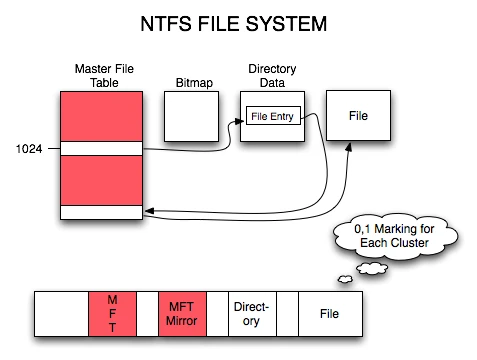
  • Used in Windows
  • Supports large files
  • Advanced security

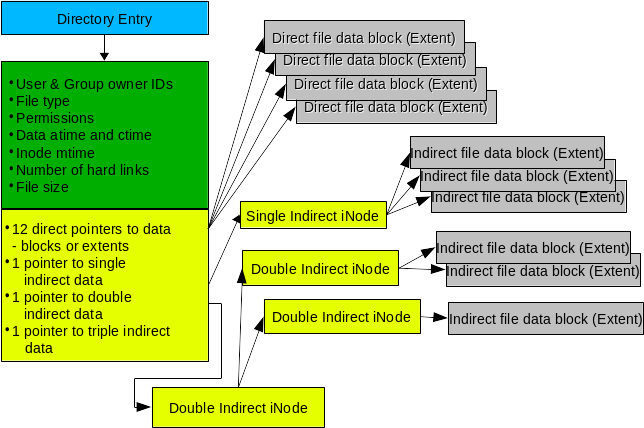
🐧 3. EXT (Extended File System)

Image
Image
Image
Image
  • Used in Linux
  • Versions: EXT2, EXT3, EXT4

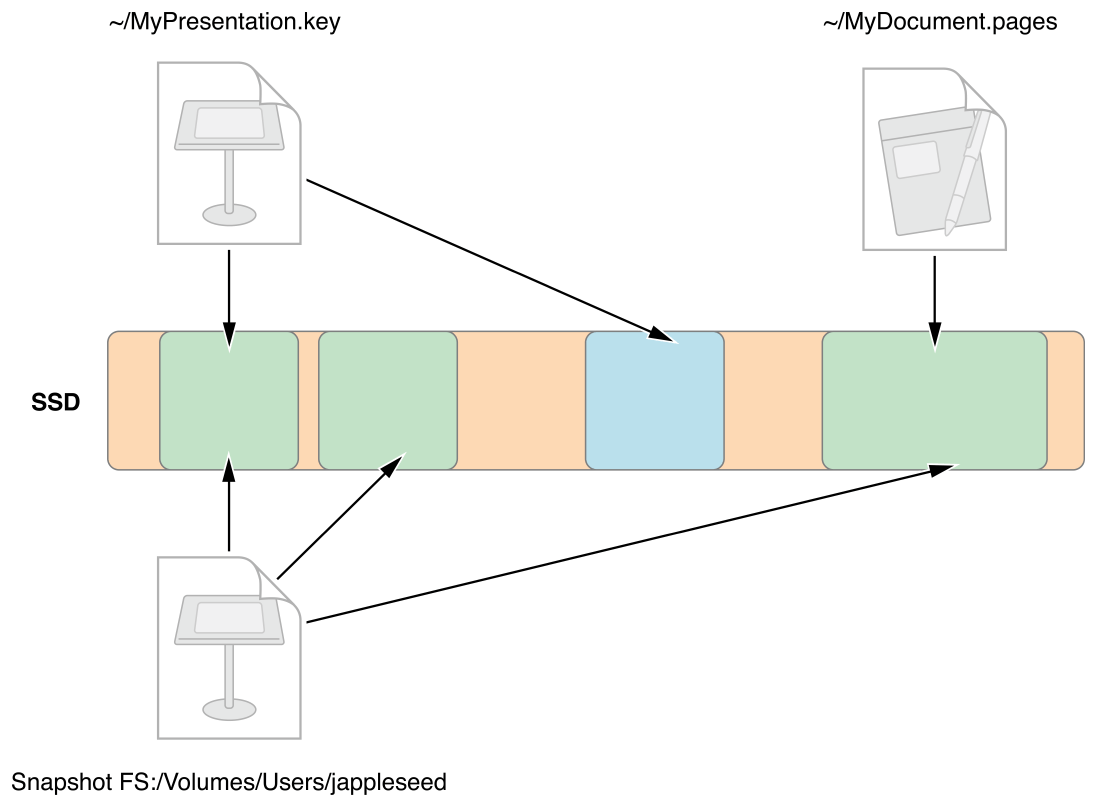
🍎 4. APFS (Apple File System)

Image
Image
Image
Image
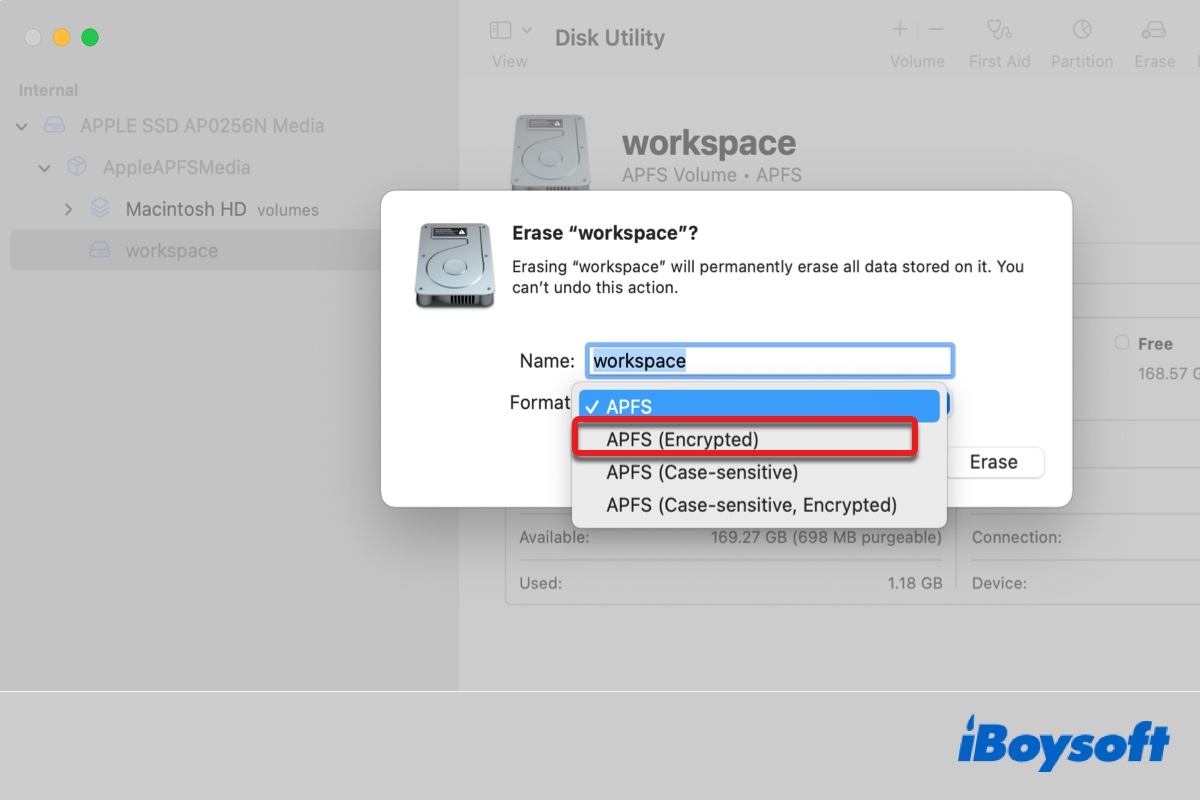
  • Used in macOS
  • Optimized for SSDs
  • Supports encryption

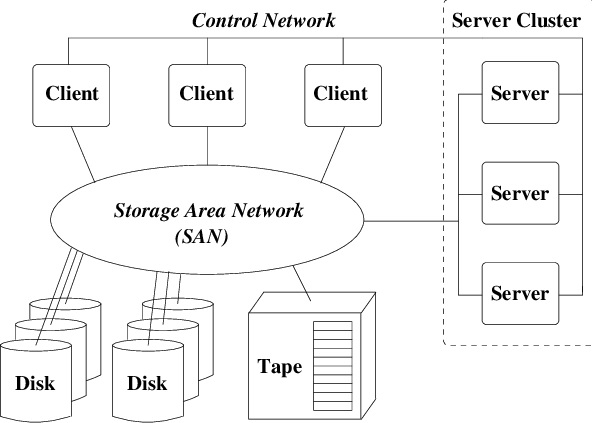
🌐 5. Network File Systems

Image
Image
Image
Image
  • NFS
  • SMB
  • Used for shared storage

🔐 File Permissions and Security


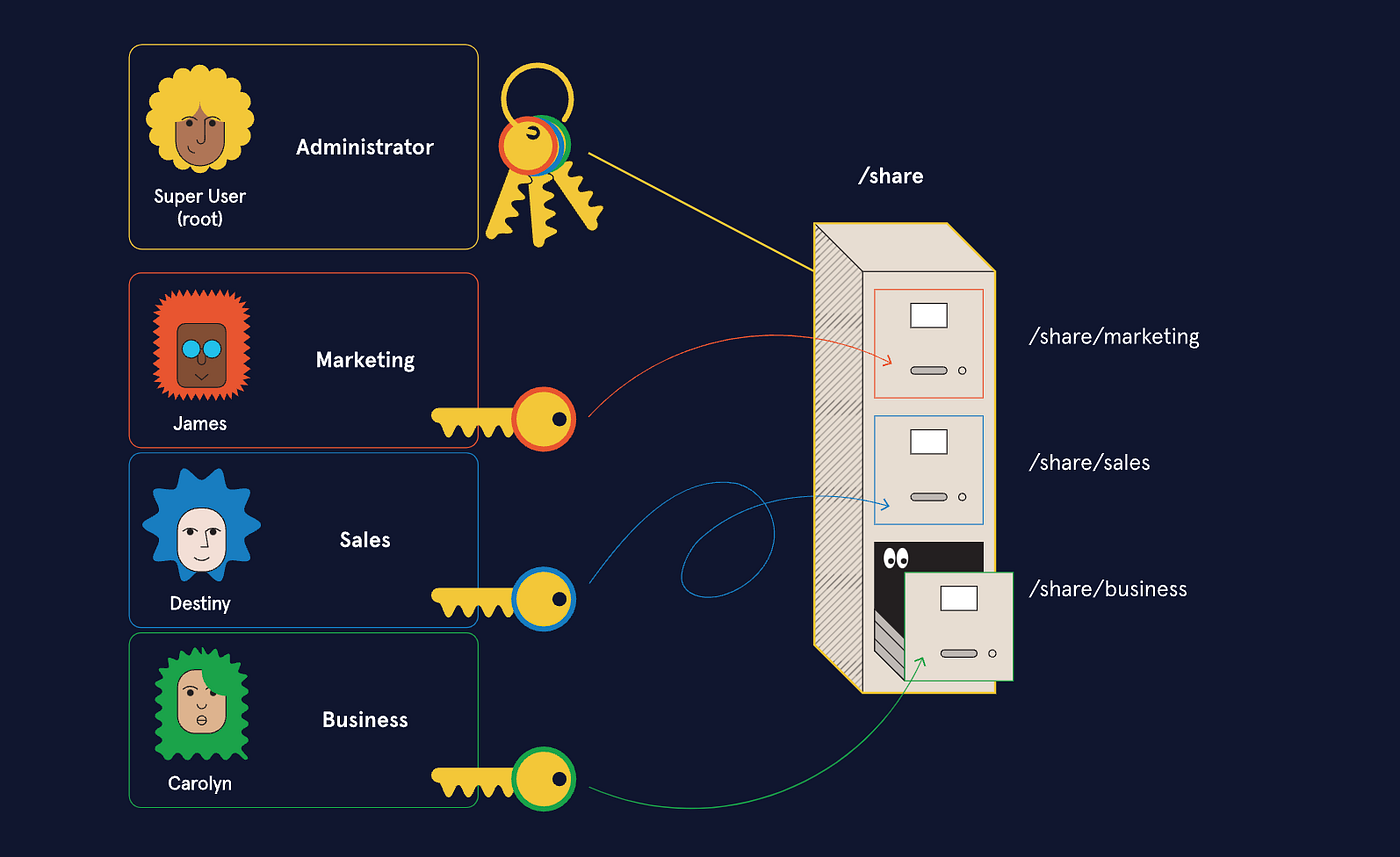
🛡️ Permissions

Image
Image
Image
Image
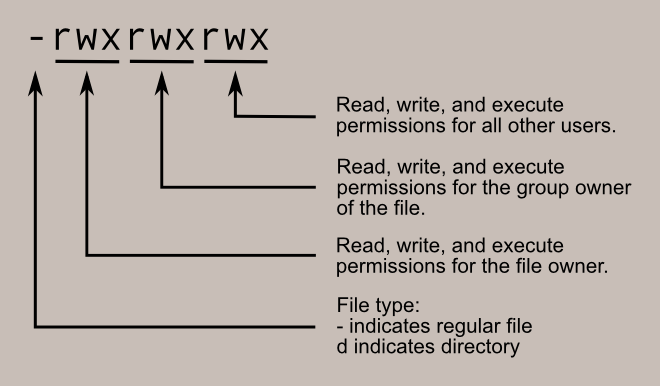
  • Read (r)
  • Write (w)
  • Execute (x)

🔐 Security Features

  • Encryption
  • Access control
  • Authentication

🔄 File Operations


📂 Common Operations

  • Create
  • Open
  • Read
  • Write
  • Delete

⚙️ Journaling File Systems


🧠 Concept

Image
Image
Image
Image
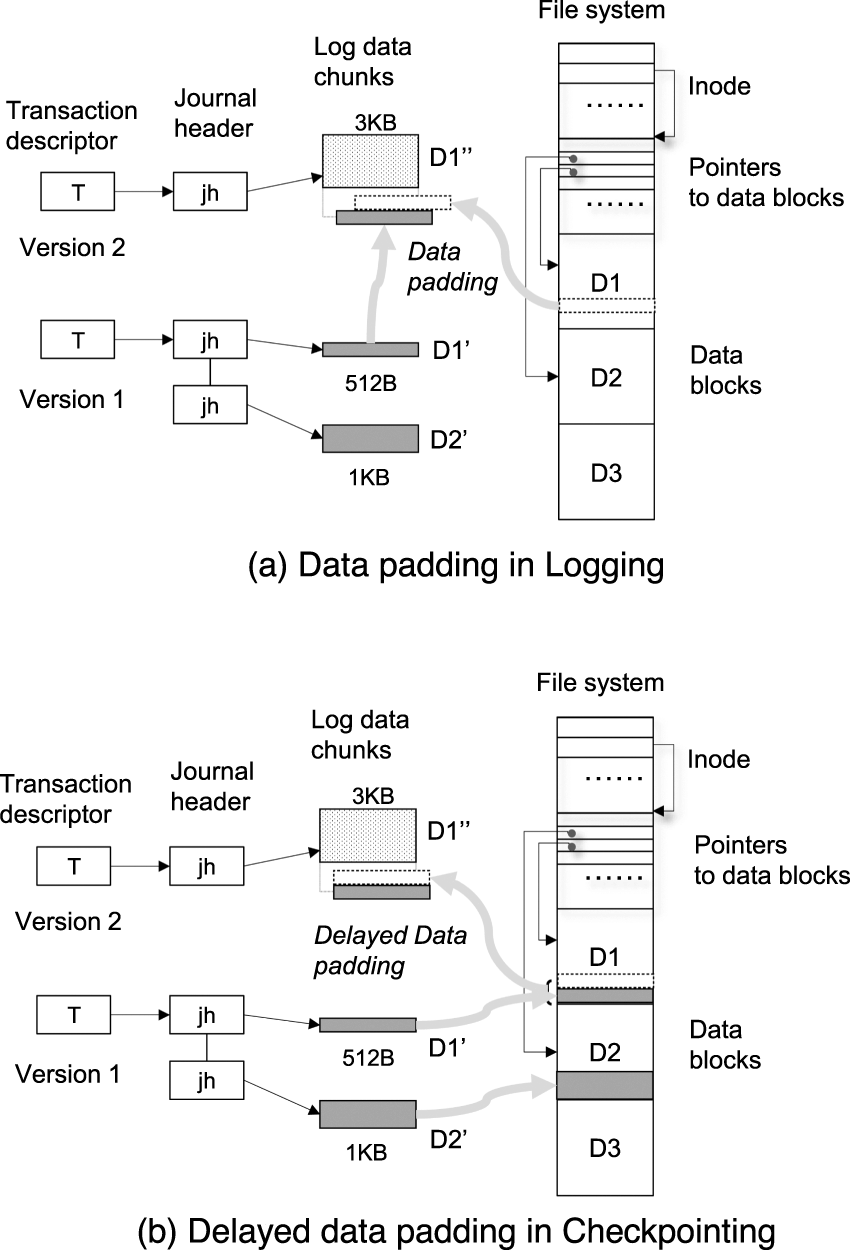
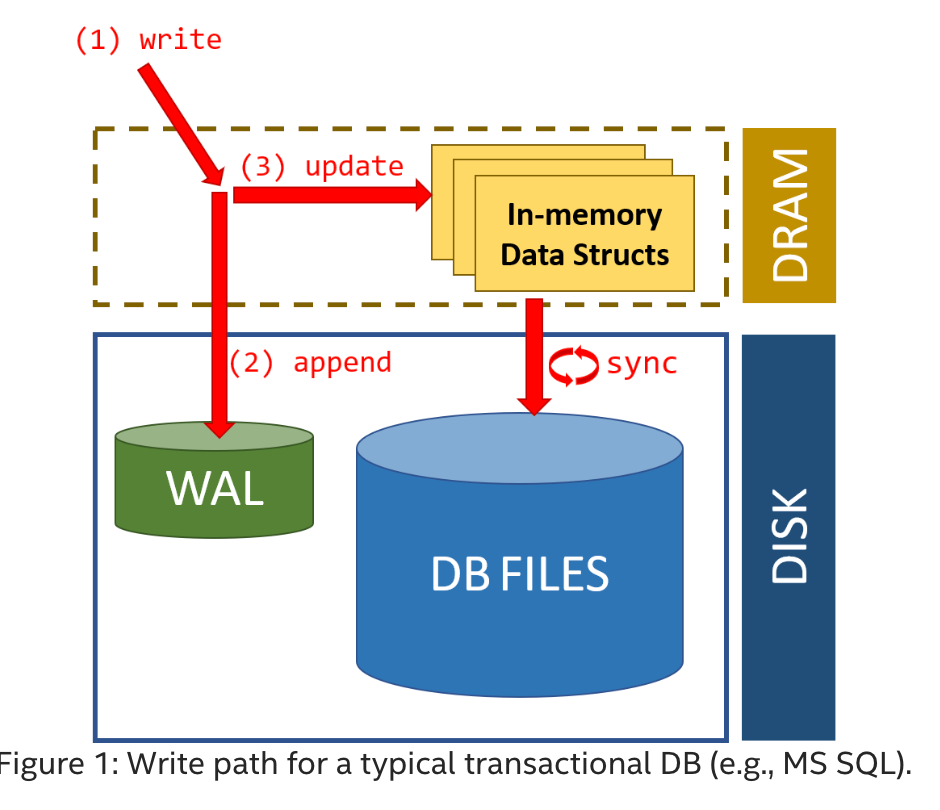
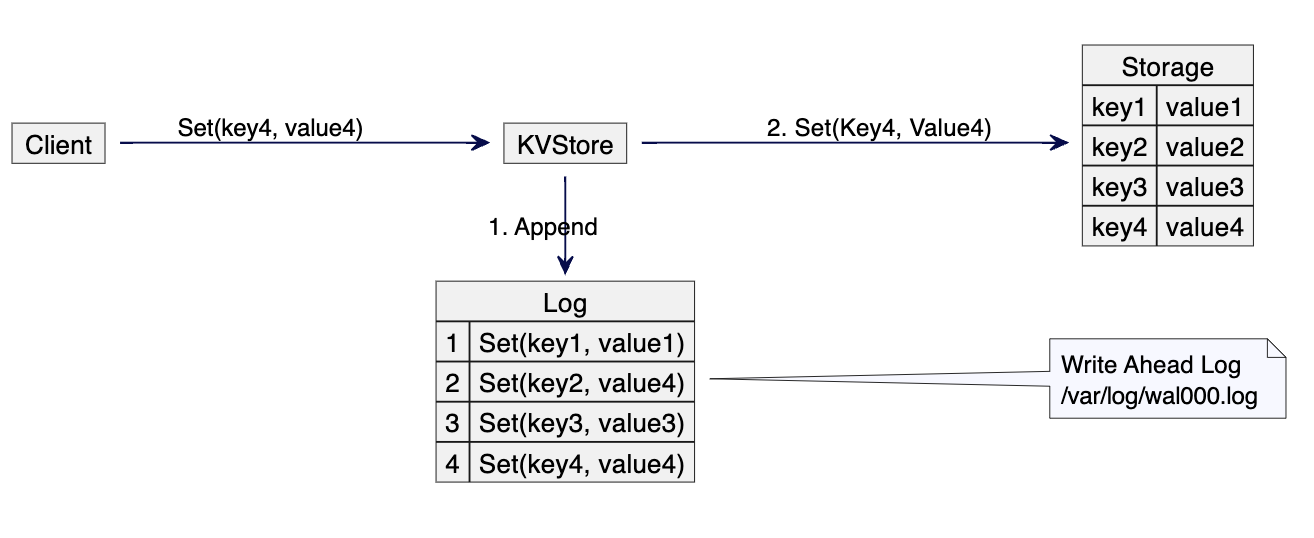
  • Keeps a log of changes
  • Improves reliability

🧠 Virtual File Systems


🌐 Concept

  • Abstract layer over file systems
  • Provides uniform interface

📦 File Compression


🗜️ Types:

  • Lossless
  • Lossy

Used to save space.


⚡ Performance Factors

  • Disk speed
  • File system type
  • Fragmentation
  • Caching

⚠️ Fragmentation


🧩 Types:

Image
Image
Image
Image
  • Internal fragmentation
  • External fragmentation

🔄 File System vs Database

FeatureFile SystemDatabase
StructureSimpleComplex
RedundancyHighLow
SecurityBasicAdvanced

🧠 Modern File System Trends

Image
Image
Image
Image
  • Cloud storage systems
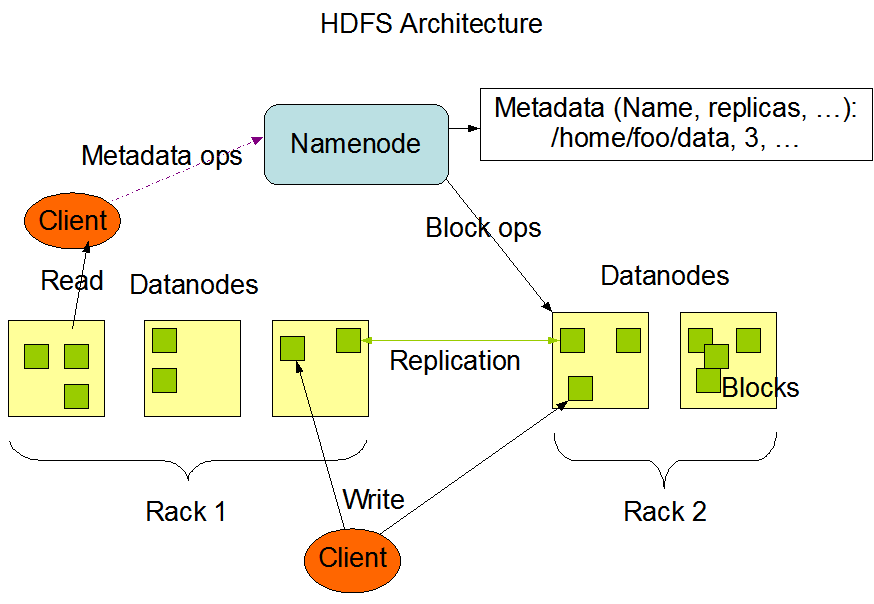
  • Distributed file systems (HDFS)
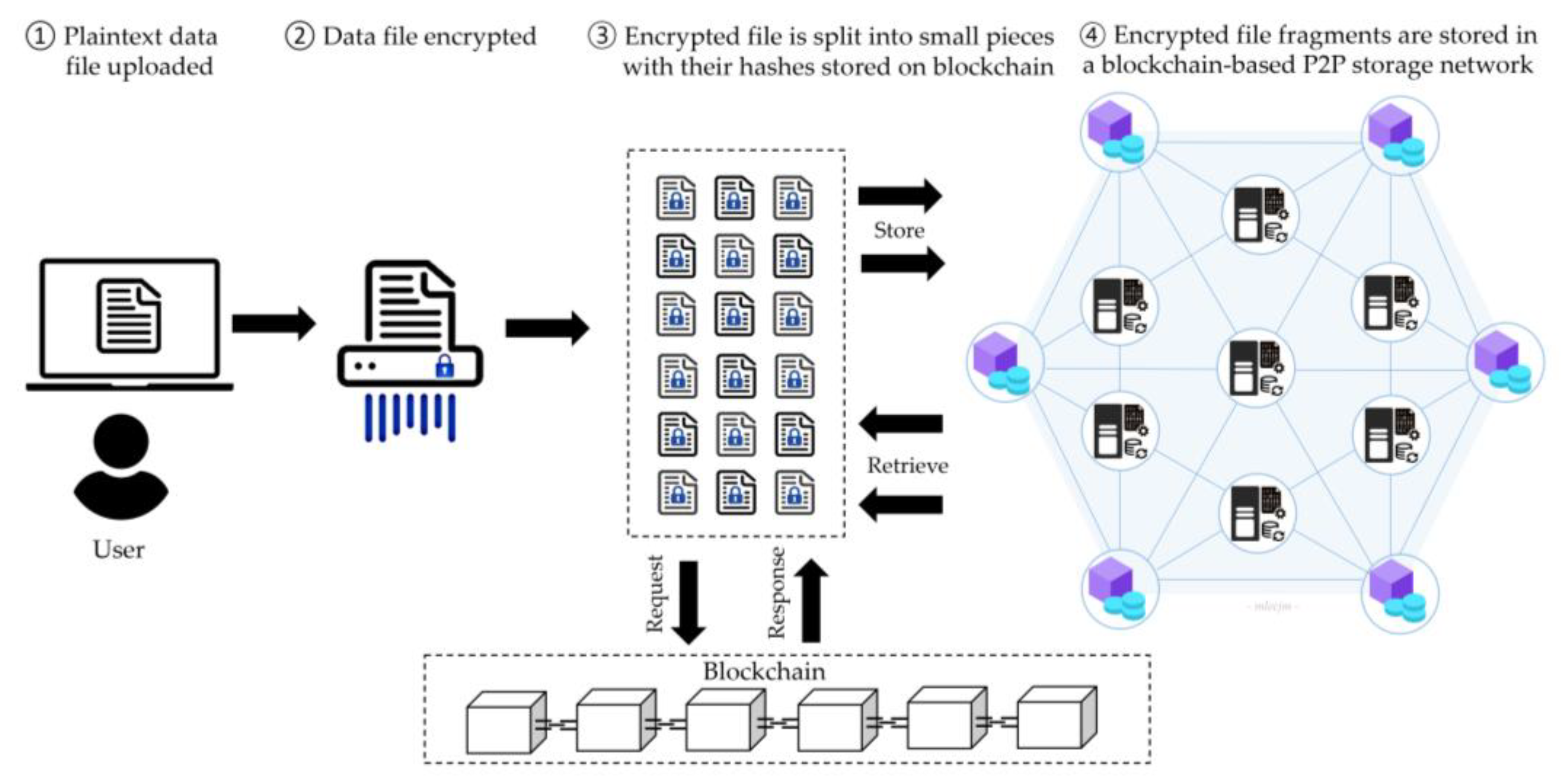
  • Blockchain-based storage
  • SSD-optimized file systems

⚡ Advantages of File Systems

  • Organized storage
  • Efficient access
  • Security and control
  • Data integrity

⚠️ Limitations

  • Fragmentation
  • Complexity
  • Performance issues

🧠 Conclusion

File systems are essential for managing data in modern computing. They:

  • Organize information
  • Enable efficient storage and retrieval
  • Provide security and reliability

Understanding file systems is crucial for:

  • Operating systems
  • Database management
  • Cloud computing
  • Cybersecurity

🏷️ Tags