
🌐 Introduction to File Systems


A file system is a method used by an operating system to store, organize, retrieve, and manage data on storage devices such as hard drives, SSDs, and USB drives.
In simple terms:
File system = structure that organizes data into files and folders
Without a file system, data would be stored as raw bits, making it nearly impossible to locate or manage information.
🧠 Importance of File Systems
- Organizes data efficiently
- Enables fast access and retrieval
- Supports file security and permissions
- Ensures data integrity
- Facilitates storage management
🧩 Basic Concepts of File Systems
📄 What is a File?
A file is a collection of related data stored as a single unit.
Examples:
- Text file (.txt)
- Image file (.jpg)
- Program file (.exe)
📁 What is a Directory (Folder)?


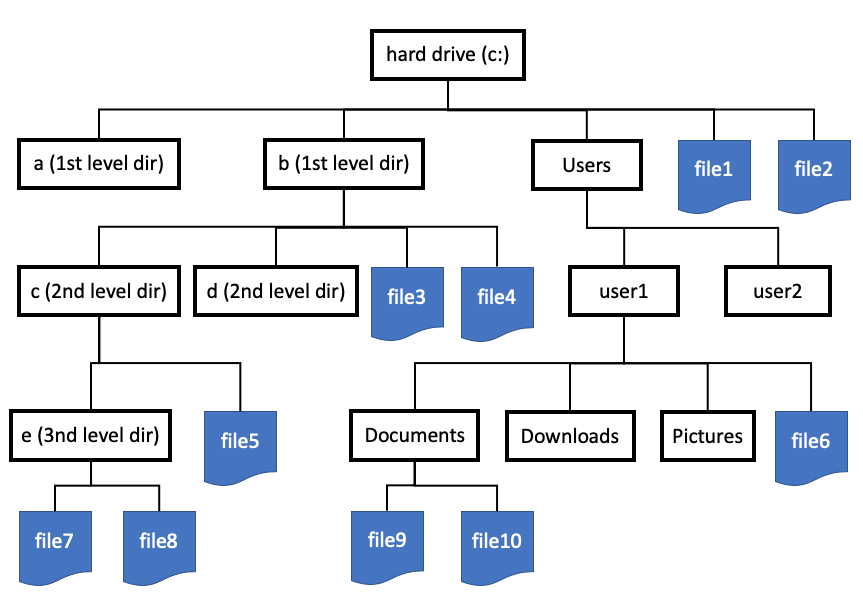

A directory is a container used to organize files.
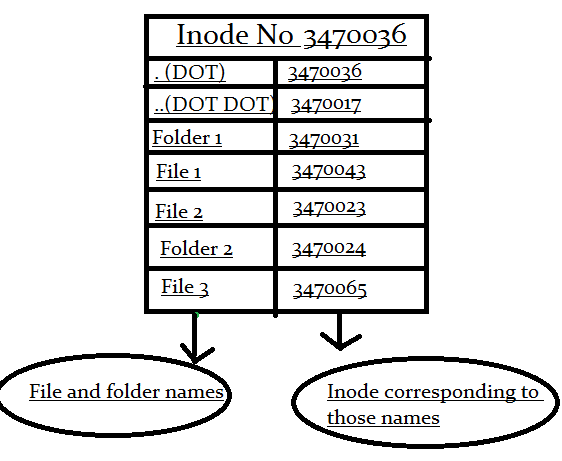
🌳 File System Hierarchy
- Root directory
- Subdirectories
- Files
Example:
/ (root)
 ├── home
 ├── documents
 └── files
🧠 File Attributes
Each file has metadata:
- Name
- Size
- Type
- Creation date
- Permissions
💾 File System Structure
🧩 Disk Layout
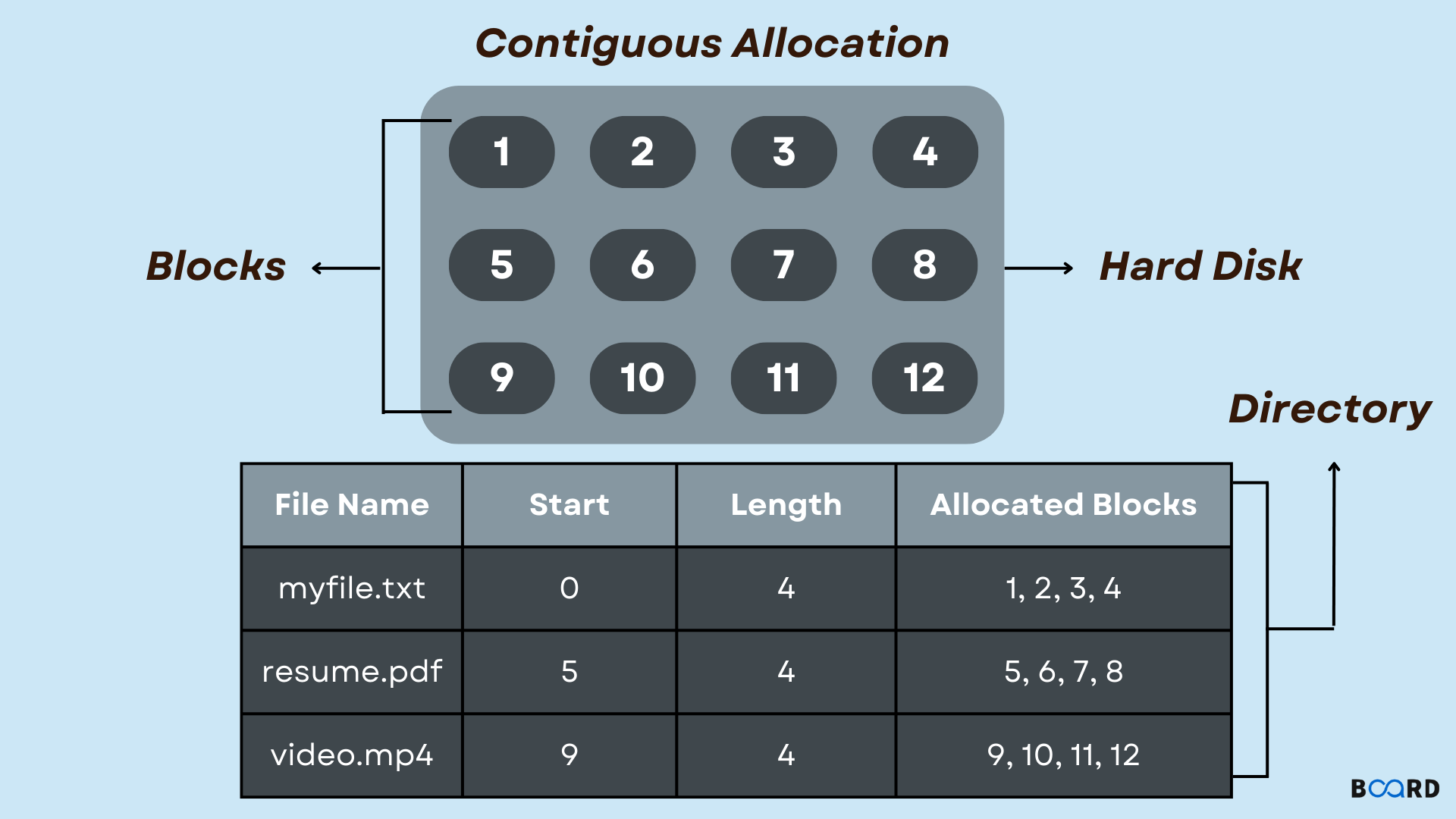
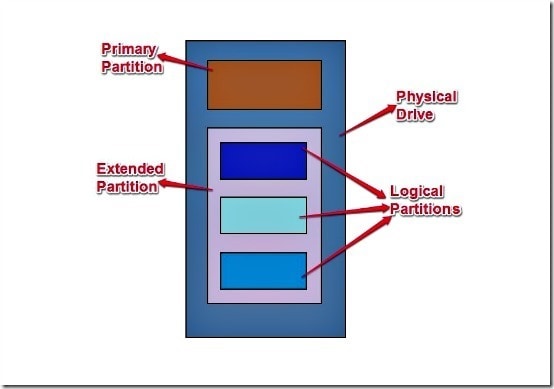
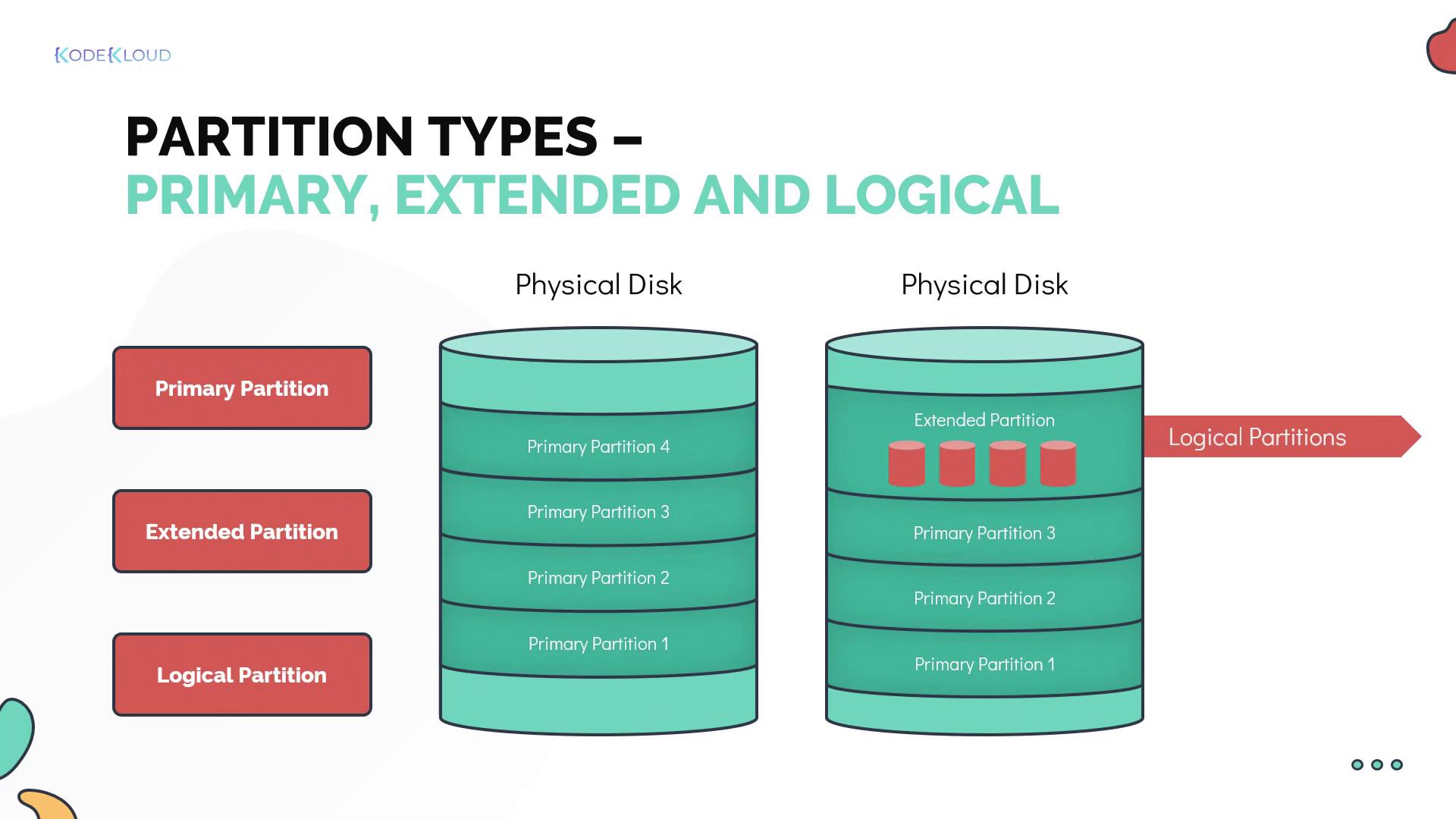
Storage devices are divided into:
- Tracks
- Sectors
- Blocks
📦 File Allocation Methods
🔹 1. Contiguous Allocation

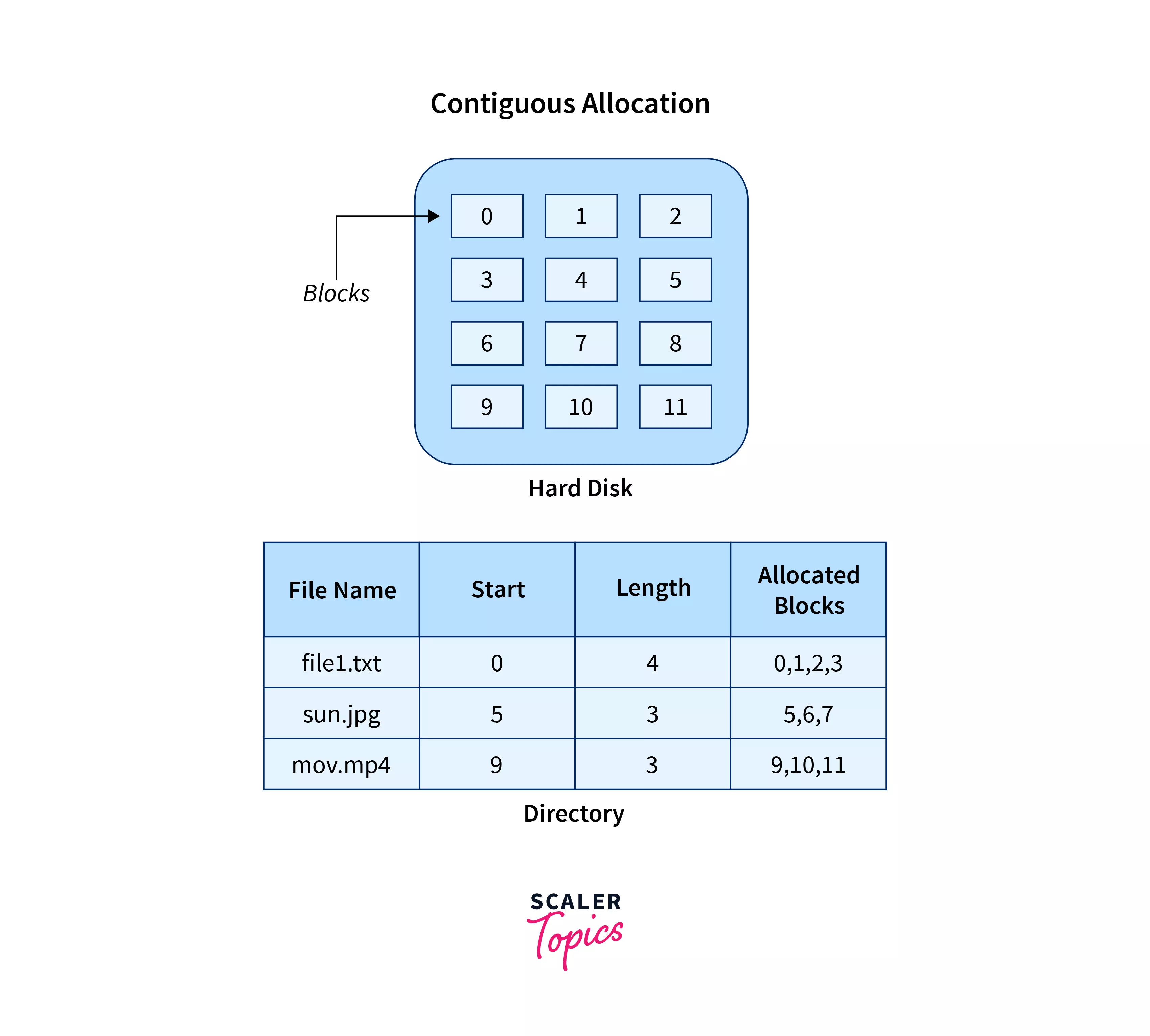
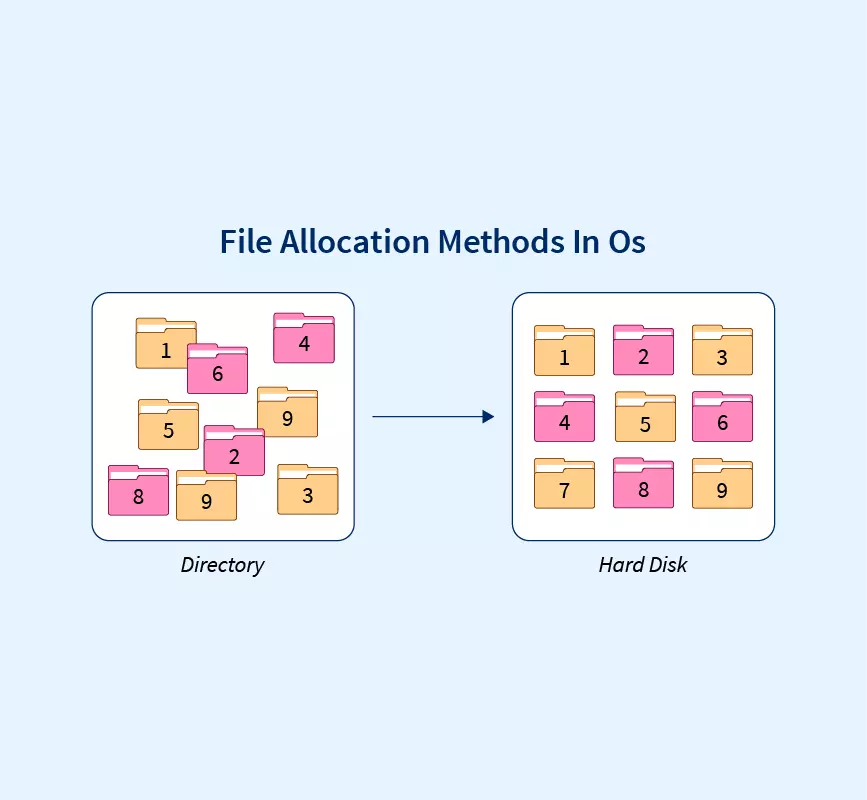

- Files stored in continuous blocks
- Fast access
Limitations:
- External fragmentation
🔹 2. Linked Allocation

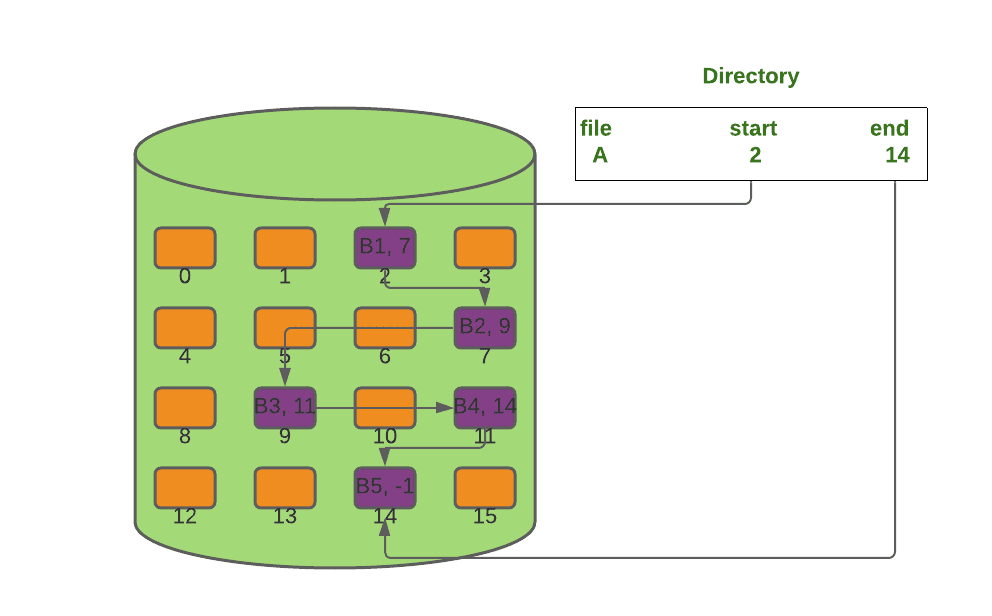


- Each block points to the next
- Flexible storage
🔹 3. Indexed Allocation
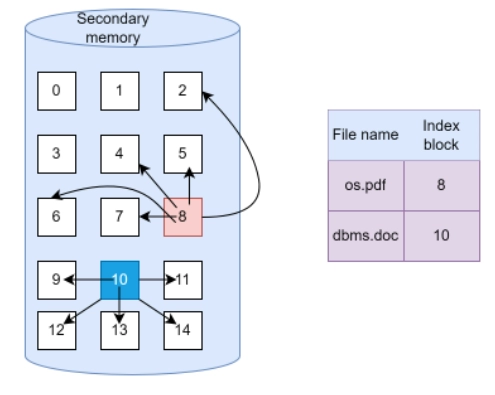
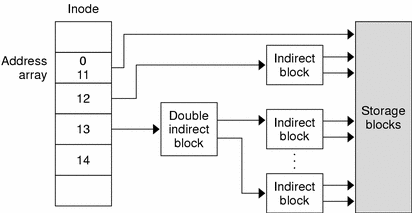
- Uses index block
- Efficient access
🧠 Types of File Systems
🪟 1. FAT (File Allocation Table)
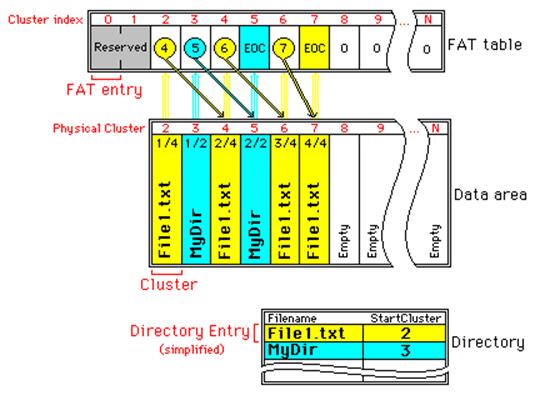
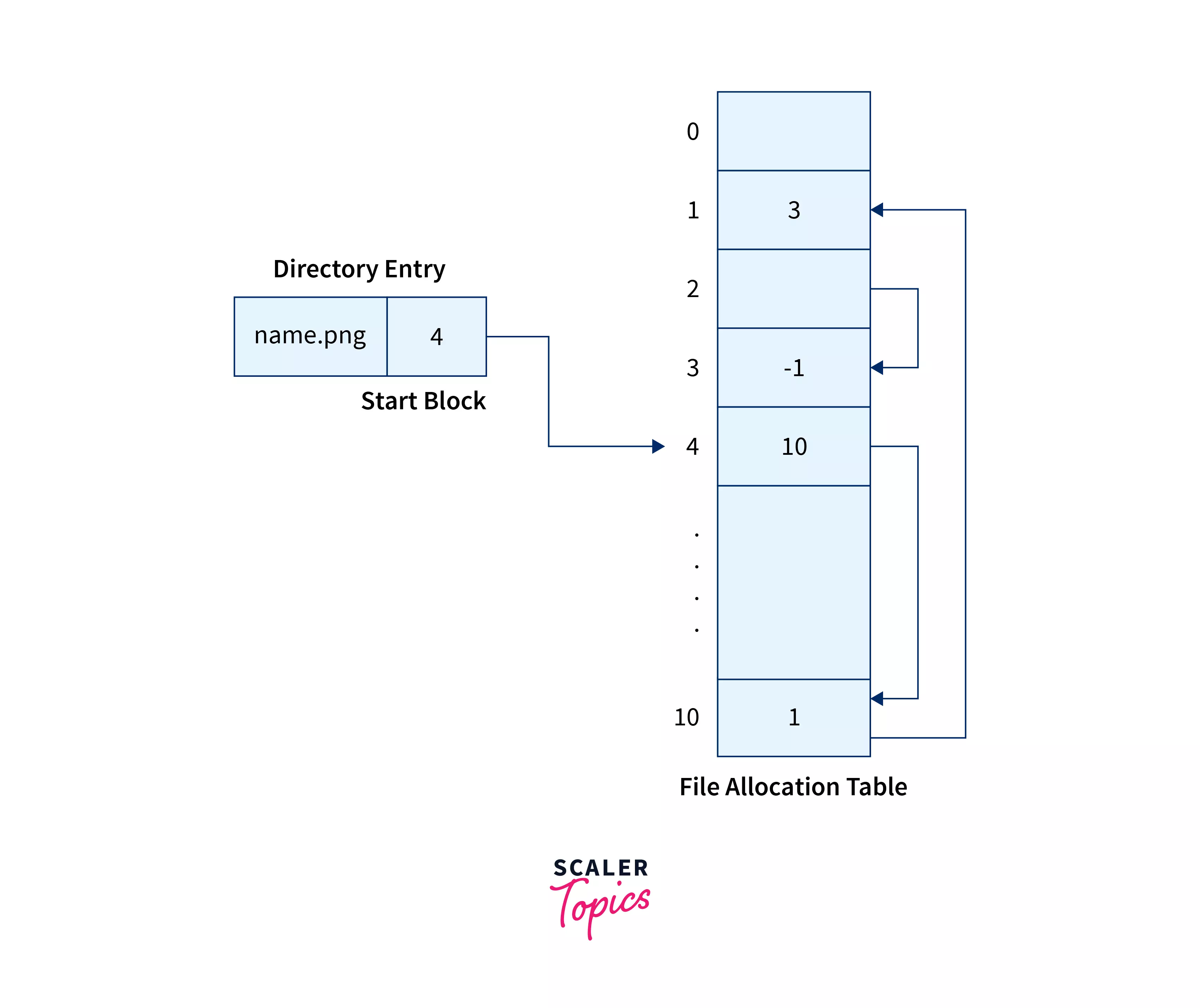

- Simple and widely used
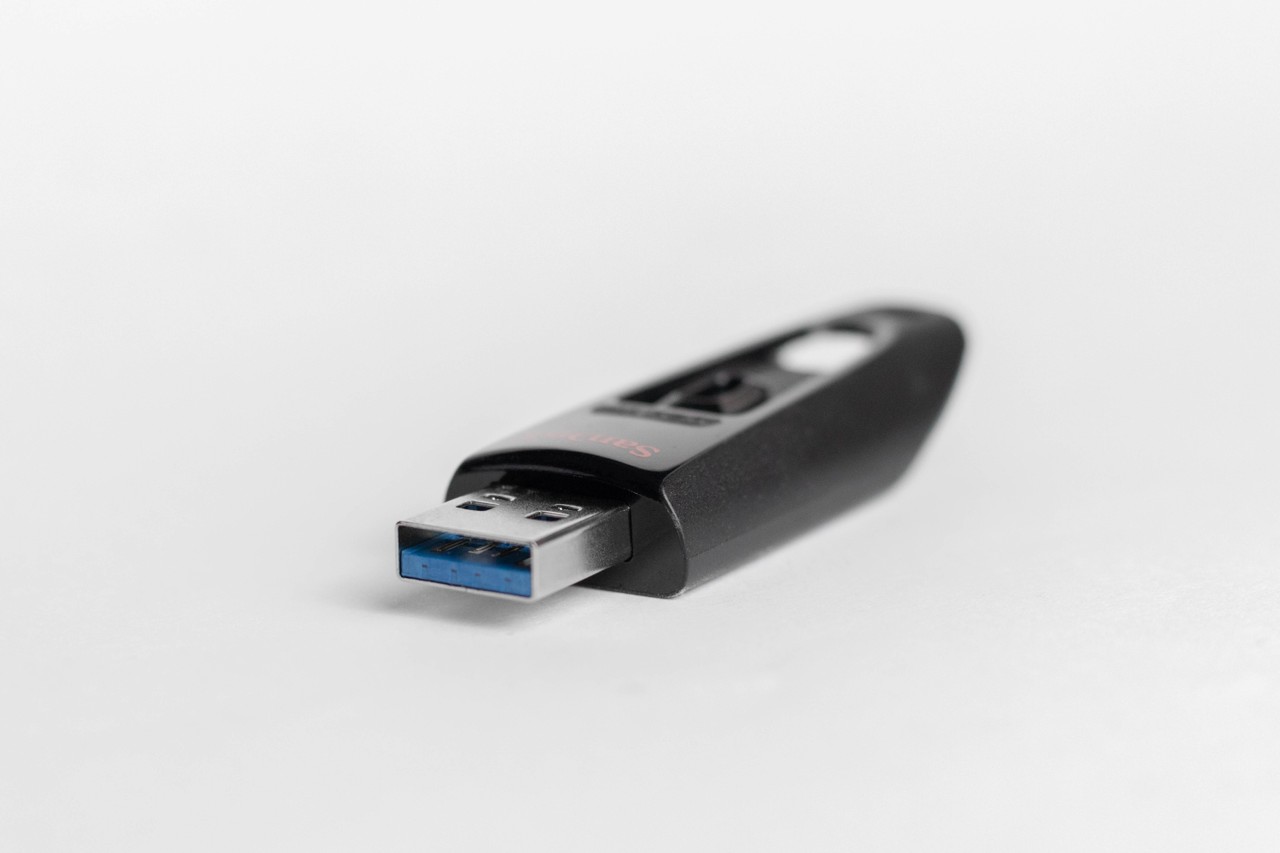
- Used in USB drives
Types:
- FAT12
- FAT16
- FAT32
🪟 2. NTFS (New Technology File System)

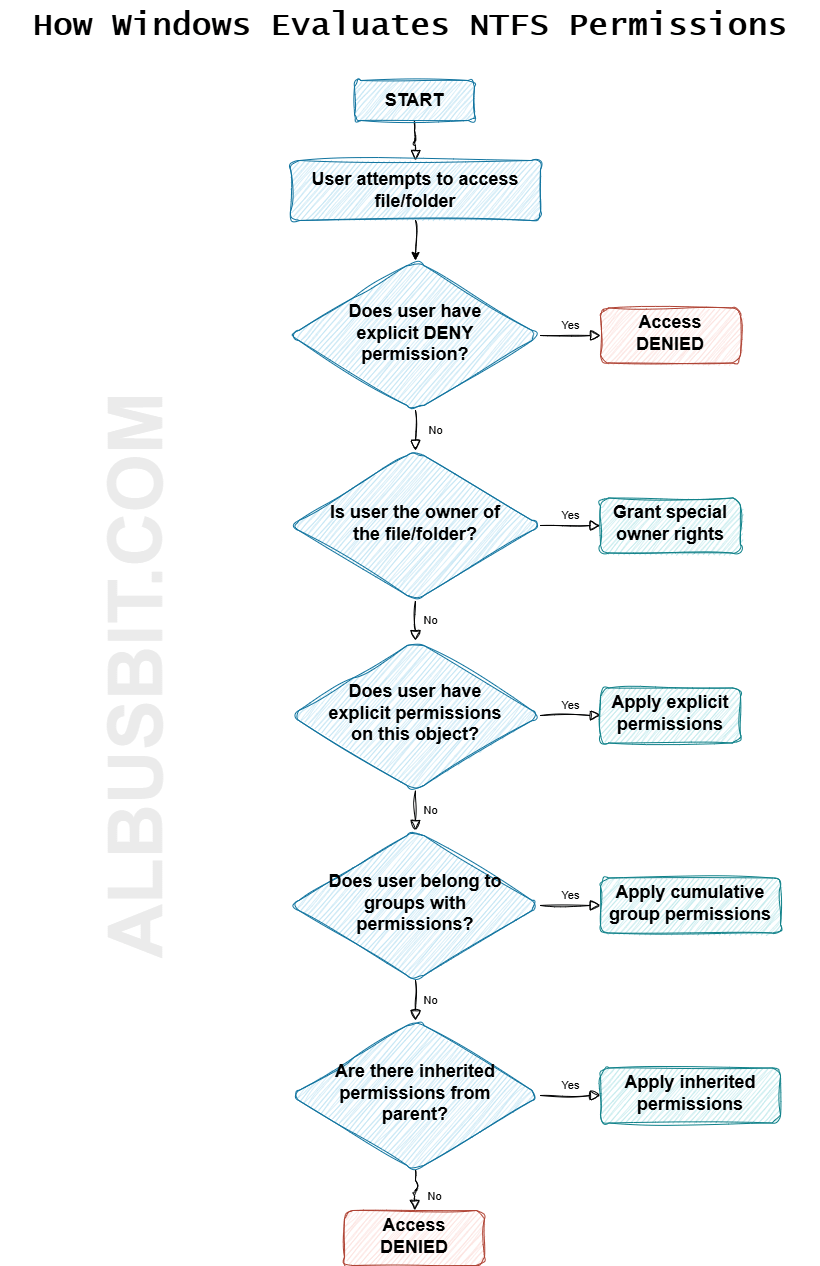

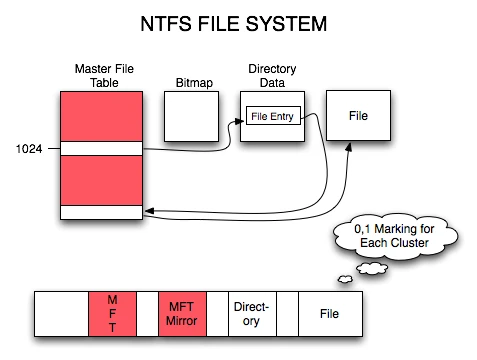
- Used in Windows
- Supports large files
- Advanced security
🐧 3. EXT (Extended File System)
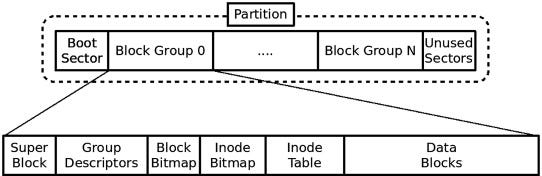
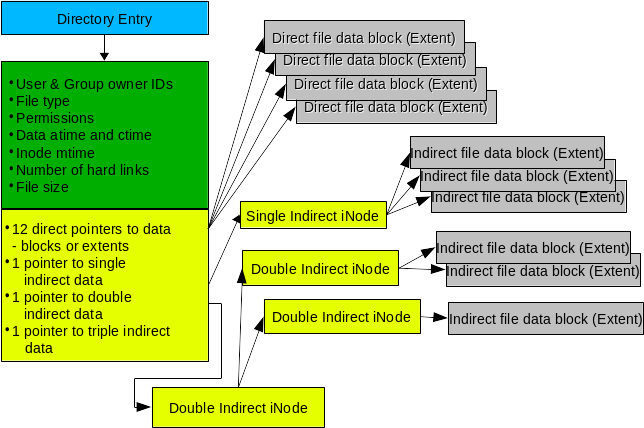

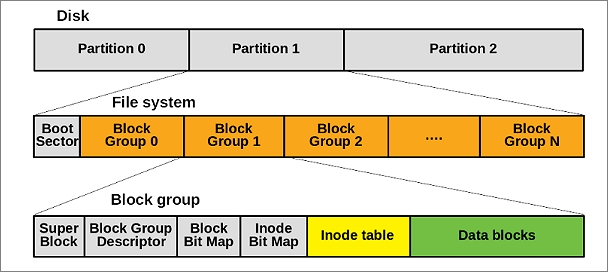
- Used in Linux
- Versions: EXT2, EXT3, EXT4
🍎 4. APFS (Apple File System)

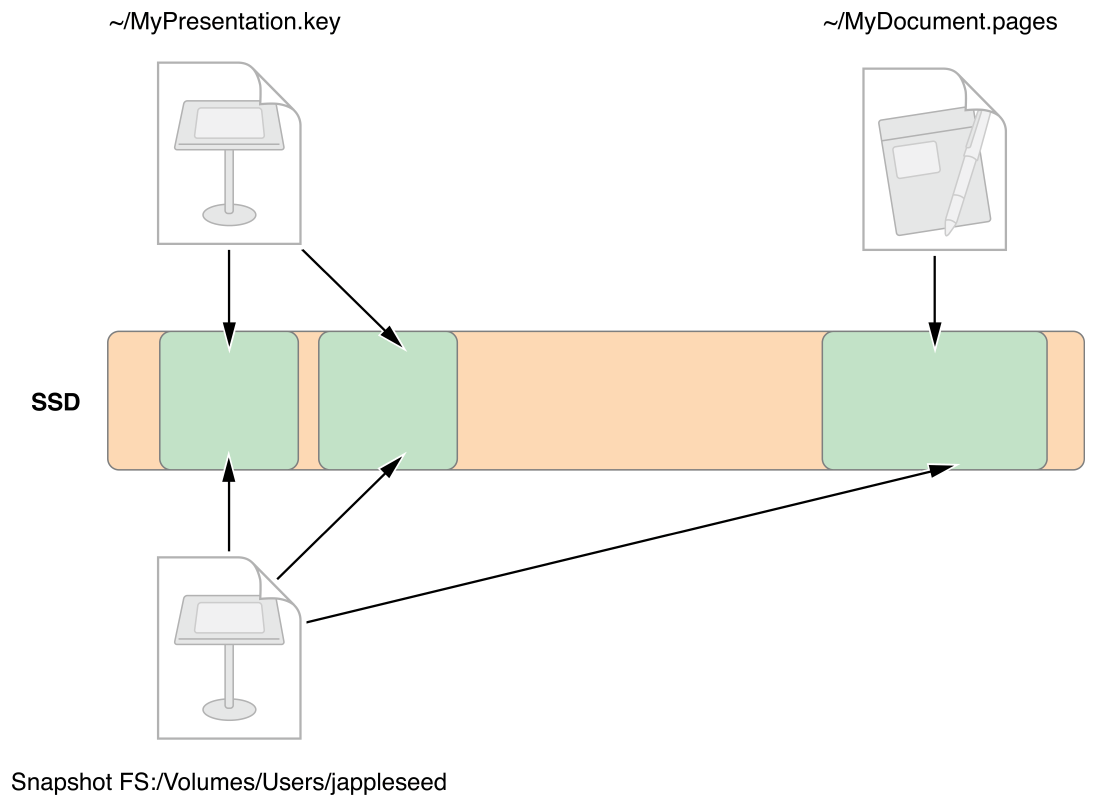
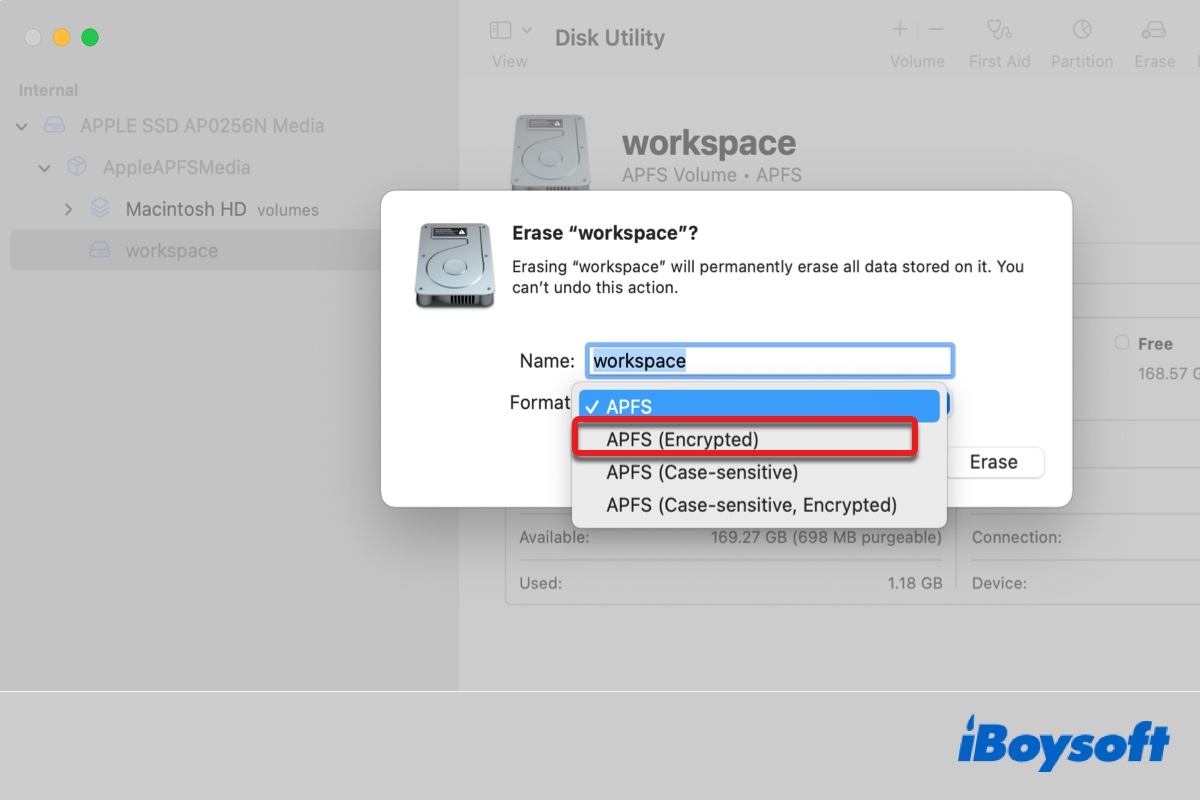
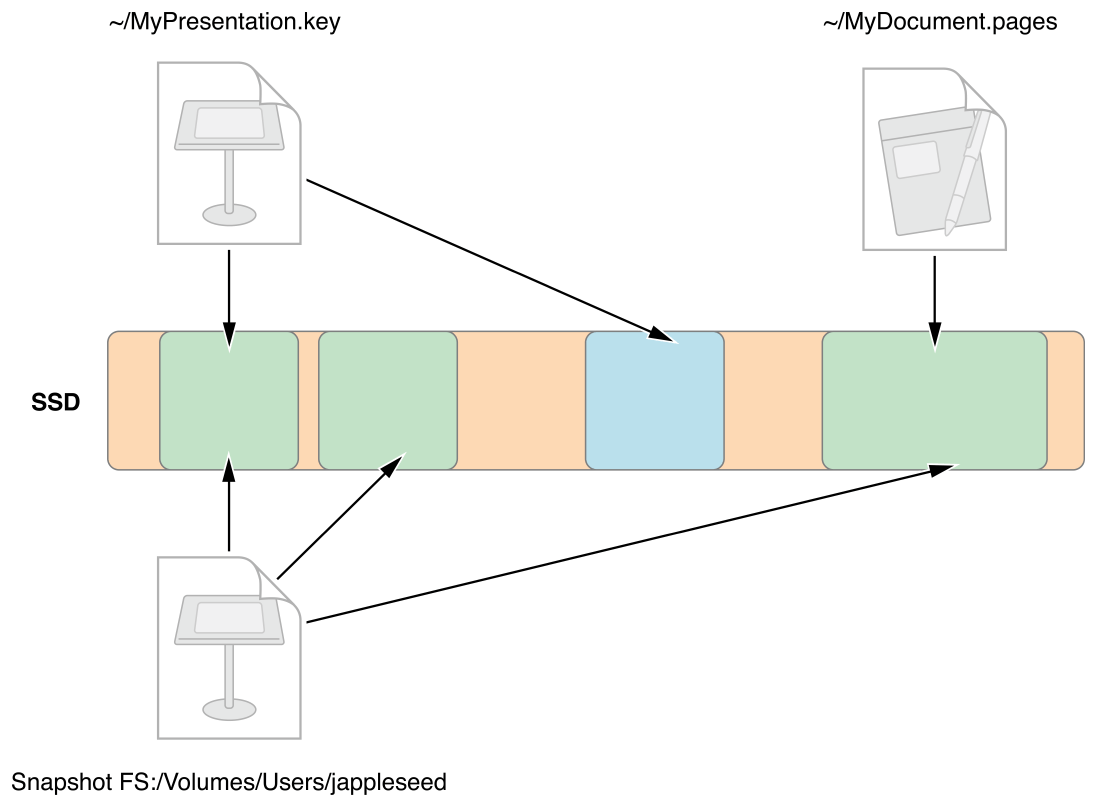
- Used in macOS
- Optimized for SSDs
- Supports encryption
🌐 5. Network File Systems

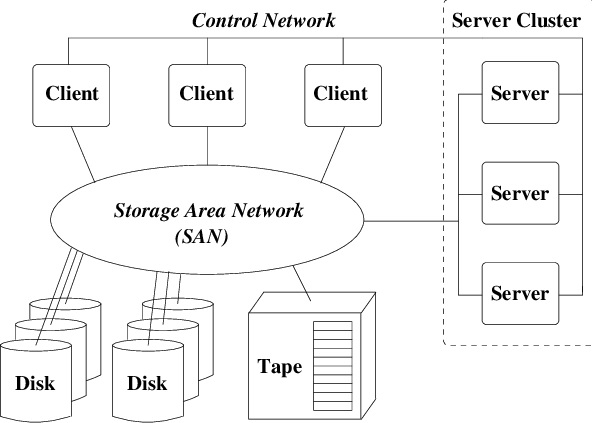


- NFS
- SMB
- Used for shared storage
🔐 File Permissions and Security
🛡️ Permissions
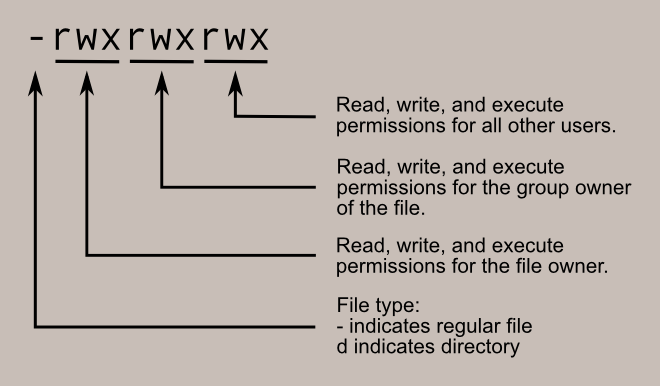

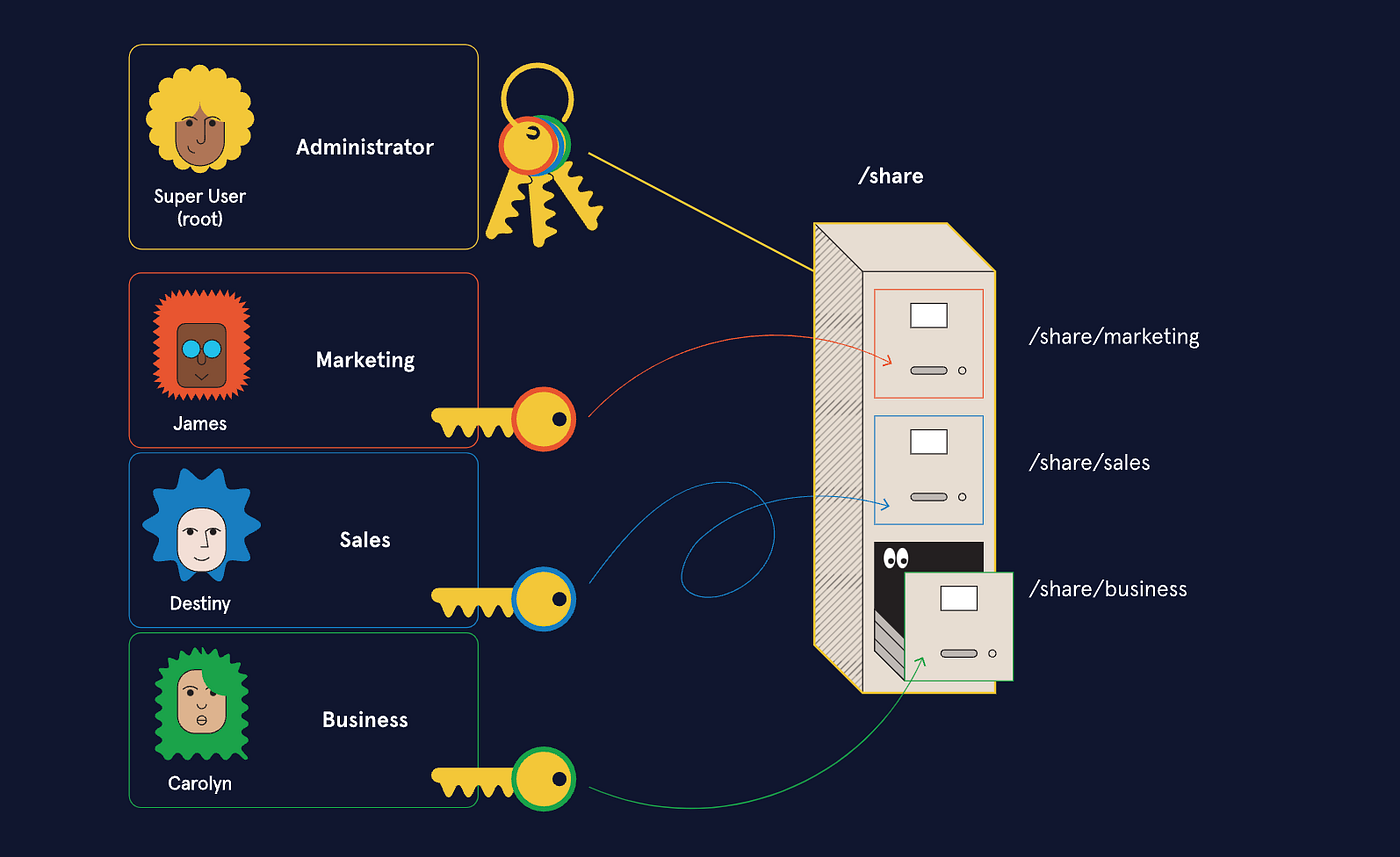

- Read (r)
- Write (w)
- Execute (x)
🔐 Security Features
- Encryption
- Access control
- Authentication
🔄 File Operations
📂 Common Operations
- Create
- Open
- Read
- Write
- Delete
⚙️ Journaling File Systems
🧠 Concept
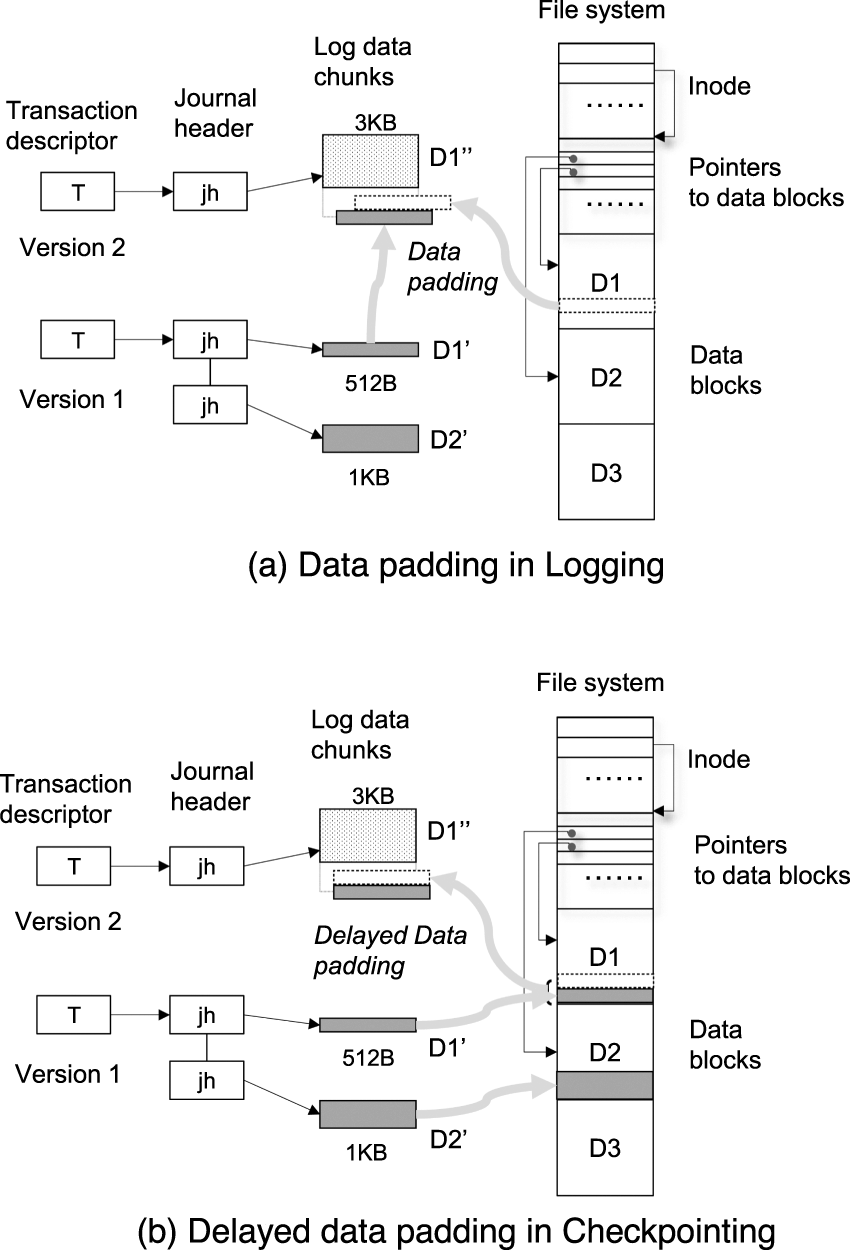

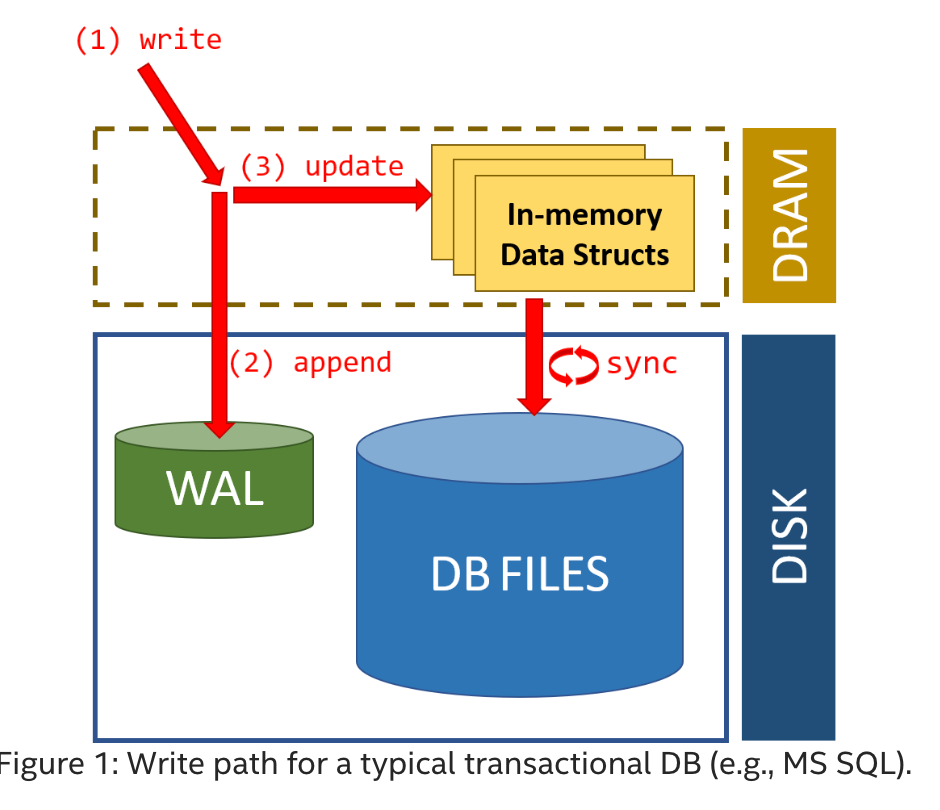
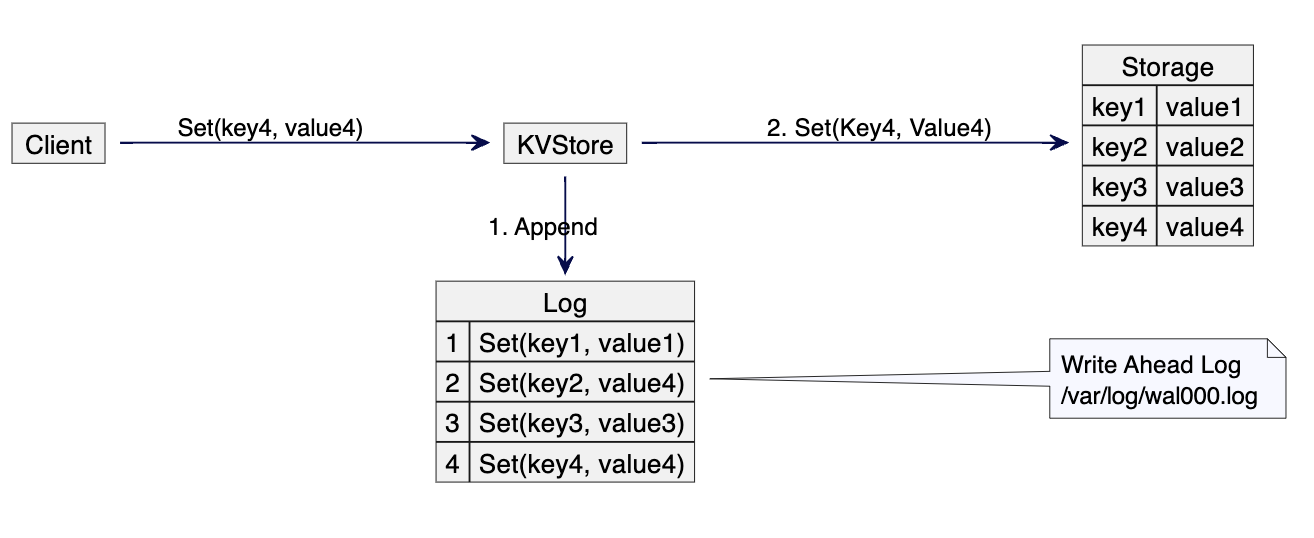
- Keeps a log of changes
- Improves reliability
🧠 Virtual File Systems
🌐 Concept
- Abstract layer over file systems
- Provides uniform interface
📦 File Compression
🗜️ Types:
- Lossless
- Lossy
Used to save space.
⚡ Performance Factors
- Disk speed
- File system type
- Fragmentation
- Caching
⚠️ Fragmentation
🧩 Types:
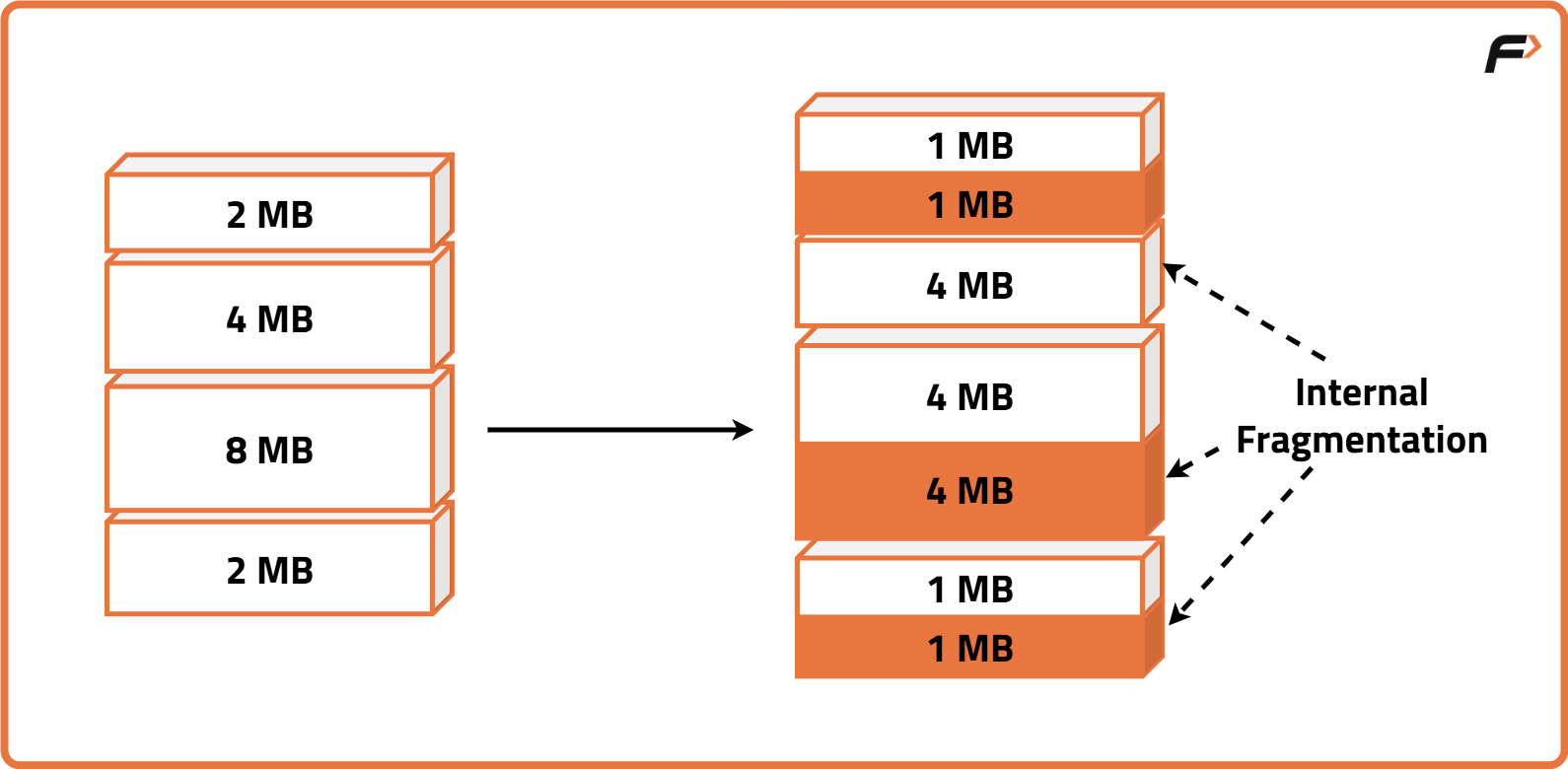

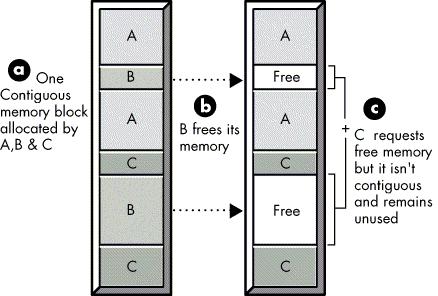
- Internal fragmentation
- External fragmentation
🔄 File System vs Database
| Feature | File System | Database |
|---|---|---|
| Structure | Simple | Complex |
| Redundancy | High | Low |
| Security | Basic | Advanced |
🧠 Modern File System Trends

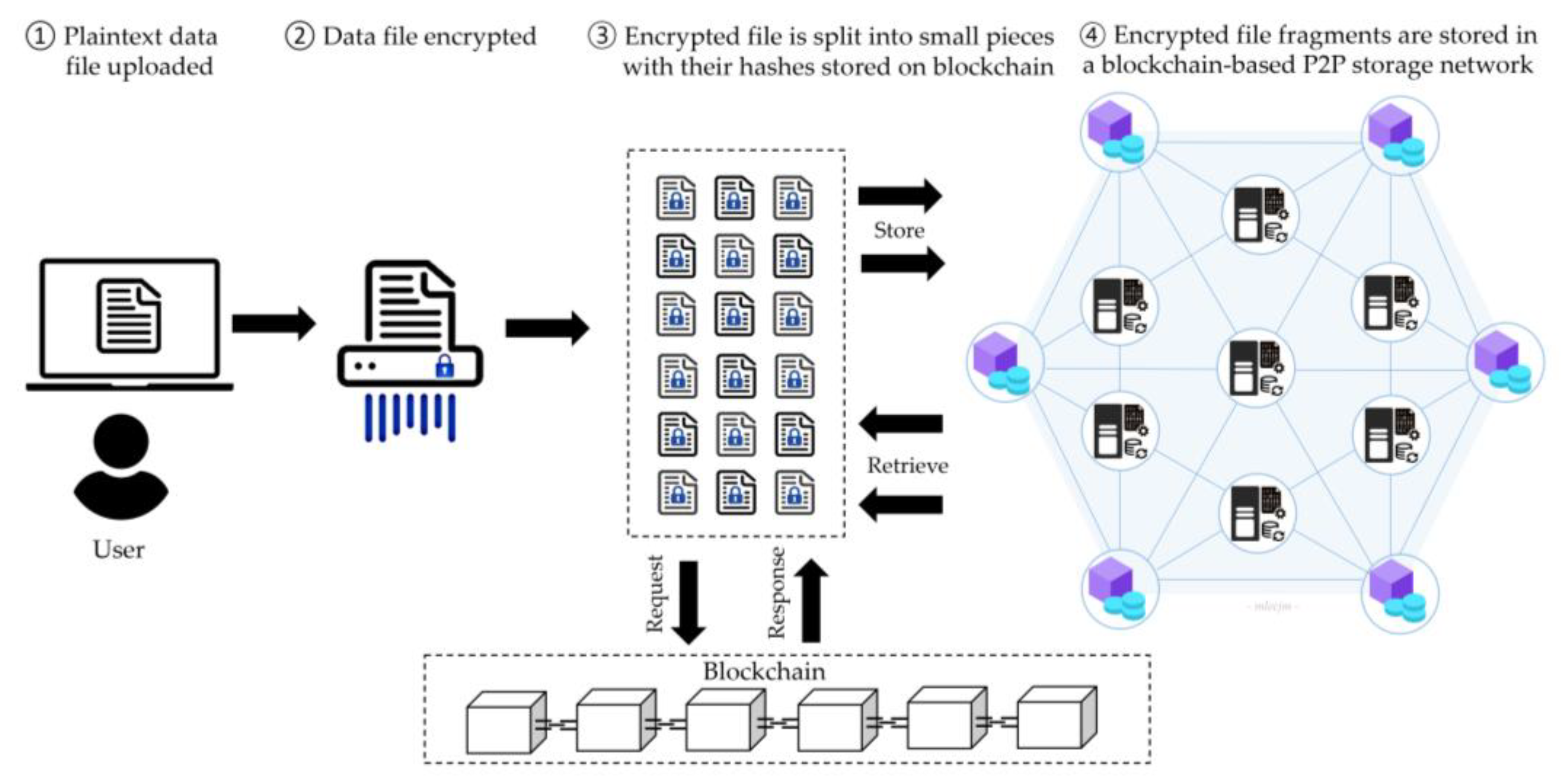
- Cloud storage systems
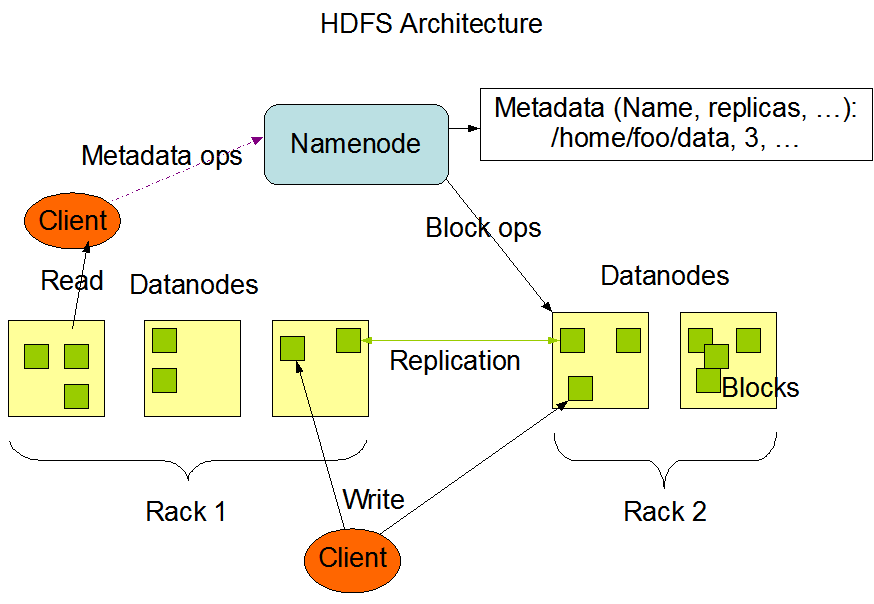
- Distributed file systems (HDFS)
- Blockchain-based storage
- SSD-optimized file systems
⚡ Advantages of File Systems
- Organized storage
- Efficient access
- Security and control
- Data integrity
⚠️ Limitations
- Fragmentation
- Complexity
- Performance issues
🧠 Conclusion
File systems are essential for managing data in modern computing. They:
- Organize information
- Enable efficient storage and retrieval
- Provide security and reliability
Understanding file systems is crucial for:
- Operating systems
- Database management
- Cloud computing
- Cybersecurity