🧩 What is a Tree Data Structure?


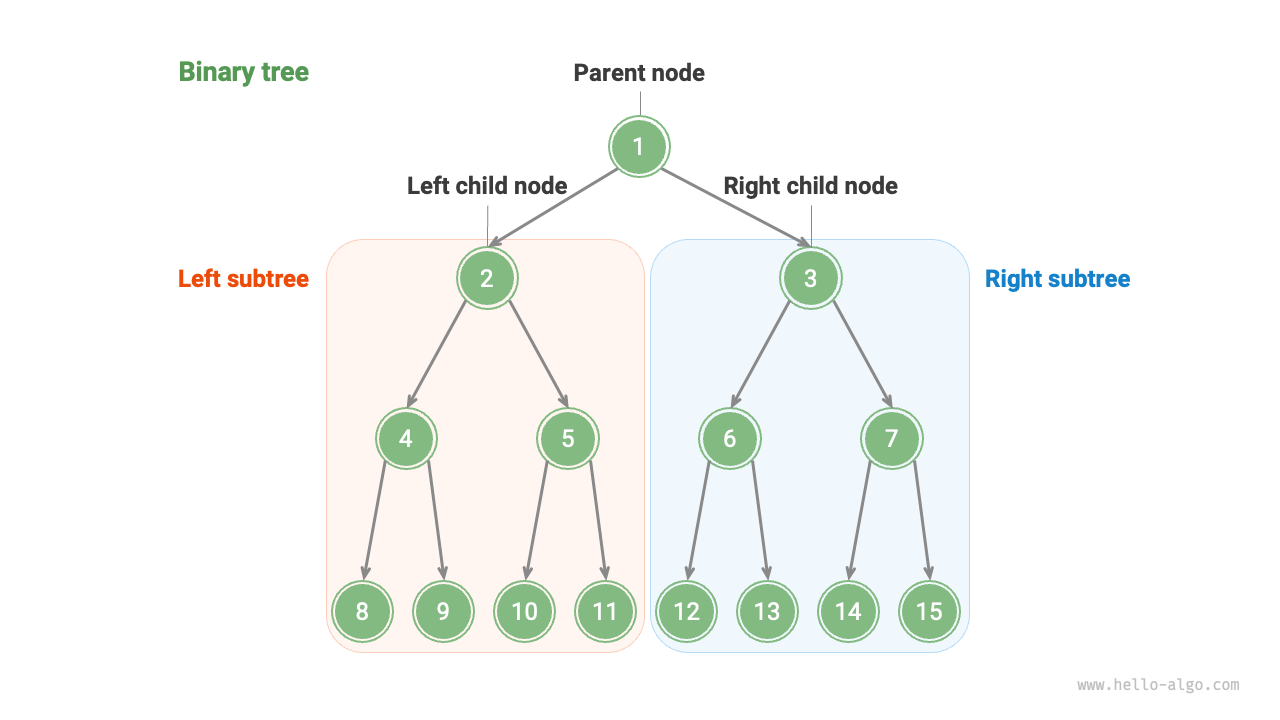
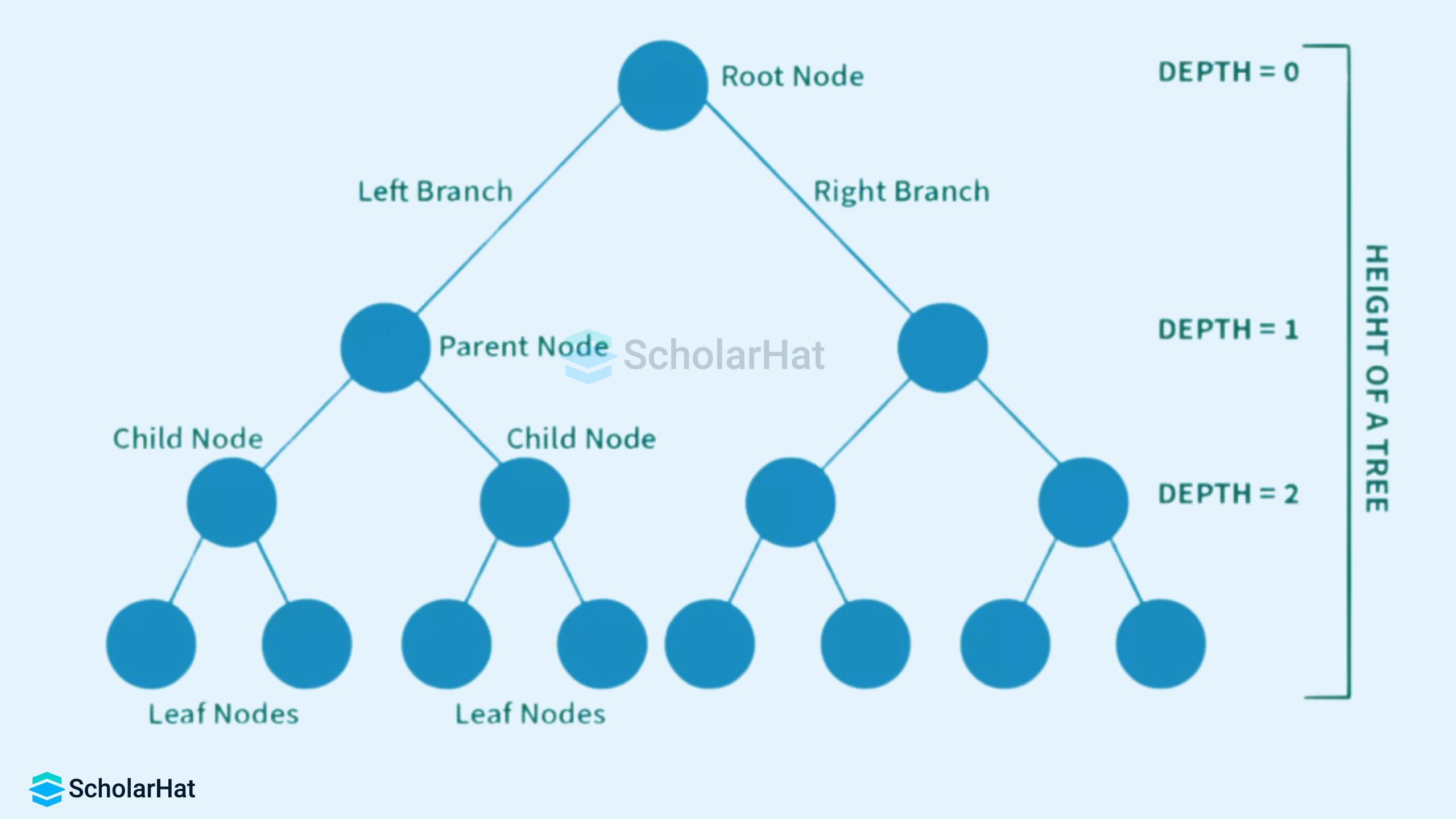
A tree is a widely used non-linear data structure that represents hierarchical relationships between elements. Unlike linear structures such as arrays, stacks, and queues, trees organize data in a branching structure resembling an inverted tree.
In a tree:
- The topmost node is called the root
- Each node may have child nodes
- Nodes are connected by edges
- There is exactly one path between any two nodes
Trees are fundamental in computer science and are used in databases, file systems, artificial intelligence, networking, and more.
🧠 Key Terminology in Trees
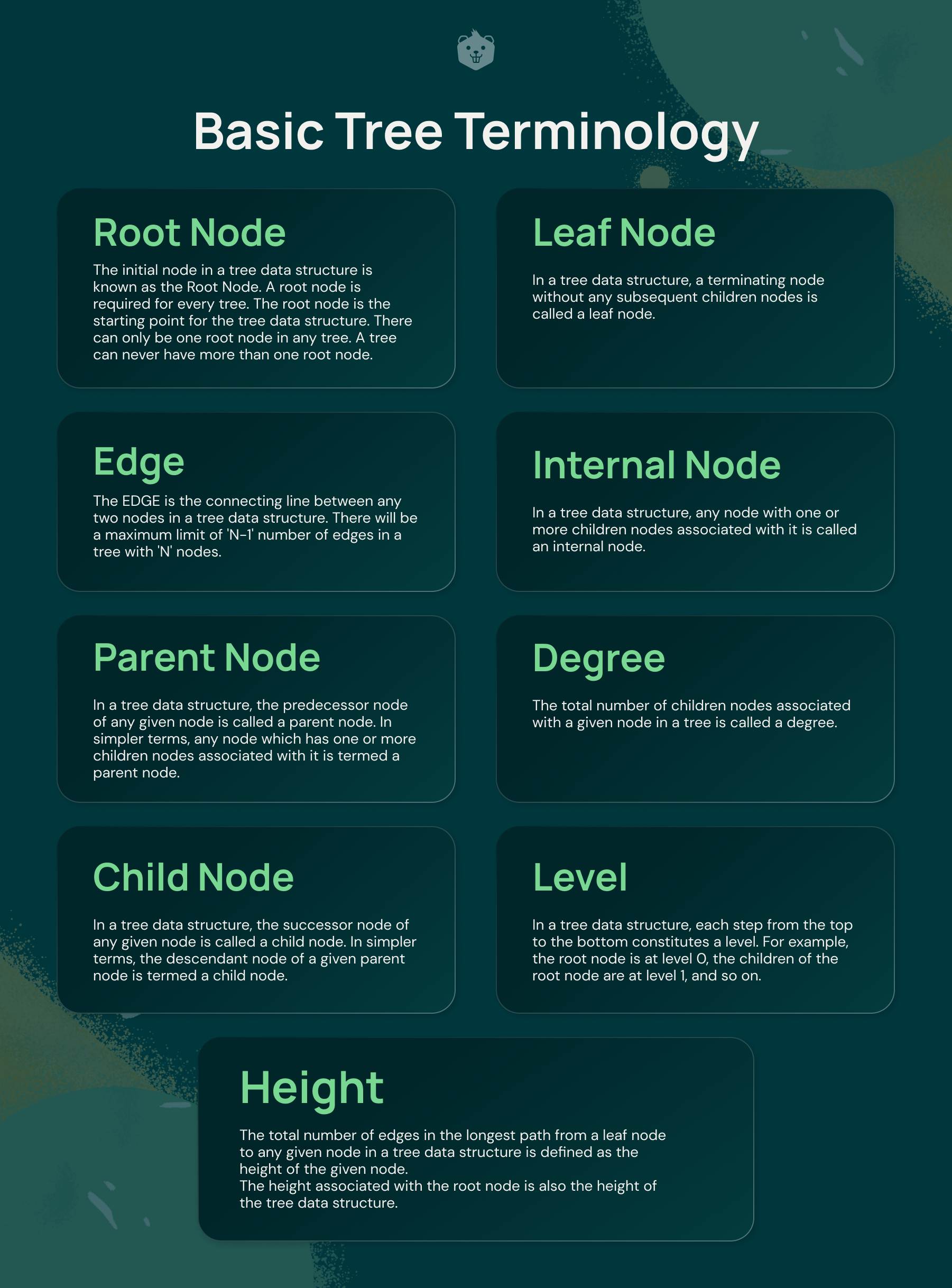
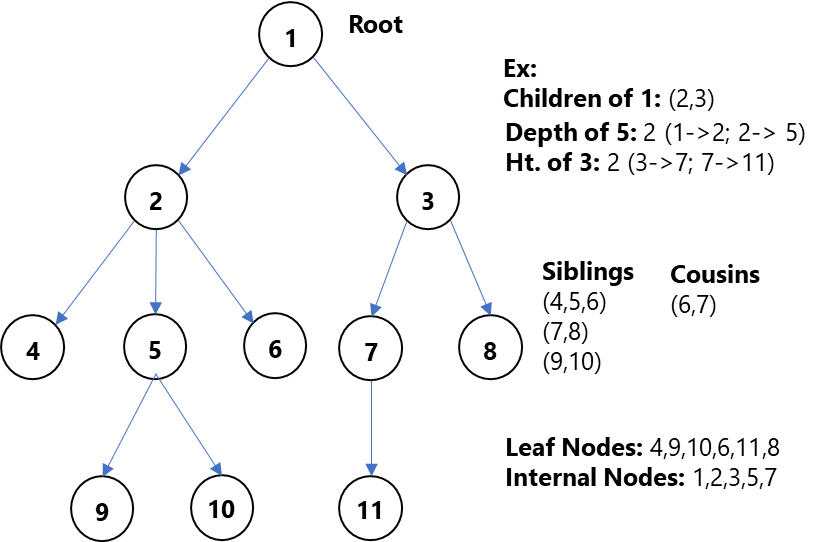


Understanding trees requires familiarity with key terms:
- Node → Basic unit of a tree
- Root → Topmost node
- Edge → Connection between nodes
- Parent → Node with children
- Child → Node derived from another node
- Leaf Node → Node with no children
- Internal Node → Node with at least one child
- Height → Longest path from root to leaf
- Depth → Distance from root
- Subtree → A tree within a tree
🌲 Basic Structure of a Tree
        A
      / | \
     B  C  D
    / \     \
   E   F     G
- A is root
- B, C, D are children
- E, F, G are leaf nodes
🔗 Types of Trees
🔹 1. General Tree

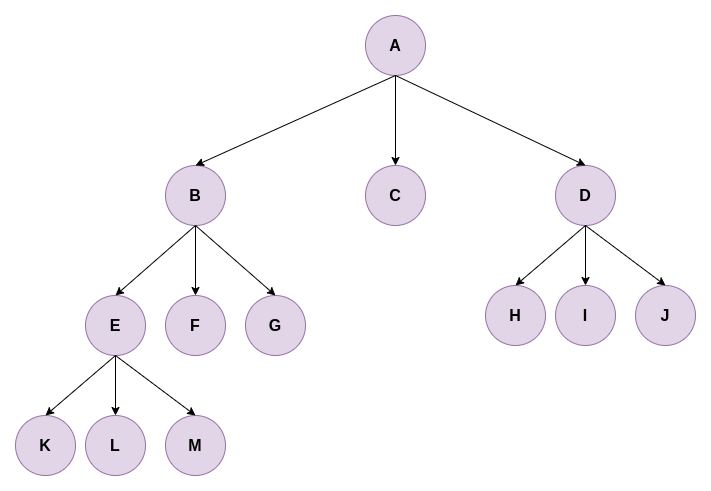


A general tree allows any number of children per node.
🔹 2. Binary Tree

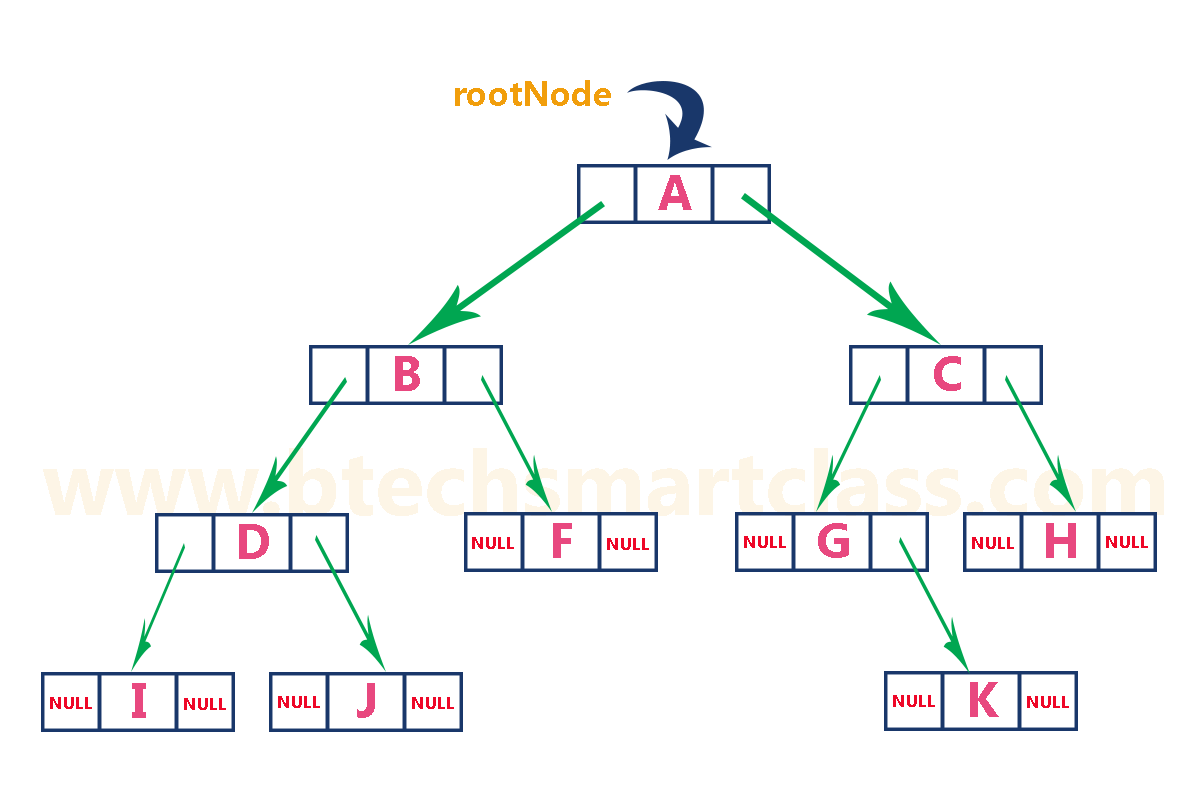
Each node has at most two children:
- Left child
- Right child
🔹 3. Full Binary Tree


Every node has either:
- 0 children OR
- 2 children
🔹 4. Complete Binary Tree


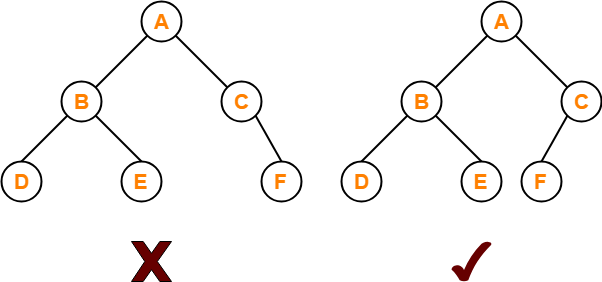
All levels are filled except possibly the last, which is filled from left to right.
🔹 5. Perfect Binary Tree


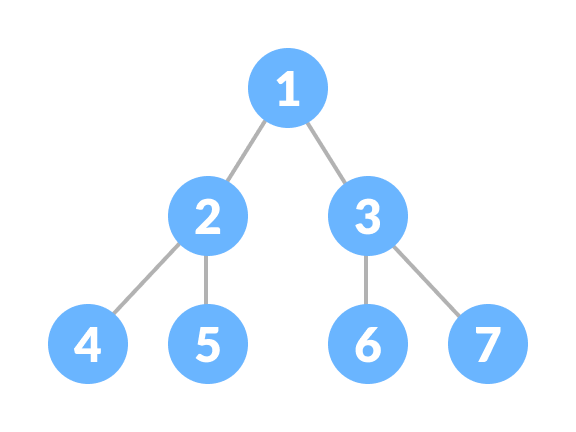
All internal nodes have two children and all leaves are at the same level.
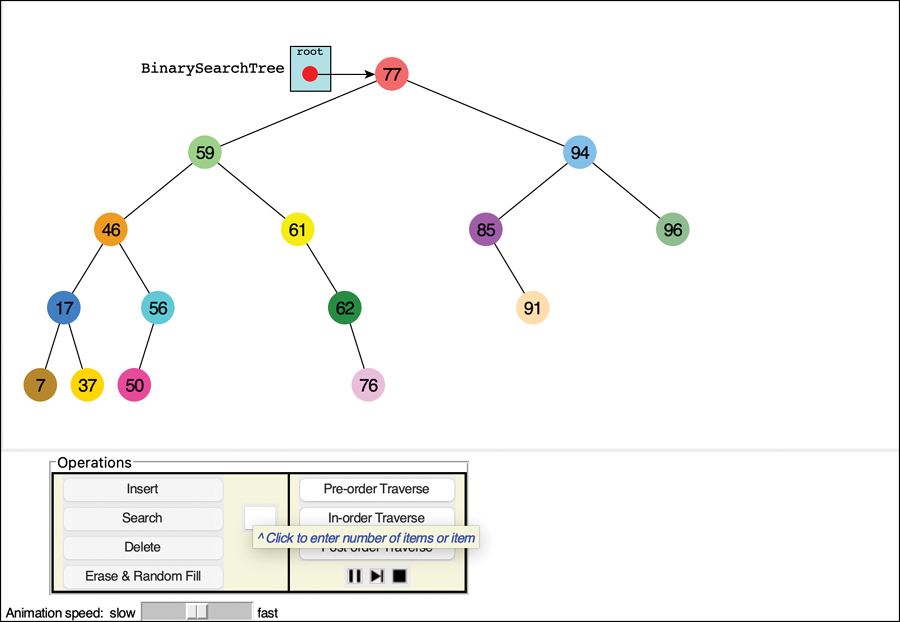
🔹 6. Binary Search Tree (BST)
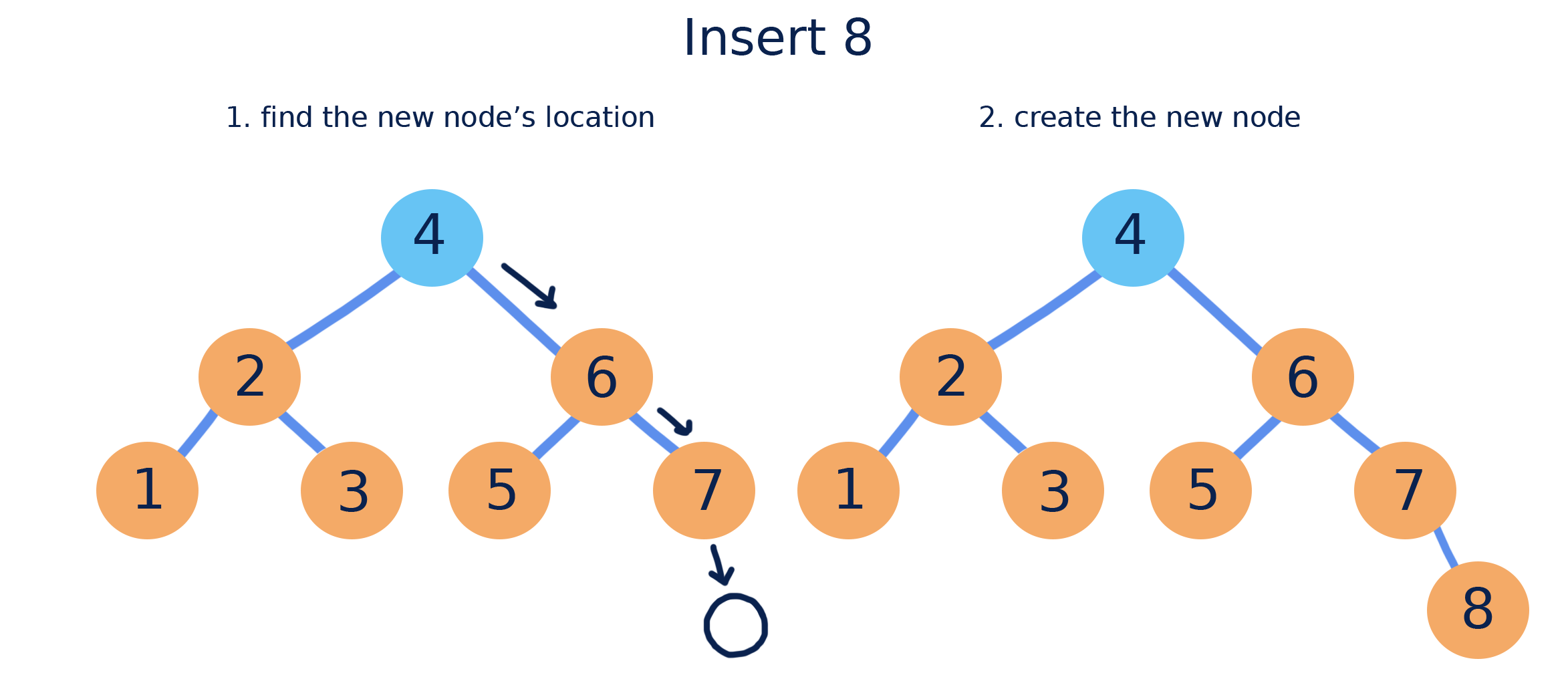
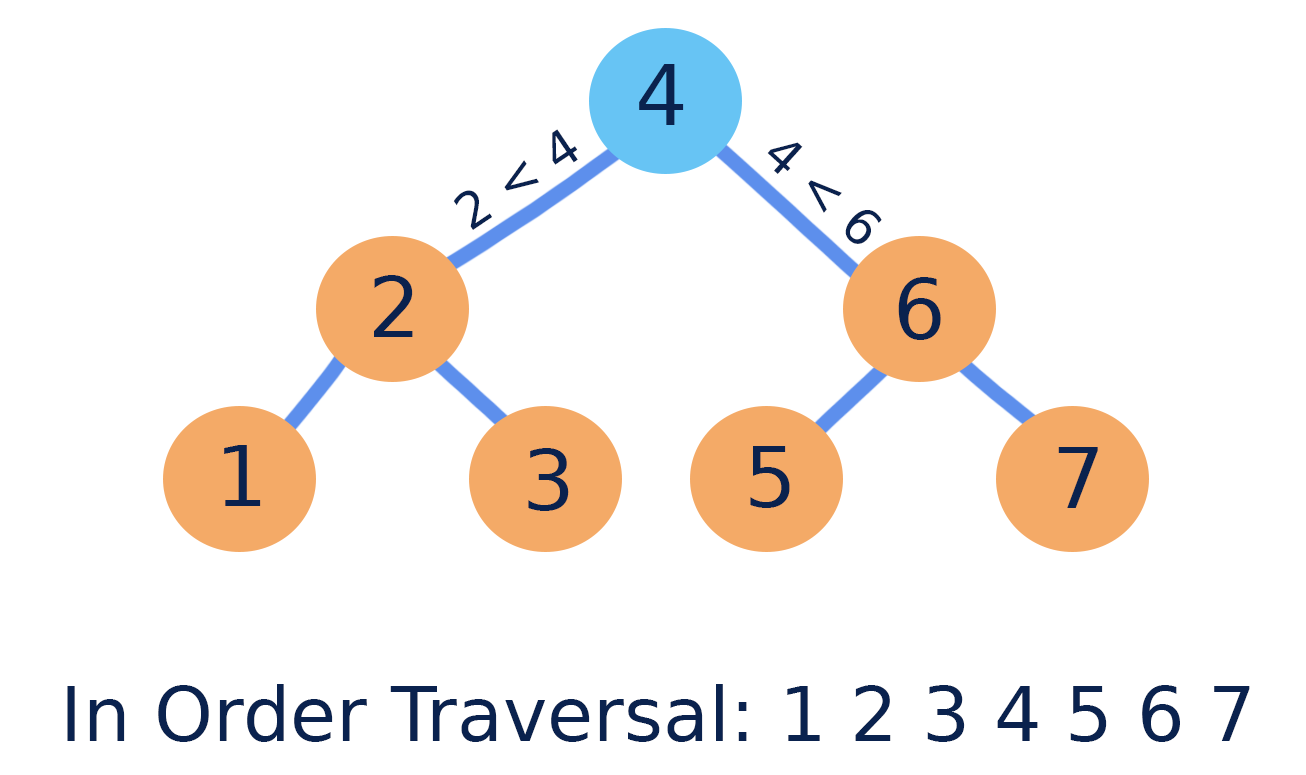

Properties:
- Left subtree → smaller values
- Right subtree → larger values
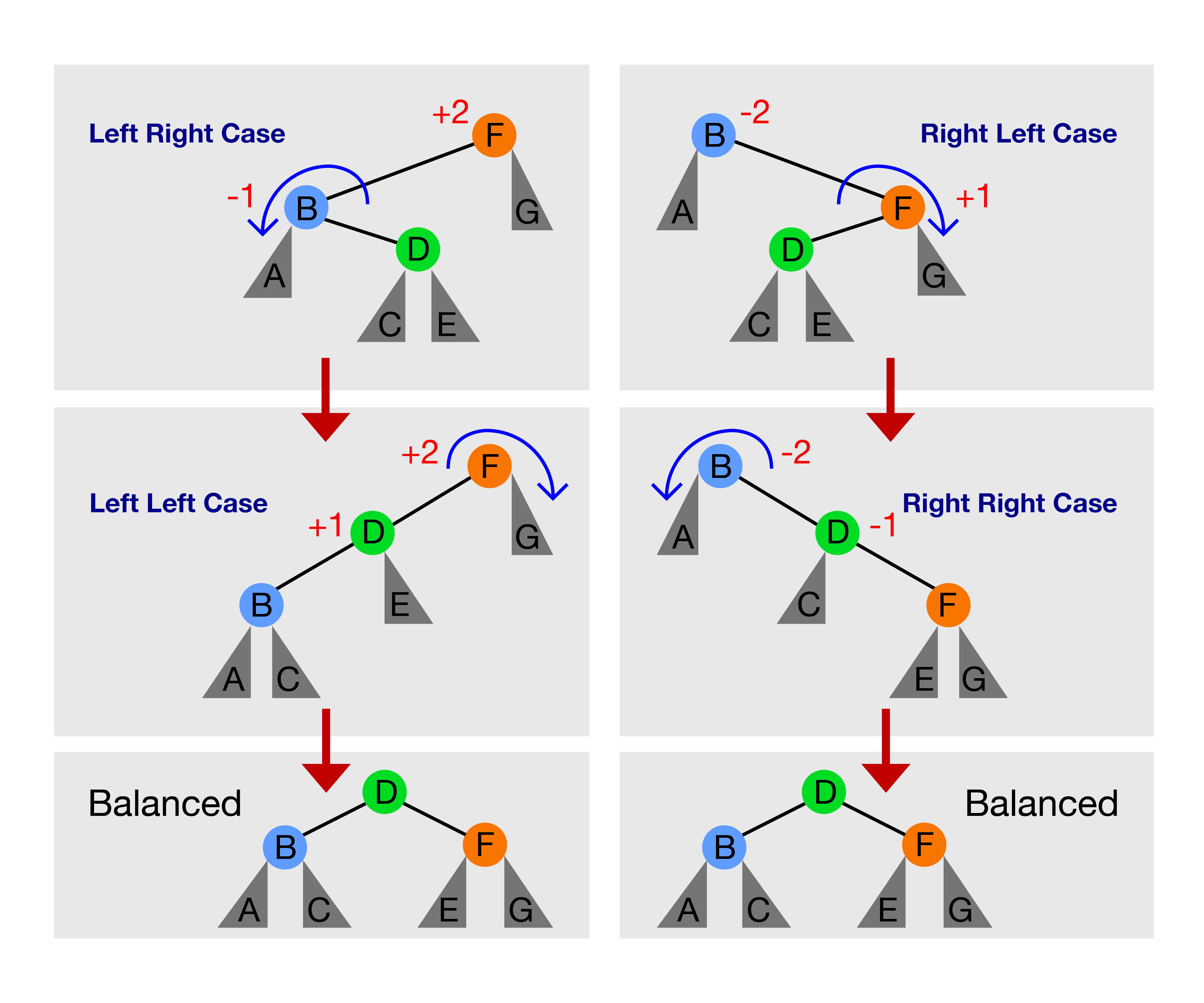
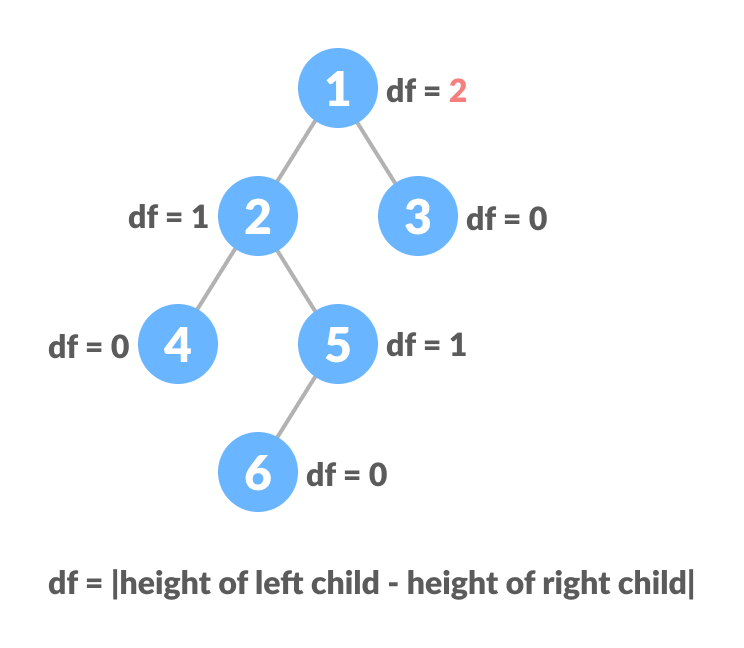
🔹 7. AVL Tree (Self-Balancing Tree)


Maintains balance using rotations.
🔹 8. Red-Black Tree
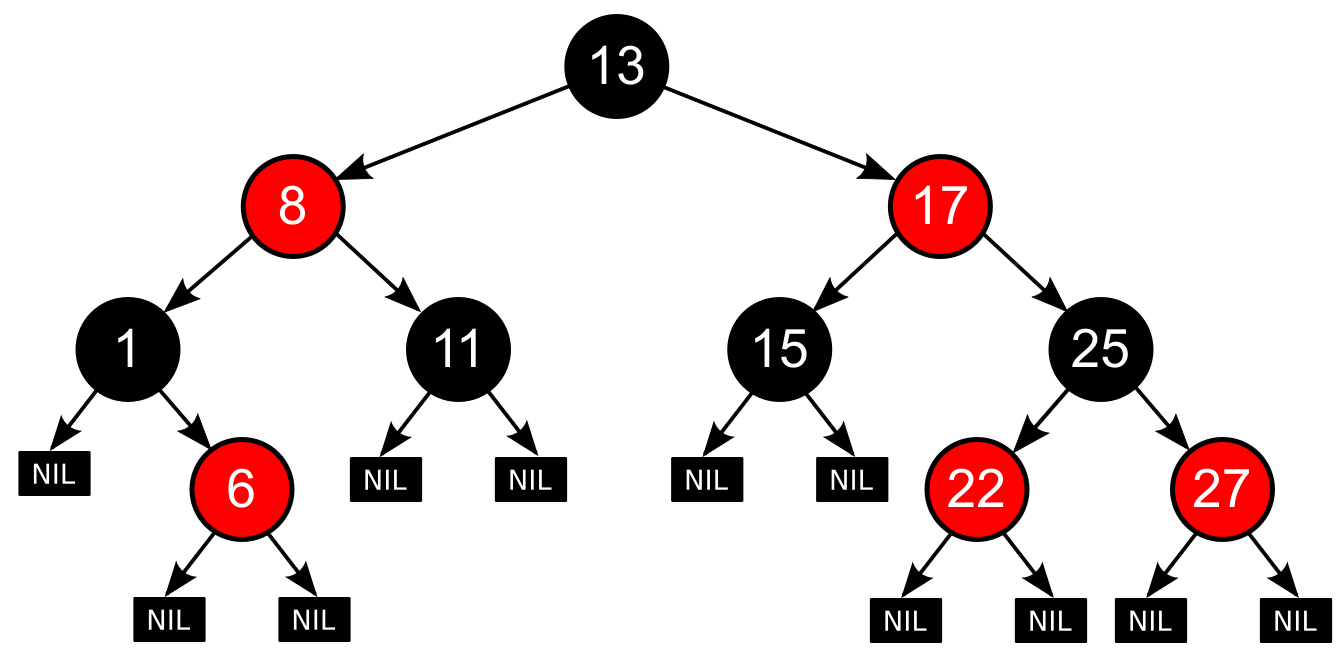
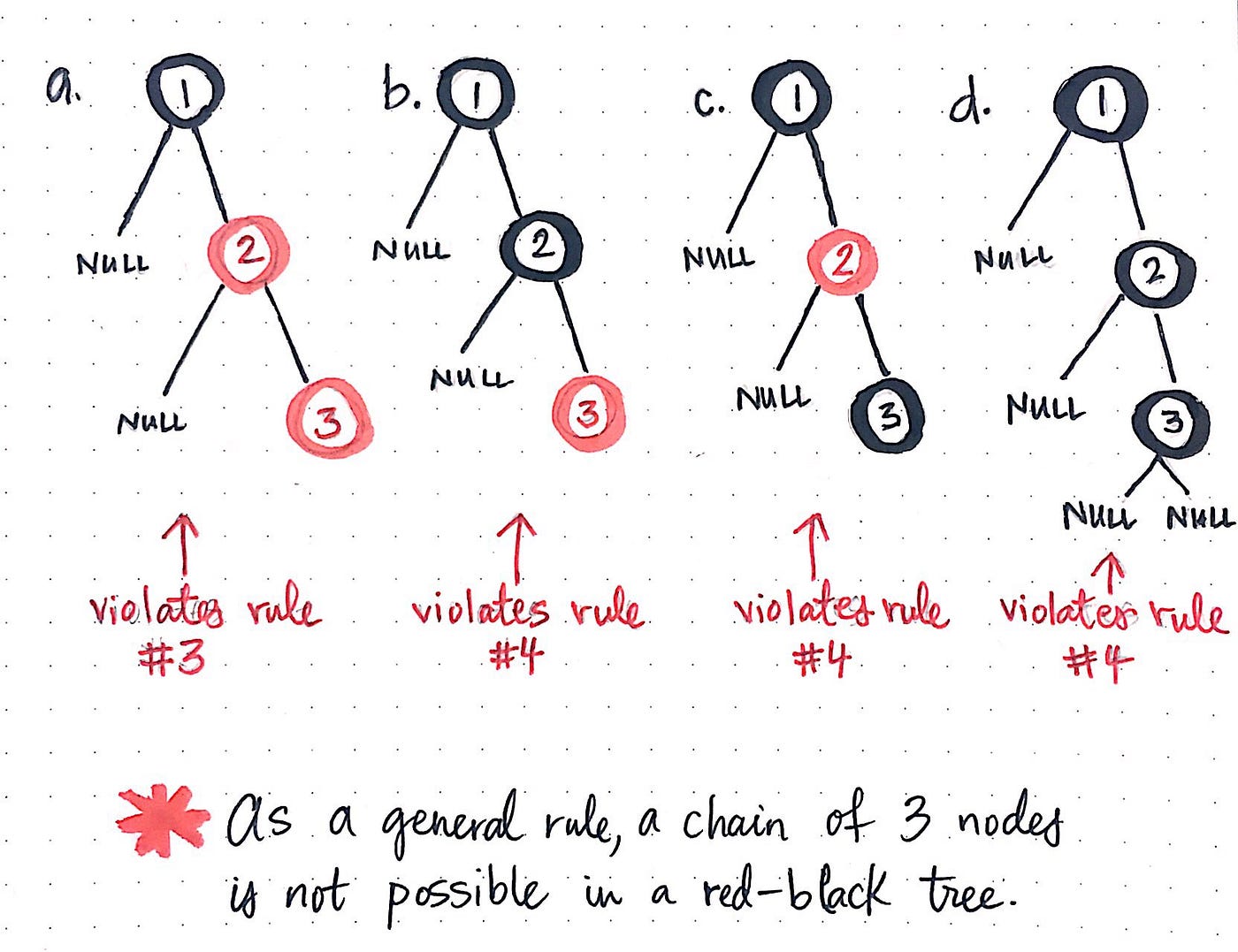

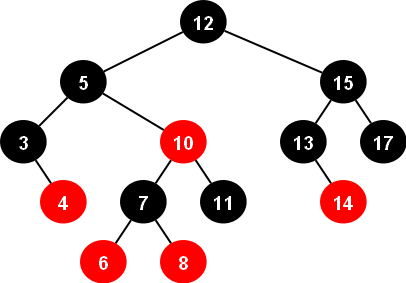
A balanced tree with coloring rules.
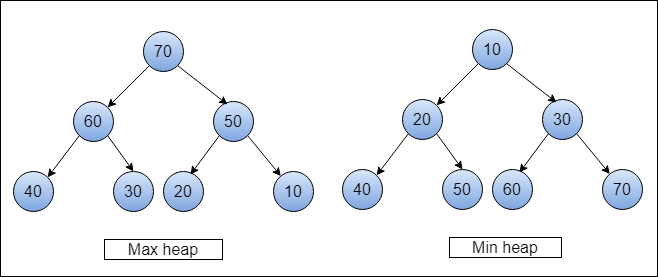
🔹 9. Heap (Binary Heap)

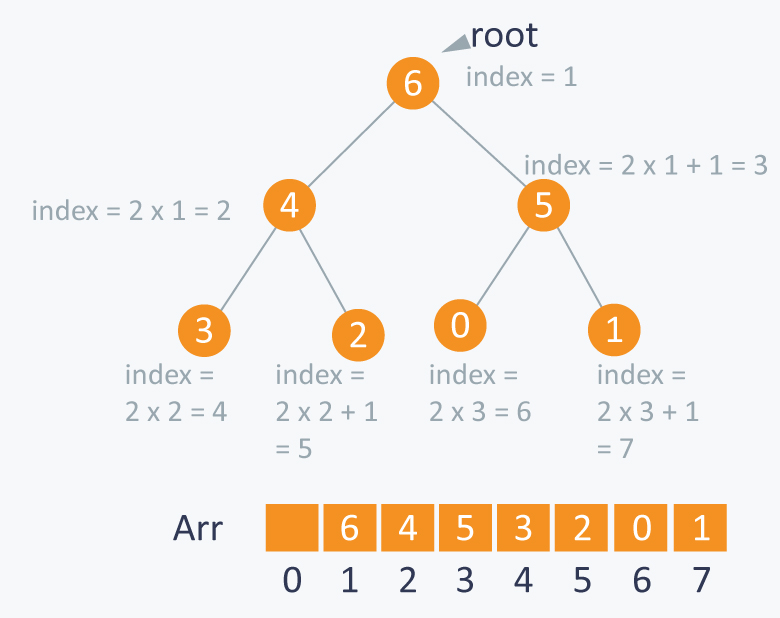

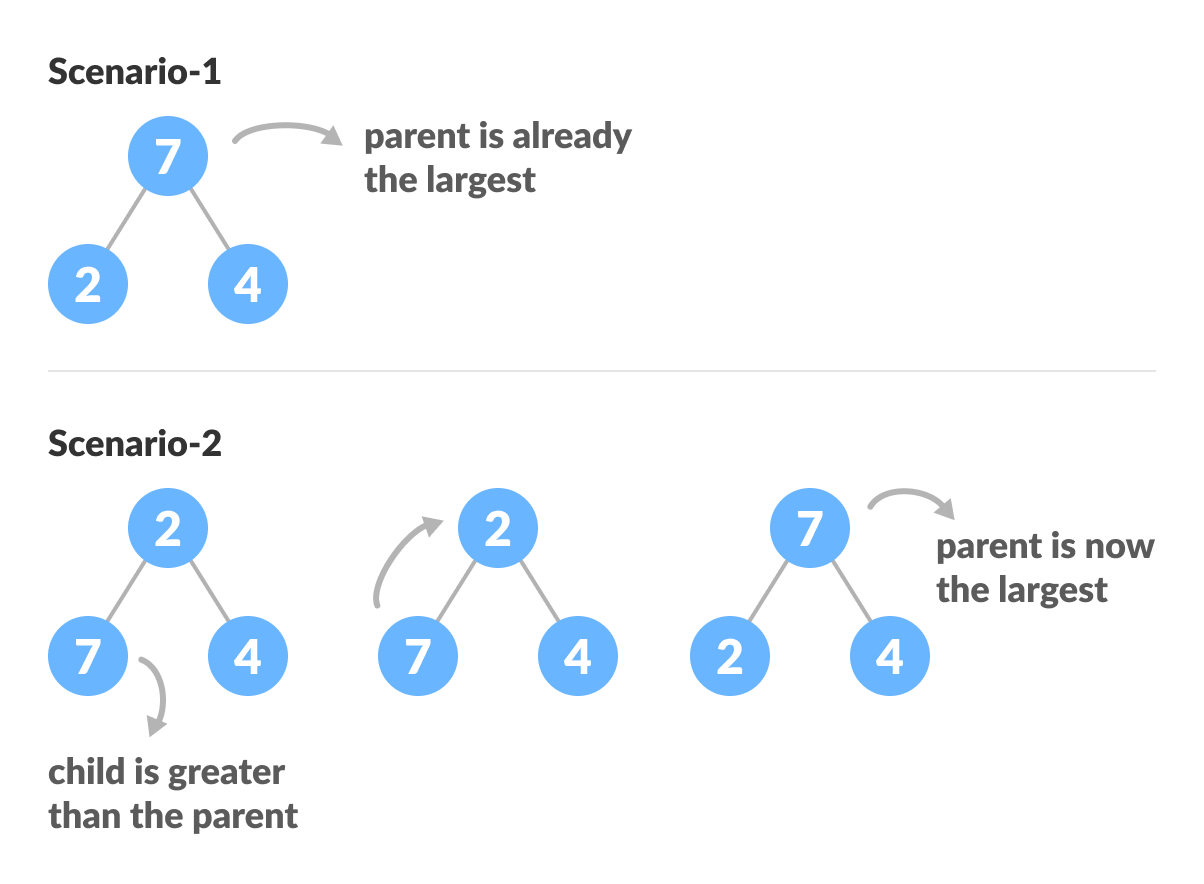
Used in priority queues:
- Max Heap
- Min Heap
🔹 10. B-Tree

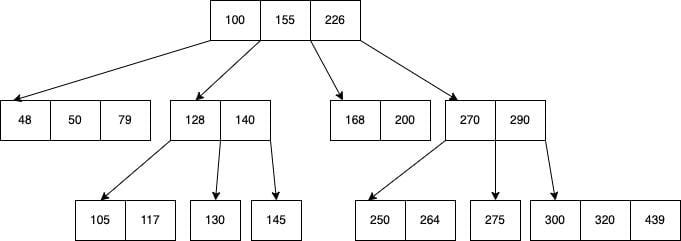
Used in databases and file systems.
🔹 11. Trie (Prefix Tree)
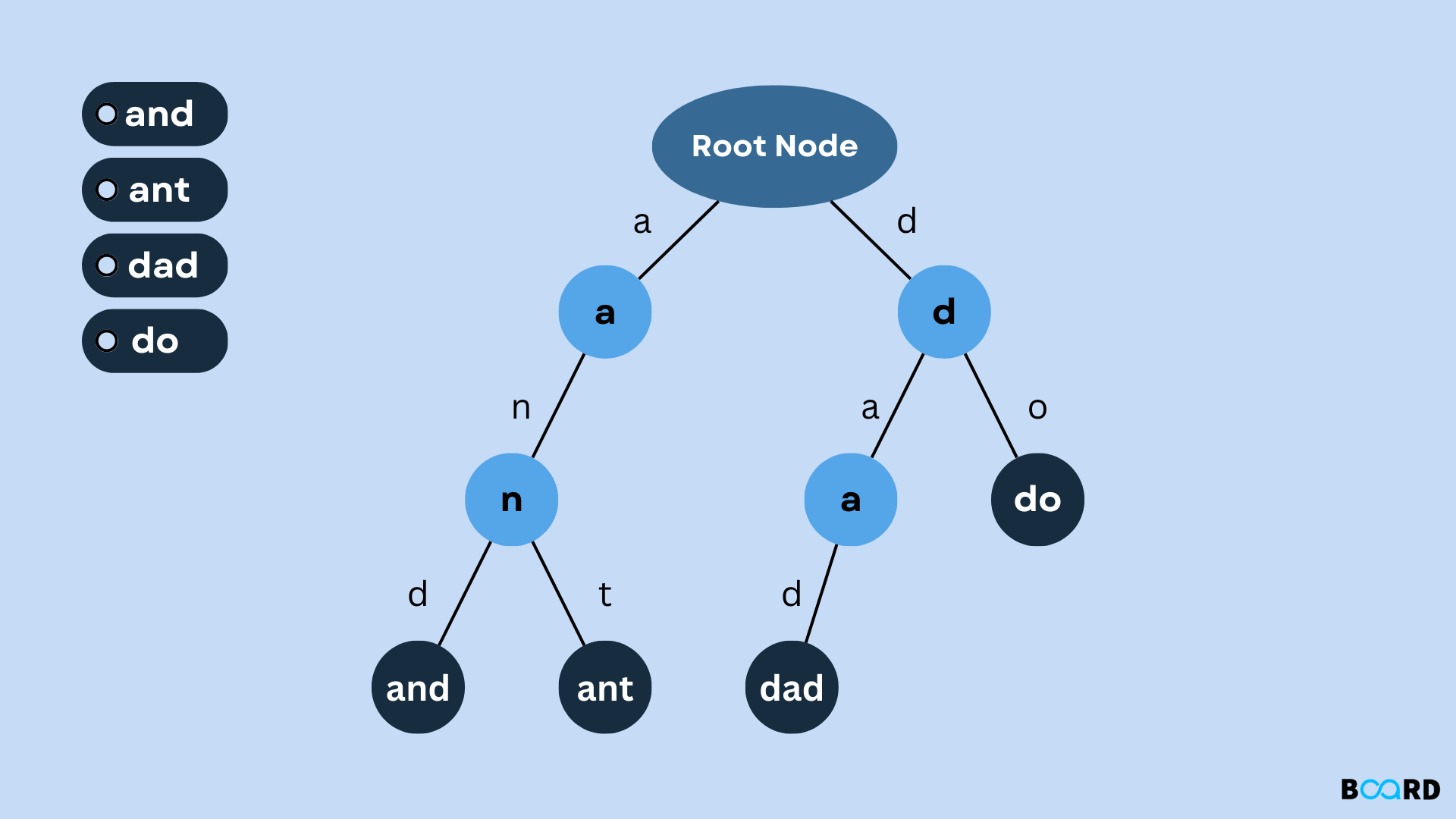


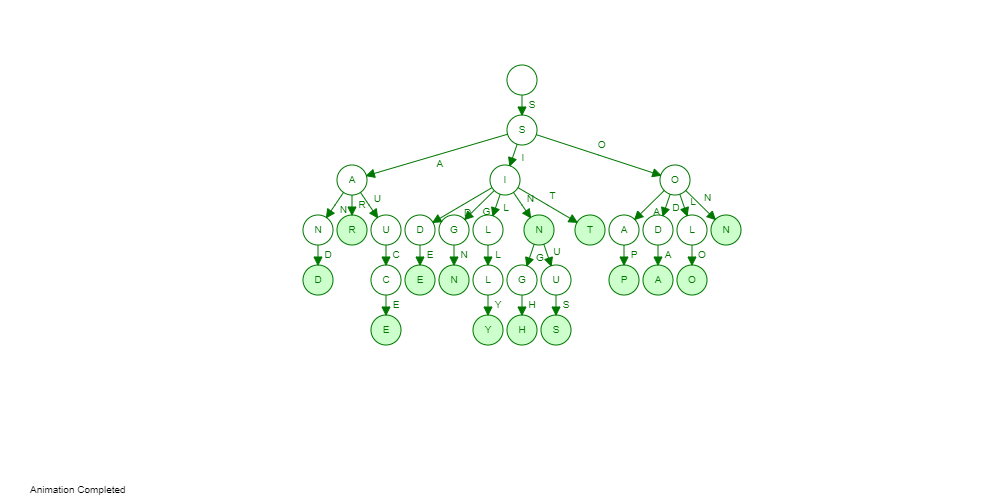
Used for string searching and auto-complete.
⚙️ Tree Operations
🔹 1. Insertion

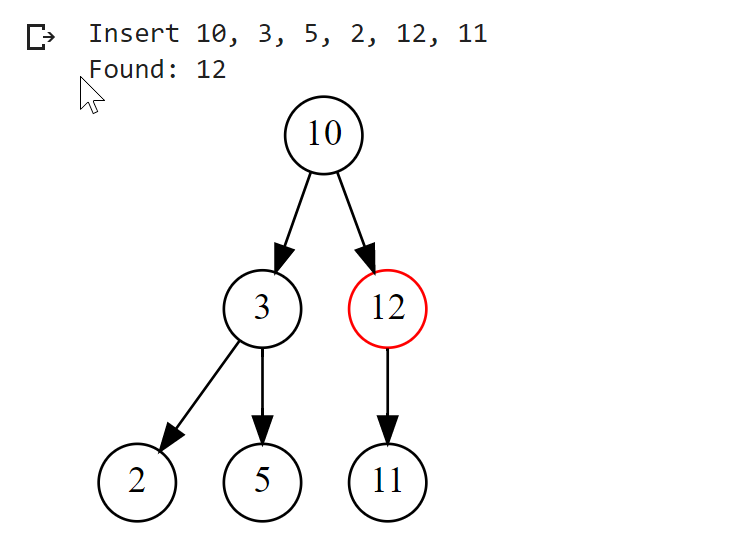

Adding nodes while maintaining properties.
🔹 2. Deletion
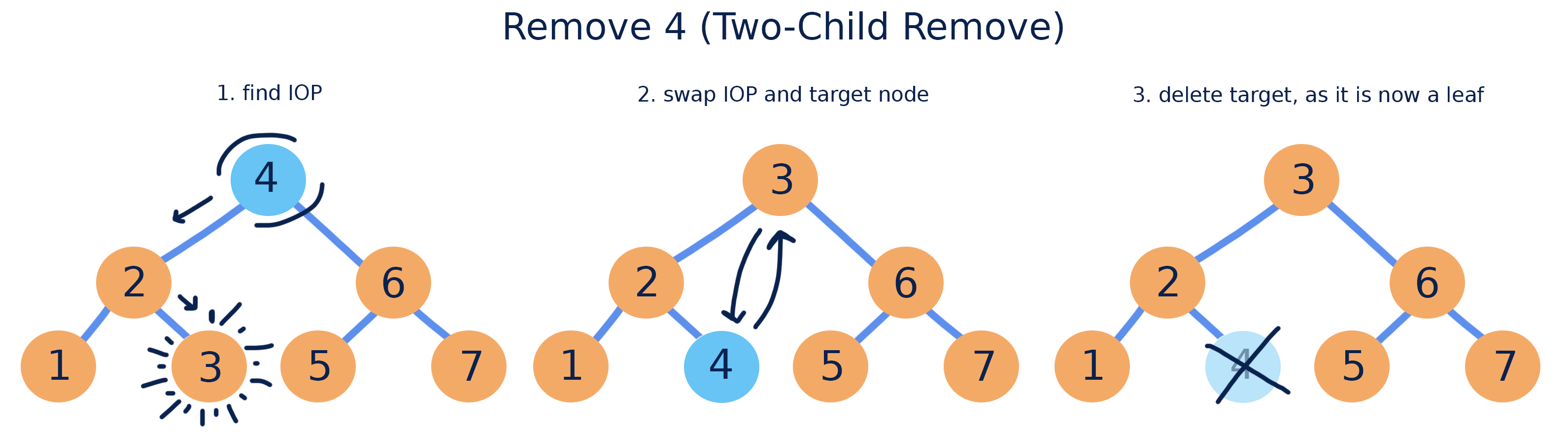
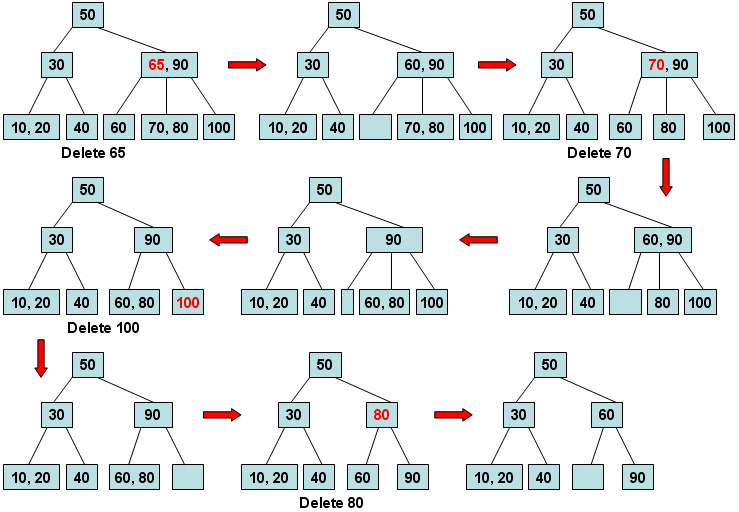
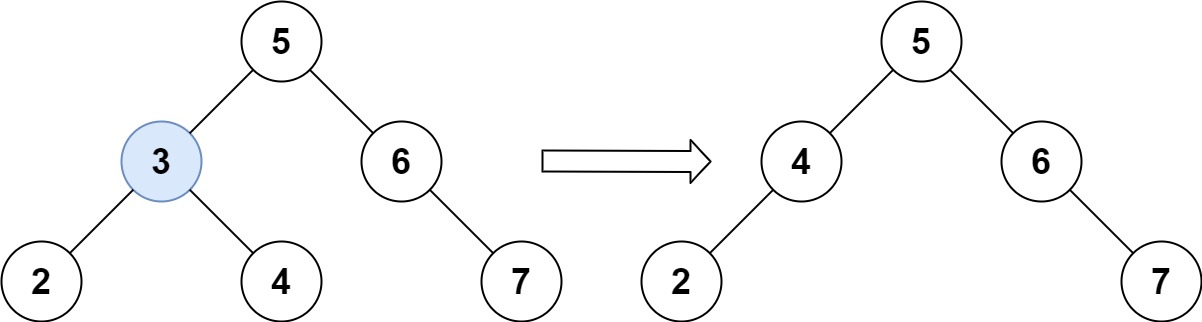
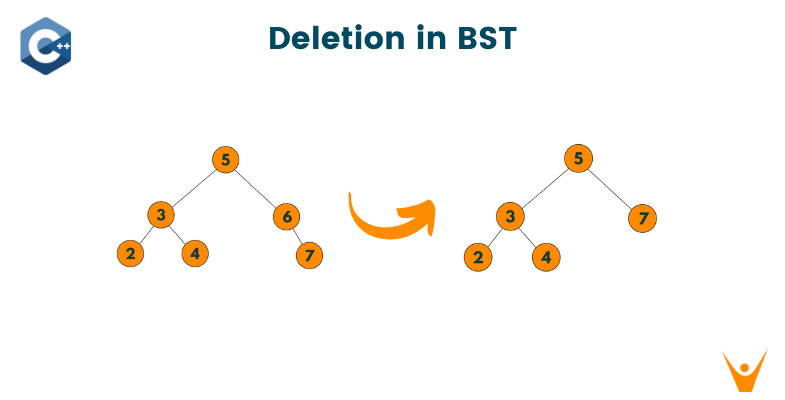
Cases:
- Leaf node
- One child
- Two children
🔹 3. Searching
def search(root, key):
    if root is None or root.value == key:
        return root
    if key < root.value:
        return search(root.left, key)
    return search(root.right, key)
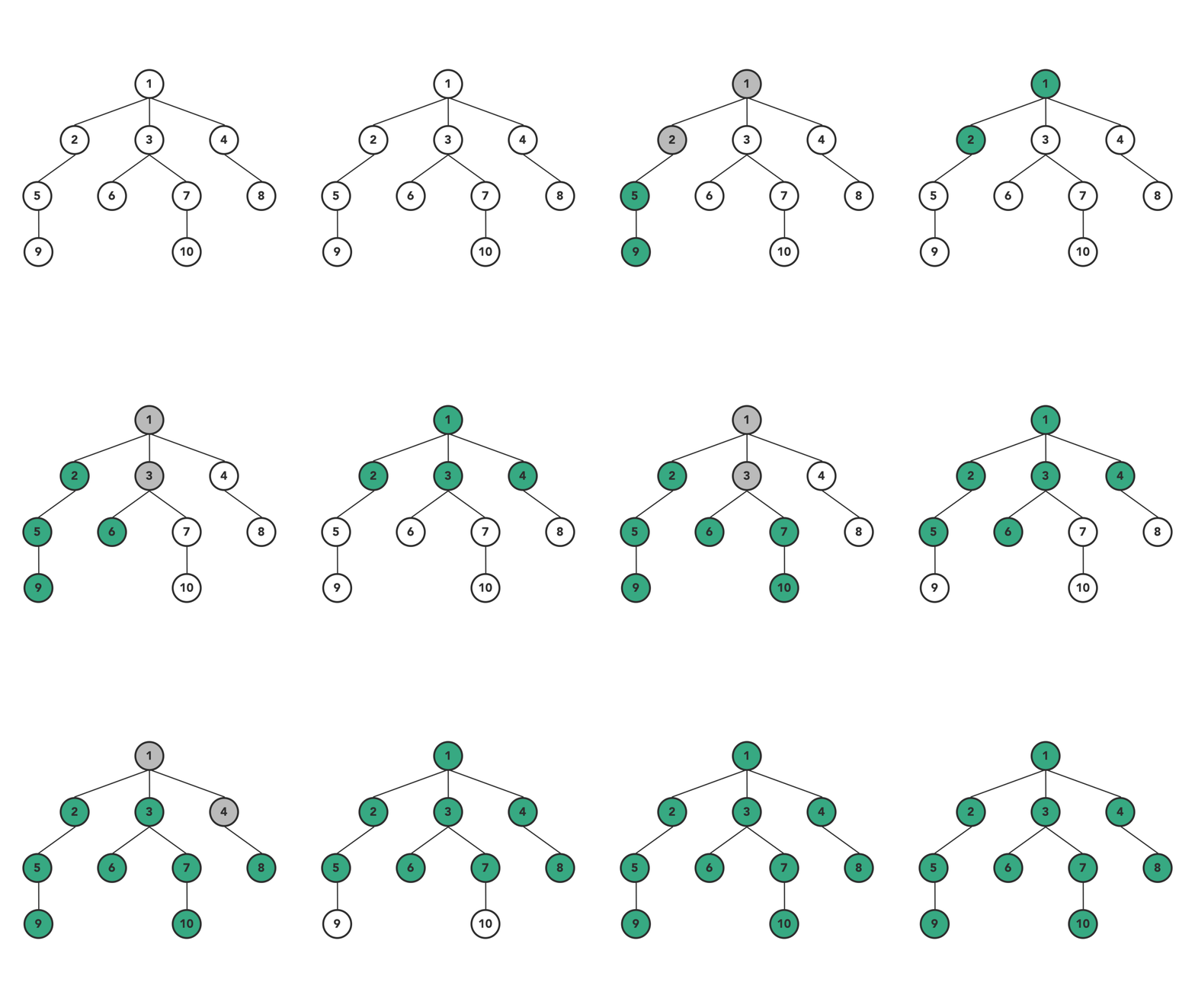
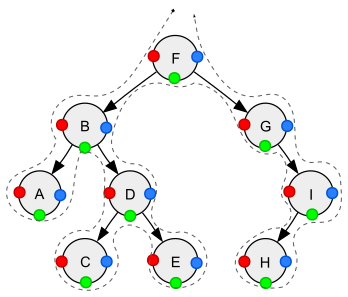
🔄 Tree Traversal Techniques
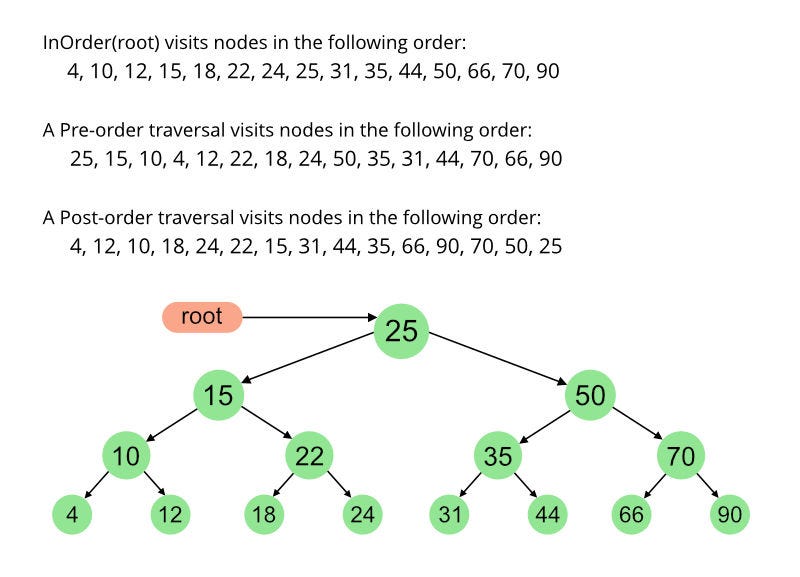
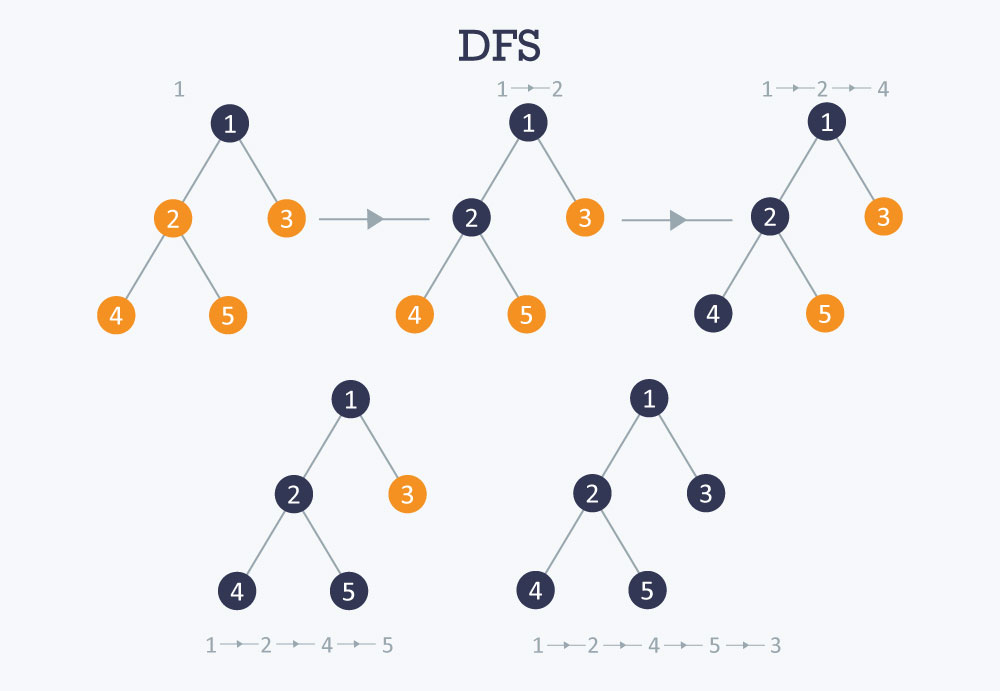
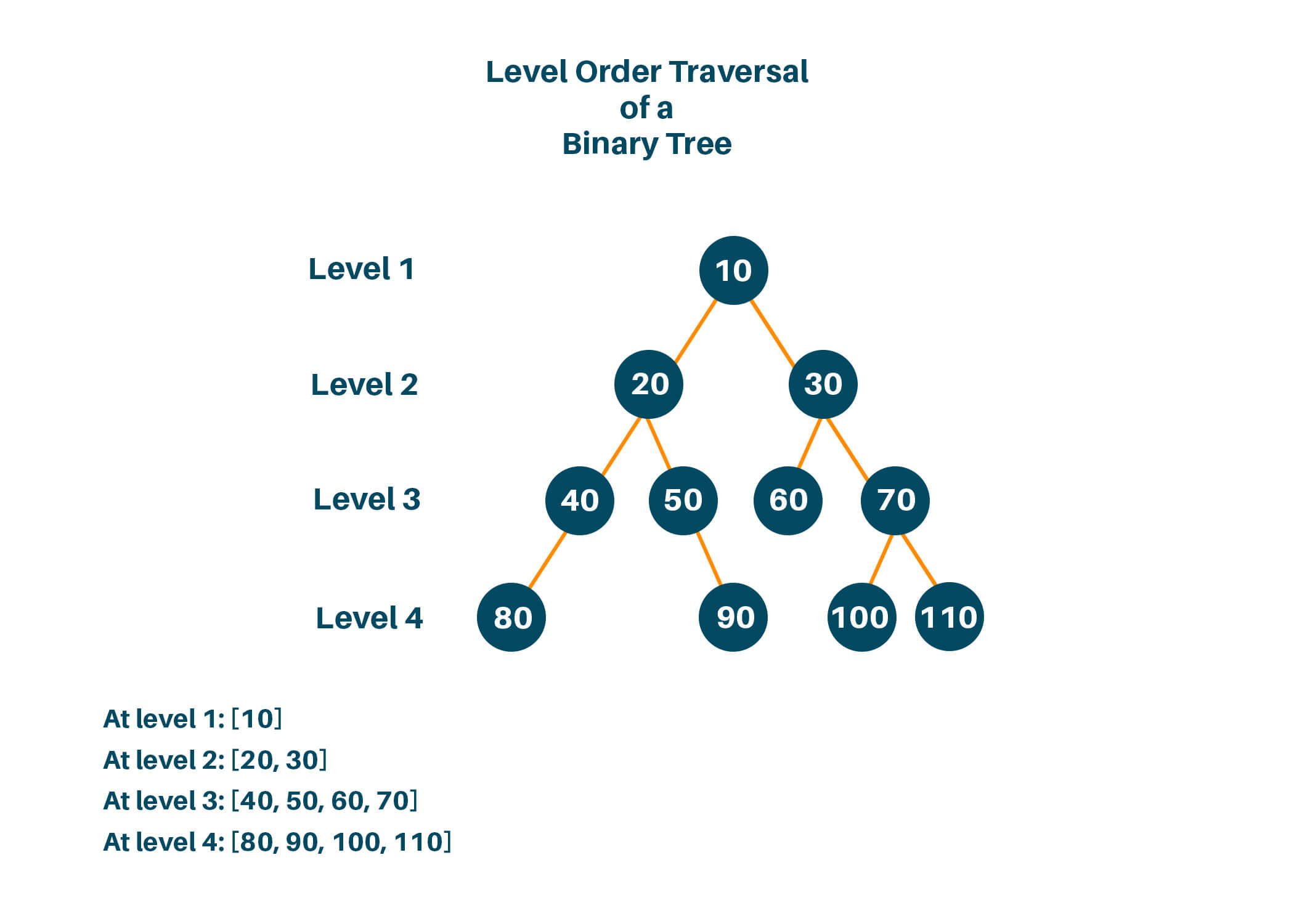
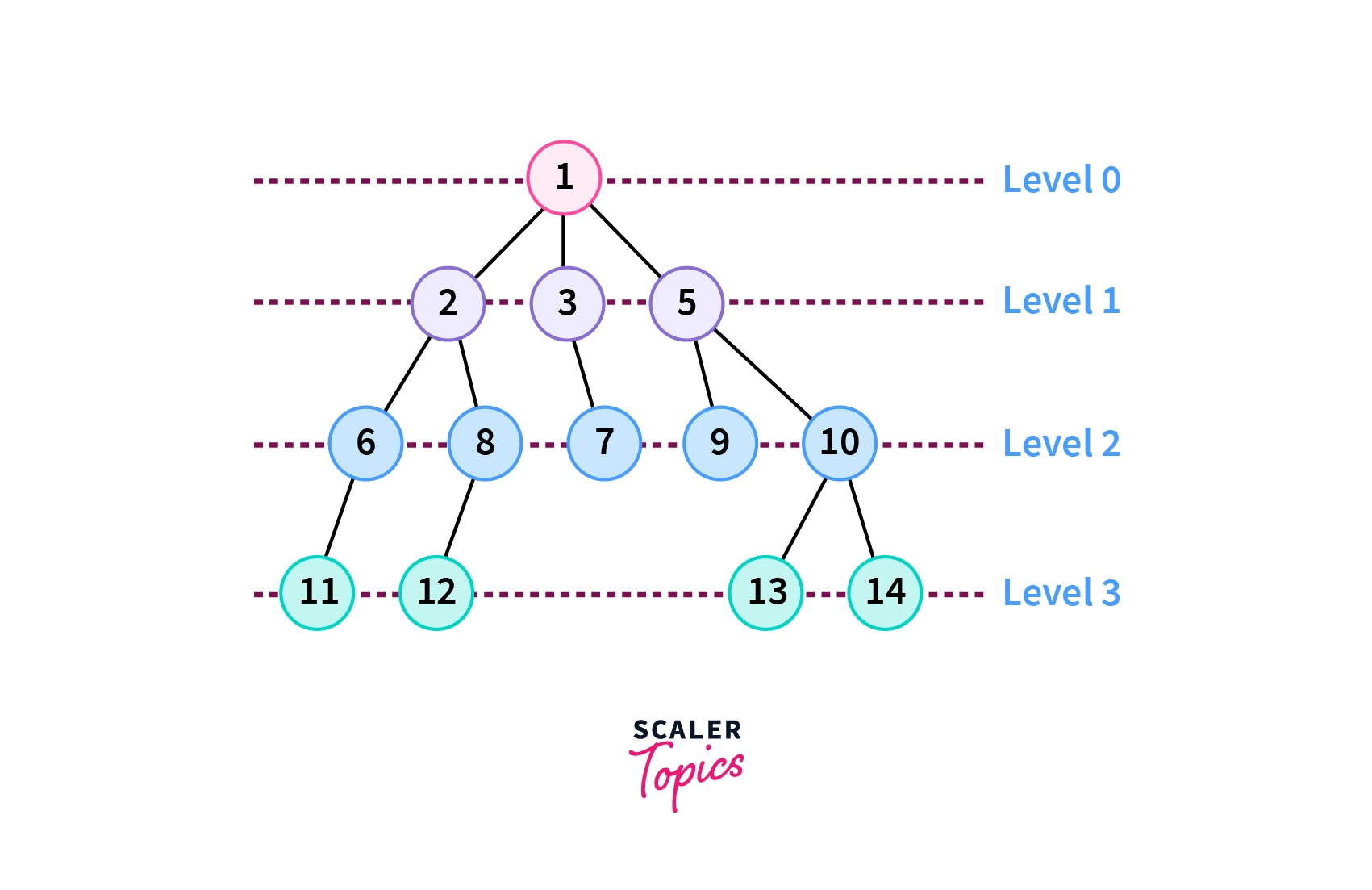
🔹 Depth First Search (DFS)
- Inorder (Left, Root, Right)
- Preorder (Root, Left, Right)
- Postorder (Left, Right, Root)
🔹 Breadth First Search (BFS)
- Level-order traversal using queue
🧮 Time Complexity
| Operation | BST Average | BST Worst |
|---|---|---|
| Search | O(log n) | O(n) |
| Insert | O(log n) | O(n) |
| Delete | O(log n) | O(n) |
Balanced trees maintain O(log n).
⚡ Advantages of Trees
- Efficient searching and sorting
- Hierarchical representation
- Dynamic size
- Flexible structure
⚠️ Disadvantages of Trees
- Complex implementation
- More memory usage (pointers)
- Balancing overhead
🧠 Advanced Tree Concepts
🔹 1. Segment Tree


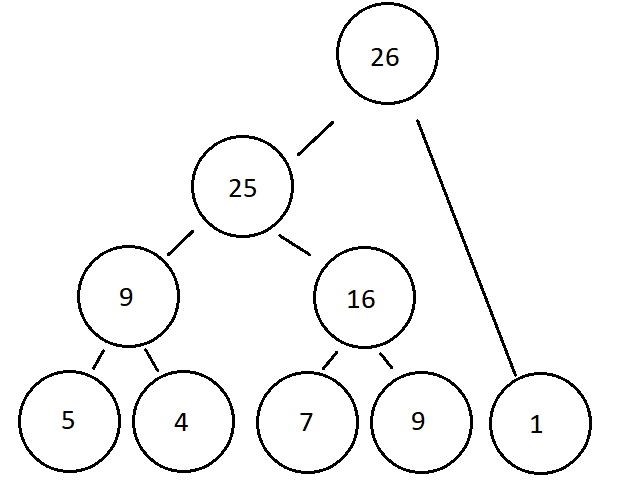
Used for range queries.
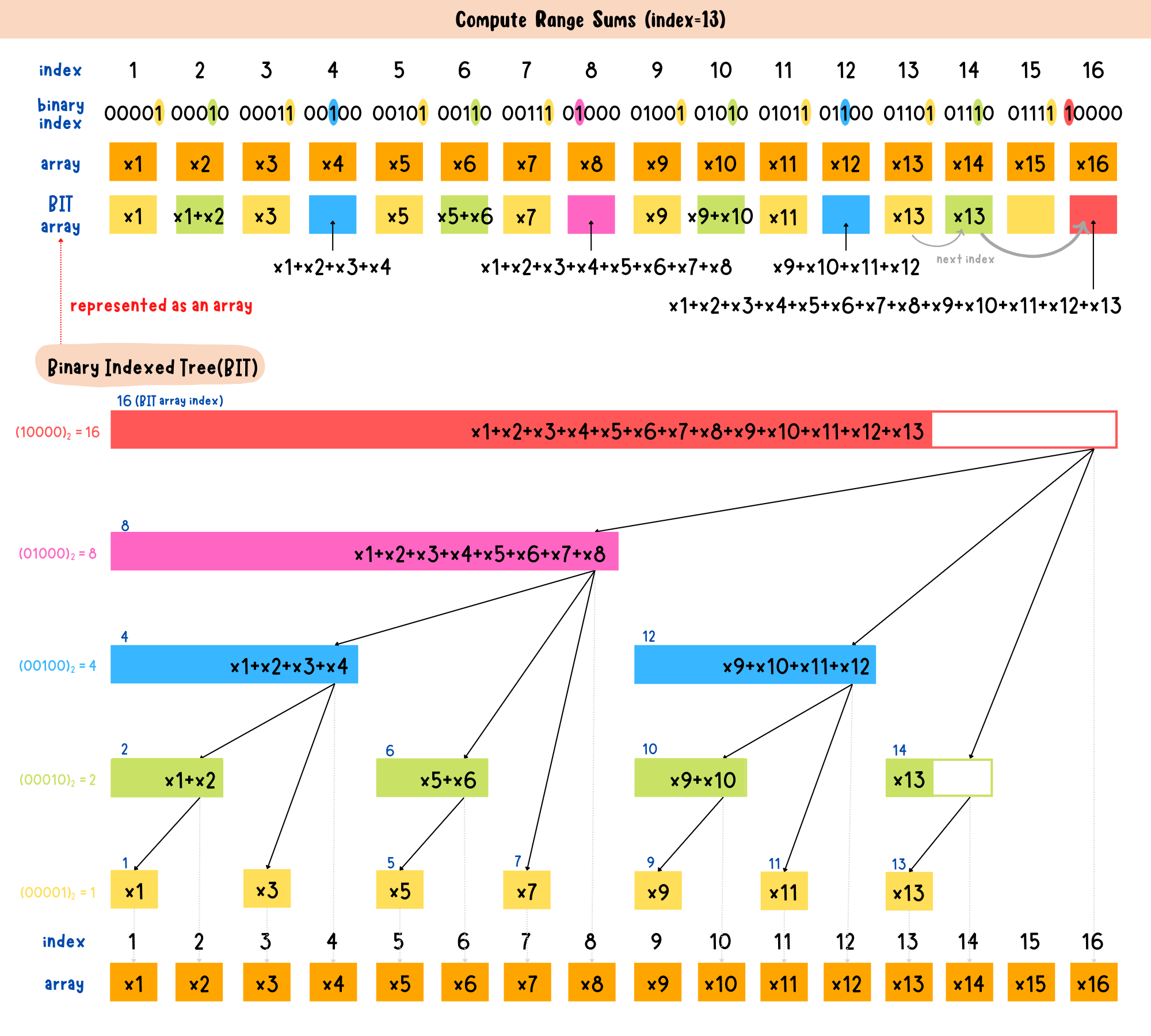
🔹 2. Fenwick Tree (Binary Indexed Tree)


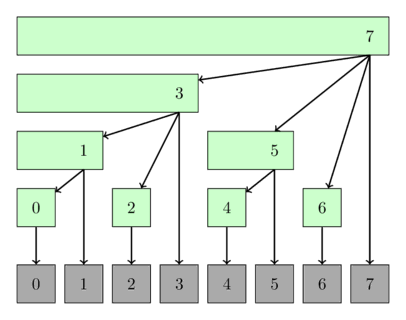
Efficient prefix sums.
🔹 3. Suffix Tree

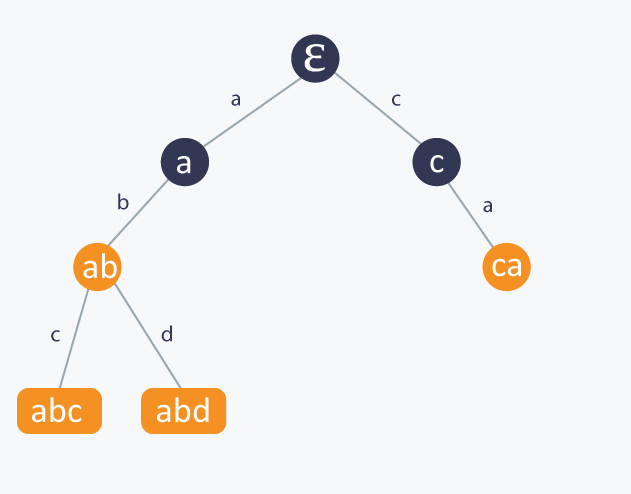
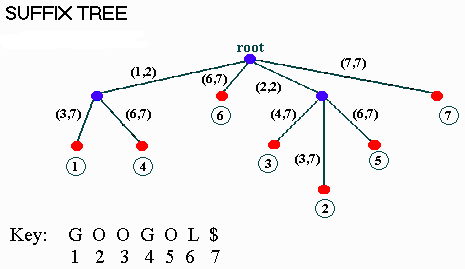
Used in string algorithms.
🔬 Applications of Trees
💻 1. File Systems


Directories organized as trees.
🌐 2. HTML DOM
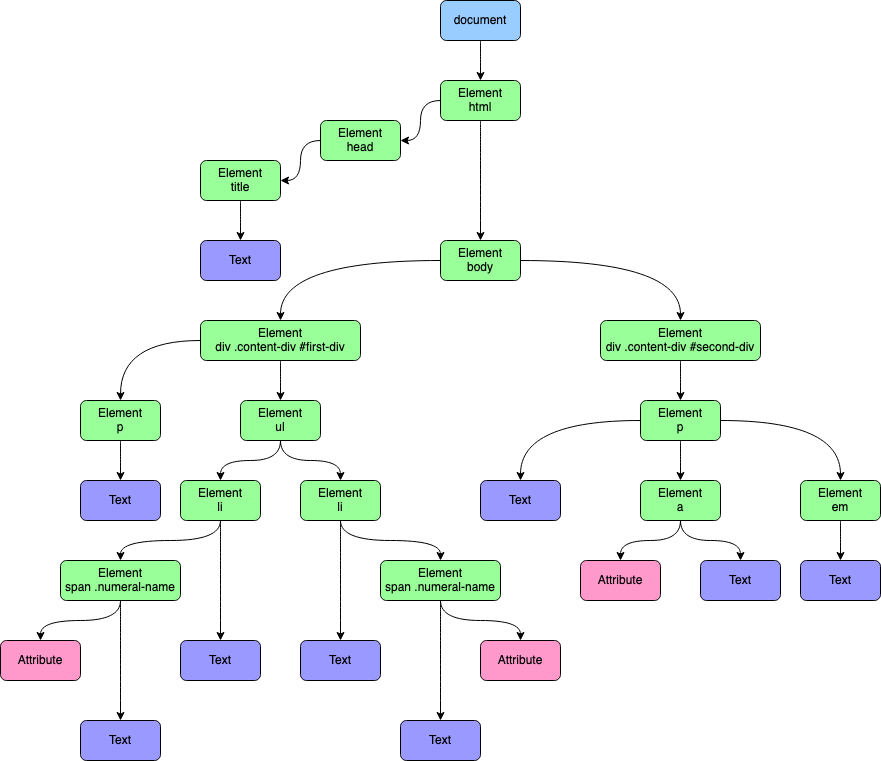


Web pages structured as trees.
🧠 3. Artificial Intelligence

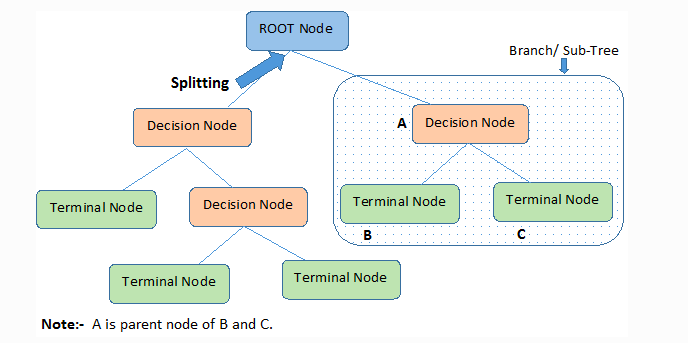

Decision trees in ML.
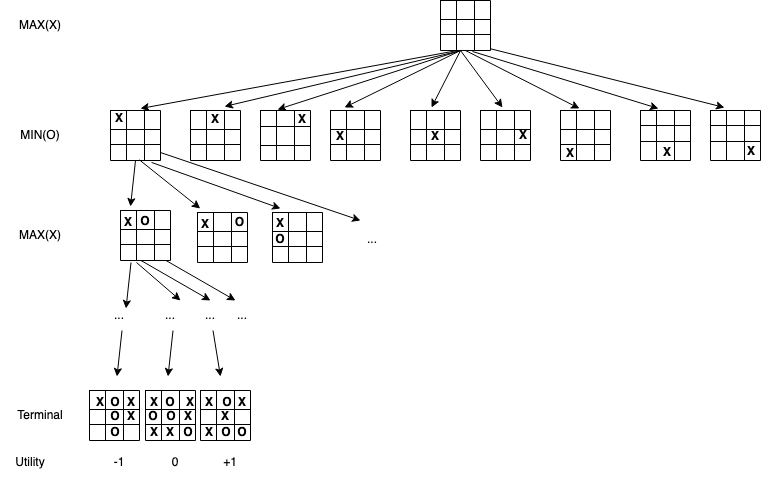
🎮 4. Game Development
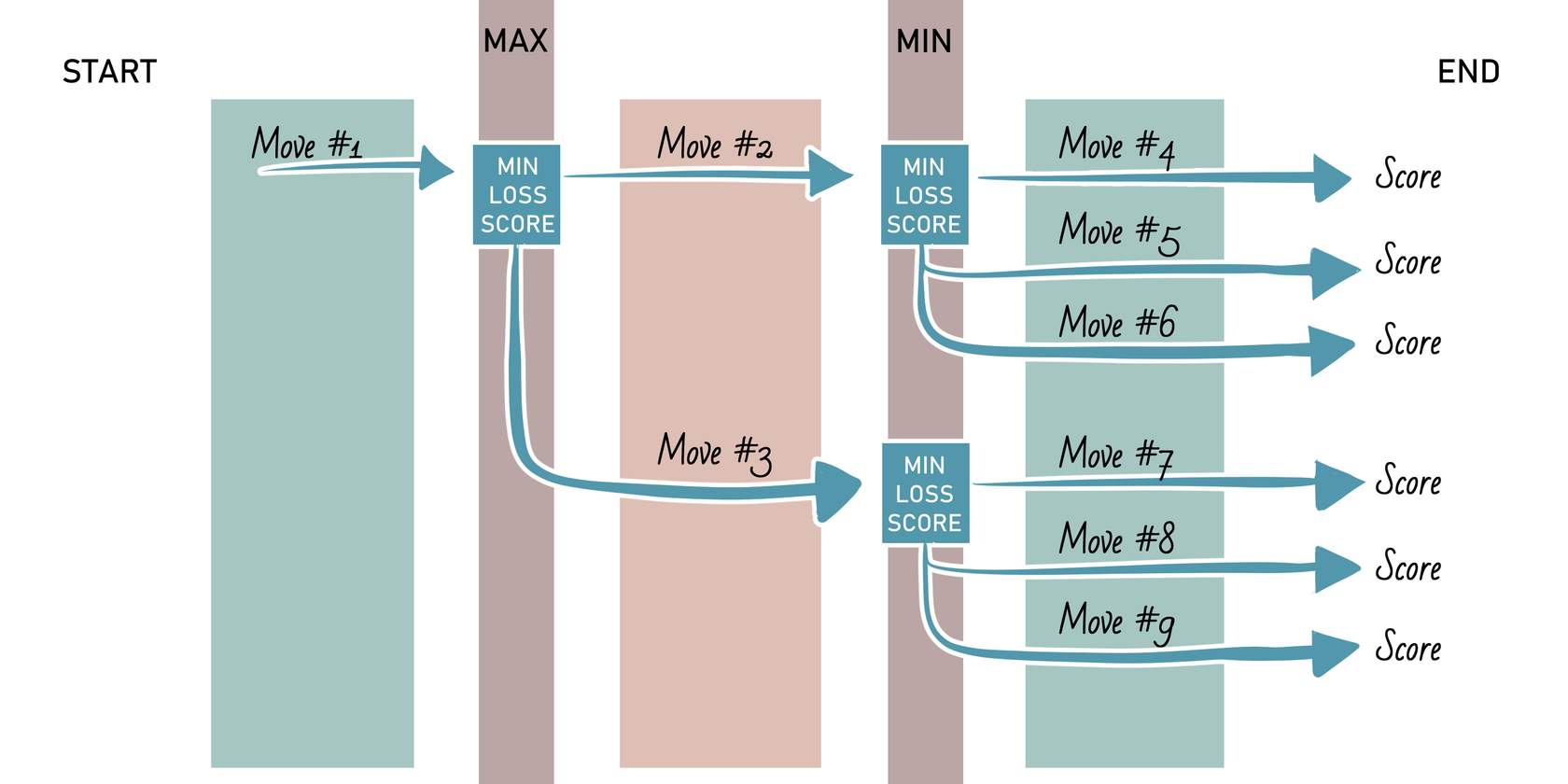

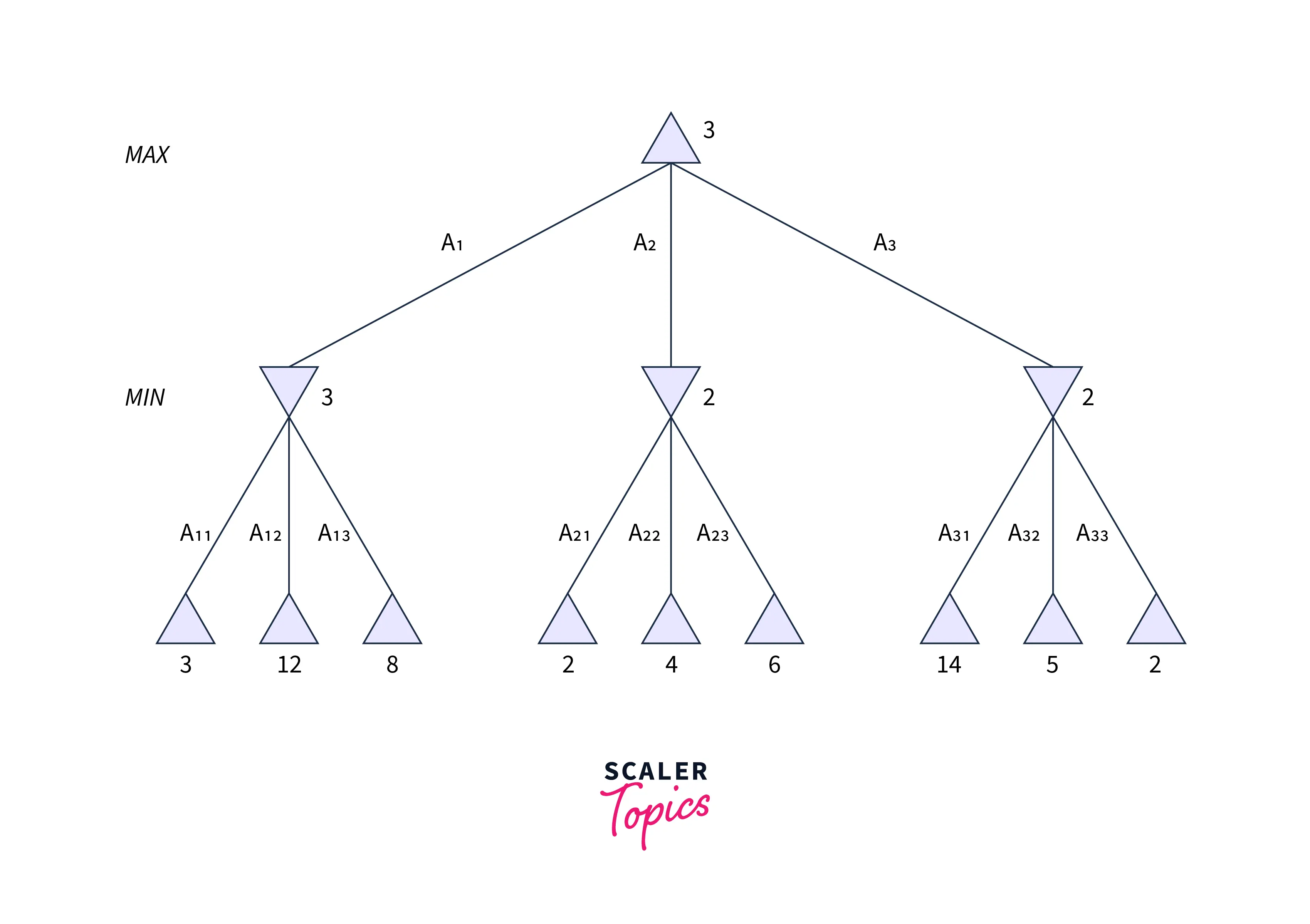

Game decision trees.
📊 5. Databases

Indexing using B-Trees.
🔁 Tree vs Other Data Structures
| Feature | Tree | Array | Linked List |
|---|---|---|---|
| Structure | Hierarchical | Linear | Linear |
| Access | Moderate | Fast | Slow |
| Flexibility | High | Low | High |
🧪 Memory Representation
Each node contains:
- Data
- Pointers to children
Example:
Node:
[Data | Left Pointer | Right Pointer]
🚀 Real-World Importance
Trees are essential in:
- Databases
- Operating systems
- Networking
- Artificial intelligence
- Compilers
🧾 Conclusion
Trees are one of the most powerful and versatile data structures in computer science. Their hierarchical nature makes them suitable for a wide range of applications, from simple data organization to complex algorithms in AI and databases.
Mastering trees is a critical step toward becoming proficient in data structures and algorithms.