Tag Archives: Heap

๐ŸŒณ Trees in Computer Science


๐Ÿงฉ What is a Tree Data Structure?

Image
Image
Image
Image

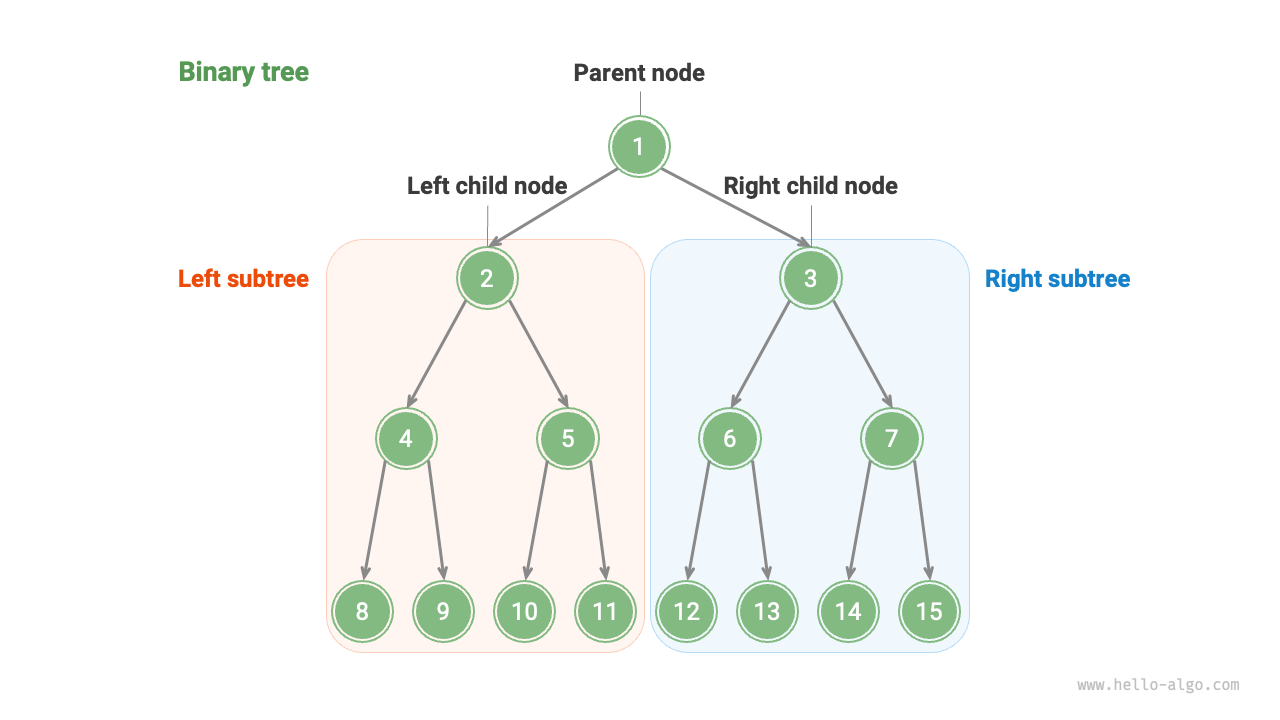
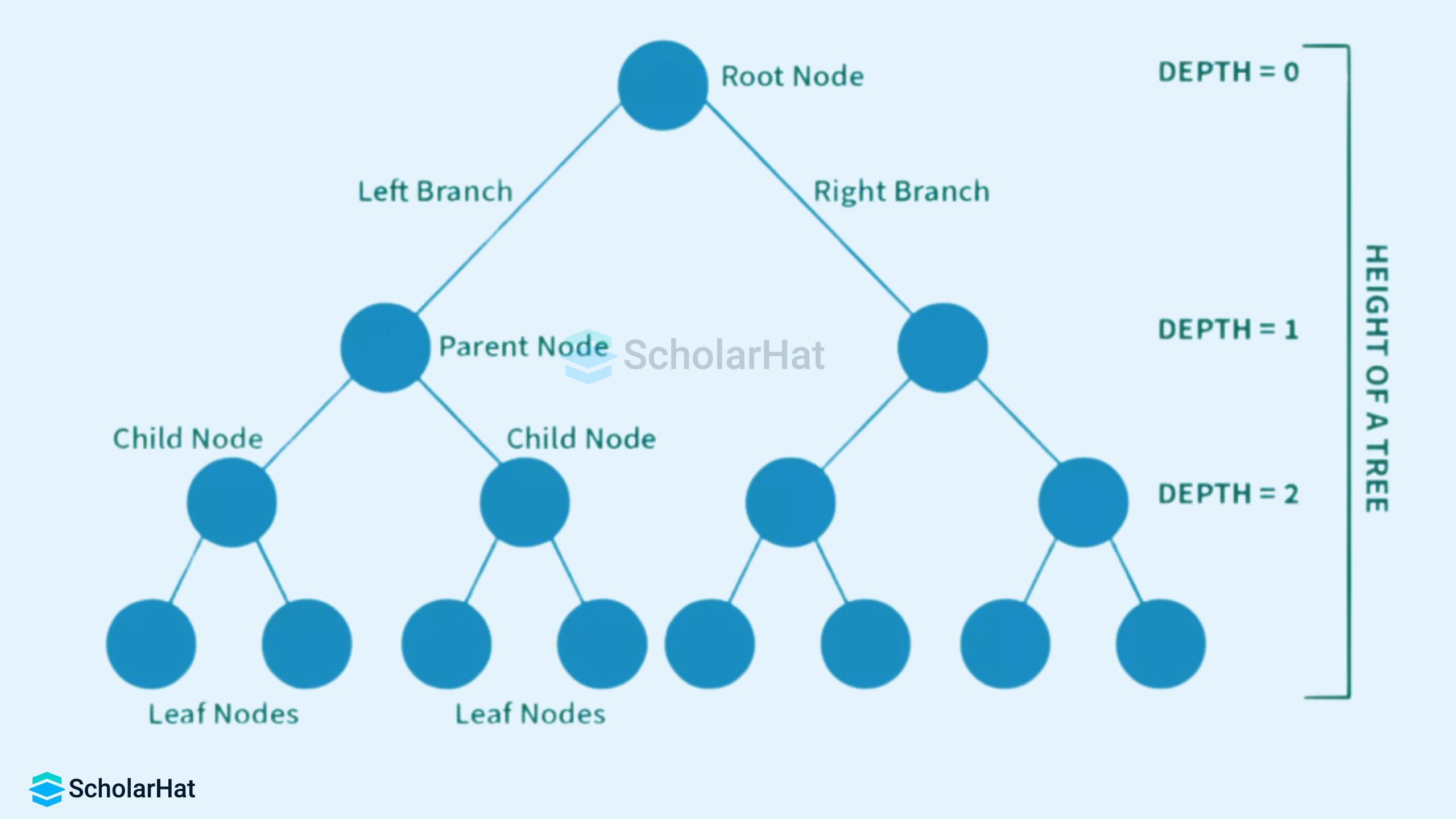
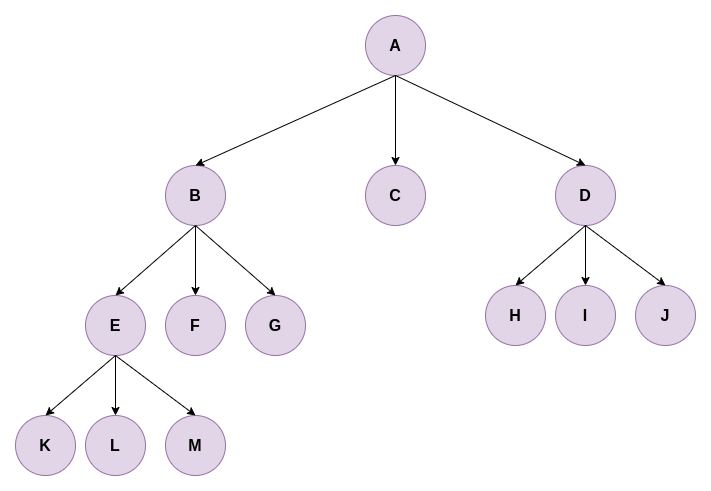
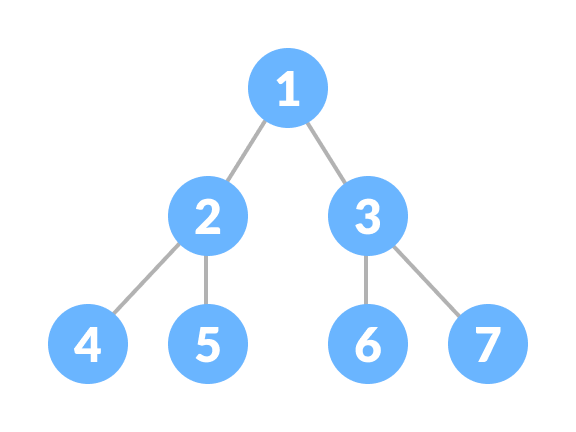
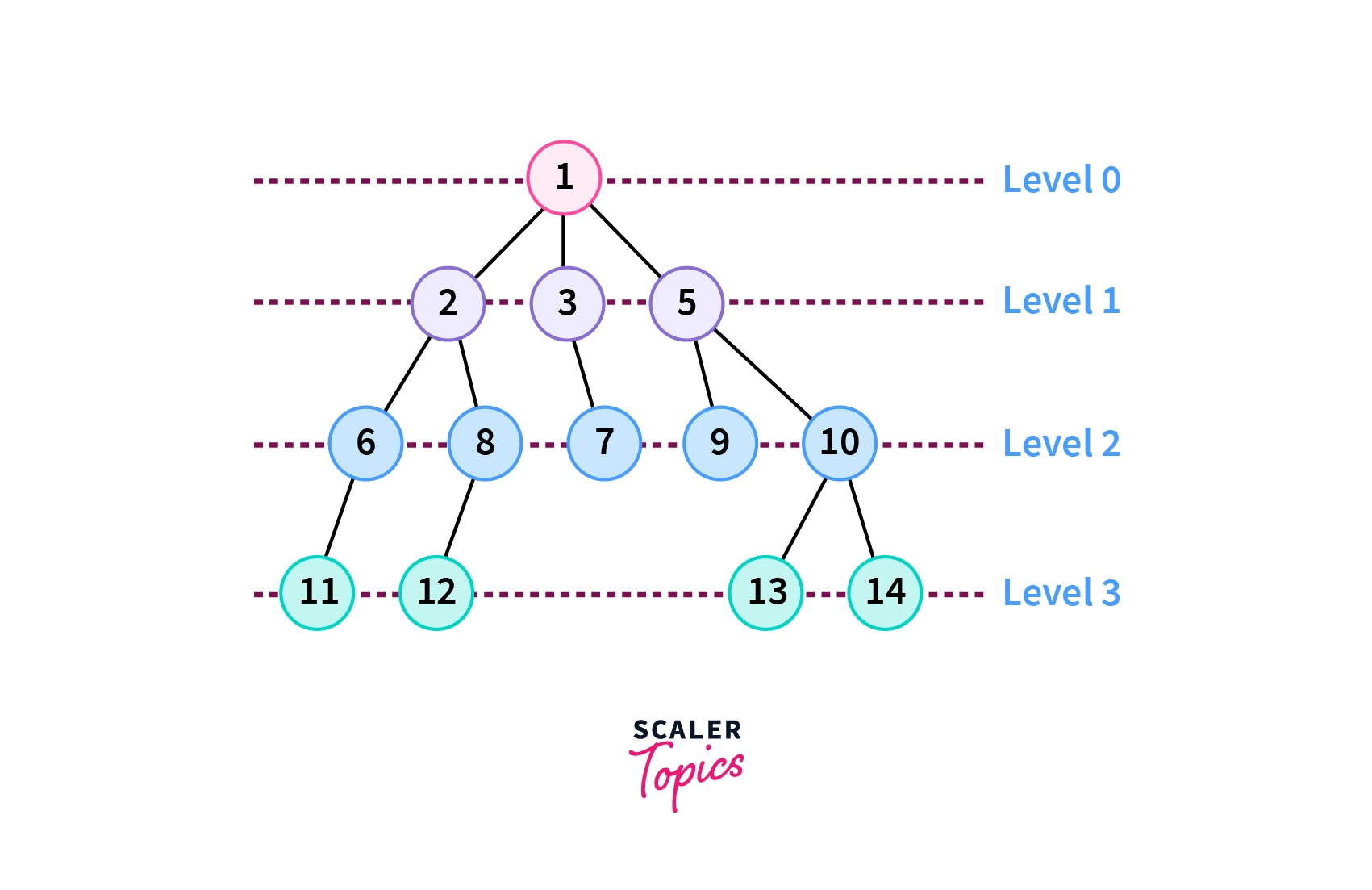
A tree is a widely used non-linear data structure that represents hierarchical relationships between elements. Unlike linear structures such as arrays, stacks, and queues, trees organize data in a branching structure resembling an inverted tree.

In a tree:

  • The topmost node is called the root
  • Each node may have child nodes
  • Nodes are connected by edges
  • There is exactly one path between any two nodes

Trees are fundamental in computer science and are used in databases, file systems, artificial intelligence, networking, and more.


๐Ÿง  Key Terminology in Trees

Image
Image
Image
Image

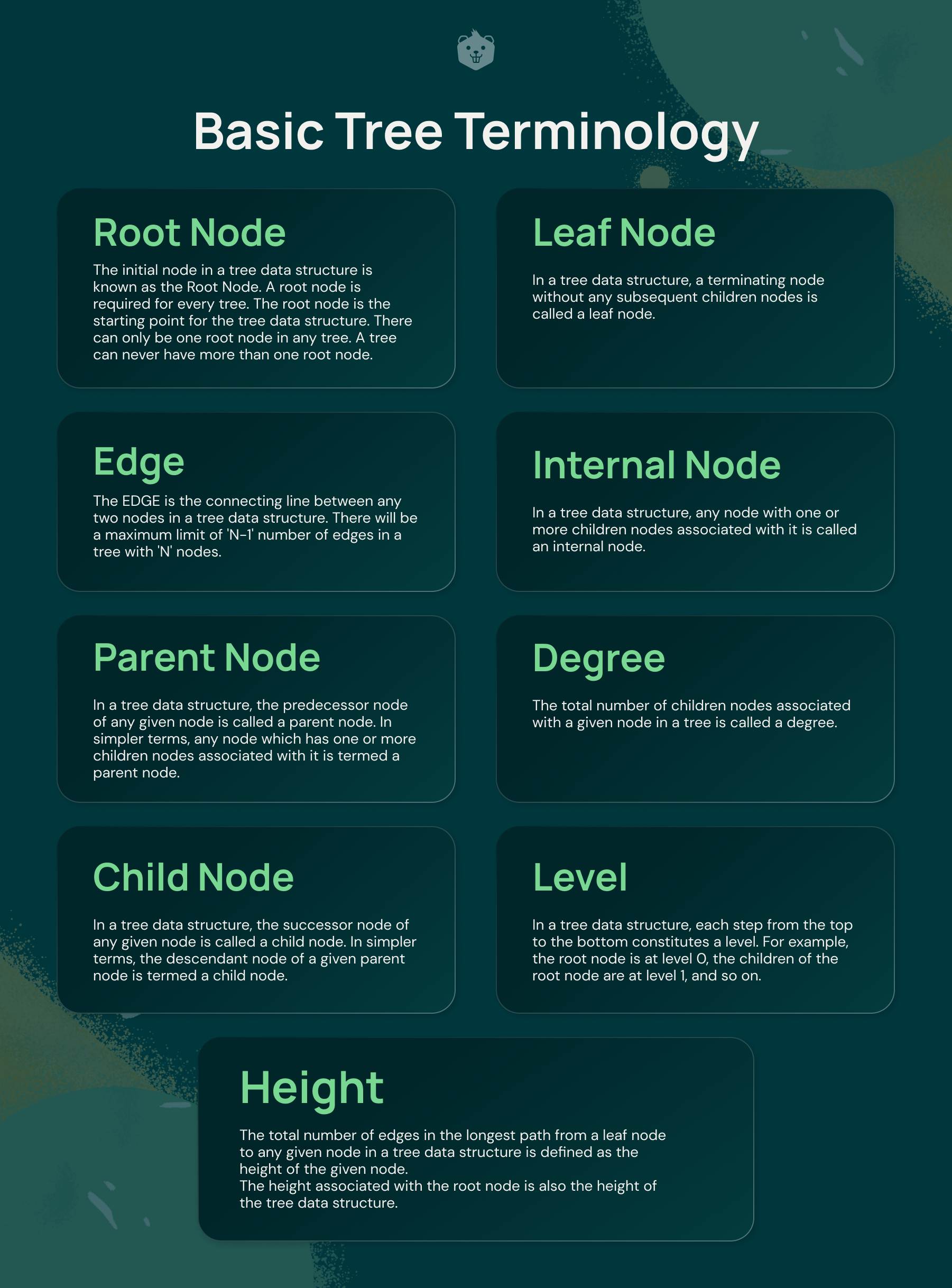
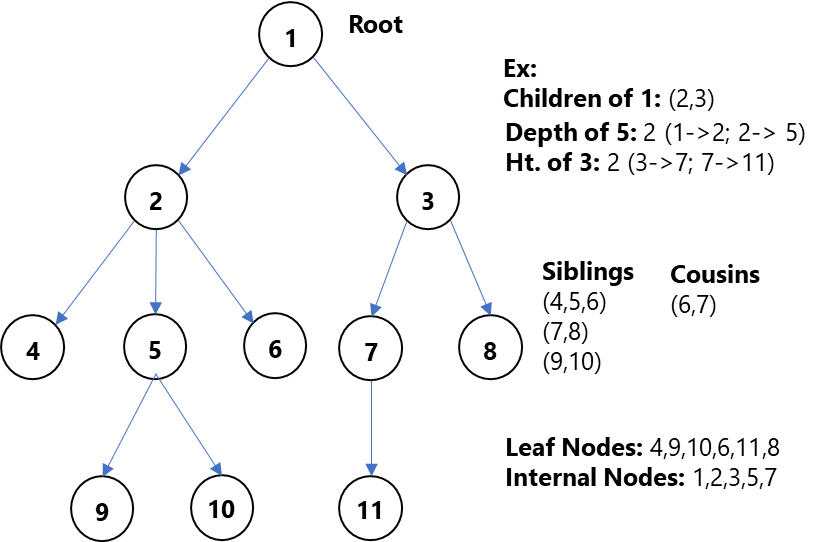
Understanding trees requires familiarity with key terms:

  • Node โ†’ Basic unit of a tree
  • Root โ†’ Topmost node
  • Edge โ†’ Connection between nodes
  • Parent โ†’ Node with children
  • Child โ†’ Node derived from another node
  • Leaf Node โ†’ Node with no children
  • Internal Node โ†’ Node with at least one child
  • Height โ†’ Longest path from root to leaf
  • Depth โ†’ Distance from root
  • Subtree โ†’ A tree within a tree

๐ŸŒฒ Basic Structure of a Tree

        A
      / | \
     B  C  D
    / \     \
   E   F     G
  • A is root
  • B, C, D are children
  • E, F, G are leaf nodes

๐Ÿ”— Types of Trees


๐Ÿ”น 1. General Tree

Image
Image
Image
Image

A general tree allows any number of children per node.


๐Ÿ”น 2. Binary Tree

Image
Image
Image
Image

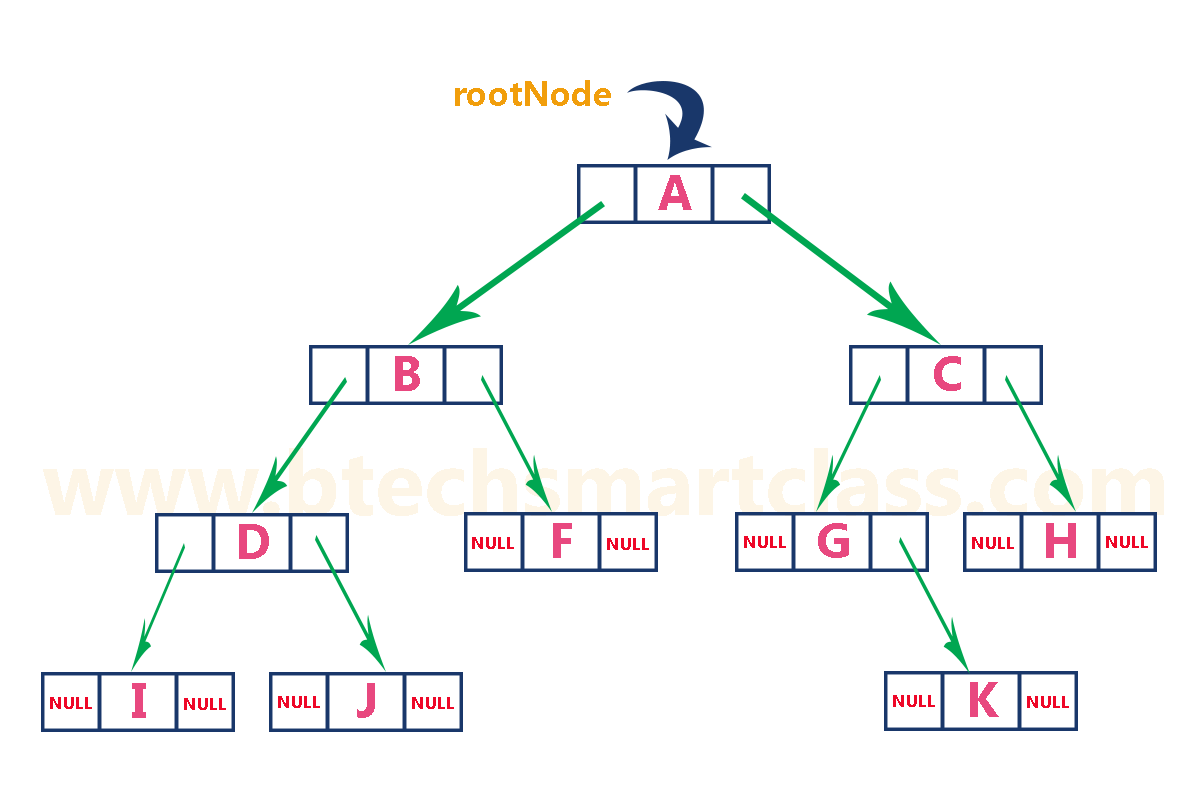
Each node has at most two children:

  • Left child
  • Right child

๐Ÿ”น 3. Full Binary Tree

Image
Image
Image
Image

Every node has either:

  • 0 children OR
  • 2 children

๐Ÿ”น 4. Complete Binary Tree

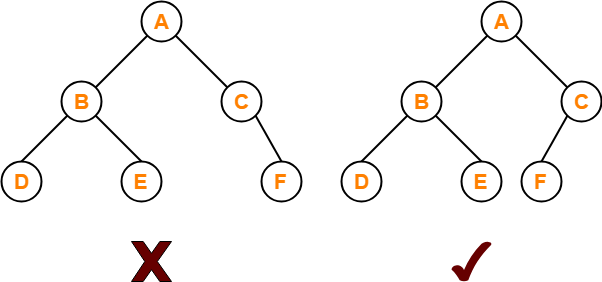
Image
Image
Image
Image

All levels are filled except possibly the last, which is filled from left to right.


๐Ÿ”น 5. Perfect Binary Tree

Image
Image
Image
Image

All internal nodes have two children and all leaves are at the same level.


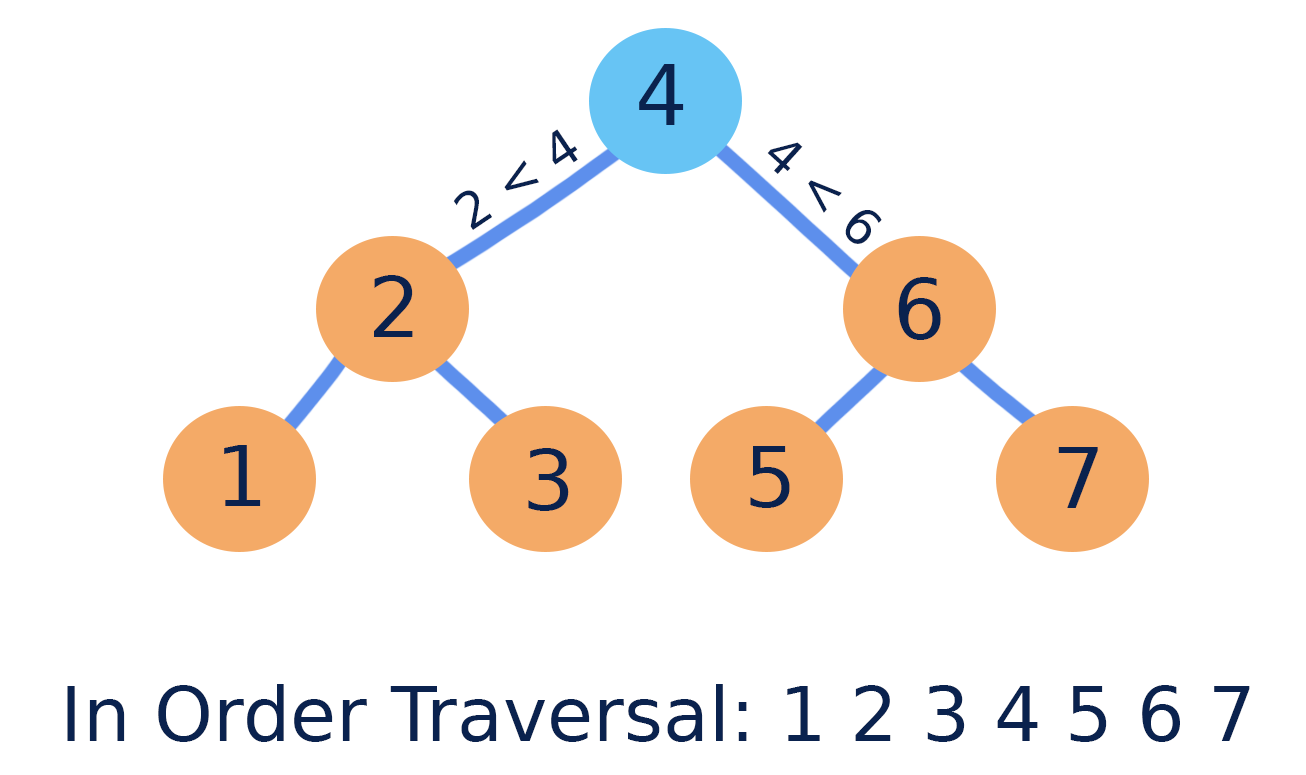
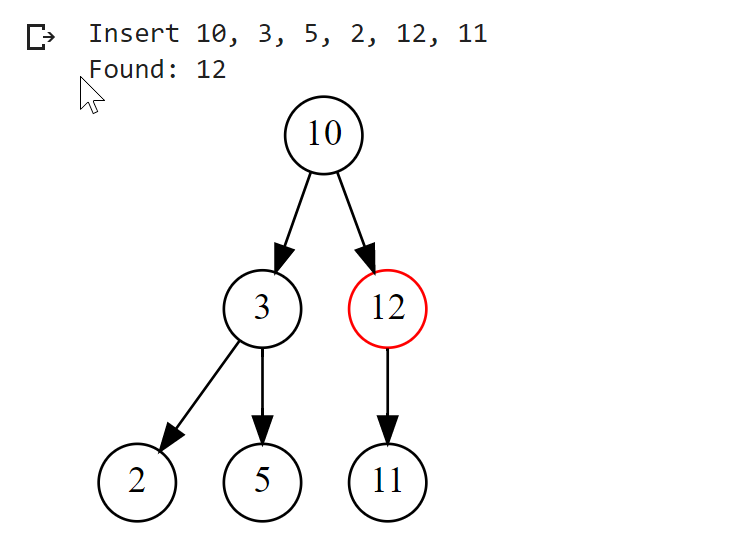
๐Ÿ”น 6. Binary Search Tree (BST)

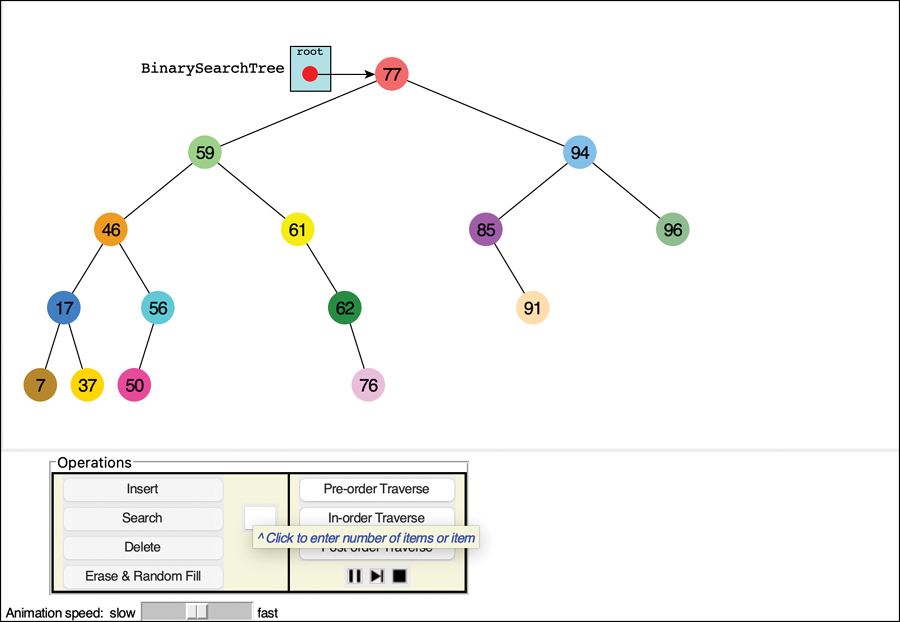
Image
Image
Image
Image

Properties:

  • Left subtree โ†’ smaller values
  • Right subtree โ†’ larger values

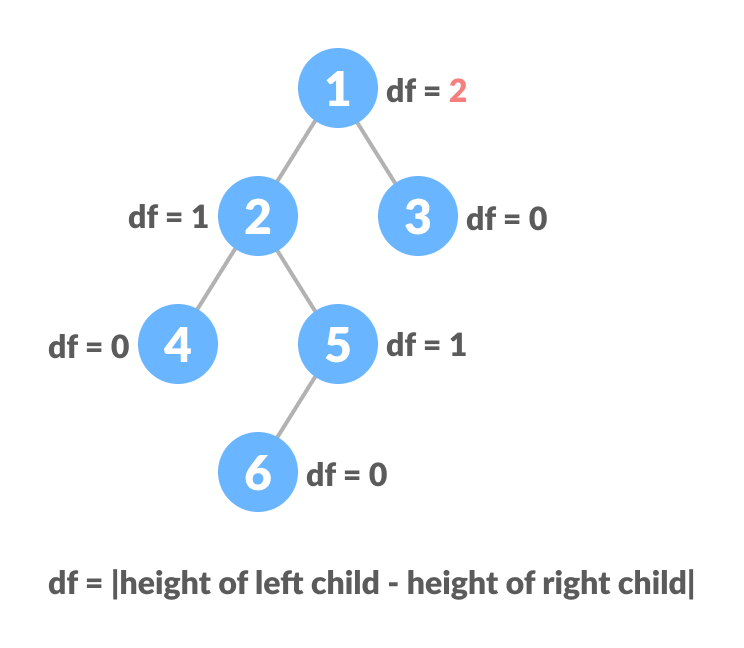
๐Ÿ”น 7. AVL Tree (Self-Balancing Tree)

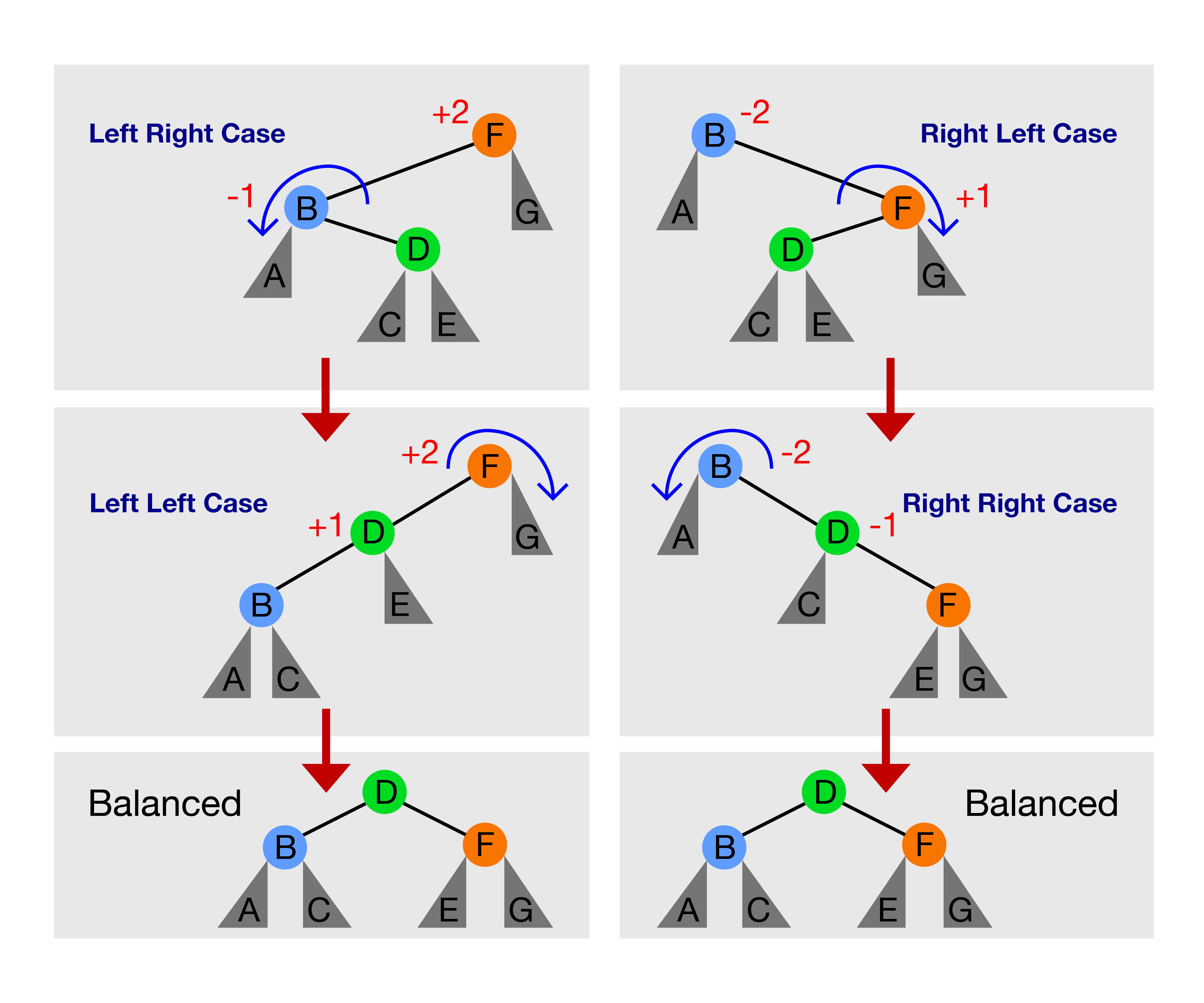
Image
Image
Image
Image

Maintains balance using rotations.


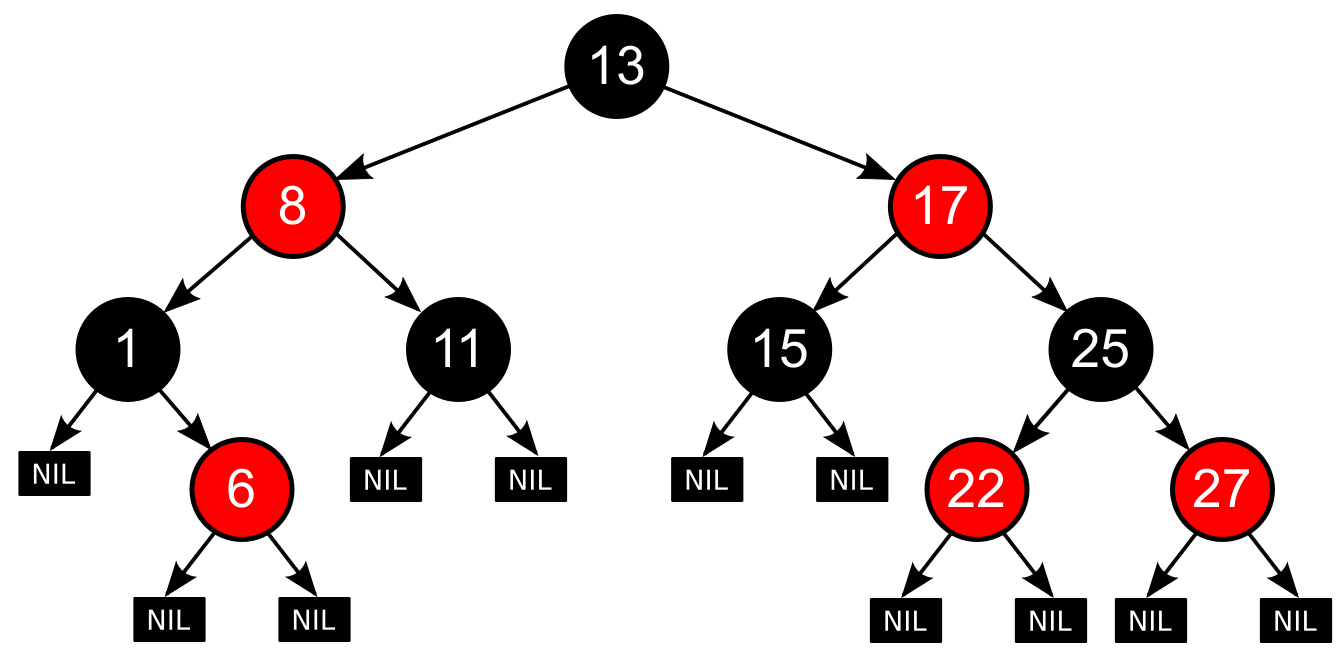
๐Ÿ”น 8. Red-Black Tree

Image
Image
Image
Image

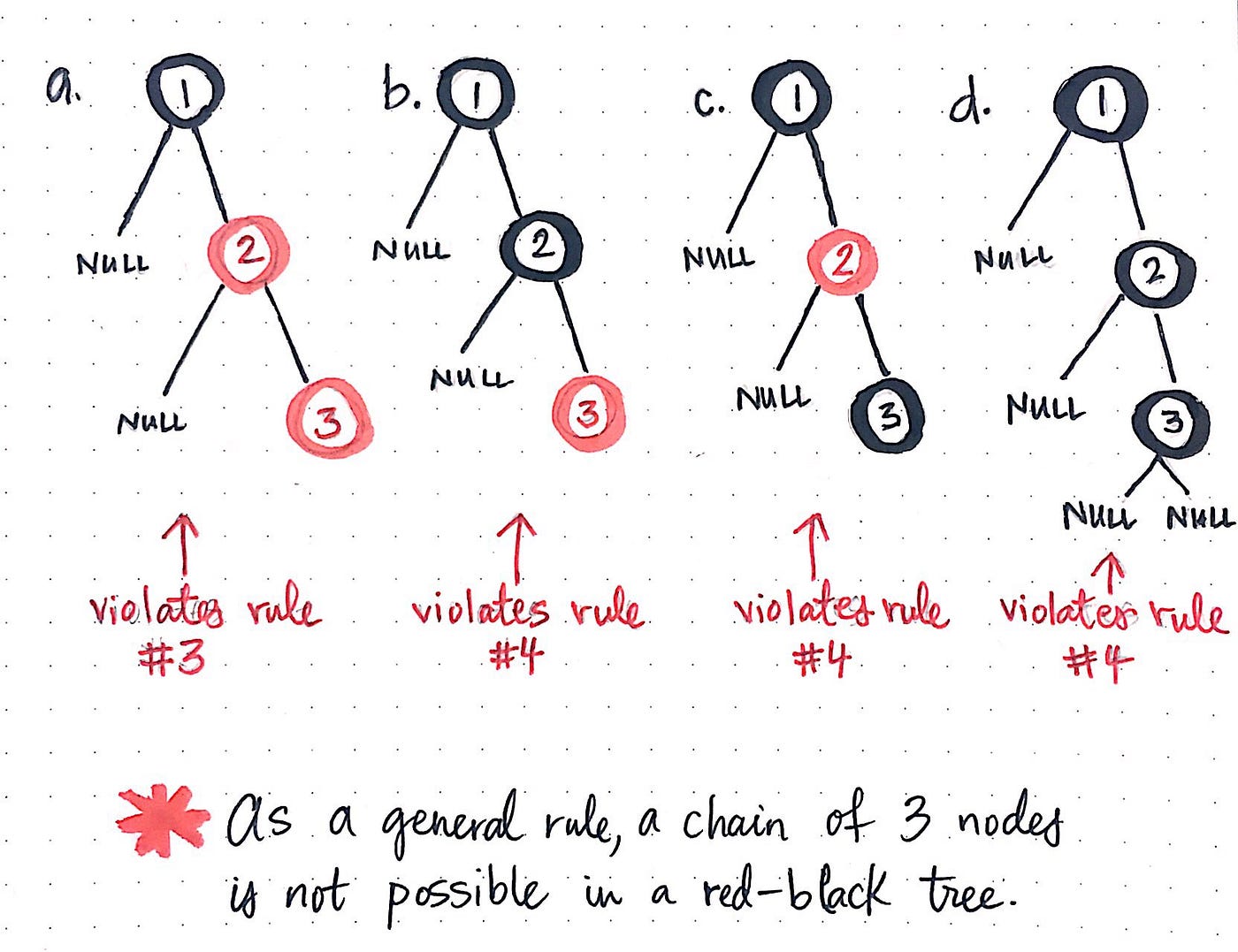
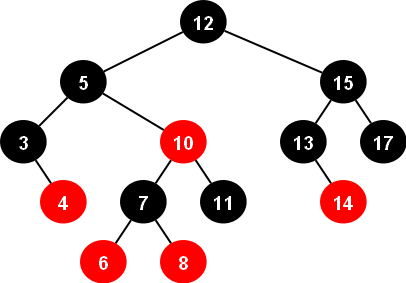
A balanced tree with coloring rules.


๐Ÿ”น 9. Heap (Binary Heap)

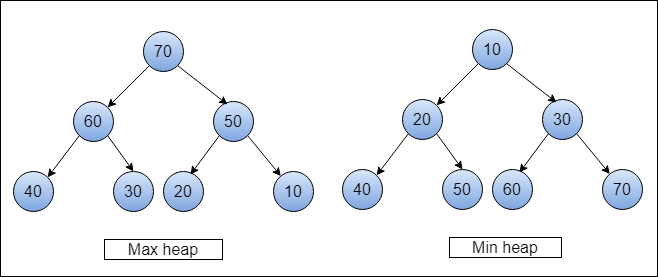
Image
Image
Image
Image

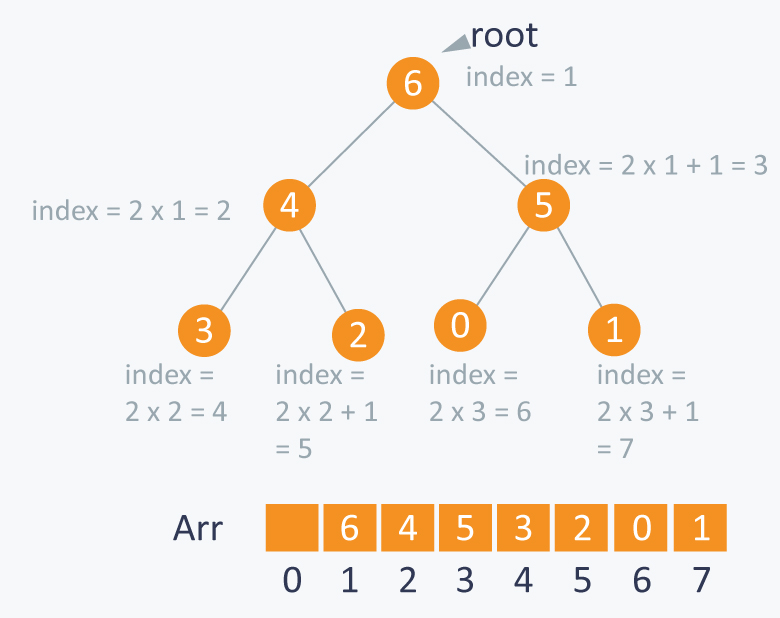
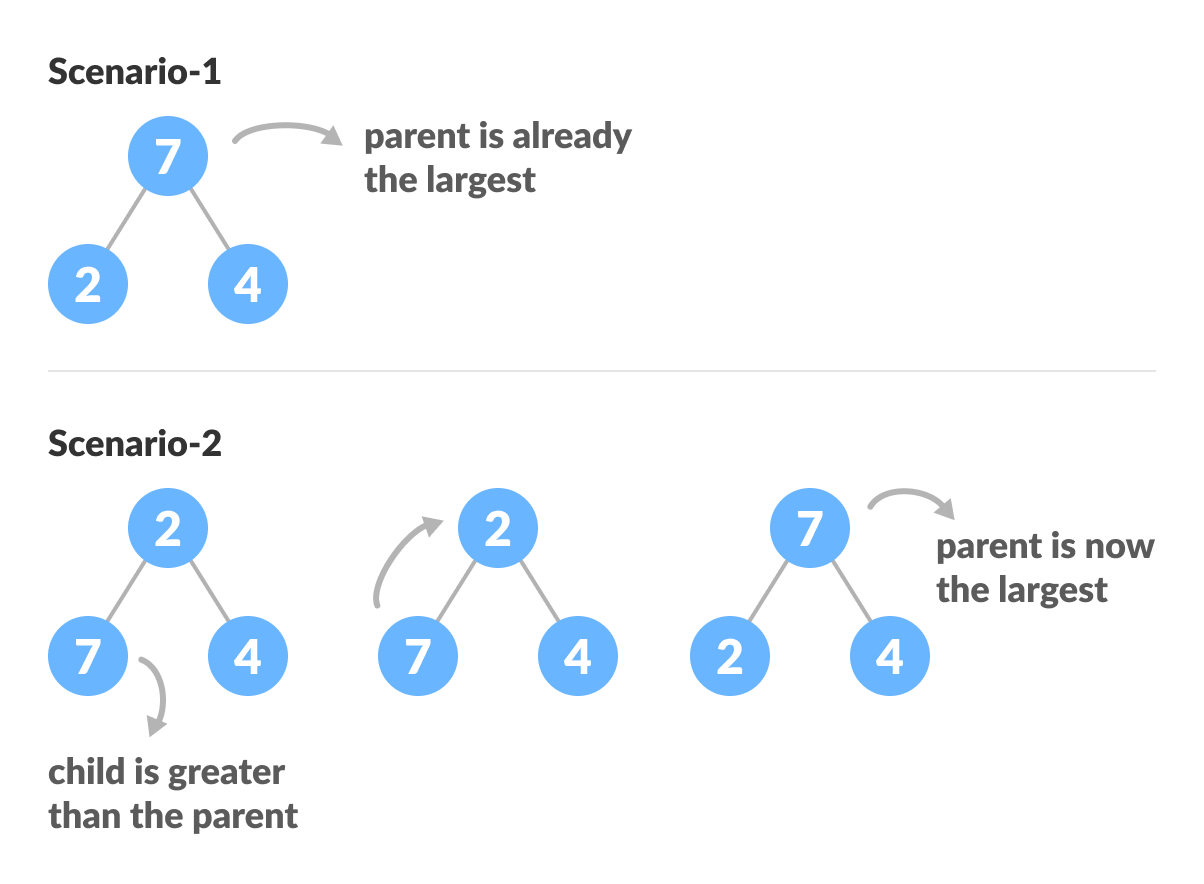
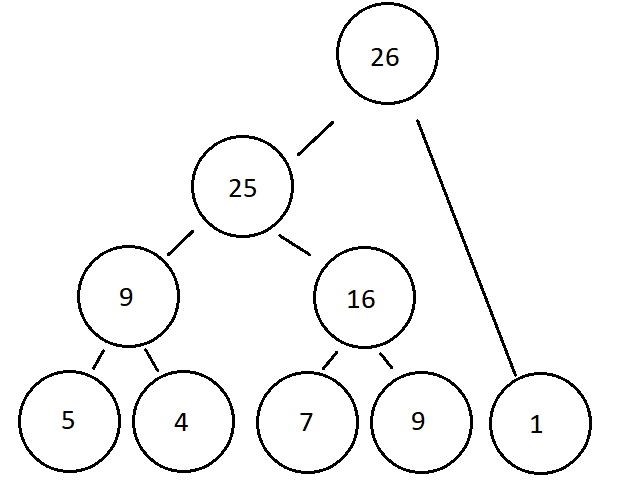
Used in priority queues:

  • Max Heap
  • Min Heap

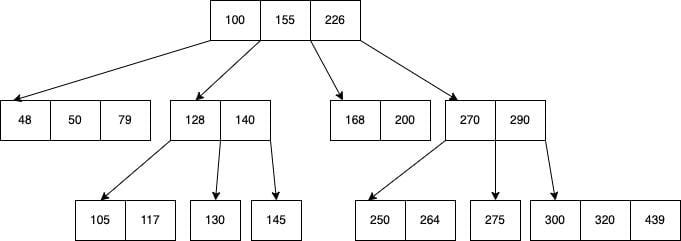
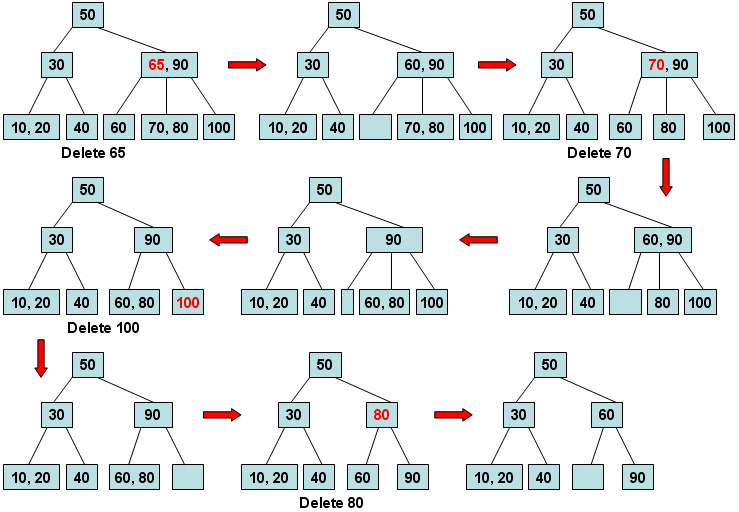
๐Ÿ”น 10. B-Tree

Image
Image
Image
Image

Used in databases and file systems.


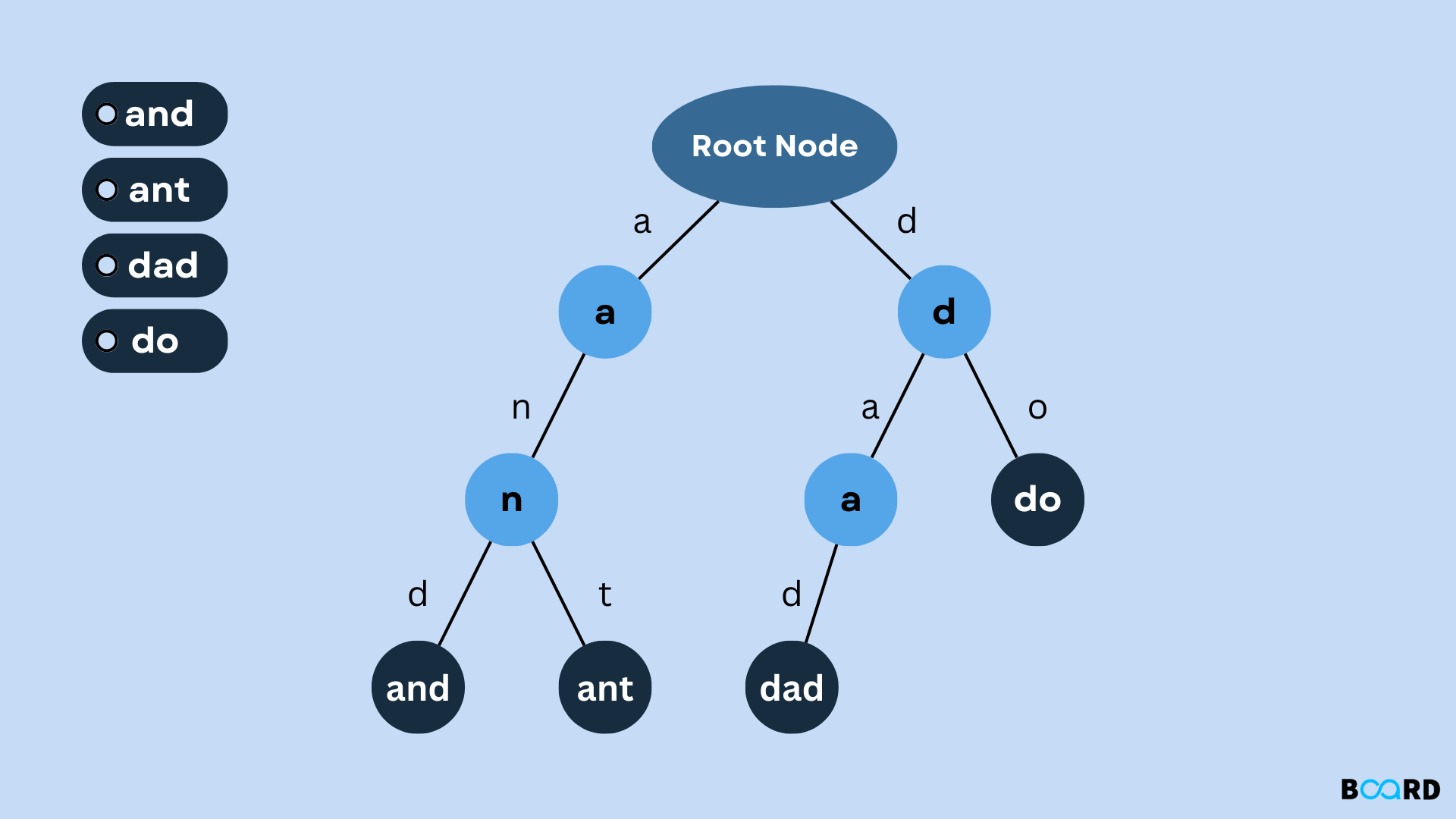
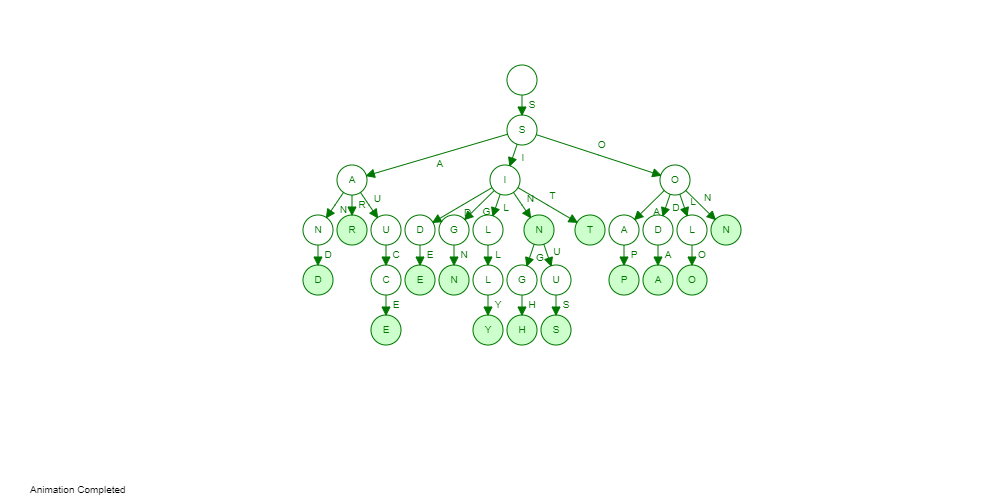
๐Ÿ”น 11. Trie (Prefix Tree)

Image
Image
Image
Image

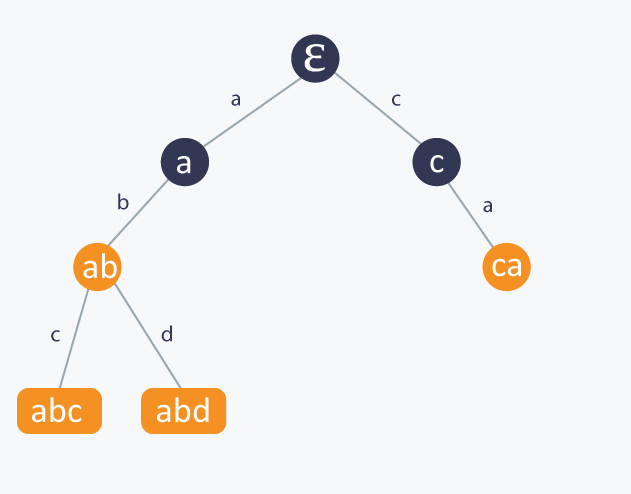
Used for string searching and auto-complete.


โš™๏ธ Tree Operations


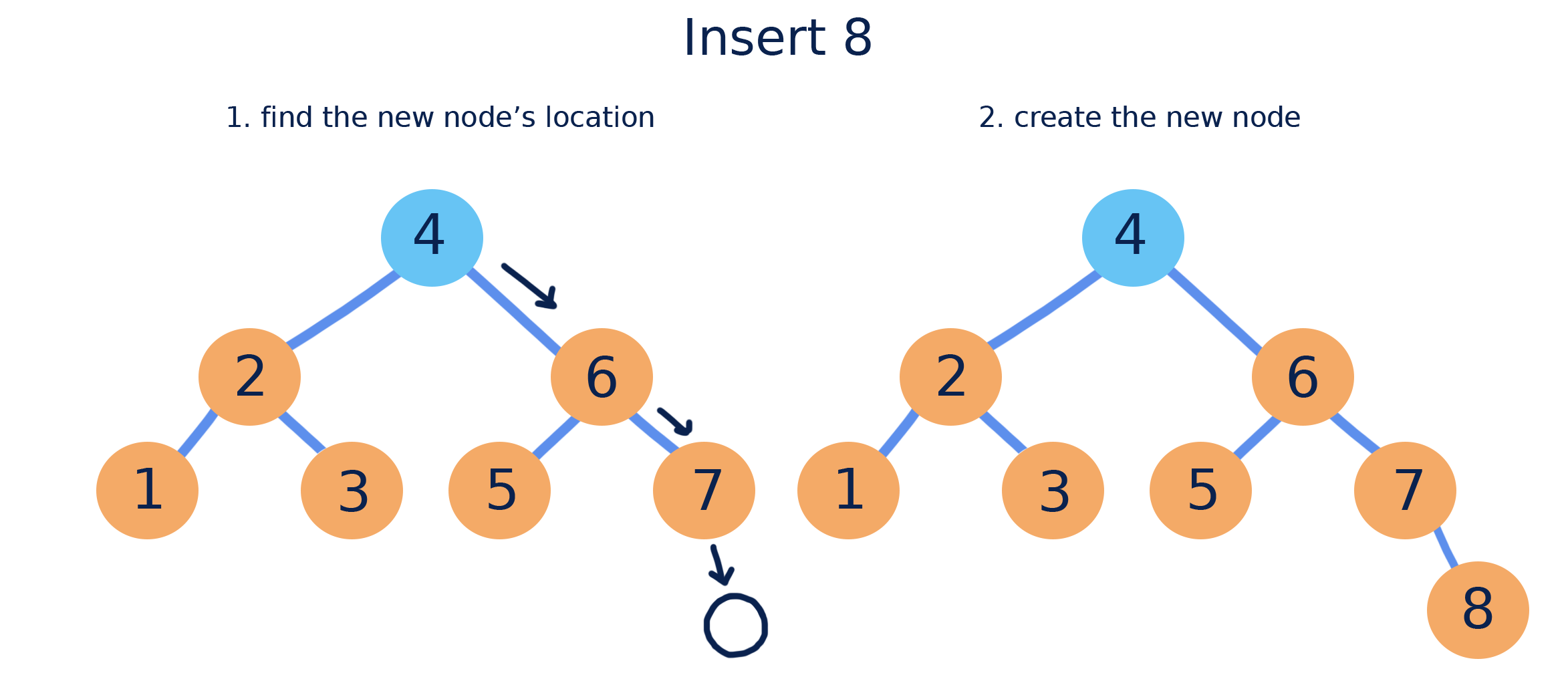
๐Ÿ”น 1. Insertion

Image
Image
Image
Image

Adding nodes while maintaining properties.


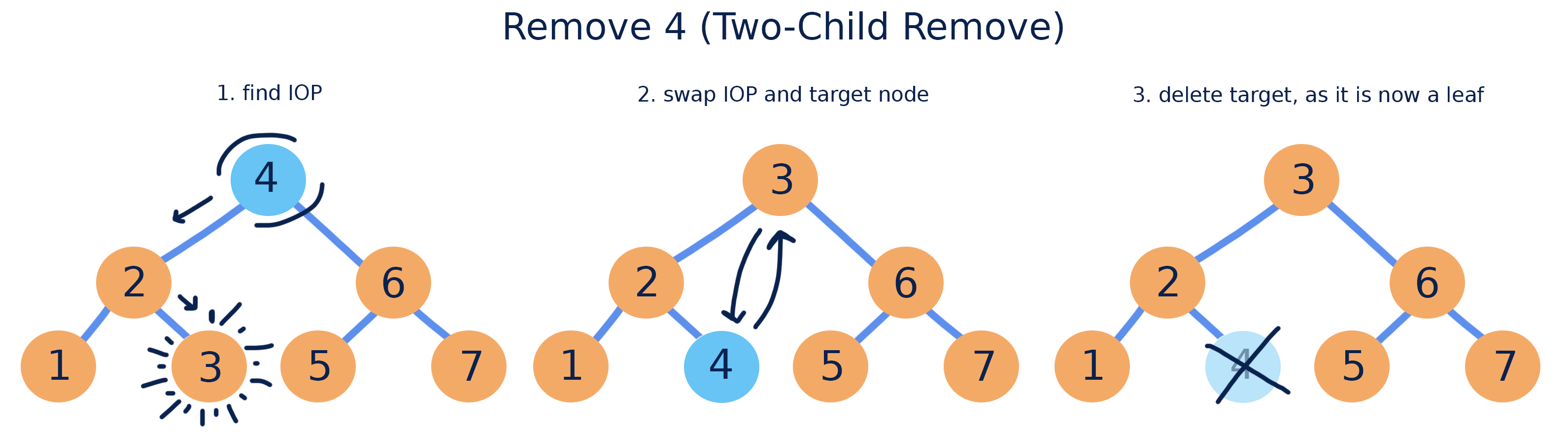
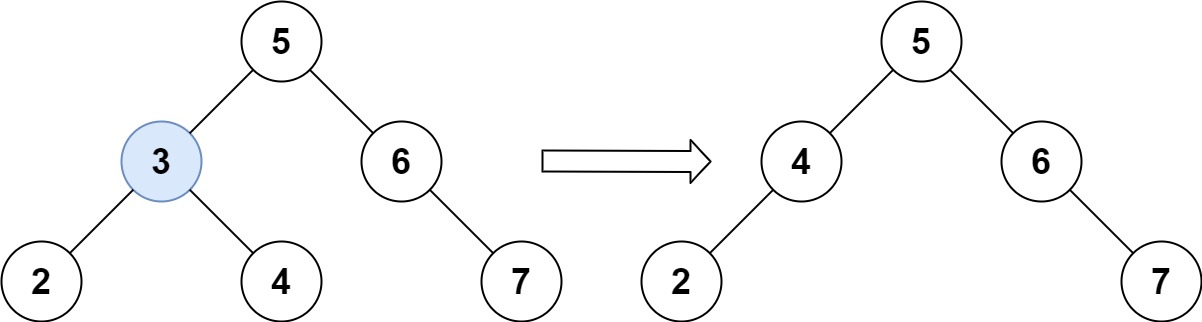
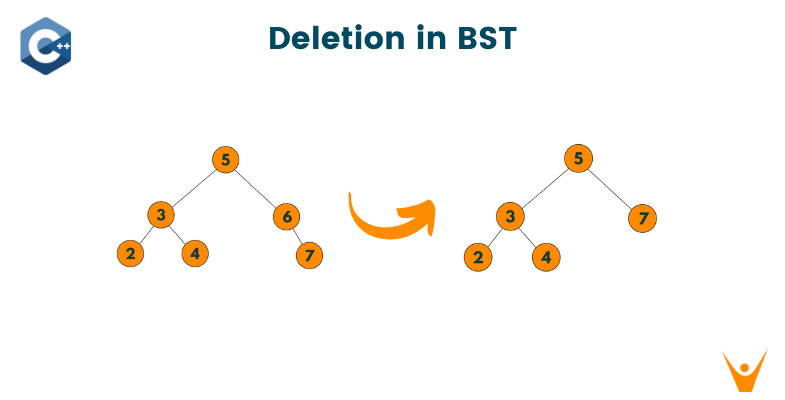
๐Ÿ”น 2. Deletion

Image
Image
Image
Image

Cases:

  • Leaf node
  • One child
  • Two children

๐Ÿ”น 3. Searching

def search(root, key):
    if root is None or root.value == key:
        return root
    if key < root.value:
        return search(root.left, key)
    return search(root.right, key)

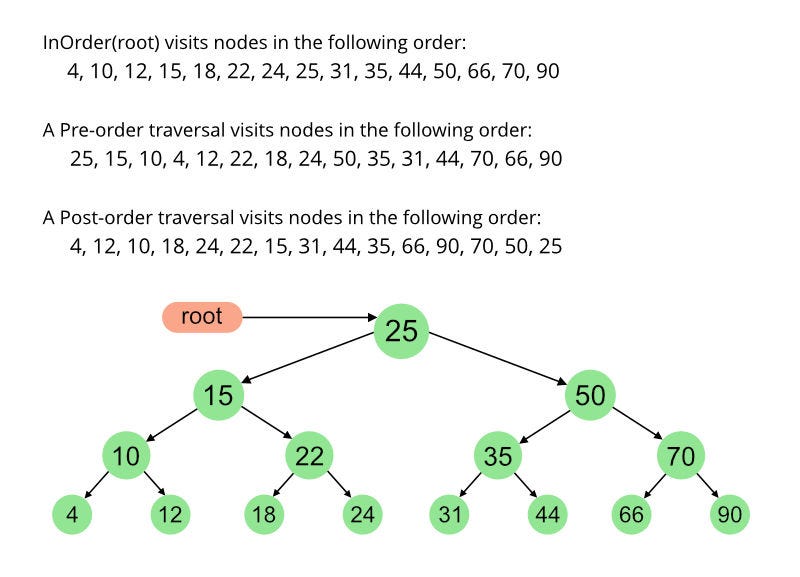
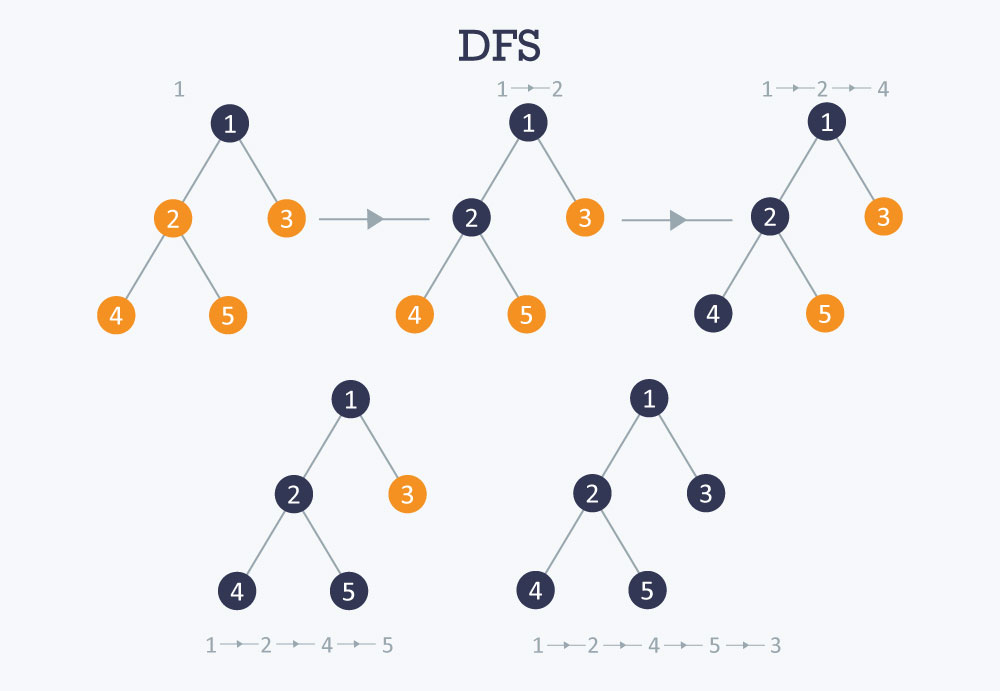
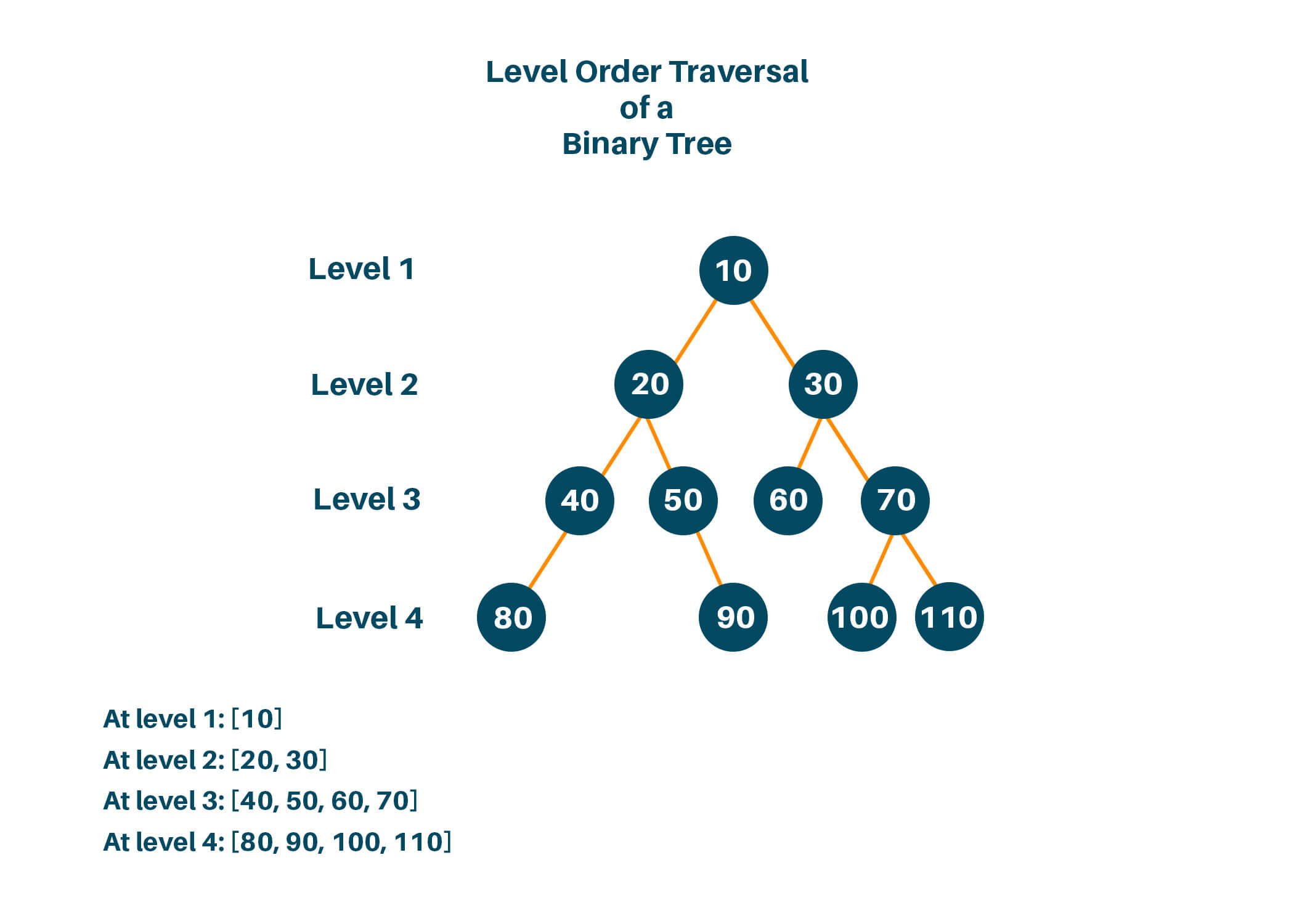
๐Ÿ”„ Tree Traversal Techniques

Image
Image
Image
Image

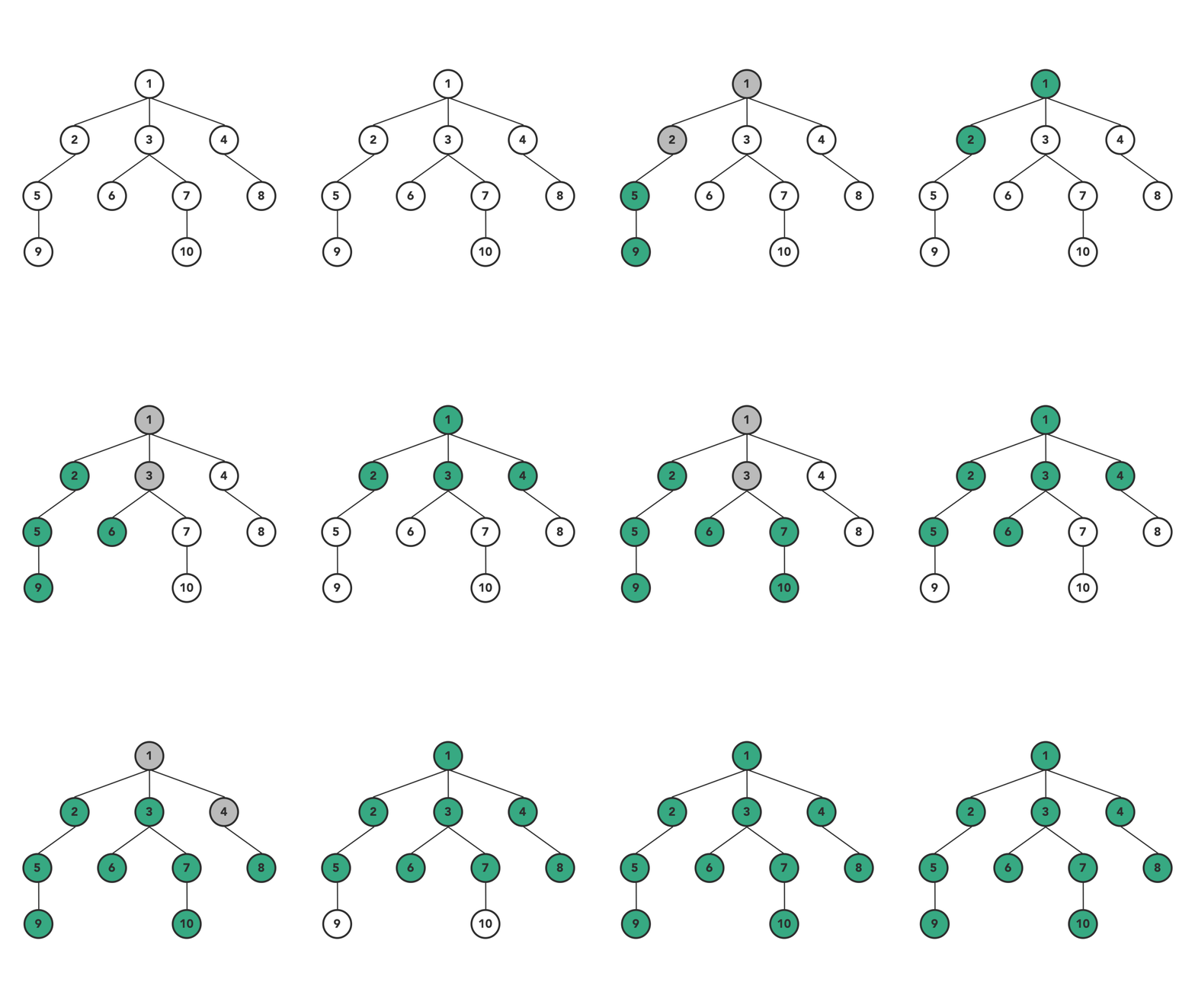
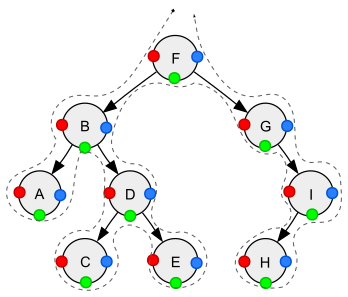
๐Ÿ”น Depth First Search (DFS)

  • Inorder (Left, Root, Right)
  • Preorder (Root, Left, Right)
  • Postorder (Left, Right, Root)

๐Ÿ”น Breadth First Search (BFS)

  • Level-order traversal using queue

๐Ÿงฎ Time Complexity

OperationBST AverageBST Worst
SearchO(log n)O(n)
InsertO(log n)O(n)
DeleteO(log n)O(n)

Balanced trees maintain O(log n).


โšก Advantages of Trees

  • Efficient searching and sorting
  • Hierarchical representation
  • Dynamic size
  • Flexible structure

โš ๏ธ Disadvantages of Trees

  • Complex implementation
  • More memory usage (pointers)
  • Balancing overhead

๐Ÿง  Advanced Tree Concepts


๐Ÿ”น 1. Segment Tree

Image
Image
Image
Image

Used for range queries.


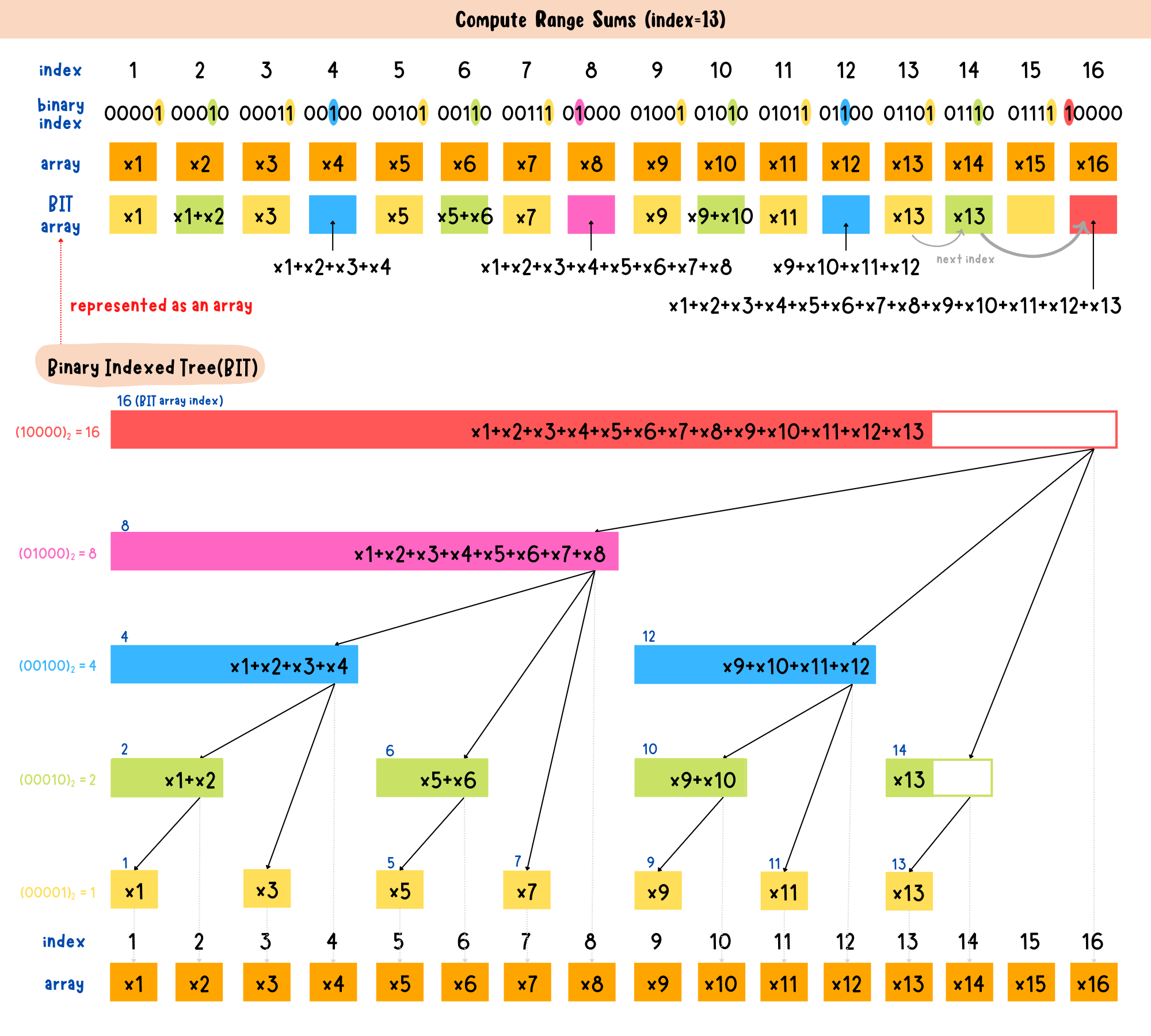
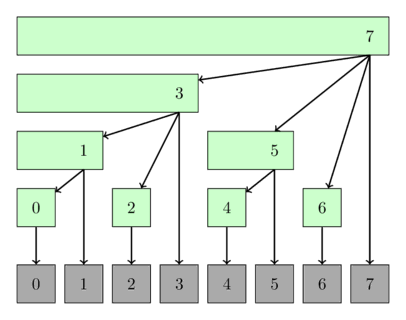
๐Ÿ”น 2. Fenwick Tree (Binary Indexed Tree)

Image
Image
Image

Efficient prefix sums.


๐Ÿ”น 3. Suffix Tree

Image
Image
Image

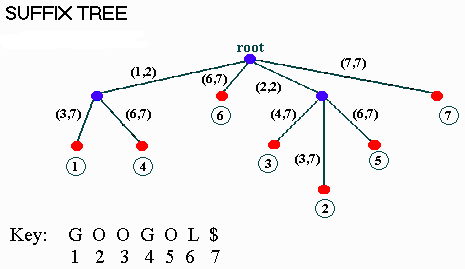
Used in string algorithms.


๐Ÿ”ฌ Applications of Trees


๐Ÿ’ป 1. File Systems

Image
Image
Image
Image

Directories organized as trees.


๐ŸŒ 2. HTML DOM

Image
Image
Image
Image

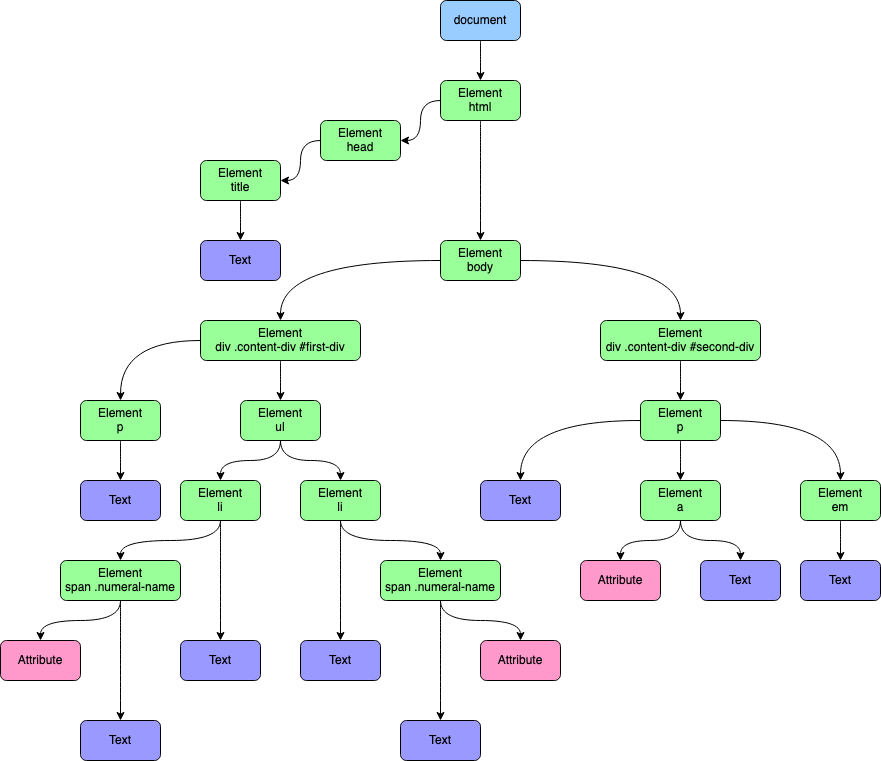
Web pages structured as trees.


๐Ÿง  3. Artificial Intelligence

Image
Image
Image
Image

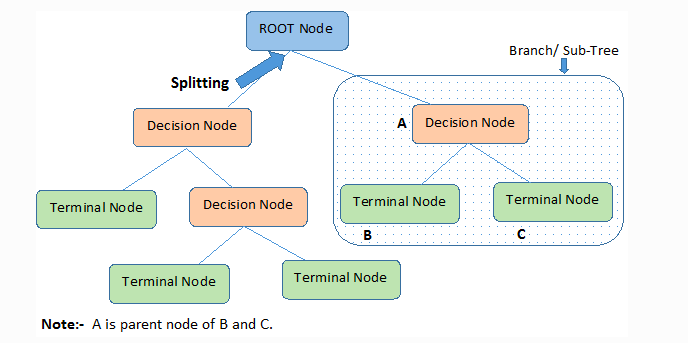
Decision trees in ML.


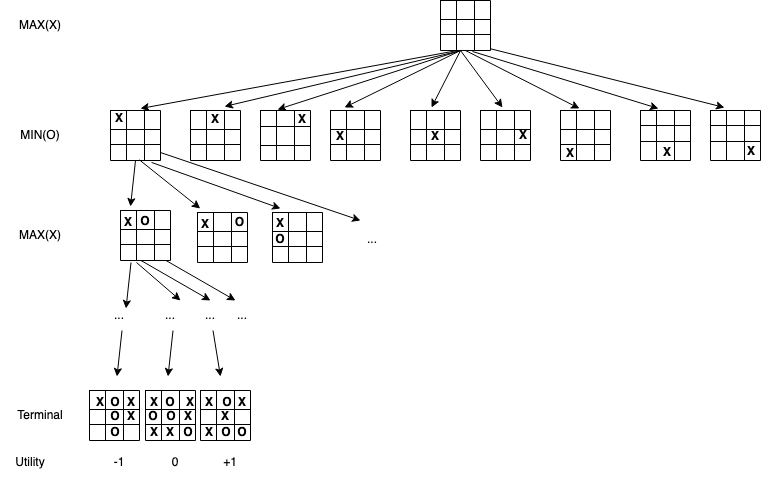
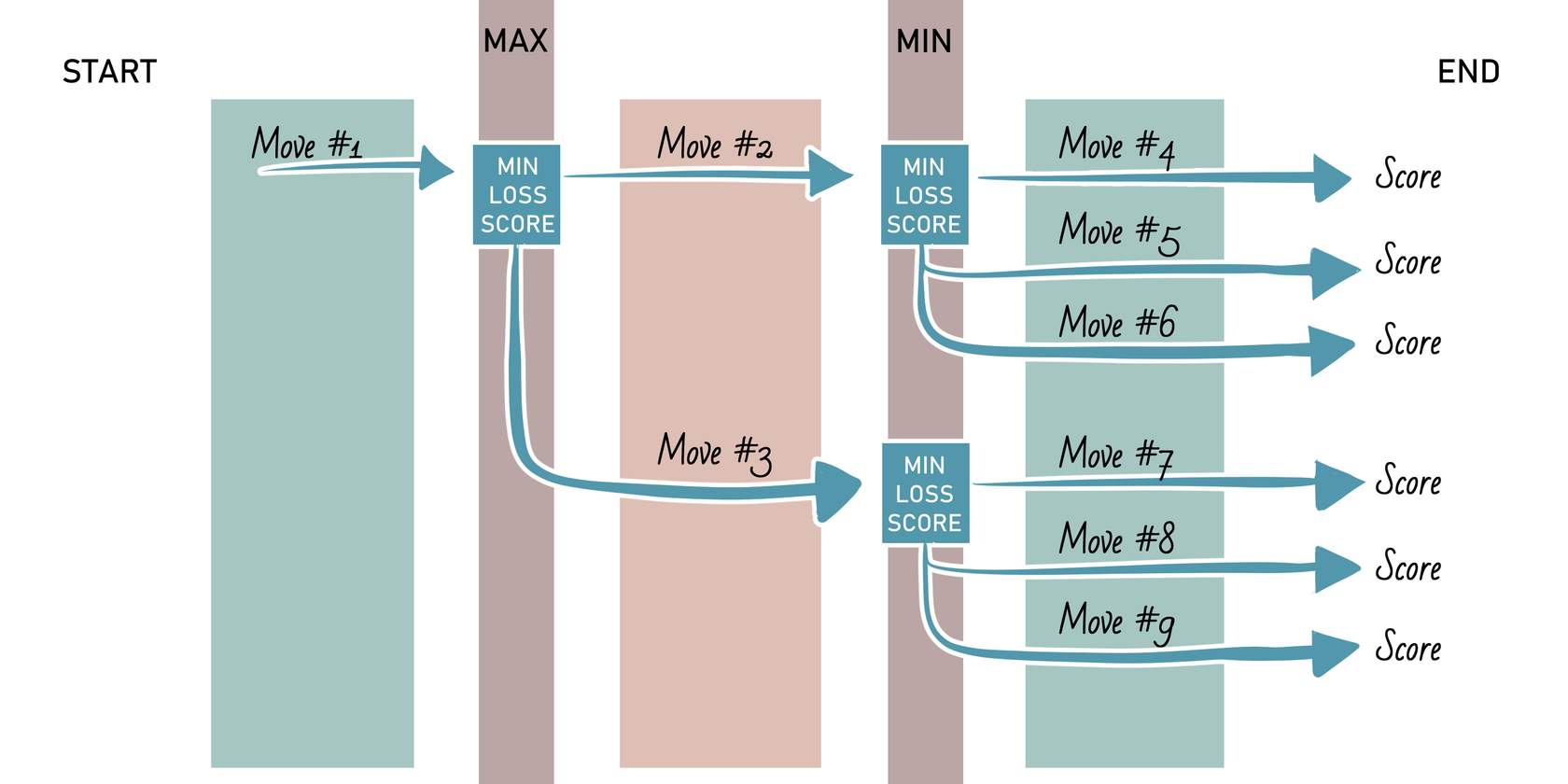
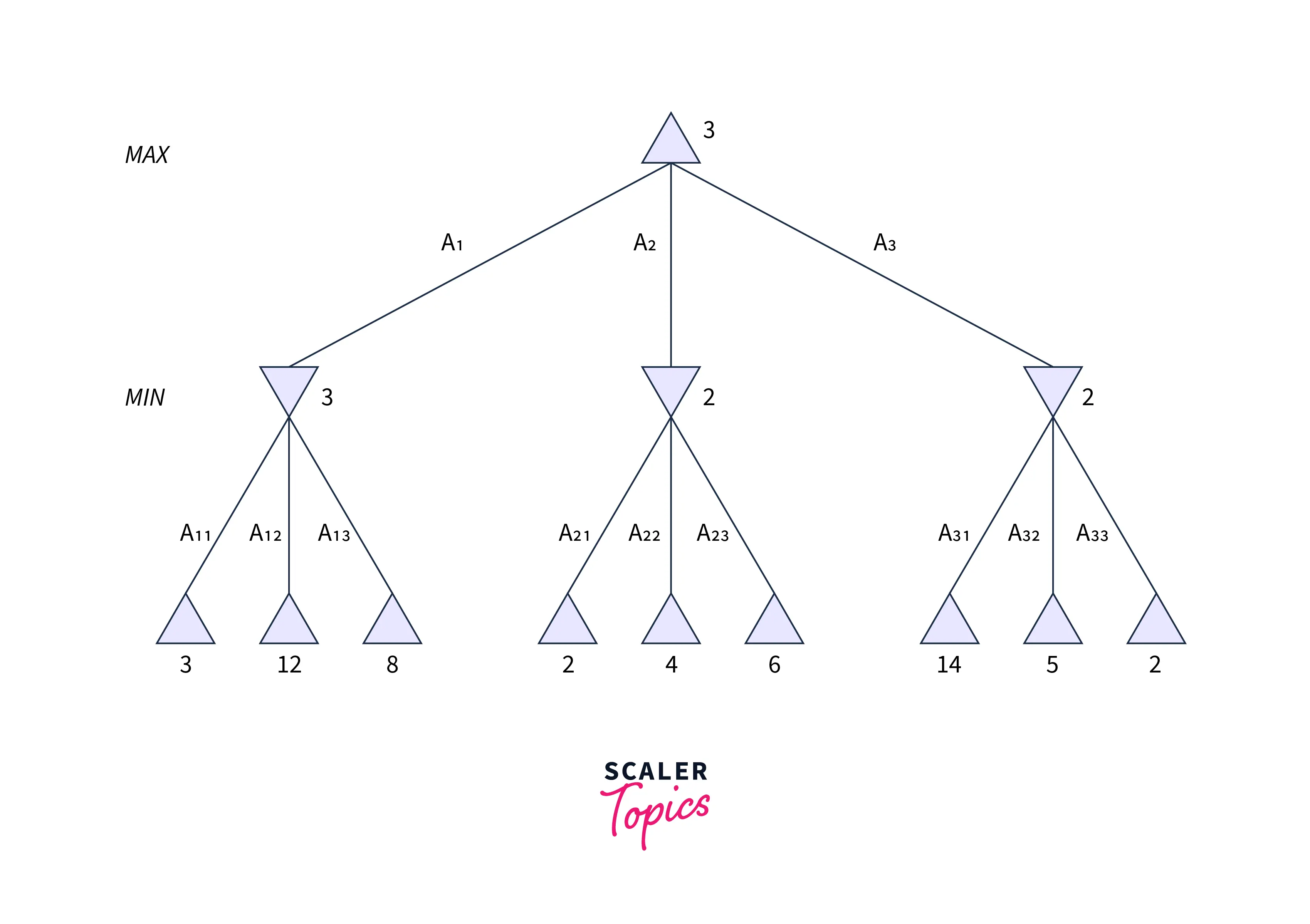
๐ŸŽฎ 4. Game Development

Image
Image
Image
Image

Game decision trees.


๐Ÿ“Š 5. Databases

Image
Image

Indexing using B-Trees.


๐Ÿ” Tree vs Other Data Structures

FeatureTreeArrayLinked List
StructureHierarchicalLinearLinear
AccessModerateFastSlow
FlexibilityHighLowHigh

๐Ÿงช Memory Representation

Each node contains:

  • Data
  • Pointers to children

Example:

Node:
[Data | Left Pointer | Right Pointer]

๐Ÿš€ Real-World Importance

Trees are essential in:

  • Databases
  • Operating systems
  • Networking
  • Artificial intelligence
  • Compilers

๐Ÿงพ Conclusion

Trees are one of the most powerful and versatile data structures in computer science. Their hierarchical nature makes them suitable for a wide range of applications, from simple data organization to complex algorithms in AI and databases.

Mastering trees is a critical step toward becoming proficient in data structures and algorithms.

๐Ÿท๏ธ Tags

๐Ÿง  Memory Management


๐ŸŒ Introduction to Memory Management

Image
Image
Image
Image

Memory Management is a core function of an operating system (OS) that handles the allocation, organization, and optimization of main memory (RAM) for processes and applications.

In simple terms:

Memory management = efficient use of RAM for program execution

It ensures that each process gets enough memory while maintaining system stability, performance, and security.


๐Ÿง  Importance of Memory Management

  • Efficient utilization of memory
  • Supports multitasking
  • Prevents memory conflicts
  • Enhances system performance
  • Provides process isolation and protection

๐Ÿงฉ Basic Concepts of Memory


๐Ÿ’พ What is Memory?

Memory is a storage area where data and instructions are kept during processing.


๐Ÿ“Š Types of Memory

Image
Image

๐Ÿ”น Primary Memory

  • RAM
  • Cache
  • Registers

๐Ÿ”น Secondary Memory

  • HDD
  • SSD

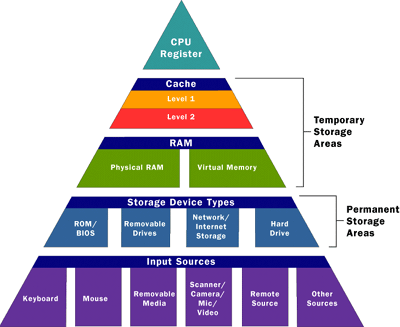
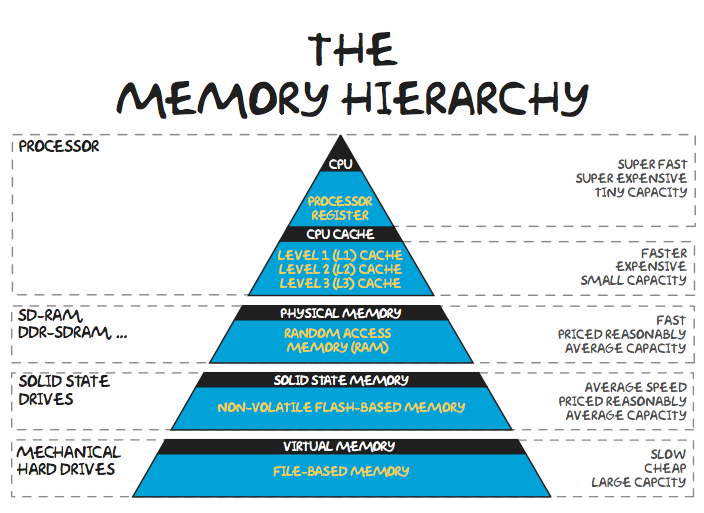
๐Ÿง  Memory Hierarchy

  1. Registers (fastest)
  2. Cache
  3. RAM
  4. Secondary storage (slowest)

โš™๏ธ Memory Allocation


๐Ÿ”น Static Allocation

  • Memory allocated at compile time
  • Fixed size

๐Ÿ”น Dynamic Allocation

  • Memory allocated at runtime
  • Flexible

๐Ÿง  Process Memory Layout

Image
Image
Image

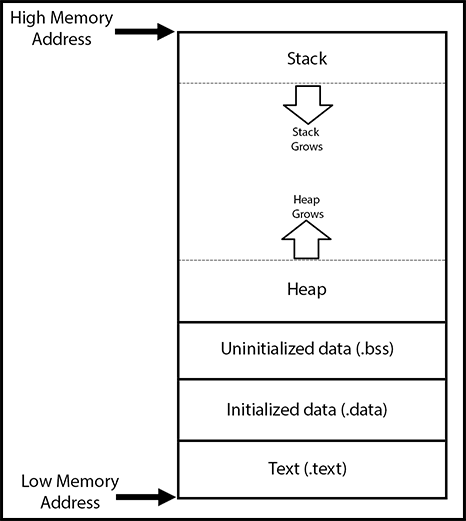
Each process has:

  • Code segment
  • Data segment
  • Heap
  • Stack

๐Ÿ”„ Contiguous Memory Allocation


๐Ÿ“ฆ Concept

Image
Image
Image
Image

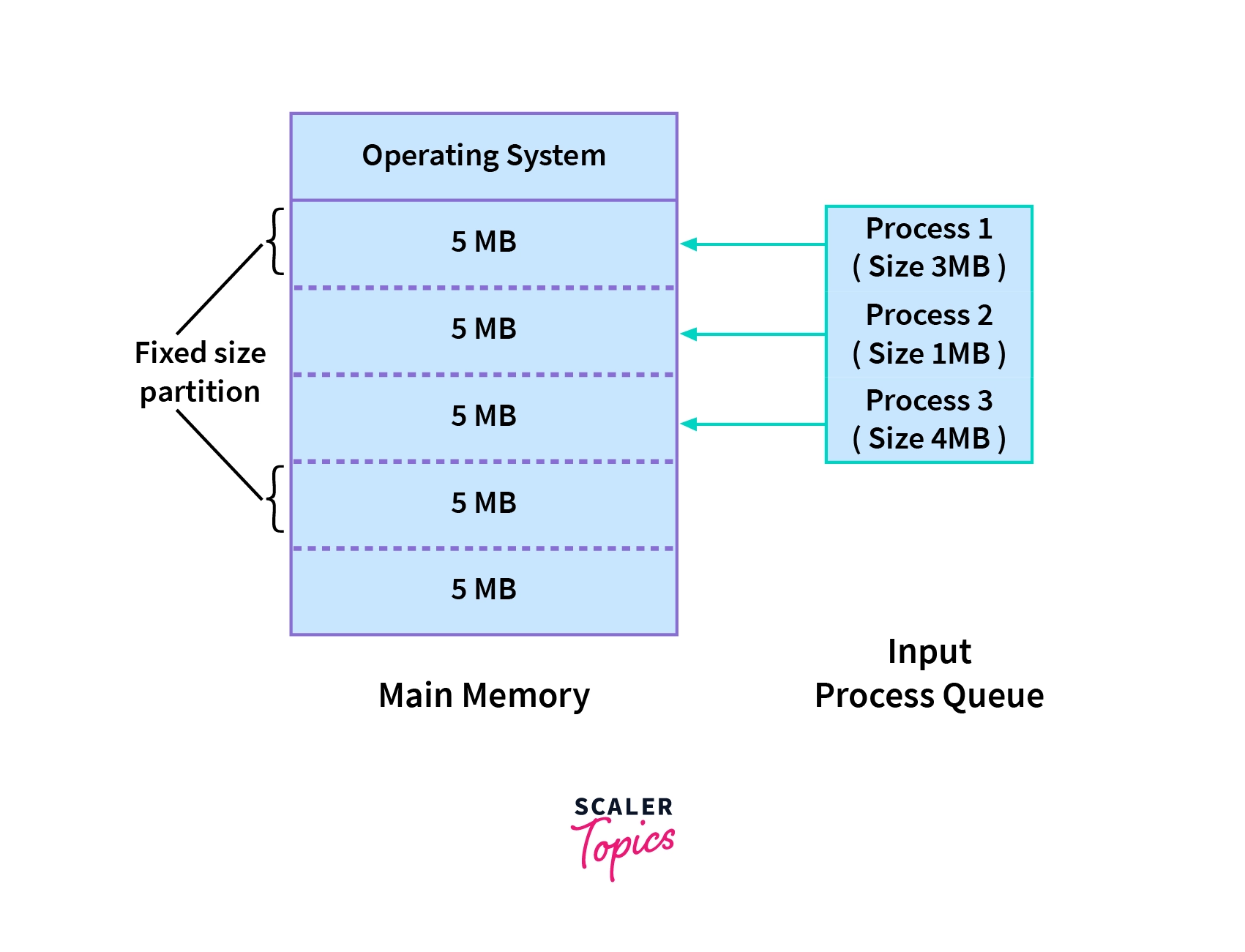
Processes are stored in continuous memory blocks.


โš ๏ธ Fragmentation

๐Ÿ”น Internal Fragmentation

  • Unused space inside allocated memory

๐Ÿ”น External Fragmentation

  • Scattered free space

๐Ÿ”„ Allocation Strategies

  • First Fit
  • Best Fit
  • Worst Fit

๐Ÿง  Paging


๐Ÿ“„ Concept

Image
Image
Image
Image

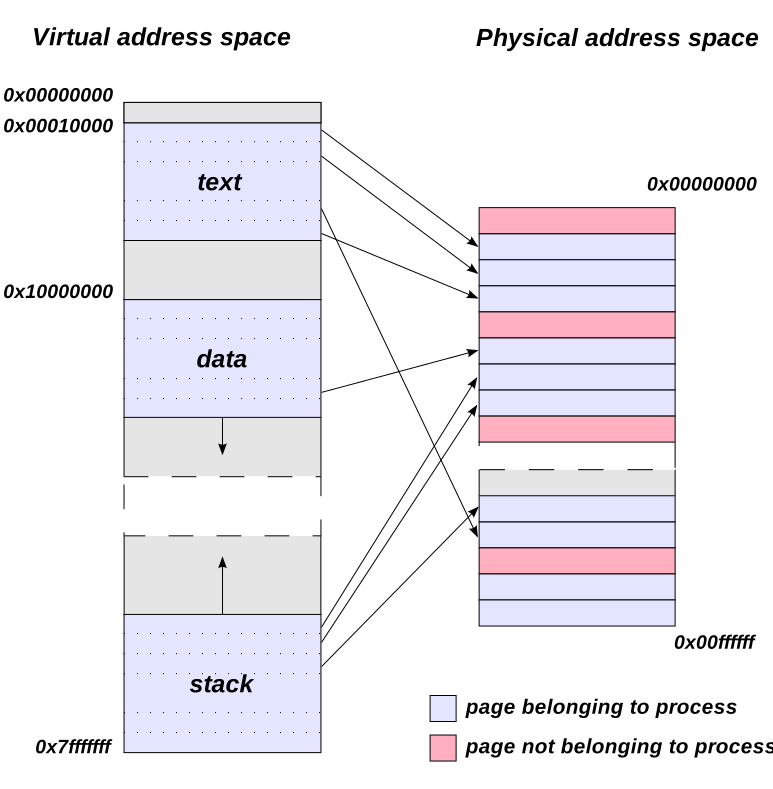
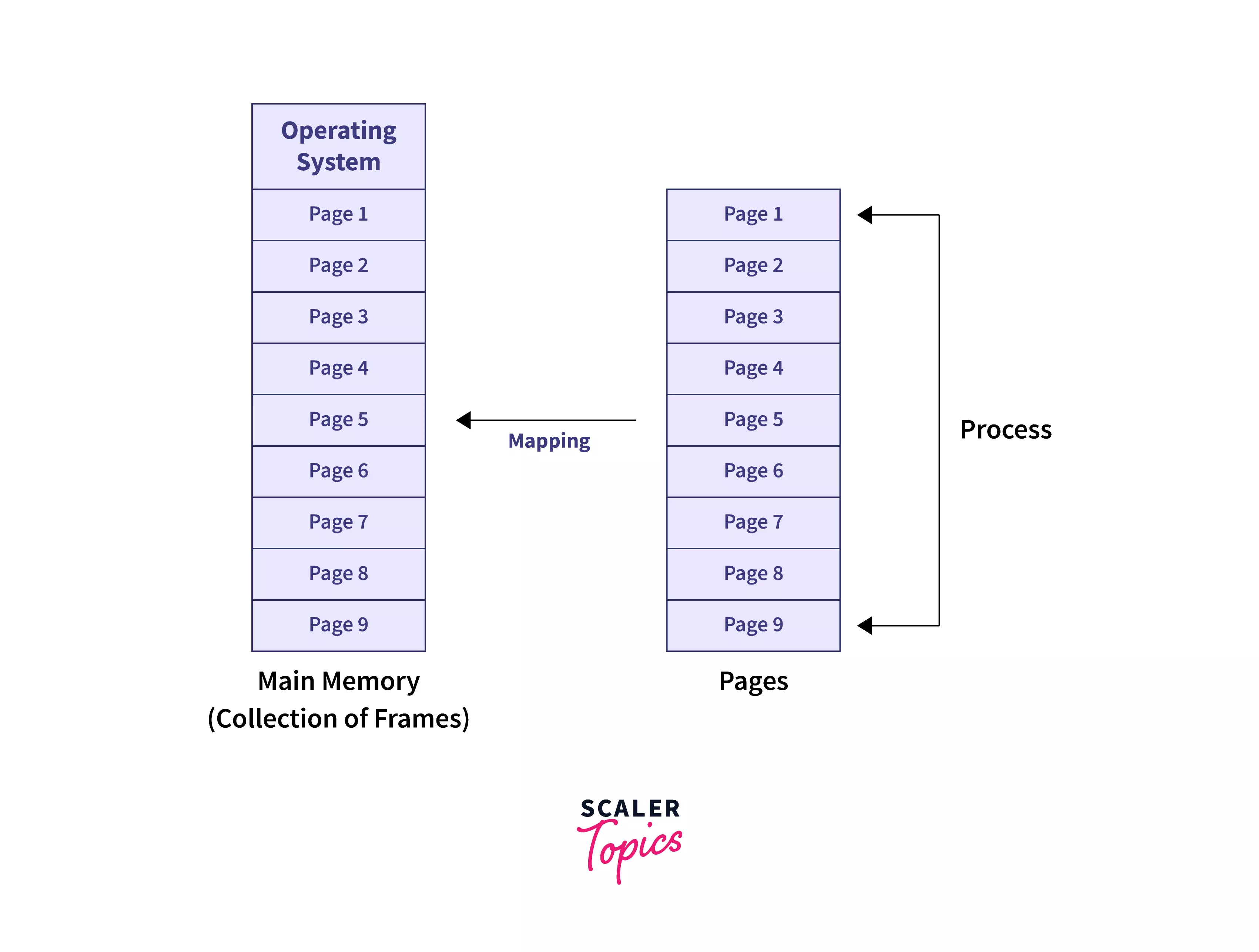
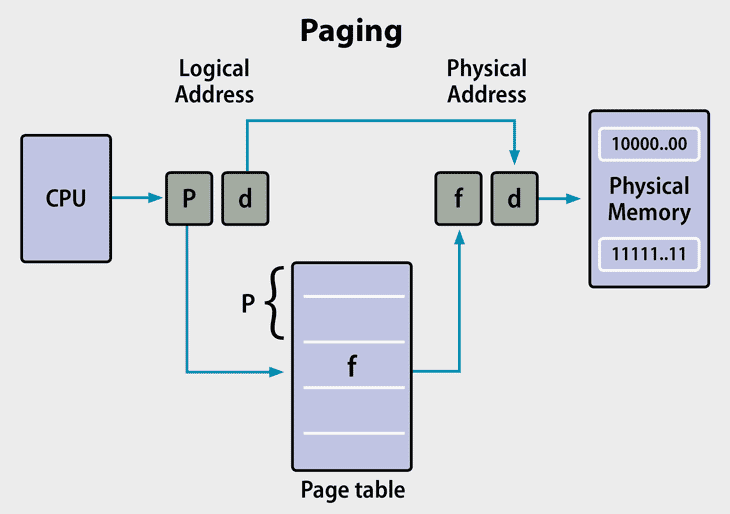
Paging divides memory into:

  • Pages (logical)
  • Frames (physical)

โš™๏ธ Page Table

  • Maps pages to frames

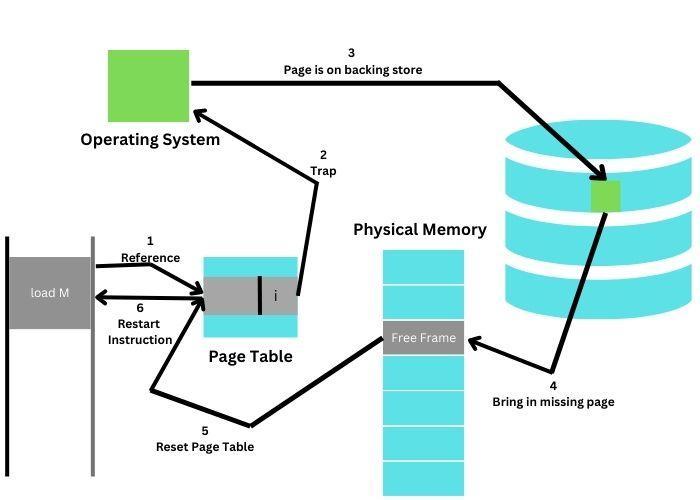
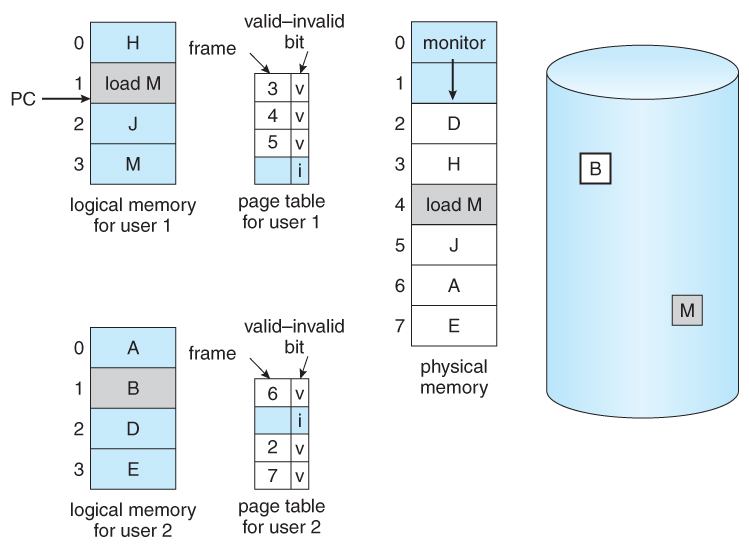
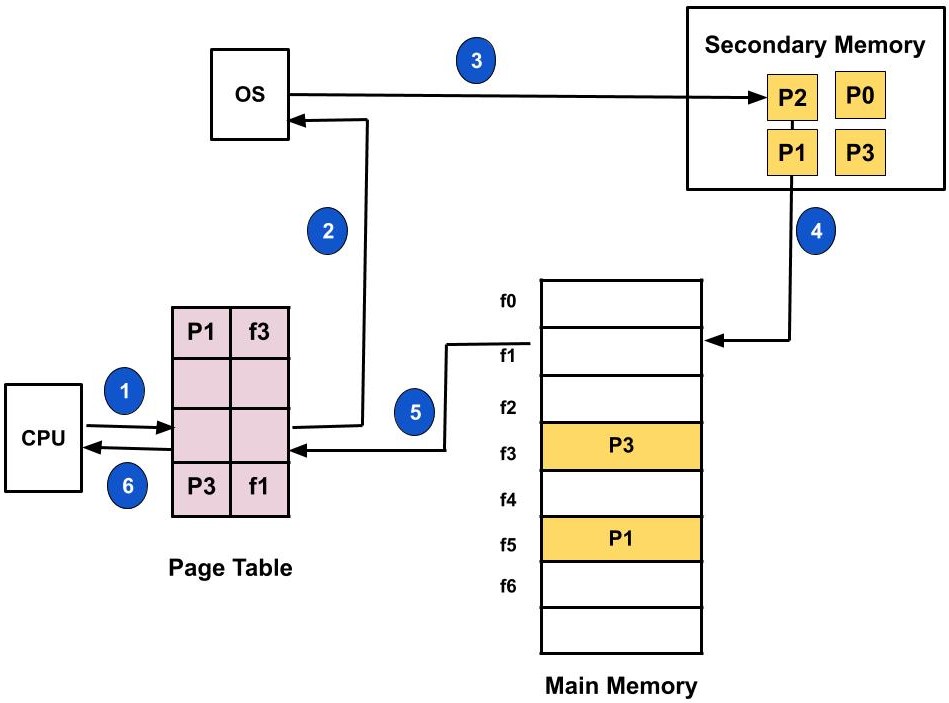
โš ๏ธ Page Fault

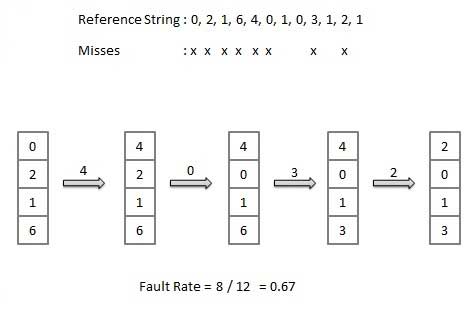
Occurs when required page is not in memory.


๐Ÿง  Segmentation


๐Ÿ“„ Concept

Image
Image
Image

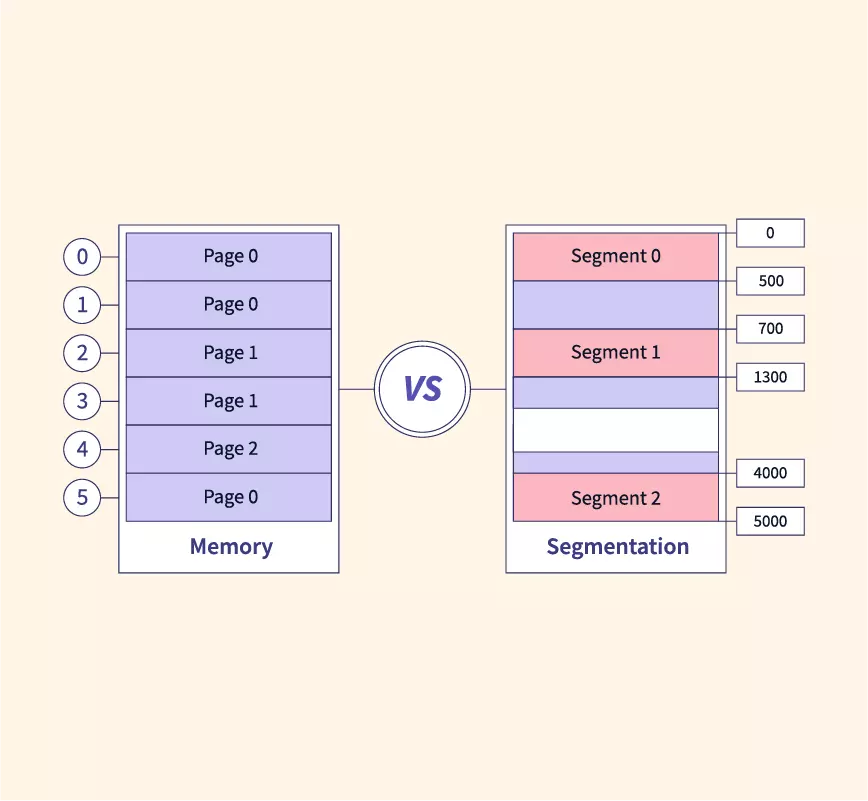
Memory divided into segments:

  • Code
  • Data
  • Stack

โš ๏ธ Issues

  • External fragmentation

๐Ÿ”„ Paging vs Segmentation

FeaturePagingSegmentation
SizeFixedVariable
FragmentationInternalExternal
ComplexityModerateHigh

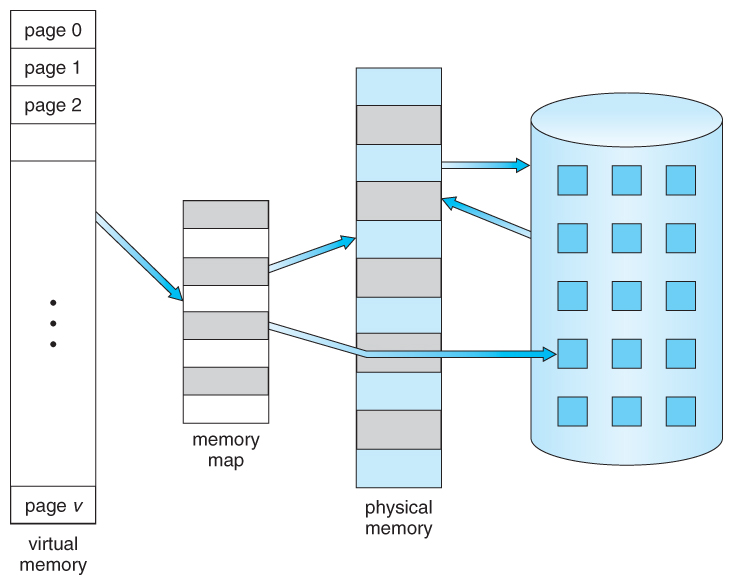
๐Ÿง  Virtual Memory


๐ŸŒ Concept

Image
Image
Image
Image

Virtual memory allows programs to use more memory than physically available.


โš™๏ธ Techniques:

  • Demand paging
  • Swapping

๐Ÿ”„ Page Replacement Algorithms


๐Ÿ”น FIFO (First In First Out)

Image
Image
Image

๐Ÿ”น LRU (Least Recently Used)

Image
Image
Image
Image

๐Ÿ”น Optimal Algorithm

Image
Image
Image
Image

๐Ÿ” Memory Protection


๐Ÿ›ก๏ธ Techniques:

  • Base and limit registers
  • Access control
  • Address binding

๐Ÿ”„ Address Binding


๐Ÿง  Types:

  • Compile-time
  • Load-time
  • Execution-time

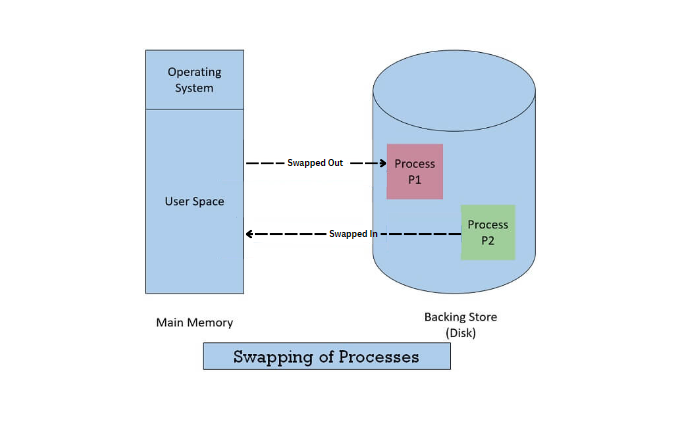
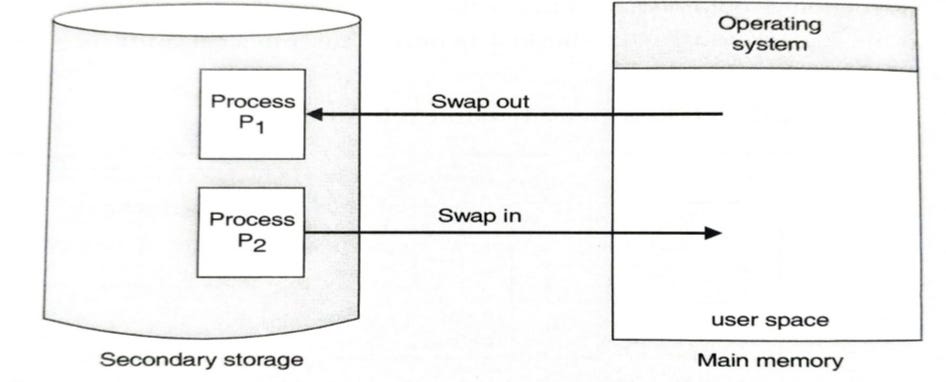
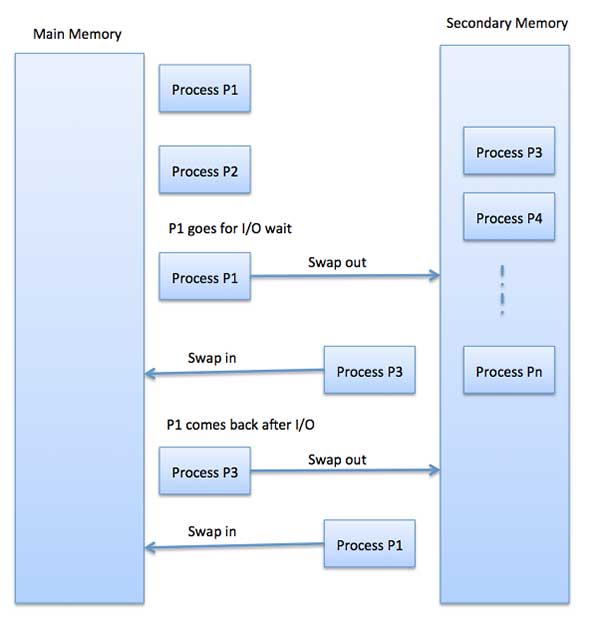
๐Ÿง  Swapping


๐Ÿ”„ Concept

Image
Image
Image
Image
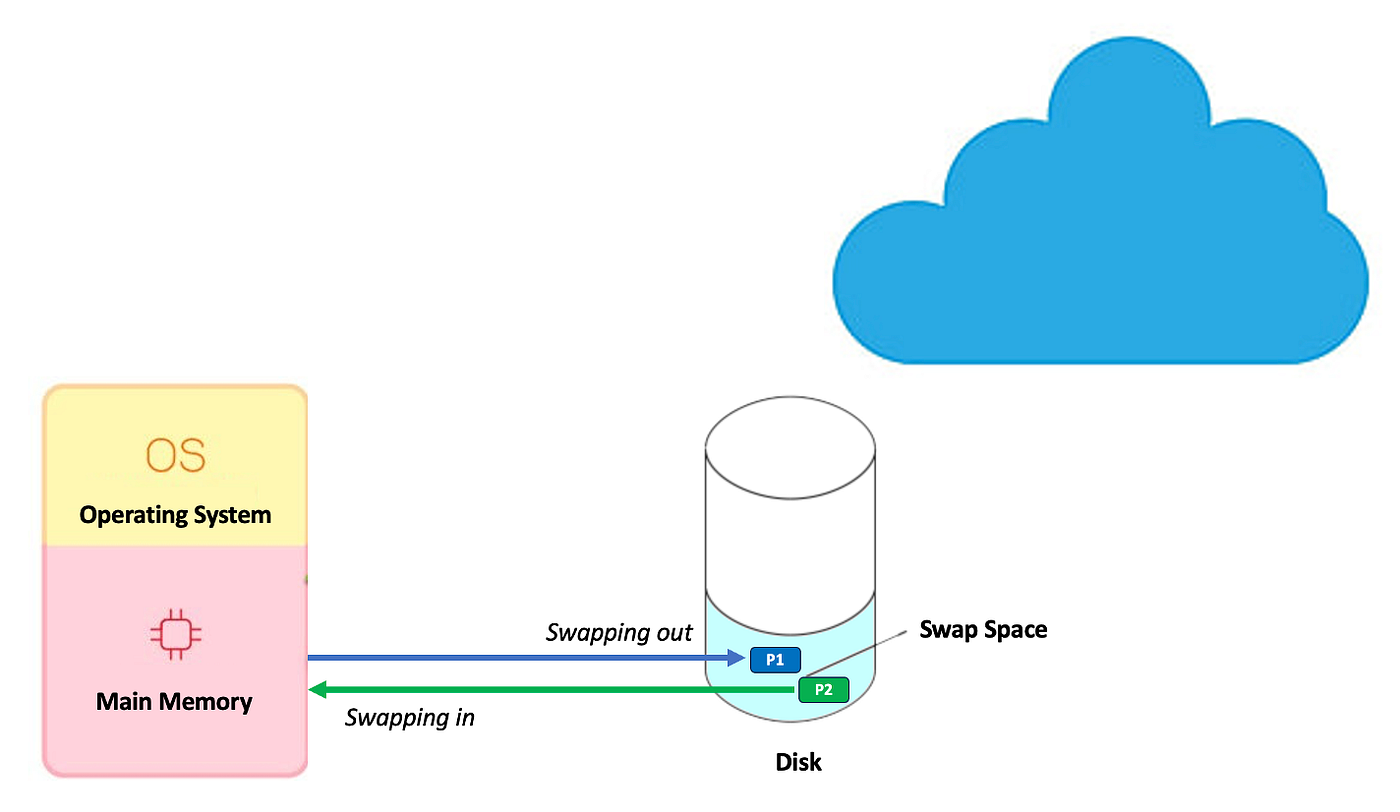
  • Moves processes between RAM and disk

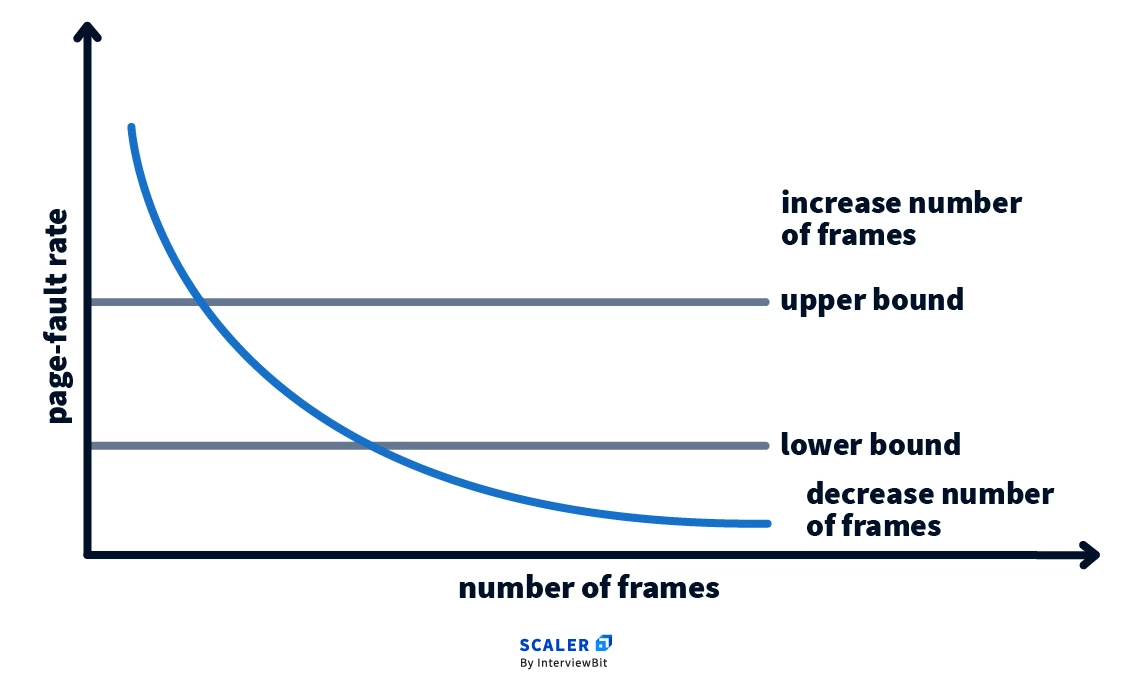
๐Ÿงฉ Thrashing


โš ๏ธ Concept

Image
Image
Image
Image
  • Excessive paging
  • Reduces performance

๐Ÿง  Cache Memory Management


โšก Concept

Image
Image
Image
  • Stores frequently used data
  • Reduces access time

๐Ÿ”„ Cache Mapping Techniques

  • Direct mapping
  • Associative mapping
  • Set-associative mapping

๐Ÿง  Modern Memory Management Techniques


๐Ÿš€ Advanced Concepts

Image
Image
Image
Image
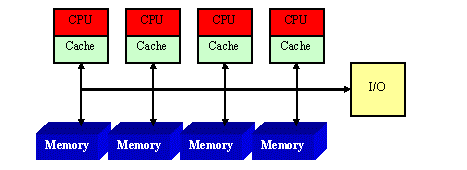
  • NUMA architecture
  • Memory virtualization
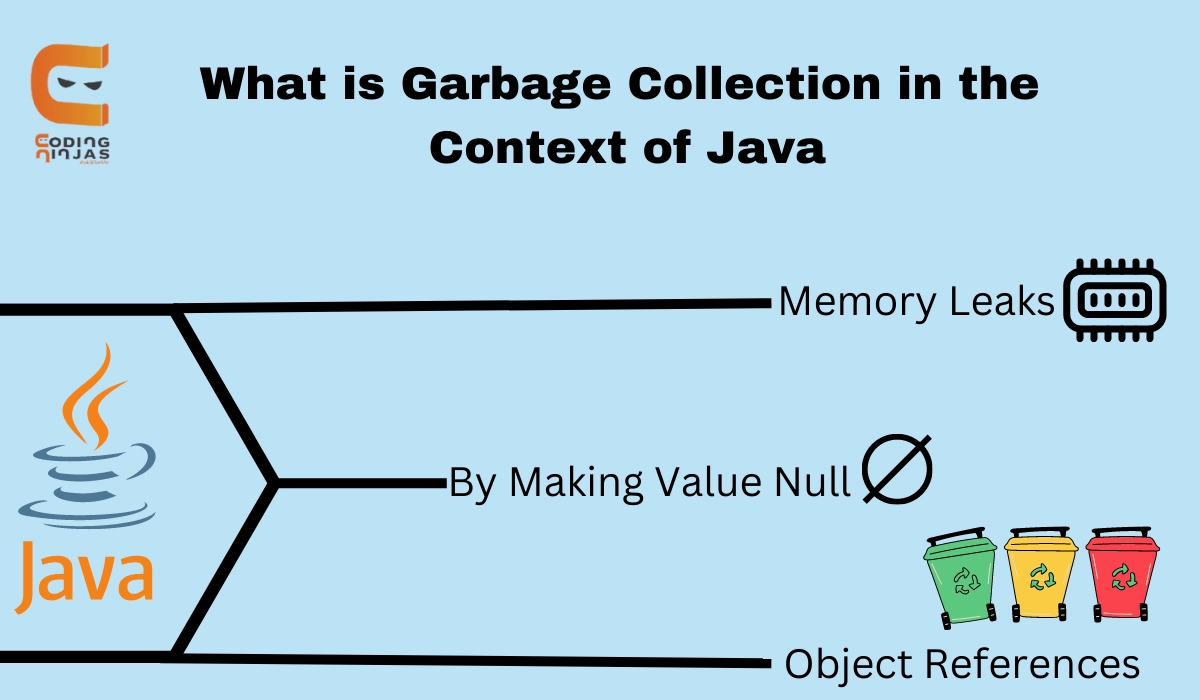
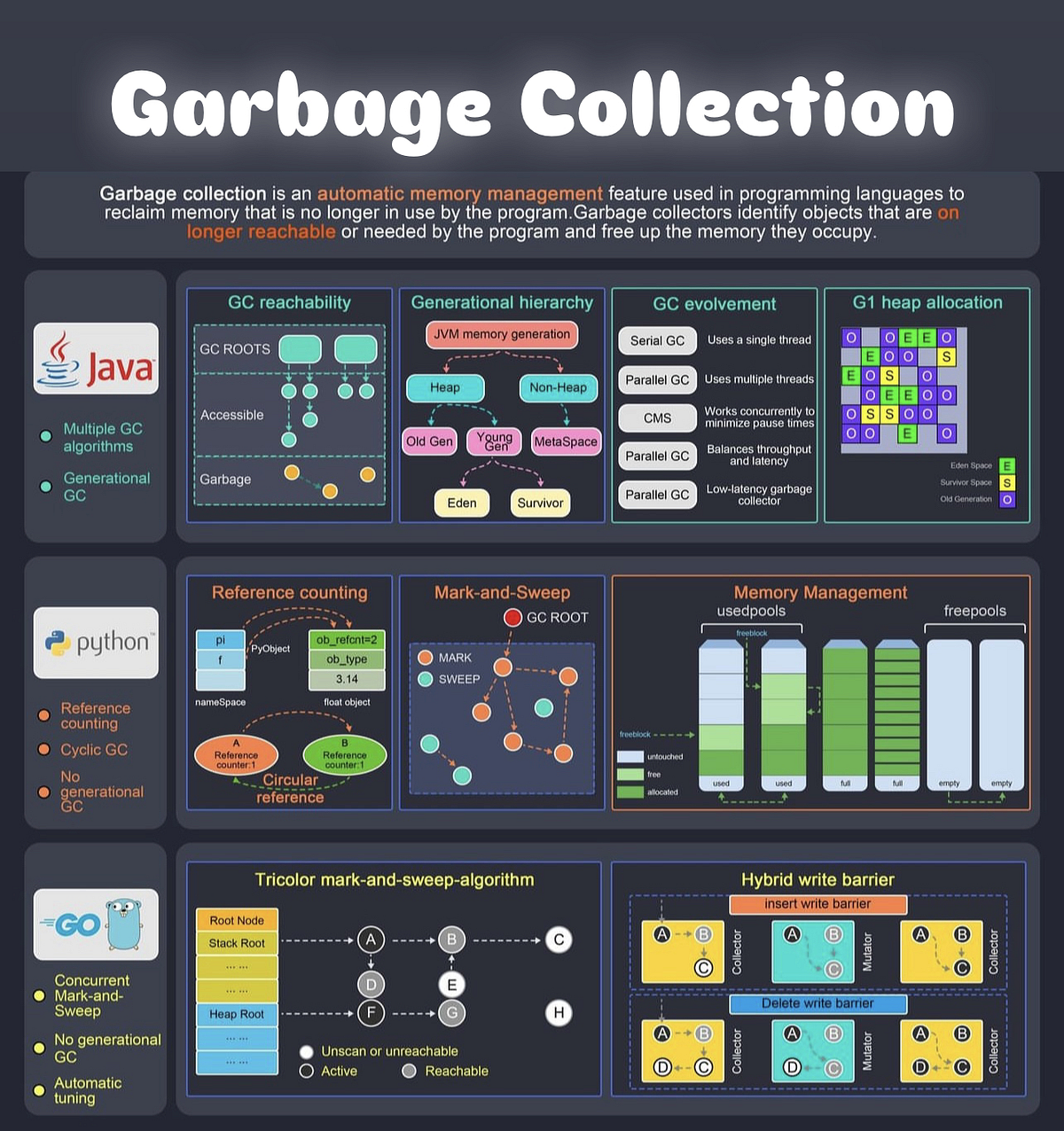
  • Garbage collection
  • Memory compression

โšก Advantages of Memory Management

  • Efficient resource utilization
  • Improved performance
  • Supports multitasking
  • Ensures security

โš ๏ธ Challenges

  • Fragmentation
  • Thrashing
  • Overhead
  • Complexity

๐Ÿง  Conclusion

Memory management is a critical component of operating systems that ensures efficient execution of programs. It enables:

  • Multitasking
  • Efficient memory usage
  • System stability

Understanding memory management is essential for:

  • OS design
  • Software development
  • Performance optimization

๐Ÿท๏ธ Tags