

📘 1. Introduction to IP Addressing
IP Addressing is a fundamental concept in computer networking that enables devices to identify and communicate with each other over a network such as the Internet.
Every device connected to a network—whether it’s a smartphone, laptop, server, or IoT device—requires a unique IP address.
🔹 Definition
An IP address (Internet Protocol Address) is:
A unique numerical label assigned to each device connected to a network that uses the Internet Protocol for communication.
🔹 Purpose of IP Addressing
- Identifies devices uniquely
- Enables data routing
- Supports communication between networks
- Helps locate devices globally
🧠 2. How IP Addressing Works
🔹 Basic Concept
When data is sent over a network:
- Source device has an IP address
- Destination device has an IP address
- Data is broken into packets
- Packets travel through routers using IP addresses
🔹 Example
- Sender IP → 192.168.1.10
- Receiver IP → 8.8.8.8
🏗️ 3. Structure of an IP Address

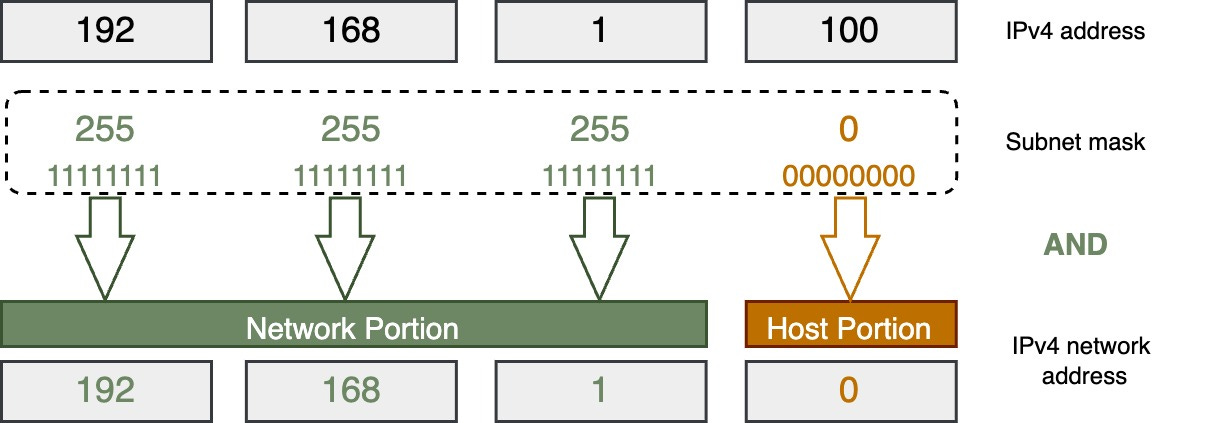
🔹 IPv4 Structure
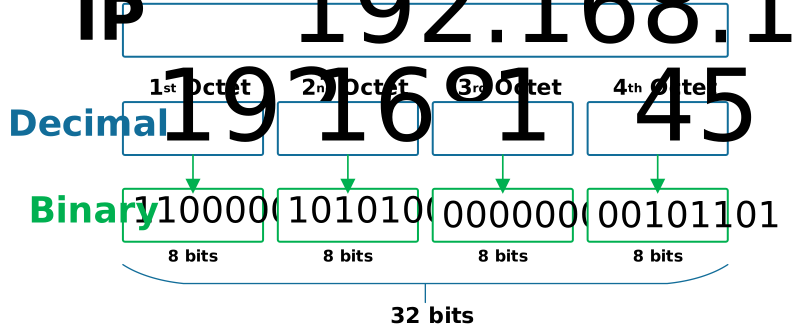
- 32-bit address
- Divided into 4 octets
Example:
192.168.1.1
🔹 Binary Representation
11000000.10101000.00000001.00000001
🔹 Network vs Host Portion
- Network → identifies network
- Host → identifies device
🌐 4. Types of IP Addresses
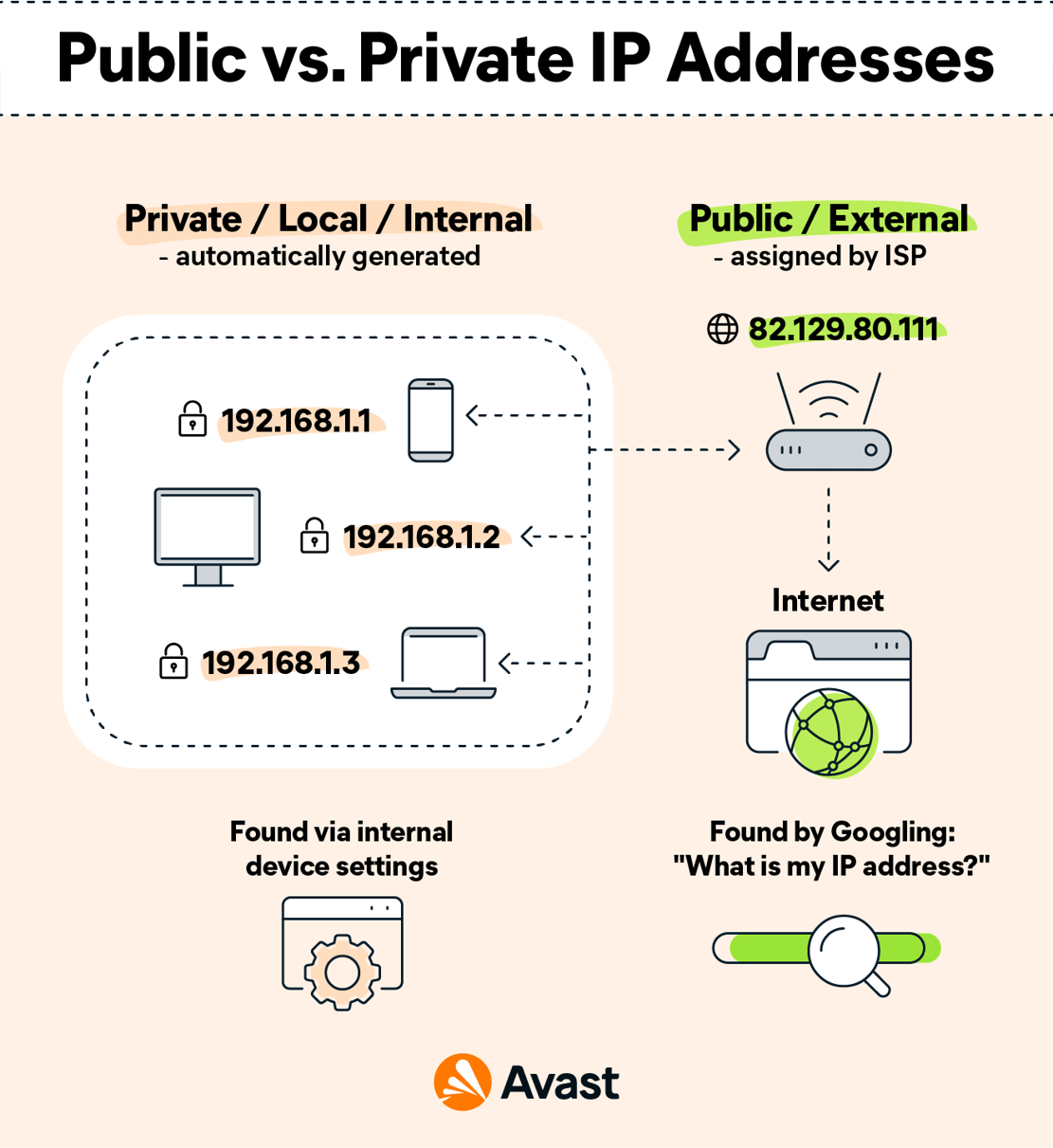
🔹 1. Public IP Address
- Assigned by ISP
- Accessible over the internet
🔹 2. Private IP Address
- Used within local networks
Ranges:
- 192.168.x.x
- 10.x.x.x
- 172.16.x.x
🔹 3. Static IP
- Fixed address
🔹 4. Dynamic IP
- Assigned automatically (DHCP)
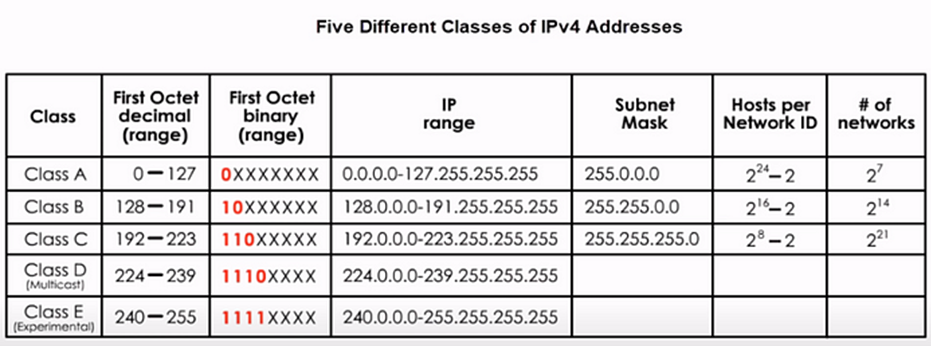
🔢 5. IPv4 Address Classes

🔹 Classes
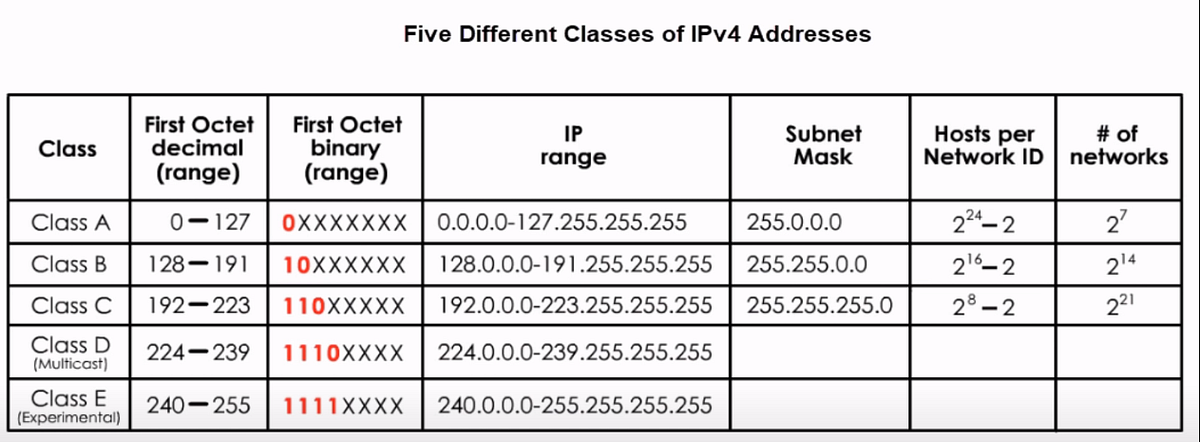
| Class | Range | Usage |
|---|---|---|
| A | 1–126 | Large networks |
| B | 128–191 | Medium |
| C | 192–223 | Small |
| D | 224–239 | Multicast |
| E | 240–255 | Experimental |
⚡ 6. Subnetting


🔹 What is Subnetting?
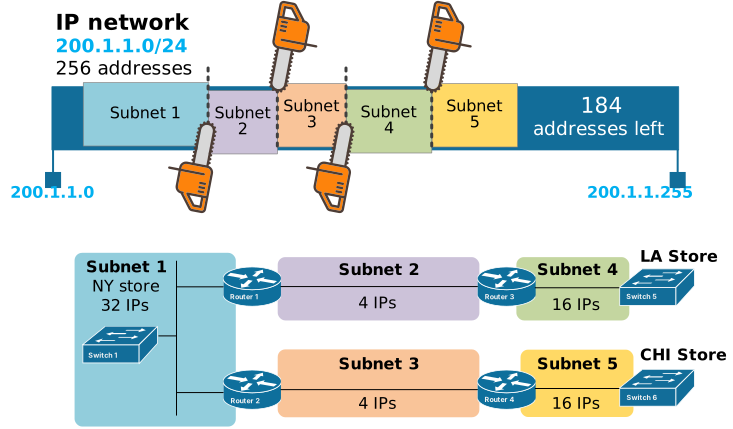
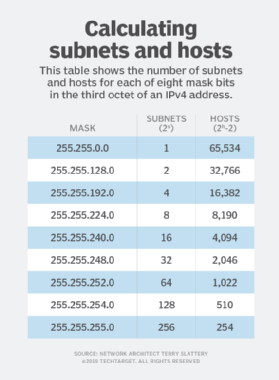
Dividing a network into smaller networks.
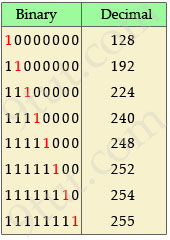
🔹 Subnet Mask
Defines network and host portions.
Example:
255.255.255.0
🔹 CIDR Notation
192.168.1.0/24
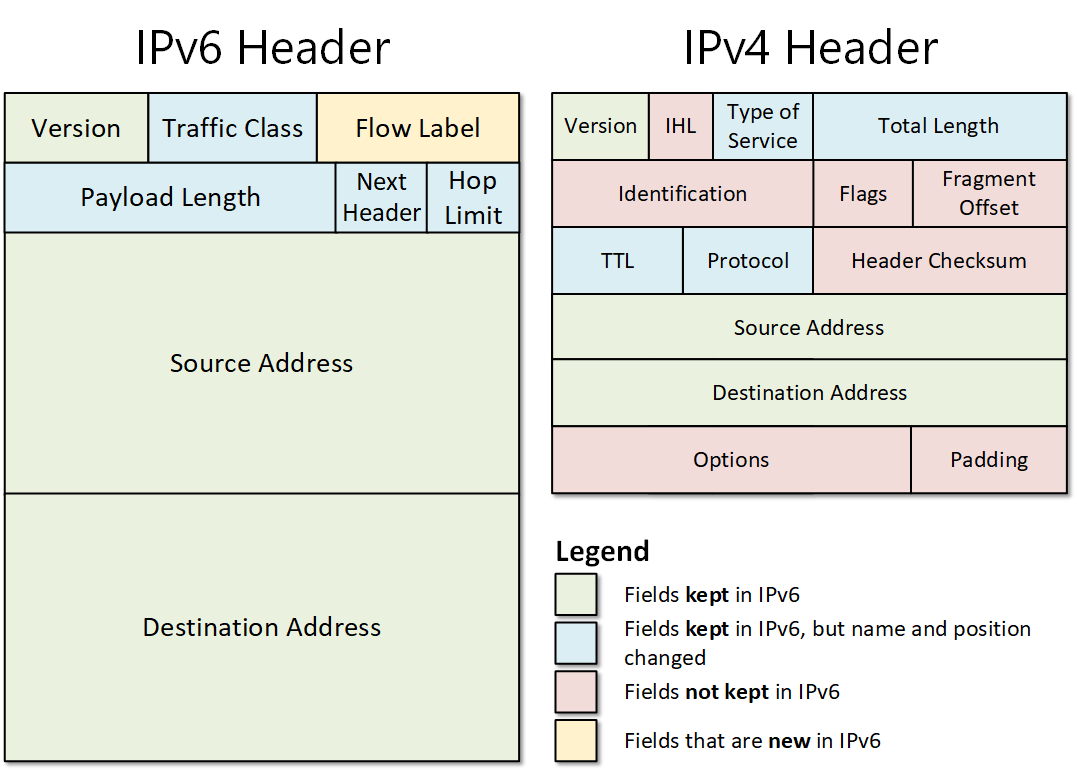
🔄 7. IPv6 Addressing
🔹 Why IPv6?
- IPv4 exhaustion
- Need for more addresses
🔹 Features
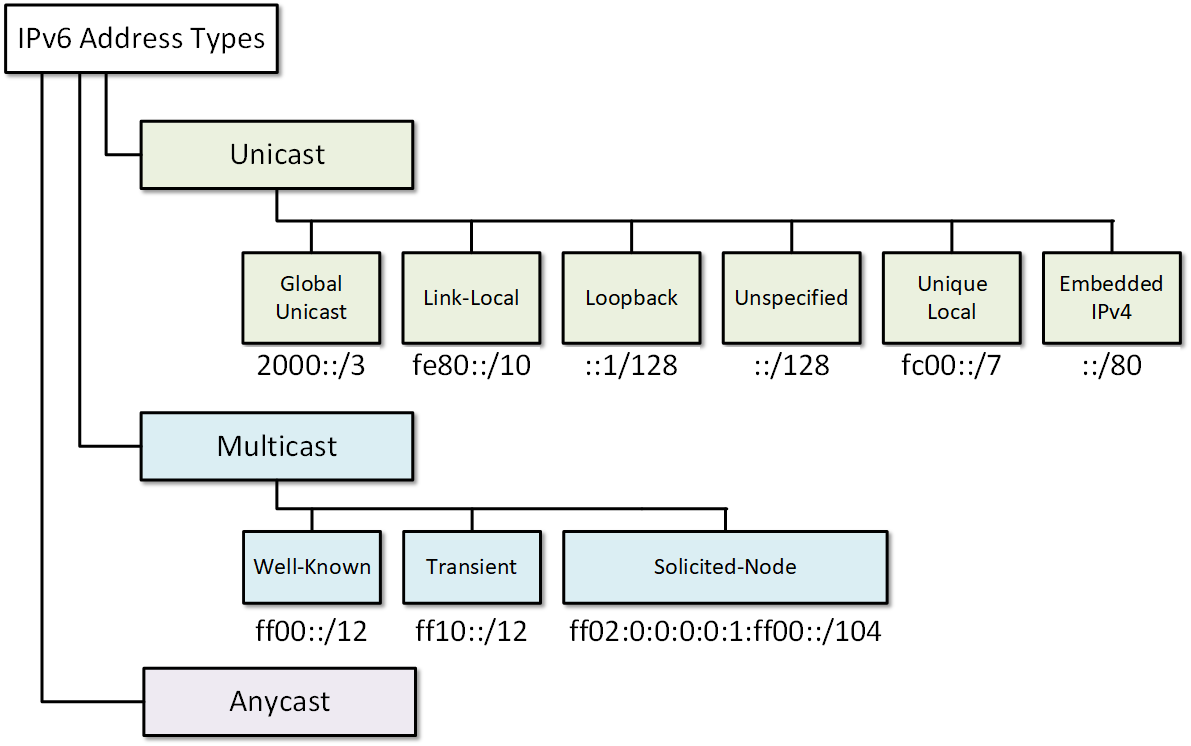
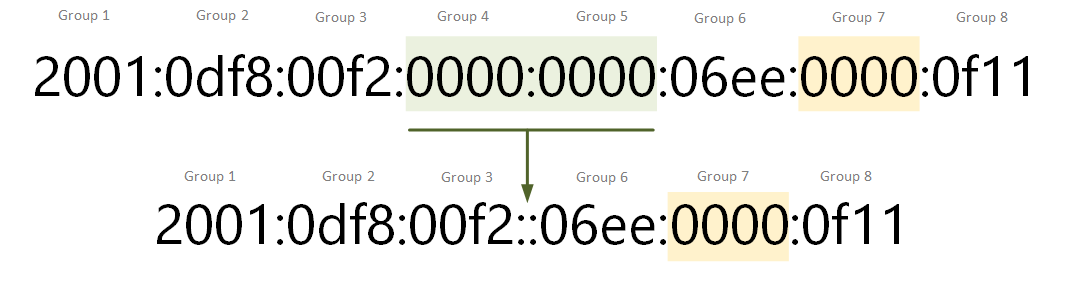
- 128-bit address
- Hexadecimal format
- Larger address space
Example:
2001:0db8:85a3:0000:0000:8a2e:0370:7334
🔐 8. Special IP Addresses
🔹 Loopback Address
- 127.0.0.1
🔹 Broadcast Address
- Sends to all devices
🔹 Multicast Address
- Sends to group
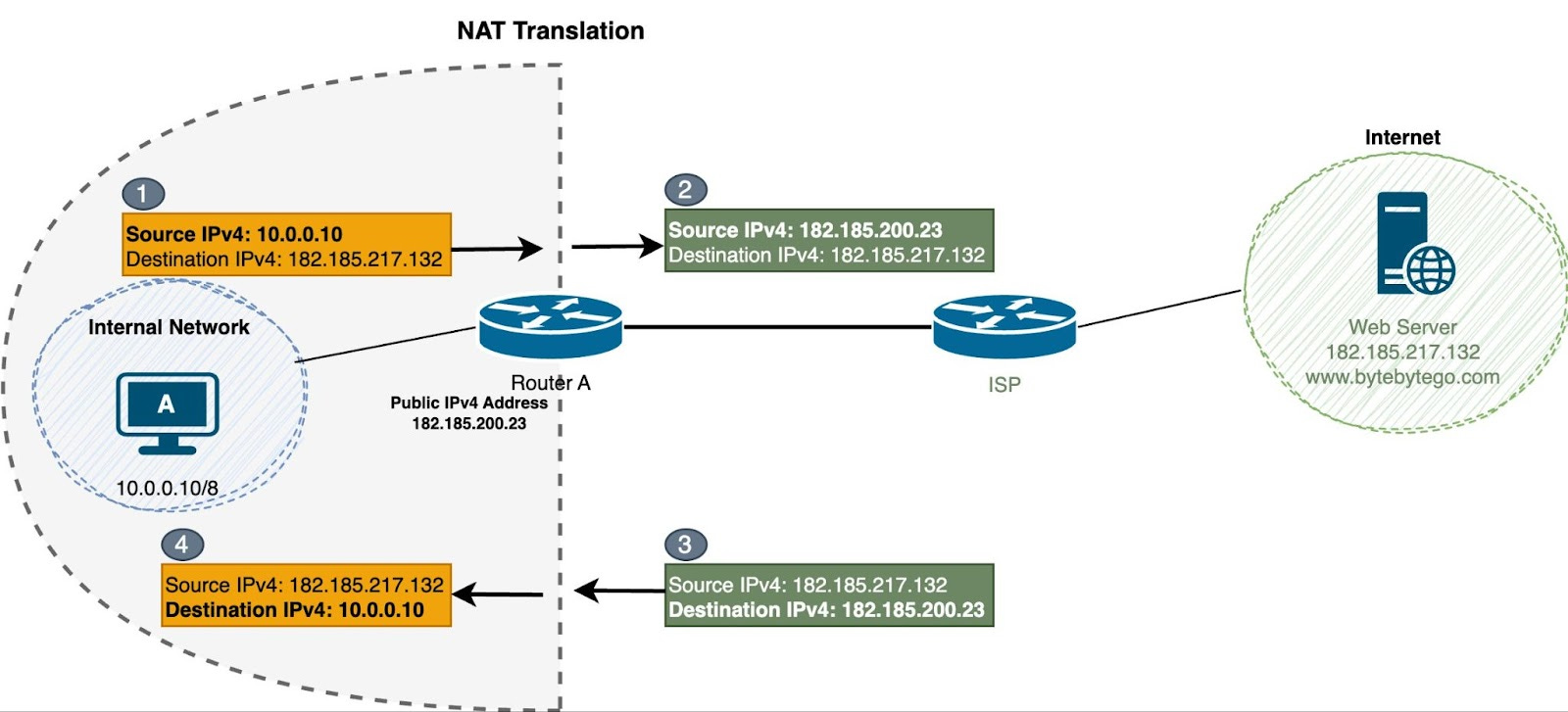
🔄 9. NAT (Network Address Translation)
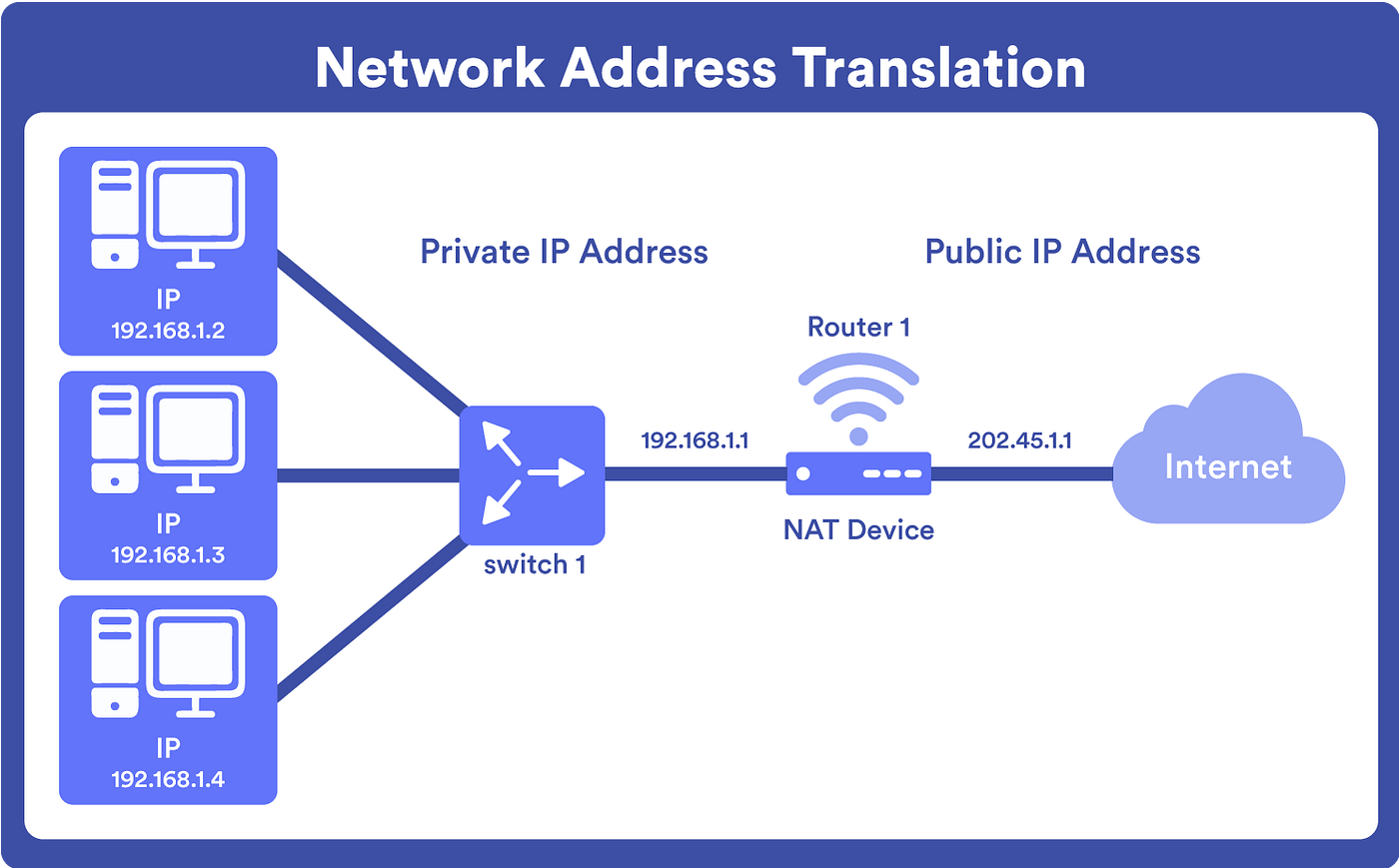

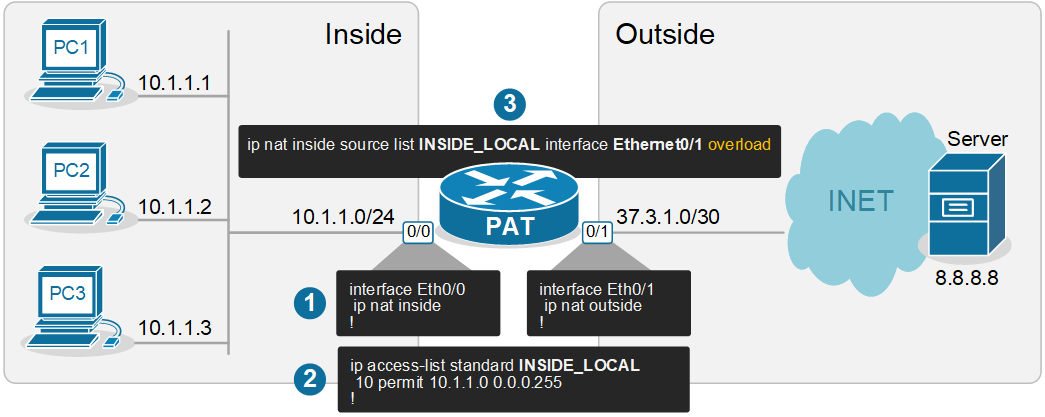
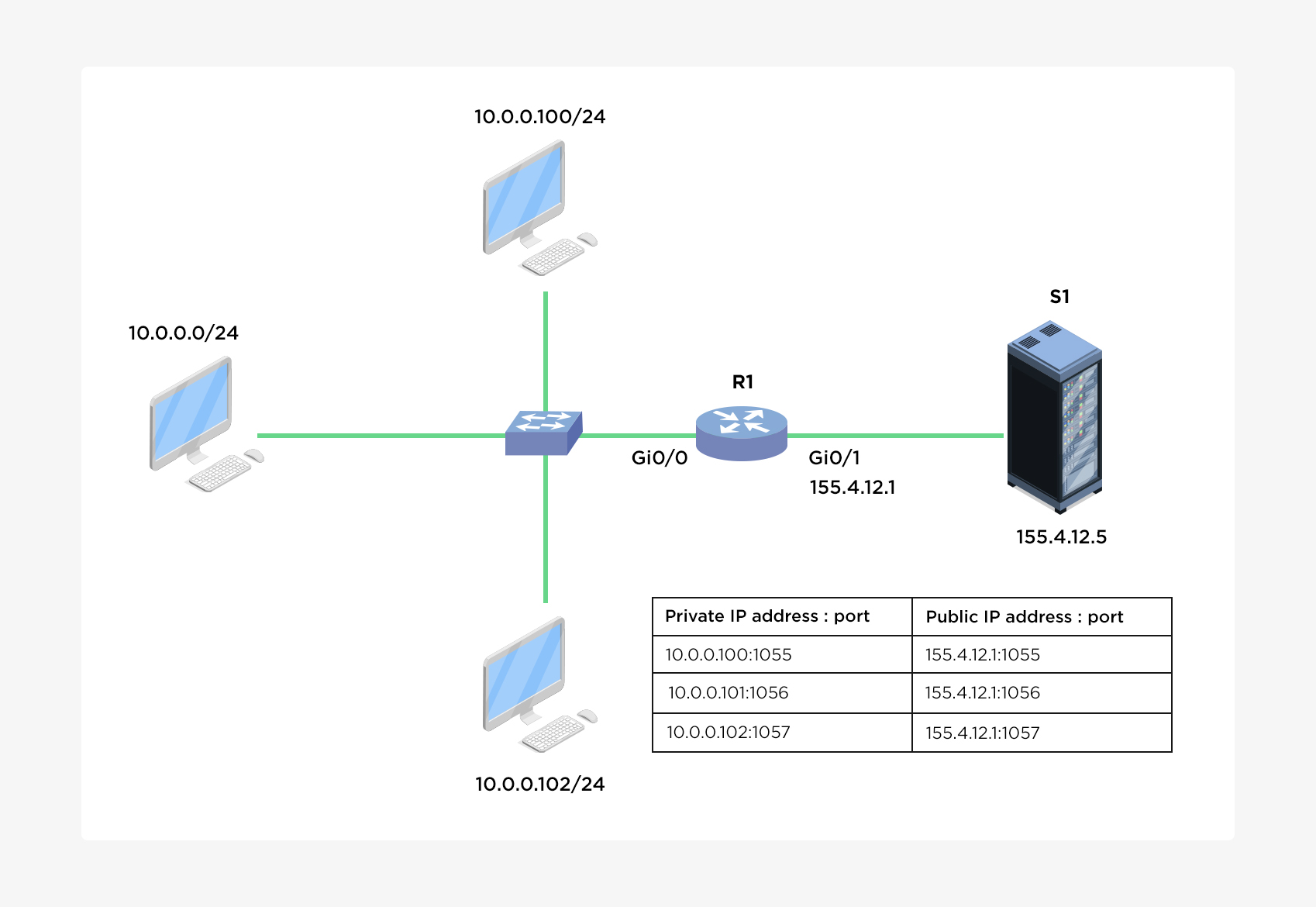
🔹 Purpose
- Converts private IP to public IP
🔹 Types
- Static NAT
- Dynamic NAT
- PAT (Port Address Translation)
⚙️ 10. DHCP (Dynamic Host Configuration Protocol)
🔹 Function
- Automatically assigns IP addresses
🔹 Process
- Discover
- Offer
- Request
- Acknowledge
🌐 11. DNS and IP Addressing
🔹 Role
- Converts domain names to IP
🔹 Example
- google.com → IP address
🧠 12. Routing and IP Addressing
🔹 Routers
- Use IP addresses to forward packets
🔹 Routing Tables
- Store path information
⚡ 13. Address Resolution Protocol (ARP)
🔹 Function
- Maps IP to MAC address
🔄 14. ICMP Protocol
🔹 Uses
- Error reporting
- Diagnostics
Example: ping command
🔐 15. Security in IP Addressing
🔹 Threats
- IP spoofing
- DDoS attacks
🔹 Solutions
- Firewalls
- Encryption
🧩 16. Advanced Concepts
- VLSM (Variable Length Subnet Masking)
- Supernetting
- Anycast addressing
📊 17. Real-World Applications
- Internet communication
- Cloud networking
- IoT systems
- Enterprise networks
⚖️ 18. Advantages of IP Addressing
- Unique identification
- Scalable
- Standardized
⚠️ 19. Limitations
- IPv4 exhaustion
- Security concerns
🔮 20. Future of IP Addressing
- IPv6 adoption
- Smart networks
- IoT expansion
🏁 Conclusion
IP addressing is the foundation of all network communication, enabling billions of devices to connect and exchange data. Understanding IP addressing is essential for networking, cybersecurity, and modern computing systems.