Tag Archives: Shell

๐Ÿ’ป Command Line Interfaces (CLI) โ€“ Complete Detailed Guide


๐ŸŒ Introduction to Command Line Interfaces

Image
Image
Image
Image

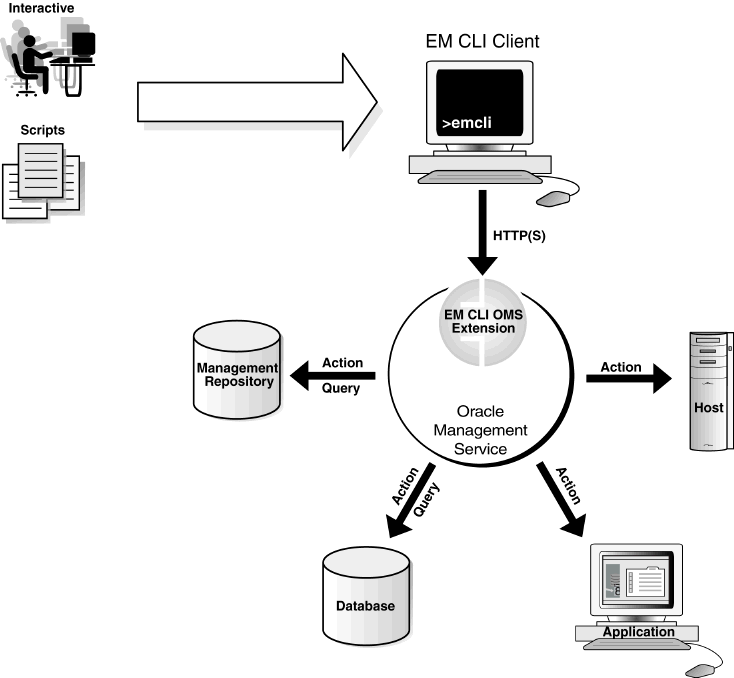
A Command Line Interface (CLI) is a text-based interface that allows users to interact with a computer system by typing commands instead of using graphical elements like buttons or icons.

In simple terms:

CLI = controlling the computer using typed commands

It is widely used in:

  • Operating systems (Windows, Linux, macOS)
  • Programming and development
  • System administration
  • Networking and cybersecurity

๐Ÿง  Importance of CLI

  • Faster execution of tasks
  • Greater control over system
  • Automation via scripts
  • Essential for developers and administrators
  • Works efficiently on low-resource systems

๐Ÿงฉ Basic Concepts of CLI


๐Ÿ”ค What is a Command?

A command is an instruction given to the system.

Example:

ls

๐Ÿ“ What is a Shell?

Image
Image
Image
Image

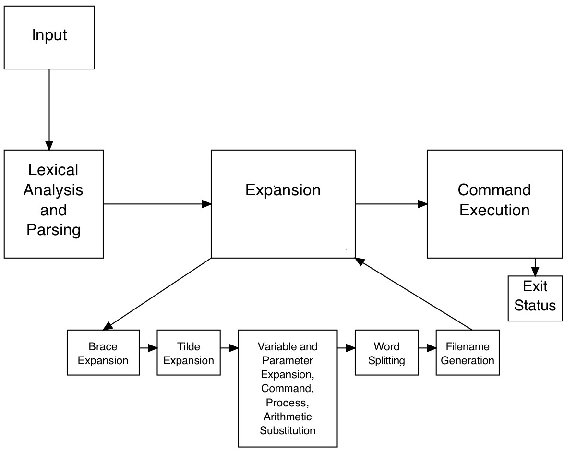
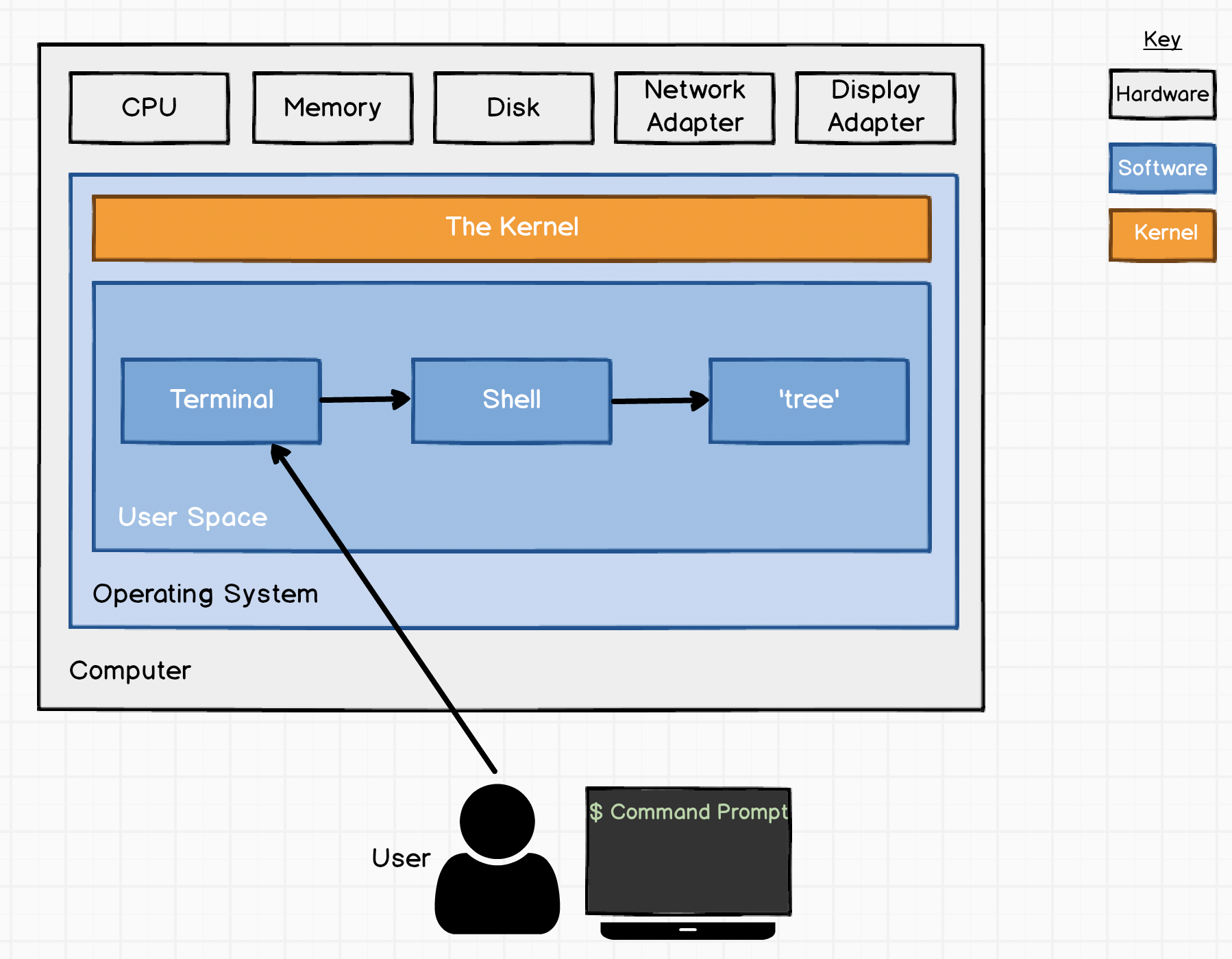
A shell is a program that interprets user commands and communicates with the operating system.

Types of Shells:

  • Bash (Linux/macOS)
  • PowerShell (Windows)
  • Zsh

โš™๏ธ CLI Structure

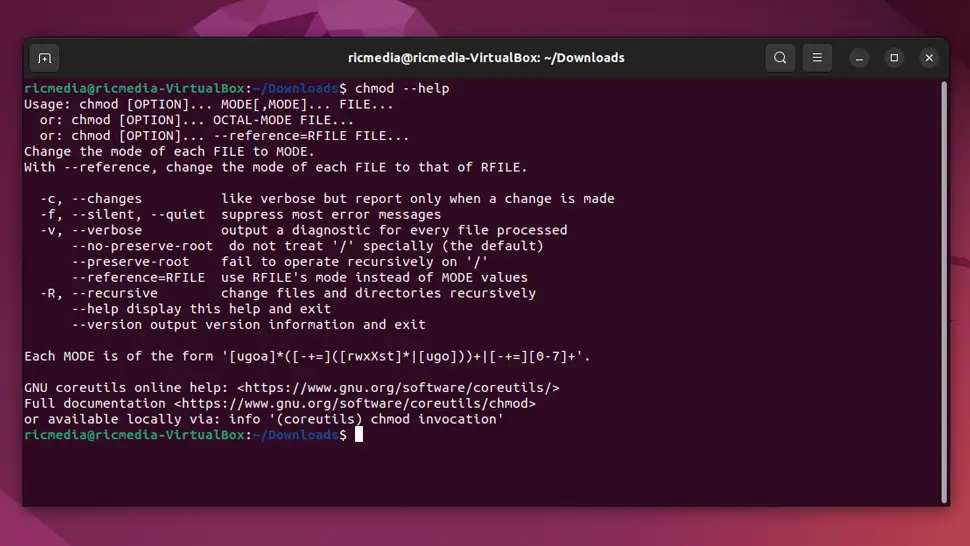
command [options] [arguments]

Example:

ls -l /home

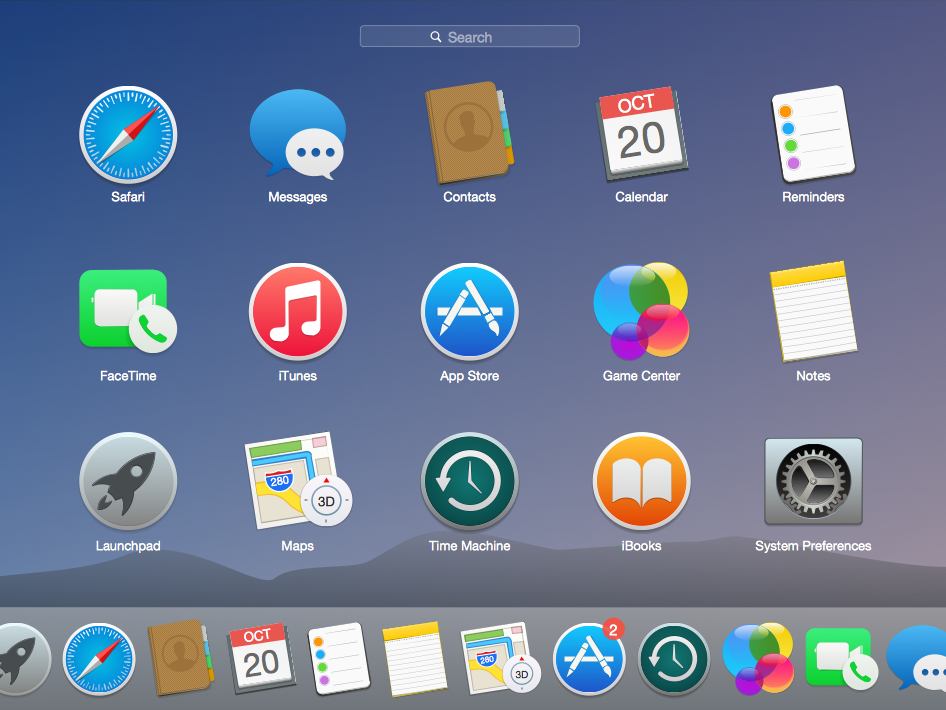
๐Ÿ–ฅ๏ธ CLI in Different Operating Systems


๐ŸชŸ Windows CLI

Image
Image
Image
Image

Tools:

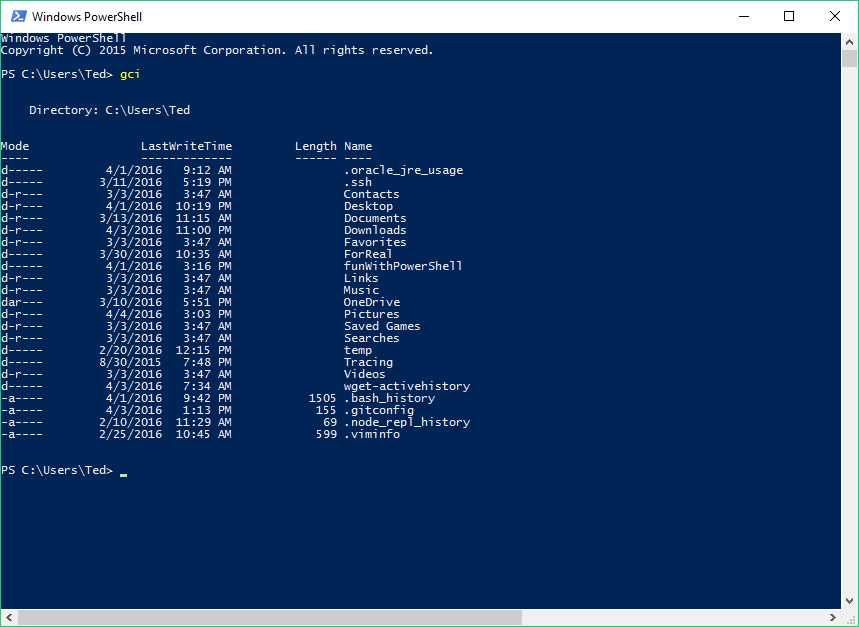
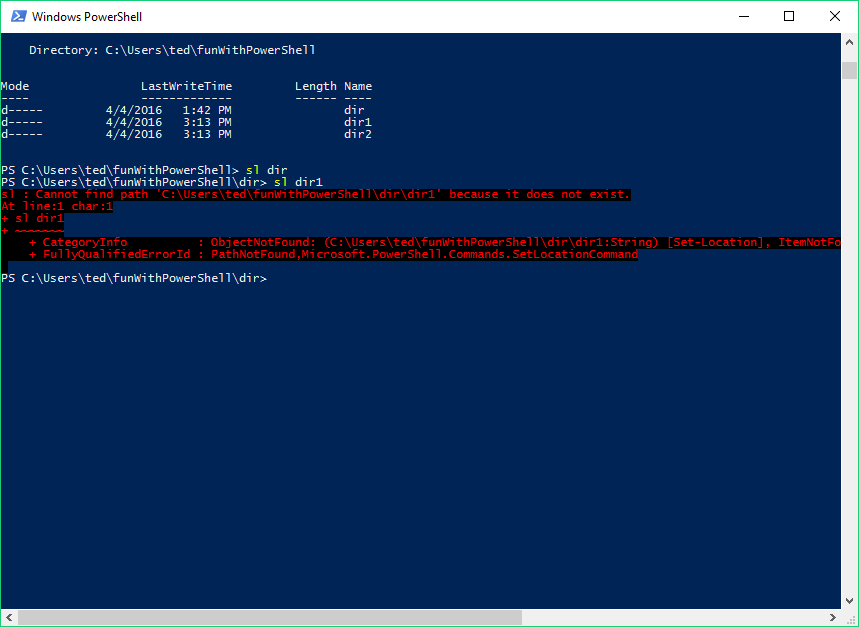
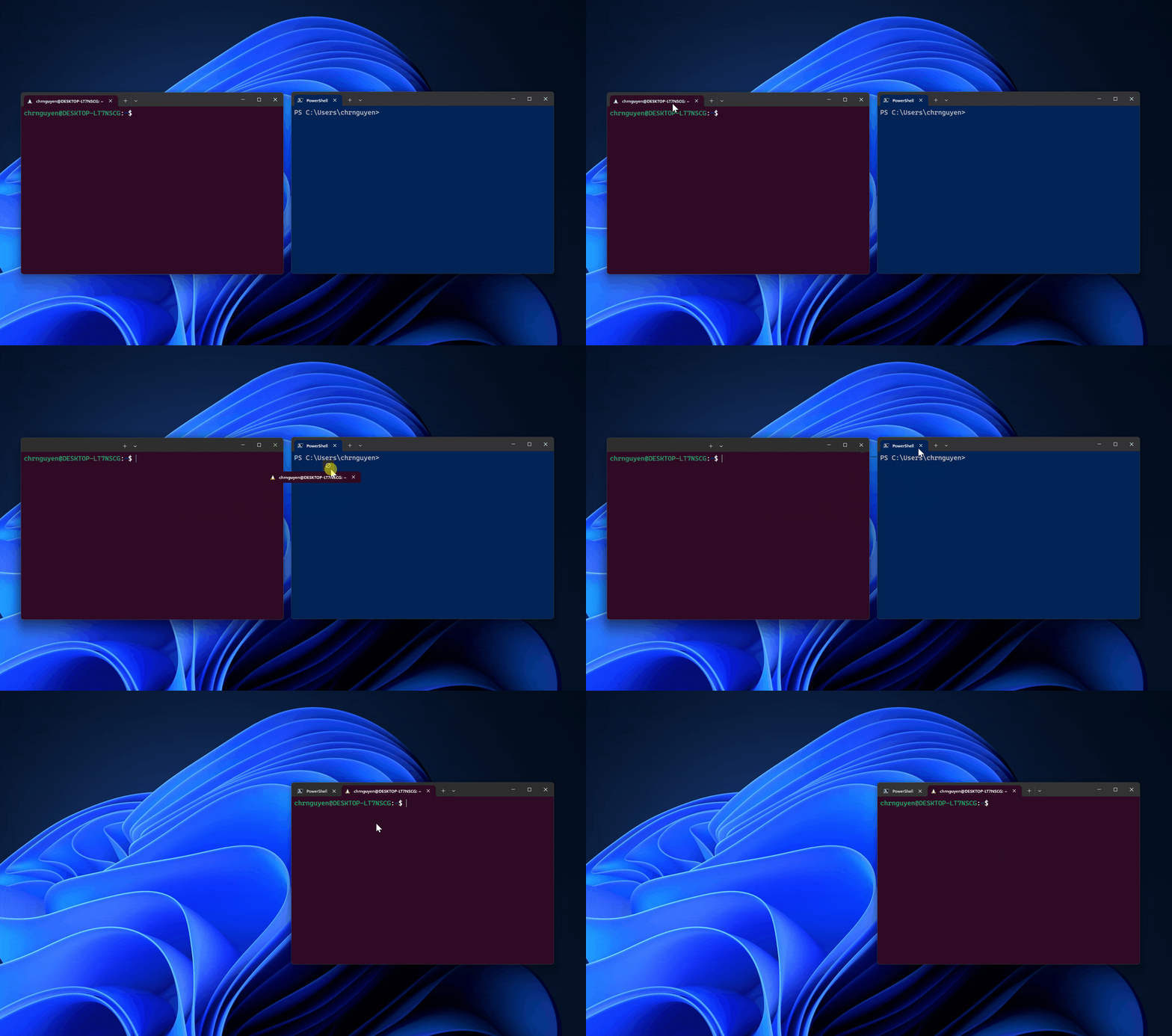
  • Command Prompt (CMD)
  • PowerShell

Common Commands:

  • dir โ†’ list files
  • cd โ†’ change directory
  • copy โ†’ copy files

๐Ÿง Linux CLI

Image
Image
Image
Image

Features:

  • Powerful and flexible
  • Used by developers and admins

Common Commands:

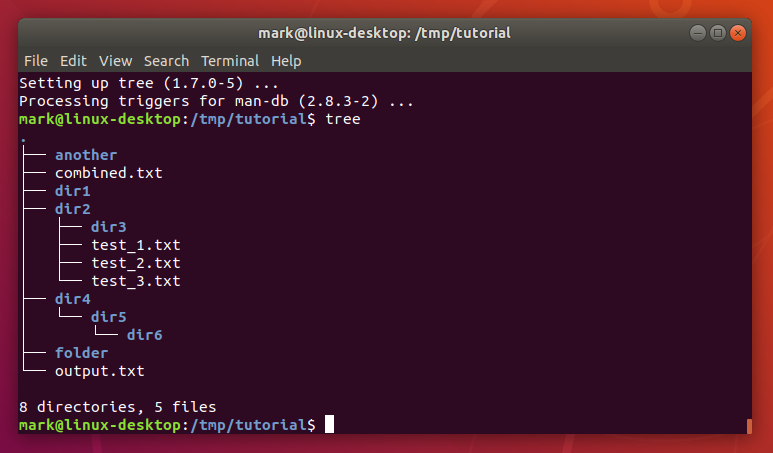
  • ls โ†’ list files
  • pwd โ†’ show directory
  • mkdir โ†’ create folder

๐ŸŽ macOS CLI

Image
Image
Image
Image
  • Based on Unix
  • Uses Bash/Zsh

๐Ÿ“‚ File and Directory Commands


๐Ÿ“ Navigation

Image
Image
Image
Image
  • cd โ†’ change directory
  • pwd โ†’ print working directory
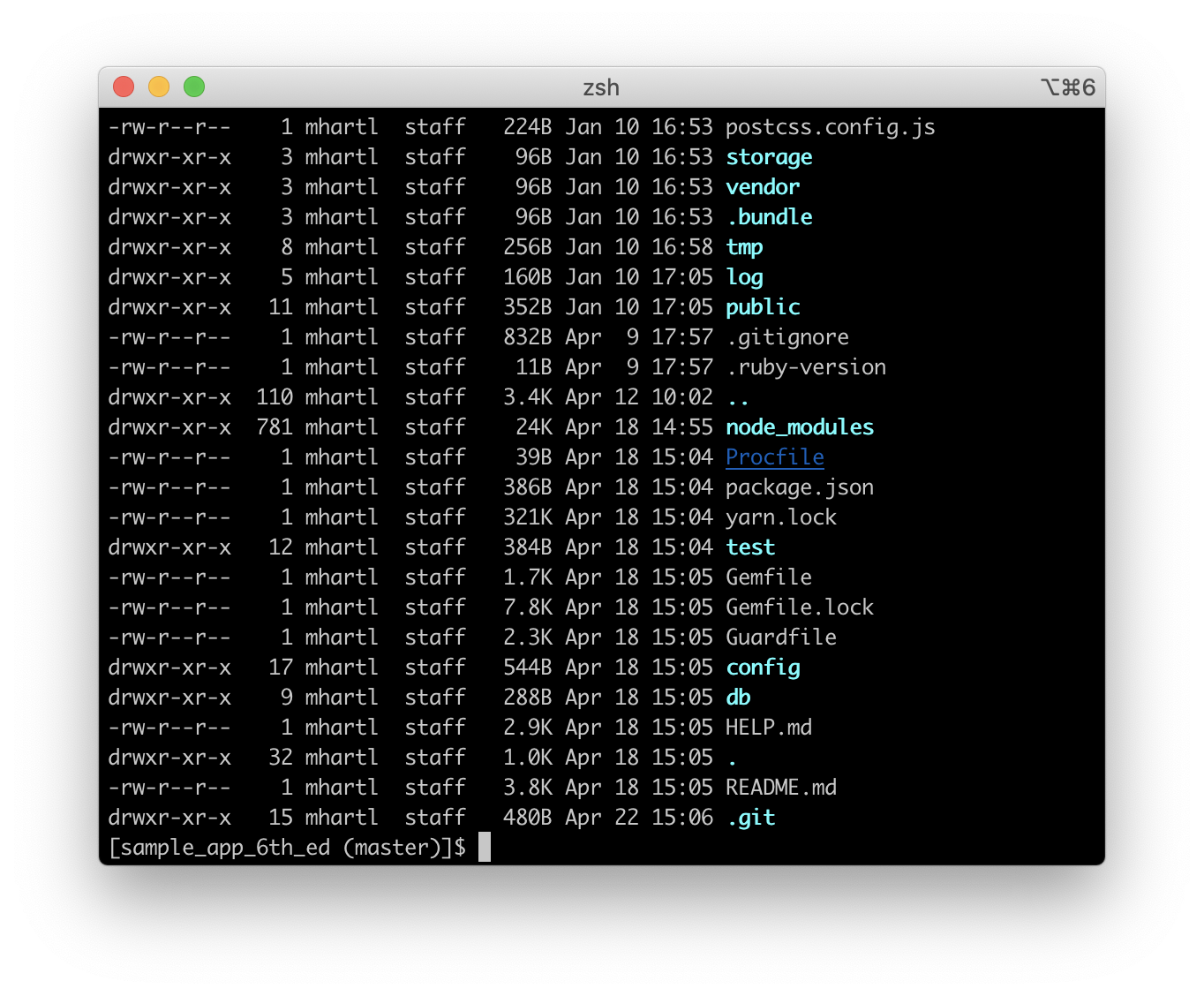
  • ls โ†’ list contents

๐Ÿ“„ File Management

  • cp โ†’ copy
  • mv โ†’ move
  • rm โ†’ delete

๐Ÿง  Advanced CLI Concepts


๐Ÿ” Pipes and Redirection

Image
Image
Image
Image

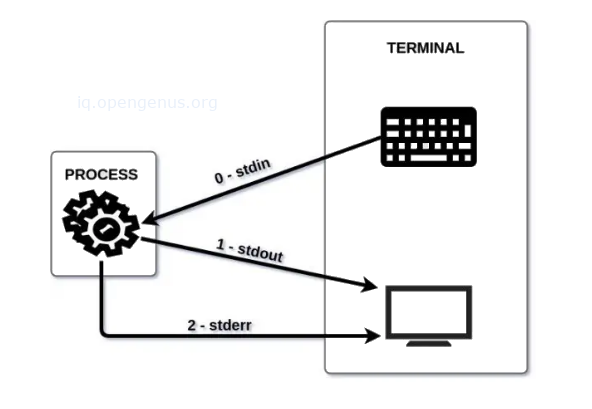
Pipes (|)

  • Pass output from one command to another

Redirection:

  • > output
  • < input

๐Ÿ” Filters

  • grep โ†’ search text
  • sort โ†’ sort data
  • wc โ†’ count words

๐Ÿง  Environment Variables


๐ŸŒ Concept

Variables that store system information.

Example:

echo $PATH

๐Ÿงฉ Shell Scripting


๐Ÿ“œ What is Shell Script?

Image
Image
Image
Image

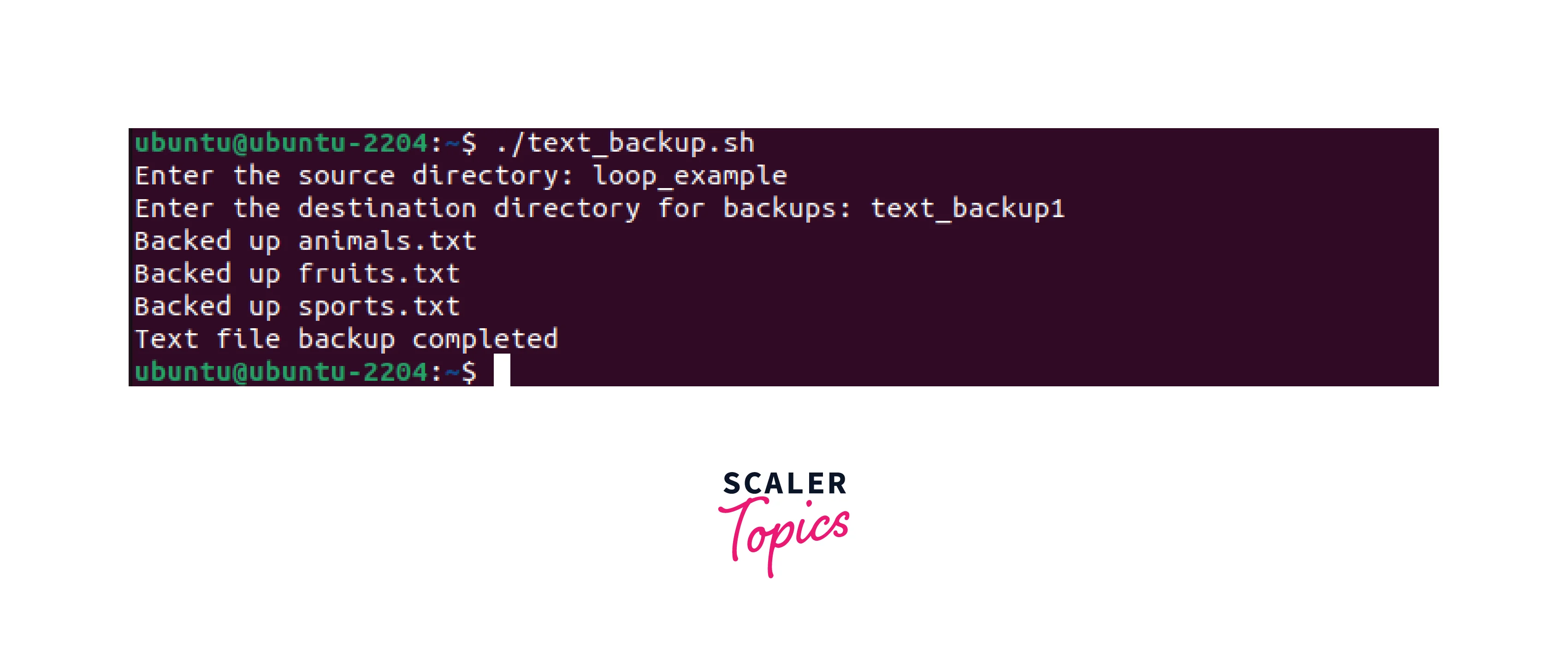
A shell script is a file containing multiple commands.


โš™๏ธ Features:

  • Automation
  • Conditional statements
  • Loops

๐Ÿ”ค Example:

#!/bin/bash
echo "Hello World"

๐Ÿ” CLI Security


๐Ÿ›ก๏ธ Features:

Image
Image
Image
Image
  • Authentication
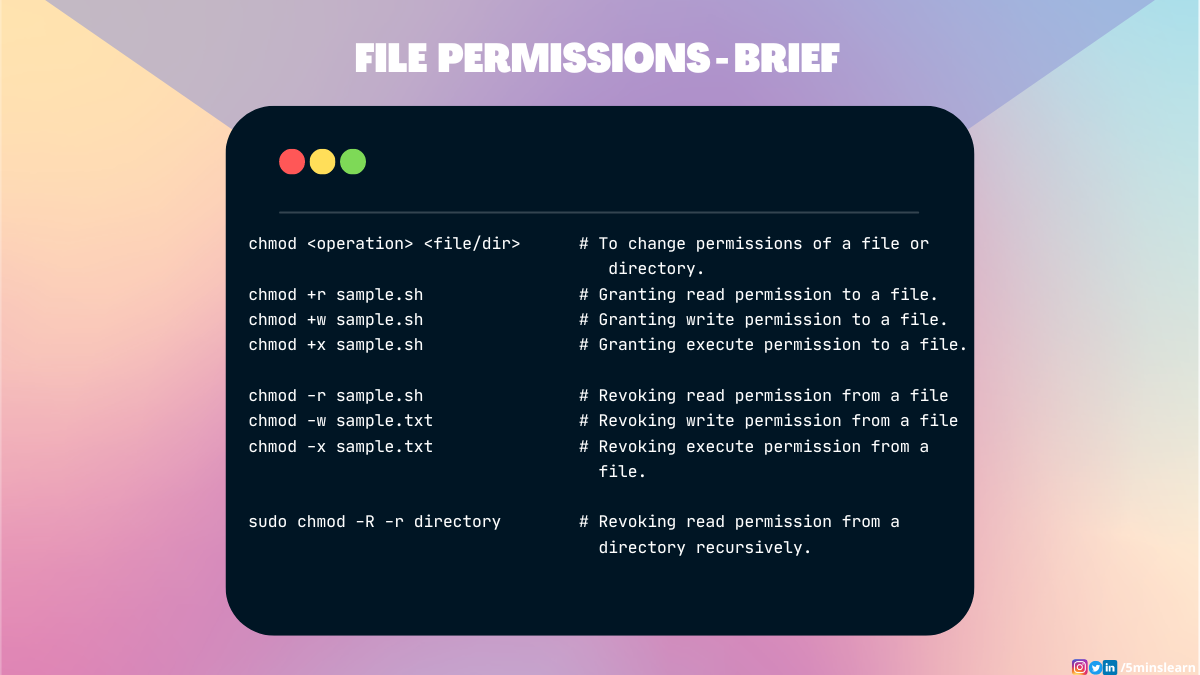
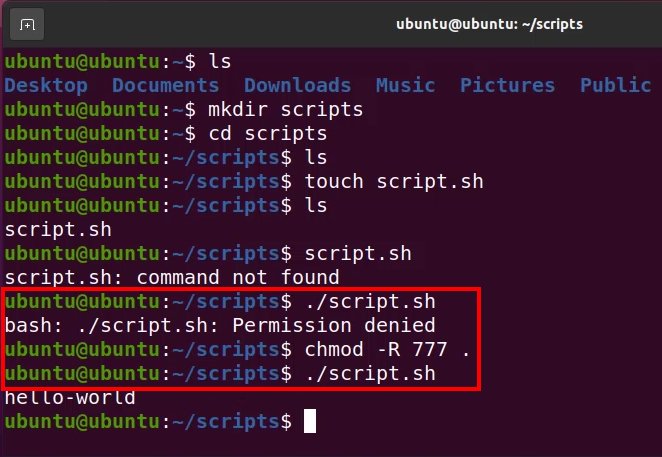
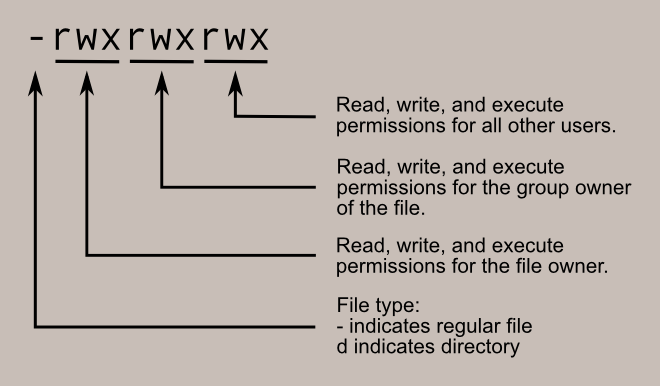
  • File permissions
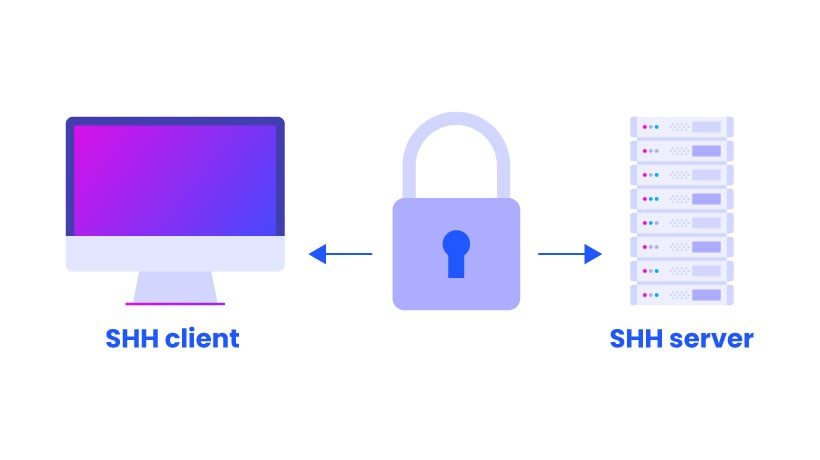
  • Secure shell (SSH)

โš™๏ธ Process Management in CLI


๐Ÿง  Commands:

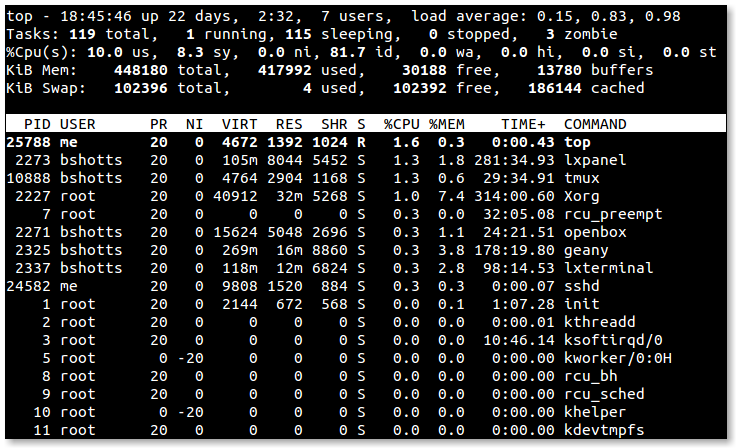
  • ps โ†’ list processes
  • top โ†’ monitor processes
  • kill โ†’ terminate process

๐ŸŒ Networking Commands


๐Ÿ“ก Examples:

Image
Image
Image
Image
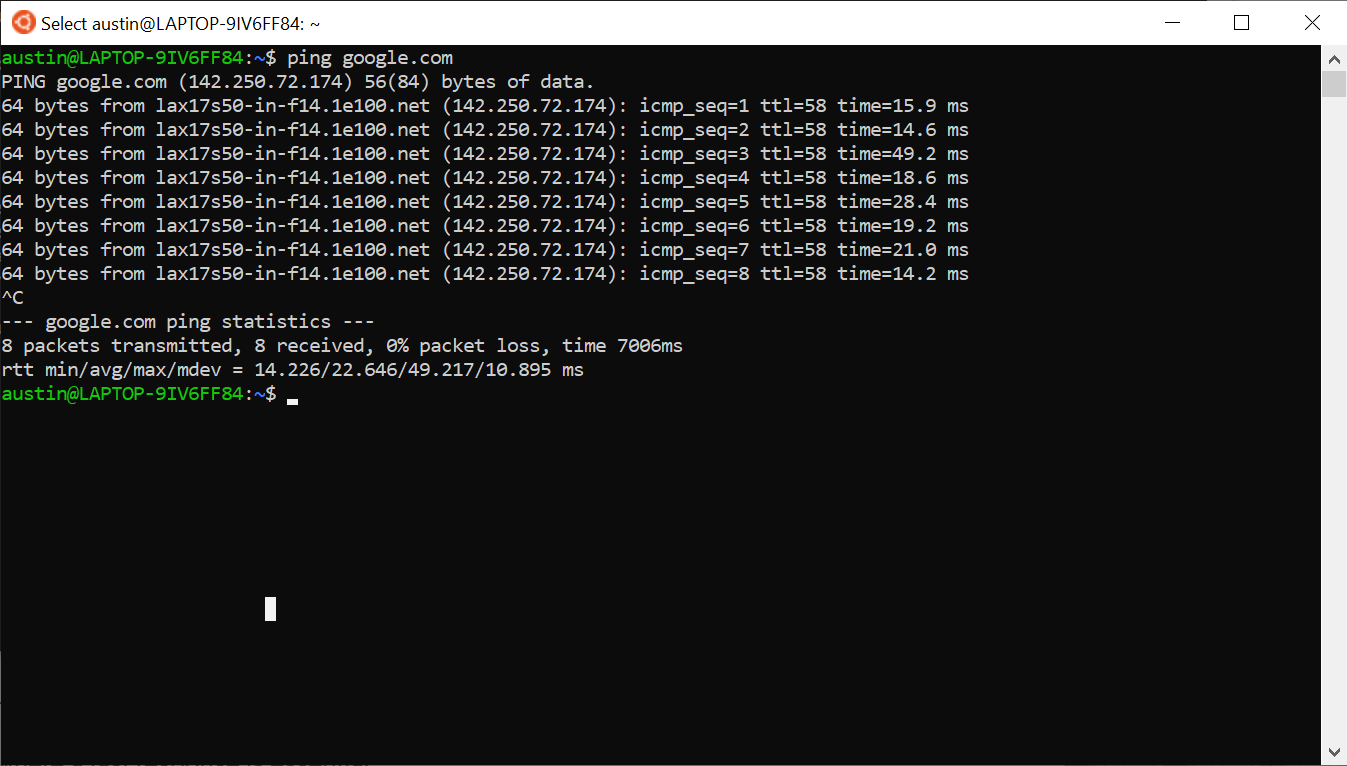
  • ping โ†’ test connectivity
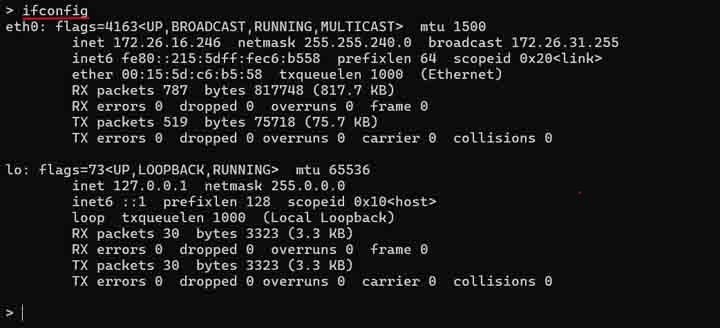
  • ifconfig/ipconfig โ†’ network info
  • netstat โ†’ connections

๐Ÿง  Package Management


๐Ÿ“ฆ Tools:

  • apt (Ubuntu)
  • yum (CentOS)
  • brew (macOS)

โšก Advantages of CLI

  • Speed and efficiency
  • Automation capability
  • Low resource usage
  • Powerful control

โš ๏ธ Limitations

  • Steep learning curve
  • Error-prone
  • Less user-friendly

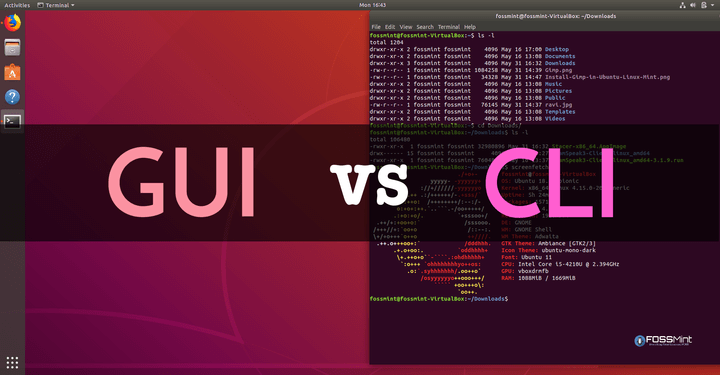
๐Ÿ”„ CLI vs GUI


FeatureCLIGUI
InterfaceTextVisual
SpeedFastModerate
Ease of UseDifficultEasy

๐Ÿš€ Modern CLI Trends

Image
Image
Image
Image
  • Cloud CLIs (AWS, Azure)
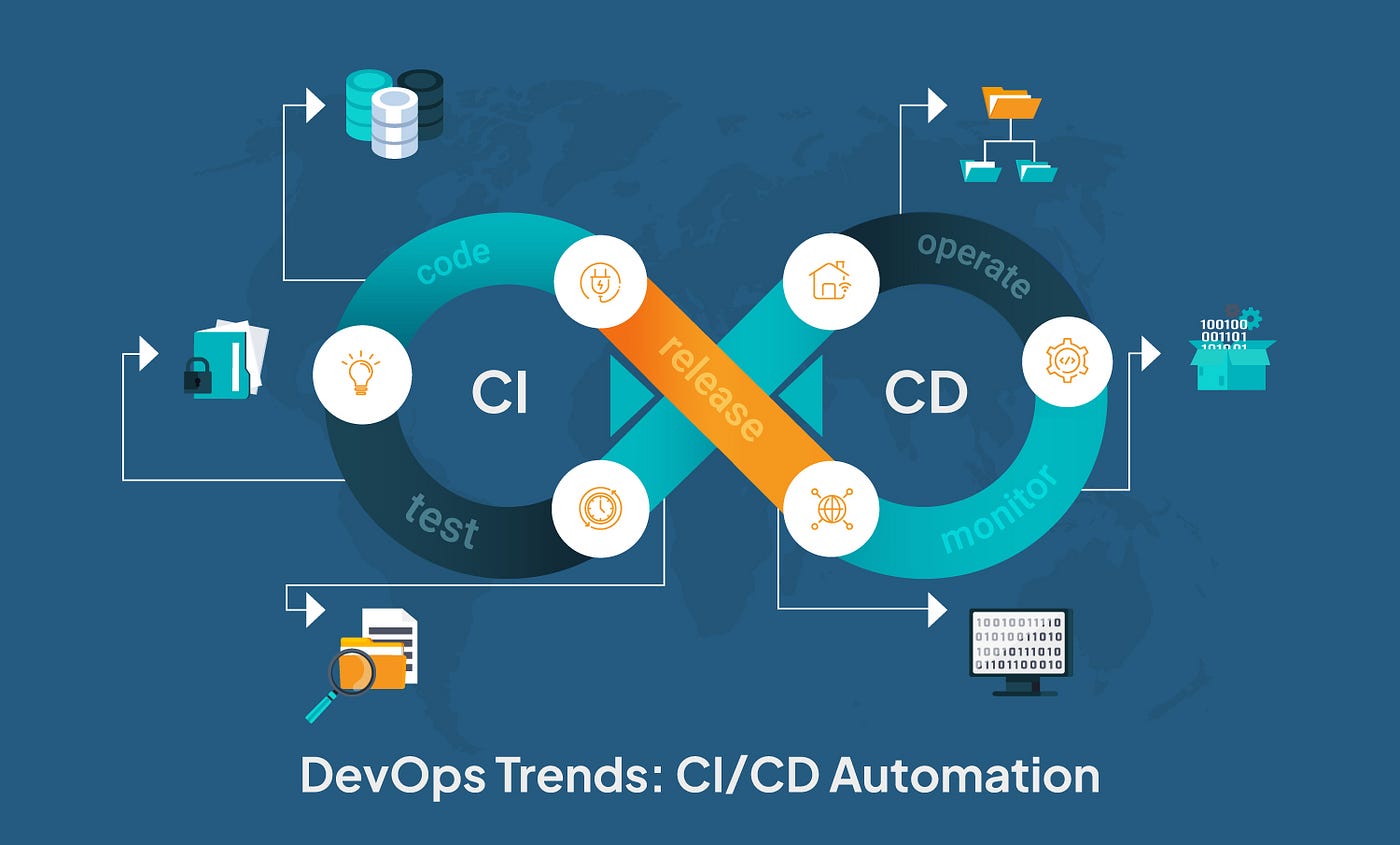
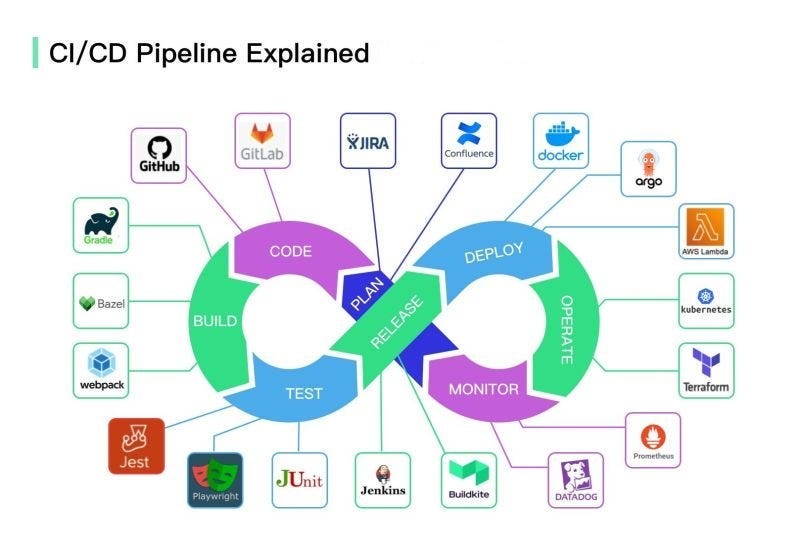
  • DevOps automation
  • Container management (Docker)
  • Enhanced terminals

๐Ÿงพ Conclusion

Command Line Interfaces remain a powerful and essential tool in computing. They provide:

  • Direct system control
  • Efficient automation
  • Advanced functionality

Mastering CLI is crucial for:

  • Developers
  • System administrators
  • Cybersecurity professionals
๐Ÿท๏ธ Tags

๐Ÿ’ป Windows / Linux / macOS Basics


๐ŸŒ Introduction to Operating Systems

Image
Image
Image
Image

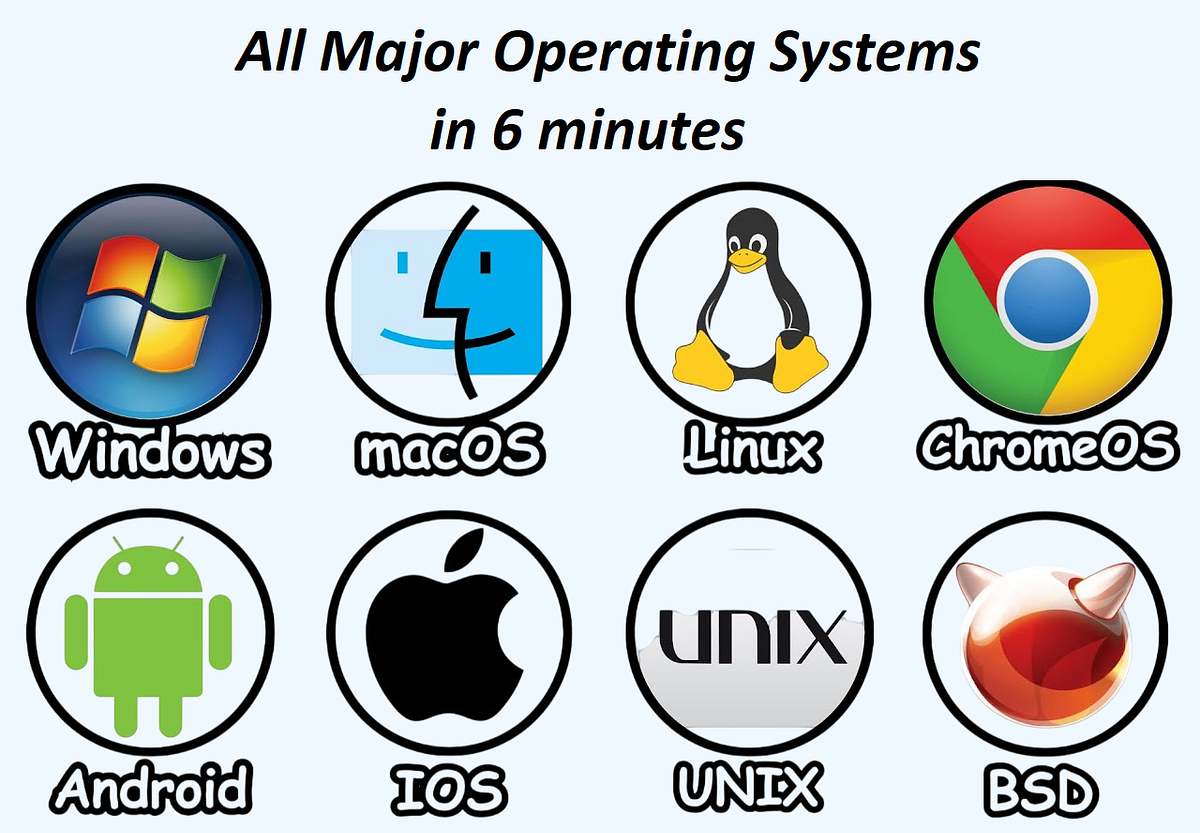
An Operating System (OS) is the most important system software that manages hardware resources and provides an interface between the user and the computer.

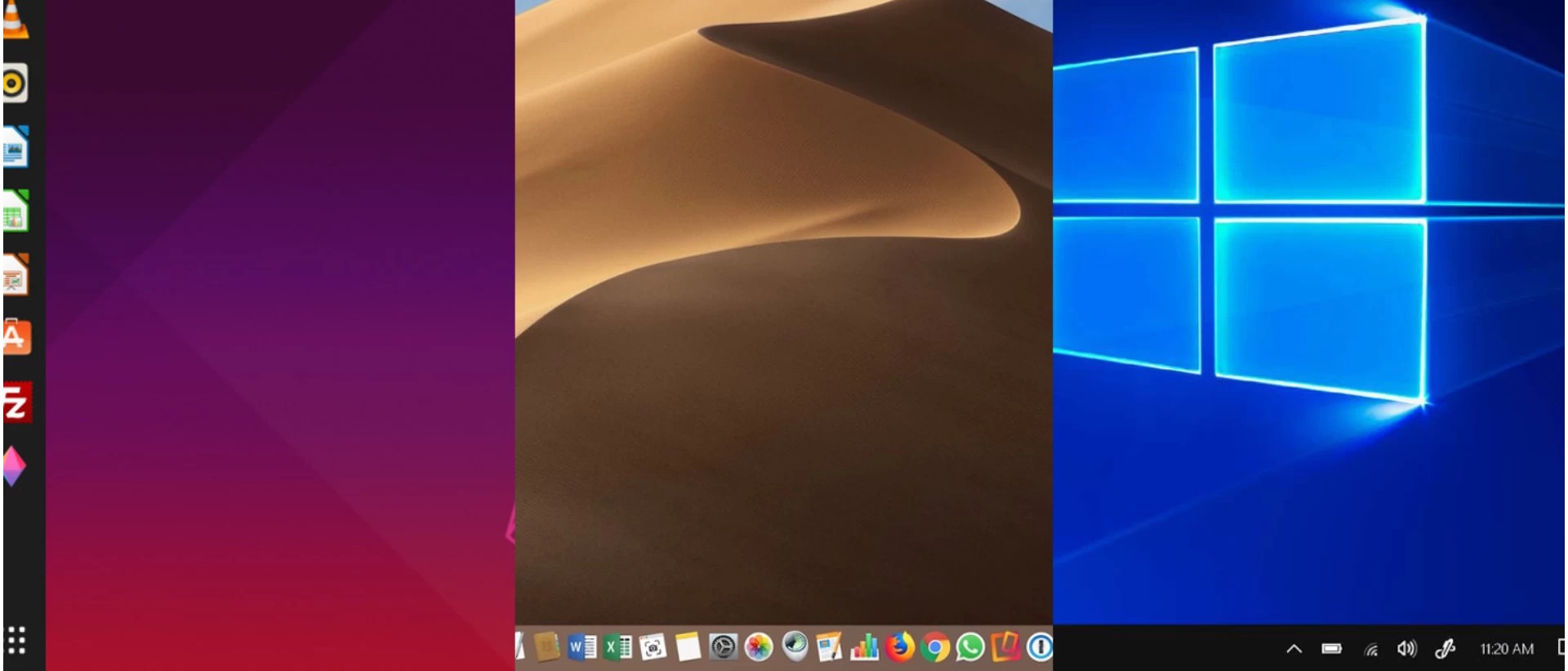
The three most widely used operating systems are:

  • Windows
  • Linux
  • macOS

Each has unique features, design philosophies, and use cases, but all share common responsibilities:

  • Process management
  • Memory management
  • File system control
  • Device management
  • Security

๐ŸชŸ WINDOWS OPERATING SYSTEM


๐Ÿง  Overview of Windows

Image
Image
Image
Image

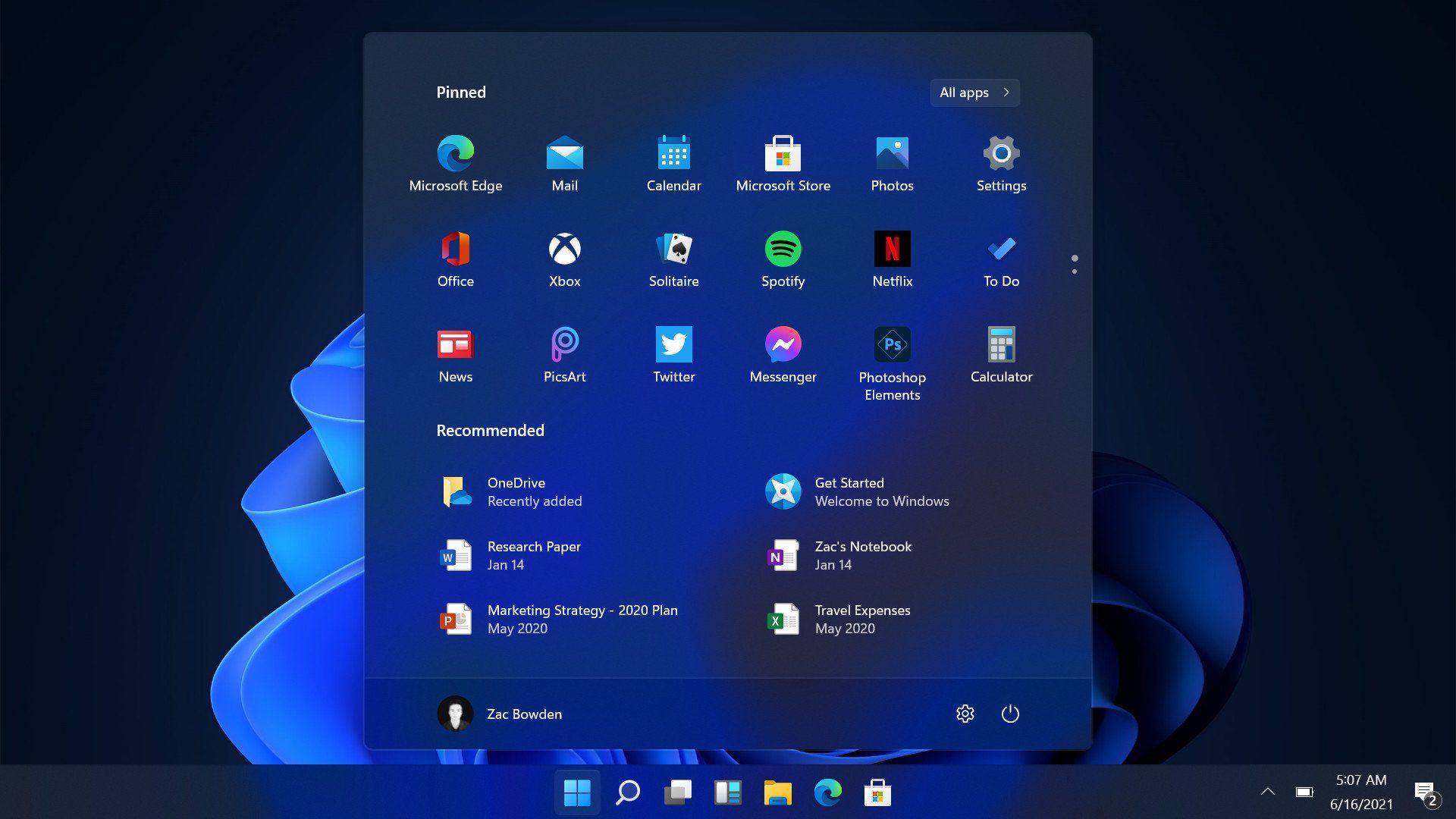
Windows is a widely used operating system developed by Microsoft. It is known for its user-friendly interface and broad compatibility.


โš™๏ธ Key Features of Windows

๐Ÿ–ฅ๏ธ Graphical User Interface (GUI)

  • Start menu
  • Taskbar
  • Desktop icons

๐Ÿ“‚ File Management

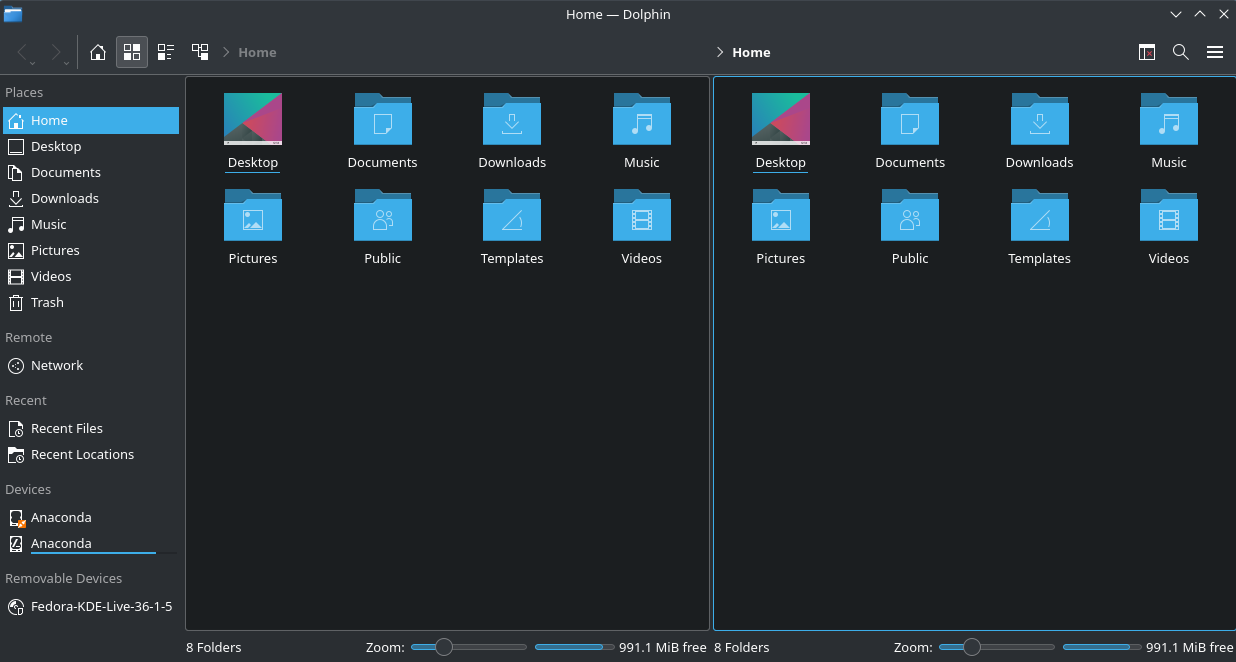
  • File Explorer
  • Folder organization

๐Ÿ”„ Multitasking

  • Run multiple applications simultaneously

๐Ÿ”Œ Hardware Compatibility

  • Supports a wide range of devices

๐Ÿงฉ Windows Components

  • Kernel
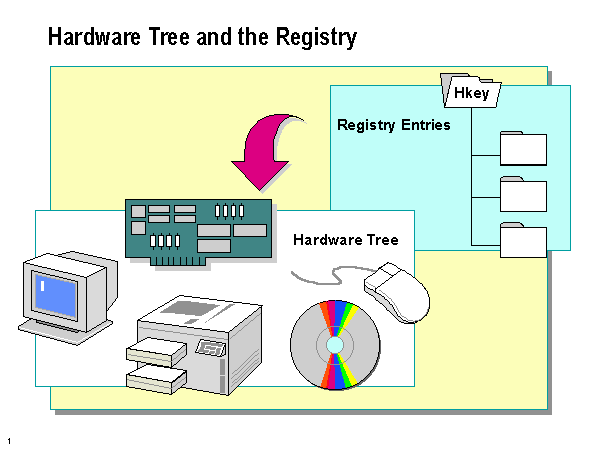
  • Device drivers
  • System libraries
  • User interface

๐Ÿ” Security Features

  • Windows Defender
  • Firewall
  • User account control

๐Ÿ“ File System

  • NTFS (New Technology File System)

โšก Advantages

  • Easy to use
  • Large software ecosystem
  • Strong hardware support

โš ๏ธ Limitations

  • Paid license
  • Vulnerable to malware
  • Resource-intensive

๐Ÿง LINUX OPERATING SYSTEM


๐Ÿง  Overview of Linux

Image
Image
Image
Image

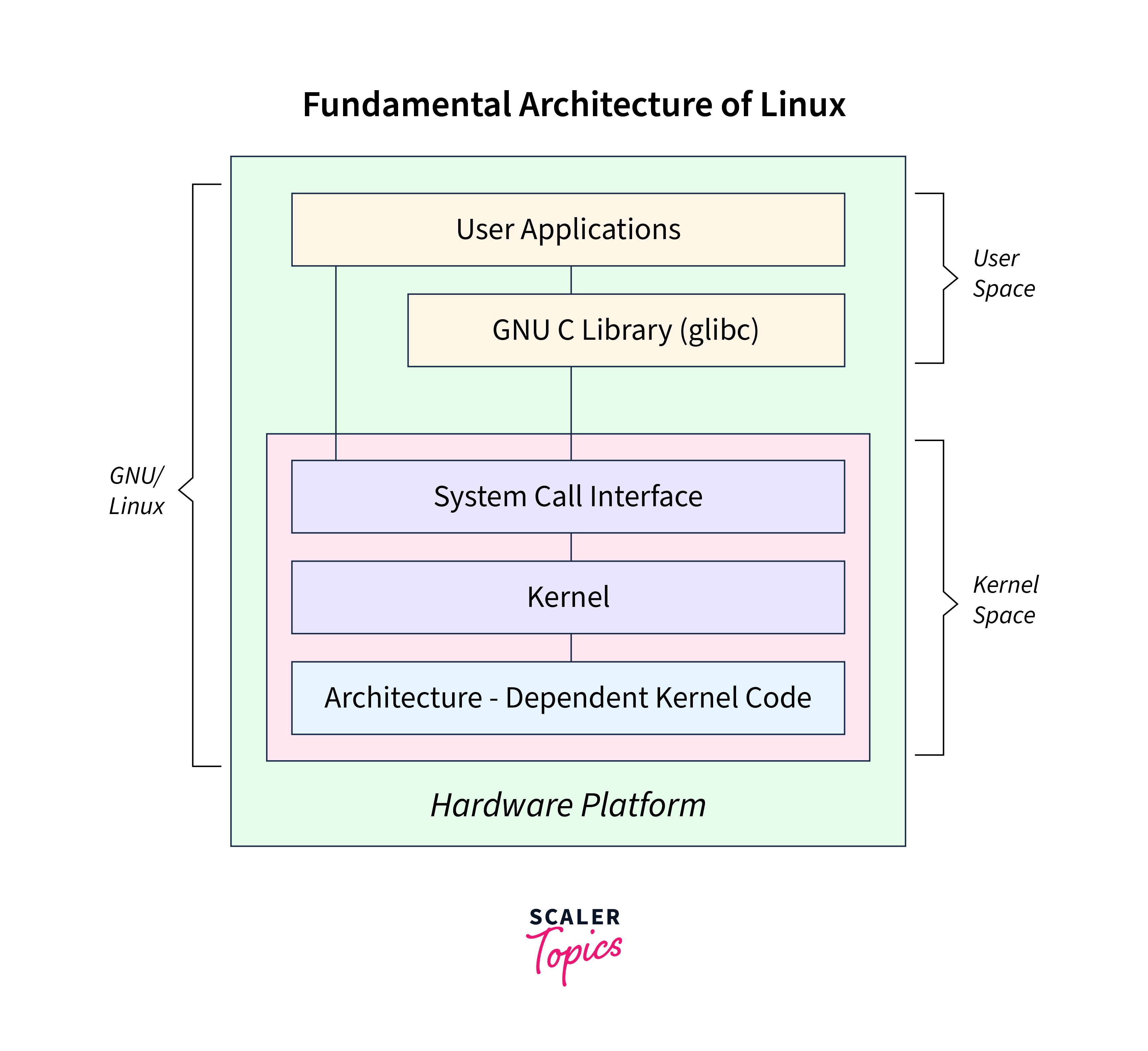
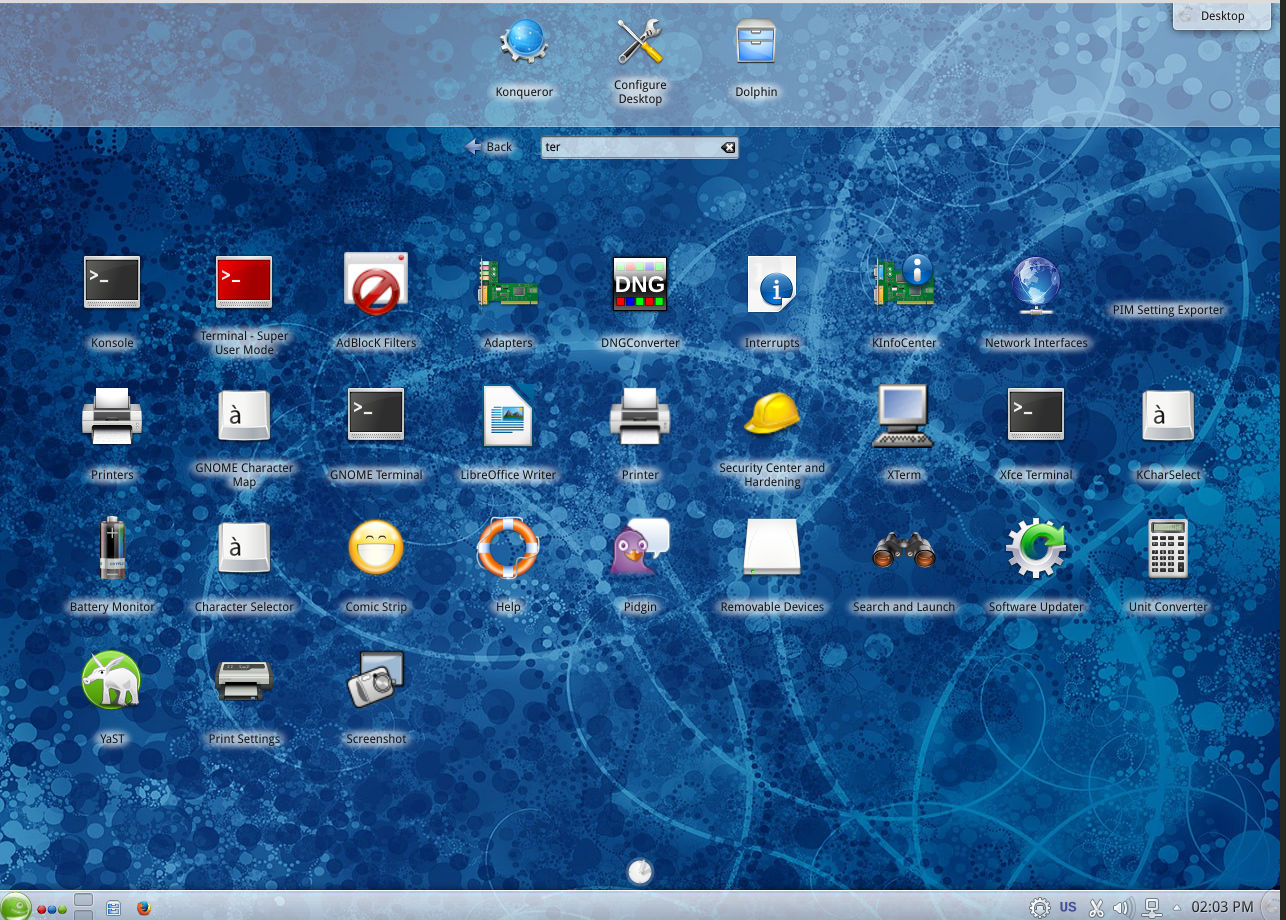
Linux is an open-source operating system based on Unix principles. It is widely used in servers, embedded systems, and development environments.


โš™๏ธ Key Features of Linux

๐Ÿ”“ Open Source

  • Free to use and modify

๐Ÿง  Multiuser & Multitasking

  • Supports multiple users simultaneously

โšก Stability and Performance

  • Efficient resource usage

๐Ÿ–ฅ๏ธ Command Line Interface

  • Powerful terminal (Bash shell)

๐Ÿงฉ Linux Components

  • Kernel
  • Shell
  • File system
  • Utilities

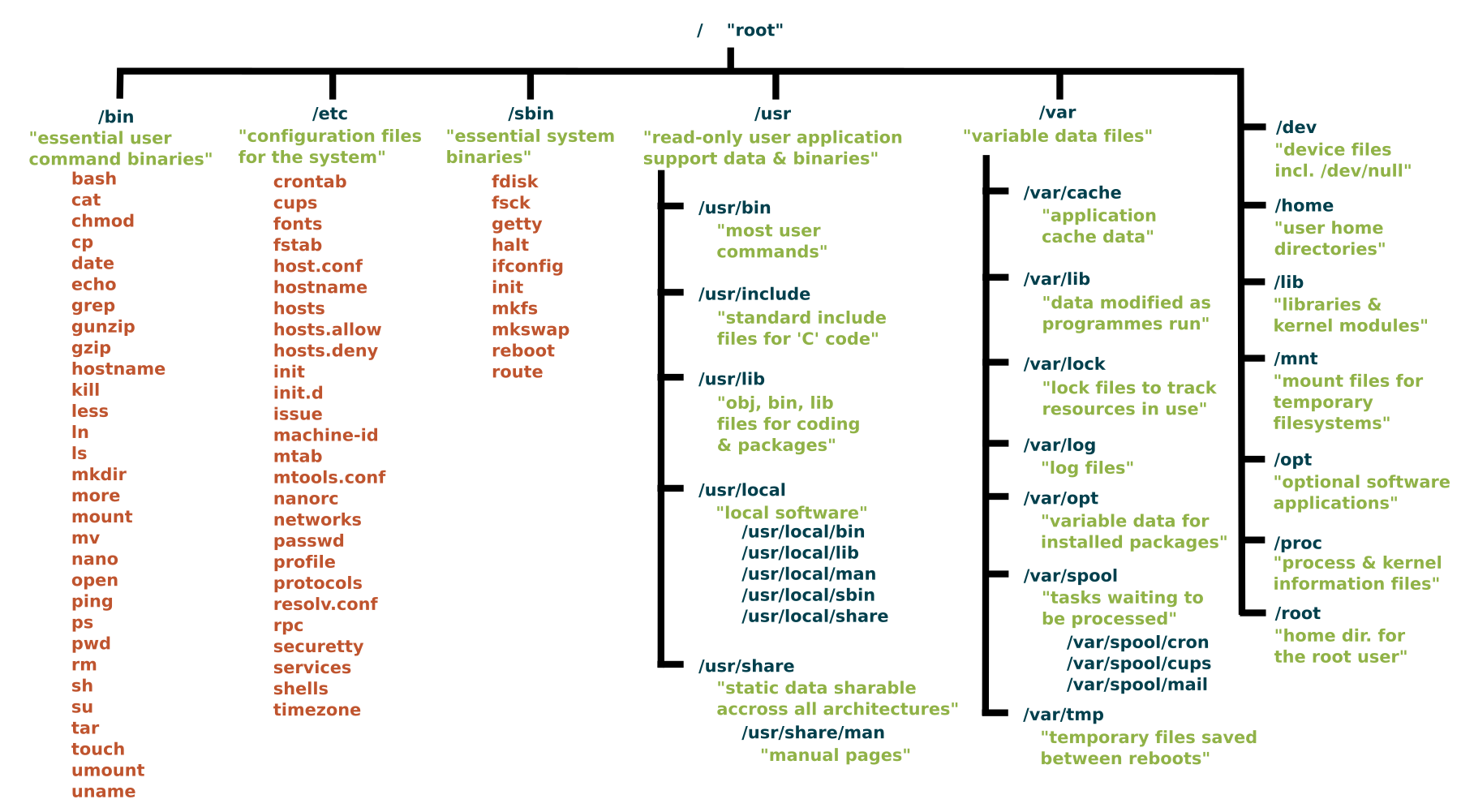
๐Ÿ“ Linux File System

Image
Image
Image
Image
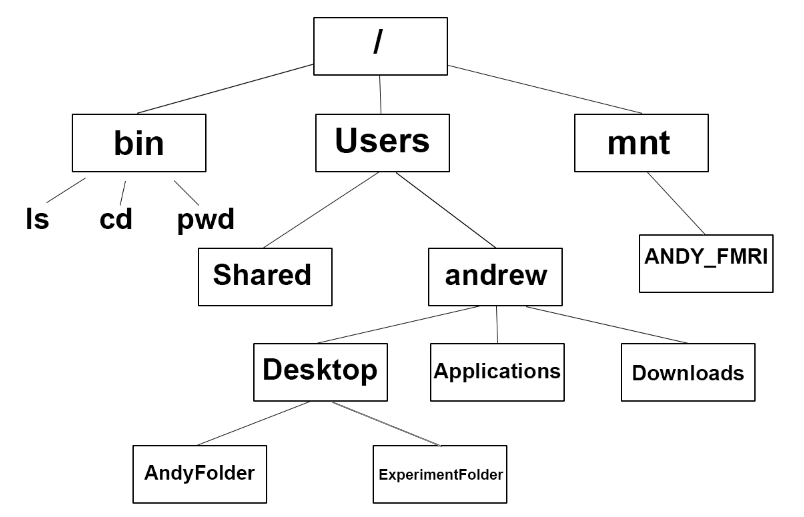
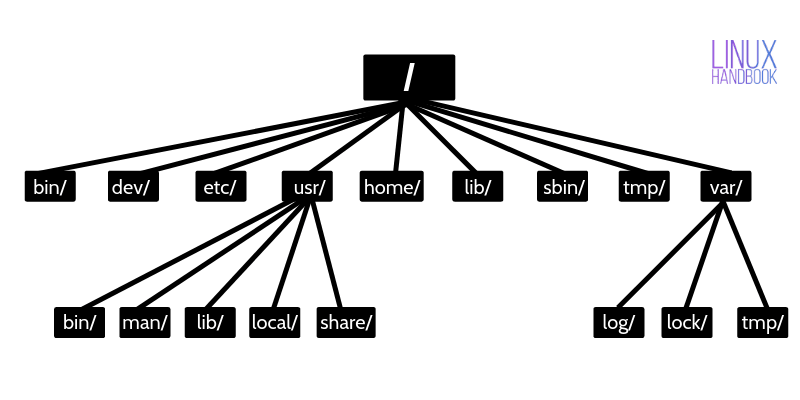
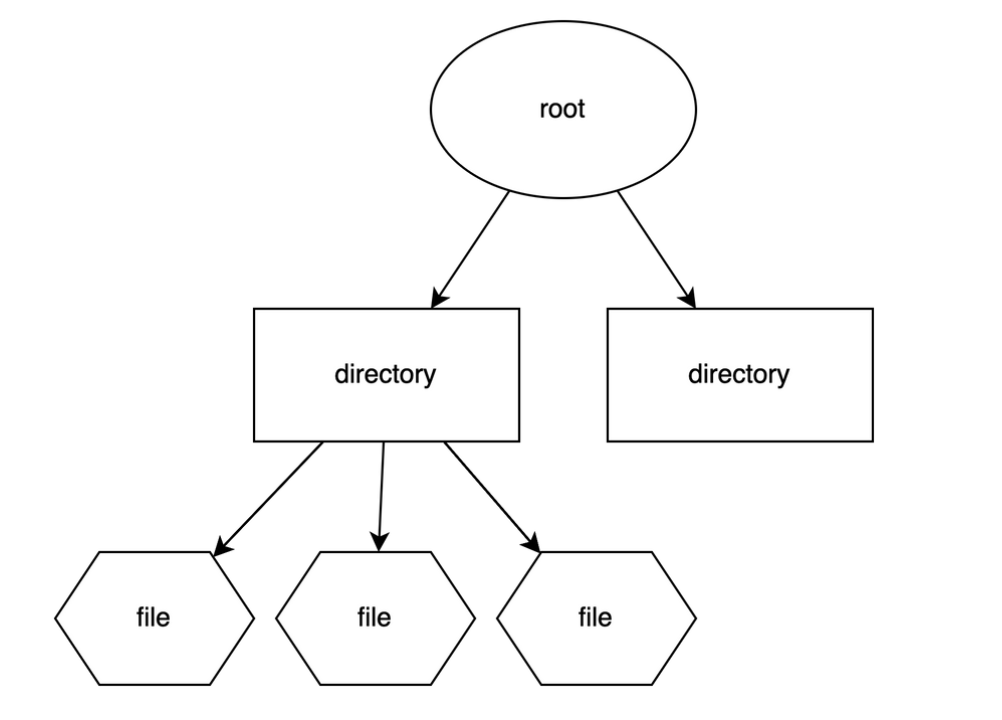
  • Root (/)
  • /home
  • /etc
  • /usr

๐Ÿ” Security Features

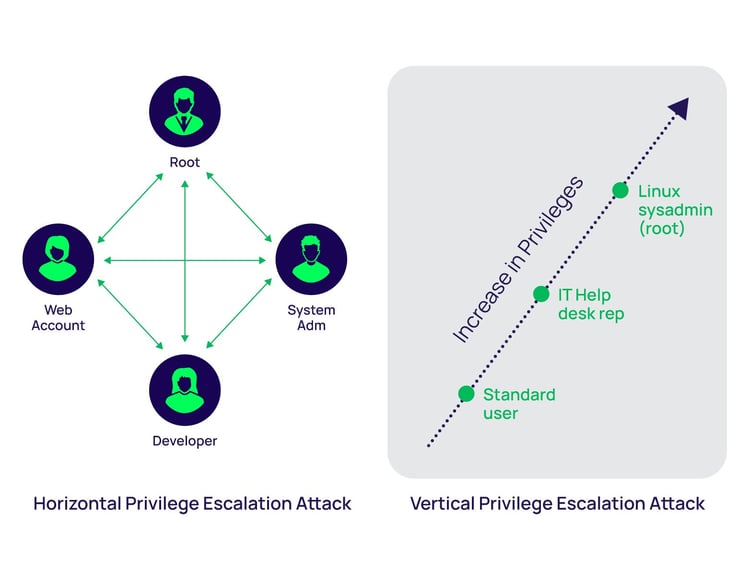
  • Strong permissions system
  • User/group control
  • SELinux/AppArmor

๐Ÿง  Popular Distributions

  • Ubuntu
  • Fedora
  • Debian
  • CentOS

โšก Advantages

  • Free and open-source
  • Highly customizable
  • Secure and stable

โš ๏ธ Limitations

  • Steeper learning curve
  • Limited commercial software

๐ŸŽ macOS OPERATING SYSTEM


๐Ÿง  Overview of macOS

Image
Image
Image
Image

macOS is developed by Apple and is known for its smooth performance, security, and elegant design.


โš™๏ธ Key Features of macOS

๐ŸŽจ User Interface

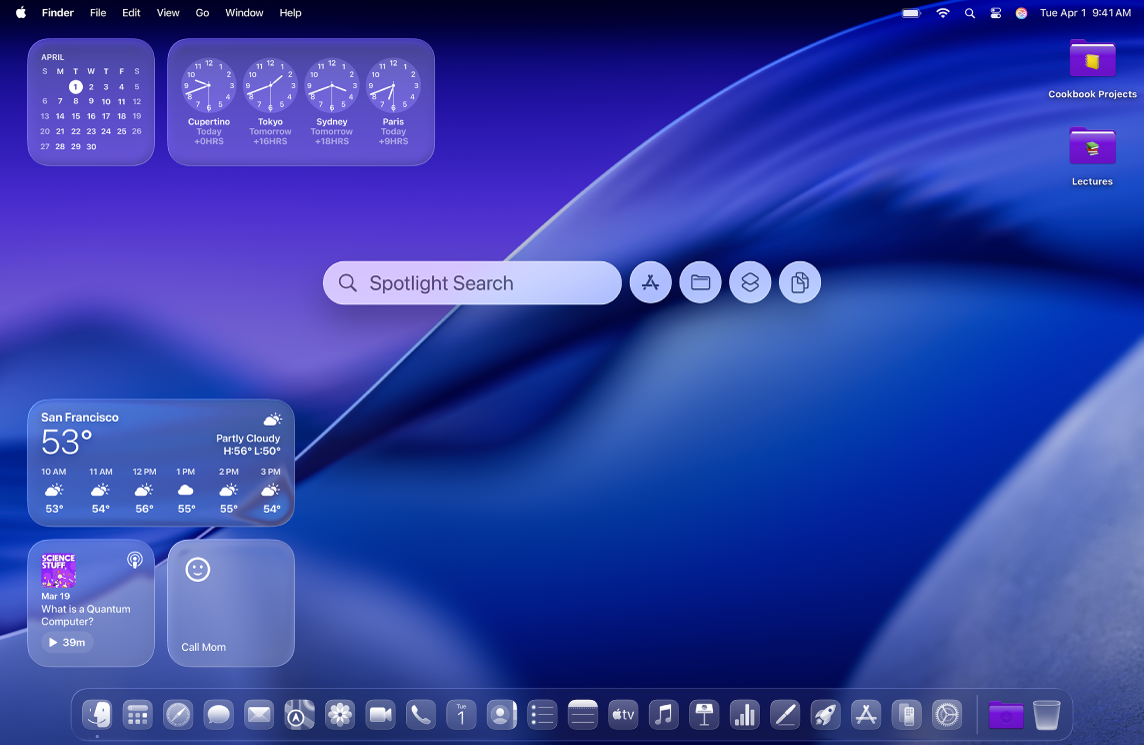
  • Dock
  • Finder
  • Spotlight search

๐Ÿ”„ Integration

  • Seamless integration with Apple ecosystem

โšก Performance Optimization

  • Optimized for Apple hardware

๐Ÿงฉ macOS Components

  • Darwin kernel
  • Cocoa frameworks
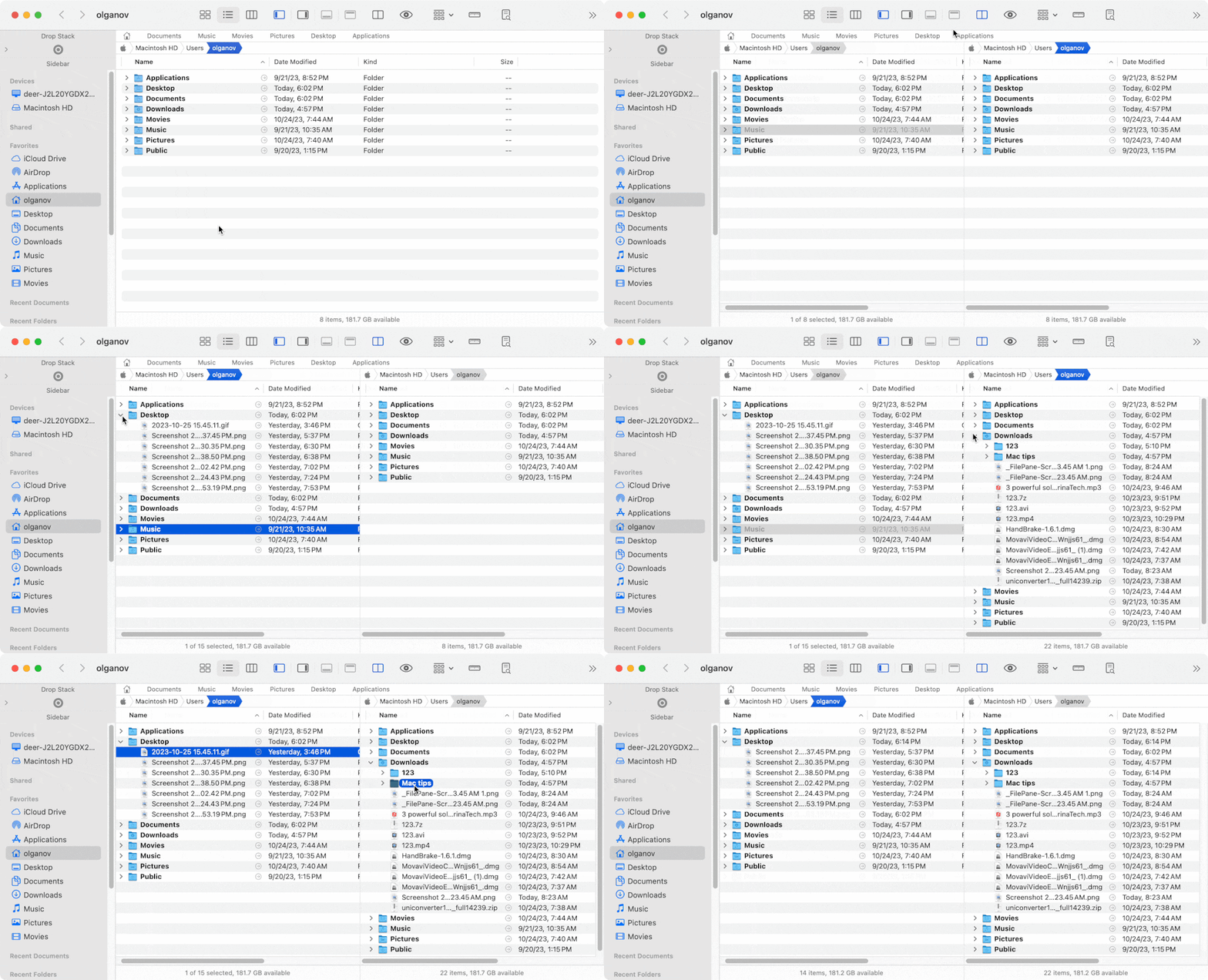
  • Finder (file manager)

๐Ÿ“ File System

  • APFS (Apple File System)

๐Ÿ” Security Features

  • Gatekeeper
  • FileVault
  • Sandbox apps

โšก Advantages

  • Stable and secure
  • Excellent UI/UX
  • Optimized performance

โš ๏ธ Limitations

  • Expensive hardware
  • Limited customization
  • Less gaming support

โš–๏ธ COMPARISON: Windows vs Linux vs macOS


๐Ÿ“Š Feature Comparison Table

FeatureWindowsLinuxmacOS
CostPaidFreePaid (with hardware)
User InterfaceEasyModerateVery user-friendly
SecurityModerateHighHigh
CustomizationLimitedVery HighLimited
Software SupportExtensiveModerateGood

๐Ÿง  Use Cases

  • Windows โ†’ General users, gaming, business
  • Linux โ†’ Developers, servers, cybersecurity
  • macOS โ†’ Designers, developers, creatives

โš™๏ธ Core OS Functions (All Systems)


๐Ÿง  Process Management

Image
Image
Image
Image
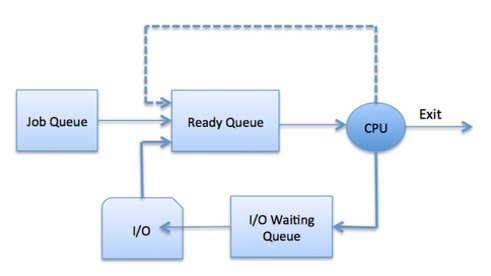
  • Handles running programs
  • Scheduling tasks

๐Ÿ’พ Memory Management

Image
Image
Image
Image
  • Allocates RAM
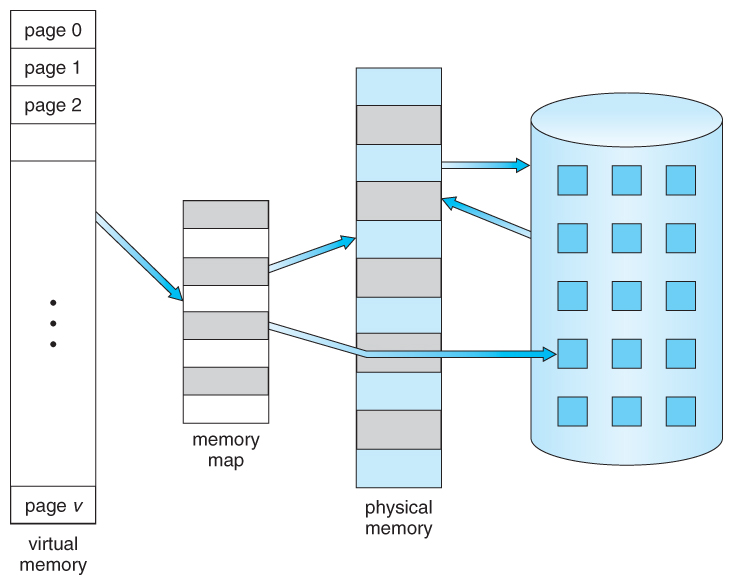
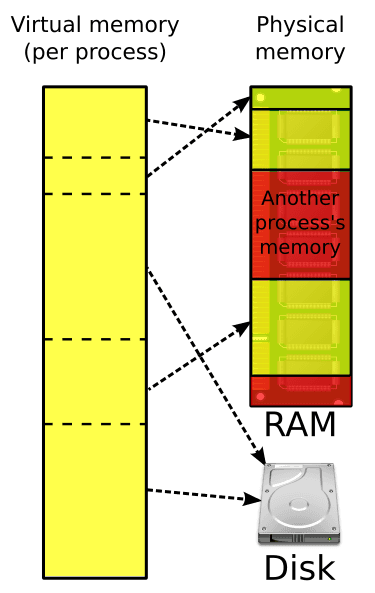
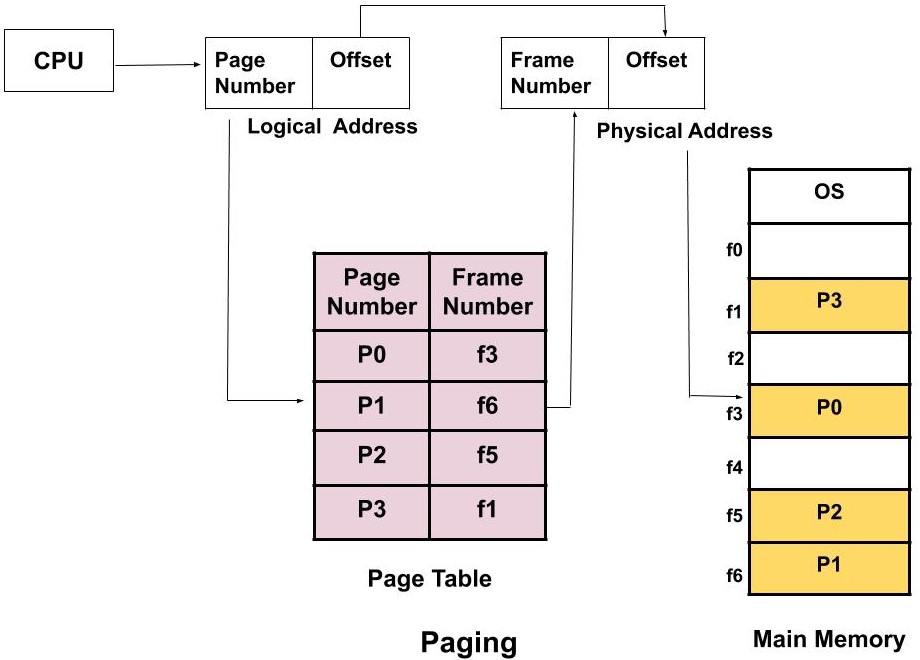
  • Uses virtual memory

๐Ÿ“‚ File Management

Image
Image
Image
Image
  • Organizes files and directories
  • Controls access
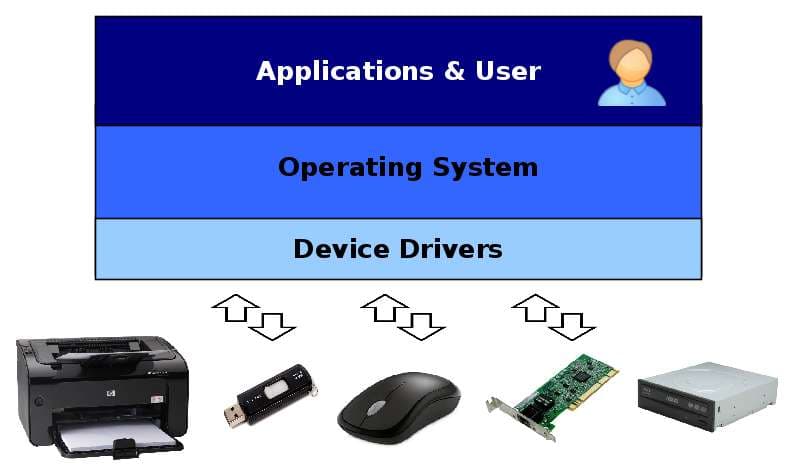
๐Ÿ”Œ Device Management

Image
Image
Image
Image
  • Controls hardware devices
  • Uses drivers

๐Ÿงฉ User Interfaces


๐Ÿ–ฅ๏ธ GUI vs CLI

Image
Image
Image
Image
  • GUI โ†’ Easy, visual
  • CLI โ†’ Powerful, flexible

๐ŸŒ File Systems Comparison

OSFile System
WindowsNTFS
LinuxEXT4
macOSAPFS

๐Ÿ” Security Comparison


๐Ÿ›ก๏ธ Key Features:

  • Authentication
  • Encryption
  • Access control

Linux and macOS are generally more secure due to Unix-based design.


๐Ÿš€ Modern Trends in Operating Systems

Image
Image
Image
Image
  • Cloud-based OS
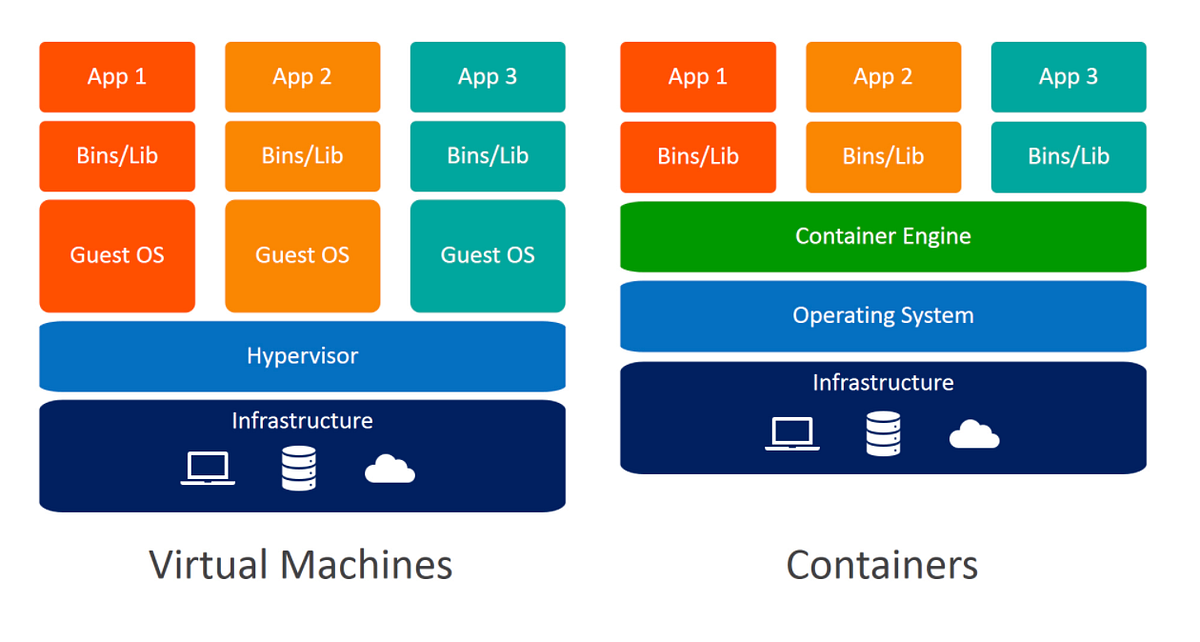
  • Virtualization
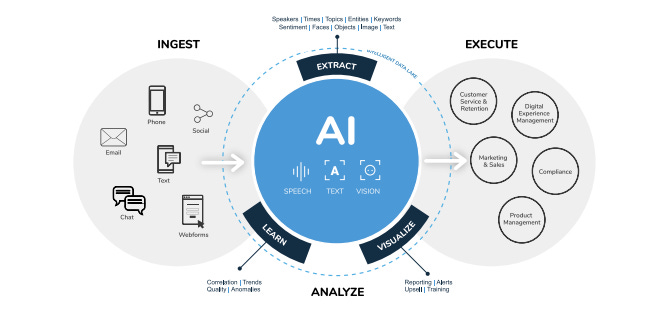
  • AI integration
  • Containerization

โšก Advantages of Operating Systems

  • Simplifies user interaction
  • Efficient resource management
  • Enables multitasking
  • Provides security

โš ๏ธ Limitations

  • Complexity
  • Resource usage
  • Compatibility issues

๐Ÿง  Conclusion

Windows, Linux, and macOS are the pillars of modern computing. Each offers unique strengths:

  • Windows โ†’ Versatility and compatibility
  • Linux โ†’ Power and flexibility
  • macOS โ†’ Performance and design

Understanding these systems helps in:

  • Choosing the right OS
  • Improving productivity
  • Learning advanced computing

๐Ÿท๏ธ Tags