Tag Archives: Virtualization

🖥️ Virtualization


🌐 Introduction to Virtualization
Image
Image
Image
Image

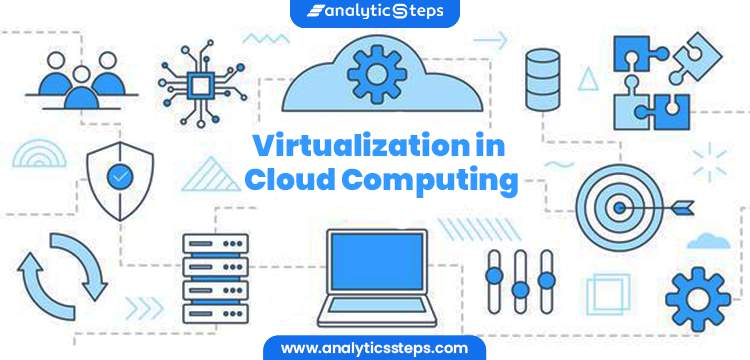
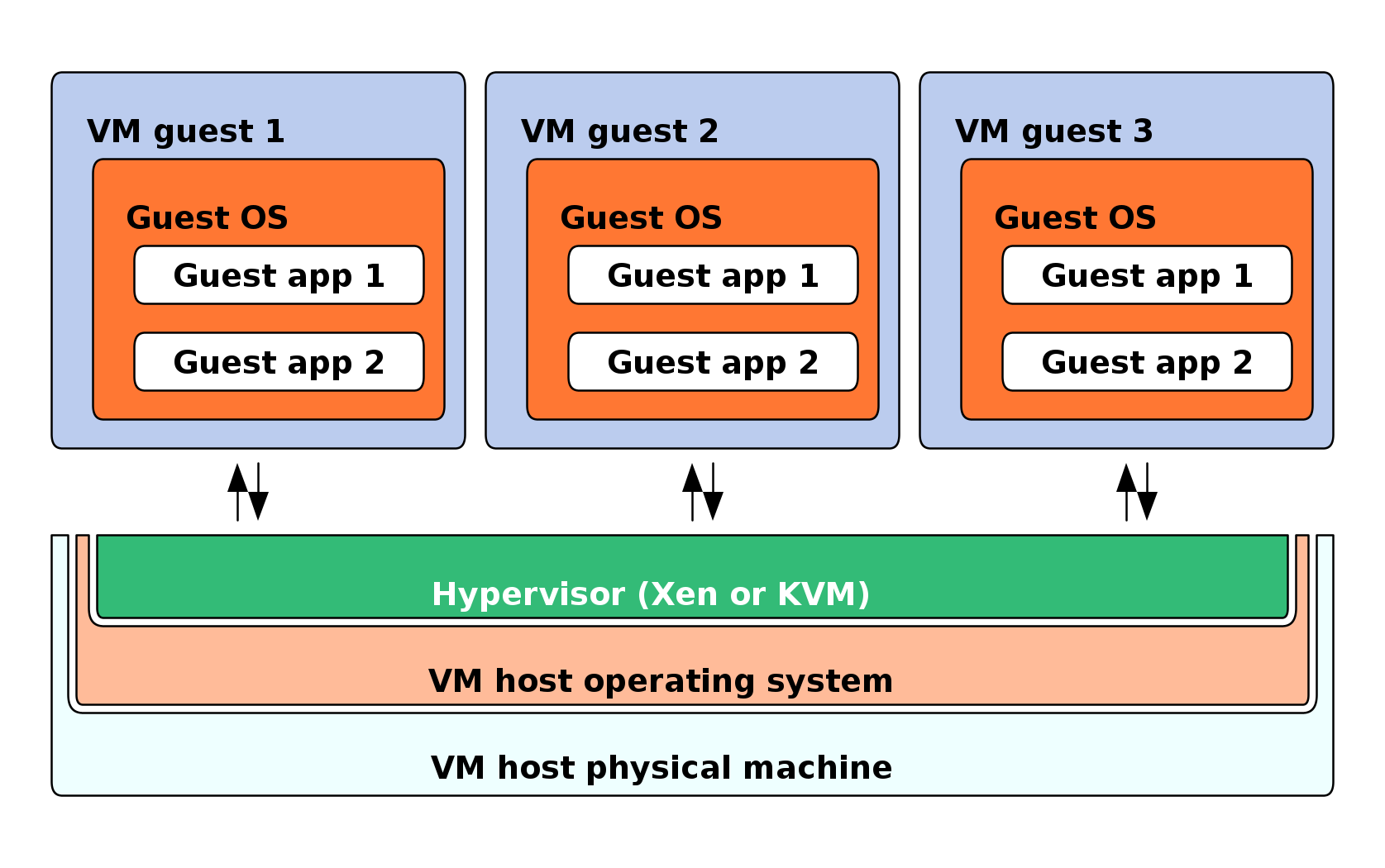
Virtualization is a technology that allows a single physical computer system to run multiple virtual environments (virtual machines) simultaneously. It abstracts hardware resources such as CPU, memory, and storage and allocates them efficiently among multiple users or systems.

In simple terms:

Virtualization = creating virtual versions of physical resources

These virtual versions behave like real systems but operate within a controlled environment.


🧠 Importance of Virtualization

  • Efficient resource utilization
  • Cost reduction (less hardware required)
  • Scalability and flexibility
  • Isolation and security
  • Foundation of cloud computing

🧩 Basic Concepts of Virtualization


💡 What is a Virtual Machine (VM)?
Image
Image
Image
Image

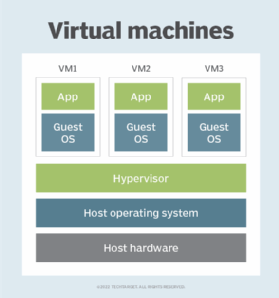
A Virtual Machine (VM) is a software-based emulation of a physical computer.

Components:

  • Virtual CPU
  • Virtual RAM
  • Virtual storage
  • Guest operating system

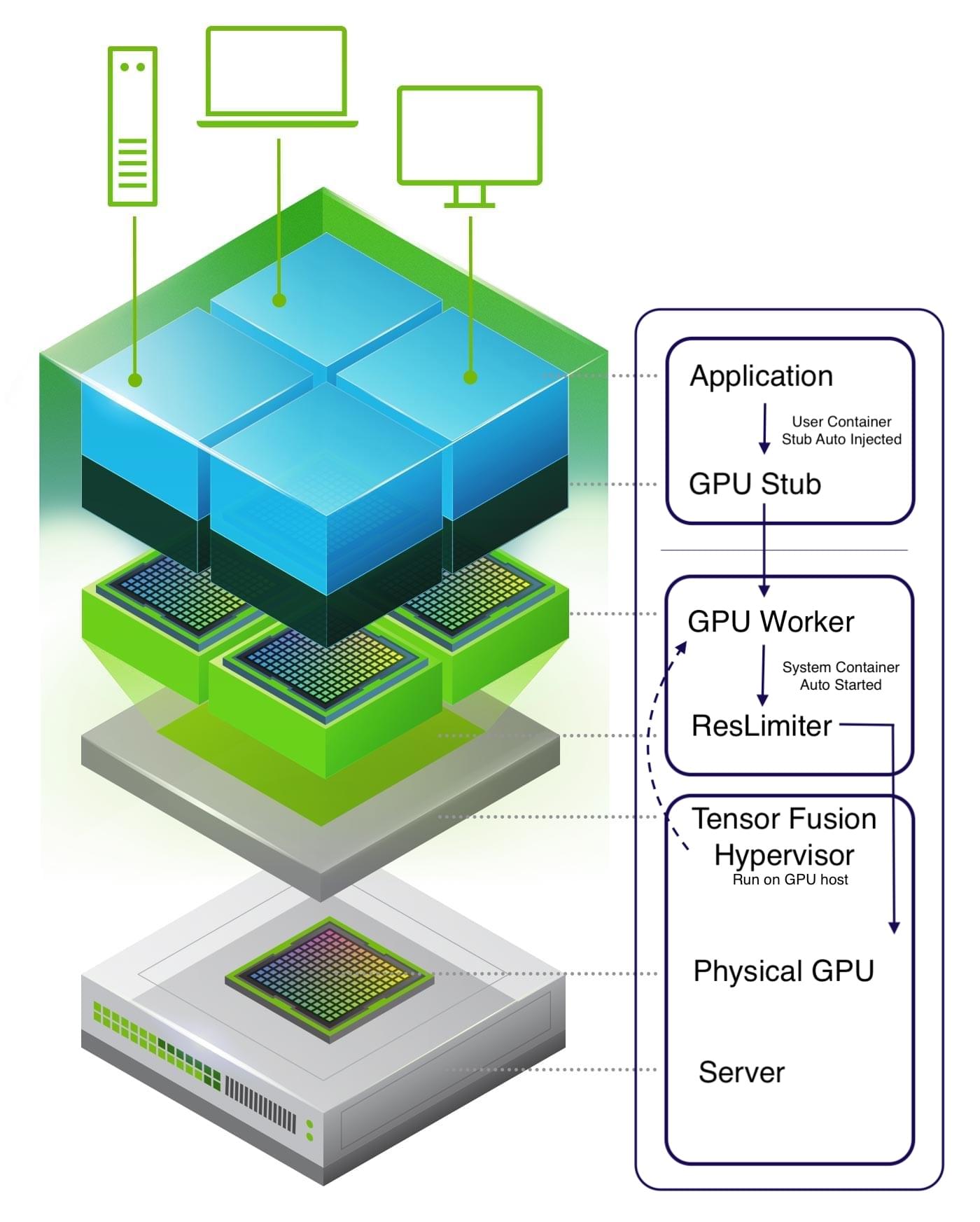
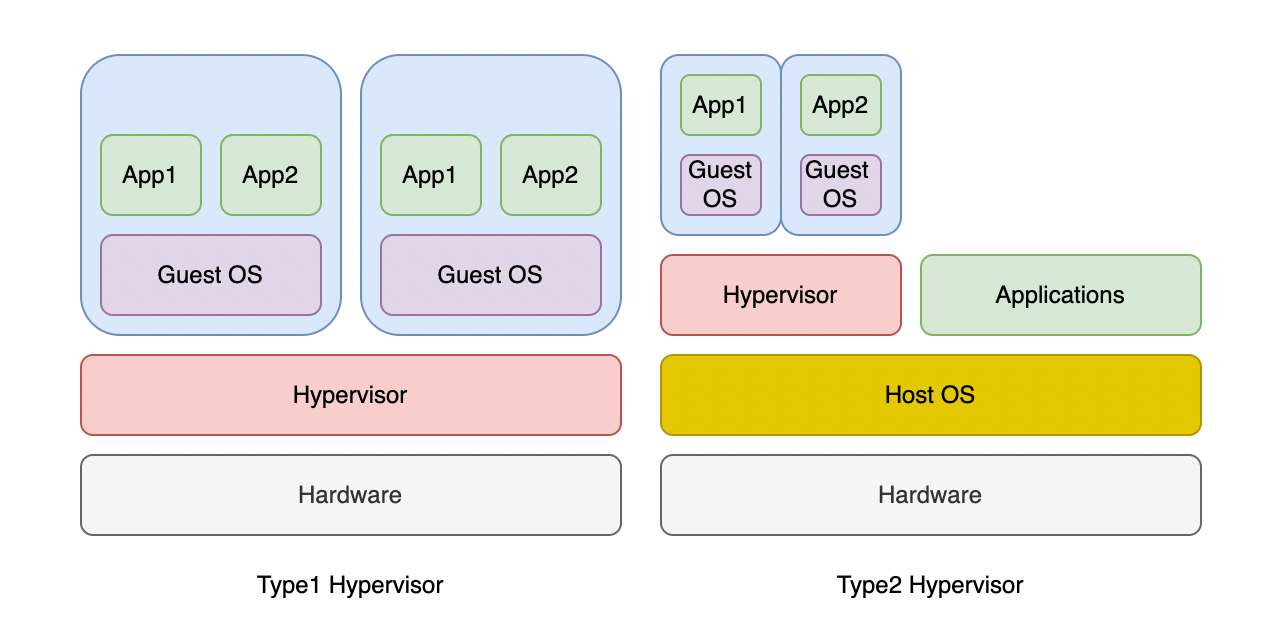
⚙️ What is a Hypervisor?

Image
Image
Image
Image

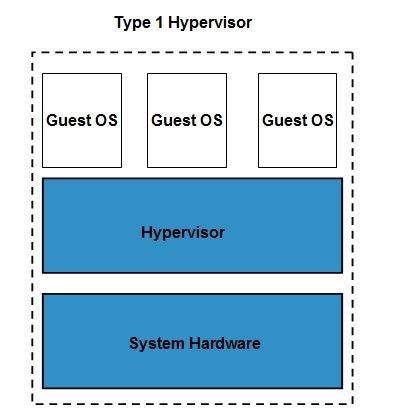
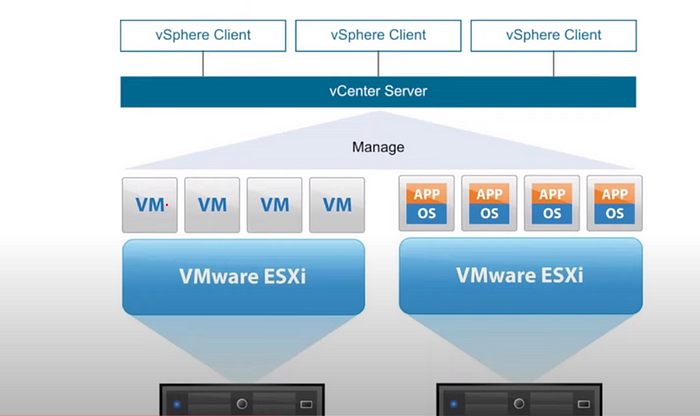
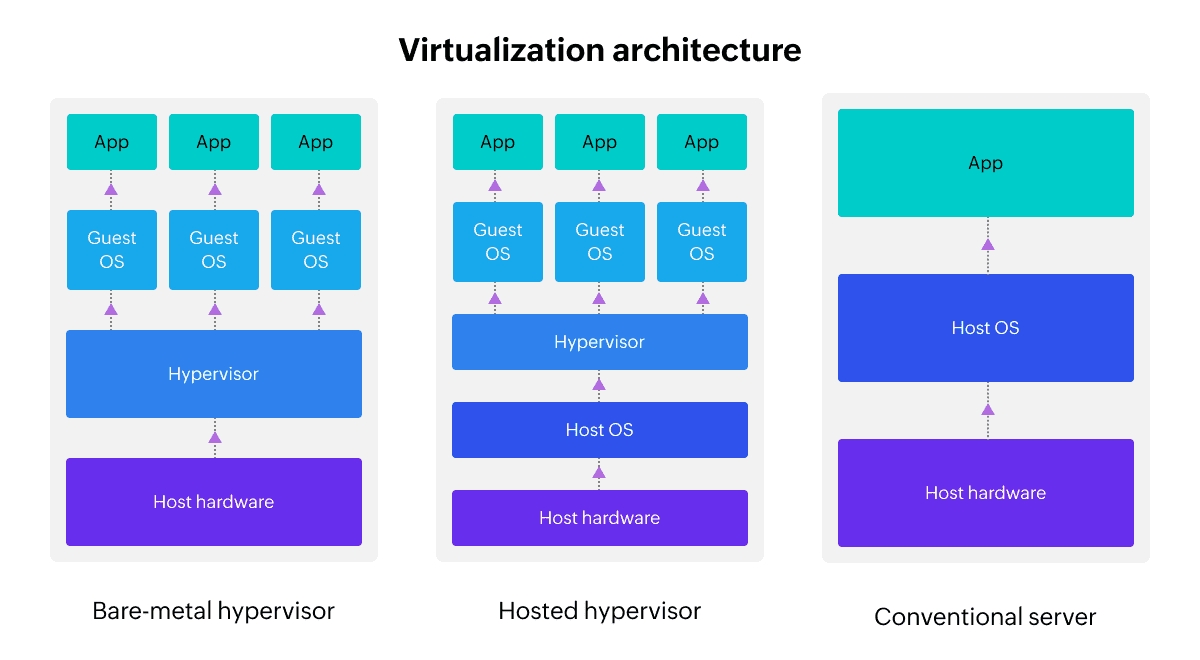
A hypervisor is software that manages virtual machines.

Types:

🔹 Type 1 (Bare-metal)

  • Runs directly on hardware
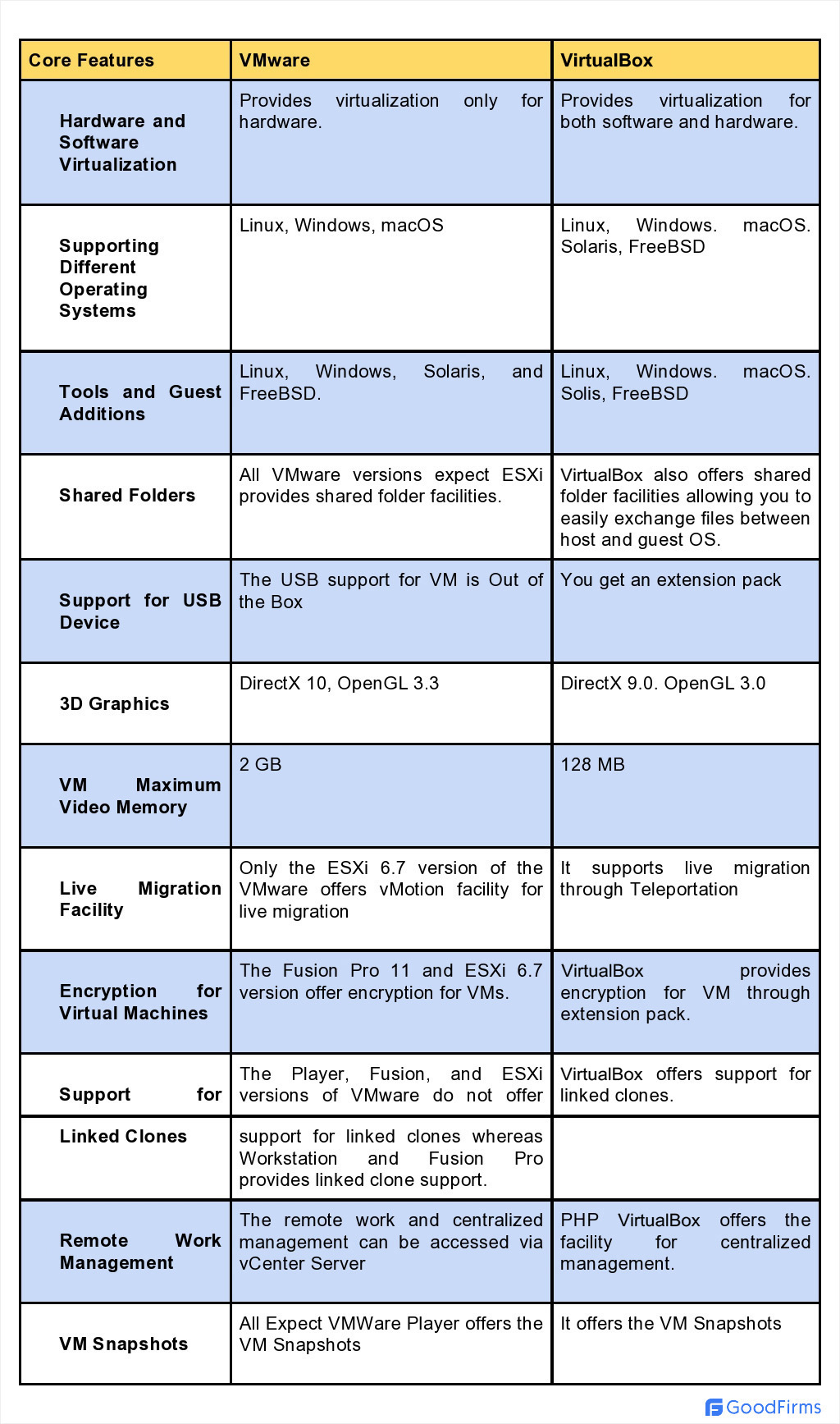
  • Example: VMware ESXi

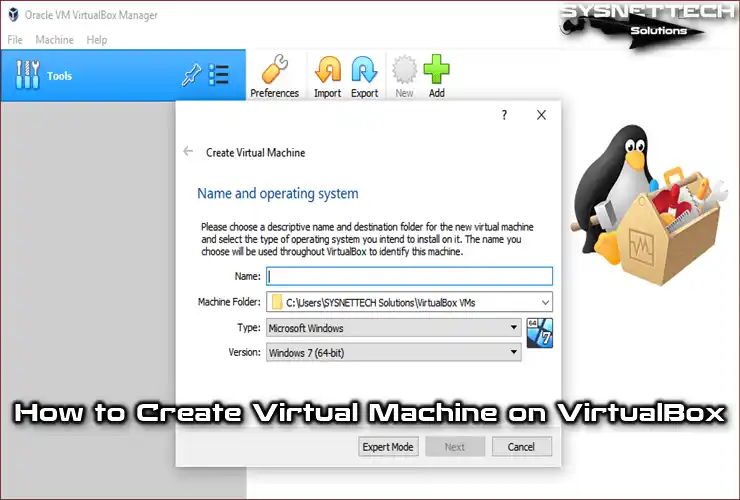
🔹 Type 2 (Hosted)

  • Runs on an OS
  • Example: VirtualBox

🧠 Types of Virtualization


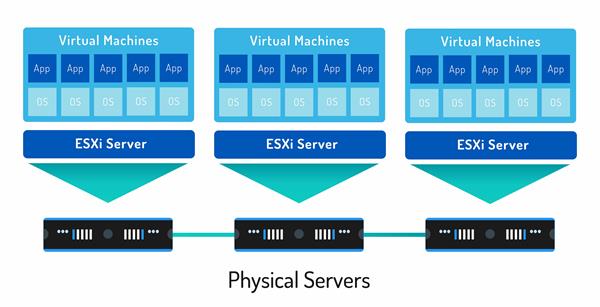
🖥️ 1. Server Virtualization

Image
Image
Image
Image
  • Divides one server into multiple virtual servers

💻 2. Desktop Virtualization
Image
Image
Image
Image
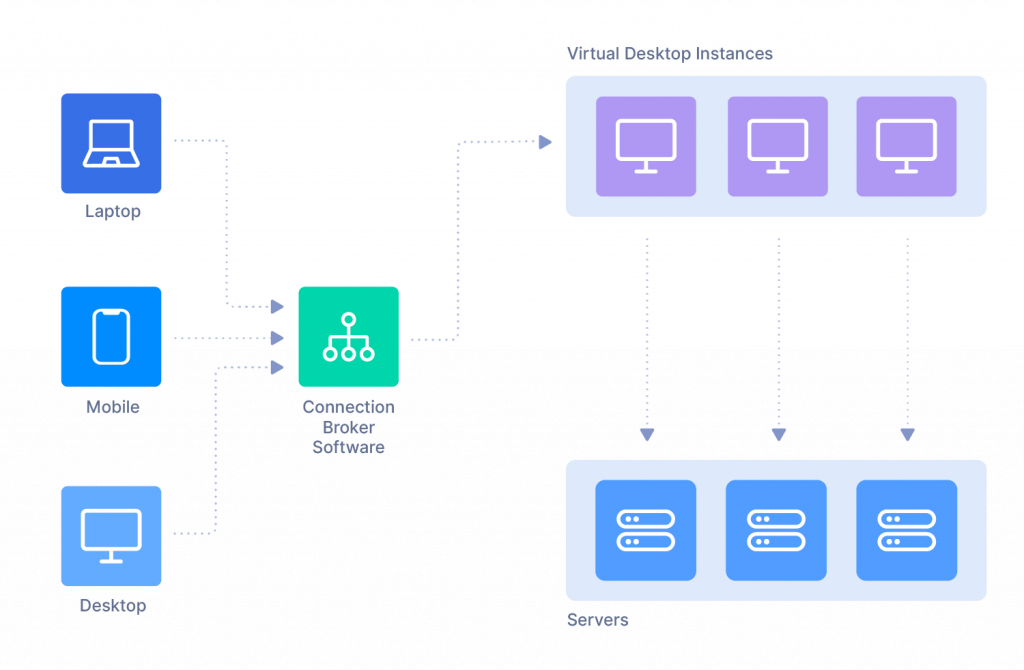
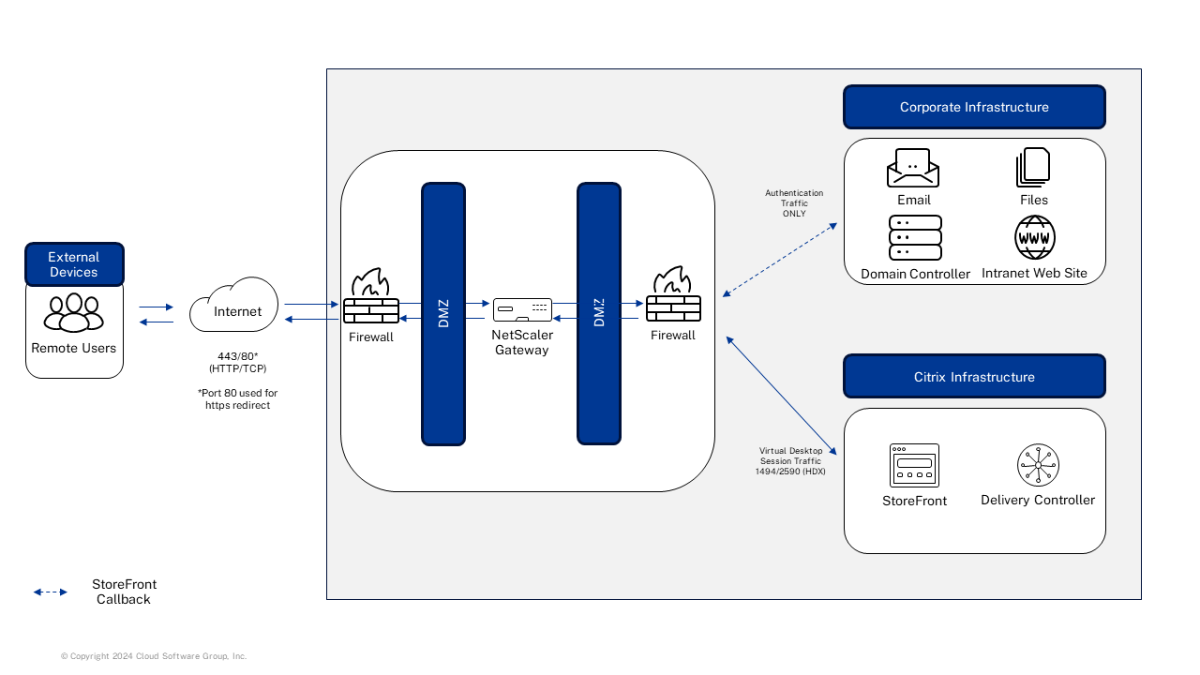
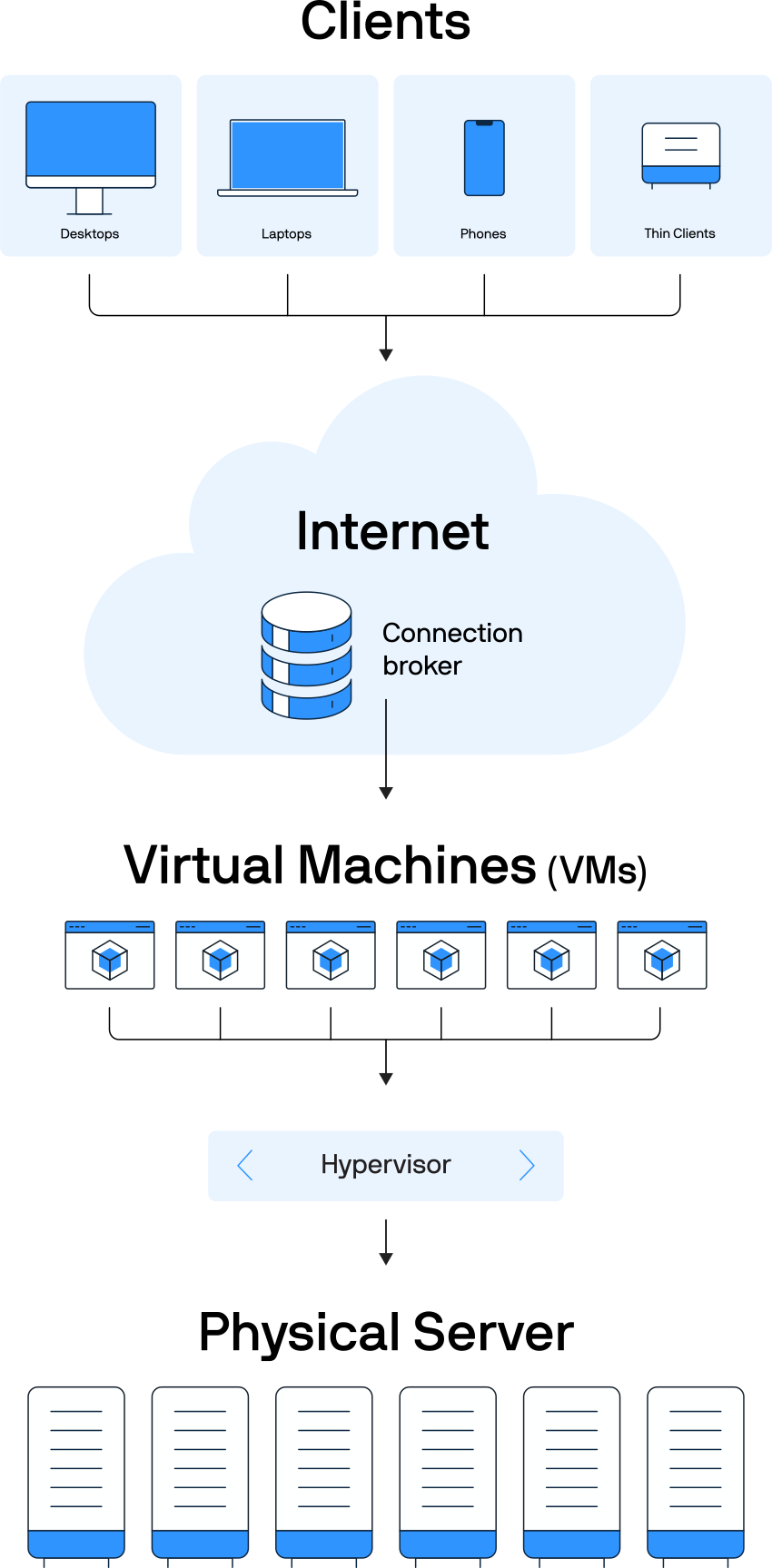
  • Users access desktops remotely

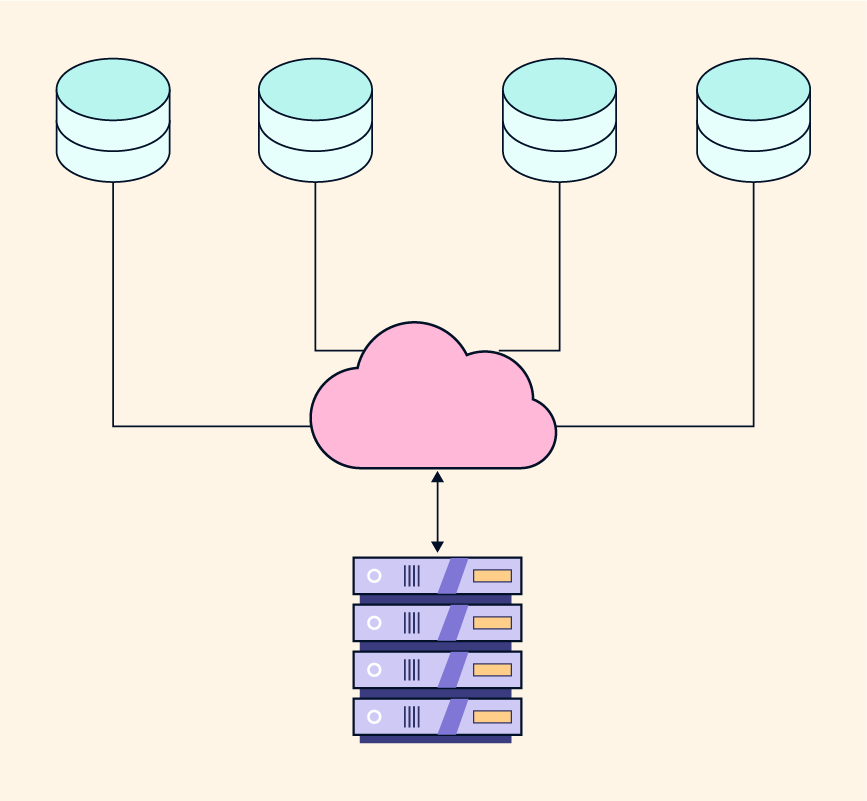
📦 3. Storage Virtualization
Image
Image
Image
Image
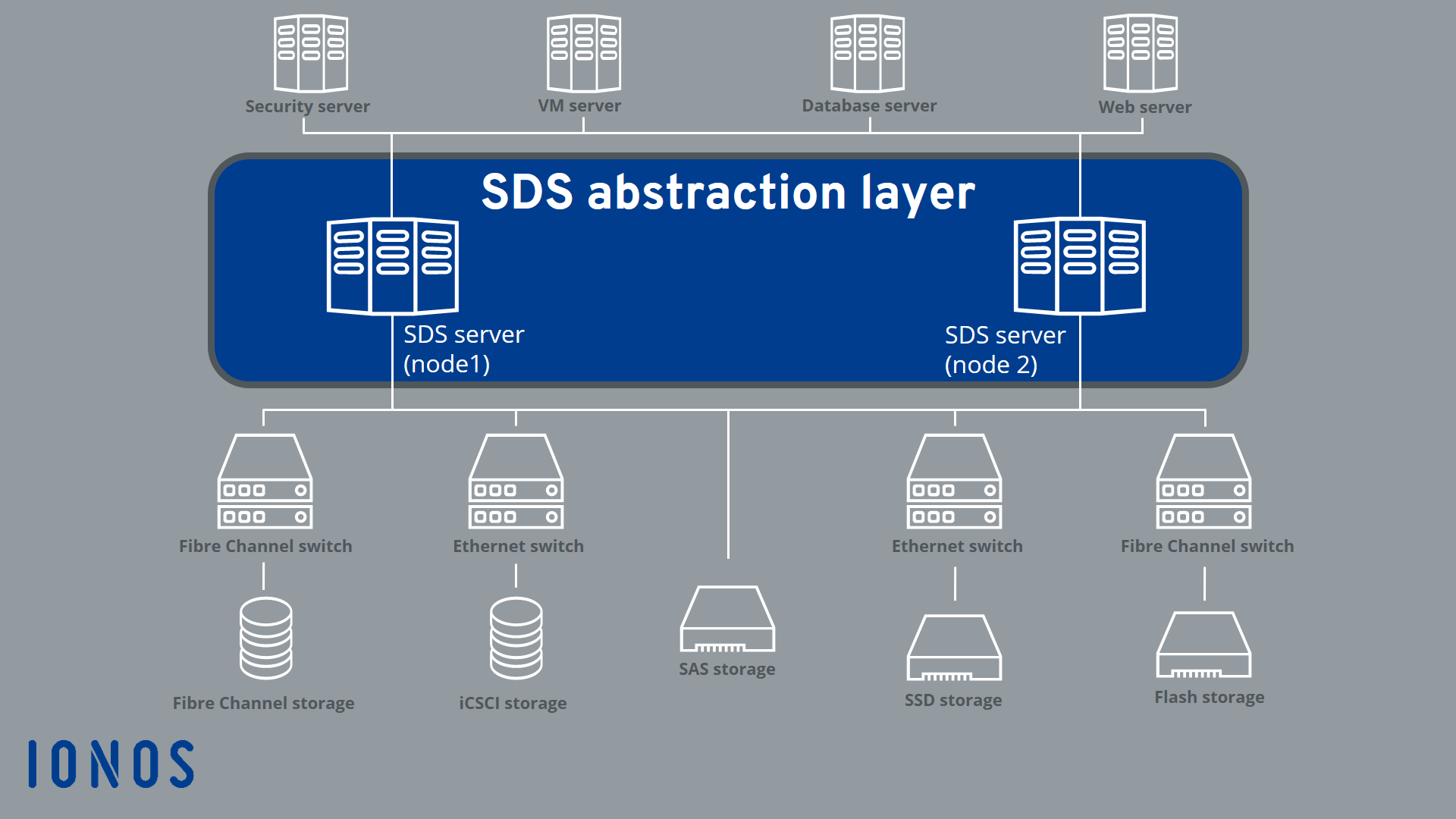
  • Combines multiple storage devices

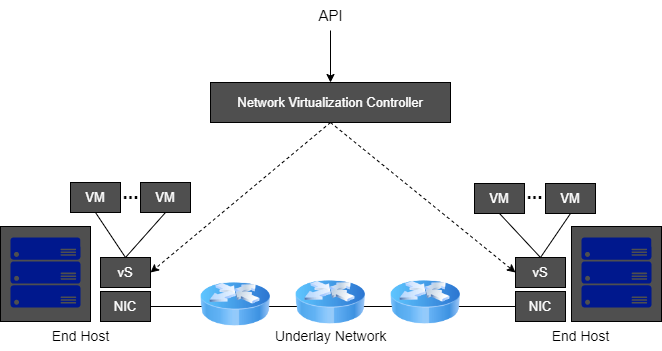
🌐 4. Network Virtualization
Image
Image
Image
Image
  • Creates virtual networks

🧠 5. Application Virtualization

Image
Image
Image
Image
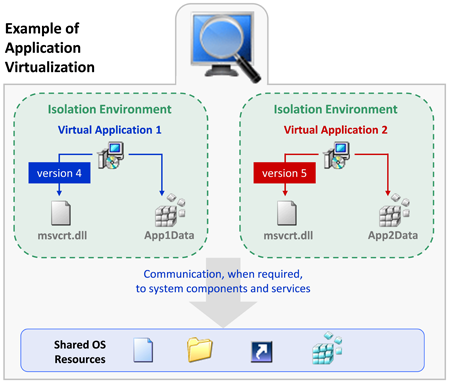
  • Runs applications without installing them

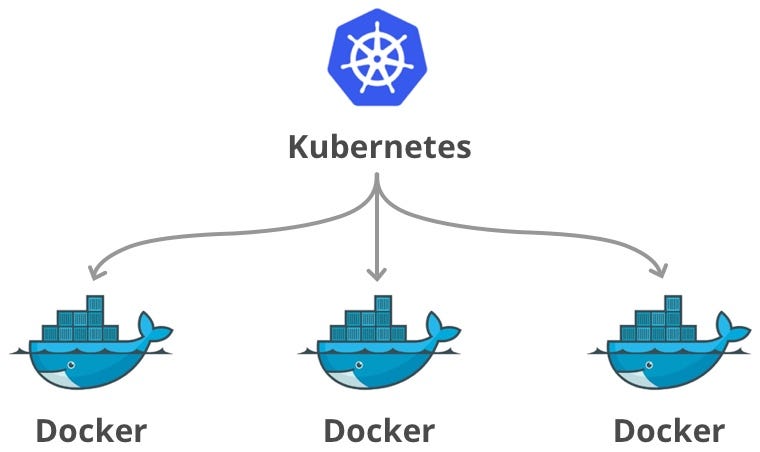
📦 6. Containerization

Image
Image
Image
Image
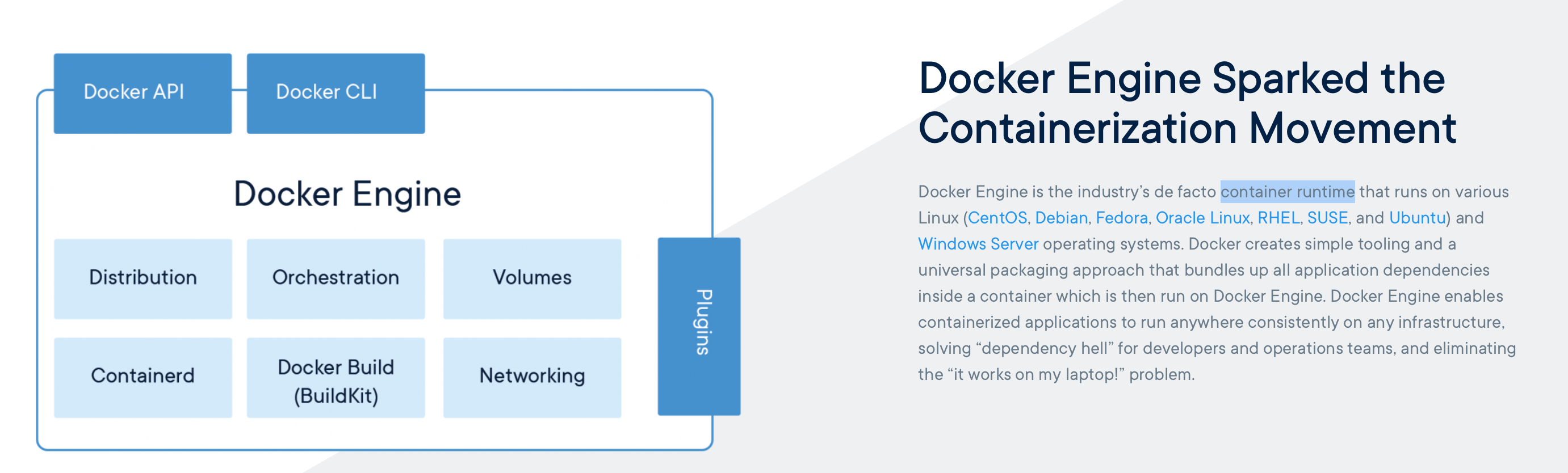
  • Lightweight virtualization
  • Uses shared OS kernel

⚙️ Virtualization Architecture


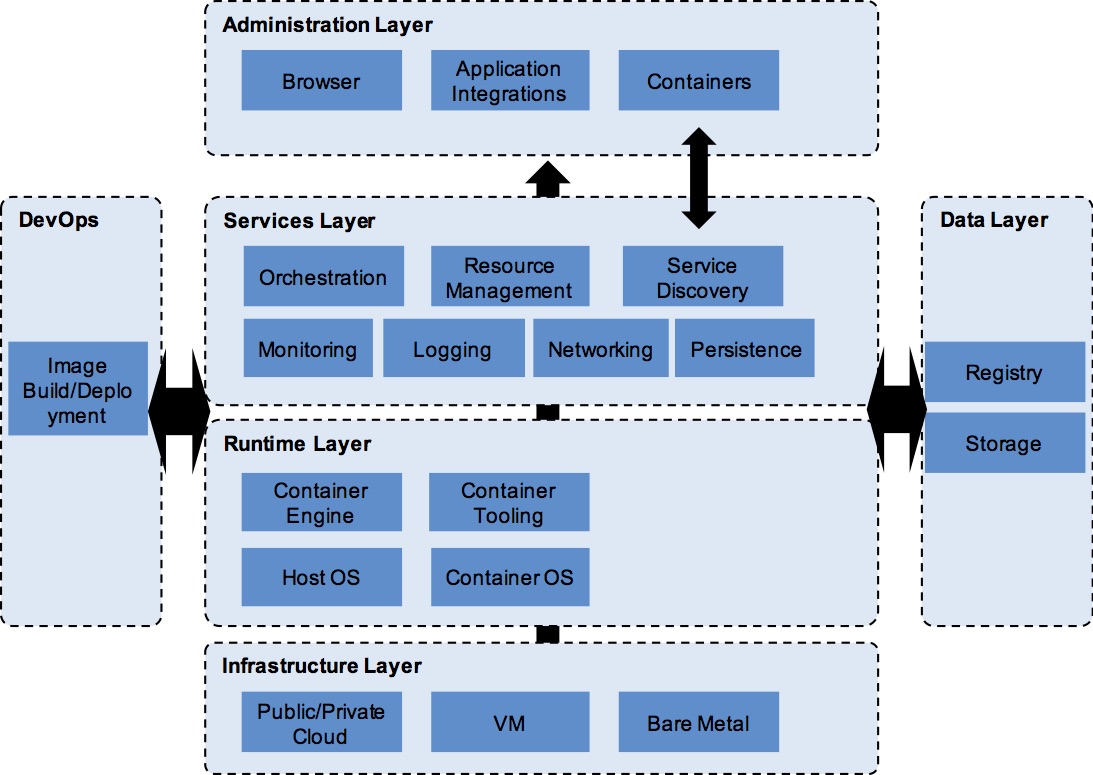
🧩 Layers:
Image
Image
Image
Image
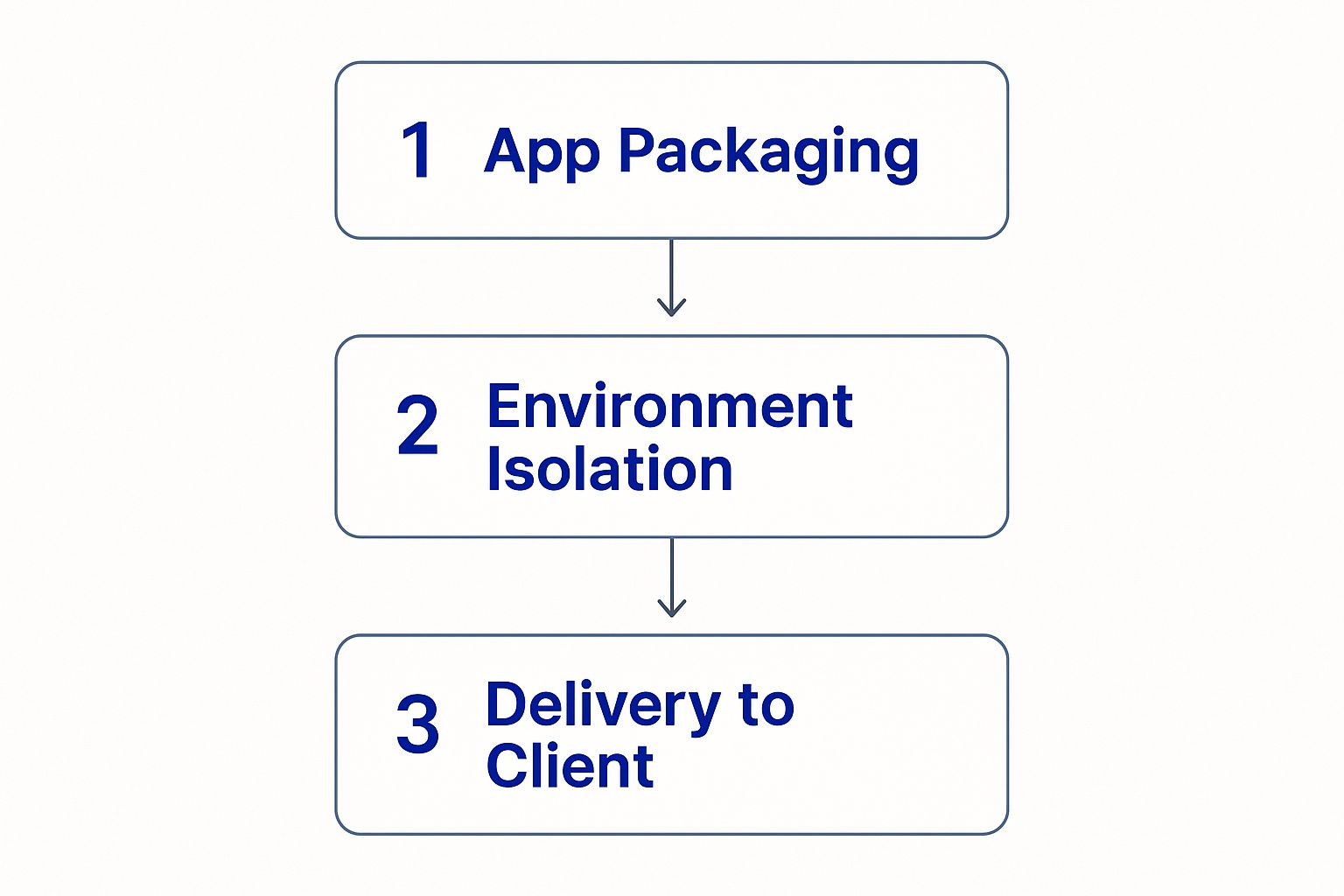
  1. Physical hardware
  2. Hypervisor
  3. Virtual machines
  4. Applications

🔄 Full Virtualization vs Para-Virtualization


⚖️ Comparison:

FeatureFull VirtualizationPara-Virtualization
OS modificationNot requiredRequired
PerformanceModerateHigh
ComplexityLowHigh

🧠 Virtualization in Cloud Computing


☁️ Cloud Models

Image
Image
Image
Image

🔹 IaaS (Infrastructure as a Service)

  • Virtual machines

🔹 PaaS (Platform as a Service)

  • Development platforms

🔹 SaaS (Software as a Service)

  • Applications over internet

🔐 Security in Virtualization


🛡️ Features:

Image
Image
Image
Image
  • Isolation between VMs
  • Sandboxing
  • Secure hypervisor

⚠️ Risks:

  • VM escape
  • Resource sharing vulnerabilities

⚙️ Resource Management


🧠 Techniques:

  • CPU scheduling
  • Memory allocation
  • Storage management

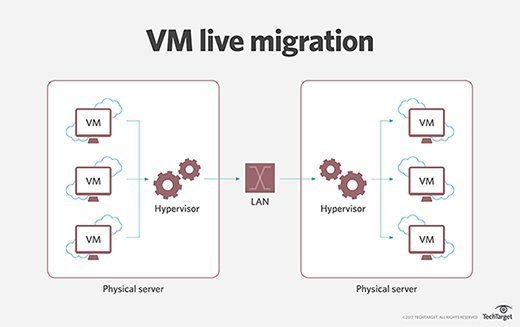
🔄 Live Migration


🔁 Concept
Image
Image
Image
Image
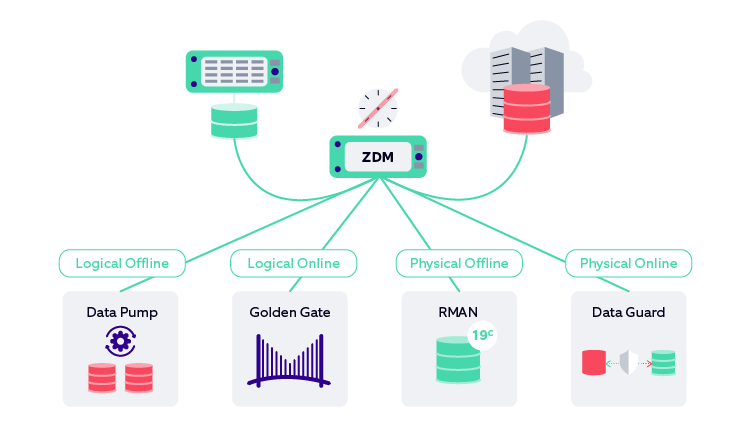
  • Moving VMs between hosts without downtime

🧠 Snapshots and Cloning


📸 Snapshot:

  • Saves VM state

📋 Cloning:

  • Creates duplicate VM

⚡ Advantages of Virtualization

  • Cost efficiency
  • Scalability
  • Flexibility
  • Disaster recovery

⚠️ Limitations

  • Performance overhead
  • Complexity
  • Security risks

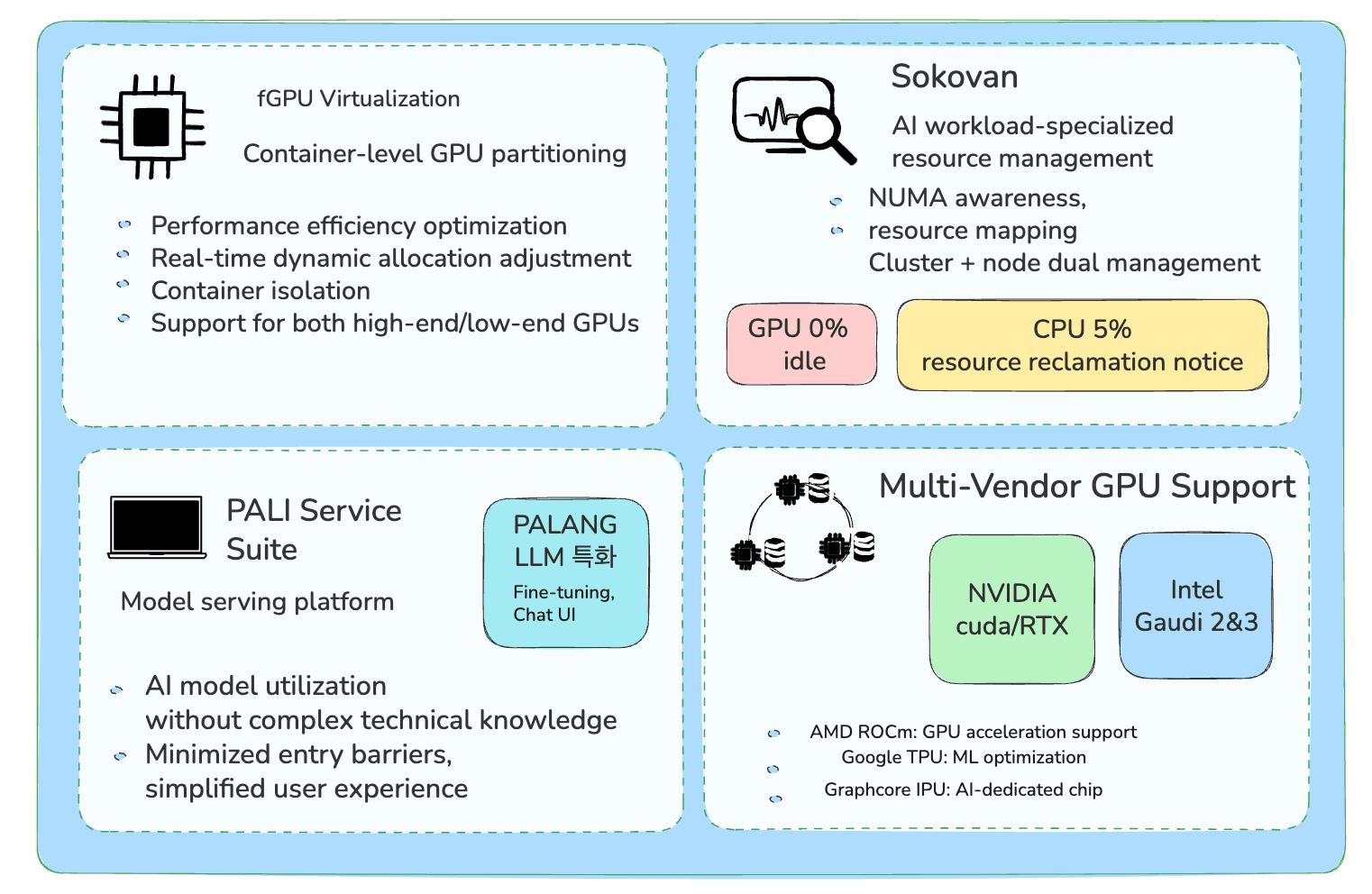
🚀 Emerging Trends

Image
Image
Image
Image
  • Edge virtualization
  • Serverless computing
  • GPU virtualization
  • Hybrid cloud

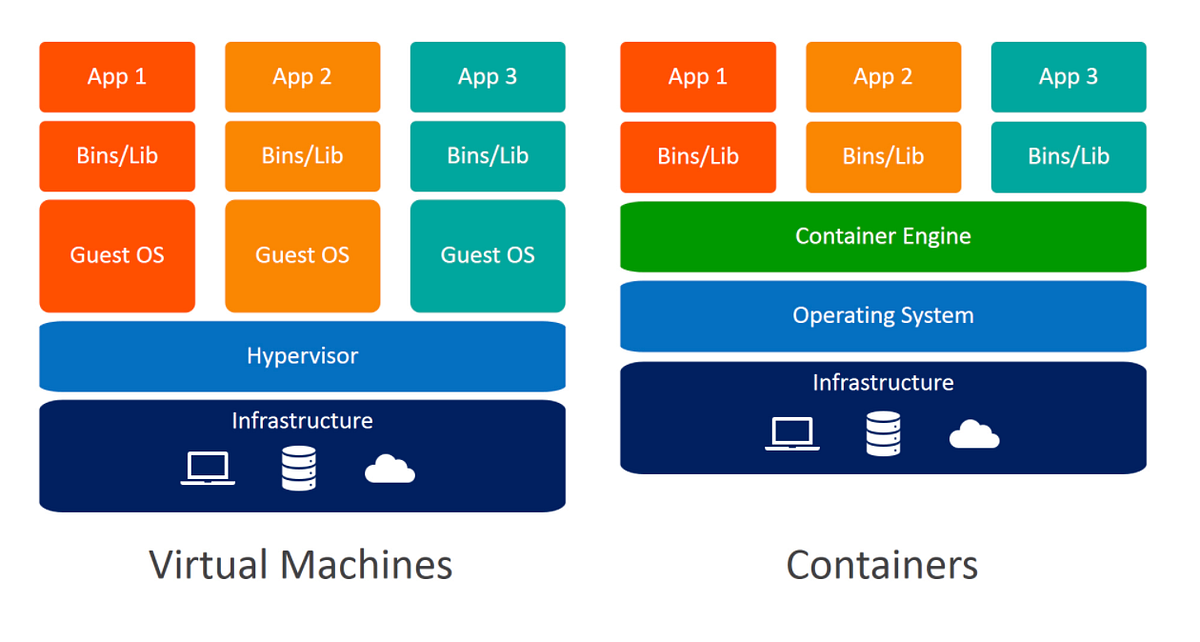
🧠 Virtualization vs Containerization


⚖️ Comparison:

FeatureVirtualizationContainerization
OSSeparate OSShared OS
SizeLargeSmall
SpeedSlowerFaster

🧾 Conclusion

Virtualization is a key technology in modern computing, enabling:

  • Efficient use of resources
  • Cloud computing infrastructure
  • Flexible and scalable systems

It plays a critical role in:

  • Data centers
  • Cloud platforms
  • DevOps environments

Understanding virtualization is essential for:

  • System administrators
  • Developers
  • Cloud engineers
🏷️ Tags

⚙️ Process Management


🌐 Introduction to Process Management

Image
Image
Image

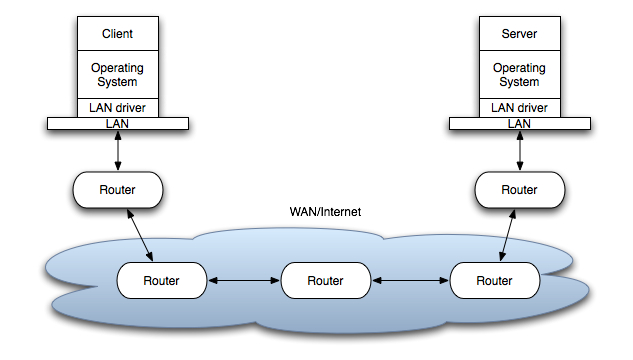
Process Management is a fundamental function of an operating system (OS) that handles the creation, scheduling, execution, and termination of processes. It ensures that multiple programs can run efficiently and concurrently on a computer system.

In simple terms:

Process management = controlling and coordinating program execution

A process is a program in execution, including its code, data, and state.


🧠 Importance of Process Management

  • Enables multitasking
  • Optimizes CPU utilization
  • Ensures fair resource allocation
  • Maintains system stability
  • Improves performance

🧩 Basic Concepts


📄 Program vs Process

FeatureProgramProcess
DefinitionStatic codeExecuting program
StatePassiveActive
Example.exe fileRunning application

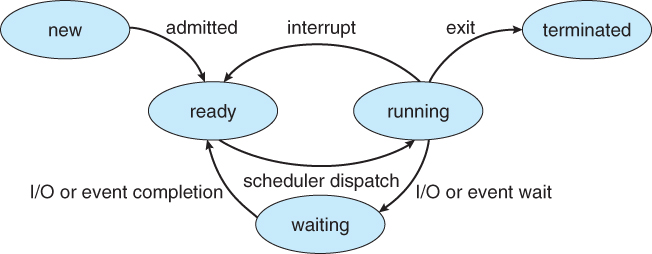
🔁 Process States

Image
Image
Image

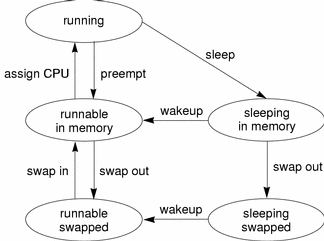
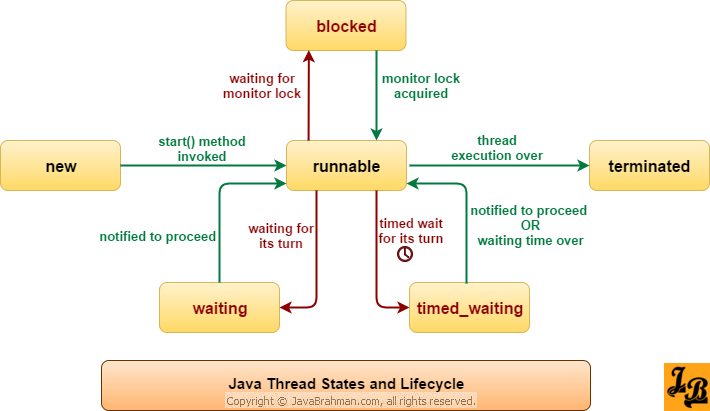
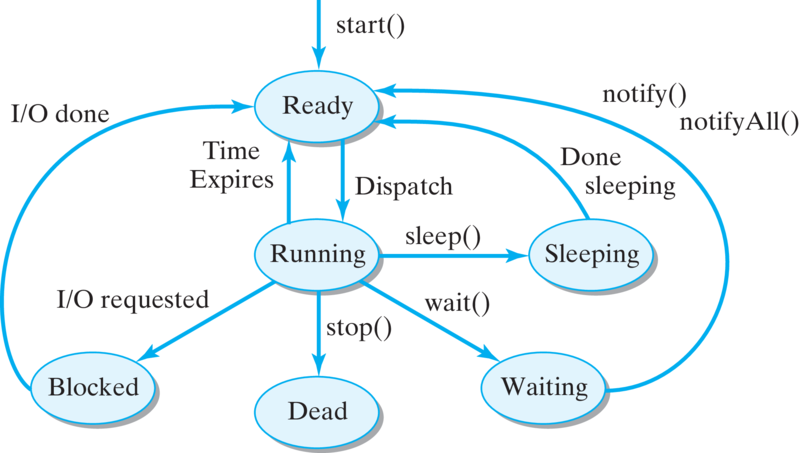
A process moves through different states:

  1. New – Being created
  2. Ready – Waiting for CPU
  3. Running – Executing
  4. Waiting (Blocked) – Waiting for I/O
  5. Terminated – Finished execution

🧠 Process Control Block (PCB)

Image
Image

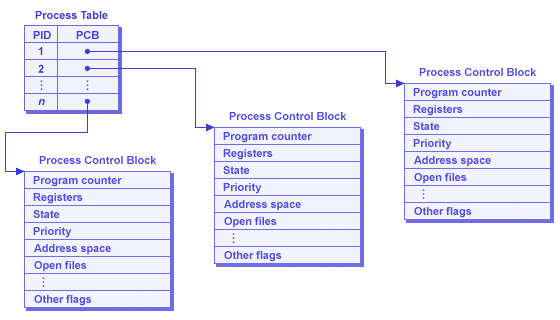
PCB stores process information:

  • Process ID (PID)
  • Process state
  • CPU registers
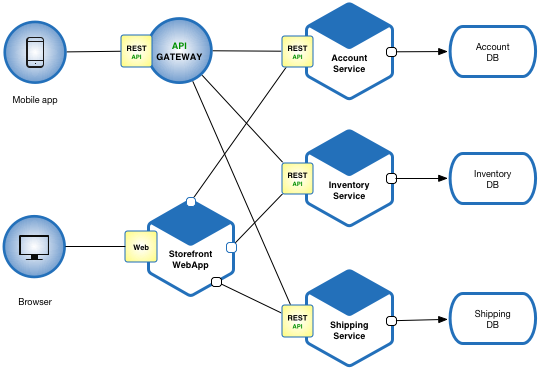
  • Memory allocation
  • Scheduling information

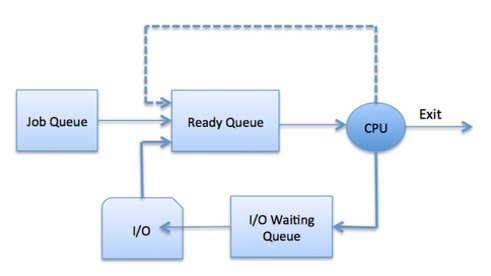
⚙️ Process Scheduling


🧠 What is Scheduling?

Image
Image
Image
Image

Scheduling determines which process gets CPU time.


🔁 Types of Schedulers
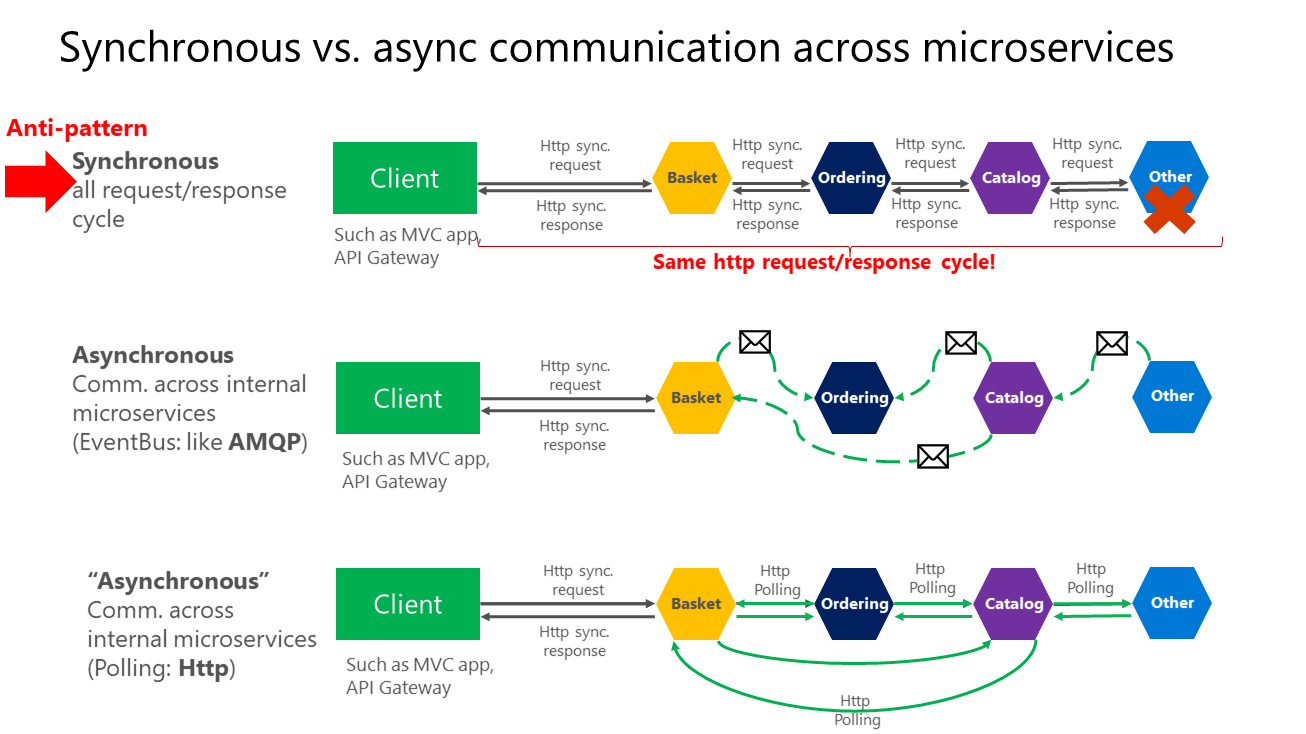
  1. Long-term scheduler – selects processes
  2. Short-term scheduler – allocates CPU
  3. Medium-term scheduler – swaps processes

⚡ Scheduling Algorithms


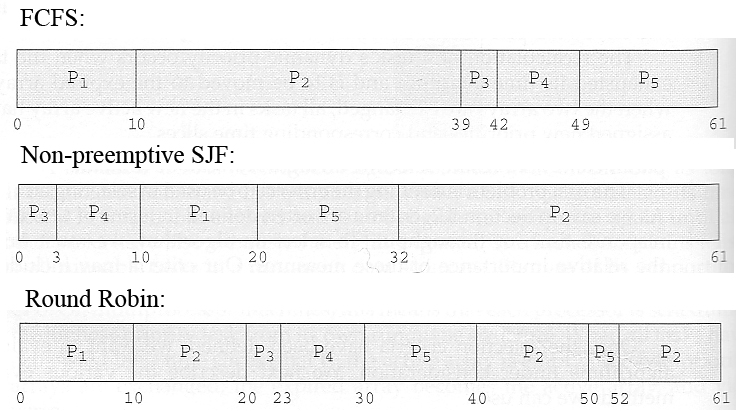
🔹 1. First Come First Serve (FCFS)

Image
  • Processes executed in arrival order

🔹 2. Shortest Job First (SJF)

Image
Image
  • Shortest execution time first

🔹 3. Round Robin (RR)

Image
Image
  • Time-sharing system
  • Each process gets fixed time slice

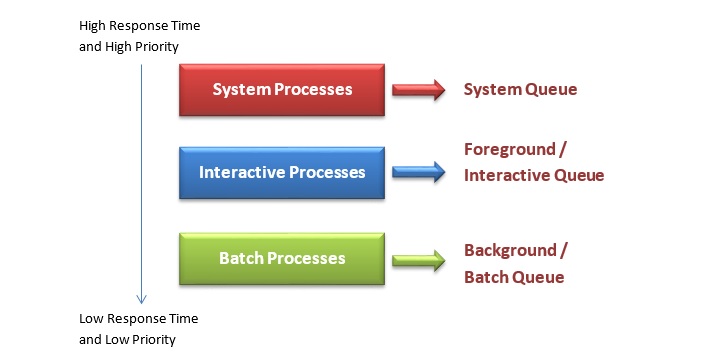
🔹 4. Priority Scheduling

Image
Image
Image
  • Processes executed based on priority

⚖️ Scheduling Criteria

  • CPU utilization
  • Throughput
  • Turnaround time
  • Waiting time
  • Response time

🔄 Process Synchronization


🧠 Concept

Image
Image
Image
Image

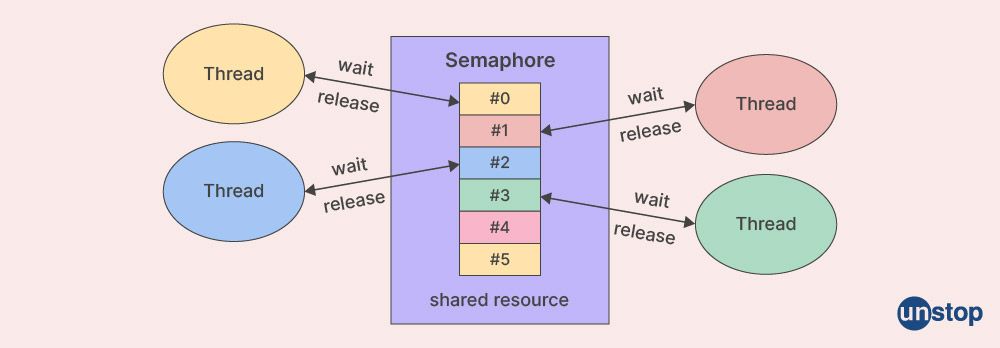
Ensures safe access to shared resources.


⚠️ Critical Section Problem

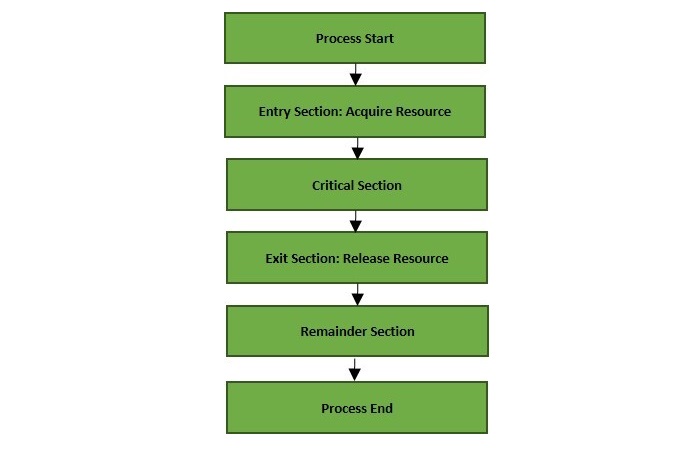
  • Section where shared data is accessed

🔒 Solutions:

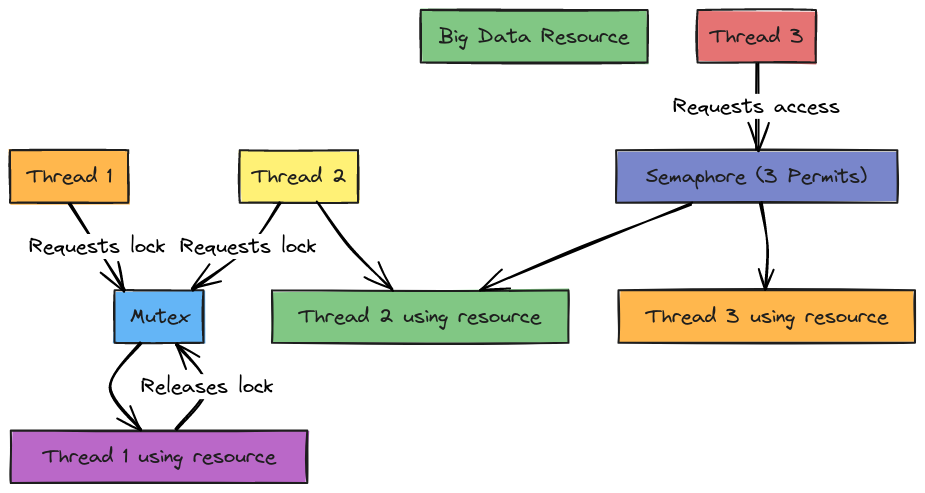
  • Mutex locks
  • Semaphores
  • Monitors

⚠️ Deadlocks


🧠 Definition

Image
Image
Image
Image

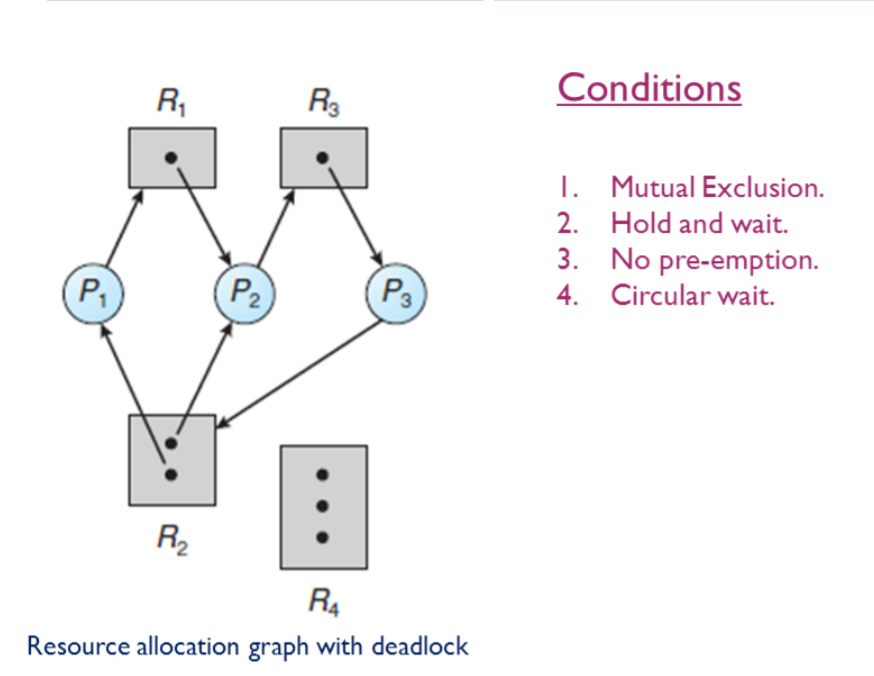
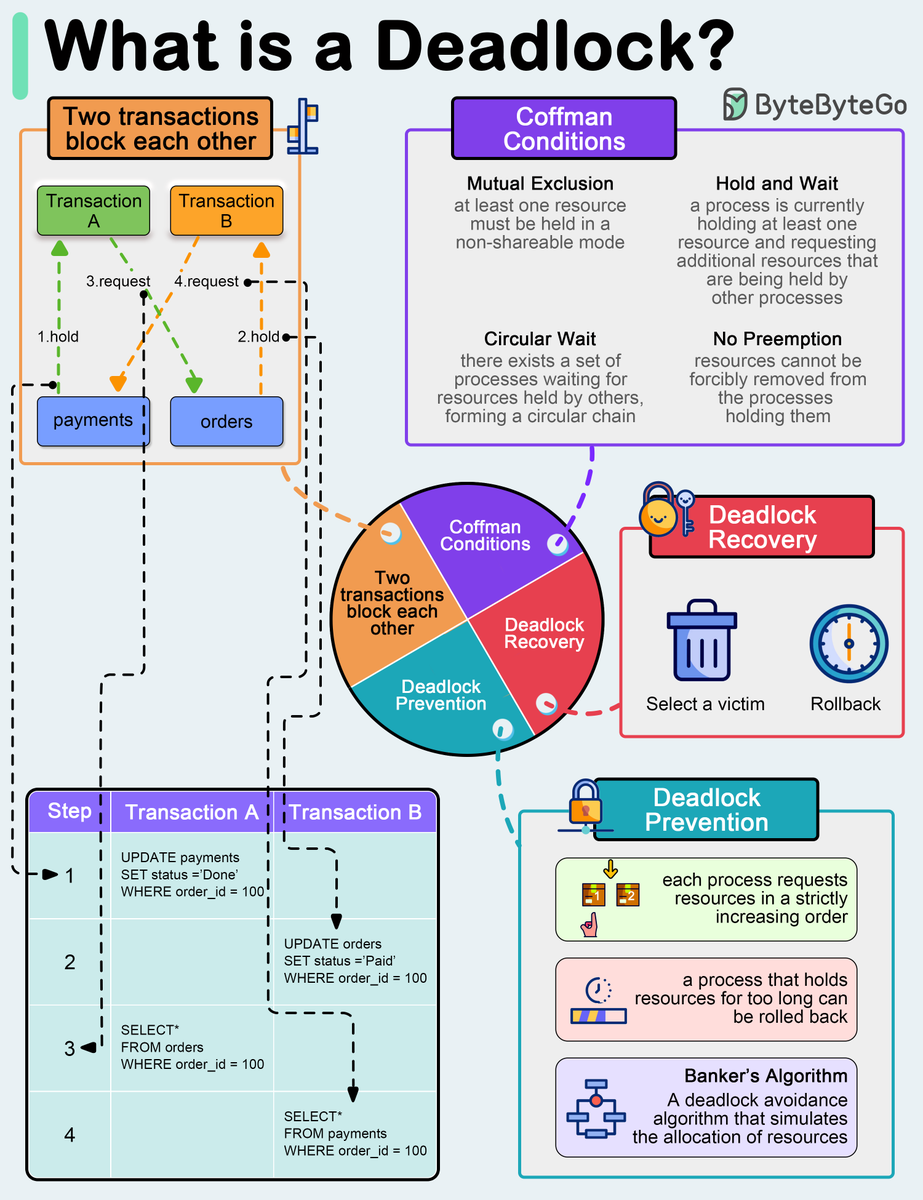
Deadlock occurs when processes wait indefinitely.


🔑 Conditions:

  1. Mutual exclusion
  2. Hold and wait
  3. No preemption
  4. Circular wait

🔄 Handling Deadlocks:

  • Prevention
  • Avoidance
  • Detection and recovery

🔁 Inter-Process Communication (IPC)


📡 Methods

Image
Image
Image
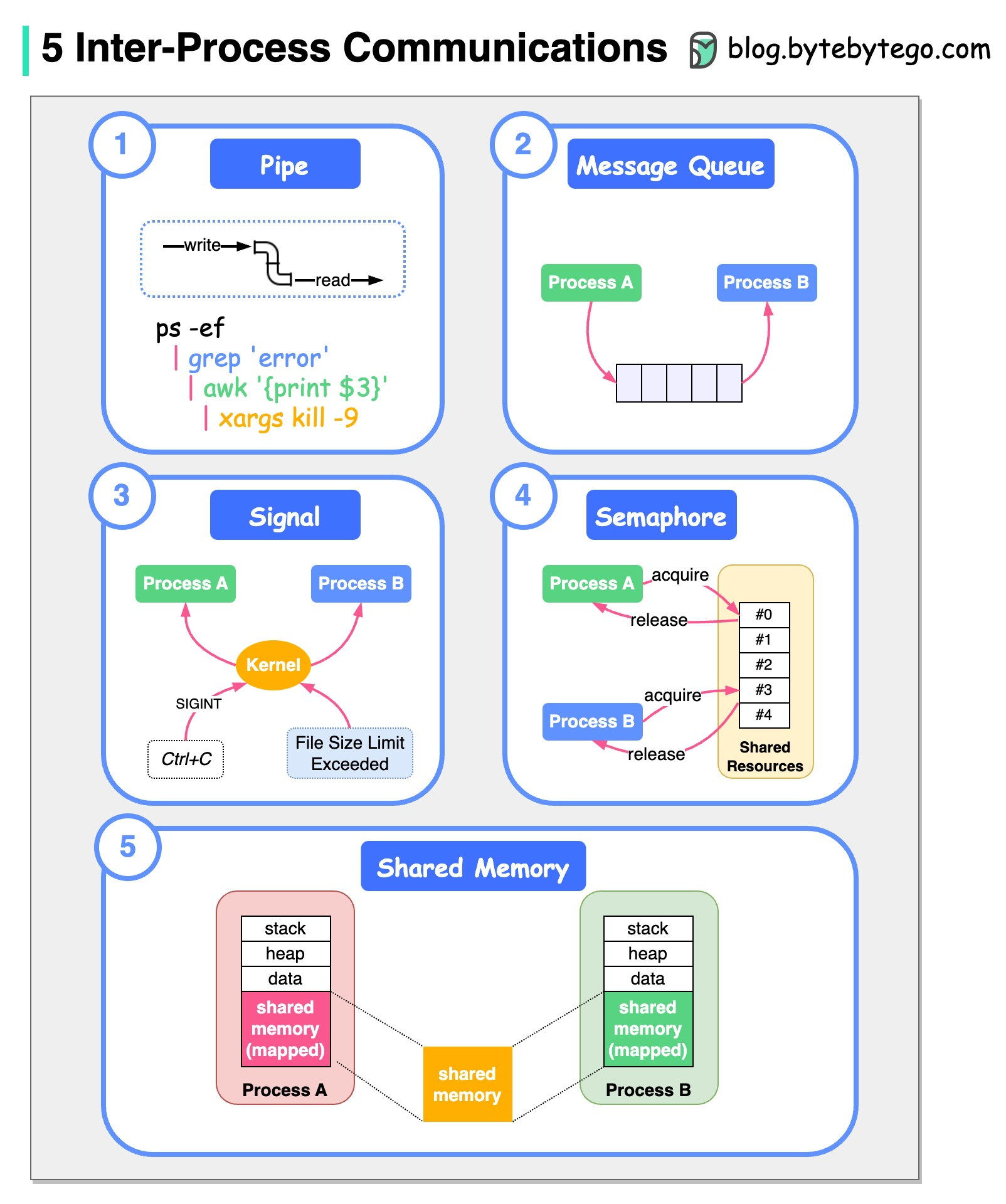
  • Shared memory
  • Message passing
  • Pipes
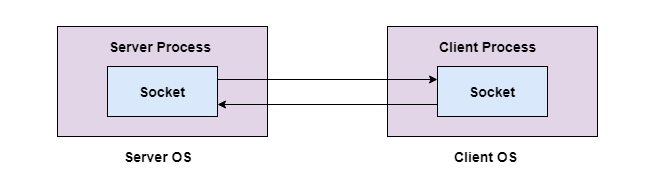
  • Sockets

🧠 Threads and Multithreading


🔹 Threads

Image
Image
  • Lightweight processes
  • Share memory

⚡ Benefits:

  • Faster execution
  • Better resource utilization

🔄 Context Switching


🧠 Concept

Image
Image
Image
Image
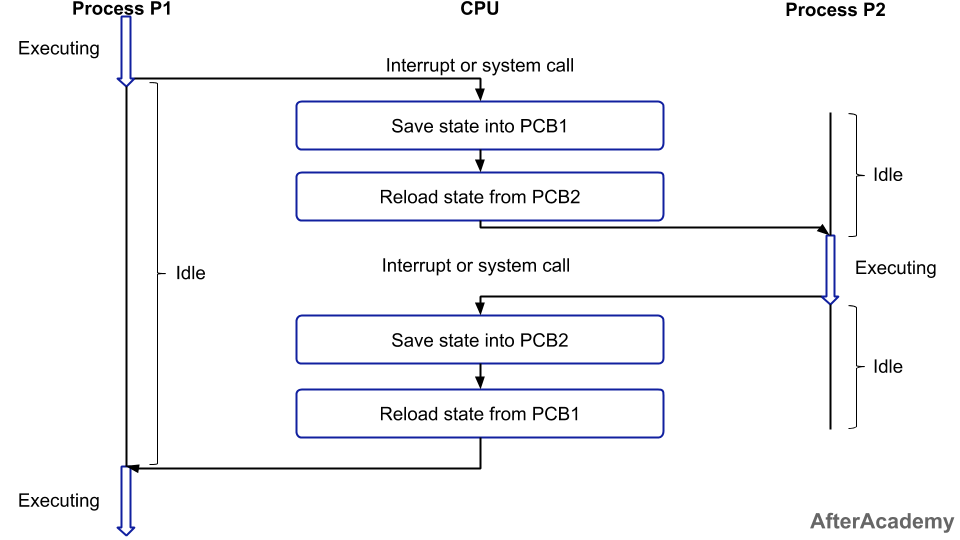
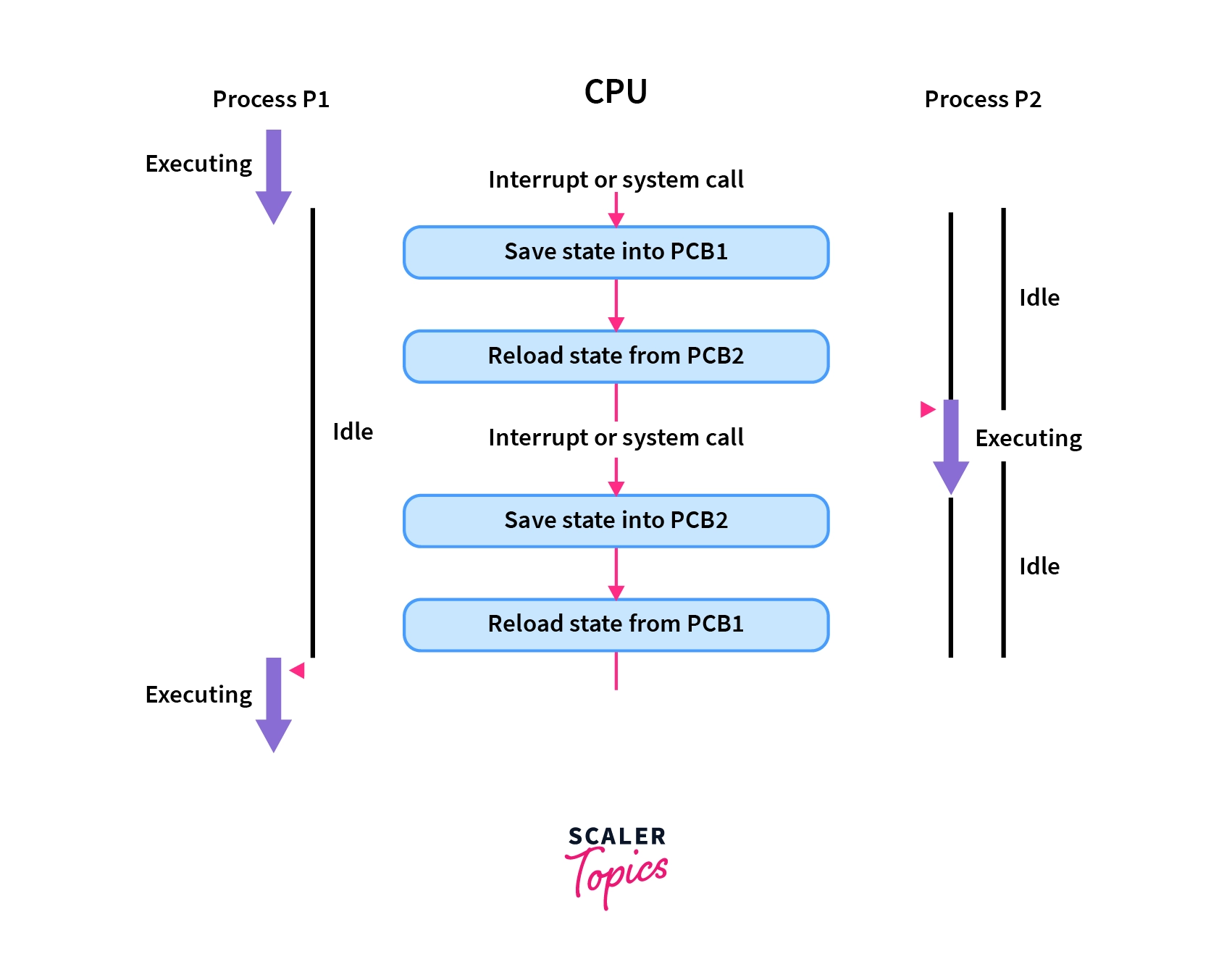
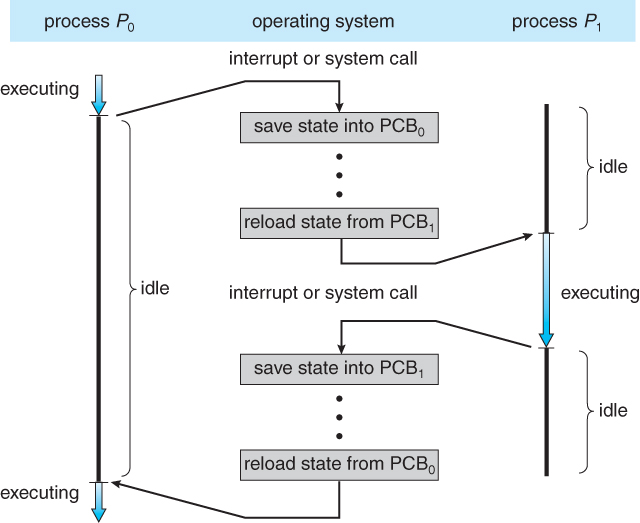
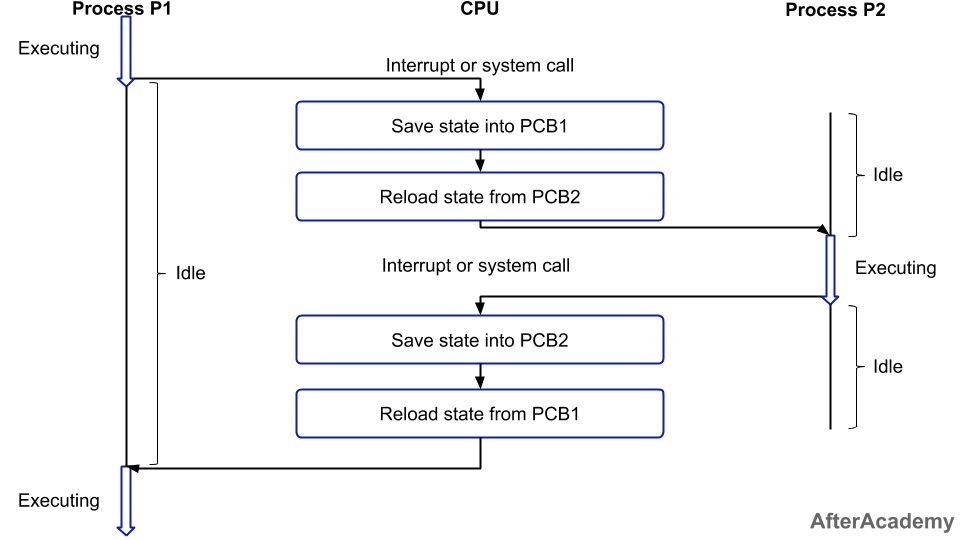
  • CPU switches between processes
  • Saves and loads state

🧩 Process vs Thread

FeatureProcessThread
MemorySeparateShared
OverheadHighLow
SpeedSlowerFaster

⚙️ Multiprocessing


🧠 Concept

Image
Image
Image
Image
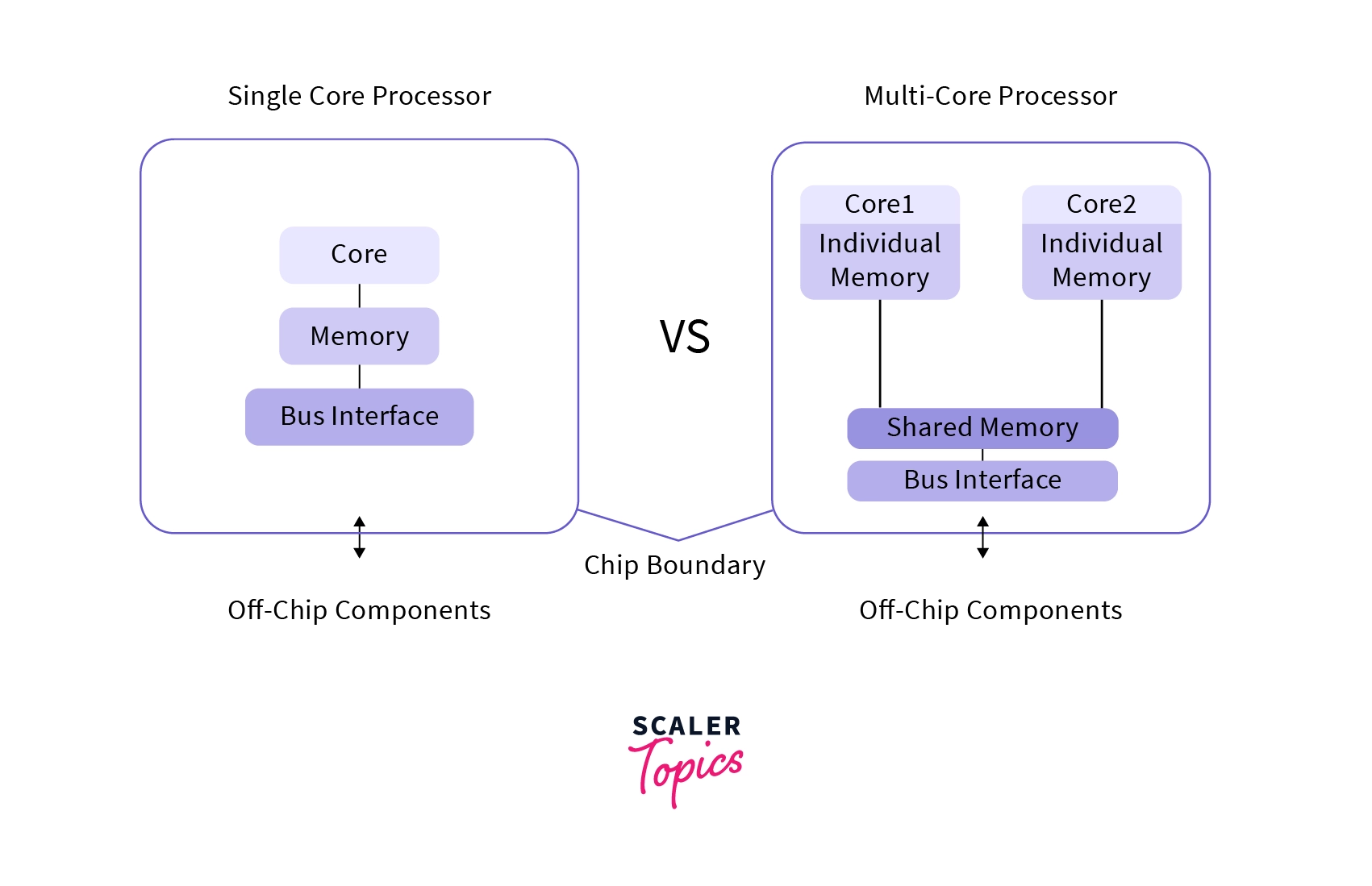
  • Multiple CPUs/cores
  • Parallel execution

🧠 Real-Time Process Management


⚡ Types:

  • Hard real-time
  • Soft real-time

Used in:

  • Robotics
  • Embedded systems

🔐 Process Security


🛡️ Features:

  • Access control
  • Isolation
  • Sandboxing

⚡ Performance Optimization

  • Efficient scheduling
  • Load balancing
  • Minimizing context switches

⚠️ Challenges

  • Deadlocks
  • Starvation
  • Race conditions

🚀 Modern Trends

Image
Image
Image
Image
  • Containerization
  • Virtualization
  • Cloud computing
  • Microservices

🧾 Conclusion

Process management is a core function of operating systems that ensures efficient execution of programs. It enables:

  • Multitasking
  • Resource sharing
  • System stability

Understanding process management is essential for:

  • OS design
  • Software development
  • Performance optimization

🏷️ Tags

💻 Windows / Linux / macOS Basics


🌐 Introduction to Operating Systems

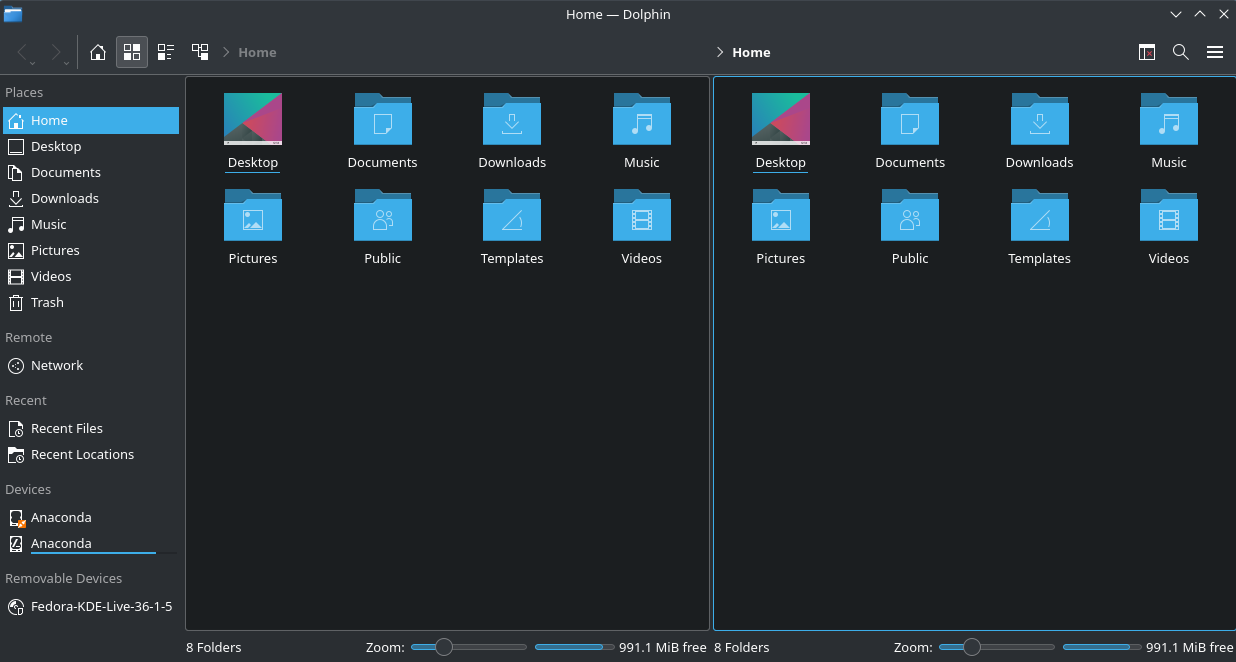
Image
Image
Image
Image

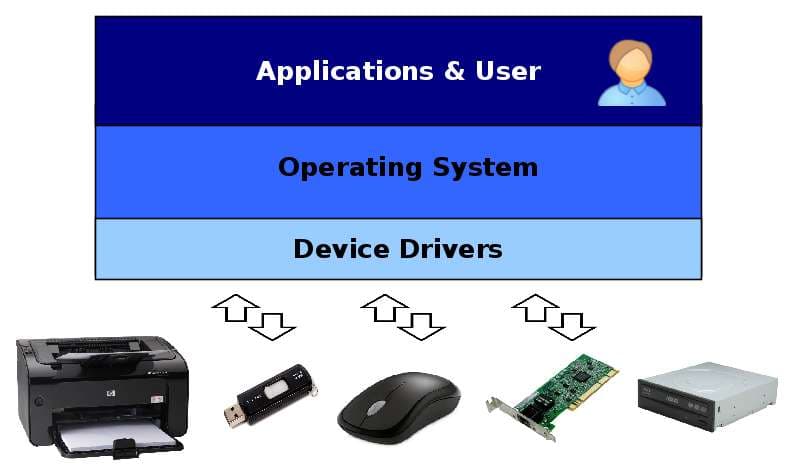
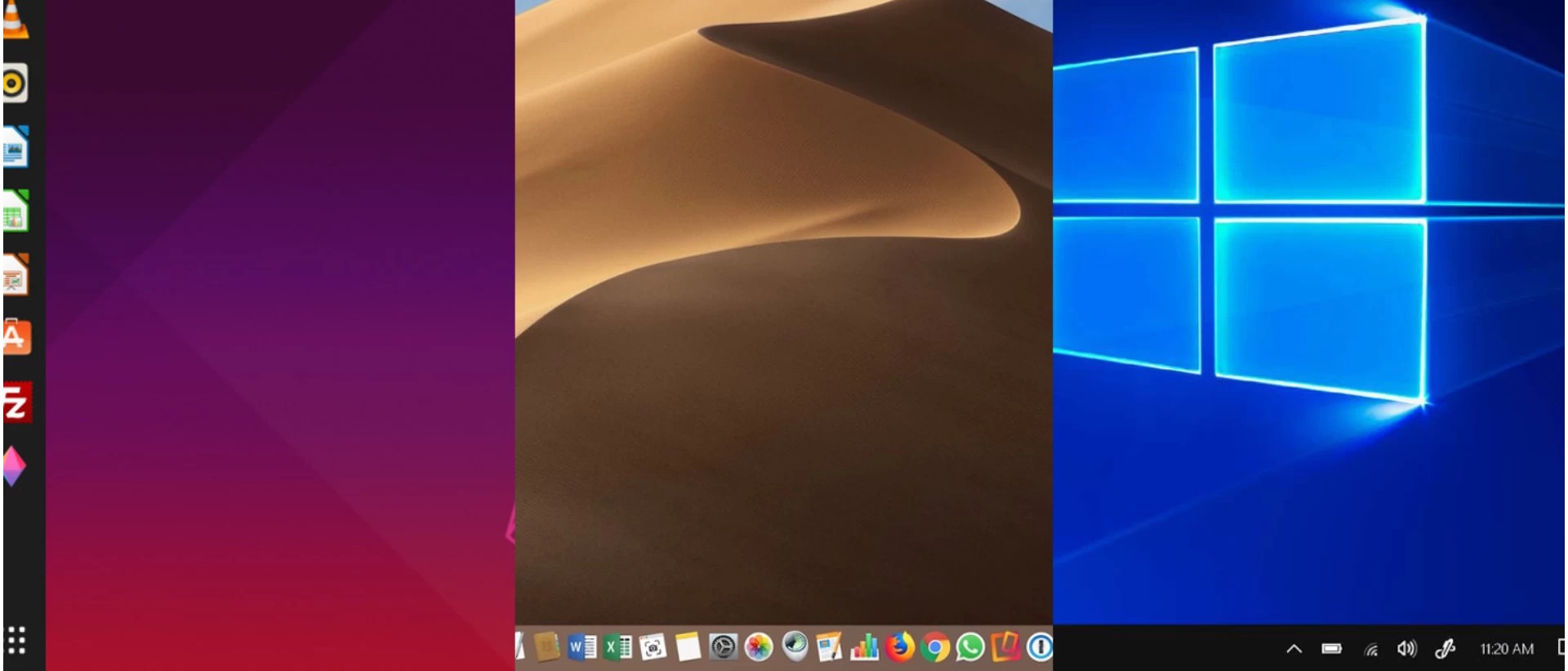
An Operating System (OS) is the most important system software that manages hardware resources and provides an interface between the user and the computer.

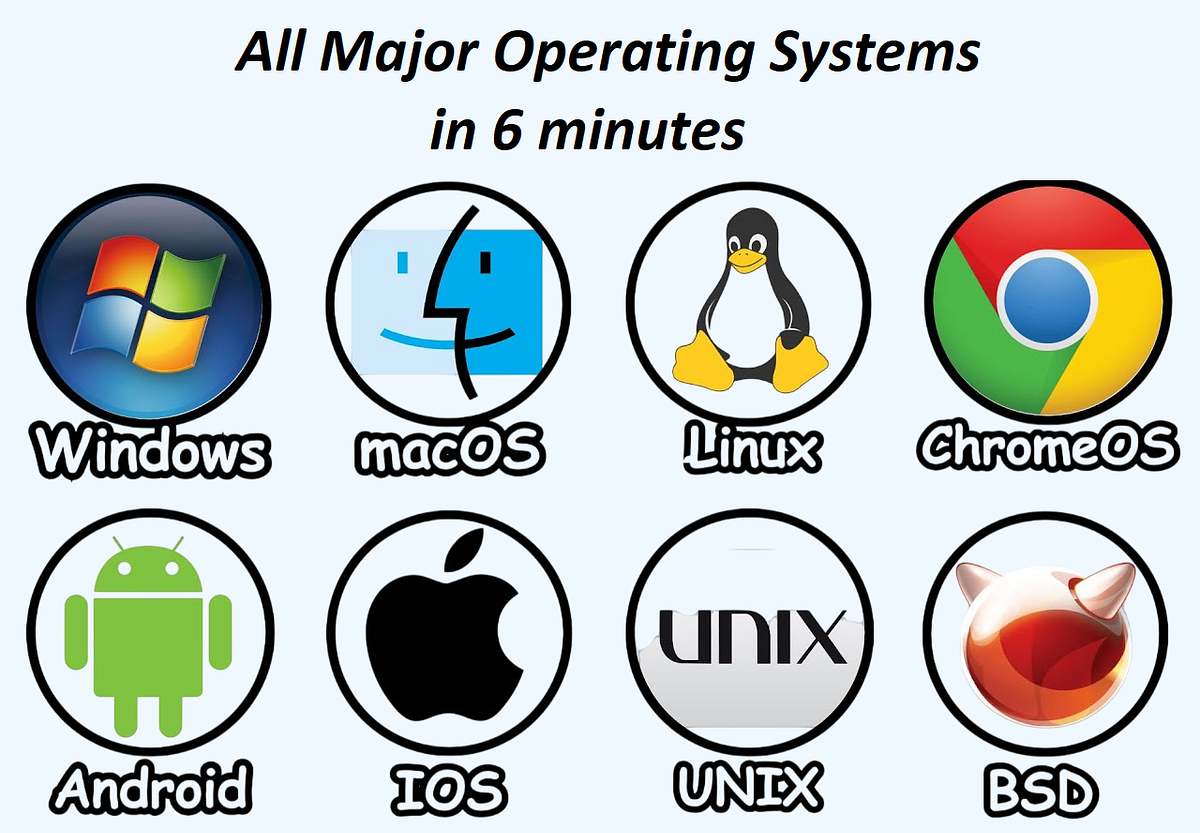
The three most widely used operating systems are:

  • Windows
  • Linux
  • macOS

Each has unique features, design philosophies, and use cases, but all share common responsibilities:

  • Process management
  • Memory management
  • File system control
  • Device management
  • Security

🪟 WINDOWS OPERATING SYSTEM


🧠 Overview of Windows

Image
Image
Image
Image

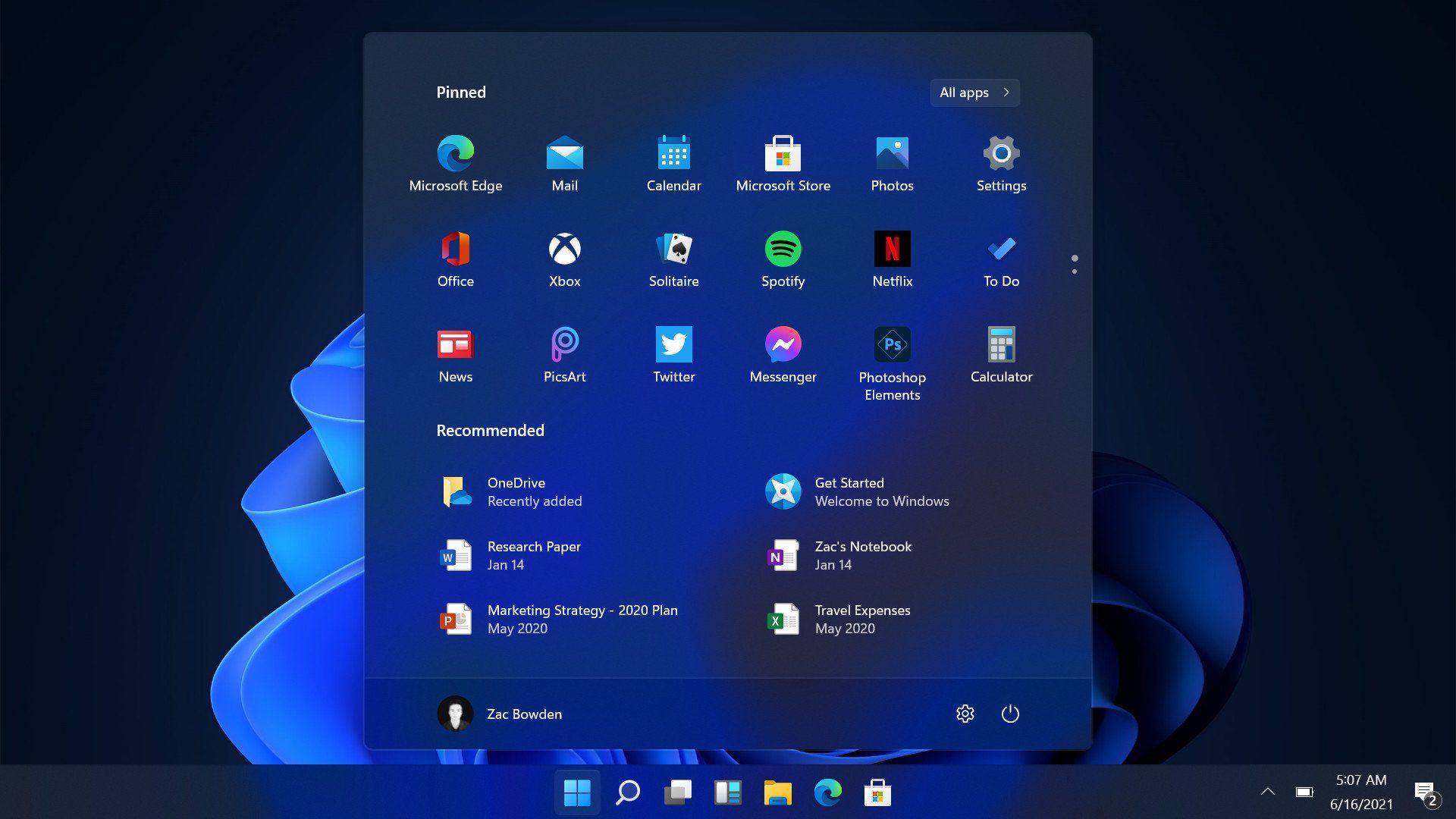
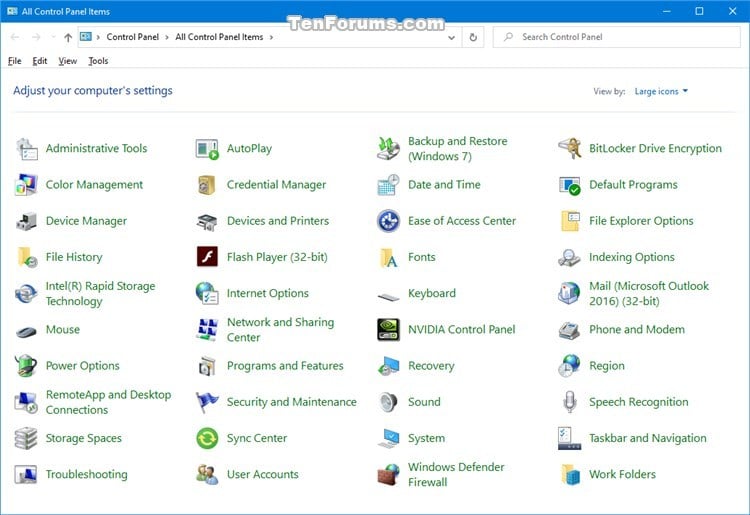
Windows is a widely used operating system developed by Microsoft. It is known for its user-friendly interface and broad compatibility.


⚙️ Key Features of Windows

🖥️ Graphical User Interface (GUI)

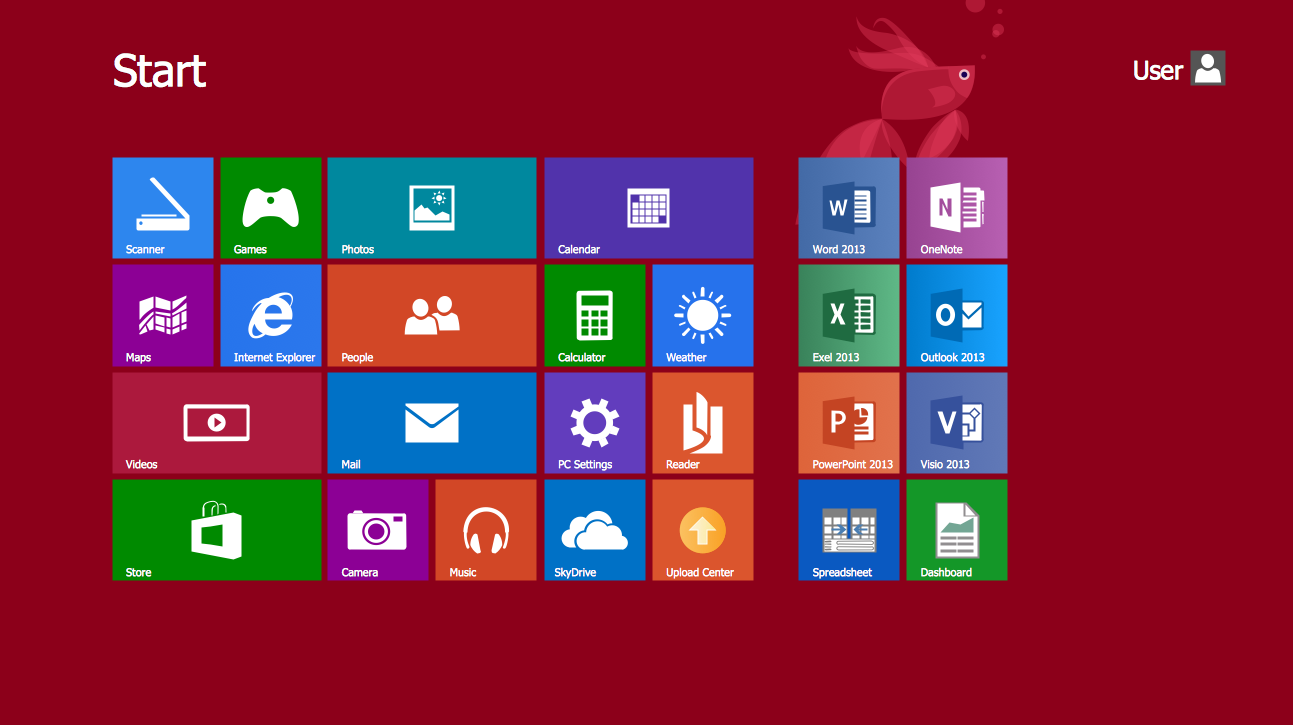
  • Start menu
  • Taskbar
  • Desktop icons

📂 File Management

  • File Explorer
  • Folder organization

🔄 Multitasking

  • Run multiple applications simultaneously

🔌 Hardware Compatibility

  • Supports a wide range of devices

🧩 Windows Components

  • Kernel
  • Device drivers
  • System libraries
  • User interface

🔐 Security Features

  • Windows Defender
  • Firewall
  • User account control

📁 File System

  • NTFS (New Technology File System)

⚡ Advantages

  • Easy to use
  • Large software ecosystem
  • Strong hardware support

⚠️ Limitations

  • Paid license
  • Vulnerable to malware
  • Resource-intensive

🐧 LINUX OPERATING SYSTEM


🧠 Overview of Linux

Image
Image
Image
Image

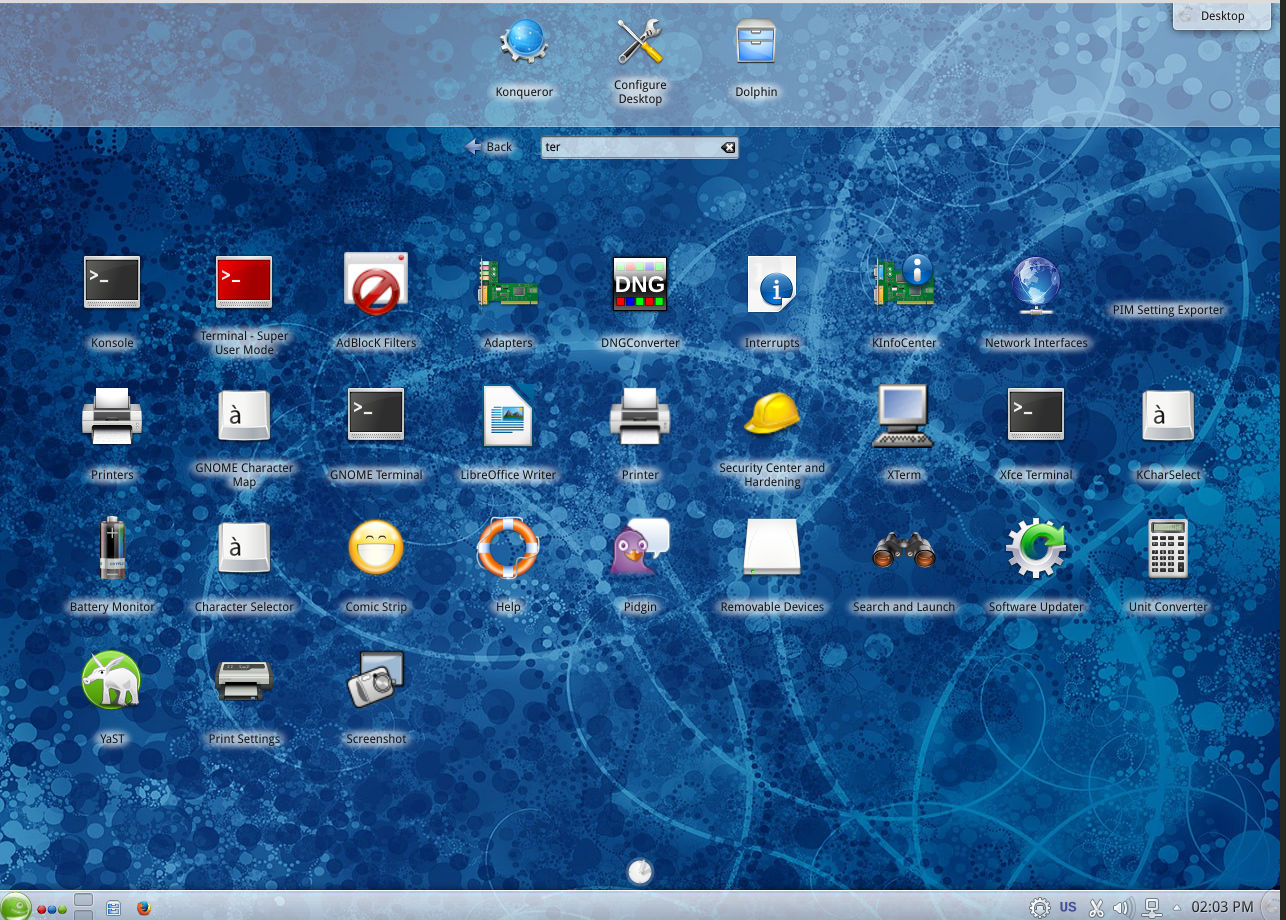
Linux is an open-source operating system based on Unix principles. It is widely used in servers, embedded systems, and development environments.


⚙️ Key Features of Linux

🔓 Open Source

  • Free to use and modify

🧠 Multiuser & Multitasking

  • Supports multiple users simultaneously

⚡ Stability and Performance

  • Efficient resource usage

🖥️ Command Line Interface

  • Powerful terminal (Bash shell)

🧩 Linux Components

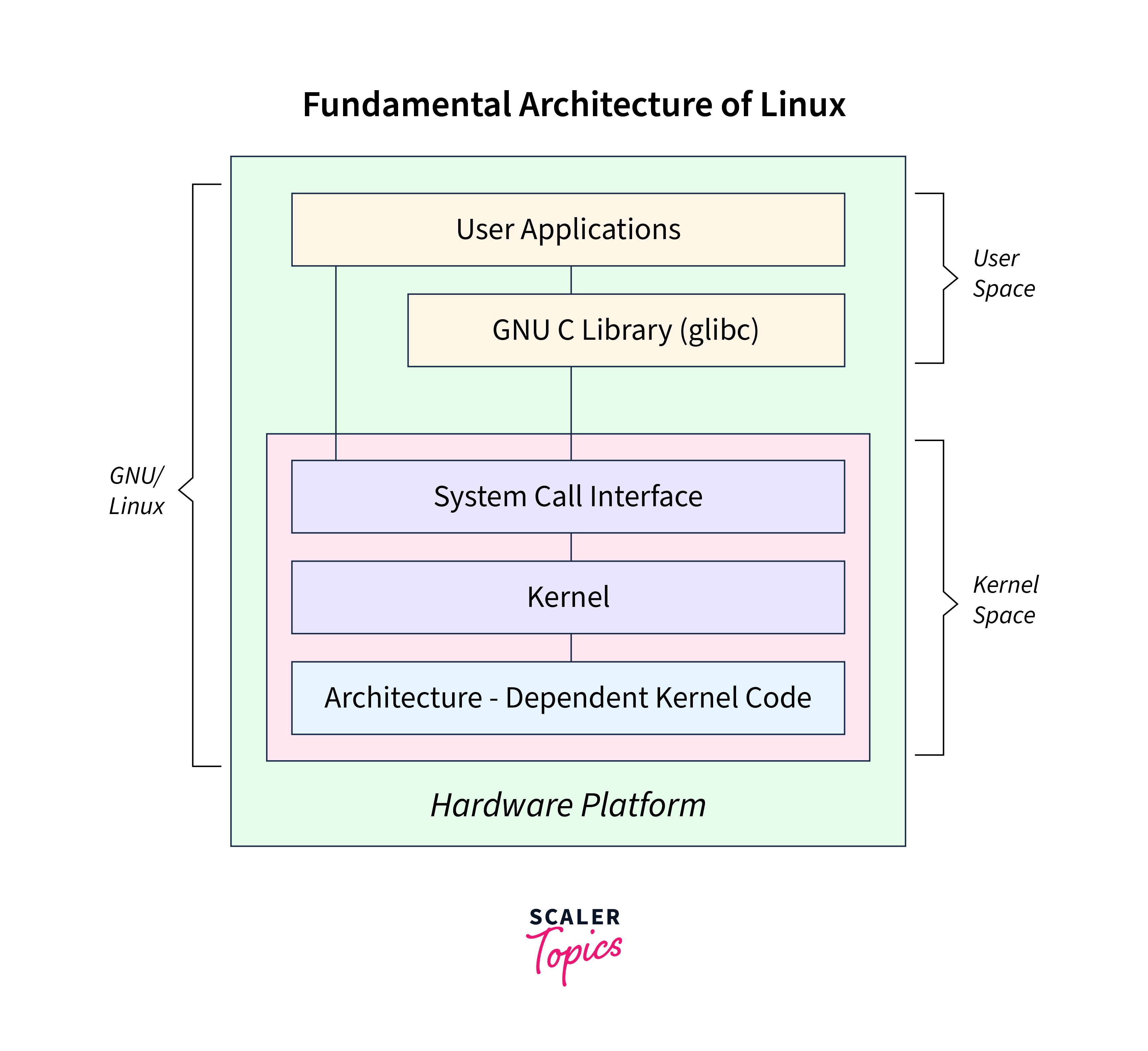
  • Kernel
  • Shell
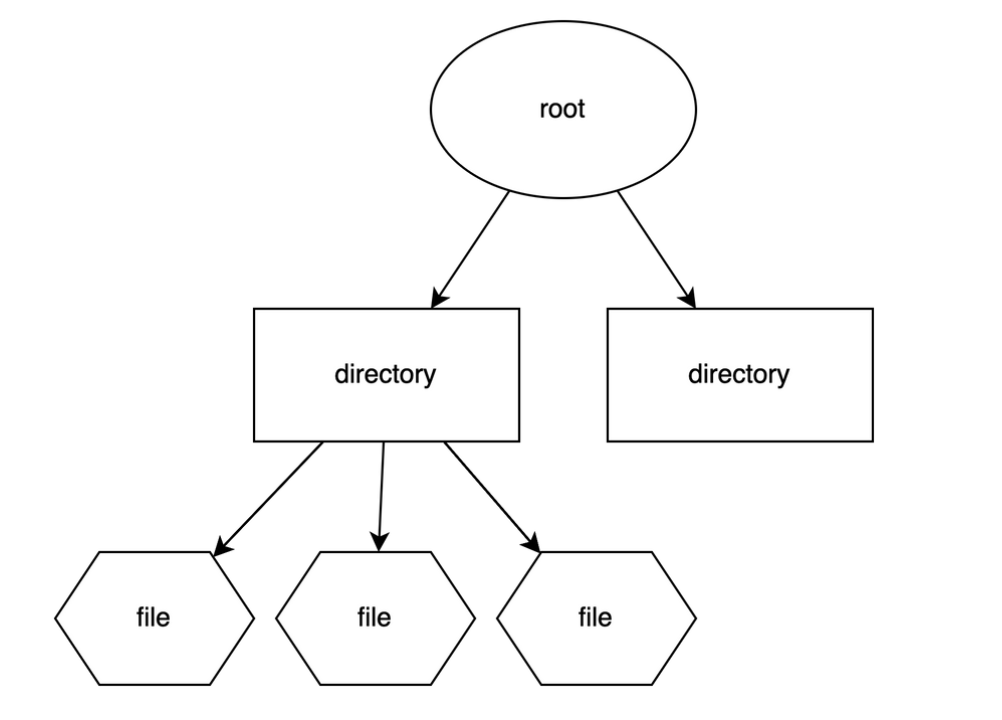
  • File system
  • Utilities

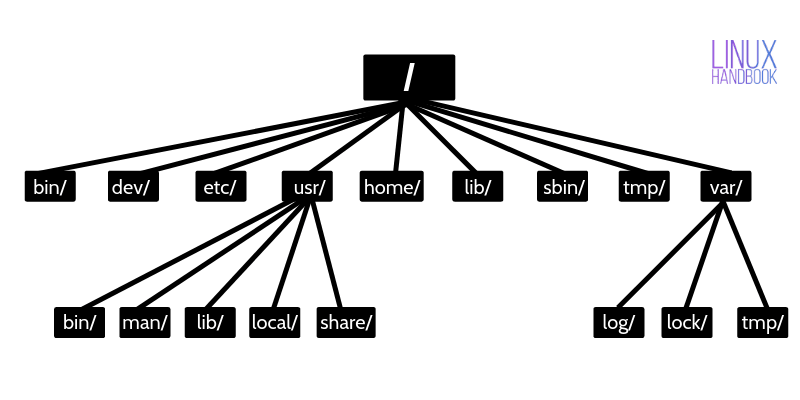
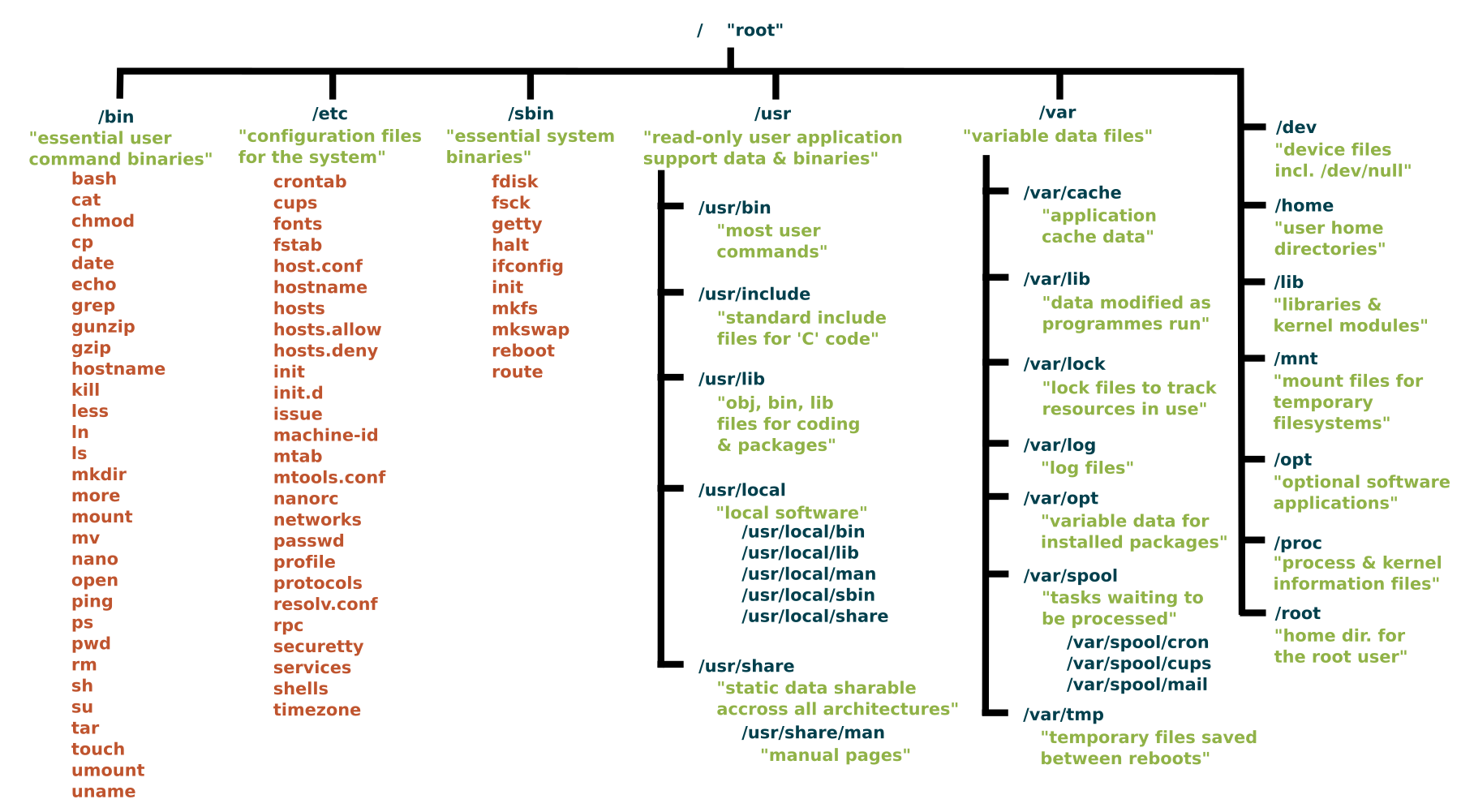
📁 Linux File System

Image
Image
Image
Image
  • Root (/)
  • /home
  • /etc
  • /usr

🔐 Security Features

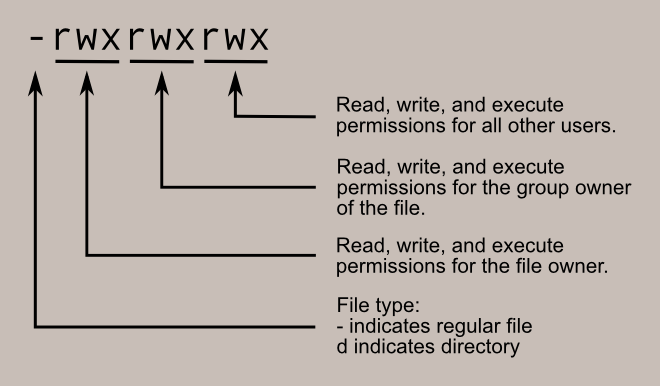
  • Strong permissions system
  • User/group control
  • SELinux/AppArmor

🧠 Popular Distributions

  • Ubuntu
  • Fedora
  • Debian
  • CentOS

⚡ Advantages

  • Free and open-source
  • Highly customizable
  • Secure and stable

⚠️ Limitations

  • Steeper learning curve
  • Limited commercial software

🍎 macOS OPERATING SYSTEM


🧠 Overview of macOS

Image
Image
Image
Image

macOS is developed by Apple and is known for its smooth performance, security, and elegant design.


⚙️ Key Features of macOS

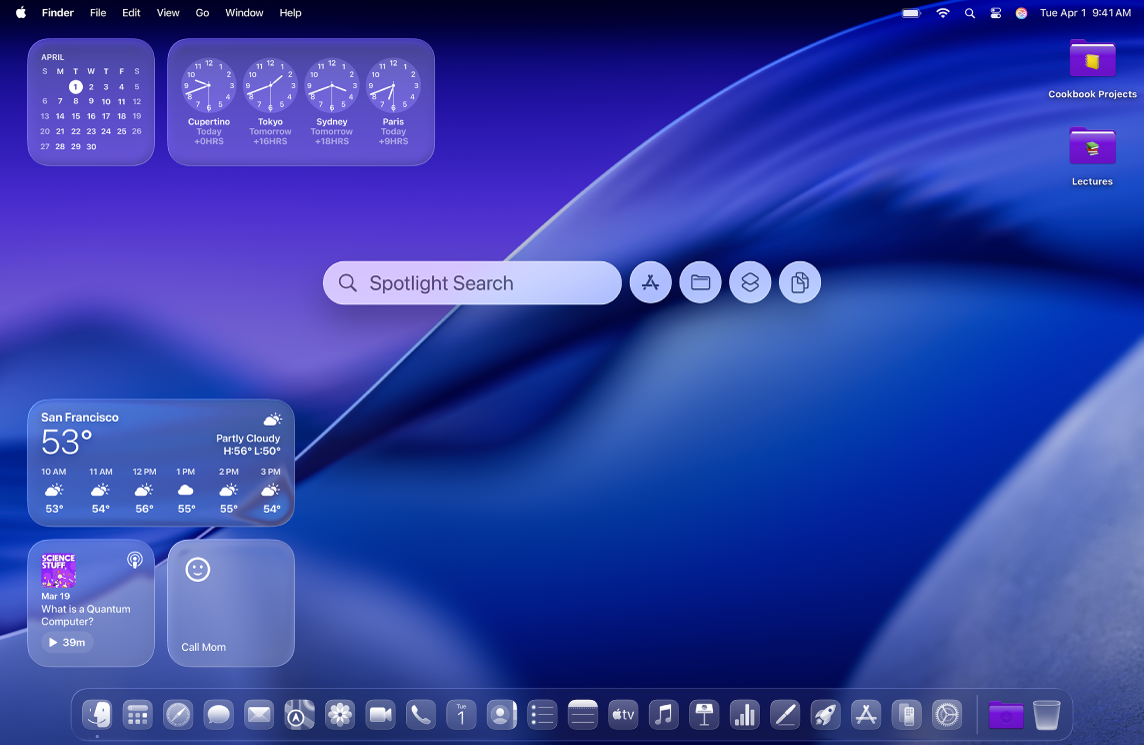
🎨 User Interface

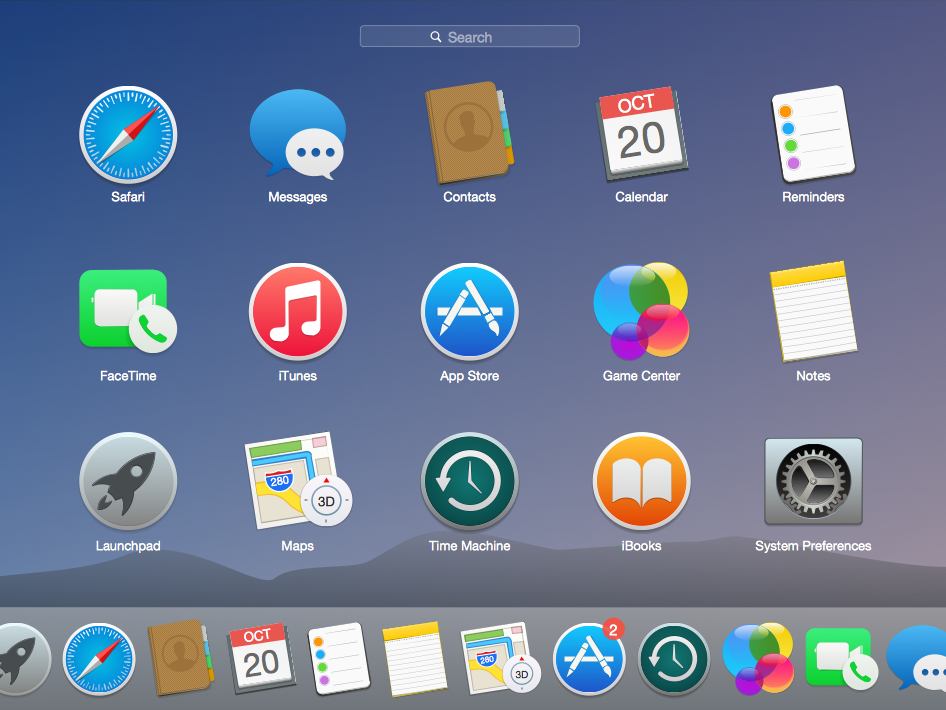
  • Dock
  • Finder
  • Spotlight search

🔄 Integration

  • Seamless integration with Apple ecosystem

⚡ Performance Optimization

  • Optimized for Apple hardware

🧩 macOS Components

  • Darwin kernel
  • Cocoa frameworks
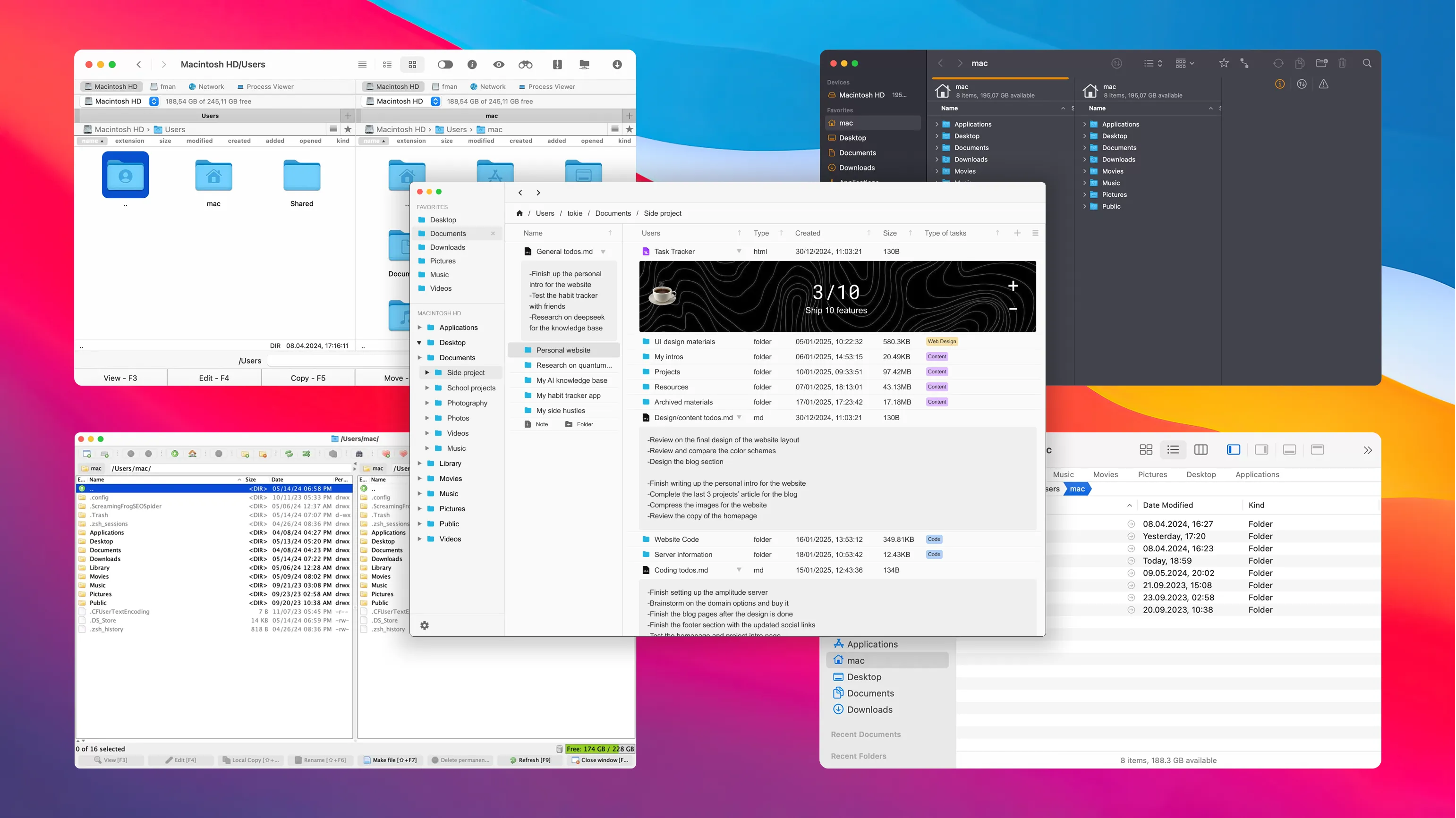
  • Finder (file manager)

📁 File System

  • APFS (Apple File System)

🔐 Security Features

  • Gatekeeper
  • FileVault
  • Sandbox apps

⚡ Advantages

  • Stable and secure
  • Excellent UI/UX
  • Optimized performance

⚠️ Limitations

  • Expensive hardware
  • Limited customization
  • Less gaming support

⚖️ COMPARISON: Windows vs Linux vs macOS


📊 Feature Comparison Table

FeatureWindowsLinuxmacOS
CostPaidFreePaid (with hardware)
User InterfaceEasyModerateVery user-friendly
SecurityModerateHighHigh
CustomizationLimitedVery HighLimited
Software SupportExtensiveModerateGood

🧠 Use Cases

  • Windows → General users, gaming, business
  • Linux → Developers, servers, cybersecurity
  • macOS → Designers, developers, creatives

⚙️ Core OS Functions (All Systems)


🧠 Process Management

Image
Image
Image
Image
  • Handles running programs
  • Scheduling tasks

💾 Memory Management

Image
Image
Image
Image
  • Allocates RAM
  • Uses virtual memory

📂 File Management

Image
Image
Image
Image
  • Organizes files and directories
  • Controls access

🔌 Device Management

Image
Image
Image
Image
  • Controls hardware devices
  • Uses drivers

🧩 User Interfaces


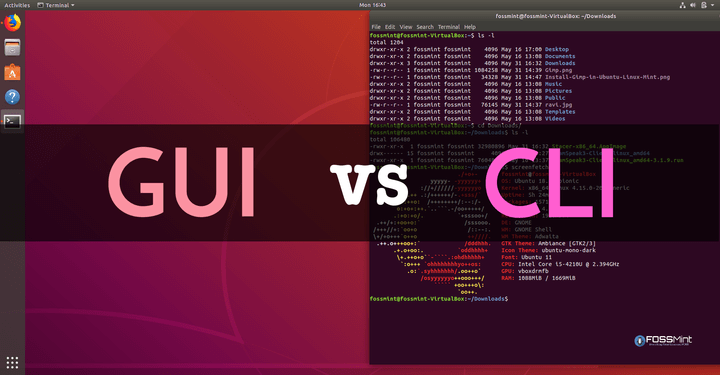
🖥️ GUI vs CLI

Image
Image
Image
Image
  • GUI → Easy, visual
  • CLI → Powerful, flexible

🌐 File Systems Comparison

OSFile System
WindowsNTFS
LinuxEXT4
macOSAPFS

🔐 Security Comparison


🛡️ Key Features:

  • Authentication
  • Encryption
  • Access control

Linux and macOS are generally more secure due to Unix-based design.


🚀 Modern Trends in Operating Systems

Image
Image
Image
Image
  • Cloud-based OS
  • Virtualization
  • AI integration
  • Containerization

⚡ Advantages of Operating Systems

  • Simplifies user interaction
  • Efficient resource management
  • Enables multitasking
  • Provides security

⚠️ Limitations

  • Complexity
  • Resource usage
  • Compatibility issues

🧠 Conclusion

Windows, Linux, and macOS are the pillars of modern computing. Each offers unique strengths:

  • Windows → Versatility and compatibility
  • Linux → Power and flexibility
  • macOS → Performance and design

Understanding these systems helps in:

  • Choosing the right OS
  • Improving productivity
  • Learning advanced computing

🏷️ Tags