Tag Archives: System Software

πŸ’» Windows / Linux / macOS Basics


🌐 Introduction to Operating Systems
Image
Image
Image
Image

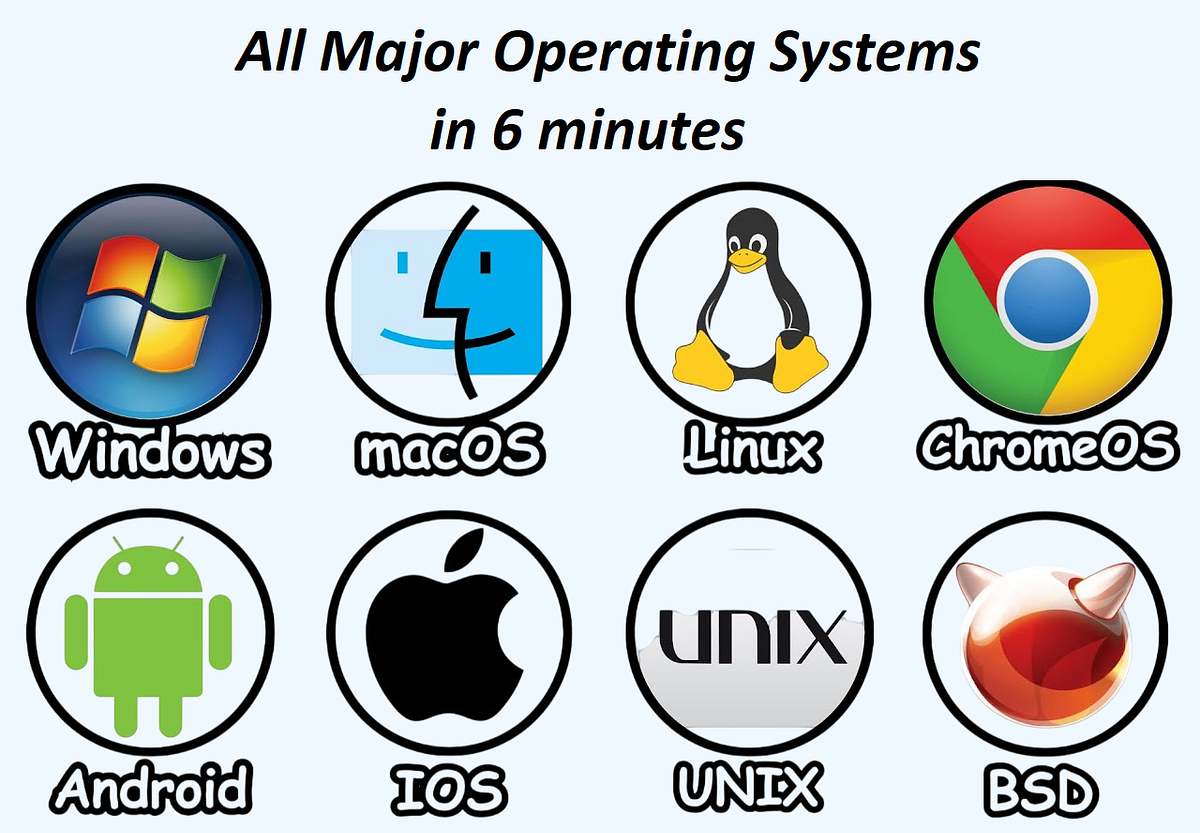
An Operating System (OS) is the most important system software that manages hardware resources and provides an interface between the user and the computer.

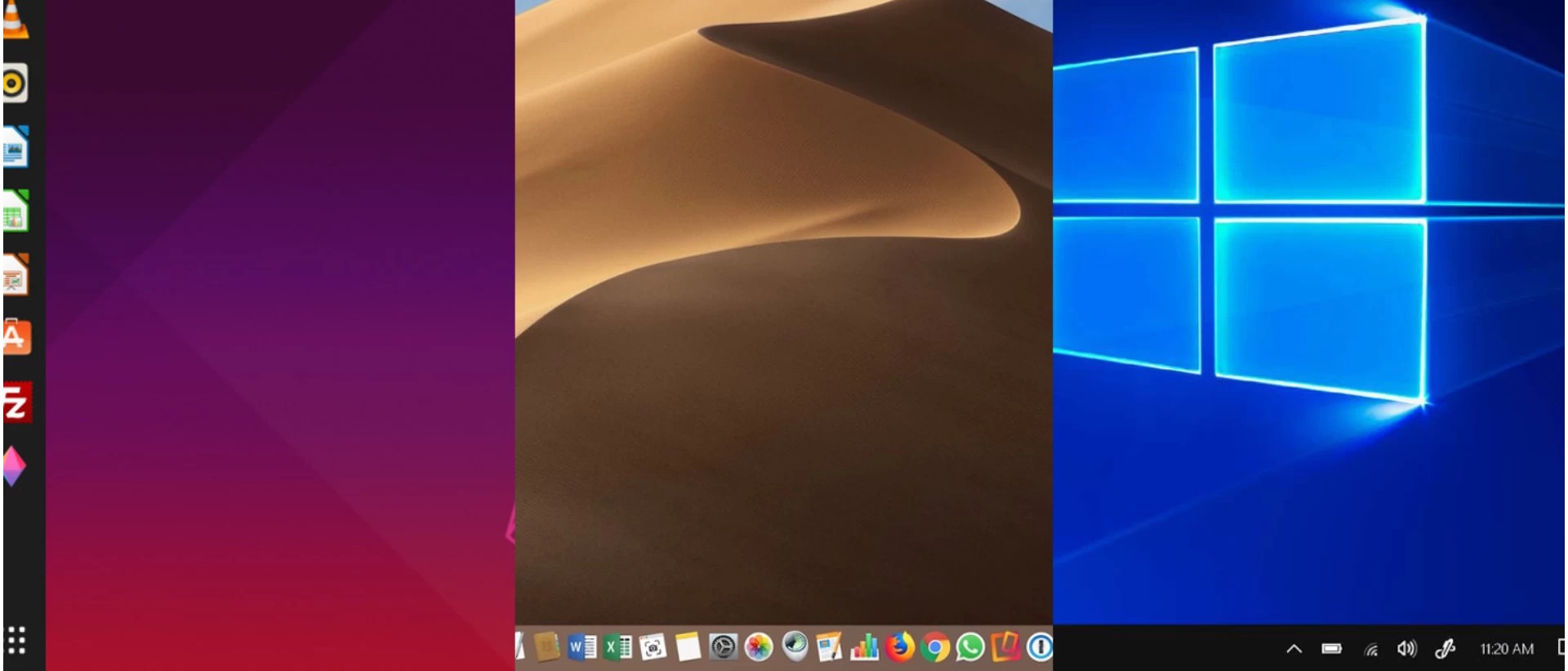
The three most widely used operating systems are:

  • Windows
  • Linux
  • macOS

Each has unique features, design philosophies, and use cases, but all share common responsibilities:

  • Process management
  • Memory management
  • File system control
  • Device management
  • Security

πŸͺŸ WINDOWS OPERATING SYSTEM


🧠 Overview of Windows
Image
Image
Image
Image

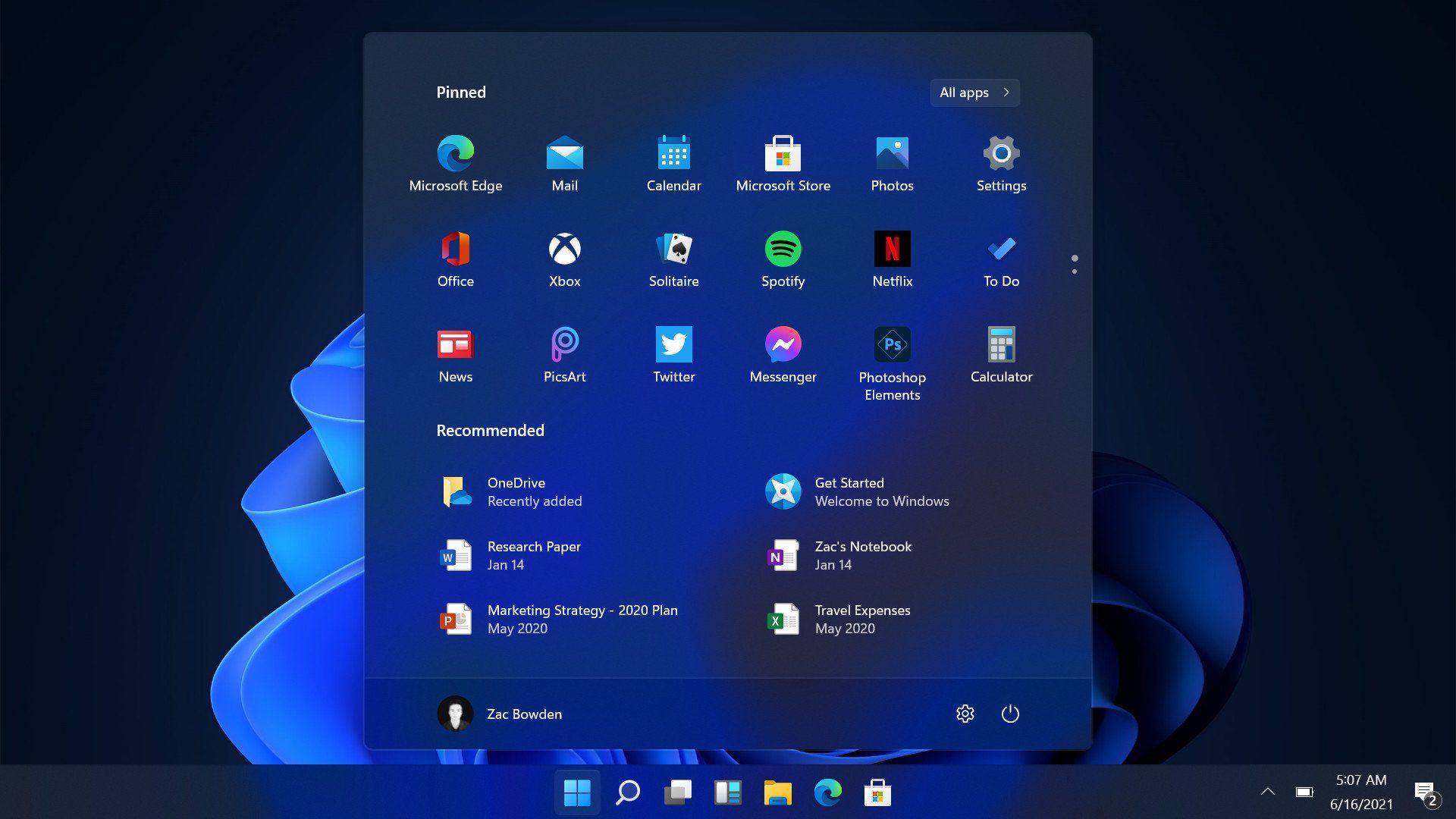
Windows is a widely used operating system developed by Microsoft. It is known for its user-friendly interface and broad compatibility.


βš™οΈ Key Features of Windows

πŸ–₯️ Graphical User Interface (GUI)

  • Start menu
  • Taskbar
  • Desktop icons

πŸ“‚ File Management

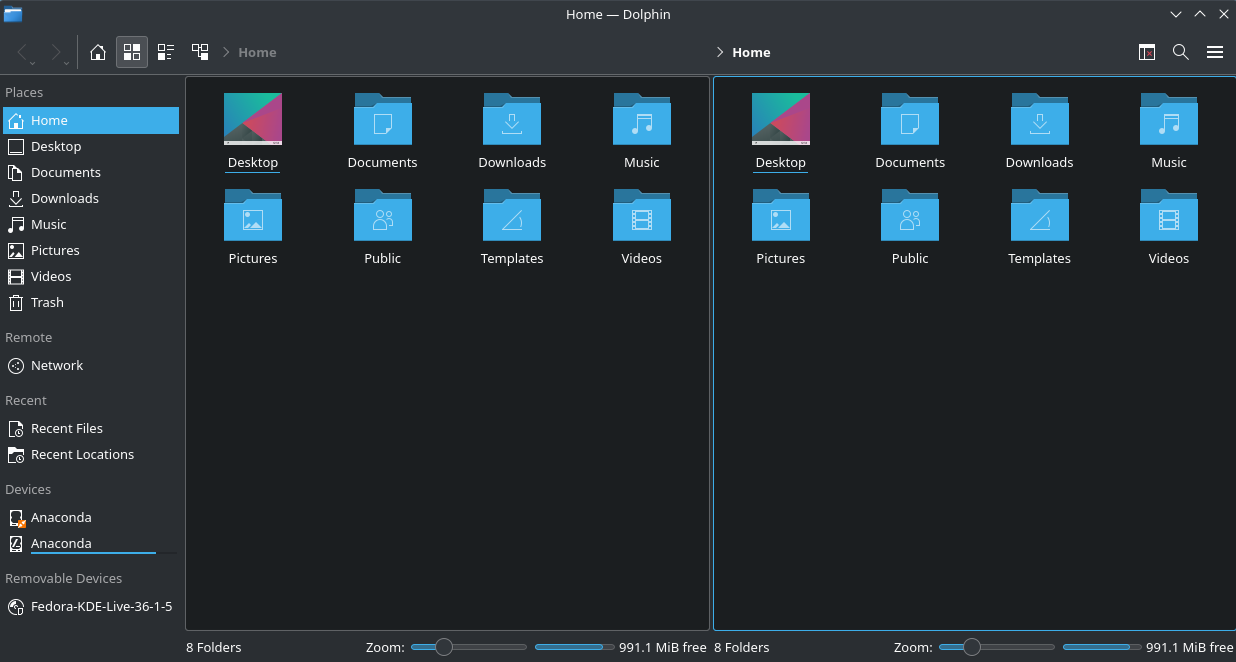
  • File Explorer
  • Folder organization

πŸ”„ Multitasking

  • Run multiple applications simultaneously

πŸ”Œ Hardware Compatibility

  • Supports a wide range of devices

🧩 Windows Components

  • Kernel
  • Device drivers
  • System libraries
  • User interface

πŸ” Security Features

  • Windows Defender
  • Firewall
  • User account control

πŸ“ File System

  • NTFS (New Technology File System)

⚑ Advantages

  • Easy to use
  • Large software ecosystem
  • Strong hardware support

⚠️ Limitations

  • Paid license
  • Vulnerable to malware
  • Resource-intensive

🐧 LINUX OPERATING SYSTEM


🧠 Overview of Linux
Image
Image
Image
Image

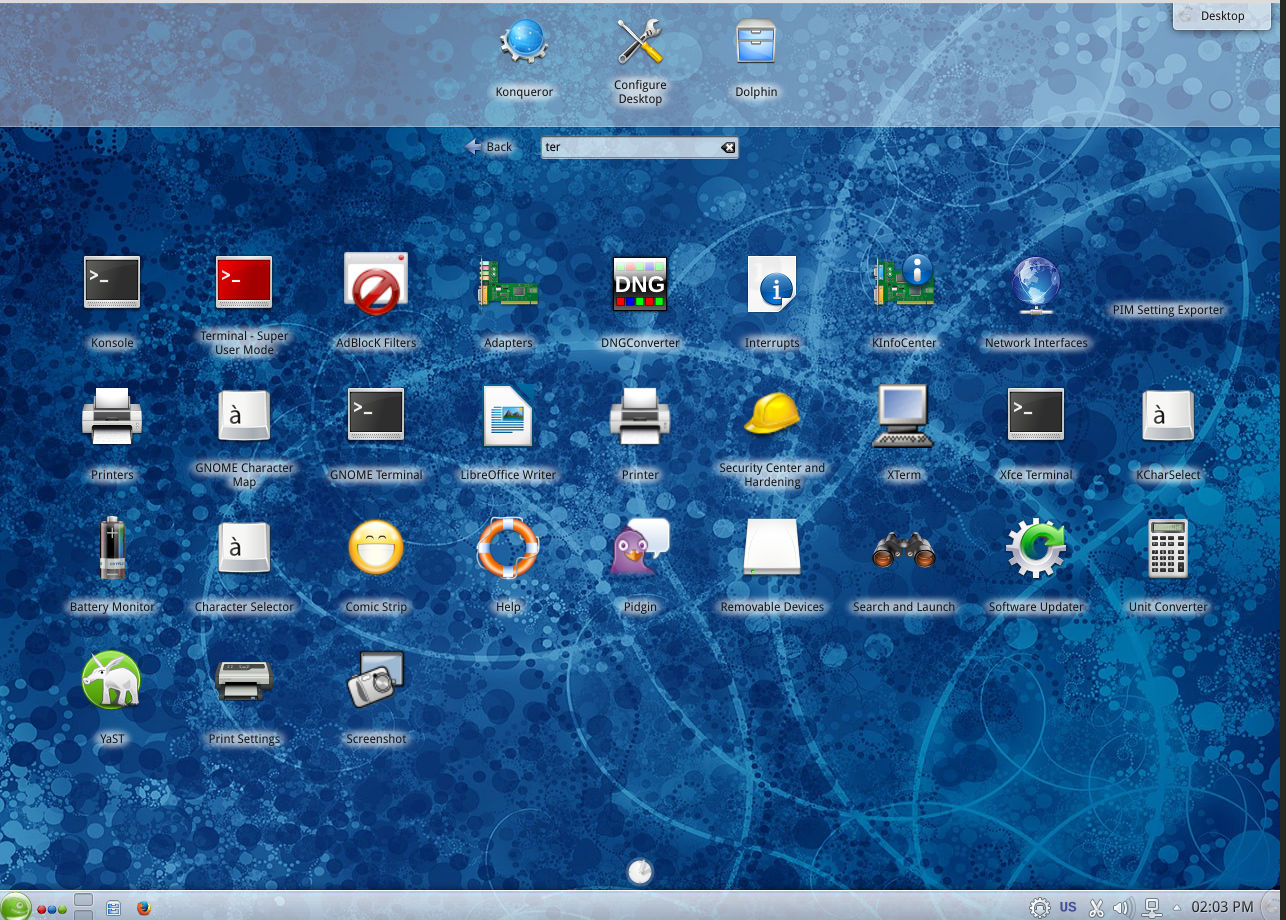
Linux is an open-source operating system based on Unix principles. It is widely used in servers, embedded systems, and development environments.


βš™οΈ Key Features of Linux

πŸ”“ Open Source

  • Free to use and modify

🧠 Multiuser & Multitasking

  • Supports multiple users simultaneously

⚑ Stability and Performance

  • Efficient resource usage

πŸ–₯️ Command Line Interface

  • Powerful terminal (Bash shell)

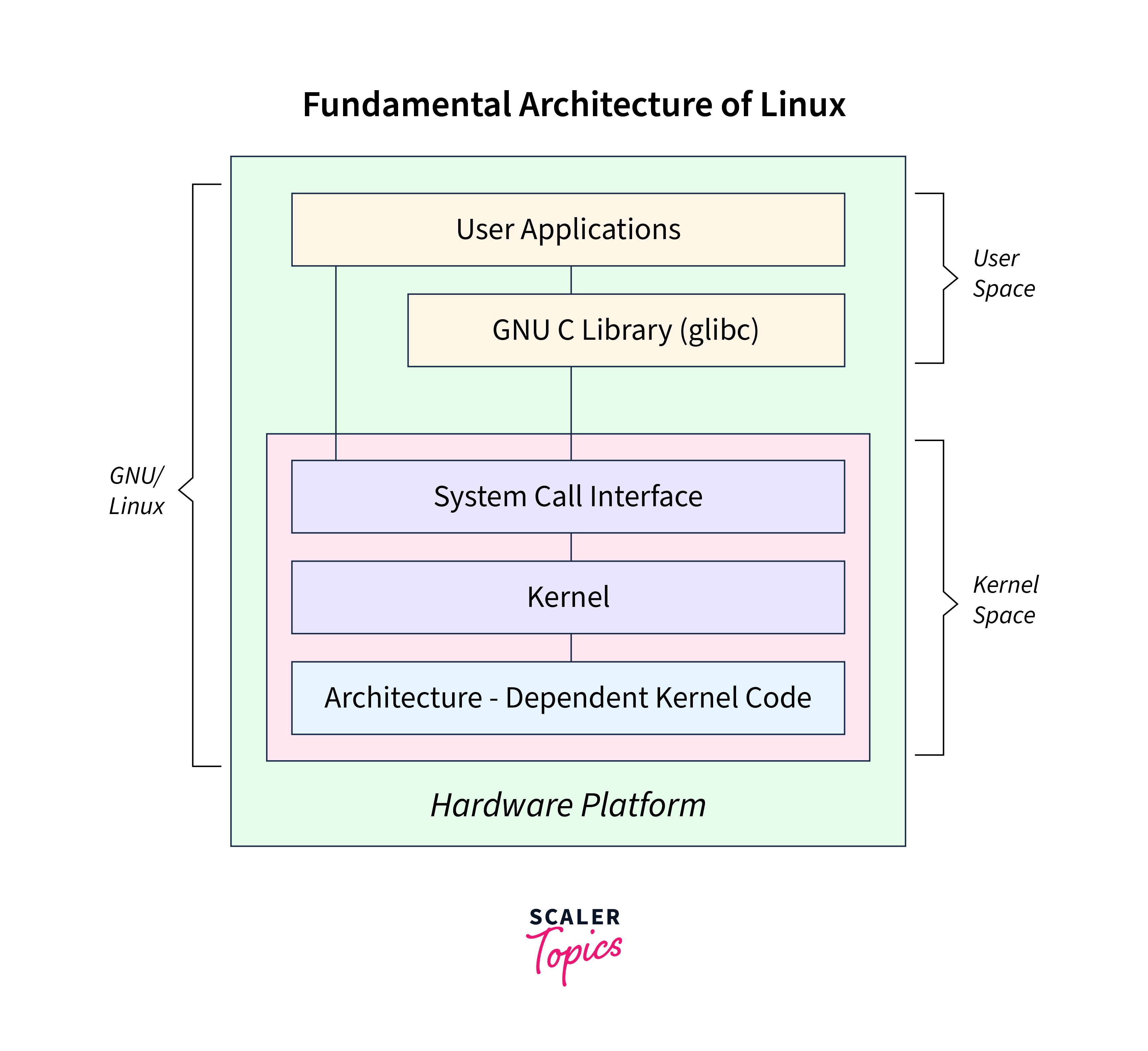
🧩 Linux Components

  • Kernel
  • Shell
  • File system
  • Utilities

πŸ“ Linux File System

Image
Image
Image
Image
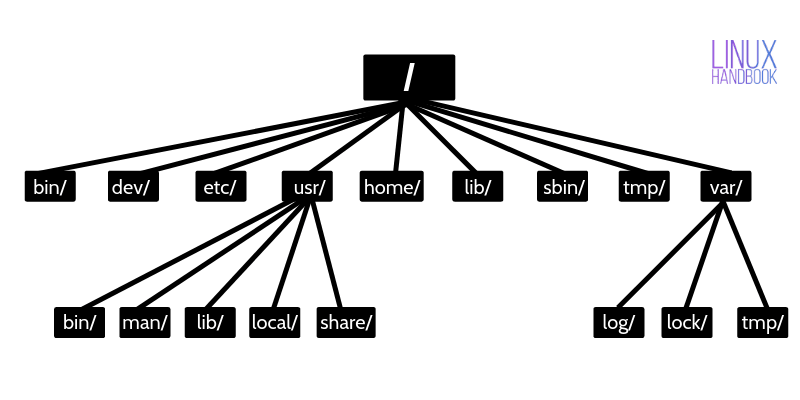
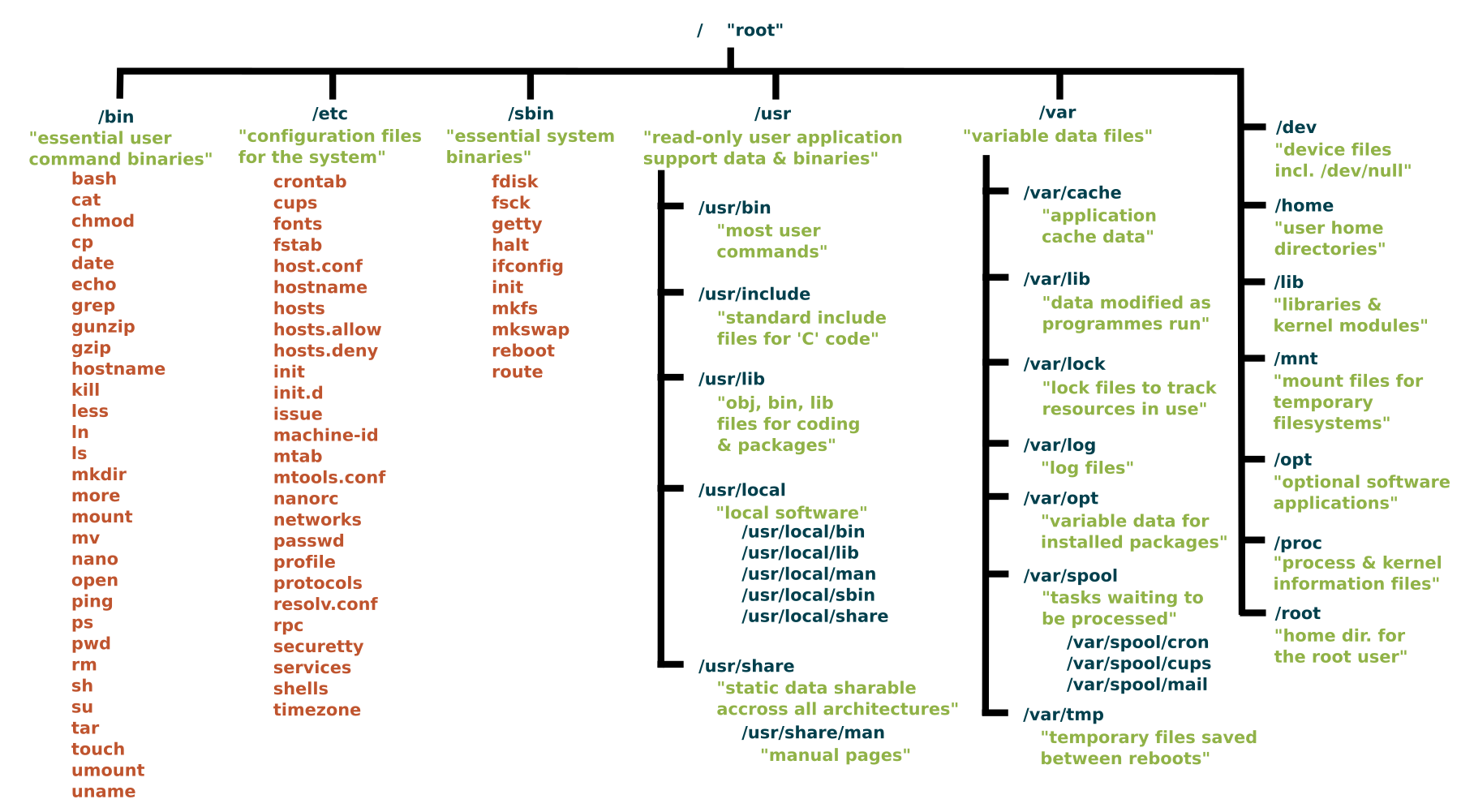
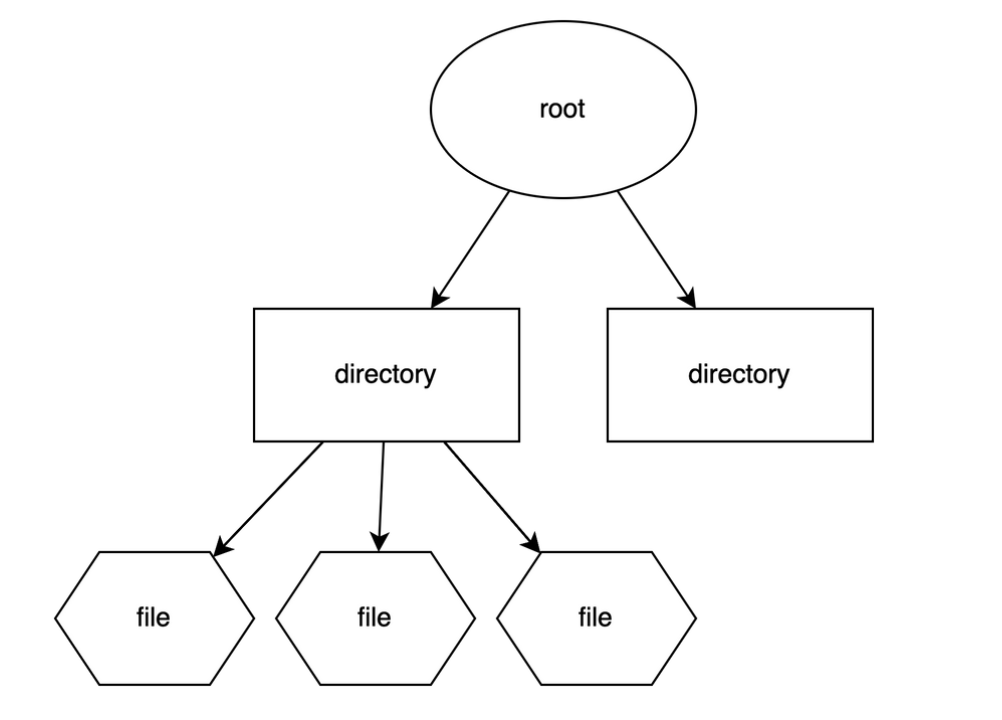
  • Root (/)
  • /home
  • /etc
  • /usr

πŸ” Security Features

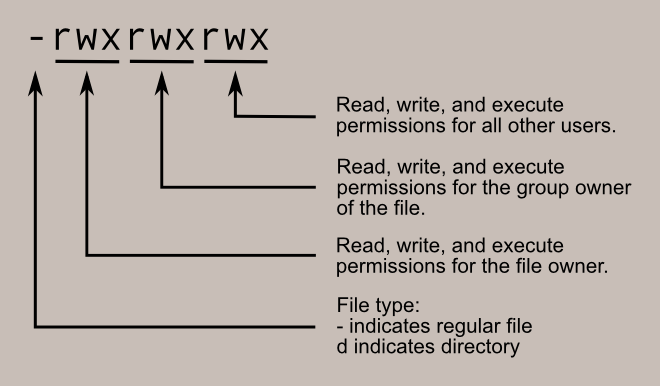
  • Strong permissions system
  • User/group control
  • SELinux/AppArmor

🧠 Popular Distributions

  • Ubuntu
  • Fedora
  • Debian
  • CentOS

⚑ Advantages

  • Free and open-source
  • Highly customizable
  • Secure and stable

⚠️ Limitations

  • Steeper learning curve
  • Limited commercial software

🍎 macOS OPERATING SYSTEM


🧠 Overview of macOS
Image
Image
Image
Image

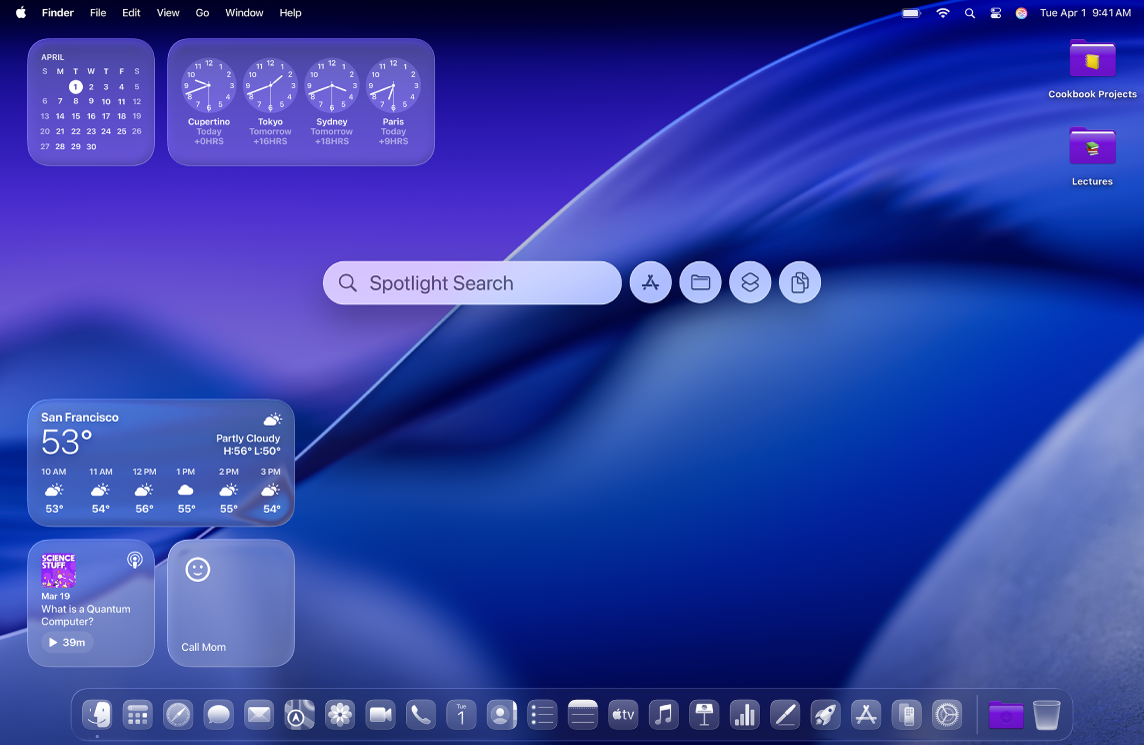
macOS is developed by Apple and is known for its smooth performance, security, and elegant design.


βš™οΈ Key Features of macOS

🎨 User Interface

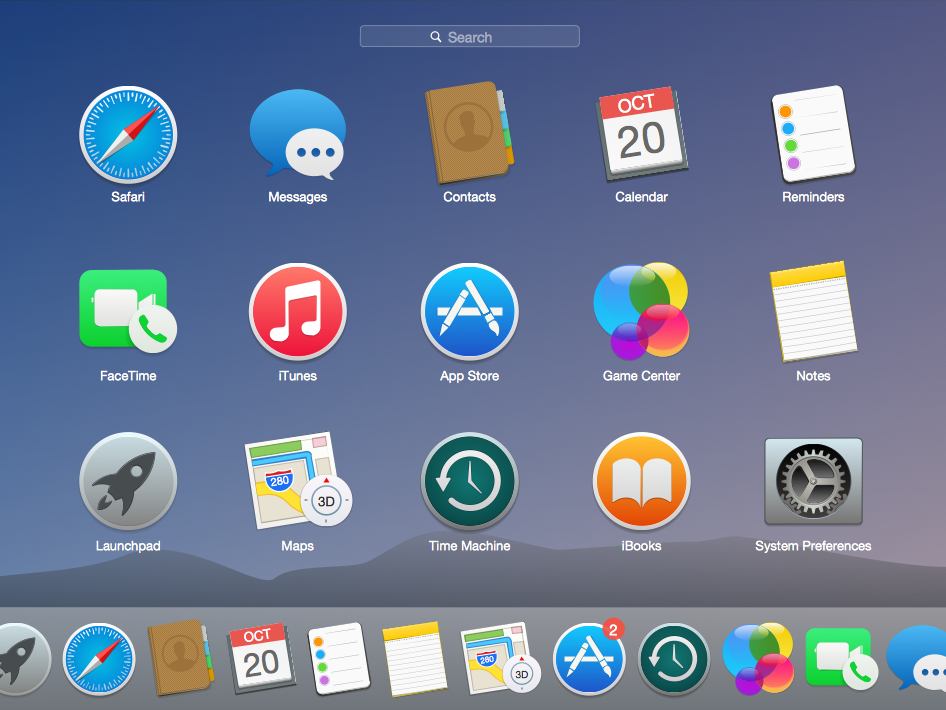
  • Dock
  • Finder
  • Spotlight search

πŸ”„ Integration

  • Seamless integration with Apple ecosystem

⚑ Performance Optimization

  • Optimized for Apple hardware

🧩 macOS Components

  • Darwin kernel
  • Cocoa frameworks
  • Finder (file manager)

πŸ“ File System

  • APFS (Apple File System)

πŸ” Security Features

  • Gatekeeper
  • FileVault
  • Sandbox apps

⚑ Advantages

  • Stable and secure
  • Excellent UI/UX
  • Optimized performance

⚠️ Limitations

  • Expensive hardware
  • Limited customization
  • Less gaming support

βš–οΈ COMPARISON: Windows vs Linux vs macOS


πŸ“Š Feature Comparison Table

FeatureWindowsLinuxmacOS
CostPaidFreePaid (with hardware)
User InterfaceEasyModerateVery user-friendly
SecurityModerateHighHigh
CustomizationLimitedVery HighLimited
Software SupportExtensiveModerateGood

🧠 Use Cases

  • Windows β†’ General users, gaming, business
  • Linux β†’ Developers, servers, cybersecurity
  • macOS β†’ Designers, developers, creatives

βš™οΈ Core OS Functions (All Systems)


🧠 Process Management

Image
Image
Image
Image
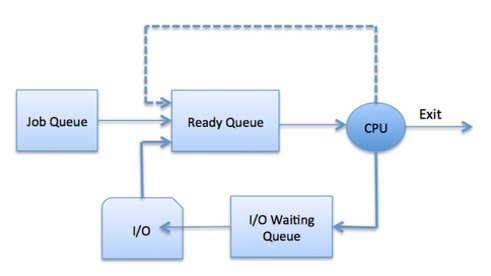
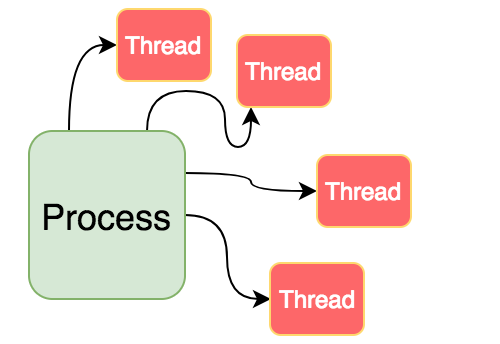
  • Handles running programs
  • Scheduling tasks

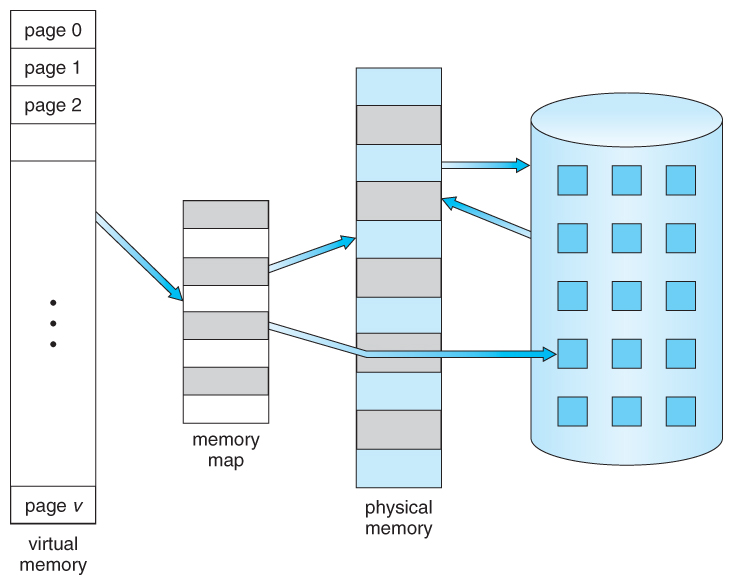
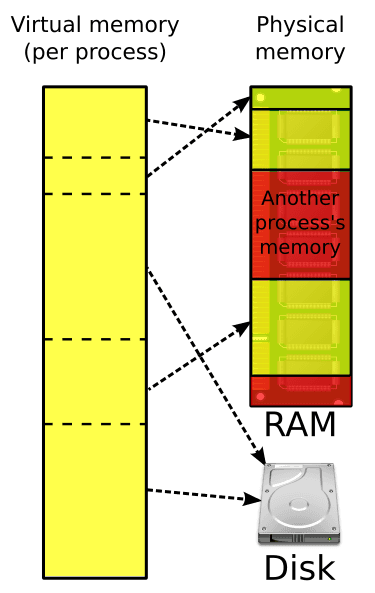
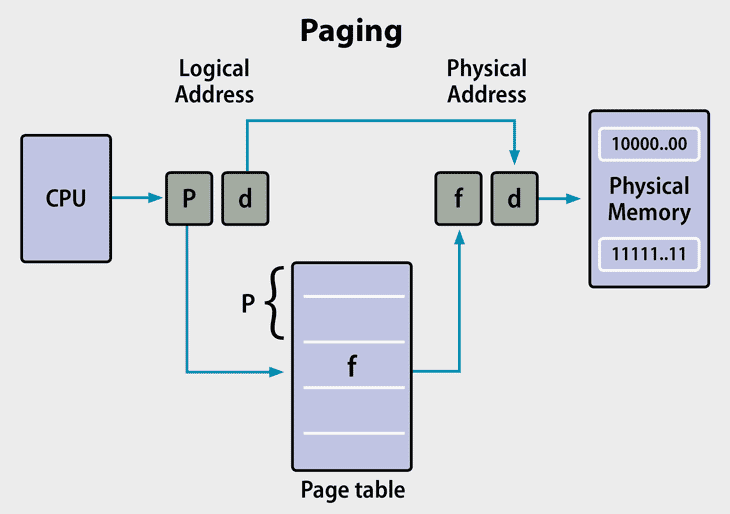
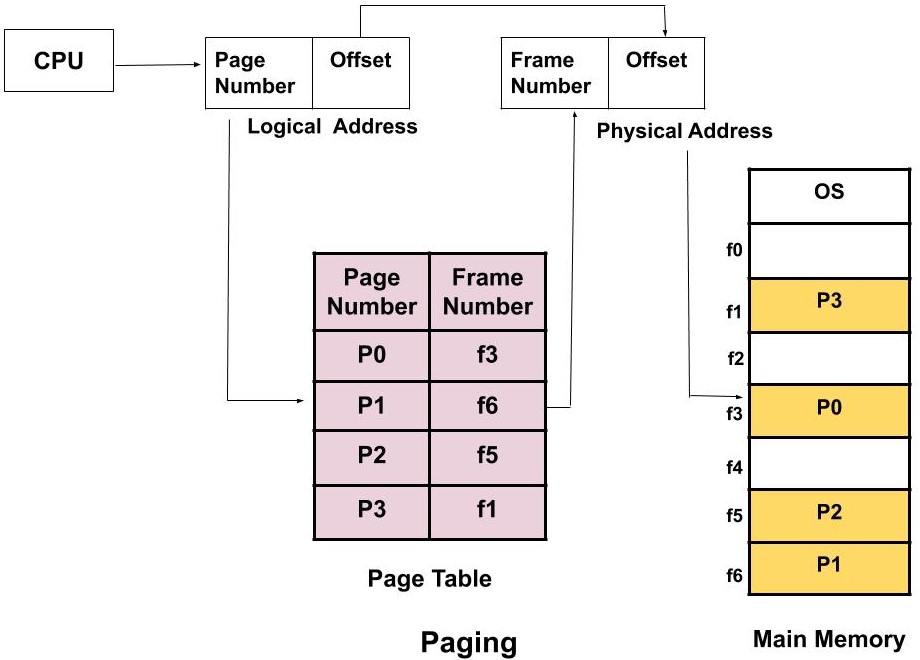
πŸ’Ύ Memory Management

Image
Image
Image
Image
  • Allocates RAM
  • Uses virtual memory

πŸ“‚ File Management

Image
Image
Image
Image
  • Organizes files and directories
  • Controls access

πŸ”Œ Device Management

Image
Image
Image
Image
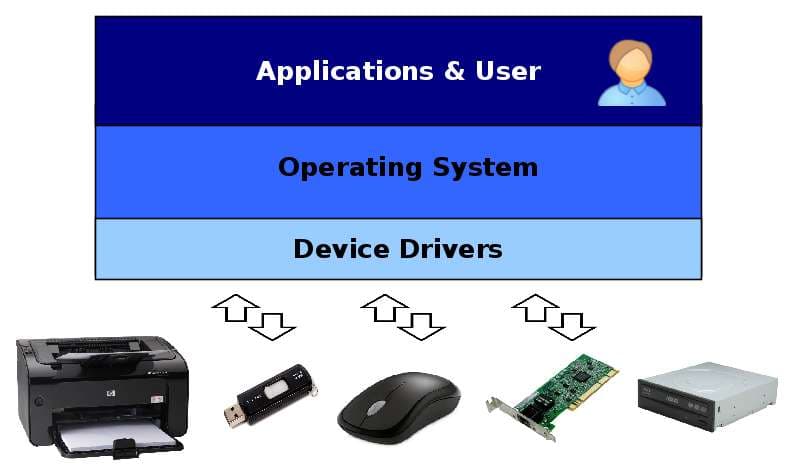
  • Controls hardware devices
  • Uses drivers

🧩 User Interfaces


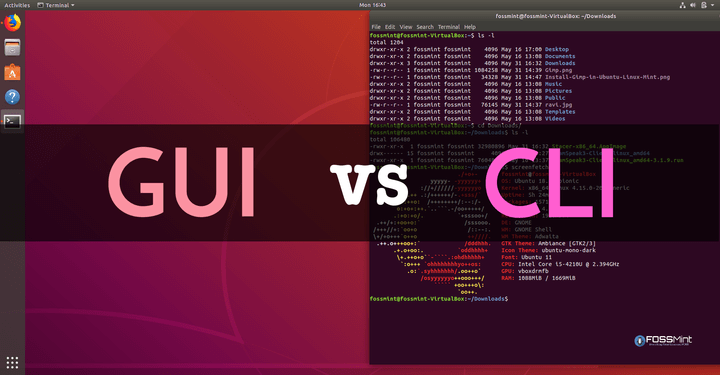
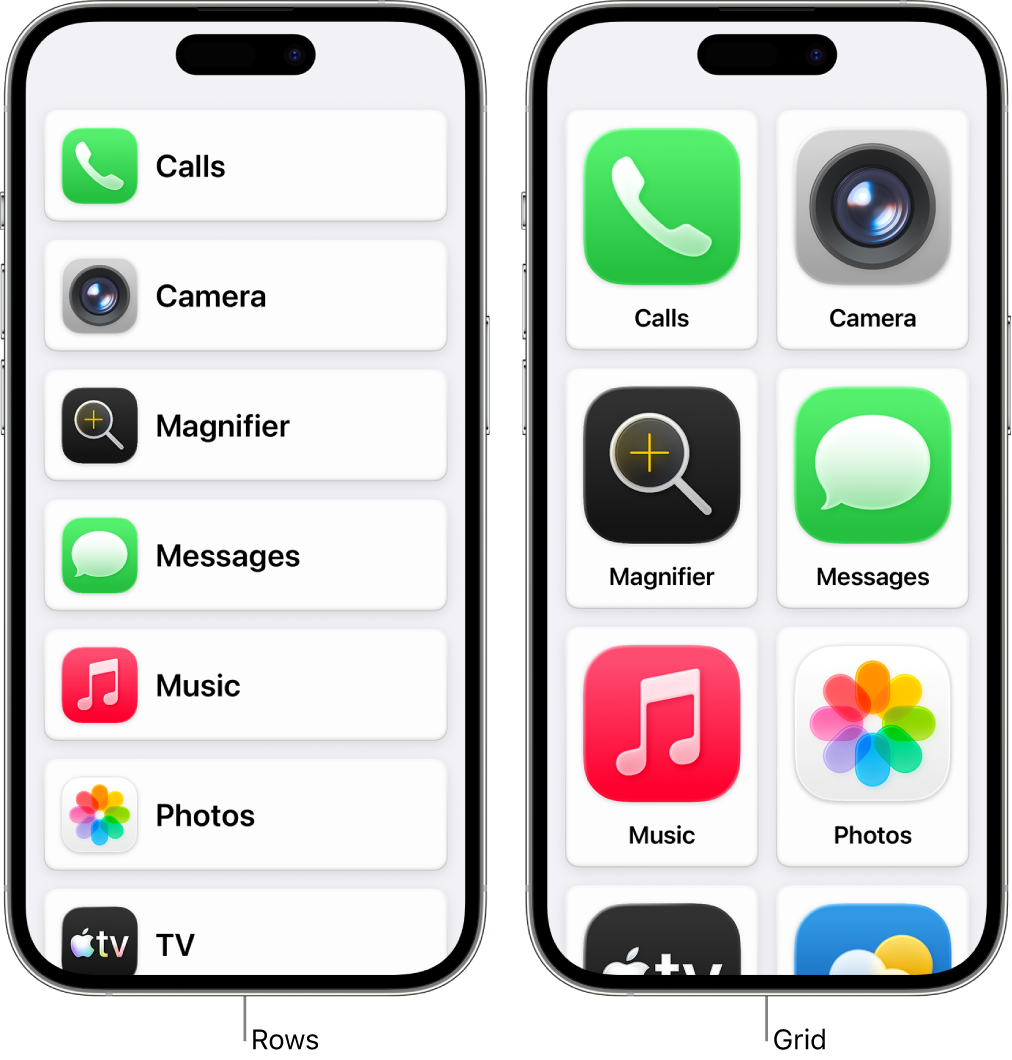
πŸ–₯️ GUI vs CLI

Image
Image
Image
Image
  • GUI β†’ Easy, visual
  • CLI β†’ Powerful, flexible

🌐 File Systems Comparison

OSFile System
WindowsNTFS
LinuxEXT4
macOSAPFS

πŸ” Security Comparison


πŸ›‘οΈ Key Features:

  • Authentication
  • Encryption
  • Access control

Linux and macOS are generally more secure due to Unix-based design.


πŸš€ Modern Trends in Operating Systems

Image
Image
Image
Image
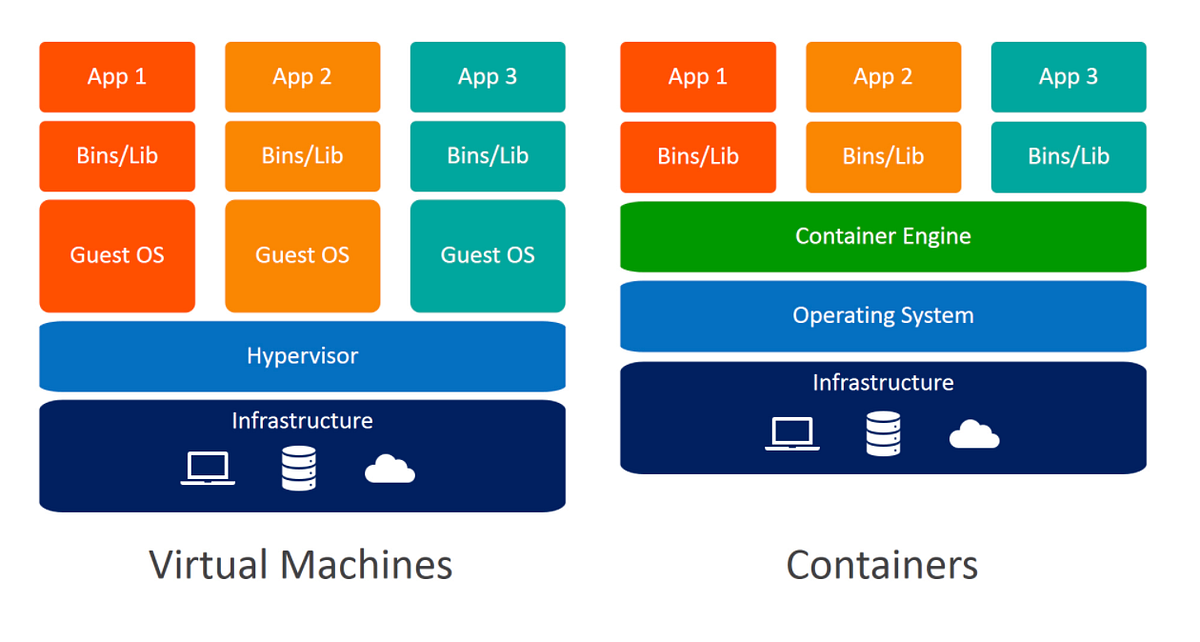
  • Cloud-based OS
  • Virtualization
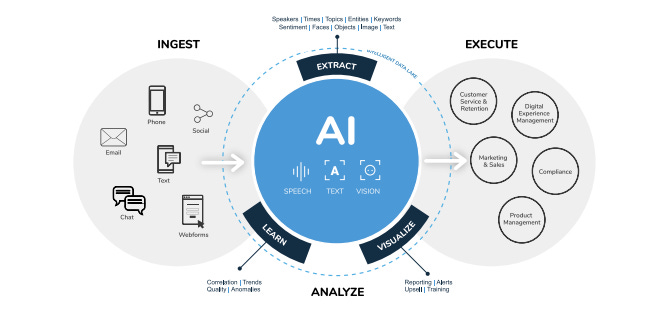
  • AI integration
  • Containerization

⚑ Advantages of Operating Systems

  • Simplifies user interaction
  • Efficient resource management
  • Enables multitasking
  • Provides security

⚠️ Limitations

  • Complexity
  • Resource usage
  • Compatibility issues

🧠 Conclusion

Windows, Linux, and macOS are the pillars of modern computing. Each offers unique strengths:

  • Windows β†’ Versatility and compatibility
  • Linux β†’ Power and flexibility
  • macOS β†’ Performance and design

Understanding these systems helps in:

  • Choosing the right OS
  • Improving productivity
  • Learning advanced computing

🏷️ Tags

πŸ’» Computer Software Basics


🌐 Introduction to Computer Software

Image
Image

Computer software refers to the set of instructions, programs, and data that tell a computer how to perform tasks. Unlike hardware, software is intangibleβ€”it cannot be touched but can be executed.

In simple terms:

Hardware is the body, software is the brain

Software enables users to interact with hardware and perform useful work such as writing documents, browsing the internet, or running applications.


🧠 Importance of Software

  • Controls hardware operations
  • Provides user interface
  • Enables automation and productivity
  • Supports communication and networking
  • Drives innovation (AI, cloud, mobile apps)

🧩 Types of Computer Software


βš™οΈ 1. System Software

Image
Image
Image
Image

System software acts as a bridge between hardware and user applications.

Examples:

  • Operating Systems
  • Device Drivers
  • Utility Programs

🧠 Operating System (OS)

The OS is the most important system software.

Functions:

  • Process management
  • Memory management
  • File system management
  • Device management
  • Security

Examples:

  • Windows
  • Linux
  • macOS
  • Android

βš™οΈ 2. Device Drivers

  • Enable communication between hardware and OS
  • Example: printer driver

🧰 3. Utility Software

  • Helps maintain system performance

Examples:

  • Antivirus
  • Disk cleanup
  • Backup tools

πŸ–₯️ 4. Application Software

Image
Image
Image
Image

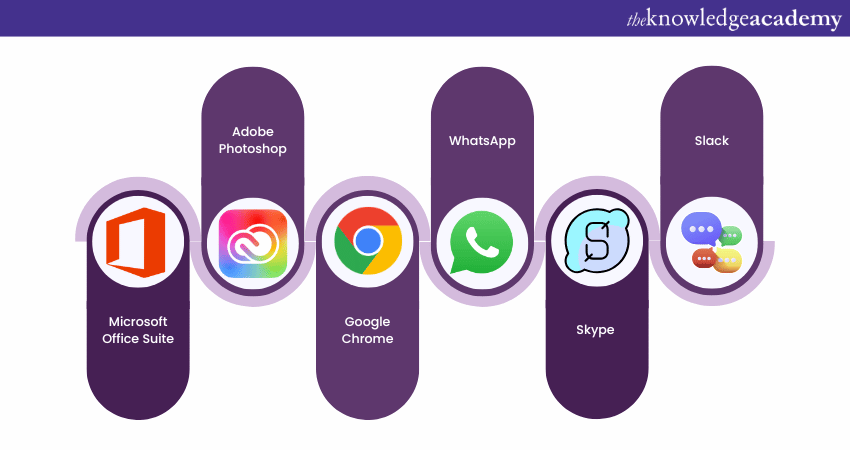
Application software allows users to perform specific tasks.

Types:

πŸ“„ General Purpose

  • Word processors
  • Spreadsheets

🎨 Specialized

  • Graphic design
  • Video editing

🌐 Web Applications

  • Browsers
  • Online tools

🧠 5. Programming Software

Image
Image
Image
Image

Used to develop software.

Includes:

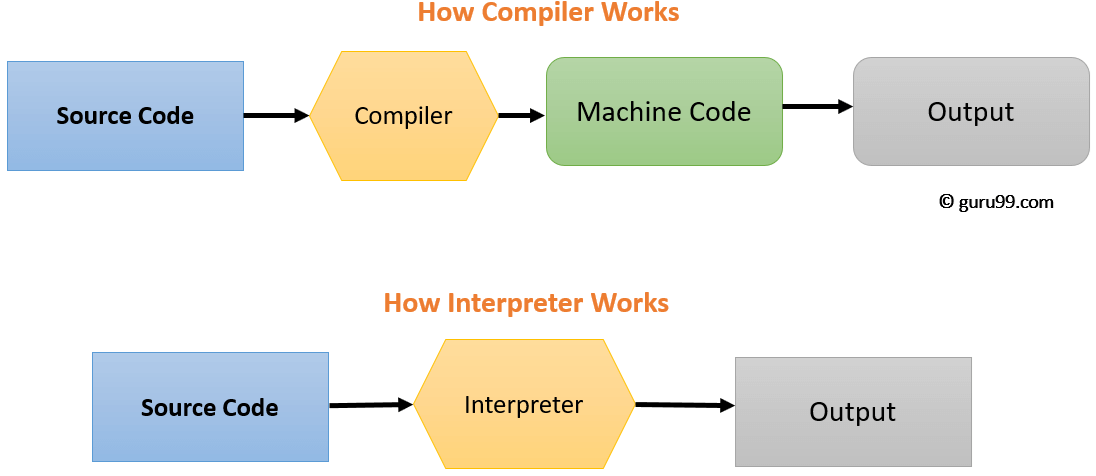
  • Compilers
  • Interpreters
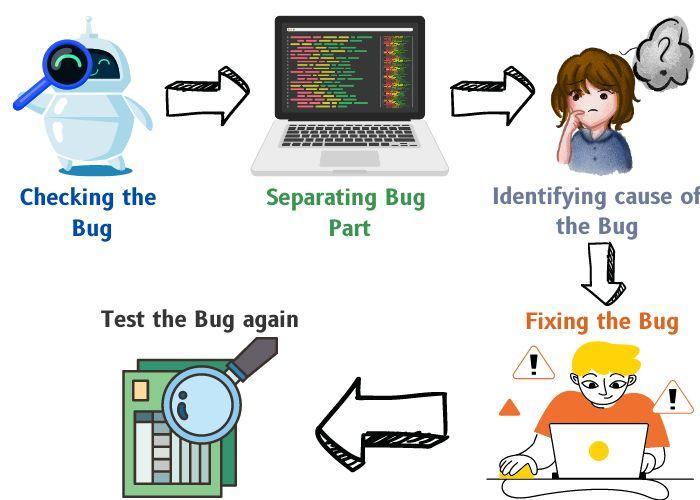
  • Debuggers
  • IDEs

🧠 Software Development Process


πŸ”„ Software Development Life Cycle (SDLC)

Image
Image
Image
Image

Stages:

  1. Planning
  2. Analysis
  3. Design
  4. Development
  5. Testing
  6. Deployment
  7. Maintenance

🧩 Programming Languages


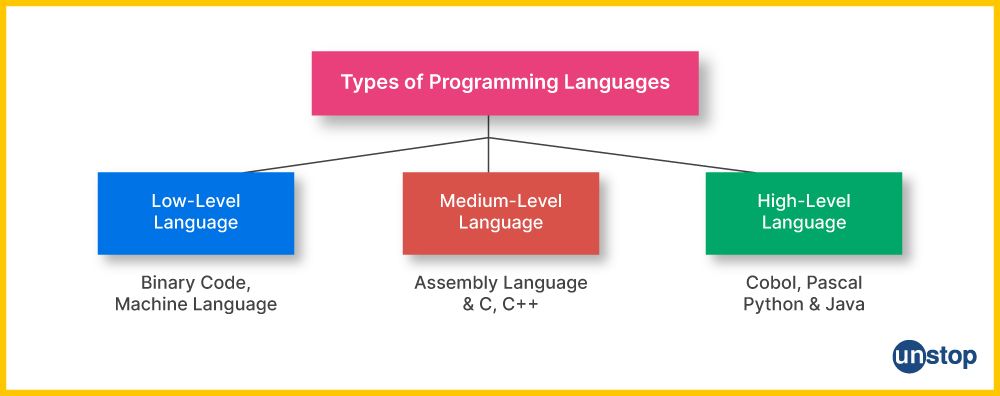
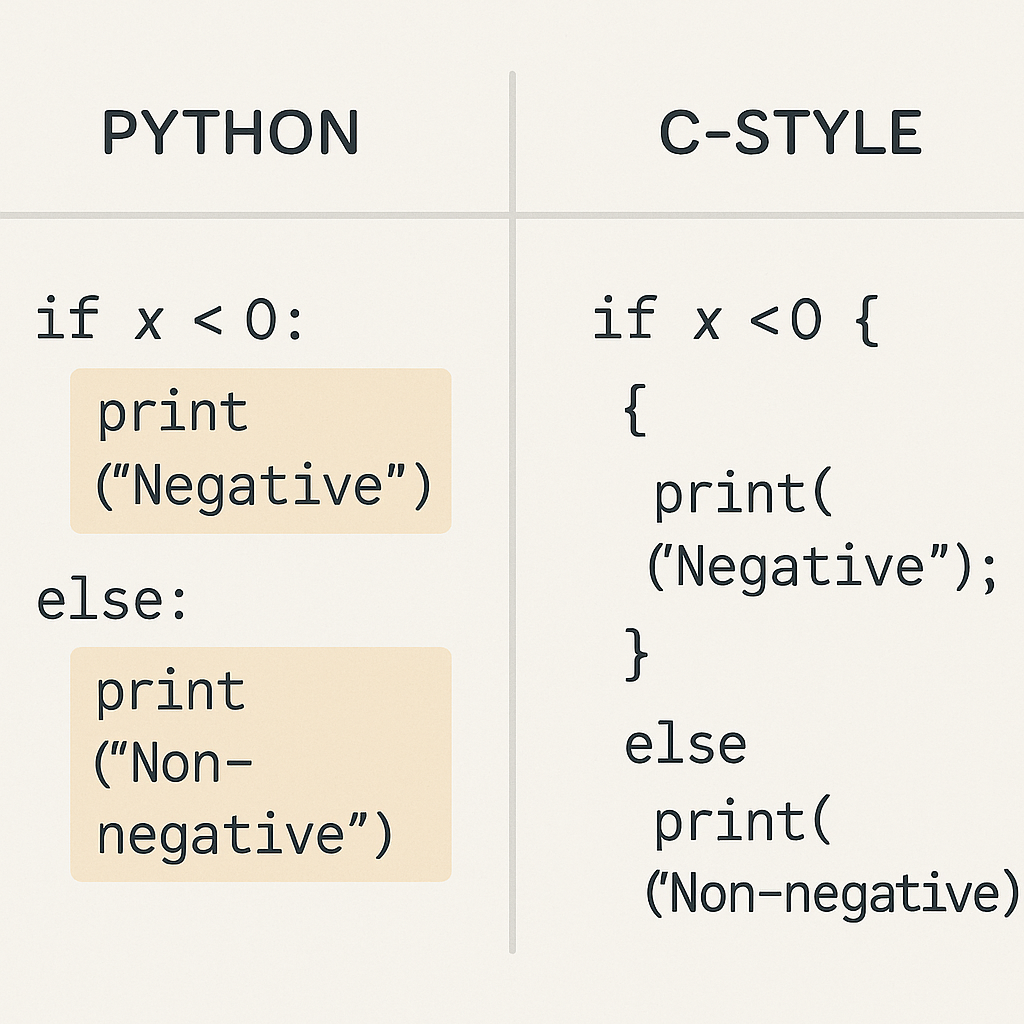
πŸ”€ Types:

Image
Image
Image
Image

πŸ”Ή Low-Level Languages

  • Machine language
  • Assembly language

πŸ”Ή High-Level Languages

  • Python
  • Java
  • C++

βš™οΈ Compilation vs Interpretation

  • Compiler β†’ Converts entire code at once
  • Interpreter β†’ Executes line by line

🧠 Software Components


πŸ“¦ Modules

  • Independent units of software

πŸ”— Libraries

  • Reusable code

🧩 APIs

  • Allow communication between programs

πŸ–₯️ User Interface (UI)


🧭 Types:

Image
Image
Image
Image
  • GUI (Graphical User Interface)
  • CLI (Command Line Interface)
  • Touch Interface
  • Voice Interface

πŸ’Ύ Software Installation and Execution


πŸ”„ Steps:

  • Install program
  • Load into memory
  • Execute via CPU

πŸ” Software Security


⚠️ Threats:

Image
Image
Image
Image
  • Malware
  • Viruses
  • Ransomware

πŸ›‘οΈ Protection:

  • Antivirus
  • Firewalls
  • Encryption

🧠 Types of Software Based on Distribution


🌐 Open Source Software

  • Free to use and modify
  • Example: Linux

πŸ”’ Proprietary Software

  • Owned by companies
  • Example: Windows

πŸ†“ Freeware

  • Free but not modifiable

πŸ’° Shareware

  • Trial-based software

βš™οΈ Software Performance Factors

  • Efficiency
  • Speed
  • Scalability
  • Reliability

πŸ”„ Software vs Hardware

FeatureSoftwareHardware
NatureIntangiblePhysical
FunctionInstructionsExecution
DependencyRuns on hardwareNeeds software

🧠 Modern Software Trends

Image
Image
Image
Image
  • Artificial Intelligence
  • Cloud Computing
  • Mobile Applications
  • Blockchain

🧩 Advantages of Software

  • Automation
  • Flexibility
  • Scalability
  • Productivity

⚠️ Limitations

  • Bugs and errors
  • Security risks
  • Dependency on hardware
  • Maintenance required

🧠 Future of Software

  • AI-driven automation
  • Quantum software
  • Intelligent assistants
  • Low-code/no-code platforms

🧾 Conclusion

Computer software is the core driver of modern computing systems. It enables:

  • Interaction between users and machines
  • Execution of complex tasks
  • Innovation across industries

Understanding software basics is essential for:

  • Programming
  • IT careers
  • System design
  • Digital transformation

🏷️ Tags