Tag Archives: APFS

๐Ÿ“‚ File Systems โ€“ Complete Detailed Guide


๐ŸŒ Introduction to File Systems

Image
Image
Image
Image

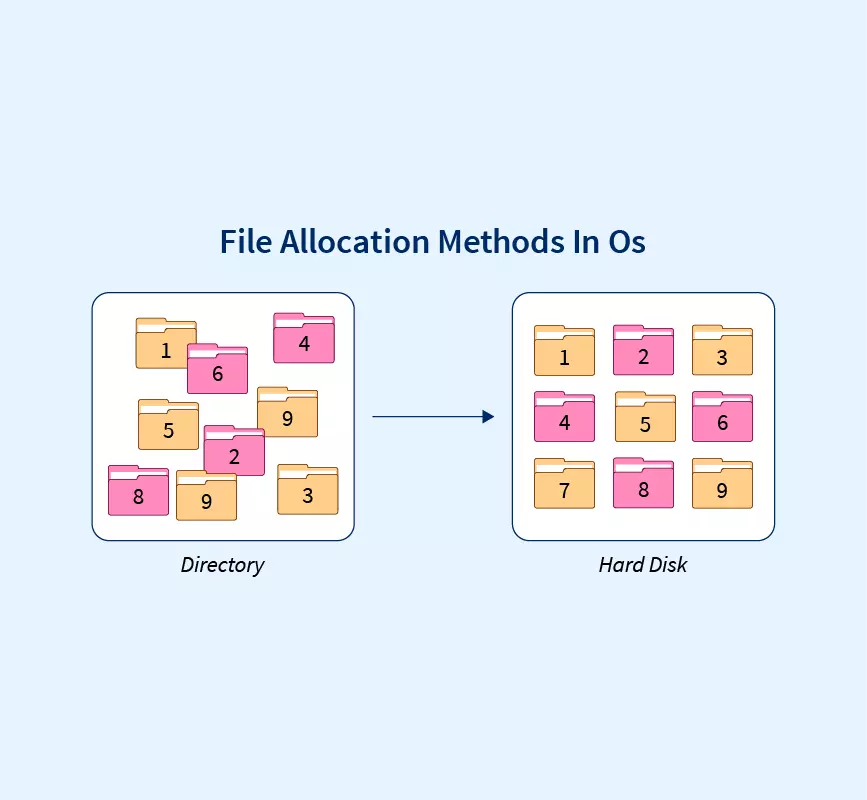
A file system is a method used by an operating system to store, organize, retrieve, and manage data on storage devices such as hard drives, SSDs, and USB drives.

In simple terms:

File system = structure that organizes data into files and folders

Without a file system, data would be stored as raw bits, making it nearly impossible to locate or manage information.


๐Ÿง  Importance of File Systems

  • Organizes data efficiently
  • Enables fast access and retrieval
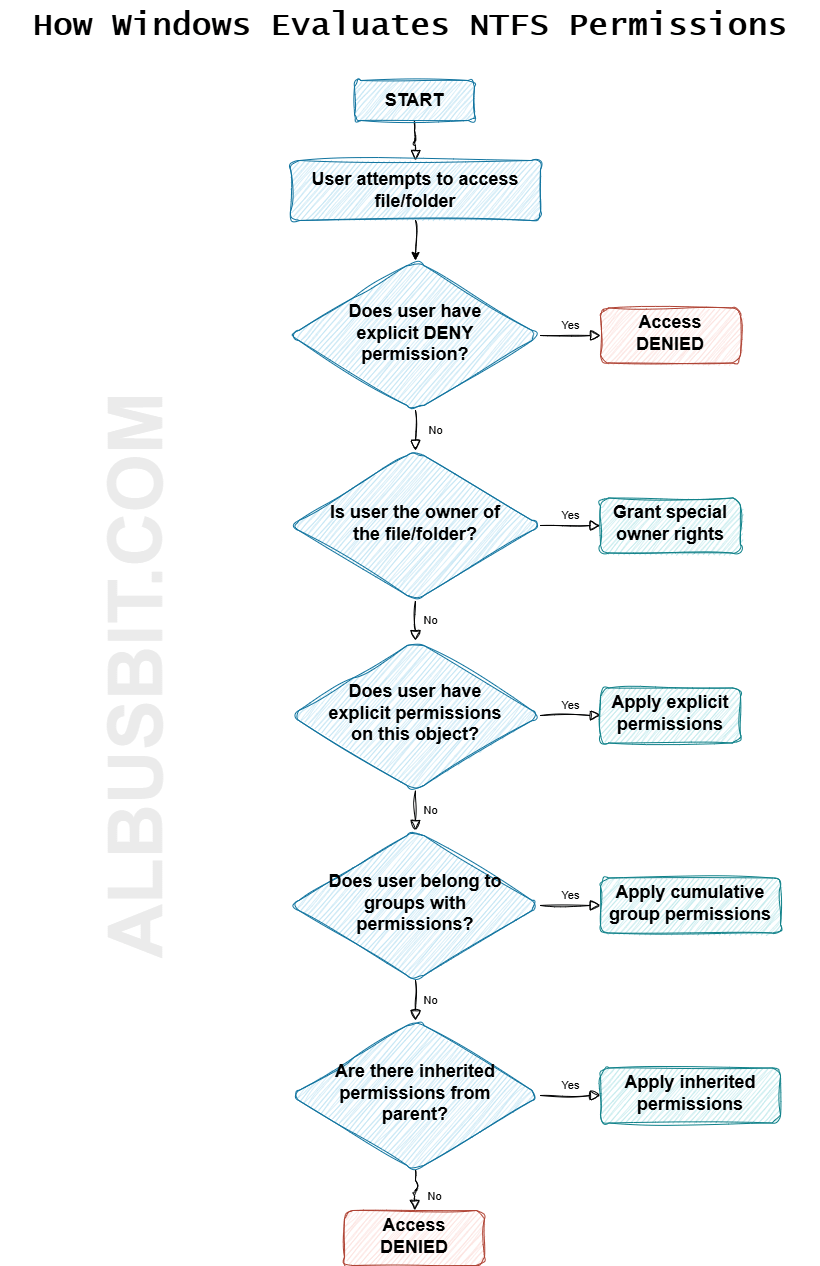
  • Supports file security and permissions
  • Ensures data integrity
  • Facilitates storage management

๐Ÿงฉ Basic Concepts of File Systems


๐Ÿ“„ What is a File?

A file is a collection of related data stored as a single unit.

Examples:

  • Text file (.txt)
  • Image file (.jpg)
  • Program file (.exe)

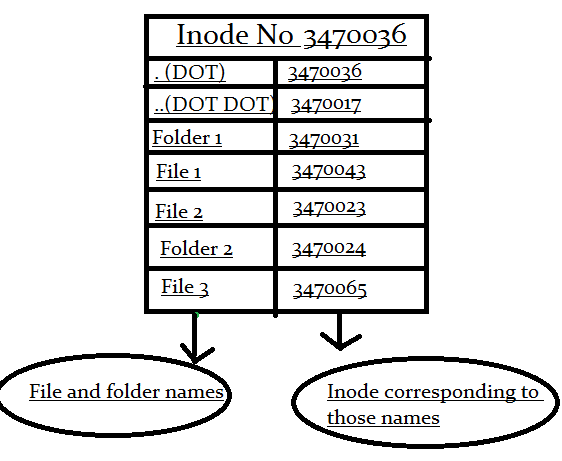
๐Ÿ“ What is a Directory (Folder)?

Image
Image
Image
Image

A directory is a container used to organize files.


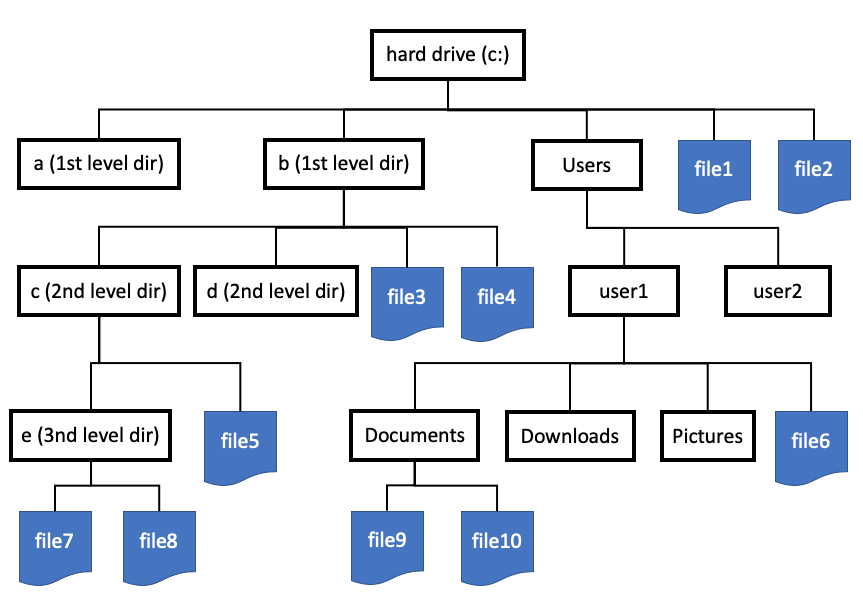
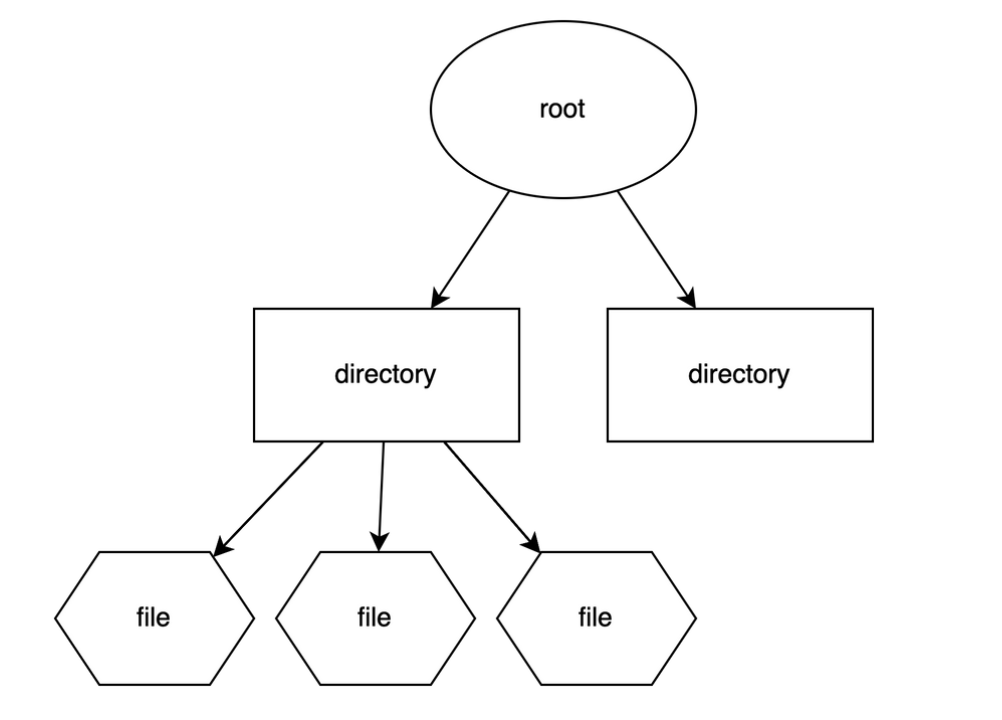
๐ŸŒณ File System Hierarchy

  • Root directory
  • Subdirectories
  • Files

Example:

/ (root)
 โ”œโ”€โ”€ home
 โ”œโ”€โ”€ documents
 โ””โ”€โ”€ files

๐Ÿง  File Attributes

Each file has metadata:

  • Name
  • Size
  • Type
  • Creation date
  • Permissions

๐Ÿ’พ File System Structure


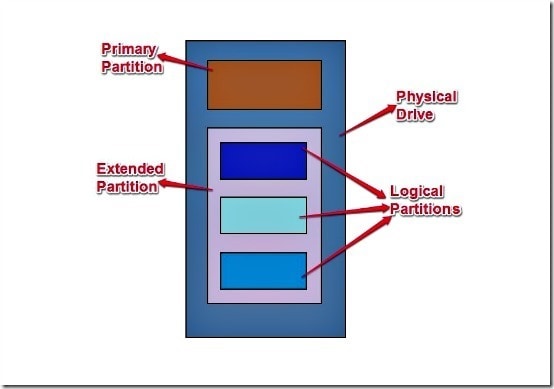
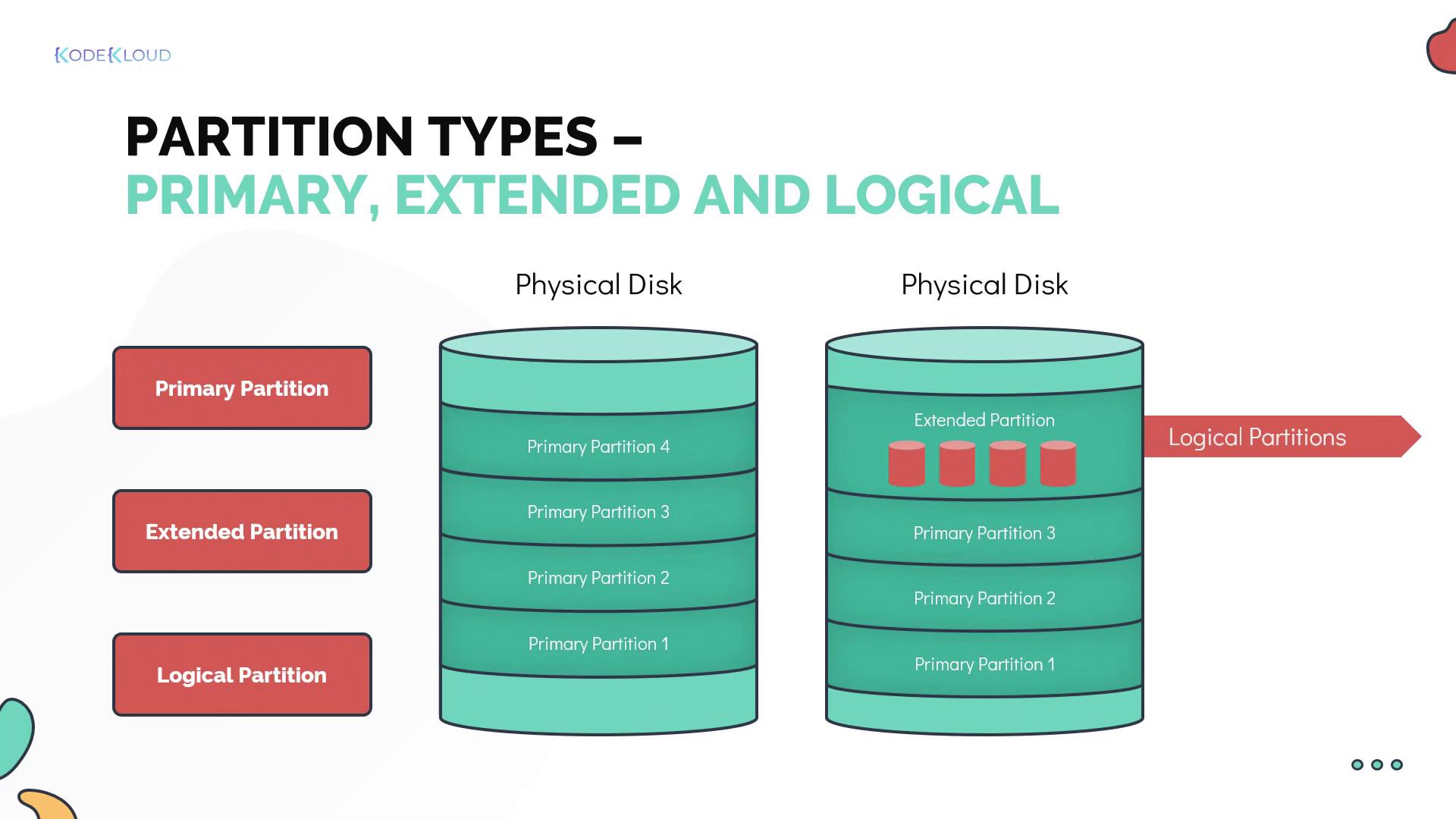
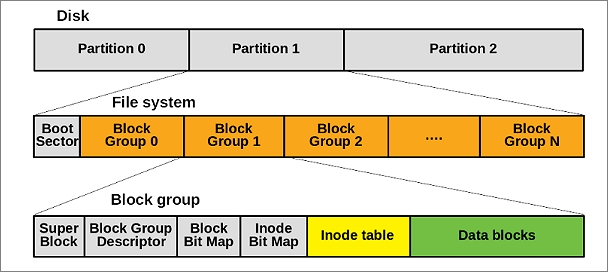
๐Ÿงฉ Disk Layout

Image
Image
Image
Image

Storage devices are divided into:

  • Tracks
  • Sectors
  • Blocks

๐Ÿ“ฆ File Allocation Methods


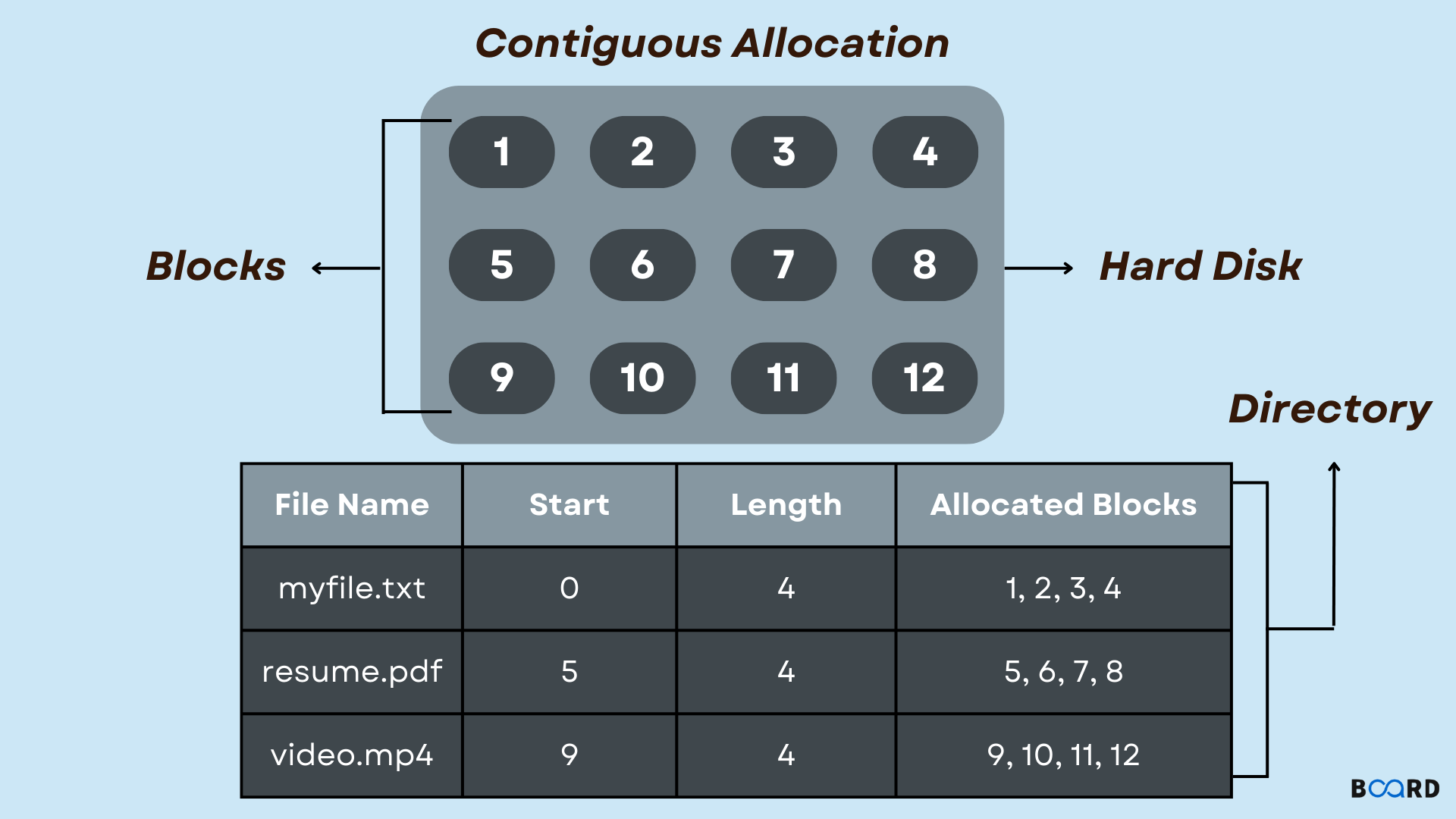
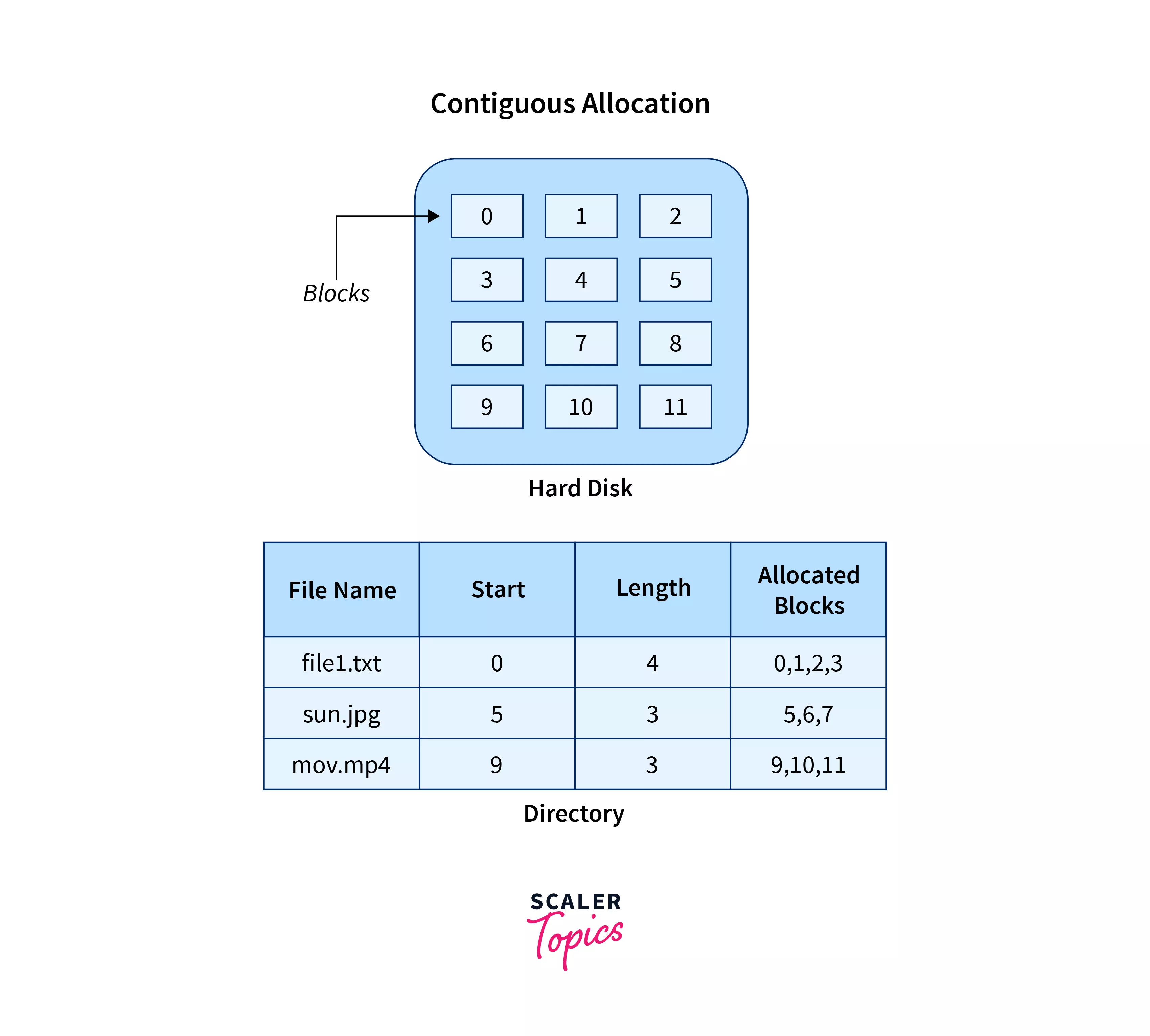
๐Ÿ”น 1. Contiguous Allocation

Image
Image
Image
Image
  • Files stored in continuous blocks
  • Fast access

Limitations:

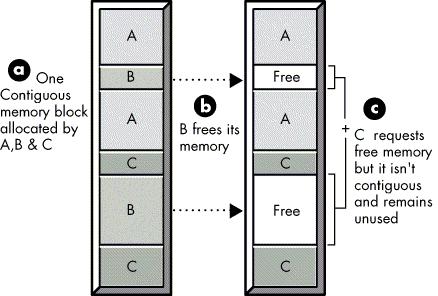
  • External fragmentation

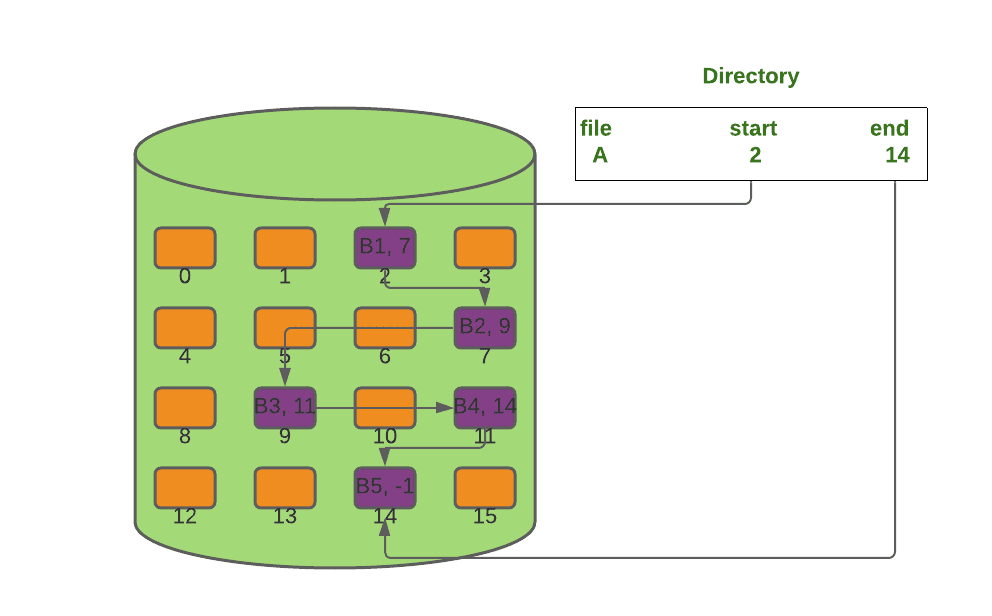
๐Ÿ”น 2. Linked Allocation

Image
Image
Image
Image
  • Each block points to the next
  • Flexible storage

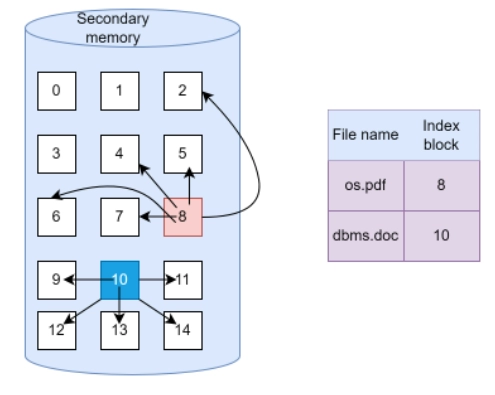
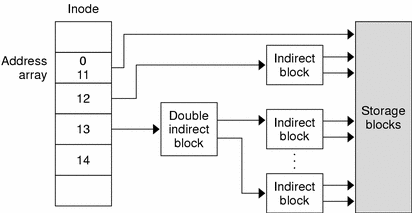
๐Ÿ”น 3. Indexed Allocation

Image
Image
Image
Image
  • Uses index block
  • Efficient access

๐Ÿง  Types of File Systems


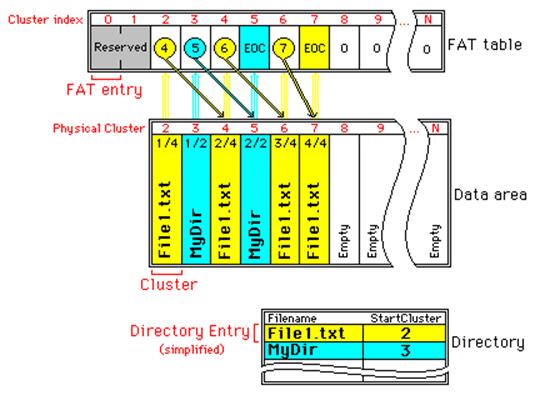
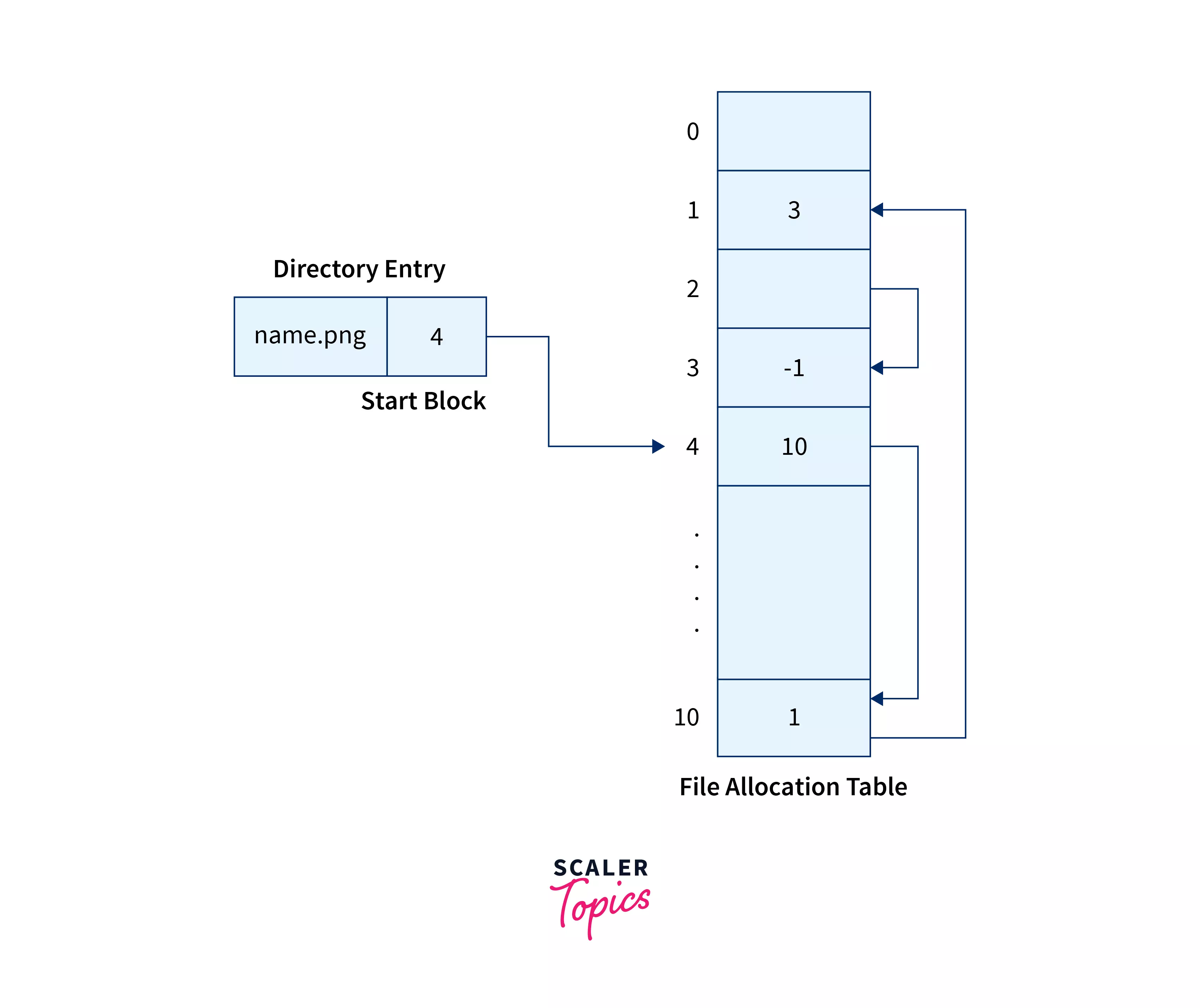
๐ŸชŸ 1. FAT (File Allocation Table)

Image
Image
Image
Image
  • Simple and widely used
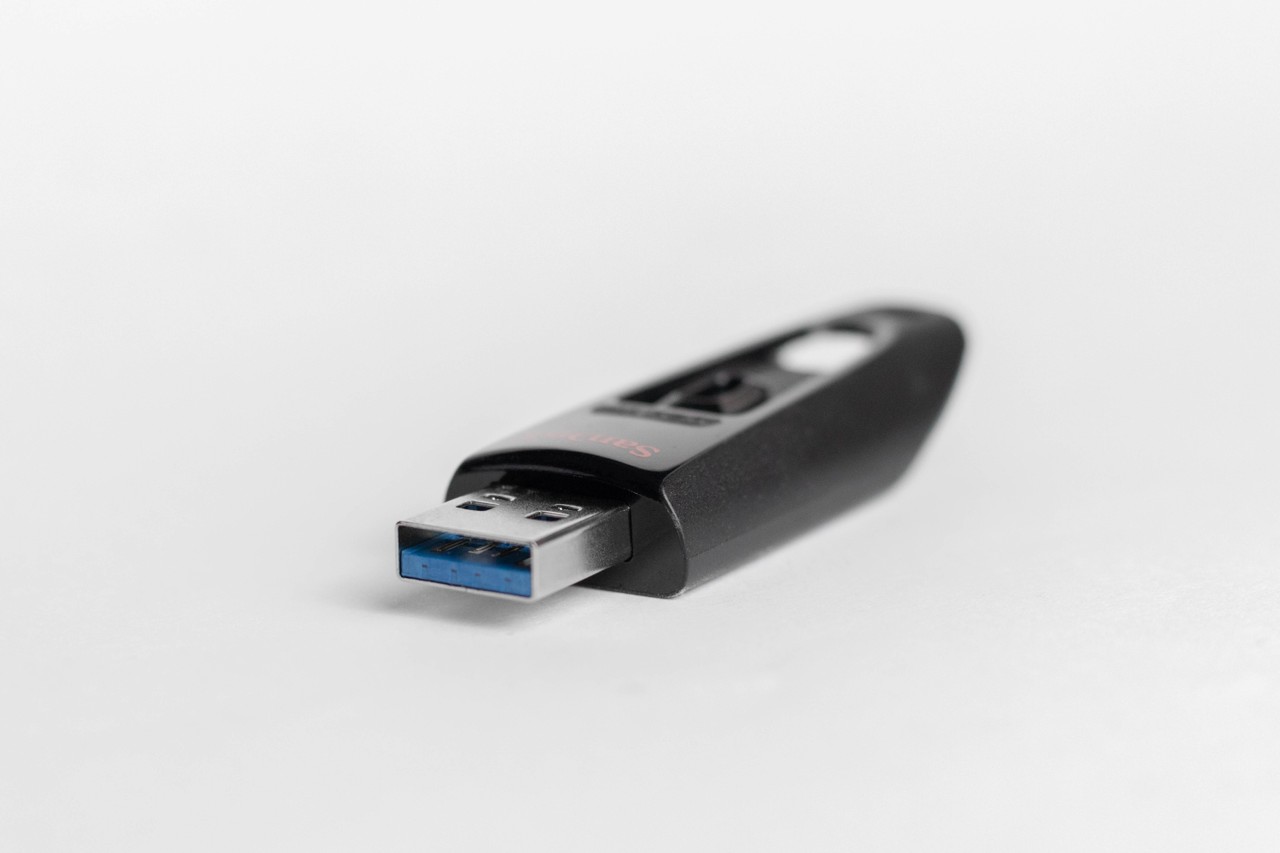
  • Used in USB drives

Types:

  • FAT12
  • FAT16
  • FAT32

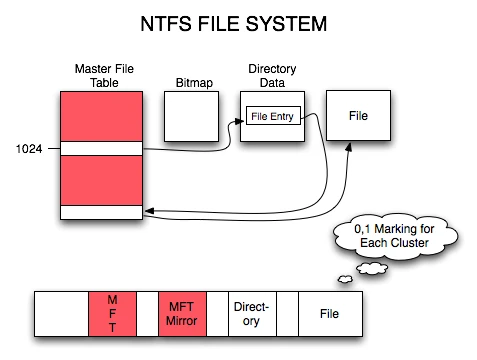
๐ŸชŸ 2. NTFS (New Technology File System)

Image
Image
Image
Image
  • Used in Windows
  • Supports large files
  • Advanced security

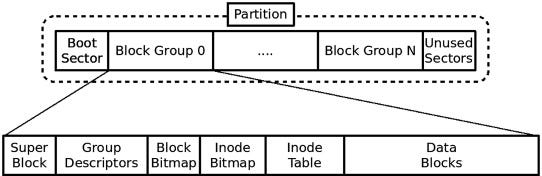
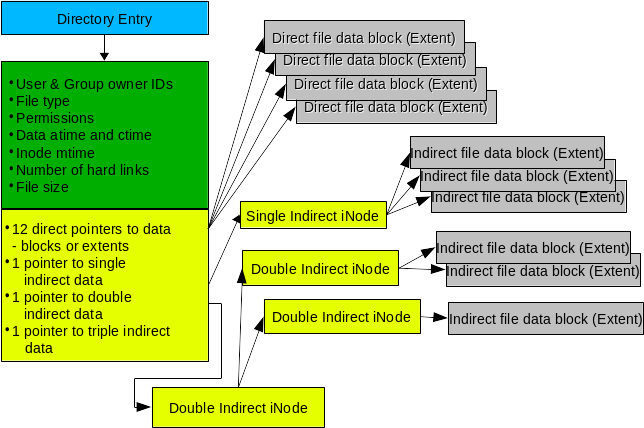
๐Ÿง 3. EXT (Extended File System)

Image
Image
Image
Image
  • Used in Linux
  • Versions: EXT2, EXT3, EXT4

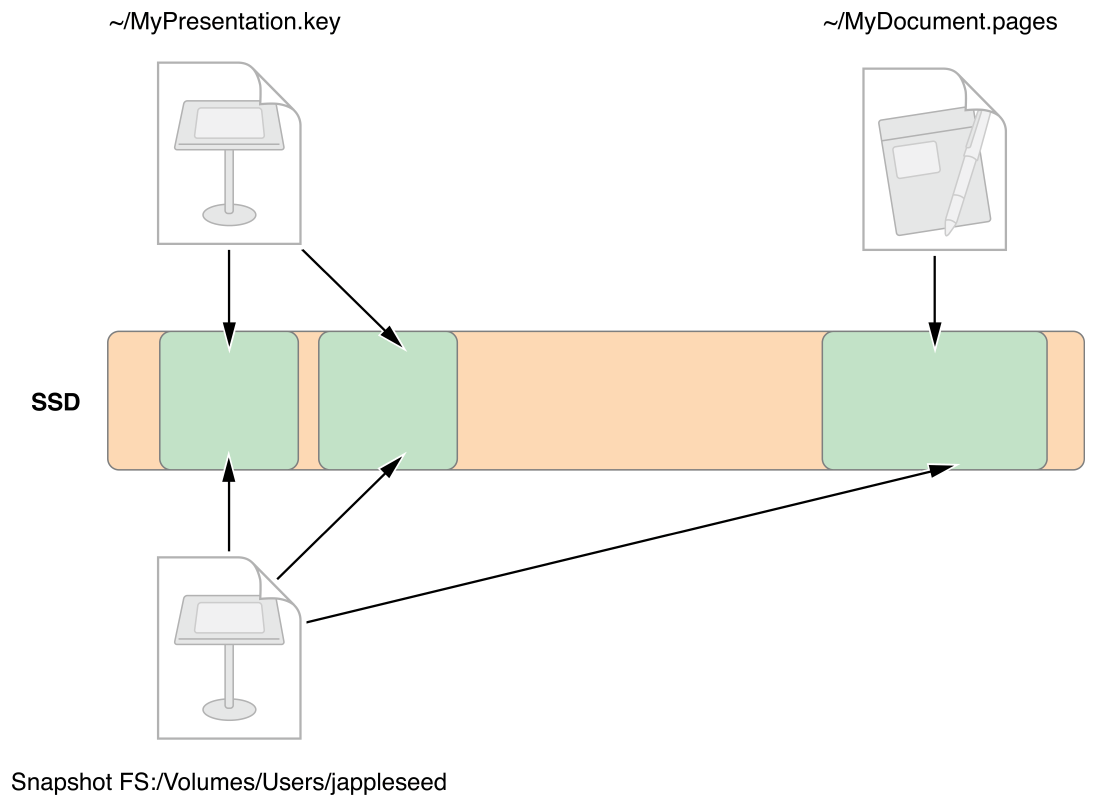
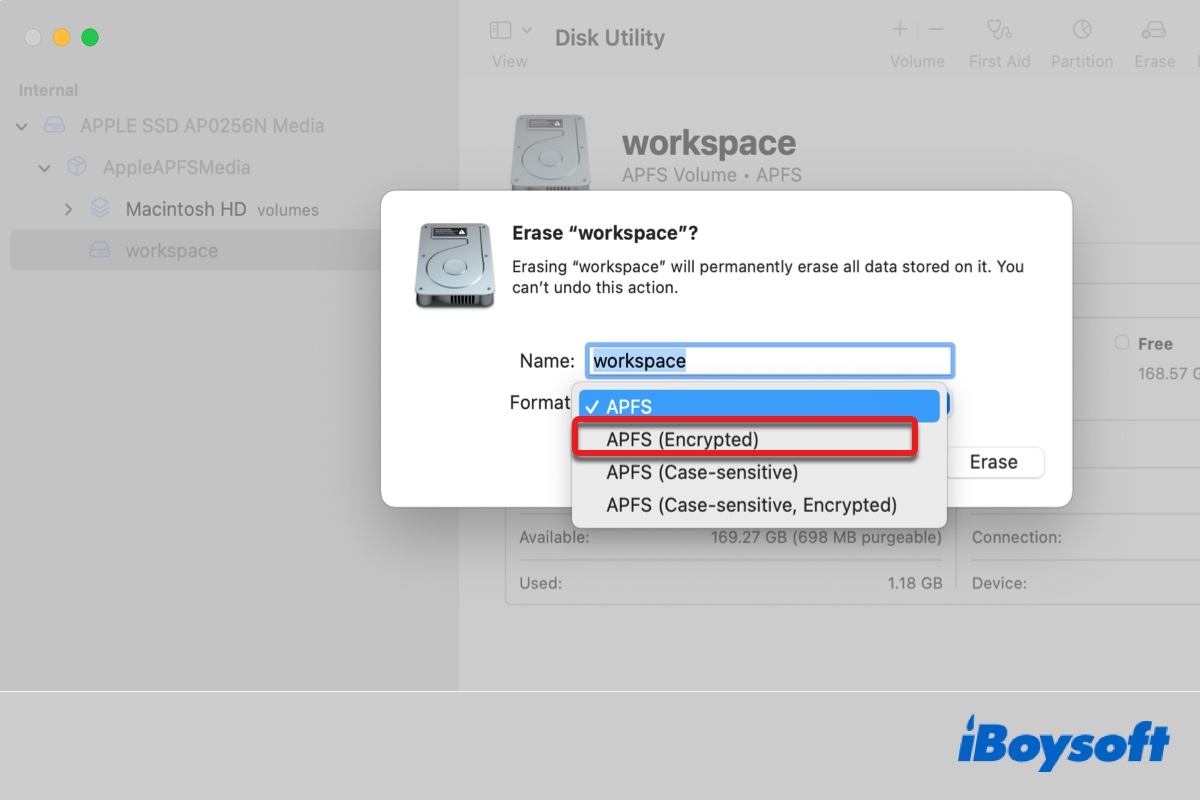
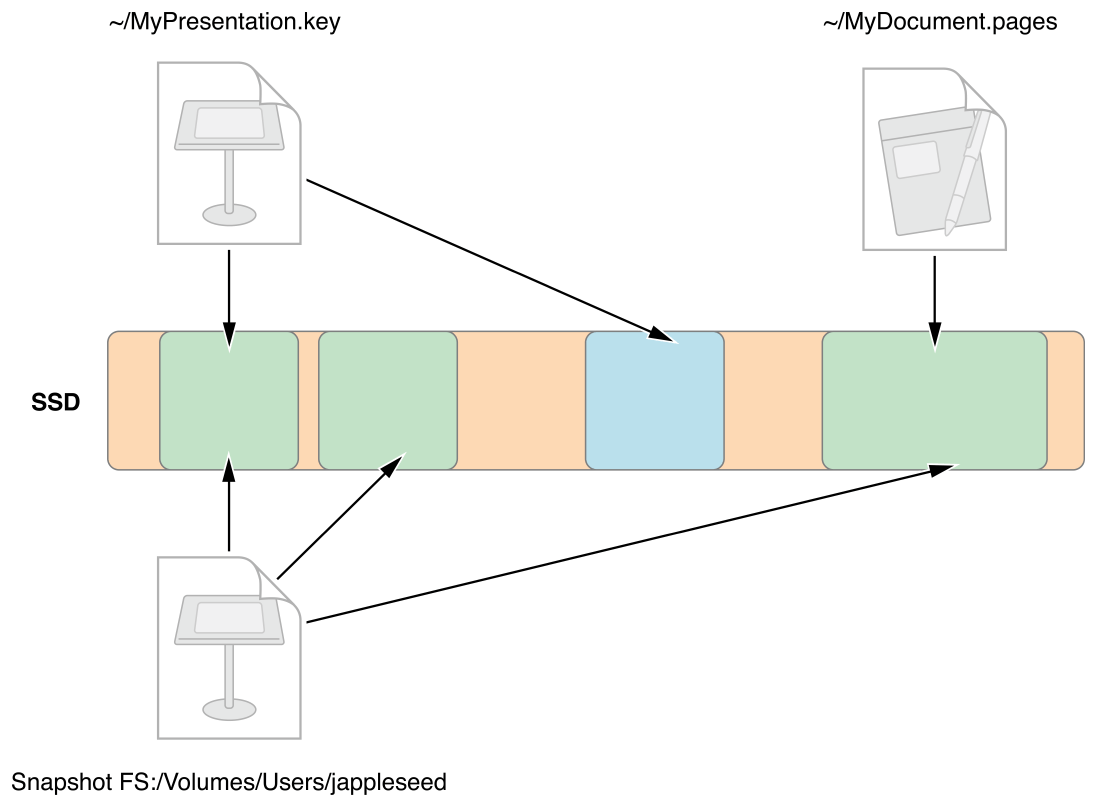
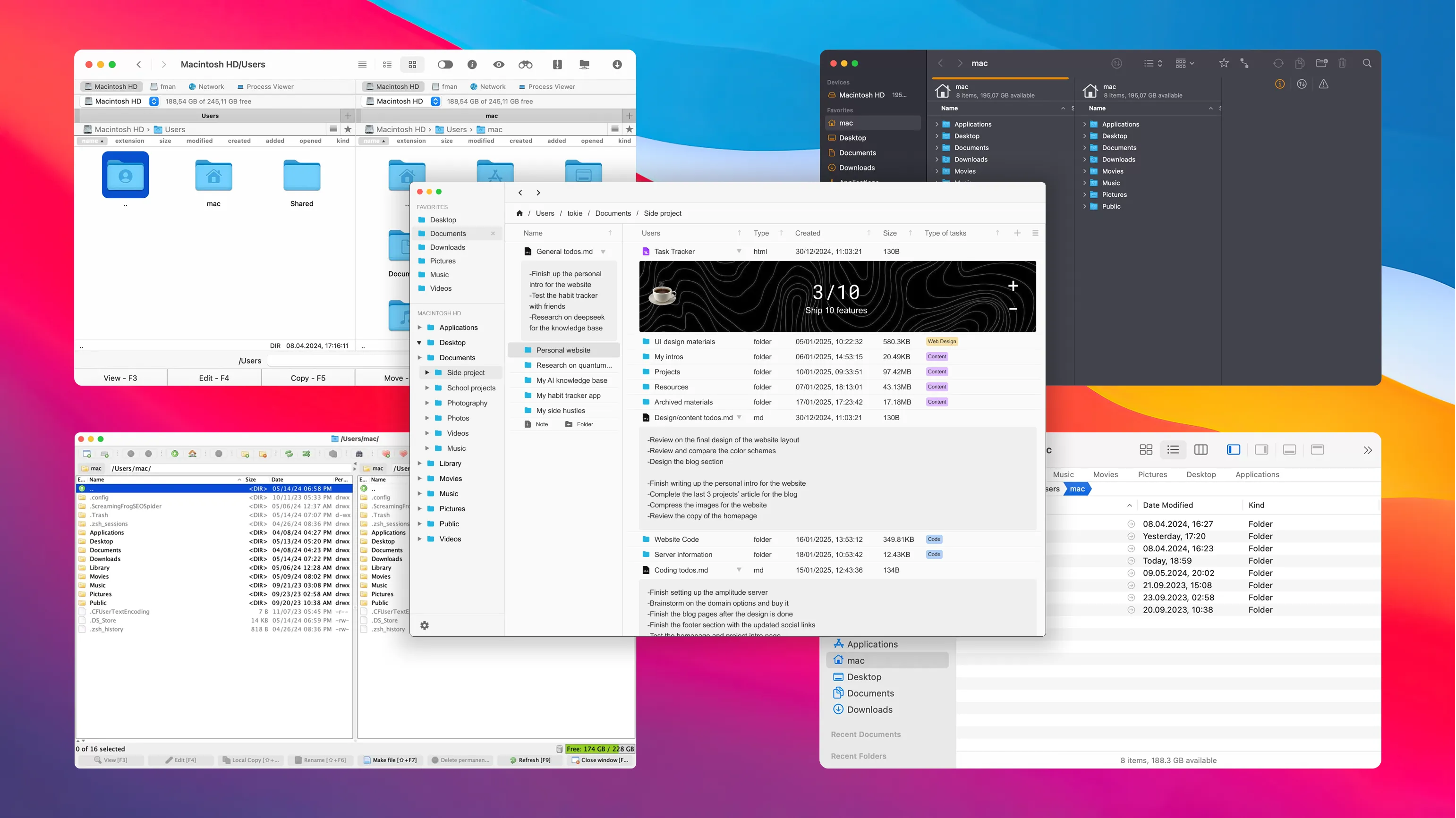
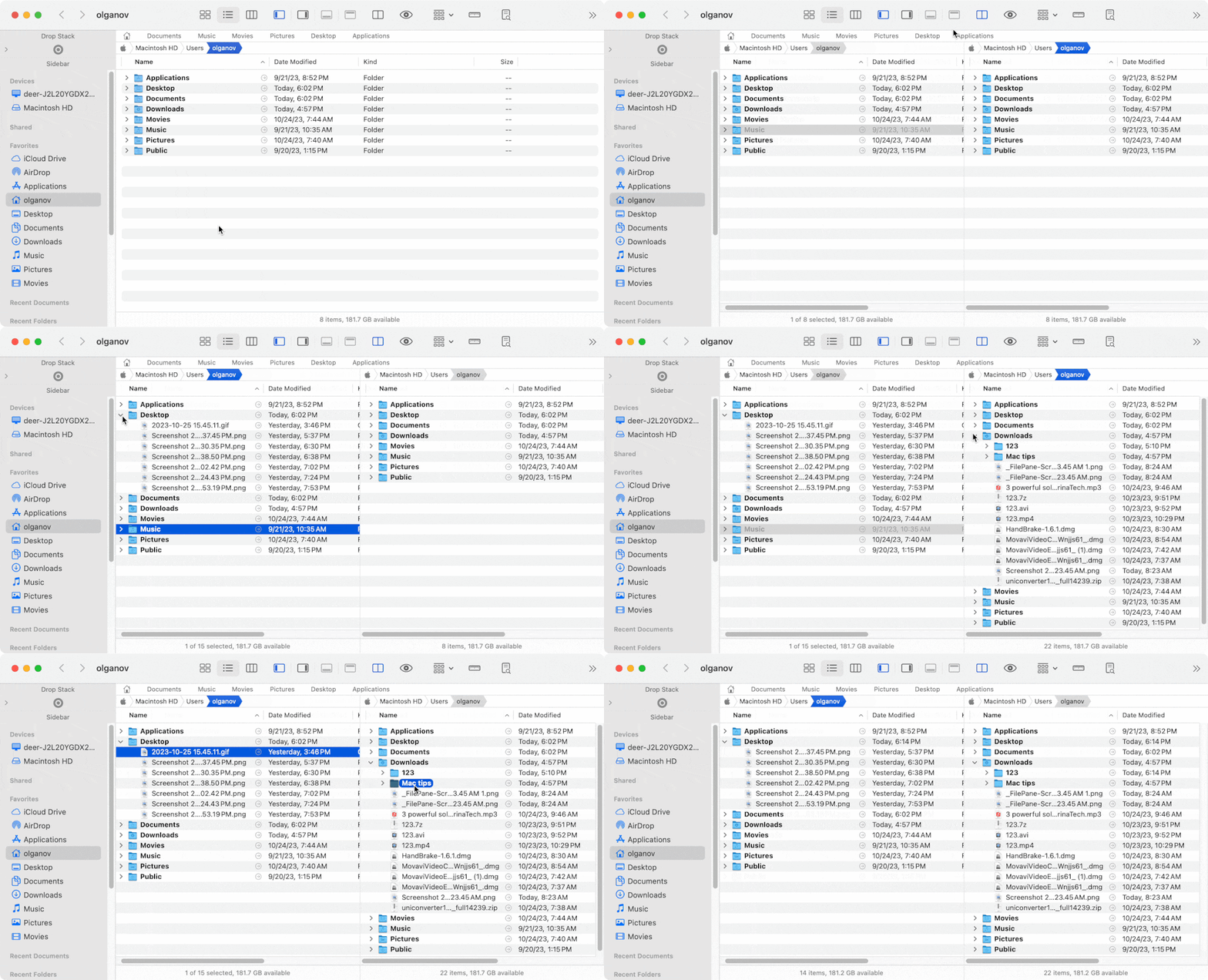
๐ŸŽ 4. APFS (Apple File System)

Image
Image
Image
Image
  • Used in macOS
  • Optimized for SSDs
  • Supports encryption

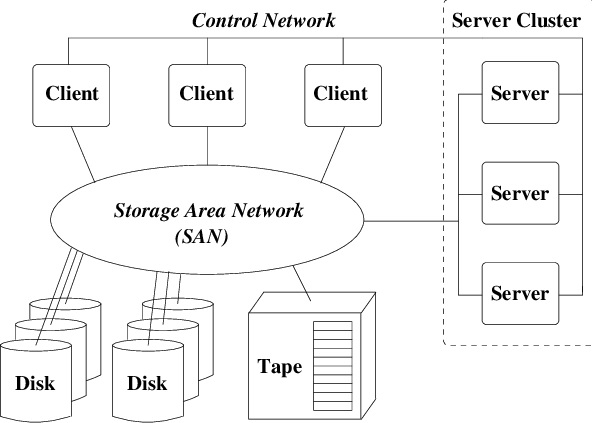
๐ŸŒ 5. Network File Systems

Image
Image
Image
Image
  • NFS
  • SMB
  • Used for shared storage

๐Ÿ” File Permissions and Security


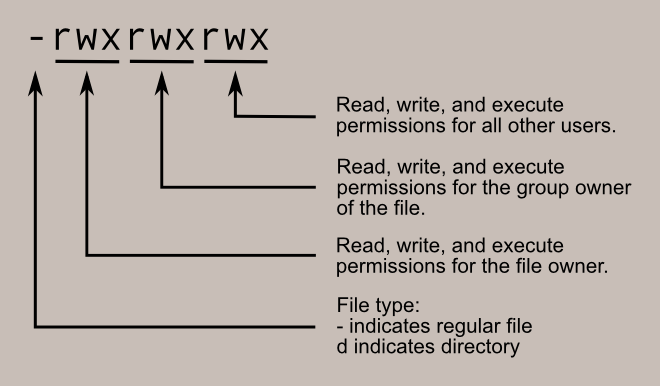
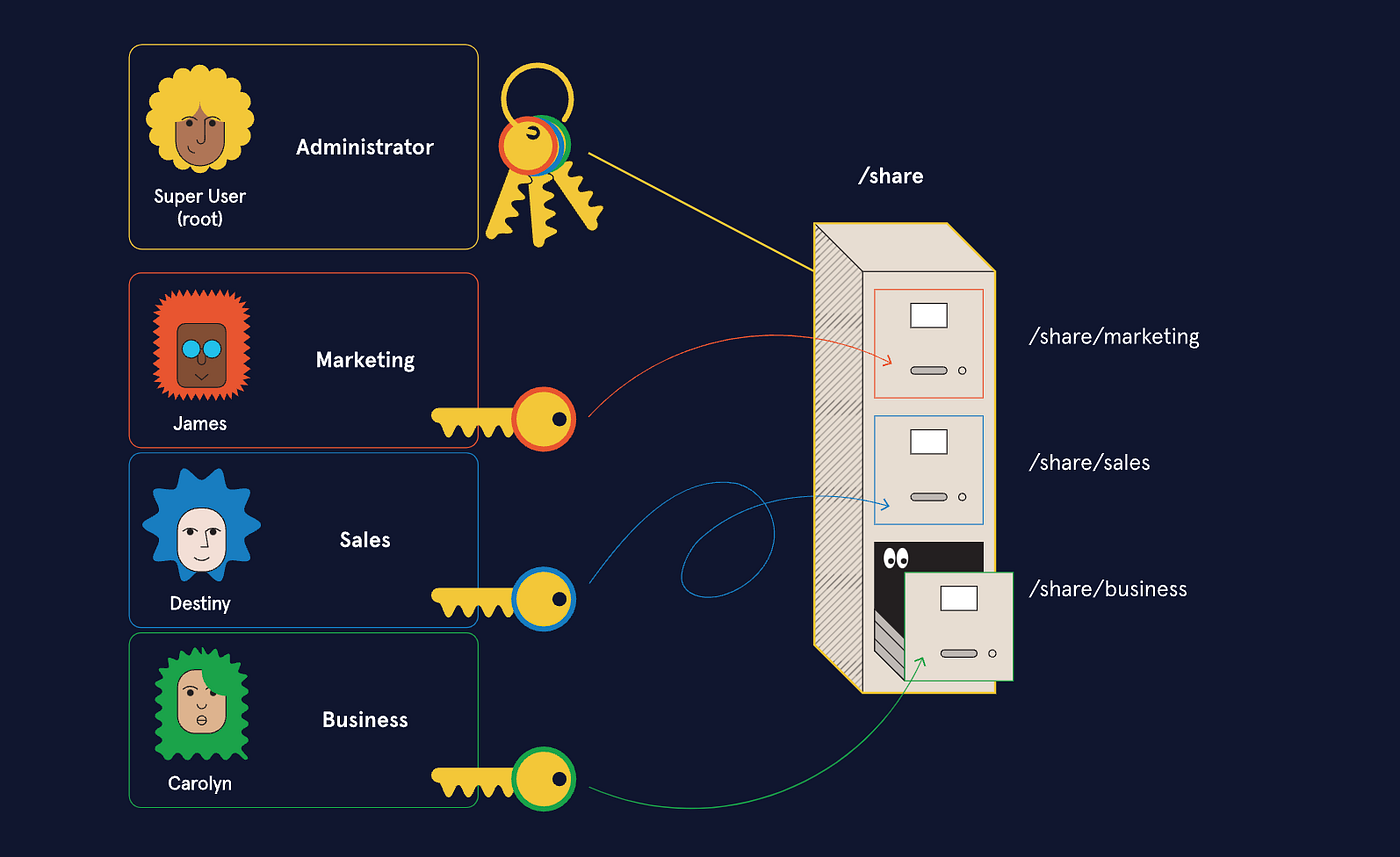
๐Ÿ›ก๏ธ Permissions

Image
Image
Image
Image
  • Read (r)
  • Write (w)
  • Execute (x)

๐Ÿ” Security Features

  • Encryption
  • Access control
  • Authentication

๐Ÿ”„ File Operations


๐Ÿ“‚ Common Operations

  • Create
  • Open
  • Read
  • Write
  • Delete

โš™๏ธ Journaling File Systems


๐Ÿง  Concept

Image
Image
Image
Image
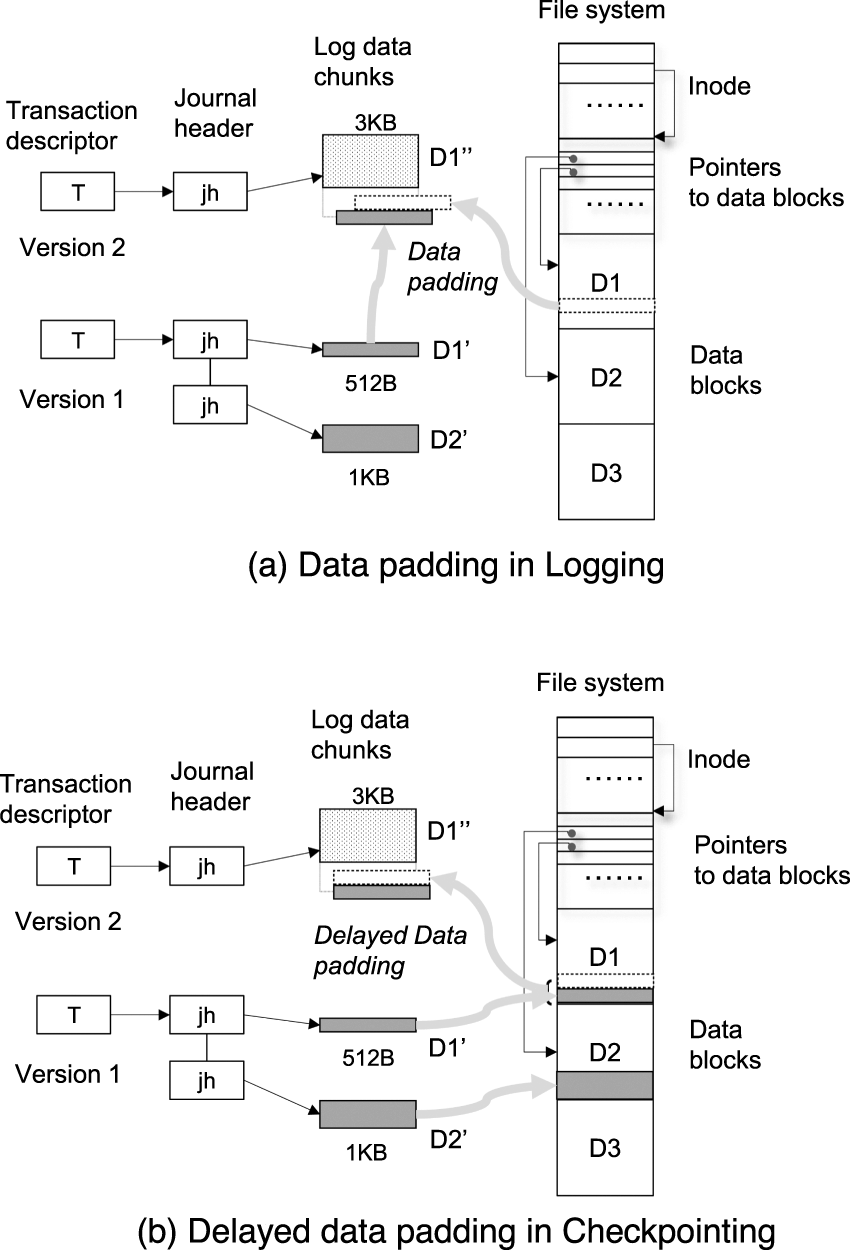
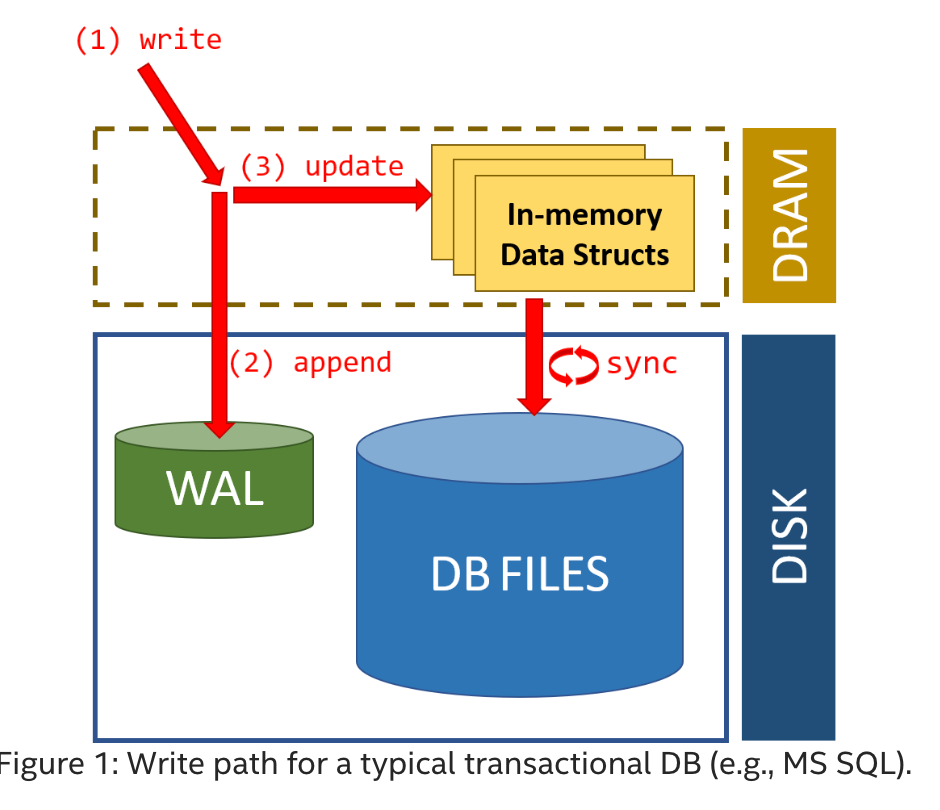
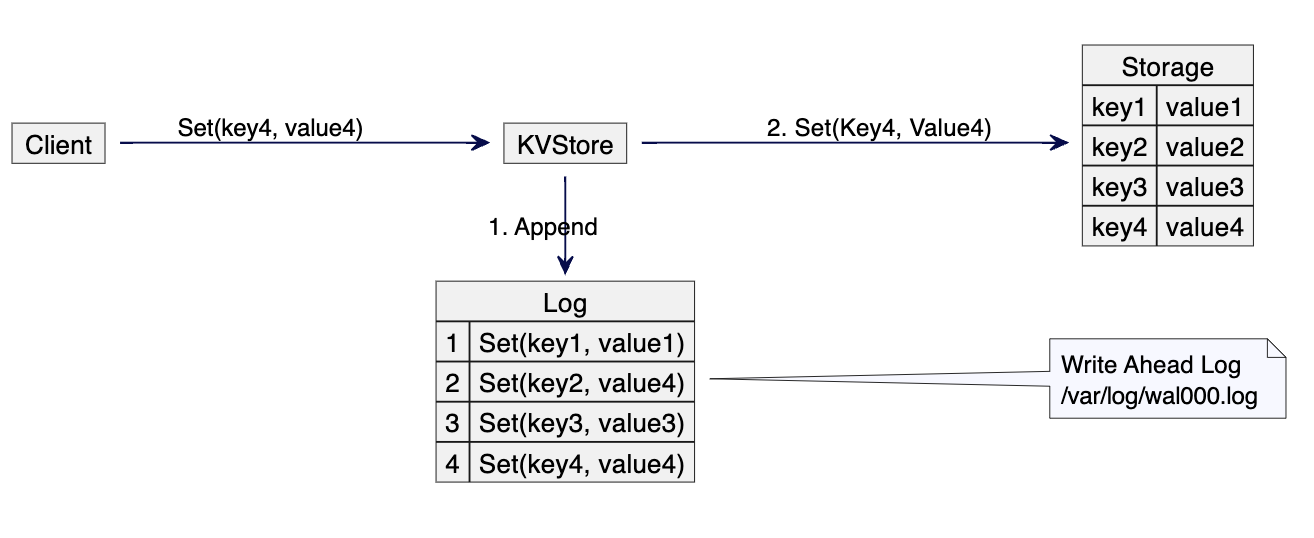
  • Keeps a log of changes
  • Improves reliability

๐Ÿง  Virtual File Systems


๐ŸŒ Concept

  • Abstract layer over file systems
  • Provides uniform interface

๐Ÿ“ฆ File Compression


๐Ÿ—œ๏ธ Types:

  • Lossless
  • Lossy

Used to save space.


โšก Performance Factors

  • Disk speed
  • File system type
  • Fragmentation
  • Caching

โš ๏ธ Fragmentation


๐Ÿงฉ Types:

Image
Image
Image
Image
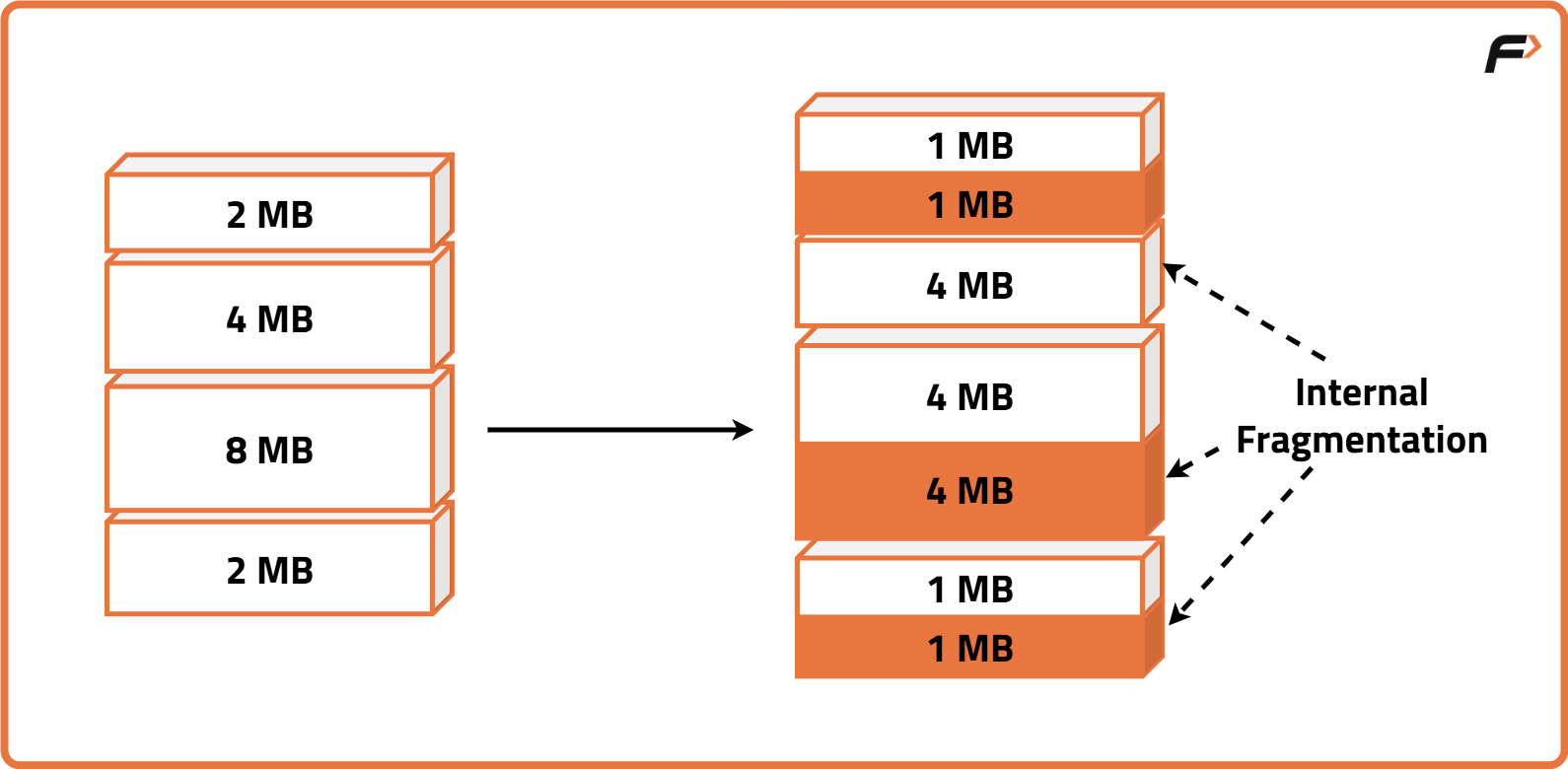
  • Internal fragmentation
  • External fragmentation

๐Ÿ”„ File System vs Database

FeatureFile SystemDatabase
StructureSimpleComplex
RedundancyHighLow
SecurityBasicAdvanced

๐Ÿง  Modern File System Trends

Image
Image
Image
Image
  • Cloud storage systems
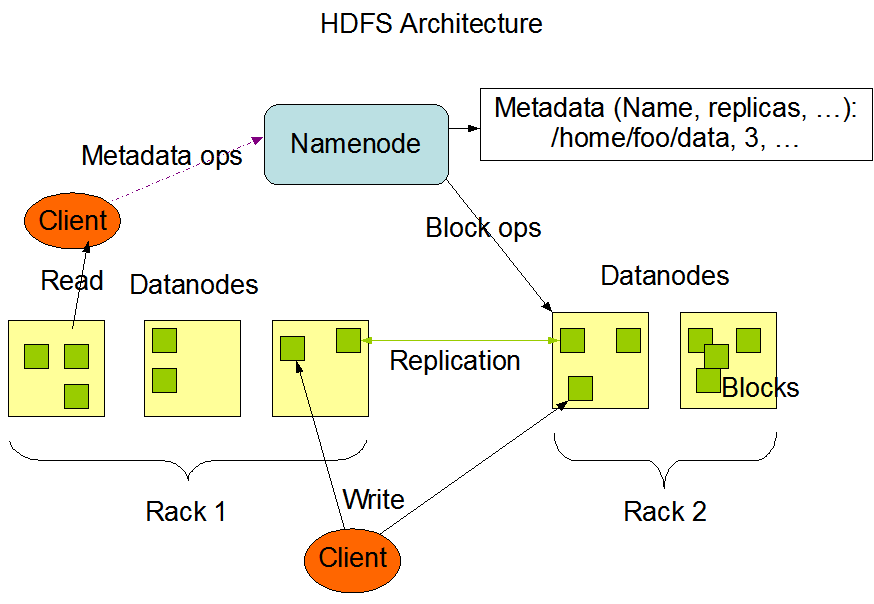
  • Distributed file systems (HDFS)
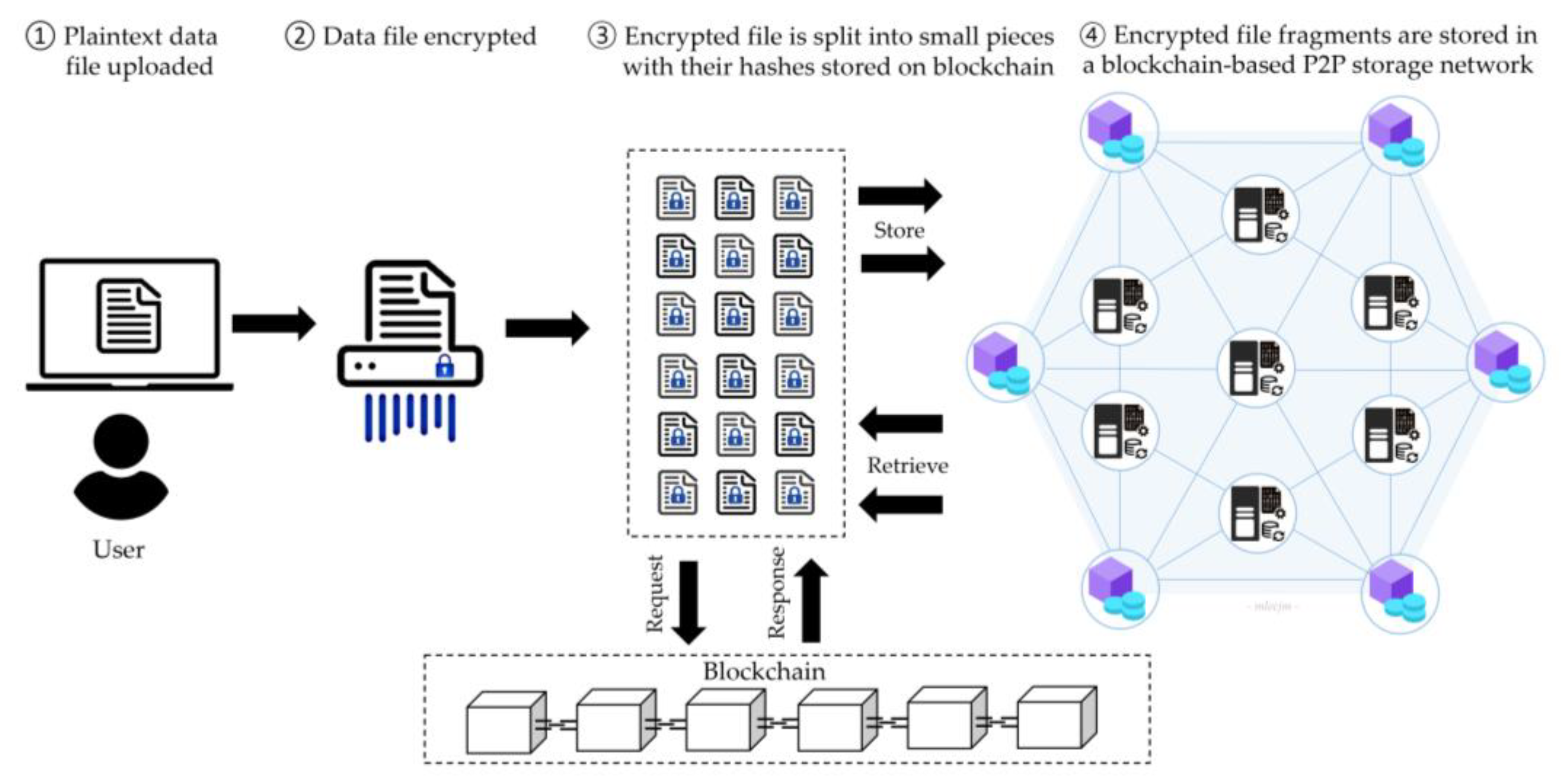
  • Blockchain-based storage
  • SSD-optimized file systems

โšก Advantages of File Systems

  • Organized storage
  • Efficient access
  • Security and control
  • Data integrity

โš ๏ธ Limitations

  • Fragmentation
  • Complexity
  • Performance issues

๐Ÿง  Conclusion

File systems are essential for managing data in modern computing. They:

  • Organize information
  • Enable efficient storage and retrieval
  • Provide security and reliability

Understanding file systems is crucial for:

  • Operating systems
  • Database management
  • Cloud computing
  • Cybersecurity
๐Ÿท๏ธ Tags

๐Ÿ’ป Windows / Linux / macOS Basics


๐ŸŒ Introduction to Operating Systems

Image
Image
Image
Image

An Operating System (OS) is the most important system software that manages hardware resources and provides an interface between the user and the computer.

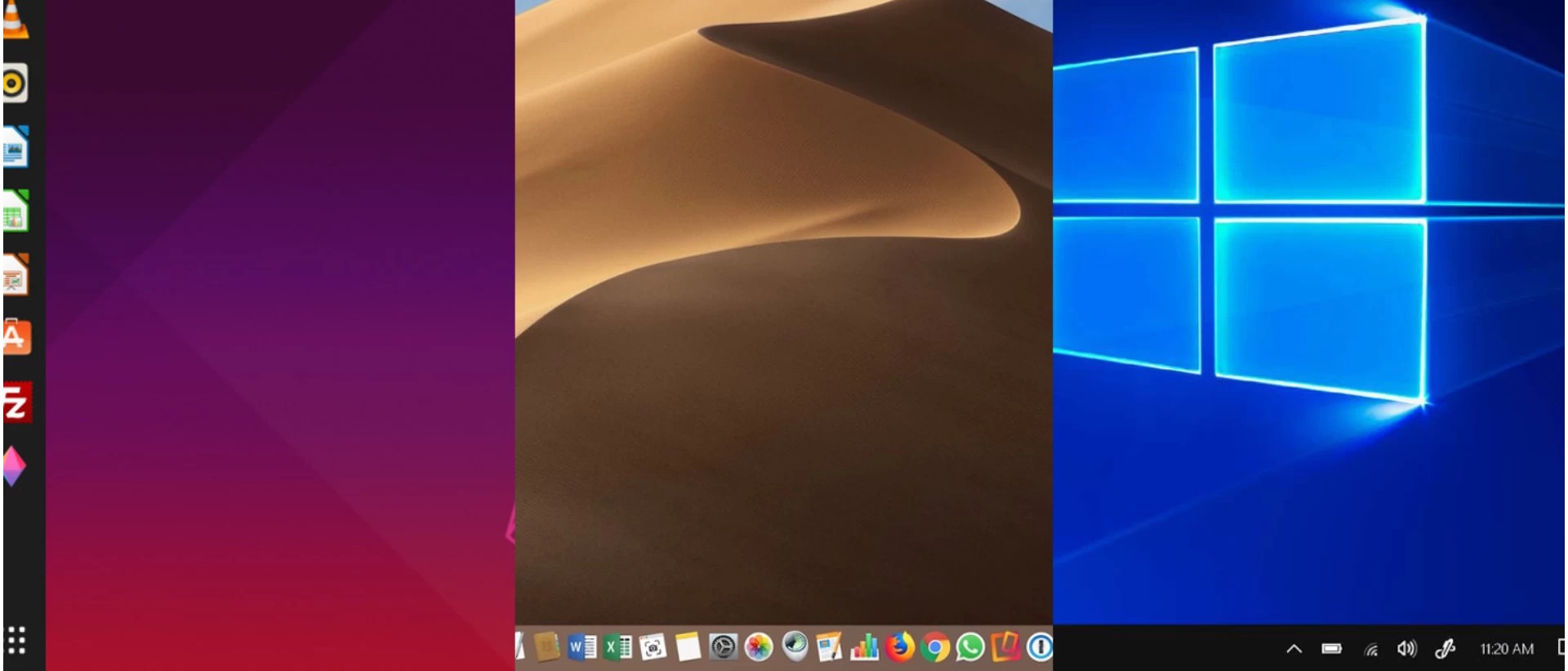
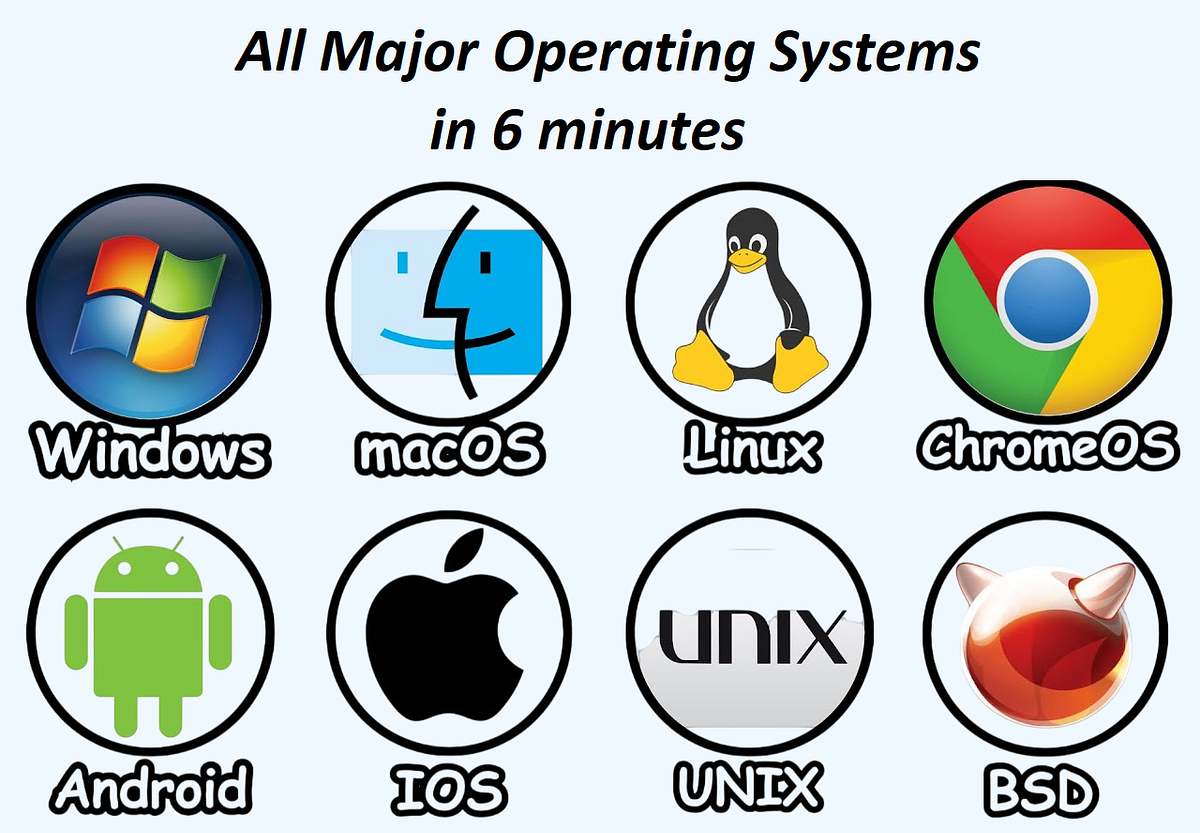
The three most widely used operating systems are:

  • Windows
  • Linux
  • macOS

Each has unique features, design philosophies, and use cases, but all share common responsibilities:

  • Process management
  • Memory management
  • File system control
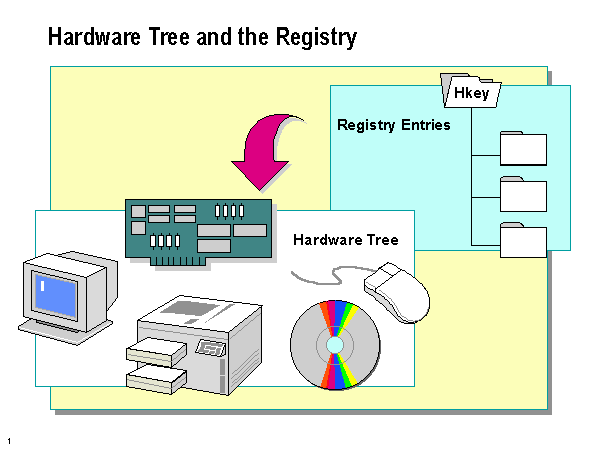
  • Device management
  • Security

๐ŸชŸ WINDOWS OPERATING SYSTEM


๐Ÿง  Overview of Windows

Image
Image
Image
Image

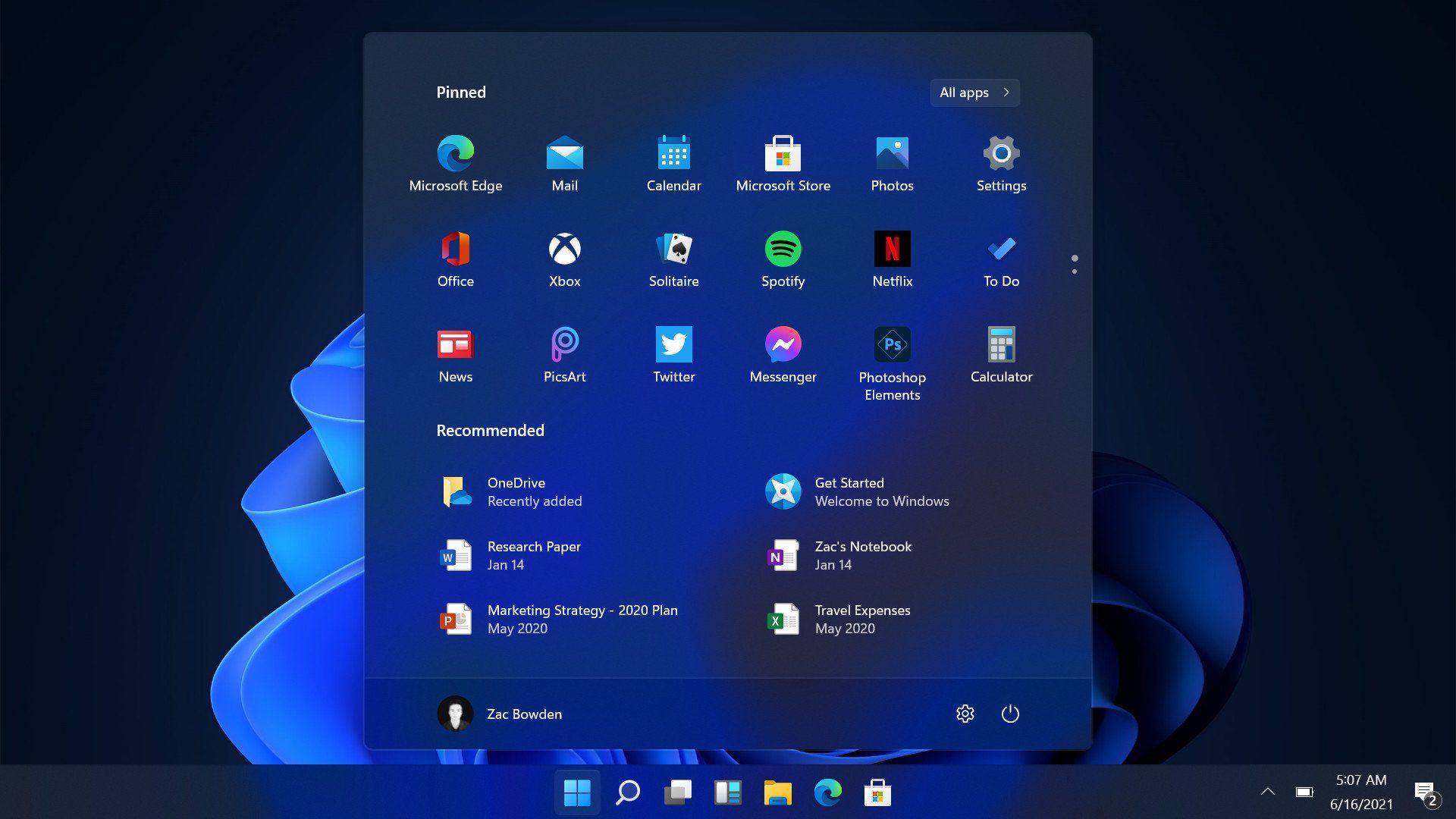
Windows is a widely used operating system developed by Microsoft. It is known for its user-friendly interface and broad compatibility.


โš™๏ธ Key Features of Windows

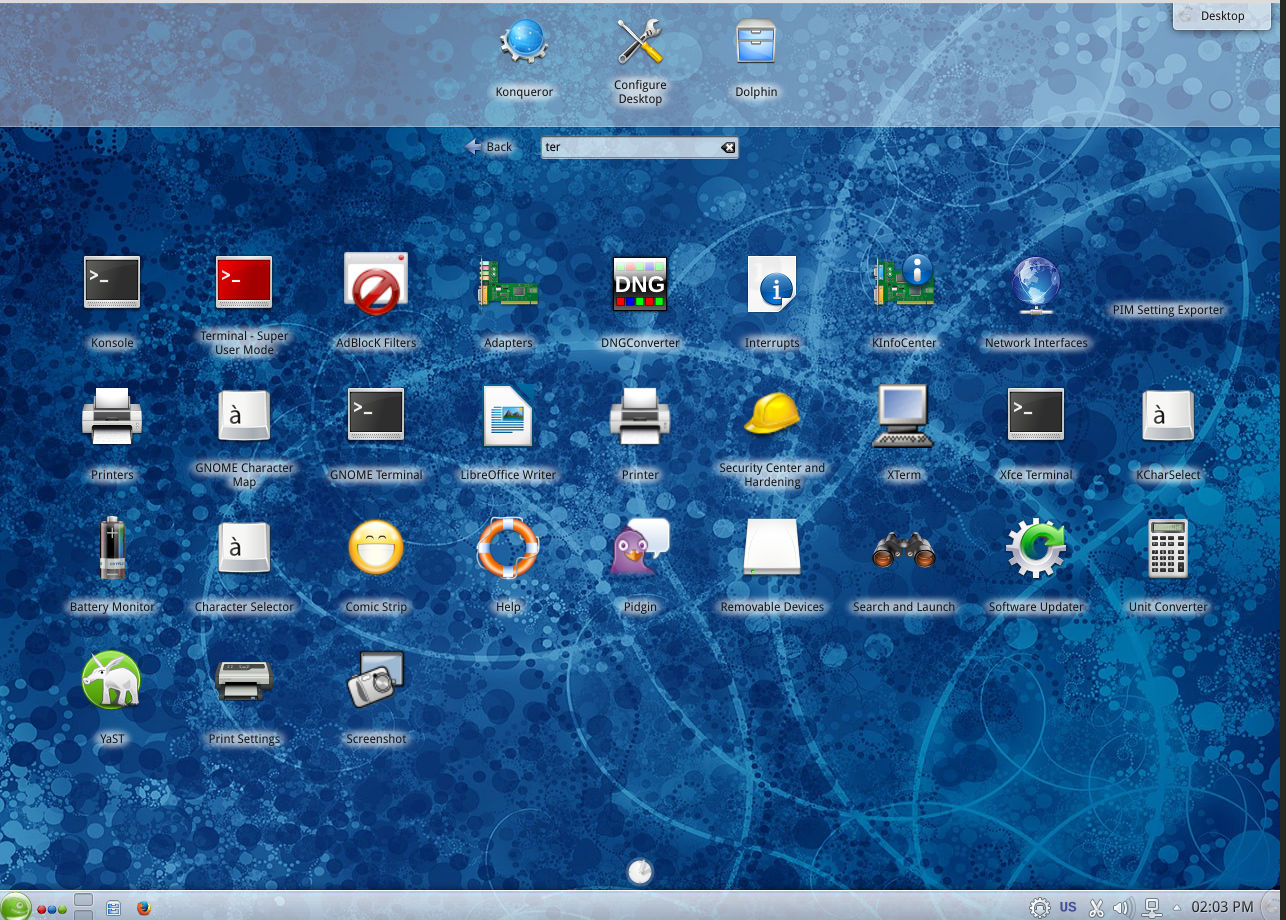
๐Ÿ–ฅ๏ธ Graphical User Interface (GUI)

  • Start menu
  • Taskbar
  • Desktop icons

๐Ÿ“‚ File Management

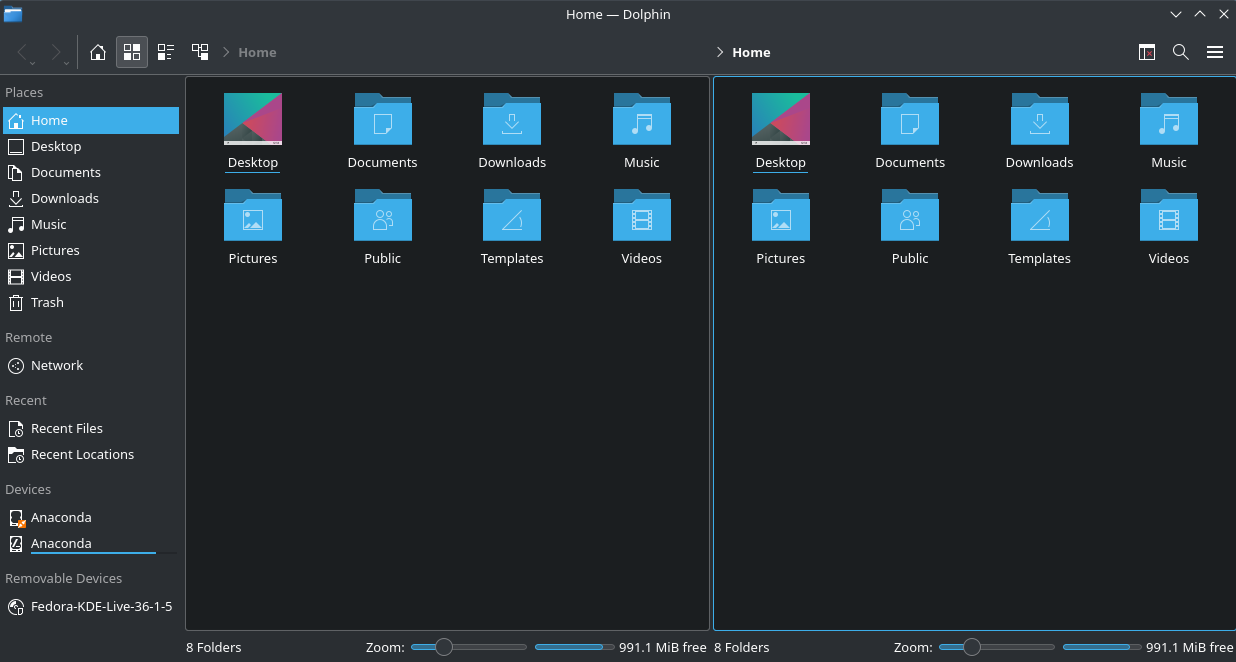
  • File Explorer
  • Folder organization

๐Ÿ”„ Multitasking

  • Run multiple applications simultaneously

๐Ÿ”Œ Hardware Compatibility

  • Supports a wide range of devices

๐Ÿงฉ Windows Components

  • Kernel
  • Device drivers
  • System libraries
  • User interface

๐Ÿ” Security Features

  • Windows Defender
  • Firewall
  • User account control

๐Ÿ“ File System

  • NTFS (New Technology File System)

โšก Advantages

  • Easy to use
  • Large software ecosystem
  • Strong hardware support

โš ๏ธ Limitations

  • Paid license
  • Vulnerable to malware
  • Resource-intensive

๐Ÿง LINUX OPERATING SYSTEM


๐Ÿง  Overview of Linux

Image
Image
Image
Image

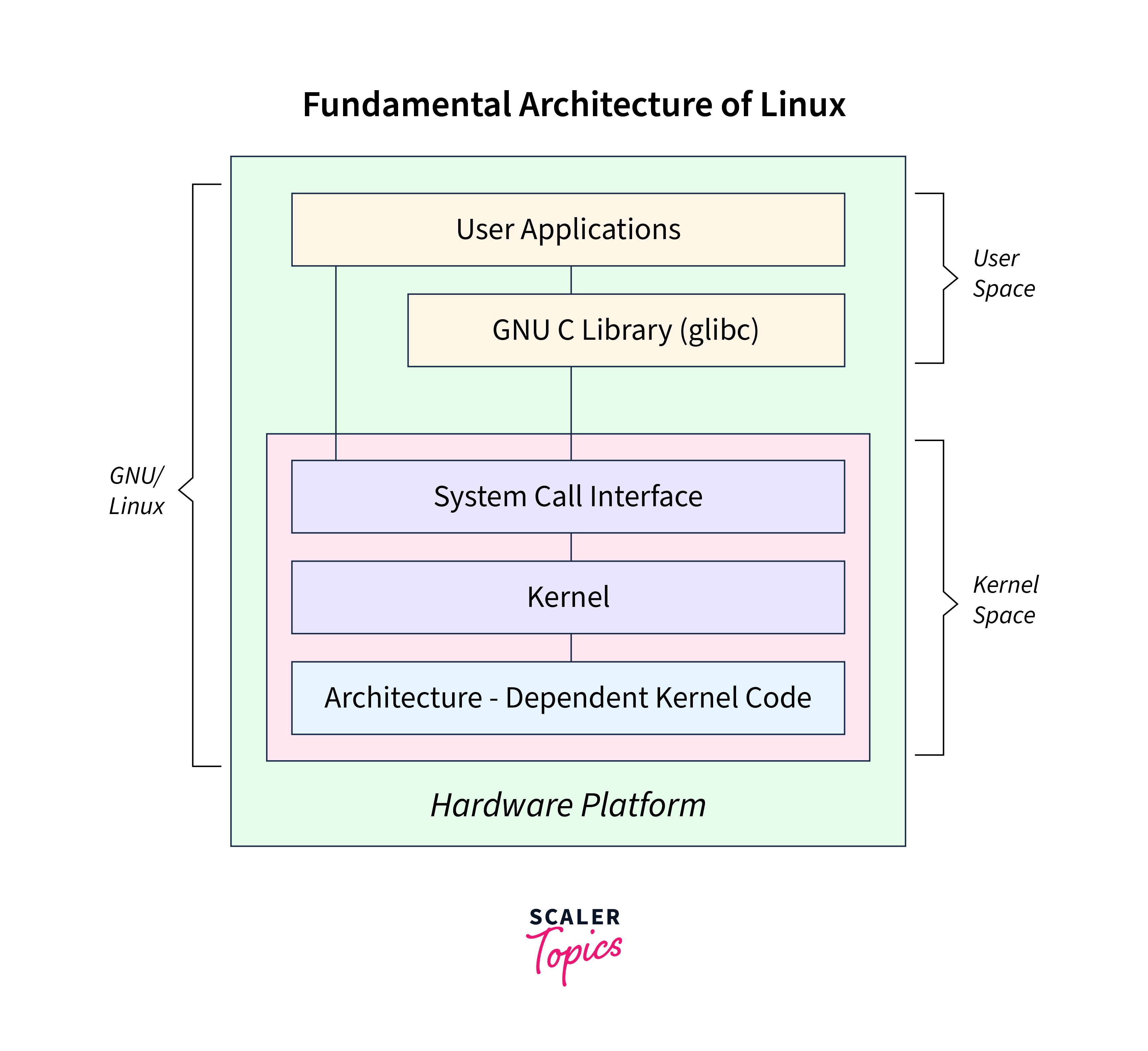
Linux is an open-source operating system based on Unix principles. It is widely used in servers, embedded systems, and development environments.


โš™๏ธ Key Features of Linux

๐Ÿ”“ Open Source

  • Free to use and modify

๐Ÿง  Multiuser & Multitasking

  • Supports multiple users simultaneously

โšก Stability and Performance

  • Efficient resource usage

๐Ÿ–ฅ๏ธ Command Line Interface

  • Powerful terminal (Bash shell)

๐Ÿงฉ Linux Components

  • Kernel
  • Shell
  • File system
  • Utilities

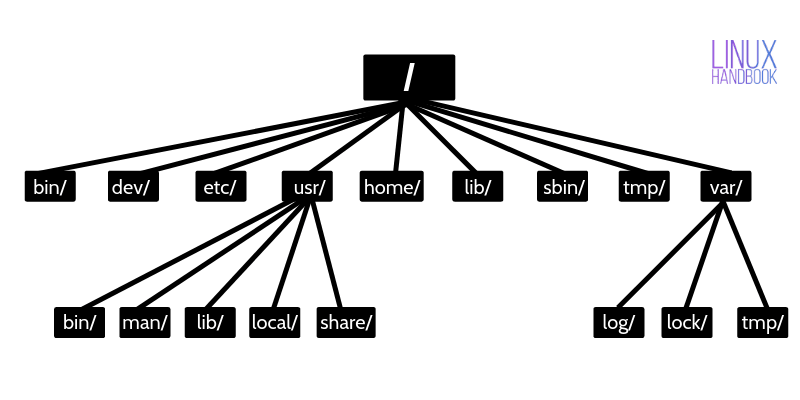
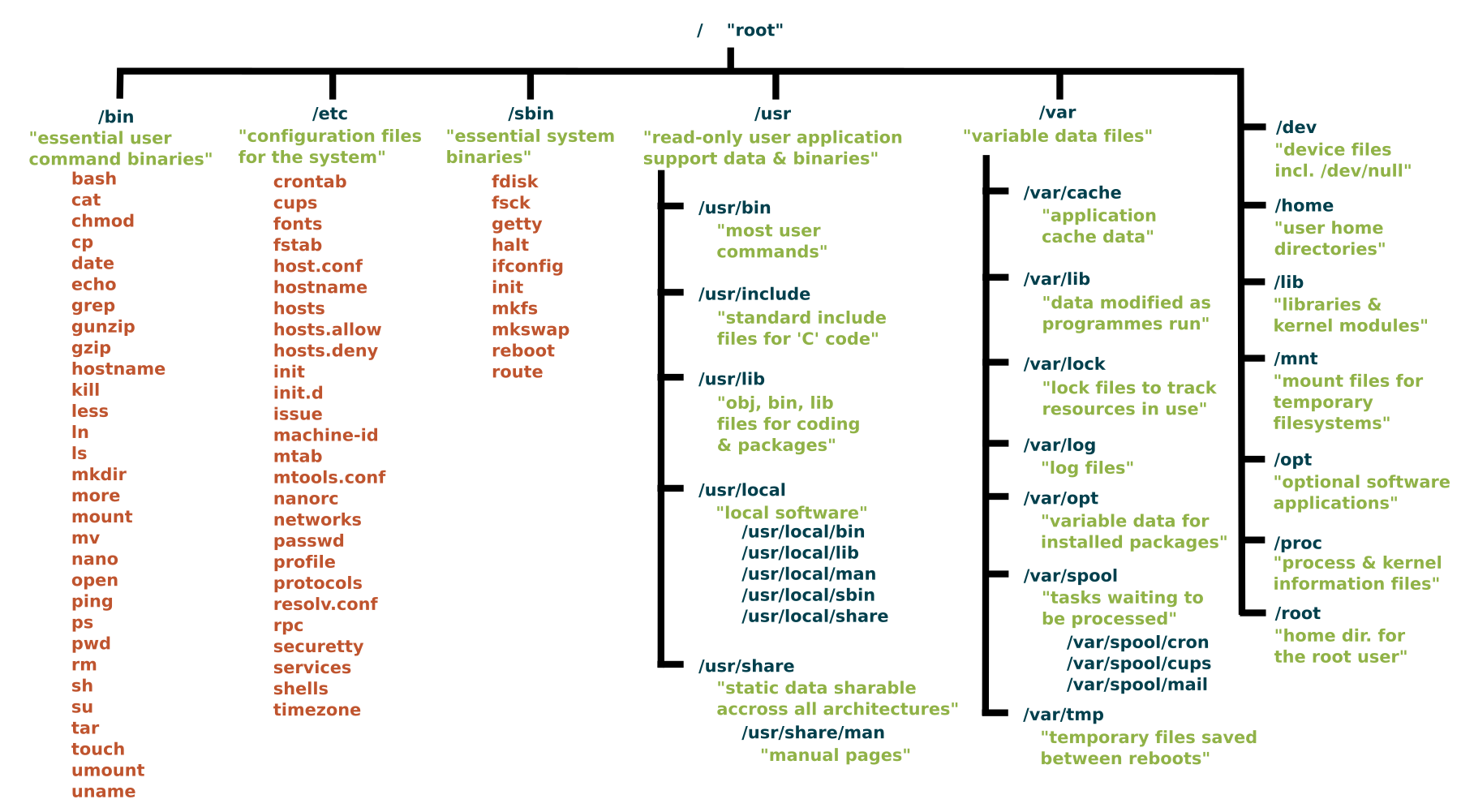
๐Ÿ“ Linux File System

Image
Image
Image
Image
  • Root (/)
  • /home
  • /etc
  • /usr

๐Ÿ” Security Features

  • Strong permissions system
  • User/group control
  • SELinux/AppArmor

๐Ÿง  Popular Distributions

  • Ubuntu
  • Fedora
  • Debian
  • CentOS

โšก Advantages

  • Free and open-source
  • Highly customizable
  • Secure and stable

โš ๏ธ Limitations

  • Steeper learning curve
  • Limited commercial software

๐ŸŽ macOS OPERATING SYSTEM


๐Ÿง  Overview of macOS

Image
Image
Image
Image

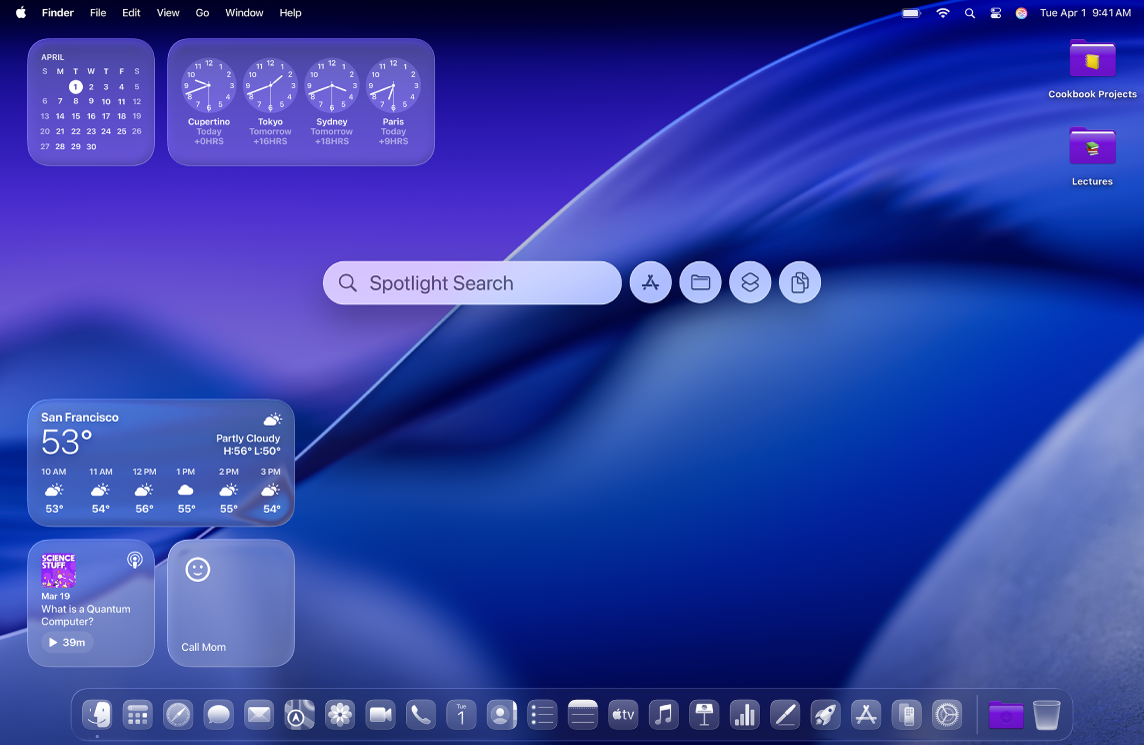
macOS is developed by Apple and is known for its smooth performance, security, and elegant design.


โš™๏ธ Key Features of macOS

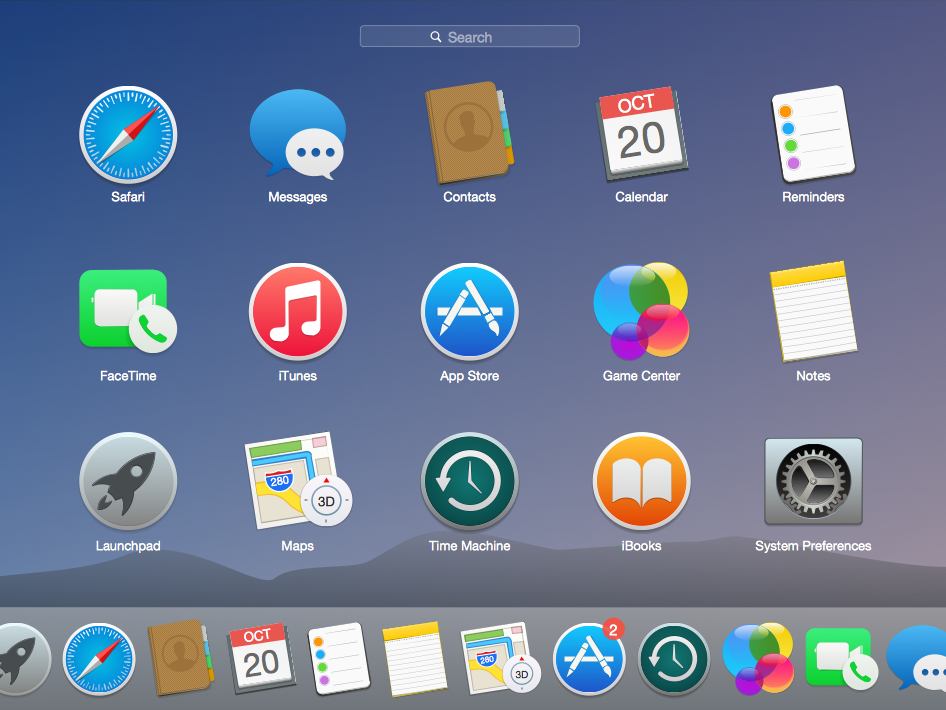
๐ŸŽจ User Interface

  • Dock
  • Finder
  • Spotlight search

๐Ÿ”„ Integration

  • Seamless integration with Apple ecosystem

โšก Performance Optimization

  • Optimized for Apple hardware

๐Ÿงฉ macOS Components

  • Darwin kernel
  • Cocoa frameworks
  • Finder (file manager)

๐Ÿ“ File System

  • APFS (Apple File System)

๐Ÿ” Security Features

  • Gatekeeper
  • FileVault
  • Sandbox apps

โšก Advantages

  • Stable and secure
  • Excellent UI/UX
  • Optimized performance

โš ๏ธ Limitations

  • Expensive hardware
  • Limited customization
  • Less gaming support

โš–๏ธ COMPARISON: Windows vs Linux vs macOS


๐Ÿ“Š Feature Comparison Table

FeatureWindowsLinuxmacOS
CostPaidFreePaid (with hardware)
User InterfaceEasyModerateVery user-friendly
SecurityModerateHighHigh
CustomizationLimitedVery HighLimited
Software SupportExtensiveModerateGood

๐Ÿง  Use Cases

  • Windows โ†’ General users, gaming, business
  • Linux โ†’ Developers, servers, cybersecurity
  • macOS โ†’ Designers, developers, creatives

โš™๏ธ Core OS Functions (All Systems)


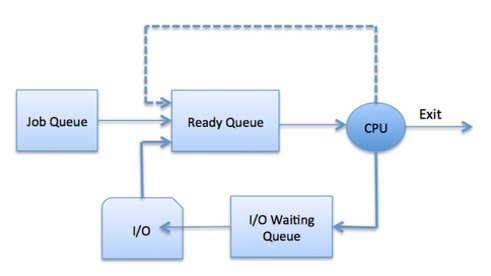
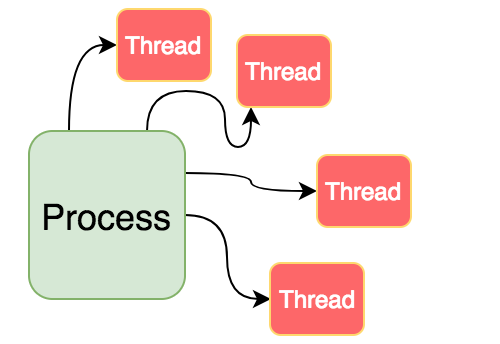
๐Ÿง  Process Management

Image
Image
Image
Image
  • Handles running programs
  • Scheduling tasks

๐Ÿ’พ Memory Management

Image
Image
Image
Image
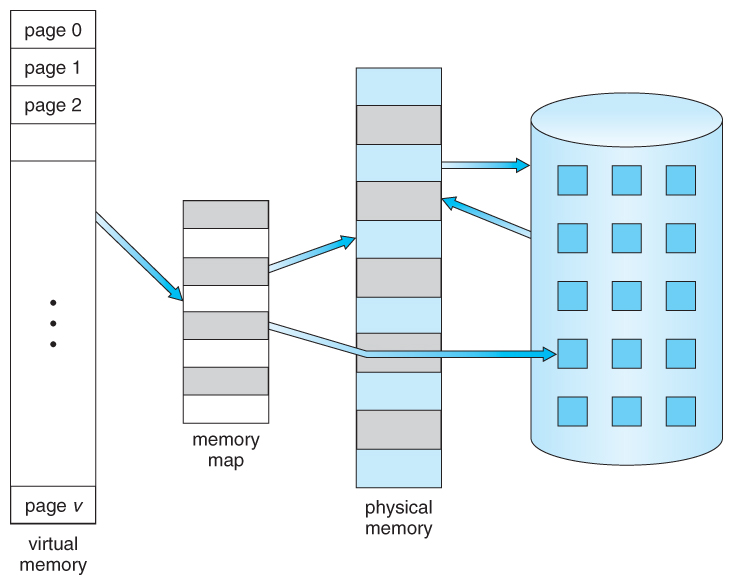
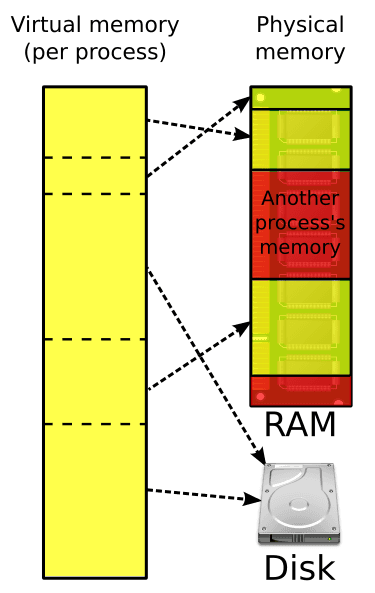
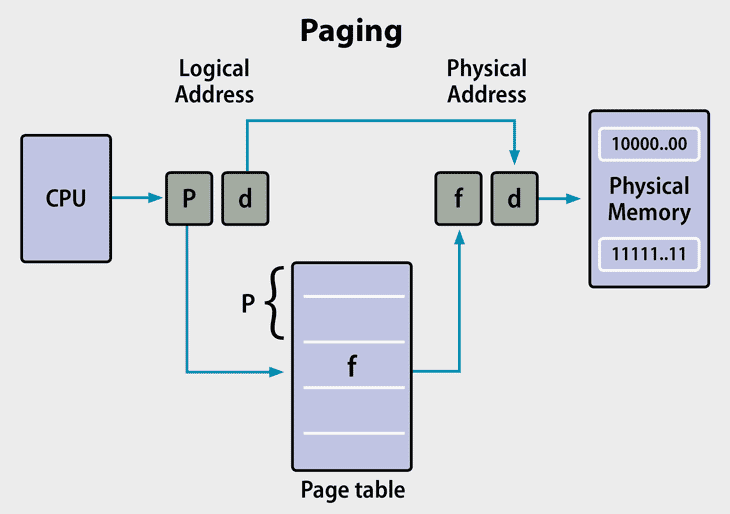
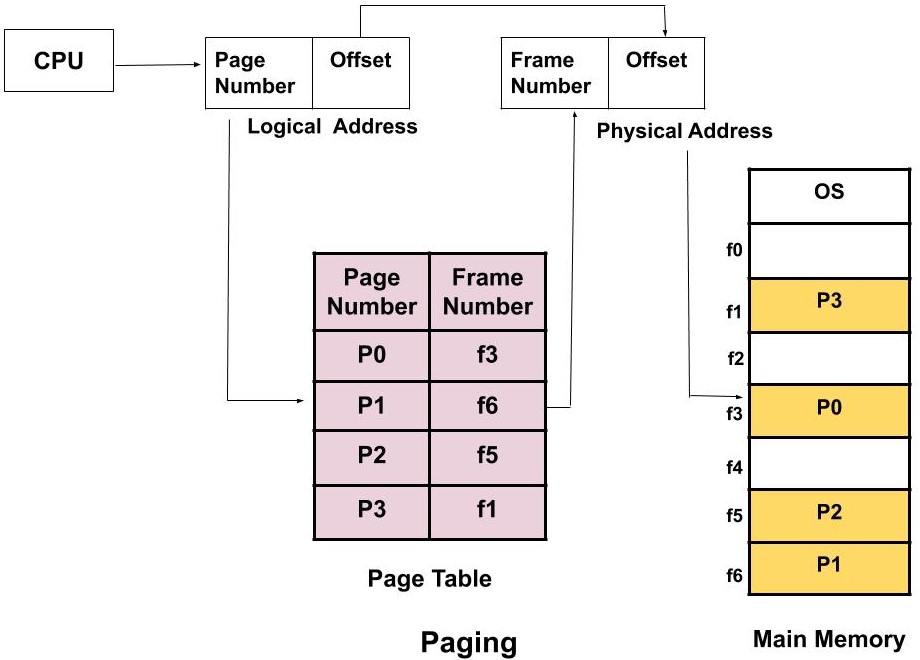
  • Allocates RAM
  • Uses virtual memory

๐Ÿ“‚ File Management

Image
Image
Image
Image
  • Organizes files and directories
  • Controls access

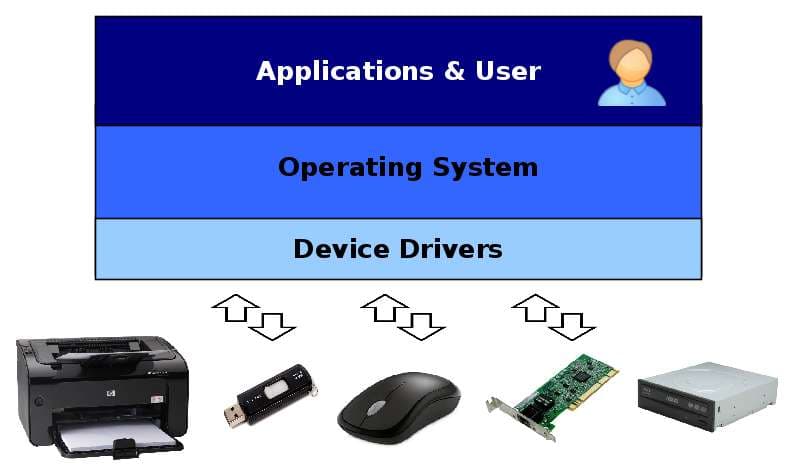
๐Ÿ”Œ Device Management

Image
Image
Image
Image
  • Controls hardware devices
  • Uses drivers

๐Ÿงฉ User Interfaces


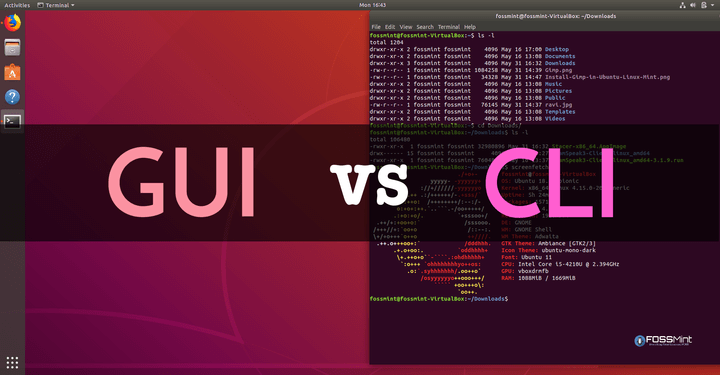
๐Ÿ–ฅ๏ธ GUI vs CLI

Image
Image
Image
Image
  • GUI โ†’ Easy, visual
  • CLI โ†’ Powerful, flexible

๐ŸŒ File Systems Comparison

OSFile System
WindowsNTFS
LinuxEXT4
macOSAPFS

๐Ÿ” Security Comparison


๐Ÿ›ก๏ธ Key Features:

  • Authentication
  • Encryption
  • Access control

Linux and macOS are generally more secure due to Unix-based design.


๐Ÿš€ Modern Trends in Operating Systems

Image
Image
Image
Image
  • Cloud-based OS
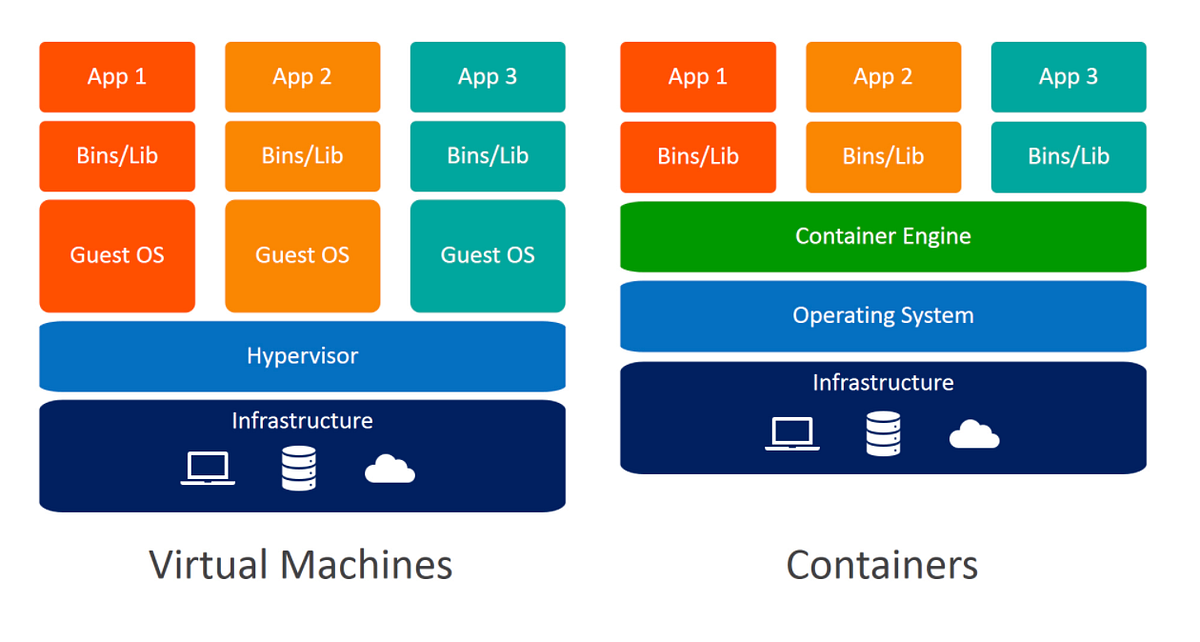
  • Virtualization
  • AI integration
  • Containerization

โšก Advantages of Operating Systems

  • Simplifies user interaction
  • Efficient resource management
  • Enables multitasking
  • Provides security
โš ๏ธ Limitations

  • Complexity
  • Resource usage
  • Compatibility issues
๐Ÿง  Conclusion

Windows, Linux, and macOS are the pillars of modern computing. Each offers unique strengths:

  • Windows โ†’ Versatility and compatibility
  • Linux โ†’ Power and flexibility
  • macOS โ†’ Performance and design

Understanding these systems helps in:

  • Choosing the right OS
  • Improving productivity
  • Learning advanced computing

๐Ÿท๏ธ Tags