Tag Archives: quantum computing

🖥️ Basic Computer Architecture – Complete Detailed Guide


🧩 Overview of Computer Architecture

Image
Image
Image
Image

Computer architecture refers to the design, structure, and functional behavior of a computer system. It defines how different components of a computer—such as the CPU, memory, and input/output devices—interact with each other to execute programs.

At its core, computer architecture answers three main questions:

  1. What does the system do? (Functionality)
  2. How is it organized? (Structure)
  3. How does it operate? (Behavior)

The architecture of a computer is usually divided into:

  • Instruction Set Architecture (ISA) – Interface between hardware and software
  • Microarchitecture – Internal implementation of the processor
  • System Design – Integration of hardware components

🧠 Historical Background

1. Early Computing Machines
Image
Image
Image
Image

The development of computer architecture began with early mechanical devices:

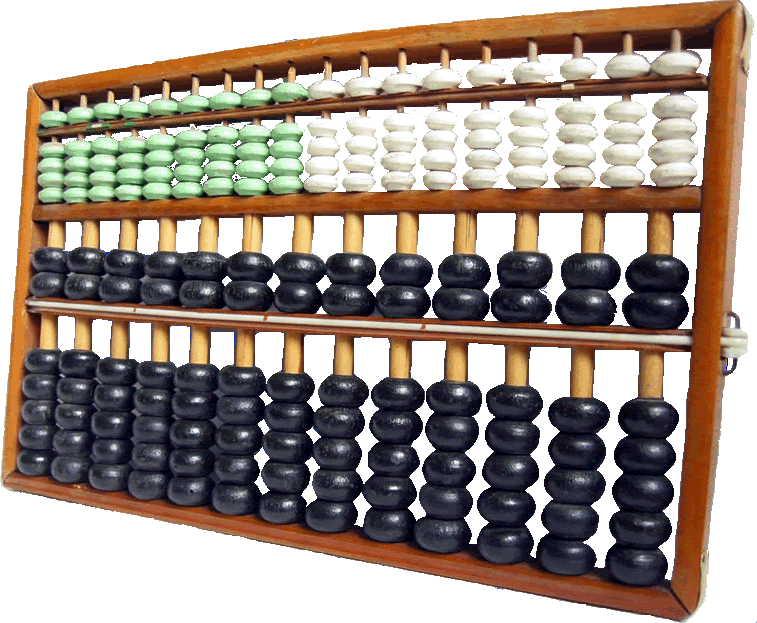
  • Abacus – First counting tool
  • Analytical Engine (Charles Babbage) – Concept of programmable machines
  • ENIAC – First electronic general-purpose computer

2. Von Neumann Architecture

Image
Image
Image
Image

The Von Neumann architecture is the foundation of modern computers. It introduced the stored-program concept, where instructions and data are stored in the same memory.

Key components:

  • Central Processing Unit (CPU)
  • Memory
  • Input/Output devices
  • Bus system

⚙️ Core Components of Computer Architecture


1. Central Processing Unit (CPU)

Image
Image
Image
Image

The CPU is the brain of the computer, responsible for executing instructions.

Components of CPU:

a. Arithmetic Logic Unit (ALU)
  • Performs arithmetic operations: addition, subtraction
  • Performs logical operations: AND, OR, NOT
  • Executes comparisons
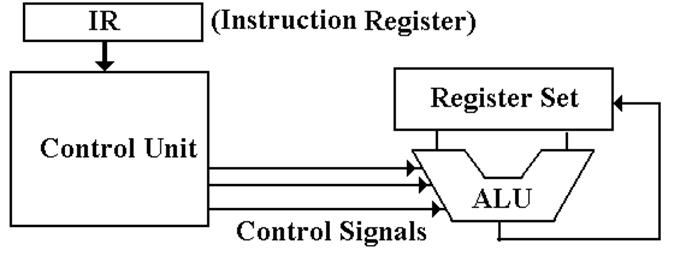
b. Control Unit (CU)
  • Directs operations of the processor
  • Fetches instructions from memory
  • Decodes and executes them
c. Registers
  • Small, fast storage locations inside CPU
  • Examples:
    • Program Counter (PC)
    • Instruction Register (IR)
    • Accumulator

2. Memory Unit

Image
Image
Image
Image

Memory stores data and instructions.

Types of Memory:

a. Primary Memory
  • RAM (Random Access Memory) – Volatile
  • ROM (Read Only Memory) – Non-volatile
b. Secondary Memory
  • Hard Disk, SSD, Optical Disks
  • Permanent storage
c. Cache Memory
  • High-speed memory
  • Located close to CPU
  • Improves performance

3. Input and Output Units

Image
Image
Image
Image

Input Devices:

  • Keyboard
  • Mouse
  • Scanner

Output Devices:

  • Monitor
  • Printer
  • Speakers

These units enable communication between user and computer.


4. Bus System

Image
Image
Image
Image

The bus is a communication system that transfers data between components.

Types of Buses:

  • Data Bus – Transfers data
  • Address Bus – Carries memory addresses
  • Control Bus – Sends control signals

🔄 Instruction Cycle (Fetch-Decode-Execute)

Image
Image
Image
Image

The CPU processes instructions in a cycle:

  1. Fetch – Retrieve instruction from memory
  2. Decode – Interpret instruction
  3. Execute – Perform operation

This cycle repeats continuously.


🧮 Instruction Set Architecture (ISA)

ISA defines:

  • Instruction formats
  • Addressing modes
  • Data types
  • Registers

Examples:

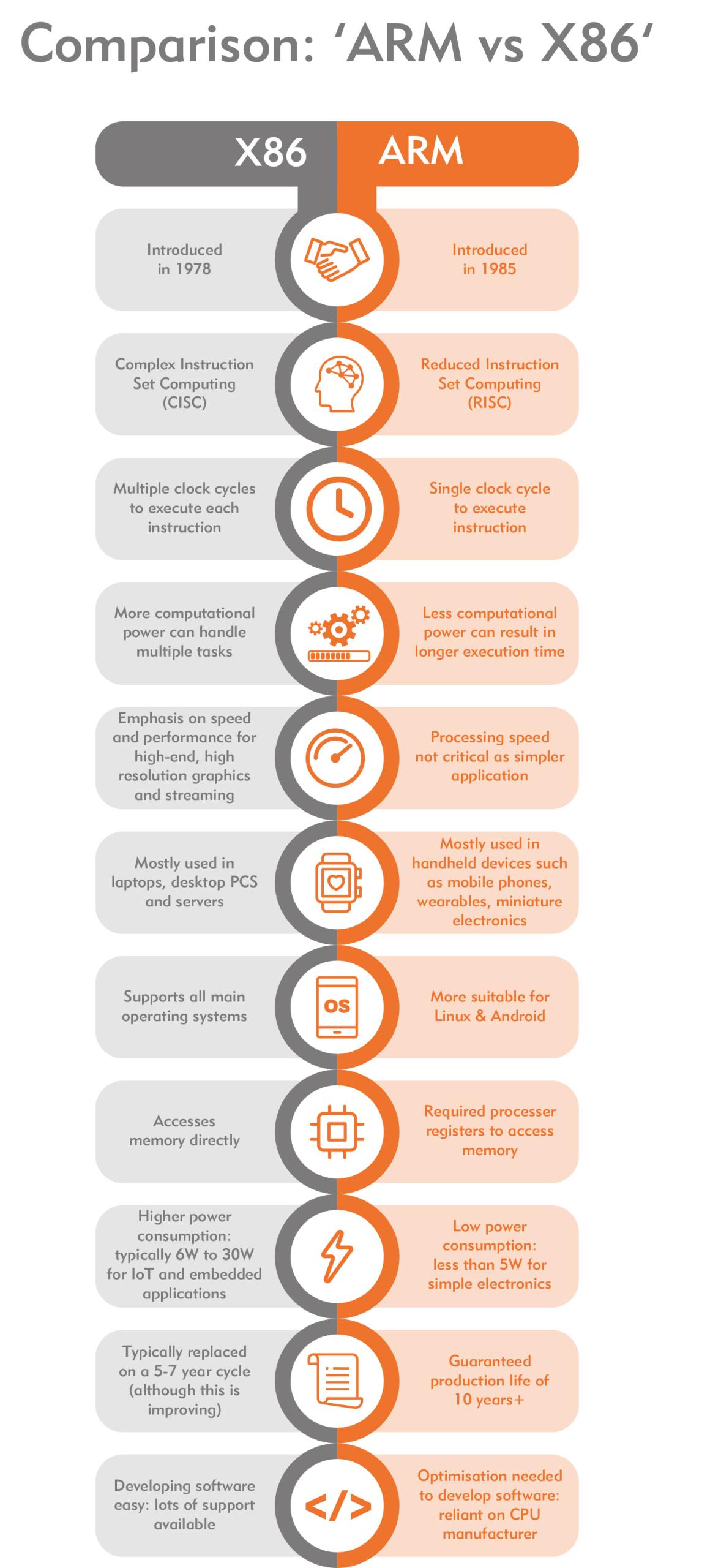
  • RISC (Reduced Instruction Set Computer)
  • CISC (Complex Instruction Set Computer)

⚡ RISC vs CISC Architecture

Image
Image
Image
Image
FeatureRISCCISC
InstructionsSimpleComplex
ExecutionFastSlower
ExamplesARMx86

🧠 Memory Hierarchy

Memory is organized based on speed and cost:

  1. Registers (fastest)
  2. Cache
  3. RAM
  4. Secondary Storage (slowest)

Key principle:

Faster memory is more expensive and smaller.


⚙️ Microarchitecture

Microarchitecture refers to:

  • Internal design of CPU
  • Pipelining
  • Superscalar execution
  • Branch prediction

🔁 Pipelining

Image
Image
Image
Image

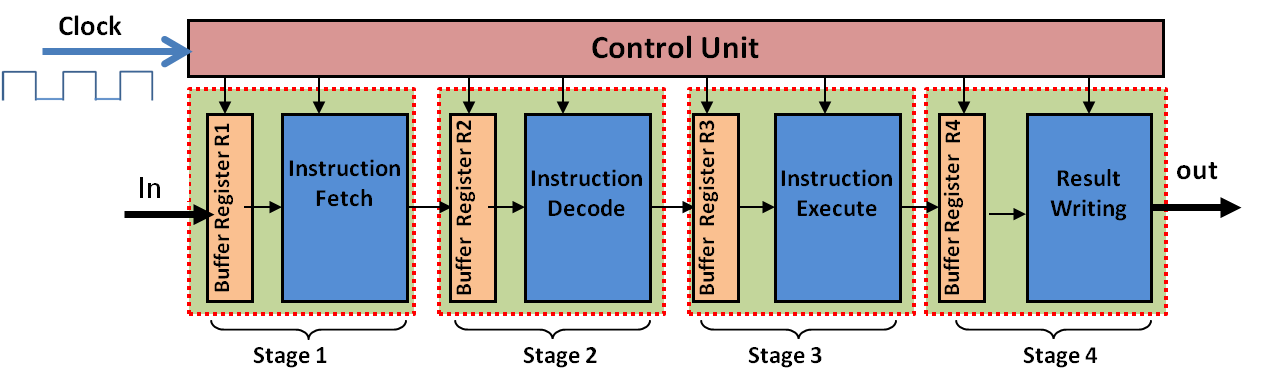
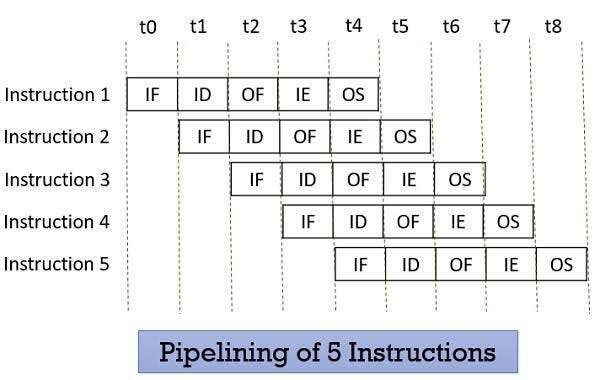
Pipelining improves performance by overlapping instruction execution.

Stages:

  • Fetch
  • Decode
  • Execute
  • Memory
  • Write-back

🧩 Parallelism in Architecture

Types:

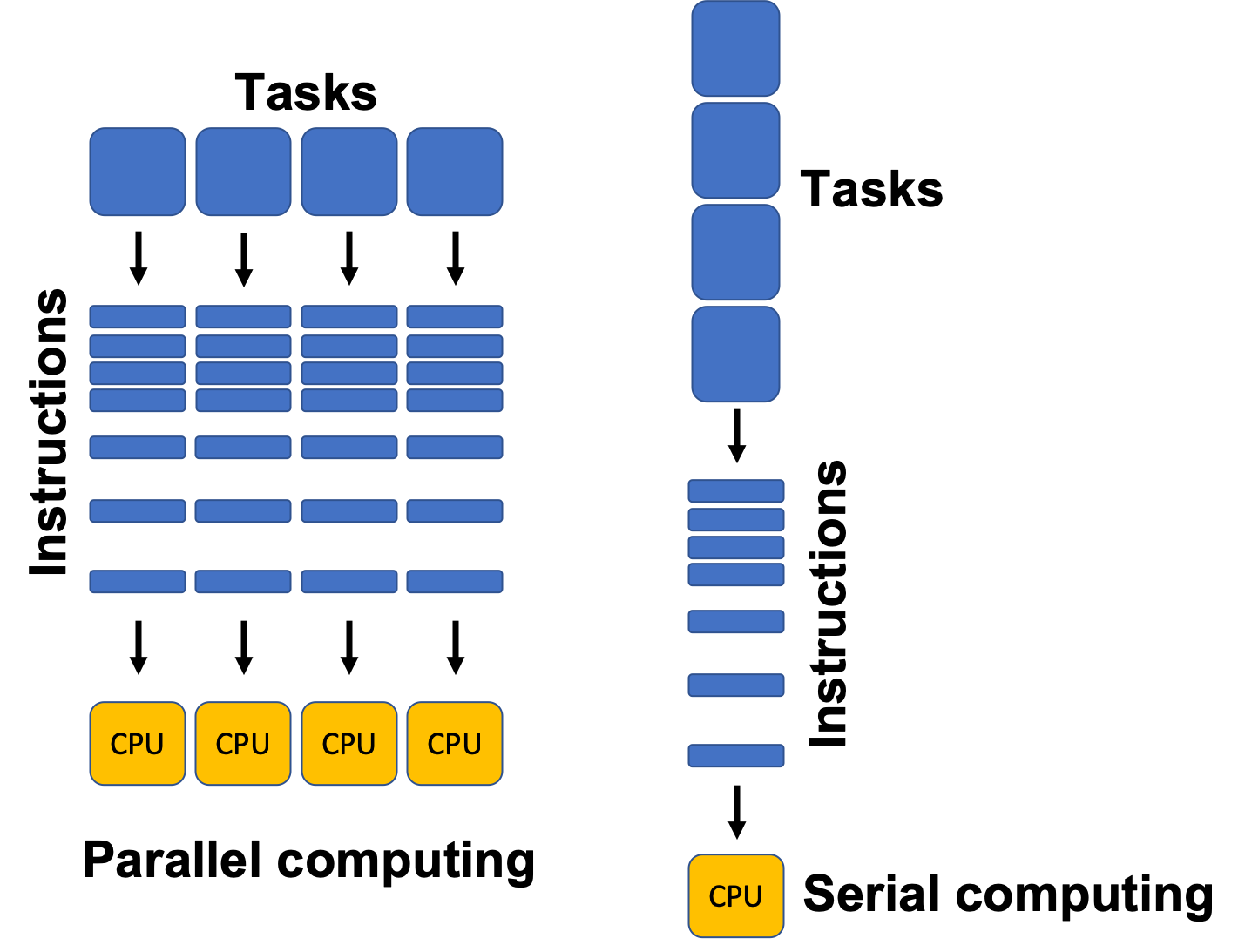
  • Instruction-Level Parallelism (ILP)
  • Data-Level Parallelism (DLP)
  • Thread-Level Parallelism (TLP)

Examples:

  • Multi-core processors
  • GPUs

🖥️ Types of Computer Architectures


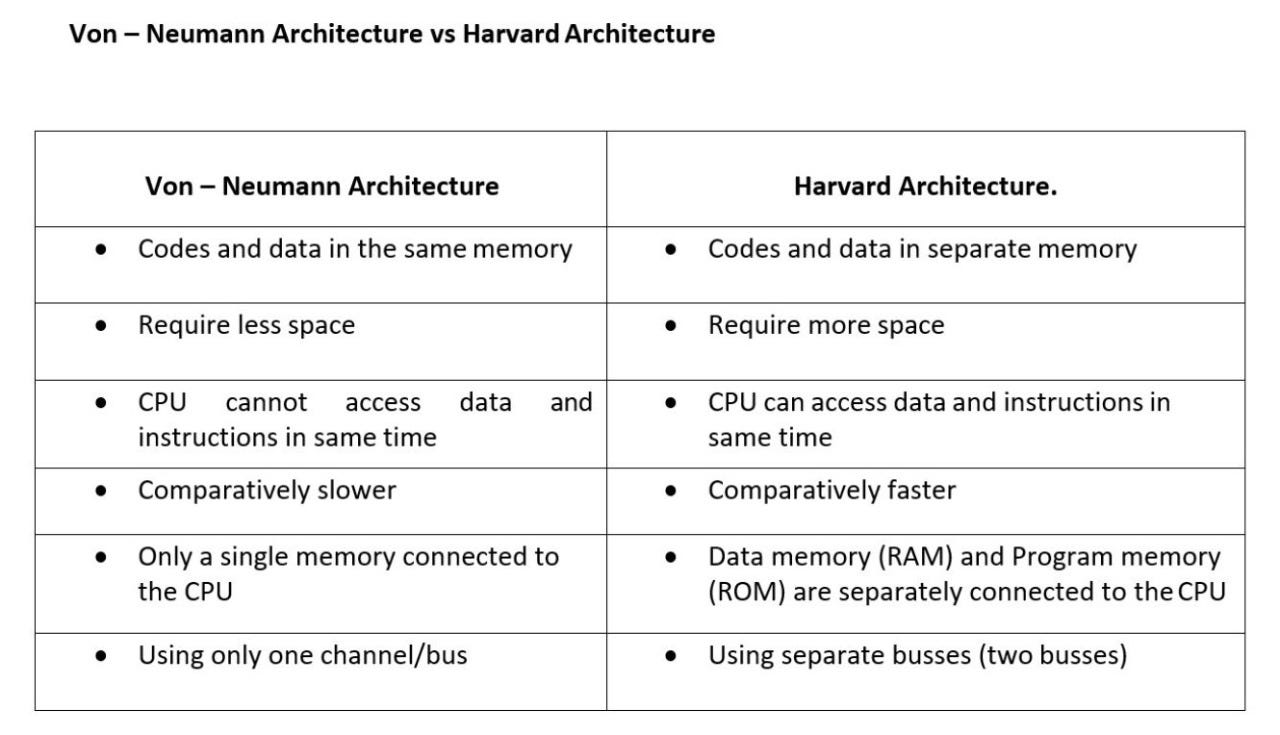
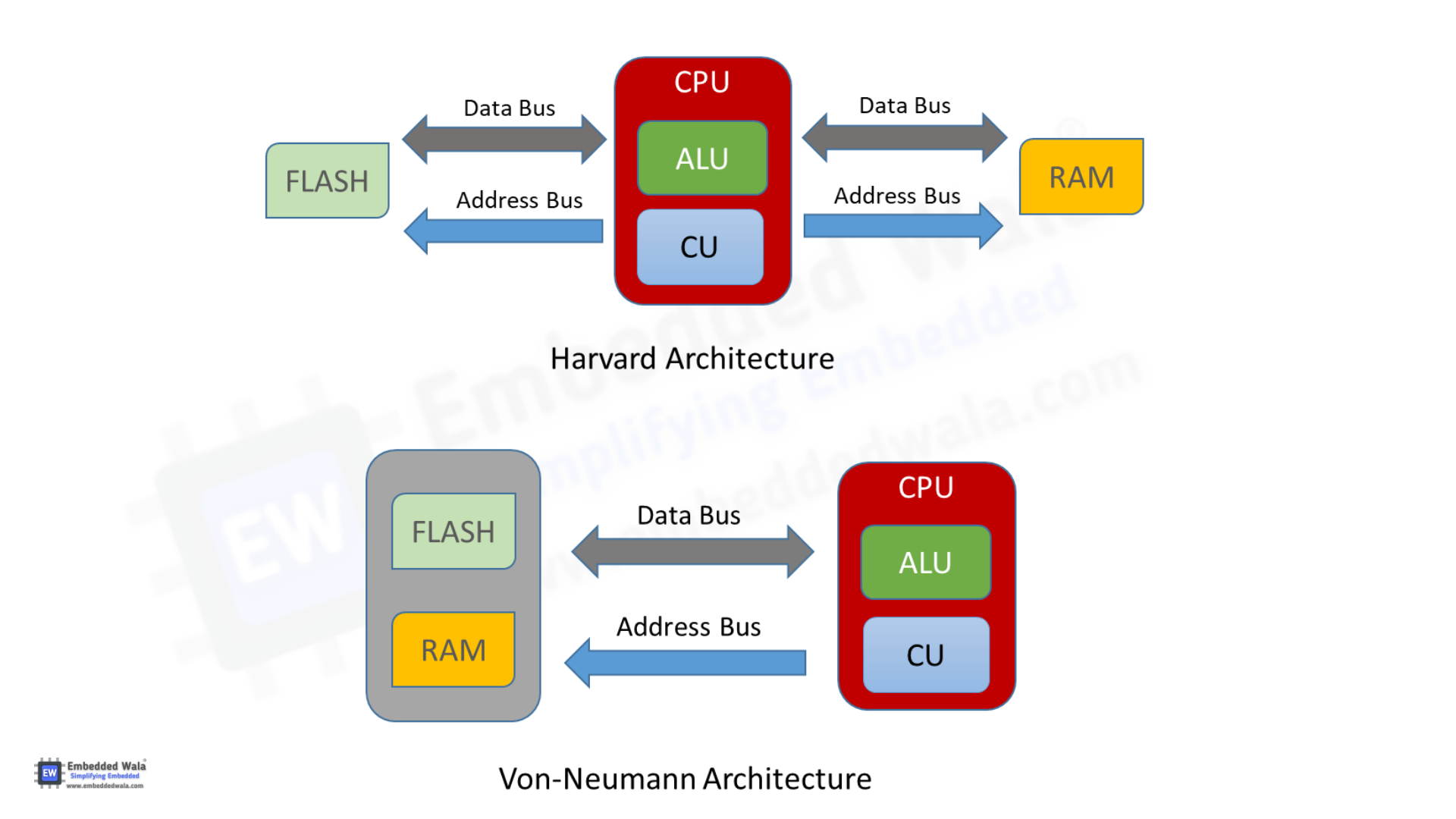
1. Von Neumann Architecture

  • Single memory for data and instructions
  • Simpler design
  • Bottleneck issue

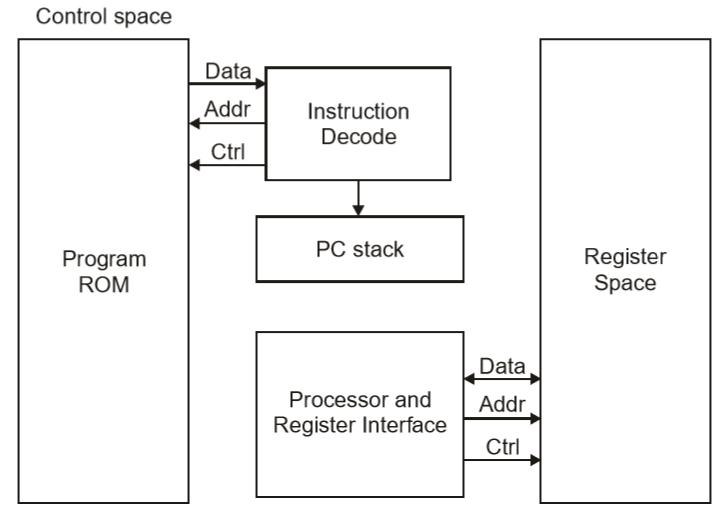
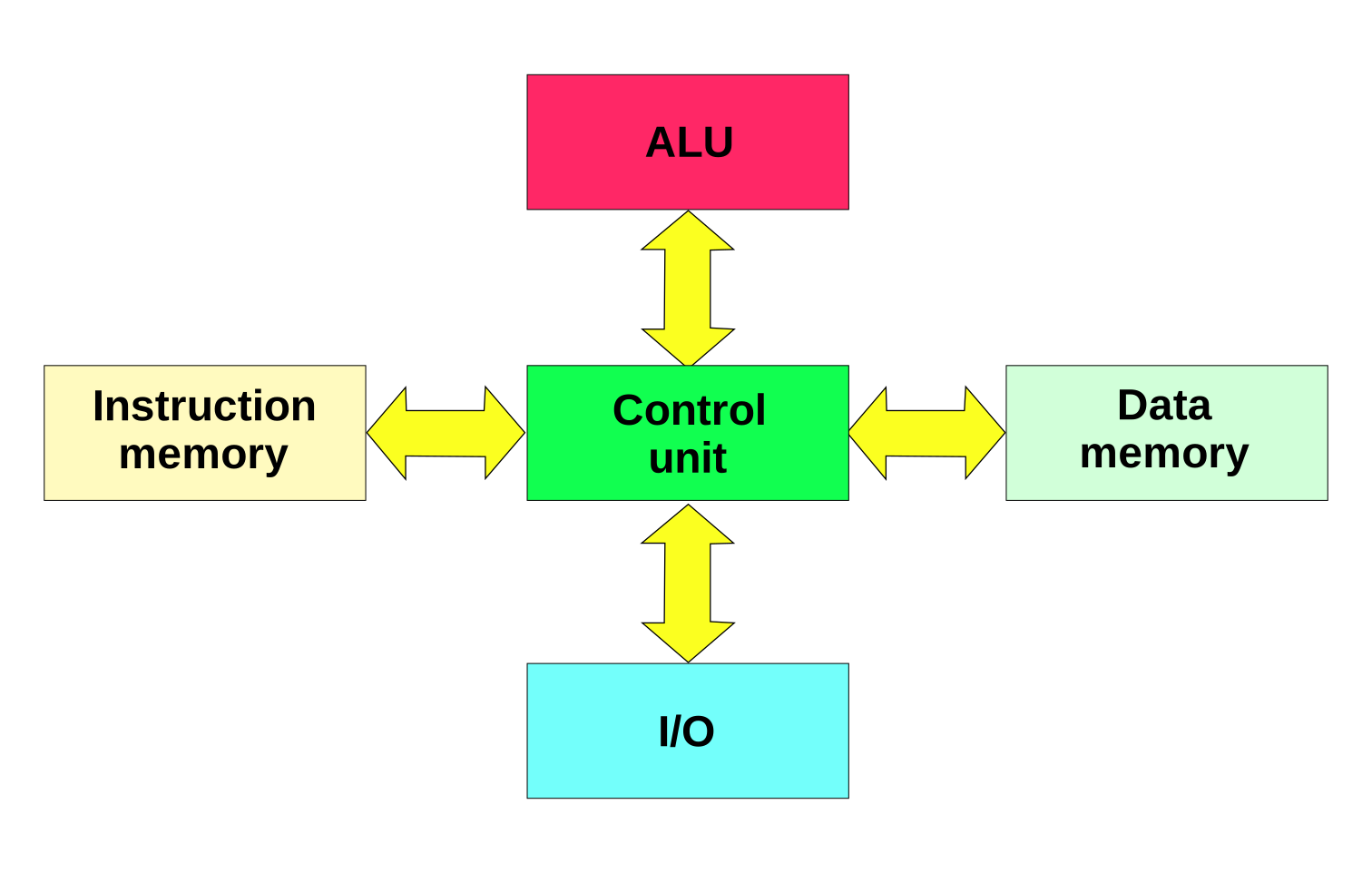
2. Harvard Architecture
Image
Image
Image
Image
  • Separate memory for data and instructions
  • Faster access
  • Used in embedded systems

🧮 Addressing Modes

Defines how operands are accessed:

  • Immediate
  • Direct
  • Indirect
  • Indexed
  • Register

⚡ Performance Metrics


1. Clock Speed

  • Measured in GHz
  • Determines how many cycles per second

2. Throughput

  • Number of tasks per unit time

3. Latency

  • Time taken to execute a task

🔐 Control Signals and Timing

  • Control unit generates signals
  • Synchronization through clock pulses
  • Ensures proper sequencing

🧠 Registers in Detail

Types:

  • General-purpose registers
  • Special-purpose registers:
    • Program Counter
    • Stack Pointer
    • Status Register

📦 Cache Memory Levels

  • L1 Cache – fastest, smallest
  • L2 Cache – larger, slower
  • L3 Cache – shared among cores

🧩 Multiprocessing and Multicore Systems

Image
Image
Image
Image
  • Multiple processors or cores
  • Improves performance and multitasking

🔄 Interrupts in Computer Architecture

  • Signals from devices to CPU
  • Types:
    • Hardware interrupts
    • Software interrupts

🧮 Input/Output Organization

Methods:

  • Programmed I/O
  • Interrupt-driven I/O
  • Direct Memory Access (DMA)

🔐 Bus Arbitration

  • Determines which device controls the bus
  • Methods:
    • Centralized
    • Distributed

🧠 Evolution of Computer Architecture


Generations:

  1. Vacuum Tubes
  2. Transistors
  3. Integrated Circuits
  4. Microprocessors
  5. AI-based architectures

⚙️ Modern Trends in Computer Architecture

Image
Image
Image
Image
  • Quantum Computing
  • Neuromorphic Computing
  • Edge Computing
  • Cloud Computing

🧾 Advantages of Computer Architecture Design

  • Efficient processing
  • Scalability
  • Flexibility
  • Optimization of resources

⚠️ Limitations

  • Complexity
  • Cost
  • Power consumption
  • Heat generation

🧠 Conclusion

Basic computer architecture forms the foundation of all computing systems. From simple machines to modern AI-powered systems, understanding architecture helps in:

  • Designing efficient systems
  • Improving performance
  • Building advanced technologies

It connects hardware and software, enabling computers to solve complex problems efficiently.


🏷️ Tags

History of Computing

Image
Image
Image
Image

1. Introduction to the History of Computing

The history of computing is a fascinating journey that spans thousands of years, from simple counting tools used in ancient civilizations to the highly advanced digital systems that power modern society. Computing has evolved through continuous innovation, driven by the human need to calculate, automate tasks, and process information efficiently.

Computing is not just about machines—it reflects the development of mathematical thinking, engineering ingenuity, and scientific progress. Over time, the concept of computation expanded from manual calculations to mechanical devices, then to electronic systems, and now to intelligent and quantum-based technologies.

Understanding the history of computing provides insights into how current technologies came into existence and helps us anticipate future advancements.


2. Early Computing Devices (Pre-Mechanical Era)

2.1 The Abacus

The abacus, developed around 2500 BCE, is considered the earliest known computing device. It consists of beads sliding on rods, used for performing arithmetic operations such as addition and subtraction.

Key features:

  • Used in ancient civilizations like China, Mesopotamia, and Egypt
  • Enabled fast manual calculations
  • Still used today for teaching arithmetic

2.2 Napier’s Bones

Image
Image
Image
Image

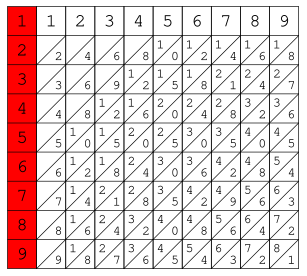
Invented by John Napier in 1617, Napier’s Bones were a set of rods used to perform multiplication and division.

Importance:

  • Simplified complex arithmetic operations
  • Introduced logarithmic thinking
  • Influenced later calculating devices

2.3 Slide Rule

The slide rule, invented in the 17th century, was widely used by engineers and scientists until the 1970s.

Features:

  • Based on logarithmic scales
  • Used for multiplication, division, roots, and trigonometry
  • Essential tool before electronic calculators

3. Mechanical Computing Era

Image
Image
Image
Image

3.1 Pascaline

Invented by Blaise Pascal in 1642, the Pascaline was a mechanical calculator designed to perform addition and subtraction.

Significance:

  • One of the first automatic calculators
  • Used gear-based mechanisms
  • Limited functionality

3.2 Leibniz Stepped Reckoner

Developed by Gottfried Wilhelm Leibniz, this machine could perform multiplication and division.

Innovations:

  • Introduced stepped drum mechanism
  • Improved on Pascal’s design
  • Concept of binary system (later used in computers)

3.3 Charles Babbage and the Analytical Engine

Charles Babbage is known as the Father of the Computer.

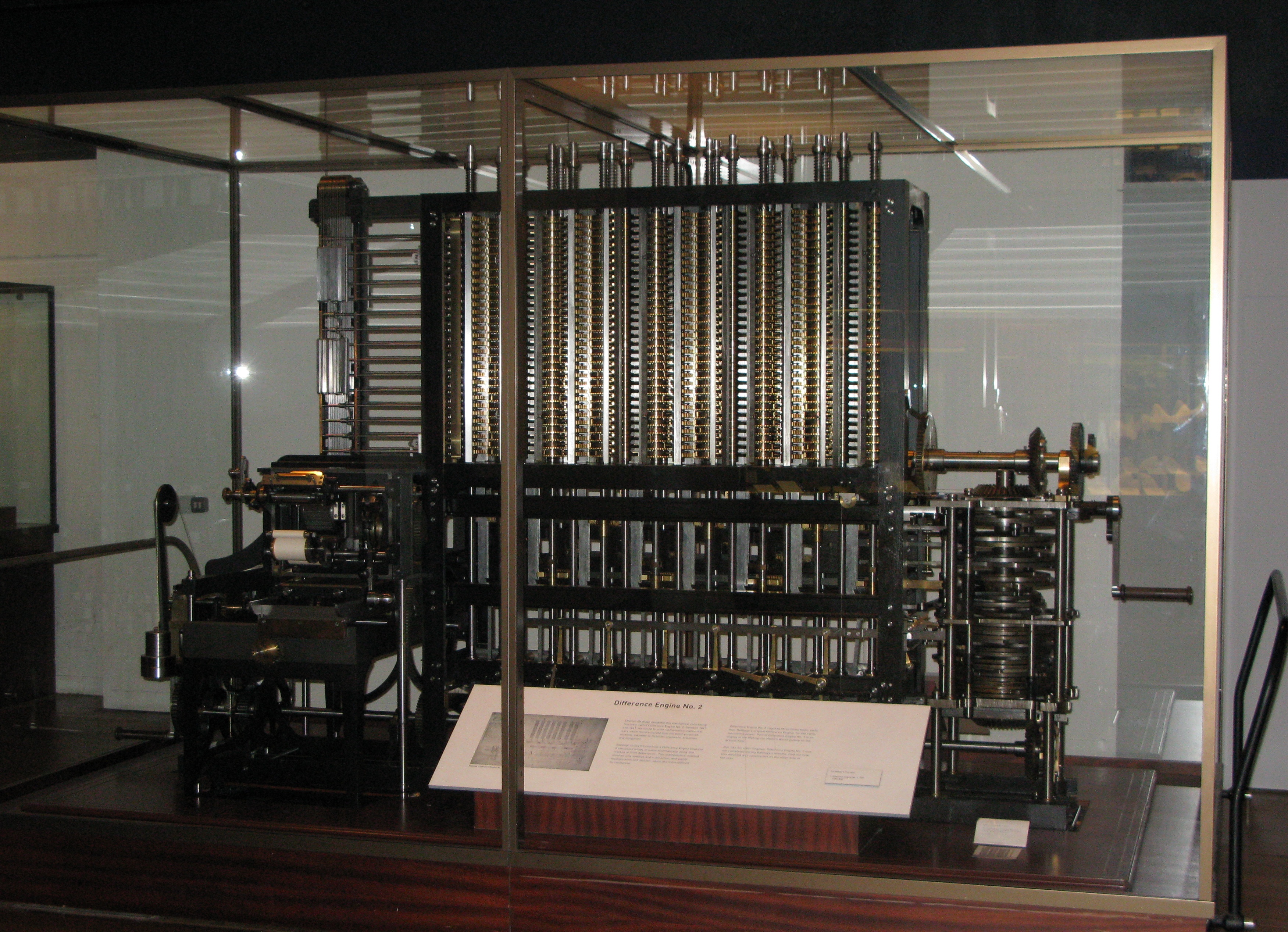
Difference Engine

  • Designed to compute mathematical tables
  • Used mechanical components

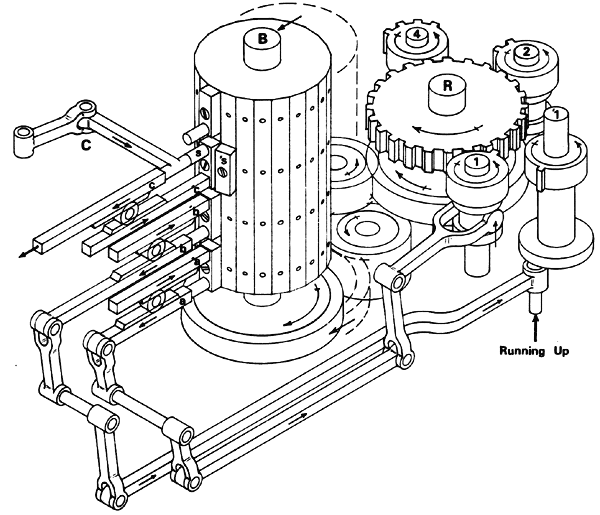
Analytical Engine

  • First concept of a general-purpose computer
  • Included components similar to modern computers:
    • Memory (store)
    • Processor (mill)
    • Input/output (punch cards)

3.4 Ada Lovelace

Ada Lovelace is considered the first computer programmer.

Contributions:

  • Wrote algorithms for the Analytical Engine
  • Recognized potential beyond calculations
  • Envisioned computers processing symbols and music

4. Electro-Mechanical Era

Image
Image
Image
Image

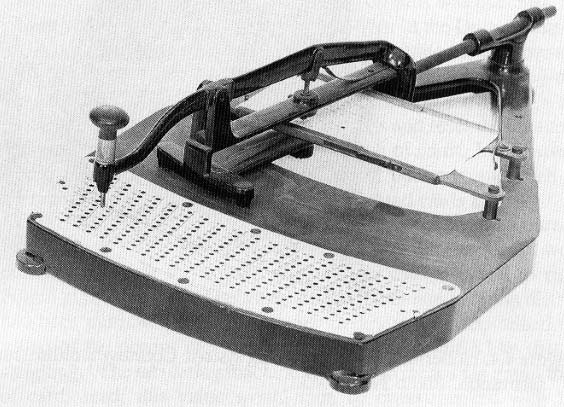
4.1 Herman Hollerith’s Tabulating Machine

Developed for the 1890 U.S. Census.

Features:

  • Used punch cards for data storage
  • Reduced processing time significantly
  • Led to the formation of IBM

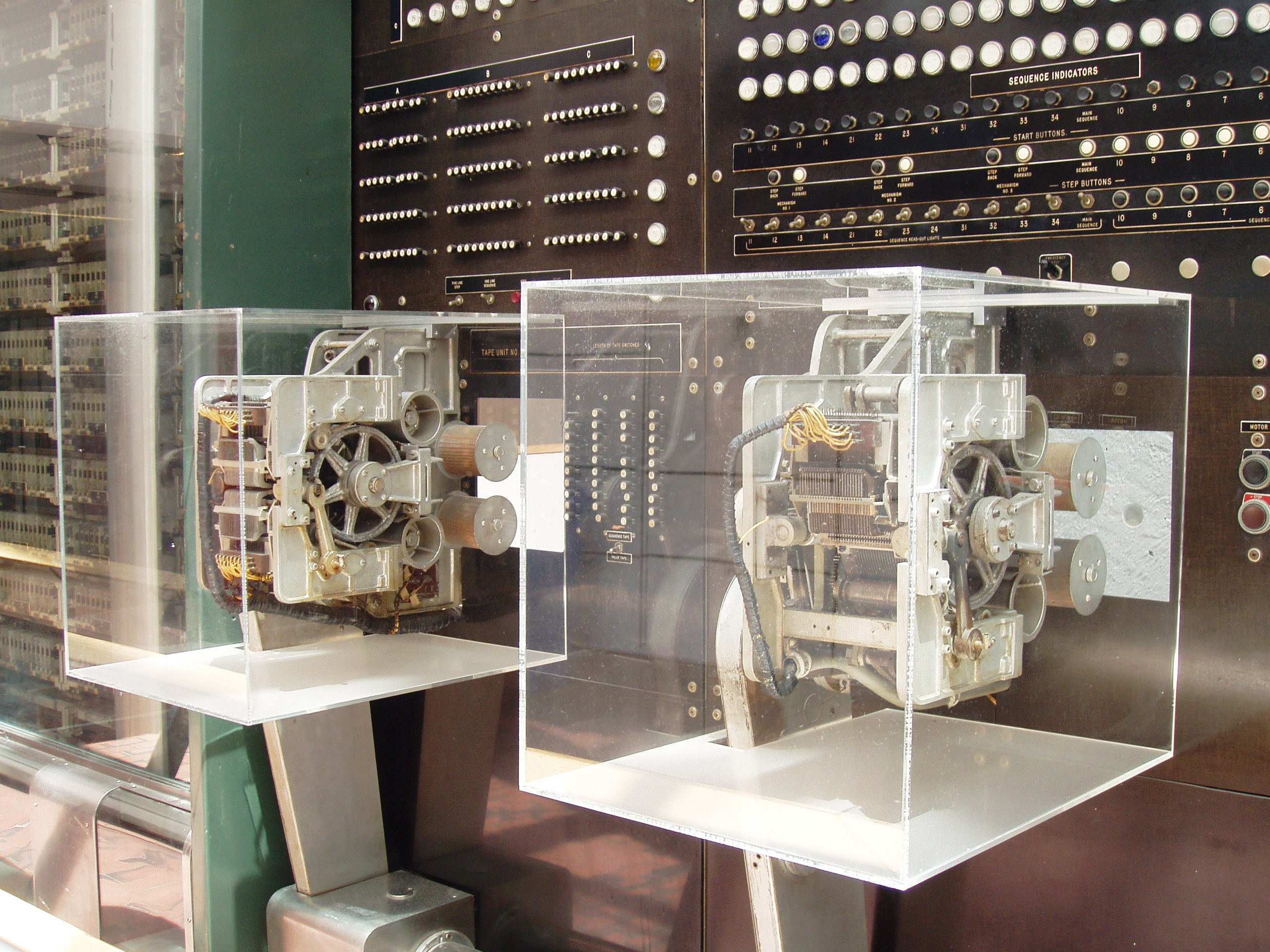
4.2 Harvard Mark I

An early electromechanical computer developed in the 1940s.

Characteristics:

  • Used relays and mechanical components
  • Could perform automatic calculations
  • Large and slow compared to modern computers

5. Electronic Computing Era

Image
Image
Image
Image

5.1 Colossus

  • Developed during World War II
  • Used for codebreaking
  • First programmable electronic digital computer

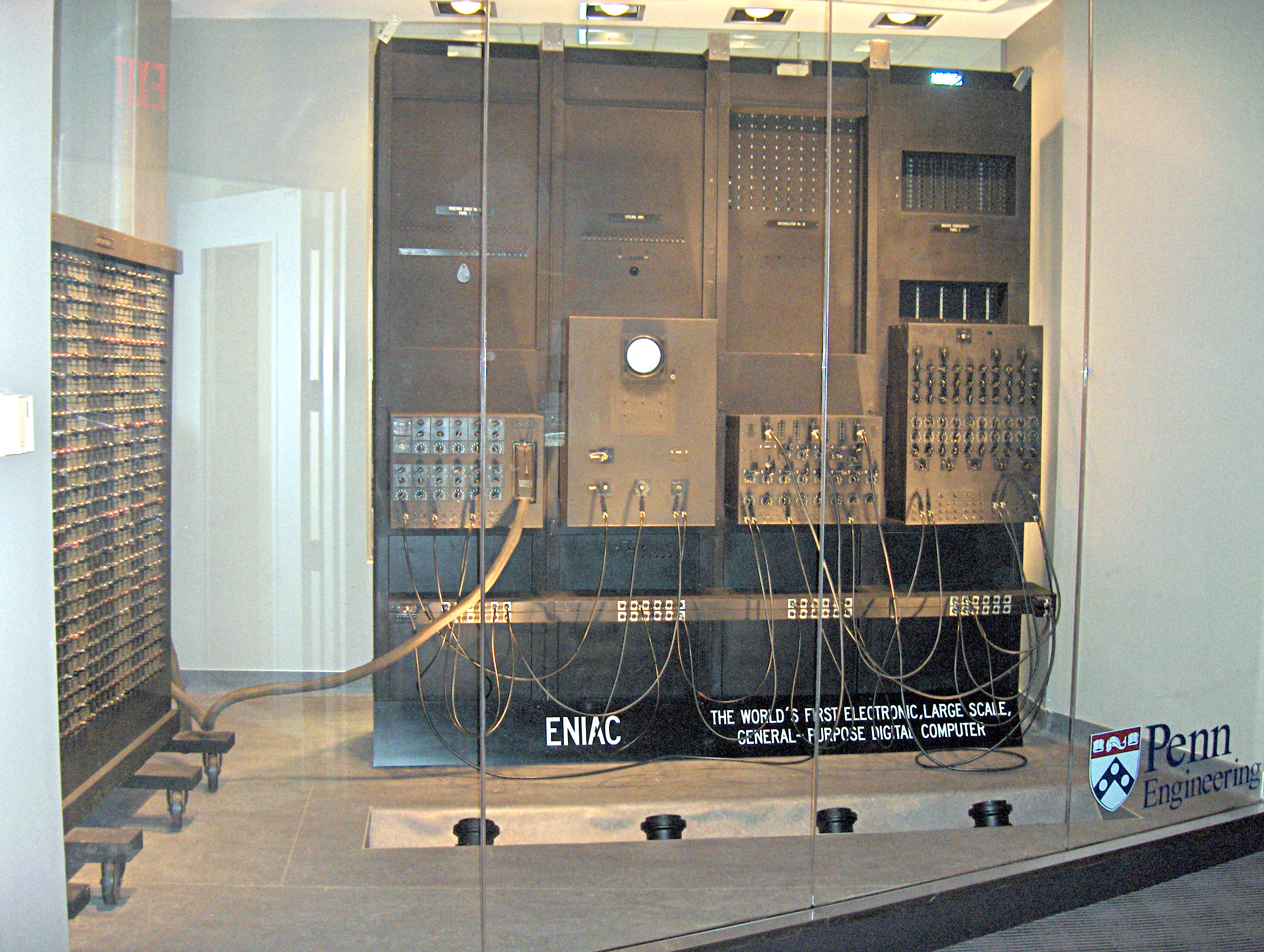
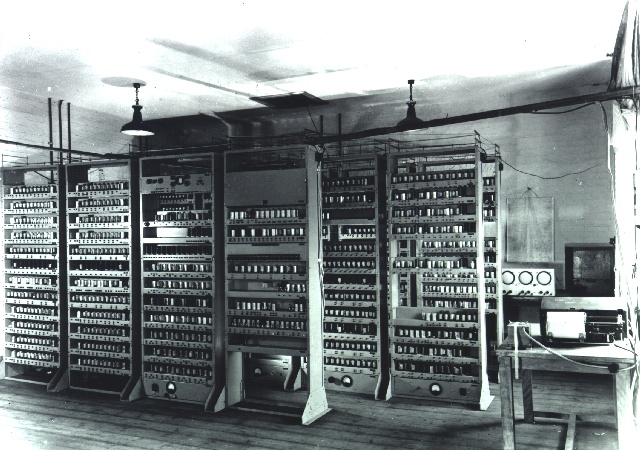
5.2 ENIAC (Electronic Numerical Integrator and Computer)

  • One of the earliest general-purpose electronic computers
  • Used vacuum tubes
  • Occupied an entire room

5.3 UNIVAC

  • First commercially available computer
  • Used in business and government
  • Marked the beginning of the computer industry

6. Generations of Computers

Image
Image
Image
Image
Image

First Generation (1940–1956)

  • Vacuum tubes
  • Machine language
  • Large size and high power consumption

Second Generation (1956–1963)

  • Transistors
  • Assembly language
  • Smaller and more reliable

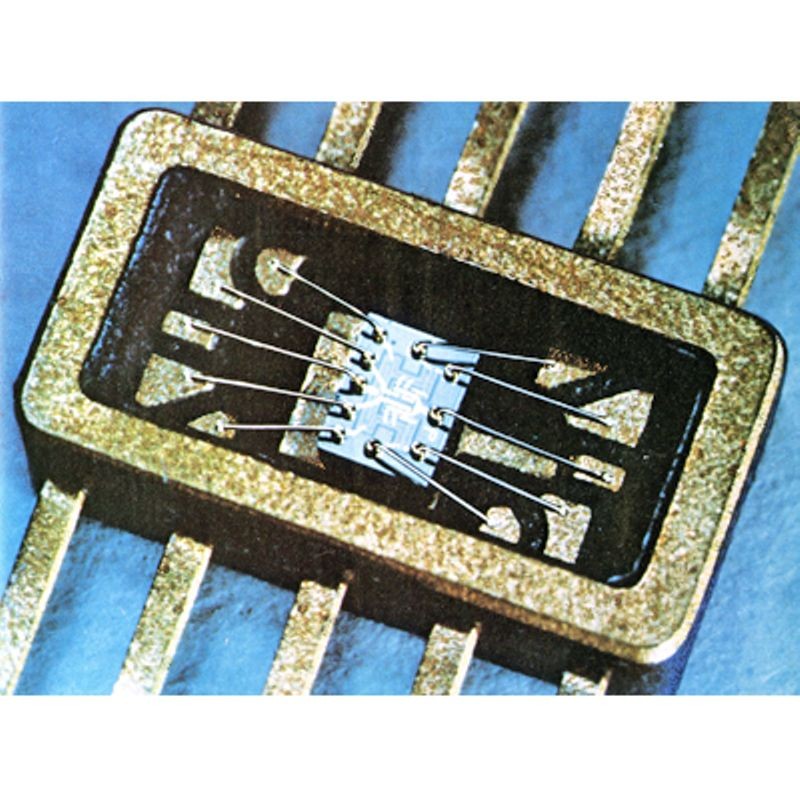
Third Generation (1964–1971)

  • Integrated Circuits
  • Operating systems introduced
  • Increased efficiency

Fourth Generation (1971–Present)

  • Microprocessors
  • Personal computers
  • High-level languages

Fifth Generation (Present & Future)

  • Artificial Intelligence
  • Machine learning
  • Quantum computing

7. Rise of Personal Computers

Image
Image
Image
Image

The 1970s and 1980s saw the emergence of personal computers.

Key developments:

  • Affordable computing for individuals
  • Graphical User Interfaces (GUI)
  • Widespread adoption in homes and offices

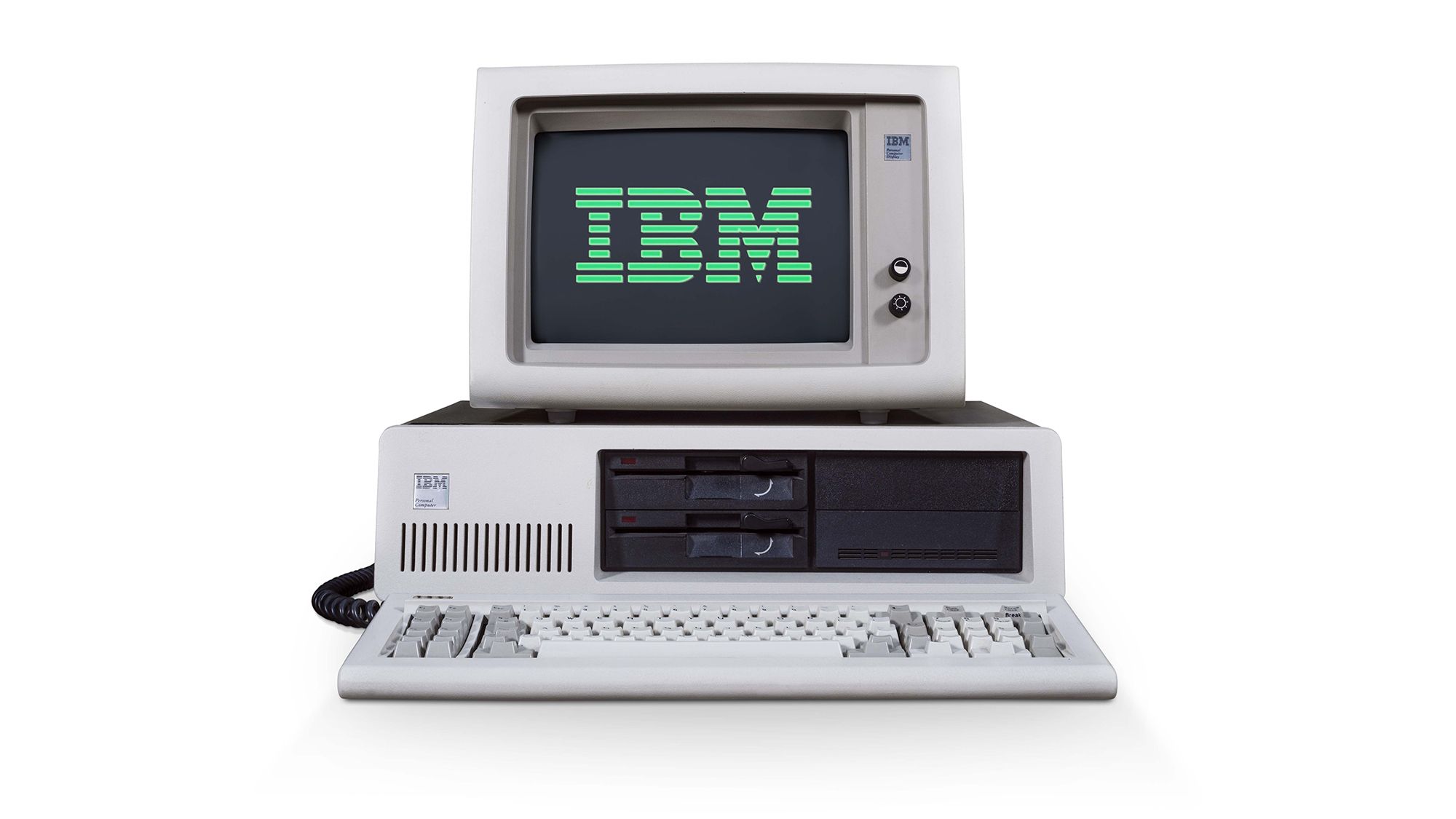
Notable systems:

  • Apple II
  • IBM PC

8. Development of Software and Programming Languages

Programming languages evolved alongside hardware.

Early Languages

  • Machine language
  • Assembly language

High-Level Languages

  • FORTRAN
  • COBOL
  • C
  • C++
  • Java
  • Python

These languages made programming easier and expanded computing applications.


9. The Internet and Modern Computing

Image
Image
Image
Image

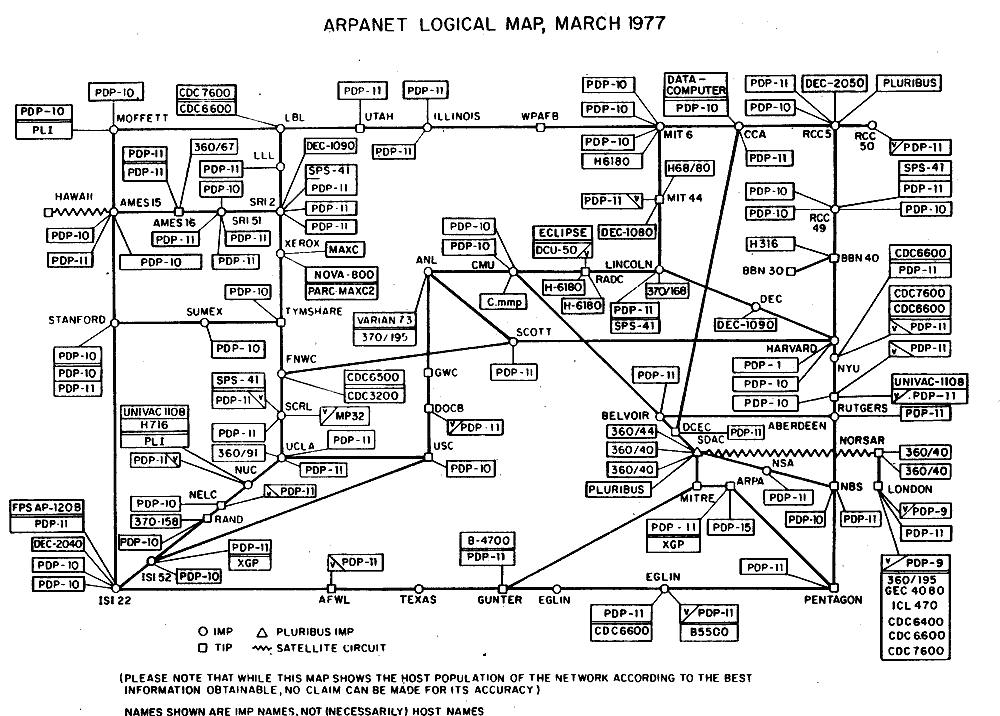
The development of the Internet revolutionized computing.

Key milestones:

  • ARPANET (1960s)
  • World Wide Web (1990s)
  • Social media and cloud computing

Impact:

  • Global communication
  • Information sharing
  • Digital economy

10. Mobile and Ubiquitous Computing

Modern computing extends beyond desktops.

Examples:

  • Smartphones
  • Tablets
  • Wearable devices
  • Smart home systems

These devices enable computing anytime, anywhere.


11. Emerging Technologies

Artificial Intelligence

Machines that mimic human intelligence.

Quantum Computing

Uses quantum mechanics for complex problem solving.

Internet of Things (IoT)

Connected devices communicating over networks.

Edge Computing

Processing data near the source.


12. Impact of Computing on Society

Computing has transformed:

Education

Online learning platforms

Healthcare

Advanced diagnostics

Business

Automation and analytics

Communication

Instant global connectivity

Entertainment

Streaming and gaming


13. Future of Computing

The future includes:

  • Intelligent machines
  • Advanced robotics
  • Brain-computer interfaces
  • Sustainable computing

Computers will continue to evolve, shaping every aspect of human life.


Conclusion

The history of computing is a story of continuous innovation and transformation. From simple tools like the abacus to advanced artificial intelligence systems, computing has evolved to become a fundamental part of modern civilization. Each stage of development has contributed to making computers faster, smaller, and more powerful. Understanding this history helps us appreciate current technologies and prepare for future advancements.


Tags