🌐 Introduction to Storage Systems
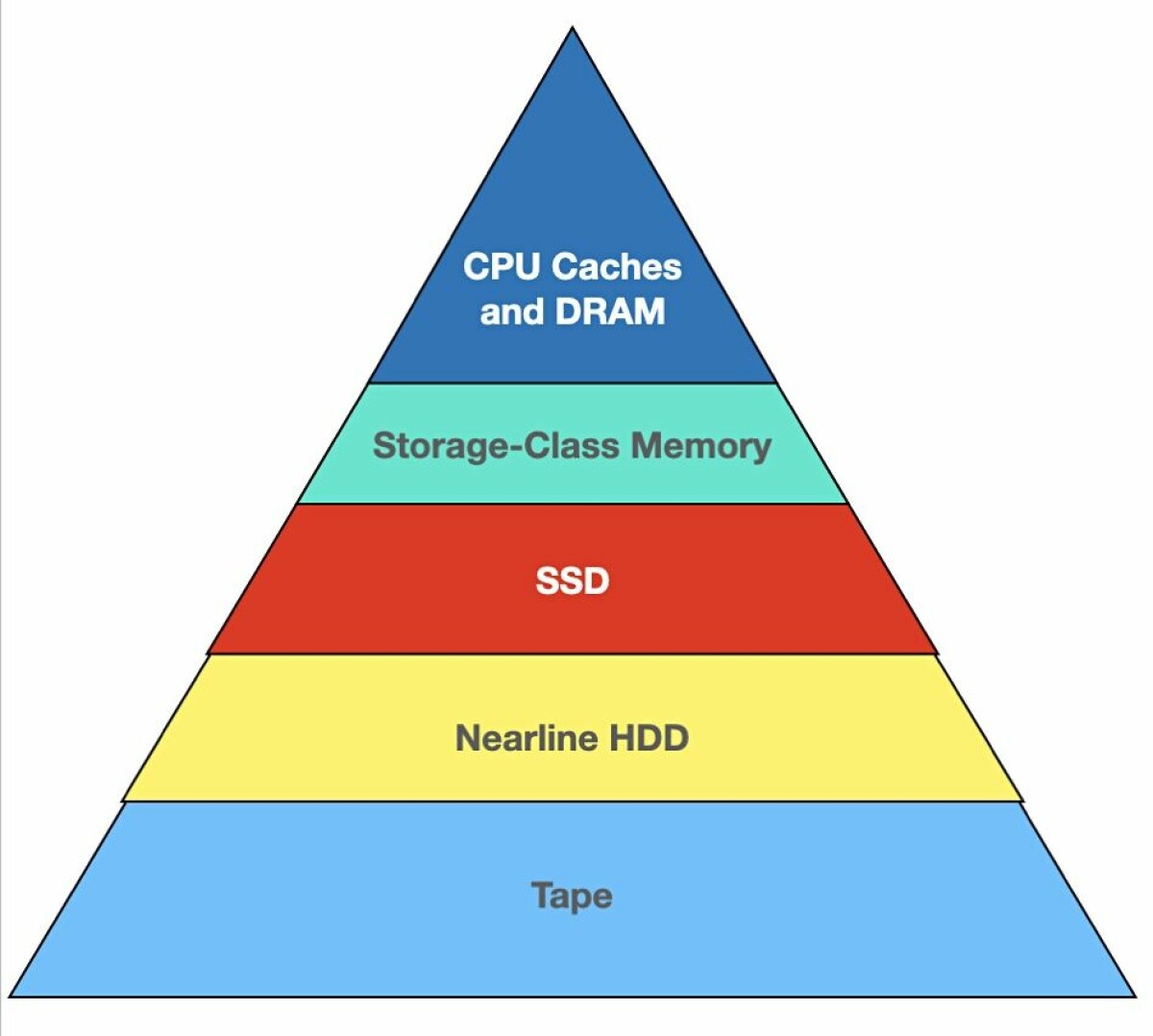


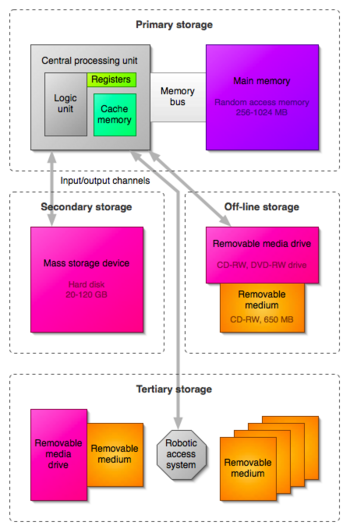
A storage system is a combination of hardware and software used to store, manage, retrieve, and protect digital data. It is a fundamental part of computing systems, enabling everything from simple file saving to complex cloud infrastructures.
In simple terms:
Storage systems = where and how data is stored and accessed
Storage systems are essential for:
- Operating systems
- Applications
- Databases
- Multimedia content
- Cloud computing
🧠 Importance of Storage Systems
- Persistent data storage
- Fast data access
- Data backup and recovery
- Supports large-scale computing
- Enables cloud and distributed systems
🧩 Types of Storage Systems
📊 1. Primary Storage (Main Memory)


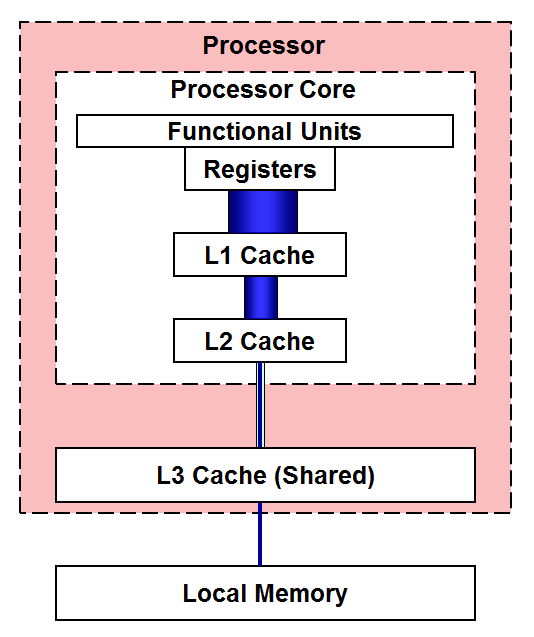

Primary storage is directly accessed by the CPU.
Examples:
- RAM
- Cache
- Registers
Features:
- Fast access
- Volatile
- Limited capacity
💾 2. Secondary Storage


Used for long-term storage.
Examples:
- HDD
- SSD
- USB drives
- Optical disks
Features:
- Non-volatile
- Large capacity
- Slower than RAM
📦 3. Tertiary Storage
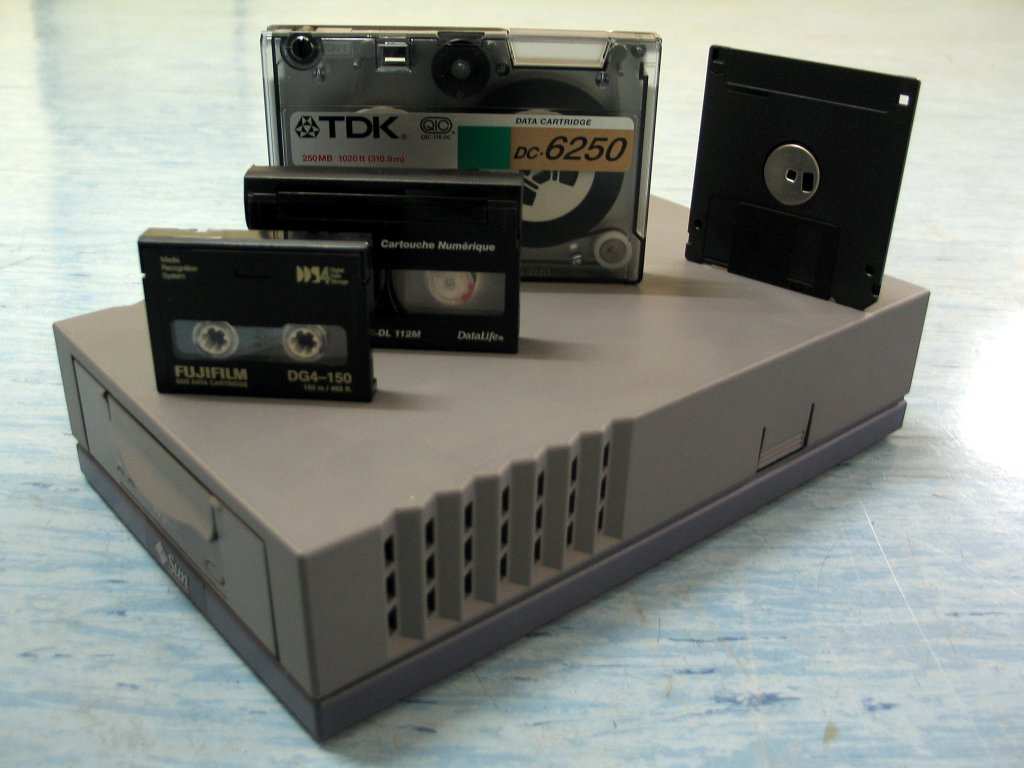

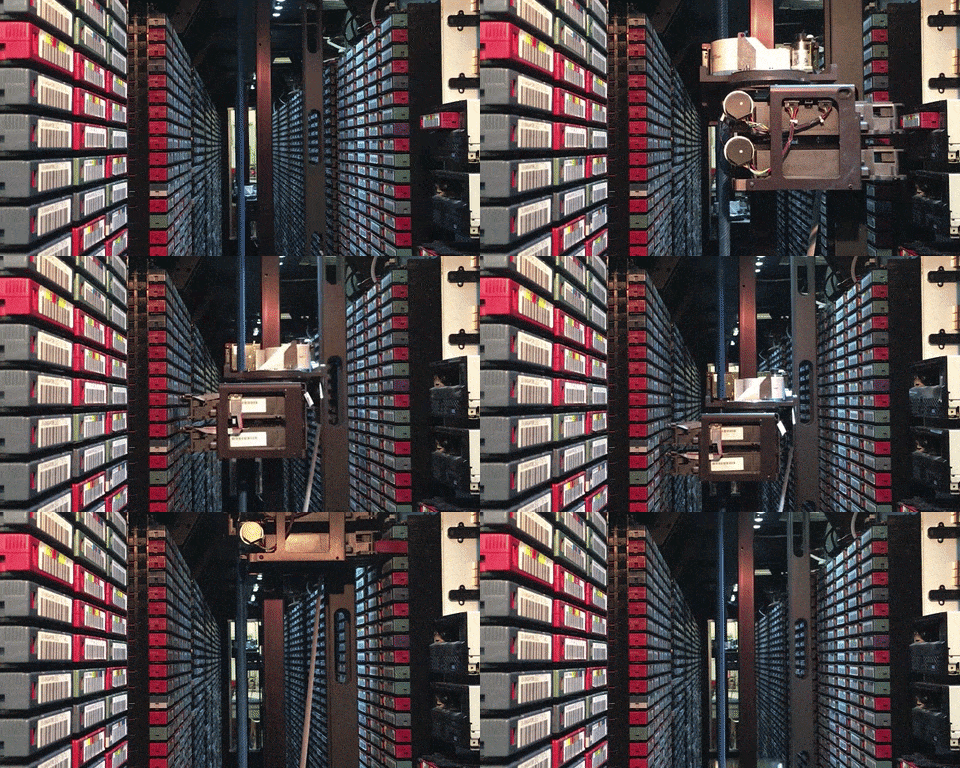

Used for backup and archival purposes.
Examples:
- Magnetic tapes
- Cloud storage
🧠 Storage Hierarchy
📊 Hierarchy Levels
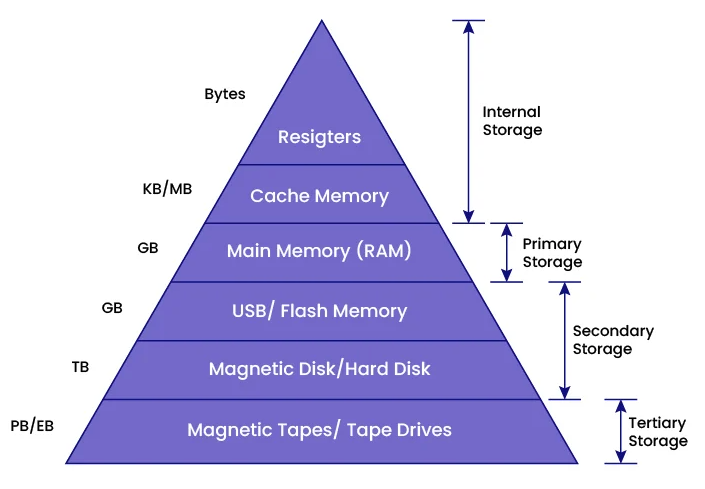


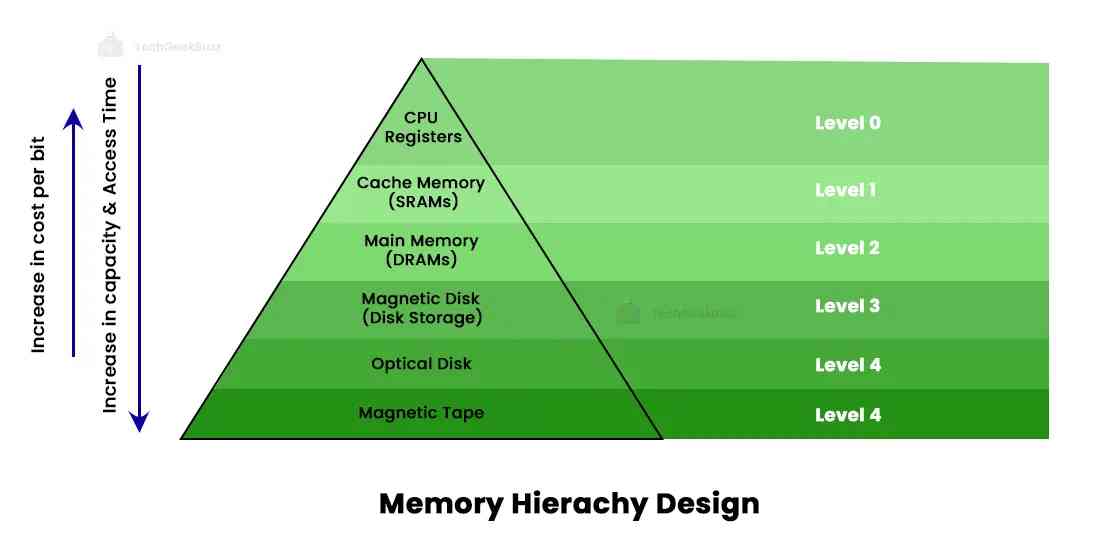
- Registers
- Cache
- RAM
- SSD/HDD
- Tape/Cloud
⚖️ Trade-offs
- Speed vs Cost
- Capacity vs Performance
⚙️ Storage Devices in Detail
💿 Hard Disk Drive (HDD)


Working:
- Magnetic storage
- Rotating platters
Advantages:
- Large capacity
- Low cost
Limitations:
- Slow
- Mechanical wear
⚡ Solid State Drive (SSD)


Working:
- Flash memory
- No moving parts
Advantages:
- Fast
- Durable
Limitations:
- Expensive
🔌 USB Flash Drives


- Portable storage
- Plug-and-play
💿 Optical Storage


- Uses laser technology
- Examples: CD, DVD, Blu-ray
📼 Magnetic Tape


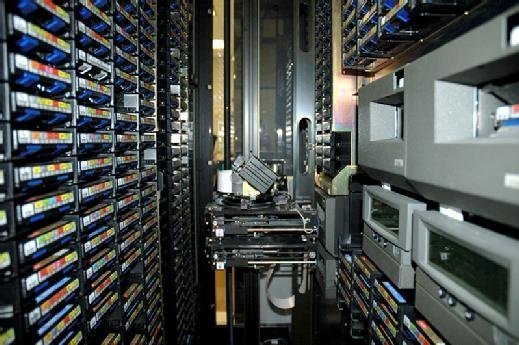
- Used for backups
- Sequential access
🌐 Network and Cloud Storage
☁️ Cloud Storage


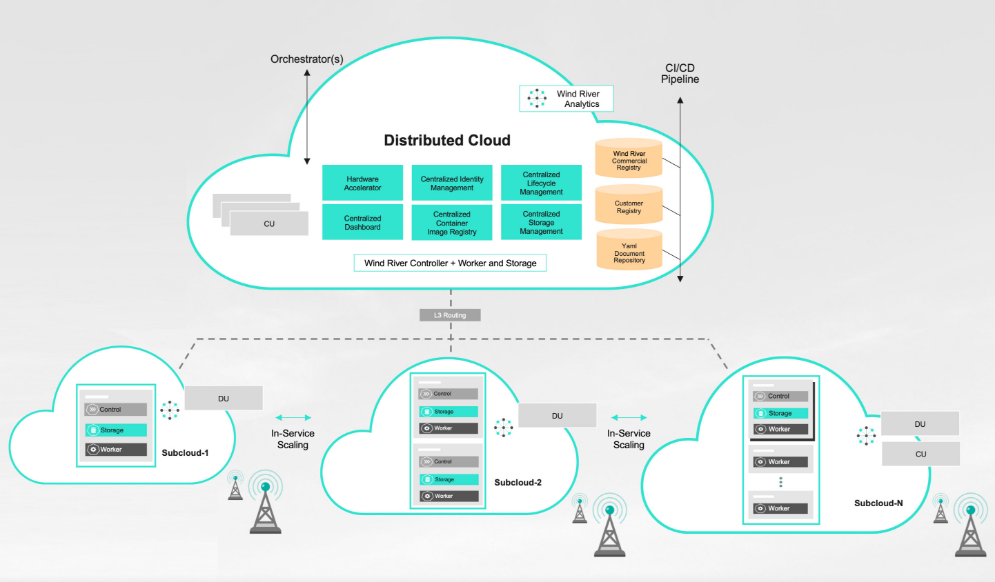
- Data stored on remote servers
- Accessible via internet
Examples:
- Google Drive
- Dropbox
🌐 Network Attached Storage (NAS)


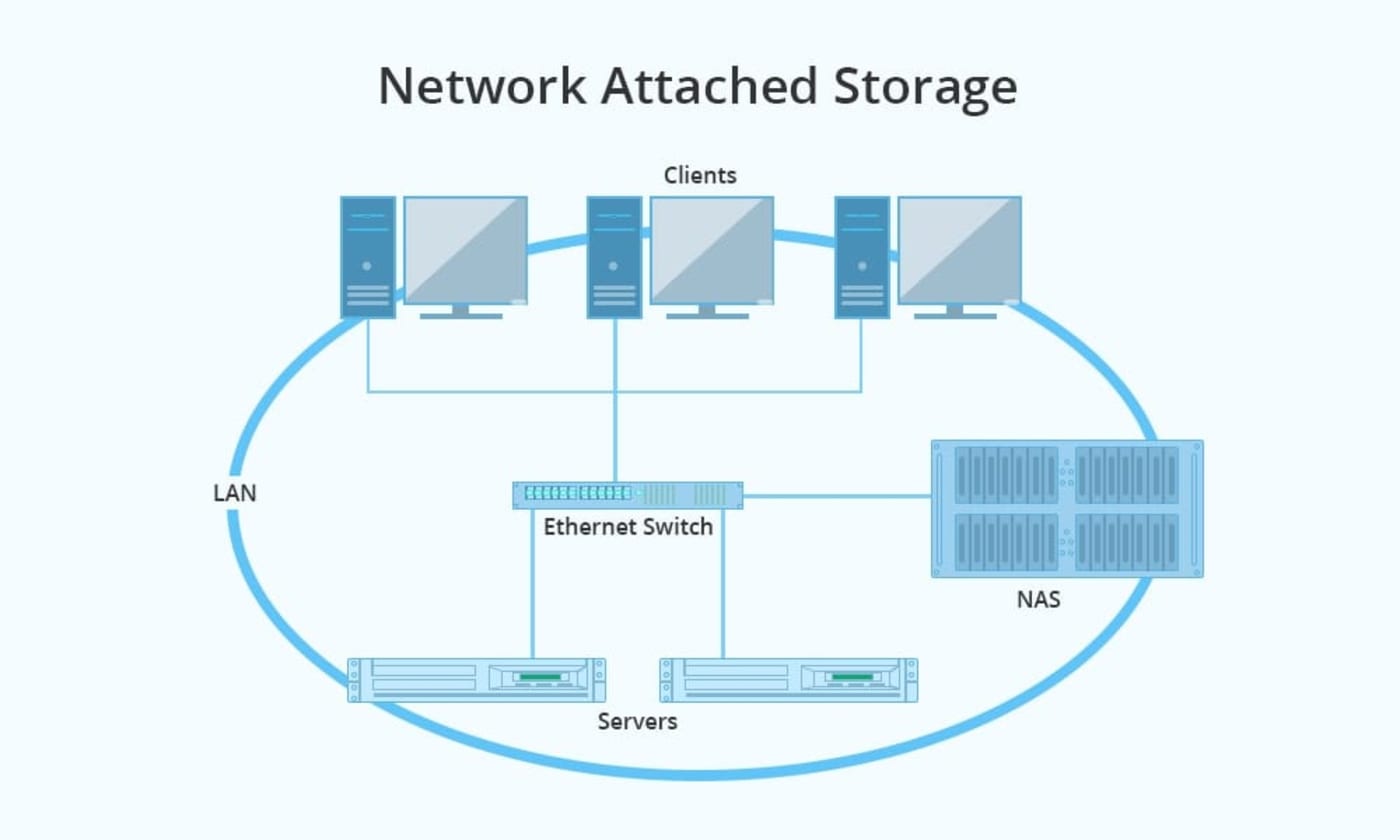
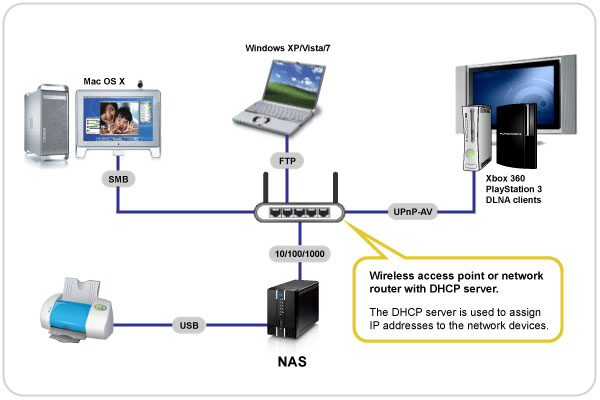
- Centralized storage in network
🏢 Storage Area Network (SAN)


- High-speed storage network
- Used in enterprises
🧠 RAID (Redundant Array of Independent Disks)
⚙️ Concept


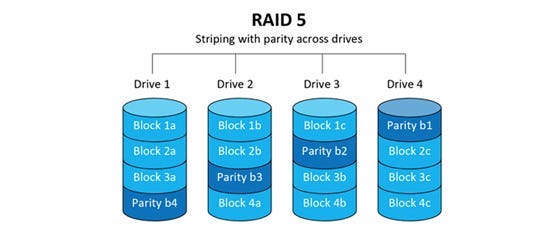

RAID combines multiple disks for:
- Performance
- Reliability
🔢 RAID Levels:
- RAID 0 → Striping
- RAID 1 → Mirroring
- RAID 5 → Parity
- RAID 10 → Combination
🔐 Data Security in Storage
🛡️ Techniques:


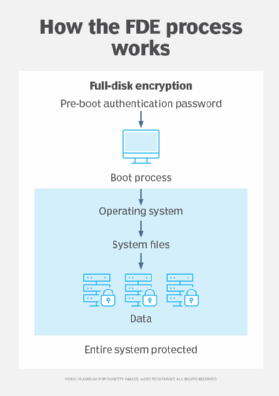

- Encryption
- Backup
- Access control
🔄 Data Backup and Recovery
📦 Backup Types:
- Full backup
- Incremental backup
- Differential backup
🔁 Recovery:
- Restore data after failure
⚙️ Storage Performance Factors
- Access time
- Latency
- Throughput
- IOPS
⚠️ Storage Challenges
- Data loss
- Hardware failure
- Security threats
- Scalability
🚀 Emerging Storage Technologies



- NVMe storage
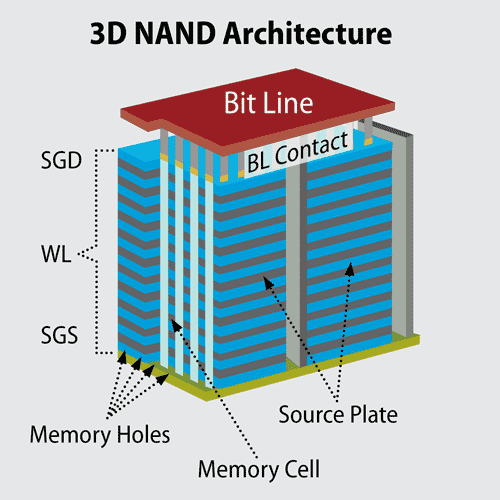
- 3D NAND
- DNA storage
- Holographic storage
⚡ Advantages of Storage Systems
- Persistent data
- Large capacity
- Scalability
- Accessibility
⚠️ Limitations
- Cost
- Latency
- Maintenance
- Security risks
🧠 Conclusion
Storage systems are essential for modern computing, enabling:
- Data storage and retrieval
- Backup and recovery
- Large-scale data processing
From personal devices to cloud infrastructures, storage systems power the digital world.