Tag Archives: Memory Management

๐Ÿงฉ Arrays and Strings โ€“ Complete Detailed Guide


๐ŸŒ Introduction to Arrays and Strings

Image
Image
Image
Image

Arrays and strings are among the most fundamental data structures in computer science and programming. They form the building blocks for more complex structures like lists, stacks, queues, trees, and databases.

  • Array โ†’ Stores a collection of elements of the same data type
  • String โ†’ Stores a sequence of characters (text)

In simple terms:

Arrays manage collections of data, while strings manage textual data


๐Ÿง  ARRAYS


๐Ÿ“Œ What is an Array?

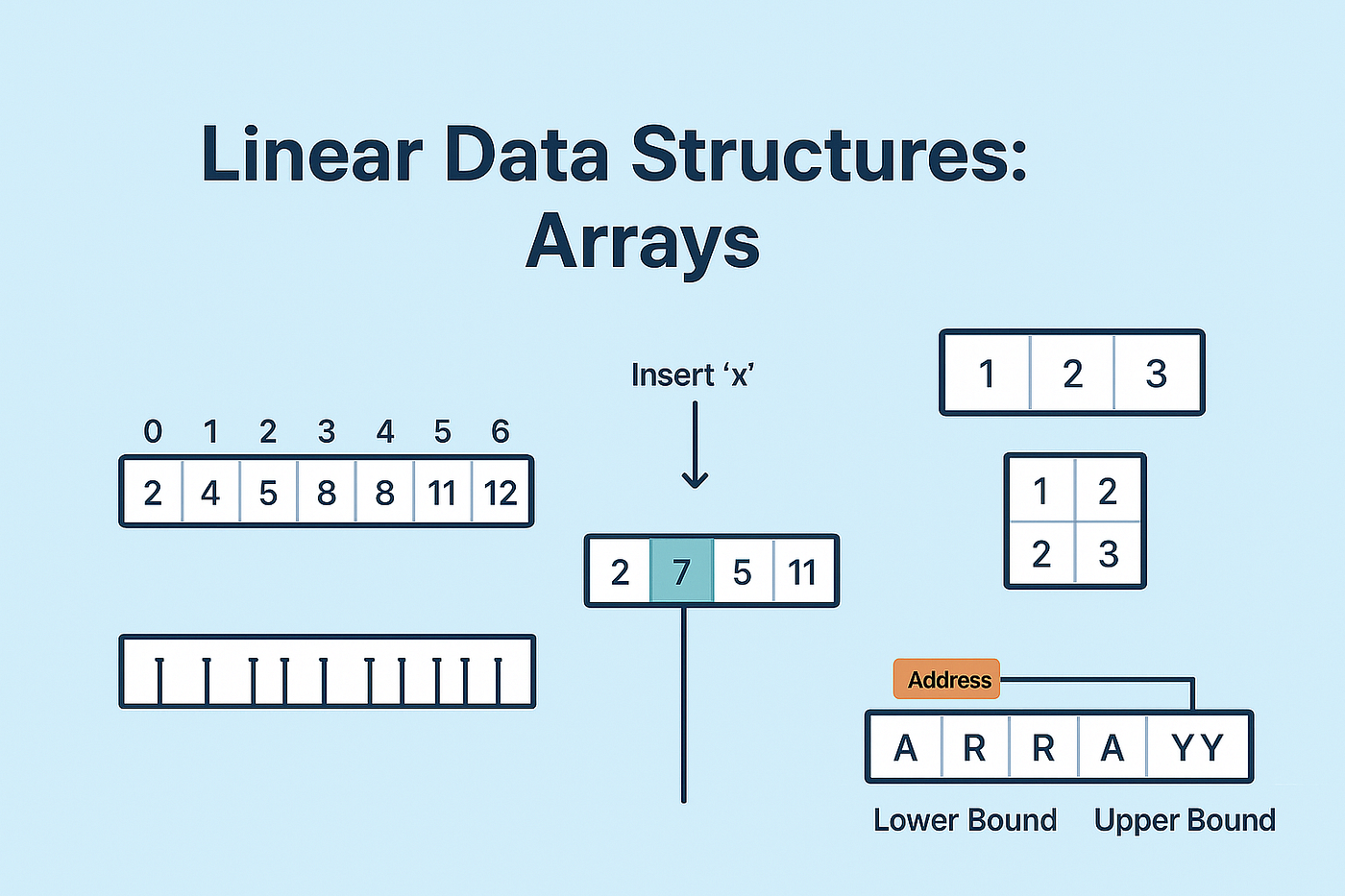
An array is a data structure that stores multiple elements of the same type in contiguous memory locations.

Example:

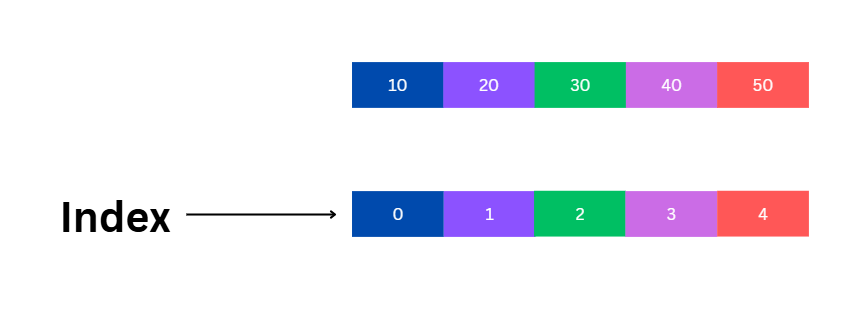
int arr[5] = {10, 20, 30, 40, 50};

โš™๏ธ Characteristics of Arrays

  • Fixed size (in most languages)
  • Homogeneous elements (same type)
  • Indexed access (0-based index)
  • Stored in contiguous memory

๐Ÿงฉ Array Representation in Memory

Image
Image
Image
Image

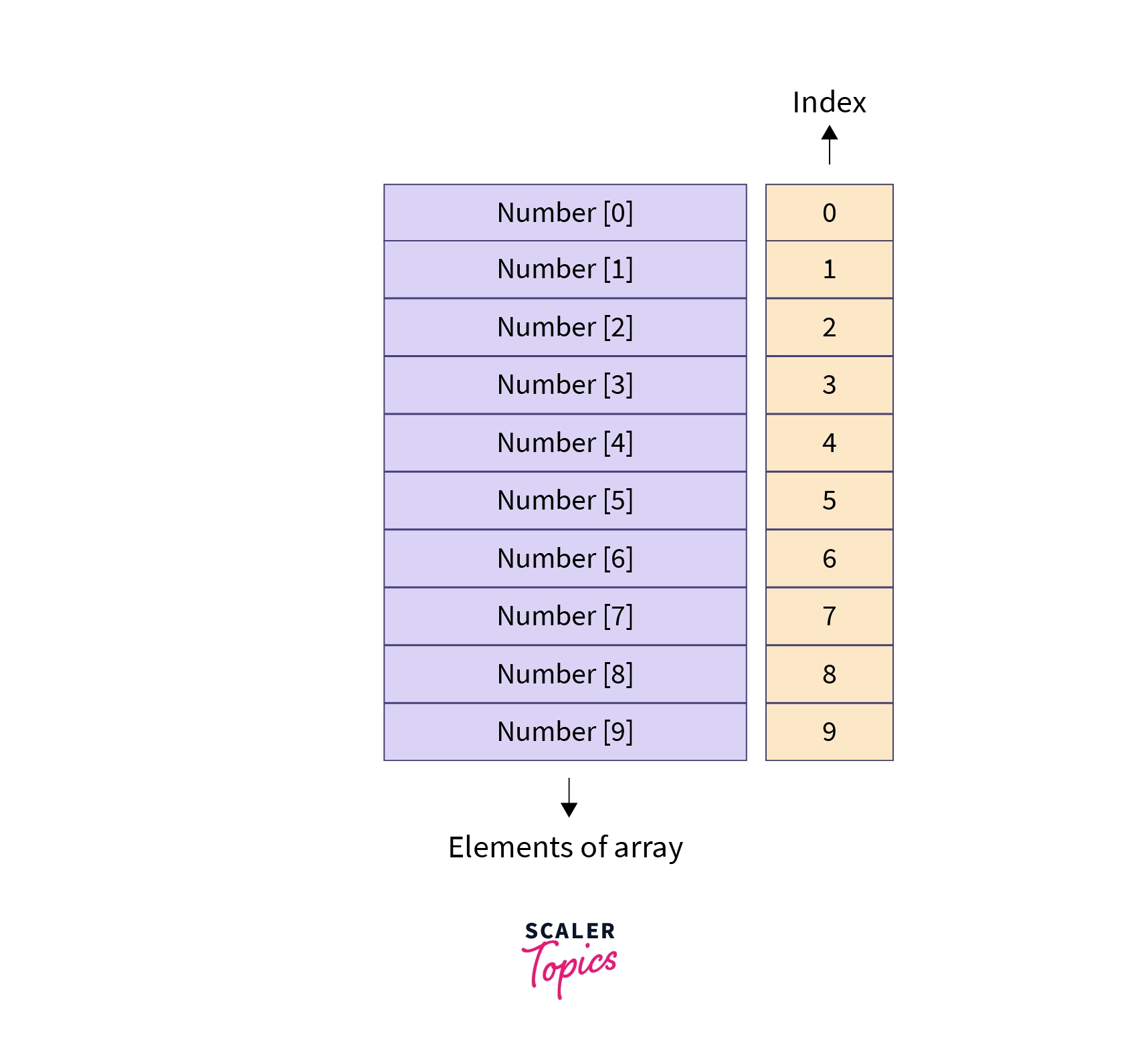
Each element is stored sequentially:

Index:   0   1   2   3   4
Value:  10  20  30  40  50

Address calculation:

Address = Base + (Index ร— Size of element)

๐Ÿ”ข Types of Arrays


๐Ÿ”น 1. One-Dimensional Array

Image
Image
Image
Image
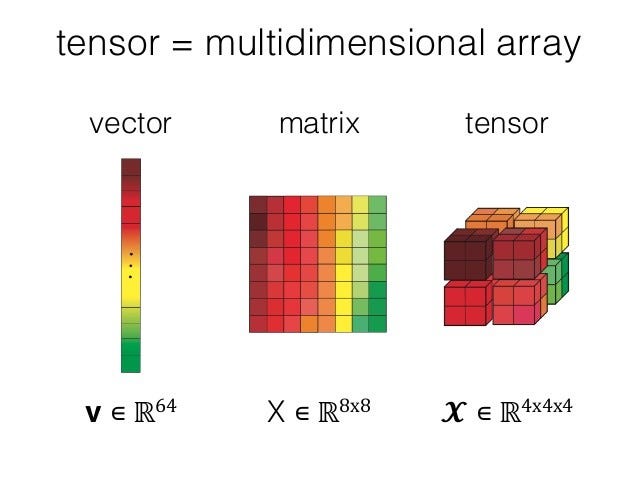
  • Linear structure
  • Single index

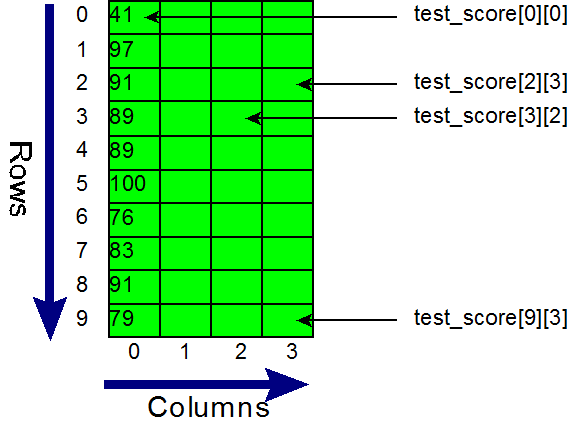
๐Ÿ”น 2. Two-Dimensional Array

Image
Image
Image
Image
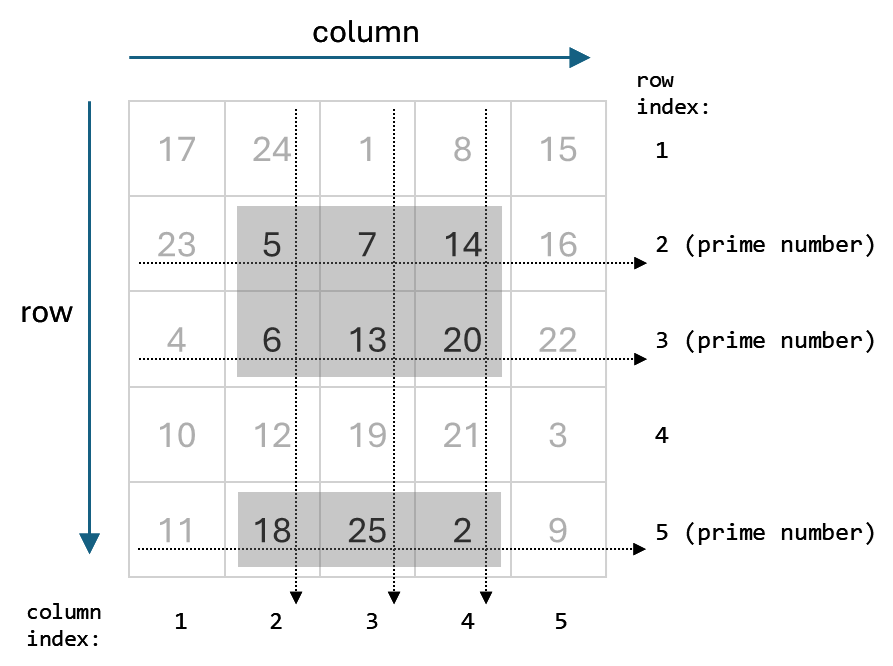
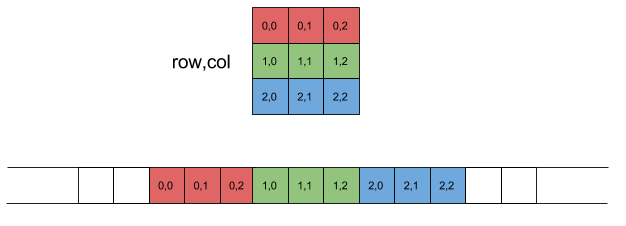
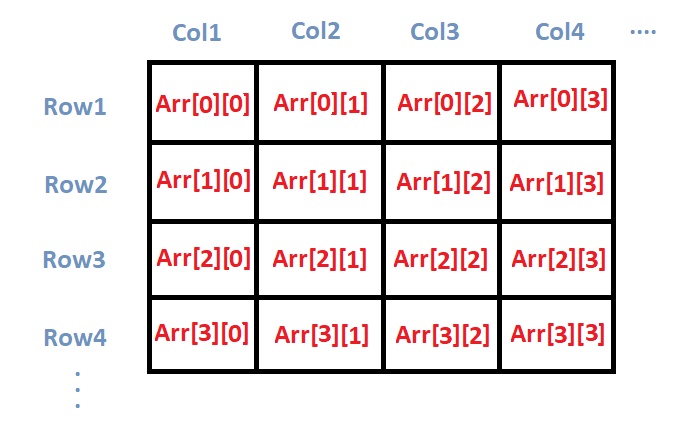
  • Matrix format
  • Rows and columns

Example:

int arr[2][3];

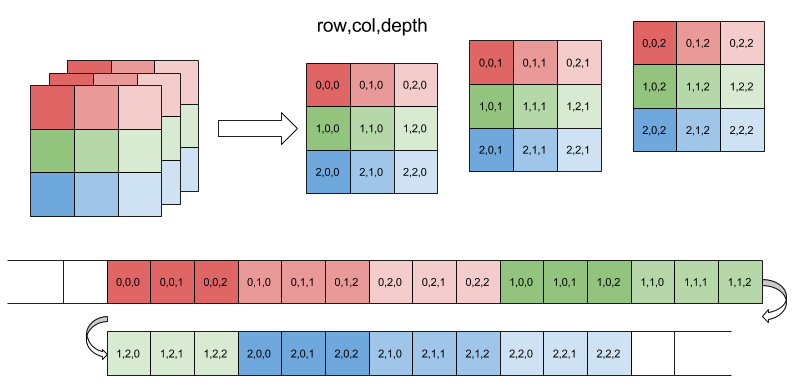
๐Ÿ”น 3. Multi-Dimensional Array

Image
Image
Image
Image
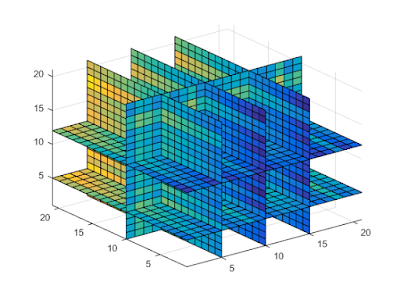
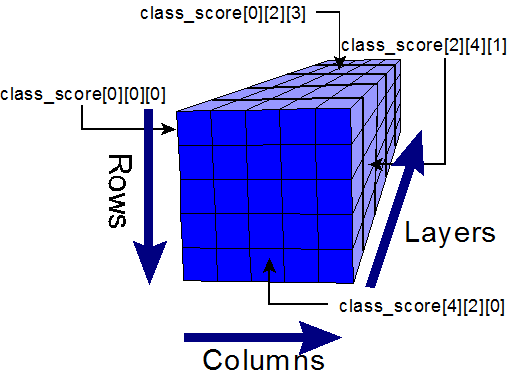
  • Used in scientific computing
  • Example: 3D arrays

โš™๏ธ Array Operations


๐Ÿ”น Traversal

  • Access each element

๐Ÿ”น Insertion

  • Add element (costly if fixed size)

๐Ÿ”น Deletion

  • Remove element and shift

๐Ÿ”น Searching

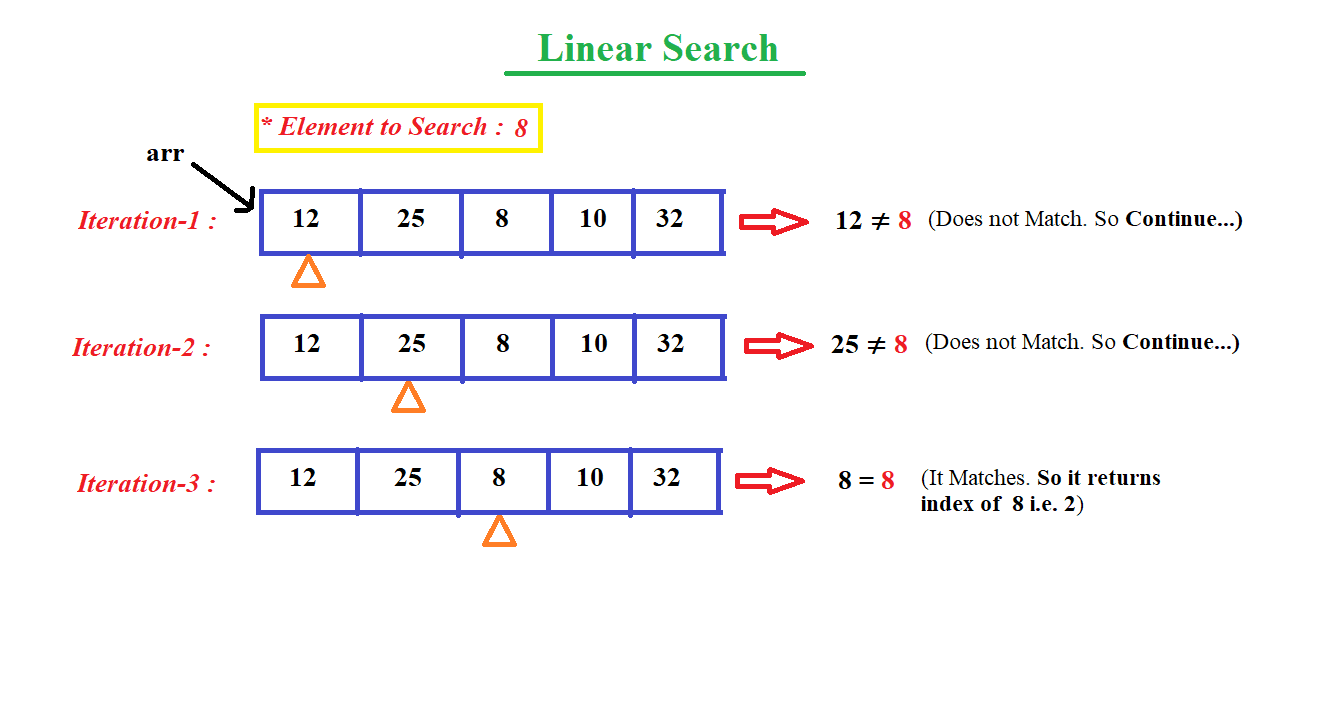
  • Linear search
  • Binary search

๐Ÿ”น Sorting

  • Bubble sort
  • Merge sort
  • Quick sort

๐Ÿ” Searching Techniques

Image
Image
Image
Image

โšก Advantages of Arrays

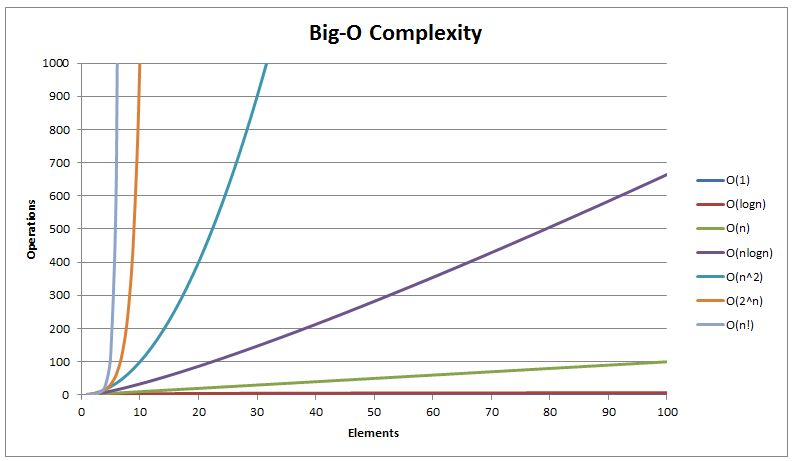
  • Fast access (O(1))
  • Simple implementation
  • Efficient memory usage

โš ๏ธ Limitations of Arrays

  • Fixed size
  • Insertion/deletion costly
  • Wasted memory

๐Ÿ”ค STRINGS


๐Ÿ“Œ What is a String?

A string is a sequence of characters stored in memory.

Example:

char str[] = "Hello";

๐Ÿง  String Representation

Image
Image
Image
Image

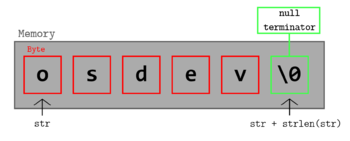
Stored as:

H  e  l  l  o  \0

(\0 = null terminator)


๐Ÿ”ค Character Encoding


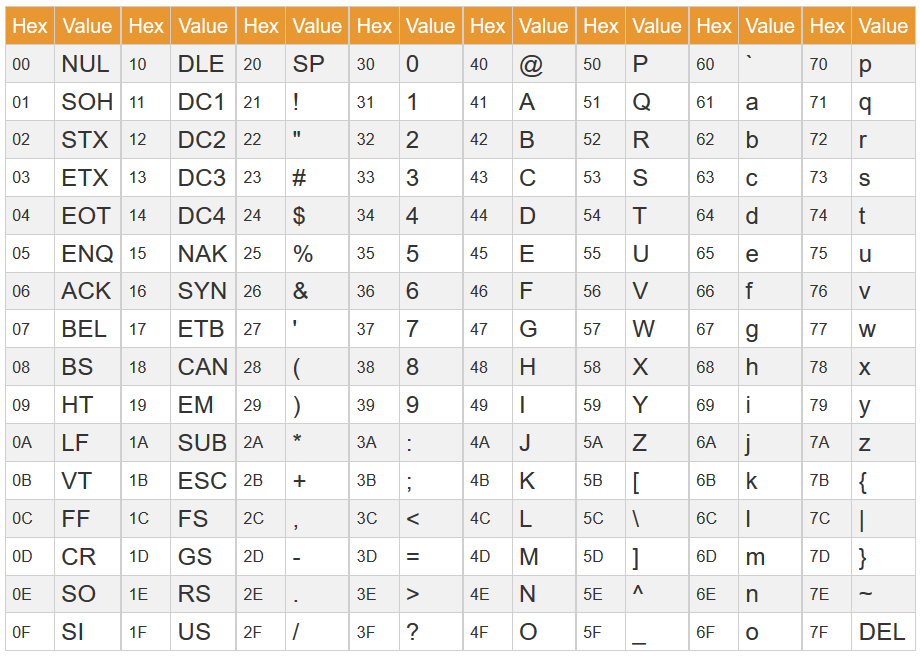
๐Ÿ”น ASCII

Image
Image
Image
Image
  • 7/8-bit encoding
  • Limited characters

๐Ÿ”น Unicode

Image
Image
Image
Image
  • Supports global languages
  • UTF-8, UTF-16

โš™๏ธ String Operations


๐Ÿ”น Basic Operations

  • Length
  • Concatenation
  • Comparison
  • Substring

๐Ÿ”น Advanced Operations

Image
Image
Image
Image
  • Pattern matching
  • Parsing
  • Tokenization

๐Ÿ” String Searching Algorithms


๐Ÿ”น Naive Algorithm

๐Ÿ”น KMP Algorithm

๐Ÿ”น Rabin-Karp Algorithm


๐Ÿ”„ Arrays vs Strings


โš–๏ธ Comparison Table

FeatureArrayString
Data TypeAnyCharacters
SizeFixedVariable
UsageGeneral dataText

๐Ÿง  Memory Management


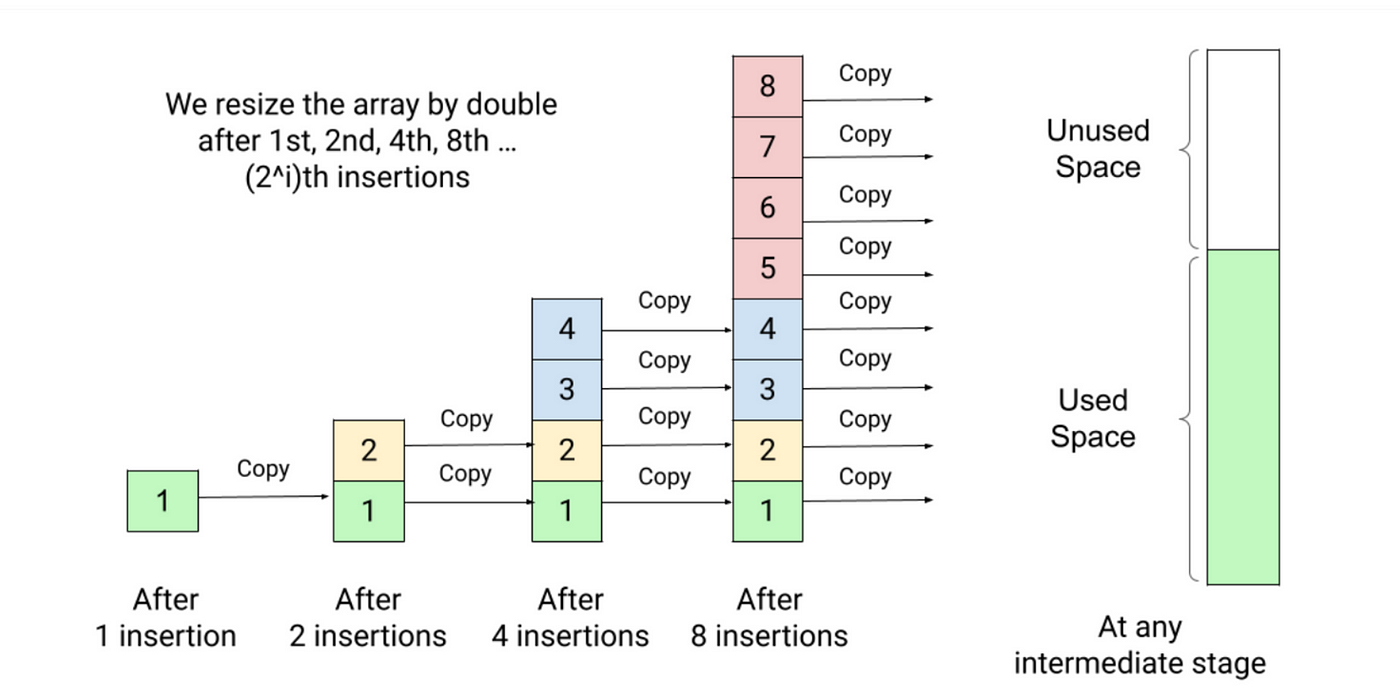
๐Ÿ“ฆ Static vs Dynamic Arrays

  • Static โ†’ Fixed size
  • Dynamic โ†’ Resizable

Example:

  • Python lists
  • Java ArrayList

๐Ÿง  Dynamic Strings

  • Strings can be mutable or immutable

โš™๏ธ Multidimensional Strings


๐Ÿงฉ Examples:

  • Array of strings
  • String matrices

๐Ÿง  Applications of Arrays and Strings


๐Ÿ’ป Programming

  • Data storage
  • Algorithms

๐ŸŒ Web Development

  • Text processing
  • Input handling

๐Ÿค– AI and Data Science

  • Data representation
  • NLP (Natural Language Processing)

๐ŸŽฎ Gaming

  • Graphics arrays
  • Text rendering

โšก Advantages


Arrays:

  • Fast access
  • Structured storage

Strings:

  • Easy text manipulation
  • Human-readable

โš ๏ธ Limitations


Arrays:

  • Fixed size
  • Less flexible

Strings:

  • Memory overhead
  • Slower operations

๐Ÿš€ Advanced Topics

Image
Image
Image
Image
  • Dynamic arrays
  • String hashing
  • Suffix arrays
  • Advanced data structures

๐Ÿงพ Conclusion

Arrays and strings are core data structures in computing. They:

  • Store and organize data
  • Enable efficient algorithms
  • Form the basis of advanced programming

Understanding them is essential for:

  • Coding interviews
  • Software development
  • Algorithm design

๐Ÿท๏ธ Tags

๐Ÿง  Memory Management


๐ŸŒ Introduction to Memory Management

Image
Image
Image
Image

Memory Management is a core function of an operating system (OS) that handles the allocation, organization, and optimization of main memory (RAM) for processes and applications.

In simple terms:

Memory management = efficient use of RAM for program execution

It ensures that each process gets enough memory while maintaining system stability, performance, and security.


๐Ÿง  Importance of Memory Management

  • Efficient utilization of memory
  • Supports multitasking
  • Prevents memory conflicts
  • Enhances system performance
  • Provides process isolation and protection

๐Ÿงฉ Basic Concepts of Memory


๐Ÿ’พ What is Memory?

Memory is a storage area where data and instructions are kept during processing.


๐Ÿ“Š Types of Memory

Image
Image

๐Ÿ”น Primary Memory

  • RAM
  • Cache
  • Registers

๐Ÿ”น Secondary Memory

  • HDD
  • SSD

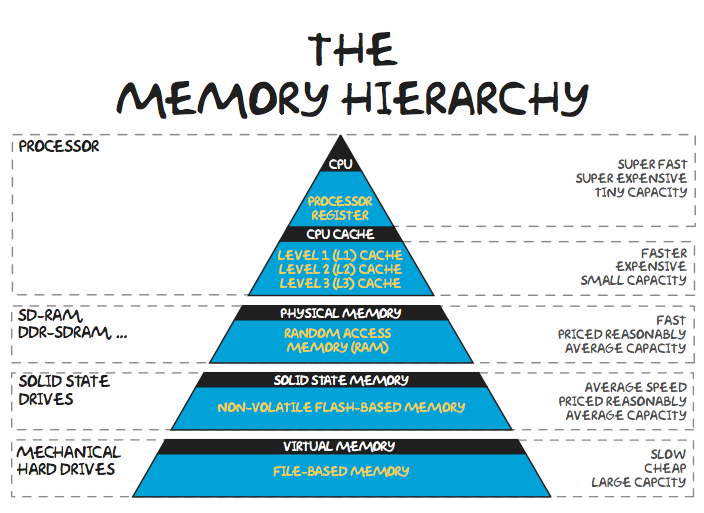
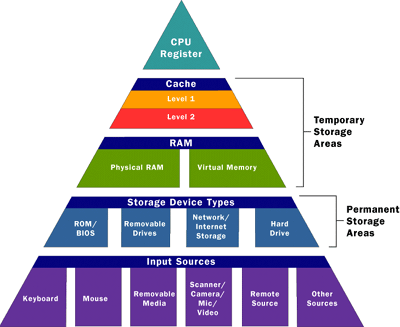
๐Ÿง  Memory Hierarchy

  1. Registers (fastest)
  2. Cache
  3. RAM
  4. Secondary storage (slowest)

โš™๏ธ Memory Allocation


๐Ÿ”น Static Allocation

  • Memory allocated at compile time
  • Fixed size

๐Ÿ”น Dynamic Allocation

  • Memory allocated at runtime
  • Flexible

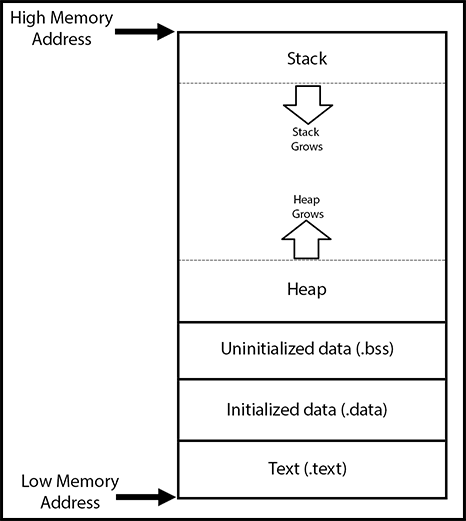
๐Ÿง  Process Memory Layout

Image
Image
Image

Each process has:

  • Code segment
  • Data segment
  • Heap
  • Stack

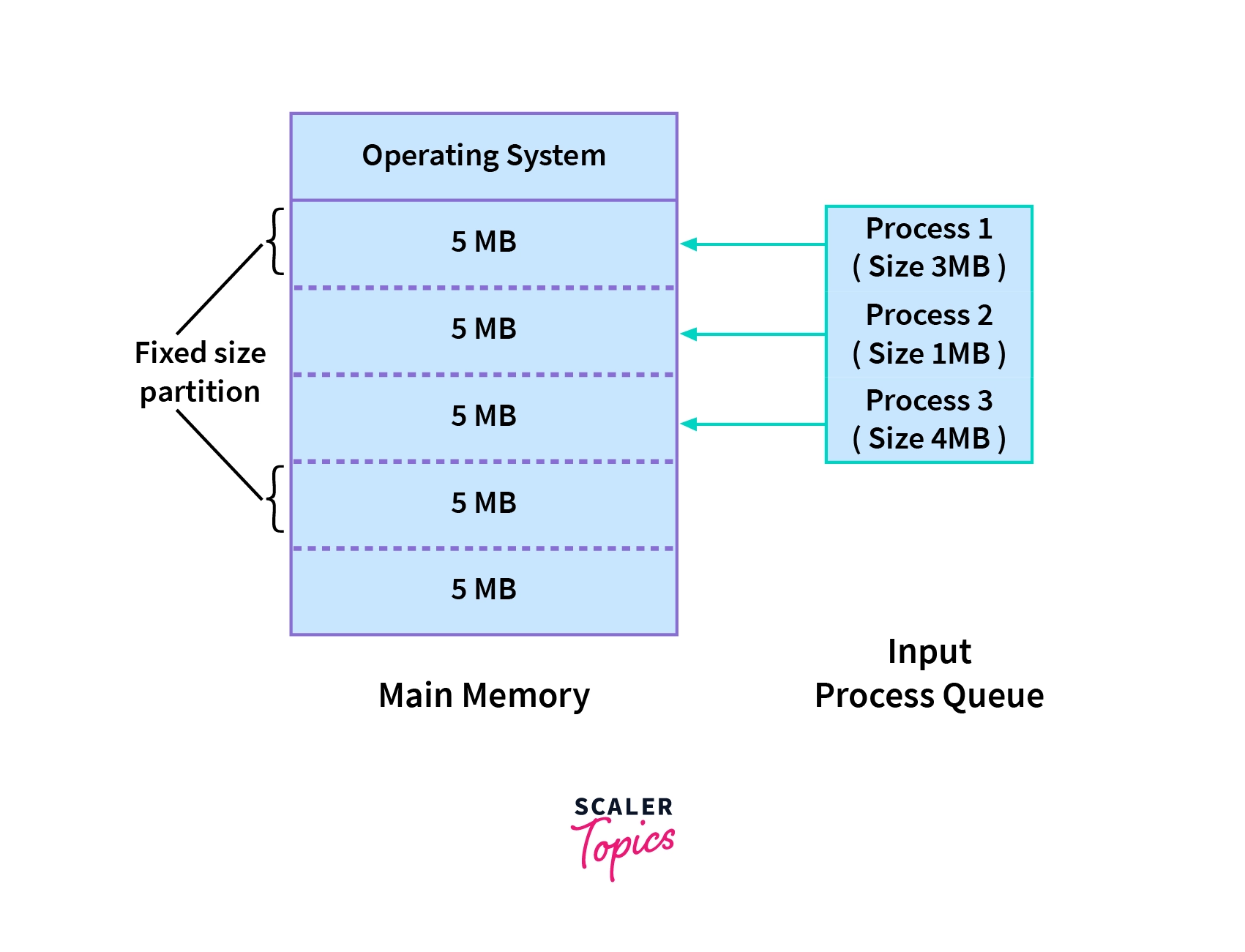
๐Ÿ”„ Contiguous Memory Allocation


๐Ÿ“ฆ Concept

Image
Image
Image
Image

Processes are stored in continuous memory blocks.


โš ๏ธ Fragmentation

๐Ÿ”น Internal Fragmentation

  • Unused space inside allocated memory

๐Ÿ”น External Fragmentation

  • Scattered free space

๐Ÿ”„ Allocation Strategies

  • First Fit
  • Best Fit
  • Worst Fit

๐Ÿง  Paging


๐Ÿ“„ Concept

Image
Image
Image
Image

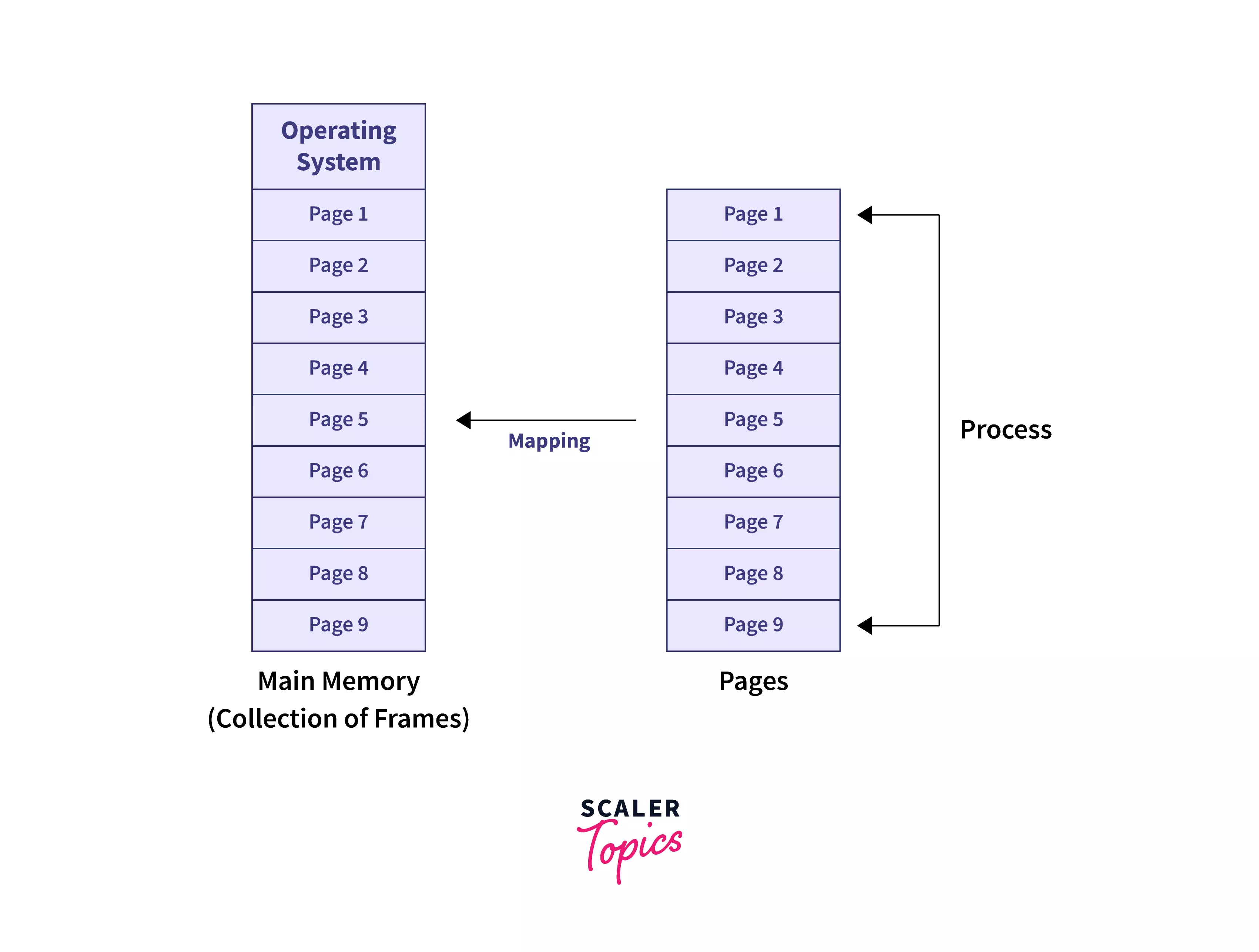
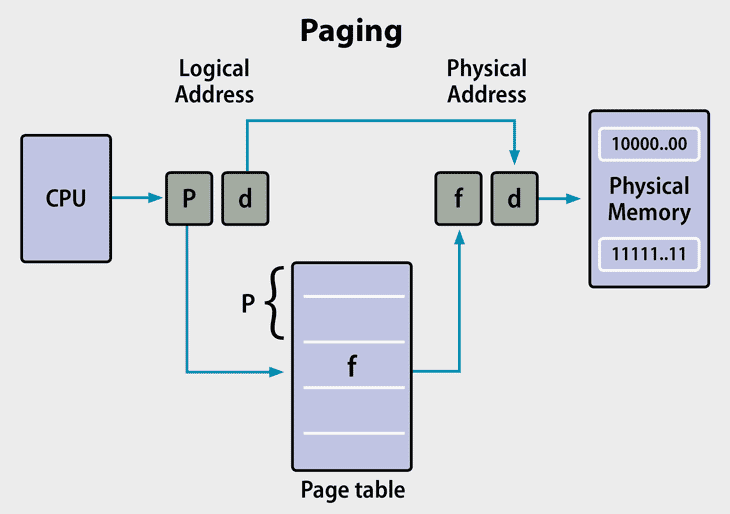
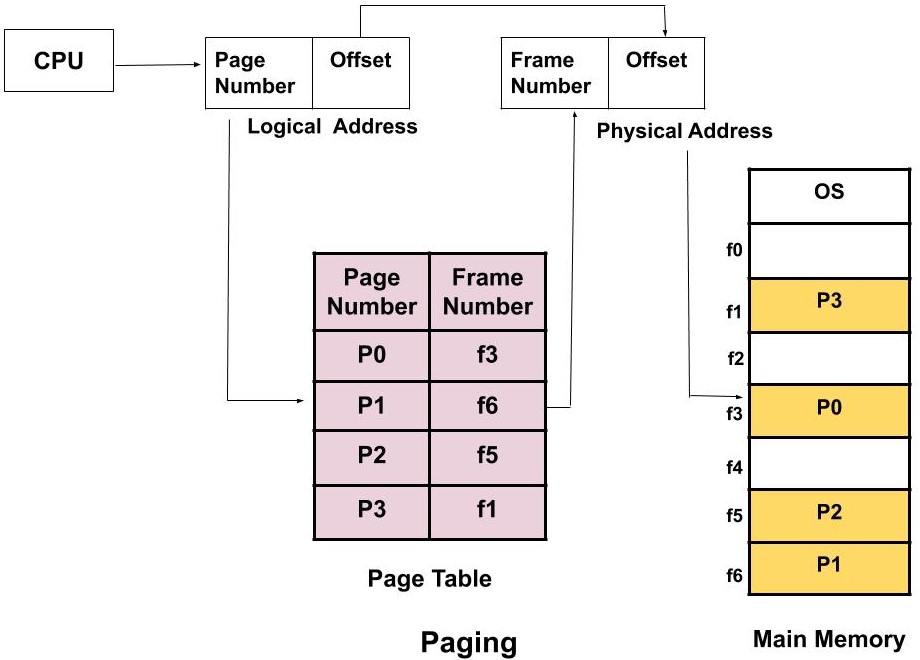
Paging divides memory into:

  • Pages (logical)
  • Frames (physical)

โš™๏ธ Page Table

  • Maps pages to frames

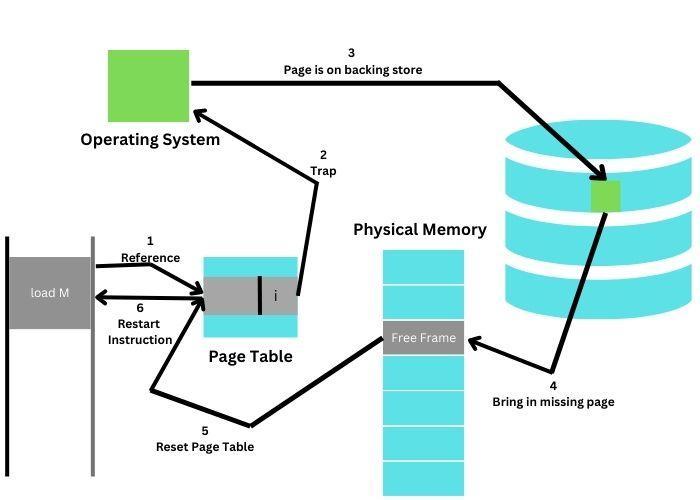
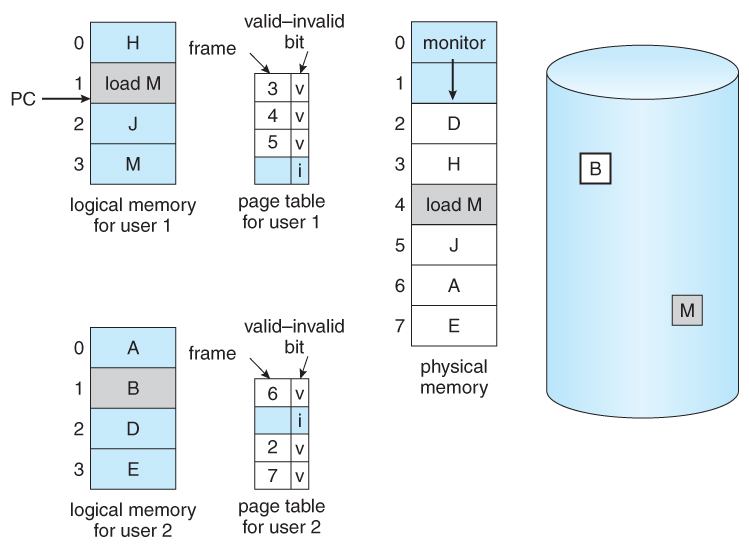
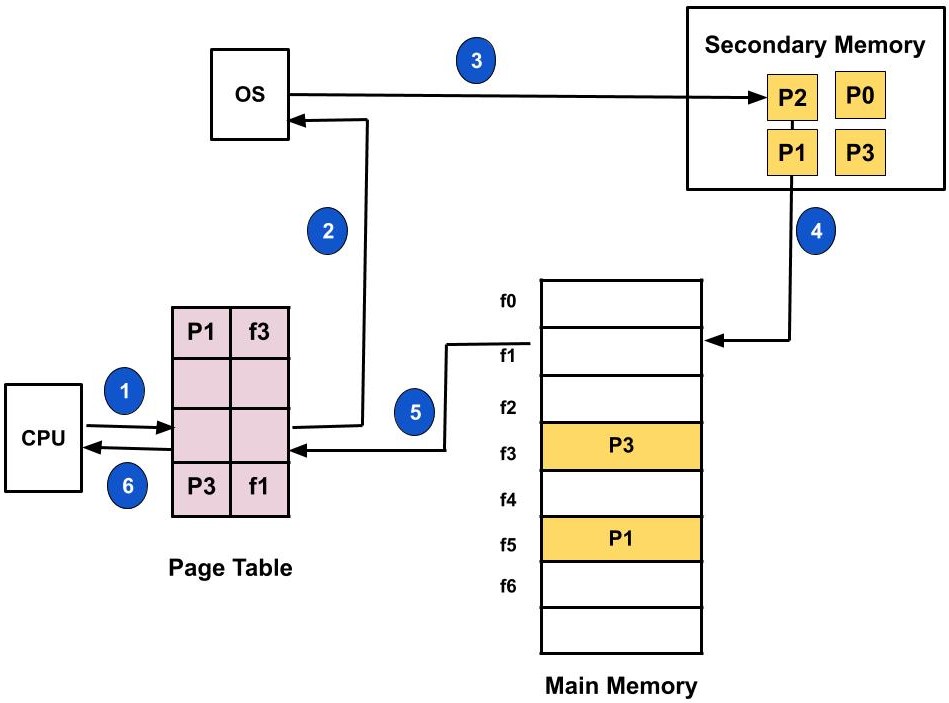
โš ๏ธ Page Fault

Occurs when required page is not in memory.


๐Ÿง  Segmentation


๐Ÿ“„ Concept

Image
Image
Image

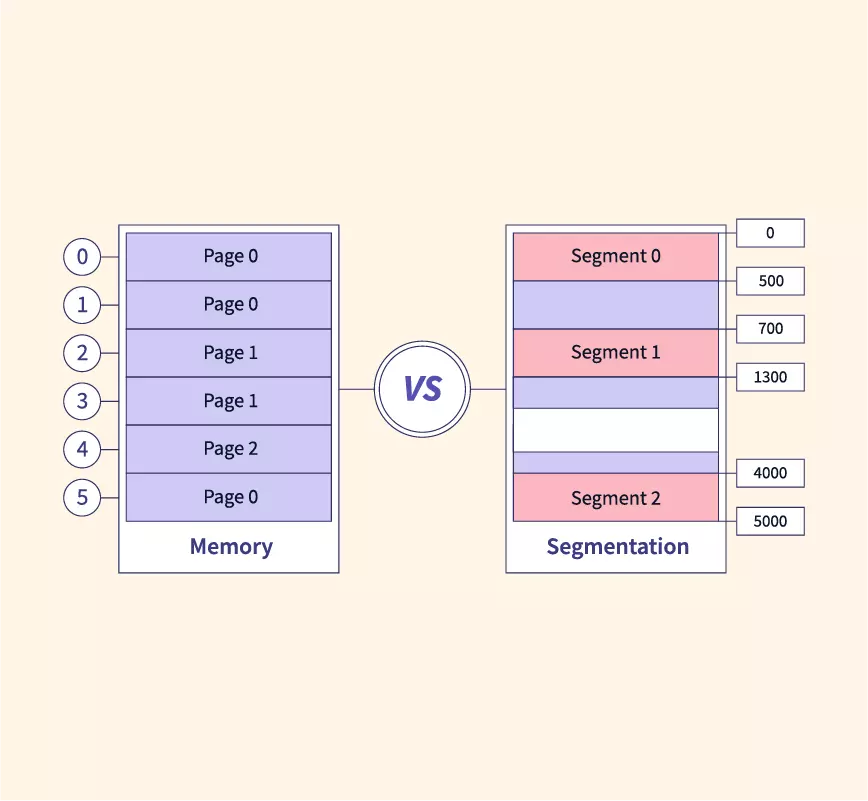
Memory divided into segments:

  • Code
  • Data
  • Stack

โš ๏ธ Issues

  • External fragmentation

๐Ÿ”„ Paging vs Segmentation

FeaturePagingSegmentation
SizeFixedVariable
FragmentationInternalExternal
ComplexityModerateHigh

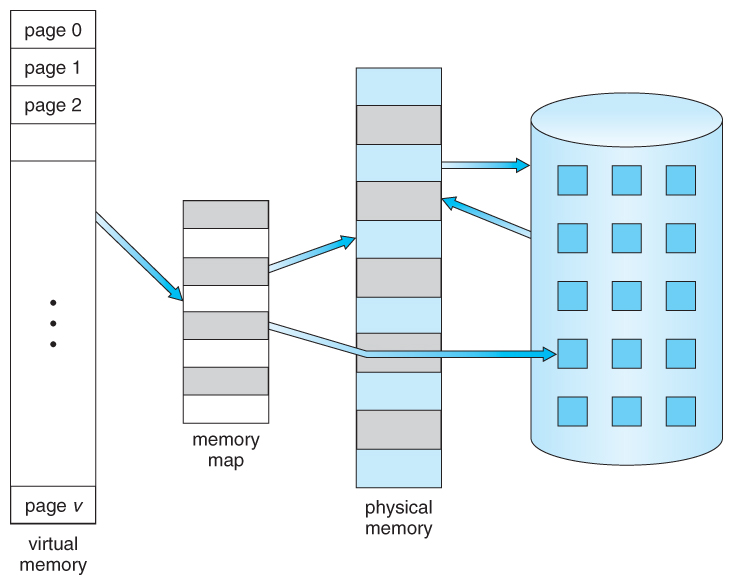
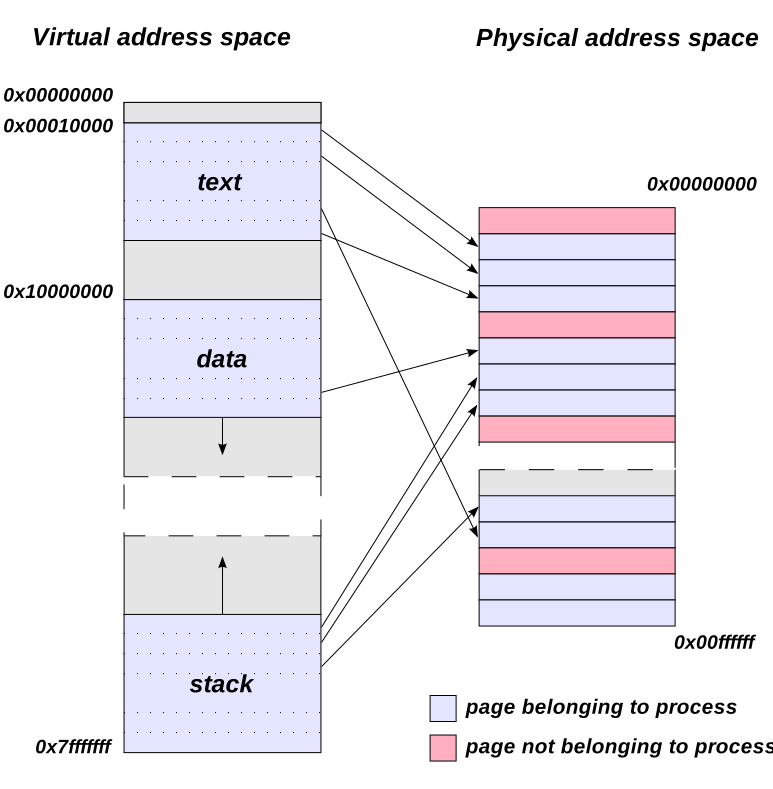
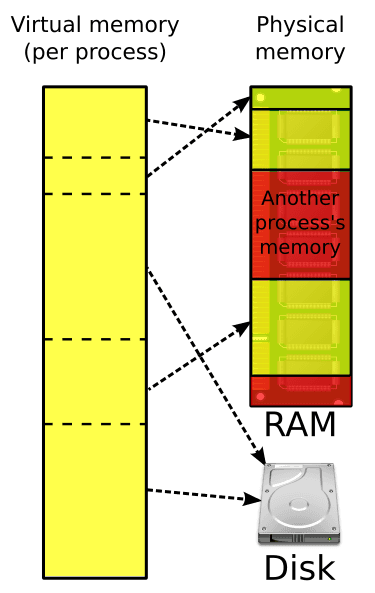
๐Ÿง  Virtual Memory


๐ŸŒ Concept

Image
Image
Image
Image

Virtual memory allows programs to use more memory than physically available.


โš™๏ธ Techniques:

  • Demand paging
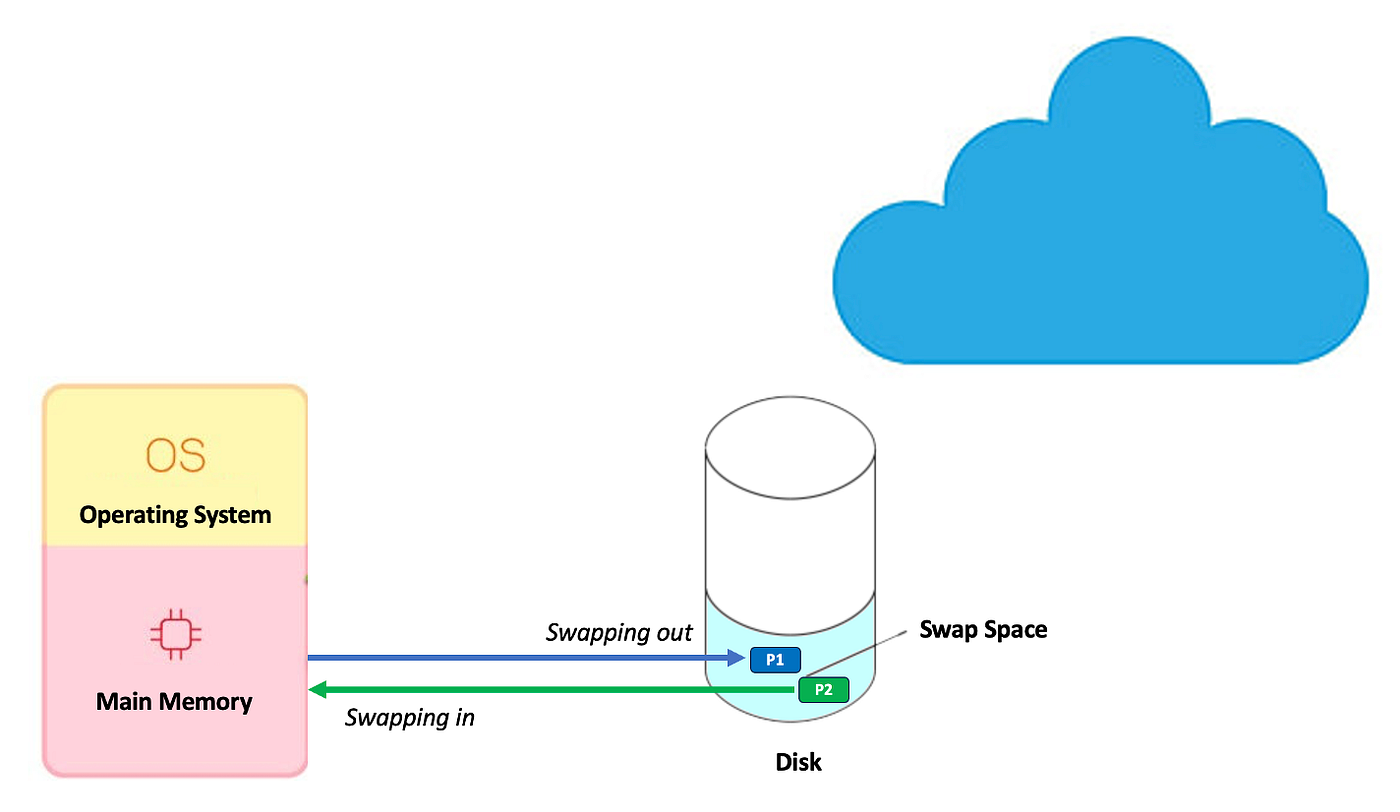
  • Swapping

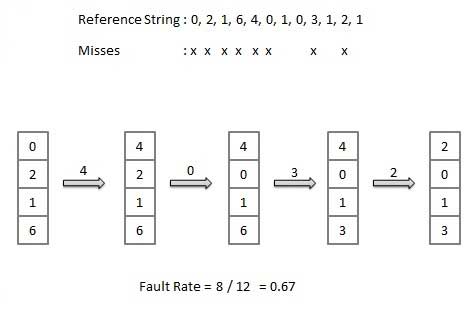
๐Ÿ”„ Page Replacement Algorithms


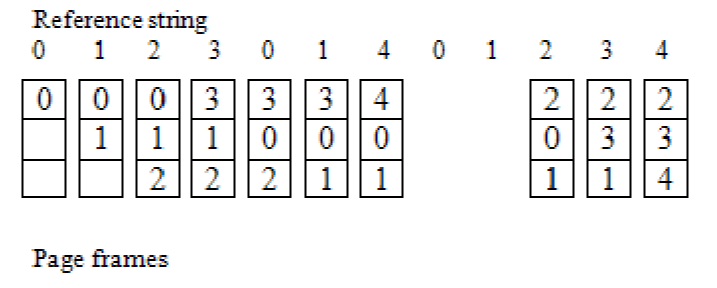
๐Ÿ”น FIFO (First In First Out)

Image
Image
Image

๐Ÿ”น LRU (Least Recently Used)

Image
Image
Image
Image

๐Ÿ”น Optimal Algorithm

Image
Image
Image
Image

๐Ÿ” Memory Protection


๐Ÿ›ก๏ธ Techniques:

  • Base and limit registers
  • Access control
  • Address binding

๐Ÿ”„ Address Binding


๐Ÿง  Types:

  • Compile-time
  • Load-time
  • Execution-time

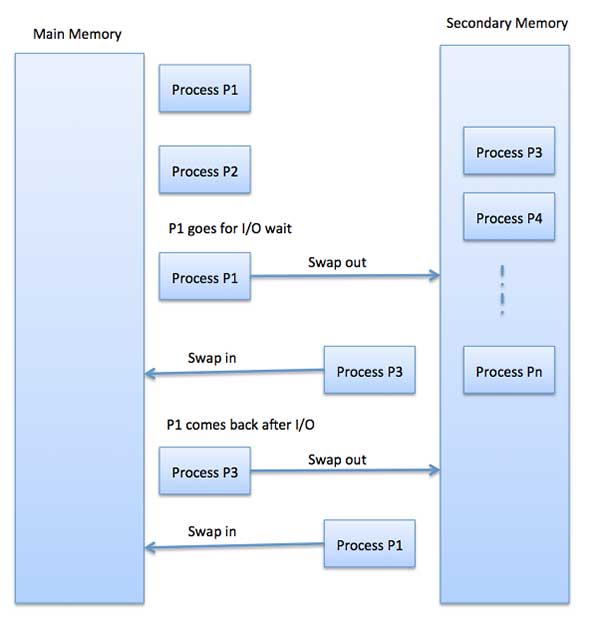
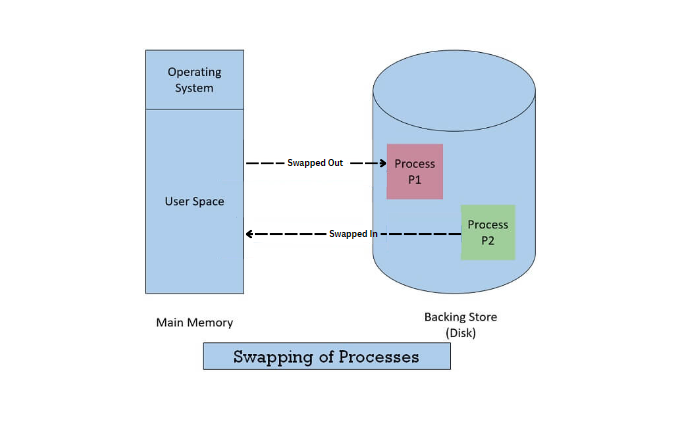
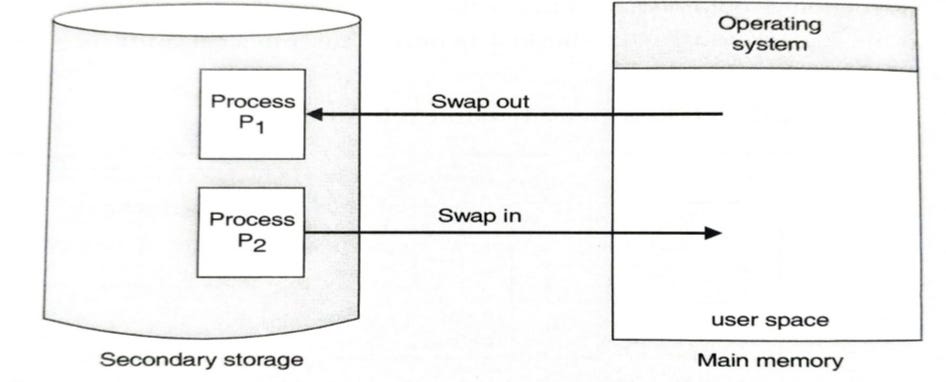
๐Ÿง  Swapping


๐Ÿ”„ Concept

Image
Image
Image
Image
  • Moves processes between RAM and disk

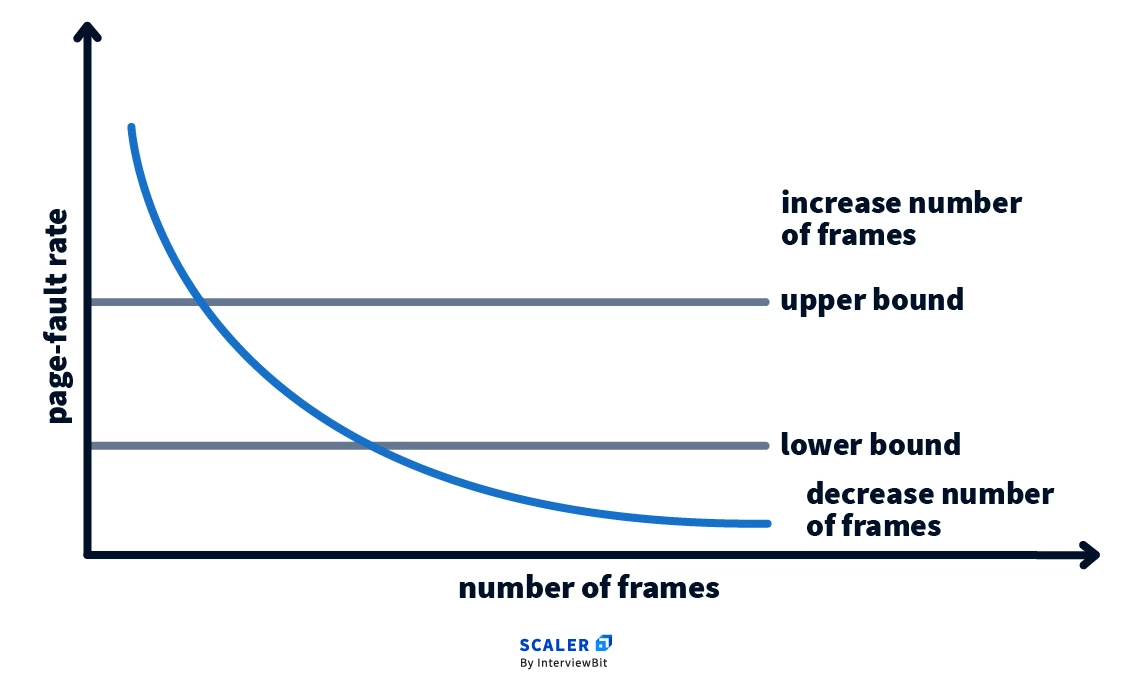
๐Ÿงฉ Thrashing


โš ๏ธ Concept

Image
Image
Image
Image
  • Excessive paging
  • Reduces performance

๐Ÿง  Cache Memory Management


โšก Concept

Image
Image
Image
  • Stores frequently used data
  • Reduces access time

๐Ÿ”„ Cache Mapping Techniques

  • Direct mapping
  • Associative mapping
  • Set-associative mapping

๐Ÿง  Modern Memory Management Techniques


๐Ÿš€ Advanced Concepts

Image
Image
Image
Image
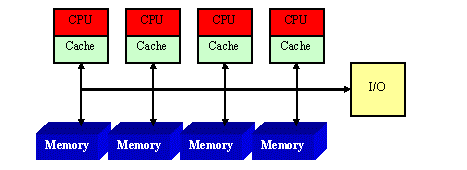
  • NUMA architecture
  • Memory virtualization
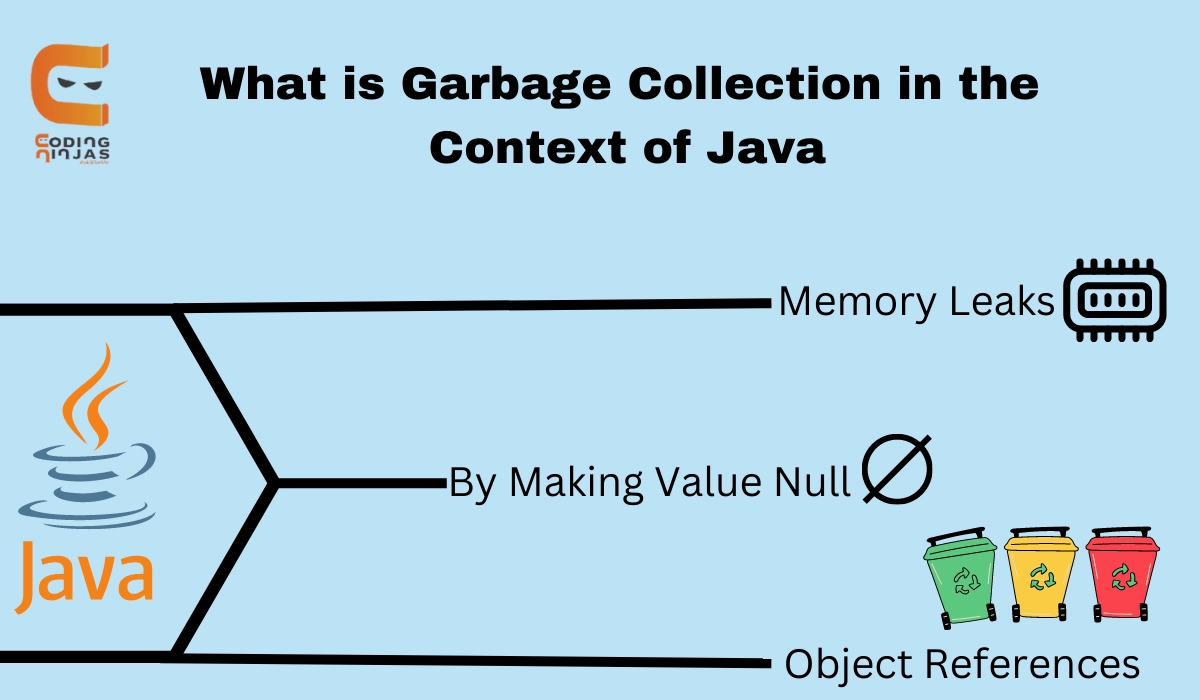
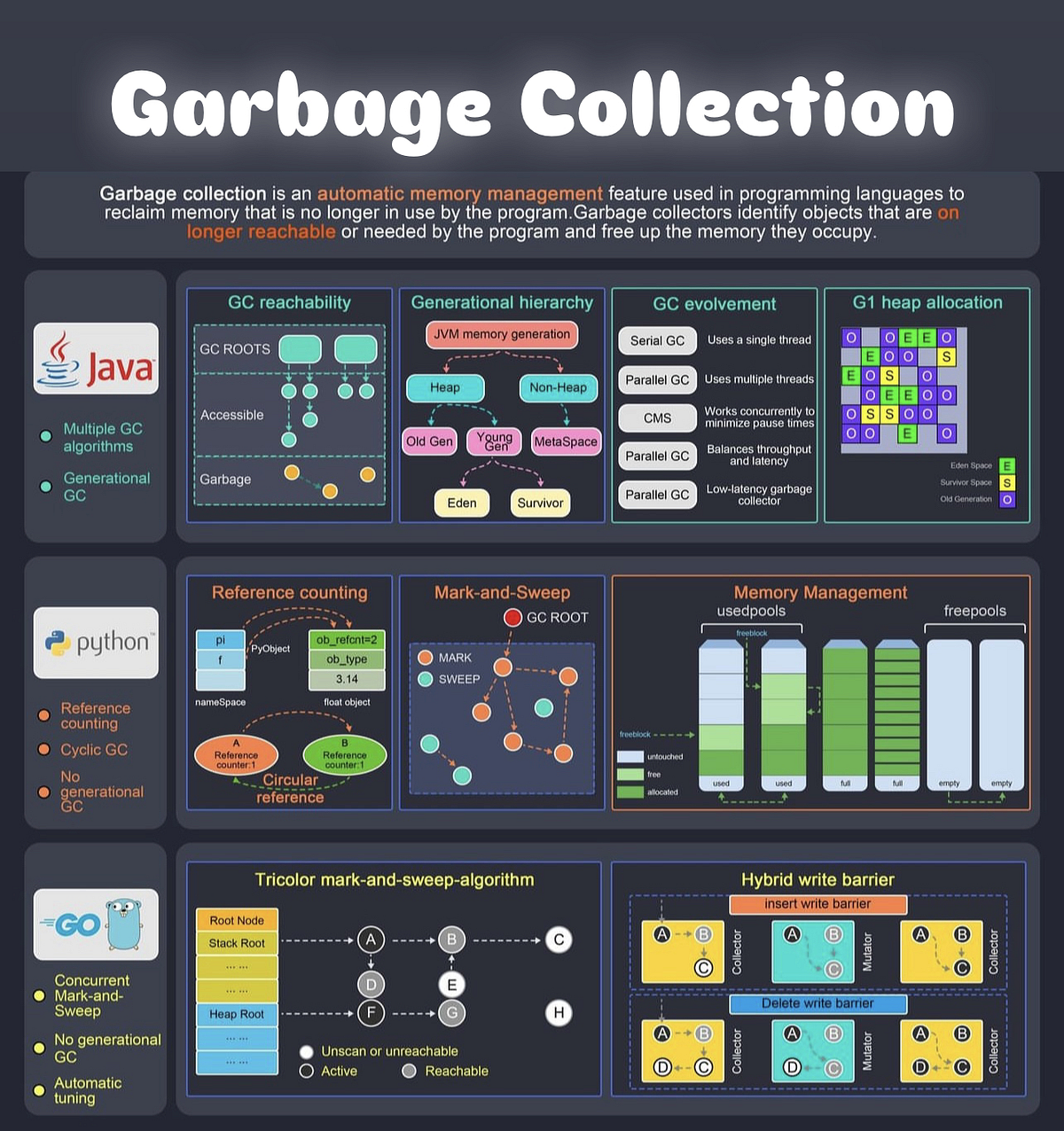
  • Garbage collection
  • Memory compression

โšก Advantages of Memory Management

  • Efficient resource utilization
  • Improved performance
  • Supports multitasking
  • Ensures security

โš ๏ธ Challenges

  • Fragmentation
  • Thrashing
  • Overhead
  • Complexity

๐Ÿง  Conclusion

Memory management is a critical component of operating systems that ensures efficient execution of programs. It enables:

  • Multitasking
  • Efficient memory usage
  • System stability

Understanding memory management is essential for:

  • OS design
  • Software development
  • Performance optimization

๐Ÿท๏ธ Tags

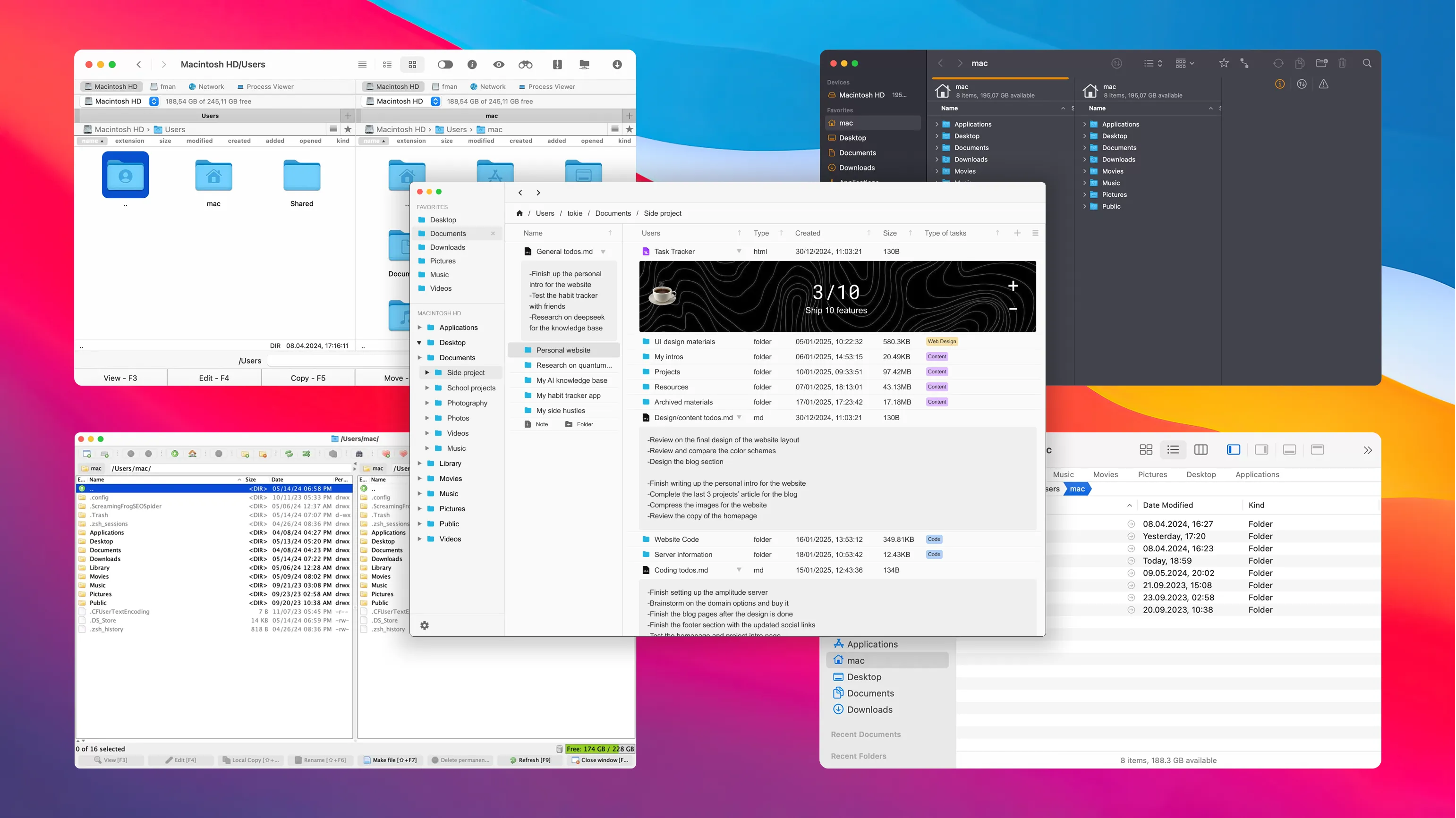
๐Ÿ’ป Windows / Linux / macOS Basics


๐ŸŒ Introduction to Operating Systems

Image
Image
Image
Image

An Operating System (OS) is the most important system software that manages hardware resources and provides an interface between the user and the computer.

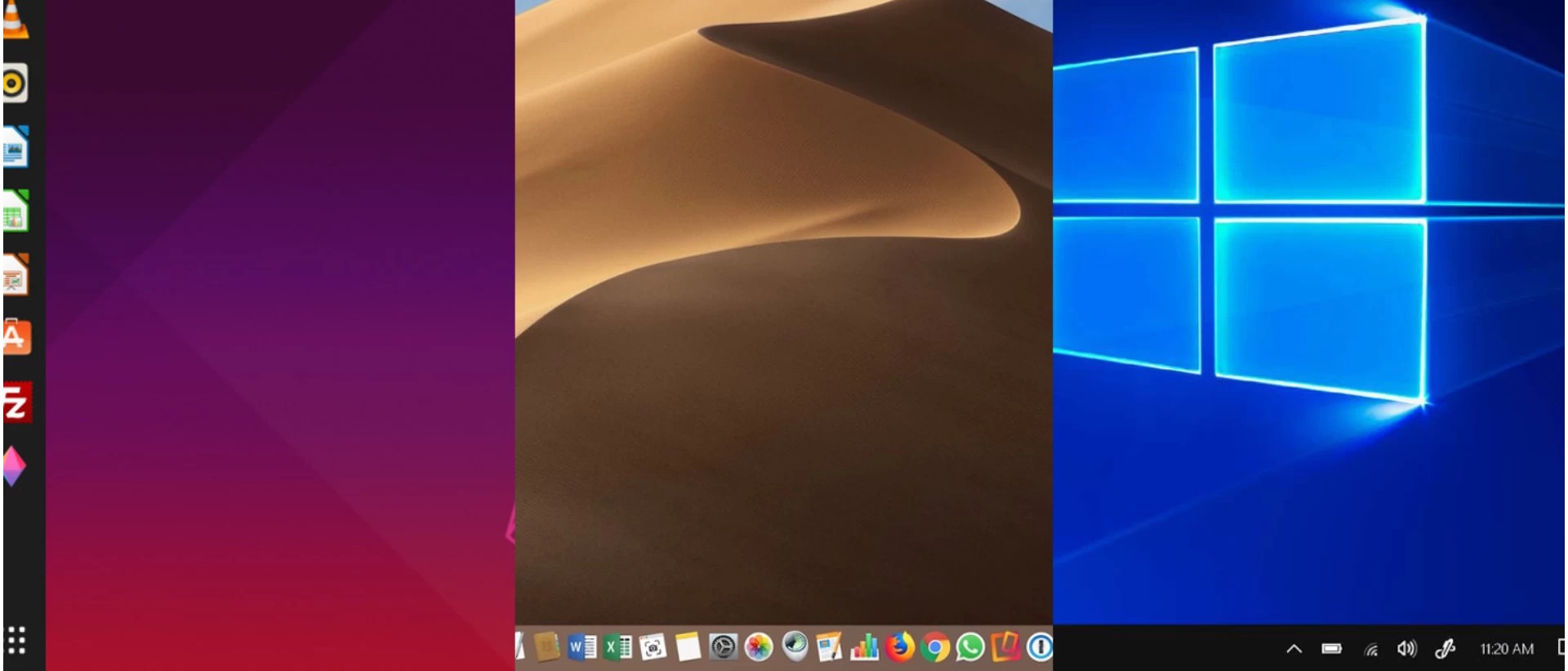
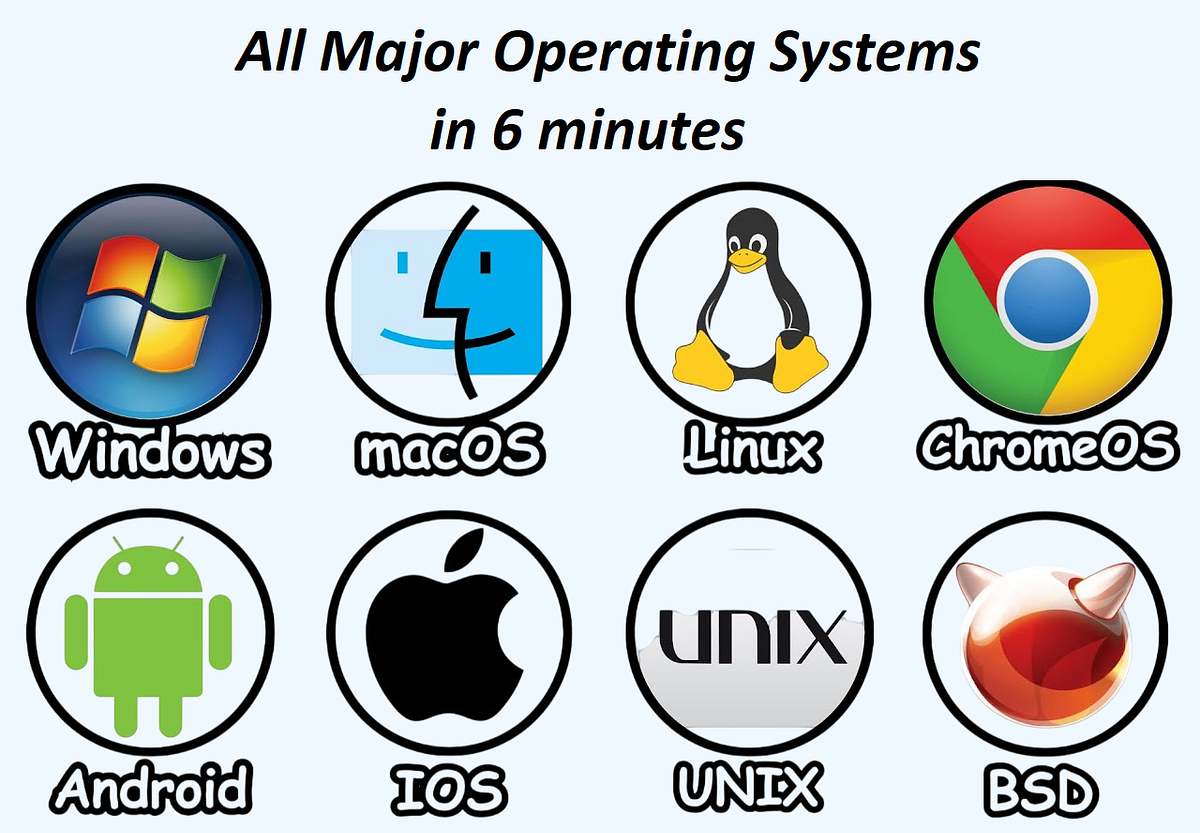
The three most widely used operating systems are:

  • Windows
  • Linux
  • macOS

Each has unique features, design philosophies, and use cases, but all share common responsibilities:

  • Process management
  • Memory management
  • File system control
  • Device management
  • Security

๐ŸชŸ WINDOWS OPERATING SYSTEM


๐Ÿง  Overview of Windows

Image
Image
Image
Image

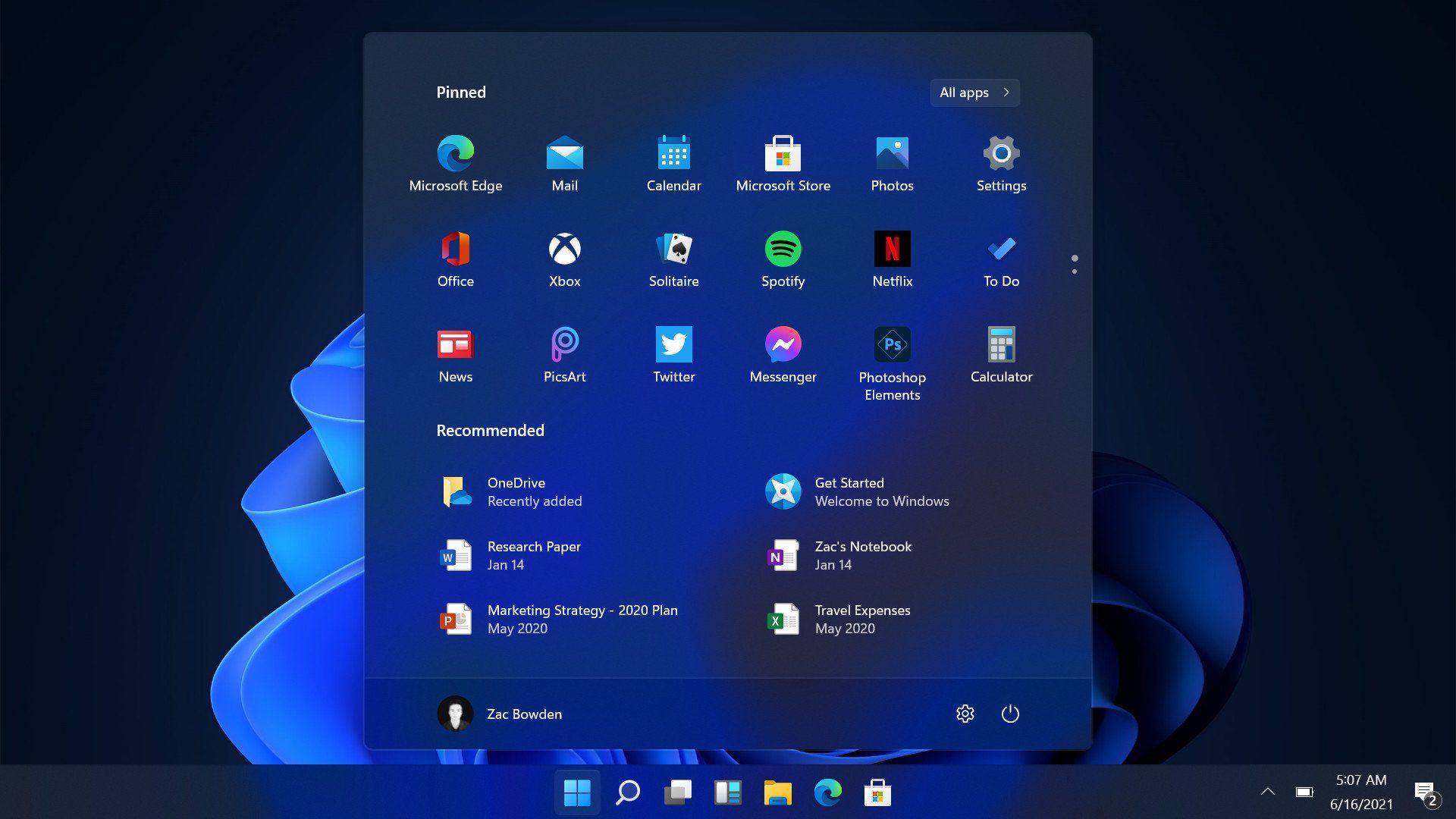
Windows is a widely used operating system developed by Microsoft. It is known for its user-friendly interface and broad compatibility.


โš™๏ธ Key Features of Windows

๐Ÿ–ฅ๏ธ Graphical User Interface (GUI)

  • Start menu
  • Taskbar
  • Desktop icons

๐Ÿ“‚ File Management

  • File Explorer
  • Folder organization

๐Ÿ”„ Multitasking

  • Run multiple applications simultaneously

๐Ÿ”Œ Hardware Compatibility

  • Supports a wide range of devices

๐Ÿงฉ Windows Components

  • Kernel
  • Device drivers
  • System libraries
  • User interface

๐Ÿ” Security Features

  • Windows Defender
  • Firewall
  • User account control

๐Ÿ“ File System

  • NTFS (New Technology File System)

โšก Advantages

  • Easy to use
  • Large software ecosystem
  • Strong hardware support

โš ๏ธ Limitations

  • Paid license
  • Vulnerable to malware
  • Resource-intensive

๐Ÿง LINUX OPERATING SYSTEM


๐Ÿง  Overview of Linux

Image
Image
Image
Image

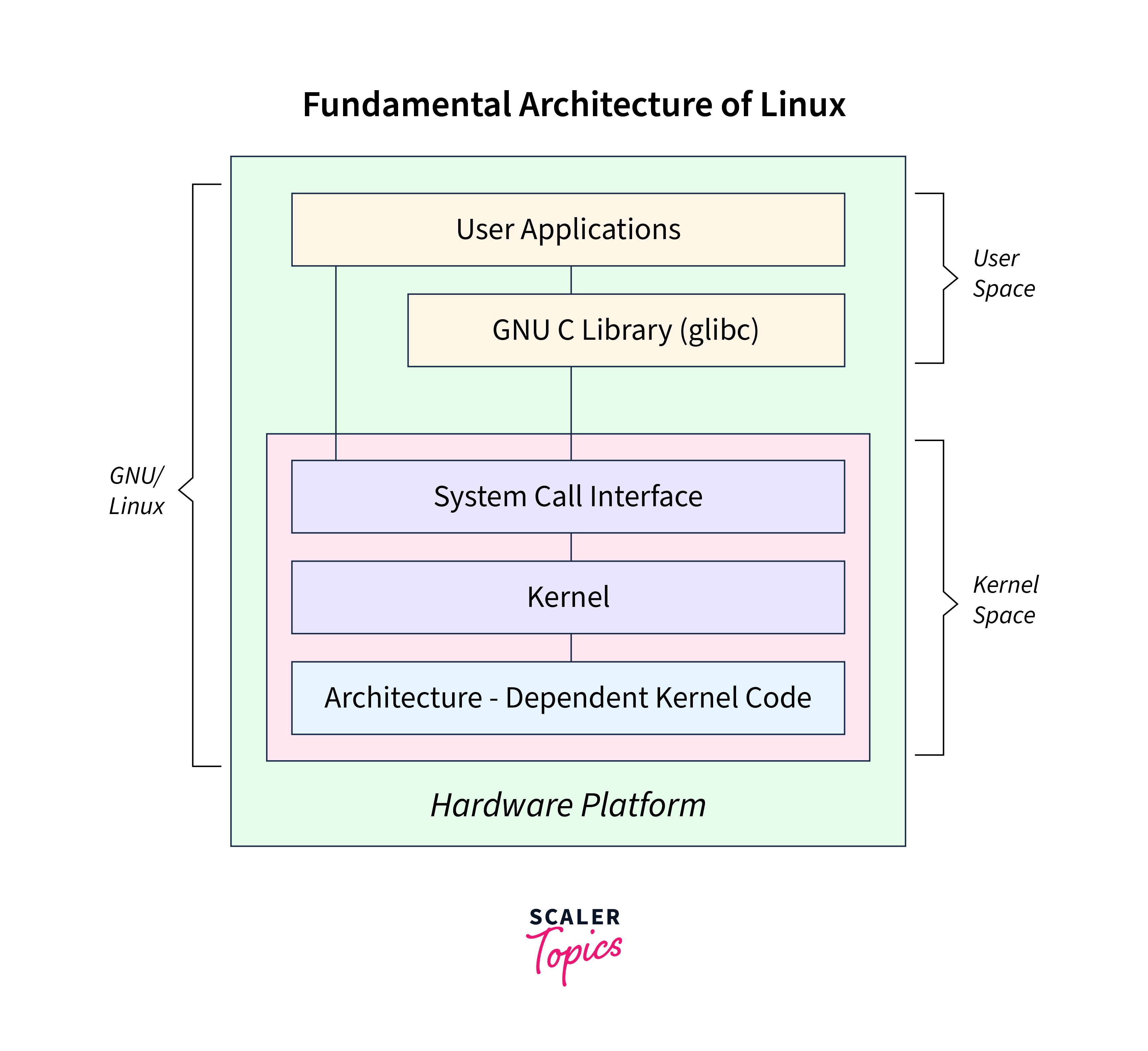
Linux is an open-source operating system based on Unix principles. It is widely used in servers, embedded systems, and development environments.


โš™๏ธ Key Features of Linux

๐Ÿ”“ Open Source

  • Free to use and modify

๐Ÿง  Multiuser & Multitasking

  • Supports multiple users simultaneously

โšก Stability and Performance

  • Efficient resource usage

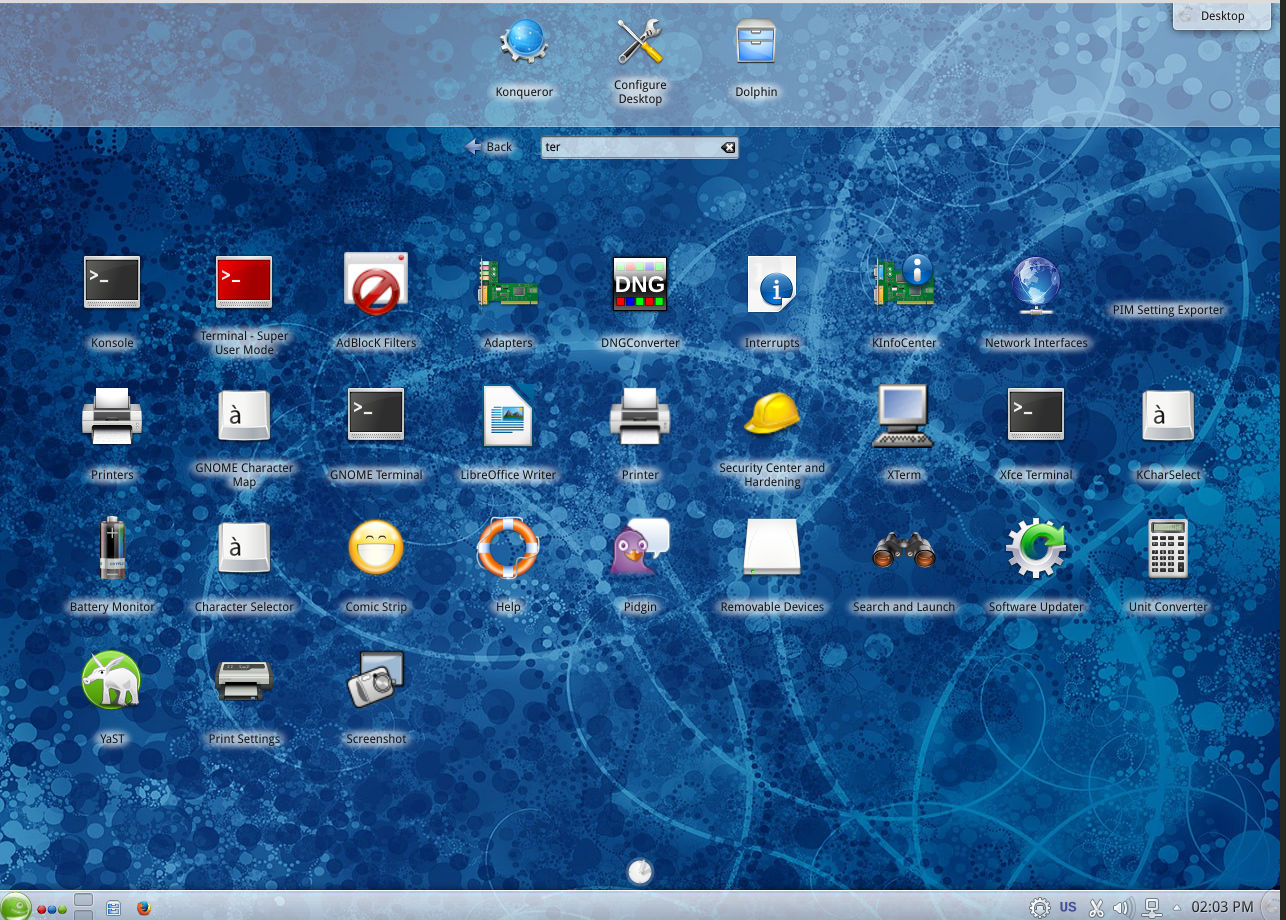
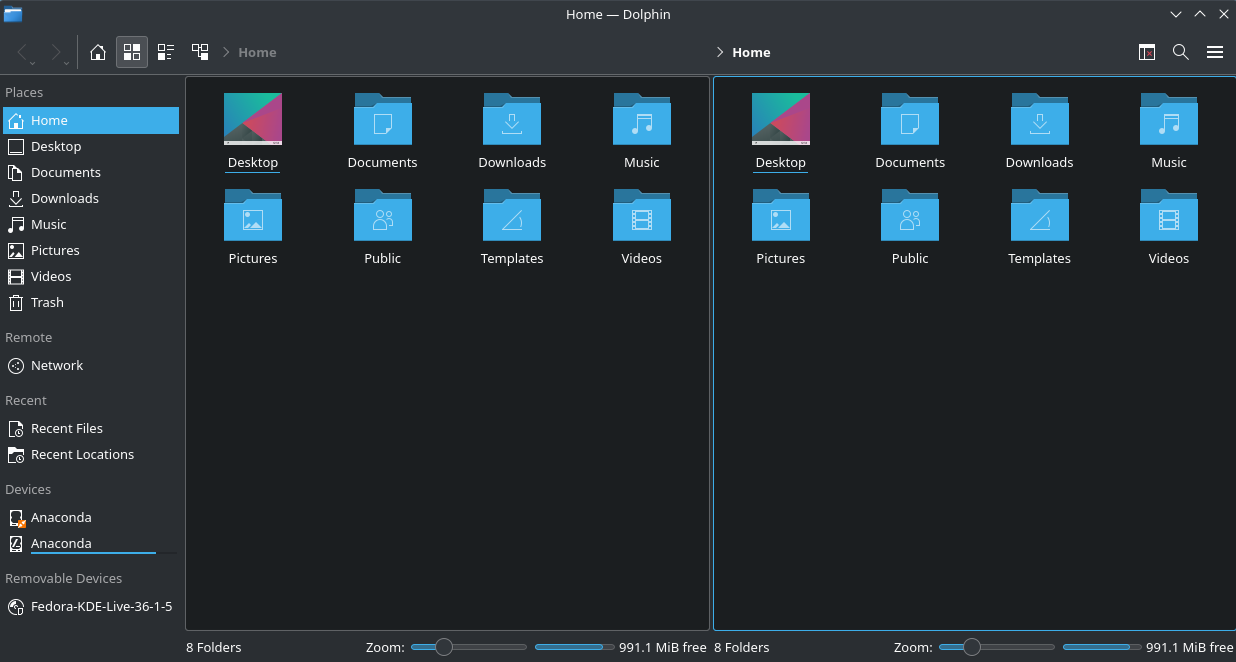
๐Ÿ–ฅ๏ธ Command Line Interface

  • Powerful terminal (Bash shell)

๐Ÿงฉ Linux Components

  • Kernel
  • Shell
  • File system
  • Utilities

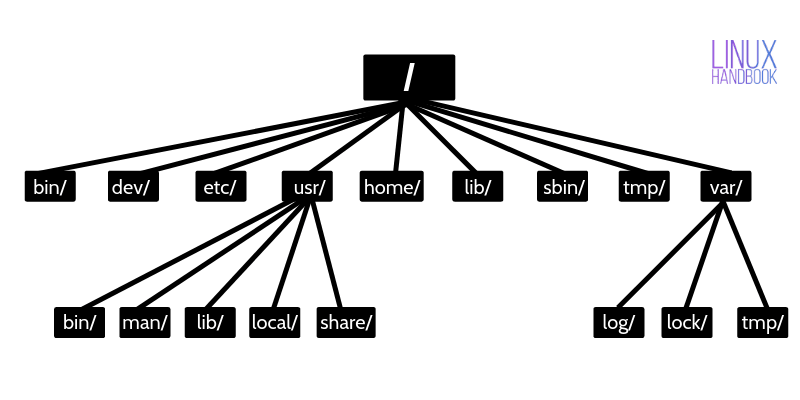
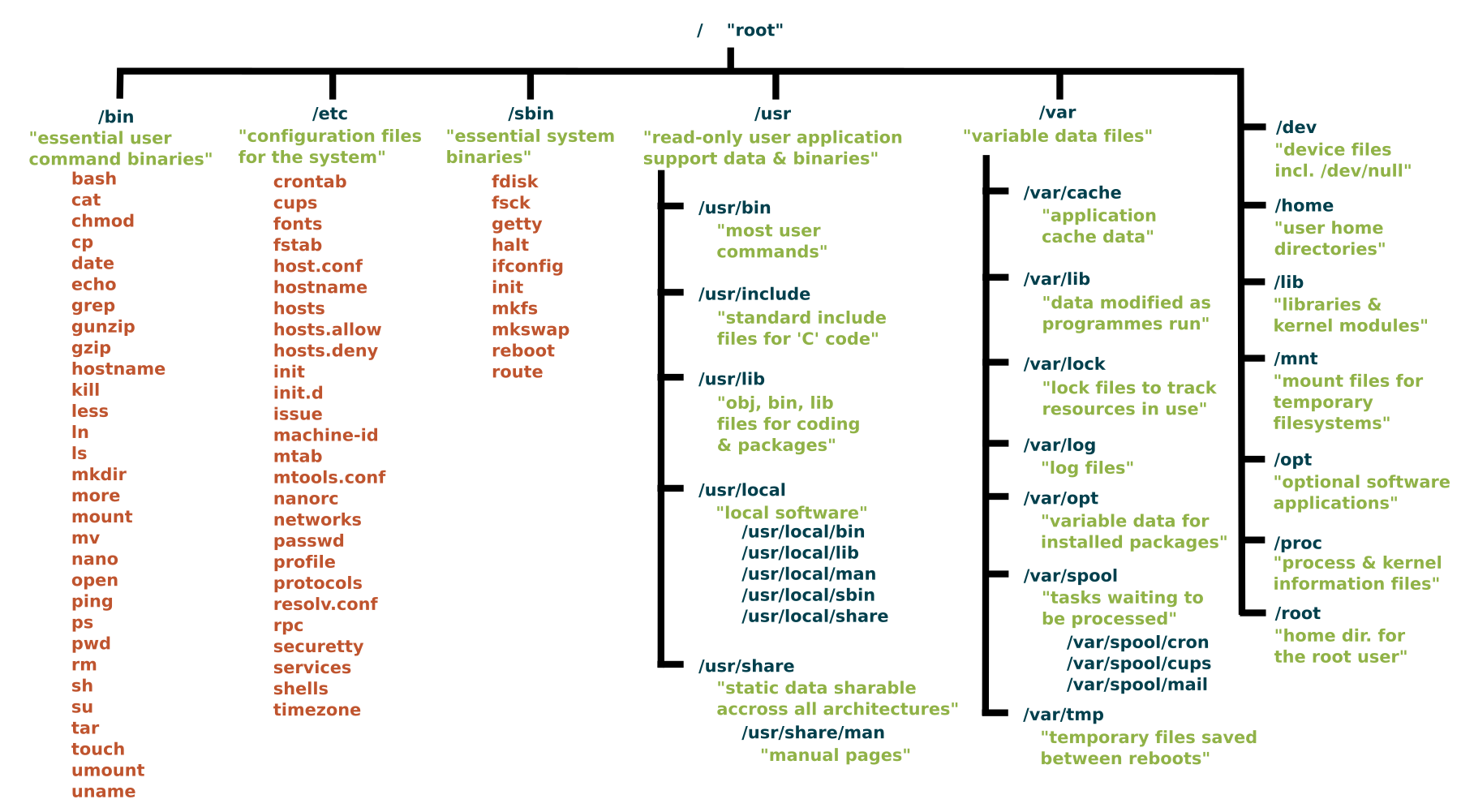
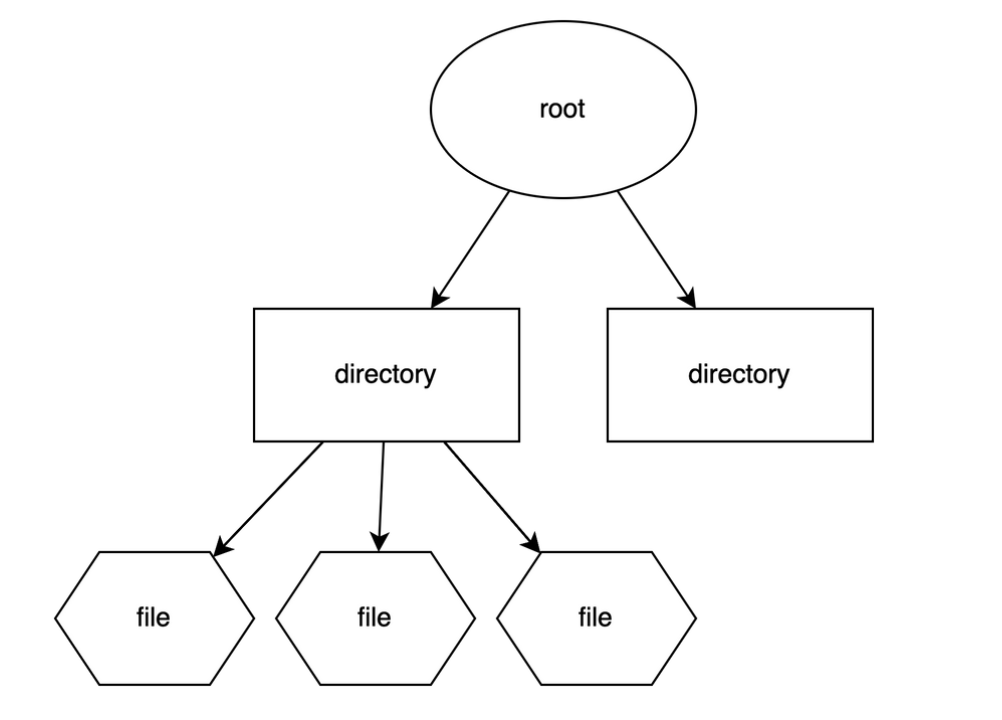
๐Ÿ“ Linux File System

Image
Image
Image
Image
  • Root (/)
  • /home
  • /etc
  • /usr

๐Ÿ” Security Features

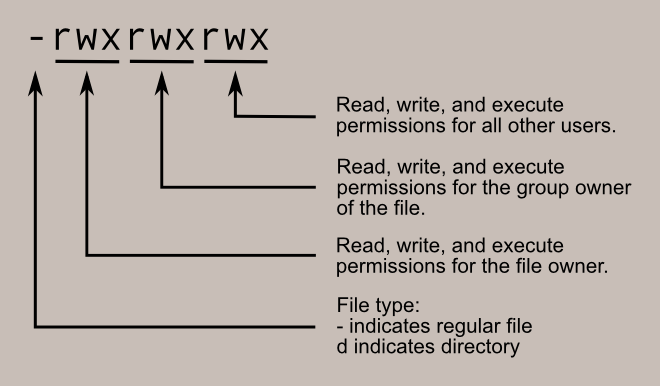
  • Strong permissions system
  • User/group control
  • SELinux/AppArmor

๐Ÿง  Popular Distributions

  • Ubuntu
  • Fedora
  • Debian
  • CentOS

โšก Advantages

  • Free and open-source
  • Highly customizable
  • Secure and stable

โš ๏ธ Limitations

  • Steeper learning curve
  • Limited commercial software

๐ŸŽ macOS OPERATING SYSTEM


๐Ÿง  Overview of macOS

Image
Image
Image
Image

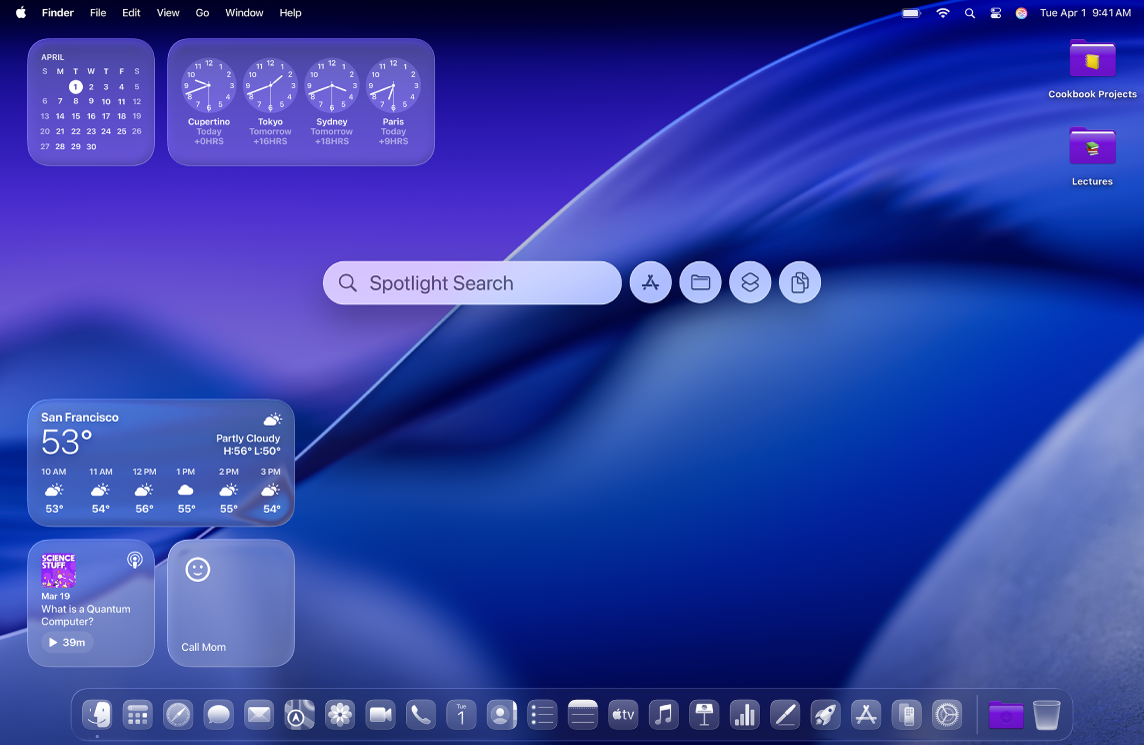
macOS is developed by Apple and is known for its smooth performance, security, and elegant design.


โš™๏ธ Key Features of macOS

๐ŸŽจ User Interface

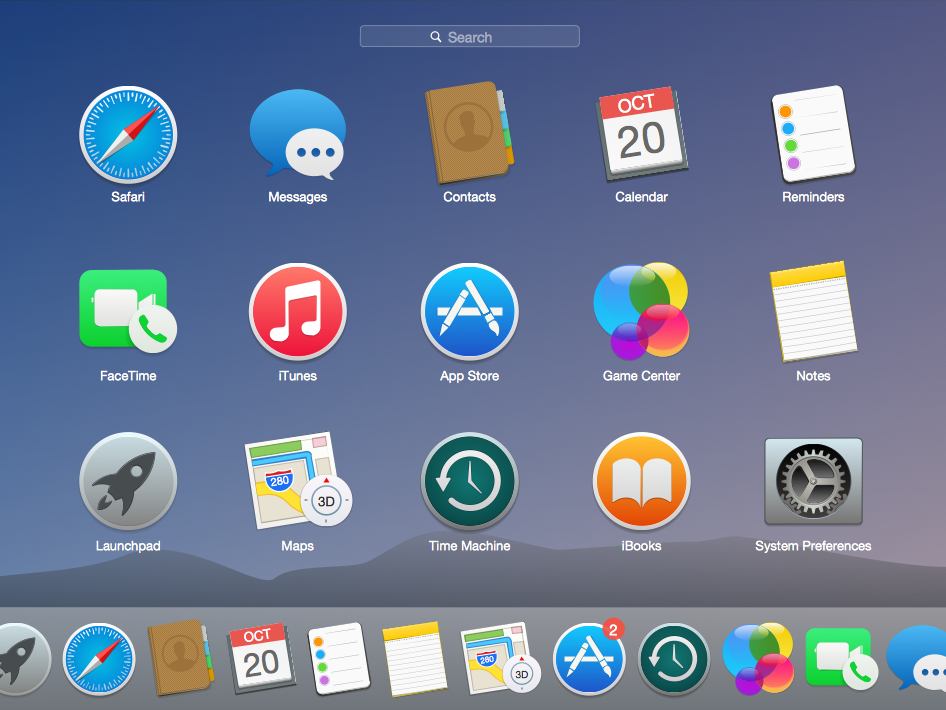
  • Dock
  • Finder
  • Spotlight search

๐Ÿ”„ Integration

  • Seamless integration with Apple ecosystem

โšก Performance Optimization

  • Optimized for Apple hardware

๐Ÿงฉ macOS Components

  • Darwin kernel
  • Cocoa frameworks
  • Finder (file manager)

๐Ÿ“ File System

  • APFS (Apple File System)

๐Ÿ” Security Features

  • Gatekeeper
  • FileVault
  • Sandbox apps

โšก Advantages

  • Stable and secure
  • Excellent UI/UX
  • Optimized performance

โš ๏ธ Limitations

  • Expensive hardware
  • Limited customization
  • Less gaming support

โš–๏ธ COMPARISON: Windows vs Linux vs macOS


๐Ÿ“Š Feature Comparison Table

FeatureWindowsLinuxmacOS
CostPaidFreePaid (with hardware)
User InterfaceEasyModerateVery user-friendly
SecurityModerateHighHigh
CustomizationLimitedVery HighLimited
Software SupportExtensiveModerateGood

๐Ÿง  Use Cases

  • Windows โ†’ General users, gaming, business
  • Linux โ†’ Developers, servers, cybersecurity
  • macOS โ†’ Designers, developers, creatives

โš™๏ธ Core OS Functions (All Systems)


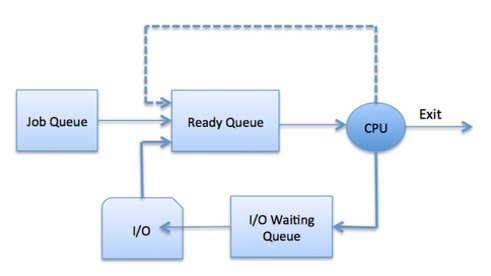
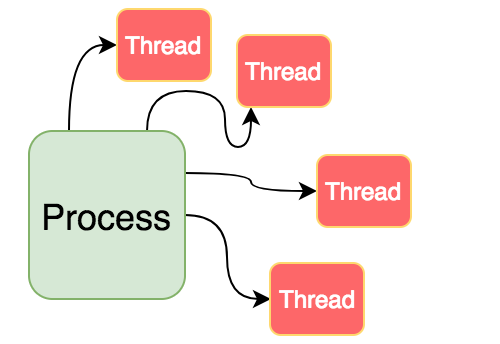
๐Ÿง  Process Management

Image
Image
Image
Image
  • Handles running programs
  • Scheduling tasks

๐Ÿ’พ Memory Management

Image
Image
Image
Image
  • Allocates RAM
  • Uses virtual memory

๐Ÿ“‚ File Management

Image
Image
Image
Image
  • Organizes files and directories
  • Controls access

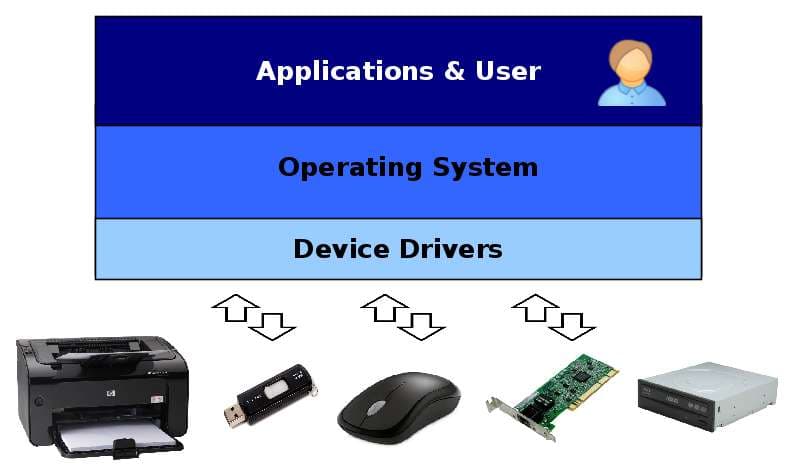
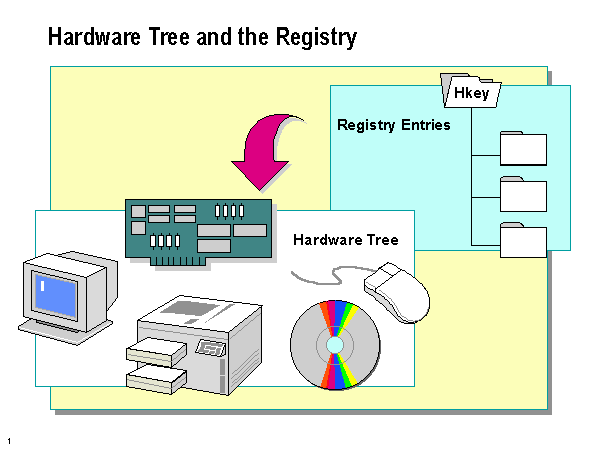
๐Ÿ”Œ Device Management

Image
Image
Image
Image
  • Controls hardware devices
  • Uses drivers

๐Ÿงฉ User Interfaces


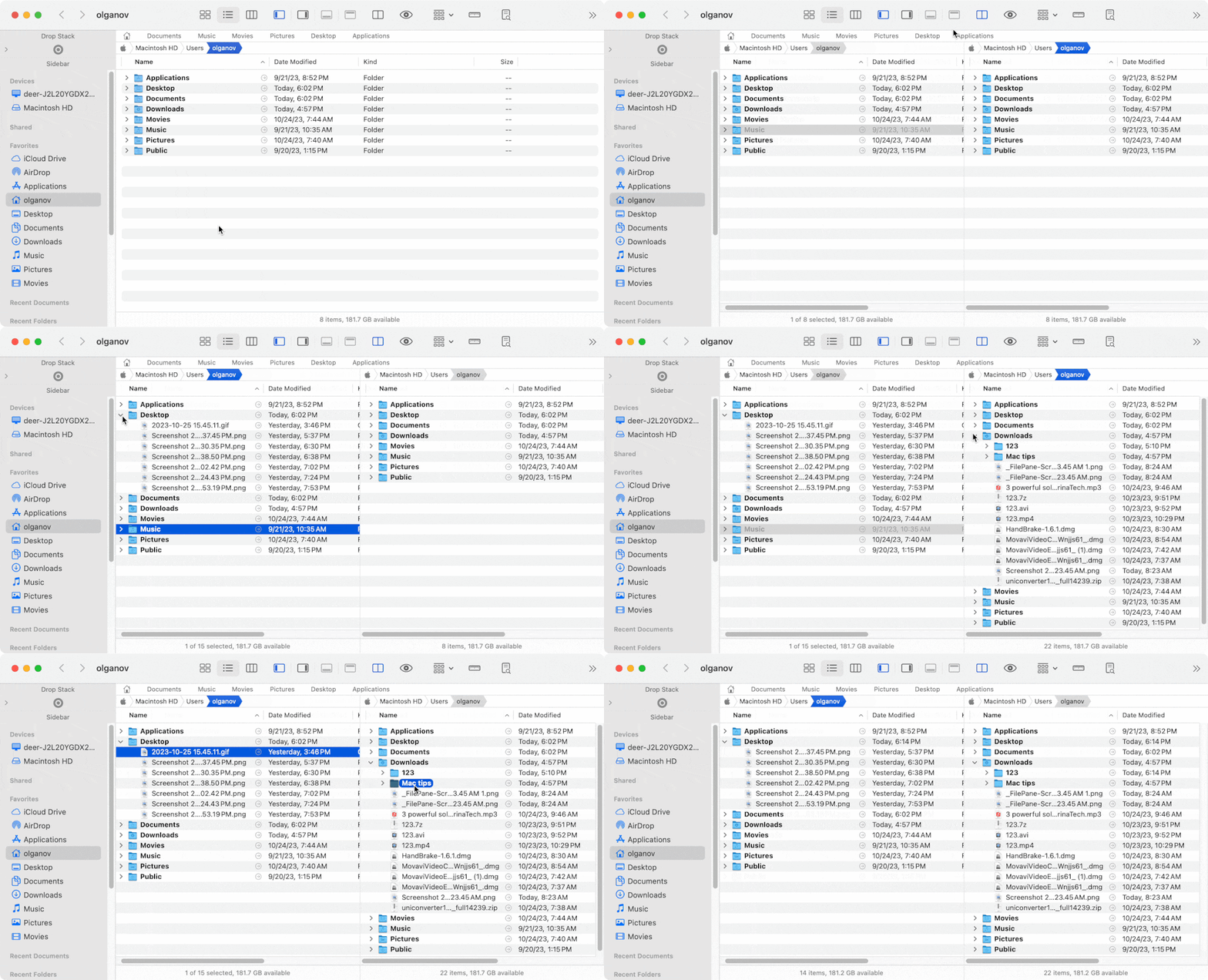
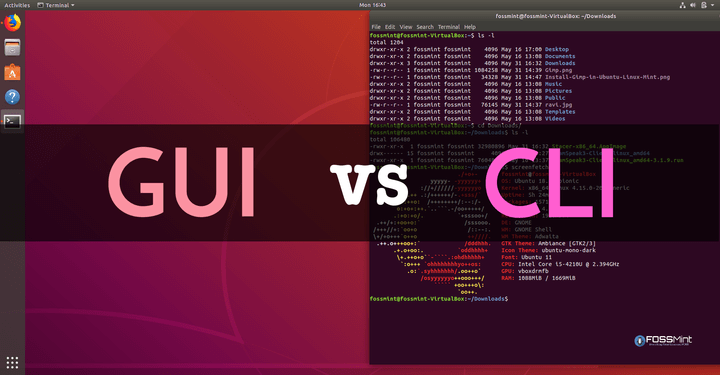
๐Ÿ–ฅ๏ธ GUI vs CLI

Image
Image
Image
Image
  • GUI โ†’ Easy, visual
  • CLI โ†’ Powerful, flexible

๐ŸŒ File Systems Comparison

OSFile System
WindowsNTFS
LinuxEXT4
macOSAPFS

๐Ÿ” Security Comparison


๐Ÿ›ก๏ธ Key Features:

  • Authentication
  • Encryption
  • Access control

Linux and macOS are generally more secure due to Unix-based design.


๐Ÿš€ Modern Trends in Operating Systems

Image
Image
Image
Image
  • Cloud-based OS
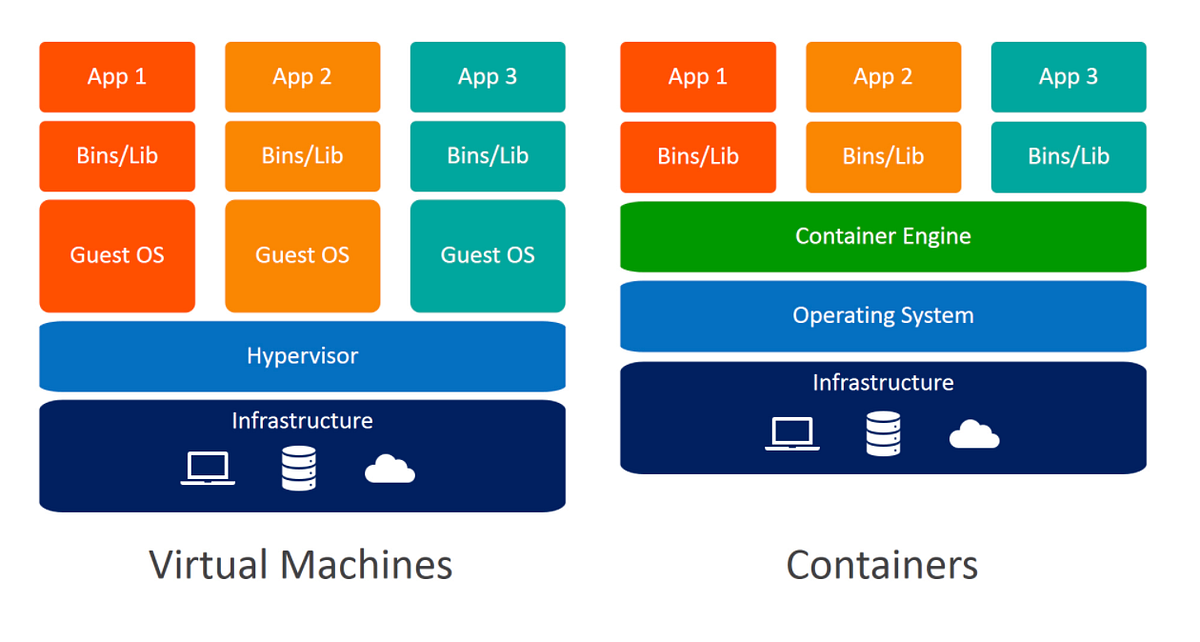
  • Virtualization
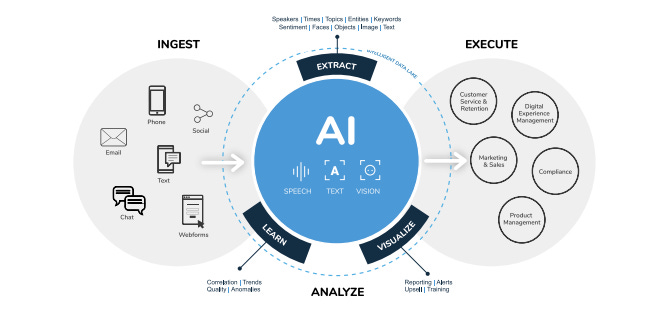
  • AI integration
  • Containerization

โšก Advantages of Operating Systems

  • Simplifies user interaction
  • Efficient resource management
  • Enables multitasking
  • Provides security

โš ๏ธ Limitations

  • Complexity
  • Resource usage
  • Compatibility issues

๐Ÿง  Conclusion

Windows, Linux, and macOS are the pillars of modern computing. Each offers unique strengths:

  • Windows โ†’ Versatility and compatibility
  • Linux โ†’ Power and flexibility
  • macOS โ†’ Performance and design

Understanding these systems helps in:

  • Choosing the right OS
  • Improving productivity
  • Learning advanced computing

๐Ÿท๏ธ Tags