Tag Archives: Bus System

๐Ÿ–ฅ๏ธ Computer Hardware Basics


๐ŸŒ Introduction to Computer Hardware

Image
Image
Image
Image

Computer hardware refers to the physical components of a computer systemโ€”the parts you can see and touch. These components work together to process data, execute instructions, and produce output.

At a high level, hardware includes:

  • Processing devices (CPU)
  • Memory and storage
  • Input and output devices
  • Communication components

Hardware is the foundation upon which software operates.


๐Ÿง  Importance of Computer Hardware

  • Enables data processing and computation
  • Provides storage for programs and data
  • Facilitates interaction with users
  • Supports networking and communication
  • Determines system performance and capability

๐Ÿงฉ Major Components of Computer Hardware


โš™๏ธ 1. Central Processing Unit (CPU)

Image
Image
Image
Image

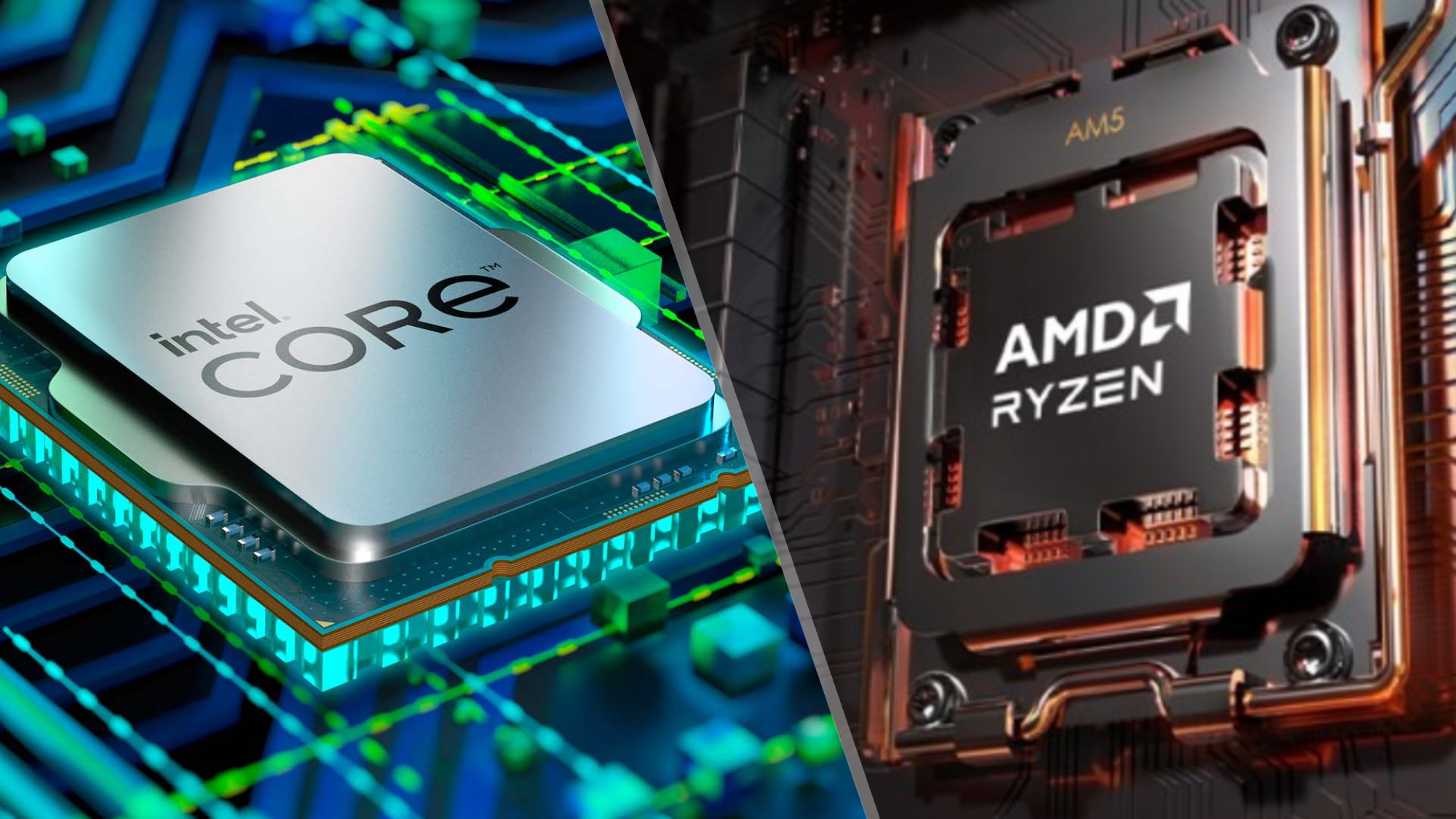
The CPU (Central Processing Unit) is the brain of the computer. It executes instructions and controls all operations.

Key Parts:

๐Ÿ”น Arithmetic Logic Unit (ALU)

  • Performs arithmetic and logical operations

๐Ÿ”น Control Unit (CU)

  • Directs data flow
  • Manages instruction execution

๐Ÿ”น Registers

  • Small, high-speed storage locations

โšก CPU Performance Factors

  • Clock speed (GHz)
  • Number of cores
  • Cache size
  • Architecture

๐Ÿง  Multi-Core Processors

Modern CPUs have multiple cores to improve multitasking and parallel processing.


๐Ÿงฎ 2. Memory (Primary Memory)

Image
Image
Image
Image

Memory stores data temporarily or permanently.

Types:

๐Ÿ”น RAM (Random Access Memory)

  • Volatile
  • Temporary storage

๐Ÿ”น ROM (Read Only Memory)

  • Non-volatile
  • Stores firmware

๐Ÿ”น Cache Memory

  • High-speed memory close to CPU

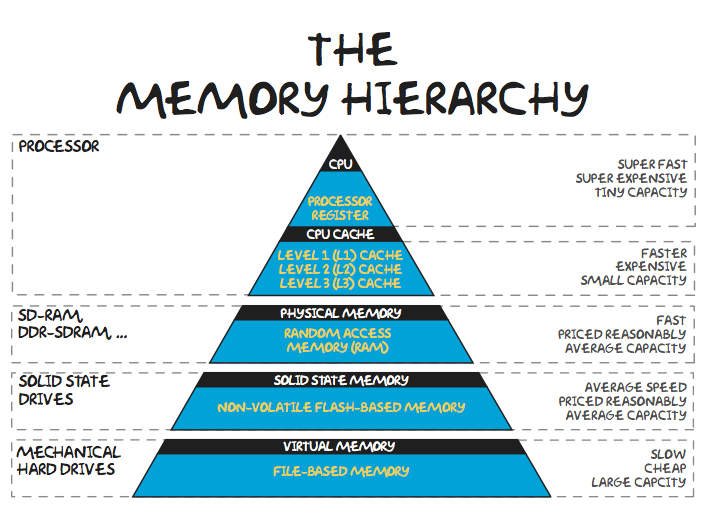
๐Ÿง  Memory Hierarchy

  1. Registers
  2. Cache
  3. RAM
  4. Secondary storage

๐Ÿ’พ 3. Storage Devices (Secondary Memory)

Image
Image
Image
Image

Storage devices store data permanently.

Types:

๐Ÿ”น Hard Disk Drive (HDD)

  • Magnetic storage
  • Large capacity

๐Ÿ”น Solid State Drive (SSD)

  • Faster, no moving parts

๐Ÿ”น Optical Storage

  • CDs, DVDs

โšก Storage Comparison

FeatureHDDSSD
SpeedSlowFast
DurabilityLowHigh
CostCheapExpensive

๐Ÿงฉ 4. Motherboard

Image
Image
Image
Image

The motherboard is the main circuit board connecting all components.

Features:

  • CPU socket
  • RAM slots
  • Expansion slots
  • Chipset

๐Ÿ”Œ 5. Power Supply Unit (PSU)

Image
Image
Image
Image
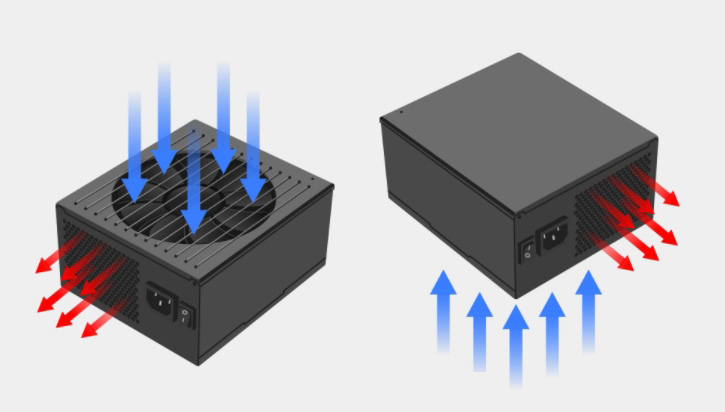
  • Converts AC to DC
  • Supplies power to components

๐ŸŽฎ 6. Graphics Processing Unit (GPU)

Image
Image
Image
Image
  • Handles graphics rendering
  • Essential for gaming, AI, video editing

๐Ÿง  Types:

  • Integrated GPU
  • Dedicated GPU

๐Ÿ”Š 7. Sound Card

Image
Image
Image
Image
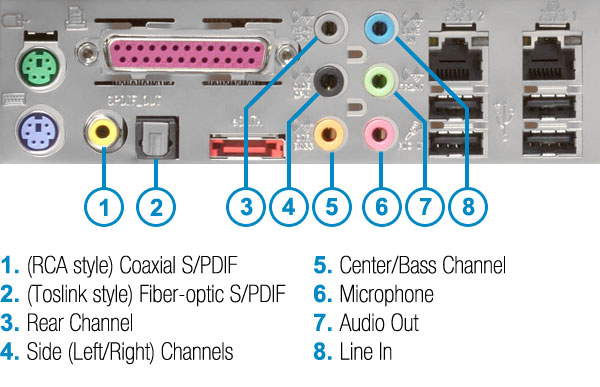
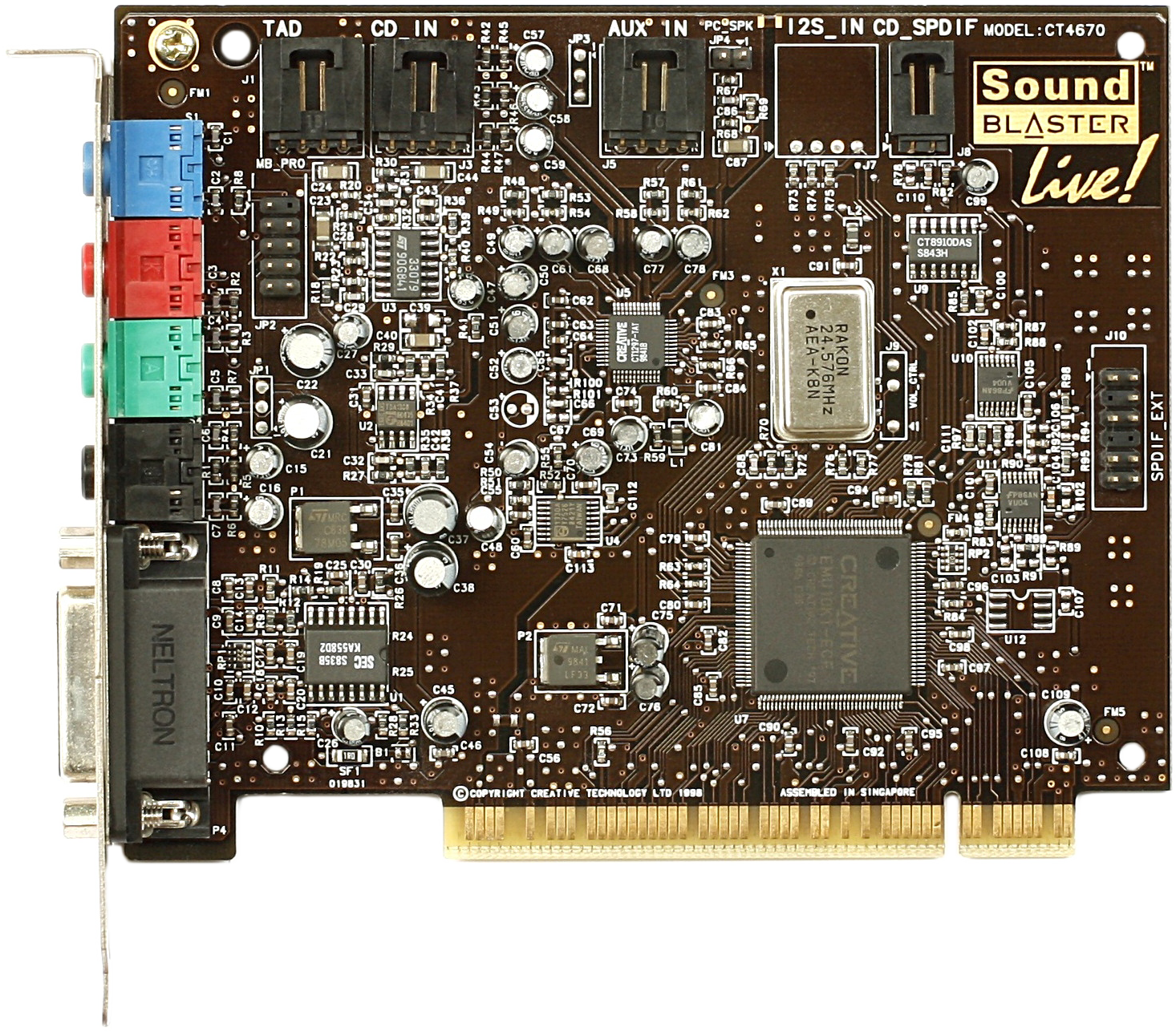
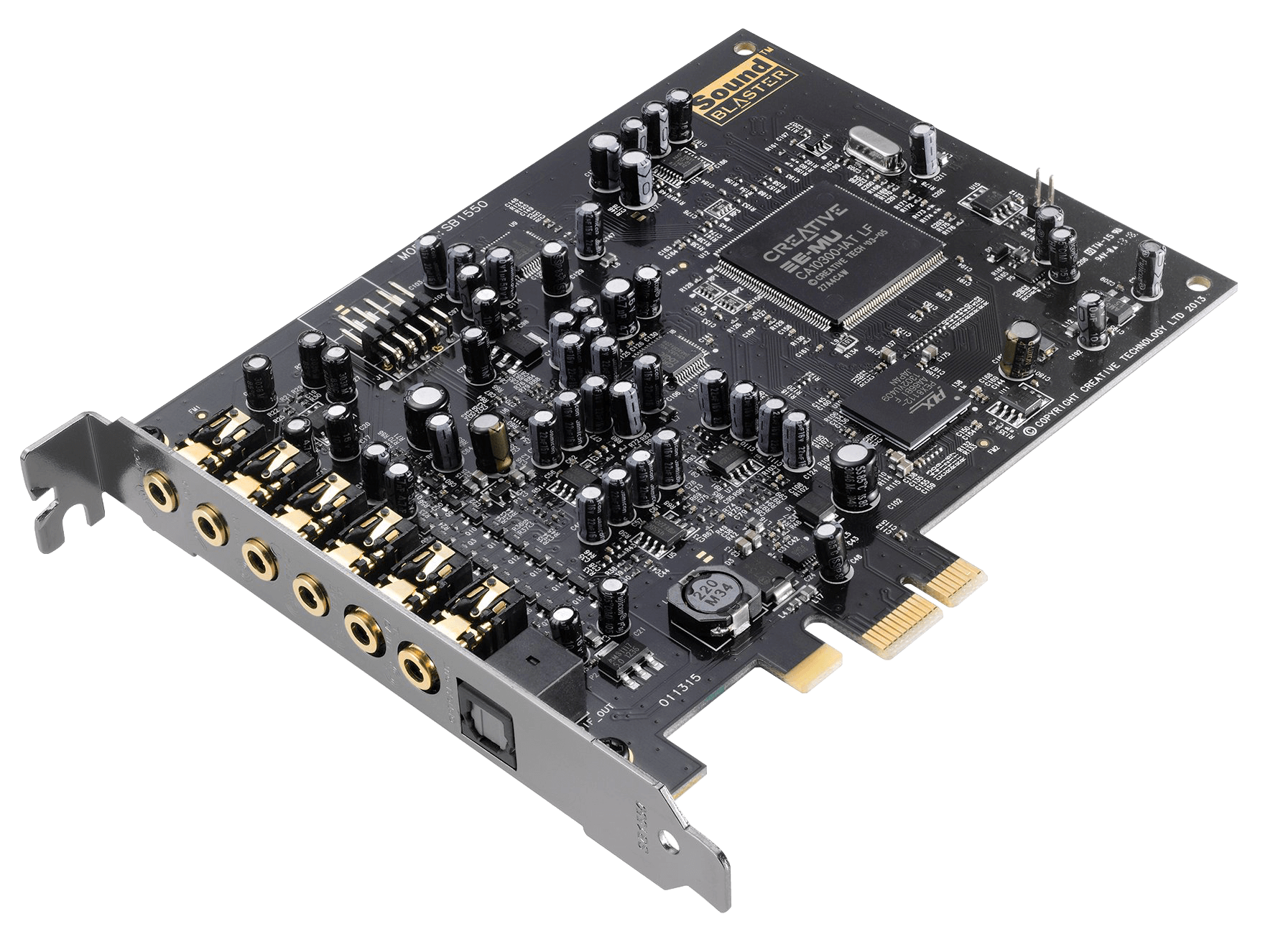
  • Processes audio signals
  • Enables sound input/output

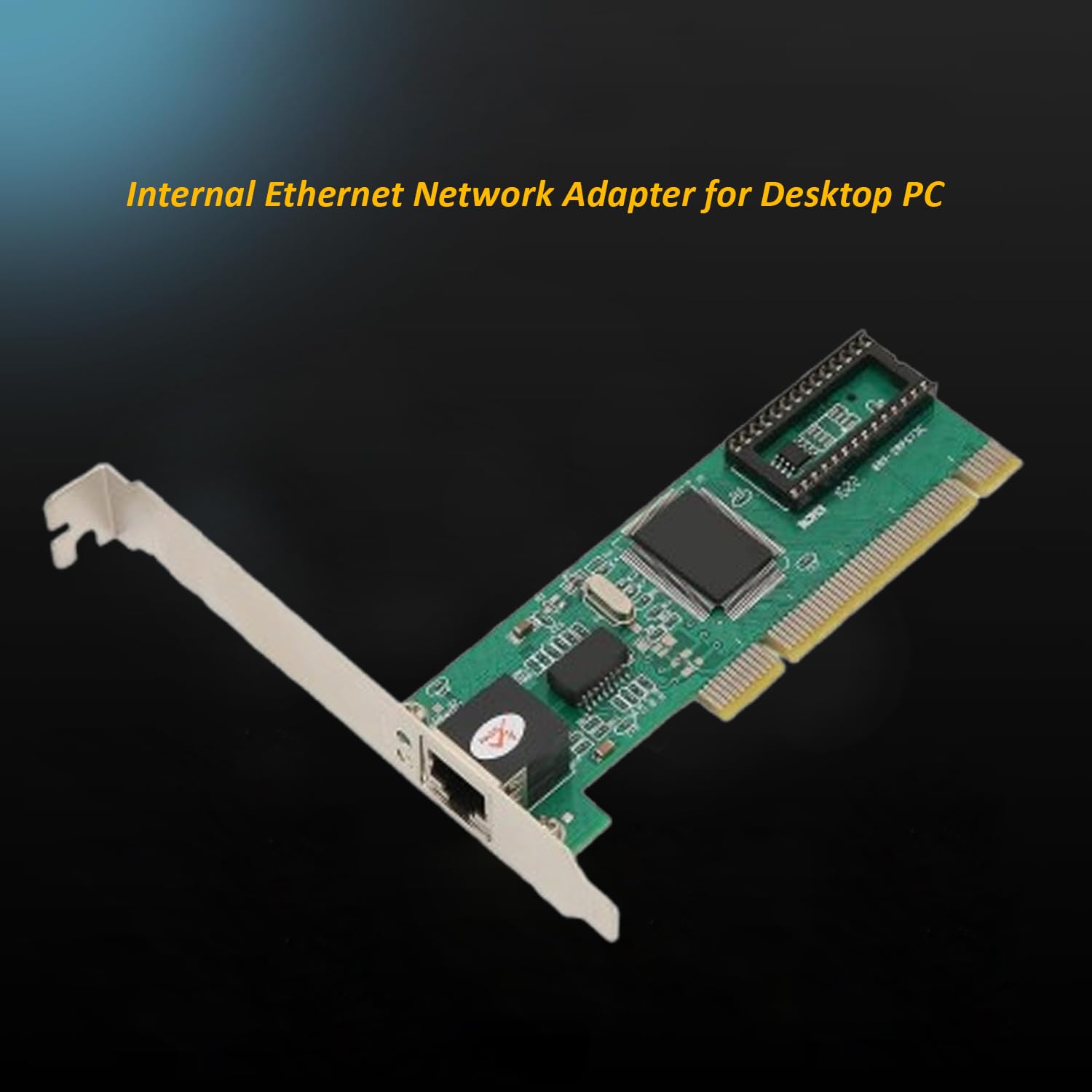
๐ŸŒ 8. Network Interface Card (NIC)

Image
Image
Image
Image
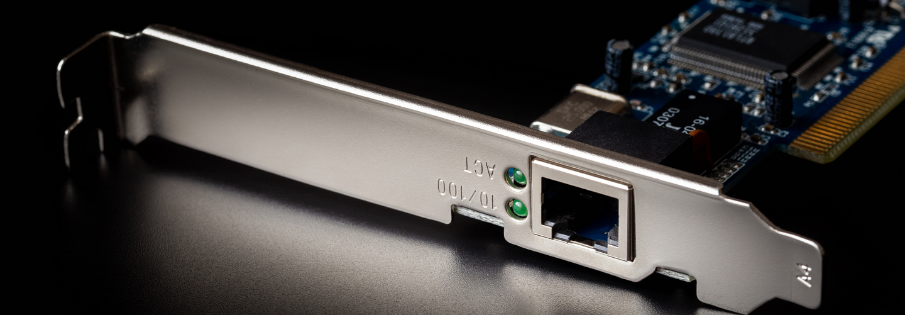
  • Connects computer to networks
  • Supports wired and wireless communication

โŒจ๏ธ Input Devices

Image
Image
Image
Image

Examples:

  • Keyboard
  • Mouse
  • Scanner
  • Microphone

๐Ÿ–ฅ๏ธ Output Devices

Image
Image
Image
Image

Examples:

  • Monitor
  • Printer
  • Speakers

๐Ÿ”Œ Ports and Connectivity

Image
Image
Image
Image

Common ports:

  • USB
  • HDMI
  • Ethernet
  • Audio jack

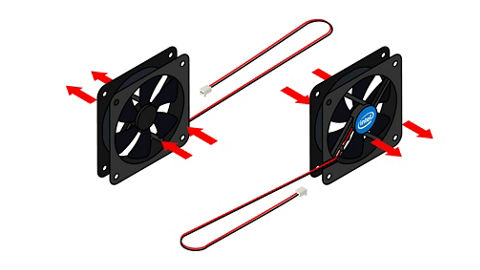
๐Ÿง  Cooling Systems

Image
Image
Image
Image
  • Prevent overheating
  • Types:
    • Air cooling
    • Liquid cooling

๐Ÿงฉ Expansion Cards

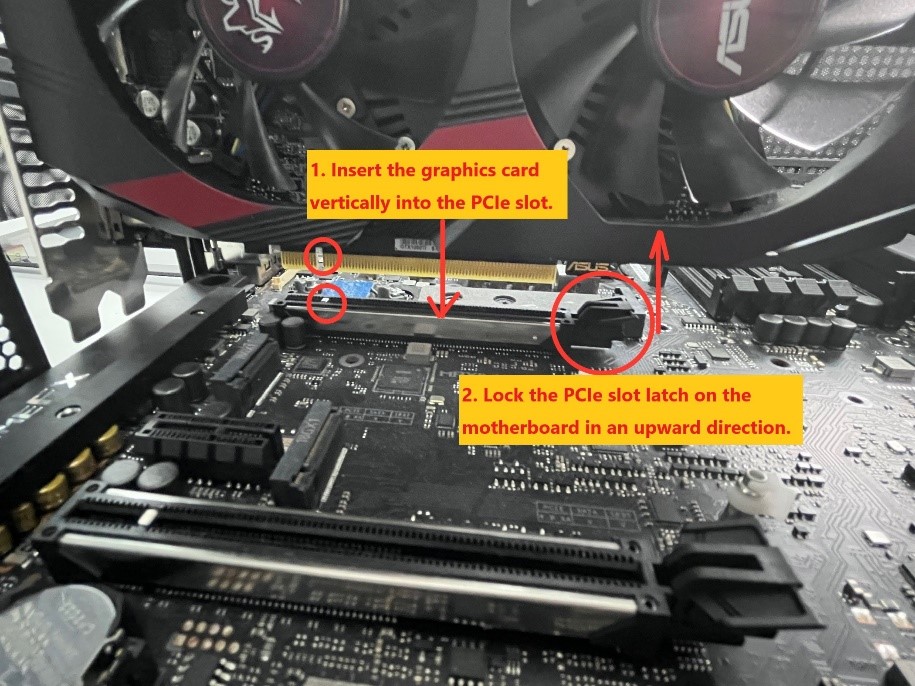
  • Graphics cards
  • Sound cards
  • Network cards

Installed via PCI slots.


๐Ÿ”„ Hardware Interaction


๐Ÿ” Data Flow

  1. Input โ†’
  2. Processing (CPU) โ†’
  3. Output

๐Ÿ”— Bus System

  • Data bus
  • Address bus
  • Control bus

โš™๏ธ Hardware Categories


๐Ÿงฑ Internal Hardware

  • CPU
  • RAM
  • Motherboard

๐Ÿ”Œ External Hardware

  • Keyboard
  • Monitor
  • Printer

๐Ÿง  Firmware

  • Software embedded in hardware
  • Example: BIOS/UEFI

โšก Performance Factors

  • CPU speed
  • RAM size
  • Storage type
  • GPU capability

๐Ÿ” Hardware Security

  • TPM chips
  • Biometric devices
  • Secure boot

๐Ÿงฉ Emerging Hardware Technologies

Image
Image
Image
Image
  • Quantum computing hardware
  • AI accelerators (NPUs)
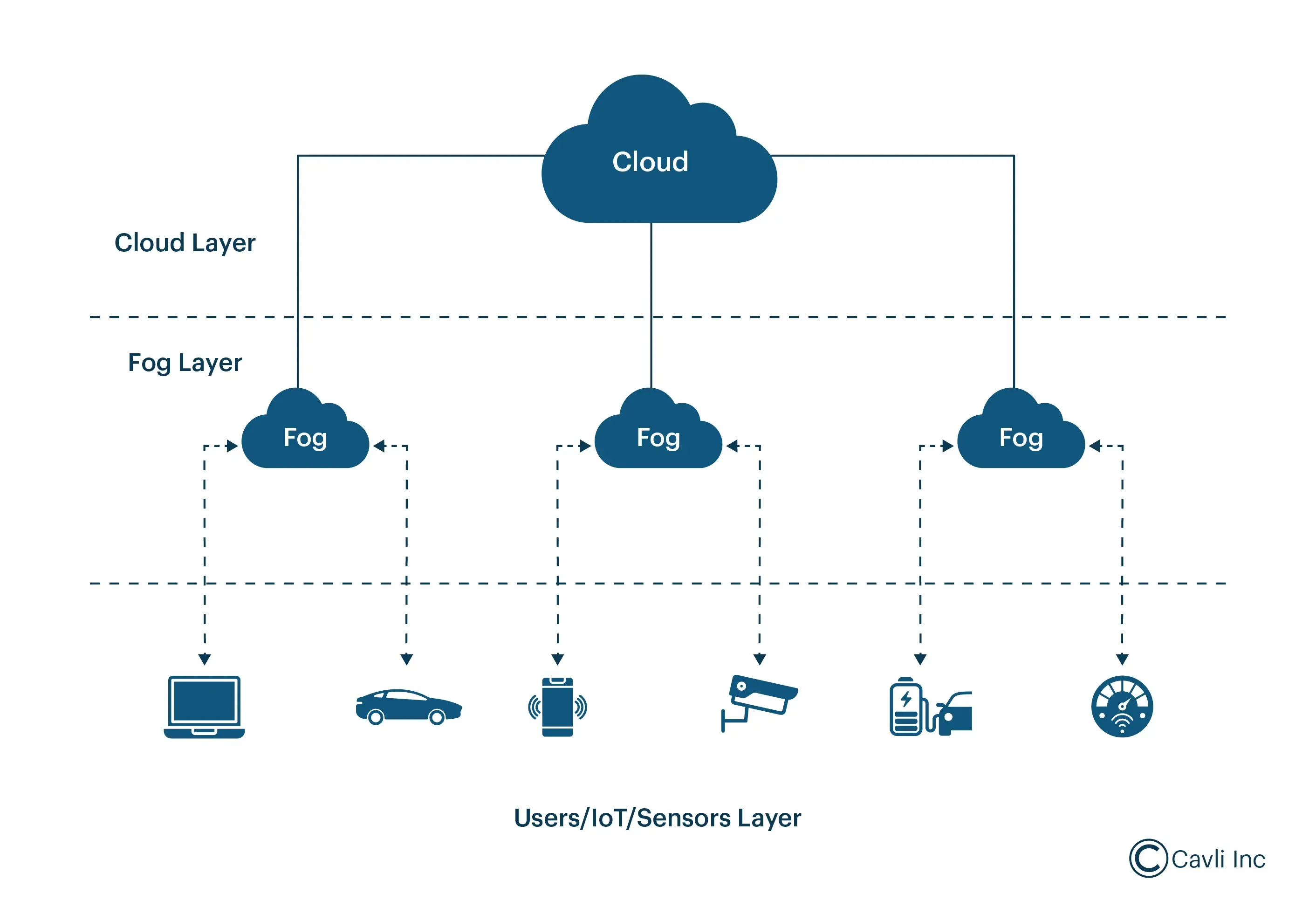
  • Edge devices
  • Wearables

โšก Advantages of Computer Hardware

  • High-speed processing
  • Reliability
  • Scalability
  • Automation

โš ๏ธ Limitations

  • Cost
  • Power consumption
  • Heat generation
  • Obsolescence

๐Ÿง  Conclusion

Computer hardware forms the physical backbone of computing systems. Understanding hardware basics helps in:

  • Building computers
  • Troubleshooting issues
  • Optimizing performance
  • Learning advanced computing concepts

Hardware continues to evolve rapidly, enabling powerful technologies like AI, cloud computing, and quantum systems.


๐Ÿท๏ธ Tags

๐Ÿ–ฅ๏ธ Basic Computer Architecture โ€“ Complete Detailed Guide


๐Ÿงฉ Overview of Computer Architecture

Image
Image
Image
Image

Computer architecture refers to the design, structure, and functional behavior of a computer system. It defines how different components of a computerโ€”such as the CPU, memory, and input/output devicesโ€”interact with each other to execute programs.

At its core, computer architecture answers three main questions:

  1. What does the system do? (Functionality)
  2. How is it organized? (Structure)
  3. How does it operate? (Behavior)

The architecture of a computer is usually divided into:

  • Instruction Set Architecture (ISA) โ€“ Interface between hardware and software
  • Microarchitecture โ€“ Internal implementation of the processor
  • System Design โ€“ Integration of hardware components

๐Ÿง  Historical Background

1. Early Computing Machines

Image
Image
Image
Image

The development of computer architecture began with early mechanical devices:

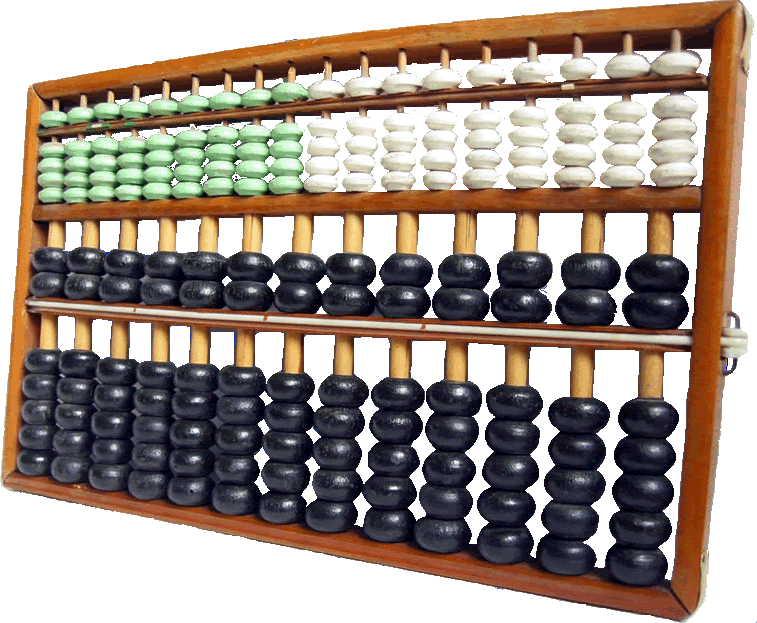
  • Abacus โ€“ First counting tool
  • Analytical Engine (Charles Babbage) โ€“ Concept of programmable machines
  • ENIAC โ€“ First electronic general-purpose computer

2. Von Neumann Architecture

Image
Image
Image
Image

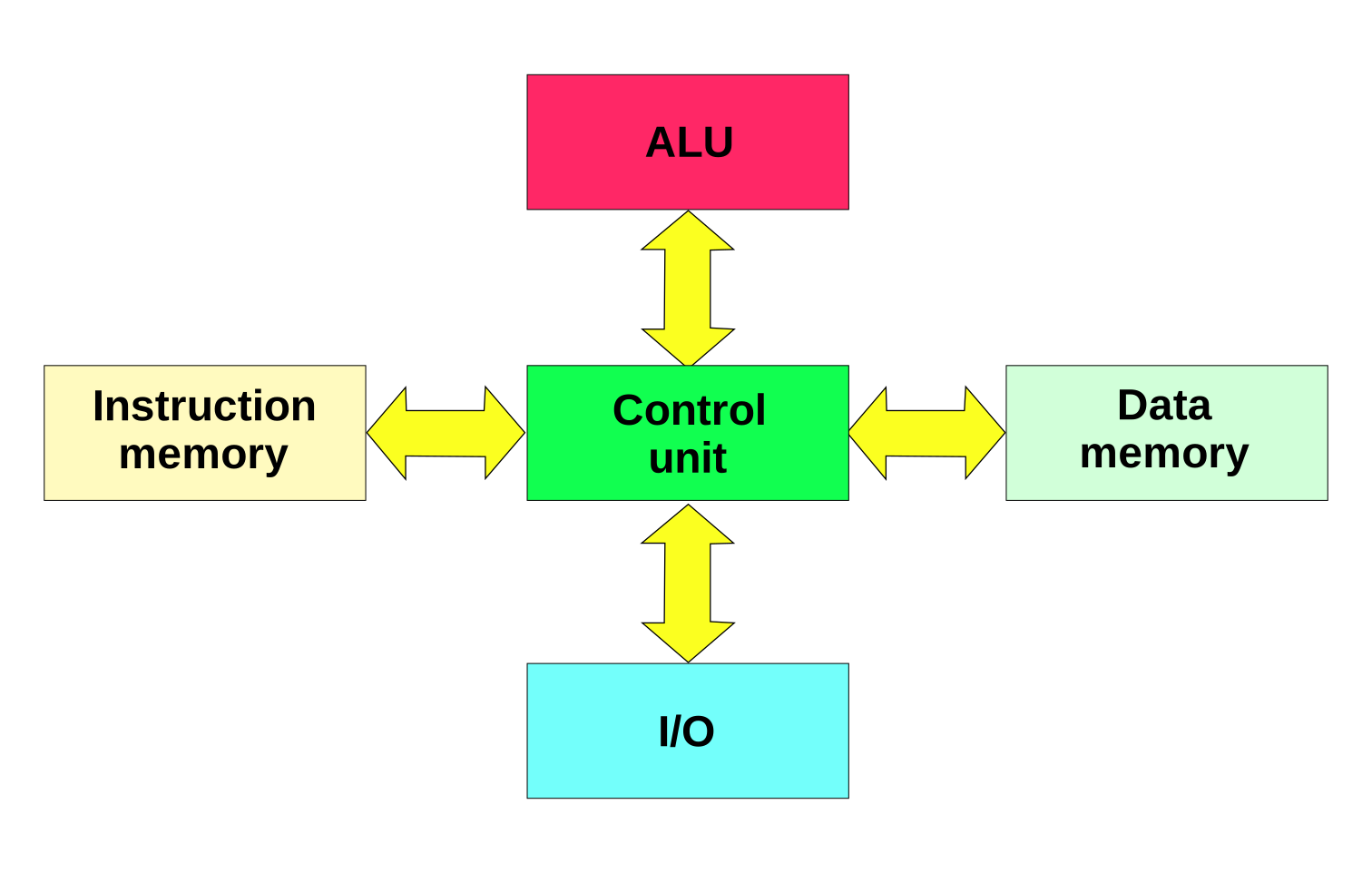
The Von Neumann architecture is the foundation of modern computers. It introduced the stored-program concept, where instructions and data are stored in the same memory.

Key components:

  • Central Processing Unit (CPU)
  • Memory
  • Input/Output devices
  • Bus system

โš™๏ธ Core Components of Computer Architecture


1. Central Processing Unit (CPU)

Image
Image
Image
Image

The CPU is the brain of the computer, responsible for executing instructions.

Components of CPU:

a. Arithmetic Logic Unit (ALU)
  • Performs arithmetic operations: addition, subtraction
  • Performs logical operations: AND, OR, NOT
  • Executes comparisons
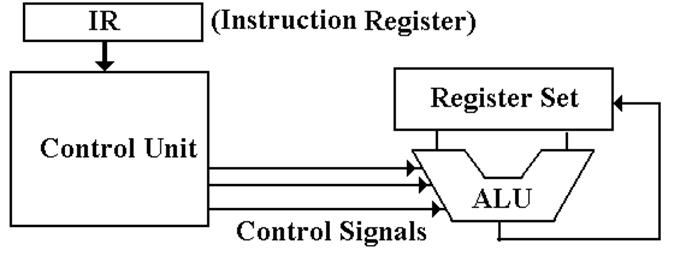
b. Control Unit (CU)
  • Directs operations of the processor
  • Fetches instructions from memory
  • Decodes and executes them
c. Registers
  • Small, fast storage locations inside CPU
  • Examples:
    • Program Counter (PC)
    • Instruction Register (IR)
    • Accumulator

2. Memory Unit

Image
Image
Image
Image

Memory stores data and instructions.

Types of Memory:

a. Primary Memory
  • RAM (Random Access Memory) โ€“ Volatile
  • ROM (Read Only Memory) โ€“ Non-volatile
b. Secondary Memory
  • Hard Disk, SSD, Optical Disks
  • Permanent storage
c. Cache Memory
  • High-speed memory
  • Located close to CPU
  • Improves performance

3. Input and Output Units

Image
Image
Image
Image

Input Devices:

  • Keyboard
  • Mouse
  • Scanner

Output Devices:

  • Monitor
  • Printer
  • Speakers

These units enable communication between user and computer.


4. Bus System

Image
Image
Image
Image

The bus is a communication system that transfers data between components.

Types of Buses:

  • Data Bus โ€“ Transfers data
  • Address Bus โ€“ Carries memory addresses
  • Control Bus โ€“ Sends control signals

๐Ÿ”„ Instruction Cycle (Fetch-Decode-Execute)

Image
Image
Image
Image

The CPU processes instructions in a cycle:

  1. Fetch โ€“ Retrieve instruction from memory
  2. Decode โ€“ Interpret instruction
  3. Execute โ€“ Perform operation

This cycle repeats continuously.


๐Ÿงฎ Instruction Set Architecture (ISA)

ISA defines:

  • Instruction formats
  • Addressing modes
  • Data types
  • Registers

Examples:

  • RISC (Reduced Instruction Set Computer)
  • CISC (Complex Instruction Set Computer)

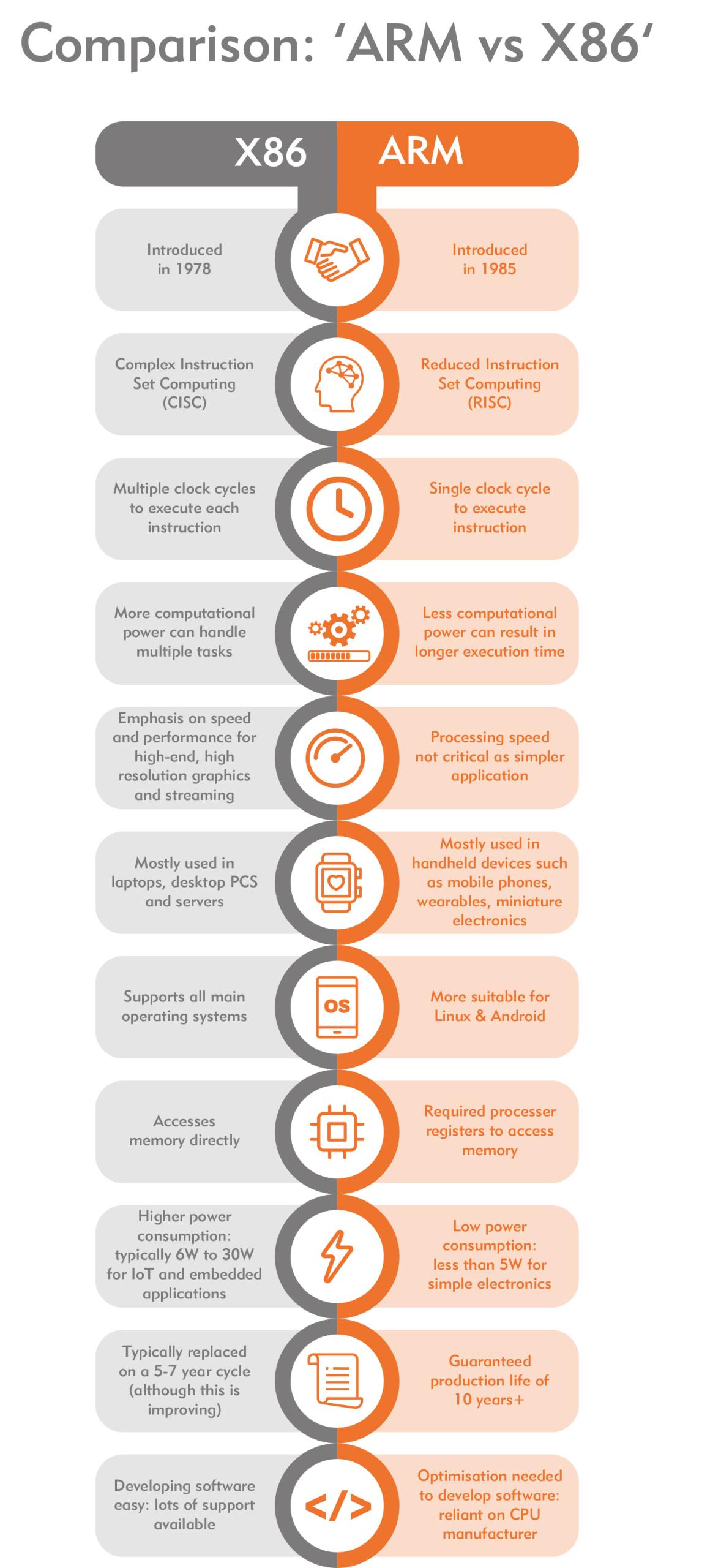
โšก RISC vs CISC Architecture

Image
Image
Image
Image
FeatureRISCCISC
InstructionsSimpleComplex
ExecutionFastSlower
ExamplesARMx86

๐Ÿง  Memory Hierarchy

Memory is organized based on speed and cost:

  1. Registers (fastest)
  2. Cache
  3. RAM
  4. Secondary Storage (slowest)

Key principle:

Faster memory is more expensive and smaller.


โš™๏ธ Microarchitecture

Microarchitecture refers to:

  • Internal design of CPU
  • Pipelining
  • Superscalar execution
  • Branch prediction

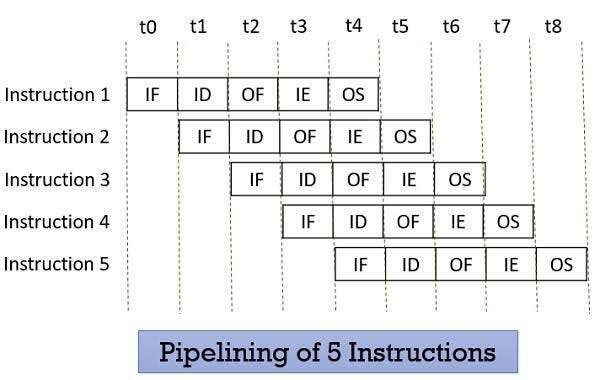
๐Ÿ” Pipelining

Image
Image
Image
Image

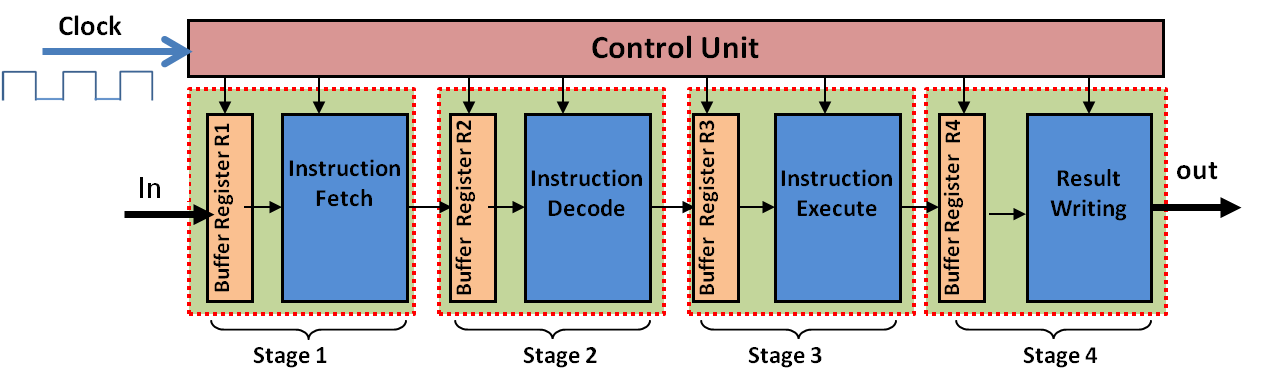
Pipelining improves performance by overlapping instruction execution.

Stages:

  • Fetch
  • Decode
  • Execute
  • Memory
  • Write-back

๐Ÿงฉ Parallelism in Architecture

Types:

  • Instruction-Level Parallelism (ILP)
  • Data-Level Parallelism (DLP)
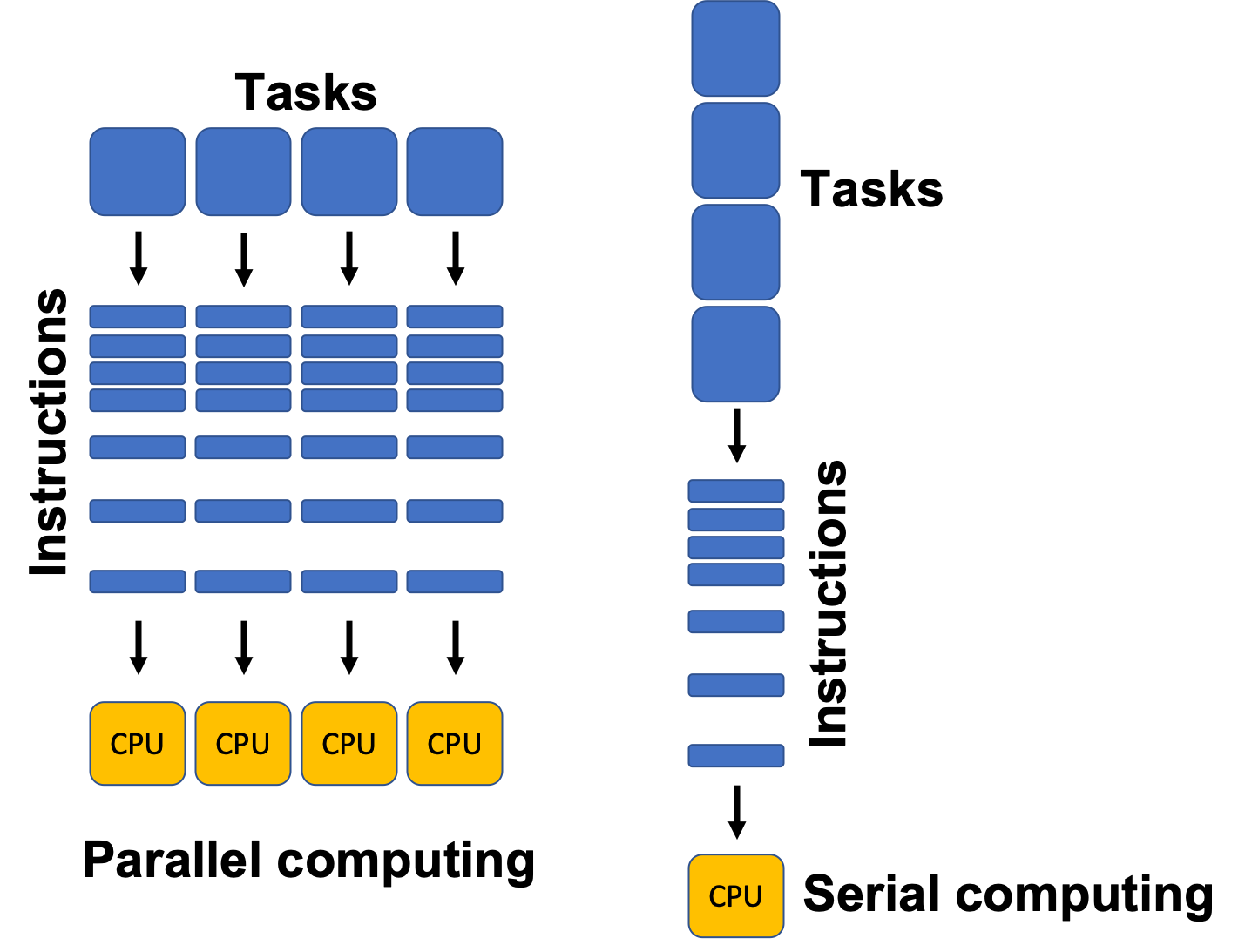
  • Thread-Level Parallelism (TLP)

Examples:

  • Multi-core processors
  • GPUs

๐Ÿ–ฅ๏ธ Types of Computer Architectures


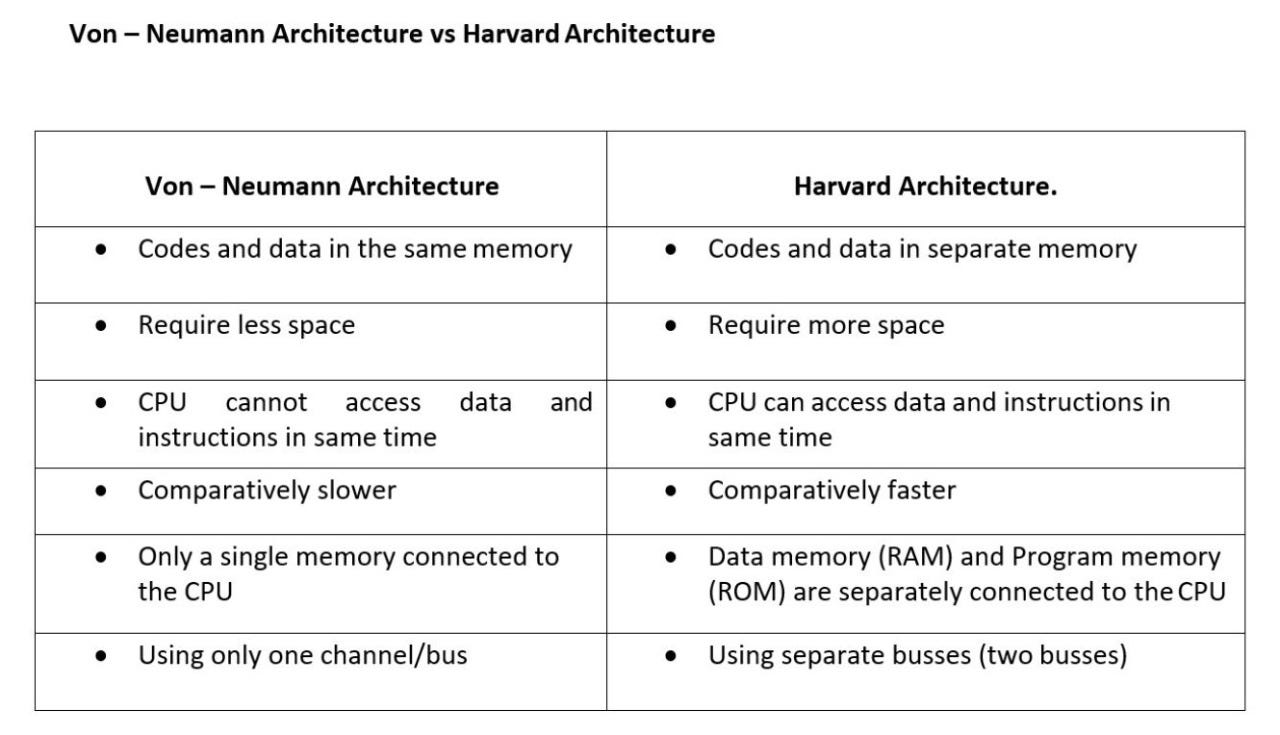
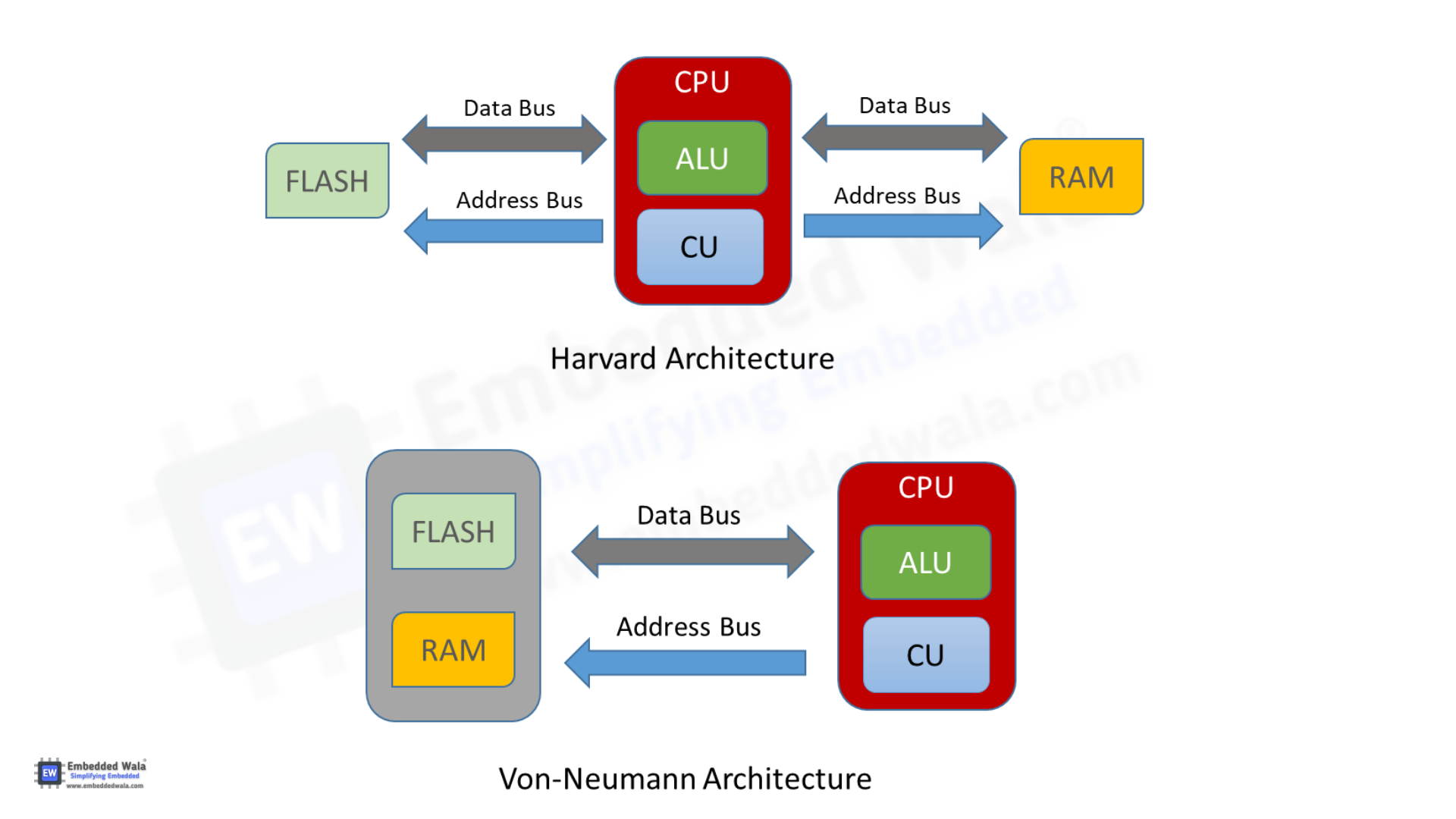
1. Von Neumann Architecture

  • Single memory for data and instructions
  • Simpler design
  • Bottleneck issue

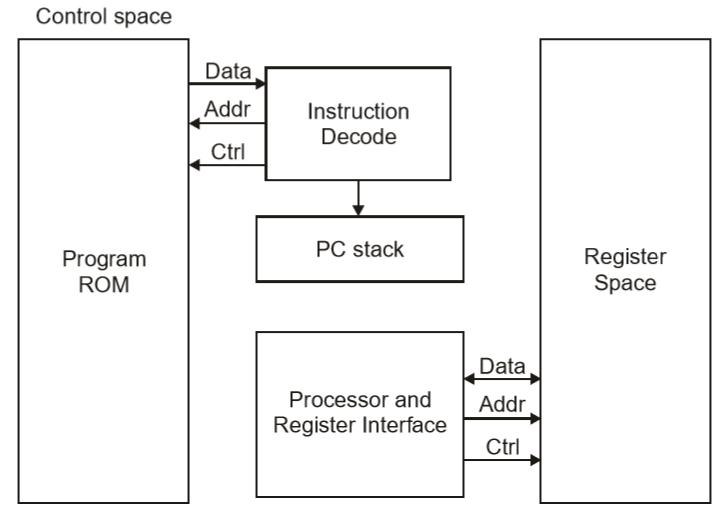
2. Harvard Architecture

Image
Image
Image
Image
  • Separate memory for data and instructions
  • Faster access
  • Used in embedded systems

๐Ÿงฎ Addressing Modes

Defines how operands are accessed:

  • Immediate
  • Direct
  • Indirect
  • Indexed
  • Register

โšก Performance Metrics


1. Clock Speed

  • Measured in GHz
  • Determines how many cycles per second

2. Throughput

  • Number of tasks per unit time

3. Latency

  • Time taken to execute a task

๐Ÿ” Control Signals and Timing

  • Control unit generates signals
  • Synchronization through clock pulses
  • Ensures proper sequencing

๐Ÿง  Registers in Detail

Types:

  • General-purpose registers
  • Special-purpose registers:
    • Program Counter
    • Stack Pointer
    • Status Register

๐Ÿ“ฆ Cache Memory Levels

  • L1 Cache โ€“ fastest, smallest
  • L2 Cache โ€“ larger, slower
  • L3 Cache โ€“ shared among cores

๐Ÿงฉ Multiprocessing and Multicore Systems

Image
Image
Image
Image
  • Multiple processors or cores
  • Improves performance and multitasking

๐Ÿ”„ Interrupts in Computer Architecture

  • Signals from devices to CPU
  • Types:
    • Hardware interrupts
    • Software interrupts

๐Ÿงฎ Input/Output Organization

Methods:

  • Programmed I/O
  • Interrupt-driven I/O
  • Direct Memory Access (DMA)

๐Ÿ” Bus Arbitration

  • Determines which device controls the bus
  • Methods:
    • Centralized
    • Distributed

๐Ÿง  Evolution of Computer Architecture


Generations:

  1. Vacuum Tubes
  2. Transistors
  3. Integrated Circuits
  4. Microprocessors
  5. AI-based architectures

โš™๏ธ Modern Trends in Computer Architecture

Image
Image
Image
Image
  • Quantum Computing
  • Neuromorphic Computing
  • Edge Computing
  • Cloud Computing

๐Ÿงพ Advantages of Computer Architecture Design

  • Efficient processing
  • Scalability
  • Flexibility
  • Optimization of resources

โš ๏ธ Limitations

  • Complexity
  • Cost
  • Power consumption
  • Heat generation

๐Ÿง  Conclusion

Basic computer architecture forms the foundation of all computing systems. From simple machines to modern AI-powered systems, understanding architecture helps in:

  • Designing efficient systems
  • Improving performance
  • Building advanced technologies

It connects hardware and software, enabling computers to solve complex problems efficiently.


๐Ÿท๏ธ Tags