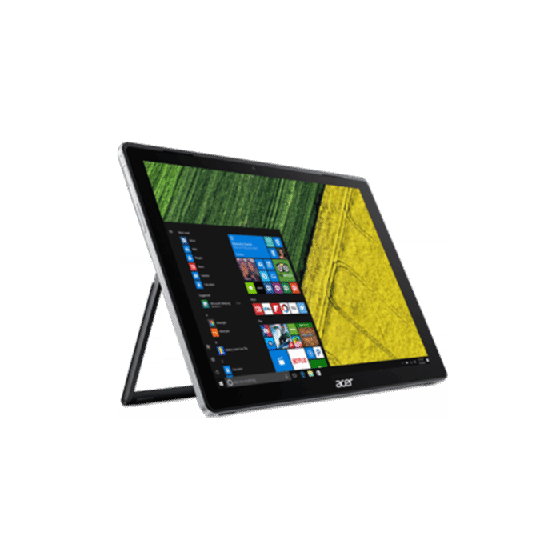
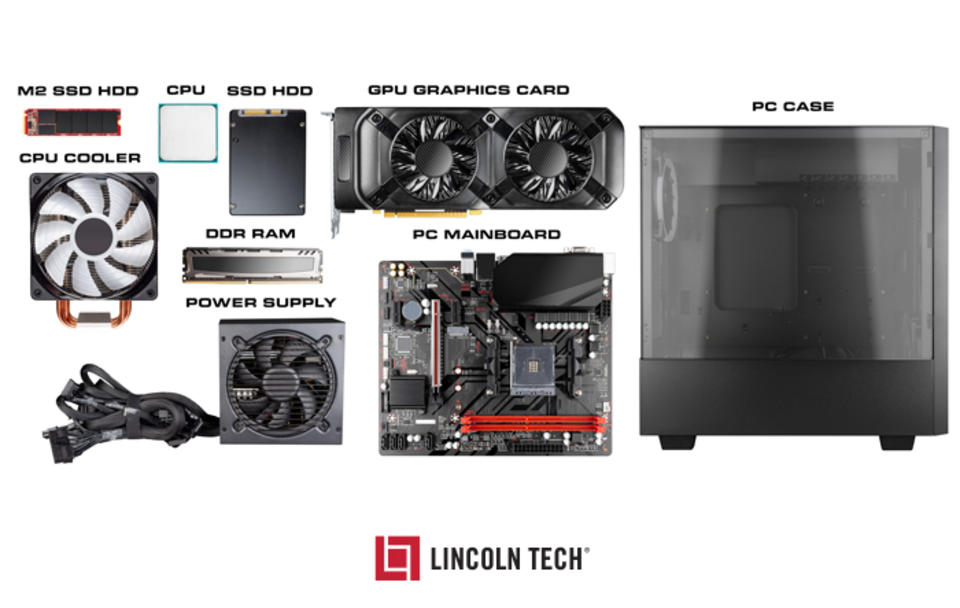
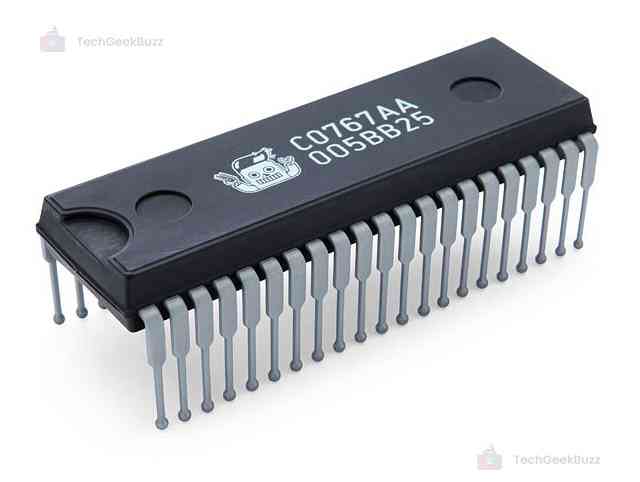
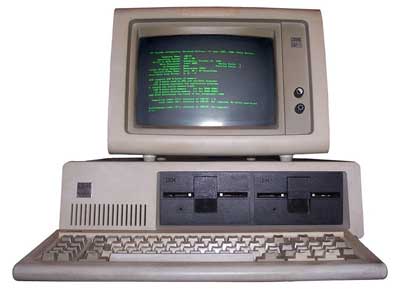
Computer hardware refers to the physical components of a computer system—the parts you can see and touch. These components work together to process data, execute instructions, and produce output.
At a high level, hardware includes:
Processing devices (CPU)
Memory and storage
Input and output devices
Communication components
Hardware is the foundation upon which software operates.
🧠 Importance of Computer Hardware
Enables data processing and computation
Provides storage for programs and data
Facilitates interaction with users
Supports networking and communication
Determines system performance and capability
🧩 Major Components of Computer Hardware
⚙️ 1. Central Processing Unit (CPU)
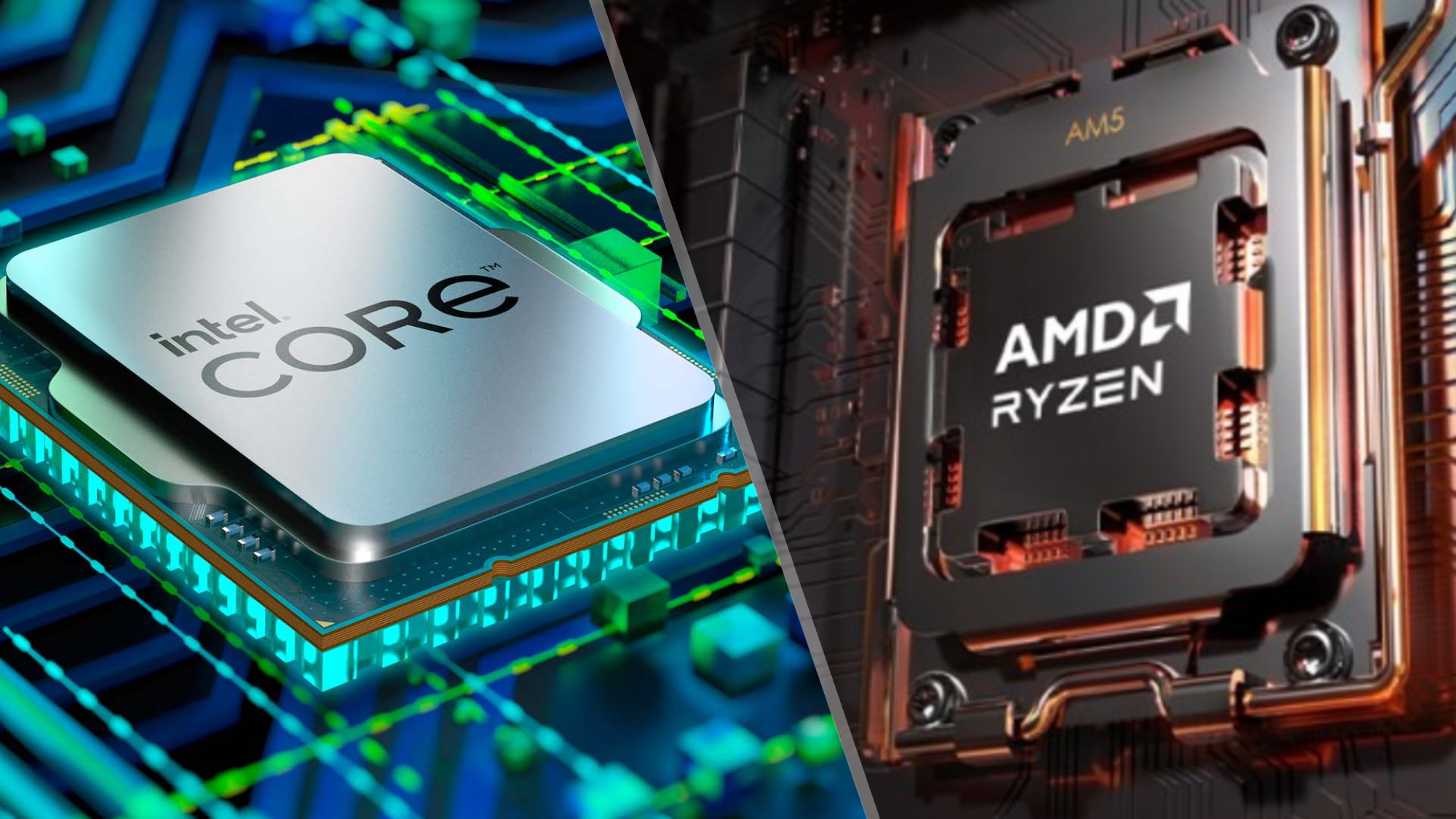
The CPU (Central Processing Unit) is the brain of the computer. It executes instructions and controls all operations.
Key Parts:
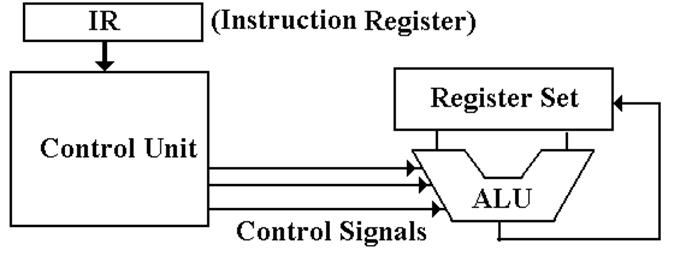
🔹 Arithmetic Logic Unit (ALU)
Performs arithmetic and logical operations
🔹 Control Unit (CU)
Directs data flow
Manages instruction execution
🔹 Registers
Small, high-speed storage locations
⚡ CPU Performance Factors
Clock speed (GHz)
Number of cores
Cache size
Architecture
🧠 Multi-Core Processors
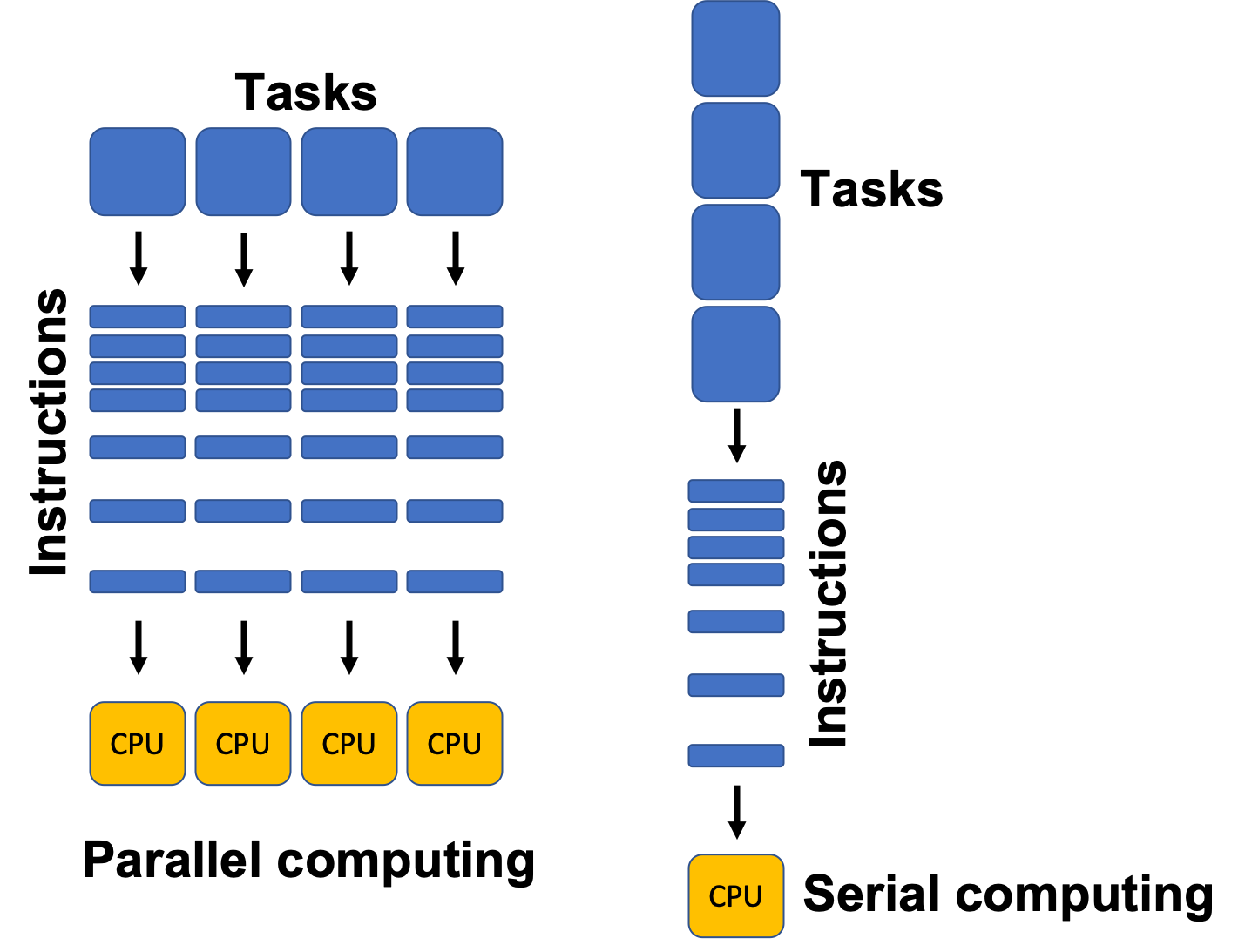
Modern CPUs have multiple cores to improve multitasking and parallel processing.
🧮 2. Memory (Primary Memory)
Memory stores data temporarily or permanently.
Types:
🔹 RAM (Random Access Memory)
Volatile
Temporary storage
🔹 ROM (Read Only Memory)
Non-volatile
Stores firmware
🔹 Cache Memory
High-speed memory close to CPU
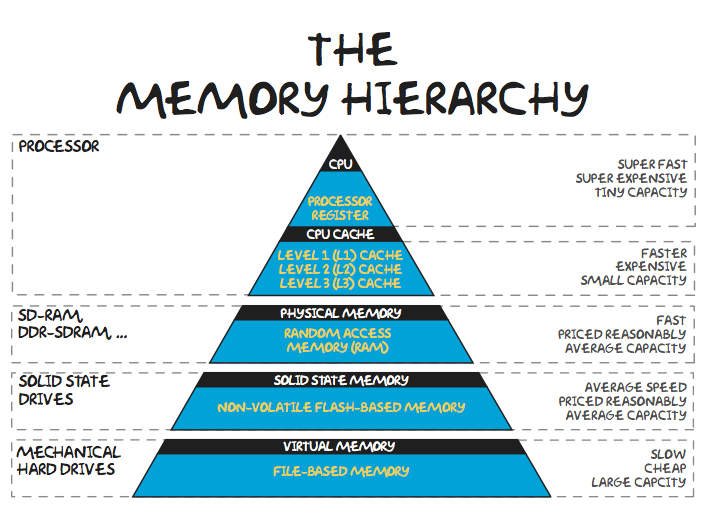
🧠 Memory Hierarchy
Registers
Cache
RAM
Secondary storage
💾 3. Storage Devices (Secondary Memory)
Storage devices store data permanently.
Types:
🔹 Hard Disk Drive (HDD)
Magnetic storage
Large capacity
🔹 Solid State Drive (SSD)
Faster, no moving parts
🔹 Optical Storage
CDs, DVDs
⚡ Storage Comparison
Feature
HDD
SSD
Speed
Slow
Fast
Durability
Low
High
Cost
Cheap
Expensive
🧩 4. Motherboard
The motherboard is the main circuit board connecting all components.
Features:
CPU socket
RAM slots
Expansion slots
Chipset
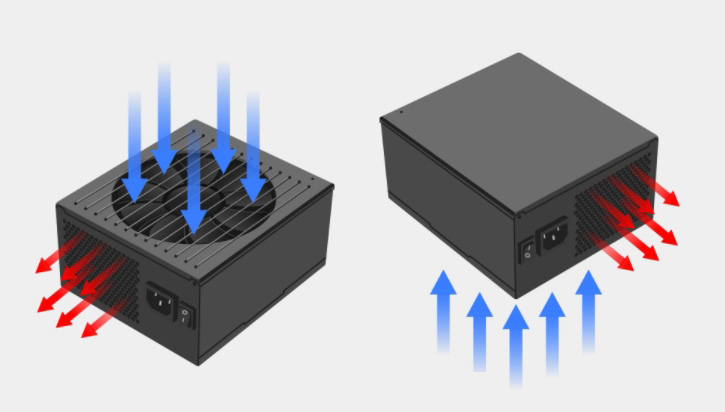
🔌 5. Power Supply Unit (PSU)
Converts AC to DC
Supplies power to components
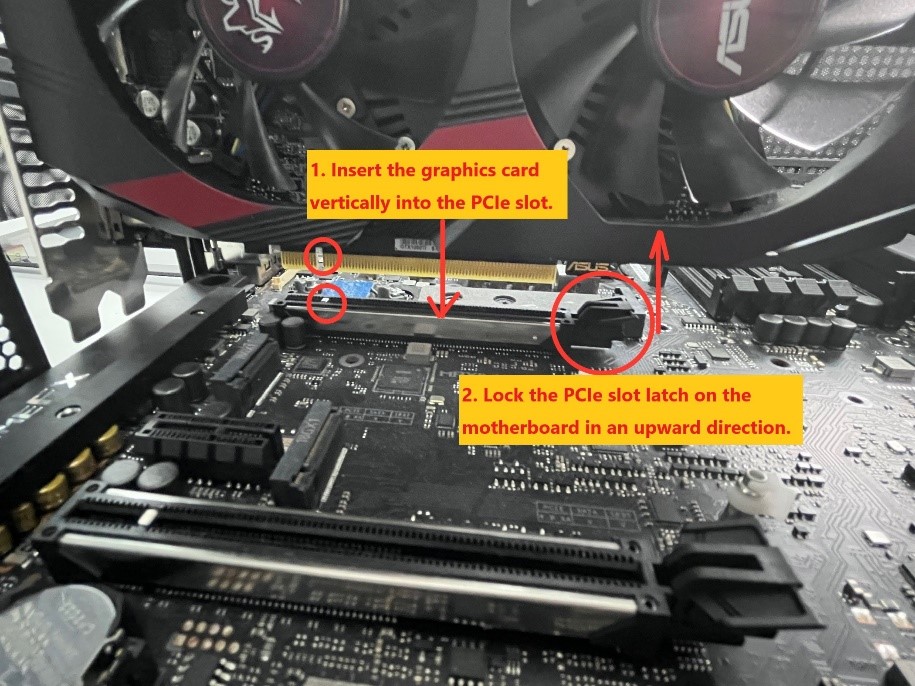
🎮 6. Graphics Processing Unit (GPU)
Handles graphics rendering
Essential for gaming, AI, video editing
🧠 Types:
Integrated GPU
Dedicated GPU
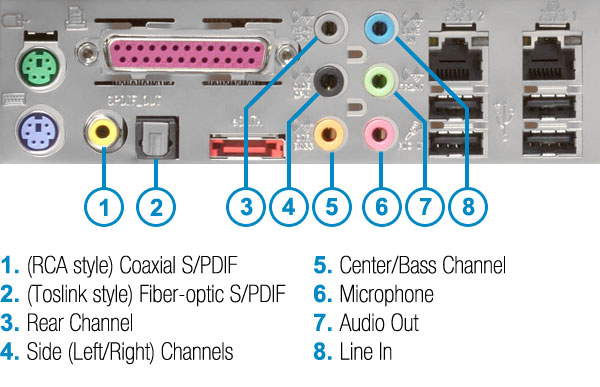
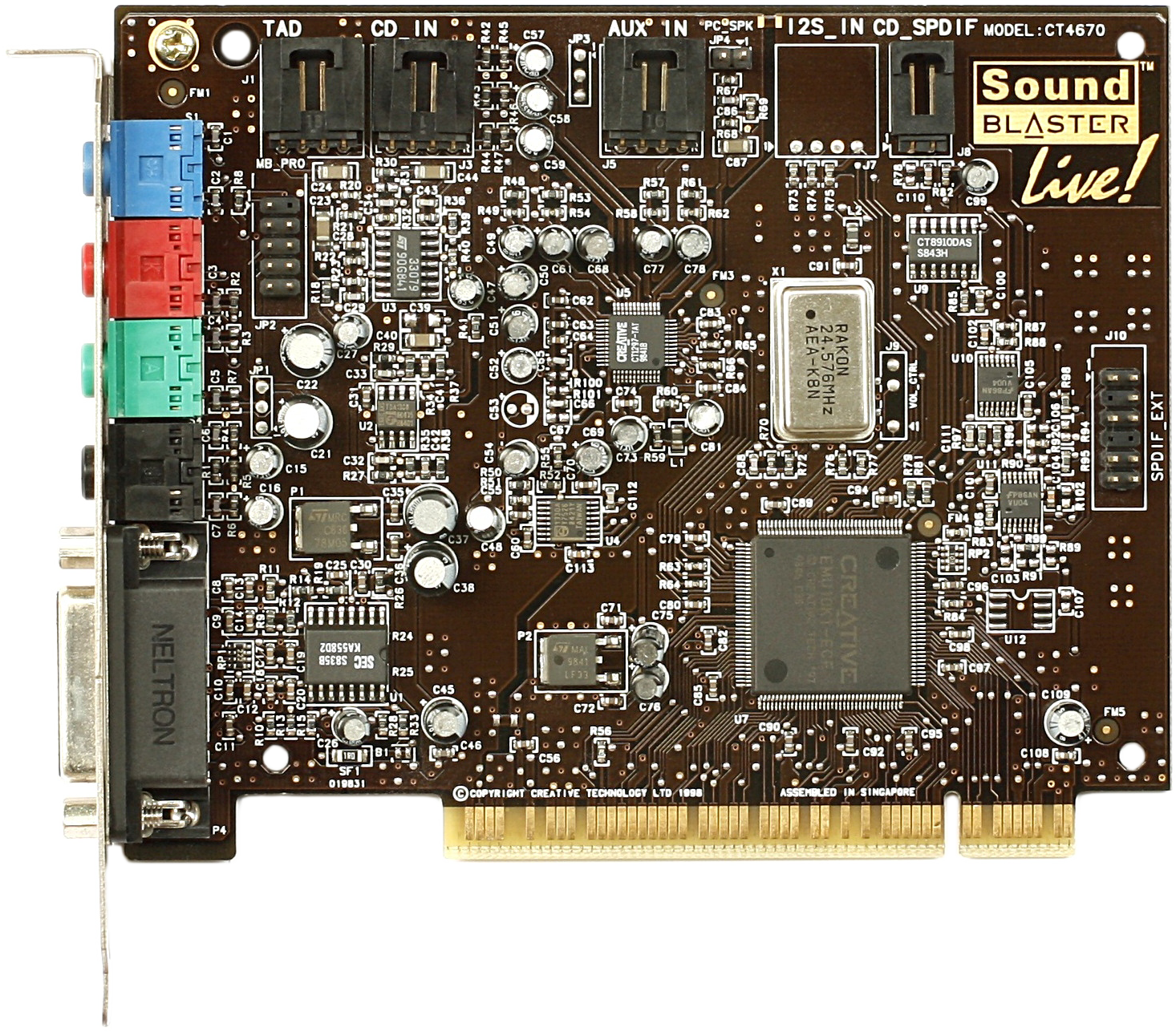
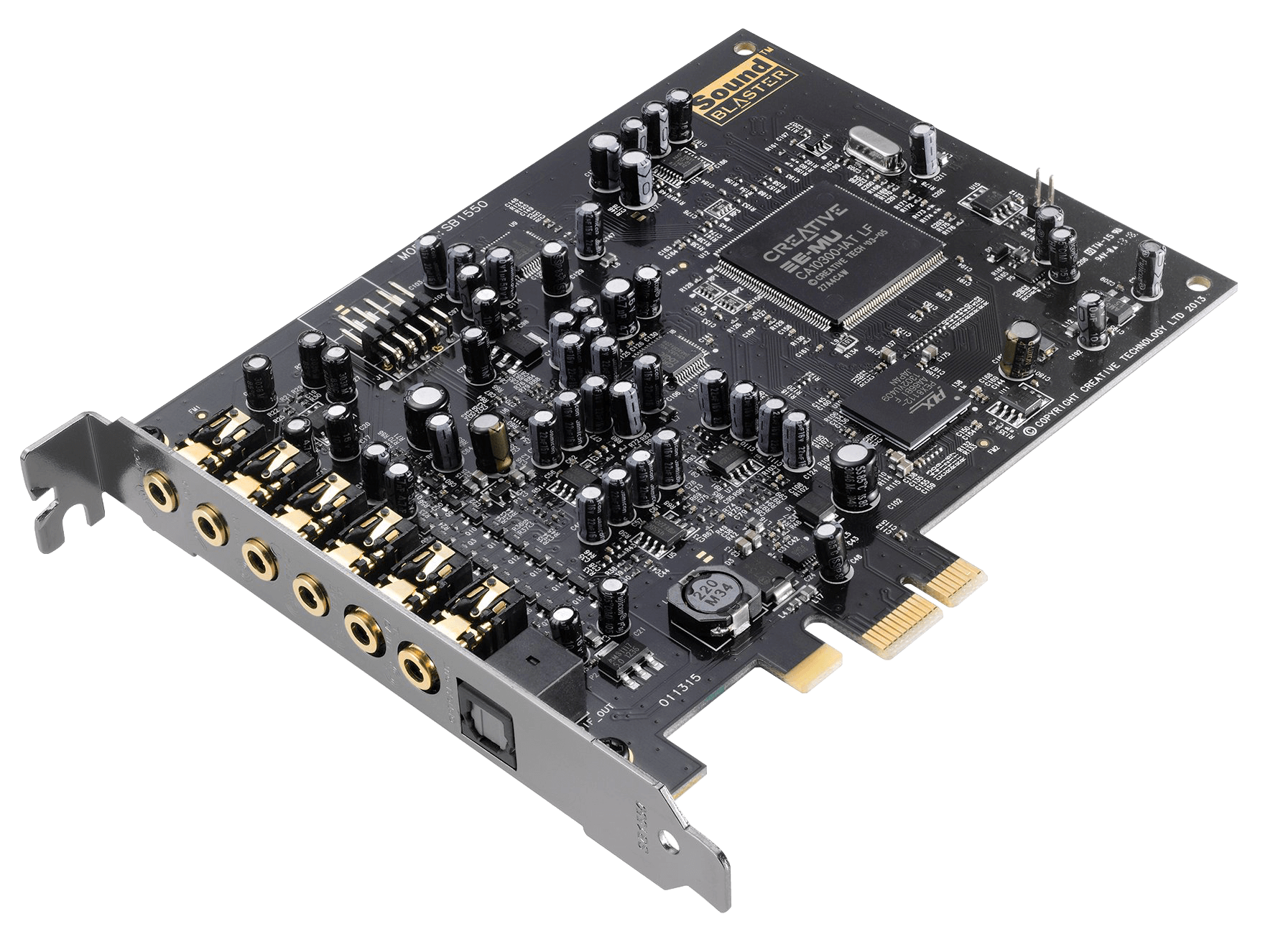
🔊 7. Sound Card
Processes audio signals
Enables sound input/output
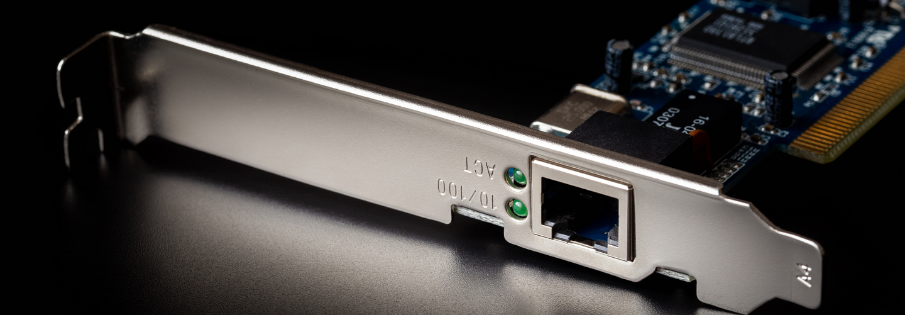
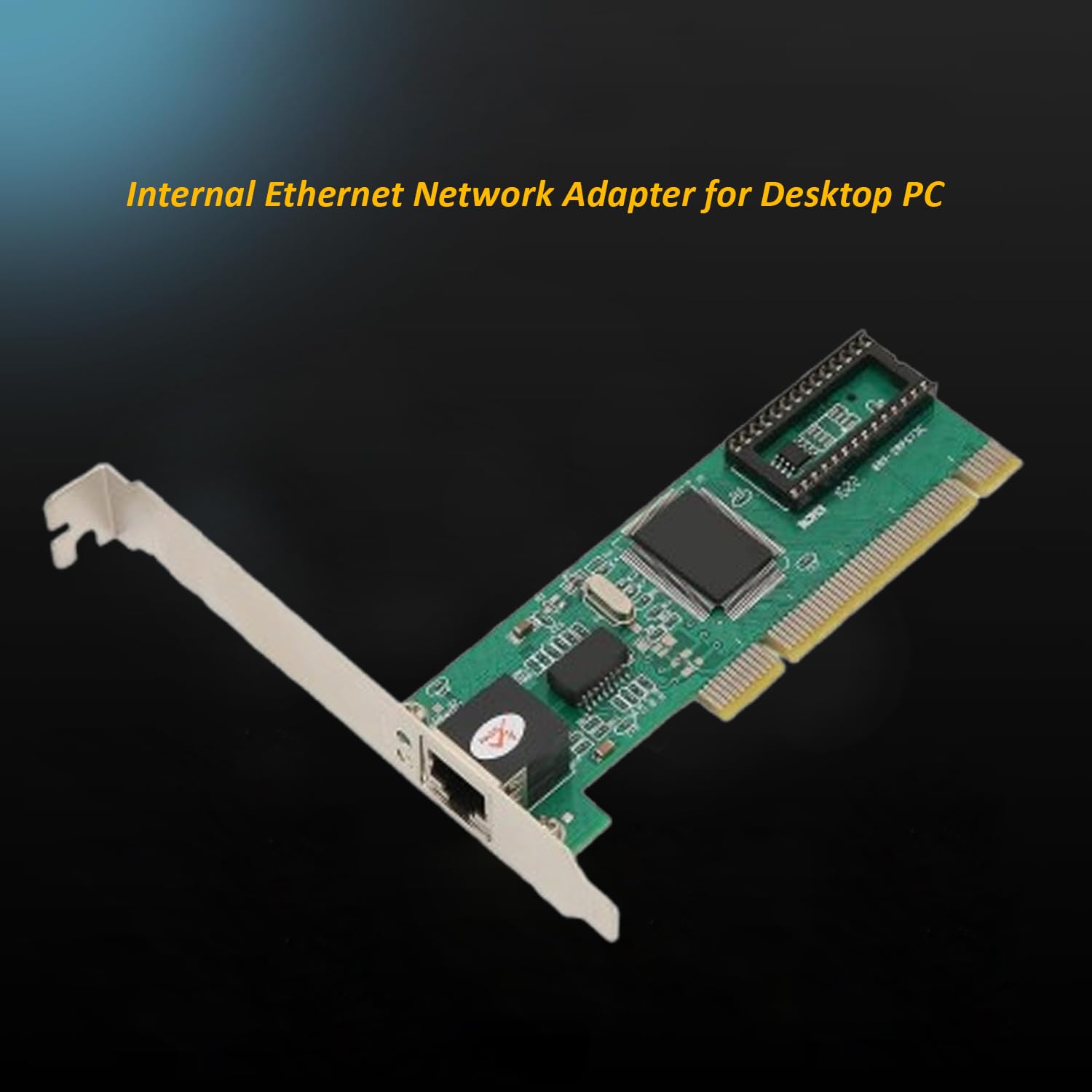
🌐 8. Network Interface Card (NIC)
Connects computer to networks
Supports wired and wireless communication
⌨️ Input Devices
Examples:
Keyboard
Mouse
Scanner
Microphone
🖥️ Output Devices
Examples:
Monitor
Printer
Speakers
🔌 Ports and Connectivity
Common ports:
USB
HDMI
Ethernet
Audio jack
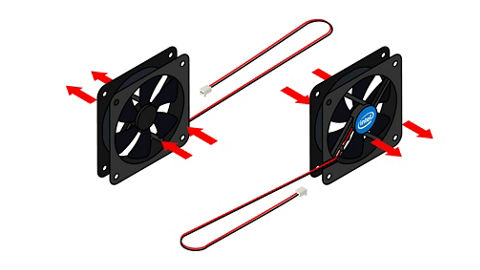
🧠 Cooling Systems
Prevent overheating
Types:
Air cooling
Liquid cooling
🧩 Expansion Cards
Graphics cards
Sound cards
Network cards
Installed via PCI slots.
🔄 Hardware Interaction
🔁 Data Flow
Input →
Processing (CPU) →
Output
🔗 Bus System
Data bus
Address bus
Control bus
⚙️ Hardware Categories
🧱 Internal Hardware
CPU
RAM
Motherboard
🔌 External Hardware
Keyboard
Monitor
Printer
🧠 Firmware
Software embedded in hardware
Example: BIOS/UEFI
⚡ Performance Factors
CPU speed
RAM size
Storage type
GPU capability
🔐 Hardware Security
TPM chips
Biometric devices
Secure boot
🧩 Emerging Hardware Technologies
Quantum computing hardware
AI accelerators (NPUs)
Edge devices
Wearables
⚡ Advantages of Computer Hardware
High-speed processing
Reliability
Scalability
Automation
⚠️ Limitations
Cost
Power consumption
Heat generation
Obsolescence
🧠 Conclusion
Computer hardware forms the physical backbone of computing systems. Understanding hardware basics helps in:
Building computers
Troubleshooting issues
Optimizing performance
Learning advanced computing concepts
Hardware continues to evolve rapidly, enabling powerful technologies like AI, cloud computing, and quantum systems.
Computer architecture refers to the design, structure, and functional behavior of a computer system. It defines how different components of a computer—such as the CPU, memory, and input/output devices—interact with each other to execute programs.
At its core, computer architecture answers three main questions:
What does the system do? (Functionality)
How is it organized? (Structure)
How does it operate? (Behavior)
The architecture of a computer is usually divided into:
Instruction Set Architecture (ISA) – Interface between hardware and software
Microarchitecture – Internal implementation of the processor
System Design – Integration of hardware components
🧠 Historical Background
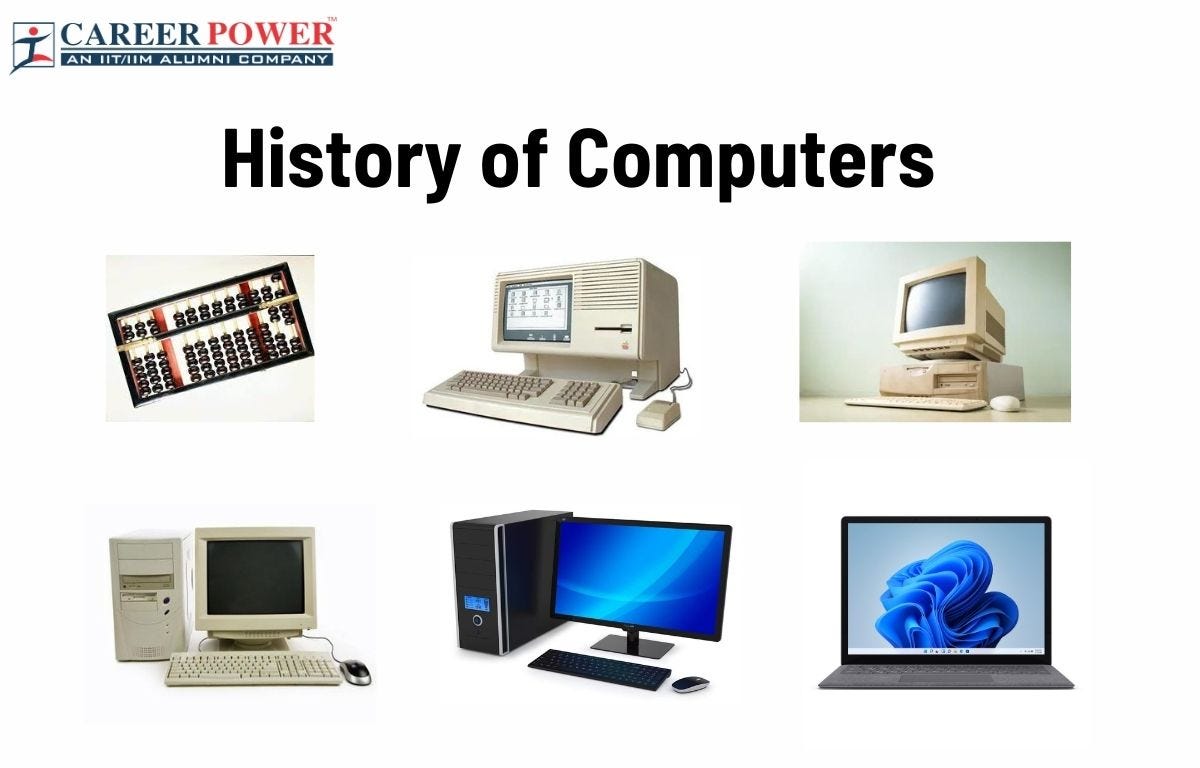
1. Early Computing Machines
The development of computer architecture began with early mechanical devices:
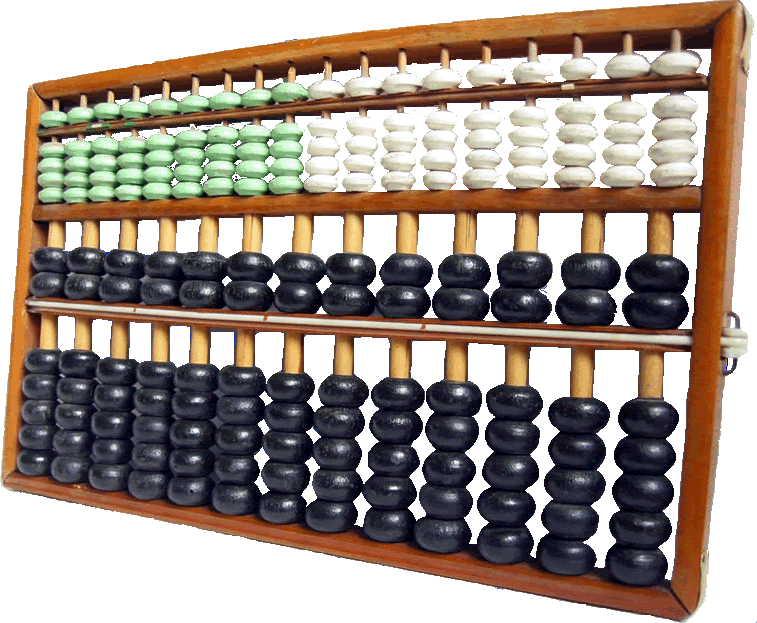
Abacus – First counting tool
Analytical Engine (Charles Babbage) – Concept of programmable machines
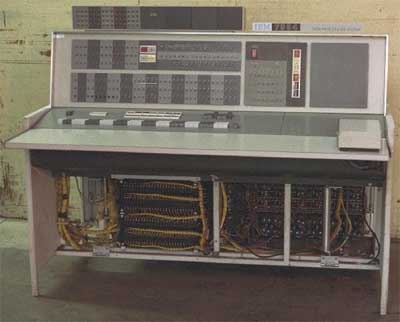
ENIAC – First electronic general-purpose computer
2. Von Neumann Architecture
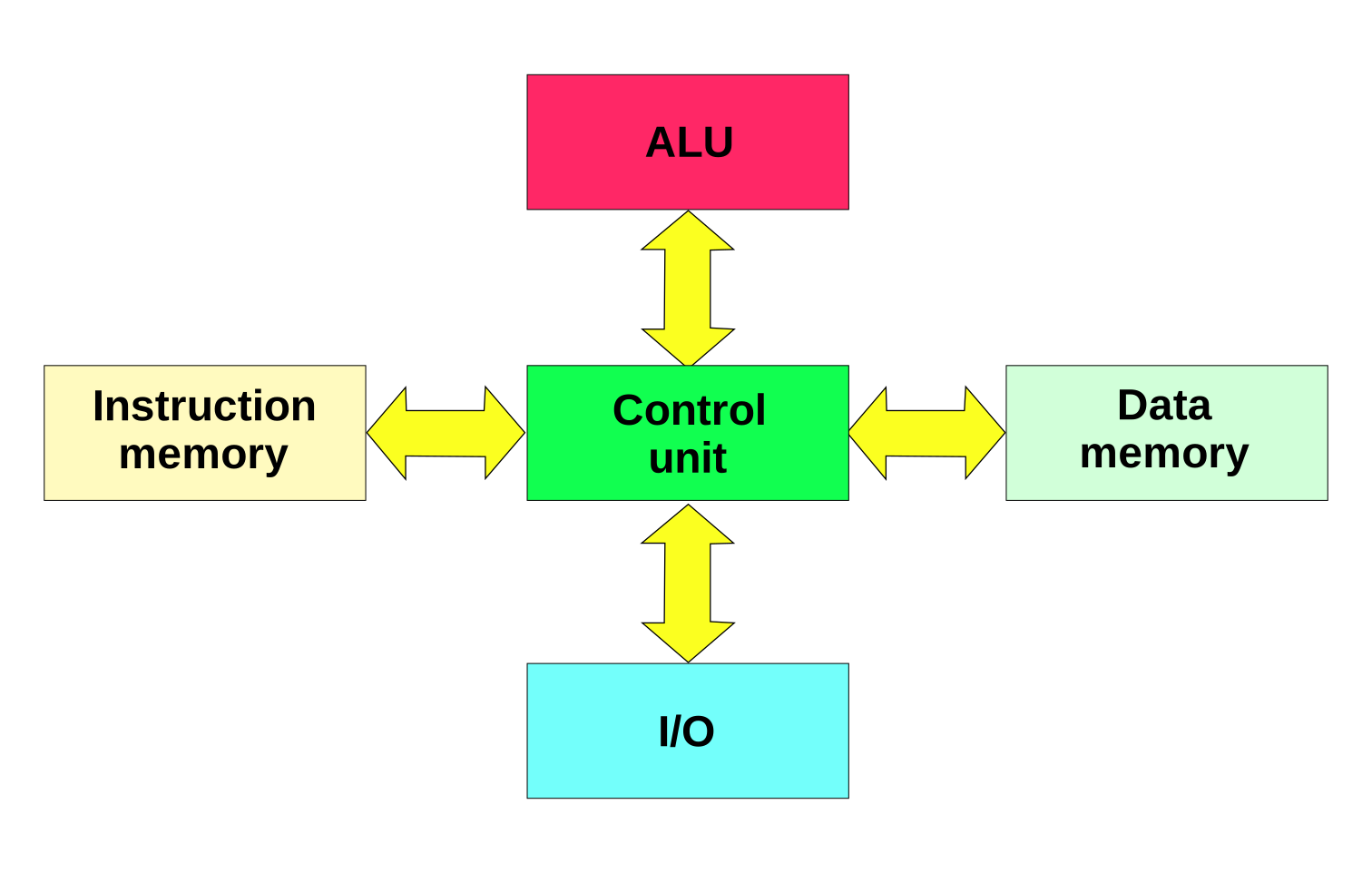
The Von Neumann architecture is the foundation of modern computers. It introduced the stored-program concept, where instructions and data are stored in the same memory.
Key components:
Central Processing Unit (CPU)
Memory
Input/Output devices
Bus system
⚙️ Core Components of Computer Architecture
1. Central Processing Unit (CPU)
The CPU is the brain of the computer, responsible for executing instructions.
These units enable communication between user and computer.
4. Bus System
The bus is a communication system that transfers data between components.
Types of Buses:
Data Bus – Transfers data
Address Bus – Carries memory addresses
Control Bus – Sends control signals
🔄 Instruction Cycle (Fetch-Decode-Execute)
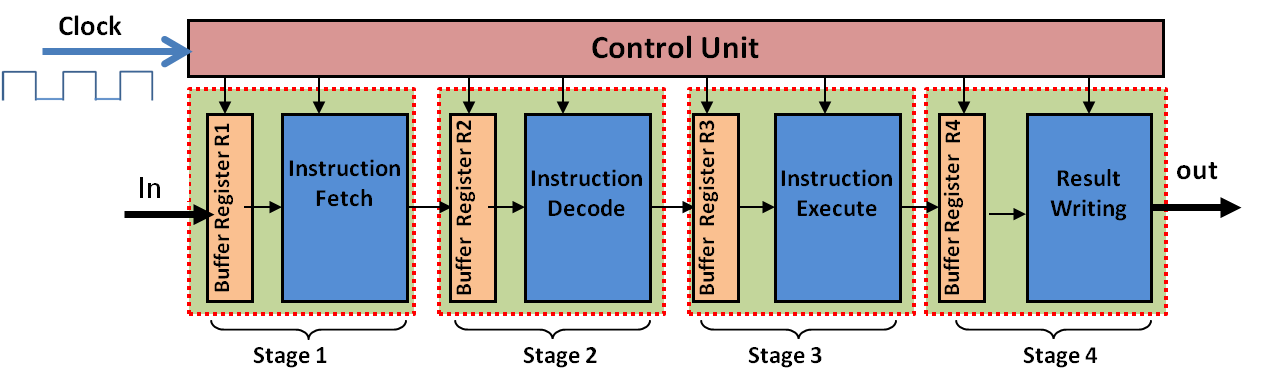
The CPU processes instructions in a cycle:
Fetch – Retrieve instruction from memory
Decode – Interpret instruction
Execute – Perform operation
This cycle repeats continuously.
🧮 Instruction Set Architecture (ISA)
ISA defines:
Instruction formats
Addressing modes
Data types
Registers
Examples:
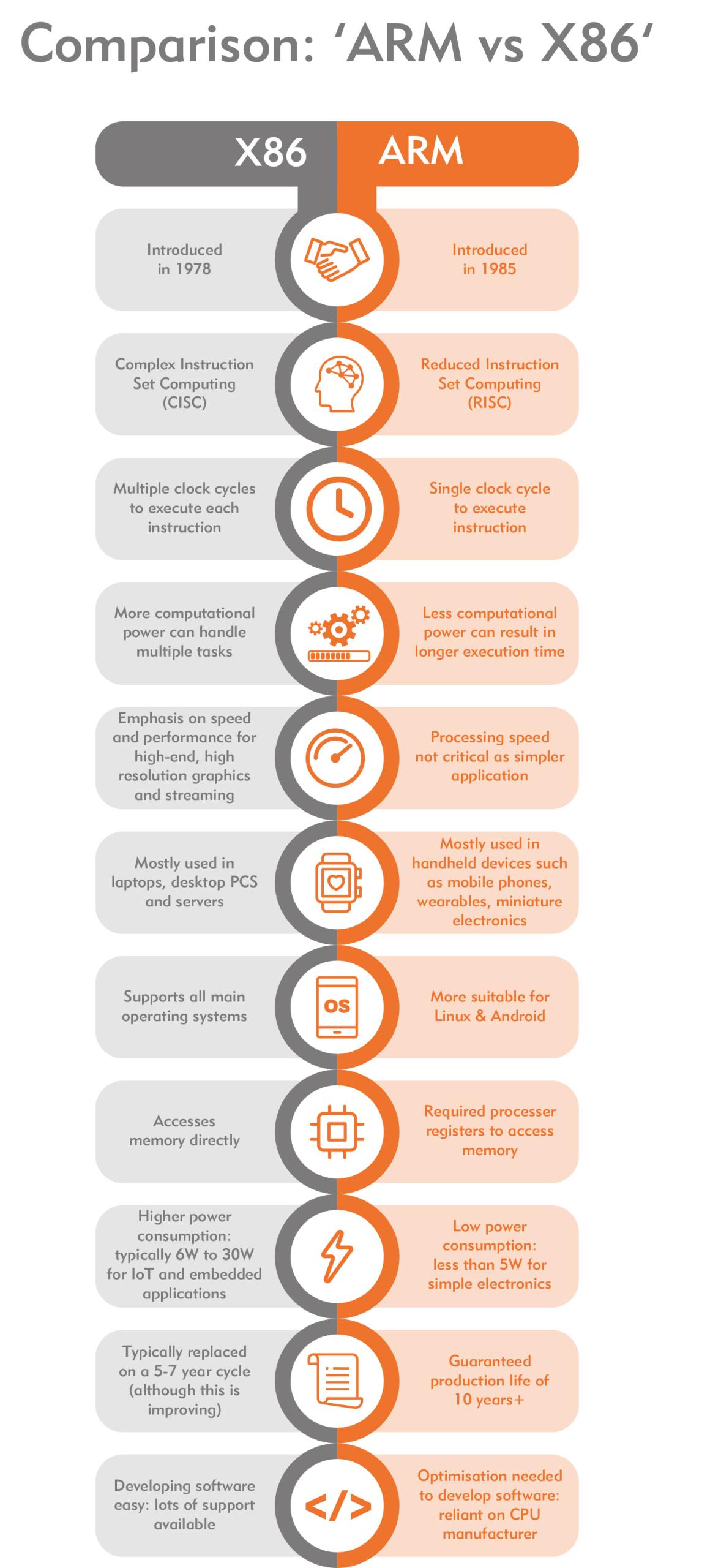
RISC (Reduced Instruction Set Computer)
CISC (Complex Instruction Set Computer)
⚡ RISC vs CISC Architecture
Feature
RISC
CISC
Instructions
Simple
Complex
Execution
Fast
Slower
Examples
ARM
x86
🧠 Memory Hierarchy
Memory is organized based on speed and cost:
Registers (fastest)
Cache
RAM
Secondary Storage (slowest)
Key principle:
Faster memory is more expensive and smaller.
⚙️ Microarchitecture
Microarchitecture refers to:
Internal design of CPU
Pipelining
Superscalar execution
Branch prediction
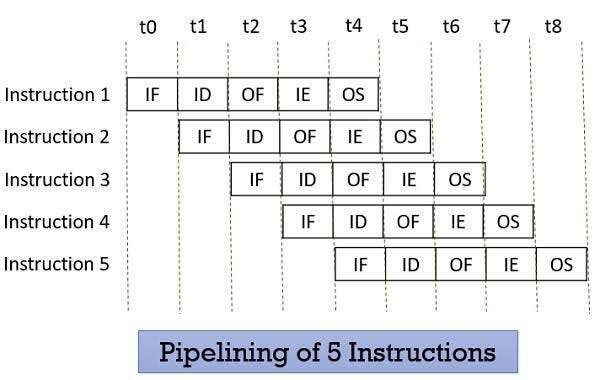
🔁 Pipelining
Pipelining improves performance by overlapping instruction execution.
Stages:
Fetch
Decode
Execute
Memory
Write-back
🧩 Parallelism in Architecture
Types:
Instruction-Level Parallelism (ILP)
Data-Level Parallelism (DLP)
Thread-Level Parallelism (TLP)
Examples:
Multi-core processors
GPUs
🖥️ Types of Computer Architectures
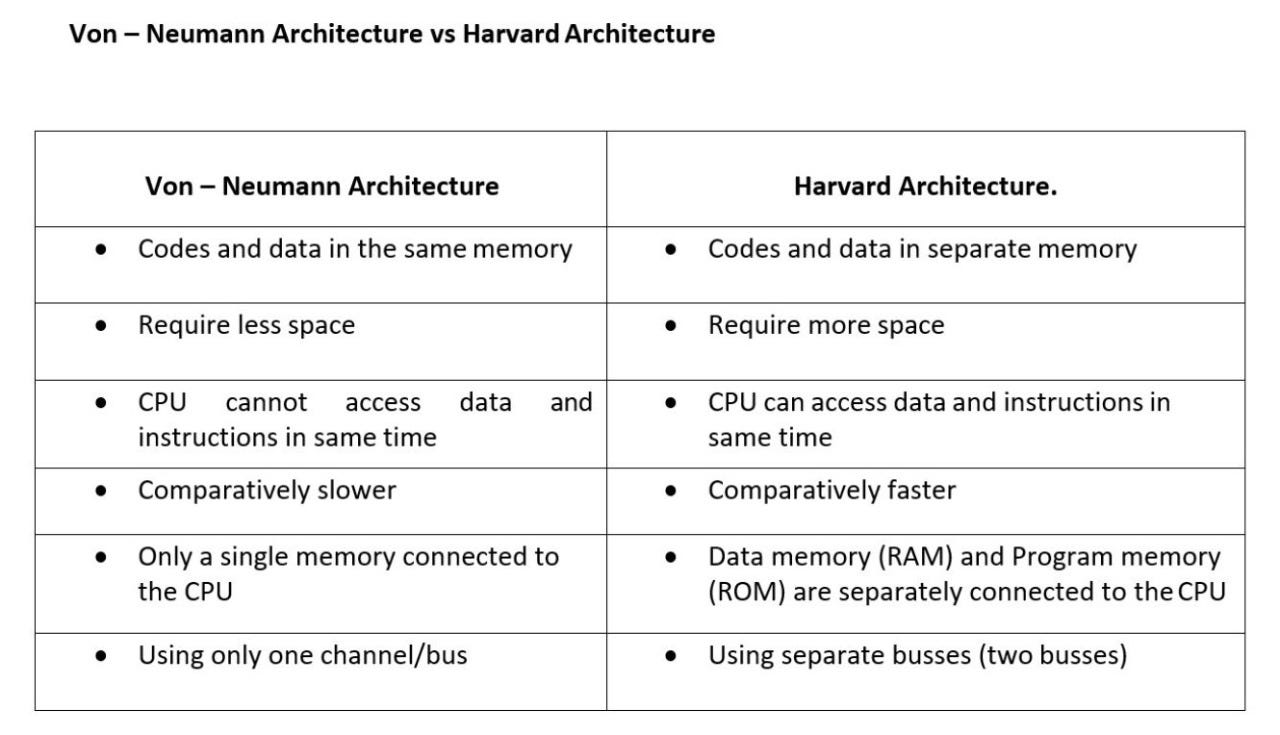
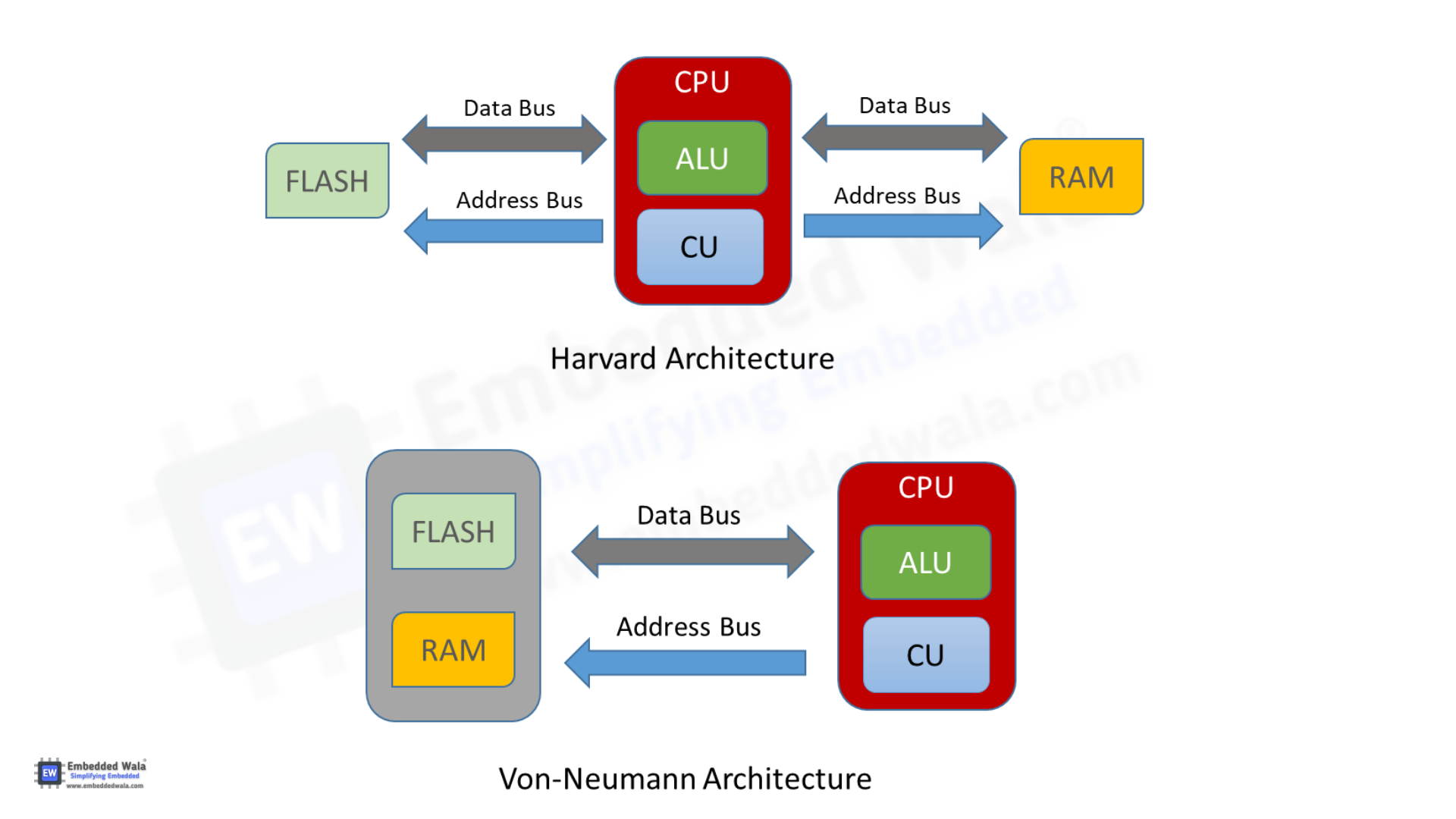
1. Von Neumann Architecture
Single memory for data and instructions
Simpler design
Bottleneck issue
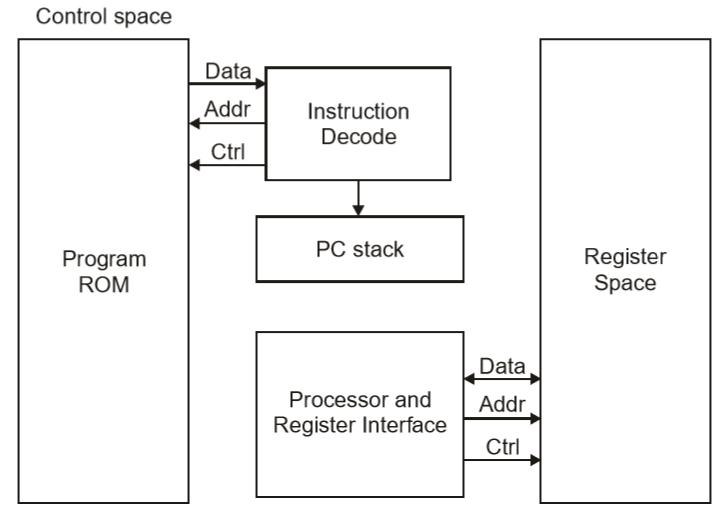
2. Harvard Architecture
Separate memory for data and instructions
Faster access
Used in embedded systems
🧮 Addressing Modes
Defines how operands are accessed:
Immediate
Direct
Indirect
Indexed
Register
⚡ Performance Metrics
1. Clock Speed
Measured in GHz
Determines how many cycles per second
2. Throughput
Number of tasks per unit time
3. Latency
Time taken to execute a task
🔐 Control Signals and Timing
Control unit generates signals
Synchronization through clock pulses
Ensures proper sequencing
🧠 Registers in Detail
Types:
General-purpose registers
Special-purpose registers:
Program Counter
Stack Pointer
Status Register
📦 Cache Memory Levels
L1 Cache – fastest, smallest
L2 Cache – larger, slower
L3 Cache – shared among cores
🧩 Multiprocessing and Multicore Systems
Multiple processors or cores
Improves performance and multitasking
🔄 Interrupts in Computer Architecture
Signals from devices to CPU
Types:
Hardware interrupts
Software interrupts
🧮 Input/Output Organization
Methods:
Programmed I/O
Interrupt-driven I/O
Direct Memory Access (DMA)
🔐 Bus Arbitration
Determines which device controls the bus
Methods:
Centralized
Distributed
🧠 Evolution of Computer Architecture
Generations:
Vacuum Tubes
Transistors
Integrated Circuits
Microprocessors
AI-based architectures
⚙️ Modern Trends in Computer Architecture
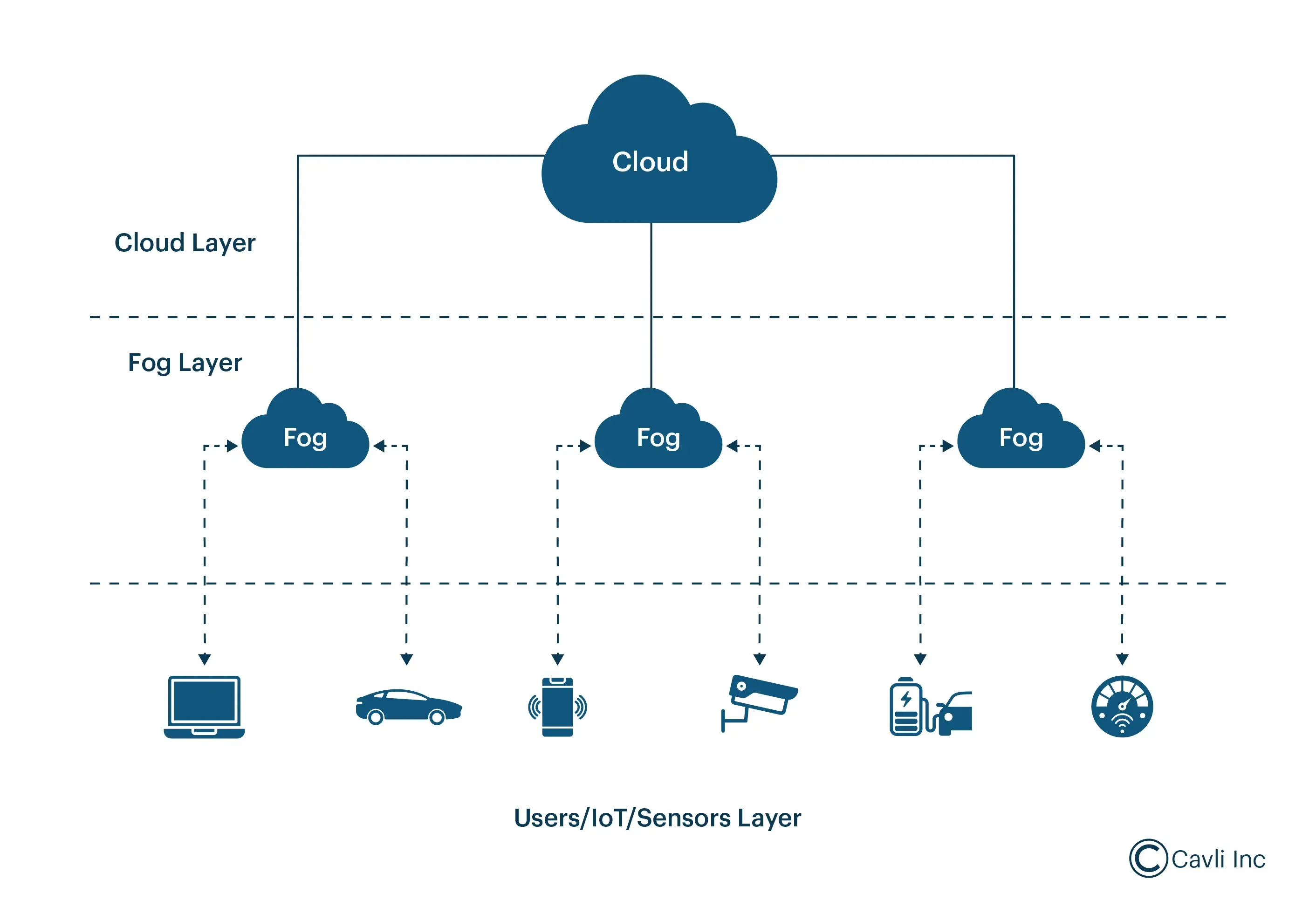
Quantum Computing
Neuromorphic Computing
Edge Computing
Cloud Computing
🧾 Advantages of Computer Architecture Design
Efficient processing
Scalability
Flexibility
Optimization of resources
⚠️ Limitations
Complexity
Cost
Power consumption
Heat generation
🧠 Conclusion
Basic computer architecture forms the foundation of all computing systems. From simple machines to modern AI-powered systems, understanding architecture helps in:
Designing efficient systems
Improving performance
Building advanced technologies
It connects hardware and software, enabling computers to solve complex problems efficiently.
A computer is an electronic device that processes data according to a set of instructions called programs. It accepts raw data as input, processes it using a central processing unit, stores the results, and produces meaningful information as output.
The word computer originally referred to a person who performed calculations manually. With technological advancement, the term now refers to programmable electronic machines capable of performing millions or billions of operations per second.
A widely accepted definition states:
A computer is an electronic programmable machine that receives input, processes data based on instructions, stores information, and produces output.
Computers are essential tools in modern society and are used in almost every field including education, medicine, engineering, communication, entertainment, business, banking, transportation, and scientific research.
2. Basic Characteristics of Computers
Computers possess several important characteristics that make them powerful tools.
Speed
Computers can perform calculations extremely fast. Modern processors can execute billions of instructions per second. Tasks that would take humans hours or days can be completed in seconds.
Accuracy
Computers produce highly accurate results when the instructions and input data are correct. Errors usually occur due to incorrect input or faulty programs rather than the computer itself.
Automation
Once a program is started, a computer can perform tasks automatically without human intervention until the program finishes.
Storage Capacity
Computers can store large volumes of data. Storage devices such as hard drives, SSDs, and cloud storage allow computers to keep enormous amounts of information.
Diligence
Unlike humans, computers do not get tired or bored. They can perform repetitive tasks continuously with the same efficiency.
Versatility
Computers can perform a wide variety of tasks including word processing, data analysis, multimedia editing, scientific simulations, and gaming.
Multitasking
Modern computers can run multiple applications simultaneously, allowing users to perform different tasks at the same time.
Reliability
Computers are reliable machines that can run continuously for long periods without failure when properly maintained.
3. Components of a Computer System
A computer system consists of two main parts:
Hardware
Software
Both components work together to perform computing tasks.
4. Computer Hardware
Hardware refers to the physical components of a computer that can be seen and touched.
Central Processing Unit (CPU)
The CPU is the brain of the computer. It performs calculations and executes instructions from programs.
The CPU has three main parts:
Arithmetic Logic Unit (ALU)
Performs mathematical calculations and logical operations.
Control Unit (CU)
Directs the flow of data and instructions inside the computer.
Registers
Small storage locations within the CPU used for temporary data during processing.
Memory (Primary Memory)
Primary memory stores data and instructions that are currently being processed.
Types include:
RAM (Random Access Memory)
RAM is temporary memory used to store data currently in use. It is volatile, meaning the data is lost when power is turned off.
ROM (Read Only Memory)
ROM contains permanent instructions required to start the computer. It is non-volatile.
Secondary Storage
Secondary storage is used for long-term data storage.
Examples include:
Hard Disk Drive (HDD) Solid State Drive (SSD) USB Flash Drive CD/DVD Memory Cards
These devices retain data even when the computer is turned off.
Input Devices
Input devices allow users to send data and commands to a computer.
Email Video conferencing Social media Instant messaging
Entertainment
Video games Streaming services Digital music Animation
11. Computer Networking
A computer network connects multiple computers to share resources and information.
Types of networks include:
LAN – Local Area Network MAN – Metropolitan Area Network WAN – Wide Area Network
The Internet is the largest global network connecting billions of computers.
Networking enables communication, file sharing, cloud computing, and online services.
12. Advantages of Computers
Computers provide numerous benefits.
High speed processing Accurate calculations Large storage capacity Automation of tasks Improved productivity Global communication Access to information
13. Limitations of Computers
Despite their advantages, computers also have limitations.
Dependence on electricity Security risks such as hacking Potential job displacement Health issues due to prolonged use Need for regular maintenance
Computers cannot think independently without programmed instructions.
14. Emerging Trends in Computing
Modern computing is rapidly evolving.
Artificial Intelligence
Machines that simulate human intelligence.
Cloud Computing
Data and applications stored on remote servers.
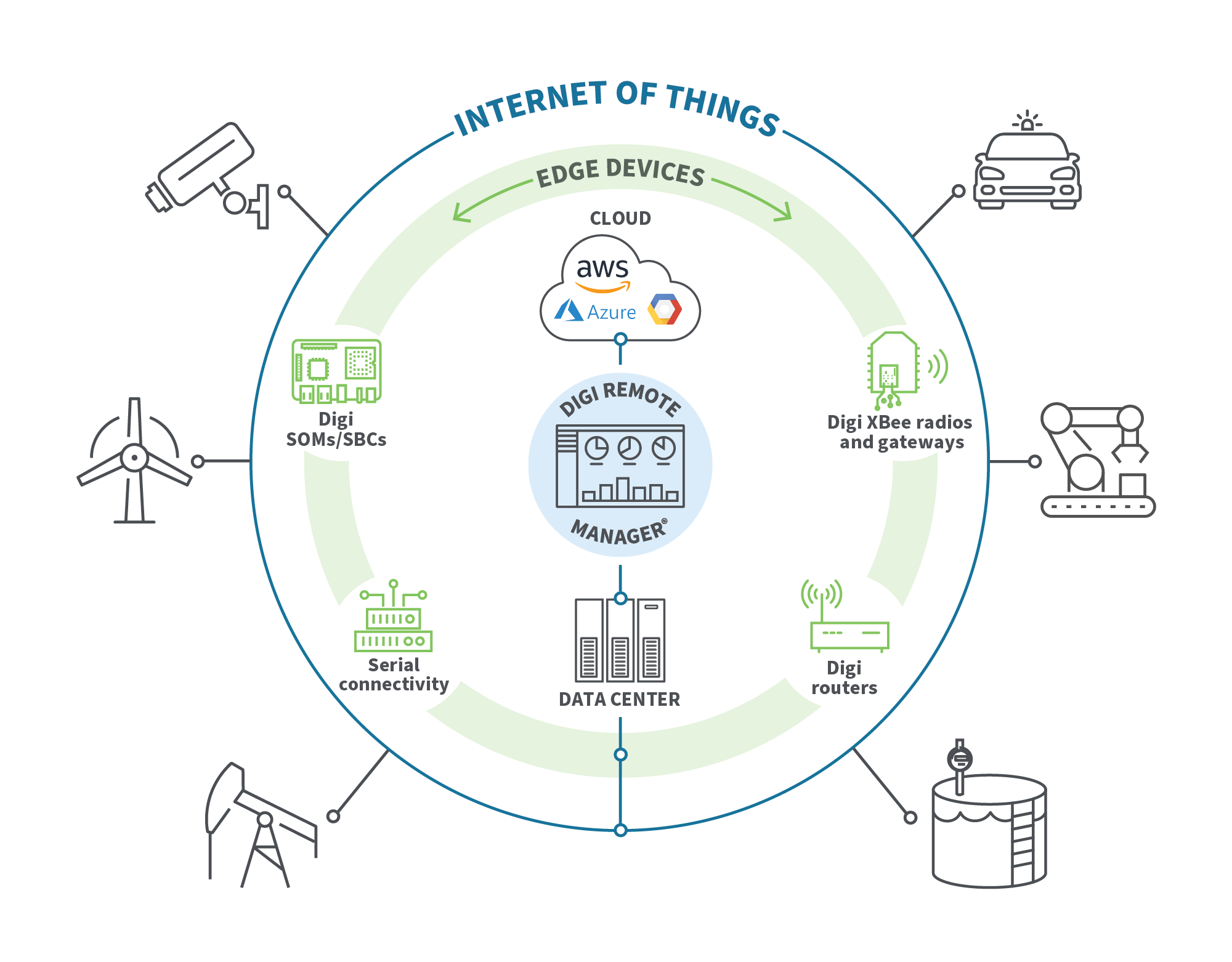
Internet of Things (IoT)
Interconnected smart devices.
Quantum Computing
Computers based on quantum mechanics.
Edge Computing
Processing data closer to the source instead of centralized servers.
These technologies are shaping the future of computing.
15. Importance of Computer Literacy
Computer literacy is the ability to use computers effectively.
Essential skills include:
Operating systems usage Internet navigation Word processing Spreadsheets Basic programming Cybersecurity awareness
Computer literacy is increasingly important for education, employment, and daily life.
16. Future of Computers
The future of computers involves more powerful, intelligent, and interconnected systems.
Possible developments include:
Human-like AI assistants Advanced robotics Brain-computer interfaces Quantum processors Fully autonomous systems
Computers will continue to transform industries, science, and society.
Conclusion
Computers have become one of the most significant technological inventions in human history. From their early beginnings as room-sized machines to today’s compact and powerful devices, computers have revolutionized the way people work, communicate, learn, and solve problems. Understanding the basic concepts of computers—including hardware, software, data processing, and networking—provides a foundation for further study in information technology and computer science. As technology continues to advance, computers will play an even greater role in shaping the future of humanity.