Tag Archives: cloud computing

Go Programming (Golang): Complete In-Depth Guide


๐Ÿš€ Introduction to Go Programming

Image
Image
Image
Image

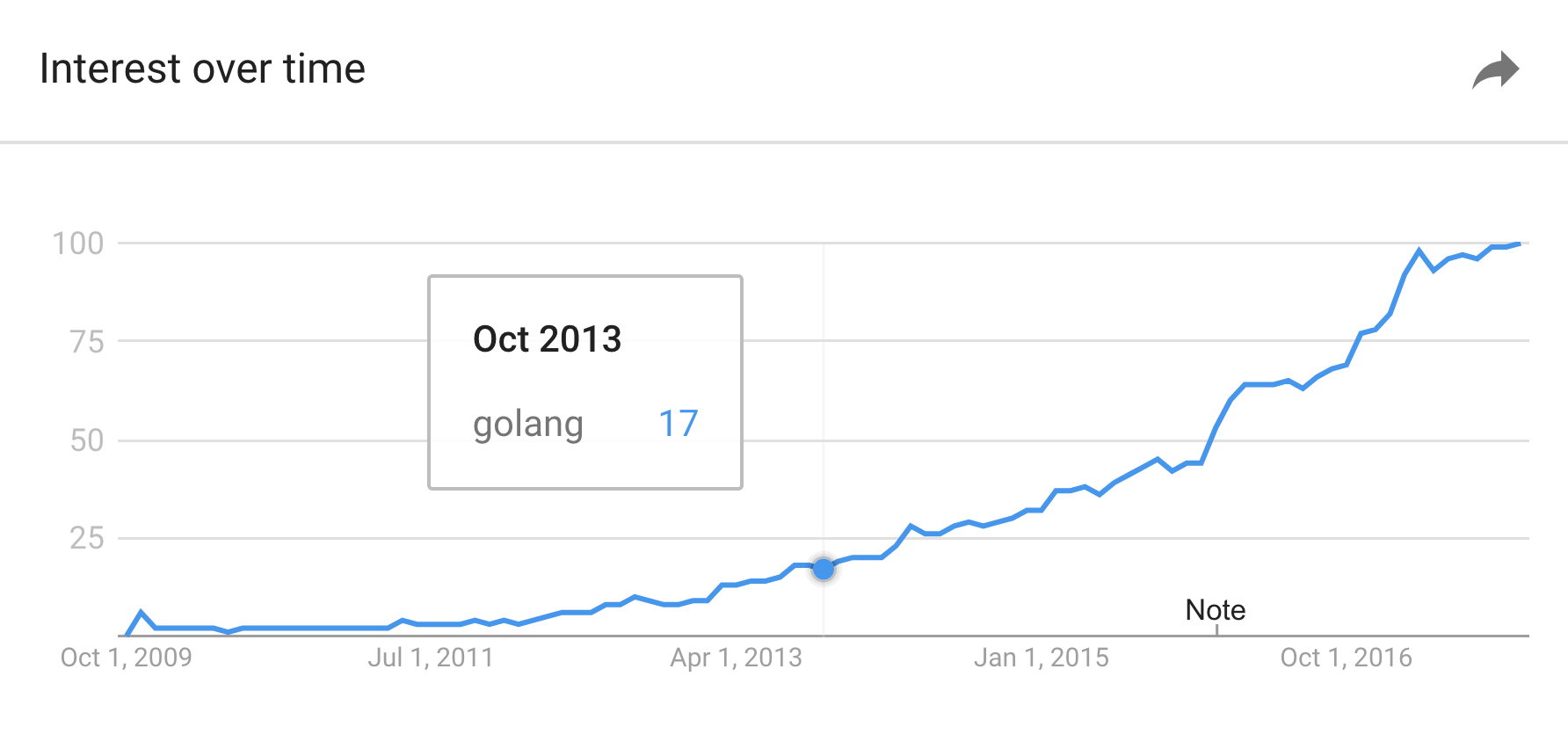
Go (also known as Golang) is a statically typed, compiled programming language designed for simplicity, efficiency, and reliability. It was developed at Google in 2007 by Robert Griesemer, Rob Pike, and Ken Thompson, and officially released in 2009.

Go was created to address common issues in large-scale software development, such as slow compilation times, complex dependency management, and difficulties in writing concurrent programs. Today, Go is widely used in backend systems, cloud infrastructure, DevOps tools, and distributed systems.


๐Ÿ“Œ Key Characteristics of Go

Go stands out because of its unique combination of features:

1. Simplicity

Go has a minimalistic syntax with fewer keywords (only about 25), making it easy to learn and read.

2. Fast Compilation

Unlike many compiled languages, Go compiles extremely quickly, making development cycles faster.

3. Built-in Concurrency

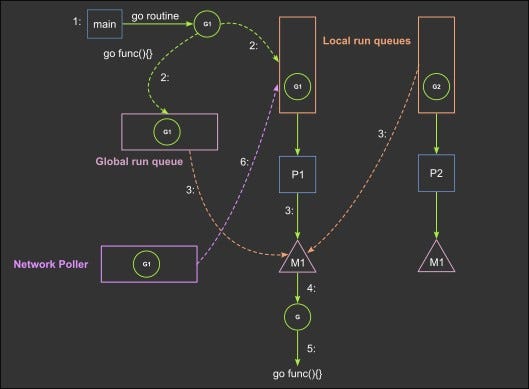
Goโ€™s concurrency model using goroutines and channels is one of its most powerful features.

4. Garbage Collection

Automatic memory management reduces the risk of memory leaks.

5. Strong Standard Library

Go comes with a rich set of built-in packages for networking, file handling, cryptography, and more.

6. Cross-Platform

Go programs can be compiled for multiple platforms without modification.


๐Ÿง  History and Evolution

Image
Image
Image
Image

Before Go, developers at Google faced issues with languages like C++ and Java:

  • Slow compilation times
  • Complex dependency systems
  • Difficult concurrency handling

Go was designed to combine:

  • The performance of C/C++
  • The simplicity of Python
  • The concurrency support of Erlang

Major milestones:

  • 2009: First public release
  • 2012: Go 1.0 released (stable version)
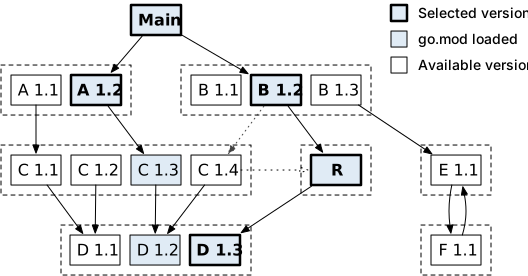
  • 2018+: Modules introduced for dependency management
  • Present: Widely used in cloud-native technologies

๐Ÿงฉ Basic Syntax and Structure

Image
Image
Image
Image

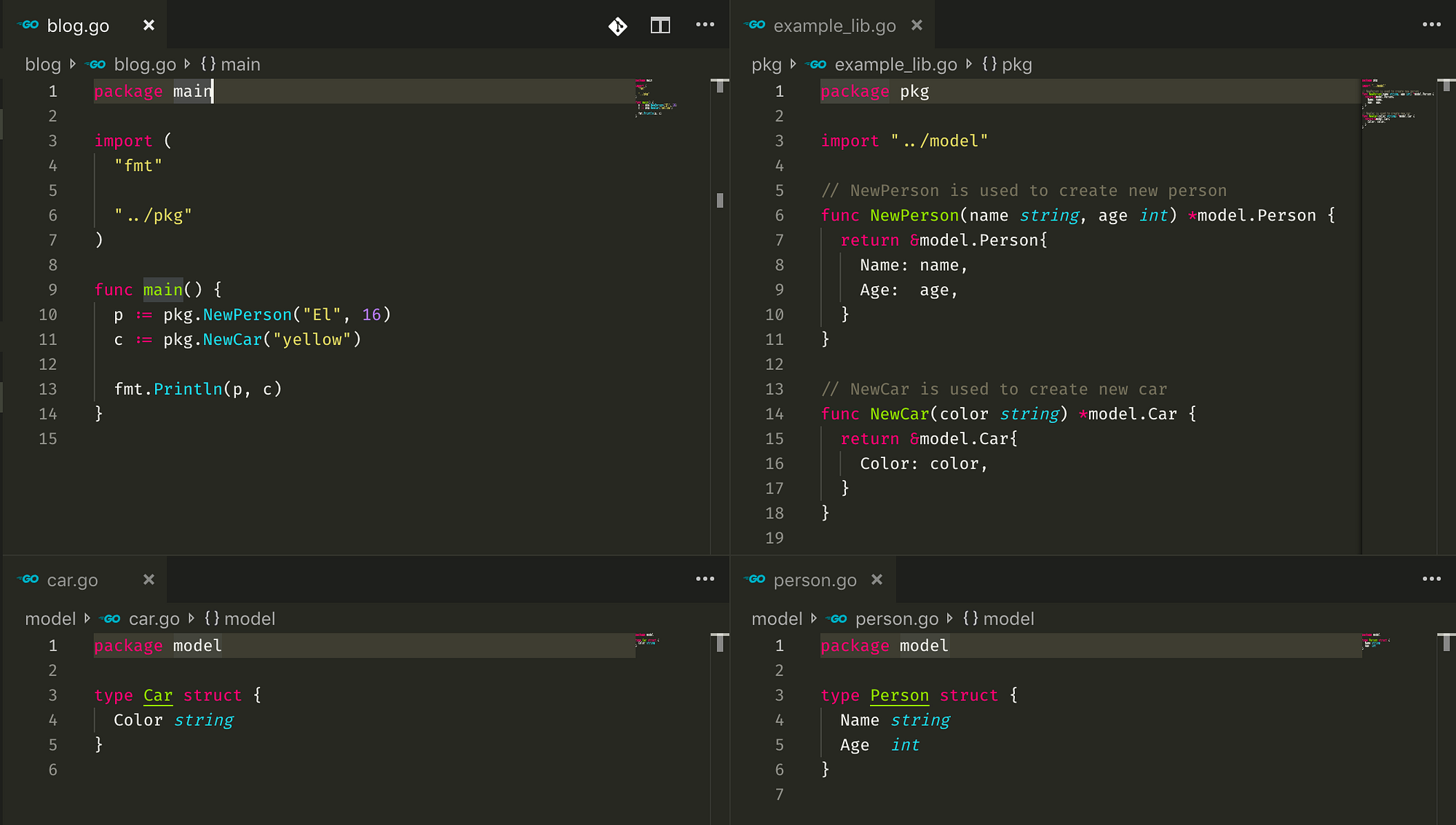
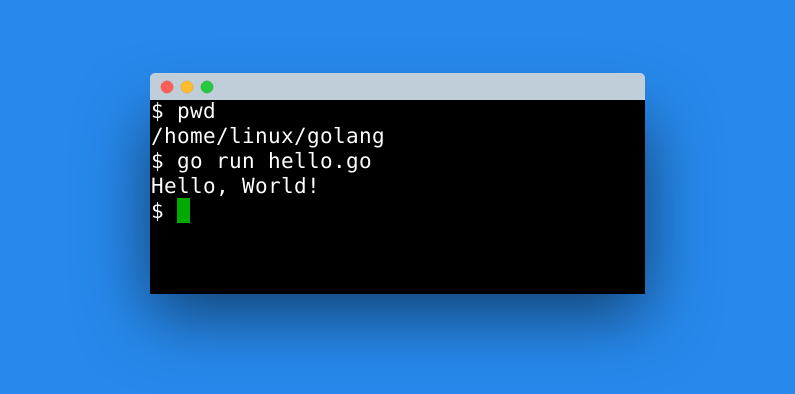
Example: Hello World Program

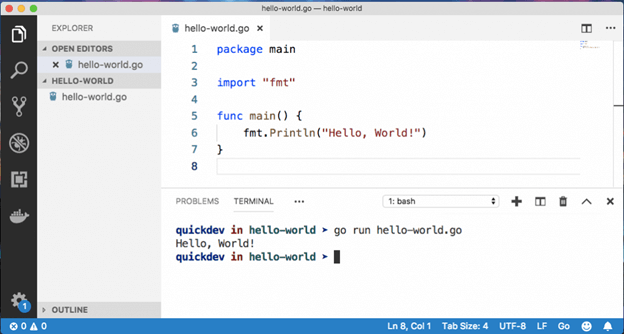
package main

import "fmt"

func main() {
    fmt.Println("Hello, World!")
}

Explanation:

  • package main: Entry point package
  • import: Includes external packages
  • func main(): Starting function
  • fmt.Println: Prints output

๐Ÿ”ข Data Types in Go

Go provides several built-in data types:

Basic Types

  • Integers: int, int8, int16, int32, int64
  • Floats: float32, float64
  • Boolean: bool
  • String: string

Composite Types

  • Arrays
  • Slices
  • Maps
  • Structs

Example:

var age int = 25
name := "Rishan"
isActive := true

๐Ÿ” Control Structures

Conditional Statements

if age > 18 {
    fmt.Println("Adult")
} else {
    fmt.Println("Minor")
}

Loops (Only one loop: for)

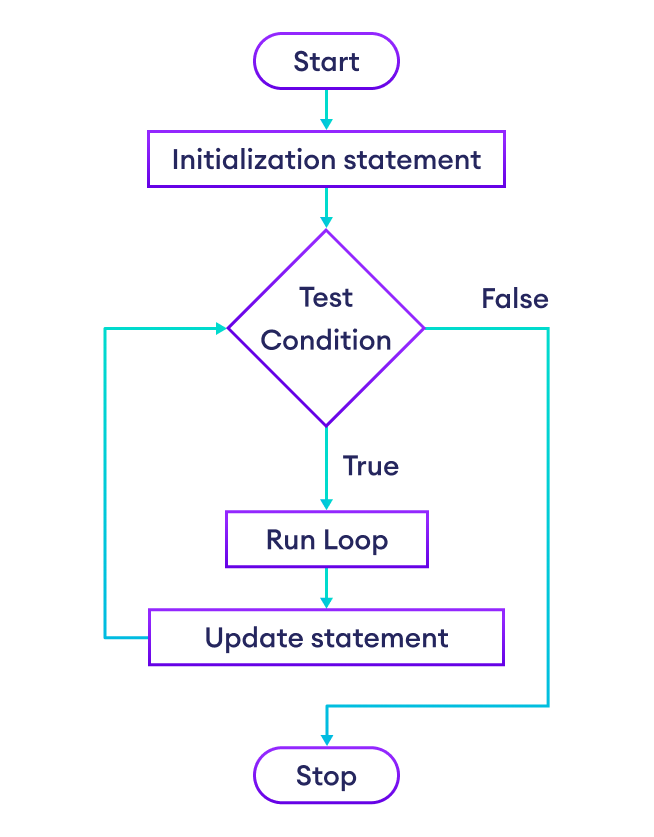
for i := 0; i < 5; i++ {
    fmt.Println(i)
}

Go simplifies looping with a single for construct.


๐Ÿงต Concurrency in Go

Image
Image
Image
Image

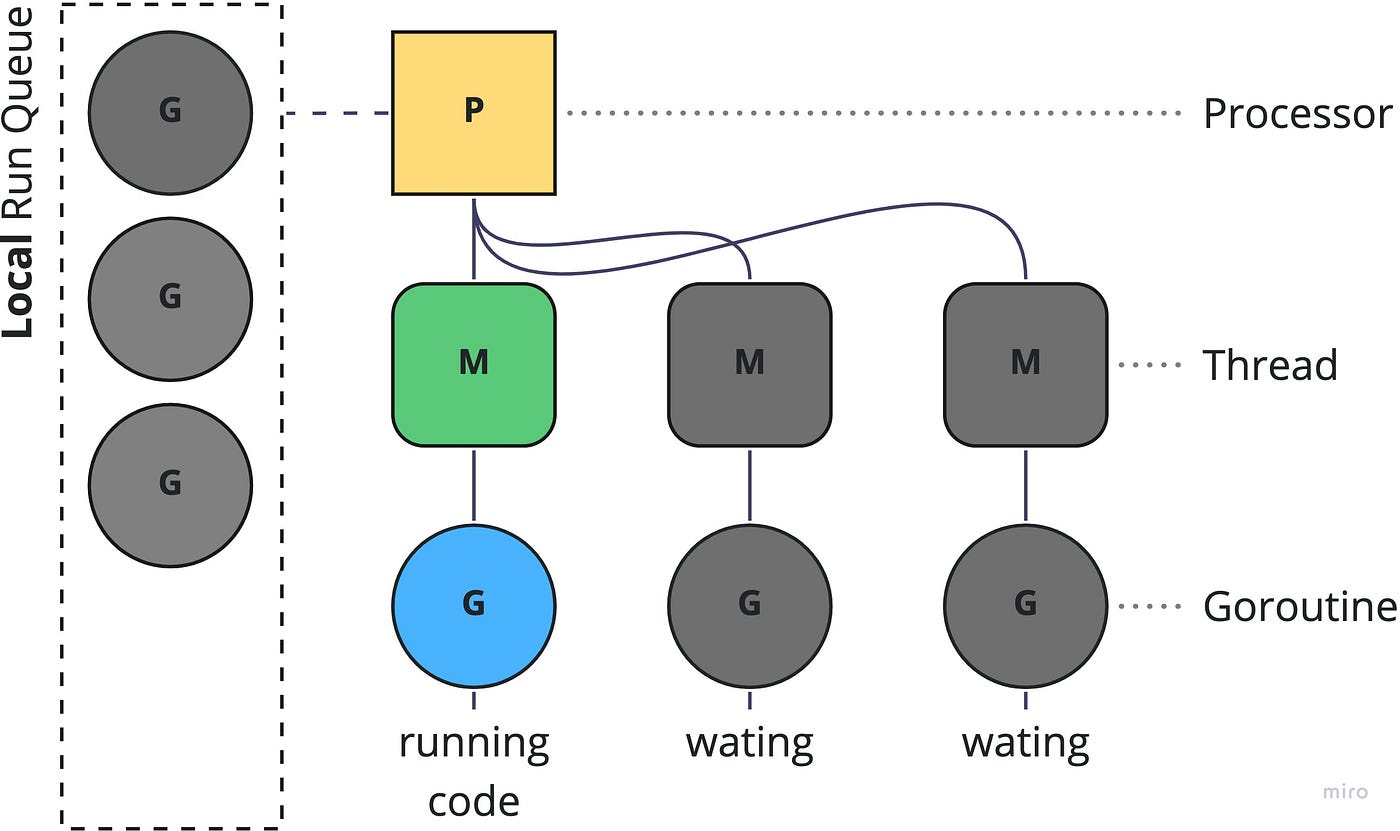
Concurrency is one of Goโ€™s strongest features.

Goroutines

Lightweight threads managed by Go runtime:

go func() {
    fmt.Println("Running concurrently")
}()

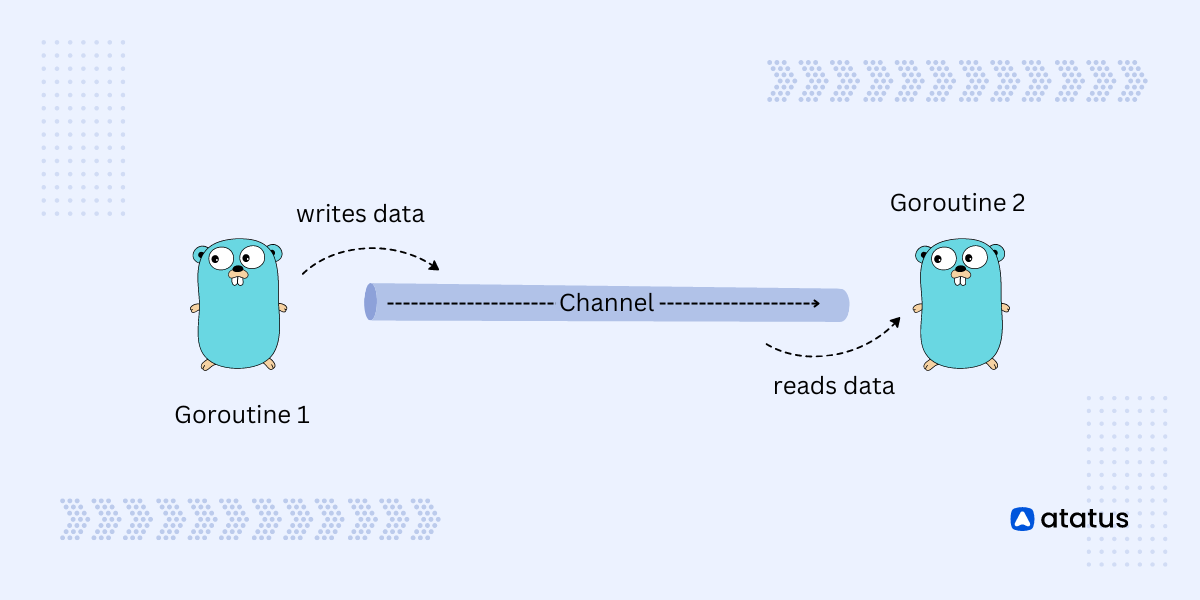
Channels

Used for communication between goroutines:

ch := make(chan string)

go func() {
    ch <- "Hello"
}()

msg := <-ch
fmt.Println(msg)

Benefits:

  • Efficient parallel execution
  • Simplified thread management
  • Avoids complex locking mechanisms

๐Ÿ—๏ธ Functions in Go

Functions are first-class citizens in Go.

Example:

func add(a int, b int) int {
    return a + b
}

Multiple Return Values:

func divide(a, b int) (int, int) {
    return a / b, a % b
}

๐Ÿงฑ Structs and Interfaces

Structs (Custom Types)

type Person struct {
    Name string
    Age  int
}

Interfaces

type Shape interface {
    Area() float64
}

Interfaces define behavior, not structure.


๐Ÿ“ฆ Packages and Modules

Image
Image
Image
Image

Go organizes code into packages.

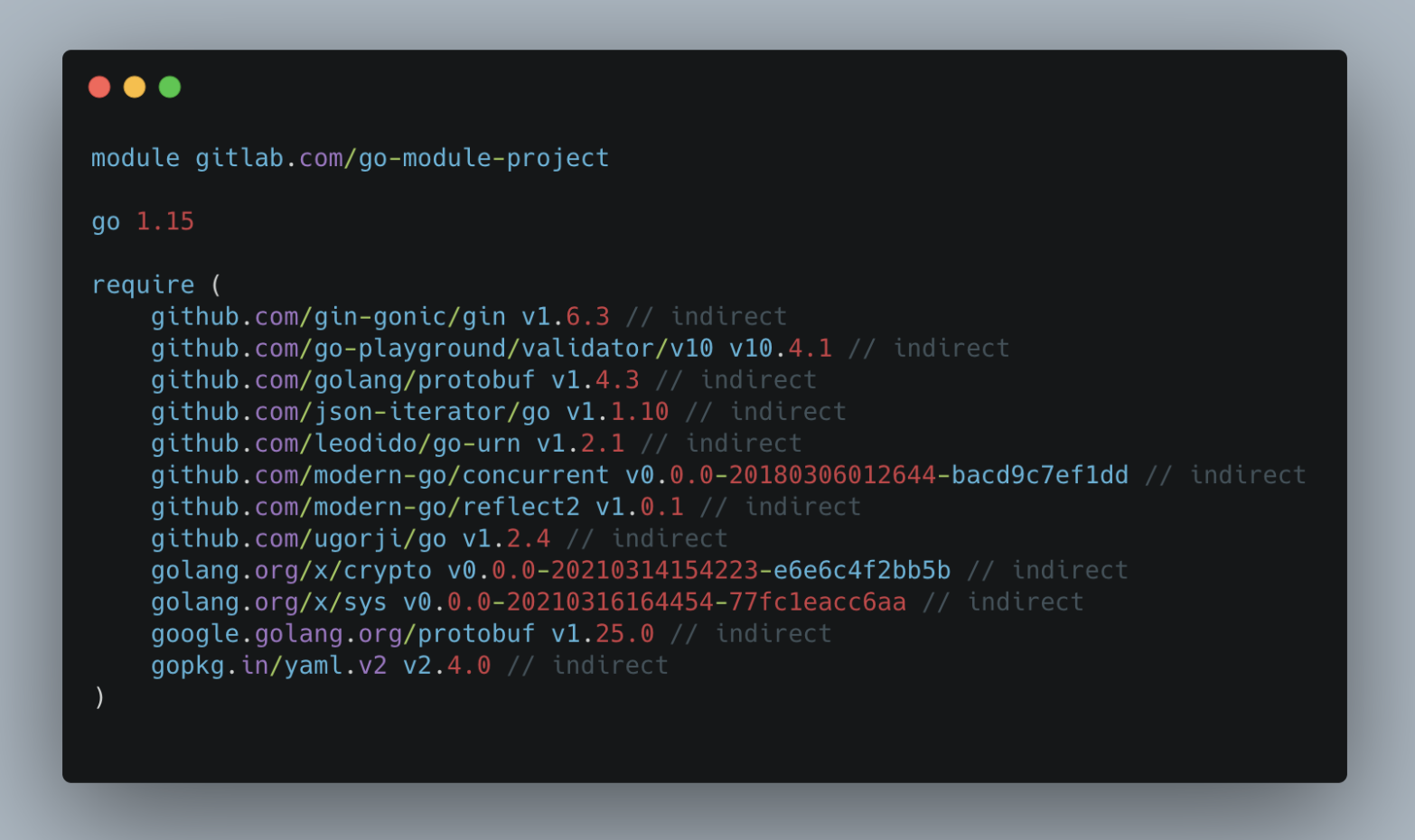
Creating a Module:

go mod init myproject

Importing Packages:

import "fmt"

Modules help manage dependencies efficiently.


๐ŸŒ Error Handling in Go

Go does not use exceptions. Instead, it uses explicit error handling.

result, err := someFunction()
if err != nil {
    fmt.Println("Error:", err)
}

This approach improves code clarity and reliability.


โš™๏ธ Memory Management

  • Automatic garbage collection
  • No manual memory allocation required
  • Efficient runtime performance

๐Ÿงฐ Standard Library

Goโ€™s standard library includes powerful packages:

  • fmt โ€“ formatting I/O
  • net/http โ€“ web servers
  • os โ€“ operating system interface
  • io โ€“ input/output utilities
  • encoding/json โ€“ JSON handling

๐ŸŒ Applications of Go

Image
Image
Image
Image

Go is widely used in:

1. Web Development

  • REST APIs
  • Backend services

2. Cloud Computing

  • Kubernetes (written in Go)
  • Docker

3. DevOps Tools

  • Terraform
  • Prometheus

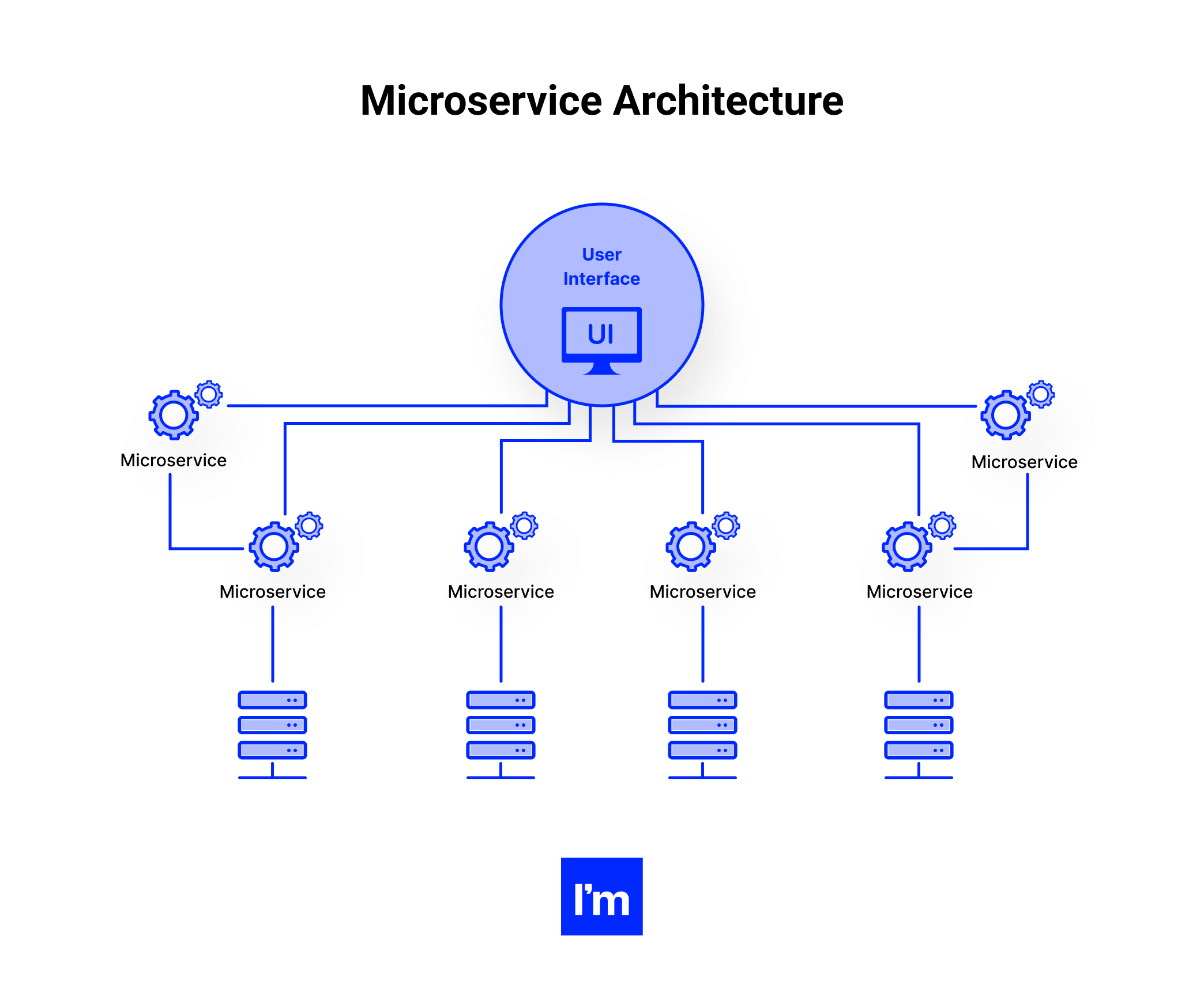
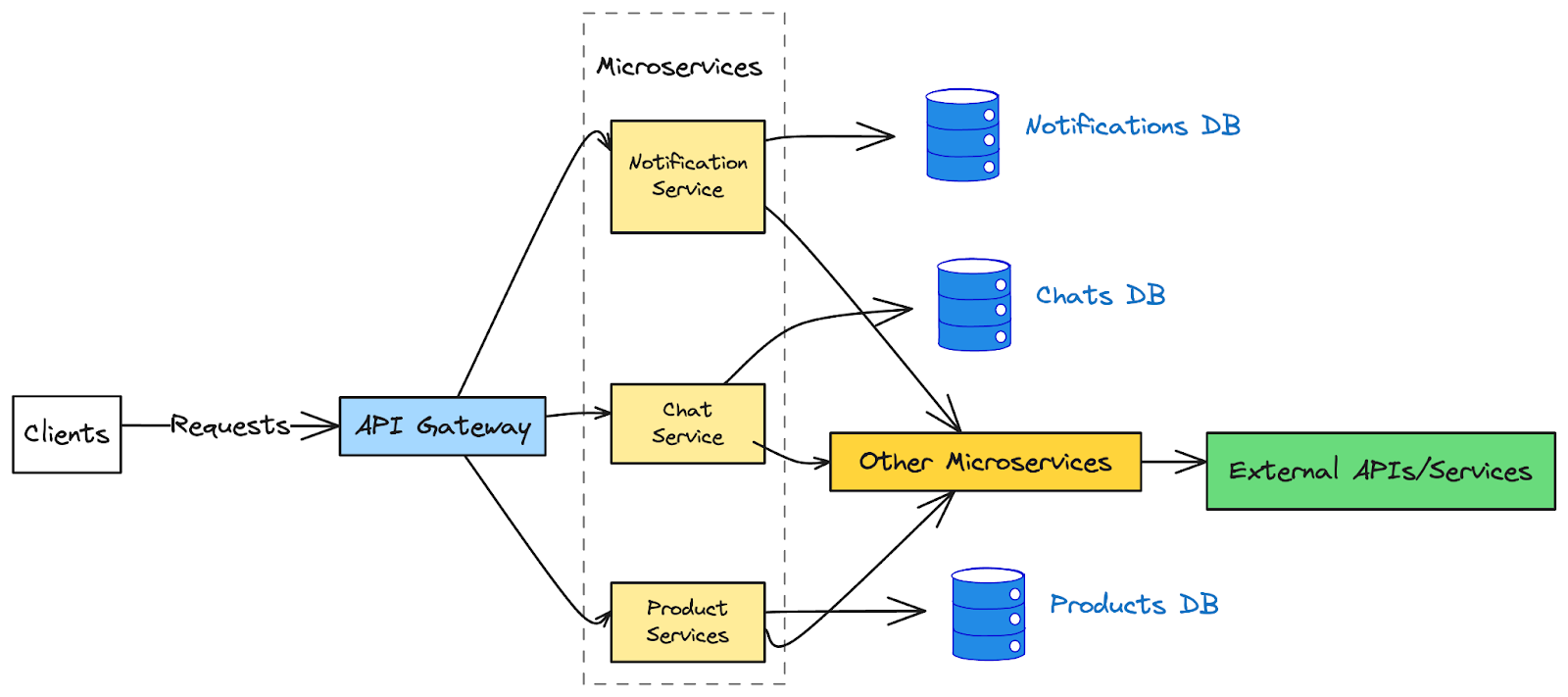
4. Microservices

  • Lightweight and fast services

5. Networking

  • High-performance servers

๐Ÿ”ฅ Advantages of Go

  • Simple and clean syntax
  • Fast execution
  • Excellent concurrency support
  • Strong ecosystem for cloud and DevOps
  • Cross-platform compatibility

โš ๏ธ Limitations of Go

  • Limited generics (improving in newer versions)
  • No inheritance (uses composition instead)
  • Verbose error handling
  • Smaller ecosystem compared to older languages

๐Ÿงช Testing in Go

Go has built-in testing support.

func TestAdd(t *testing.T) {
    result := add(2, 3)
    if result != 5 {
        t.Errorf("Expected 5, got %d", result)
    }
}

Run tests using:

go test

๐Ÿ“Š Go vs Other Languages

FeatureGoPythonJavaC++
SpeedHighMediumHighVery High
SimplicityHighVery HighMediumLow
ConcurrencyExcellentLimitedGoodComplex
CompilationFastInterpretedMediumSlow

๐Ÿ› ๏ธ Tools and Ecosystem

Popular tools:

  • Go CLI (go build, go run)
  • VS Code Go extension
  • GoLand IDE
  • Delve debugger

๐Ÿ“š Learning Path for Go

Beginner Level

  • Syntax and variables
  • Control structures
  • Functions

Intermediate Level

  • Structs and interfaces
  • Concurrency
  • Error handling

Advanced Level

  • Microservices
  • Performance optimization
  • Distributed systems

๐Ÿ”ฎ Future of Go

Go is rapidly growing in:

  • Cloud-native development
  • AI infrastructure tools
  • Scalable backend systems

With continuous improvements, Go is becoming a top choice for modern software engineering.


๐Ÿ Conclusion

Go programming language offers a perfect balance between simplicity and performance. It is particularly well-suited for modern applications that require scalability, concurrency, and efficiency.

Whether you’re building APIs, cloud systems, or DevOps tools, Go provides a robust and efficient solution.

๐Ÿท๏ธ Tags


๐Ÿ–ฅ๏ธ Virtualization


๐ŸŒ Introduction to Virtualization

Image
Image
Image
Image

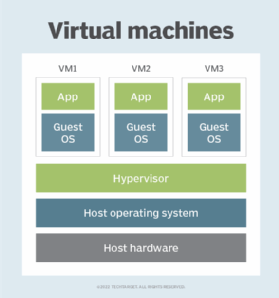
Virtualization is a technology that allows a single physical computer system to run multiple virtual environments (virtual machines) simultaneously. It abstracts hardware resources such as CPU, memory, and storage and allocates them efficiently among multiple users or systems.

In simple terms:

Virtualization = creating virtual versions of physical resources

These virtual versions behave like real systems but operate within a controlled environment.


๐Ÿง  Importance of Virtualization

  • Efficient resource utilization
  • Cost reduction (less hardware required)
  • Scalability and flexibility
  • Isolation and security
  • Foundation of cloud computing

๐Ÿงฉ Basic Concepts of Virtualization


๐Ÿ’ก What is a Virtual Machine (VM)?

Image
Image
Image
Image

A Virtual Machine (VM) is a software-based emulation of a physical computer.

Components:

  • Virtual CPU
  • Virtual RAM
  • Virtual storage
  • Guest operating system

โš™๏ธ What is a Hypervisor?

Image
Image
Image
Image

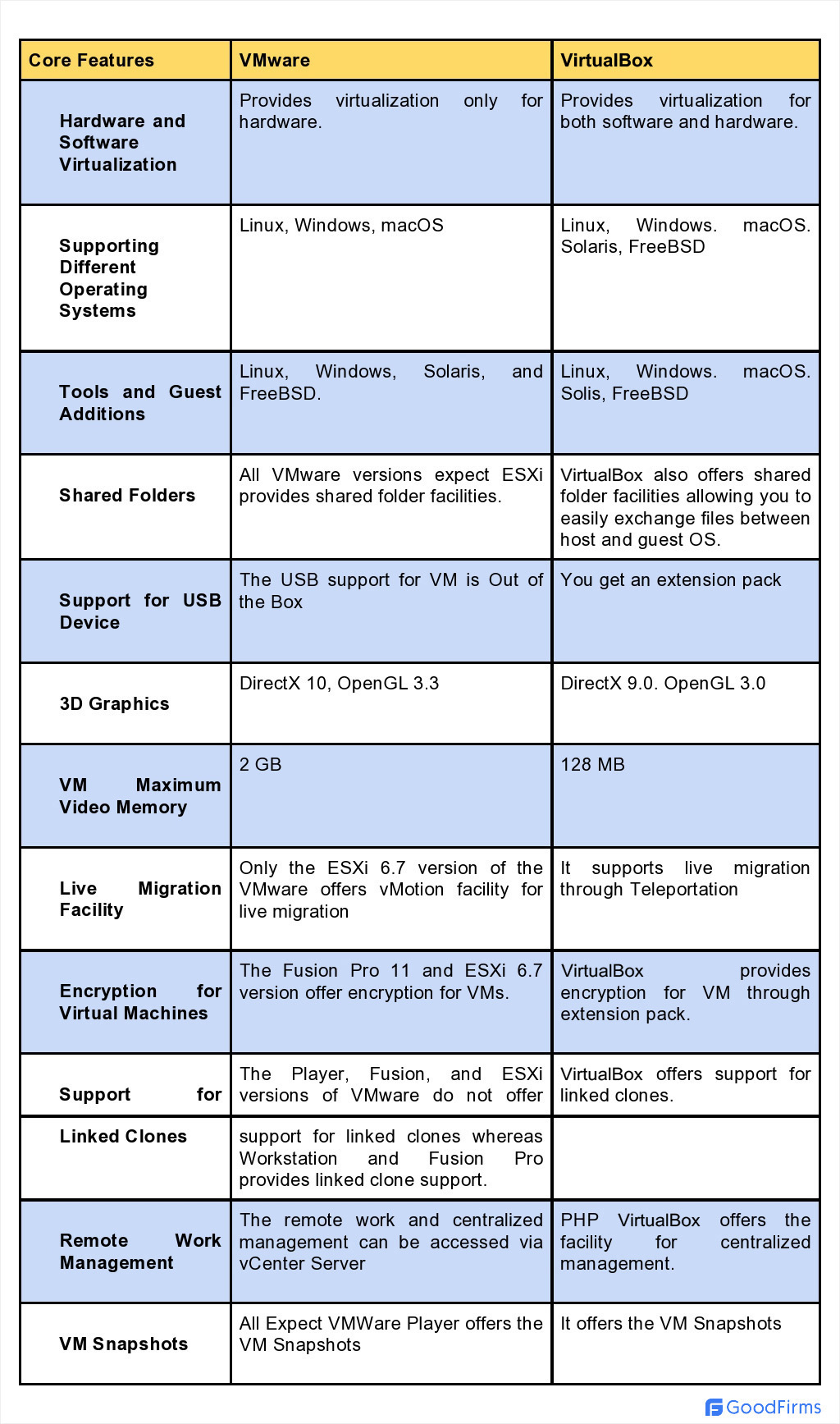
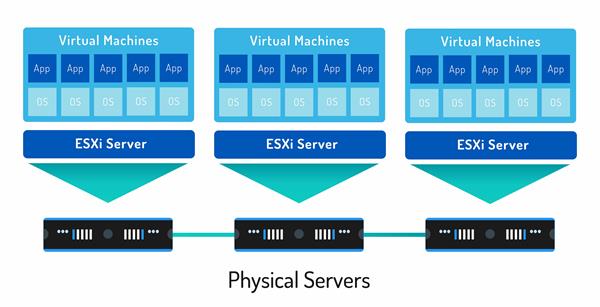
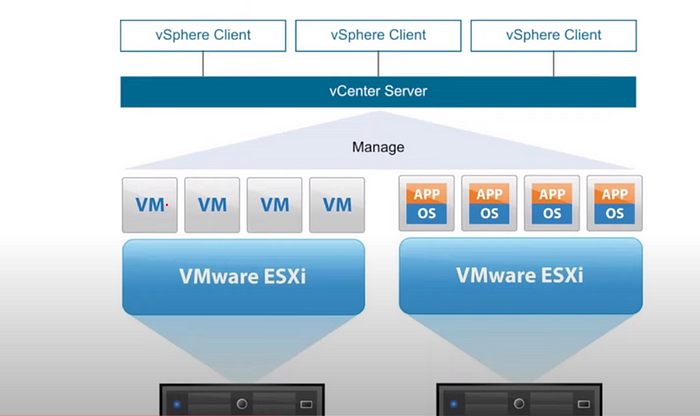
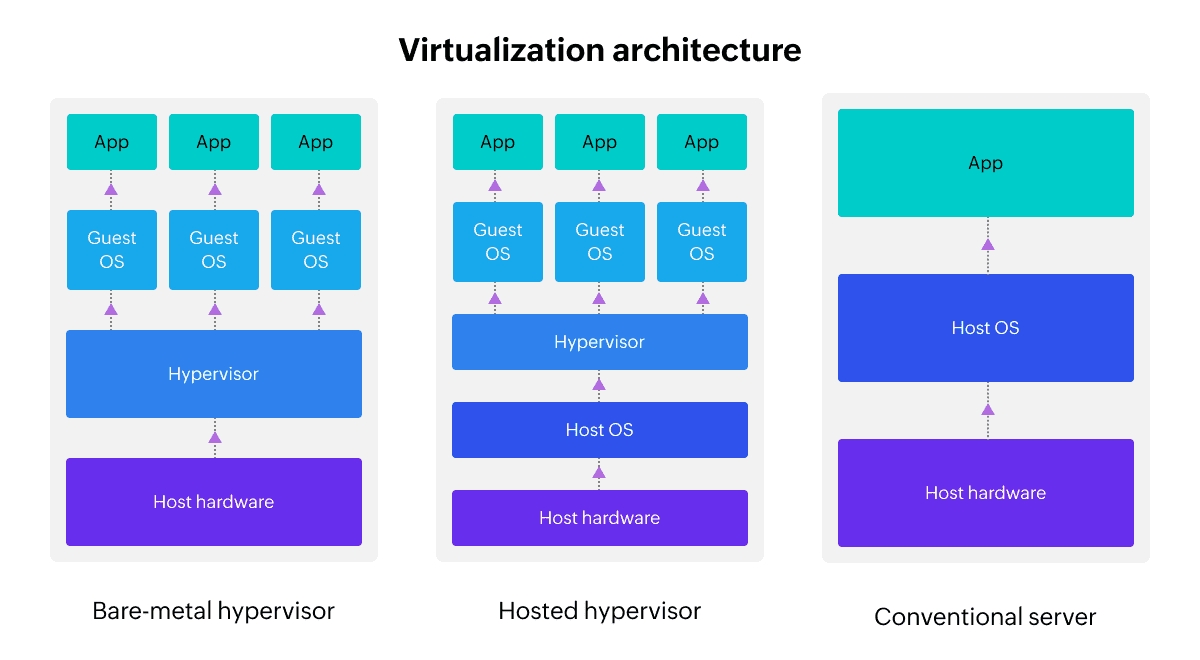
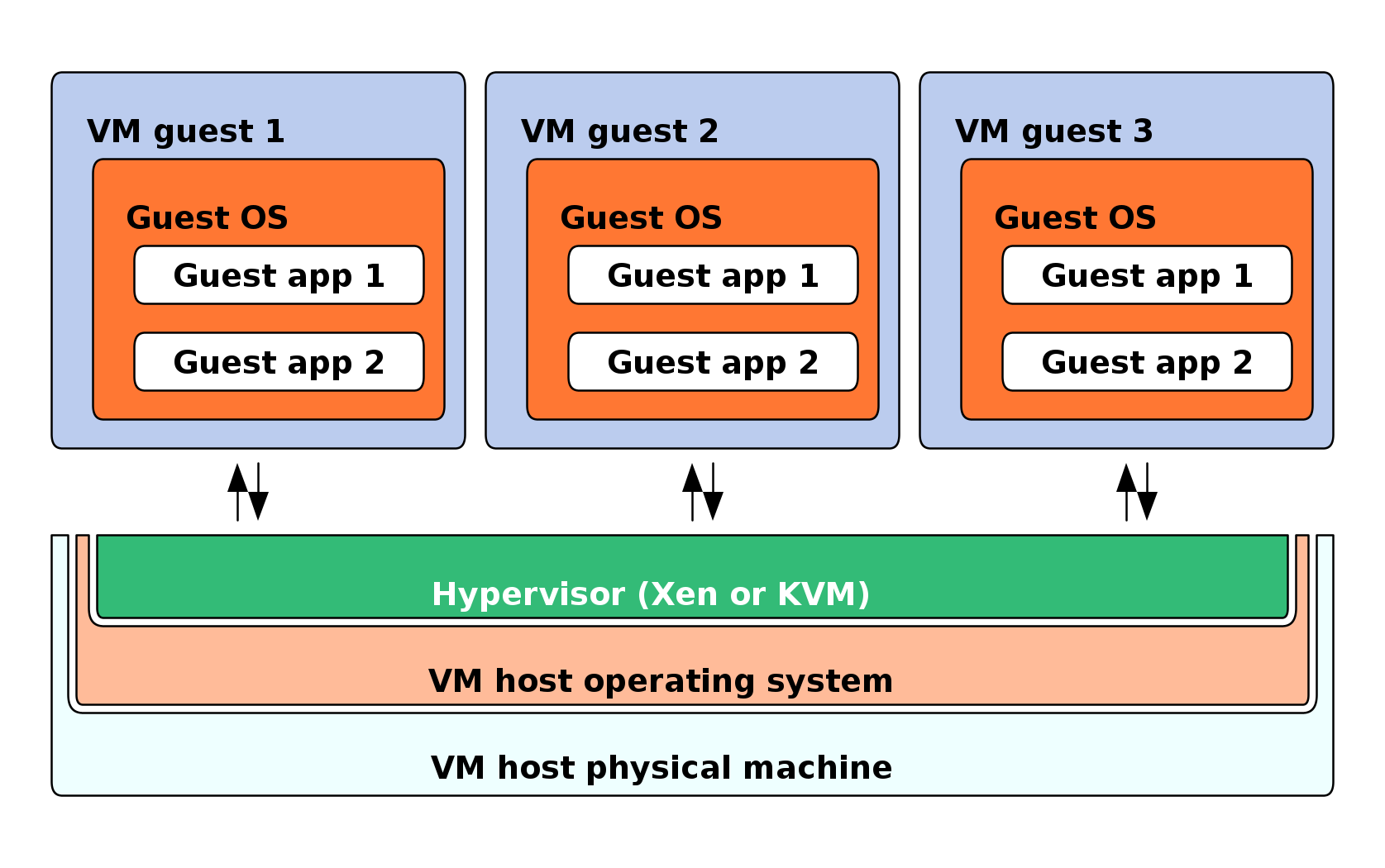
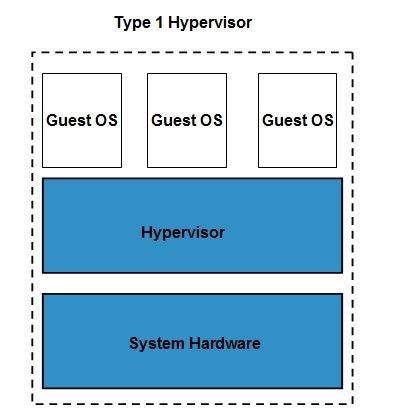
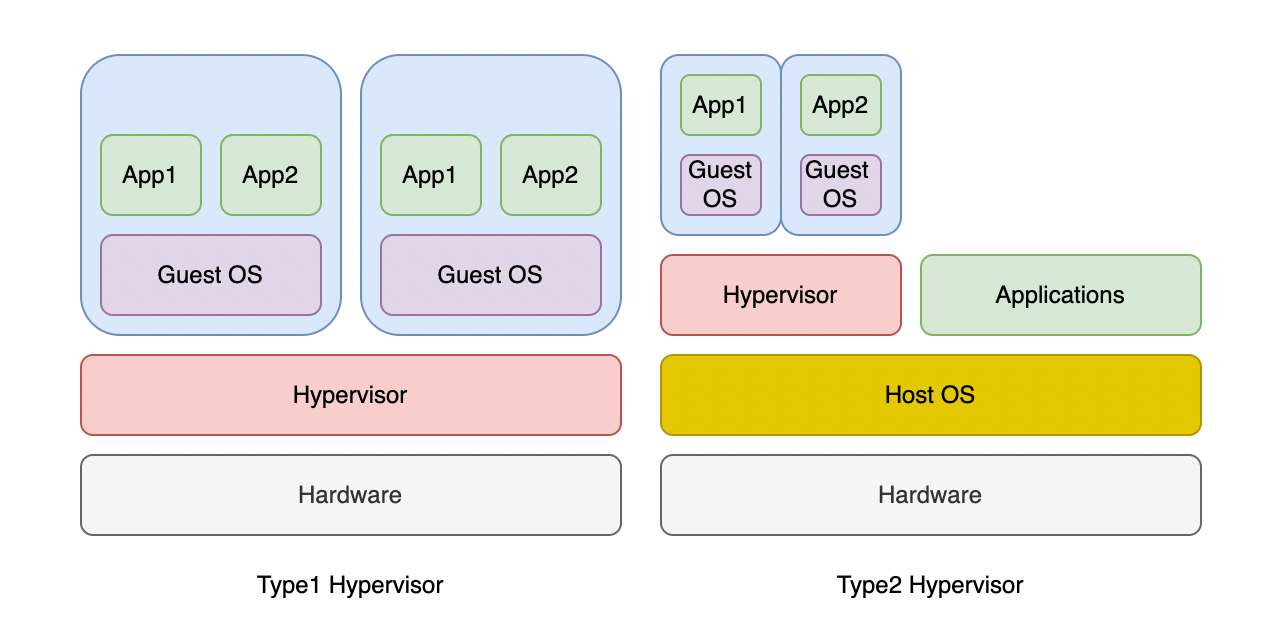
A hypervisor is software that manages virtual machines.

Types:

๐Ÿ”น Type 1 (Bare-metal)

  • Runs directly on hardware
  • Example: VMware ESXi

๐Ÿ”น Type 2 (Hosted)

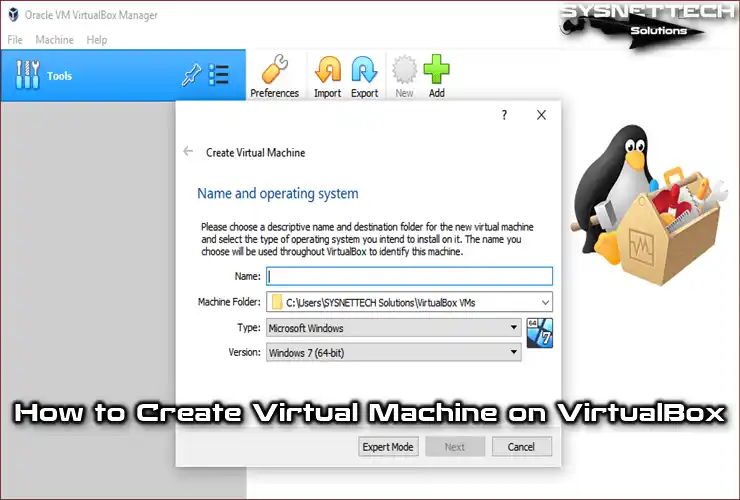
  • Runs on an OS
  • Example: VirtualBox

๐Ÿง  Types of Virtualization


๐Ÿ–ฅ๏ธ 1. Server Virtualization

Image
Image
Image
Image
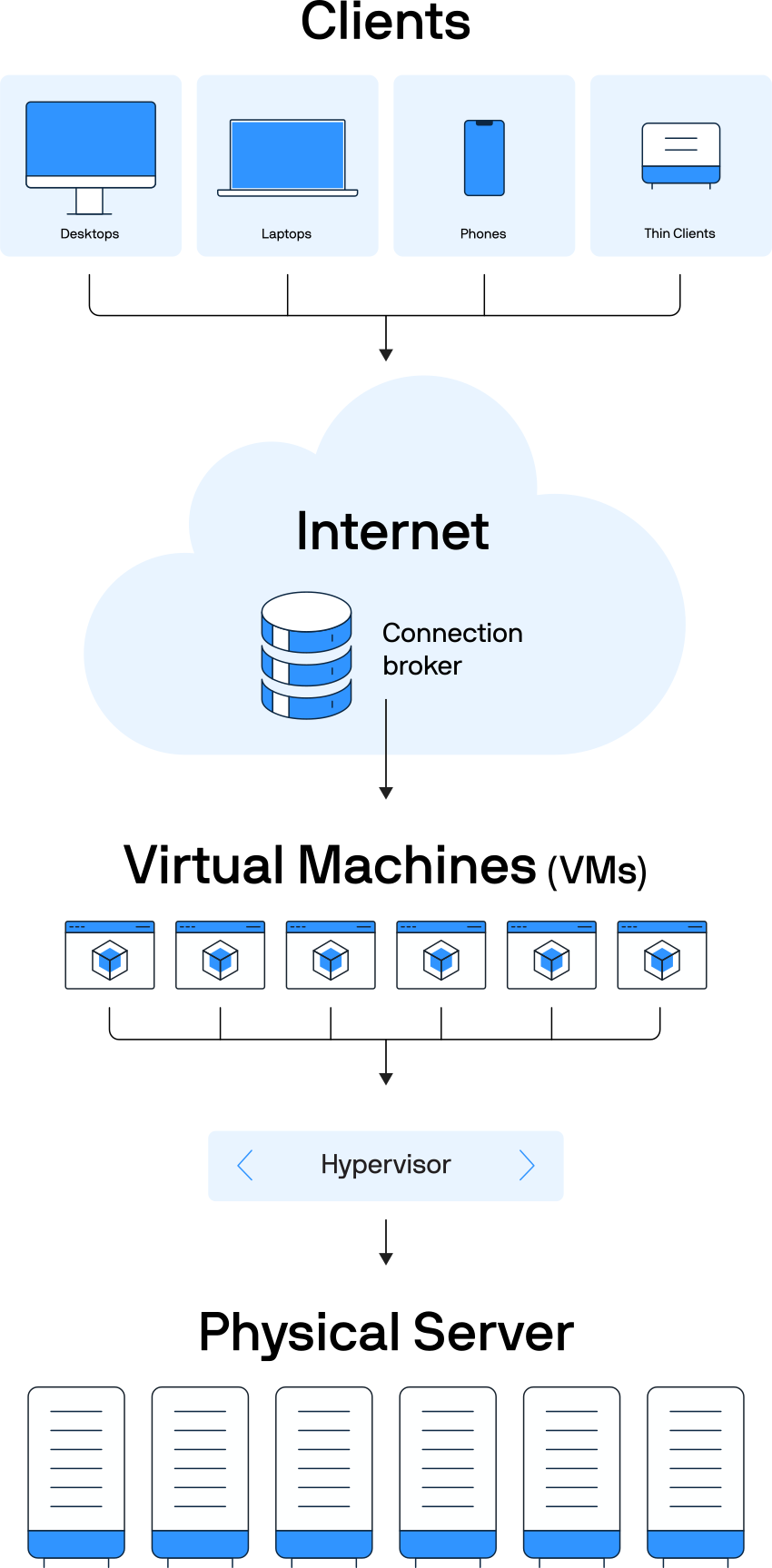
  • Divides one server into multiple virtual servers

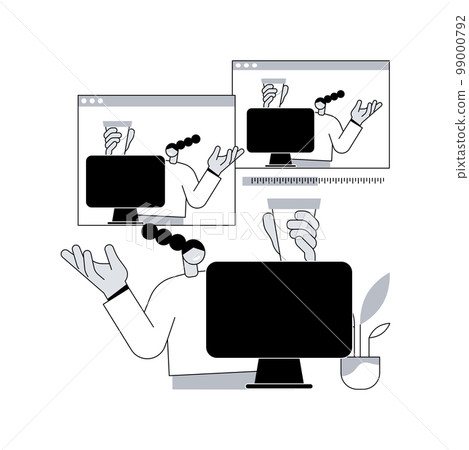
๐Ÿ’ป 2. Desktop Virtualization

Image
Image
Image
Image
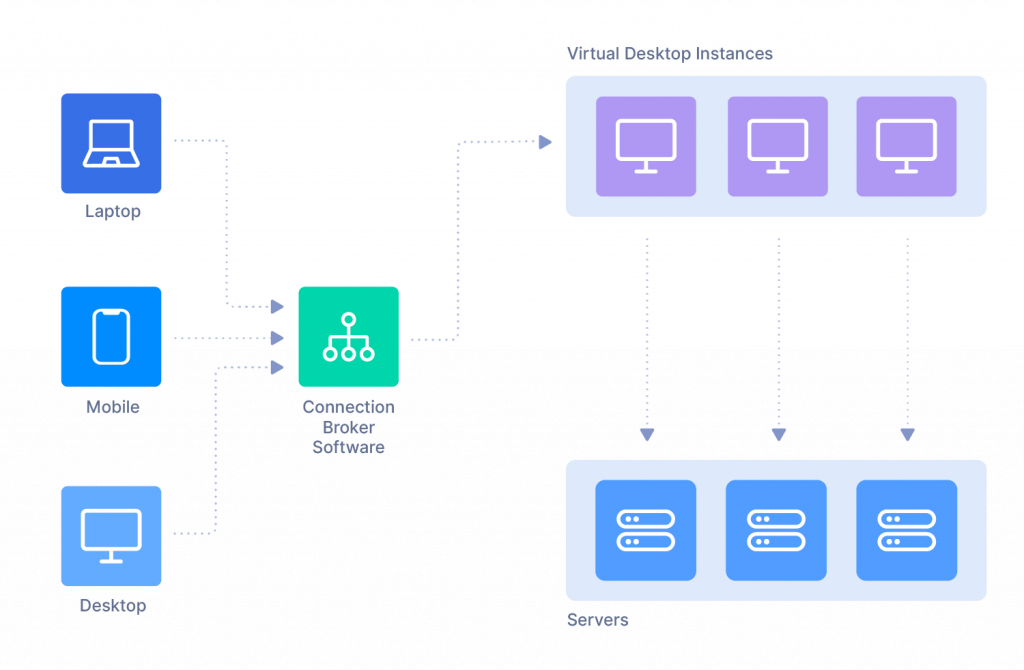
  • Users access desktops remotely

๐Ÿ“ฆ 3. Storage Virtualization

Image
Image
Image
Image
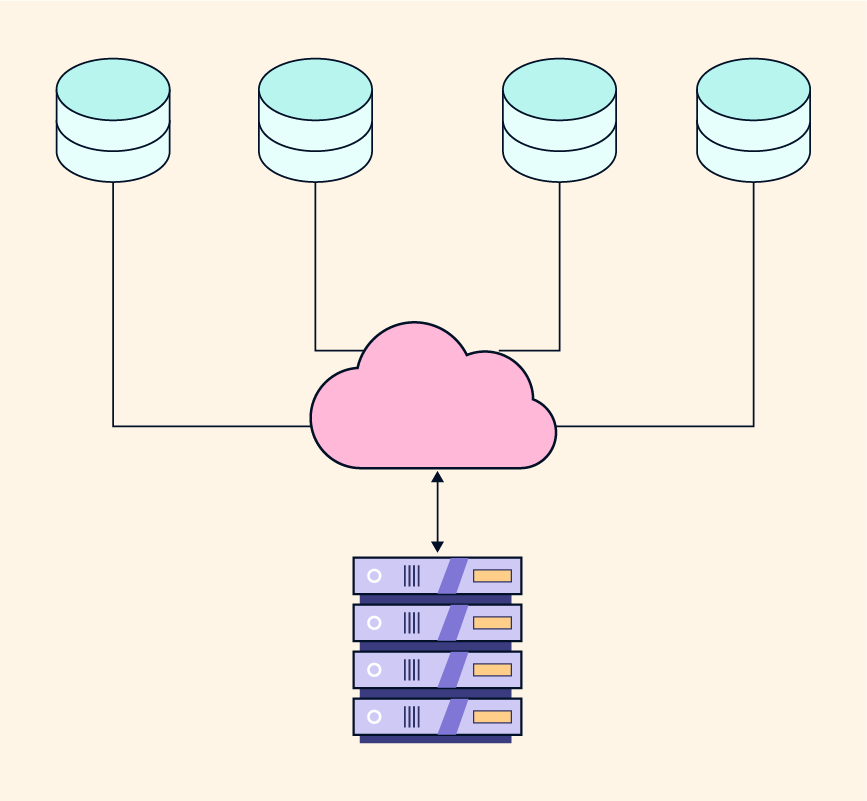
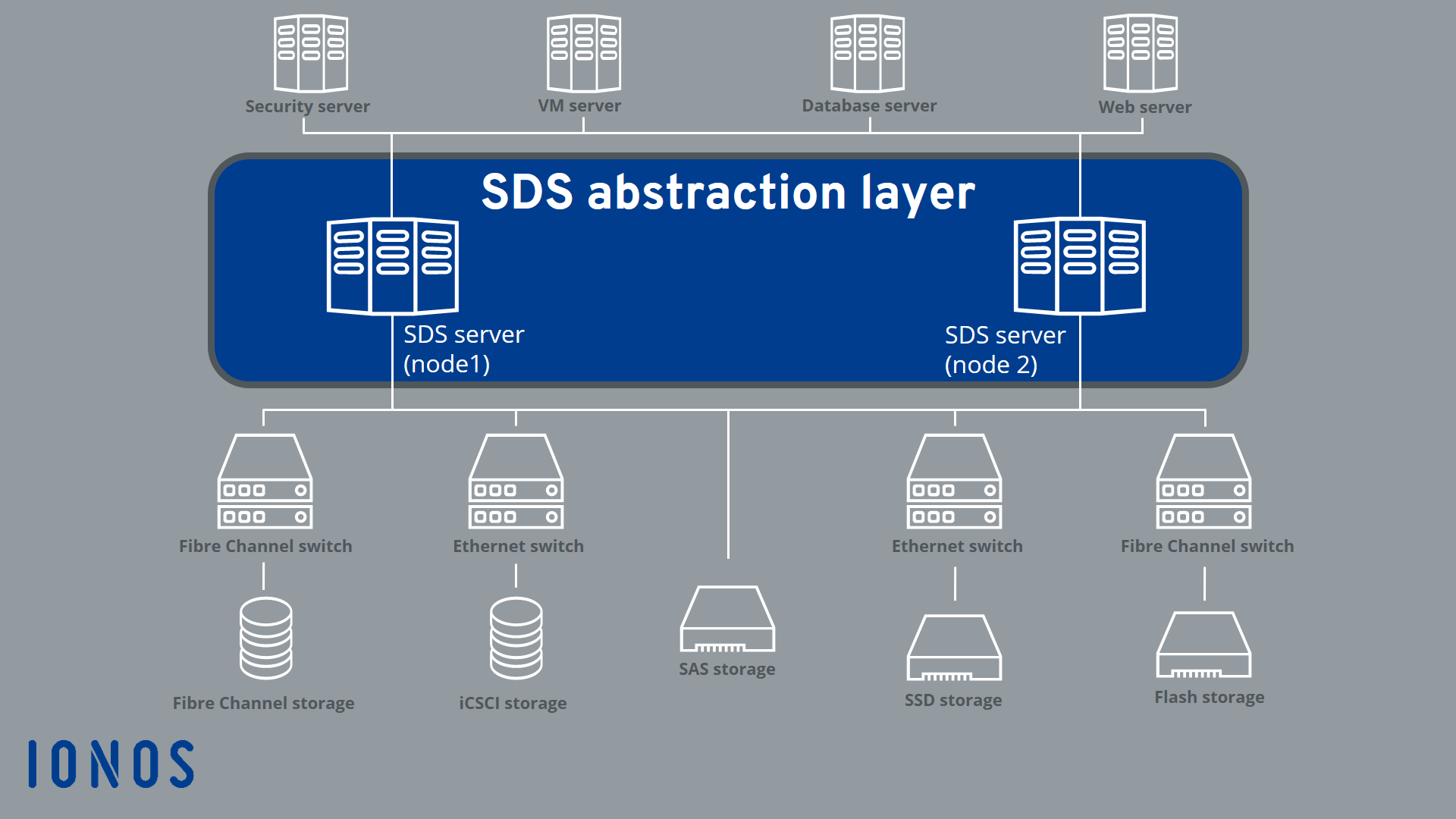
  • Combines multiple storage devices

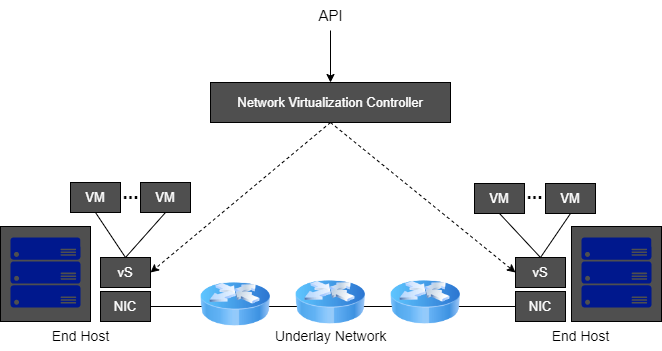
๐ŸŒ 4. Network Virtualization

Image
Image
Image
Image
  • Creates virtual networks

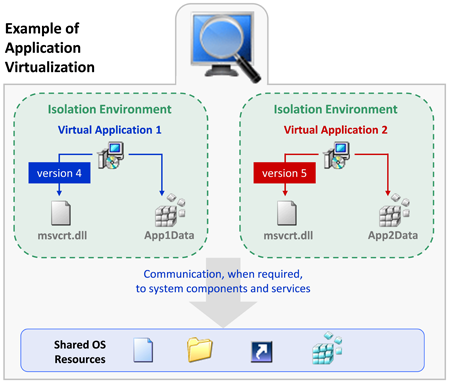
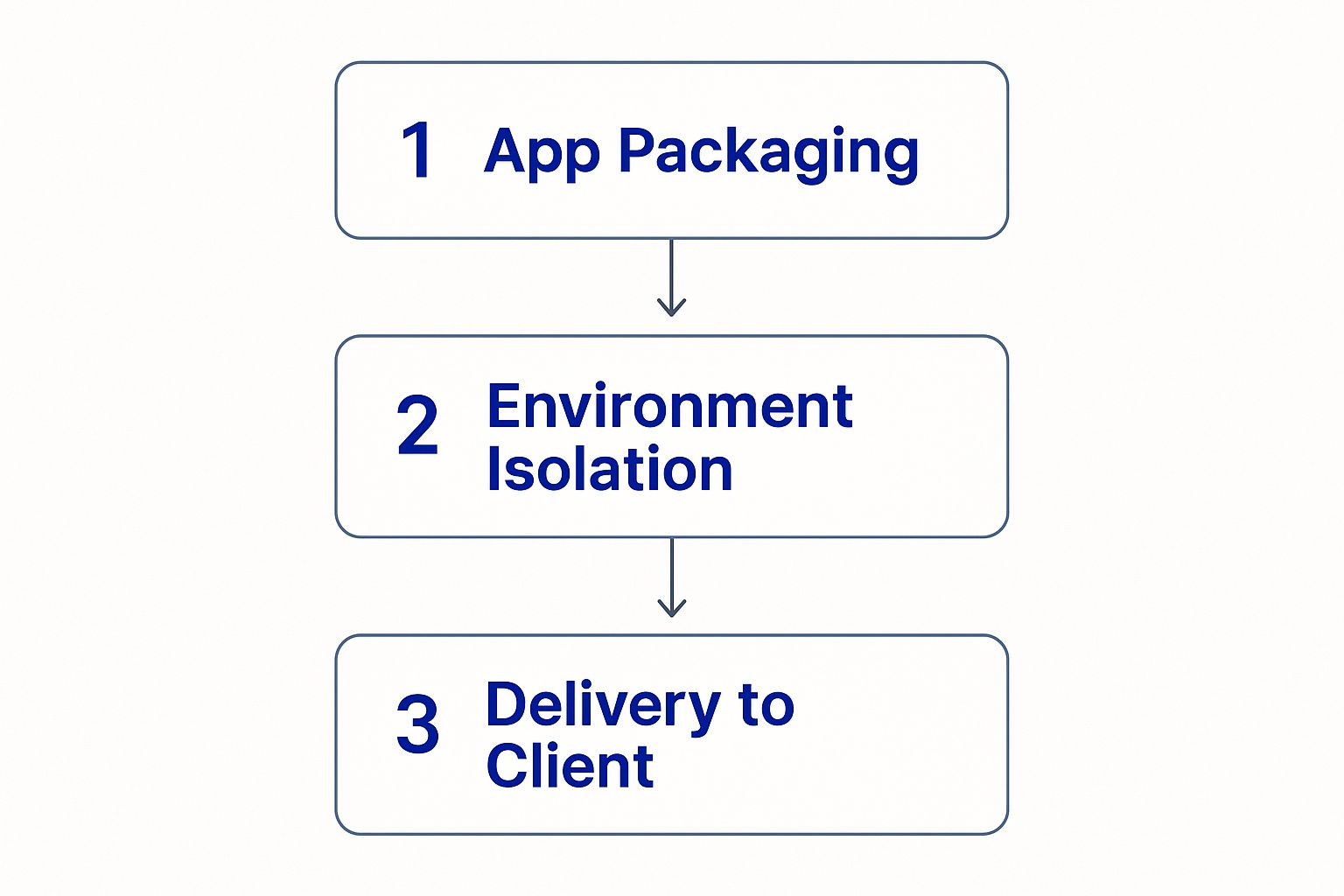
๐Ÿง  5. Application Virtualization

Image
Image
Image
Image
  • Runs applications without installing them

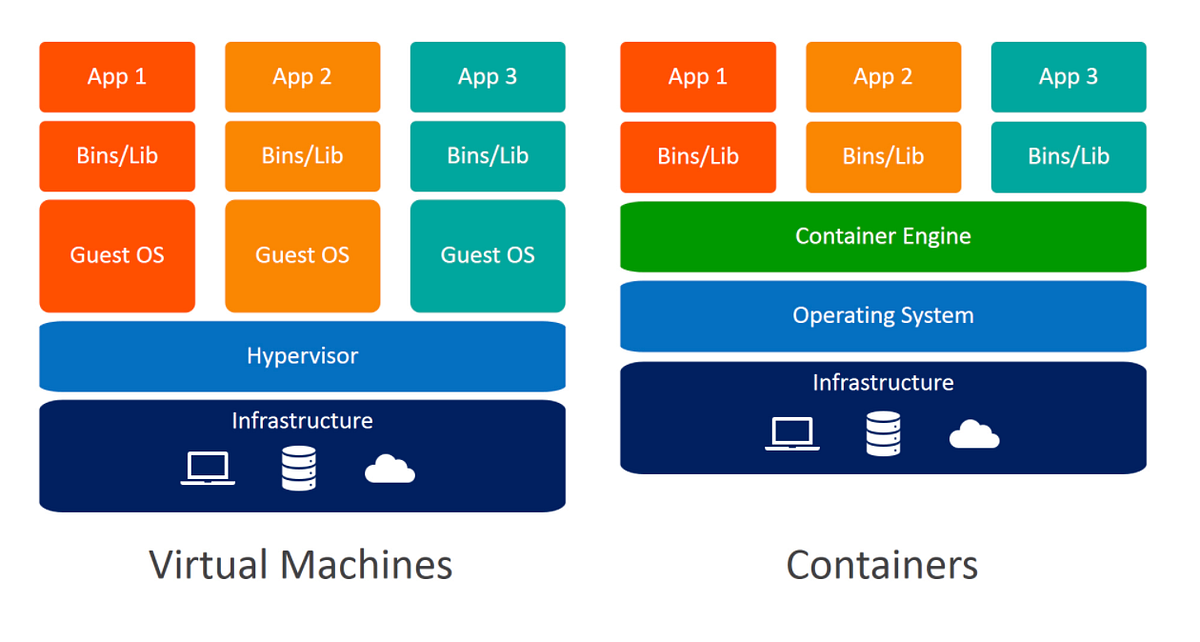
๐Ÿ“ฆ 6. Containerization

Image
Image
Image
Image
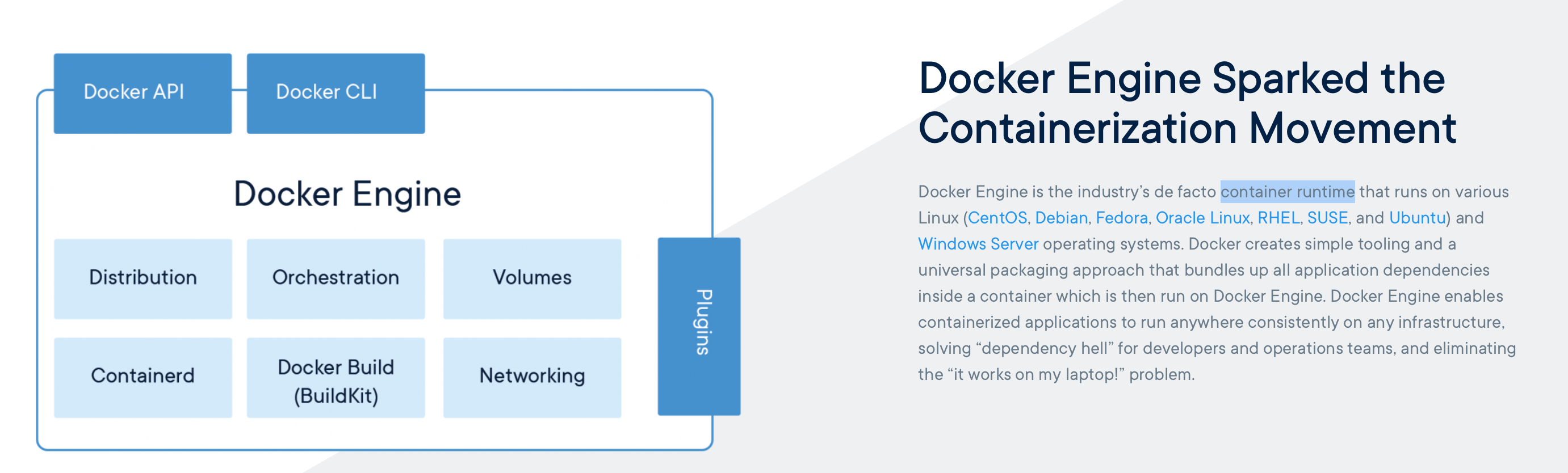
  • Lightweight virtualization
  • Uses shared OS kernel

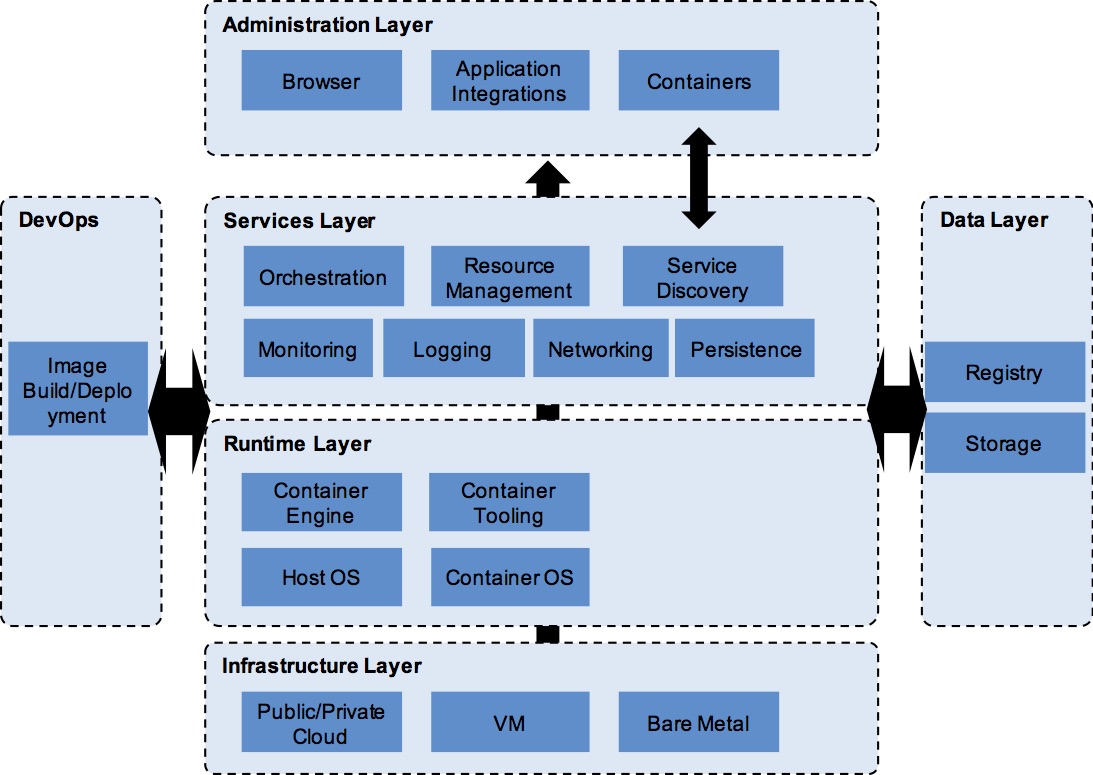
โš™๏ธ Virtualization Architecture


๐Ÿงฉ Layers:

Image
Image
Image
Image
  1. Physical hardware
  2. Hypervisor
  3. Virtual machines
  4. Applications

๐Ÿ”„ Full Virtualization vs Para-Virtualization


โš–๏ธ Comparison:

FeatureFull VirtualizationPara-Virtualization
OS modificationNot requiredRequired
PerformanceModerateHigh
ComplexityLowHigh

๐Ÿง  Virtualization in Cloud Computing


โ˜๏ธ Cloud Models

Image
Image
Image
Image

๐Ÿ”น IaaS (Infrastructure as a Service)

  • Virtual machines

๐Ÿ”น PaaS (Platform as a Service)

  • Development platforms

๐Ÿ”น SaaS (Software as a Service)

  • Applications over internet

๐Ÿ” Security in Virtualization


๐Ÿ›ก๏ธ Features:

Image
Image
Image
Image
  • Isolation between VMs
  • Sandboxing
  • Secure hypervisor

โš ๏ธ Risks:

  • VM escape
  • Resource sharing vulnerabilities

โš™๏ธ Resource Management


๐Ÿง  Techniques:

  • CPU scheduling
  • Memory allocation
  • Storage management

๐Ÿ”„ Live Migration


๐Ÿ” Concept

Image
Image
Image
Image
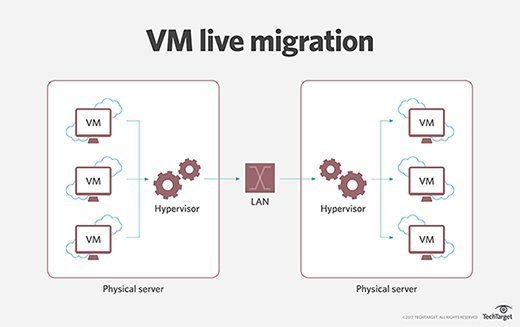
  • Moving VMs between hosts without downtime

๐Ÿง  Snapshots and Cloning


๐Ÿ“ธ Snapshot:

  • Saves VM state

๐Ÿ“‹ Cloning:

  • Creates duplicate VM

โšก Advantages of Virtualization

  • Cost efficiency
  • Scalability
  • Flexibility
  • Disaster recovery

โš ๏ธ Limitations

  • Performance overhead
  • Complexity
  • Security risks

๐Ÿš€ Emerging Trends

Image
Image
Image
Image
  • Edge virtualization
  • Serverless computing
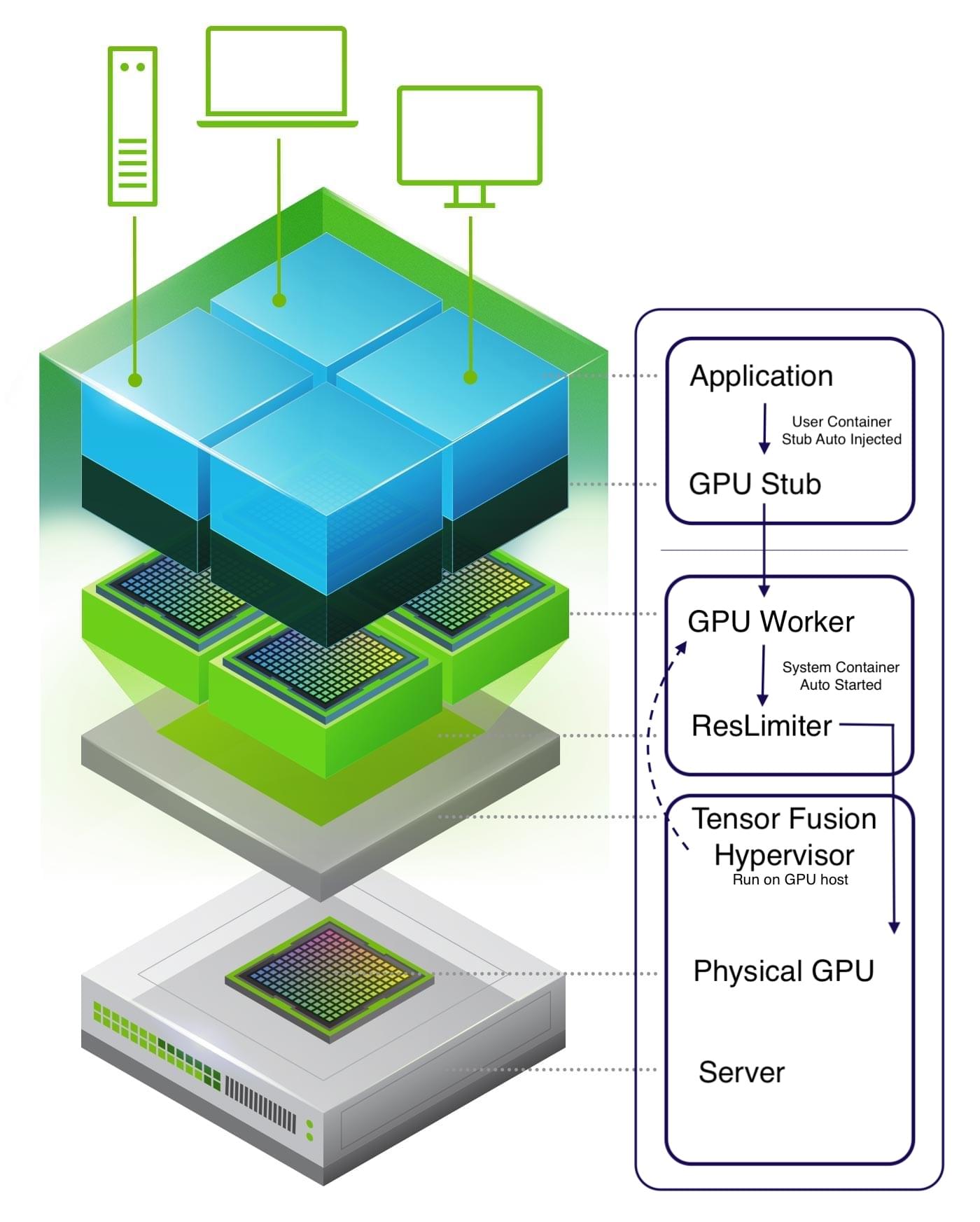
  • GPU virtualization
  • Hybrid cloud

๐Ÿง  Virtualization vs Containerization


โš–๏ธ Comparison:

FeatureVirtualizationContainerization
OSSeparate OSShared OS
SizeLargeSmall
SpeedSlowerFaster

๐Ÿงพ Conclusion

Virtualization is a key technology in modern computing, enabling:

  • Efficient use of resources
  • Cloud computing infrastructure
  • Flexible and scalable systems

It plays a critical role in:

  • Data centers
  • Cloud platforms
  • DevOps environments

Understanding virtualization is essential for:

  • System administrators
  • Developers
  • Cloud engineers

๐Ÿท๏ธ Tags

๐Ÿ’ป Windows / Linux / macOS Basics


๐ŸŒ Introduction to Operating Systems

Image
Image
Image
Image

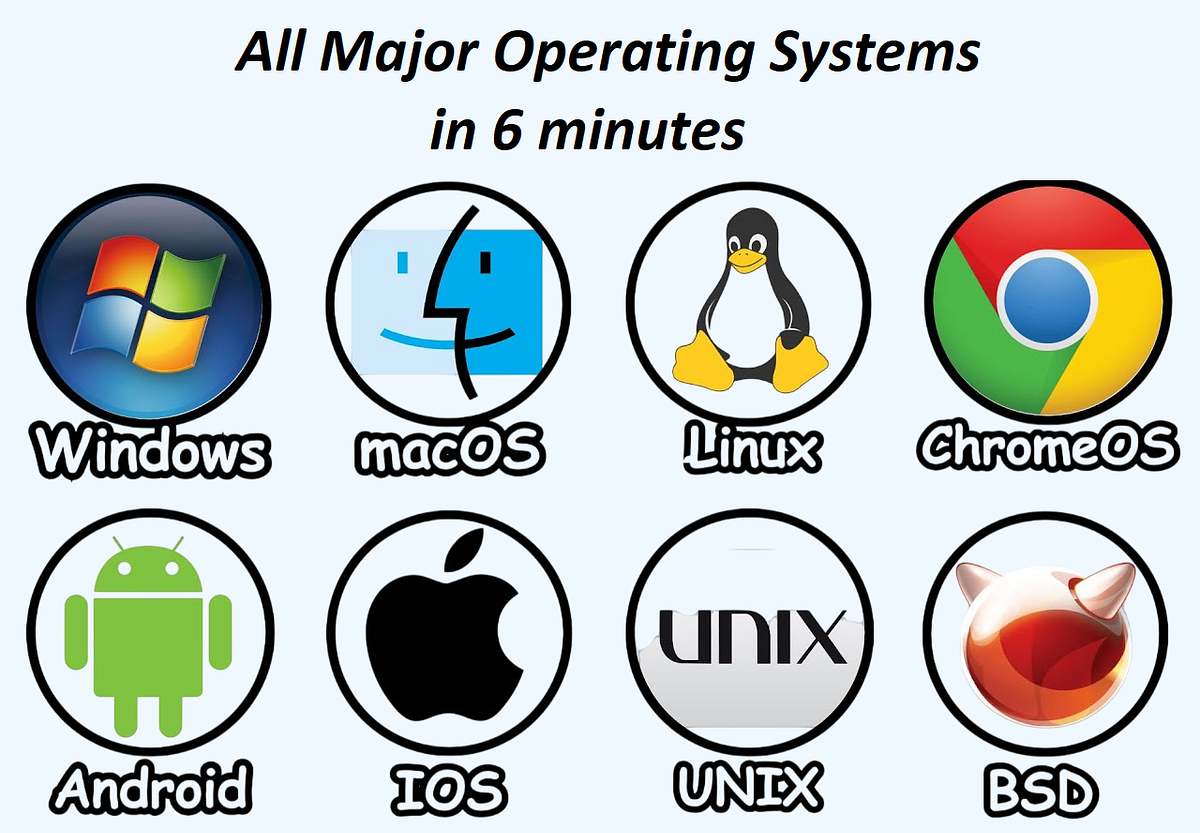
An Operating System (OS) is the most important system software that manages hardware resources and provides an interface between the user and the computer.

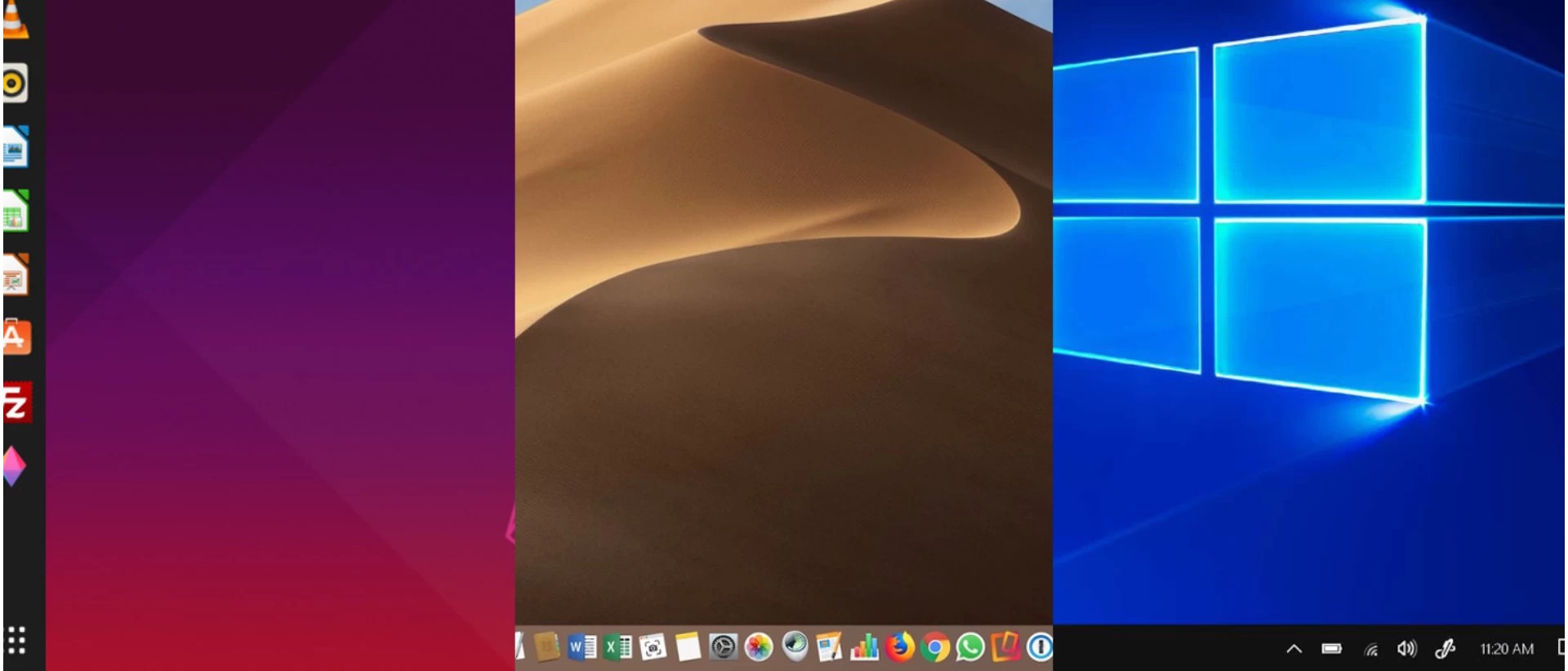
The three most widely used operating systems are:

  • Windows
  • Linux
  • macOS

Each has unique features, design philosophies, and use cases, but all share common responsibilities:

  • Process management
  • Memory management
  • File system control
  • Device management
  • Security

๐ŸชŸ WINDOWS OPERATING SYSTEM


๐Ÿง  Overview of Windows

Image
Image
Image
Image

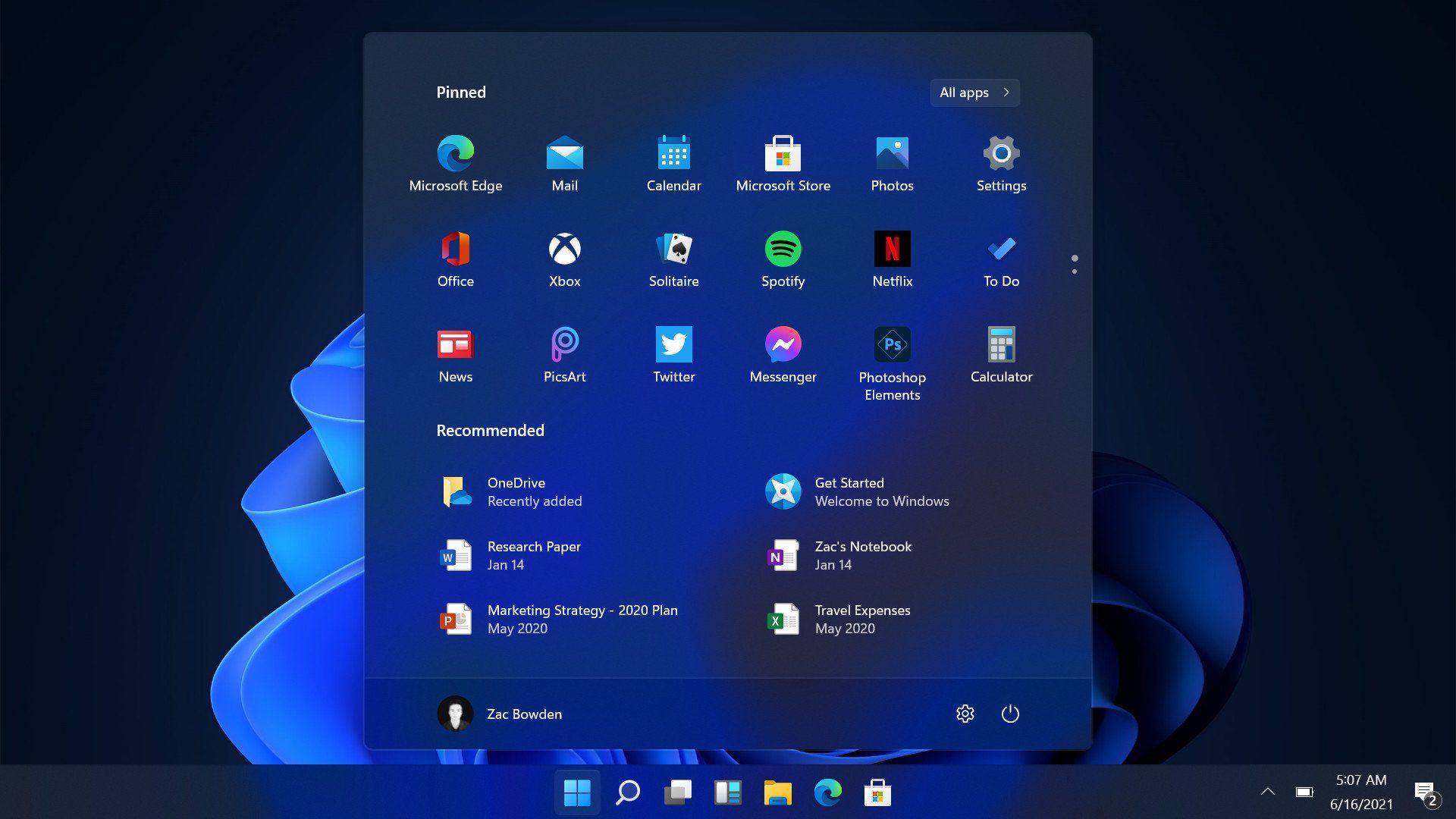
Windows is a widely used operating system developed by Microsoft. It is known for its user-friendly interface and broad compatibility.


โš™๏ธ Key Features of Windows

๐Ÿ–ฅ๏ธ Graphical User Interface (GUI)

  • Start menu
  • Taskbar
  • Desktop icons

๐Ÿ“‚ File Management

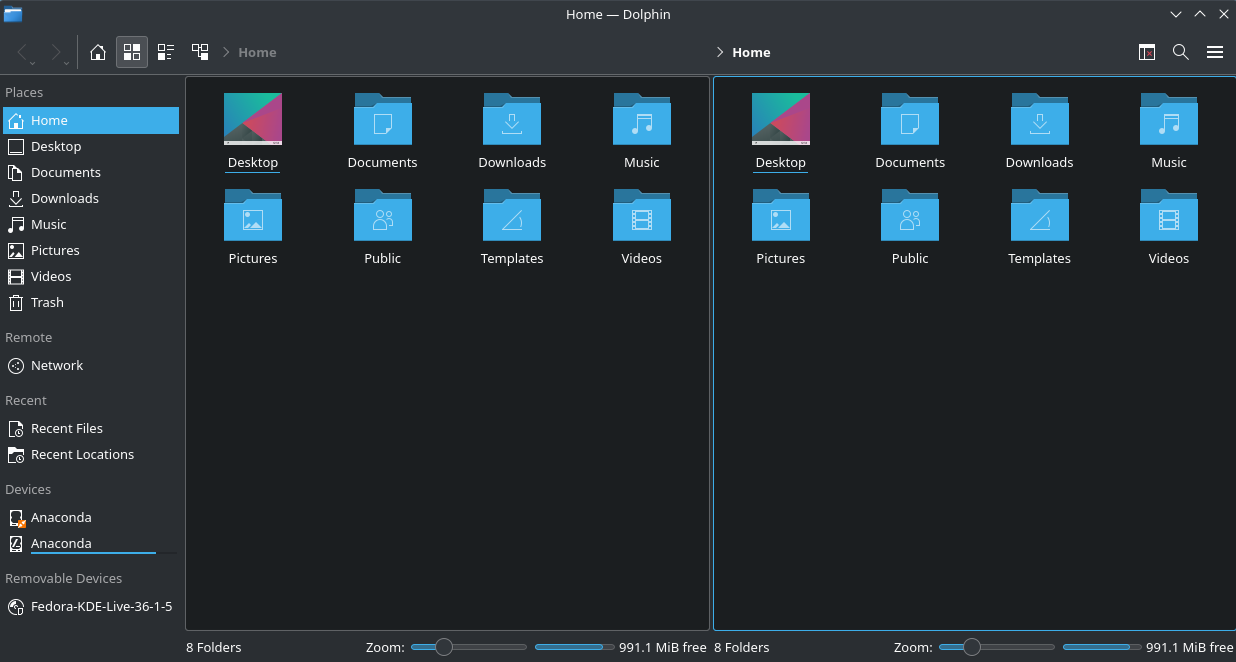
  • File Explorer
  • Folder organization

๐Ÿ”„ Multitasking

  • Run multiple applications simultaneously

๐Ÿ”Œ Hardware Compatibility

  • Supports a wide range of devices

๐Ÿงฉ Windows Components

  • Kernel
  • Device drivers
  • System libraries
  • User interface

๐Ÿ” Security Features

  • Windows Defender
  • Firewall
  • User account control

๐Ÿ“ File System

  • NTFS (New Technology File System)

โšก Advantages

  • Easy to use
  • Large software ecosystem
  • Strong hardware support

โš ๏ธ Limitations

  • Paid license
  • Vulnerable to malware
  • Resource-intensive

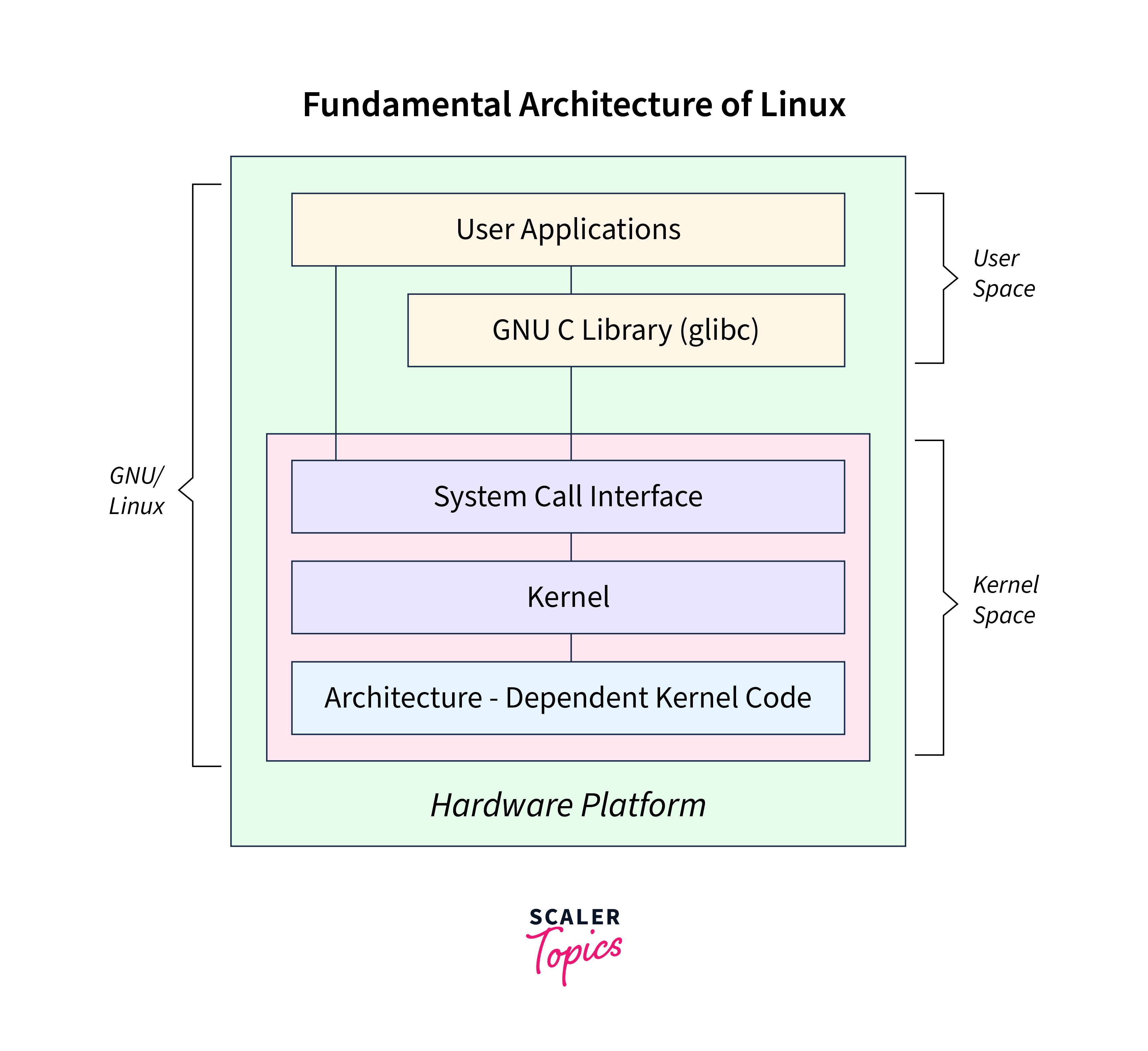
๐Ÿง LINUX OPERATING SYSTEM


๐Ÿง  Overview of Linux

Image
Image
Image
Image

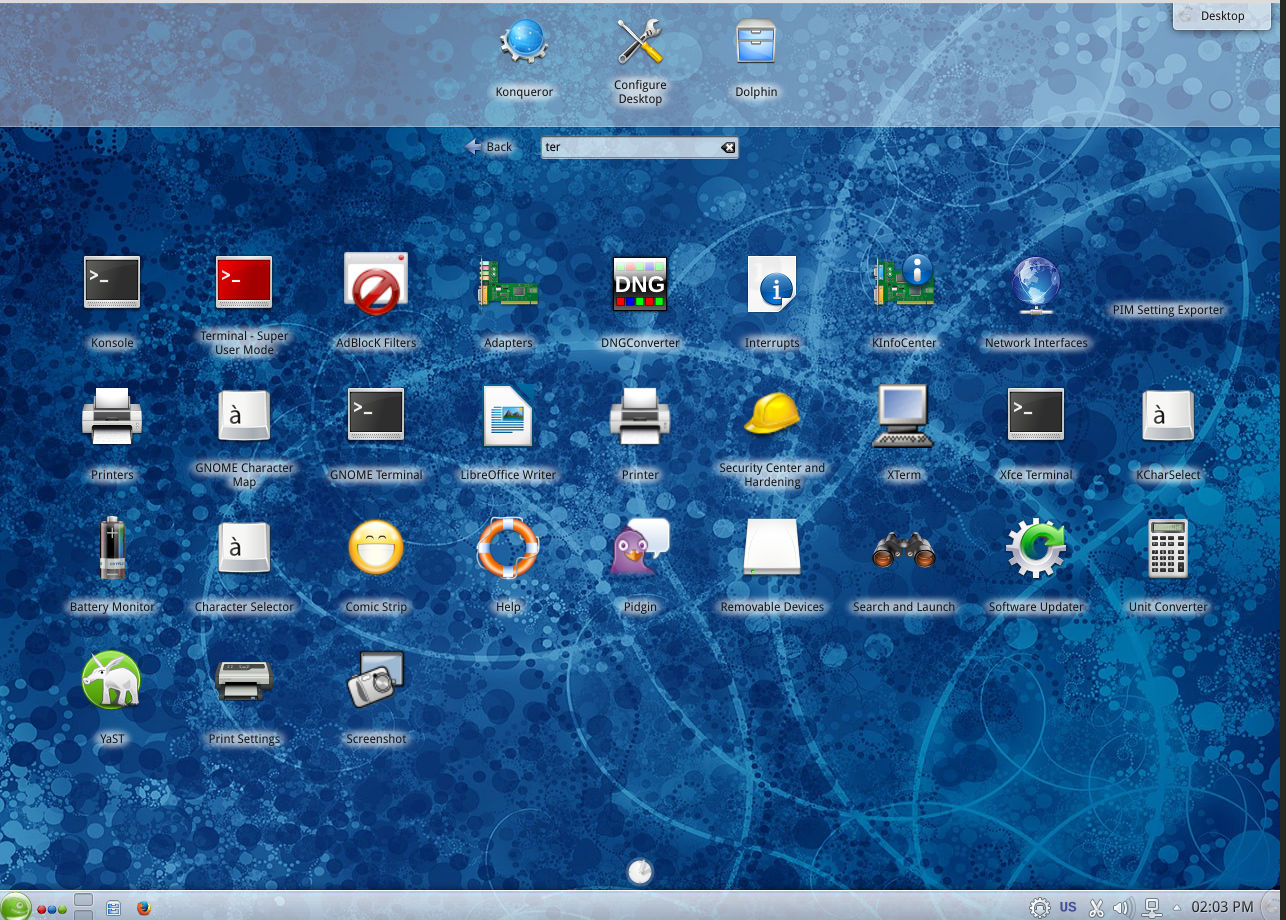
Linux is an open-source operating system based on Unix principles. It is widely used in servers, embedded systems, and development environments.


โš™๏ธ Key Features of Linux

๐Ÿ”“ Open Source

  • Free to use and modify

๐Ÿง  Multiuser & Multitasking

  • Supports multiple users simultaneously

โšก Stability and Performance

  • Efficient resource usage

๐Ÿ–ฅ๏ธ Command Line Interface

  • Powerful terminal (Bash shell)

๐Ÿงฉ Linux Components

  • Kernel
  • Shell
  • File system
  • Utilities

๐Ÿ“ Linux File System

Image
Image
Image
Image
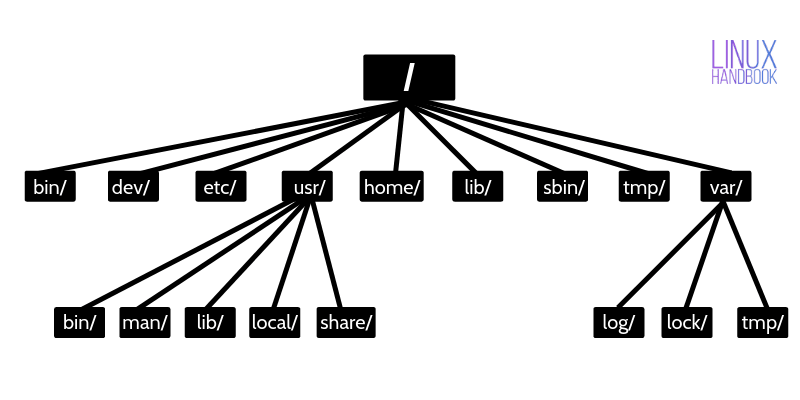
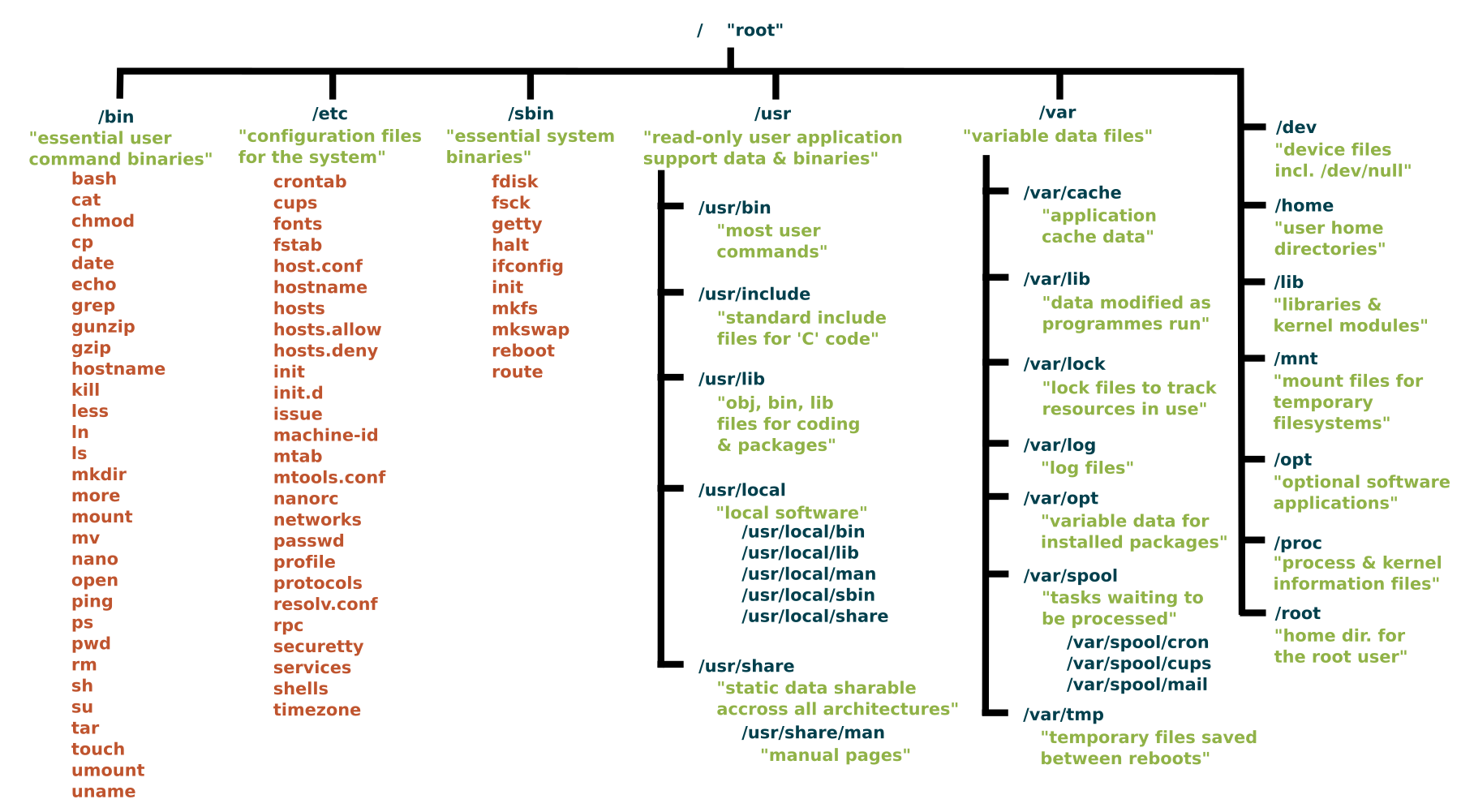
  • Root (/)
  • /home
  • /etc
  • /usr

๐Ÿ” Security Features

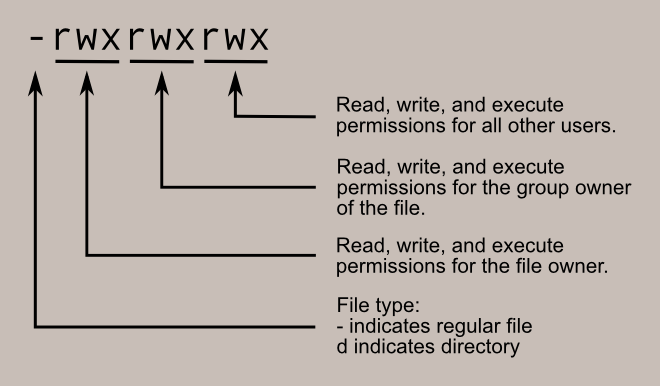
  • Strong permissions system
  • User/group control
  • SELinux/AppArmor

๐Ÿง  Popular Distributions

  • Ubuntu
  • Fedora
  • Debian
  • CentOS

โšก Advantages

  • Free and open-source
  • Highly customizable
  • Secure and stable

โš ๏ธ Limitations

  • Steeper learning curve
  • Limited commercial software

๐ŸŽ macOS OPERATING SYSTEM


๐Ÿง  Overview of macOS

Image
Image
Image
Image

macOS is developed by Apple and is known for its smooth performance, security, and elegant design.


โš™๏ธ Key Features of macOS

๐ŸŽจ User Interface

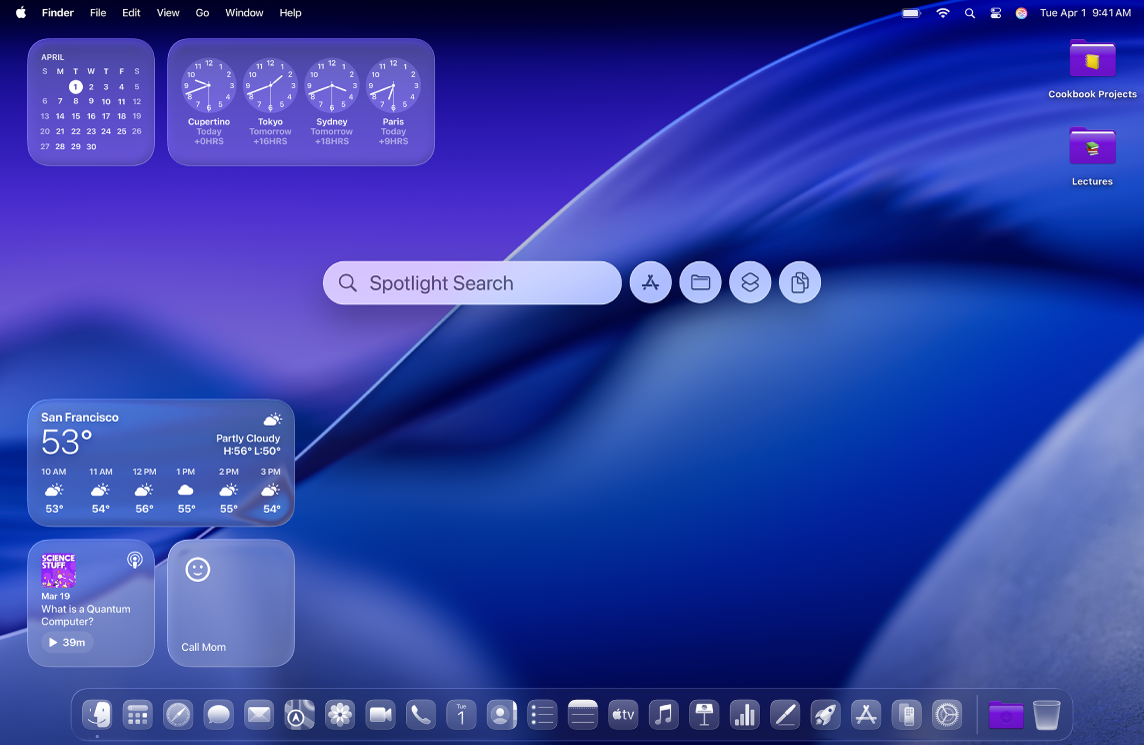
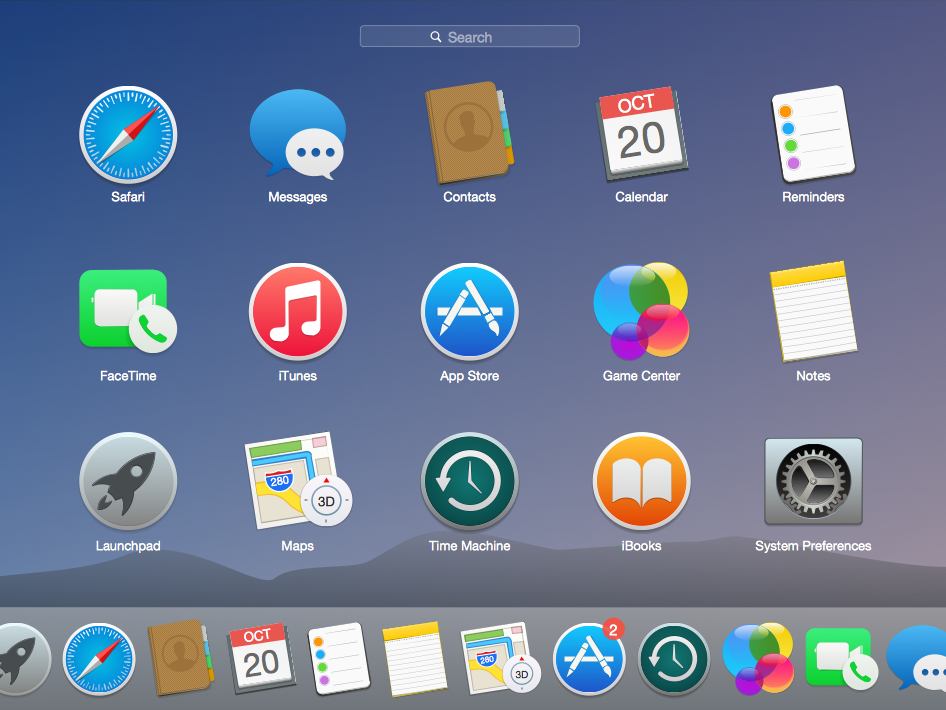
  • Dock
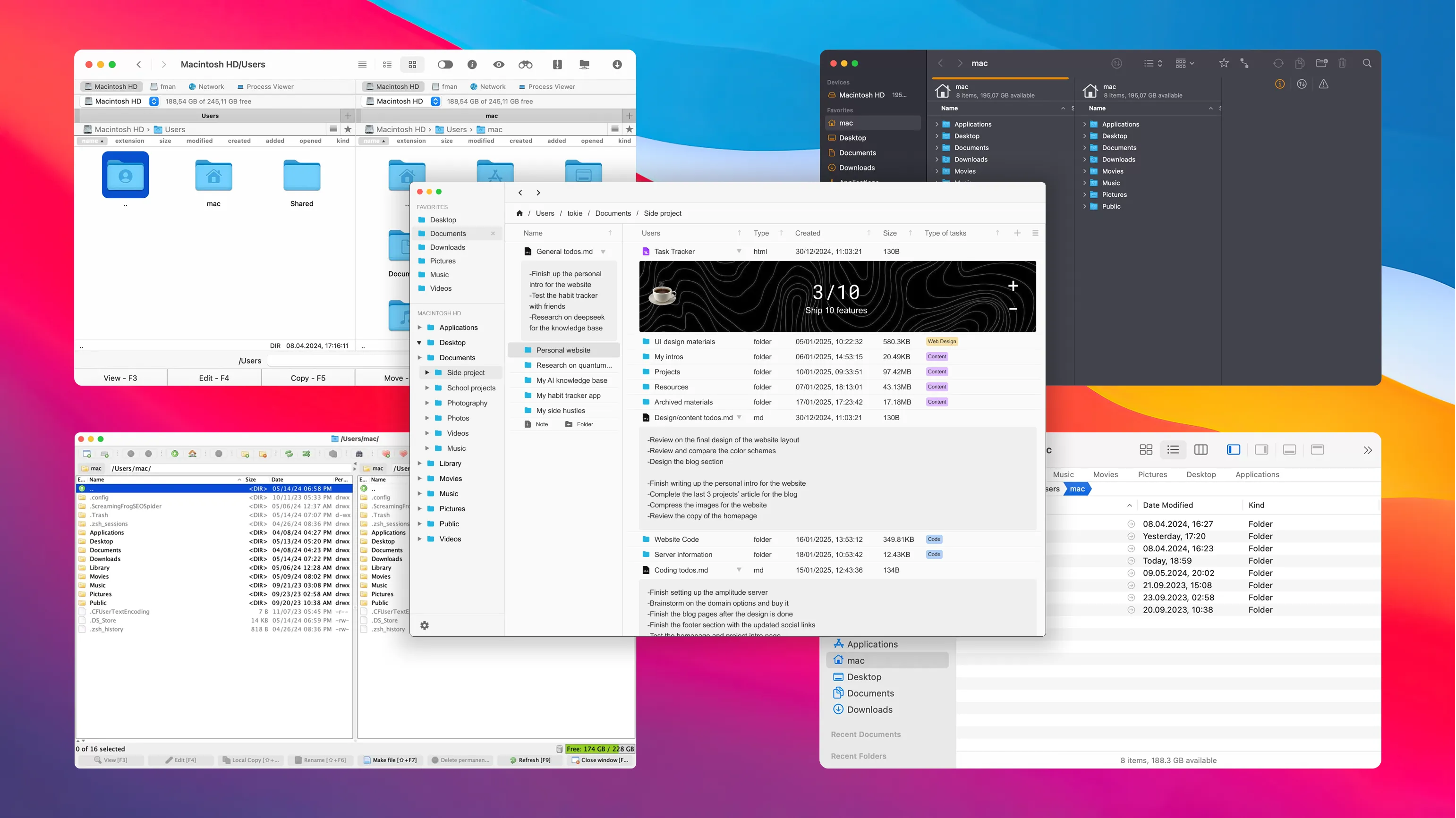
  • Finder
  • Spotlight search

๐Ÿ”„ Integration

  • Seamless integration with Apple ecosystem

โšก Performance Optimization

  • Optimized for Apple hardware

๐Ÿงฉ macOS Components

  • Darwin kernel
  • Cocoa frameworks
  • Finder (file manager)

๐Ÿ“ File System

  • APFS (Apple File System)

๐Ÿ” Security Features

  • Gatekeeper
  • FileVault
  • Sandbox apps

โšก Advantages

  • Stable and secure
  • Excellent UI/UX
  • Optimized performance

โš ๏ธ Limitations

  • Expensive hardware
  • Limited customization
  • Less gaming support

โš–๏ธ COMPARISON: Windows vs Linux vs macOS


๐Ÿ“Š Feature Comparison Table

FeatureWindowsLinuxmacOS
CostPaidFreePaid (with hardware)
User InterfaceEasyModerateVery user-friendly
SecurityModerateHighHigh
CustomizationLimitedVery HighLimited
Software SupportExtensiveModerateGood

๐Ÿง  Use Cases

  • Windows โ†’ General users, gaming, business
  • Linux โ†’ Developers, servers, cybersecurity
  • macOS โ†’ Designers, developers, creatives

โš™๏ธ Core OS Functions (All Systems)


๐Ÿง  Process Management

Image
Image
Image
Image
  • Handles running programs
  • Scheduling tasks

๐Ÿ’พ Memory Management

Image
Image
Image
Image
  • Allocates RAM
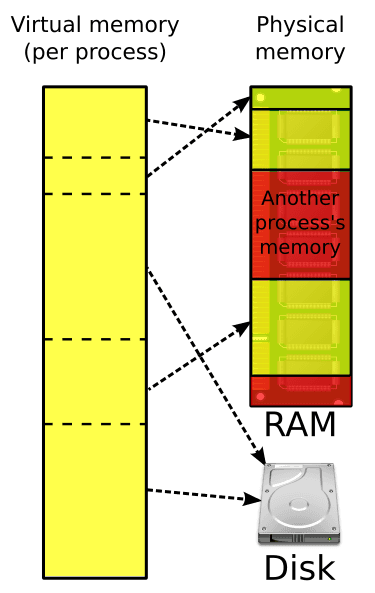
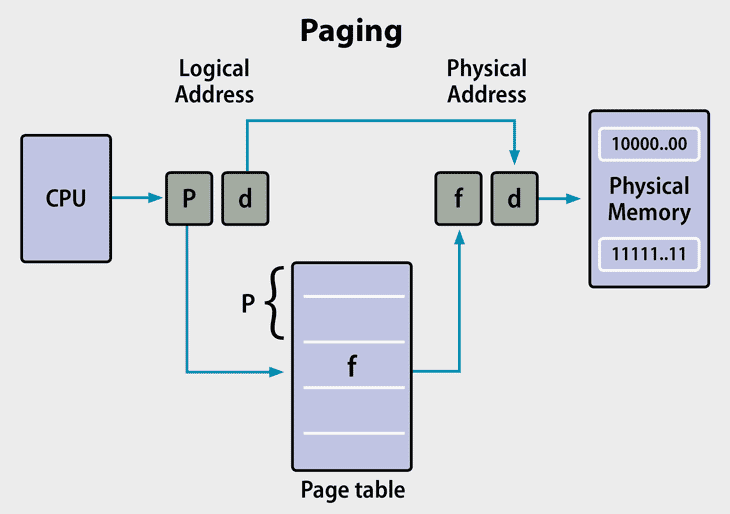
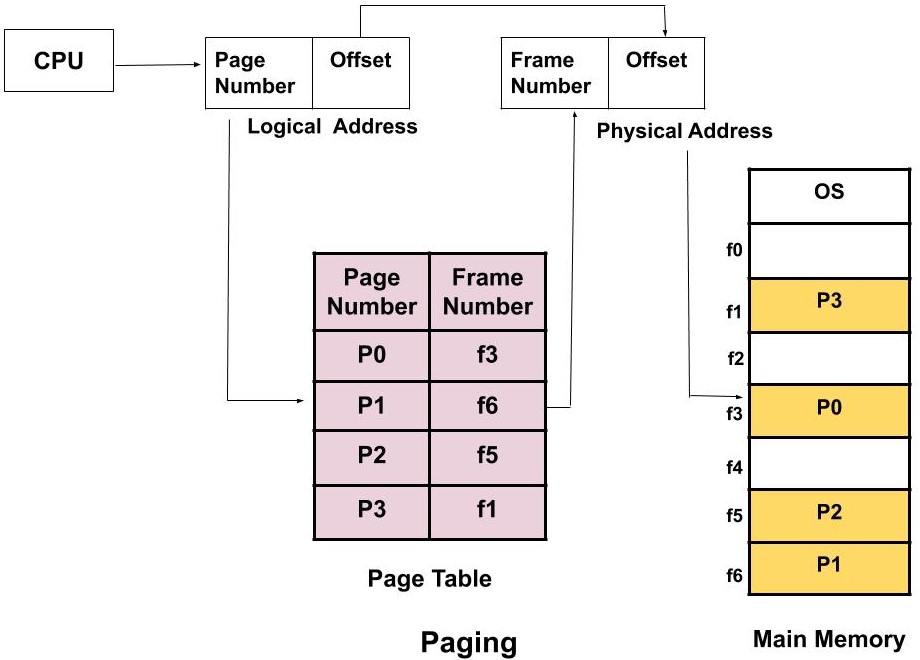
  • Uses virtual memory

๐Ÿ“‚ File Management

Image
Image
Image
Image
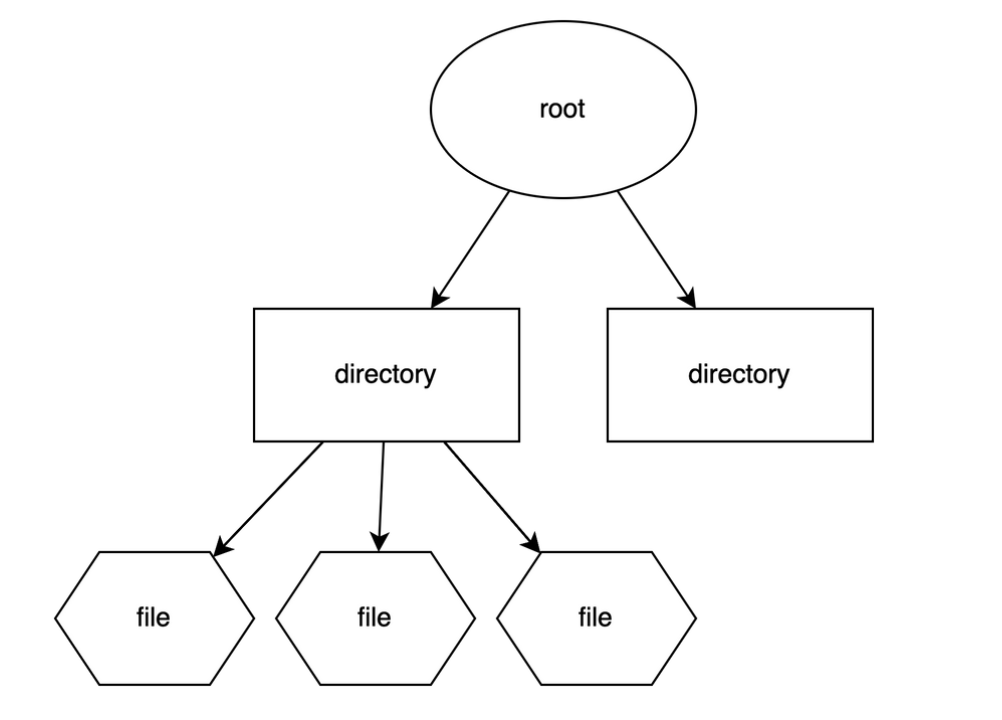
  • Organizes files and directories
  • Controls access

๐Ÿ”Œ Device Management

Image
Image
Image
Image
  • Controls hardware devices
  • Uses drivers

๐Ÿงฉ User Interfaces


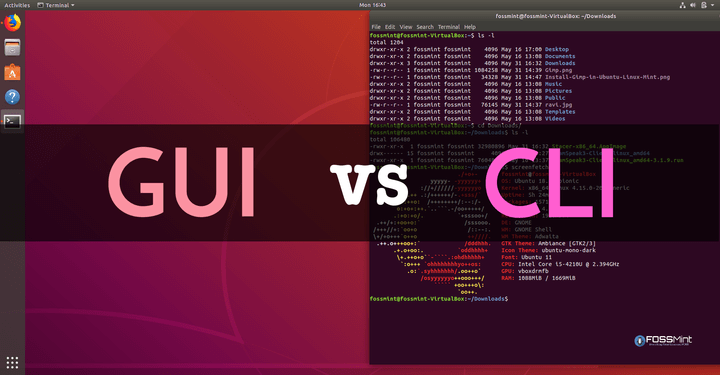
๐Ÿ–ฅ๏ธ GUI vs CLI

Image
Image
Image
Image
  • GUI โ†’ Easy, visual
  • CLI โ†’ Powerful, flexible

๐ŸŒ File Systems Comparison

OSFile System
WindowsNTFS
LinuxEXT4
macOSAPFS

๐Ÿ” Security Comparison


๐Ÿ›ก๏ธ Key Features:

  • Authentication
  • Encryption
  • Access control

Linux and macOS are generally more secure due to Unix-based design.


๐Ÿš€ Modern Trends in Operating Systems

Image
Image
Image
Image
  • Cloud-based OS
  • Virtualization
  • AI integration
  • Containerization

โšก Advantages of Operating Systems

  • Simplifies user interaction
  • Efficient resource management
  • Enables multitasking
  • Provides security

โš ๏ธ Limitations

  • Complexity
  • Resource usage
  • Compatibility issues

๐Ÿง  Conclusion

Windows, Linux, and macOS are the pillars of modern computing. Each offers unique strengths:

  • Windows โ†’ Versatility and compatibility
  • Linux โ†’ Power and flexibility
  • macOS โ†’ Performance and design

Understanding these systems helps in:

  • Choosing the right OS
  • Improving productivity
  • Learning advanced computing

๐Ÿท๏ธ Tags

๐Ÿ’ป Computer Software Basics


๐ŸŒ Introduction to Computer Software

Image
Image

Computer software refers to the set of instructions, programs, and data that tell a computer how to perform tasks. Unlike hardware, software is intangibleโ€”it cannot be touched but can be executed.

In simple terms:

Hardware is the body, software is the brain

Software enables users to interact with hardware and perform useful work such as writing documents, browsing the internet, or running applications.


๐Ÿง  Importance of Software

  • Controls hardware operations
  • Provides user interface
  • Enables automation and productivity
  • Supports communication and networking
  • Drives innovation (AI, cloud, mobile apps)

๐Ÿงฉ Types of Computer Software


โš™๏ธ 1. System Software

Image
Image
Image
Image

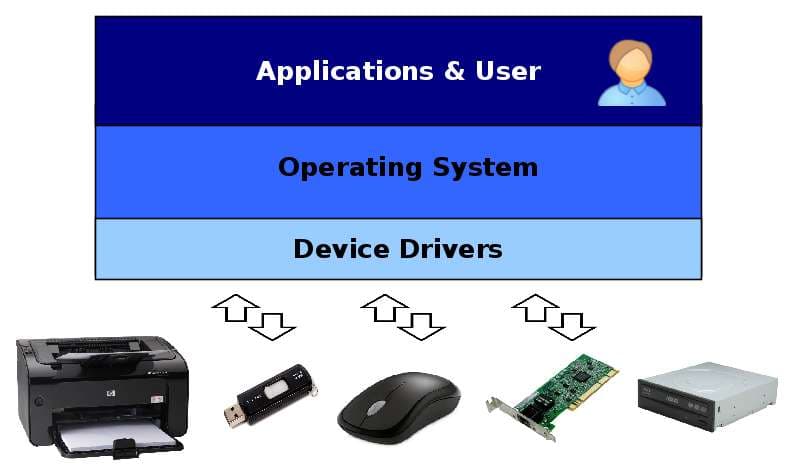
System software acts as a bridge between hardware and user applications.

Examples:

  • Operating Systems
  • Device Drivers
  • Utility Programs

๐Ÿง  Operating System (OS)

The OS is the most important system software.

Functions:

  • Process management
  • Memory management
  • File system management
  • Device management
  • Security

Examples:

  • Windows
  • Linux
  • macOS
  • Android

โš™๏ธ 2. Device Drivers

  • Enable communication between hardware and OS
  • Example: printer driver

๐Ÿงฐ 3. Utility Software

  • Helps maintain system performance

Examples:

  • Antivirus
  • Disk cleanup
  • Backup tools

๐Ÿ–ฅ๏ธ 4. Application Software

Image
Image
Image
Image

Application software allows users to perform specific tasks.

Types:

๐Ÿ“„ General Purpose

  • Word processors
  • Spreadsheets

๐ŸŽจ Specialized

  • Graphic design
  • Video editing

๐ŸŒ Web Applications

  • Browsers
  • Online tools

๐Ÿง  5. Programming Software

Image
Image
Image
Image

Used to develop software.

Includes:

  • Compilers
  • Interpreters
  • Debuggers
  • IDEs

๐Ÿง  Software Development Process


๐Ÿ”„ Software Development Life Cycle (SDLC)

Image
Image
Image
Image

Stages:

  1. Planning
  2. Analysis
  3. Design
  4. Development
  5. Testing
  6. Deployment
  7. Maintenance

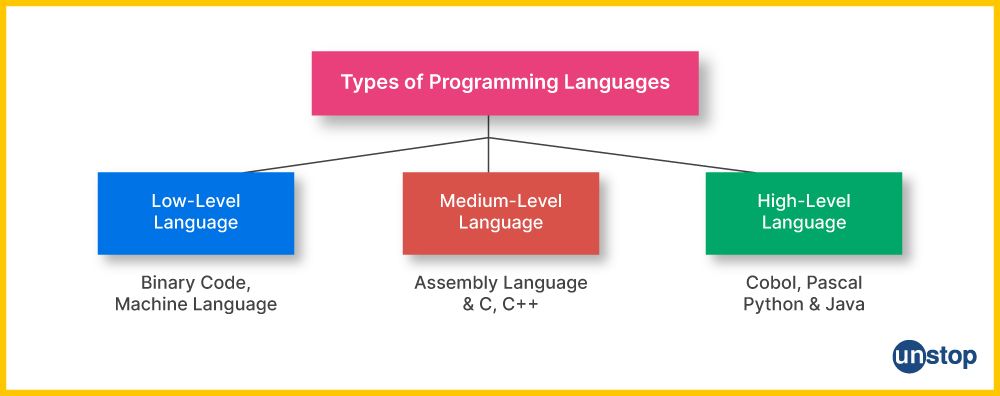
๐Ÿงฉ Programming Languages


๐Ÿ”ค Types:

Image
Image
Image
Image

๐Ÿ”น Low-Level Languages

  • Machine language
  • Assembly language

๐Ÿ”น High-Level Languages

  • Python
  • Java
  • C++

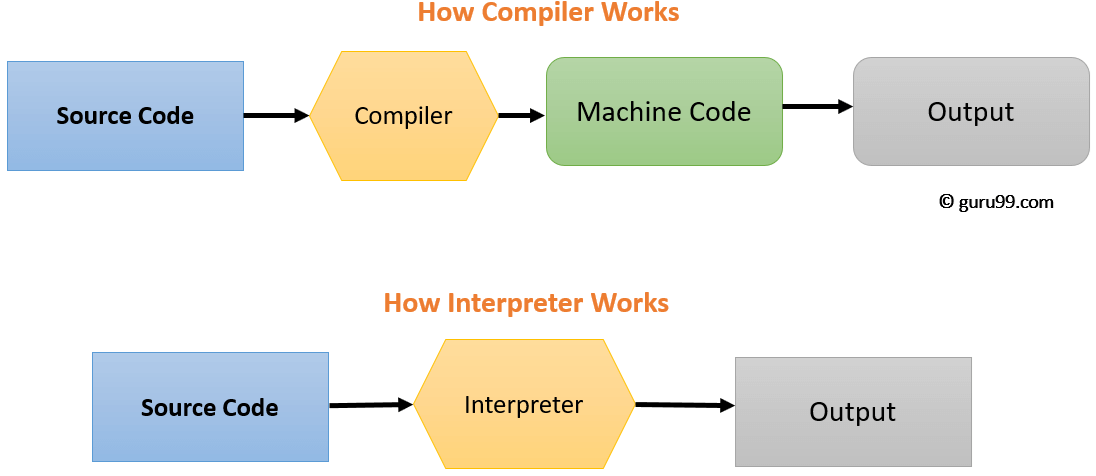
โš™๏ธ Compilation vs Interpretation

  • Compiler โ†’ Converts entire code at once
  • Interpreter โ†’ Executes line by line

๐Ÿง  Software Components


๐Ÿ“ฆ Modules

  • Independent units of software

๐Ÿ”— Libraries

  • Reusable code

๐Ÿงฉ APIs

  • Allow communication between programs

๐Ÿ–ฅ๏ธ User Interface (UI)


๐Ÿงญ Types:

Image
Image
Image
Image
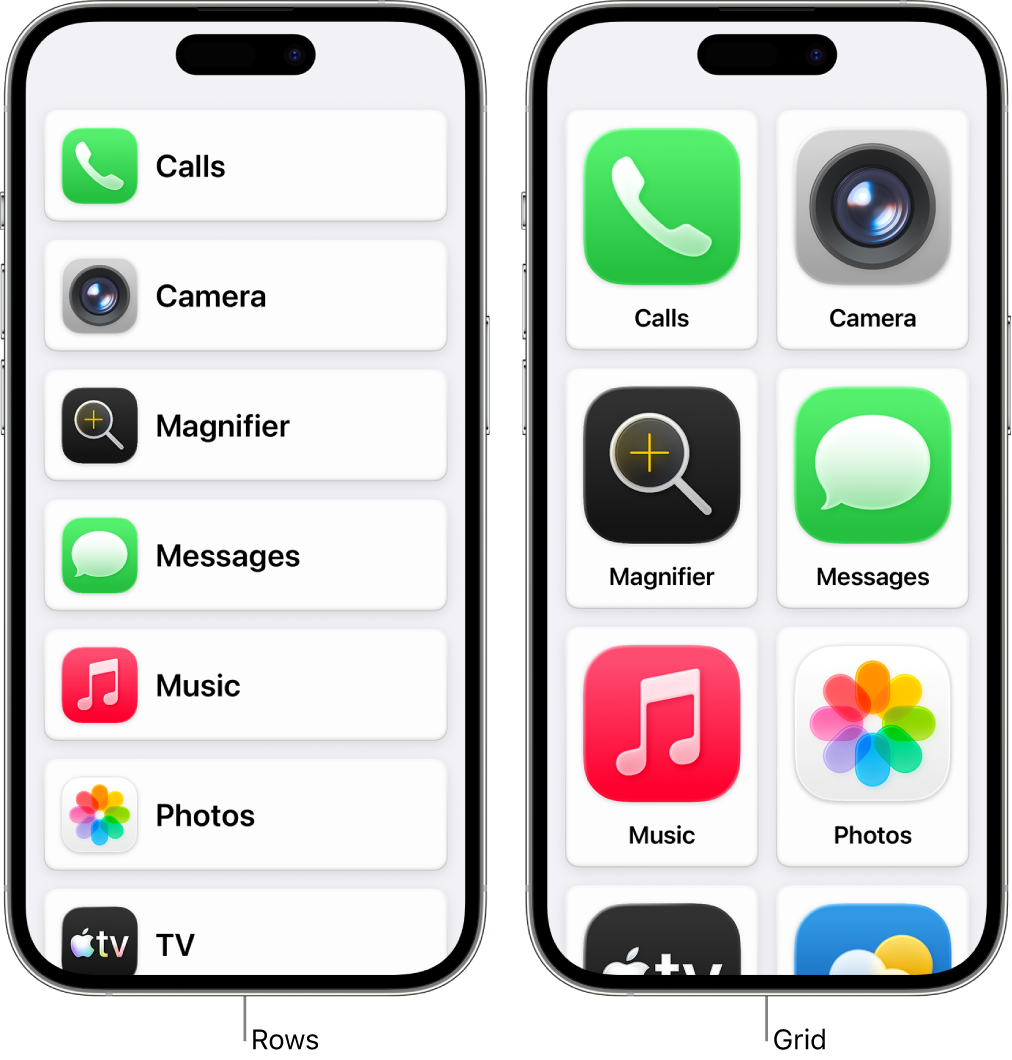
  • GUI (Graphical User Interface)
  • CLI (Command Line Interface)
  • Touch Interface
  • Voice Interface

๐Ÿ’พ Software Installation and Execution


๐Ÿ”„ Steps:

  • Install program
  • Load into memory
  • Execute via CPU

๐Ÿ” Software Security


โš ๏ธ Threats:

Image
Image
Image
Image
  • Malware
  • Viruses
  • Ransomware

๐Ÿ›ก๏ธ Protection:

  • Antivirus
  • Firewalls
  • Encryption

๐Ÿง  Types of Software Based on Distribution


๐ŸŒ Open Source Software

  • Free to use and modify
  • Example: Linux

๐Ÿ”’ Proprietary Software

  • Owned by companies
  • Example: Windows

๐Ÿ†“ Freeware

  • Free but not modifiable

๐Ÿ’ฐ Shareware

  • Trial-based software

โš™๏ธ Software Performance Factors

  • Efficiency
  • Speed
  • Scalability
  • Reliability

๐Ÿ”„ Software vs Hardware

FeatureSoftwareHardware
NatureIntangiblePhysical
FunctionInstructionsExecution
DependencyRuns on hardwareNeeds software

๐Ÿง  Modern Software Trends

Image
Image
Image
Image
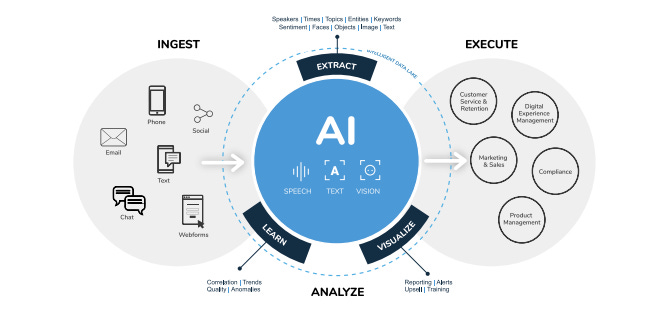
  • Artificial Intelligence
  • Cloud Computing
  • Mobile Applications
  • Blockchain

๐Ÿงฉ Advantages of Software

  • Automation
  • Flexibility
  • Scalability
  • Productivity

โš ๏ธ Limitations

  • Bugs and errors
  • Security risks
  • Dependency on hardware
  • Maintenance required

๐Ÿง  Future of Software

  • AI-driven automation
  • Quantum software
  • Intelligent assistants
  • Low-code/no-code platforms

๐Ÿงพ Conclusion

Computer software is the core driver of modern computing systems. It enables:

  • Interaction between users and machines
  • Execution of complex tasks
  • Innovation across industries

Understanding software basics is essential for:

  • Programming
  • IT careers
  • System design
  • Digital transformation

๐Ÿท๏ธ Tags

๐Ÿ–ฅ๏ธ Basic Computer Architecture โ€“ Complete Detailed Guide


๐Ÿงฉ Overview of Computer Architecture

Image
Image
Image
Image

Computer architecture refers to the design, structure, and functional behavior of a computer system. It defines how different components of a computerโ€”such as the CPU, memory, and input/output devicesโ€”interact with each other to execute programs.

At its core, computer architecture answers three main questions:

  1. What does the system do? (Functionality)
  2. How is it organized? (Structure)
  3. How does it operate? (Behavior)

The architecture of a computer is usually divided into:

  • Instruction Set Architecture (ISA) โ€“ Interface between hardware and software
  • Microarchitecture โ€“ Internal implementation of the processor
  • System Design โ€“ Integration of hardware components

๐Ÿง  Historical Background

1. Early Computing Machines

Image
Image
Image
Image

The development of computer architecture began with early mechanical devices:

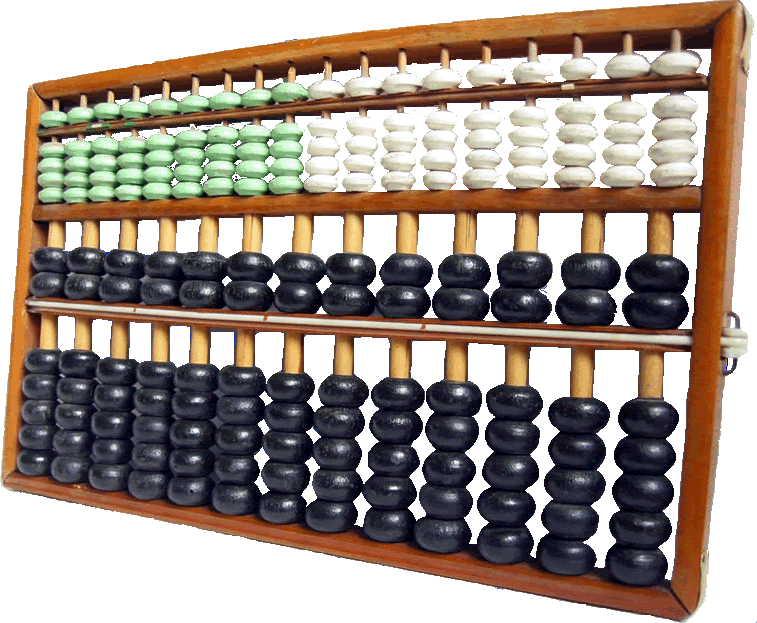
  • Abacus โ€“ First counting tool
  • Analytical Engine (Charles Babbage) โ€“ Concept of programmable machines
  • ENIAC โ€“ First electronic general-purpose computer

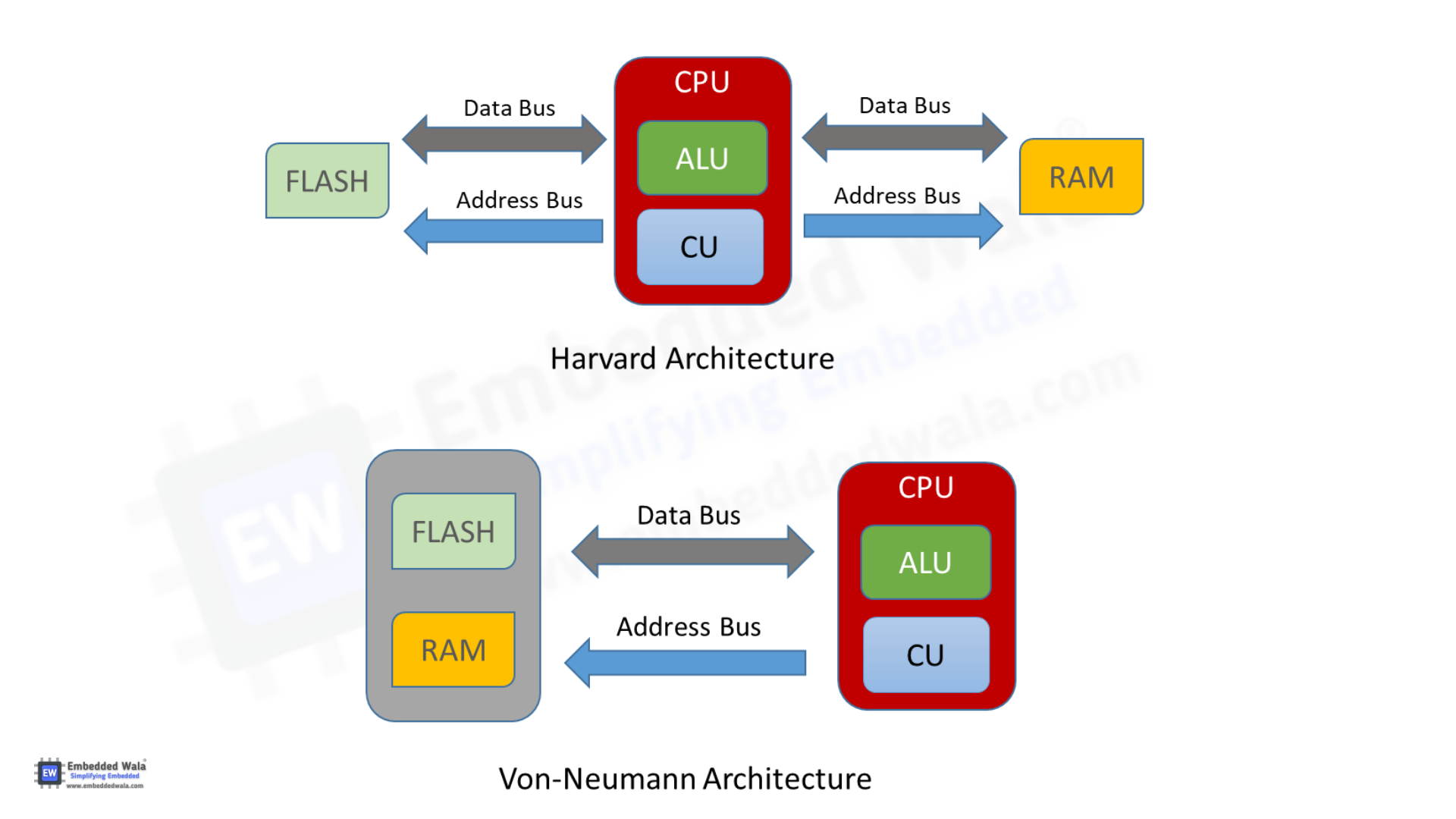
2. Von Neumann Architecture

Image
Image
Image
Image

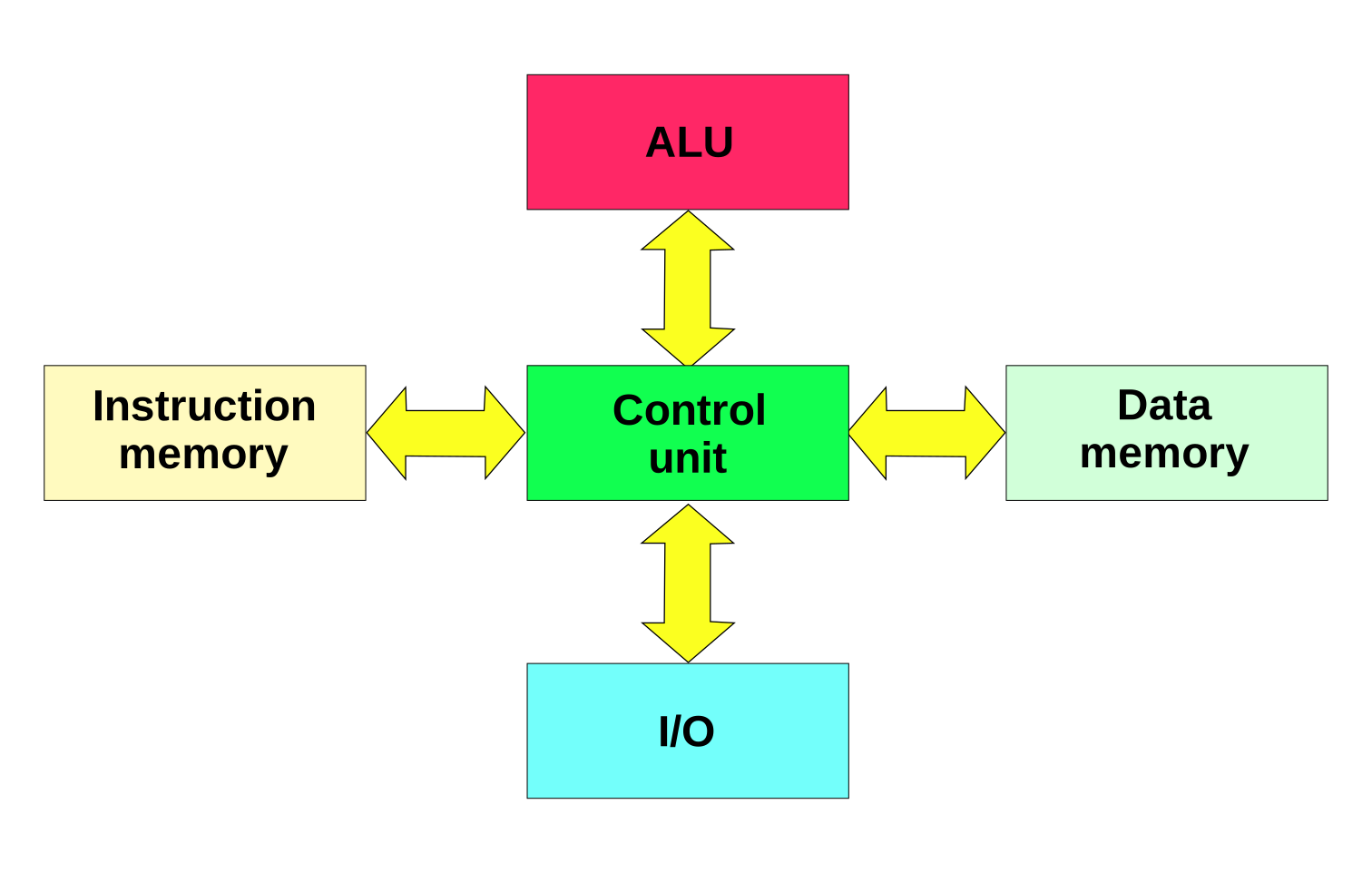
The Von Neumann architecture is the foundation of modern computers. It introduced the stored-program concept, where instructions and data are stored in the same memory.

Key components:

  • Central Processing Unit (CPU)
  • Memory
  • Input/Output devices
  • Bus system

โš™๏ธ Core Components of Computer Architecture


1. Central Processing Unit (CPU)

Image
Image
Image
Image

The CPU is the brain of the computer, responsible for executing instructions.

Components of CPU:

a. Arithmetic Logic Unit (ALU)
  • Performs arithmetic operations: addition, subtraction
  • Performs logical operations: AND, OR, NOT
  • Executes comparisons
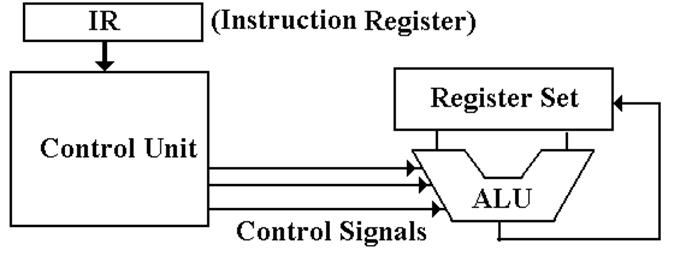
b. Control Unit (CU)
  • Directs operations of the processor
  • Fetches instructions from memory
  • Decodes and executes them
c. Registers
  • Small, fast storage locations inside CPU
  • Examples:
    • Program Counter (PC)
    • Instruction Register (IR)
    • Accumulator

2. Memory Unit

Image
Image
Image
Image

Memory stores data and instructions.

Types of Memory:

a. Primary Memory
  • RAM (Random Access Memory) โ€“ Volatile
  • ROM (Read Only Memory) โ€“ Non-volatile
b. Secondary Memory
  • Hard Disk, SSD, Optical Disks
  • Permanent storage
c. Cache Memory
  • High-speed memory
  • Located close to CPU
  • Improves performance

3. Input and Output Units

Image
Image
Image
Image

Input Devices:

  • Keyboard
  • Mouse
  • Scanner

Output Devices:

  • Monitor
  • Printer
  • Speakers

These units enable communication between user and computer.


4. Bus System

Image
Image
Image
Image

The bus is a communication system that transfers data between components.

Types of Buses:

  • Data Bus โ€“ Transfers data
  • Address Bus โ€“ Carries memory addresses
  • Control Bus โ€“ Sends control signals

๐Ÿ”„ Instruction Cycle (Fetch-Decode-Execute)

Image
Image
Image
Image

The CPU processes instructions in a cycle:

  1. Fetch โ€“ Retrieve instruction from memory
  2. Decode โ€“ Interpret instruction
  3. Execute โ€“ Perform operation

This cycle repeats continuously.


๐Ÿงฎ Instruction Set Architecture (ISA)

ISA defines:

  • Instruction formats
  • Addressing modes
  • Data types
  • Registers

Examples:

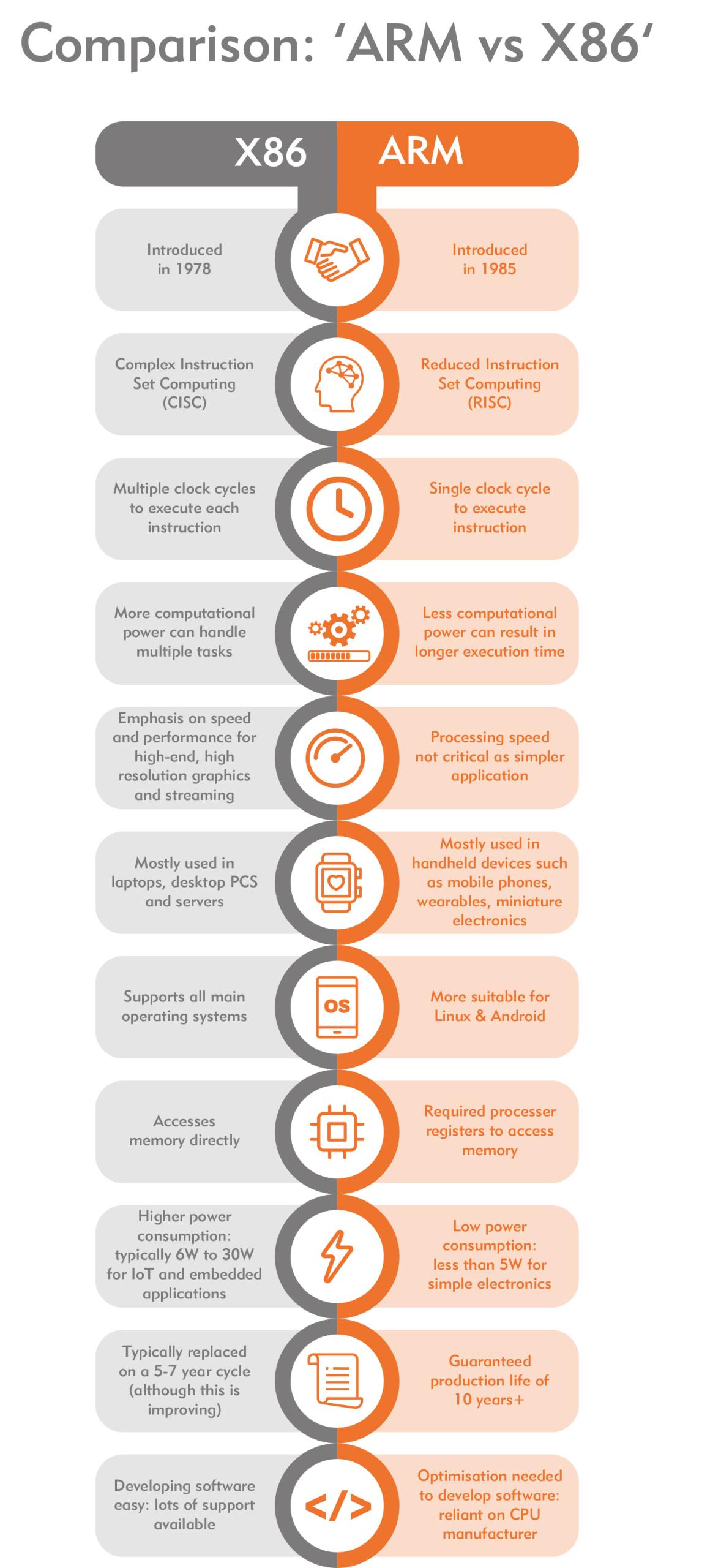
  • RISC (Reduced Instruction Set Computer)
  • CISC (Complex Instruction Set Computer)

โšก RISC vs CISC Architecture

Image
Image
Image
Image
FeatureRISCCISC
InstructionsSimpleComplex
ExecutionFastSlower
ExamplesARMx86

๐Ÿง  Memory Hierarchy

Memory is organized based on speed and cost:

  1. Registers (fastest)
  2. Cache
  3. RAM
  4. Secondary Storage (slowest)

Key principle:

Faster memory is more expensive and smaller.


โš™๏ธ Microarchitecture

Microarchitecture refers to:

  • Internal design of CPU
  • Pipelining
  • Superscalar execution
  • Branch prediction

๐Ÿ” Pipelining

Image
Image
Image
Image

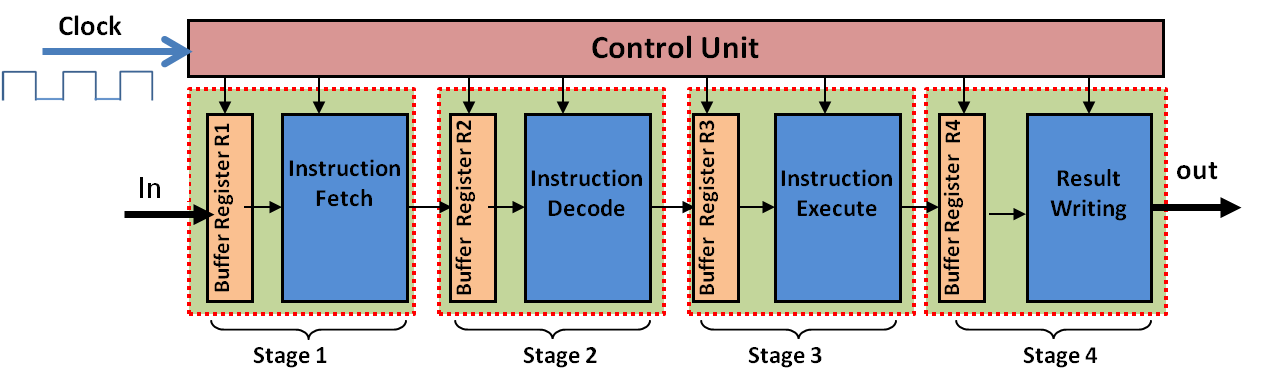
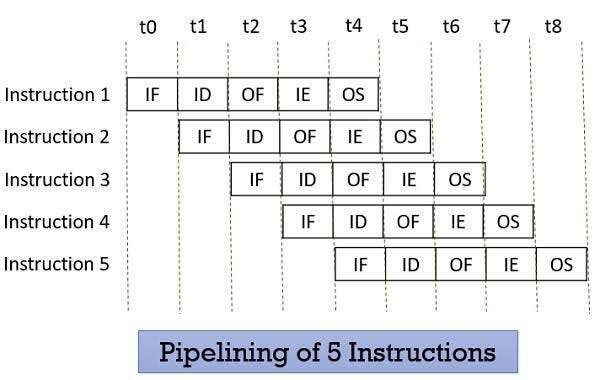
Pipelining improves performance by overlapping instruction execution.
Stages:

  • Fetch
  • Decode
  • Execute
  • Memory
  • Write-back

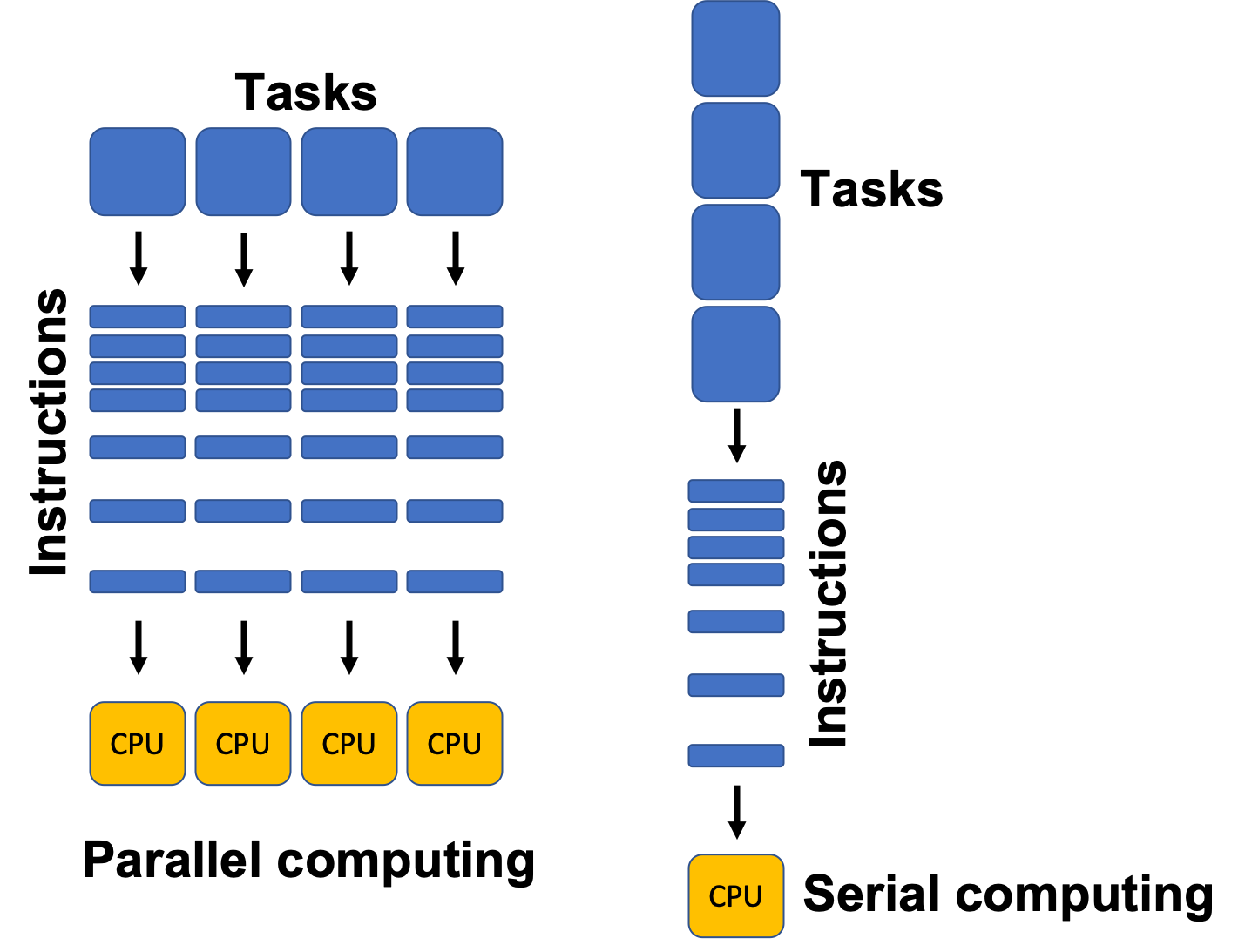
๐Ÿงฉ Parallelism in Architecture

Types:

  • Instruction-Level Parallelism (ILP)
  • Data-Level Parallelism (DLP)
  • Thread-Level Parallelism (TLP)

Examples:

  • Multi-core processors
  • GPUs

๐Ÿ–ฅ๏ธ Types of Computer Architectures


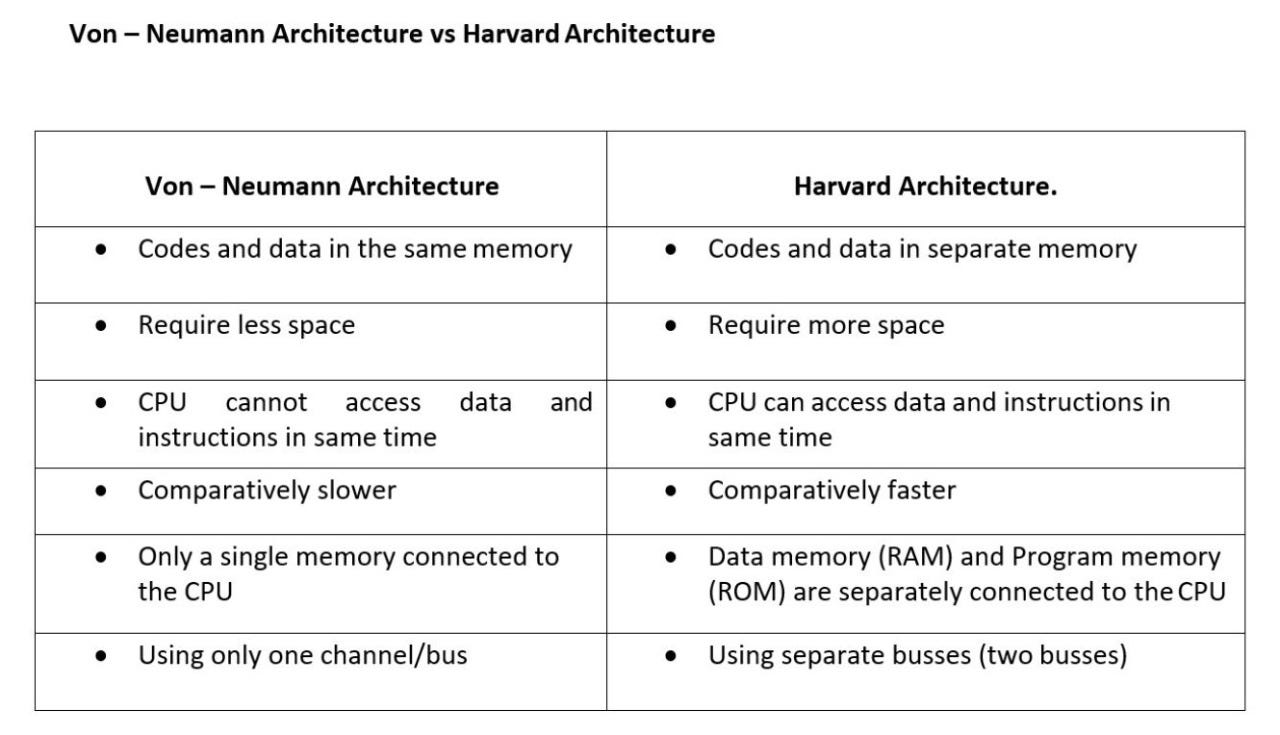
1. Von Neumann Architecture

  • Single memory for data and instructions
  • Simpler design
  • Bottleneck issue

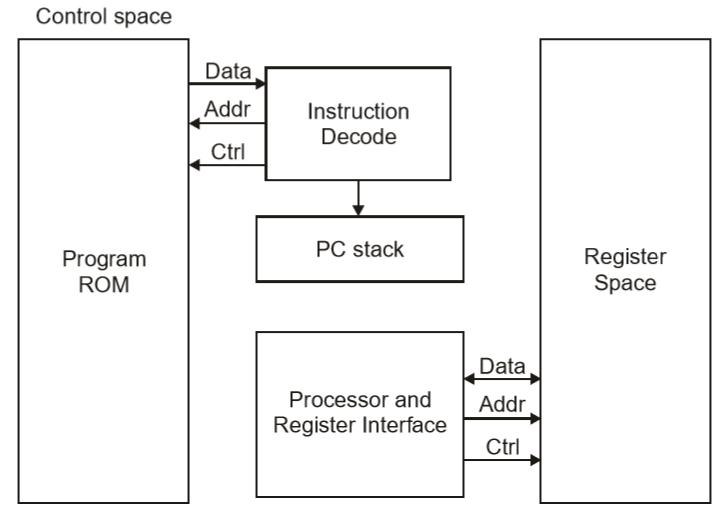
2. Harvard Architecture

Image
Image
Image
Image
  • Separate memory for data and instructions
  • Faster access
  • Used in embedded systems

๐Ÿงฎ Addressing Modes

Defines how operands are accessed:

  • Immediate
  • Direct
  • Indirect
  • Indexed
  • Register

โšก Performance Metrics


1. Clock Speed

  • Measured in GHz
  • Determines how many cycles per second

2. Throughput

  • Number of tasks per unit time

3. Latency

  • Time taken to execute a task

๐Ÿ” Control Signals and Timing

  • Control unit generates signals
  • Synchronization through clock pulses
  • Ensures proper sequencing

๐Ÿง  Registers in Detail

Types:

  • General-purpose registers
  • Special-purpose registers:
    • Program Counter
    • Stack Pointer
    • Status Register

๐Ÿ“ฆ Cache Memory Levels

  • L1 Cache โ€“ fastest, smallest
  • L2 Cache โ€“ larger, slower
  • L3 Cache โ€“ shared among cores

๐Ÿงฉ Multiprocessing and Multicore Systems

Image
Image
Image
Image
  • Multiple processors or cores
  • Improves performance and multitasking

๐Ÿ”„ Interrupts in Computer Architecture

  • Signals from devices to CPU
  • Types:
    • Hardware interrupts
    • Software interrupts

๐Ÿงฎ Input/Output Organization

Methods:

  • Programmed I/O
  • Interrupt-driven I/O
  • Direct Memory Access (DMA)

๐Ÿ” Bus Arbitration

  • Determines which device controls the bus
  • Methods:
    • Centralized
    • Distributed

๐Ÿง  Evolution of Computer Architecture


Generations:

  1. Vacuum Tubes
  2. Transistors
  3. Integrated Circuits
  4. Microprocessors
  5. AI-based architectures

โš™๏ธ Modern Trends in Computer Architecture

Image
Image
Image
Image
  • Quantum Computing
  • Neuromorphic Computing
  • Edge Computing
  • Cloud Computing

๐Ÿงพ Advantages of Computer Architecture Design

  • Efficient processing
  • Scalability
  • Flexibility
  • Optimization of resources

โš ๏ธ Limitations

  • Complexity
  • Cost
  • Power consumption
  • Heat generation

๐Ÿง  Conclusion

Basic computer architecture forms the foundation of all computing systems. From simple machines to modern AI-powered systems, understanding architecture helps in:

  • Designing efficient systems
  • Improving performance
  • Building advanced technologies

It connects hardware and software, enabling computers to solve complex problems efficiently.


๐Ÿท๏ธ Tags

Introduction to Computers

Image
Image
Image
Image

1. Meaning and Definition of Computers

A computer is an electronic device that processes data according to a set of instructions called programs. It accepts raw data as input, processes it using a central processing unit, stores the results, and produces meaningful information as output.

The word computer originally referred to a person who performed calculations manually. With technological advancement, the term now refers to programmable electronic machines capable of performing millions or billions of operations per second.

A widely accepted definition states:

A computer is an electronic programmable machine that receives input, processes data based on instructions, stores information, and produces output.

Computers are essential tools in modern society and are used in almost every field including education, medicine, engineering, communication, entertainment, business, banking, transportation, and scientific research.


2. Basic Characteristics of Computers

Computers possess several important characteristics that make them powerful tools.

Speed

Computers can perform calculations extremely fast. Modern processors can execute billions of instructions per second. Tasks that would take humans hours or days can be completed in seconds.

Accuracy

Computers produce highly accurate results when the instructions and input data are correct. Errors usually occur due to incorrect input or faulty programs rather than the computer itself.

Automation

Once a program is started, a computer can perform tasks automatically without human intervention until the program finishes.

Storage Capacity

Computers can store large volumes of data. Storage devices such as hard drives, SSDs, and cloud storage allow computers to keep enormous amounts of information.
Diligence

Unlike humans, computers do not get tired or bored. They can perform repetitive tasks continuously with the same efficiency.

Versatility

Computers can perform a wide variety of tasks including word processing, data analysis, multimedia editing, scientific simulations, and gaming.

Multitasking

Modern computers can run multiple applications simultaneously, allowing users to perform different tasks at the same time.

Reliability

Computers are reliable machines that can run continuously for long periods without failure when properly maintained.


3. Components of a Computer System

A computer system consists of two main parts:

  1. Hardware
  2. Software

Both components work together to perform computing tasks.


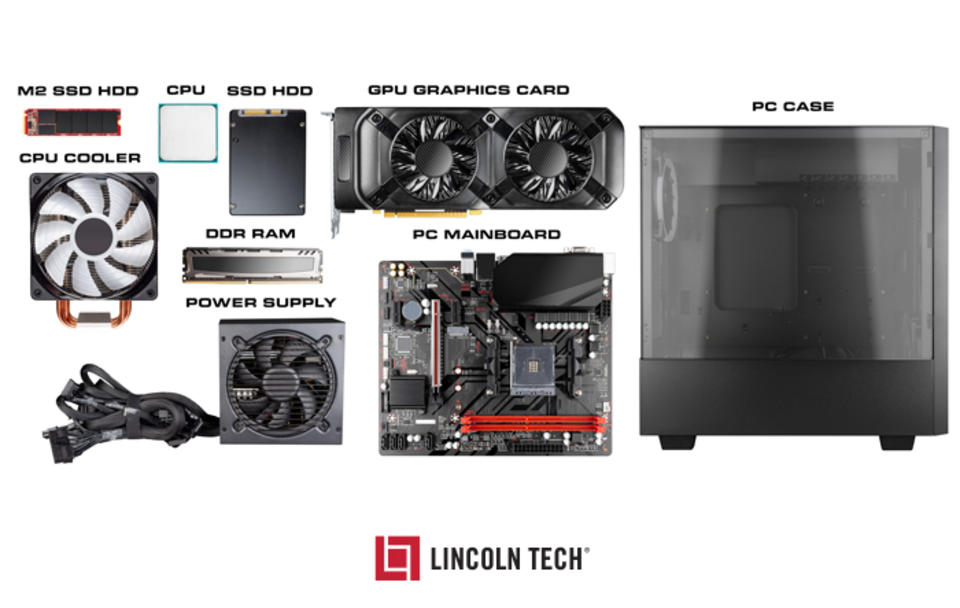
4. Computer Hardware

Image
Image
Image
Image

Hardware refers to the physical components of a computer that can be seen and touched.

Central Processing Unit (CPU)

The CPU is the brain of the computer. It performs calculations and executes instructions from programs.

The CPU has three main parts:

Arithmetic Logic Unit (ALU)

Performs mathematical calculations and logical operations.

Control Unit (CU)

Directs the flow of data and instructions inside the computer.

Registers

Small storage locations within the CPU used for temporary data during processing.


Memory (Primary Memory)

Primary memory stores data and instructions that are currently being processed.

Types include:

RAM (Random Access Memory)

RAM is temporary memory used to store data currently in use. It is volatile, meaning the data is lost when power is turned off.

ROM (Read Only Memory)

ROM contains permanent instructions required to start the computer. It is non-volatile.


Secondary Storage

Secondary storage is used for long-term data storage.

Examples include:

Hard Disk Drive (HDD)
Solid State Drive (SSD)
USB Flash Drive
CD/DVD
Memory Cards

These devices retain data even when the computer is turned off.


Input Devices

Input devices allow users to send data and commands to a computer.

Common input devices include:

Keyboard
Mouse
Scanner
Microphone
Webcam
Joystick
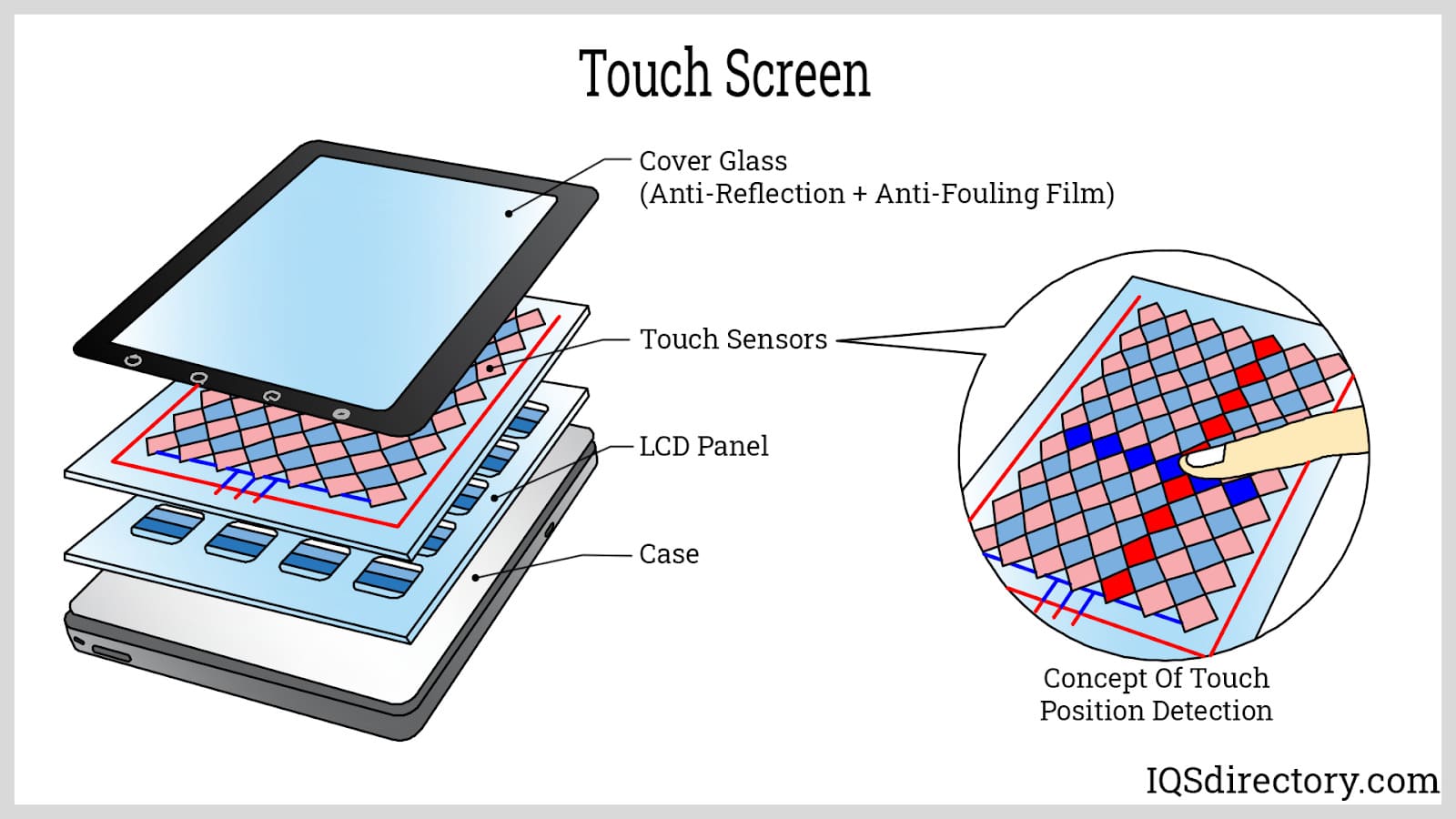
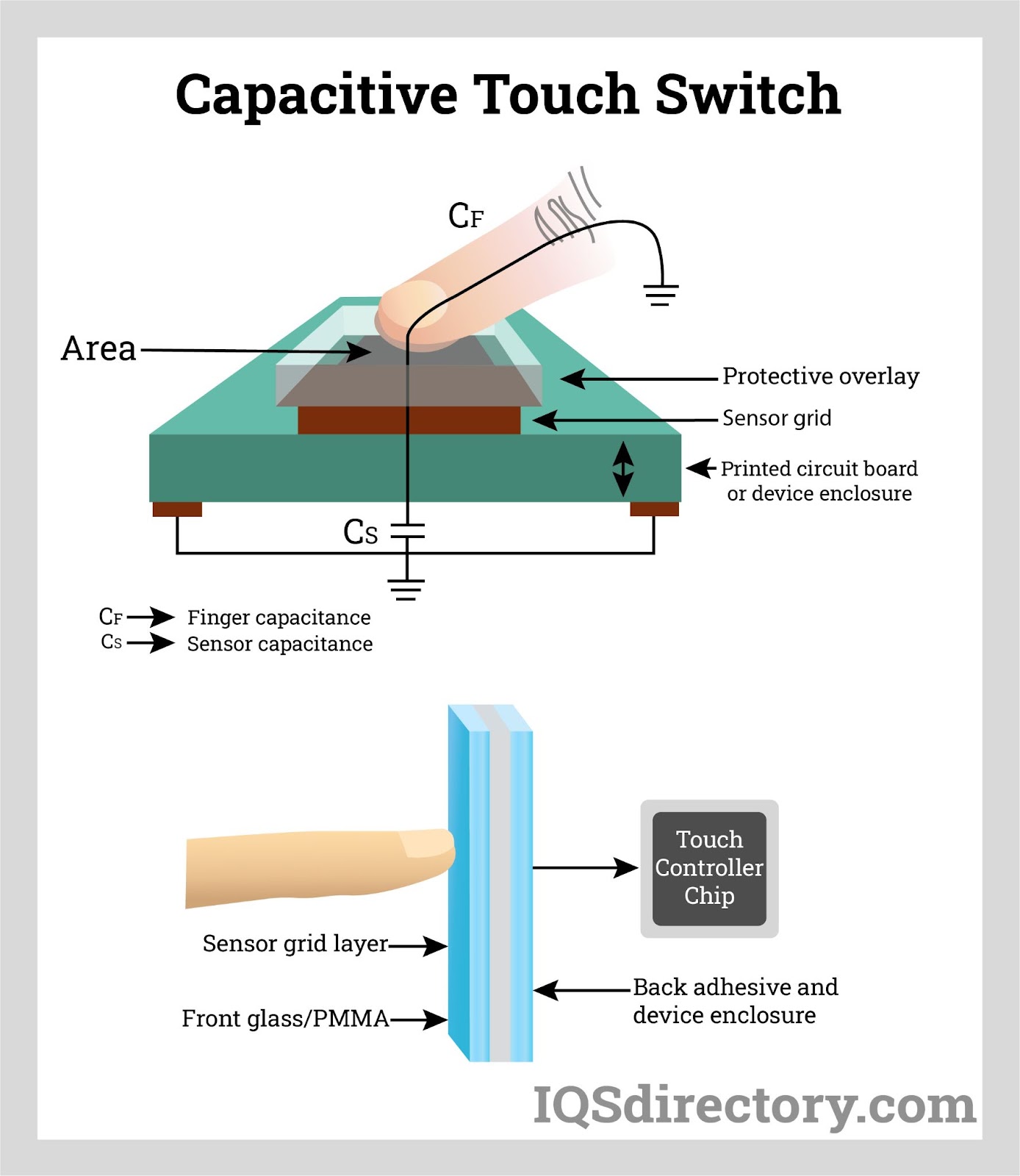
Touchscreen

These devices convert user actions into signals that the computer can process.


Output Devices

Output devices display the results of computer processing.

Common output devices include:

Monitor
Printer
Speakers
Headphones
Projector
Plotter

These devices convert digital information into human-readable form.


5. Computer Software

Image
Image
Image
Image

Software refers to programs or instructions that tell the computer what to do.

Software is divided into two major categories:

System Software

System software manages computer hardware and provides a platform for applications.

Examples include:

Operating Systems
Device Drivers
Utility Programs

Common operating systems:

Windows
Linux
macOS
Android
iOS

The operating system controls memory, processes, hardware devices, and file systems.


Application Software

Application software allows users to perform specific tasks.

Examples include:

Word processors
Spreadsheet programs
Web browsers
Media players
Graphic design tools
Accounting software

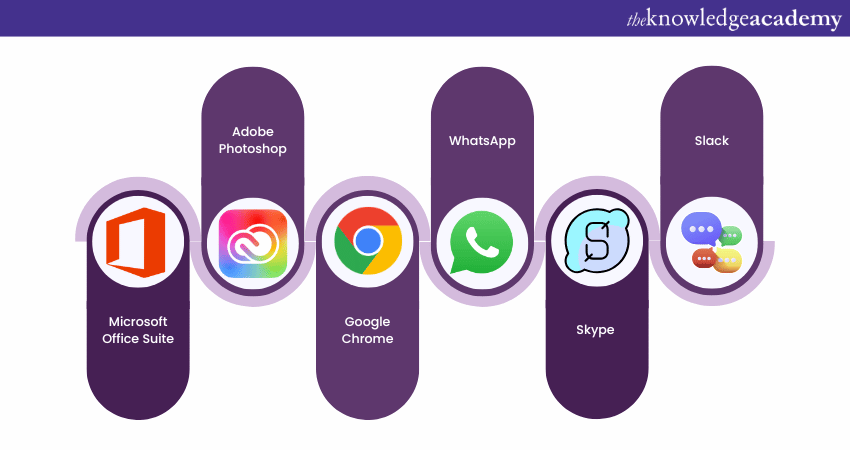
Examples:

Microsoft Word
Excel
Google Chrome
Adobe Photoshop


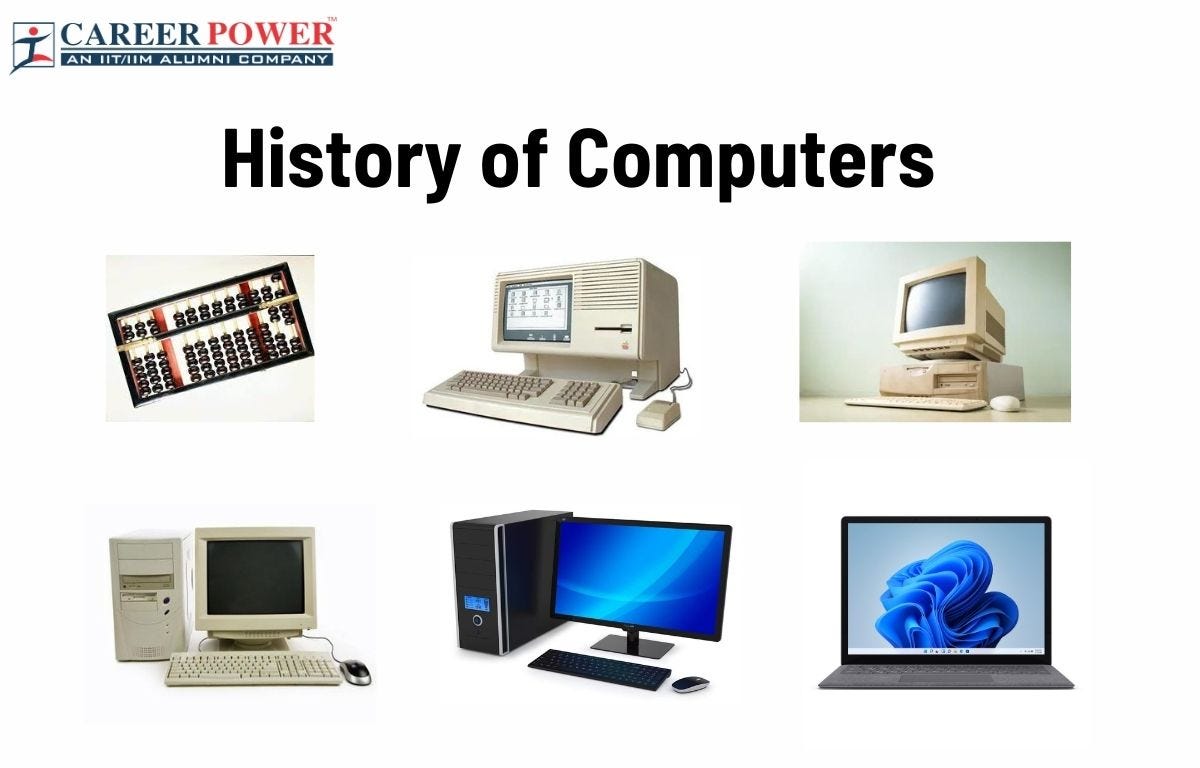
6. Generations of Computers

Image
Image
Image
Image

Computers evolved through several technological stages called generations.

First Generation Computers (1940โ€“1956)

Used vacuum tubes for circuitry.

Characteristics:

Very large machines
Consumed huge electricity
Produced heat
Slow processing speed
Used machine language

Examples:

ENIAC
UNIVAC


Second Generation Computers (1956โ€“1963)

Used transistors instead of vacuum tubes.

Advantages:

Smaller size
Less heat
More reliable
Faster processing

Programming languages such as COBOL and FORTRAN were developed.


Third Generation Computers (1964โ€“1971)

Used Integrated Circuits (ICs).

Advantages:

Higher speed
Greater reliability
Reduced size
Lower cost

Operating systems and multiprogramming were introduced.


Fourth Generation Computers (1971โ€“Present)

Used microprocessors.

Characteristics:

Personal computers
High processing power
Compact size
Graphical user interfaces

Examples:

Desktop computers
Laptops
Smartphones


Fifth Generation Computers

Focuses on Artificial Intelligence and advanced computing technologies.

Characteristics include:

Machine learning
Natural language processing
Quantum computing
Advanced robotics

These computers aim to simulate human intelligence.


7. Types of Computers

Computers can be classified based on size, purpose, and processing power.

Supercomputers

The fastest and most powerful computers used for scientific research.

Applications include:

Weather forecasting
Climate modeling
Space research
Nuclear simulations


Mainframe Computers

Used by large organizations to process huge volumes of data.

Applications include:

Banking systems
Government databases
Airline reservations


Minicomputers

Medium-sized computers used by businesses and laboratories.


Microcomputers

Personal computers designed for individual use.

Examples:

Desktop computers
Laptops
Tablets
Smartphones


8. Data and Information

Data

Data refers to raw facts and figures.

Examples:

Numbers
Text
Images
Audio
Video


Information

Information is processed data that has meaning.

Example:

Student marks (data) โ†’ grade report (information)

Computers convert raw data into useful information through processing.


9. Computer Processing Cycle

Every computer follows a basic cycle called the IPOS cycle.

Input โ†’ Process โ†’ Output โ†’ Storage

Input

Data is entered using input devices.

Processing

The CPU processes the data according to program instructions.

Output

Results are displayed or printed.

Storage

Data and results are stored for future use.


10. Applications of Computers

Computers are used in many fields.

Education

Online learning
Virtual classrooms
Digital libraries
Research


Business

Accounting
Inventory management
Payroll processing
Customer databases


Healthcare

Medical imaging
Patient records
Diagnostic systems
Telemedicine


Banking

Online banking
ATM machines
Fraud detection
Transaction processing


Communication

Email
Video conferencing
Social media
Instant messaging


Entertainment

Video games
Streaming services
Digital music
Animation


11. Computer Networking

A computer network connects multiple computers to share resources and information.
Types of networks include:

LAN โ€“ Local Area Network
MAN โ€“ Metropolitan Area Network
WAN โ€“ Wide Area Network

The Internet is the largest global network connecting billions of computers.
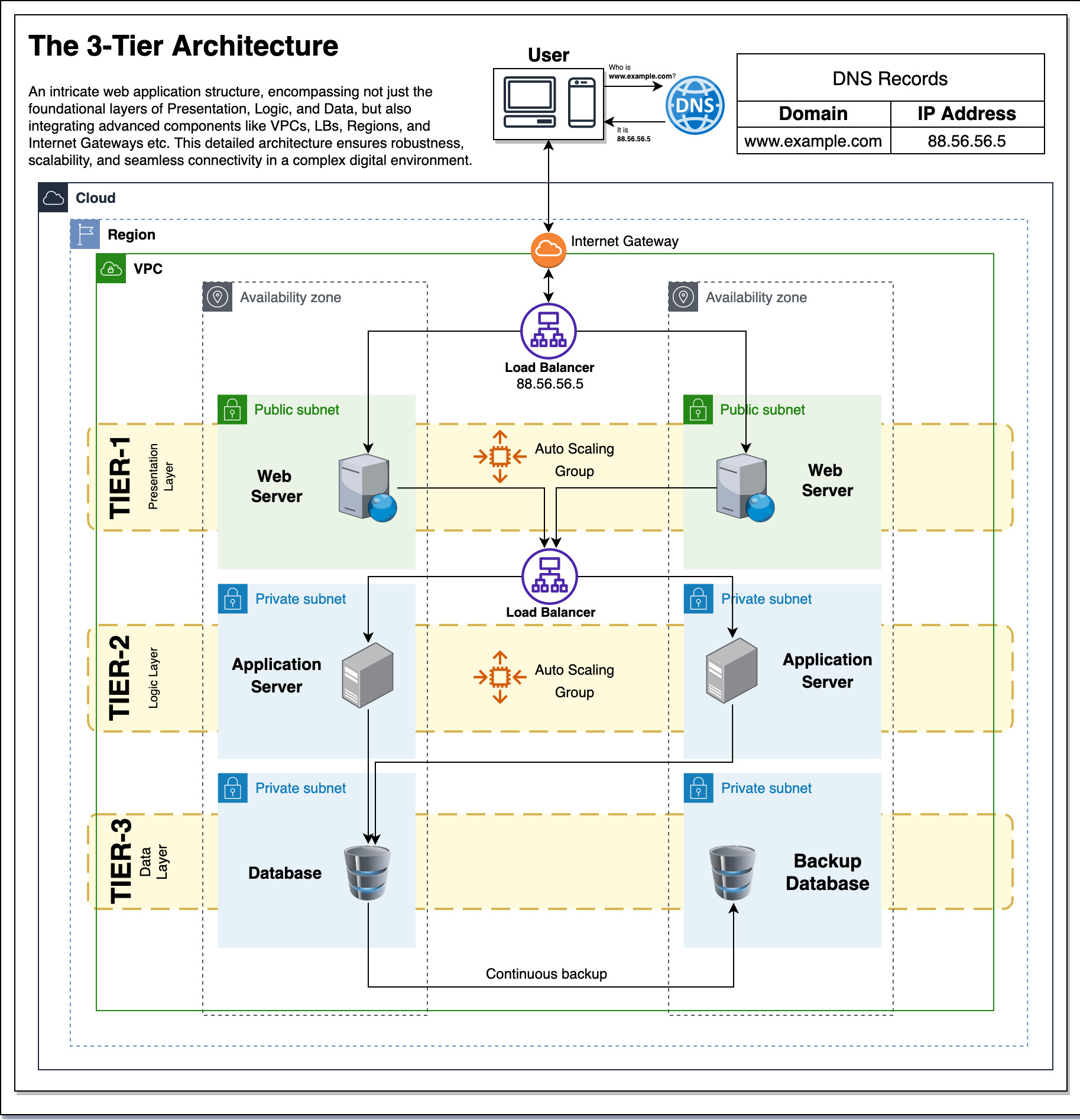
Networking enables communication, file sharing, cloud computing, and online services.


12. Advantages of Computers

Computers provide numerous benefits.

High speed processing
Accurate calculations
Large storage capacity
Automation of tasks
Improved productivity
Global communication
Access to information


13. Limitations of Computers

Despite their advantages, computers also have limitations.

Dependence on electricity
Security risks such as hacking
Potential job displacement
Health issues due to prolonged use
Need for regular maintenance

Computers cannot think independently without programmed instructions.


14. Emerging Trends in Computing

Modern computing is rapidly evolving.

Artificial Intelligence

Machines that simulate human intelligence.

Cloud Computing

Data and applications stored on remote servers.

Internet of Things (IoT)

Interconnected smart devices.

Quantum Computing

Computers based on quantum mechanics.

Edge Computing

Processing data closer to the source instead of centralized servers.

These technologies are shaping the future of computing.


15. Importance of Computer Literacy

Computer literacy is the ability to use computers effectively.

Essential skills include:

Operating systems usage
Internet navigation
Word processing
Spreadsheets
Basic programming
Cybersecurity awareness

Computer literacy is increasingly important for education, employment, and daily life.


16. Future of Computers

The future of computers involves more powerful, intelligent, and interconnected systems.

Possible developments include:

Human-like AI assistants
Advanced robotics
Brain-computer interfaces
Quantum processors
Fully autonomous systems

Computers will continue to transform industries, science, and society.


Conclusion

Computers have become one of the most significant technological inventions in human history. From their early beginnings as room-sized machines to today’s compact and powerful devices, computers have revolutionized the way people work, communicate, learn, and solve problems. Understanding the basic concepts of computersโ€”including hardware, software, data processing, and networkingโ€”provides a foundation for further study in information technology and computer science. As technology continues to advance, computers will play an even greater role in shaping the future of humanity.