Category Archives: Technology and Computing

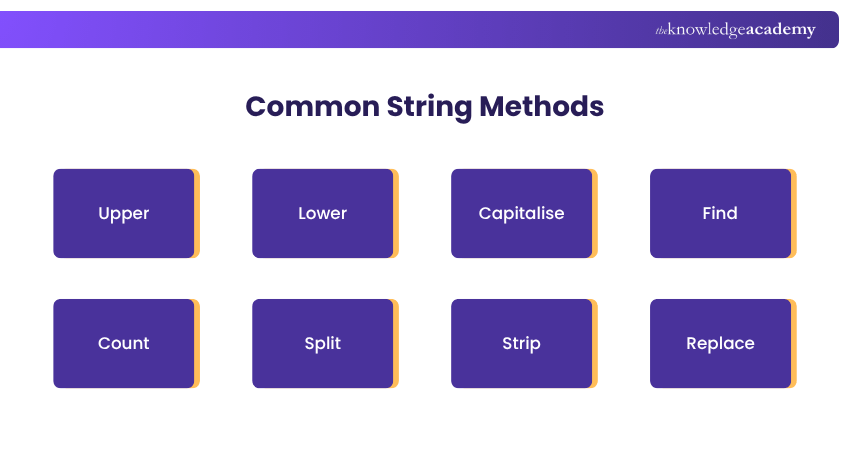
๐Ÿ Python Programming โ€“ Complete Detailed Guide (with Software Development Language Context)


๐ŸŒ Introduction to Python Programming

Image
Image
Image
Image

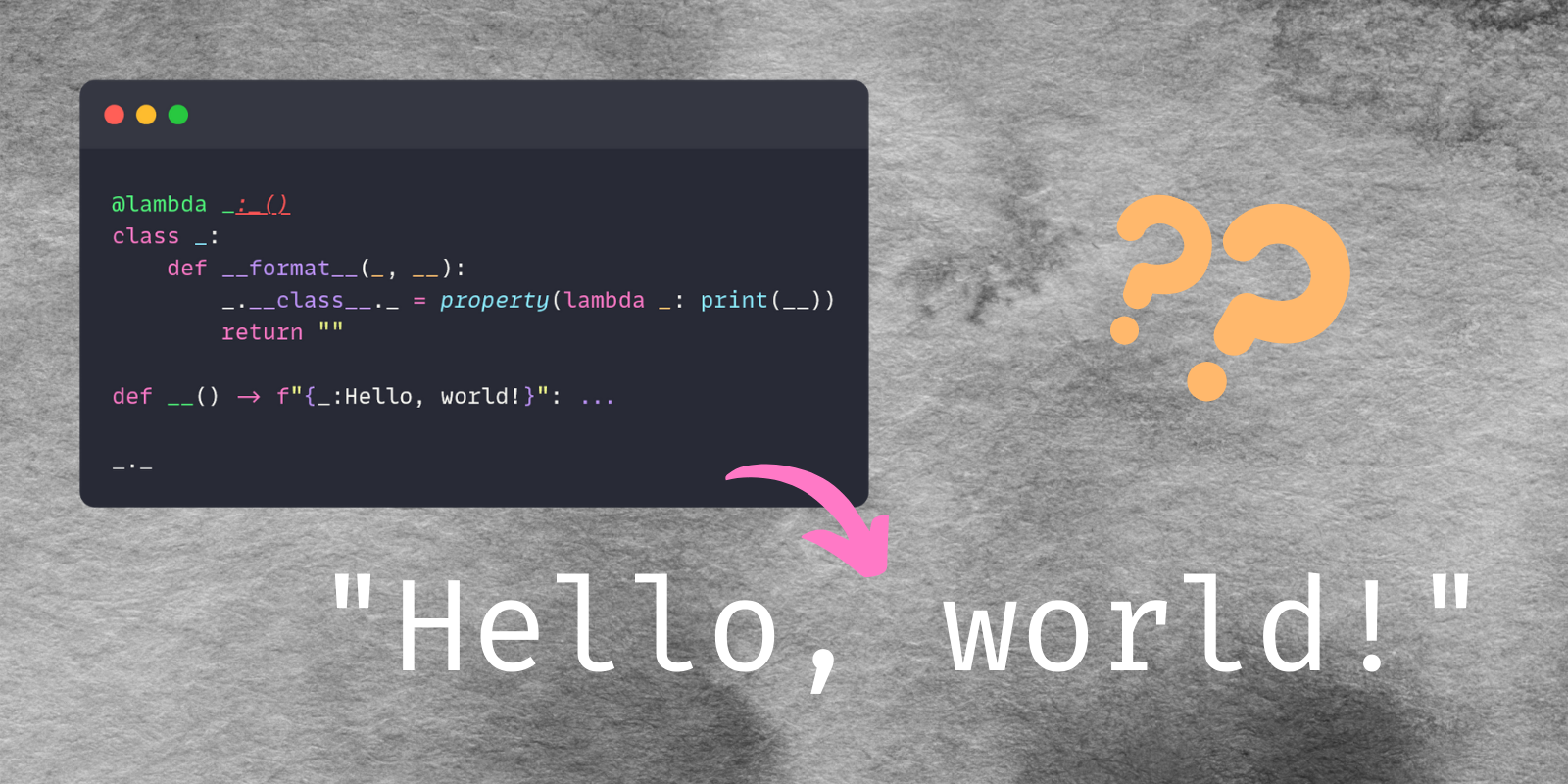
Python is a high-level, interpreted, general-purpose programming language known for its simplicity, readability, and versatility. It is one of the most popular languages in the world and widely used across industries.

In simple terms:

Python = easy-to-learn, powerful language for almost everything

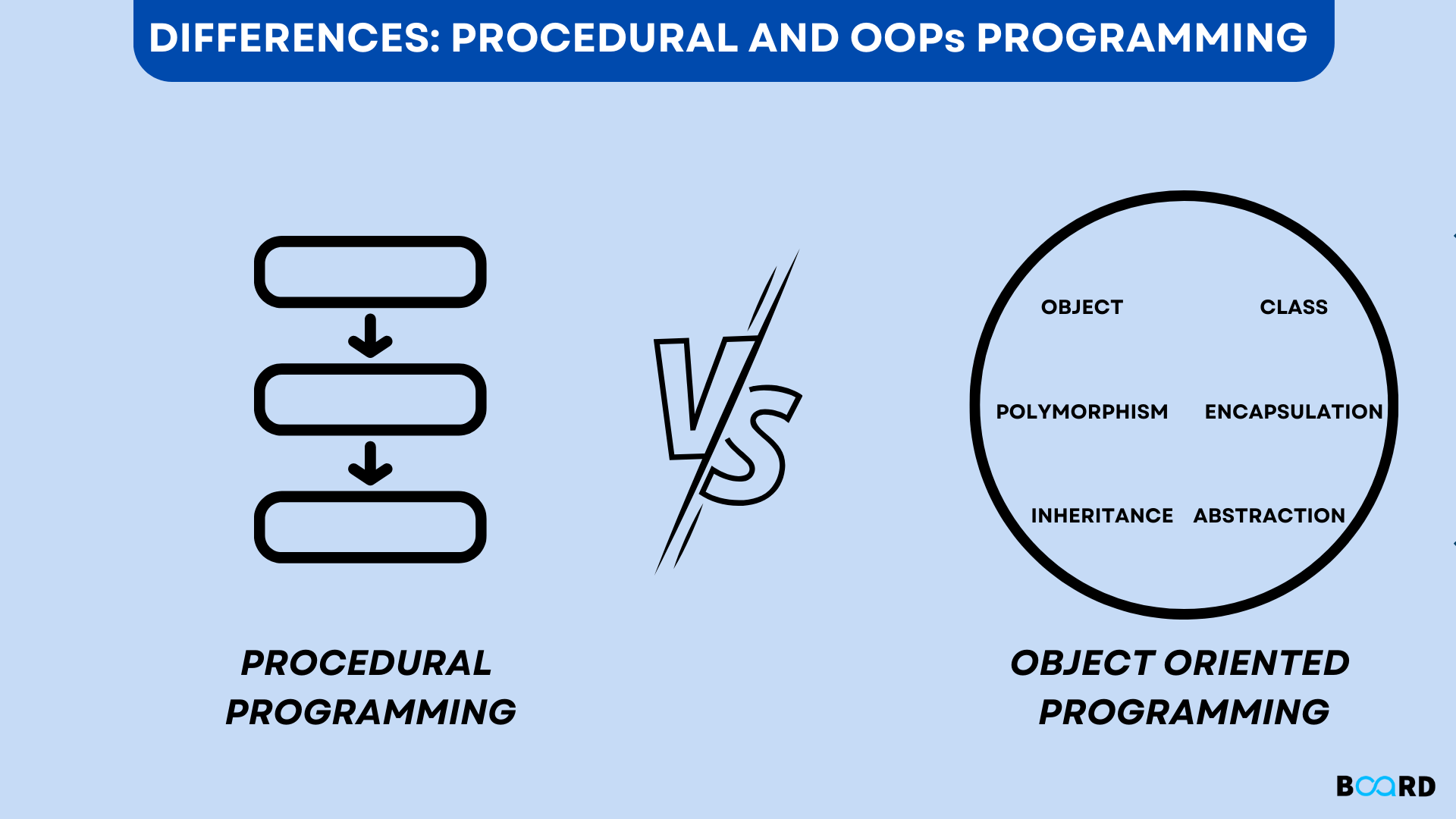
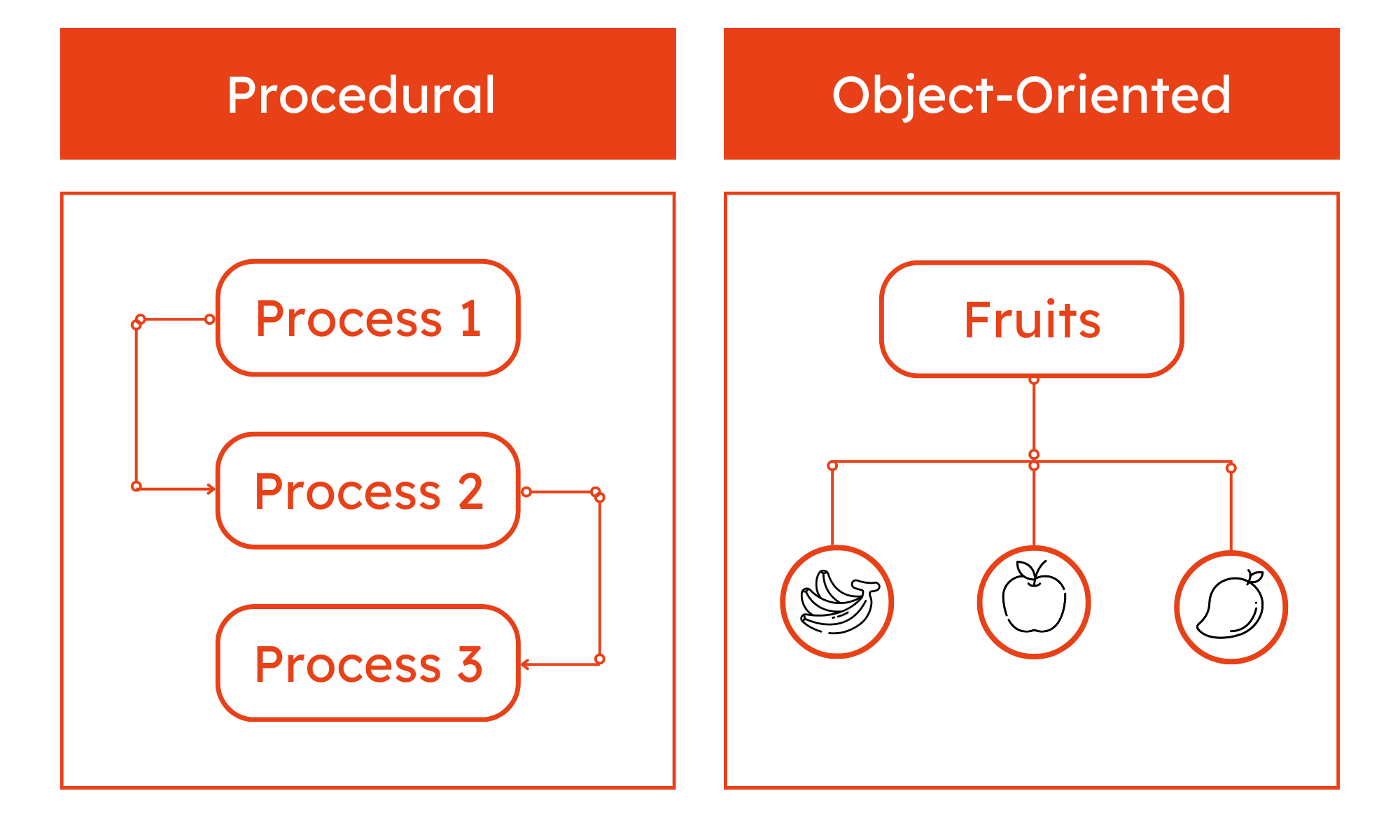
Python supports multiple programming paradigms:

  • Procedural
  • Object-Oriented
  • Functional

๐Ÿง  Importance of Python

  • Beginner-friendly syntax
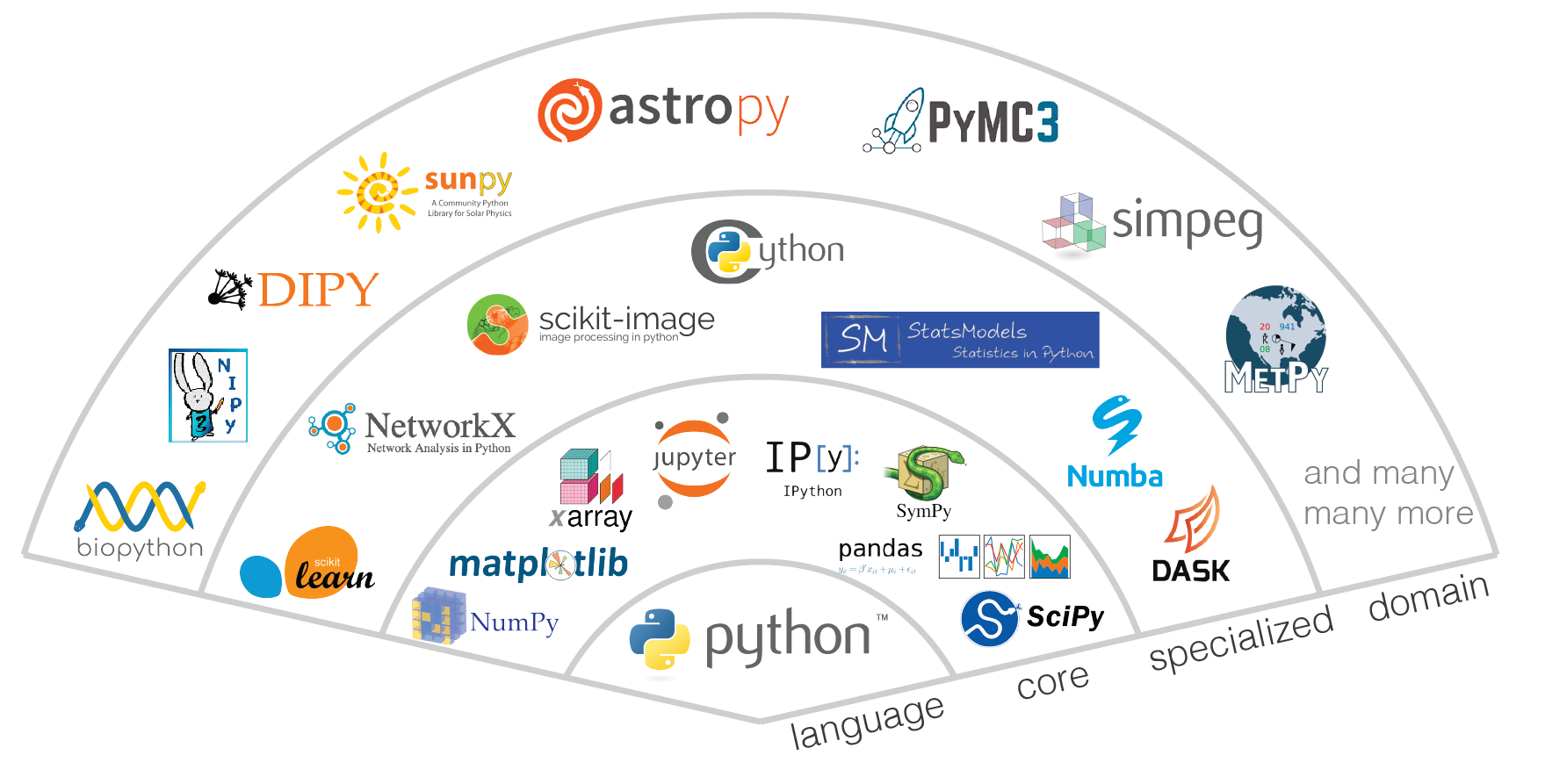
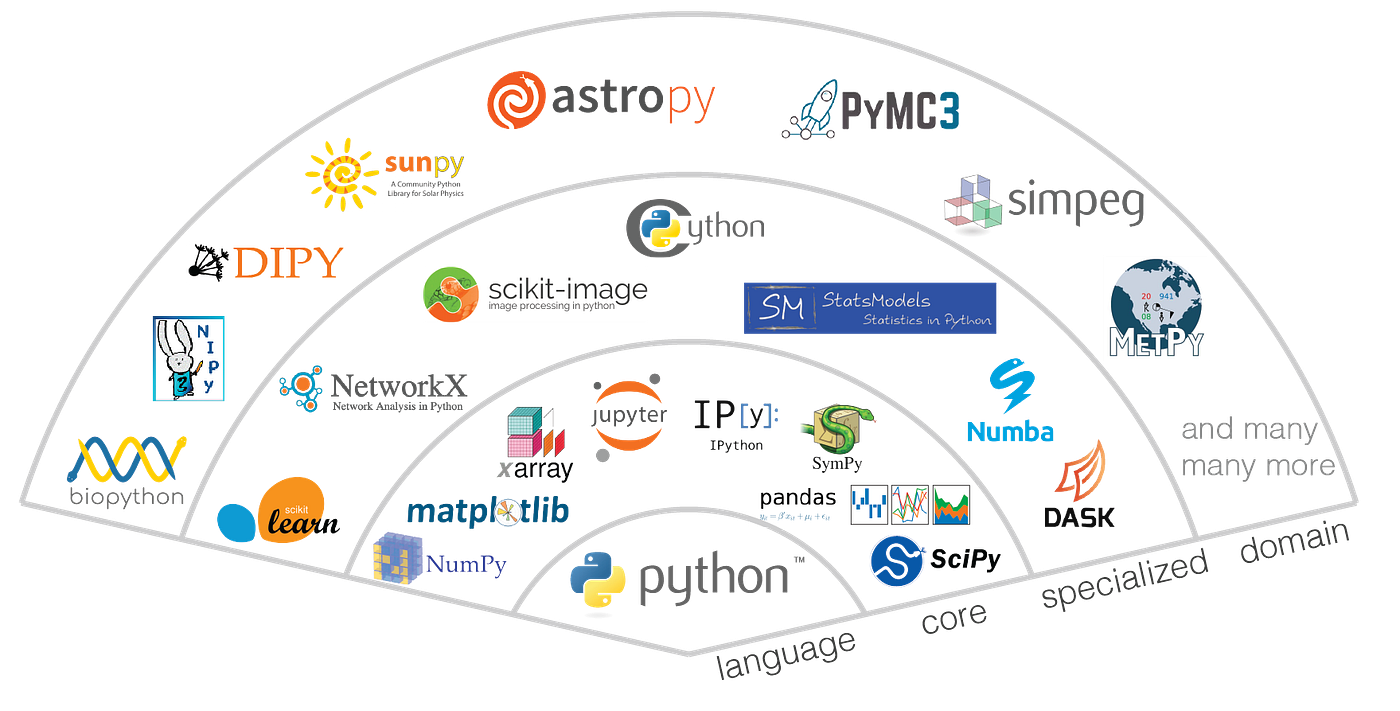
  • Massive ecosystem of libraries
  • Used in AI, Data Science, Web Development
  • Cross-platform compatibility
  • Rapid development and prototyping

๐Ÿงฉ Basic Structure of a Python Program


๐Ÿ“„ Example Program

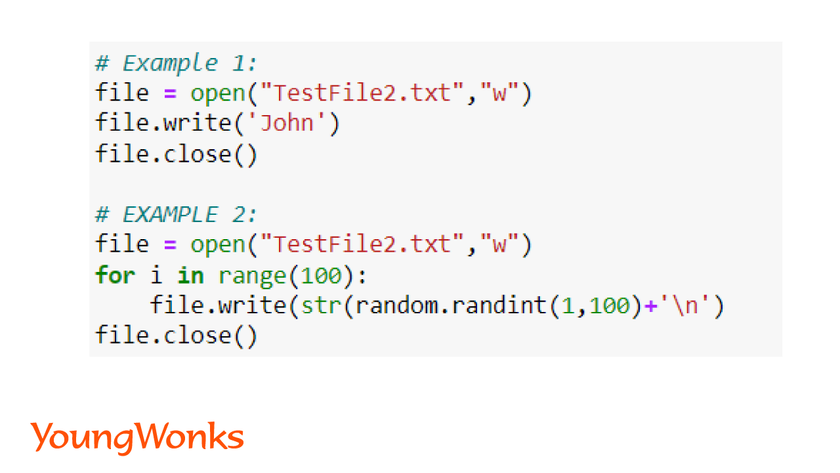
print("Hello, World!")

๐Ÿง  Key Features:

Image
Image
Image
Image
  • No need for semicolons
  • Indentation-based syntax
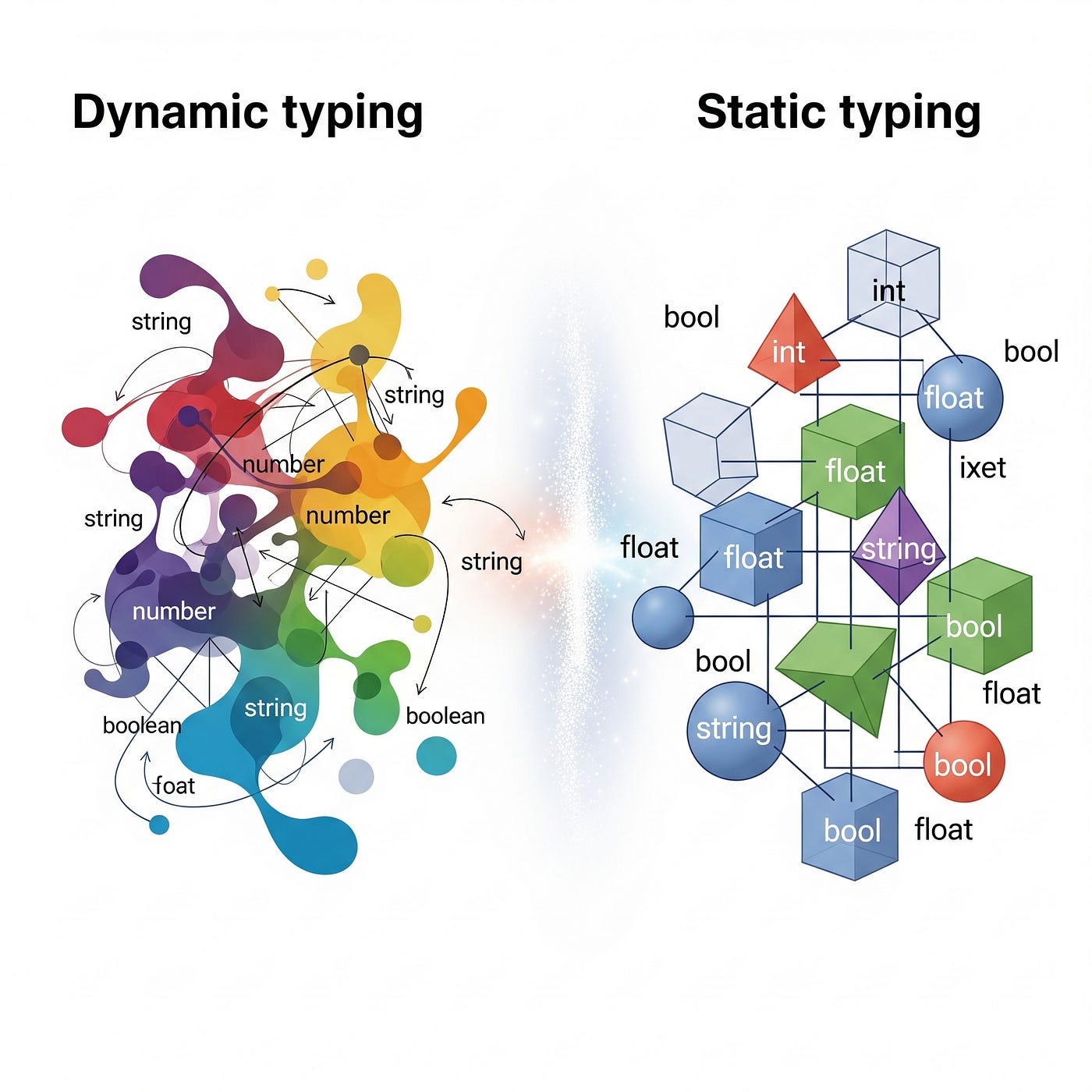
  • Dynamic typing
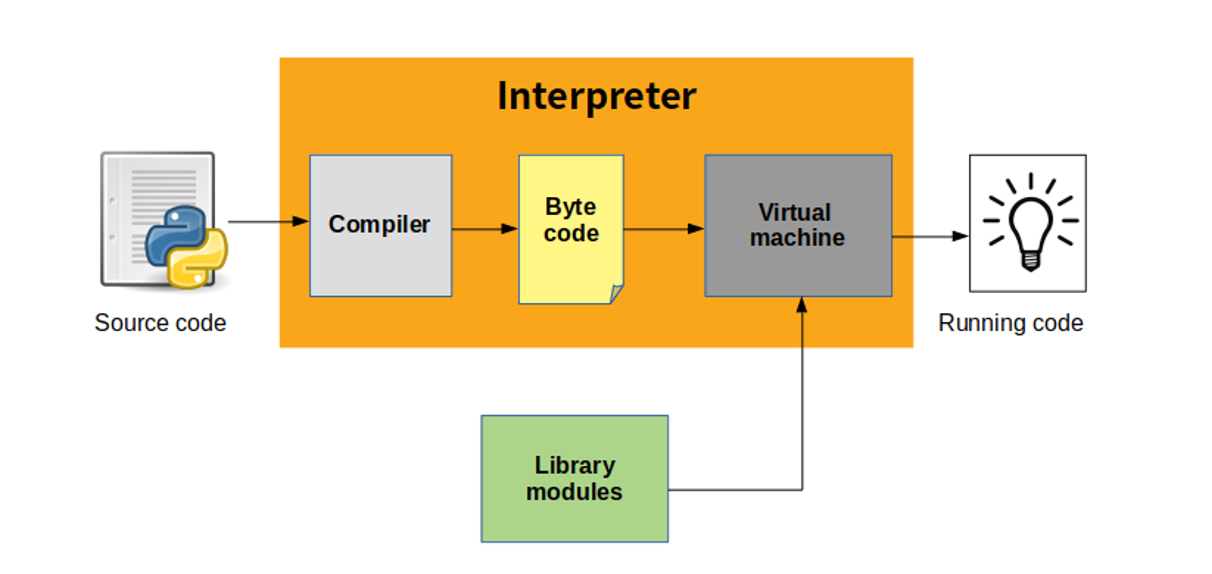
  • Interpreted execution

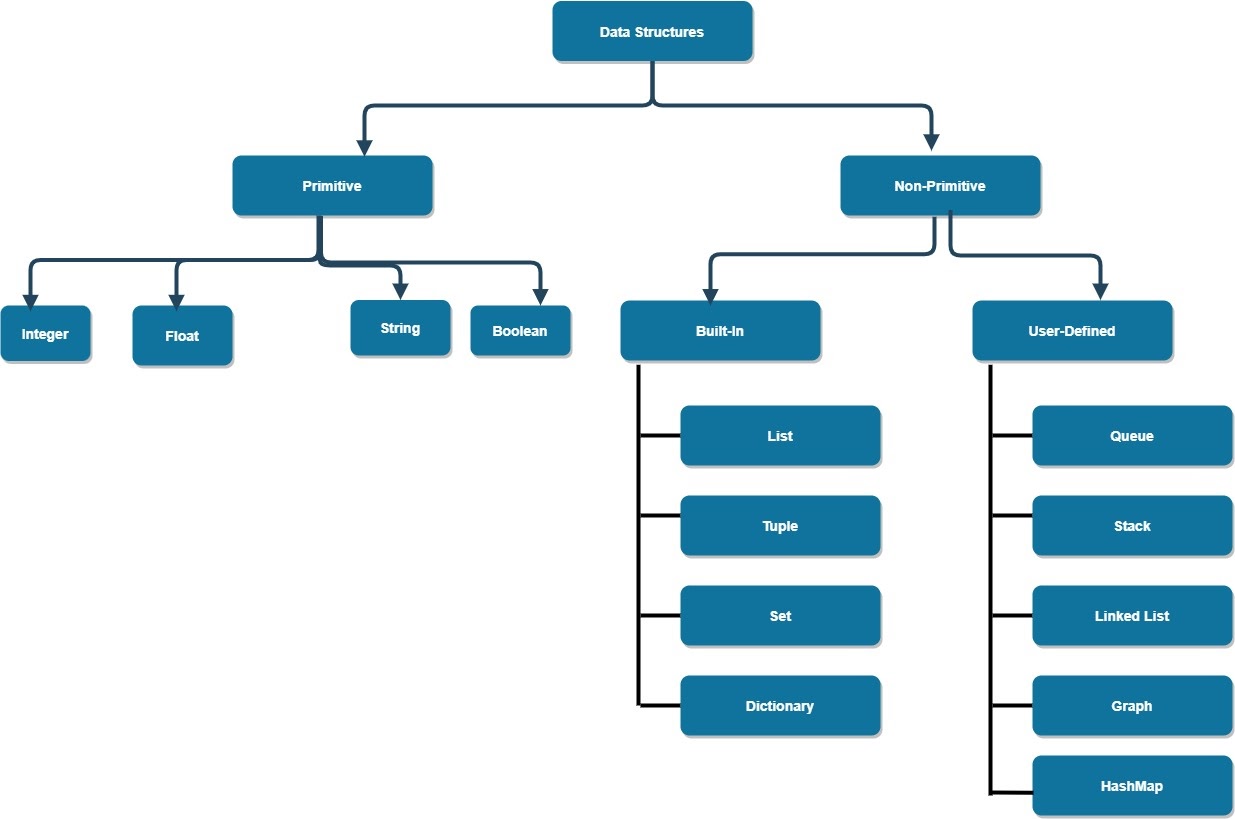
โš™๏ธ Data Types in Python


๐Ÿ”ข Basic Data Types

Image
Image
Image
Image
TypeExample
int10
float3.14
str“Hello”
boolTrue

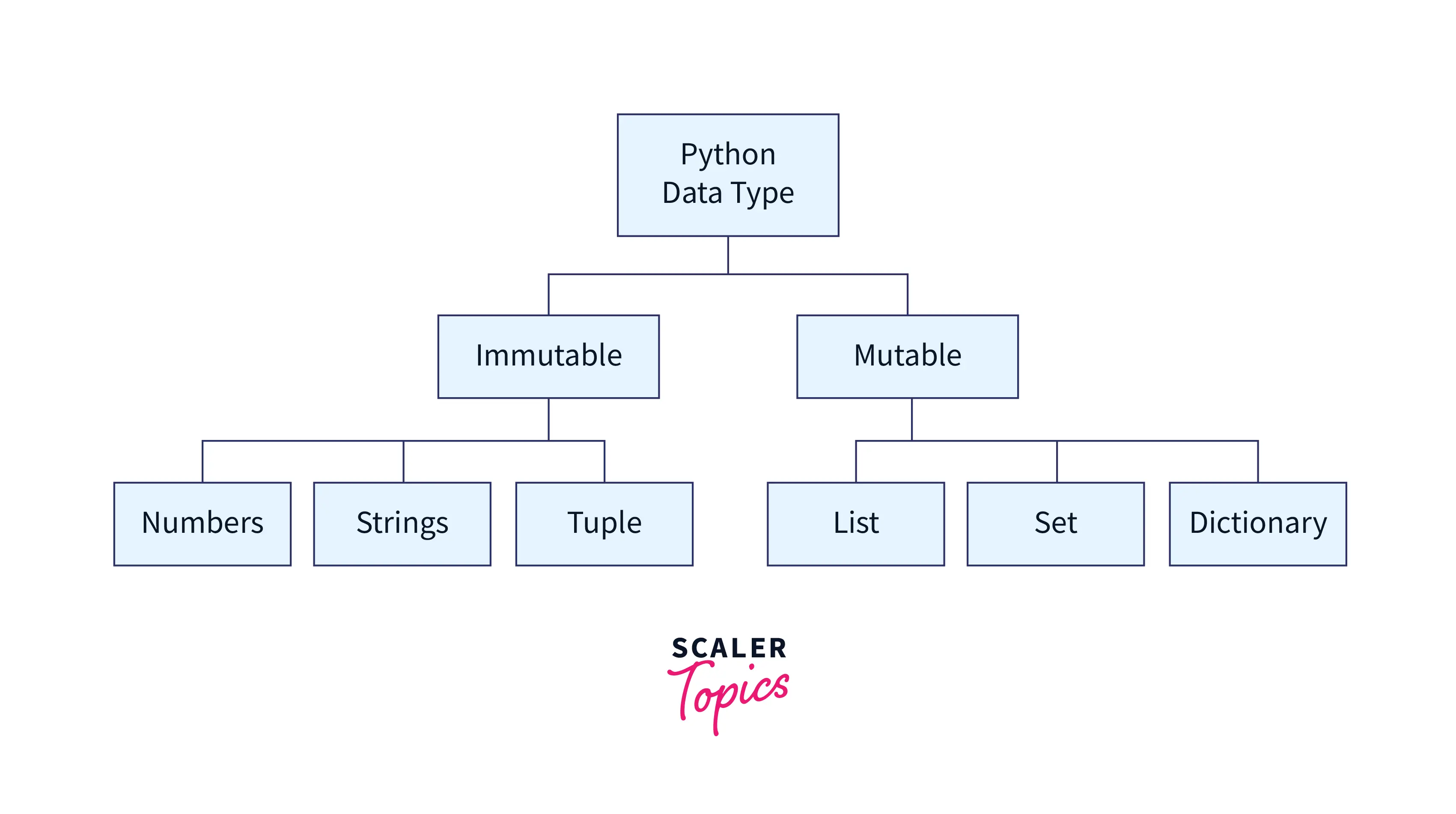
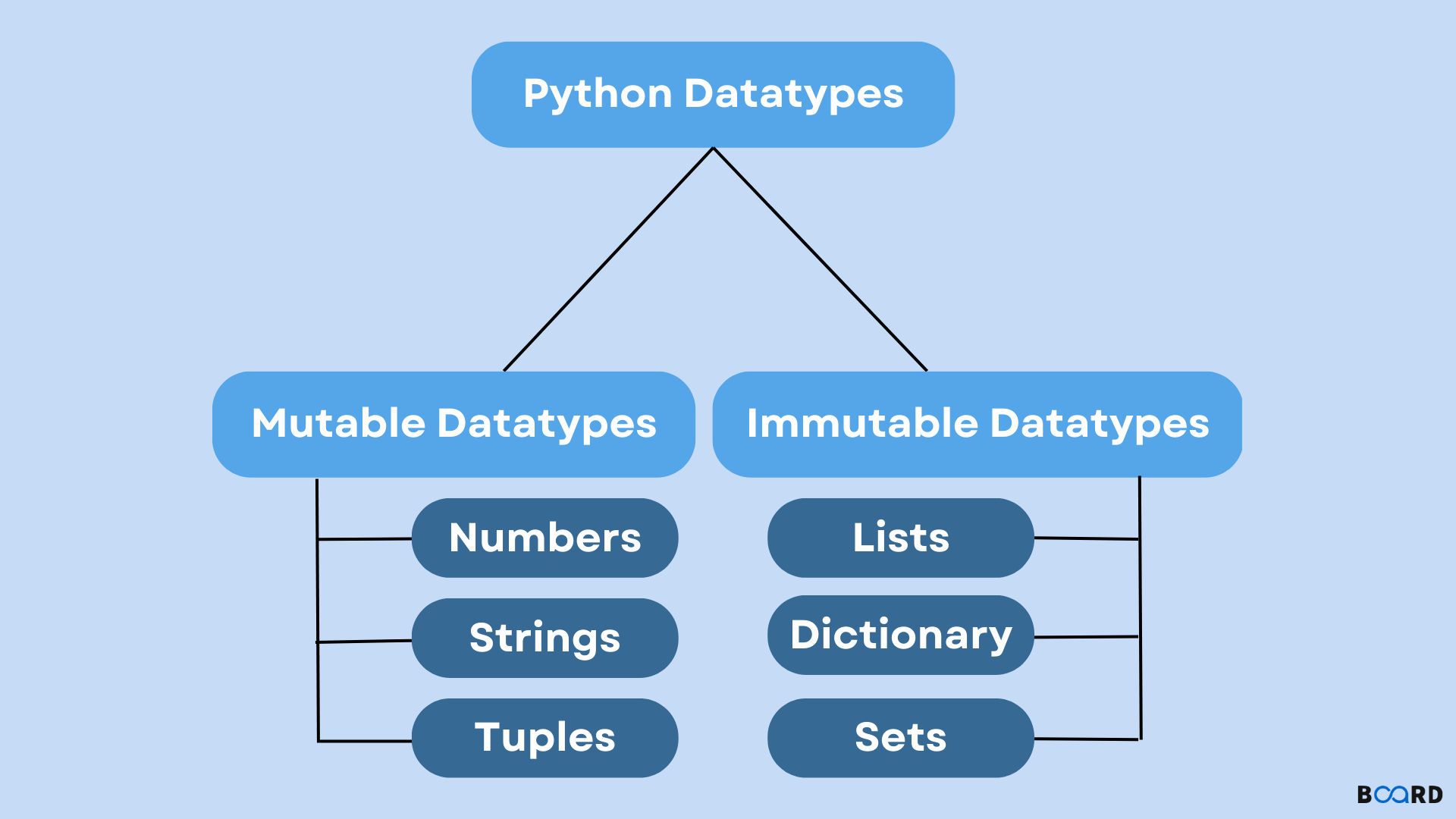
๐Ÿงฉ Complex Data Types

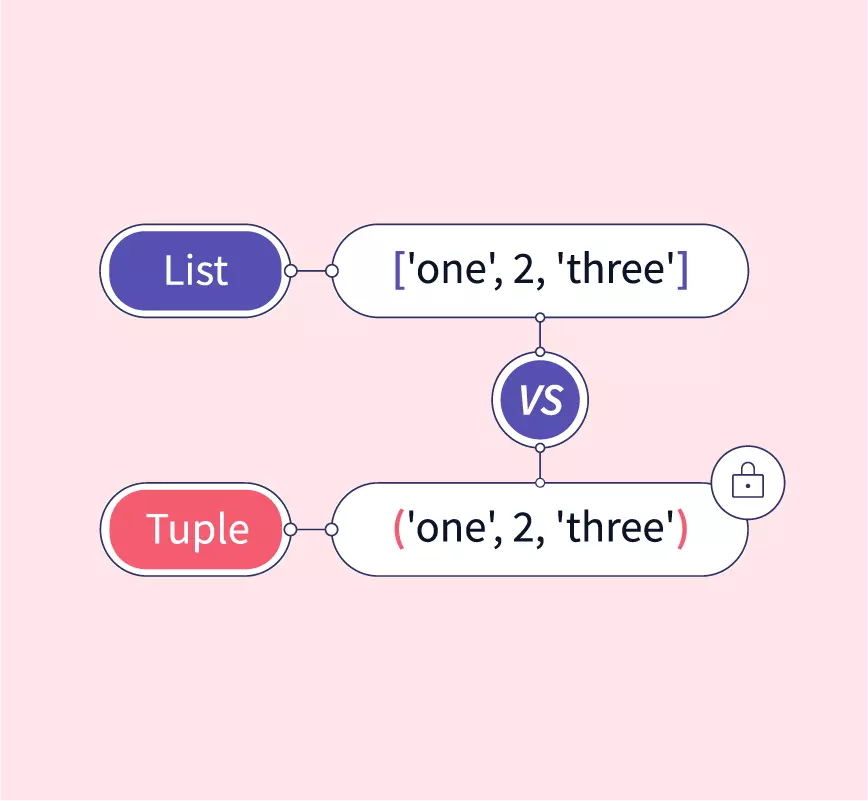
  • List
  • Tuple
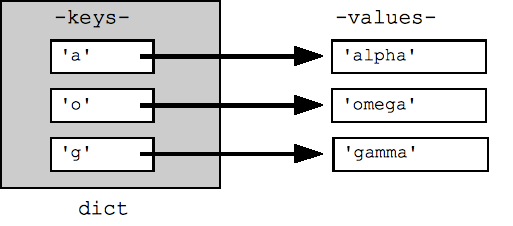
  • Dictionary
  • Set

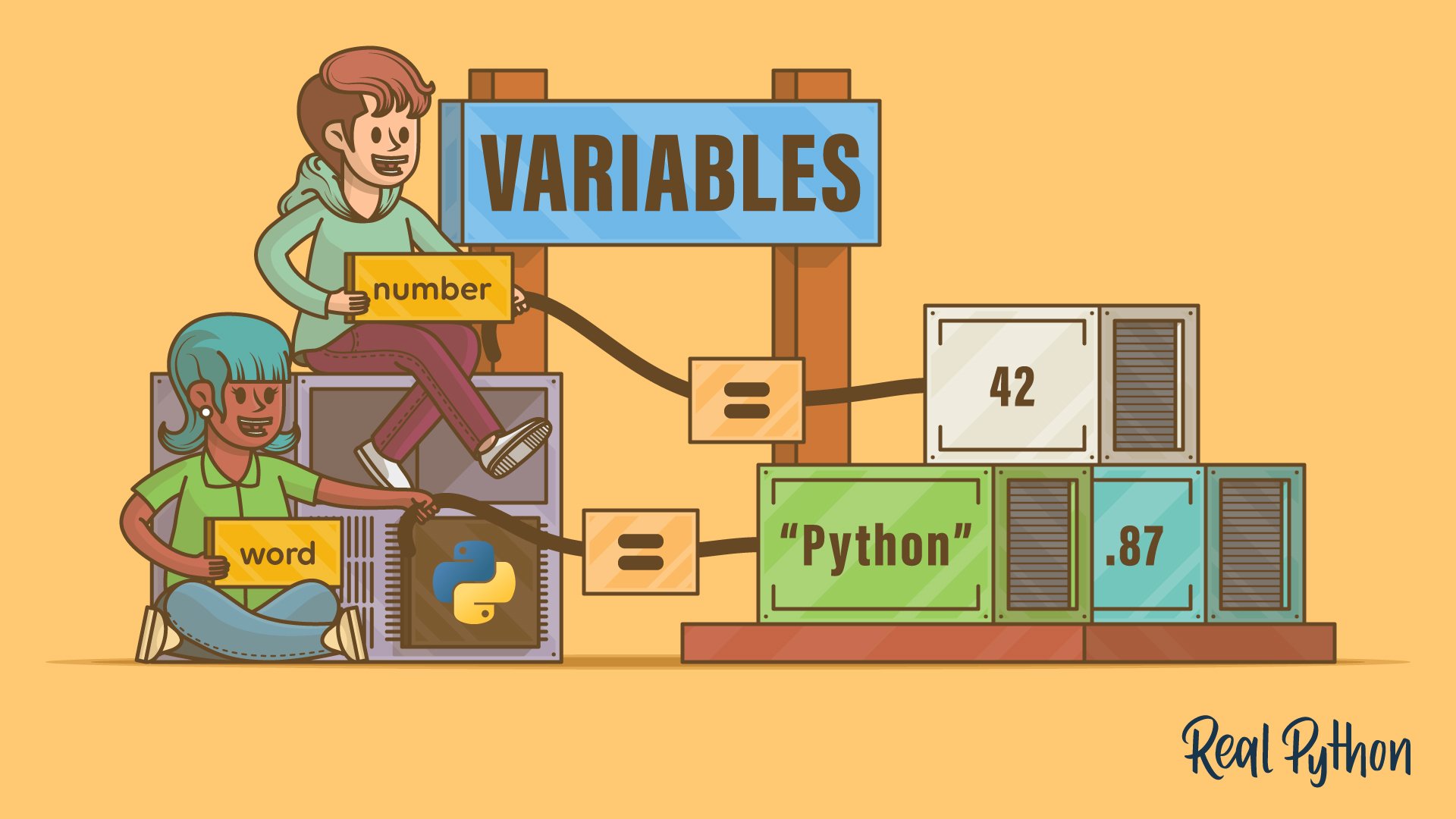
๐Ÿ”ค Variables and Constants


๐Ÿ“Œ Variables

x = 10
name = "Python"

๐Ÿ”’ Constants

Python uses naming conventions:

PI = 3.14

โš™๏ธ Operators in Python


๐Ÿ”ข Types:

  • Arithmetic (+, -, *, /)
  • Relational (==, >, <)
  • Logical (and, or, not)
  • Assignment (=, +=)

๐Ÿ”„ Control Structures


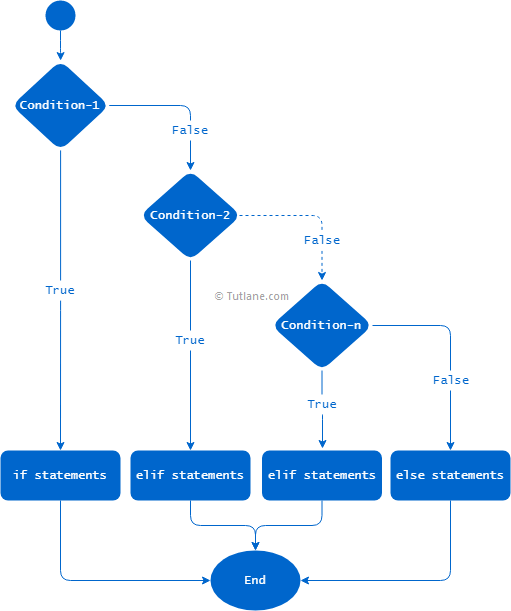
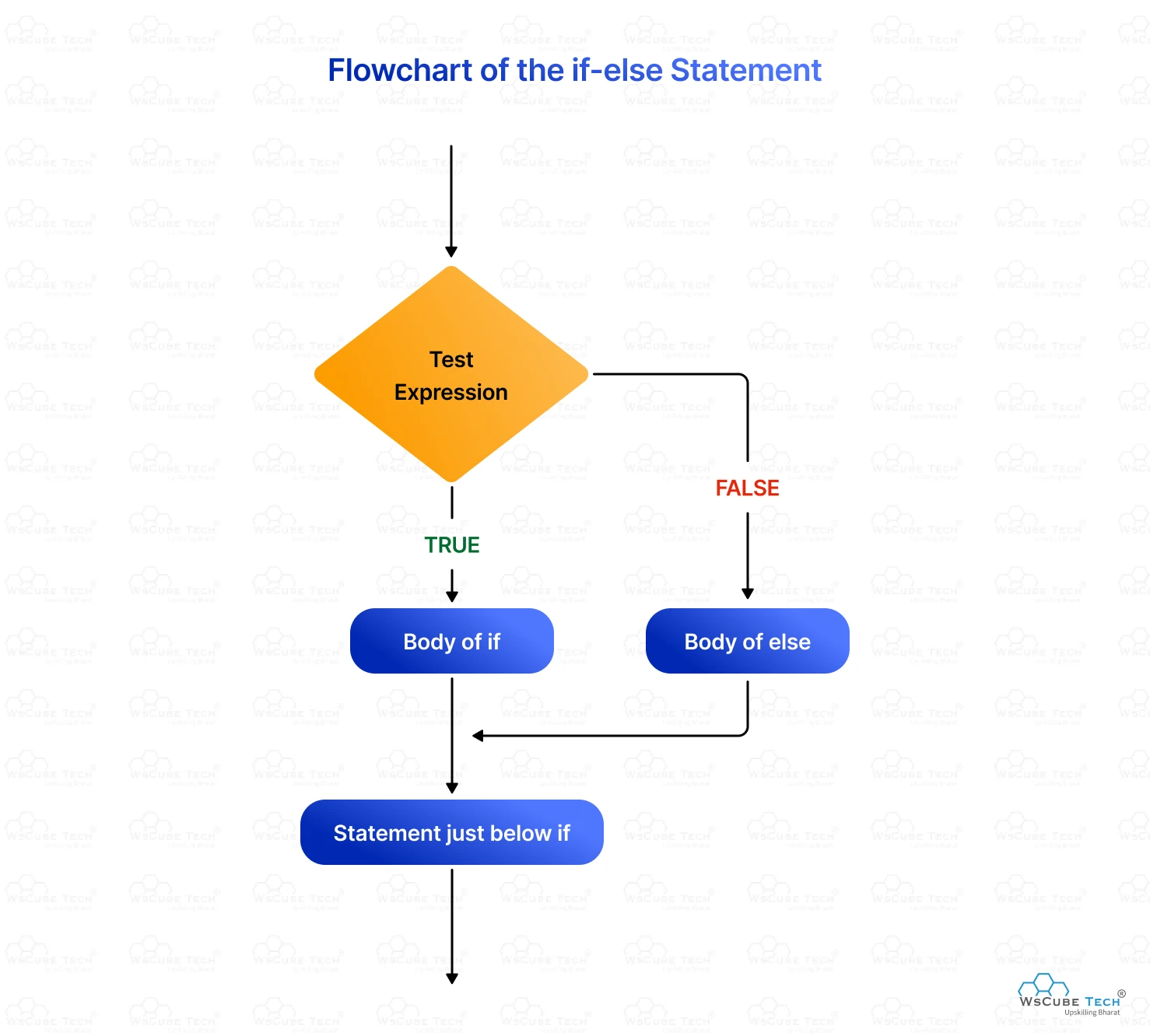
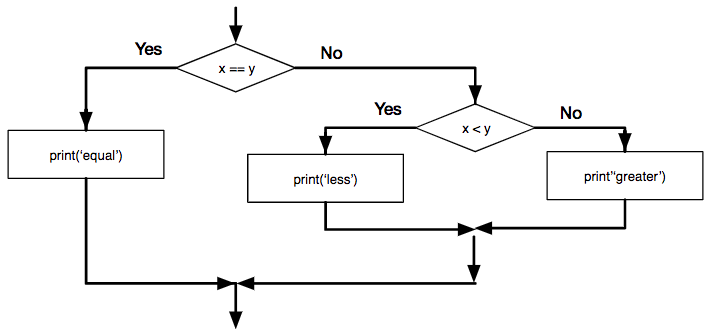
๐Ÿ”€ Conditional Statements

Image
Image
Image
Image
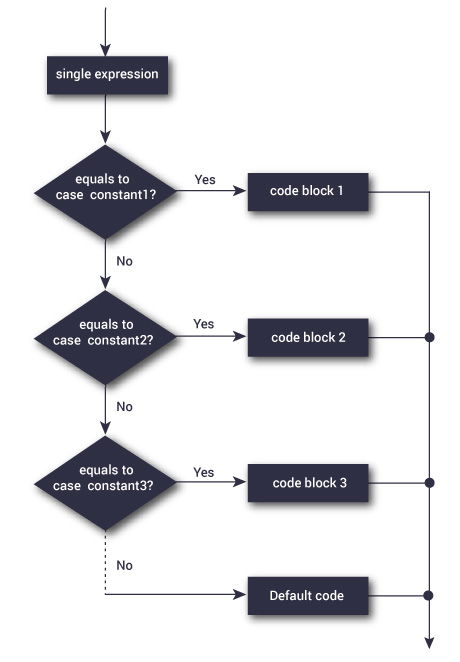
if x > 0:
    print("Positive")

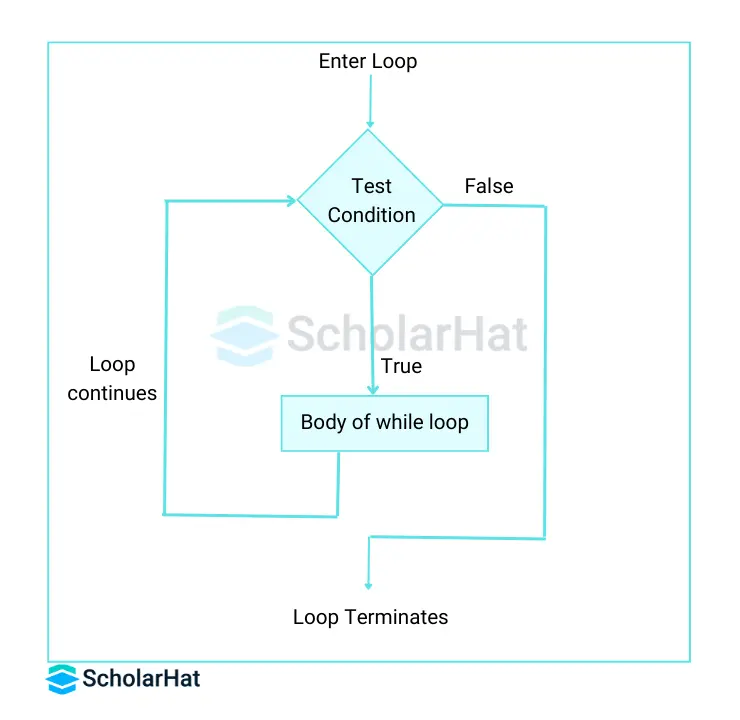
๐Ÿ” Loops

Image
Image
Image
Image
  • for loop
  • while loop

๐Ÿง  Functions in Python


๐Ÿ“Œ Definition

def add(a, b):
    return a + b

โš™๏ธ Features:

  • Default arguments
  • Keyword arguments
  • Lambda functions

๐Ÿงฉ Data Structures in Python


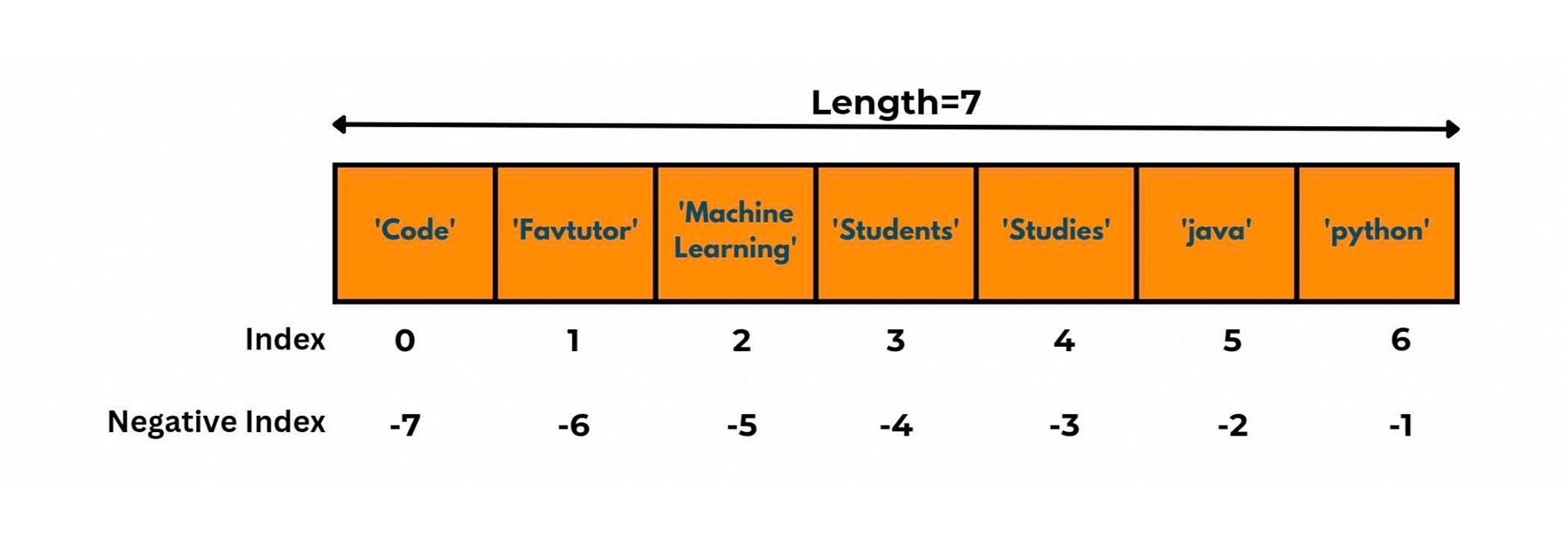
๐Ÿ“ฆ Lists

Image
Image
Image
Image
  • Ordered, mutable

๐Ÿ”’ Tuples

Image
Image
Image
Image
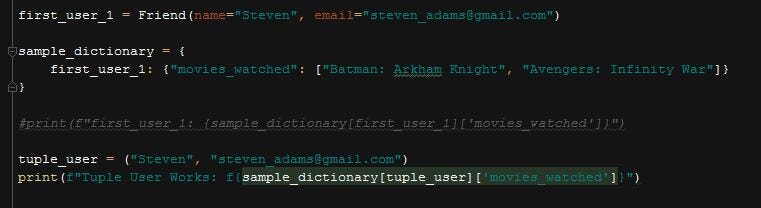
  • Ordered, immutable

๐Ÿ“š Dictionaries

Image
Image
Image
Image
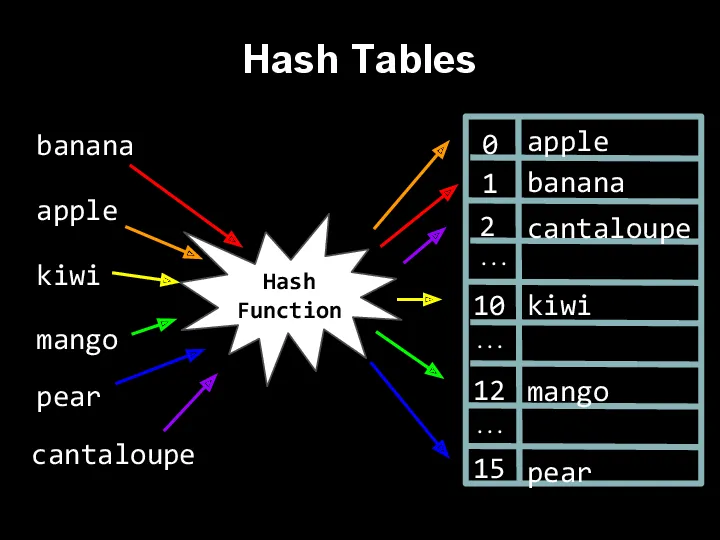
  • Key-value pairs

๐Ÿ”— Sets

Image
Image
Image
Image
  • Unique elements

๐Ÿ”ค Strings in Python


๐Ÿ“Œ Features

Image
Image
Image
Image
  • Immutable
  • Supports slicing

๐Ÿ”น Example:

text = "Hello"
print(text[0])

๐Ÿง  Object-Oriented Programming in Python


๐Ÿงฉ Concepts

Image
Image
Image
Image

๐Ÿ”น Class Example

class Car:
    def __init__(self, speed):
        self.speed = speed

๐Ÿ’พ File Handling


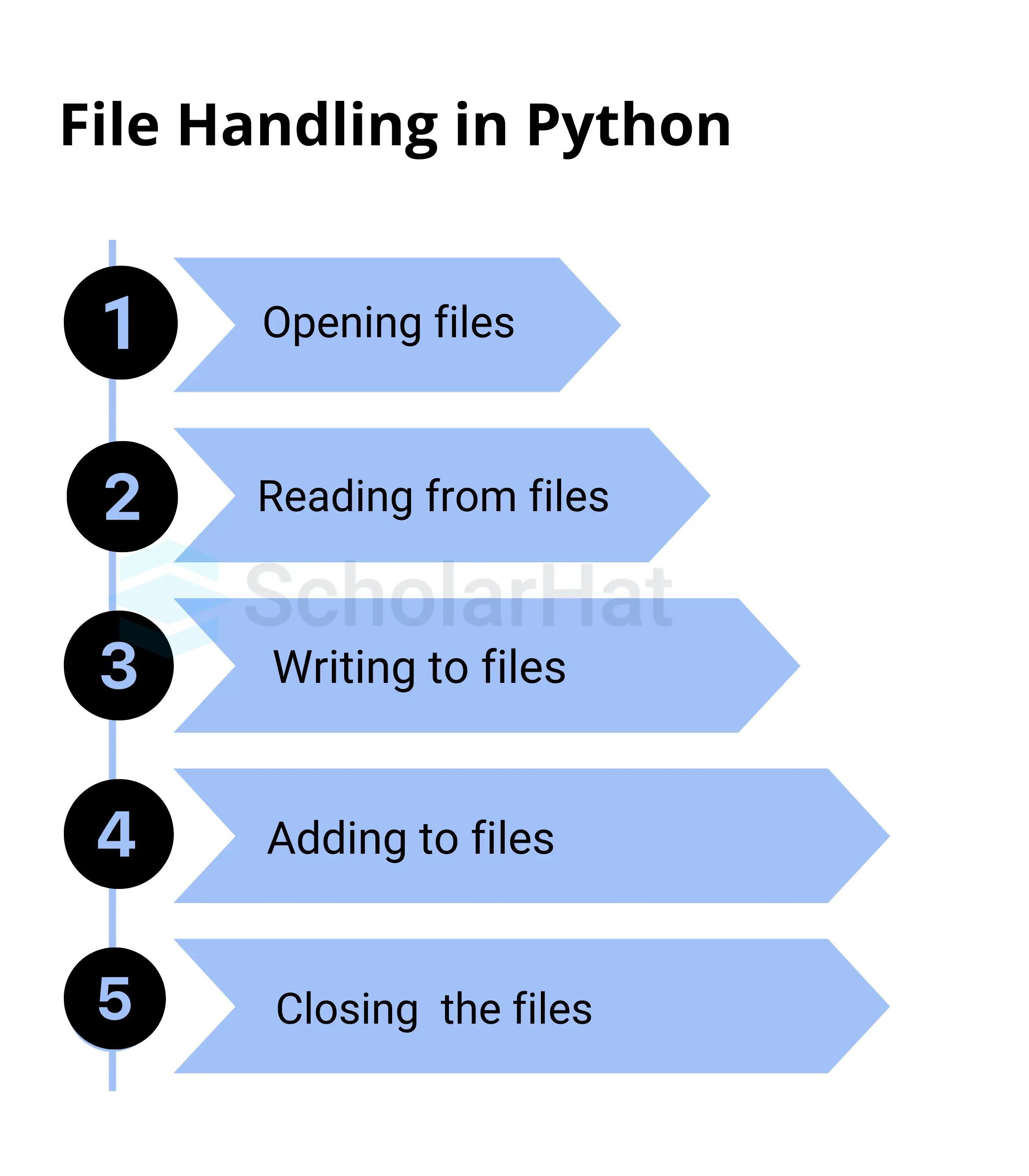
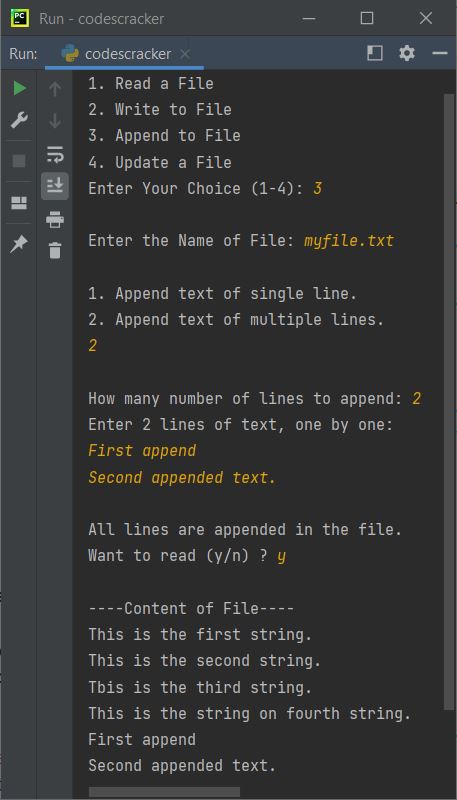
๐Ÿ“„ Operations

Image
Image
Image
Image
file = open("data.txt", "r")

๐Ÿง  Exception Handling


โš ๏ธ Example:

try:
    x = 10 / 0
except:
    print("Error")

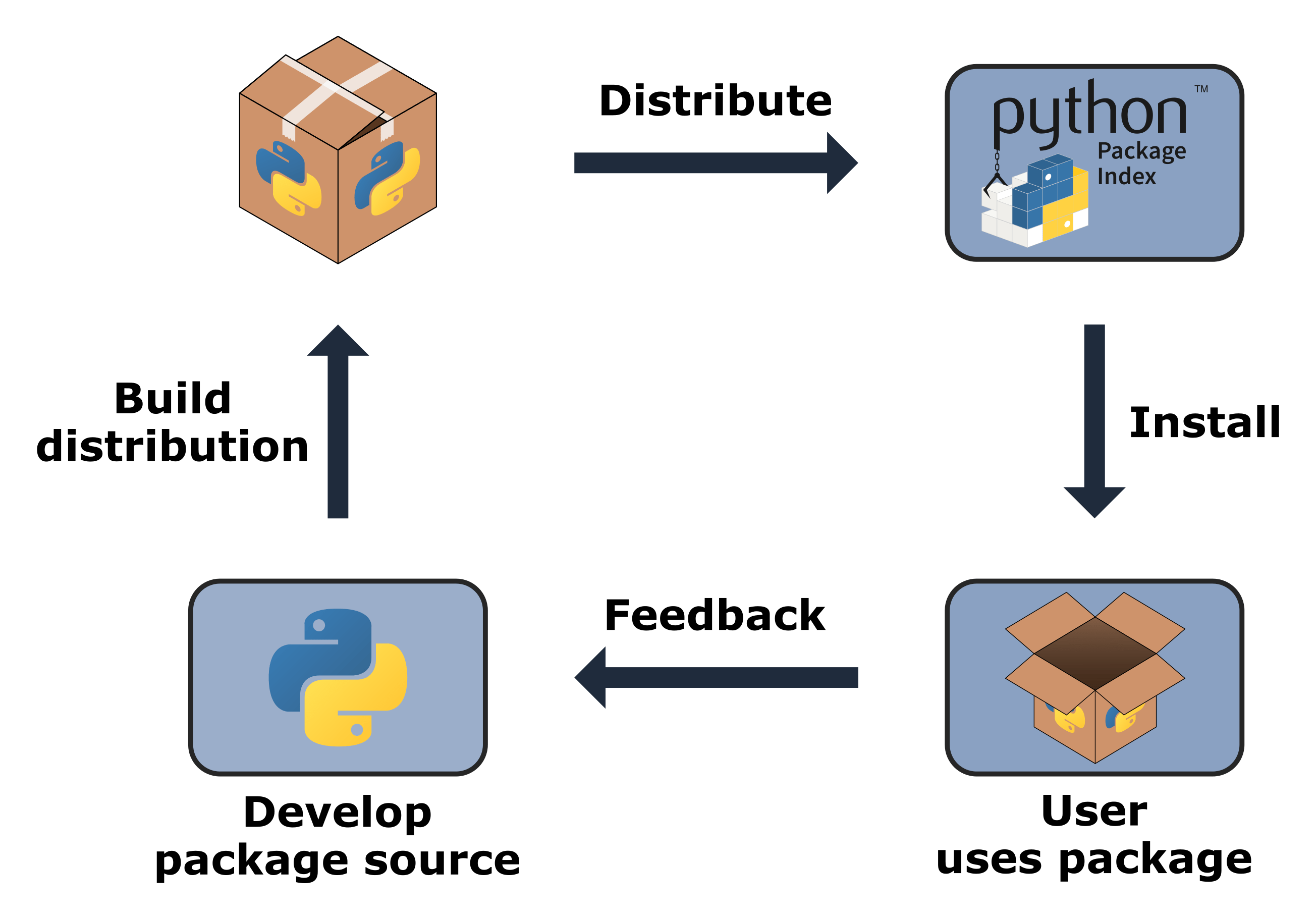
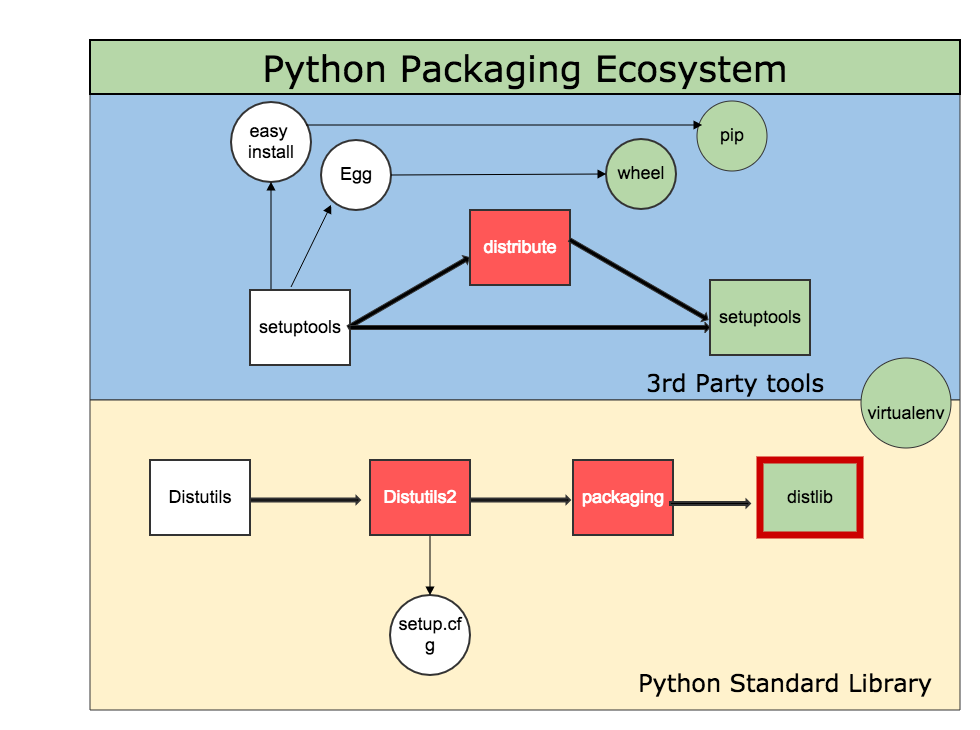
๐Ÿ“ฆ Modules and Packages


๐Ÿงฉ Concept

Image
Image
Image
Image
  • Modules = single file
  • Packages = collection of modules

๐ŸŒ Python in Software Development Context


๐Ÿง  Role Among Languages

Image
Image
Image
Image

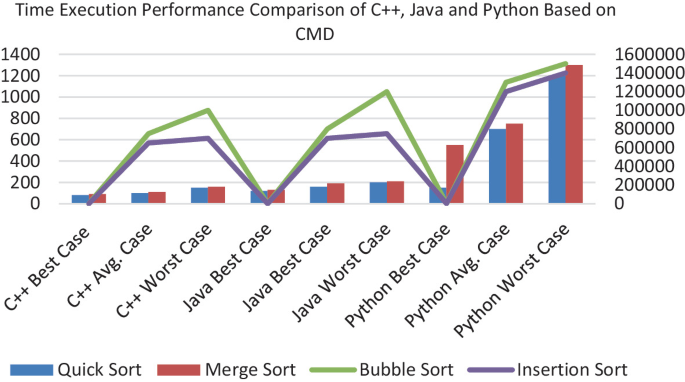
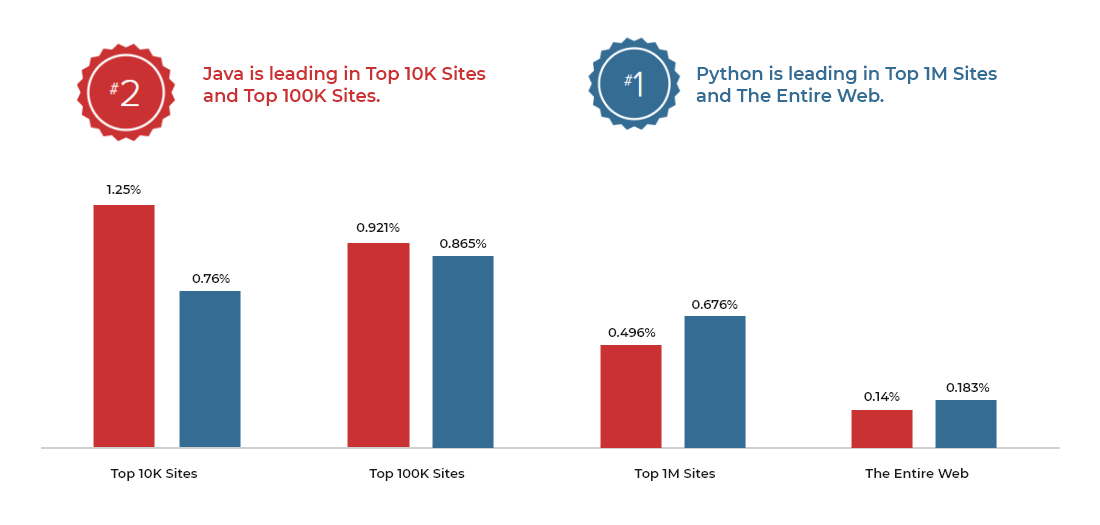
๐Ÿ”น Compared to Other Languages:

LanguageStrength
PythonEasy, versatile
C++Performance
JavaEnterprise

๐Ÿš€ Applications of Python


๐Ÿค– Artificial Intelligence

Image
Image
Image
Image

๐ŸŒ Web Development

  • Django
  • Flask

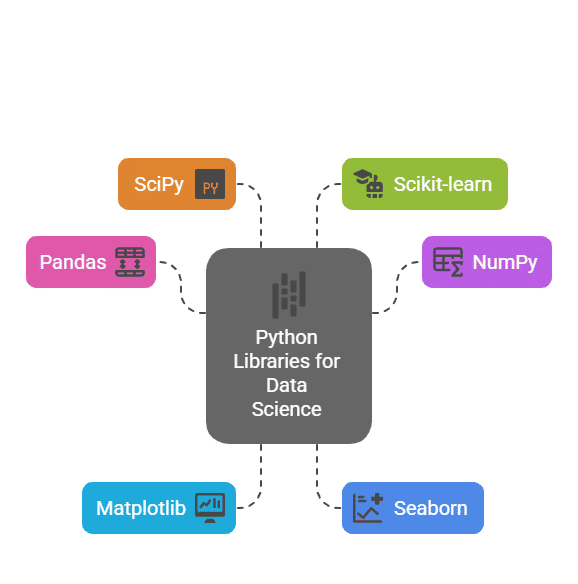
๐Ÿ“Š Data Science

  • Pandas
  • NumPy

๐ŸŽฎ Game Development

  • Pygame

๐Ÿ” Cybersecurity

  • Automation tools

โšก Advantages of Python

  • Easy to learn
  • Large community
  • Cross-platform
  • Rich libraries

โš ๏ธ Limitations

  • Slower than C/C++
  • High memory usage
  • Not ideal for low-level tasks

๐Ÿš€ Modern Python Trends

Image
Image
Image
Image
  • AI & Machine Learning
  • Automation
  • Cloud computing
  • IoT

๐Ÿงพ Conclusion

Python is one of the most powerful and versatile programming languages today. It:

  • Simplifies coding
  • Supports multiple domains
  • Enables rapid development

Learning Python helps in:

  • Software development
  • Data science
  • AI and automation
๐Ÿท๏ธ Tags

๐Ÿ’ป C++ Programming โ€“ Complete Detailed Guide (with Software Development Language Context)


๐ŸŒ Introduction to C++ Programming

Image
Image
Image
Image

C++ is a powerful, high-performance programming language that extends the C language by adding object-oriented programming (OOP) features, along with many modern programming capabilities. It is widely used in system software, game development, embedded systems, and high-performance applications.

In simple terms:

C++ = C + Object-Oriented + High Performance

C++ supports multiple programming paradigms:

  • Procedural
  • Object-Oriented
  • Generic (templates)

๐Ÿง  Importance of C++

  • Combines low-level and high-level programming
  • Used in performance-critical applications
  • Foundation for many modern technologies
  • Widely used in competitive programming
  • Supports OOP and reusable code

๐Ÿงฉ Basic Structure of a C++ Program


๐Ÿ“„ Example Program

#include <iostream>
using namespace std;

int main() {
    cout << "Hello, World!";
    return 0;
}

๐Ÿง  Components:

Image
Image
  • #include โ†’ Header files
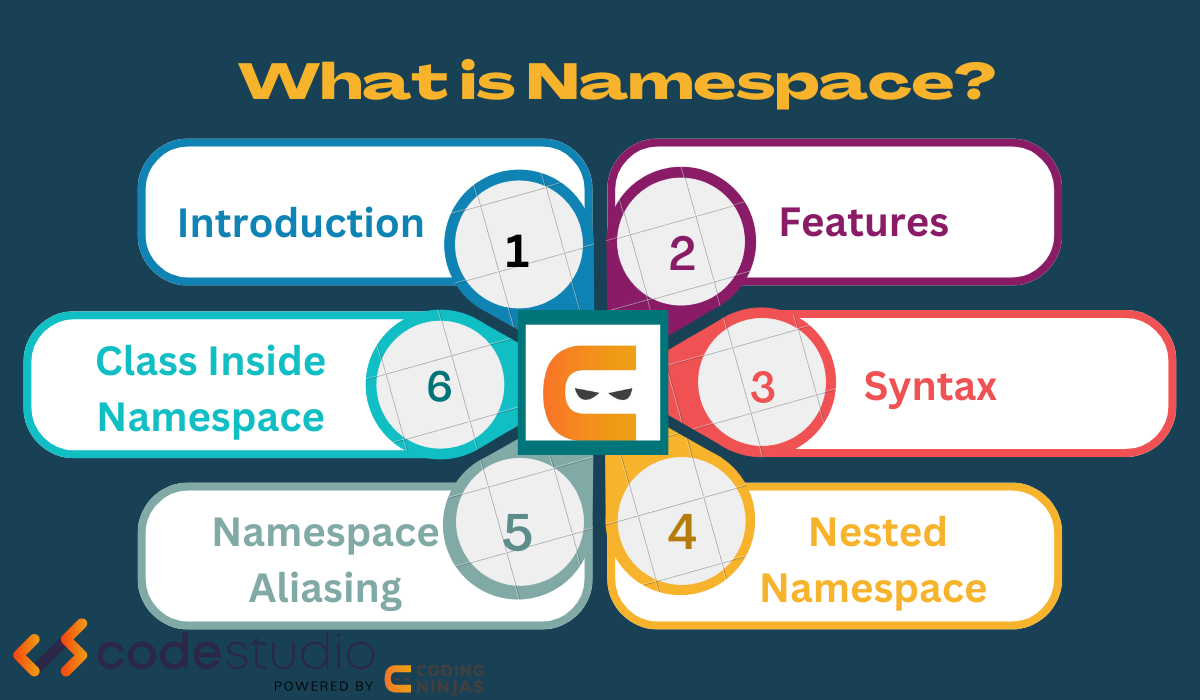
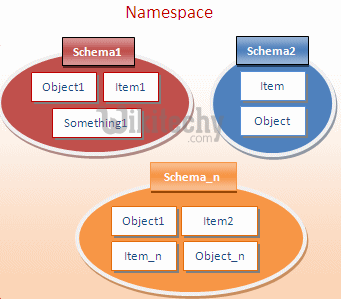
  • namespace โ†’ Scope management
  • main() โ†’ Entry point
  • cout โ†’ Output

โš™๏ธ Data Types in C++


๐Ÿ”ข Basic Data Types

TypeDescription
intInteger
floatDecimal
doubleHigh precision
charCharacter
boolBoolean

๐Ÿงฉ Derived Types

  • Arrays
  • Pointers
  • References

๐Ÿง  User-Defined Types

  • struct
  • class
  • enum

๐Ÿ”ค Variables and Constants


๐Ÿ“Œ Variables

int x = 10;

๐Ÿ”’ Constants

const int MAX = 100;

โš™๏ธ Operators in C++


๐Ÿ”ข Types:

  • Arithmetic (+, -, *, /)
  • Relational (==, >, <)
  • Logical (&&, ||)
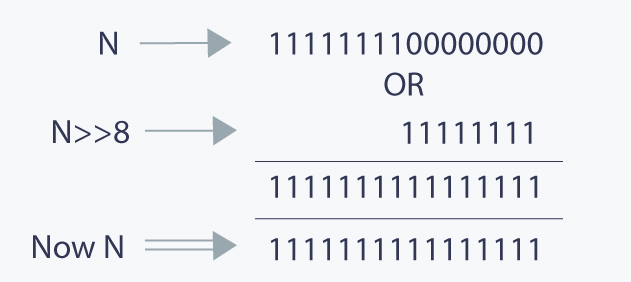
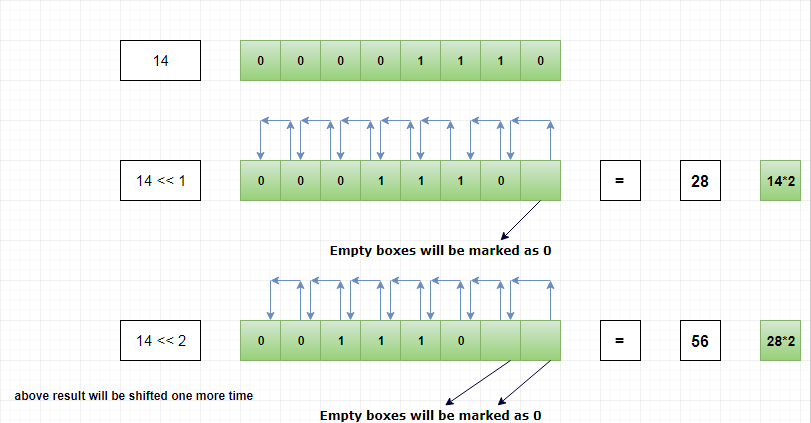
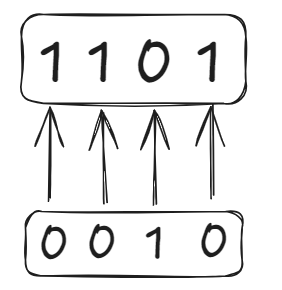
  • Bitwise (&, |, ^)
  • Assignment (=, +=)

๐Ÿงฎ Bitwise Operations

Image
Image
Image
Image

๐Ÿ”„ Control Structures


๐Ÿ”€ Decision Making

Image
Image
Image

๐Ÿ” Loops

Image
Image
Image
Image

๐Ÿง  Functions in C++


๐Ÿ“Œ Definition

int add(int a, int b) {
    return a + b;
}

โš™๏ธ Features:

  • Function overloading
  • Inline functions
  • Recursion

๐Ÿงฉ Object-Oriented Programming (OOP)


๐Ÿง  Core Concepts

Image
Image
Image
Image

๐Ÿ”น 1. Class and Object

class Car {
public:
    int speed;
};

๐Ÿ”น 2. Encapsulation

  • Data hiding
  • Use of access modifiers

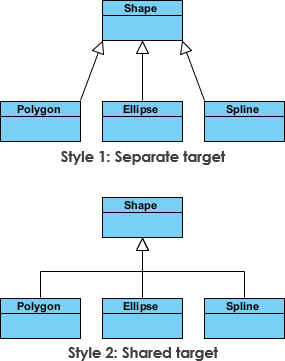
๐Ÿ”น 3. Inheritance

Image
Image
Image
Image
  • Reuse of code

๐Ÿ”น 4. Polymorphism

  • Function overloading
  • Operator overloading

๐Ÿ”น 5. Abstraction

  • Hide implementation details

๐Ÿง  Arrays in C++

Image
Image
Image
Image
  • Same as C but with enhancements

๐Ÿ”ค Strings in C++


๐Ÿ“Œ Types:

Image
Image
Image
Image
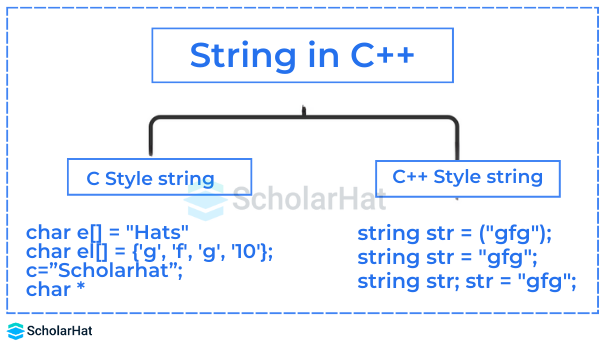
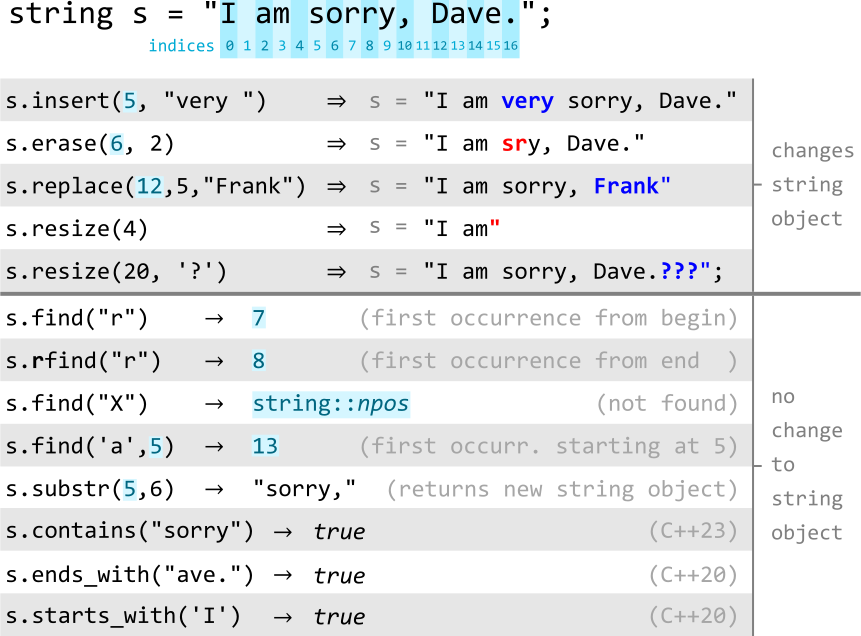
  • C-style strings
  • std::string

๐Ÿง  Pointers and References


๐Ÿ“Œ Pointers

Image
Image
Image
Image

๐Ÿ”„ References

  • Alias for variables
int &ref = x;

๐Ÿ’พ Dynamic Memory Allocation


๐Ÿ“ฆ Operators:

Image
Image
Image
Image
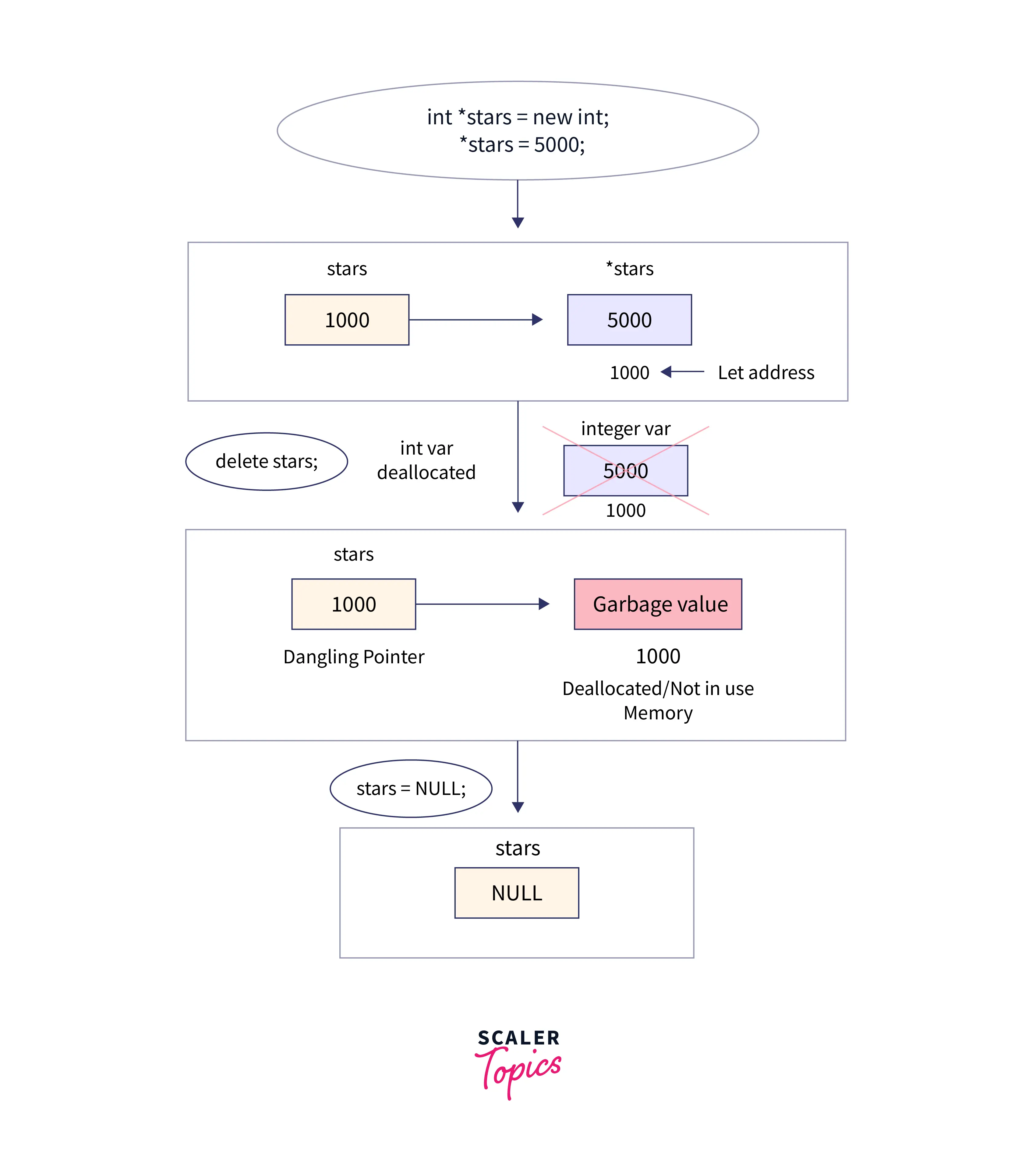
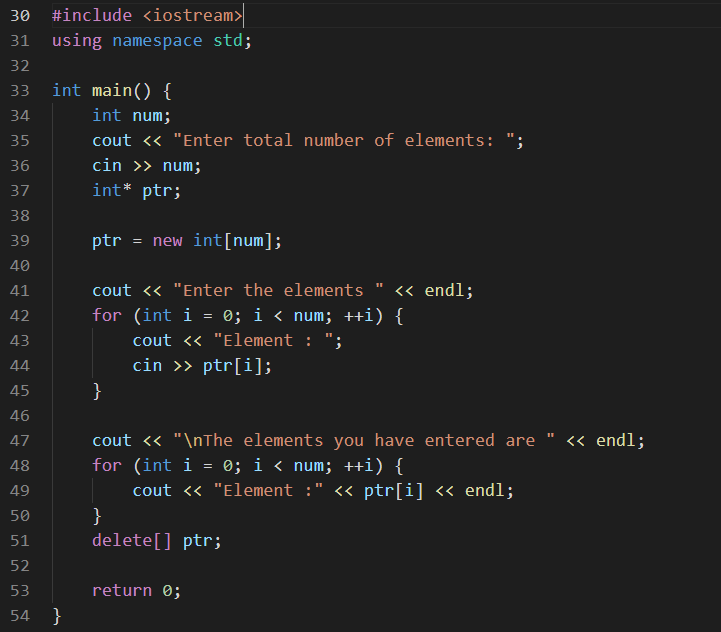
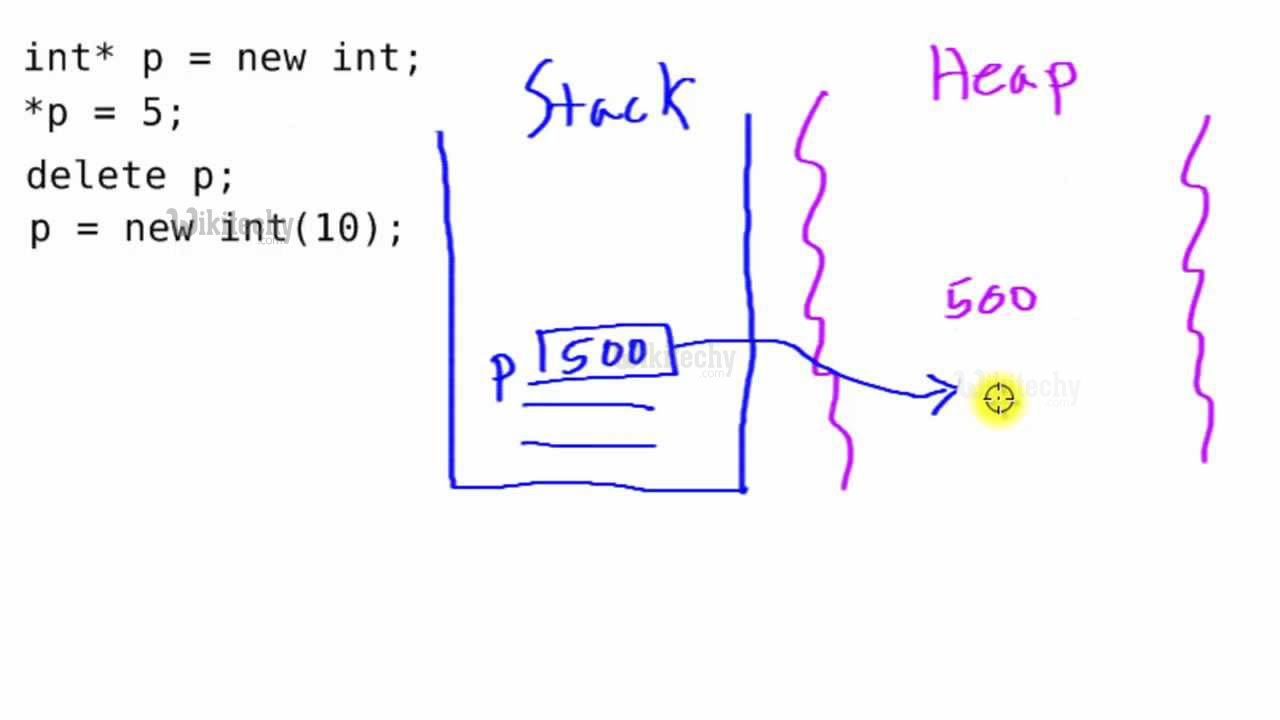
  • new
  • delete

๐Ÿงฉ Structures and Classes


โš–๏ธ Difference:

FeatureStructClass
Default AccessPublicPrivate

๐Ÿ“‚ File Handling


๐Ÿ“„ Streams:

Image
Image
Image
Image
  • ifstream
  • ofstream
  • fstream

๐Ÿง  Standard Template Library (STL)


๐Ÿ“ฆ Components

Image
Image
Image
Image
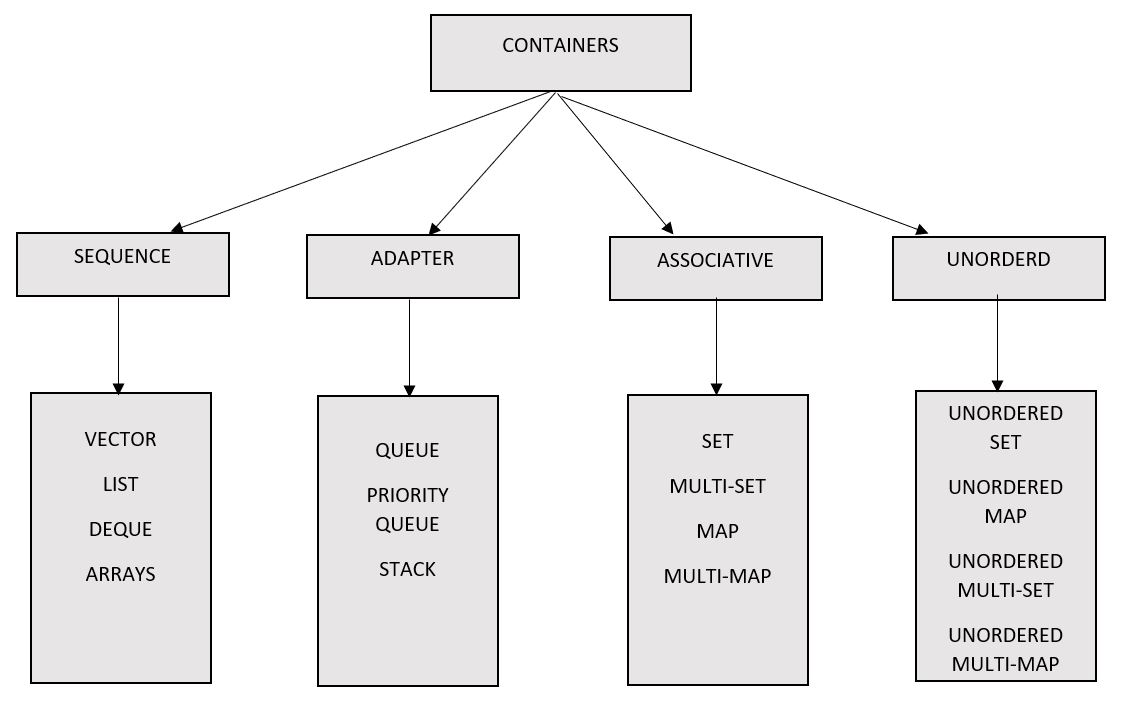
  • Containers (vector, list, map)
  • Algorithms (sort, search)
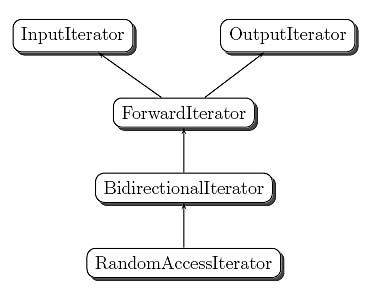
  • Iterators

โš™๏ธ Exception Handling


๐Ÿ”ฅ Concept:

try {
    // code
} catch (...) {
    // handle error
}

๐Ÿง  Templates (Generic Programming)


๐Ÿ“Œ Example:

template <typename T>
T add(T a, T b) {
    return a + b;
}

๐ŸŒ C++ in Software Development Context


๐Ÿง  Role Among Languages

Image
Image
Image
Image

๐Ÿ”น Compared to Other Languages:

LanguageTypeUse
C++OOP + Low-levelSystems, games
PythonHigh-levelAI, scripting
JavaOOPEnterprise

๐Ÿš€ Applications of C++


๐ŸŽฎ Game Development

Image
Image
Image
Image

โš™๏ธ System Software

  • Operating systems
  • Compilers

๐Ÿš— Embedded Systems

  • Robotics
  • Automotive systems

๐Ÿ’น Finance Systems

  • High-frequency trading

โšก Advantages of C++

  • High performance
  • Object-oriented
  • Flexible
  • Rich libraries

โš ๏ธ Limitations

  • Complex syntax
  • Manual memory management
  • Steep learning curve

๐Ÿš€ Modern C++ Trends

Image
Image
Image
Image
  • Smart pointers
  • Lambda expressions
  • Multithreading
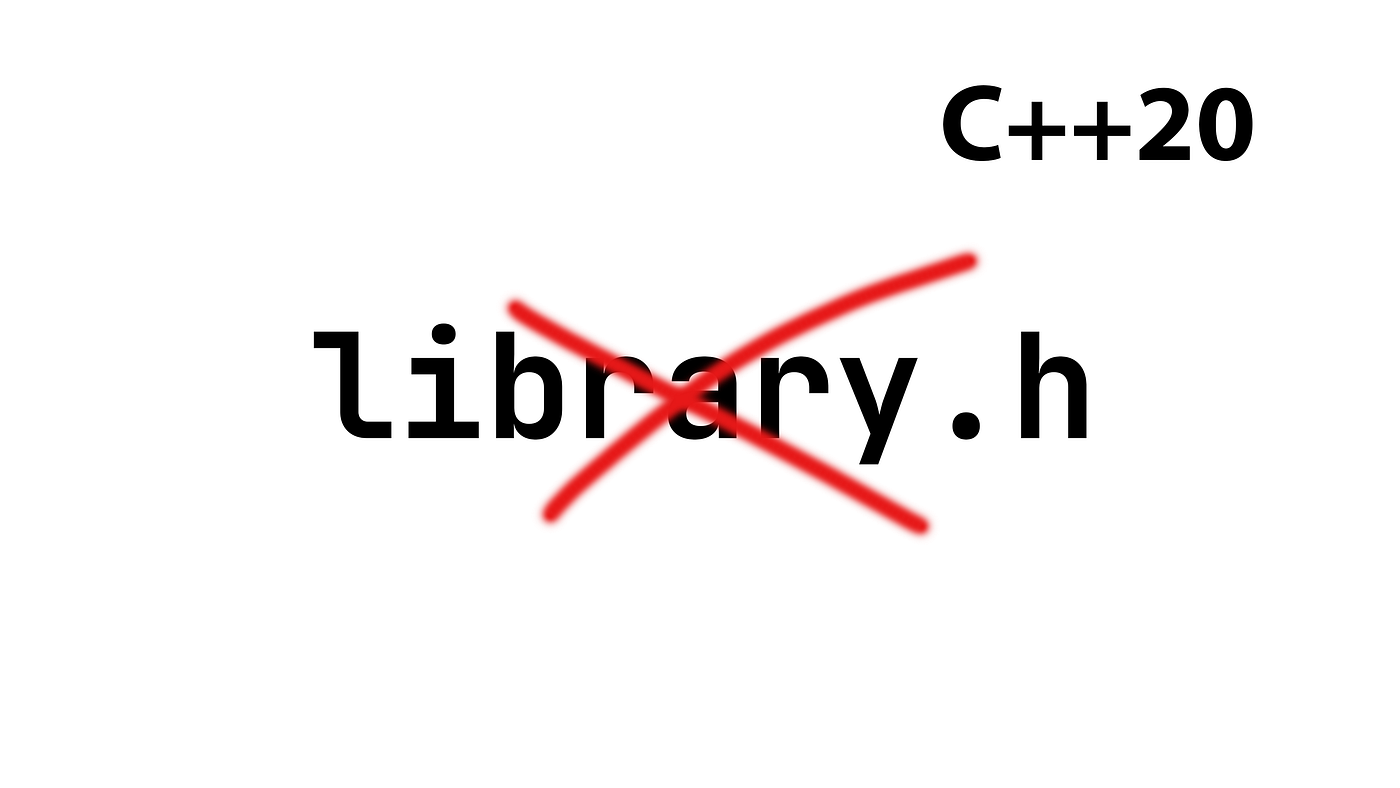
  • C++20 features

๐Ÿงพ Conclusion

C++ is a powerful and versatile programming language that:

  • Combines performance with abstraction
  • Supports multiple paradigms
  • Powers modern applications

Learning C++ helps in:

  • Mastering programming fundamentals
  • Building high-performance systems
  • Understanding advanced concepts

๐Ÿท๏ธ Tags

๐Ÿ’ป C Programming โ€“ Complete Detailed Guide (with Software Development Language Context)


๐ŸŒ Introduction to C Programming

Image
Image

C programming is one of the most influential and widely used programming languages in the world. Developed in the early 1970s, it is a general-purpose, procedural programming language that provides low-level access to memory and system resources.

In simple terms:

C = powerful language that connects software with hardware

C is often called the mother of modern programming languages because many languages (like C++, Java, Python) are derived from or influenced by it.


๐Ÿง  Importance of C Programming

  • Foundation for learning programming
  • Used in operating systems (e.g., Linux kernel)
  • High performance and efficiency
  • Direct memory access using pointers
  • Widely used in embedded systems

๐Ÿงฉ Basic Structure of a C Program


๐Ÿ“„ Structure Overview

Image
Image
Image

Example:

#include <stdio.h>

int main() {
    printf("Hello, World!");
    return 0;
}

๐Ÿง  Components:

  • Preprocessor directives (#include)
  • Main function (main())
  • Statements and expressions
  • Return statement

โš™๏ธ Data Types in C


๐Ÿ”ข Basic Data Types

TypeDescription
intInteger values
floatDecimal values
charCharacters
doubleHigh precision numbers

๐Ÿงฉ Derived Data Types

  • Arrays
  • Pointers
  • Structures
  • Unions

๐Ÿง  User-Defined Types

  • typedef
  • struct
  • enum

๐Ÿ”ค Variables and Constants


๐Ÿ“Œ Variables

Used to store data:

int x = 10;

๐Ÿ”’ Constants

  • Fixed values
#define PI 3.14

โš™๏ธ Operators in C


๐Ÿ”ข Types of Operators


โž• Arithmetic Operators

  • +, -, *, /, %

โš–๏ธ Relational Operators

  • ==, !=, >, <

๐Ÿ”— Logical Operators

  • &&, ||, !

๐Ÿงฎ Bitwise Operators

Image
Image
Image
Image
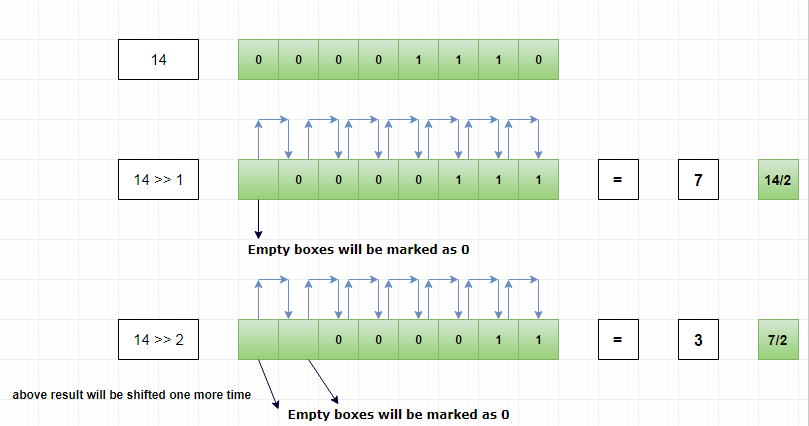
  • &, |, ^, <<, >>

๐Ÿ”„ Control Structures


๐Ÿ”€ Decision Making

Image
if (x > 0) {
    printf("Positive");
}

๐Ÿ” Loops

Image
Image
  • for
  • while
  • do-while

๐Ÿง  Functions in C


๐Ÿ“Œ Definition

Functions are reusable blocks of code.

int add(int a, int b) {
    return a + b;
}

โš™๏ธ Types:

  • Library functions
  • User-defined functions

๐Ÿงฉ Arrays in C

Image
Image
Image
Image
  • Store multiple values
  • Indexed structure

๐Ÿ”ค Strings in C

Image
Image
Image
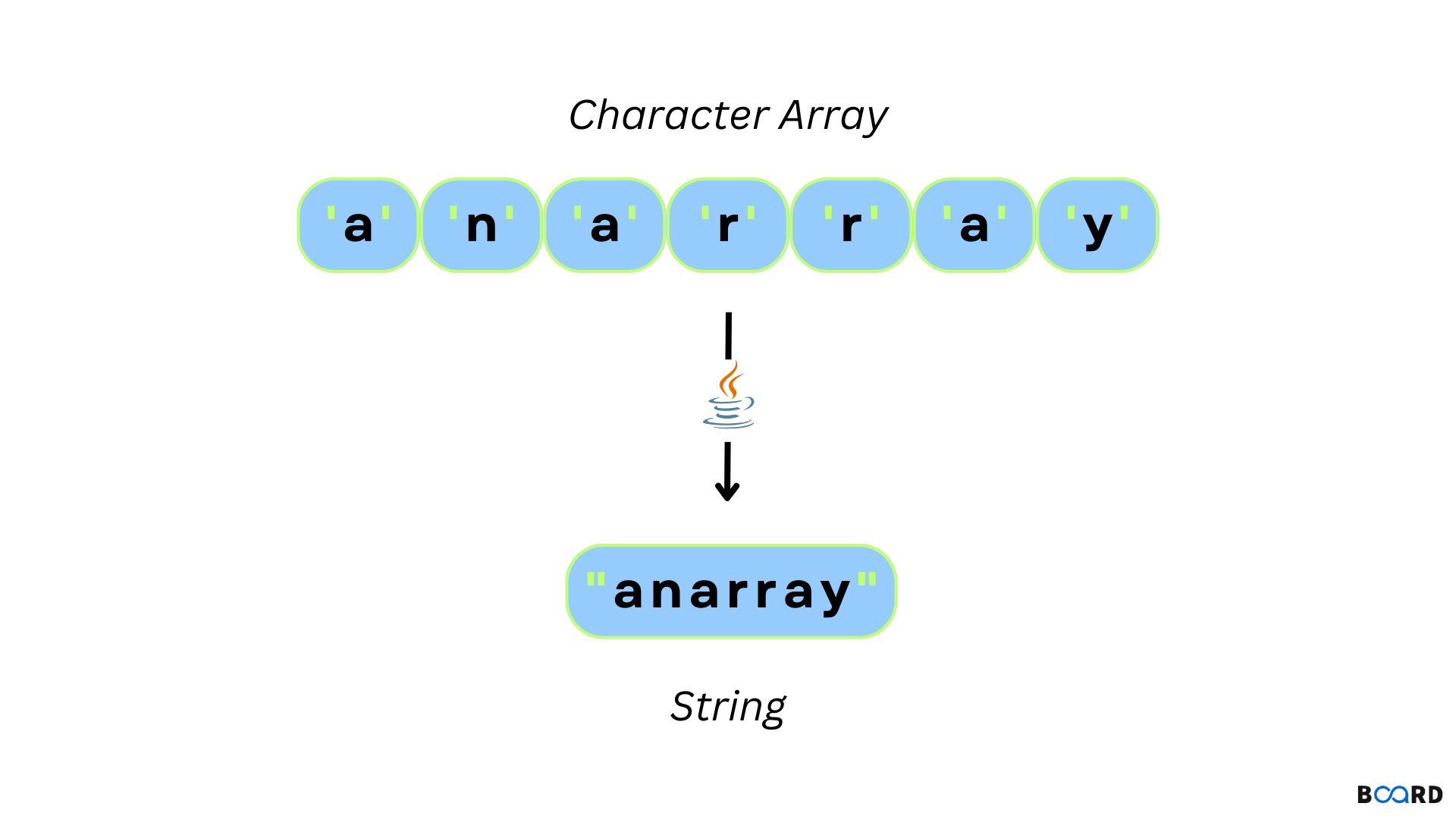
  • Array of characters
  • Null-terminated

๐Ÿง  Pointers in C


๐Ÿ“Œ Concept

Image
Image
Image
Image

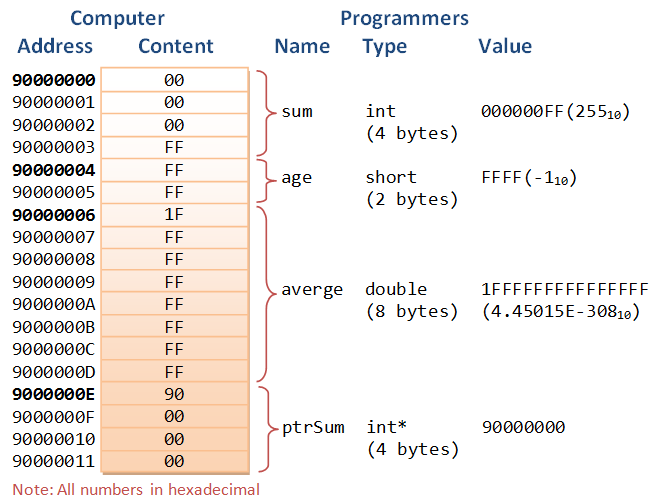
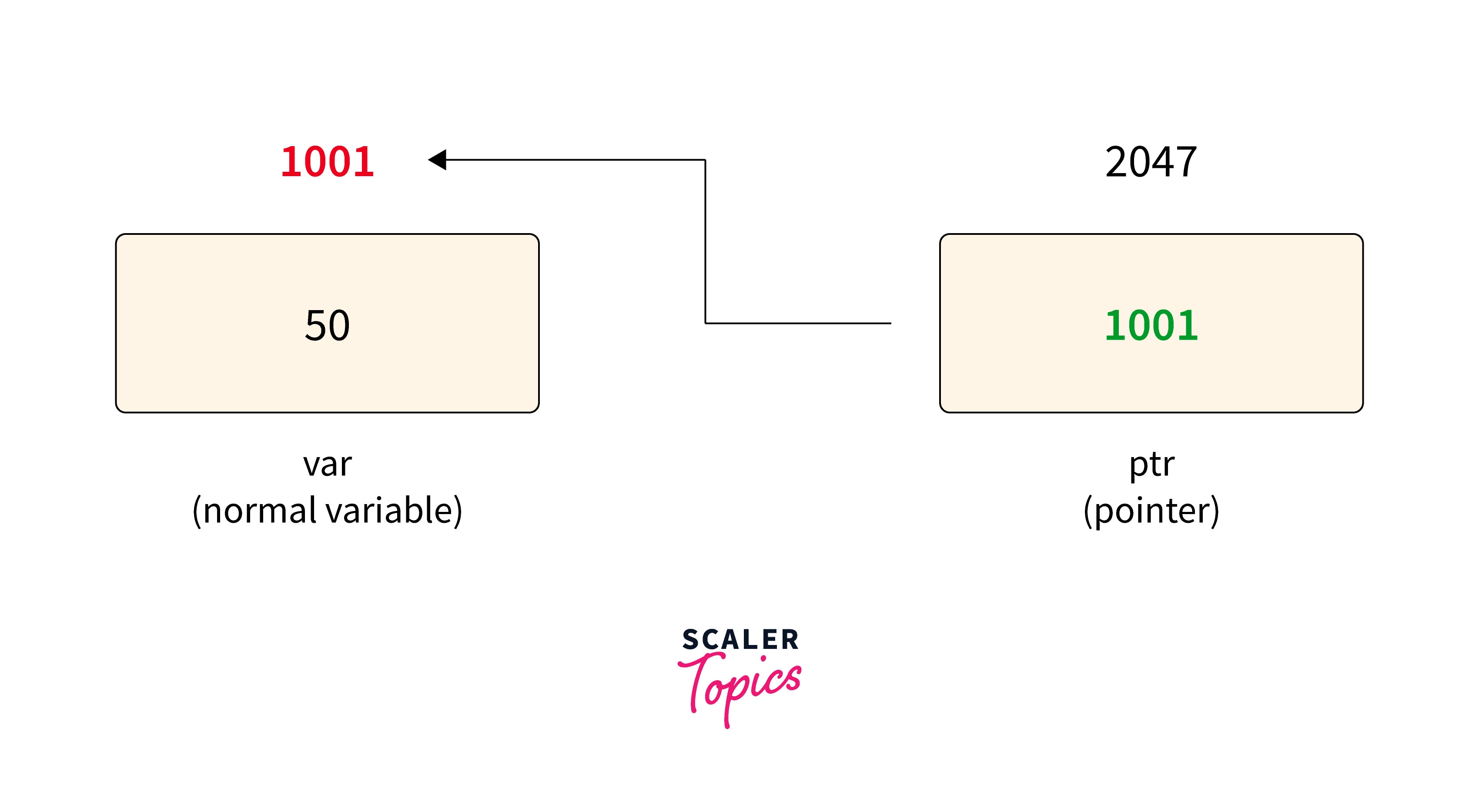
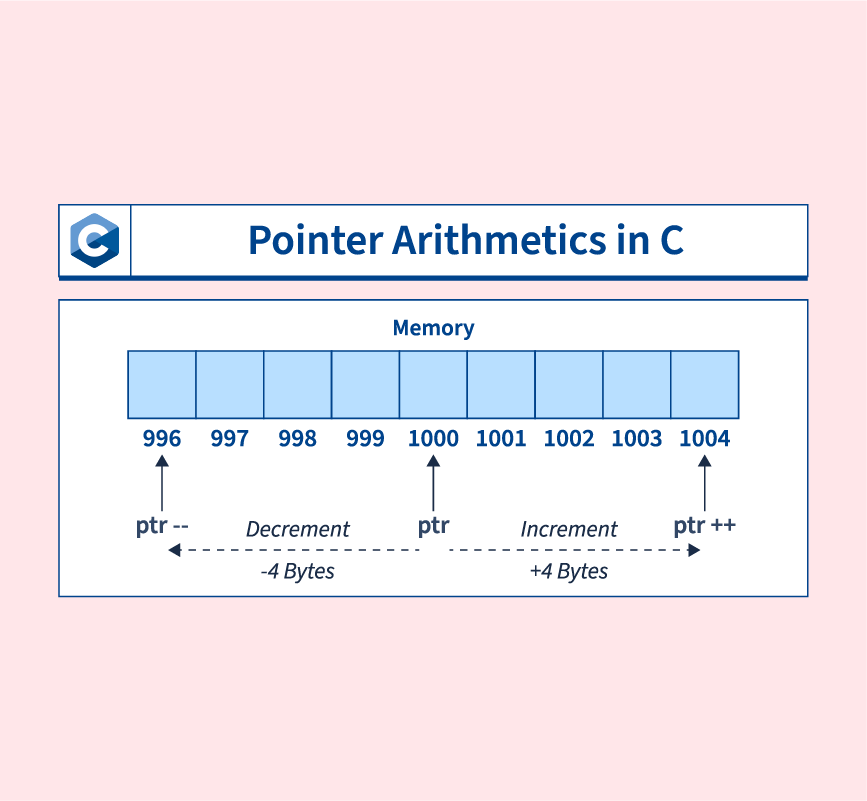
Pointers store memory addresses.

int *ptr;

โš™๏ธ Uses:

  • Dynamic memory allocation
  • Efficient array handling
  • Function arguments

๐Ÿ’พ Dynamic Memory Allocation


๐Ÿ“ฆ Functions:

Image
Image
Image
Image
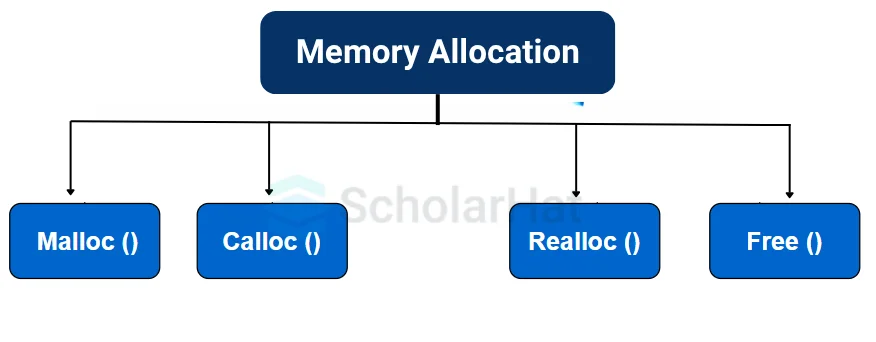
  • malloc()
  • calloc()
  • realloc()
  • free()

๐Ÿงฉ Structures and Unions


๐Ÿ“ฆ Structures

Image
Image
Image
Image
struct Student {
    int id;
    char name[20];
};

๐Ÿ”„ Unions

  • Share memory among variables

๐Ÿ“‚ File Handling in C


๐Ÿ“„ Operations:

Image
Image
Image
Image
  • fopen()
  • fread()
  • fwrite()
  • fclose()

๐Ÿง  Preprocessor Directives


๐Ÿ”น Examples:

  • #include
  • #define
  • #ifdef

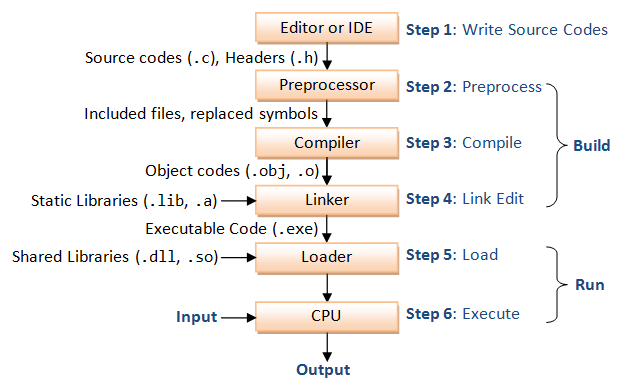
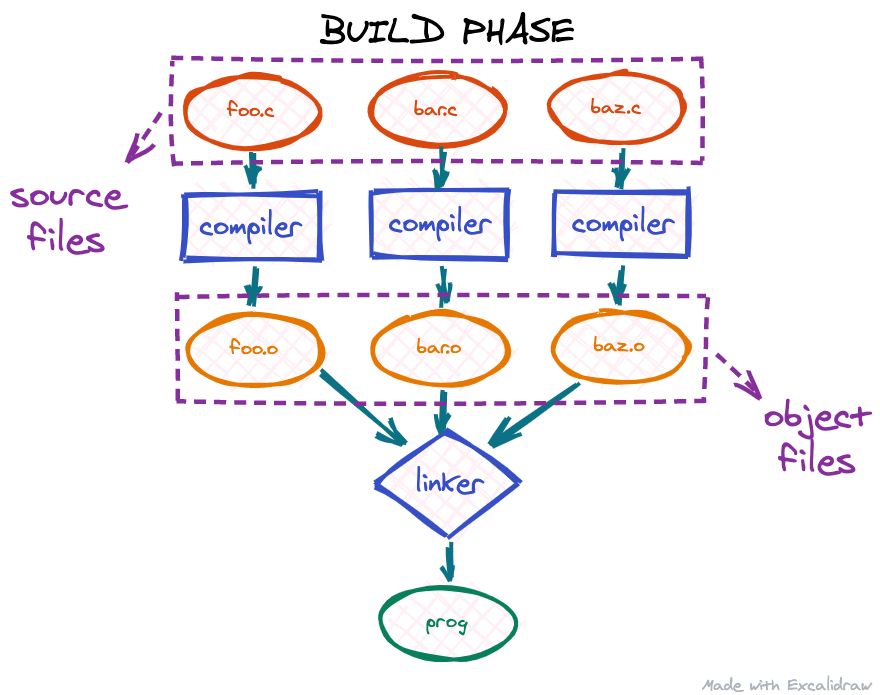
โš™๏ธ Compilation Process


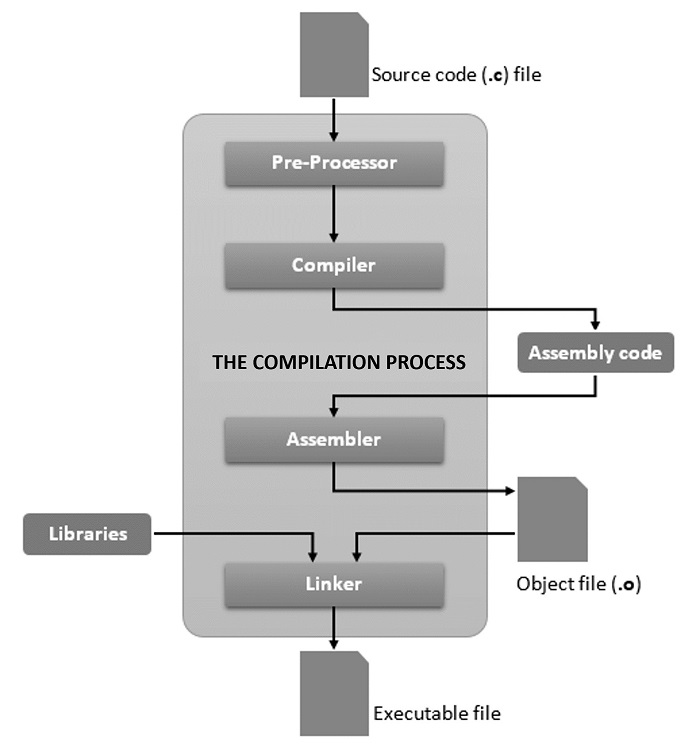
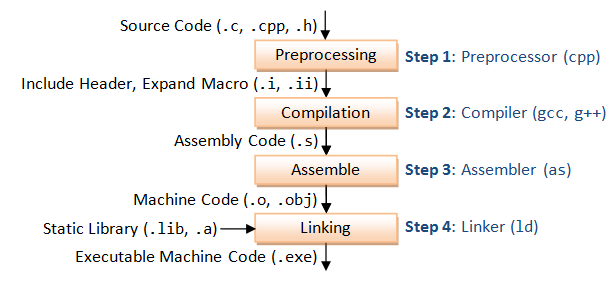
๐Ÿ”„ Steps

Image
Image
Image
Image
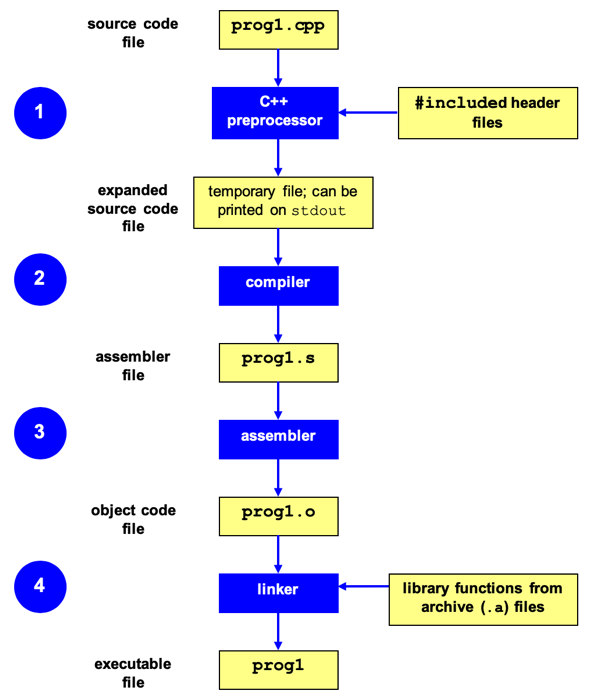
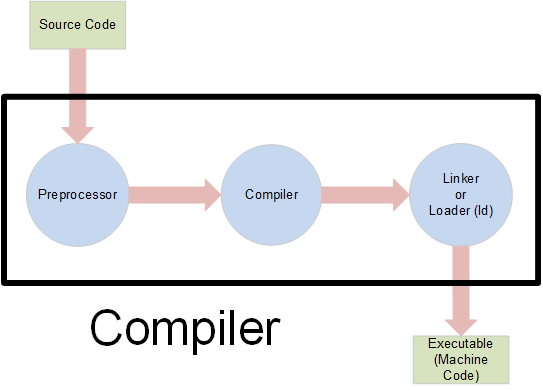
  1. Preprocessing
  2. Compilation
  3. Linking
  4. Execution

๐Ÿง  Applications of C Programming


๐Ÿ’ป System Programming

  • Operating systems
  • Compilers

โš™๏ธ Embedded Systems

  • Microcontrollers
  • IoT devices

๐ŸŽฎ Game Development

  • Performance-critical code

๐ŸŒ Networking

  • Protocol implementations

โšก Advantages of C

  • Fast and efficient
  • Portable
  • Low-level access
  • Rich library support

โš ๏ธ Limitations

  • No built-in OOP
  • Manual memory management
  • Error-prone

๐ŸŒ C in Software Development Languages Context


๐Ÿง  Role of C Among Languages

Image
Image
Image
Image

๐Ÿ”น Low-Level Languages

  • C
  • Assembly

๐Ÿ”น High-Level Languages

  • Python
  • Java
  • JavaScript

๐Ÿ”น Object-Oriented Languages

  • C++
  • Java

โš–๏ธ Comparison

LanguageTypeUse
CProceduralSystem programming
PythonHigh-levelAI, scripting
JavaOOPEnterprise apps

๐Ÿš€ Modern Trends


๐Ÿ”ฌ Developments

Image
Image
Image
Image
  • Embedded systems
  • IoT
  • High-performance computing
  • Kernel development

๐Ÿงพ Conclusion

C programming is a powerful foundational language that:

  • Teaches core programming concepts
  • Enables system-level programming
  • Forms the base for many modern languages

Learning C helps in:

  • Understanding memory and performance
  • Building efficient applications
  • Mastering advanced programming concepts

๐Ÿท๏ธ Tag

๐Ÿงฉ Arrays and Strings โ€“ Complete Detailed Guide


๐ŸŒ Introduction to Arrays and Strings

Image
Image
Image
Image

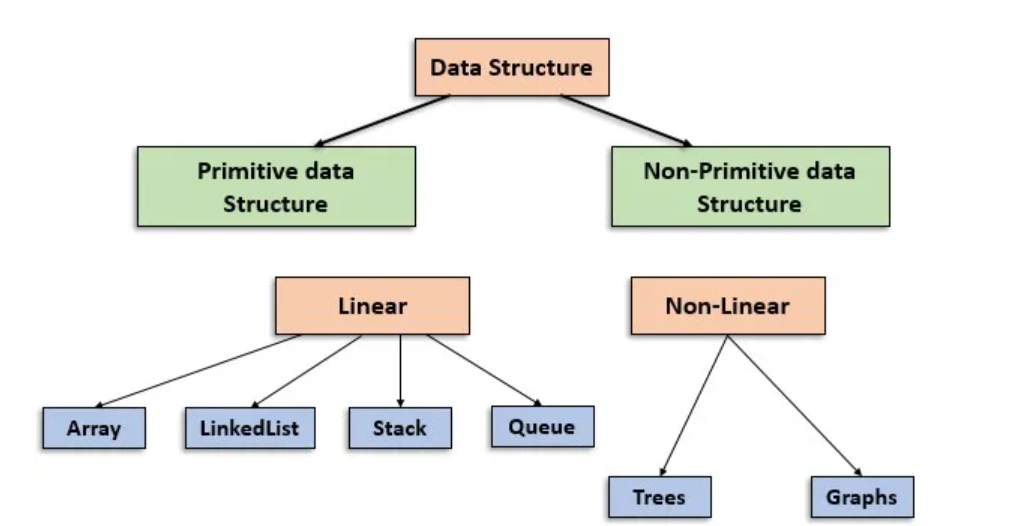
Arrays and strings are among the most fundamental data structures in computer science and programming. They form the building blocks for more complex structures like lists, stacks, queues, trees, and databases.

  • Array โ†’ Stores a collection of elements of the same data type
  • String โ†’ Stores a sequence of characters (text)

In simple terms:

Arrays manage collections of data, while strings manage textual data


๐Ÿง  ARRAYS


๐Ÿ“Œ What is an Array?

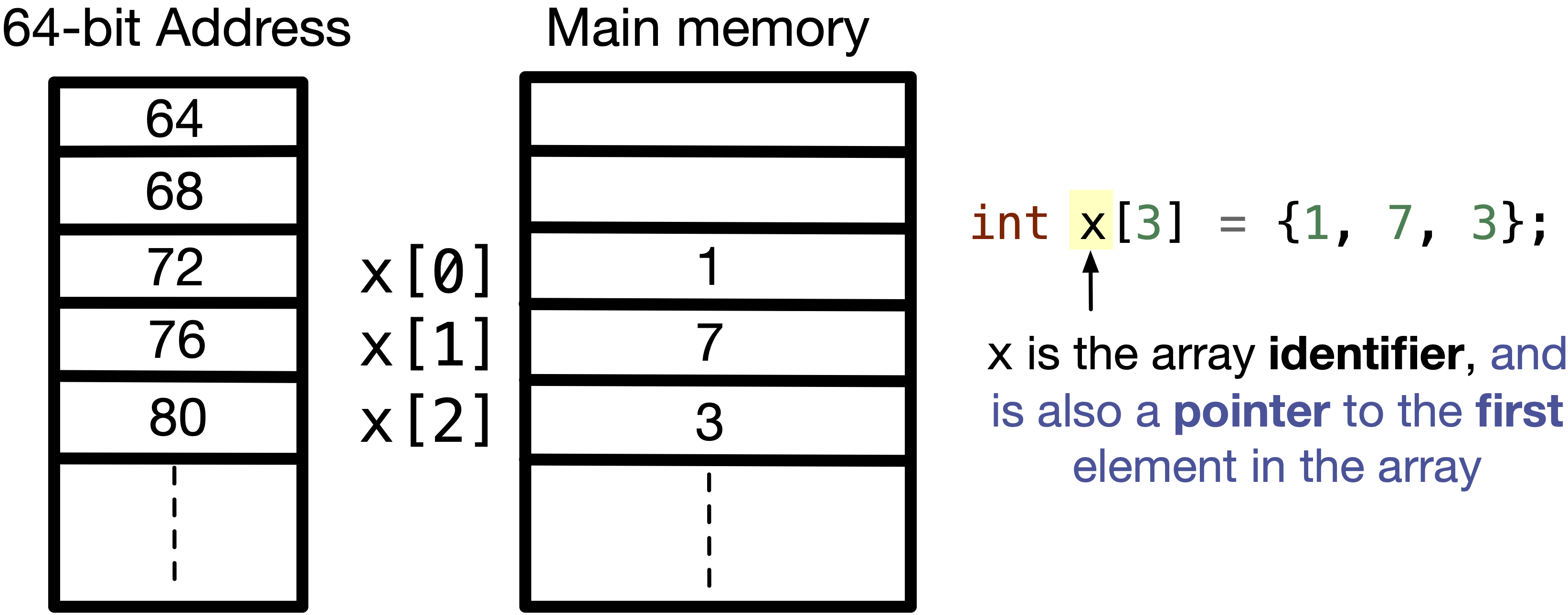
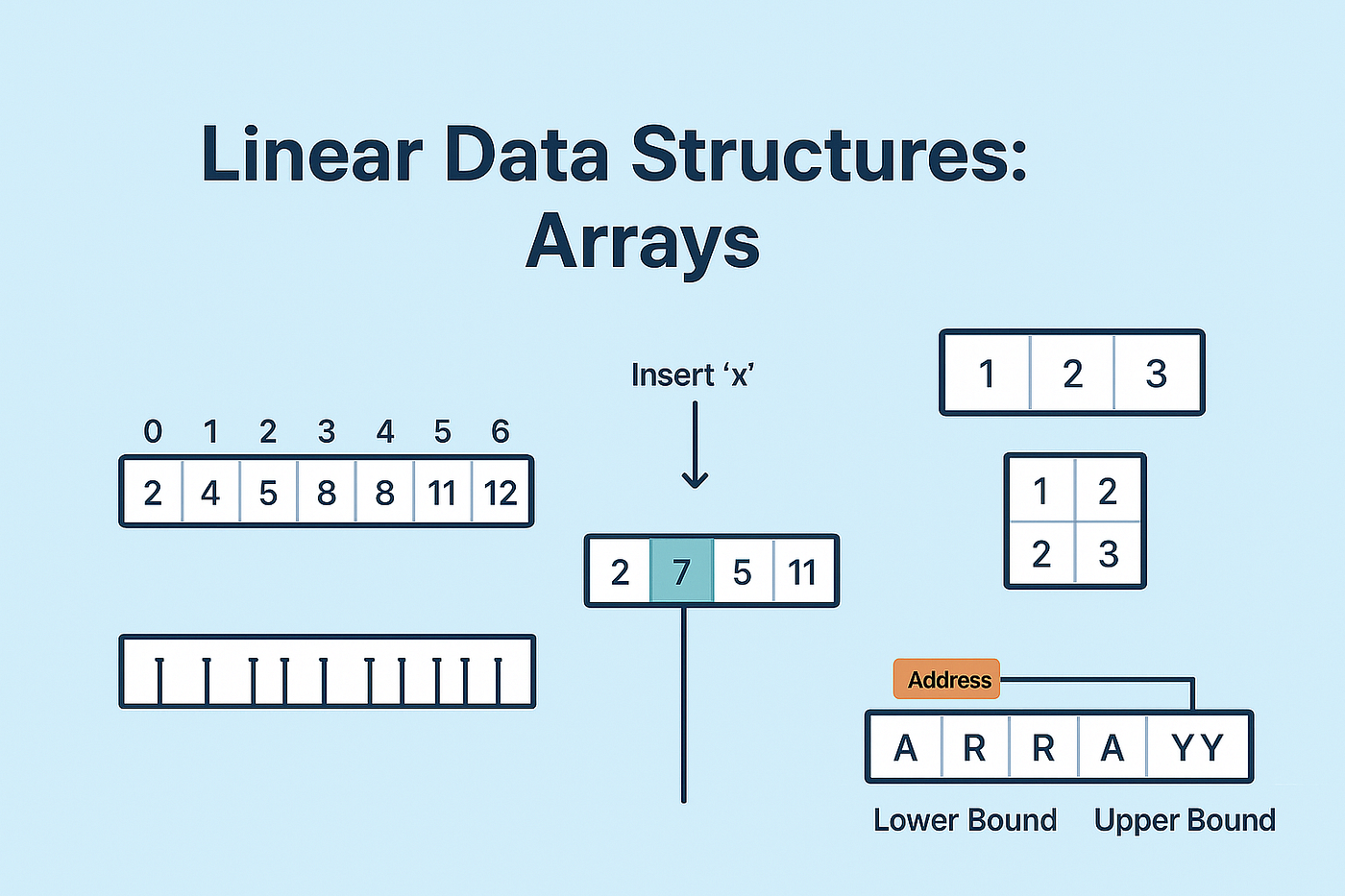
An array is a data structure that stores multiple elements of the same type in contiguous memory locations.

Example:

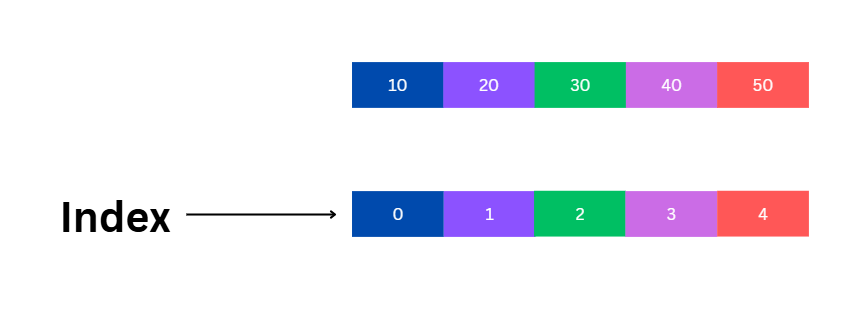
int arr[5] = {10, 20, 30, 40, 50};

โš™๏ธ Characteristics of Arrays

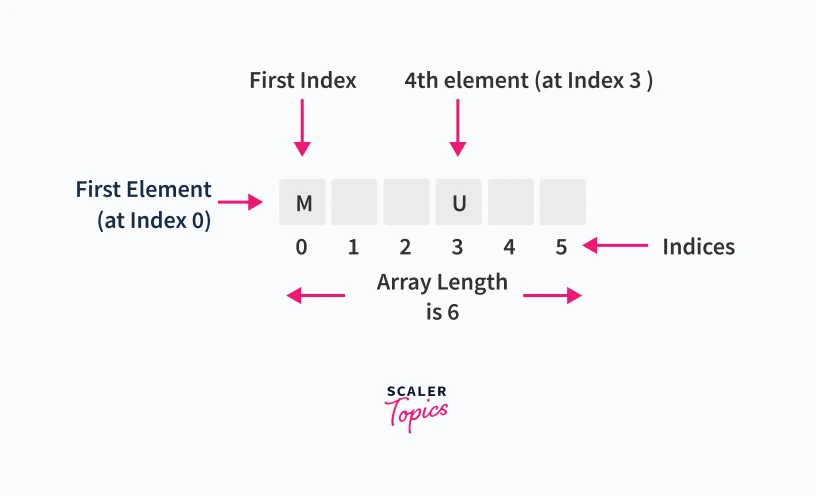
  • Fixed size (in most languages)
  • Homogeneous elements (same type)
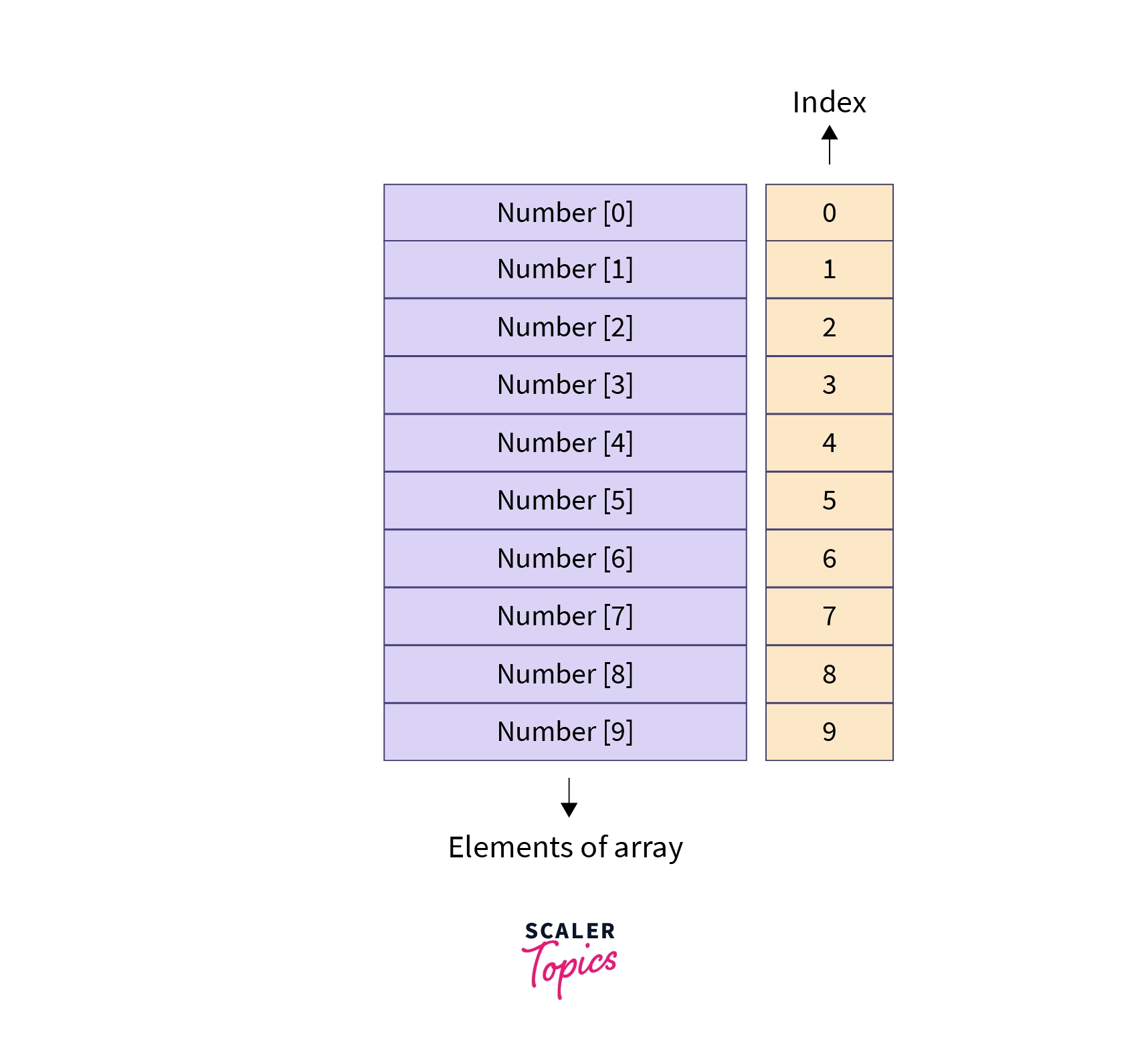
  • Indexed access (0-based index)
  • Stored in contiguous memory

๐Ÿงฉ Array Representation in Memory

Image
Image
Image
Image

Each element is stored sequentially:

Index:   0   1   2   3   4
Value:  10  20  30  40  50

Address calculation:

Address = Base + (Index ร— Size of element)

๐Ÿ”ข Types of Arrays


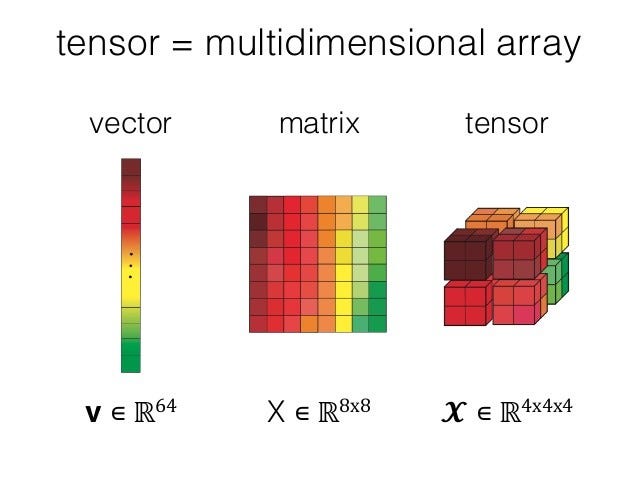
๐Ÿ”น 1. One-Dimensional Array

Image
Image
Image
Image
  • Linear structure
  • Single index

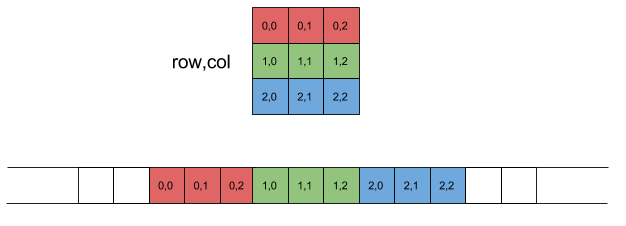
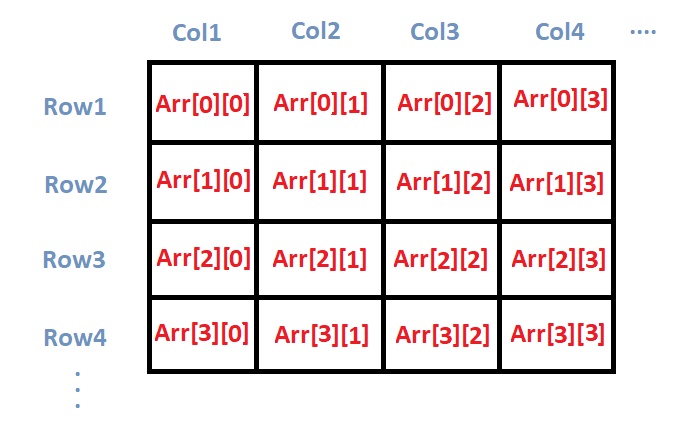
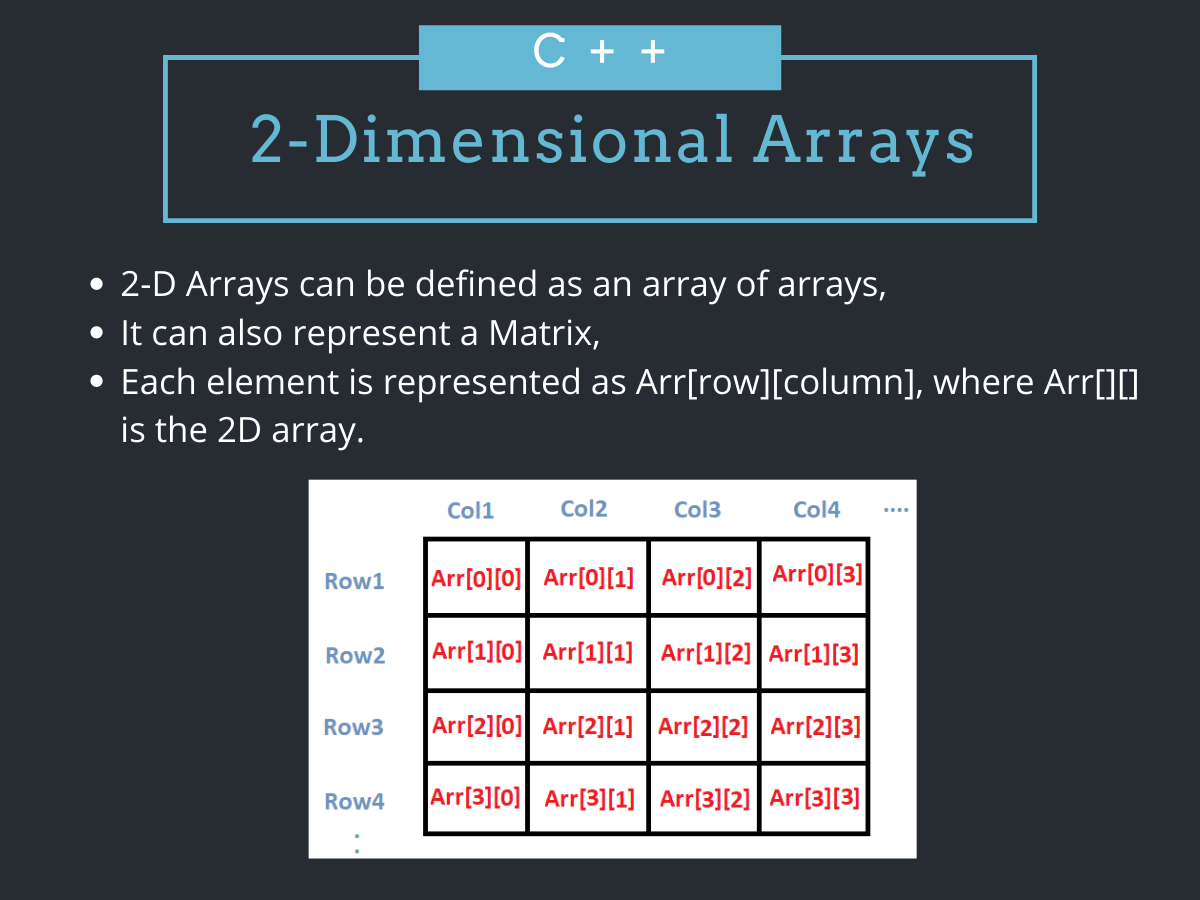
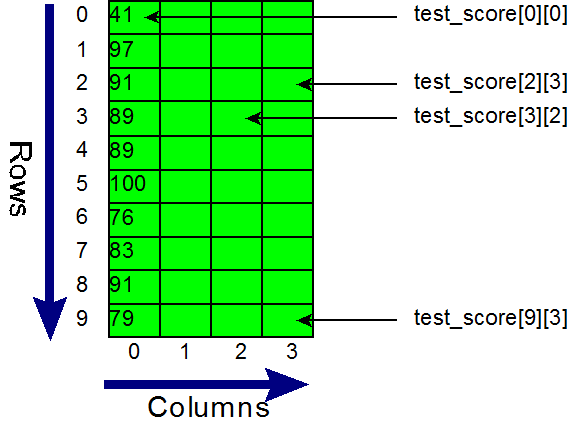
๐Ÿ”น 2. Two-Dimensional Array

Image
Image
Image
Image
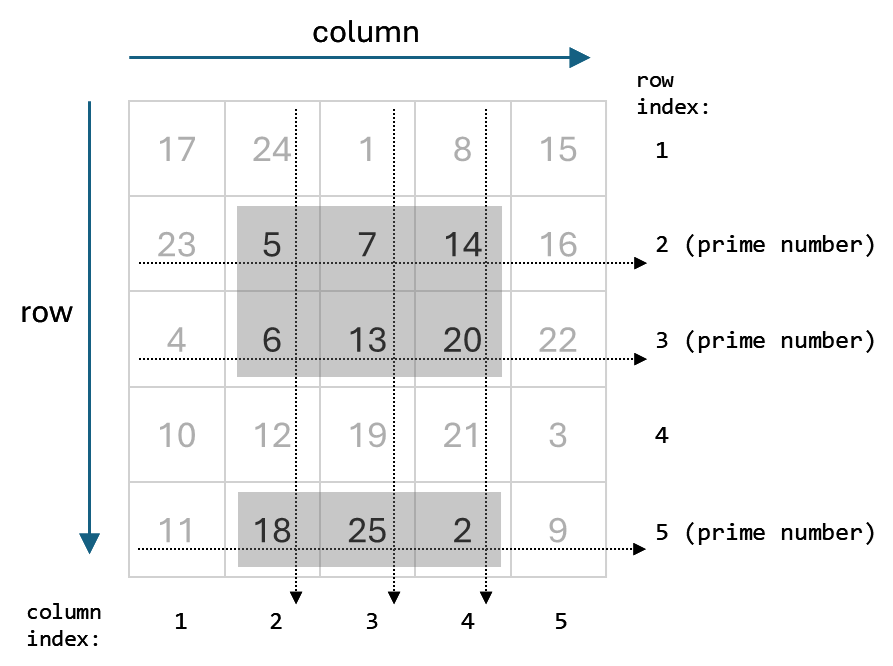
  • Matrix format
  • Rows and columns

Example:

int arr[2][3];

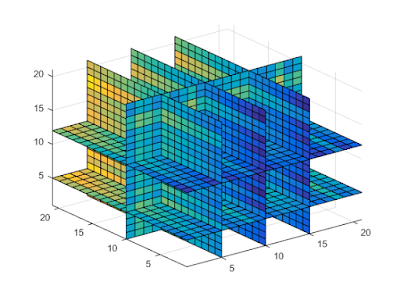
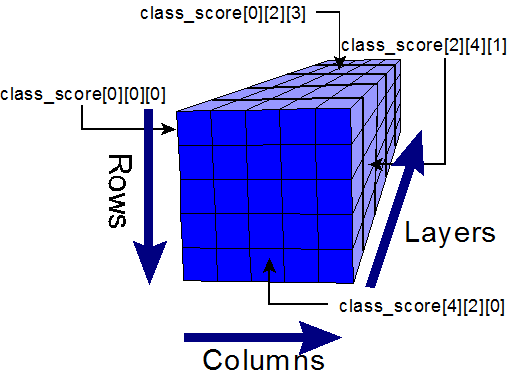
๐Ÿ”น 3. Multi-Dimensional Array

Image
Image
Image
Image
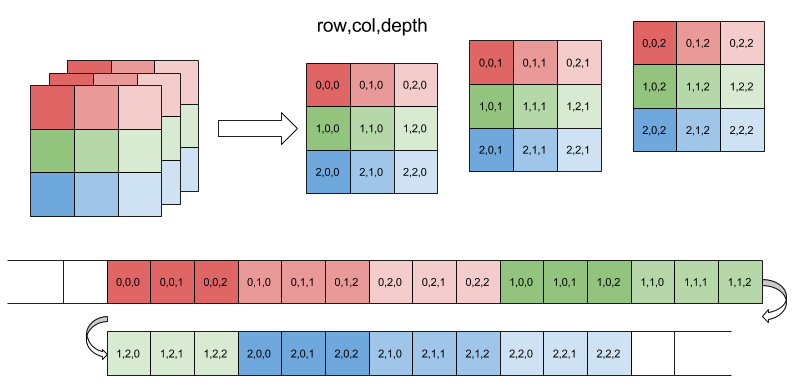
  • Used in scientific computing
  • Example: 3D arrays

โš™๏ธ Array Operations


๐Ÿ”น Traversal

  • Access each element

๐Ÿ”น Insertion

  • Add element (costly if fixed size)

๐Ÿ”น Deletion

  • Remove element and shift

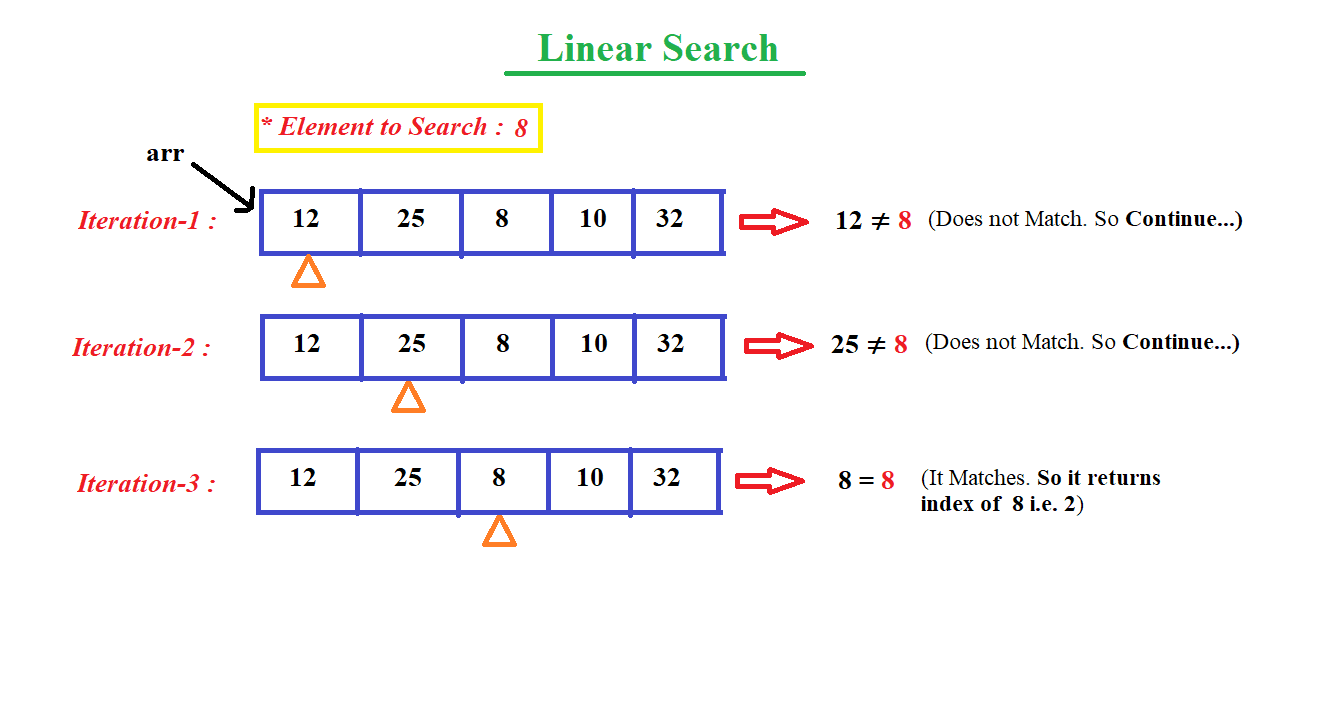
๐Ÿ”น Searching

  • Linear search
  • Binary search

๐Ÿ”น Sorting

  • Bubble sort
  • Merge sort
  • Quick sort

๐Ÿ” Searching Techniques

Image
Image
Image
Image

โšก Advantages of Arrays

  • Fast access (O(1))
  • Simple implementation
  • Efficient memory usage

โš ๏ธ Limitations of Arrays

  • Fixed size
  • Insertion/deletion costly
  • Wasted memory

๐Ÿ”ค STRINGS


๐Ÿ“Œ What is a String?

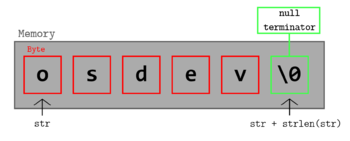
A string is a sequence of characters stored in memory.

Example:

char str[] = "Hello";

๐Ÿง  String Representation

Image
Image
Image
Image

Stored as:

H  e  l  l  o  \0

(\0 = null terminator)


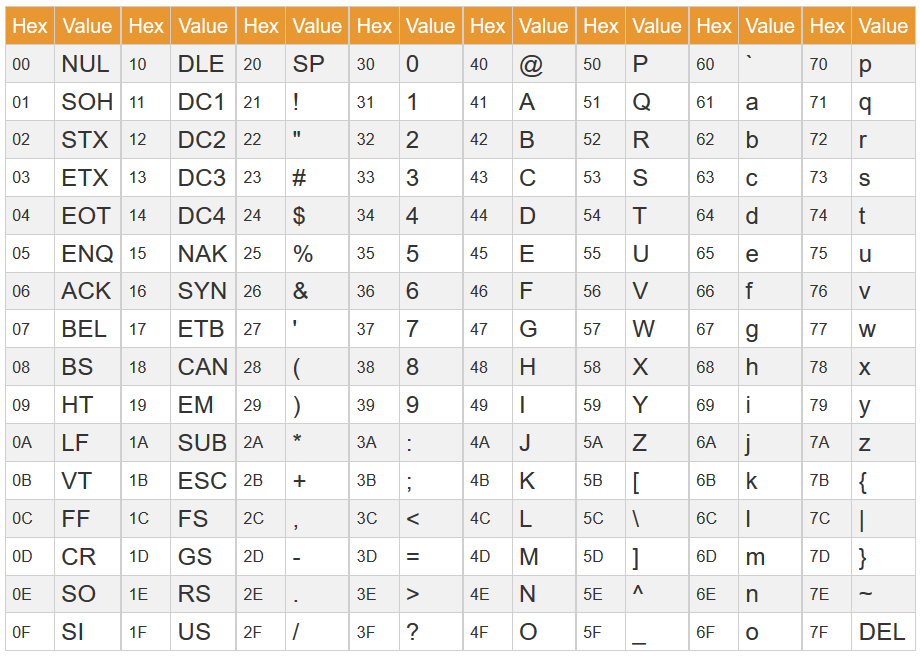
๐Ÿ”ค Character Encoding


๐Ÿ”น ASCII

Image
Image
Image
Image
  • 7/8-bit encoding
  • Limited characters

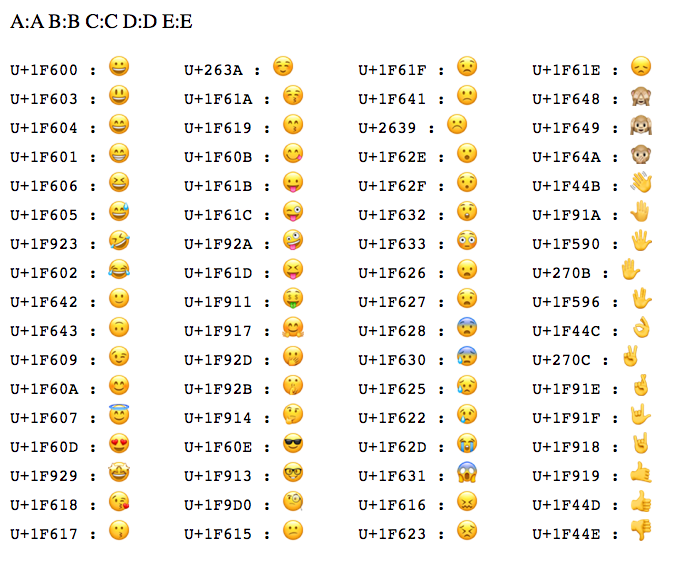
๐Ÿ”น Unicode

Image
Image
Image
Image
  • Supports global languages
  • UTF-8, UTF-16

โš™๏ธ String Operations


๐Ÿ”น Basic Operations

  • Length
  • Concatenation
  • Comparison
  • Substring

๐Ÿ”น Advanced Operations

Image
Image
Image
Image
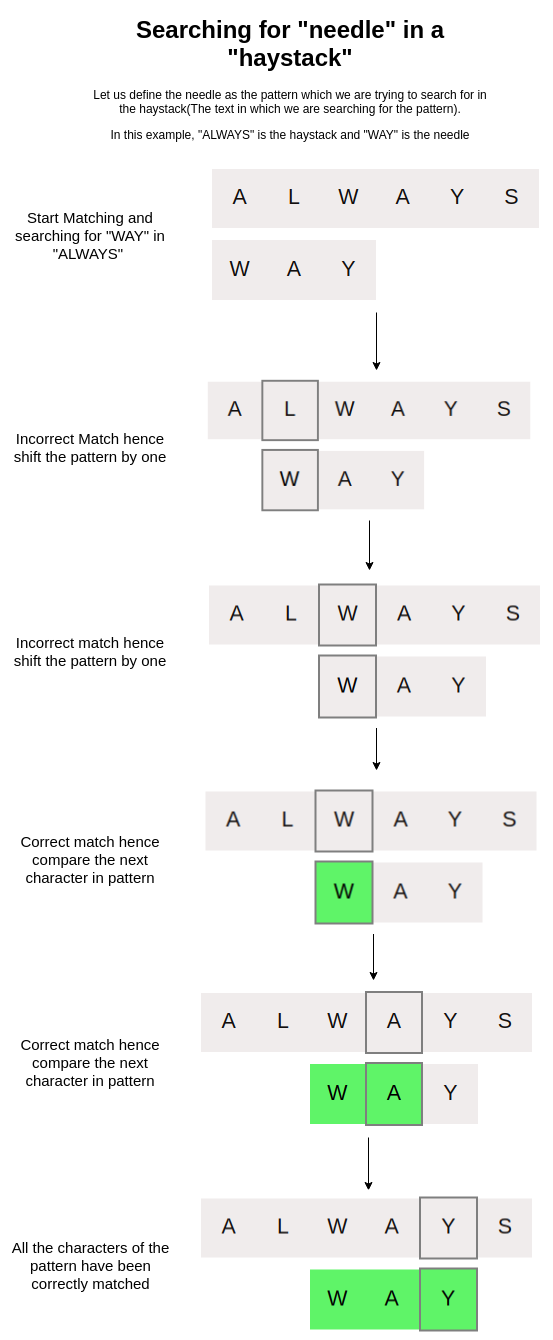
  • Pattern matching
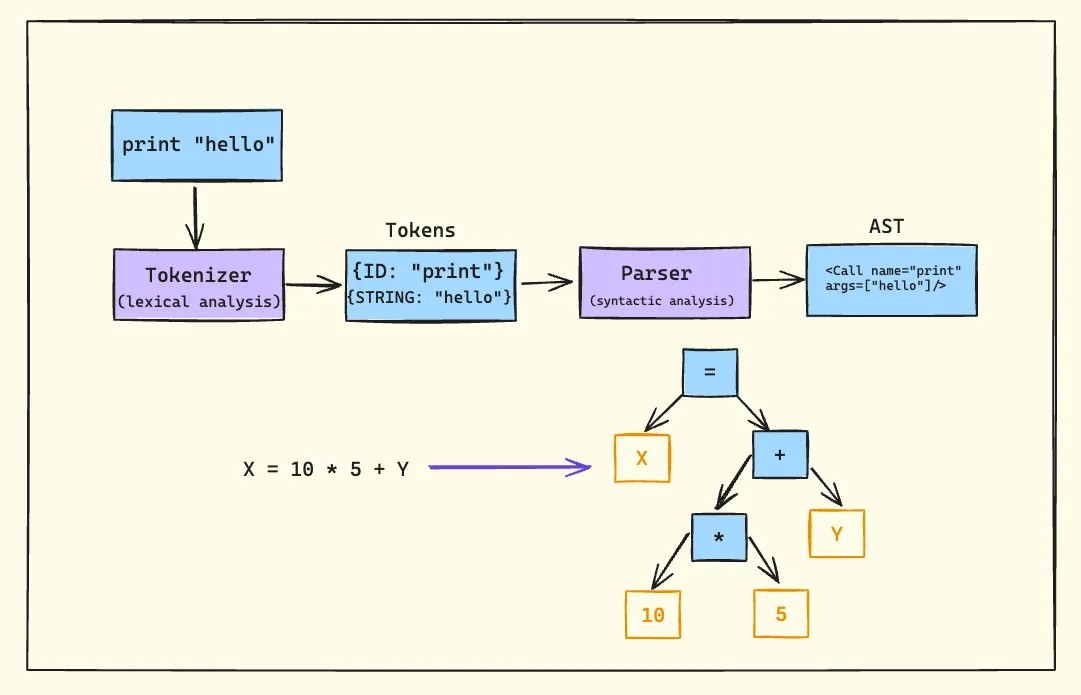
  • Parsing
  • Tokenization

๐Ÿ” String Searching Algorithms


๐Ÿ”น Naive Algorithm

๐Ÿ”น KMP Algorithm

๐Ÿ”น Rabin-Karp Algorithm


๐Ÿ”„ Arrays vs Strings


โš–๏ธ Comparison Table

FeatureArrayString
Data TypeAnyCharacters
SizeFixedVariable
UsageGeneral dataText

๐Ÿง  Memory Management


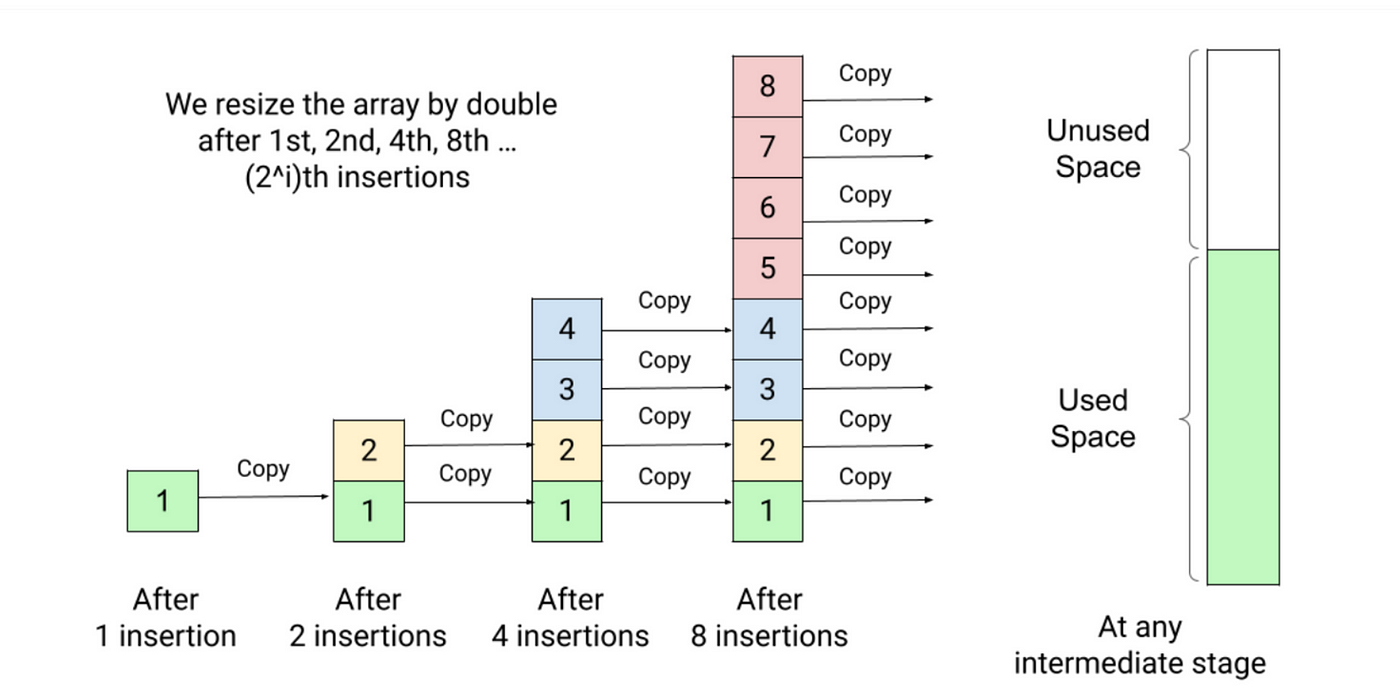
๐Ÿ“ฆ Static vs Dynamic Arrays

  • Static โ†’ Fixed size
  • Dynamic โ†’ Resizable

Example:

  • Python lists
  • Java ArrayList

๐Ÿง  Dynamic Strings

  • Strings can be mutable or immutable

โš™๏ธ Multidimensional Strings


๐Ÿงฉ Examples:

  • Array of strings
  • String matrices

๐Ÿง  Applications of Arrays and Strings


๐Ÿ’ป Programming

  • Data storage
  • Algorithms

๐ŸŒ Web Development

  • Text processing
  • Input handling

๐Ÿค– AI and Data Science

  • Data representation
  • NLP (Natural Language Processing)

๐ŸŽฎ Gaming

  • Graphics arrays
  • Text rendering

โšก Advantages


Arrays:

  • Fast access
  • Structured storage

Strings:

  • Easy text manipulation
  • Human-readable

โš ๏ธ Limitations


Arrays:

  • Fixed size
  • Less flexible

Strings:

  • Memory overhead
  • Slower operations

๐Ÿš€ Advanced Topics

Image
Image
Image
Image
  • Dynamic arrays
  • String hashing
  • Suffix arrays
  • Advanced data structures

๐Ÿงพ Conclusion

Arrays and strings are core data structures in computing. They:

  • Store and organize data
  • Enable efficient algorithms
  • Form the basis of advanced programming

Understanding them is essential for:

  • Coding interviews
  • Software development
  • Algorithm design

๐Ÿท๏ธ Tags

๐Ÿ’ป Command Line Interfaces (CLI) โ€“ Complete Detailed Guide


๐ŸŒ Introduction to Command Line Interfaces

Image
Image
Image
Image

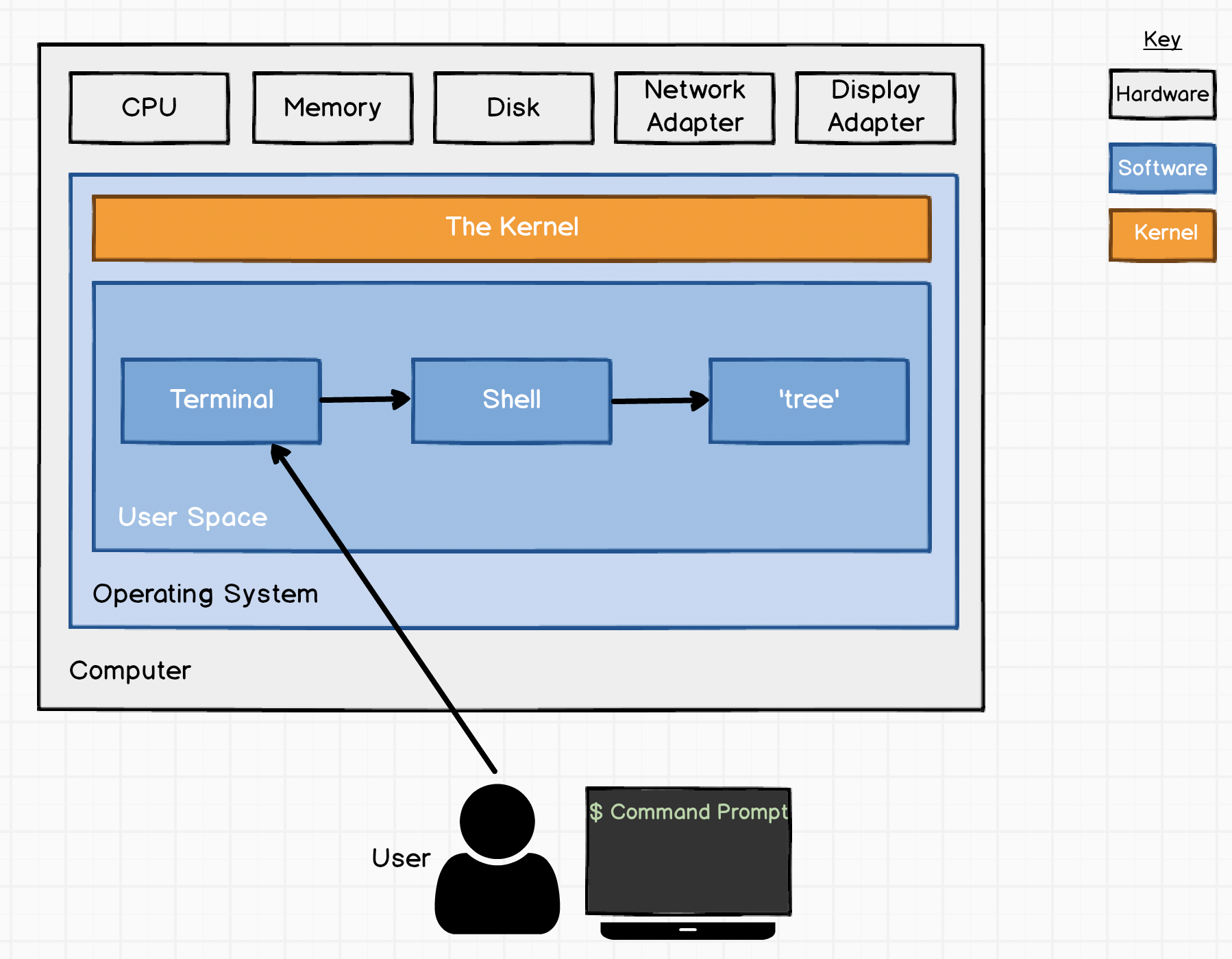
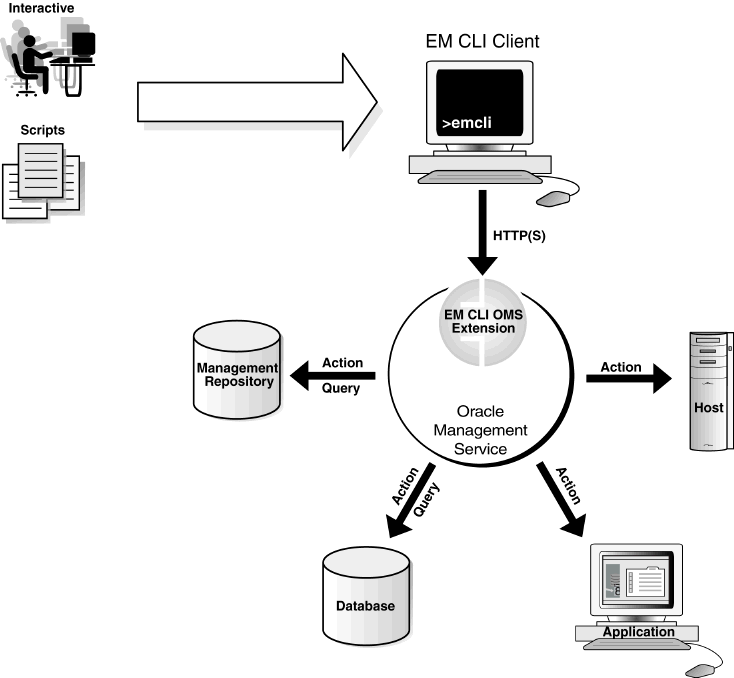
A Command Line Interface (CLI) is a text-based interface that allows users to interact with a computer system by typing commands instead of using graphical elements like buttons or icons.

In simple terms:

CLI = controlling the computer using typed commands

It is widely used in:

  • Operating systems (Windows, Linux, macOS)
  • Programming and development
  • System administration
  • Networking and cybersecurity

๐Ÿง  Importance of CLI

  • Faster execution of tasks
  • Greater control over system
  • Automation via scripts
  • Essential for developers and administrators
  • Works efficiently on low-resource systems

๐Ÿงฉ Basic Concepts of CLI


๐Ÿ”ค What is a Command?

A command is an instruction given to the system.

Example:

ls

๐Ÿ“ What is a Shell?

Image
Image
Image
Image

A shell is a program that interprets user commands and communicates with the operating system.

Types of Shells:

  • Bash (Linux/macOS)
  • PowerShell (Windows)
  • Zsh

โš™๏ธ CLI Structure

command [options] [arguments]

Example:

ls -l /home

๐Ÿ–ฅ๏ธ CLI in Different Operating Systems


๐ŸชŸ Windows CLI

Image
Image
Image
Image

Tools:

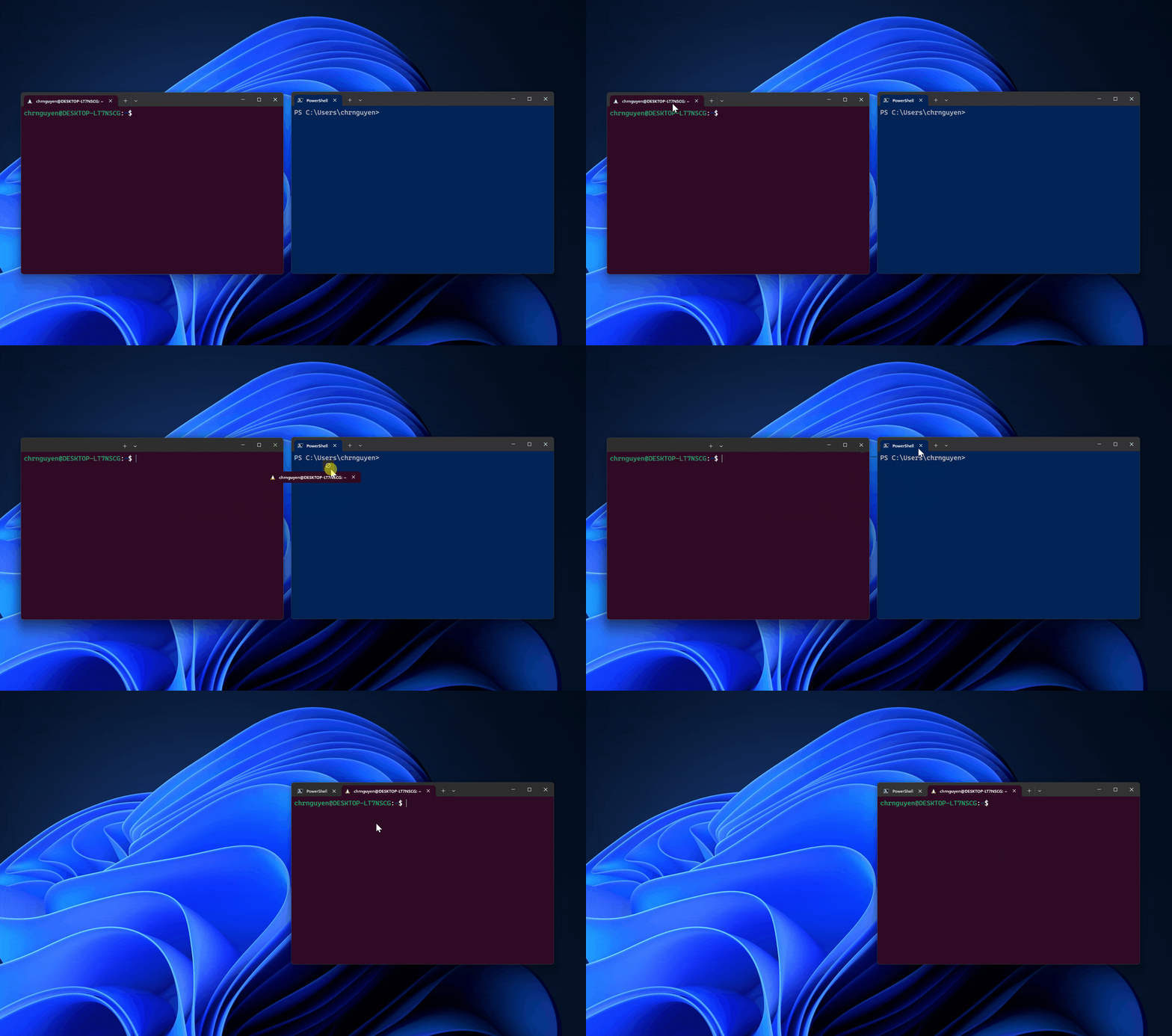
  • Command Prompt (CMD)
  • PowerShell

Common Commands:

  • dir โ†’ list files
  • cd โ†’ change directory
  • copy โ†’ copy files

๐Ÿง Linux CLI

Image
Image
Image
Image

Features:

  • Powerful and flexible
  • Used by developers and admins

Common Commands:

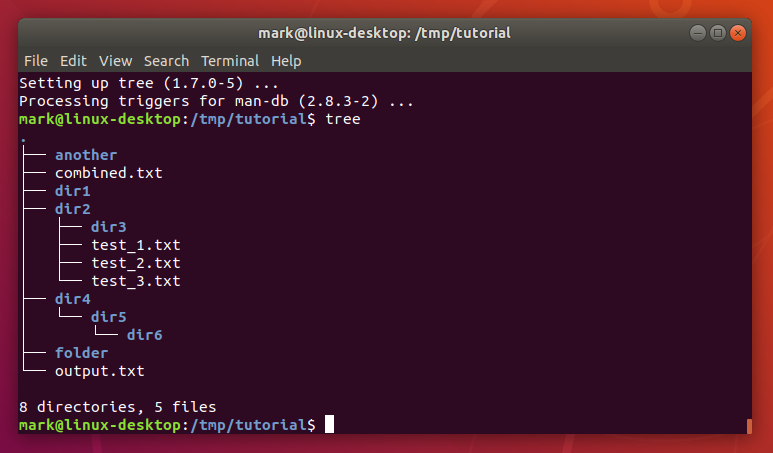
  • ls โ†’ list files
  • pwd โ†’ show directory
  • mkdir โ†’ create folder

๐ŸŽ macOS CLI

Image
Image
Image
Image
  • Based on Unix
  • Uses Bash/Zsh

๐Ÿ“‚ File and Directory Commands


๐Ÿ“ Navigation

Image
Image
Image
Image
  • cd โ†’ change directory
  • pwd โ†’ print working directory
  • ls โ†’ list contents

๐Ÿ“„ File Management

  • cp โ†’ copy
  • mv โ†’ move
  • rm โ†’ delete

๐Ÿง  Advanced CLI Concepts


๐Ÿ” Pipes and Redirection

Image
Image
Image
Image

Pipes (|)

  • Pass output from one command to another

Redirection:

  • > output
  • < input

๐Ÿ” Filters

  • grep โ†’ search text
  • sort โ†’ sort data
  • wc โ†’ count words

๐Ÿง  Environment Variables


๐ŸŒ Concept

Variables that store system information.

Example:

echo $PATH

๐Ÿงฉ Shell Scripting


๐Ÿ“œ What is Shell Script?

Image
Image
Image
Image

A shell script is a file containing multiple commands.


โš™๏ธ Features:

  • Automation
  • Conditional statements
  • Loops

๐Ÿ”ค Example:

#!/bin/bash
echo "Hello World"

๐Ÿ” CLI Security


๐Ÿ›ก๏ธ Features:

Image
Image
Image
Image
  • Authentication
  • File permissions
  • Secure shell (SSH)

โš™๏ธ Process Management in CLI


๐Ÿง  Commands:

  • ps โ†’ list processes
  • top โ†’ monitor processes
  • kill โ†’ terminate process

๐ŸŒ Networking Commands


๐Ÿ“ก Examples:

Image
Image
Image
Image
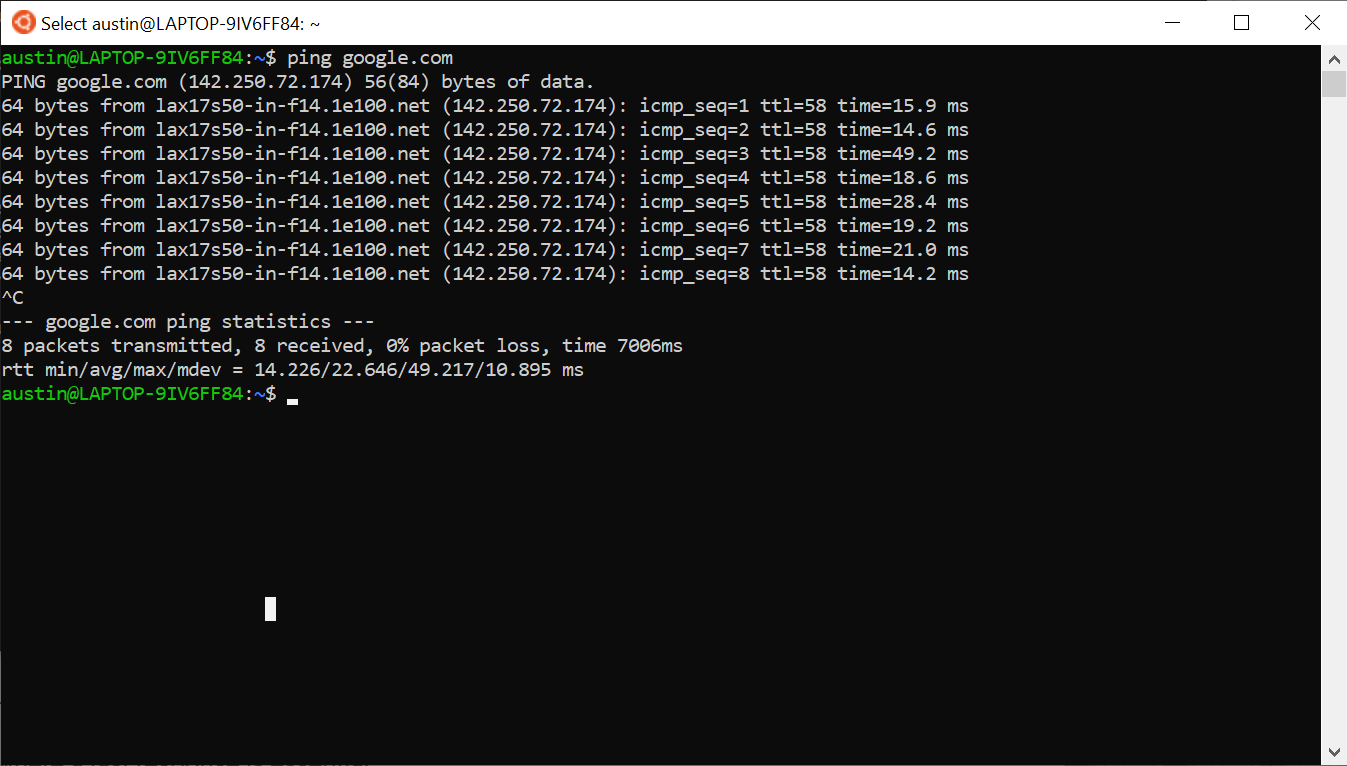
  • ping โ†’ test connectivity
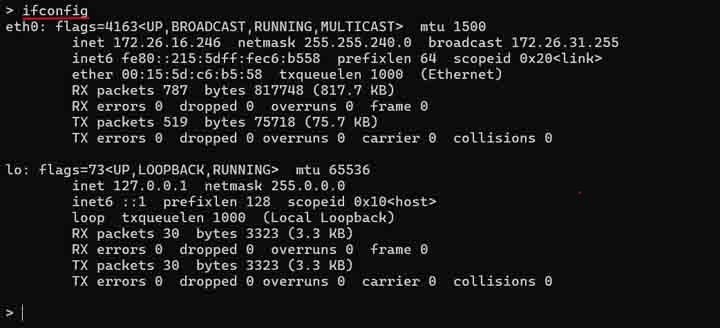
  • ifconfig/ipconfig โ†’ network info
  • netstat โ†’ connections

๐Ÿง  Package Management


๐Ÿ“ฆ Tools:

  • apt (Ubuntu)
  • yum (CentOS)
  • brew (macOS)

โšก Advantages of CLI

  • Speed and efficiency
  • Automation capability
  • Low resource usage
  • Powerful control

โš ๏ธ Limitations

  • Steep learning curve
  • Error-prone
  • Less user-friendly

๐Ÿ”„ CLI vs GUI


FeatureCLIGUI
InterfaceTextVisual
SpeedFastModerate
Ease of UseDifficultEasy

๐Ÿš€ Modern CLI Trends

Image
Image
Image
Image
  • Cloud CLIs (AWS, Azure)
  • DevOps automation
  • Container management (Docker)
  • Enhanced terminals

๐Ÿงพ Conclusion

Command Line Interfaces remain a powerful and essential tool in computing. They provide:

  • Direct system control
  • Efficient automation
  • Advanced functionality

Mastering CLI is crucial for:

  • Developers
  • System administrators
  • Cybersecurity professionals

๐Ÿท๏ธ Tags

๐Ÿ–ฅ๏ธ Virtualization


๐ŸŒ Introduction to Virtualization

Image
Image
Image
Image

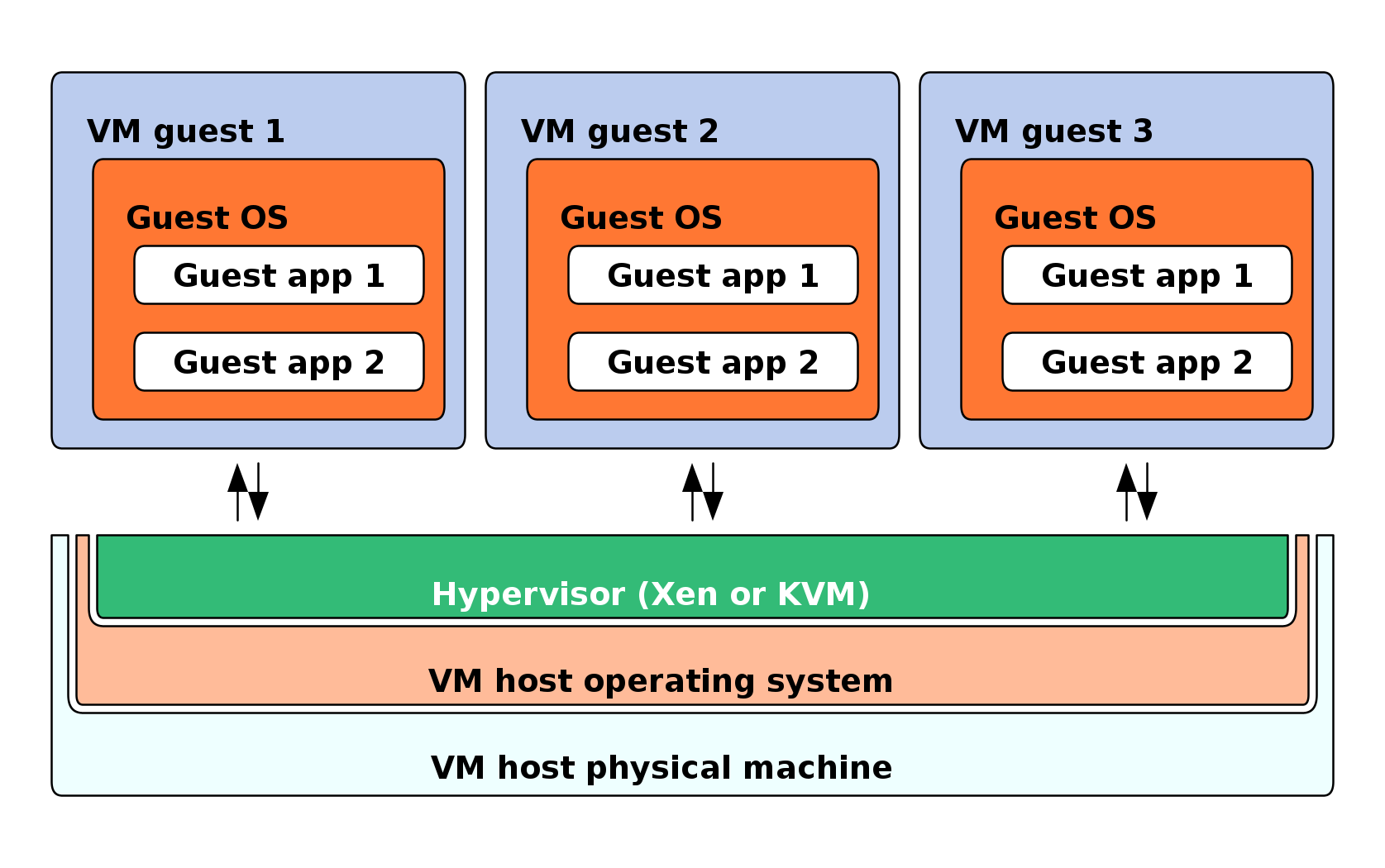
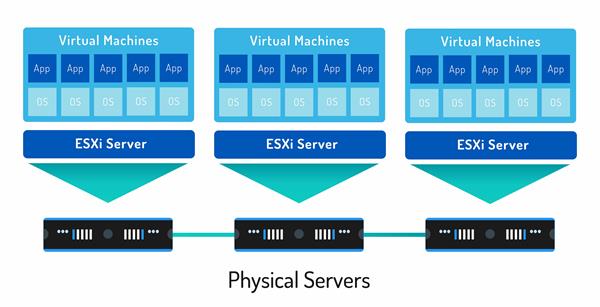
Virtualization is a technology that allows a single physical computer system to run multiple virtual environments (virtual machines) simultaneously. It abstracts hardware resources such as CPU, memory, and storage and allocates them efficiently among multiple users or systems.

In simple terms:

Virtualization = creating virtual versions of physical resources

These virtual versions behave like real systems but operate within a controlled environment.


๐Ÿง  Importance of Virtualization

  • Efficient resource utilization
  • Cost reduction (less hardware required)
  • Scalability and flexibility
  • Isolation and security
  • Foundation of cloud computing

๐Ÿงฉ Basic Concepts of Virtualization


๐Ÿ’ก What is a Virtual Machine (VM)?

Image
Image
Image
Image

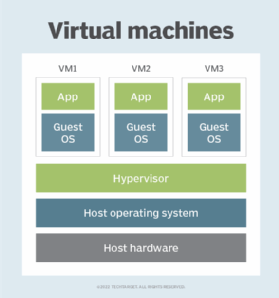
A Virtual Machine (VM) is a software-based emulation of a physical computer.

Components:

  • Virtual CPU
  • Virtual RAM
  • Virtual storage
  • Guest operating system

โš™๏ธ What is a Hypervisor?

Image
Image
Image
Image

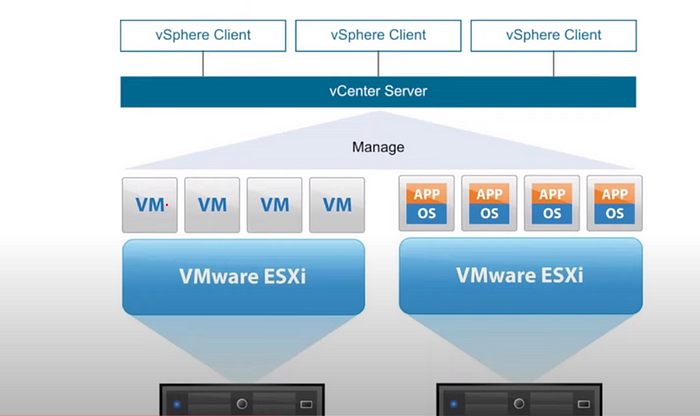
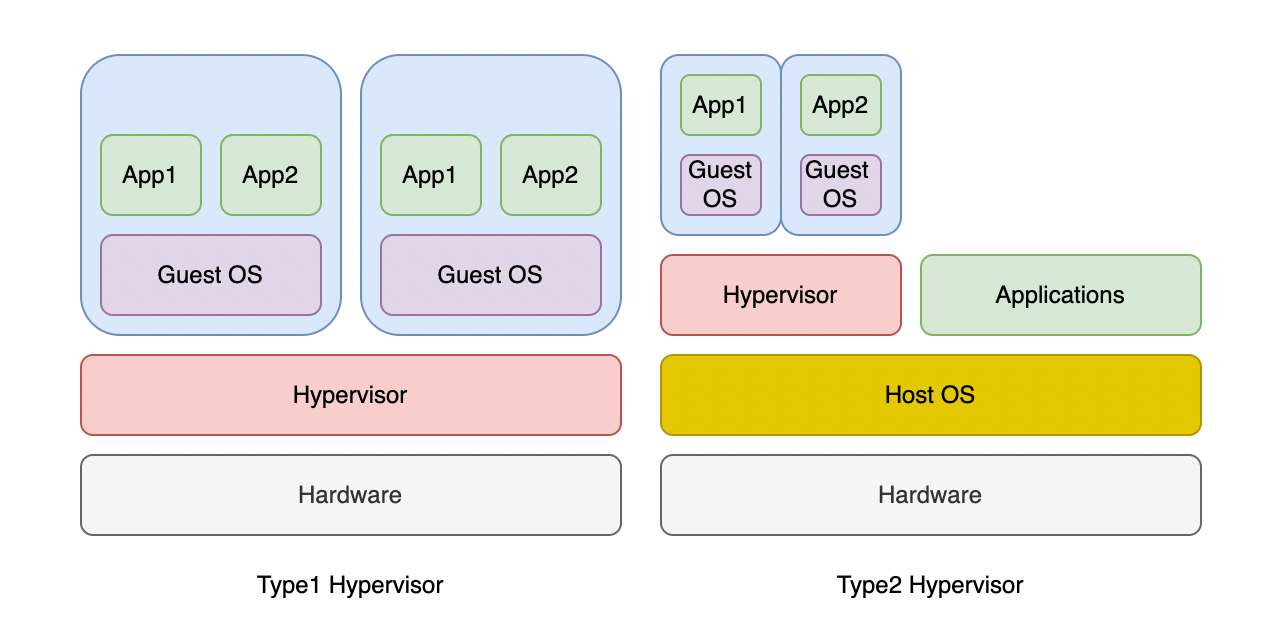
A hypervisor is software that manages virtual machines.

Types:

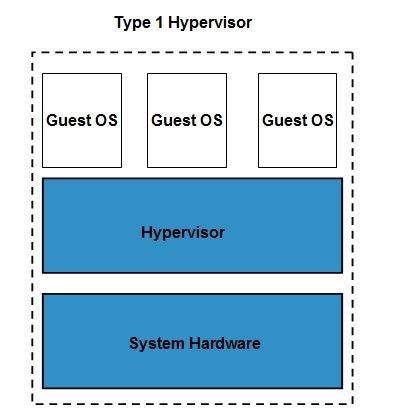
๐Ÿ”น Type 1 (Bare-metal)

  • Runs directly on hardware
  • Example: VMware ESXi

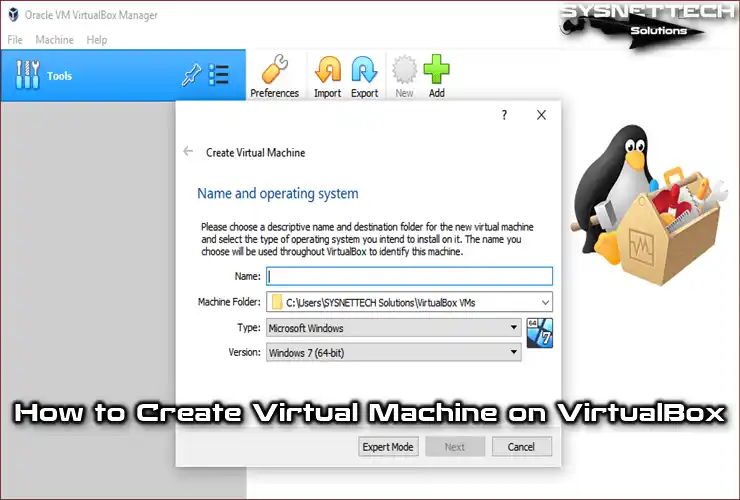
๐Ÿ”น Type 2 (Hosted)

  • Runs on an OS
  • Example: VirtualBox

๐Ÿง  Types of Virtualization


๐Ÿ–ฅ๏ธ 1. Server Virtualization

Image
Image
Image
Image
  • Divides one server into multiple virtual servers

๐Ÿ’ป 2. Desktop Virtualization

Image
Image
Image
Image
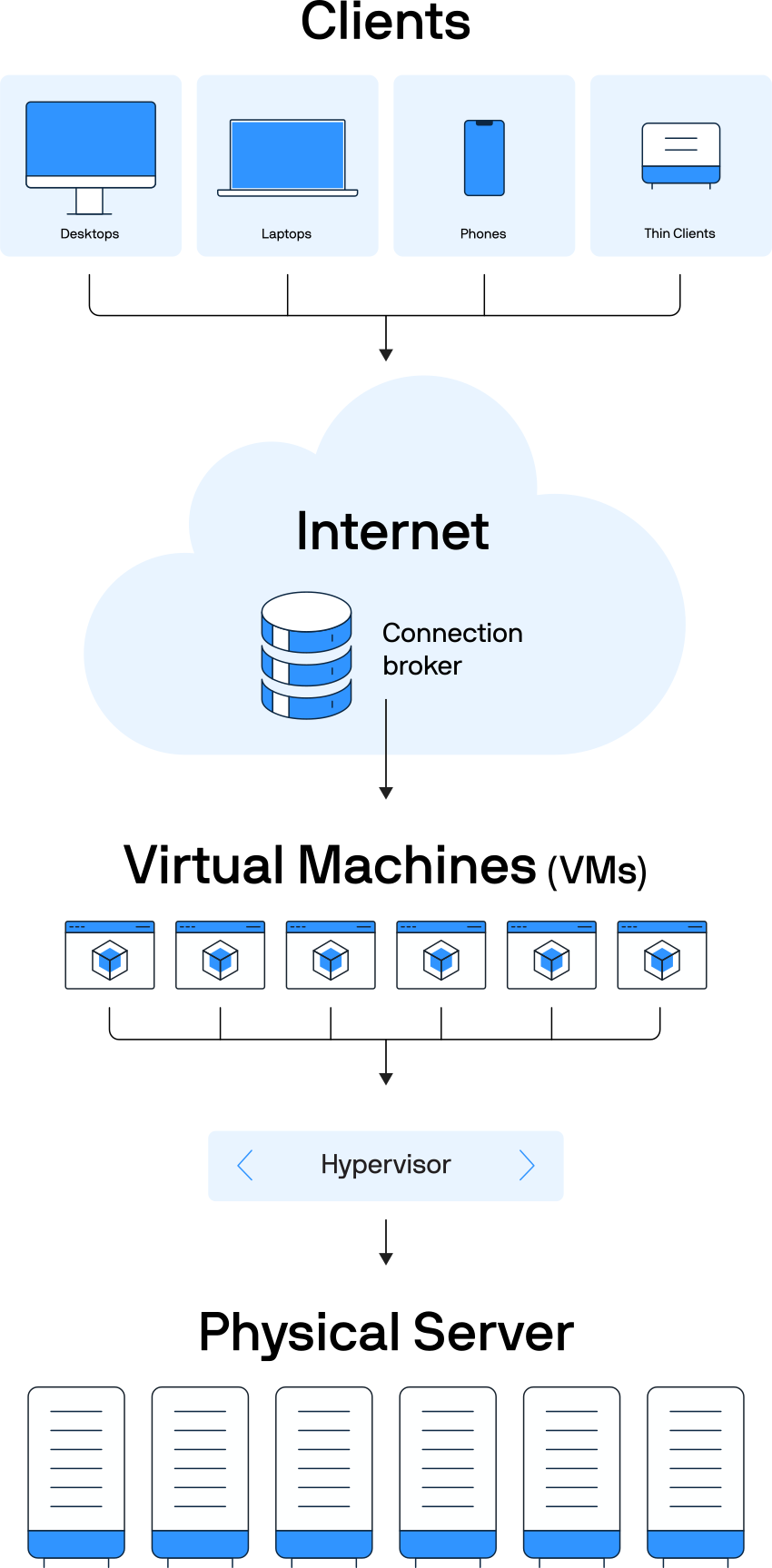
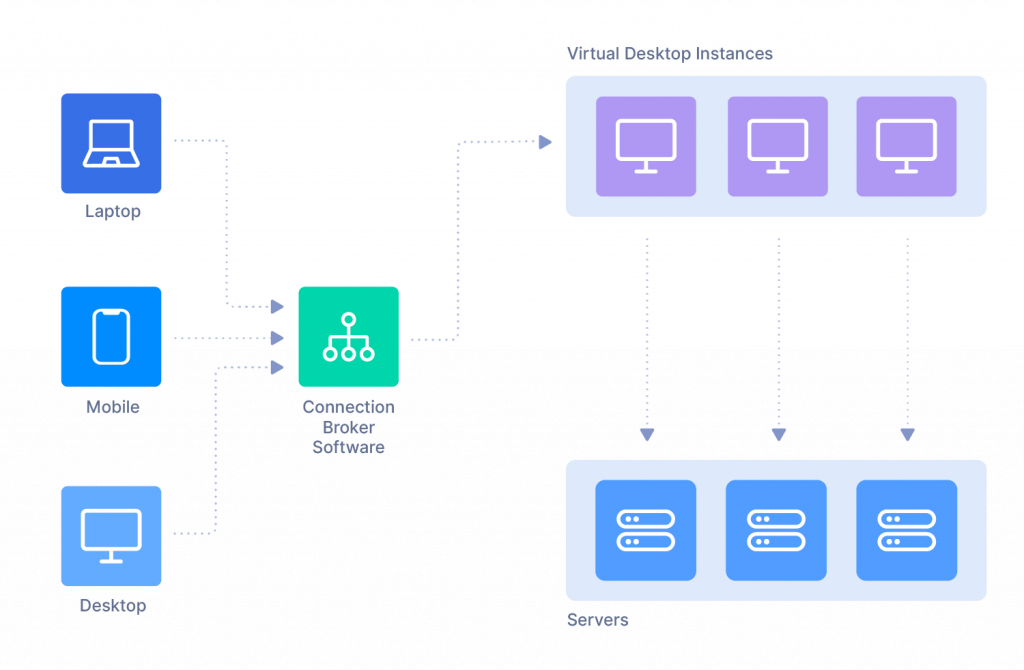
  • Users access desktops remotely

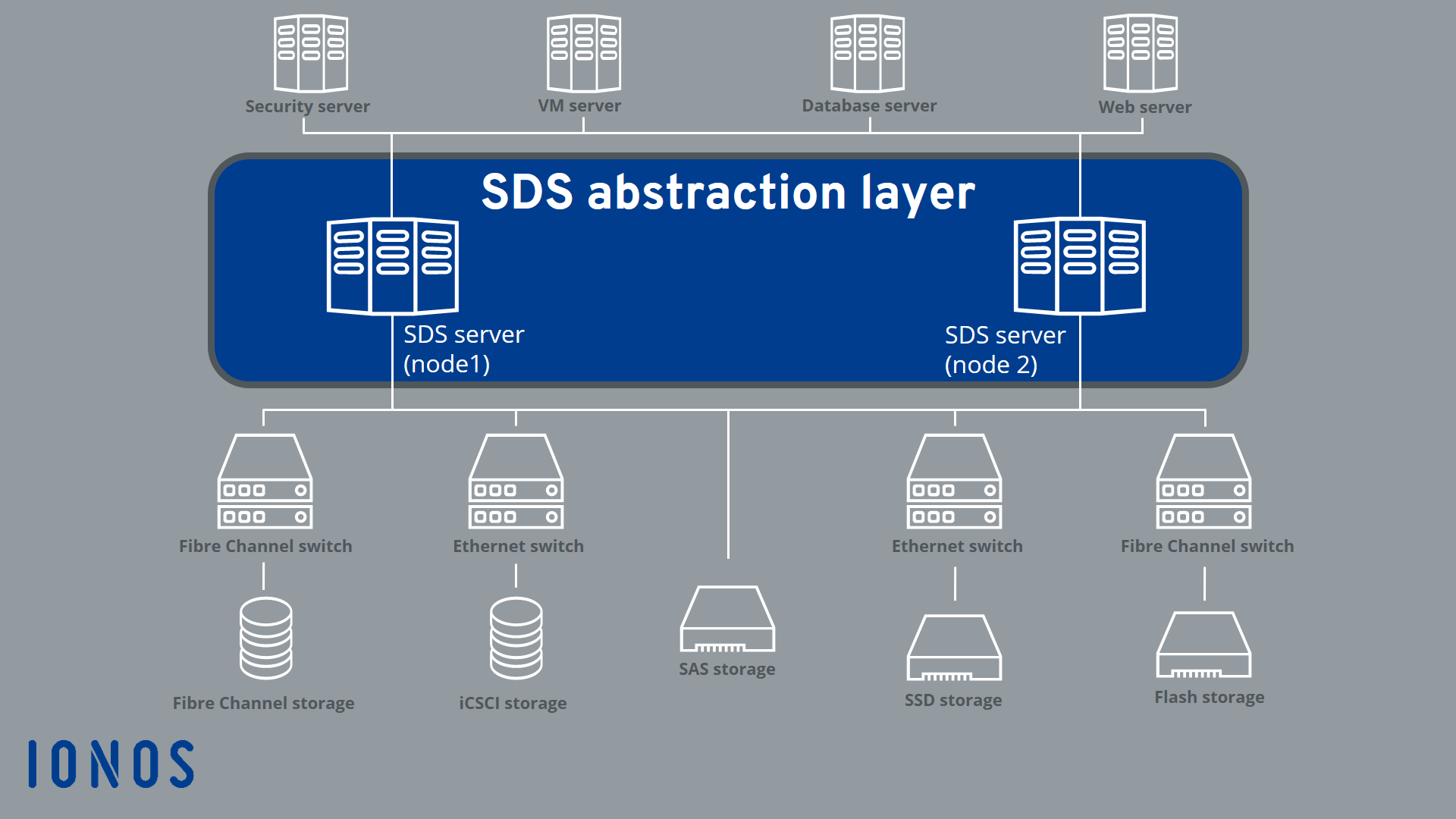
๐Ÿ“ฆ 3. Storage Virtualization

Image
Image
Image
Image
  • Combines multiple storage devices

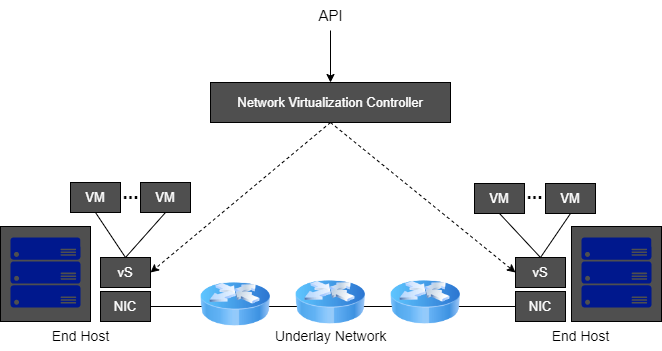
๐ŸŒ 4. Network Virtualization

Image
Image
Image
Image
  • Creates virtual networks

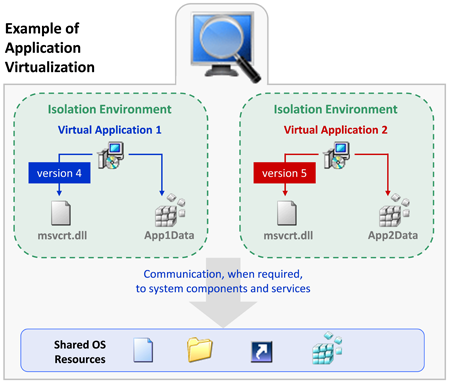
๐Ÿง  5. Application Virtualization

Image
Image
Image
Image
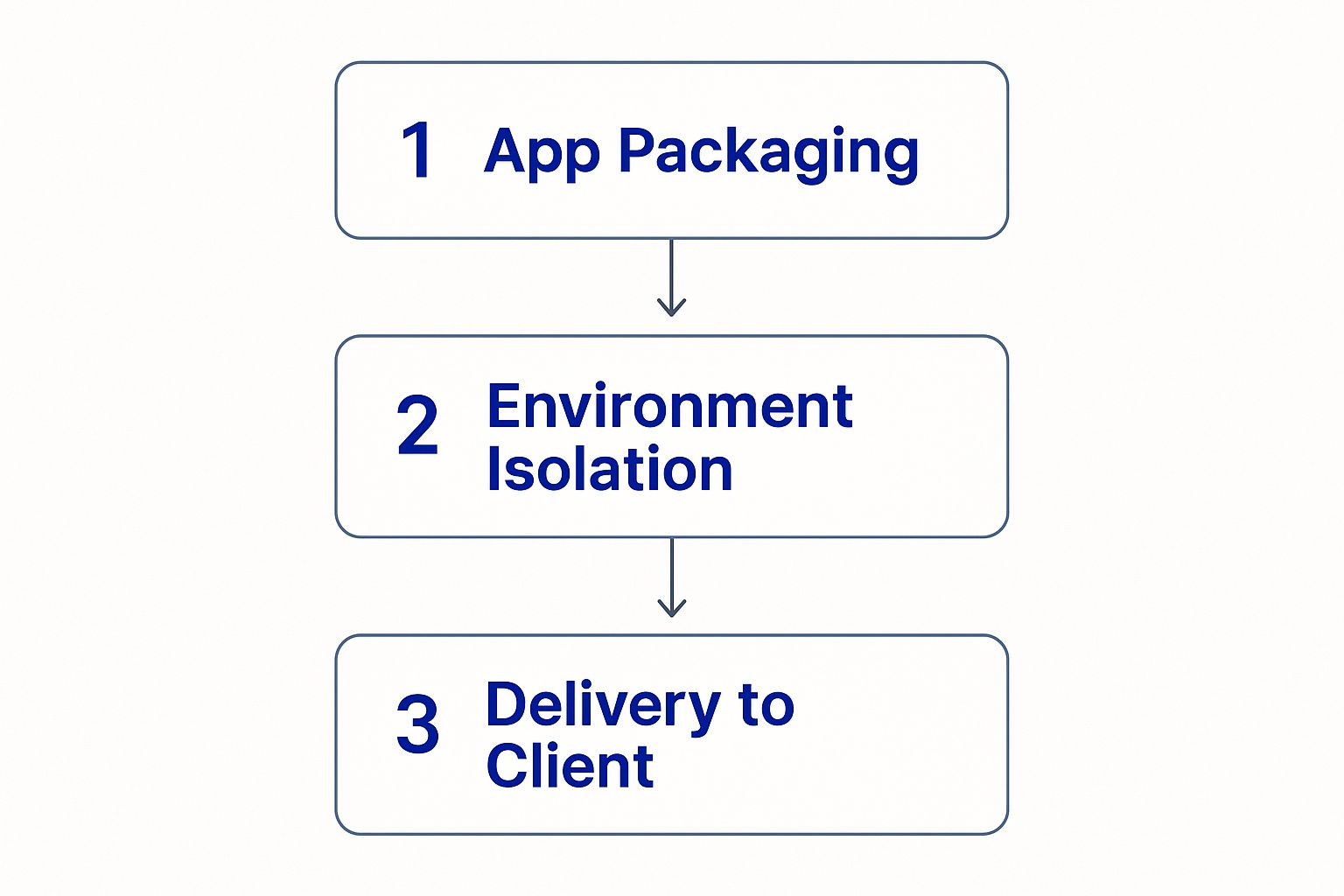
  • Runs applications without installing them

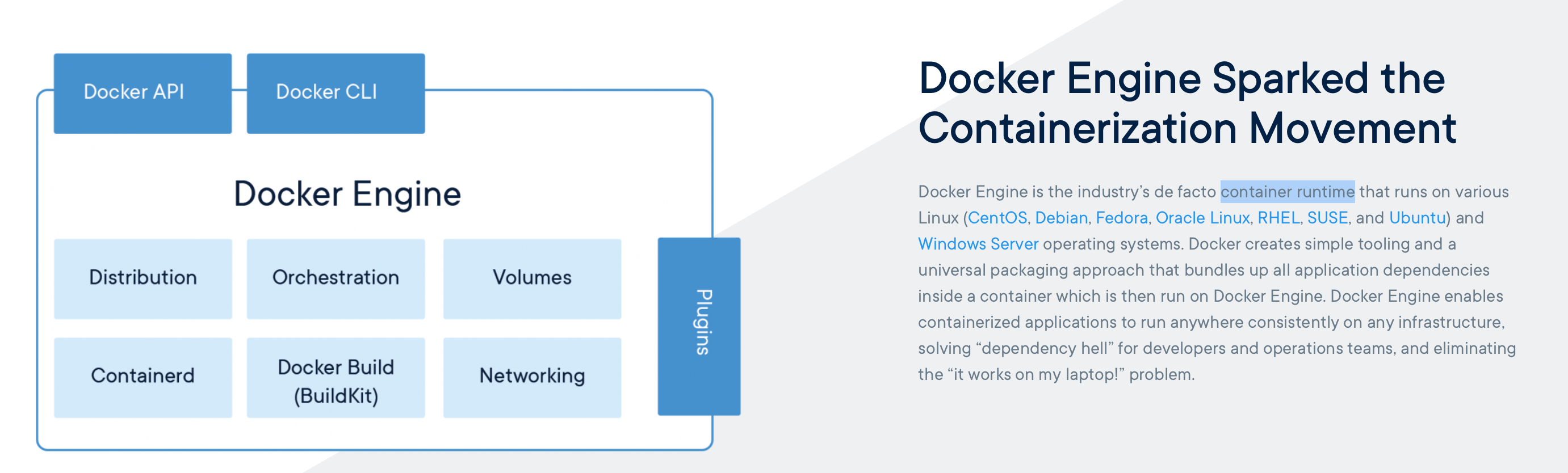
๐Ÿ“ฆ 6. Containerization

Image
Image
Image
Image
  • Lightweight virtualization
  • Uses shared OS kernel

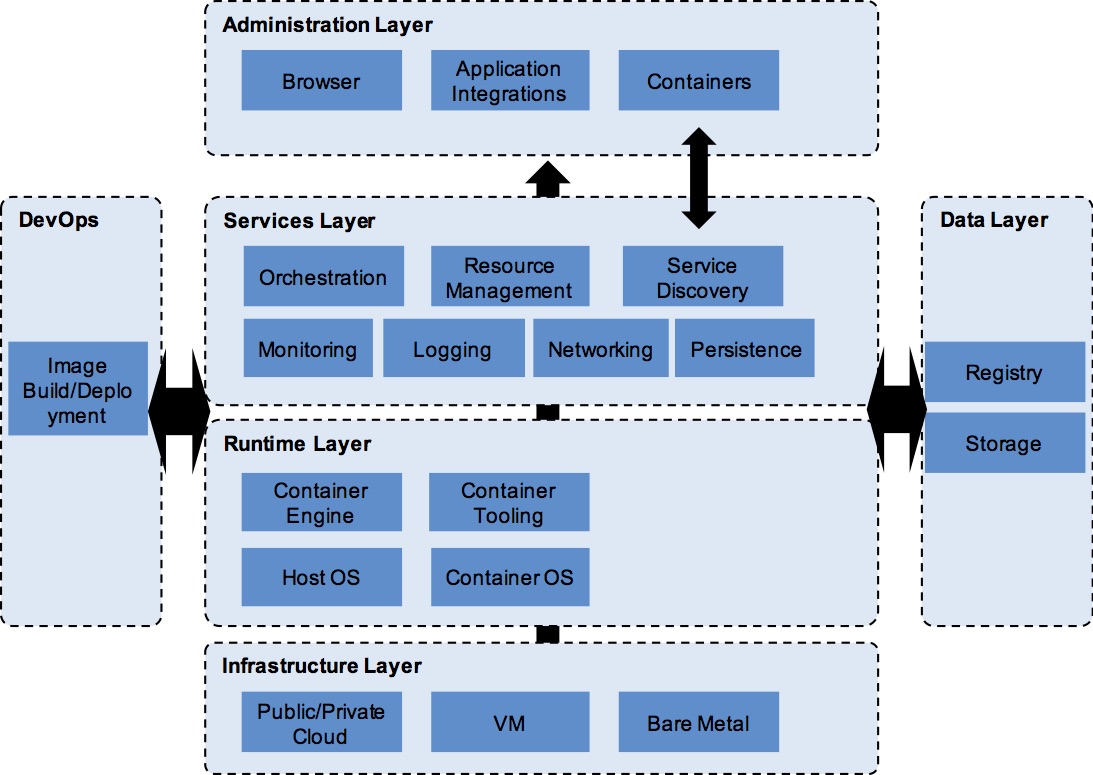
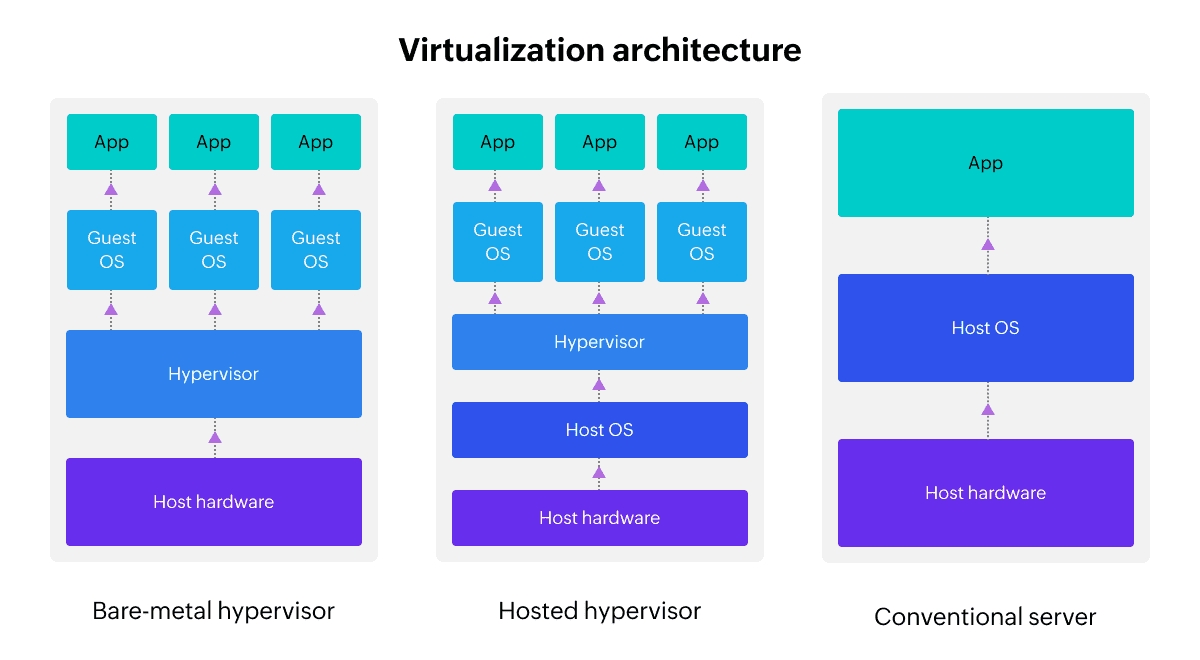
โš™๏ธ Virtualization Architecture


๐Ÿงฉ Layers:

Image
Image
Image
Image
  1. Physical hardware
  2. Hypervisor
  3. Virtual machines
  4. Applications

๐Ÿ”„ Full Virtualization vs Para-Virtualization


โš–๏ธ Comparison:

FeatureFull VirtualizationPara-Virtualization
OS modificationNot requiredRequired
PerformanceModerateHigh
ComplexityLowHigh

๐Ÿง  Virtualization in Cloud Computing


โ˜๏ธ Cloud Models

Image
Image
Image
Image

๐Ÿ”น IaaS (Infrastructure as a Service)

  • Virtual machines

๐Ÿ”น PaaS (Platform as a Service)

  • Development platforms

๐Ÿ”น SaaS (Software as a Service)

  • Applications over internet

๐Ÿ” Security in Virtualization


๐Ÿ›ก๏ธ Features:

Image
Image
Image
Image
  • Isolation between VMs
  • Sandboxing
  • Secure hypervisor

โš ๏ธ Risks:

  • VM escape
  • Resource sharing vulnerabilities

โš™๏ธ Resource Management


๐Ÿง  Techniques:

  • CPU scheduling
  • Memory allocation
  • Storage management

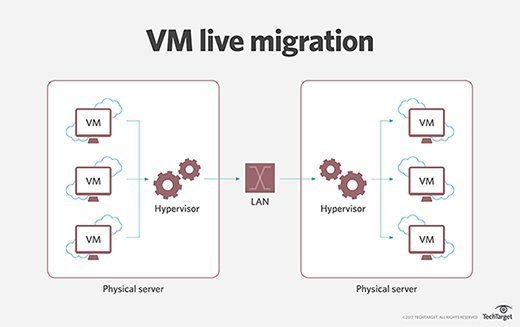
๐Ÿ”„ Live Migration


๐Ÿ” Concept

Image
Image
Image
Image
  • Moving VMs between hosts without downtime

๐Ÿง  Snapshots and Cloning


๐Ÿ“ธ Snapshot:

  • Saves VM state

๐Ÿ“‹ Cloning:

  • Creates duplicate VM

โšก Advantages of Virtualization

  • Cost efficiency
  • Scalability
  • Flexibility
  • Disaster recovery

โš ๏ธ Limitations

  • Performance overhead
  • Complexity
  • Security risks

๐Ÿš€ Emerging Trends

Image
Image
Image
Image
  • Edge virtualization
  • Serverless computing
  • GPU virtualization
  • Hybrid cloud

๐Ÿง  Virtualization vs Containerization


โš–๏ธ Comparison:

FeatureVirtualizationContainerization
OSSeparate OSShared OS
SizeLargeSmall
SpeedSlowerFaster

๐Ÿงพ Conclusion

Virtualization is a key technology in modern computing, enabling:

  • Efficient use of resources
  • Cloud computing infrastructure
  • Flexible and scalable systems

It plays a critical role in:

  • Data centers
  • Cloud platforms
  • DevOps environments

Understanding virtualization is essential for:

  • System administrators
  • Developers
  • Cloud engineers

๐Ÿท๏ธ Tags

๐Ÿ’พ Storage Systems โ€“ Complete Detailed Guide


๐ŸŒ Introduction to Storage Systems

Image
Image
Image
Image

A storage system is a combination of hardware and software used to store, manage, retrieve, and protect digital data. It is a fundamental part of computing systems, enabling everything from simple file saving to complex cloud infrastructures.

In simple terms:

Storage systems = where and how data is stored and accessed

Storage systems are essential for:

  • Operating systems
  • Applications
  • Databases
  • Multimedia content
  • Cloud computing

๐Ÿง  Importance of Storage Systems

  • Persistent data storage
  • Fast data access
  • Data backup and recovery
  • Supports large-scale computing
  • Enables cloud and distributed systems

๐Ÿงฉ Types of Storage Systems


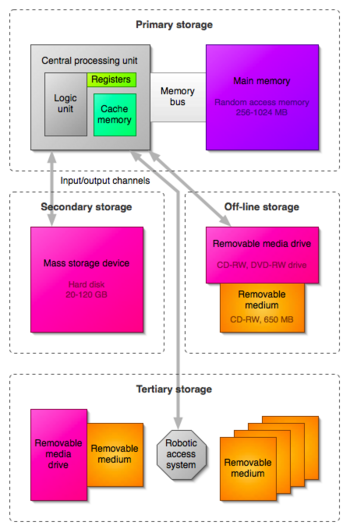
๐Ÿ“Š 1. Primary Storage (Main Memory)

Image
Image
Image
Image

Primary storage is directly accessed by the CPU.

Examples:

  • RAM
  • Cache
  • Registers

Features:

  • Fast access
  • Volatile
  • Limited capacity

๐Ÿ’พ 2. Secondary Storage

Image
Image
Image
Image

Used for long-term storage.

Examples:

  • HDD
  • SSD
  • USB drives
  • Optical disks

Features:

  • Non-volatile
  • Large capacity
  • Slower than RAM

๐Ÿ“ฆ 3. Tertiary Storage

Image
Image
Image
Image

Used for backup and archival purposes.

Examples:

  • Magnetic tapes
  • Cloud storage

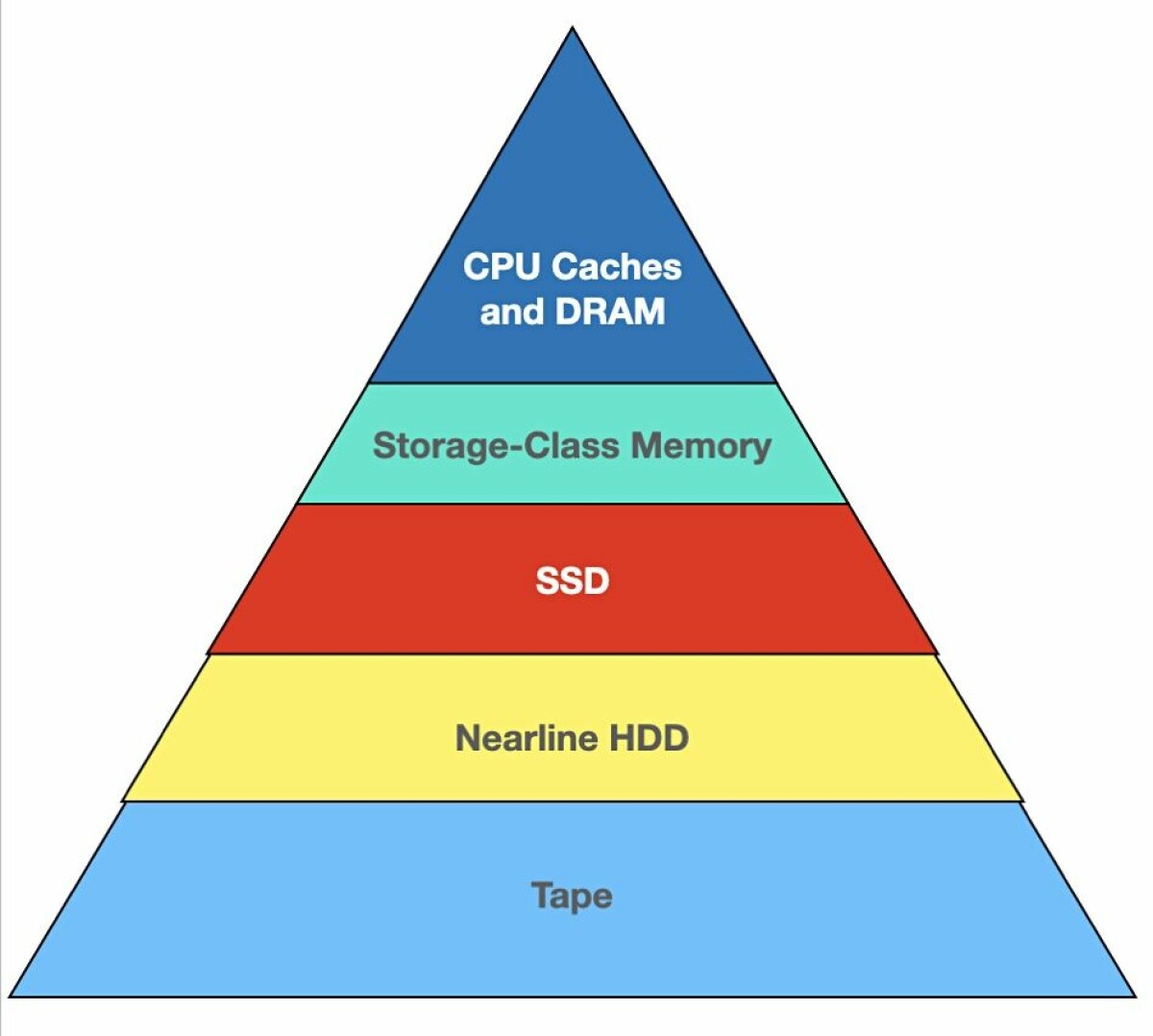
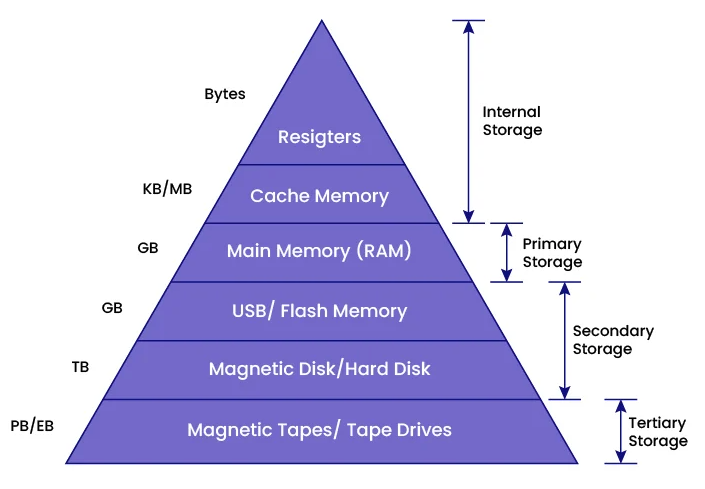
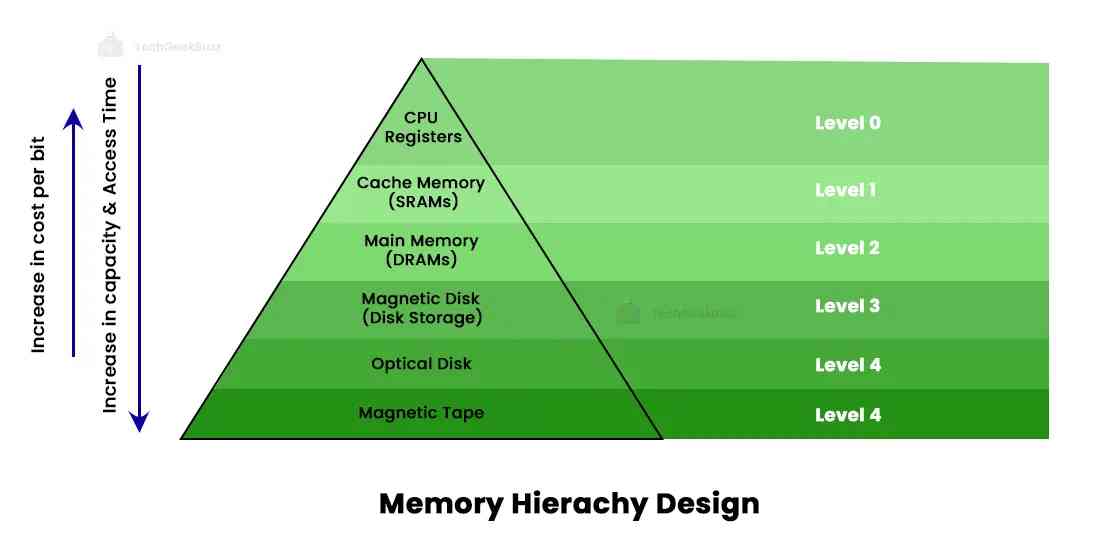
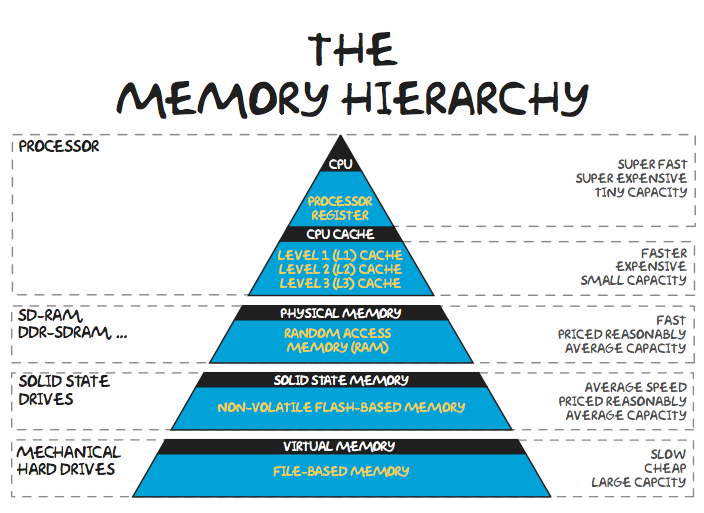
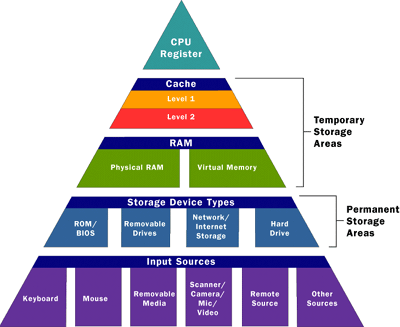
๐Ÿง  Storage Hierarchy


๐Ÿ“Š Hierarchy Levels

Image
Image
Image
Image
  1. Registers
  2. Cache
  3. RAM
  4. SSD/HDD
  5. Tape/Cloud

โš–๏ธ Trade-offs

  • Speed vs Cost
  • Capacity vs Performance

โš™๏ธ Storage Devices in Detail


๐Ÿ’ฟ Hard Disk Drive (HDD)

Image
Image
Image
Image

Working:

  • Magnetic storage
  • Rotating platters

Advantages:

  • Large capacity
  • Low cost

Limitations:

  • Slow
  • Mechanical wear

โšก Solid State Drive (SSD)

Image
Image
Image
Image

Working:

  • Flash memory
  • No moving parts

Advantages:

  • Fast
  • Durable

Limitations:

  • Expensive

๐Ÿ”Œ USB Flash Drives

Image
Image
Image
Image
  • Portable storage
  • Plug-and-play

๐Ÿ’ฟ Optical Storage

Image
Image
Image
Image
  • Uses laser technology
  • Examples: CD, DVD, Blu-ray

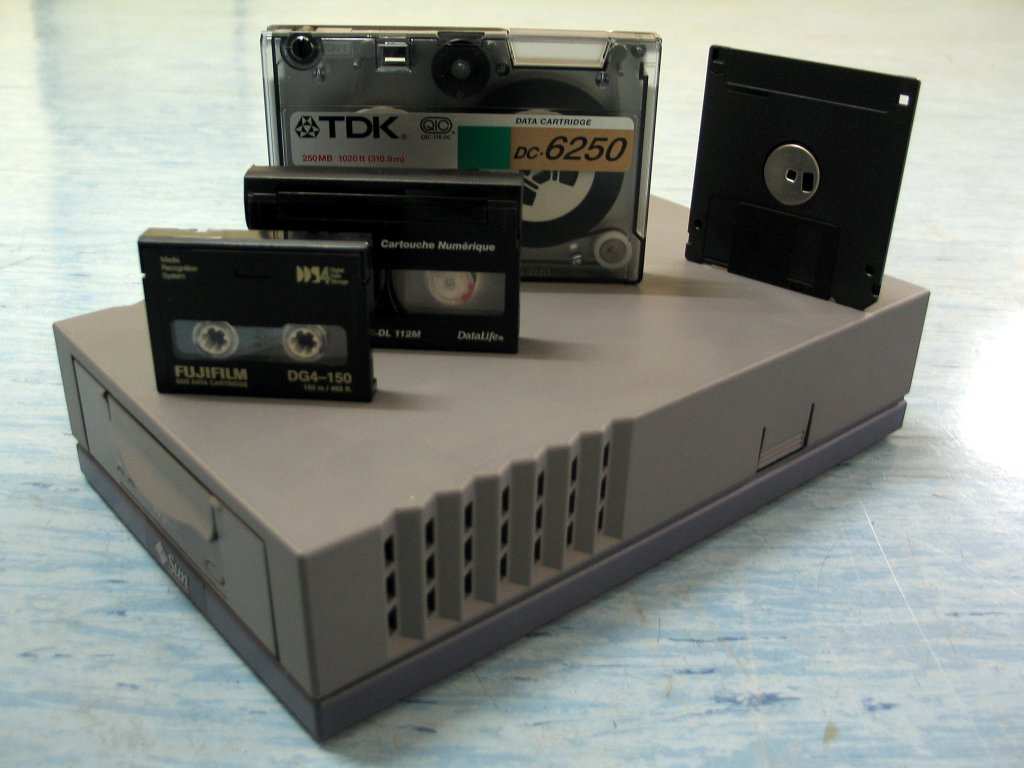
๐Ÿ“ผ Magnetic Tape

Image
Image
Image
Image
  • Used for backups
  • Sequential access

๐ŸŒ Network and Cloud Storage


โ˜๏ธ Cloud Storage

Image
Image
Image
Image
  • Data stored on remote servers
  • Accessible via internet

Examples:

  • Google Drive
  • Dropbox

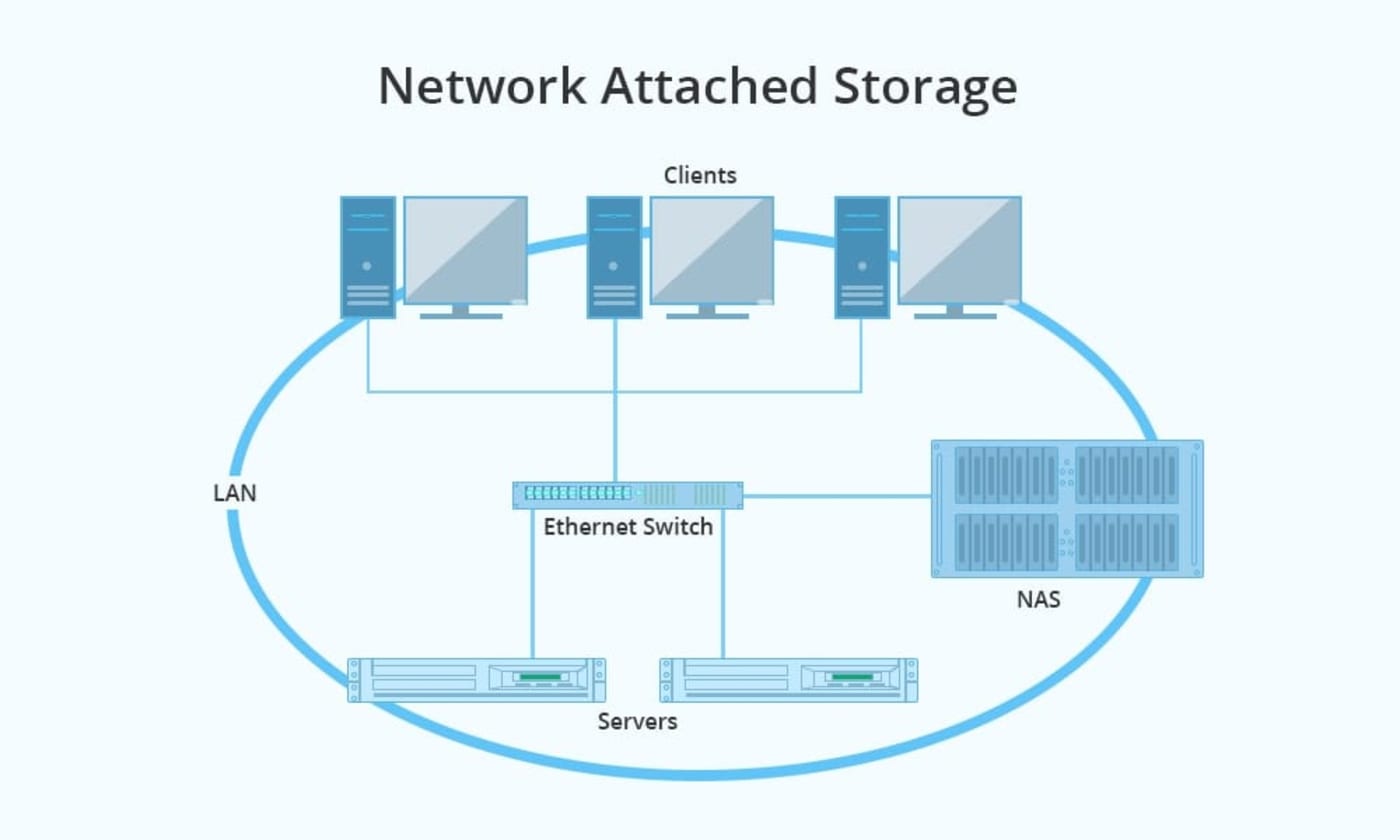
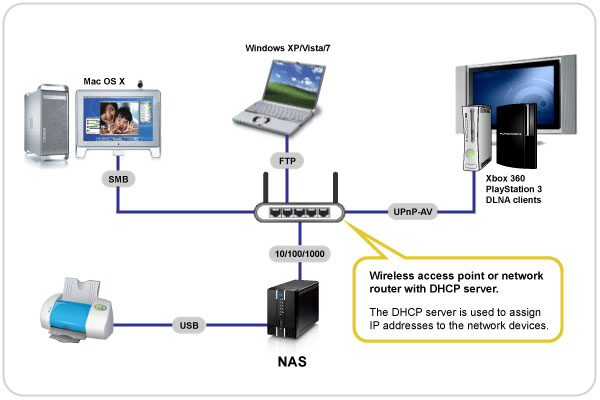
๐ŸŒ Network Attached Storage (NAS)

Image
Image
Image
Image
  • Centralized storage in network

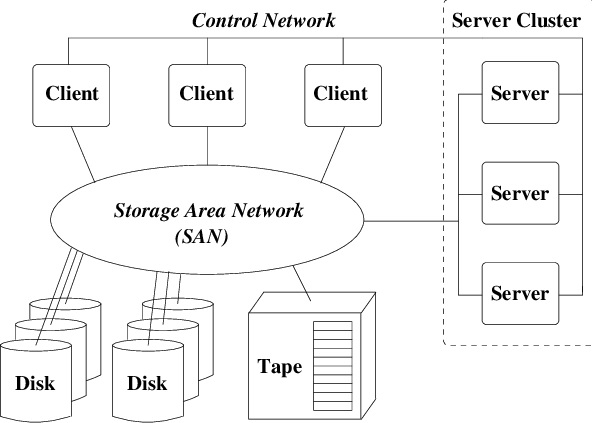
๐Ÿข Storage Area Network (SAN)

Image
Image
Image
Image
  • High-speed storage network
  • Used in enterprises

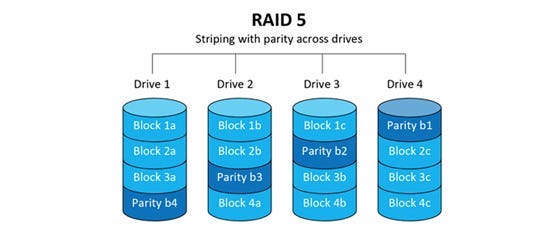
๐Ÿง  RAID (Redundant Array of Independent Disks)


โš™๏ธ Concept

Image
Image
Image
Image

RAID combines multiple disks for:

  • Performance
  • Reliability

๐Ÿ”ข RAID Levels:

  • RAID 0 โ†’ Striping
  • RAID 1 โ†’ Mirroring
  • RAID 5 โ†’ Parity
  • RAID 10 โ†’ Combination

๐Ÿ” Data Security in Storage


๐Ÿ›ก๏ธ Techniques:

Image
Image
Image
Image
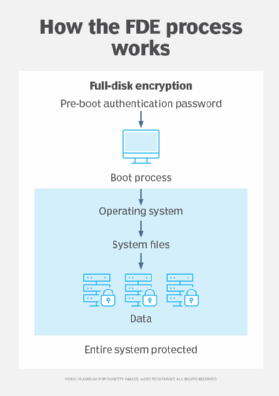
  • Encryption
  • Backup
  • Access control

๐Ÿ”„ Data Backup and Recovery


๐Ÿ“ฆ Backup Types:

  • Full backup
  • Incremental backup
  • Differential backup

๐Ÿ” Recovery:

  • Restore data after failure

โš™๏ธ Storage Performance Factors

  • Access time
  • Latency
  • Throughput
  • IOPS

โš ๏ธ Storage Challenges

  • Data loss
  • Hardware failure
  • Security threats
  • Scalability

๐Ÿš€ Emerging Storage Technologies

Image
Image
Image
Image
  • NVMe storage
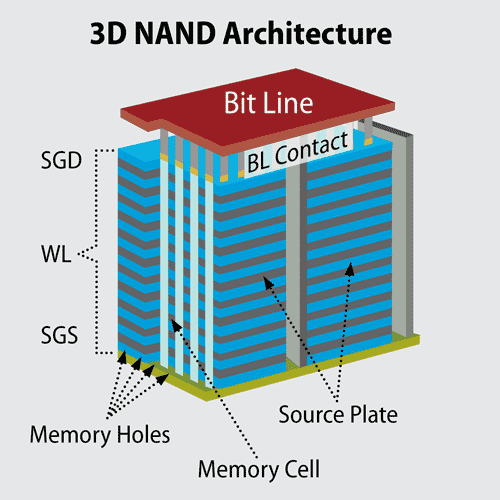
  • 3D NAND
  • DNA storage
  • Holographic storage

โšก Advantages of Storage Systems

  • Persistent data
  • Large capacity
  • Scalability
  • Accessibility

โš ๏ธ Limitations

  • Cost
  • Latency
  • Maintenance
  • Security risks

๐Ÿง  Conclusion

Storage systems are essential for modern computing, enabling:

  • Data storage and retrieval
  • Backup and recovery
  • Large-scale data processing

From personal devices to cloud infrastructures, storage systems power the digital world.


๐Ÿท๏ธ Tags

๐Ÿง  Memory Management


๐ŸŒ Introduction to Memory Management

Image
Image
Image
Image

Memory Management is a core function of an operating system (OS) that handles the allocation, organization, and optimization of main memory (RAM) for processes and applications.

In simple terms:

Memory management = efficient use of RAM for program execution

It ensures that each process gets enough memory while maintaining system stability, performance, and security.


๐Ÿง  Importance of Memory Management

  • Efficient utilization of memory
  • Supports multitasking
  • Prevents memory conflicts
  • Enhances system performance
  • Provides process isolation and protection

๐Ÿงฉ Basic Concepts of Memory


๐Ÿ’พ What is Memory?

Memory is a storage area where data and instructions are kept during processing.


๐Ÿ“Š Types of Memory

Image
Image

๐Ÿ”น Primary Memory

  • RAM
  • Cache
  • Registers

๐Ÿ”น Secondary Memory

  • HDD
  • SSD

๐Ÿง  Memory Hierarchy

  1. Registers (fastest)
  2. Cache
  3. RAM
  4. Secondary storage (slowest)

โš™๏ธ Memory Allocation


๐Ÿ”น Static Allocation

  • Memory allocated at compile time
  • Fixed size

๐Ÿ”น Dynamic Allocation

  • Memory allocated at runtime
  • Flexible

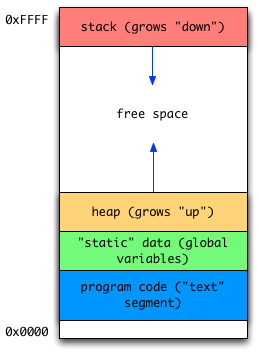
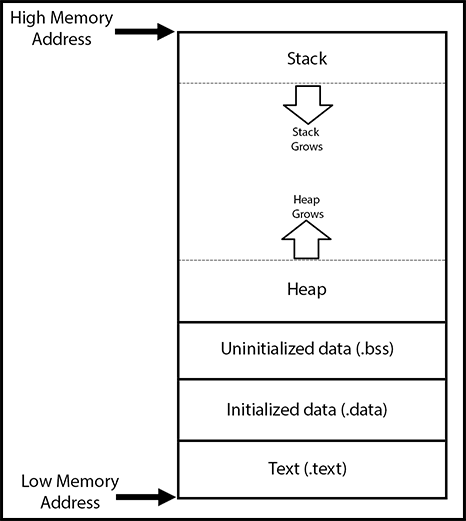
๐Ÿง  Process Memory Layout

Image
Image
Image

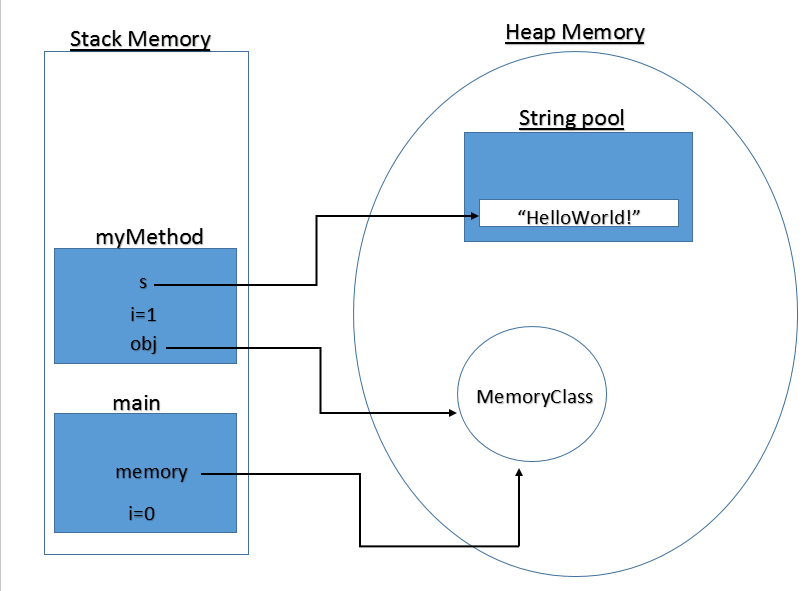
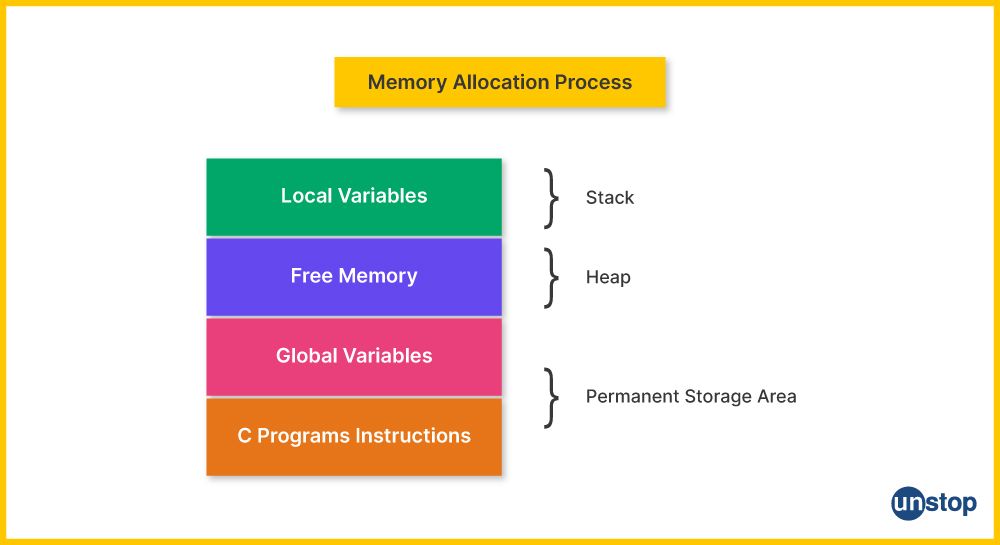
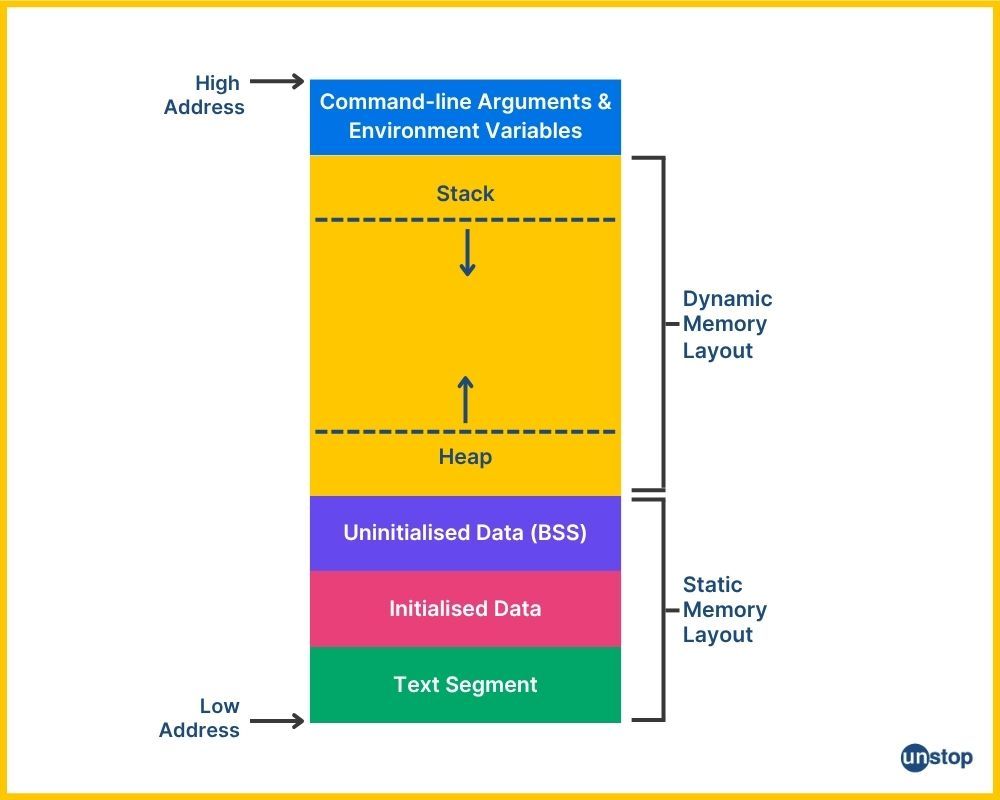
Each process has:

  • Code segment
  • Data segment
  • Heap
  • Stack

๐Ÿ”„ Contiguous Memory Allocation


๐Ÿ“ฆ Concept

Image
Image
Image
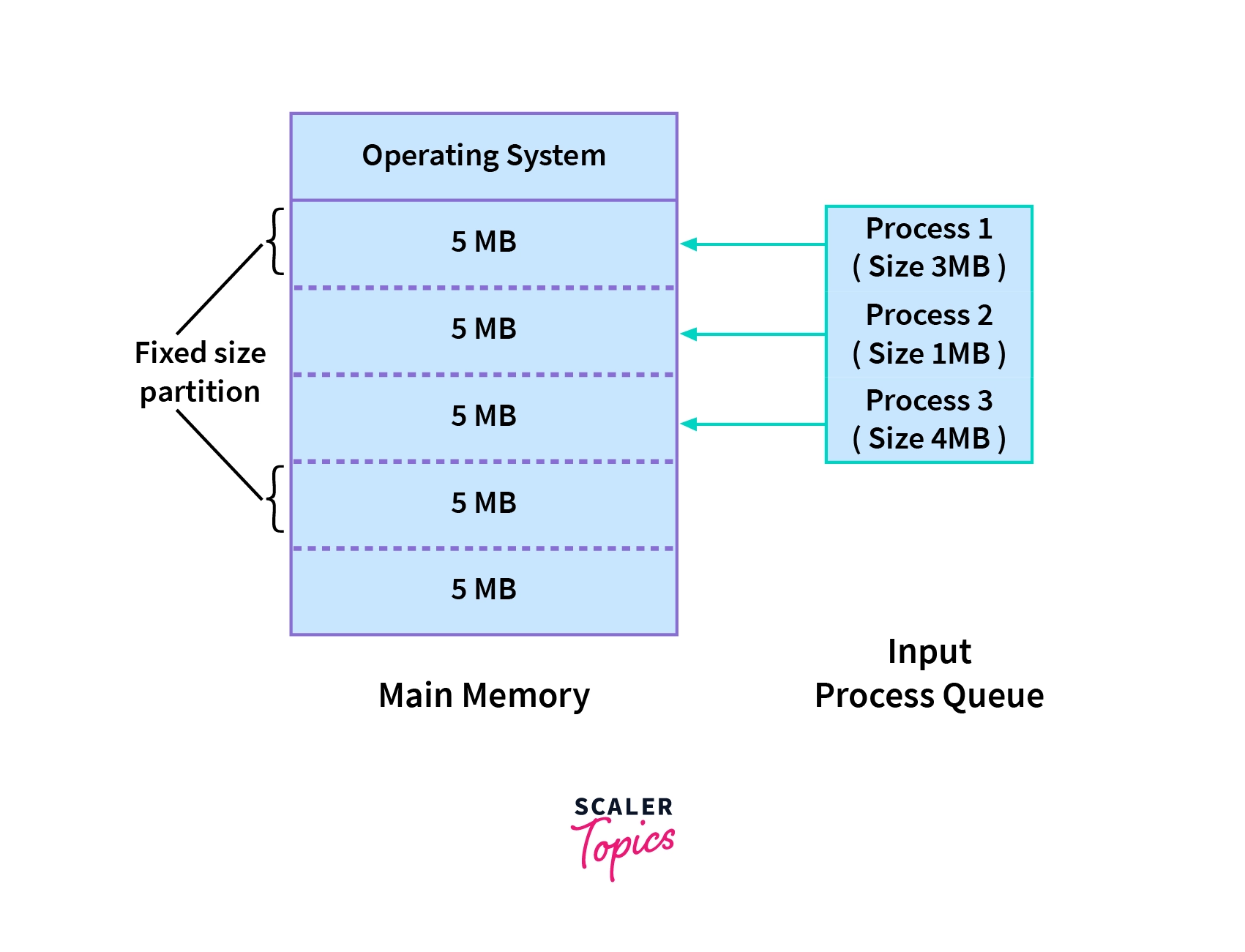
Image

Processes are stored in continuous memory blocks.


โš ๏ธ Fragmentation

๐Ÿ”น Internal Fragmentation

  • Unused space inside allocated memory

๐Ÿ”น External Fragmentation

  • Scattered free space

๐Ÿ”„ Allocation Strategies

  • First Fit
  • Best Fit
  • Worst Fit

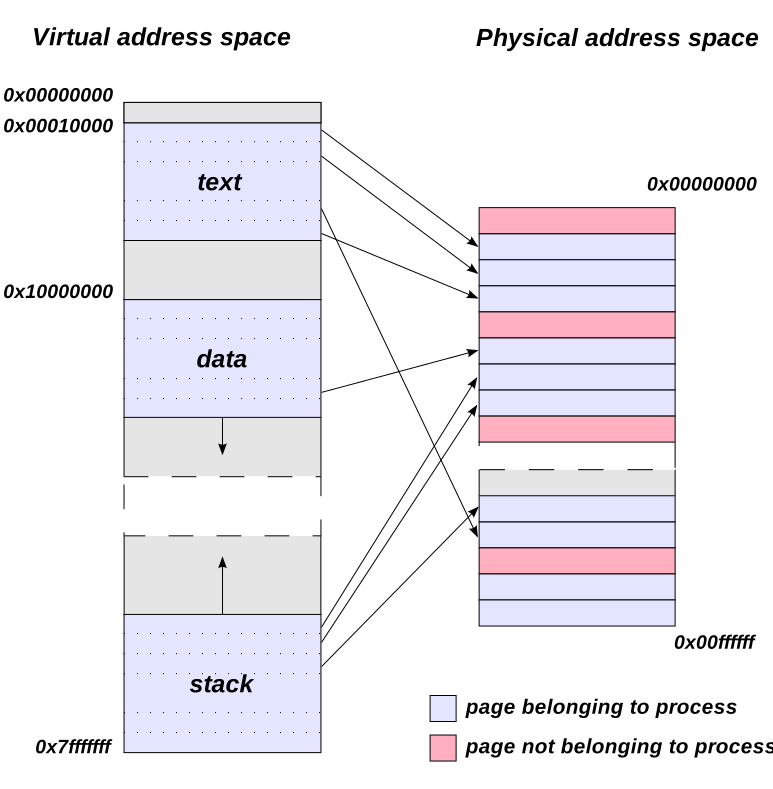
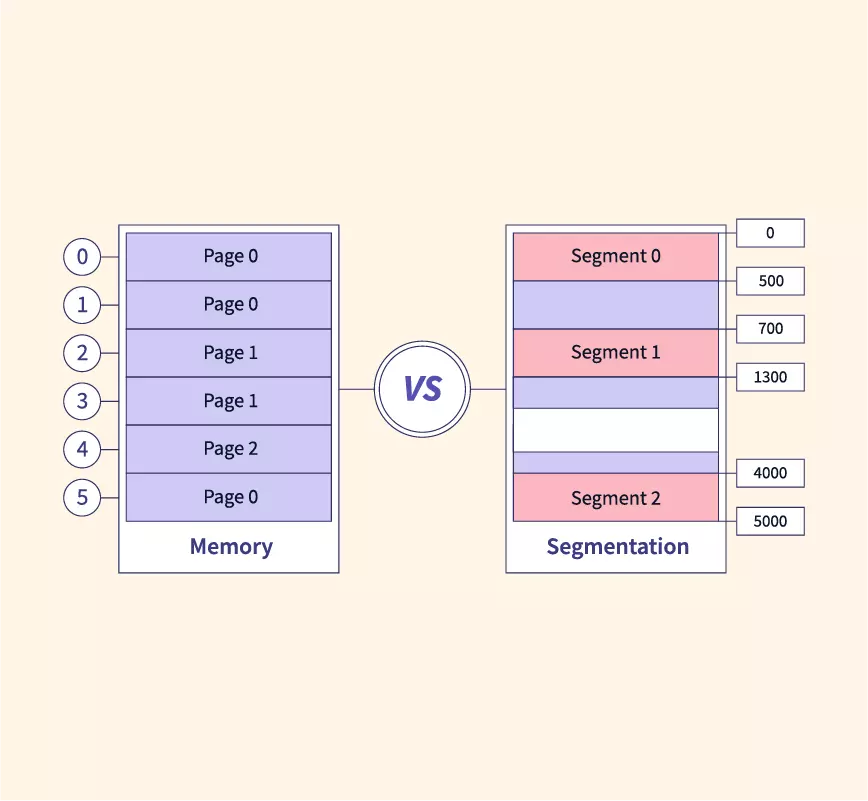
๐Ÿง  Paging


๐Ÿ“„ Concept

Image
Image
Image
Image

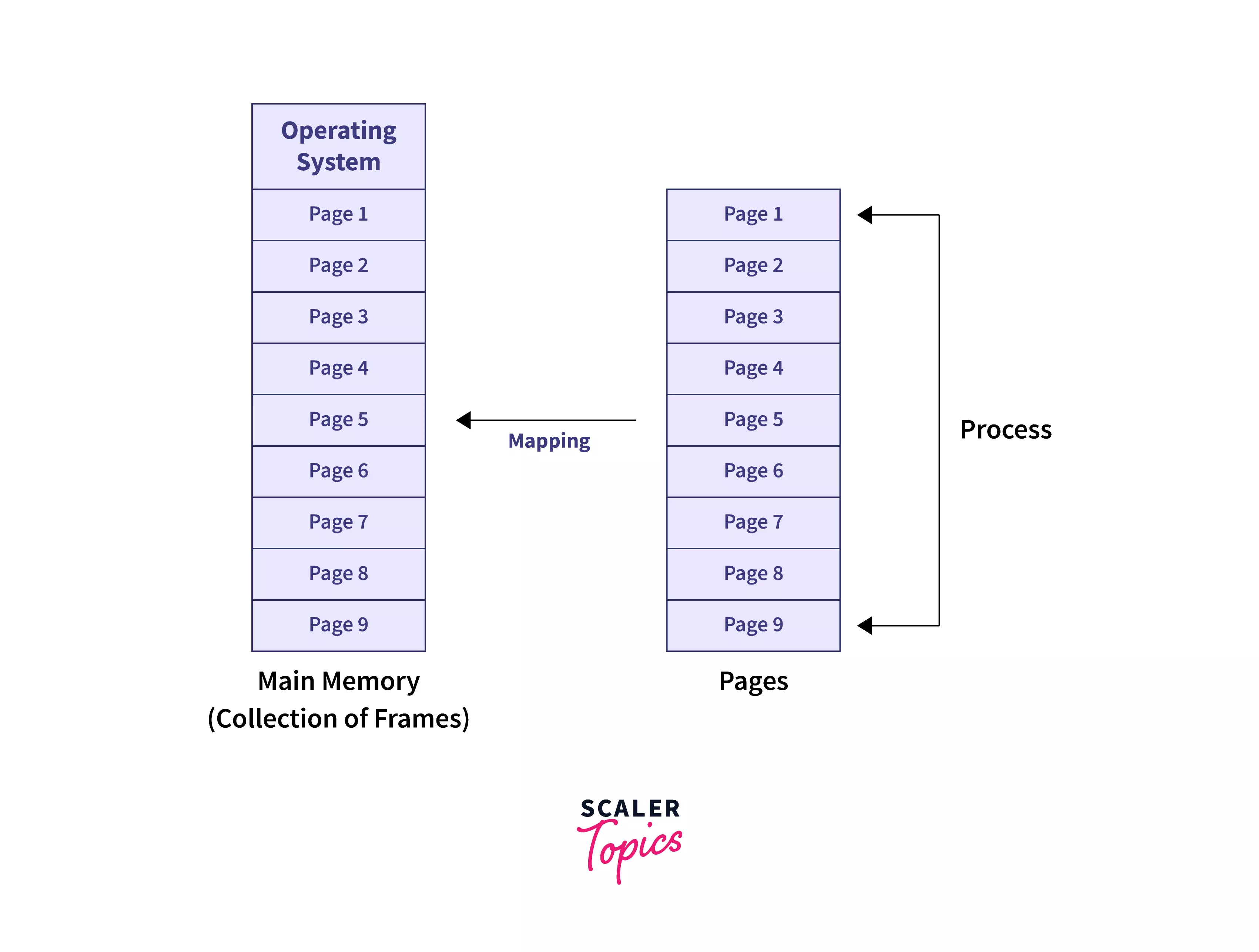
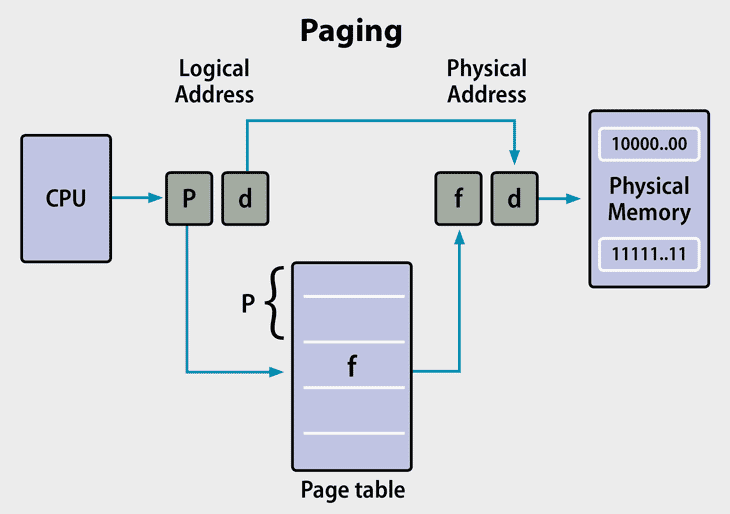
Paging divides memory into:

  • Pages (logical)
  • Frames (physical)

โš™๏ธ Page Table

  • Maps pages to frames

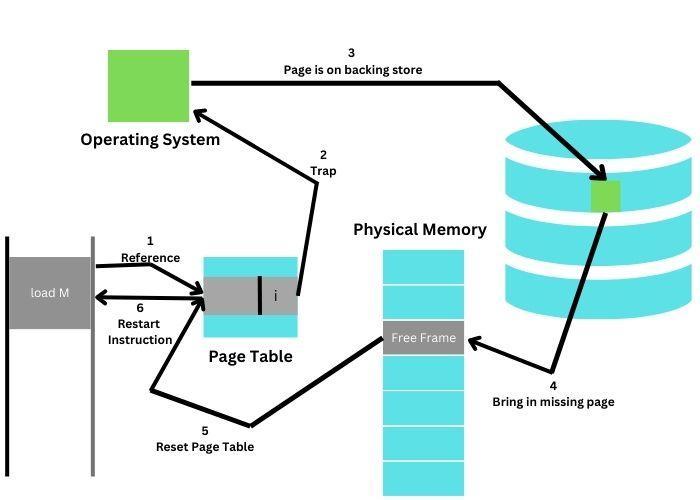
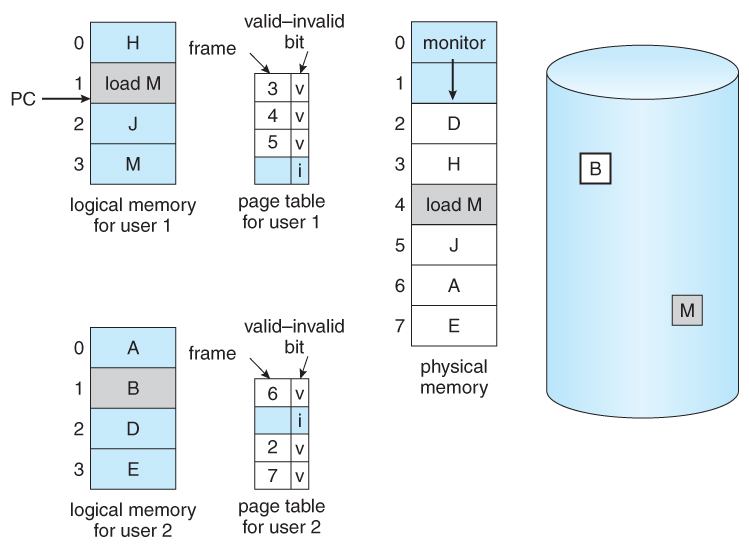
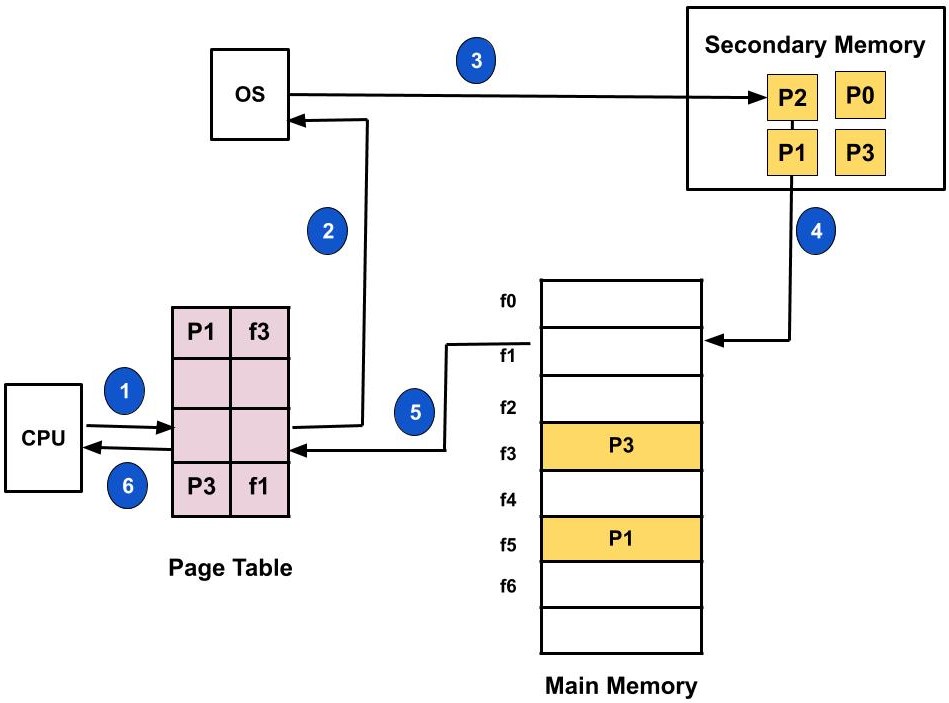
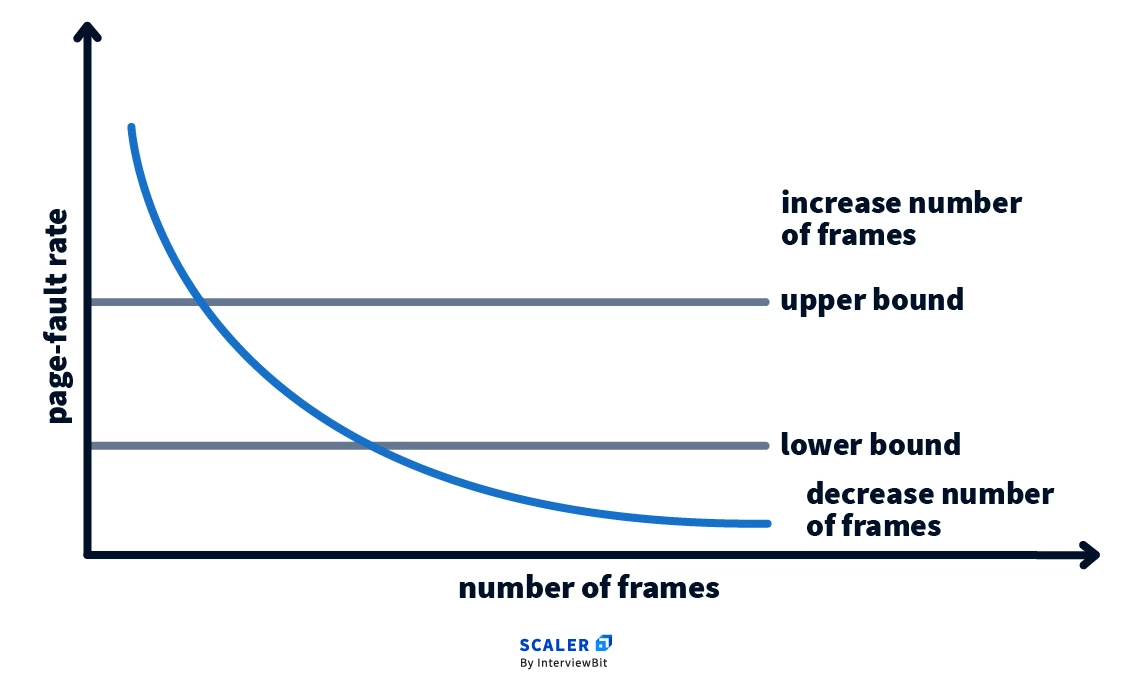
โš ๏ธ Page Fault

Occurs when required page is not in memory.


๐Ÿง  Segmentation


๐Ÿ“„ Concept

Image
Image
Image

Memory divided into segments:

  • Code
  • Data
  • Stack

โš ๏ธ Issues

  • External fragmentation

๐Ÿ”„ Paging vs Segmentation

FeaturePagingSegmentation
SizeFixedVariable
FragmentationInternalExternal
ComplexityModerateHigh

๐Ÿง  Virtual Memory


๐ŸŒ Concept

Image
Image
Image
Image

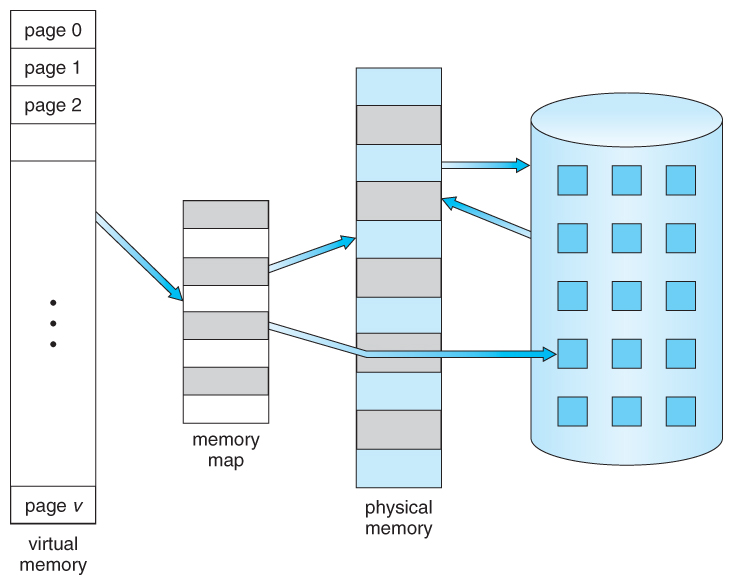
Virtual memory allows programs to use more memory than physically available.


โš™๏ธ Techniques:

  • Demand paging
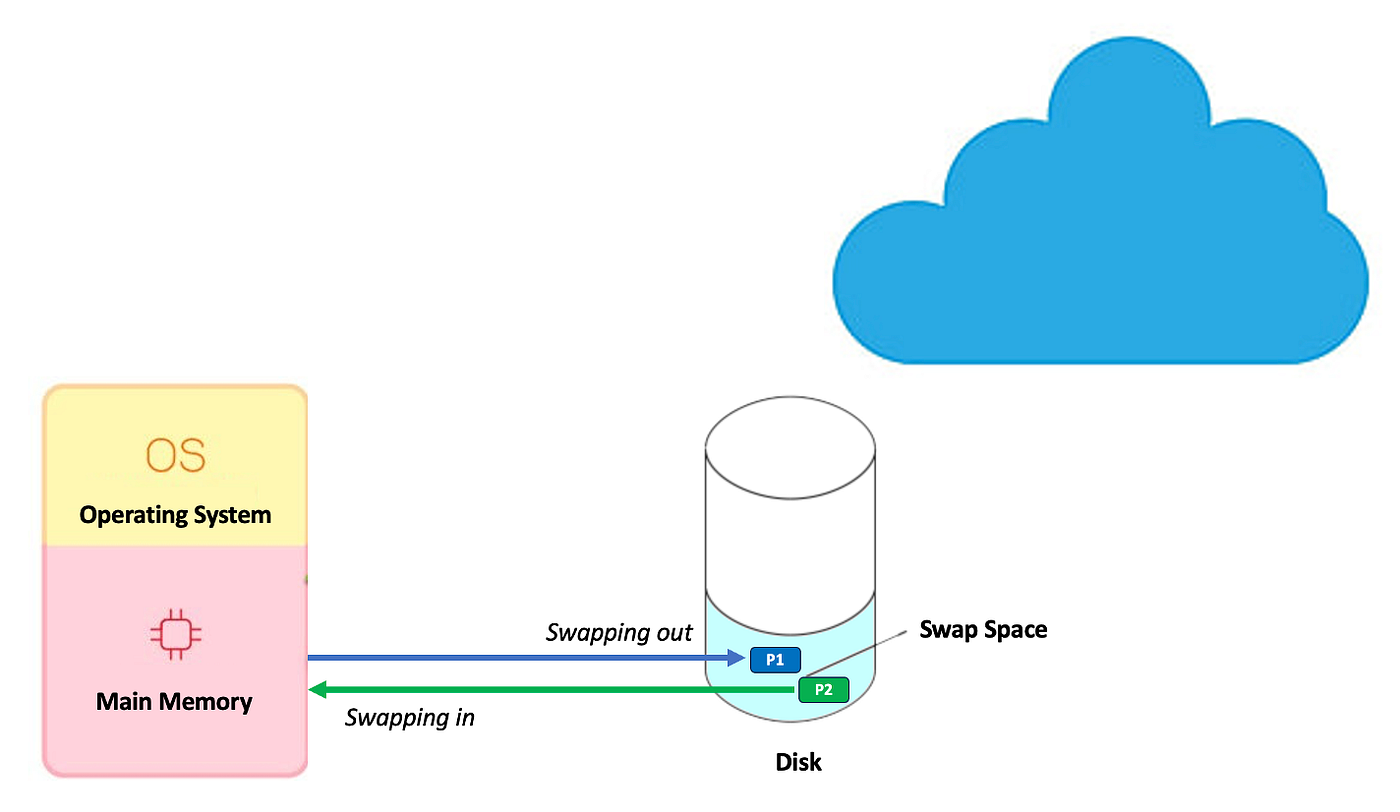
  • Swapping

๐Ÿ”„ Page Replacement Algorithms


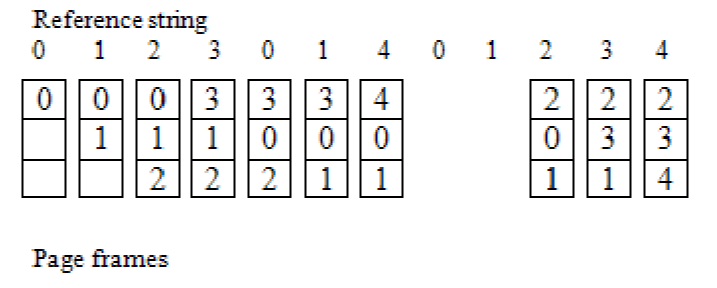
๐Ÿ”น FIFO (First In First Out)

Image
Image
Image

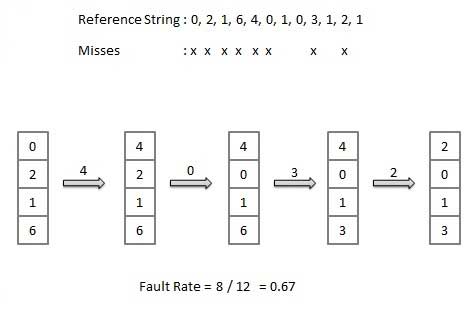
๐Ÿ”น LRU (Least Recently Used)

Image
Image
Image
Image

๐Ÿ”น Optimal Algorithm

Image
Image
Image
Image

๐Ÿ” Memory Protection


๐Ÿ›ก๏ธ Techniques:

  • Base and limit registers
  • Access control
  • Address binding

๐Ÿ”„ Address Binding


๐Ÿง  Types:

  • Compile-time
  • Load-time
  • Execution-time

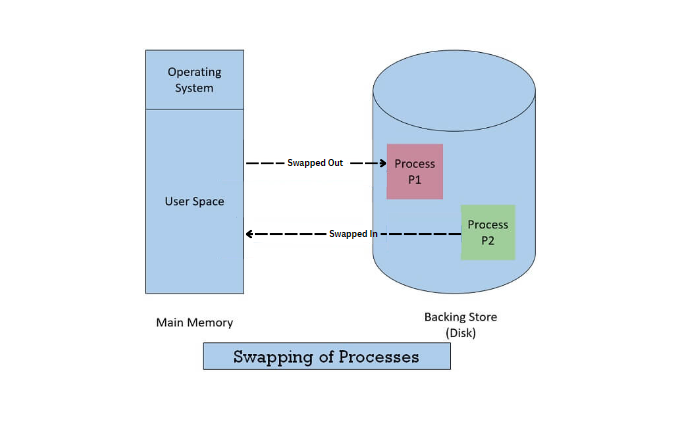
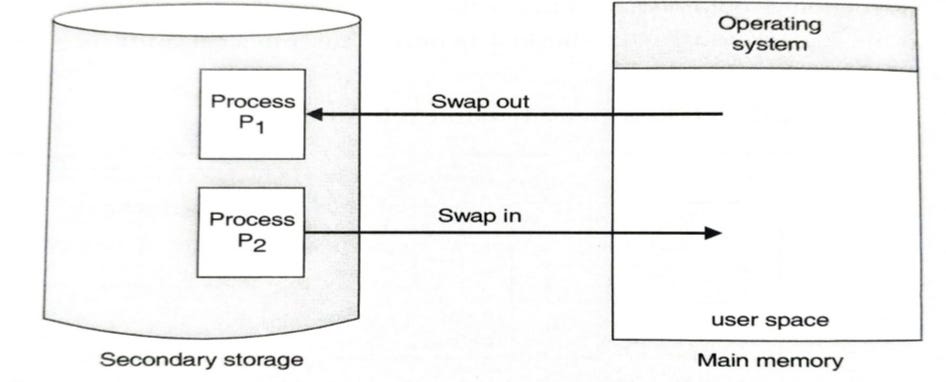
๐Ÿง  Swapping


๐Ÿ”„ Concept

Image
Image
Image
Image
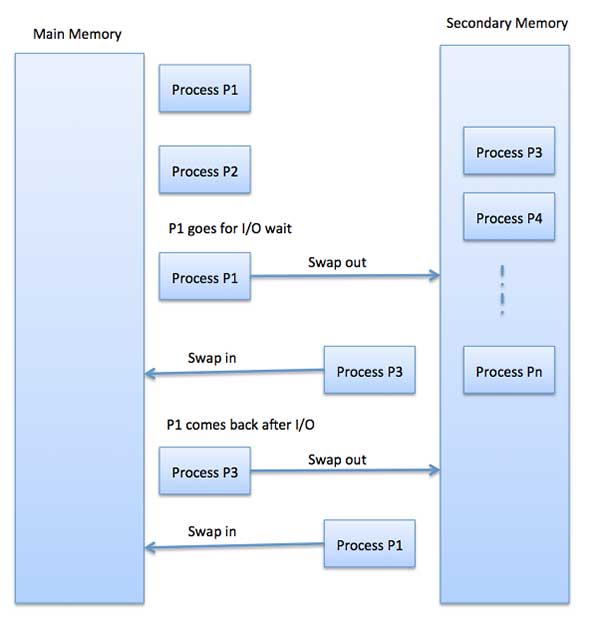
  • Moves processes between RAM and disk

๐Ÿงฉ Thrashing


โš ๏ธ Concept

Image
Image
Image
Image
  • Excessive paging
  • Reduces performance

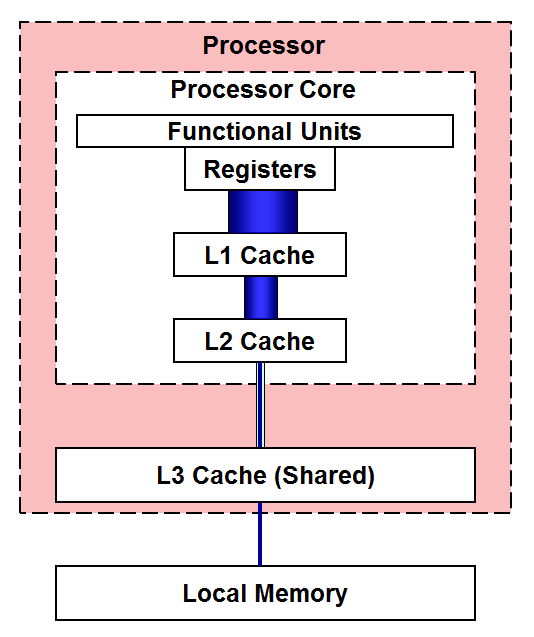
๐Ÿง  Cache Memory Management


โšก Concept

Image
Image
Image
  • Stores frequently used data
  • Reduces access time

๐Ÿ”„ Cache Mapping Techniques

  • Direct mapping
  • Associative mapping
  • Set-associative mapping

๐Ÿง  Modern Memory Management Techniques


๐Ÿš€ Advanced Concepts

Image
Image
Image
Image
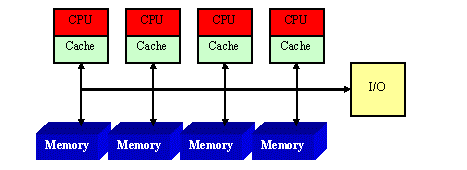
  • NUMA architecture
  • Memory virtualization
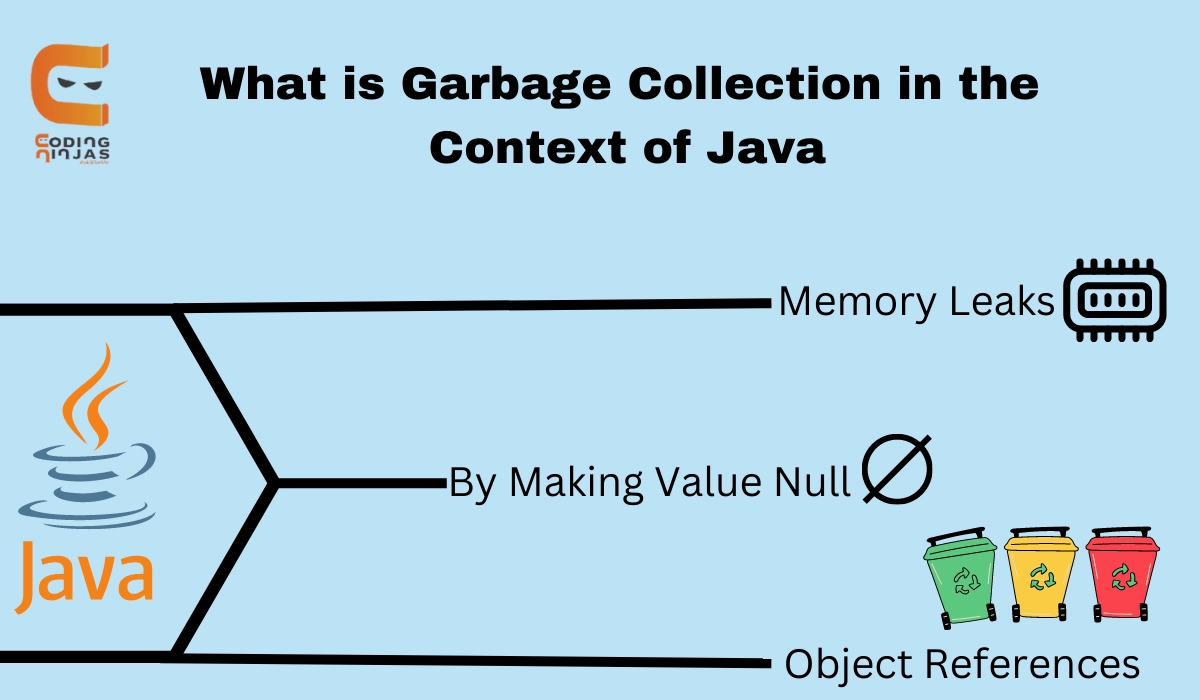
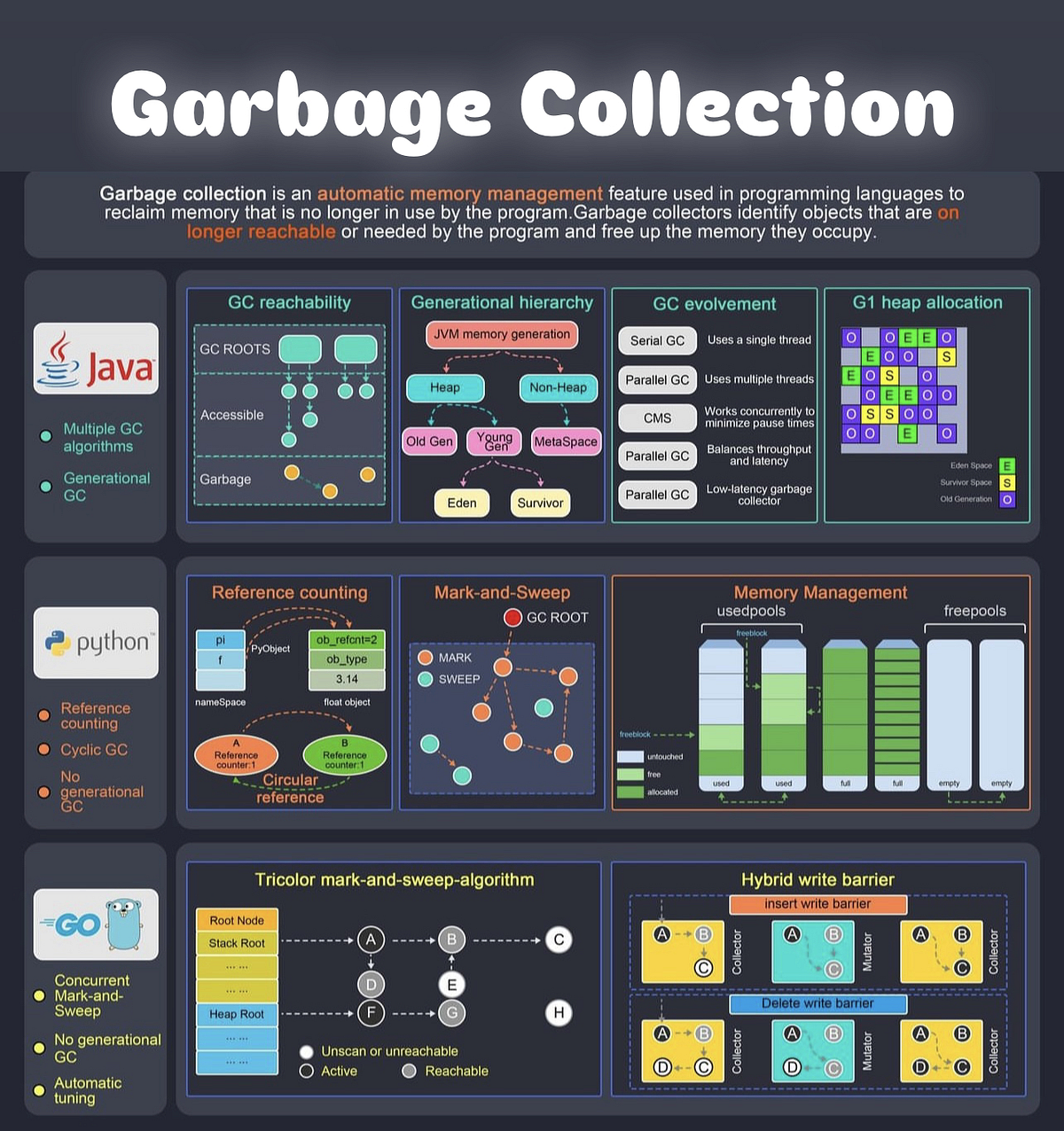
  • Garbage collection
  • Memory compression

โšก Advantages of Memory Management

  • Efficient resource utilization
  • Improved performance
  • Supports multitasking
  • Ensures security

โš ๏ธ Challenges

  • Fragmentation
  • Thrashing
  • Overhead
  • Complexity

๐Ÿง  Conclusion

Memory management is a critical component of operating systems that ensures efficient execution of programs. It enables:

  • Multitasking
  • Efficient memory usage
  • System stability

Understanding memory management is essential for:

  • OS design
  • Software development
  • Performance optimization

๐Ÿท๏ธ Tags

โš™๏ธ Process Management


๐ŸŒ Introduction to Process Management

Image
Image
Image

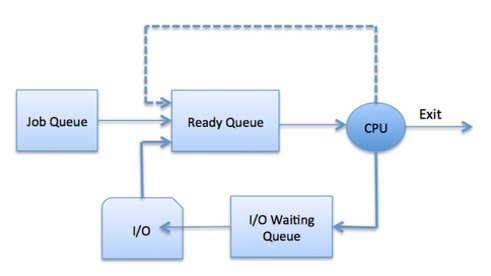
Process Management is a fundamental function of an operating system (OS) that handles the creation, scheduling, execution, and termination of processes. It ensures that multiple programs can run efficiently and concurrently on a computer system.

In simple terms:

Process management = controlling and coordinating program execution

A process is a program in execution, including its code, data, and state.


๐Ÿง  Importance of Process Management

  • Enables multitasking
  • Optimizes CPU utilization
  • Ensures fair resource allocation
  • Maintains system stability
  • Improves performance

๐Ÿงฉ Basic Concepts


๐Ÿ“„ Program vs Process

FeatureProgramProcess
DefinitionStatic codeExecuting program
StatePassiveActive
Example.exe fileRunning application

๐Ÿ” Process States

Image
Image
Image

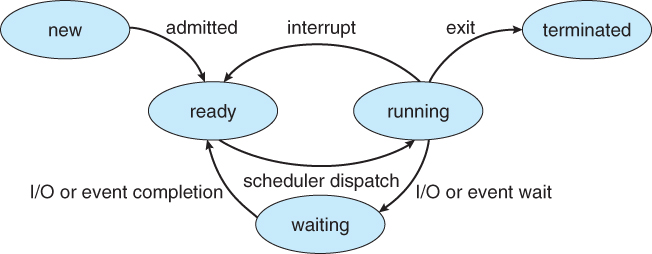
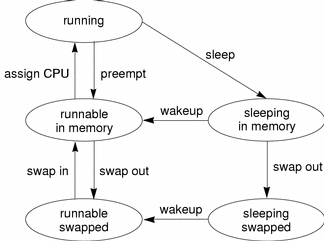
A process moves through different states:

  1. New โ€“ Being created
  2. Ready โ€“ Waiting for CPU
  3. Running โ€“ Executing
  4. Waiting (Blocked) โ€“ Waiting for I/O
  5. Terminated โ€“ Finished execution

๐Ÿง  Process Control Block (PCB)

Image
Image

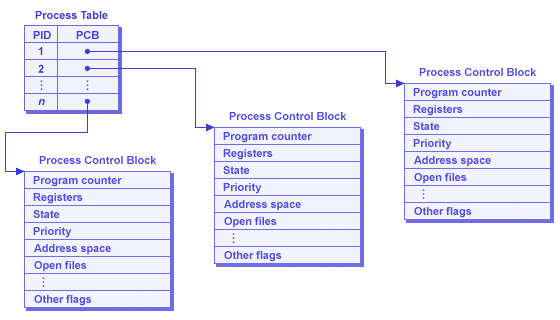
PCB stores process information:

  • Process ID (PID)
  • Process state
  • CPU registers
  • Memory allocation
  • Scheduling information

โš™๏ธ Process Scheduling


๐Ÿง  What is Scheduling?

Image
Image
Image
Image

Scheduling determines which process gets CPU time.


๐Ÿ” Types of Schedulers

  1. Long-term scheduler โ€“ selects processes
  2. Short-term scheduler โ€“ allocates CPU
  3. Medium-term scheduler โ€“ swaps processes

โšก Scheduling Algorithms


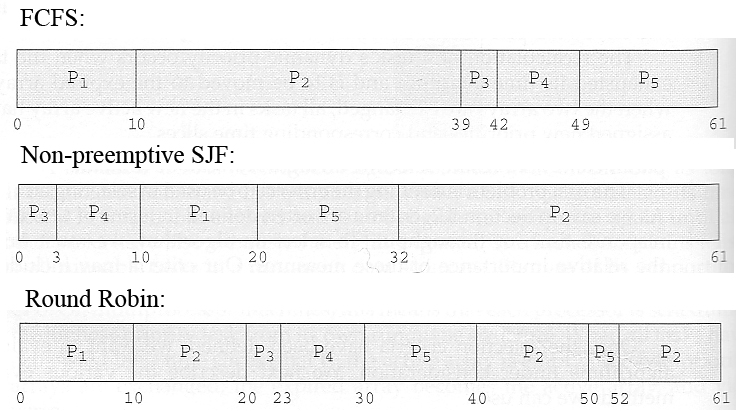
๐Ÿ”น 1. First Come First Serve (FCFS)

Image
  • Processes executed in arrival order

๐Ÿ”น 2. Shortest Job First (SJF)

Image
Image
  • Shortest execution time first

๐Ÿ”น 3. Round Robin (RR)

Image
Image
  • Time-sharing system
  • Each process gets fixed time slice

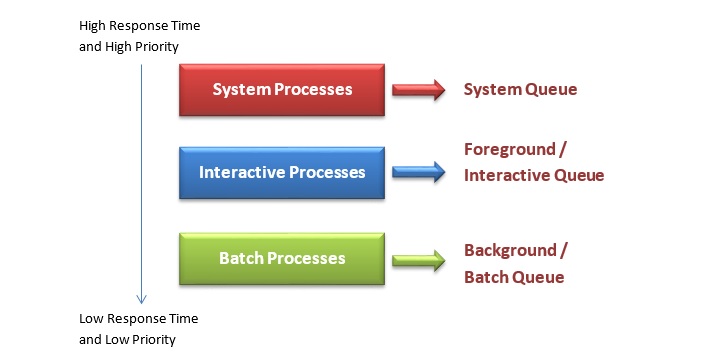
๐Ÿ”น 4. Priority Scheduling

Image
Image
Image
  • Processes executed based on priority

โš–๏ธ Scheduling Criteria

  • CPU utilization
  • Throughput
  • Turnaround time
  • Waiting time
  • Response time

๐Ÿ”„ Process Synchronization

๐Ÿง  Concept

Image
Image
Image
Image

Ensures safe access to shared resources.


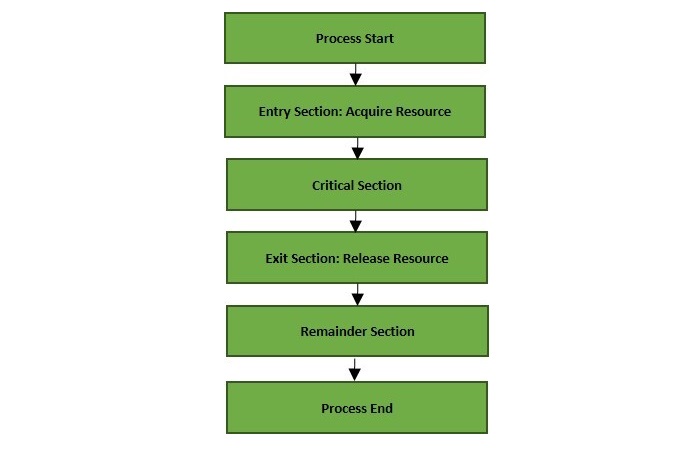
โš ๏ธ Critical Section Problem

  • Section where shared data is accessed
๐Ÿ”’ Solutions:

  • Mutex locks
  • Semaphores
  • Monitors

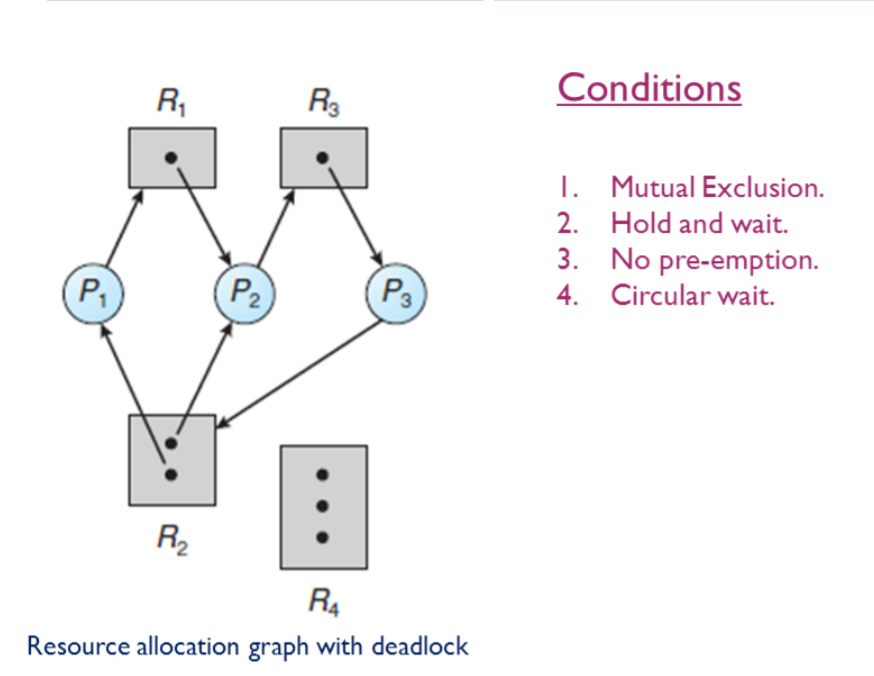
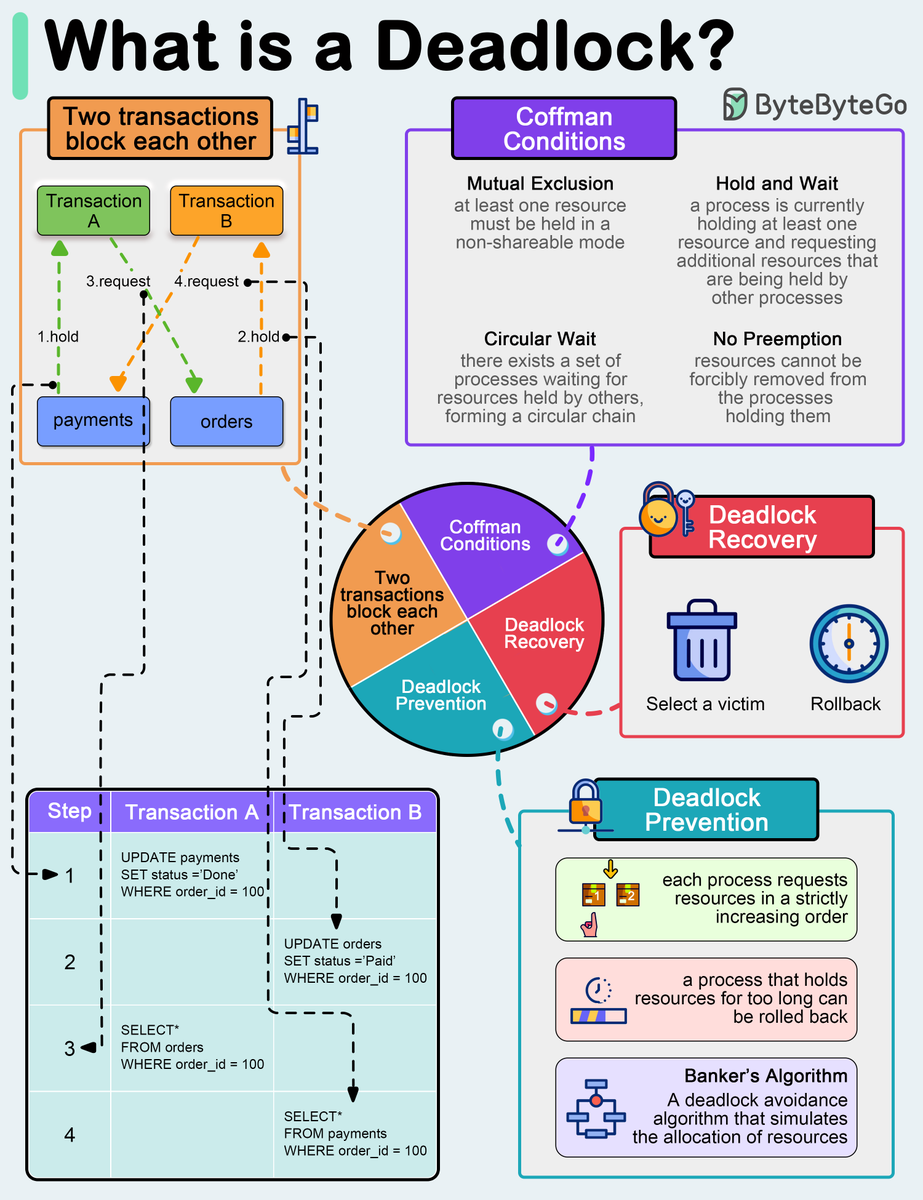
โš ๏ธ Deadlocks


๐Ÿง  Definition
Image
Image
Image
Image

Deadlock occurs when processes wait indefinitely.


๐Ÿ”‘ Conditions:

  1. Mutual exclusion
  2. Hold and wait
  3. No preemption
  4. Circular wait

๐Ÿ”„ Handling Deadlocks:

  • Prevention
  • Avoidance
  • Detection and recovery

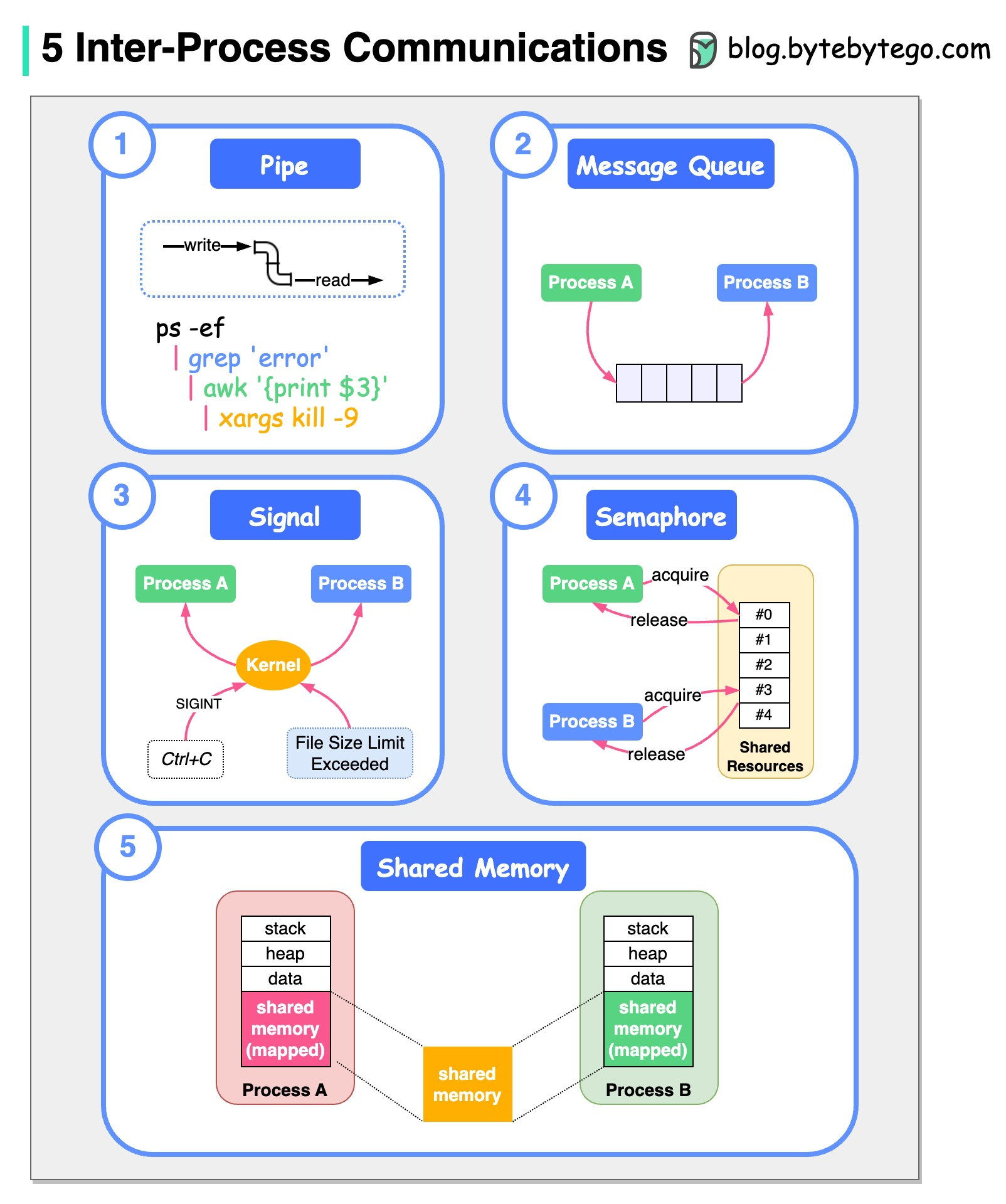
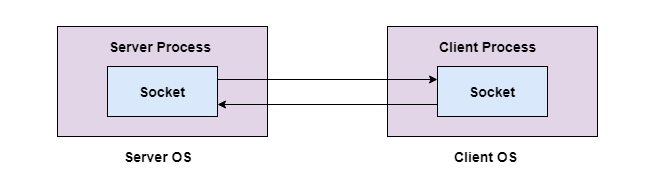
๐Ÿ” Inter-Process Communication (IPC)


๐Ÿ“ก Methods

Image
Image
Image
  • Shared memory
  • Message passing
  • Pipes
  • Sockets

๐Ÿง  Threads and Multithreading


๐Ÿ”น Threads

Image
Image
  • Lightweight processes
  • Share memory

โšก Benefits:

  • Faster execution
  • Better resource utilization

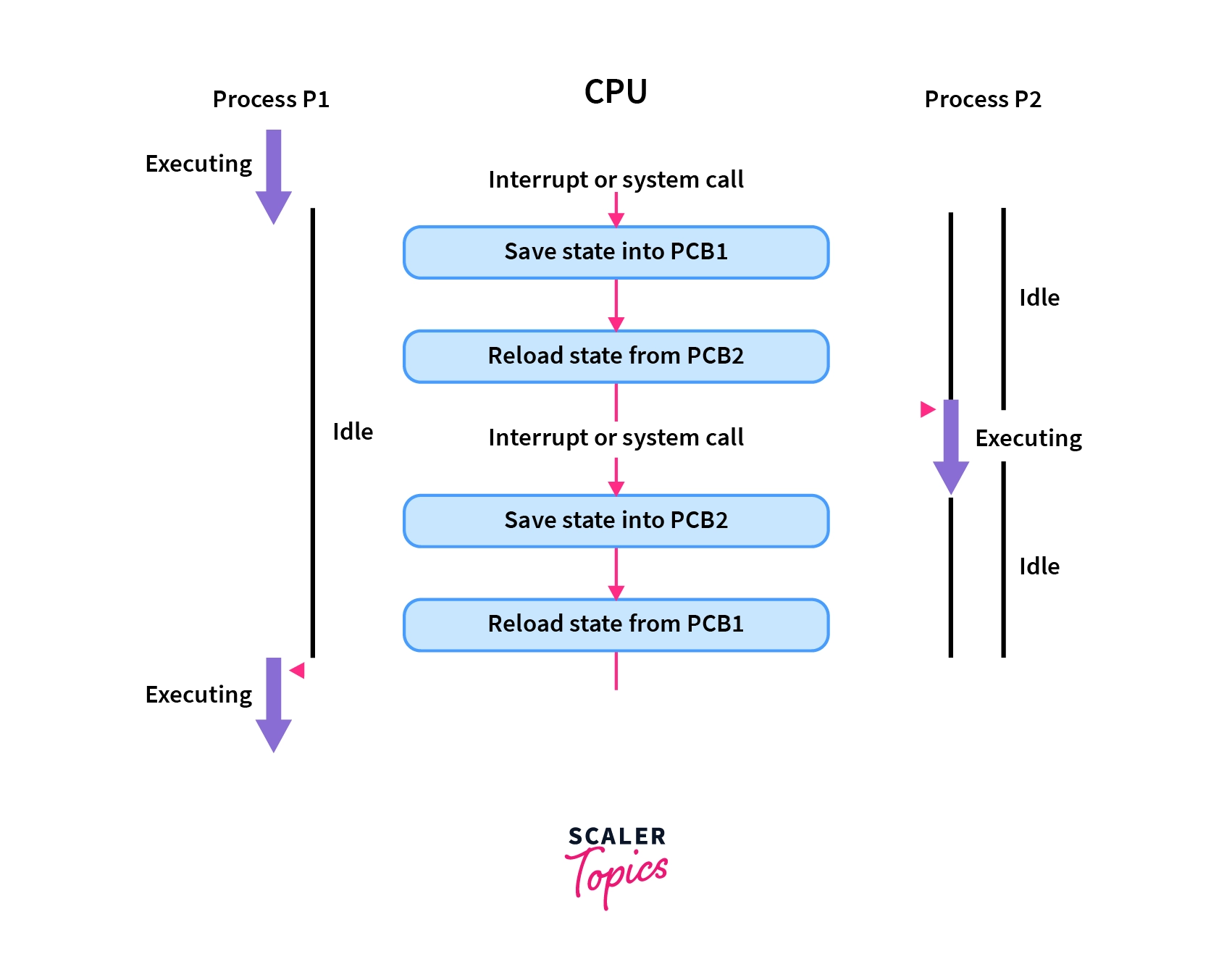
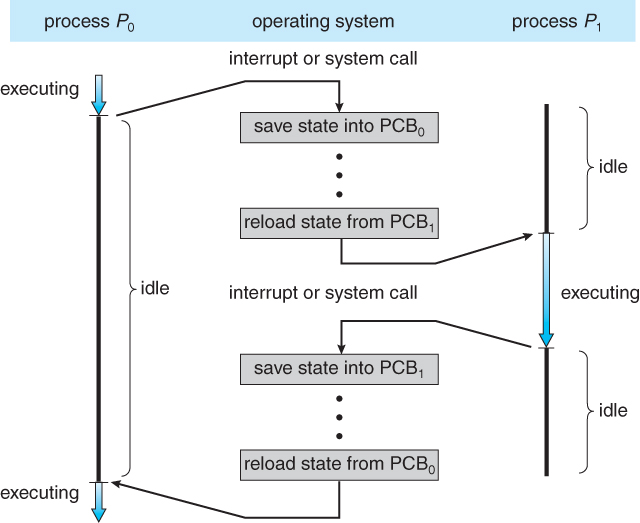
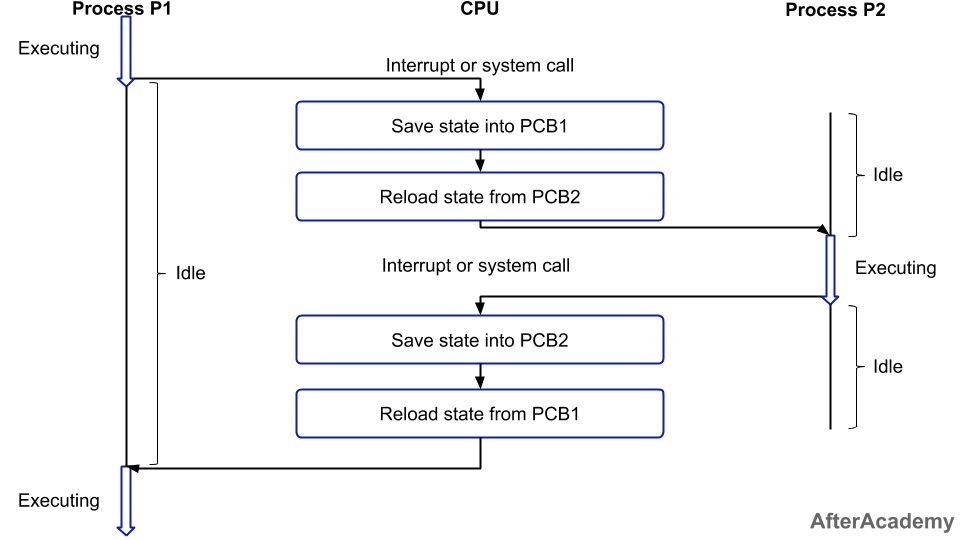
๐Ÿ”„ Context Switching


๐Ÿง  Concept

Image
Image
Image
Image
  • CPU switches between processes
  • Saves and loads state

๐Ÿงฉ Process vs Thread

FeatureProcessThread
MemorySeparateShared
OverheadHighLow
SpeedSlowerFaster

โš™๏ธ Multiprocessing


๐Ÿง  Concept

Image
Image
Image
Image
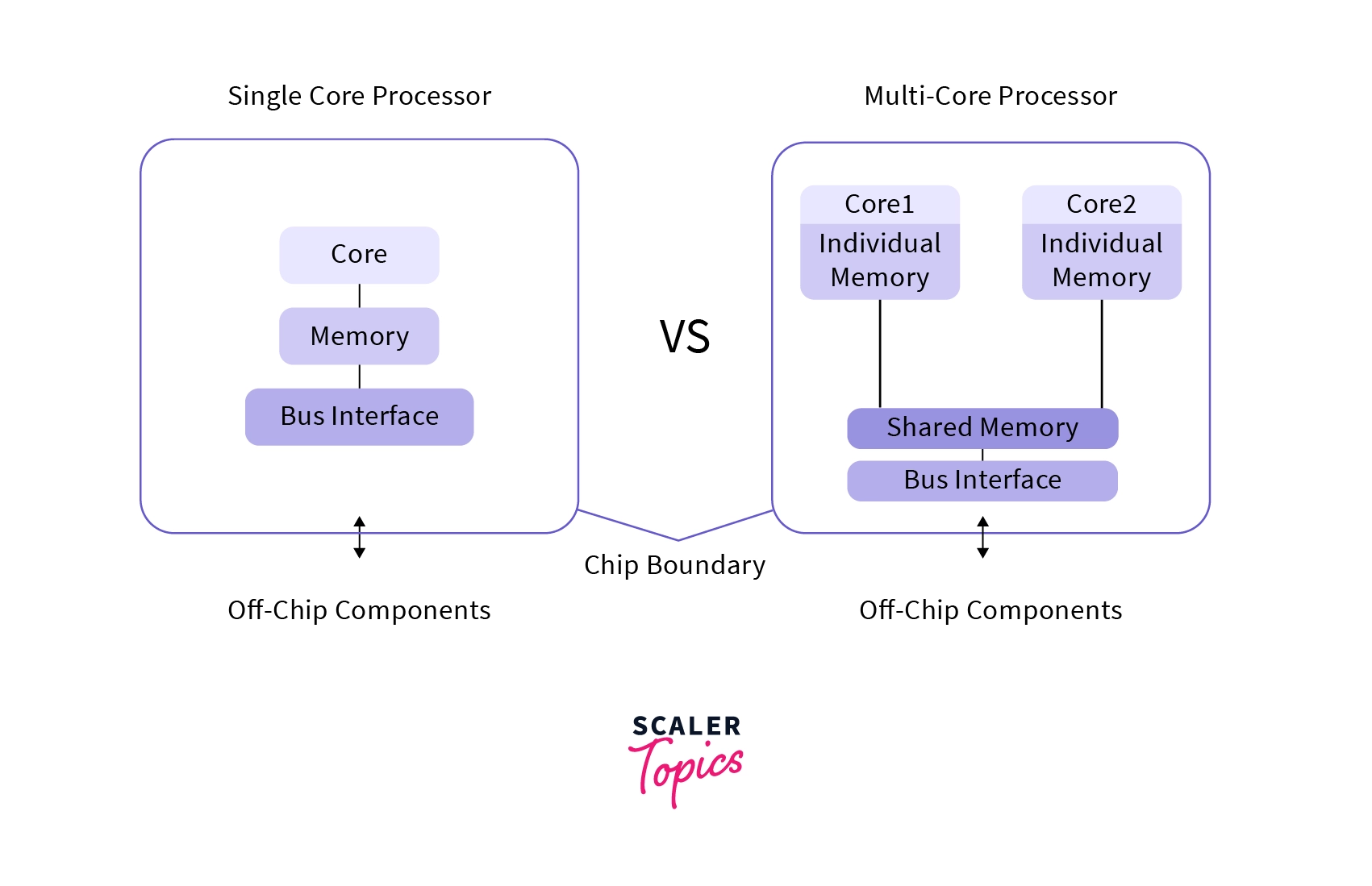
  • Multiple CPUs/cores
  • Parallel execution

๐Ÿง  Real-Time Process Management


โšก Types:

  • Hard real-time
  • Soft real-time

Used in:

  • Robotics
  • Embedded systems

๐Ÿ” Process Security


๐Ÿ›ก๏ธ Features:

  • Access control
  • Isolation
  • Sandboxing

โšก Performance Optimization

  • Efficient scheduling
  • Load balancing
  • Minimizing context switches

โš ๏ธ Challenges

  • Deadlocks
  • Starvation
  • Race conditions

๐Ÿš€ Modern Trends

Image
Image
Image
Image
  • Containerization
  • Virtualization
  • Cloud computing
  • Microservices

๐Ÿงพ Conclusion

Process management is a core function of operating systems that ensures efficient execution of programs. It enables:

  • Multitasking
  • Resource sharing
  • System stability

Understanding process management is essential for:

  • OS design
  • Software development
  • Performance optimization

๐Ÿท๏ธ Tags

๐Ÿ“‚ File Systems โ€“ Complete Detailed Guide


๐ŸŒ Introduction to File Systems

Image
Image
Image
Image

A file system is a method used by an operating system to store, organize, retrieve, and manage data on storage devices such as hard drives, SSDs, and USB drives.

In simple terms:

File system = structure that organizes data into files and folders

Without a file system, data would be stored as raw bits, making it nearly impossible to locate or manage information.


๐Ÿง  Importance of File Systems

  • Organizes data efficiently
  • Enables fast access and retrieval
  • Supports file security and permissions
  • Ensures data integrity
  • Facilitates storage management

๐Ÿงฉ Basic Concepts of File Systems


๐Ÿ“„ What is a File?

A file is a collection of related data stored as a single unit.

Examples:

  • Text file (.txt)
  • Image file (.jpg)
  • Program file (.exe)

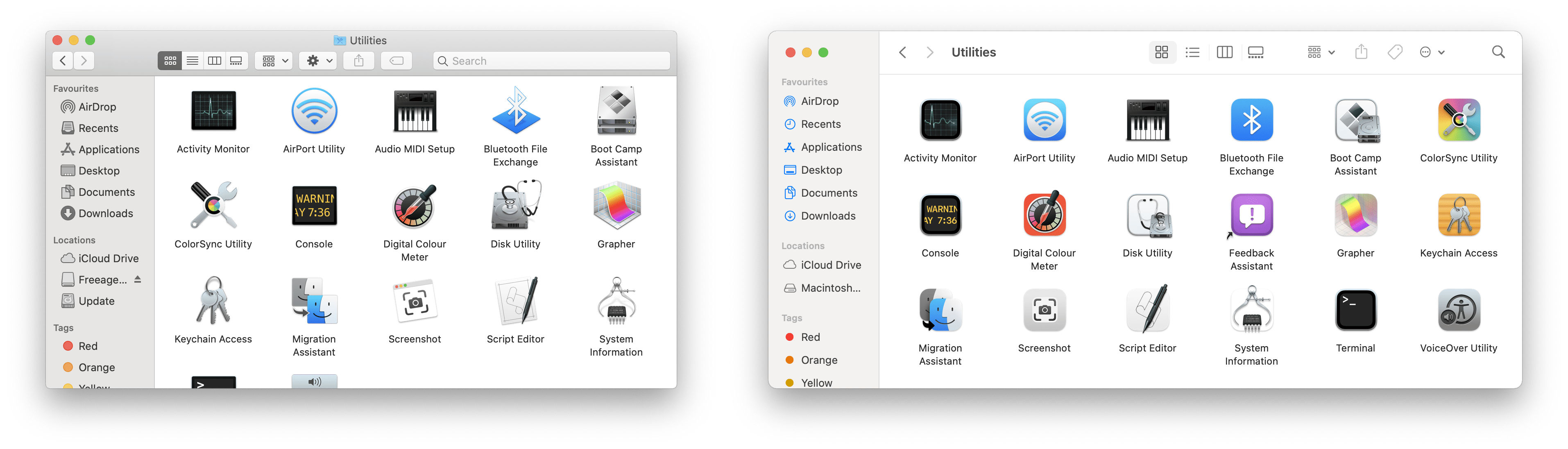
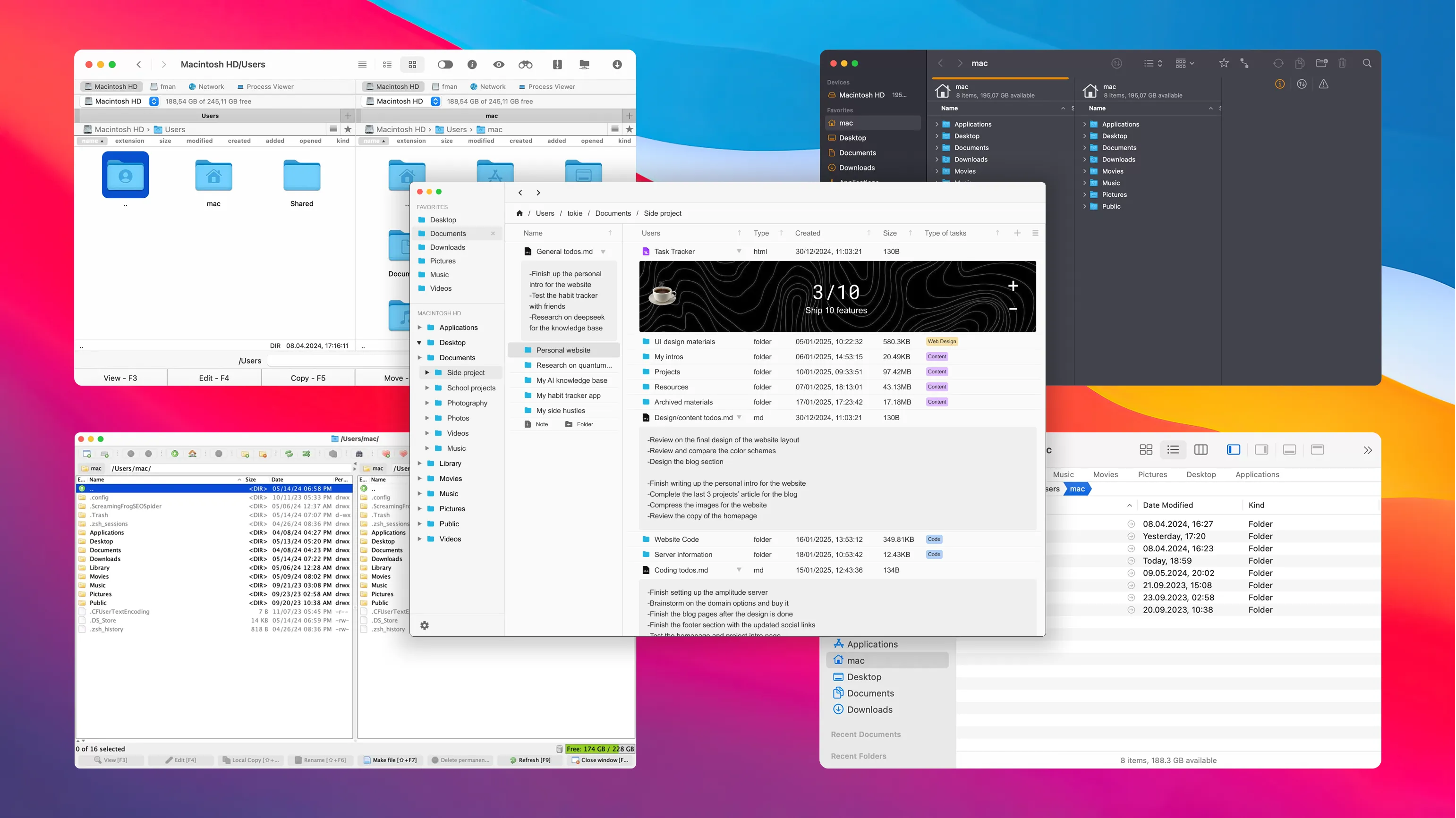
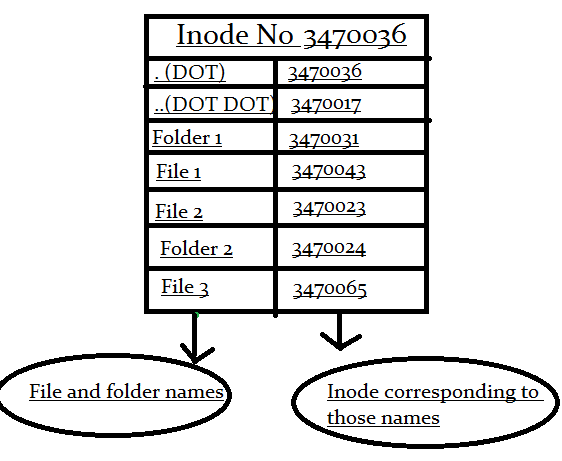
๐Ÿ“ What is a Directory (Folder)?

Image
Image
Image
Image

A directory is a container used to organize files.


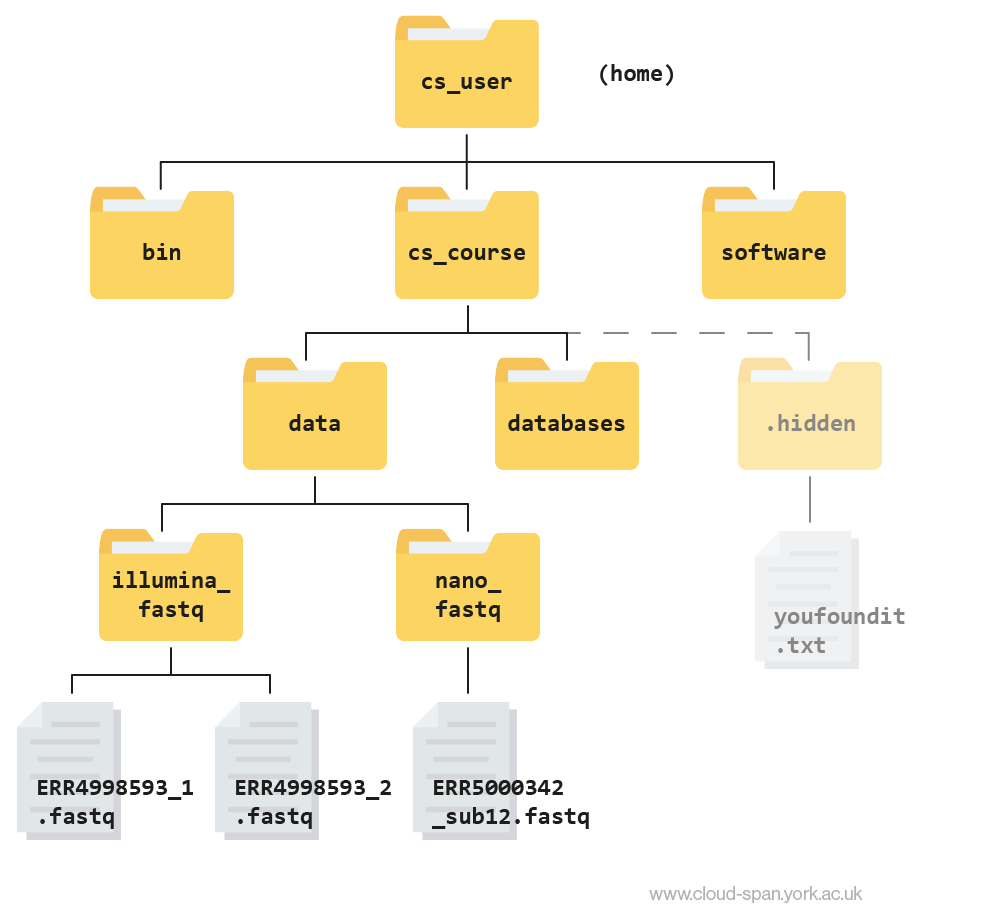
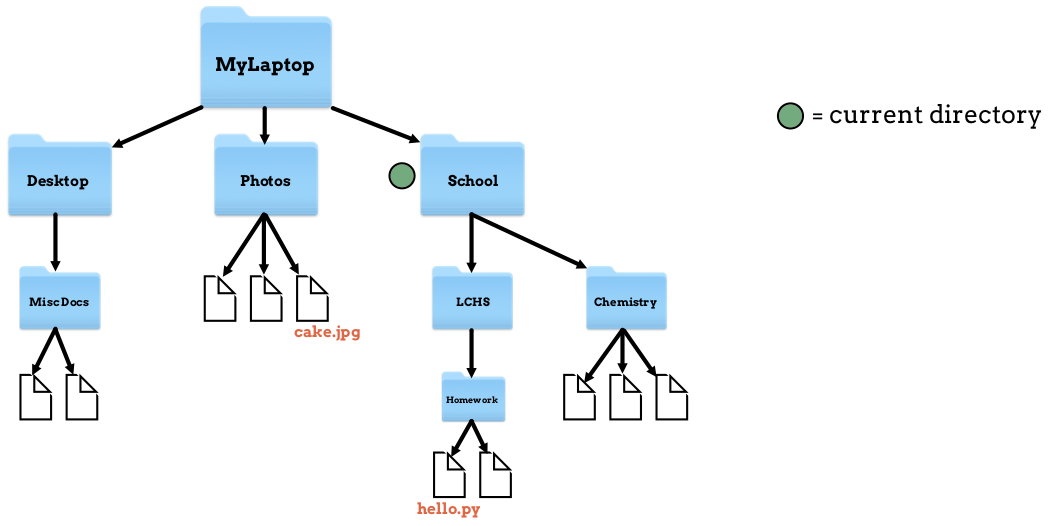
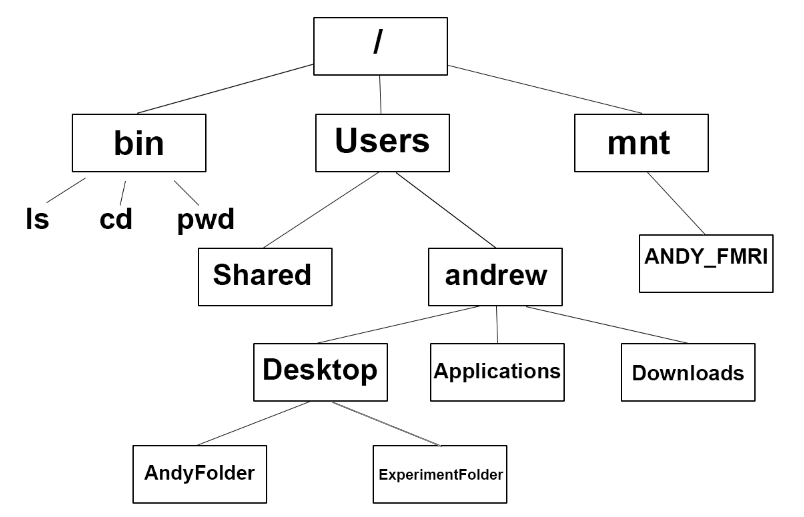
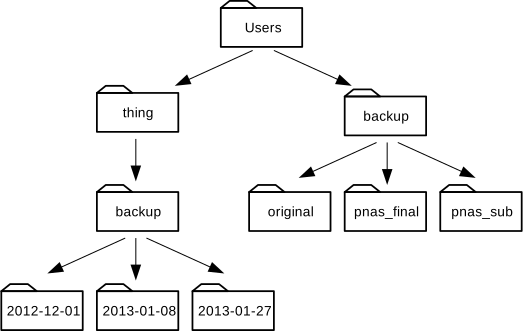
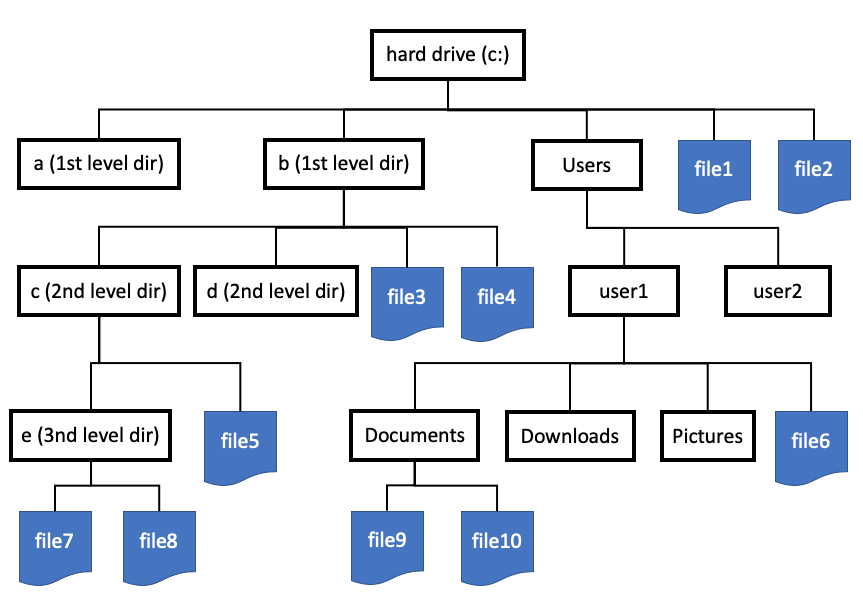
๐ŸŒณ File System Hierarchy

  • Root directory
  • Subdirectories
  • Files

Example:

/ (root)
 โ”œโ”€โ”€ home
 โ”œโ”€โ”€ documents
 โ””โ”€โ”€ files

๐Ÿง  File Attributes

Each file has metadata:

  • Name
  • Size
  • Type
  • Creation date
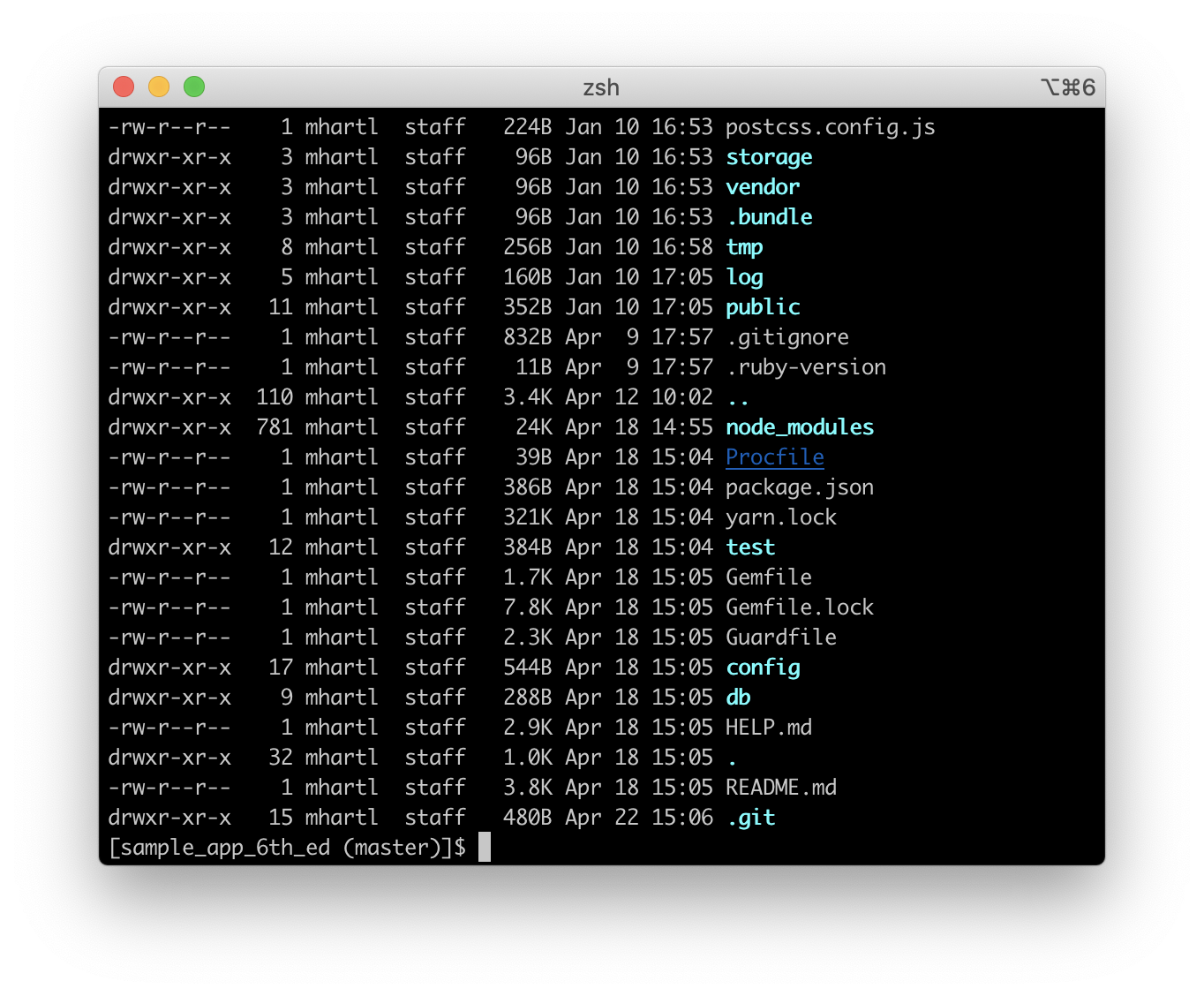
  • Permissions

๐Ÿ’พ File System Structure


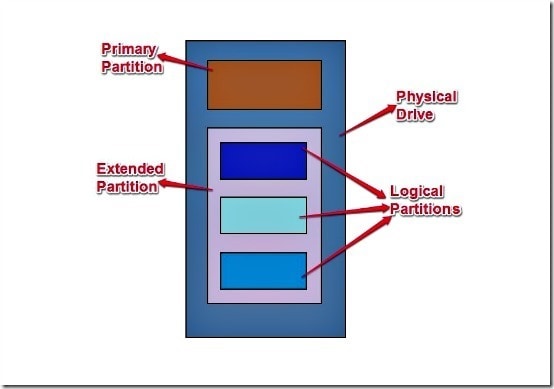
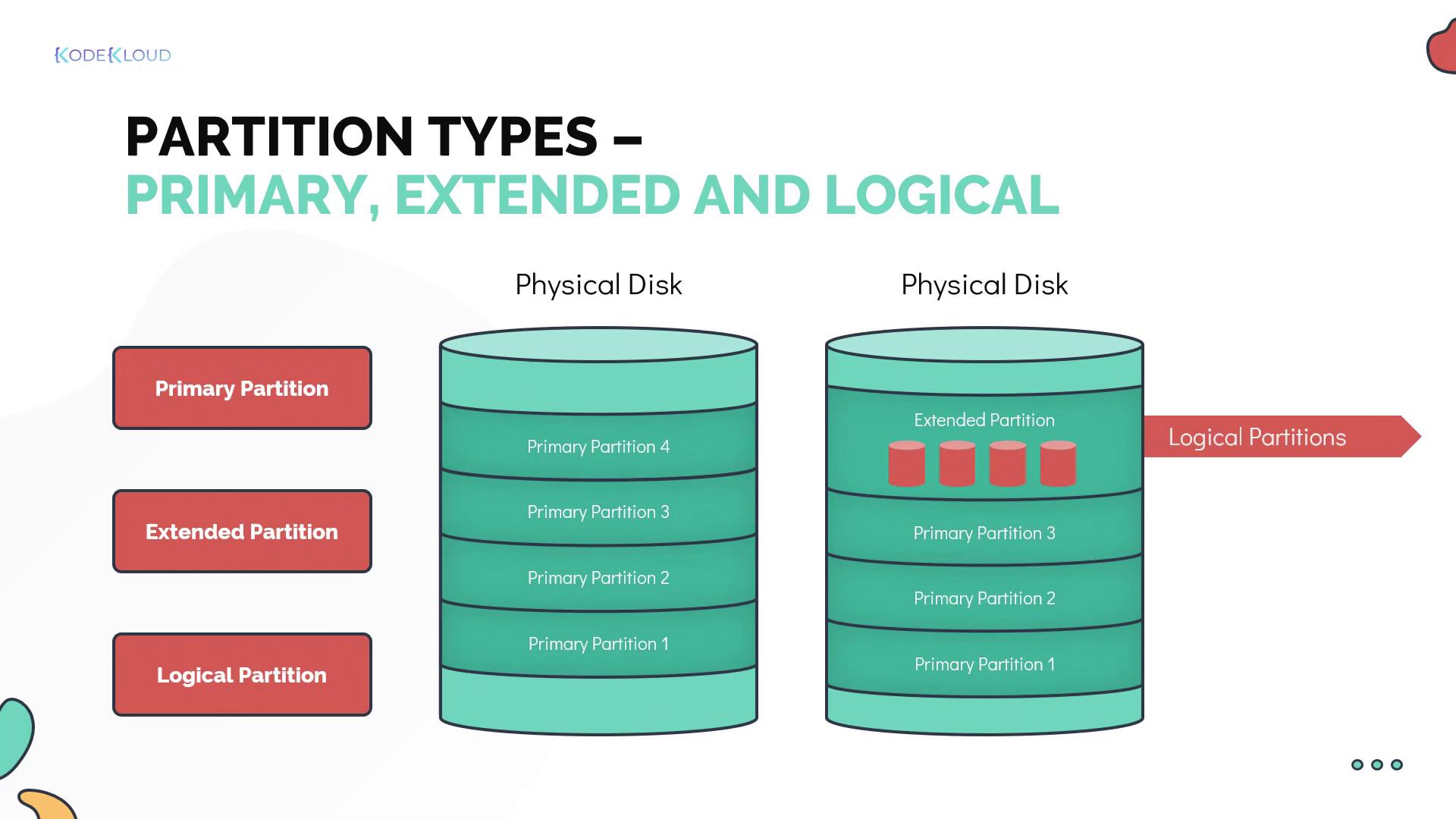
๐Ÿงฉ Disk Layout

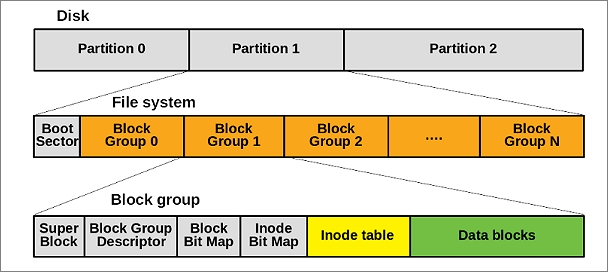
Image
Image
Image
Image

Storage devices are divided into:

  • Tracks
  • Sectors
  • Blocks

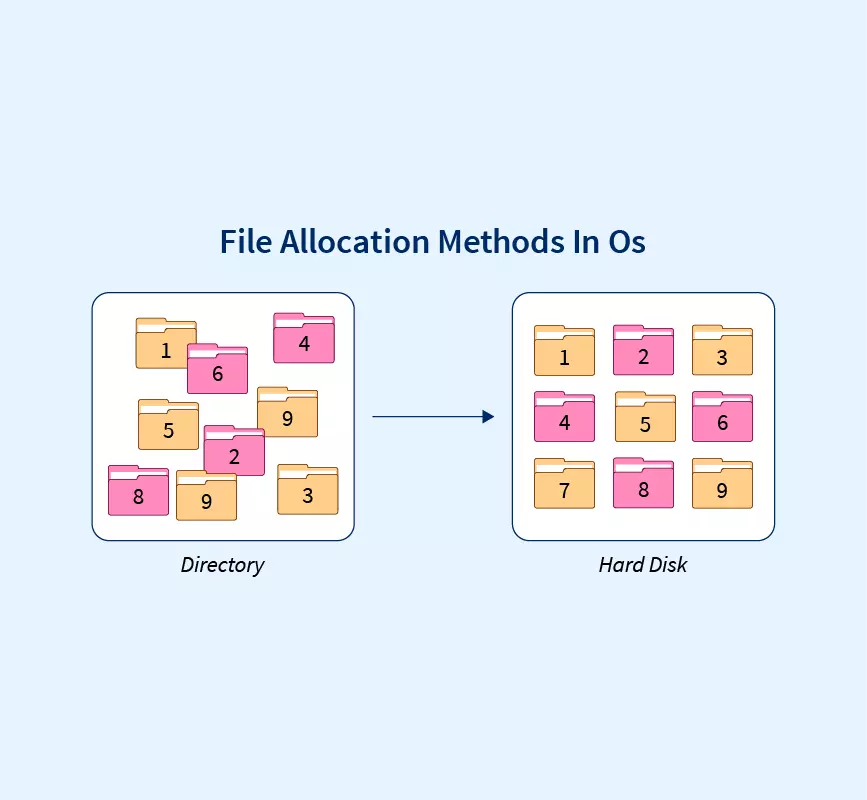
๐Ÿ“ฆ File Allocation Methods


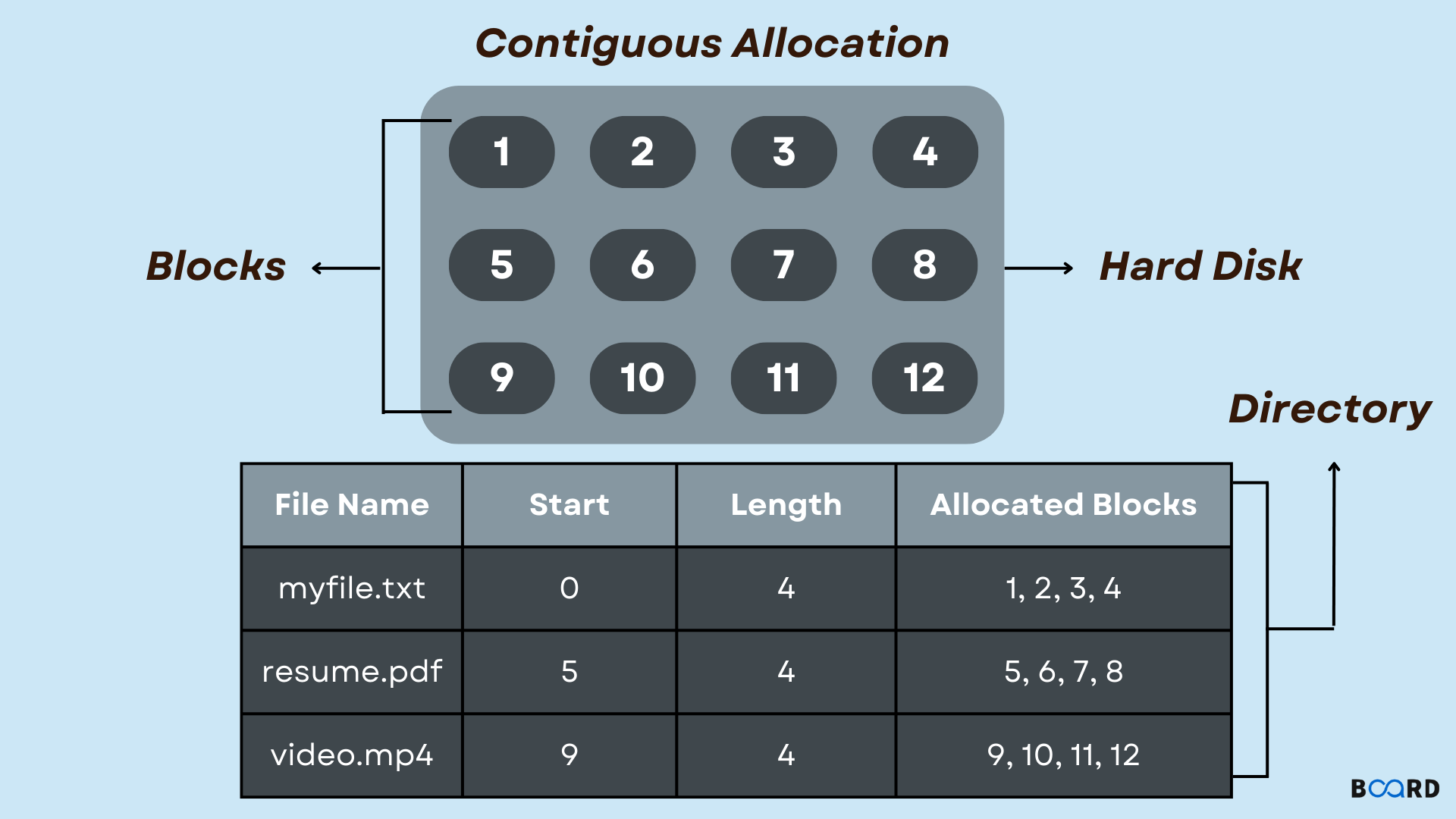
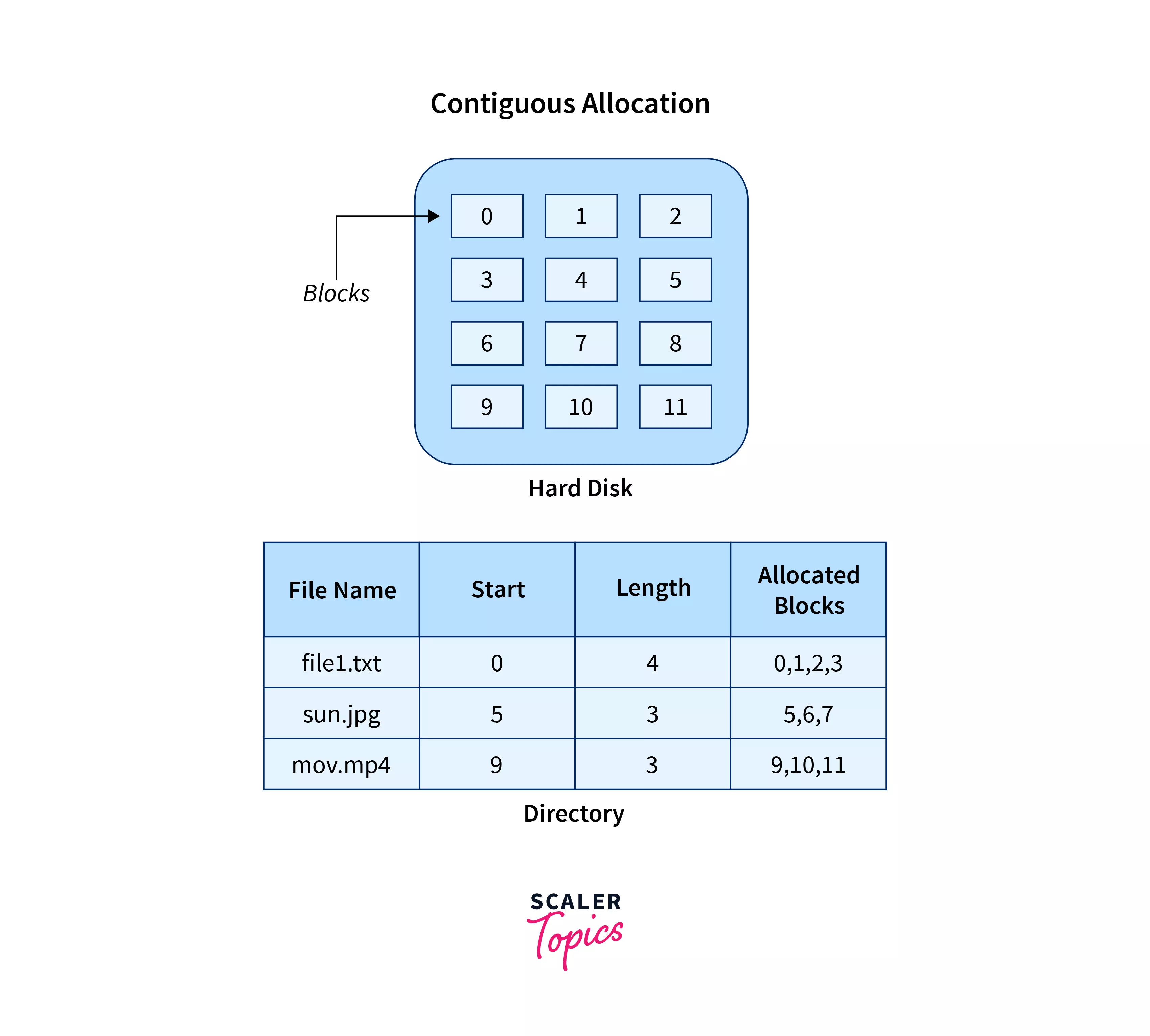
๐Ÿ”น 1. Contiguous Allocation

Image
Image
Image
Image
  • Files stored in continuous blocks
  • Fast access

Limitations:

  • External fragmentation

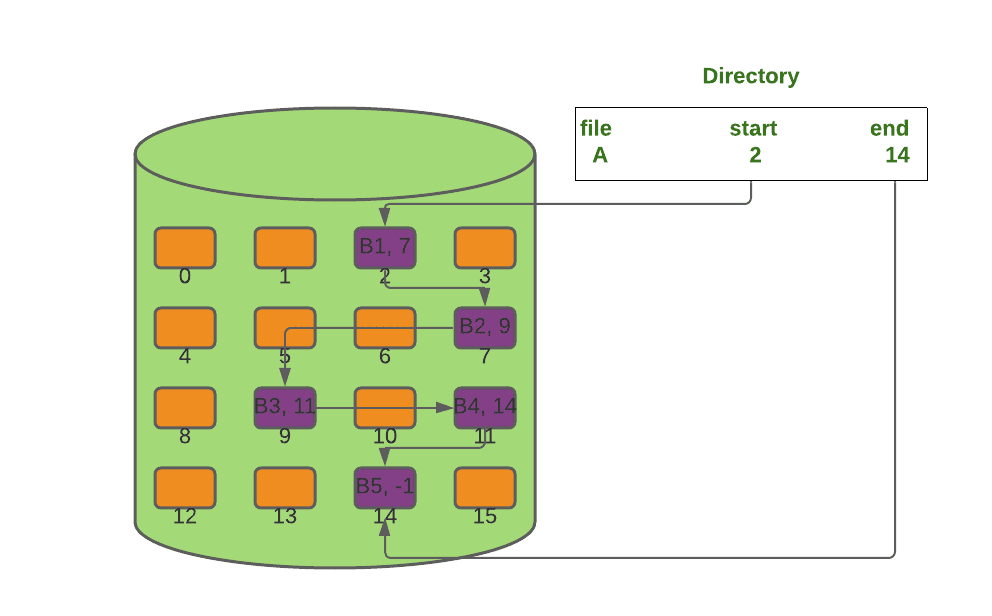
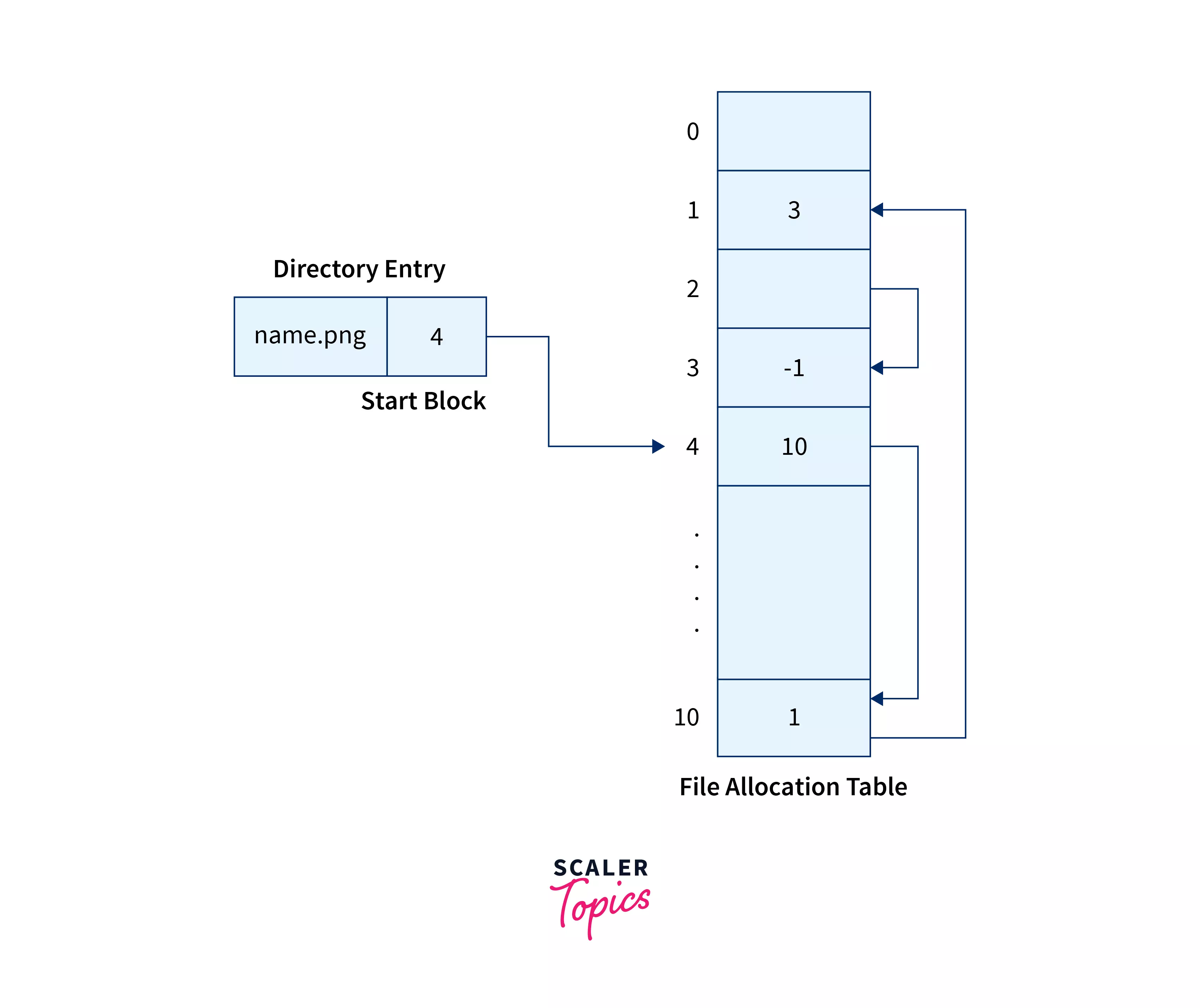
๐Ÿ”น 2. Linked Allocation

Image
Image
Image
Image
  • Each block points to the next
  • Flexible storage

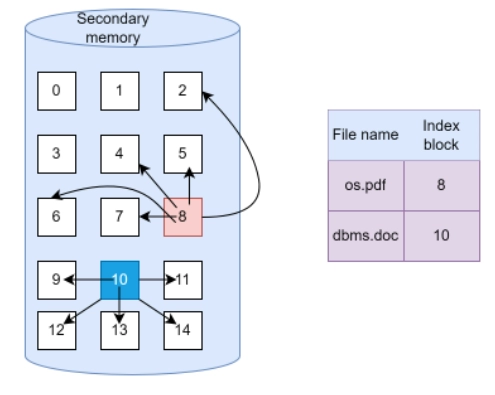
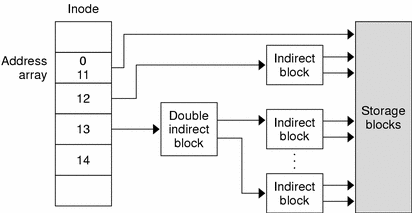
๐Ÿ”น 3. Indexed Allocation

Image
Image
Image
Image
  • Uses index block
  • Efficient access

๐Ÿง  Types of File Systems


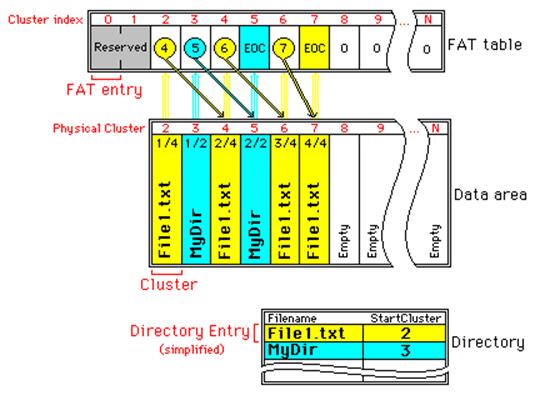
๐ŸชŸ 1. FAT (File Allocation Table)

Image
Image
Image
Image
  • Simple and widely used
  • Used in USB drives

Types:

  • FAT12
  • FAT16
  • FAT32

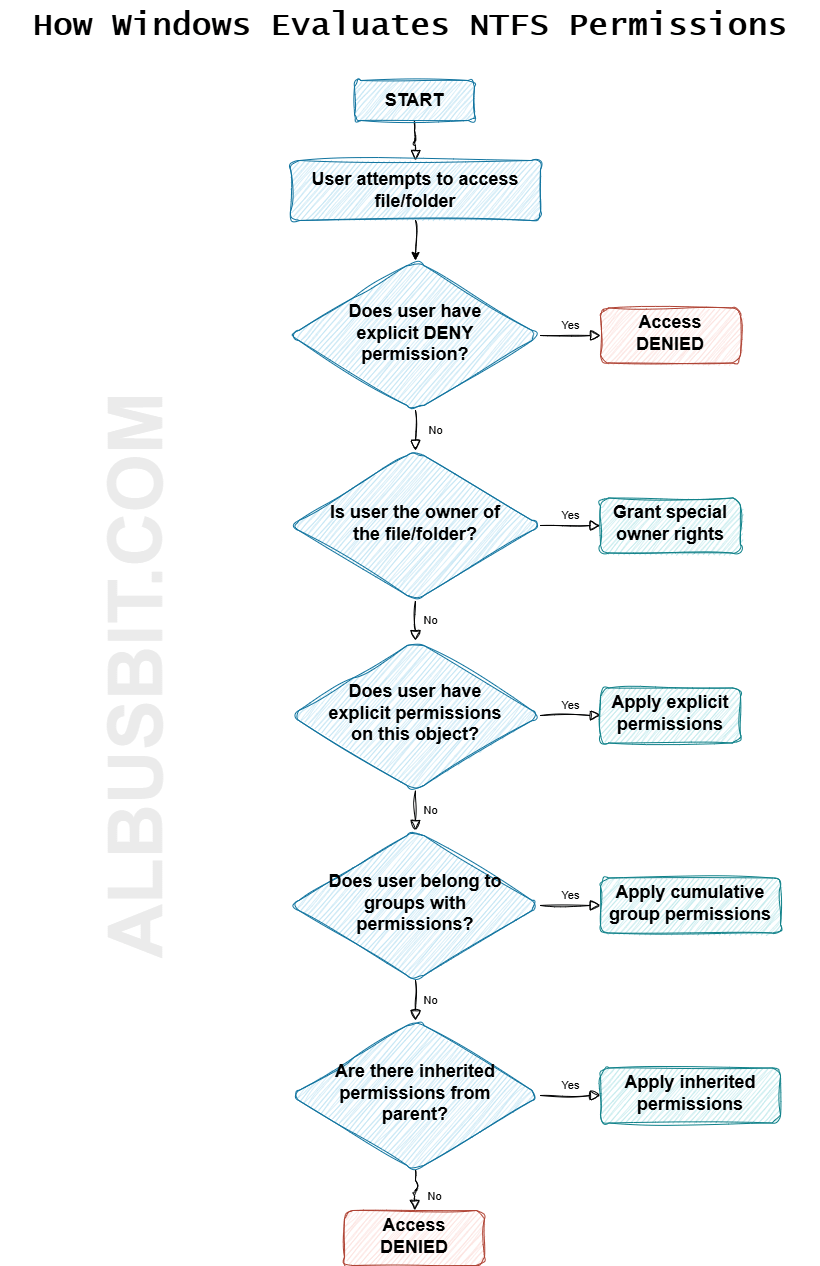
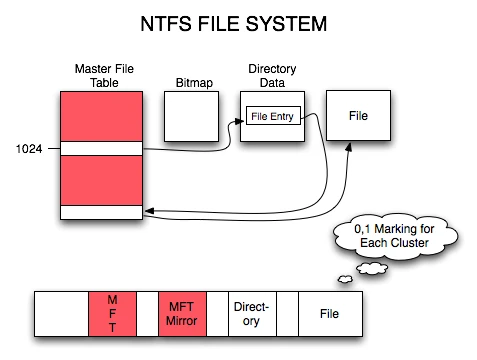
๐ŸชŸ 2. NTFS (New Technology File System)

Image
Image
Image
Image
  • Used in Windows
  • Supports large files
  • Advanced security

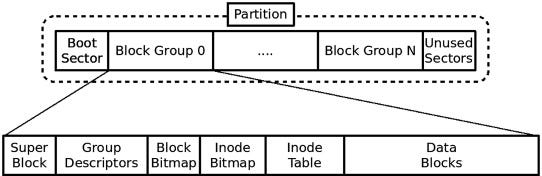
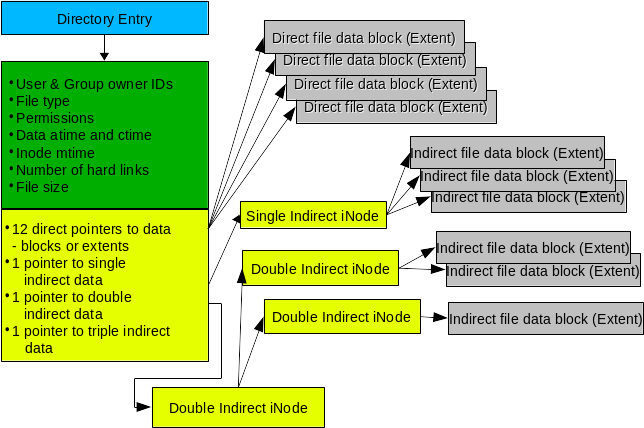
๐Ÿง 3. EXT (Extended File System)

Image
Image
Image
Image
  • Used in Linux
  • Versions: EXT2, EXT3, EXT4

๐ŸŽ 4. APFS (Apple File System)

Image
Image
Image
Image
  • Used in macOS
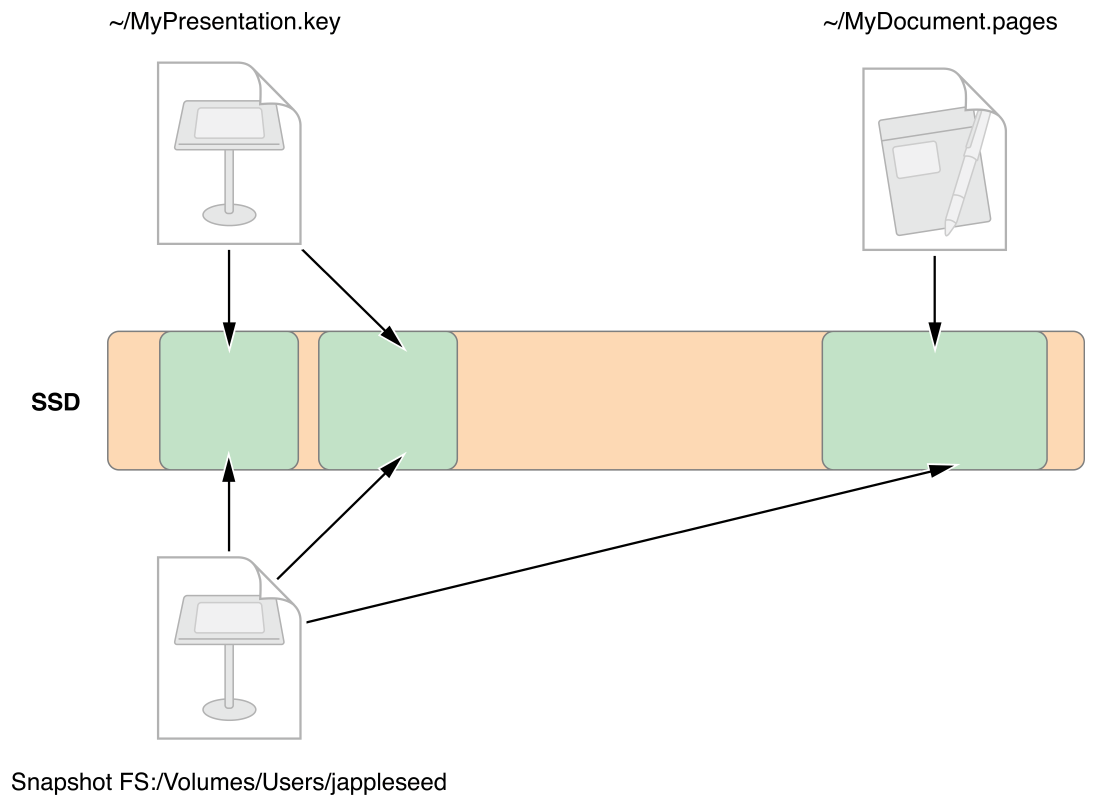
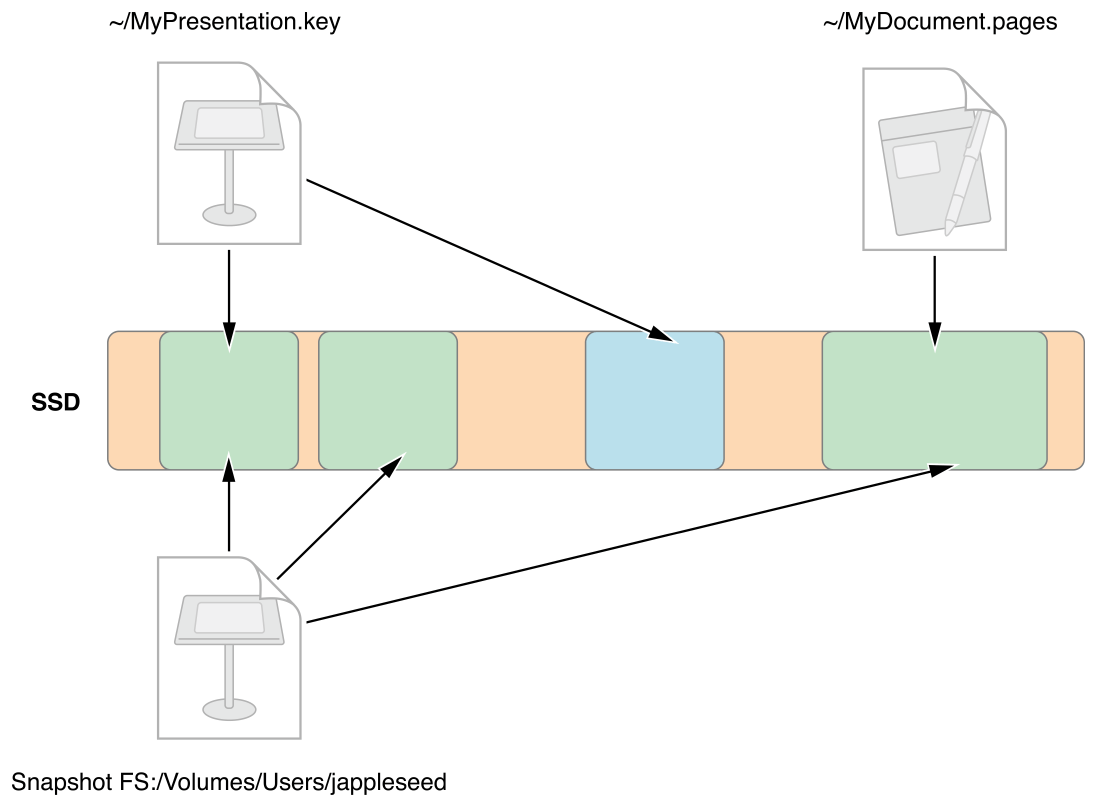
  • Optimized for SSDs
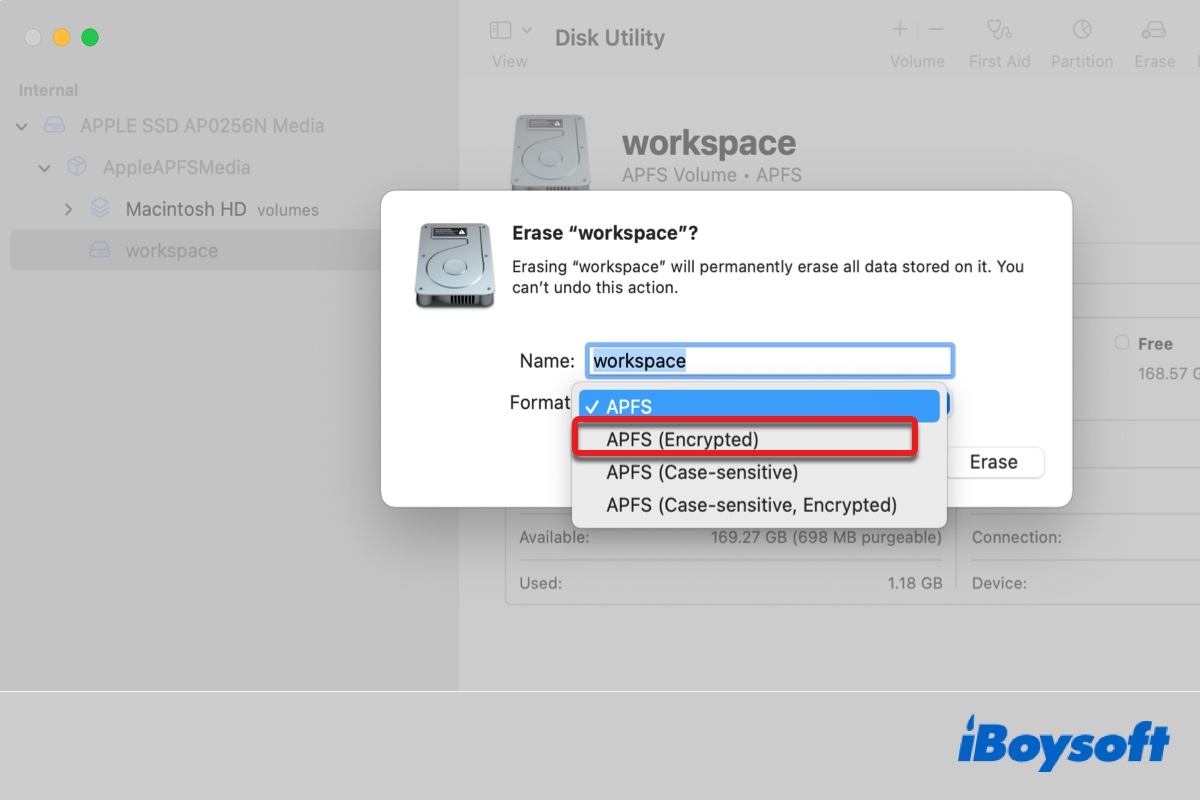
  • Supports encryption

๐ŸŒ 5. Network File Systems

Image
Image
Image
Image
  • NFS
  • SMB
  • Used for shared storage

๐Ÿ” File Permissions and Security


๐Ÿ›ก๏ธ Permissions

Image
Image
Image
Image
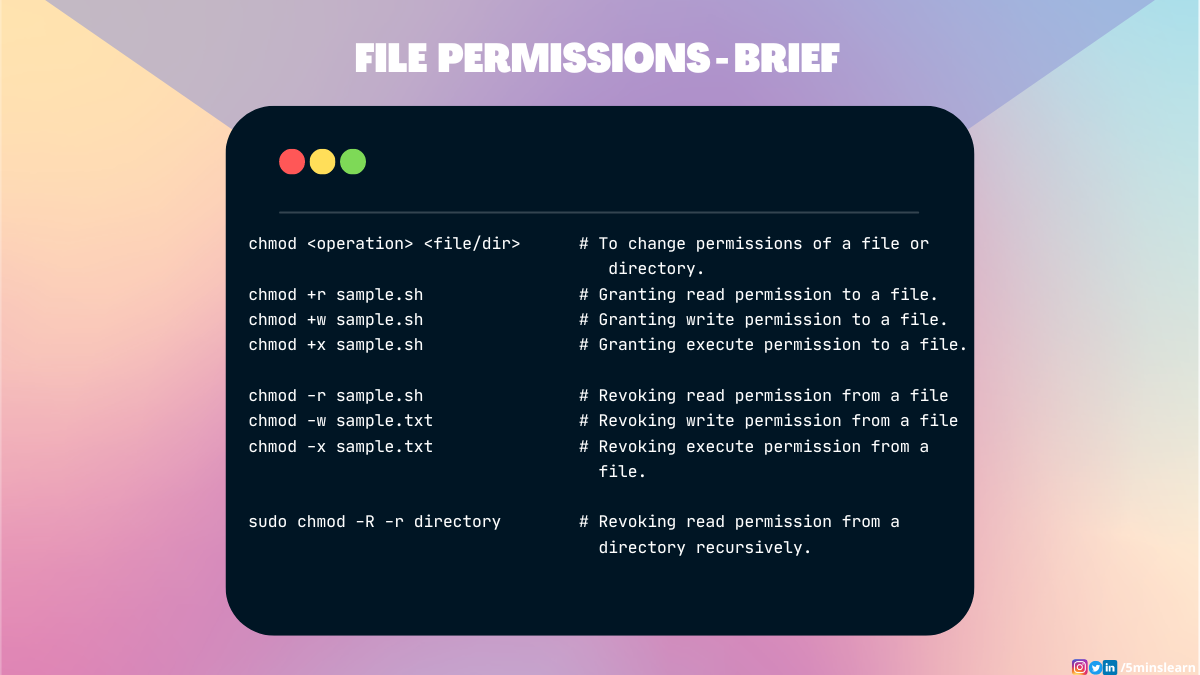
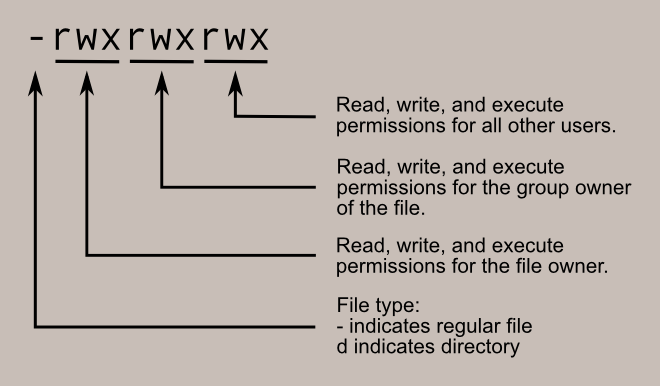
  • Read (r)
  • Write (w)
  • Execute (x)

๐Ÿ” Security Features

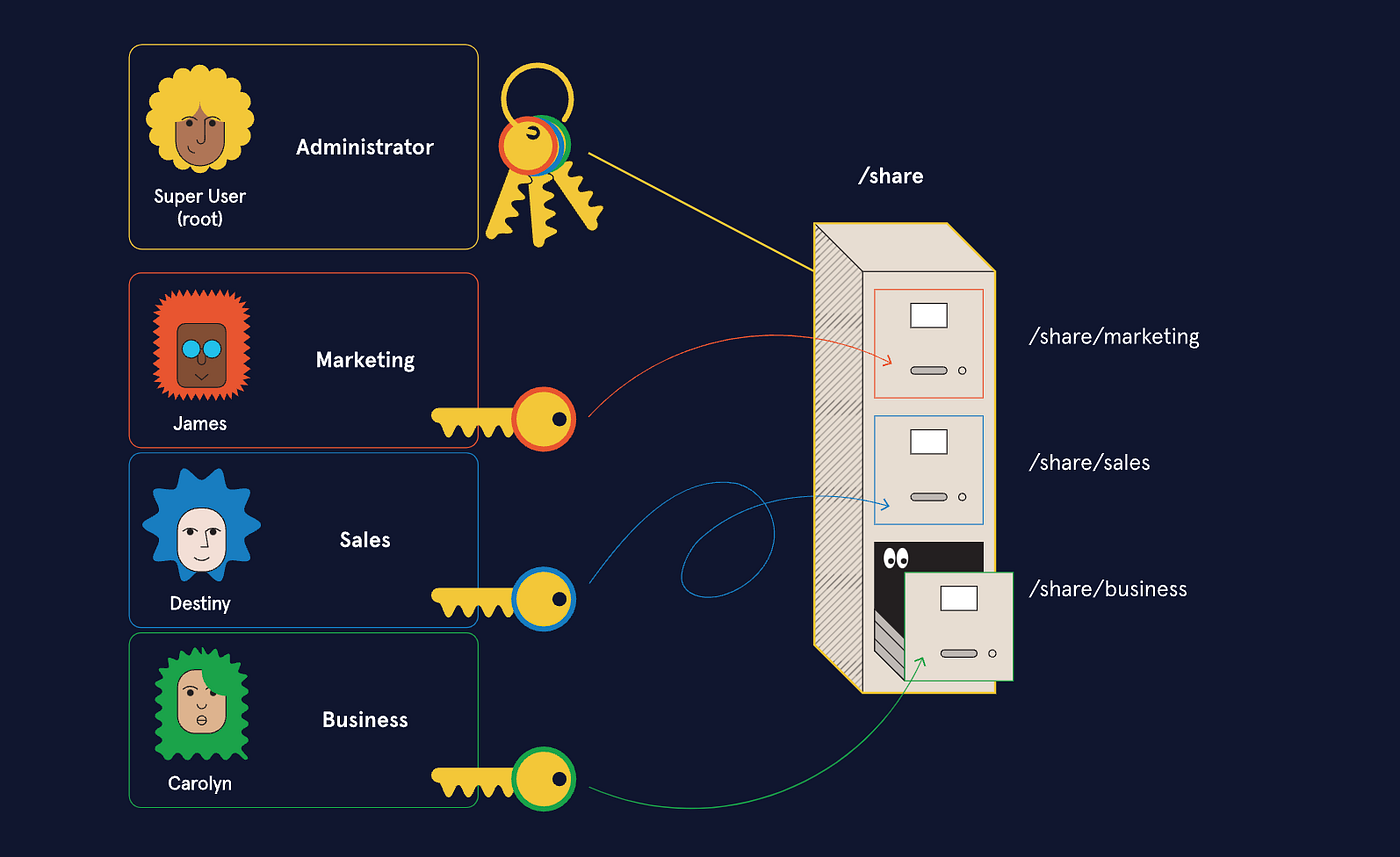
  • Encryption
  • Access control
  • Authentication

๐Ÿ”„ File Operations


๐Ÿ“‚ Common Operations

  • Create
  • Open
  • Read
  • Write
  • Delete

โš™๏ธ Journaling File Systems


๐Ÿง  Concept

Image
Image
Image
Image
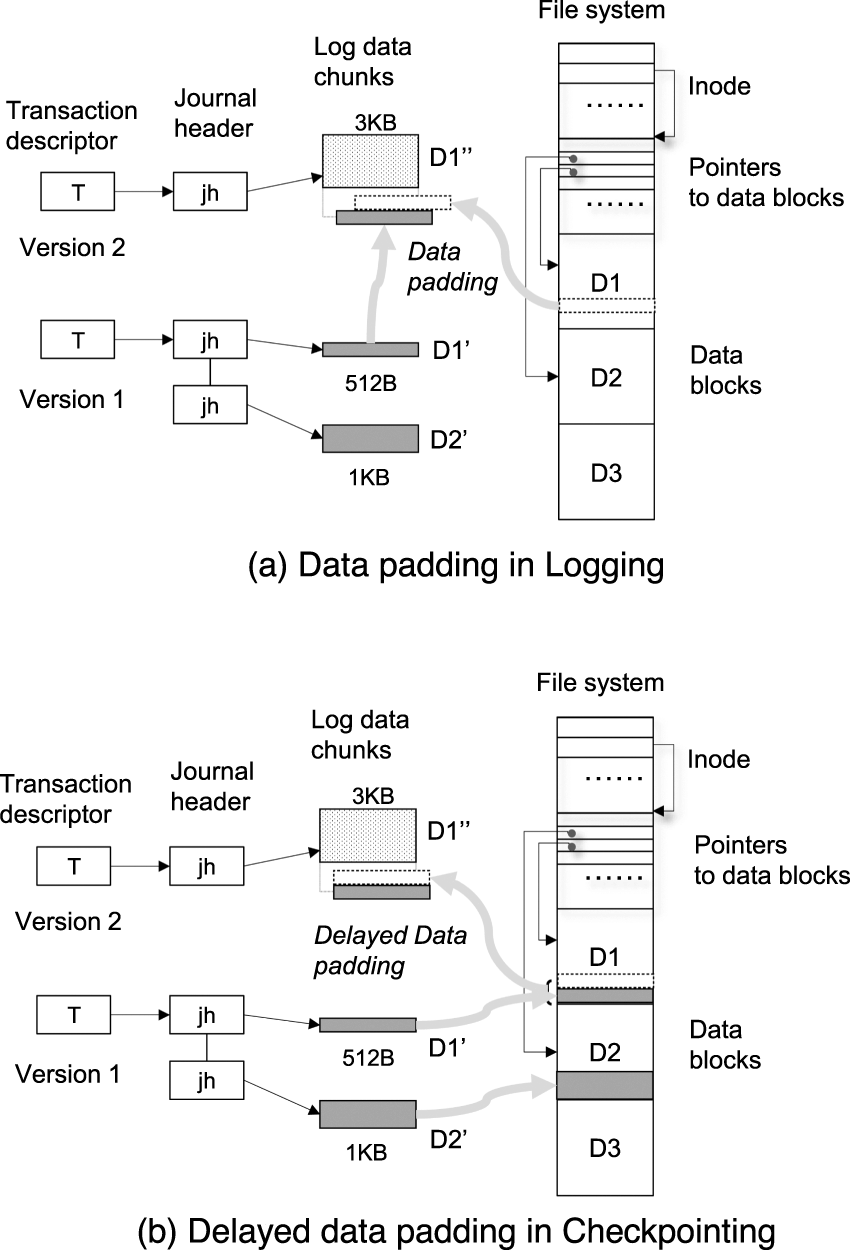
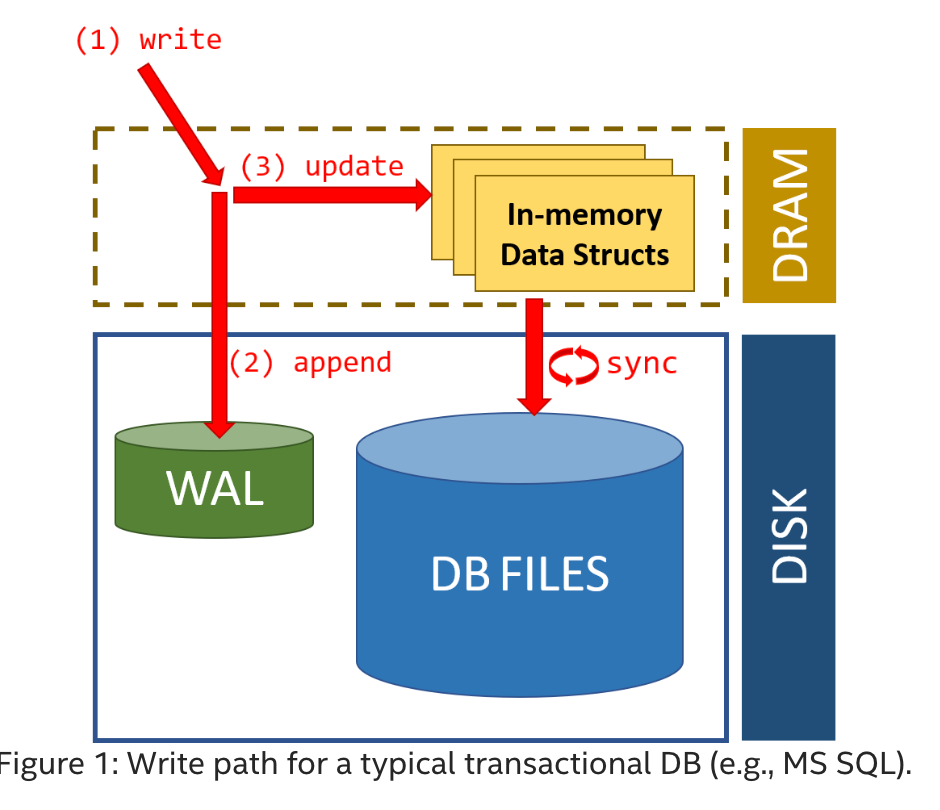
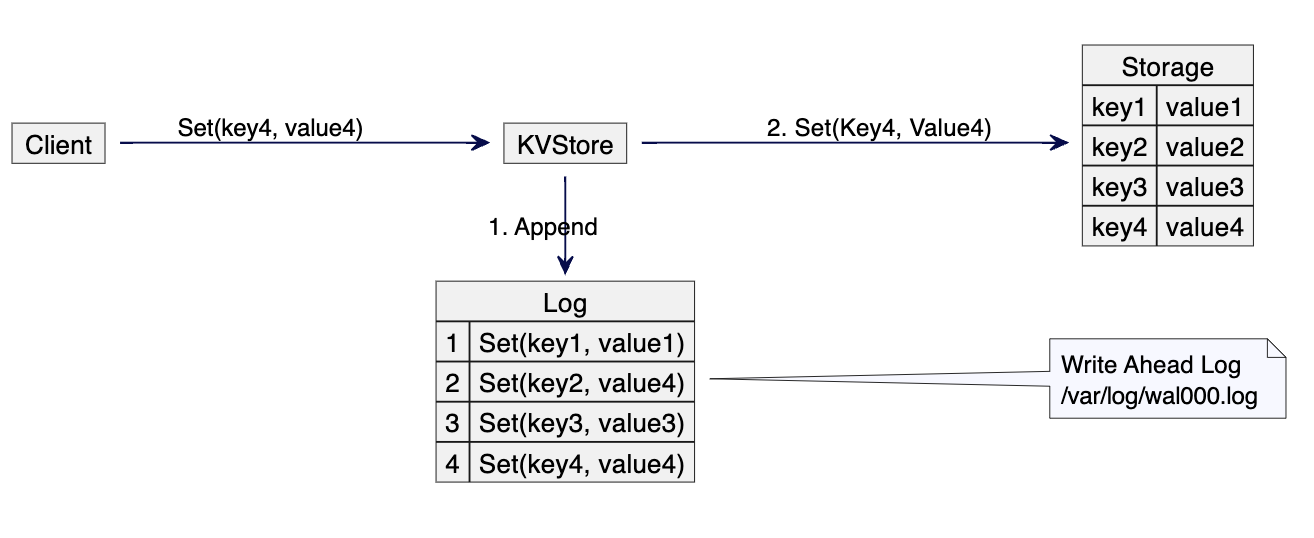
  • Keeps a log of changes
  • Improves reliability

๐Ÿง  Virtual File Systems


๐ŸŒ Concept

  • Abstract layer over file systems
  • Provides uniform interface

๐Ÿ“ฆ File Compression


๐Ÿ—œ๏ธ Types:

  • Lossless
  • Lossy

Used to save space.


โšก Performance Factors

  • Disk speed
  • File system type
  • Fragmentation
  • Caching

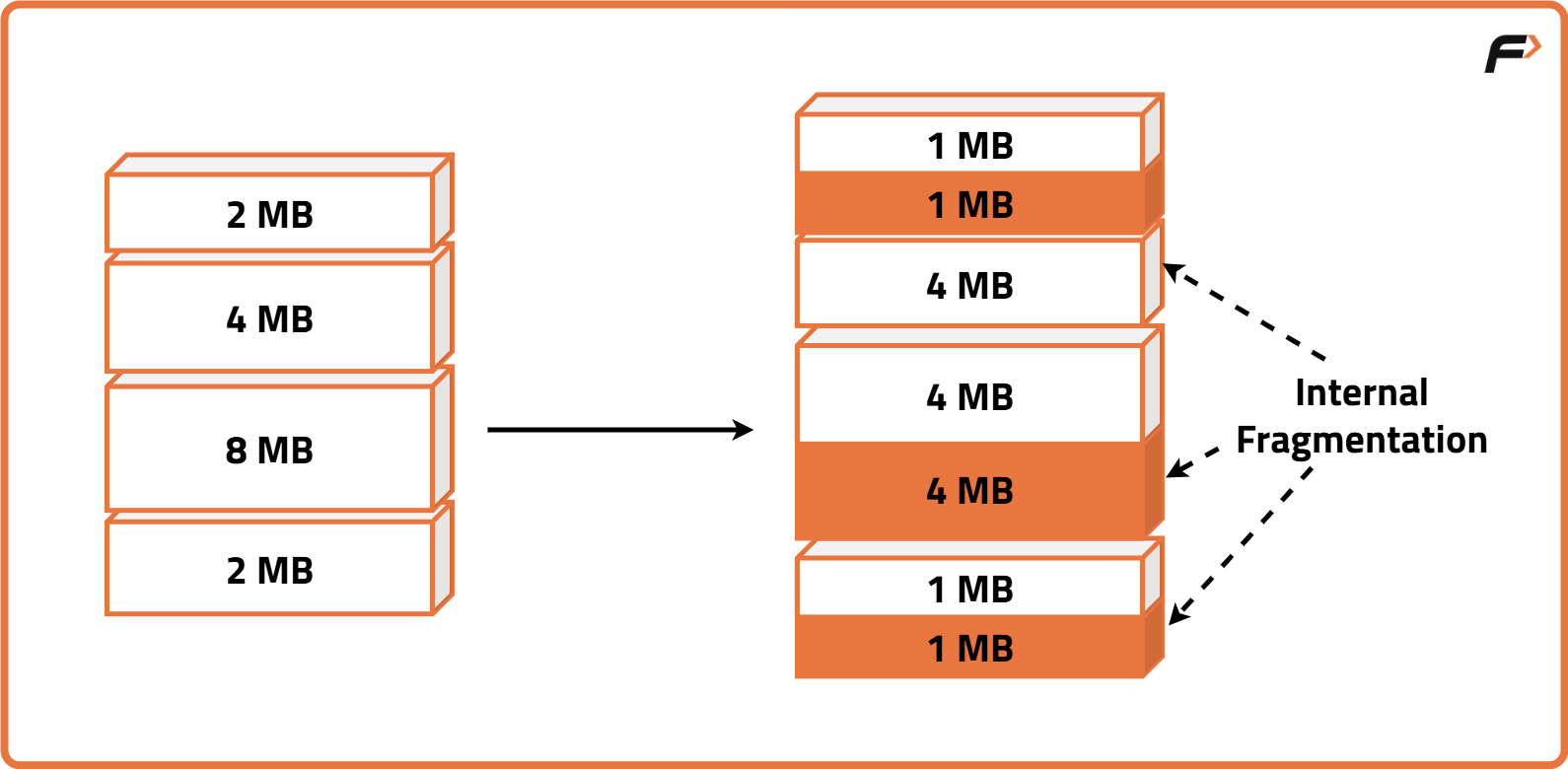
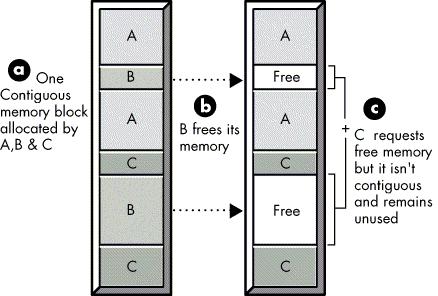
โš ๏ธ Fragmentation


๐Ÿงฉ Types:

Image
Image
Image
Image
  • Internal fragmentation
  • External fragmentation

๐Ÿ”„ File System vs Database

FeatureFile SystemDatabase
StructureSimpleComplex
RedundancyHighLow
SecurityBasicAdvanced

๐Ÿง  Modern File System Trends

Image
Image
Image
Image
  • Cloud storage systems
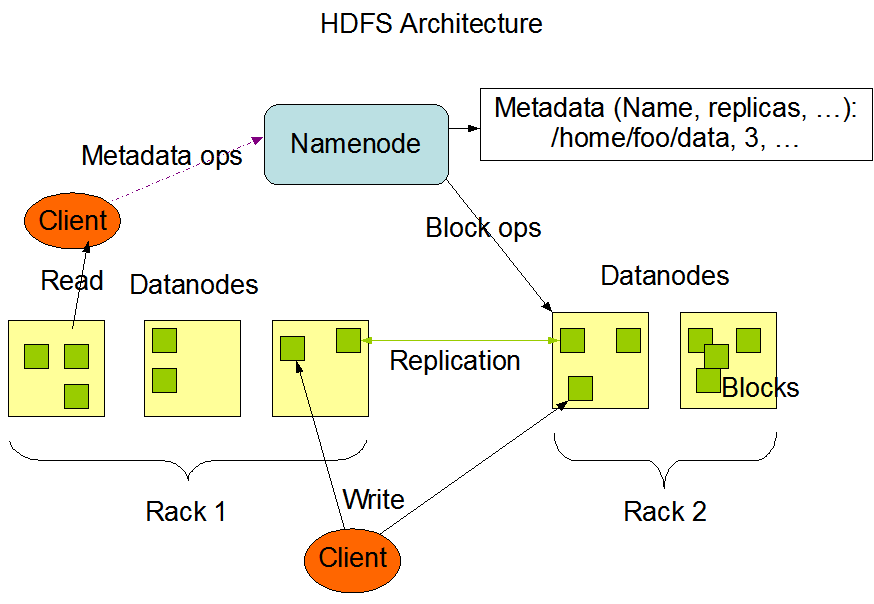
  • Distributed file systems (HDFS)
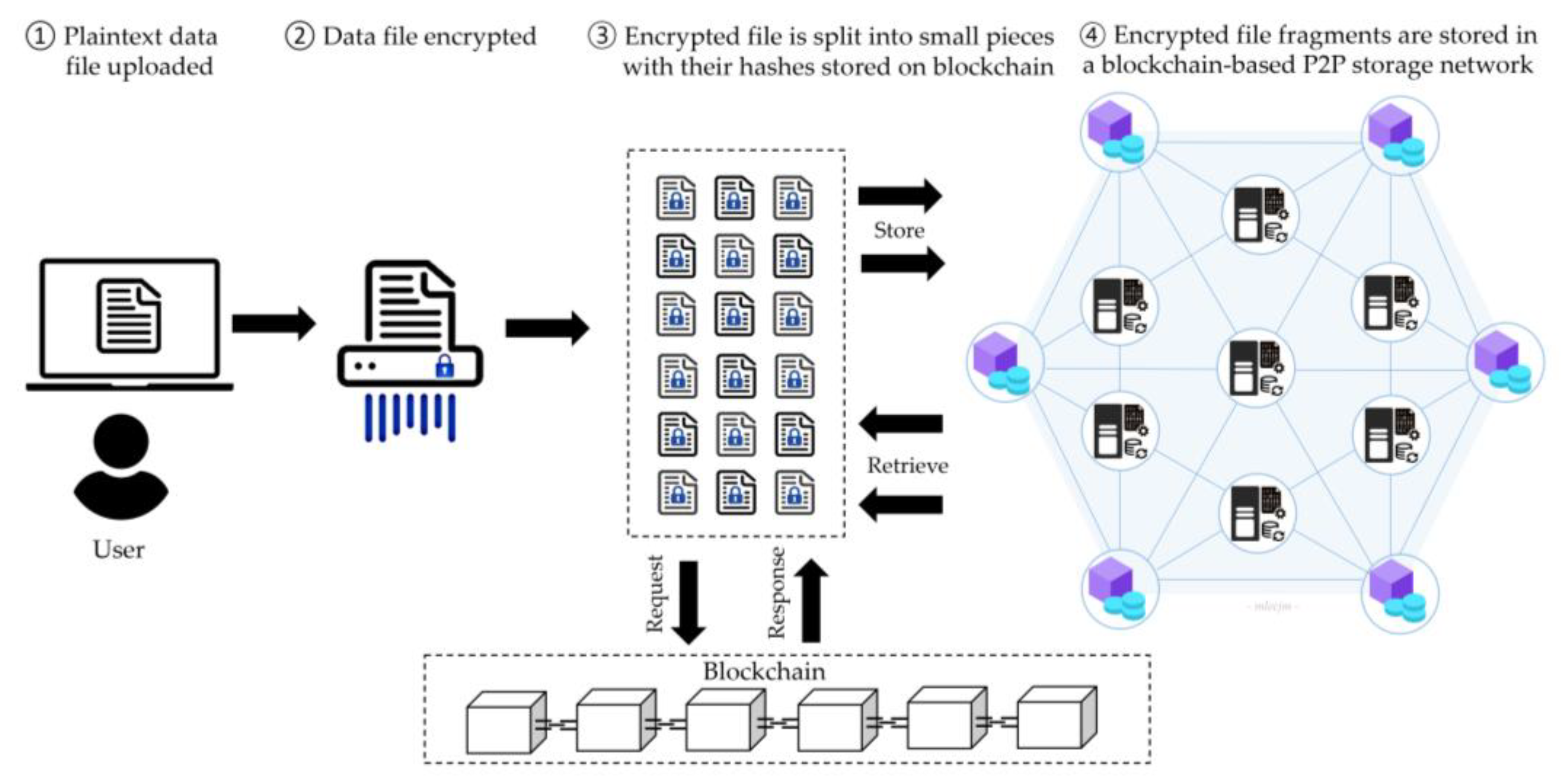
  • Blockchain-based storage
  • SSD-optimized file systems

โšก Advantages of File Systems

  • Organized storage
  • Efficient access
  • Security and control
  • Data integrity

โš ๏ธ Limitations

  • Fragmentation
  • Complexity
  • Performance issues

๐Ÿง  Conclusion

File systems are essential for managing data in modern computing. They:

  • Organize information
  • Enable efficient storage and retrieval
  • Provide security and reliability

Understanding file systems is crucial for:

  • Operating systems
  • Database management
  • Cloud computing
  • Cybersecurity

๐Ÿท๏ธ Tags