Category Archives: Technology and Computing

🐍 Python Programming – Complete Detailed Guide (with Software Development Language Context)


🌐 Introduction to Python Programming
Image
Image
Image
Image

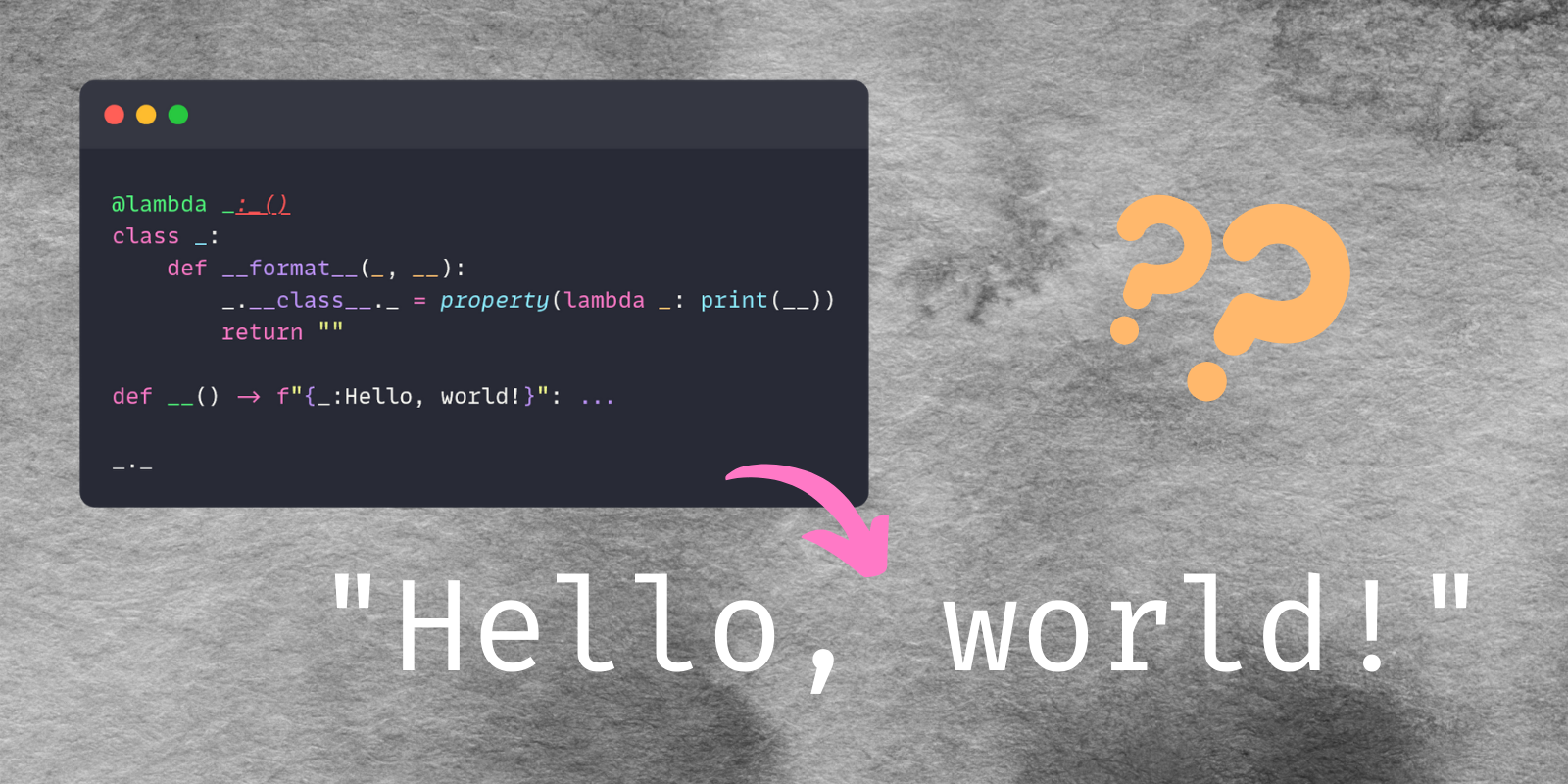
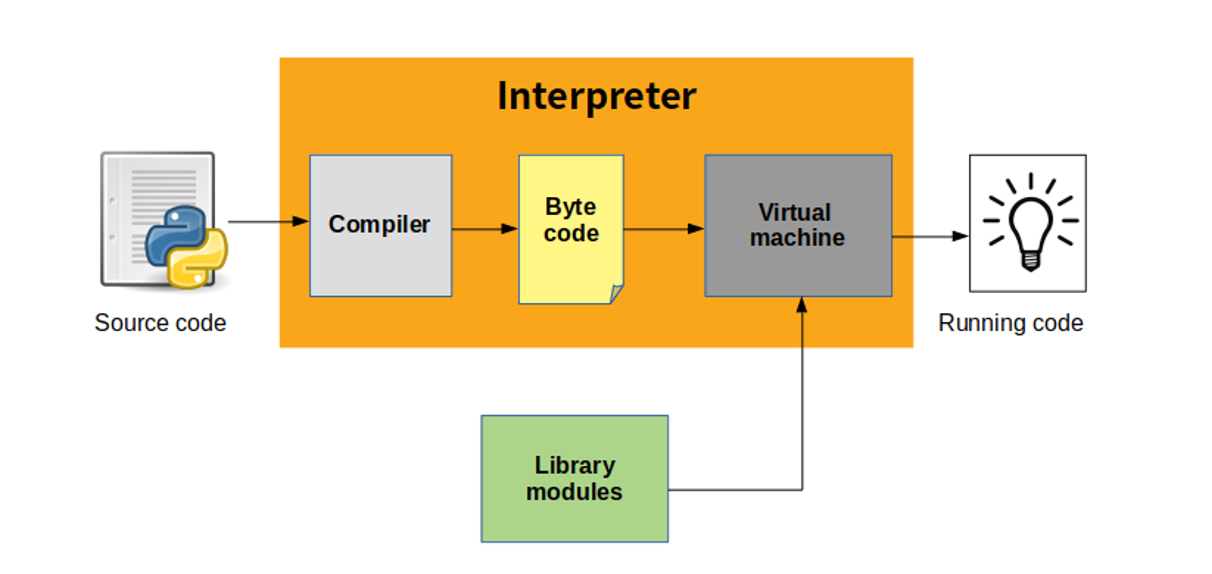
Python is a high-level, interpreted, general-purpose programming language known for its simplicity, readability, and versatility. It is one of the most popular languages in the world and widely used across industries.

In simple terms:

Python = easy-to-learn, powerful language for almost everything

Python supports multiple programming paradigms:

  • Procedural
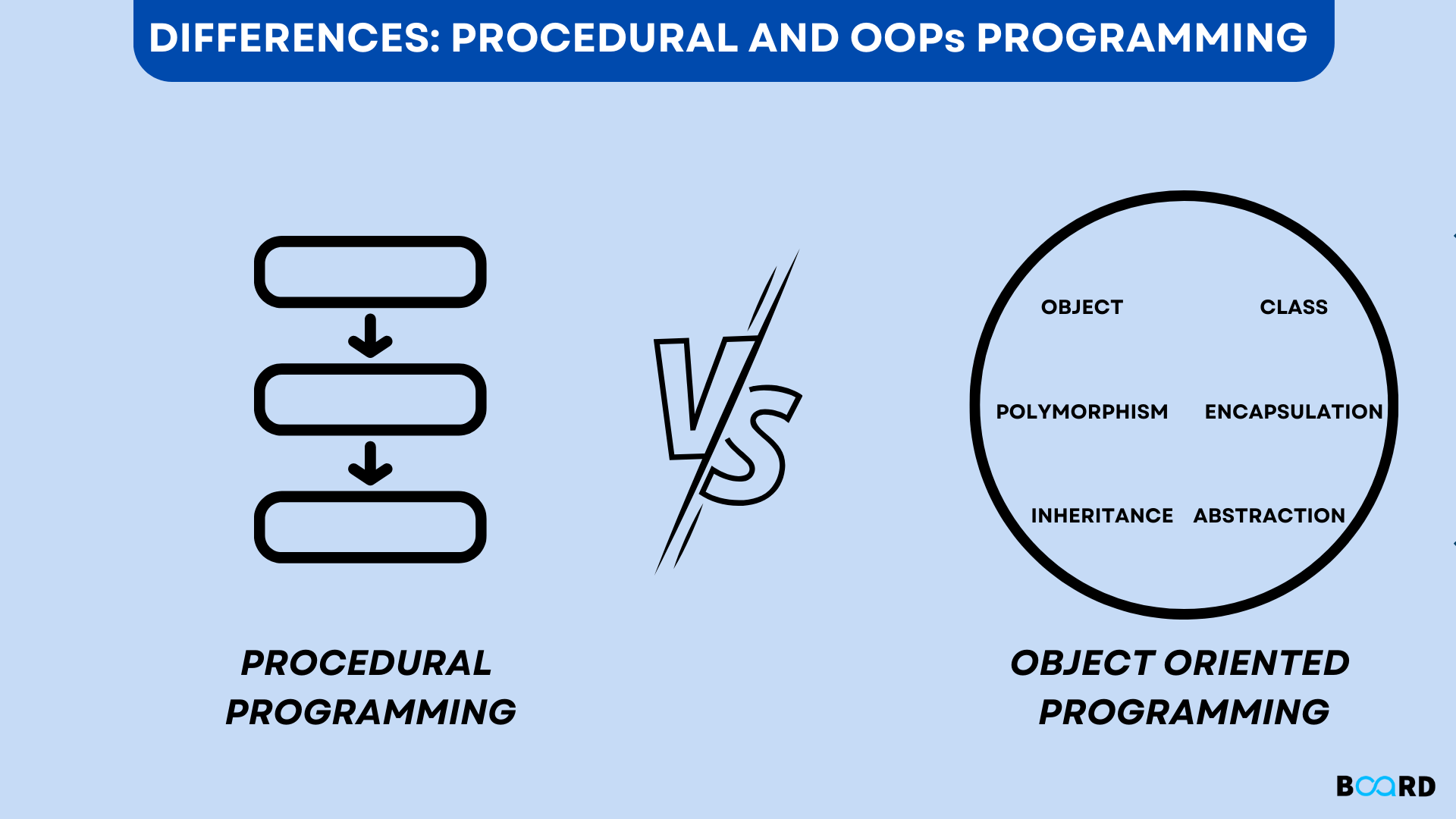
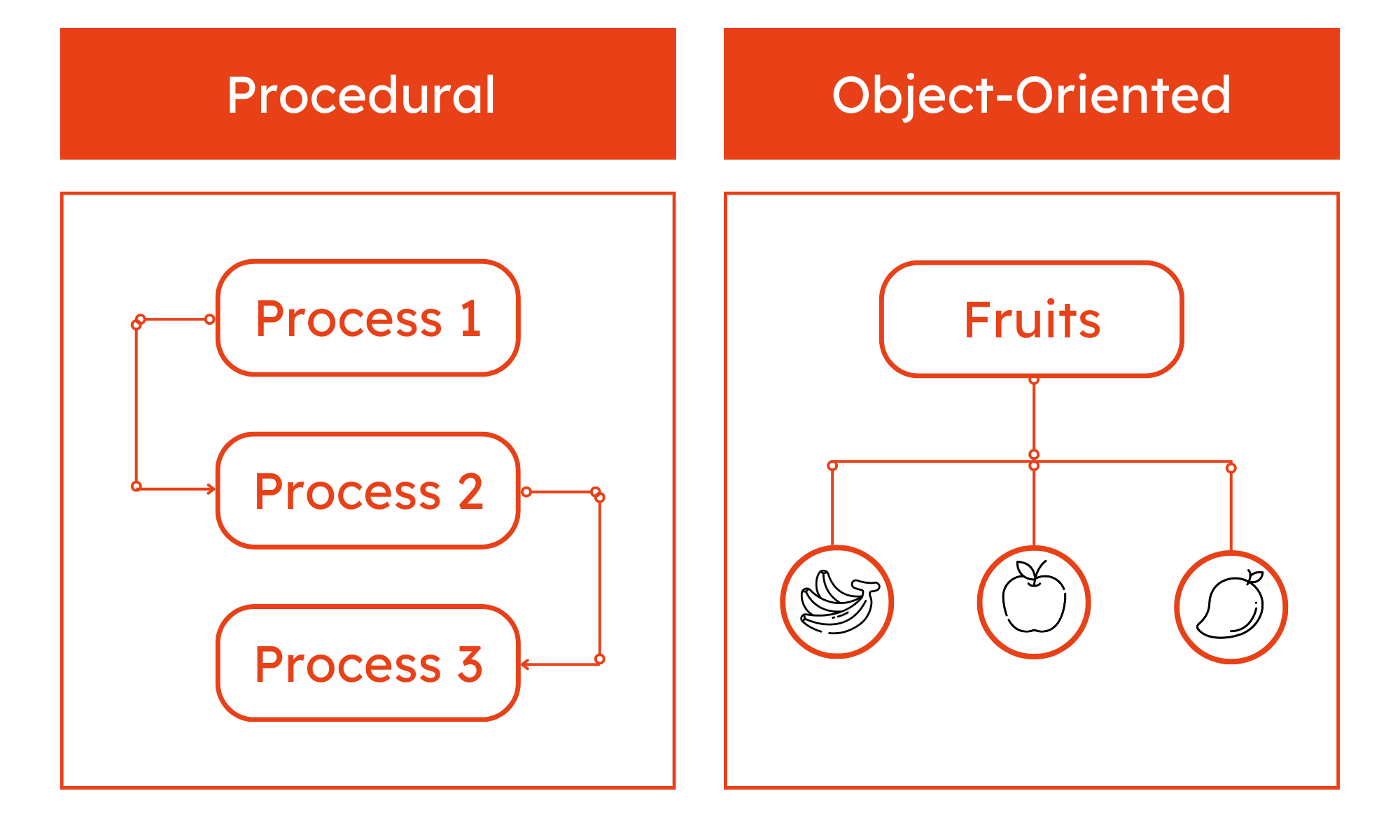
  • Object-Oriented
  • Functional

🧠 Importance of Python

  • Beginner-friendly syntax
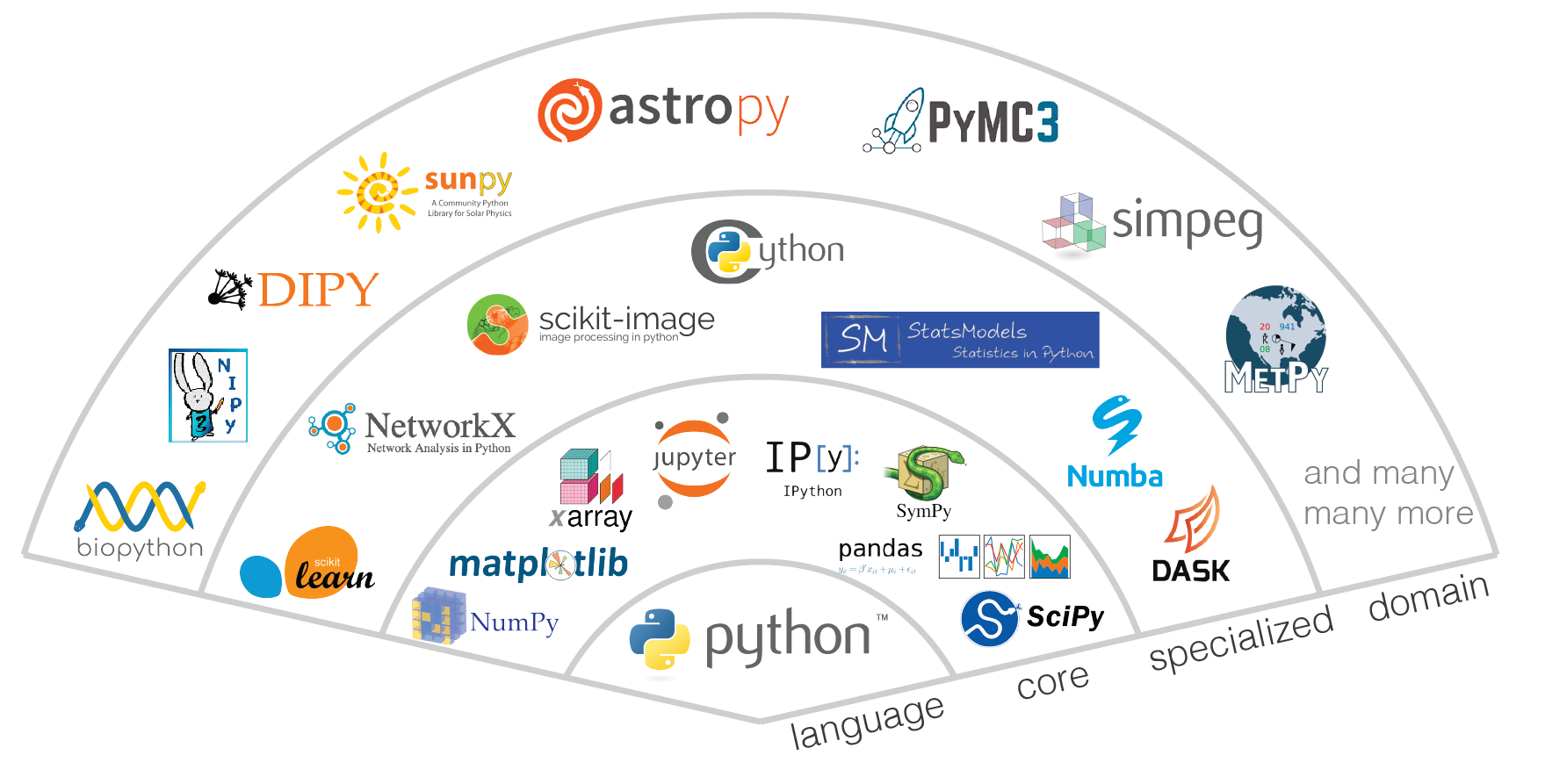
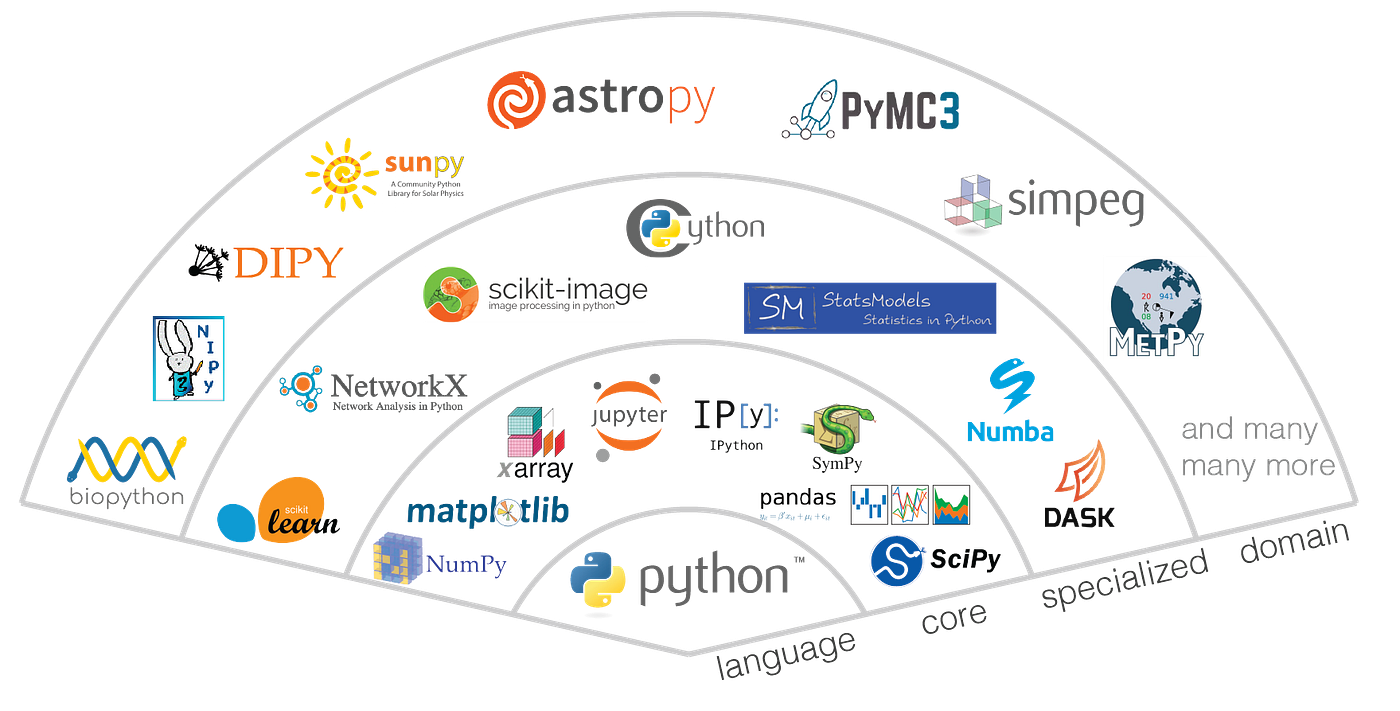
  • Massive ecosystem of libraries
  • Used in AI, Data Science, Web Development
  • Cross-platform compatibility
  • Rapid development and prototyping

🧩 Basic Structure of a Python Program


📄 Example Program

print("Hello, World!")

🧠 Key Features:

Image
Image
Image
Image
  • No need for semicolons
  • Indentation-based syntax
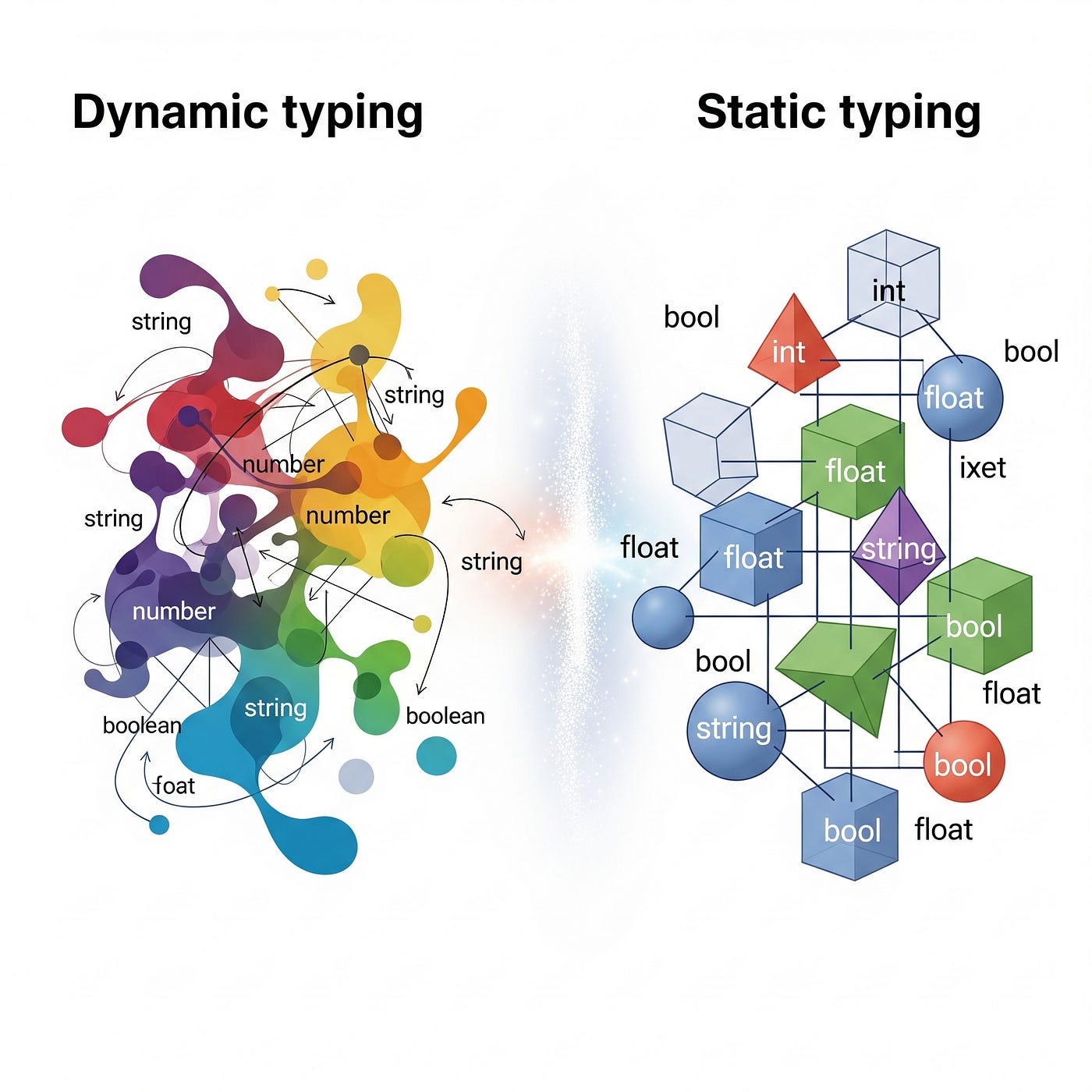
  • Dynamic typing
  • Interpreted execution

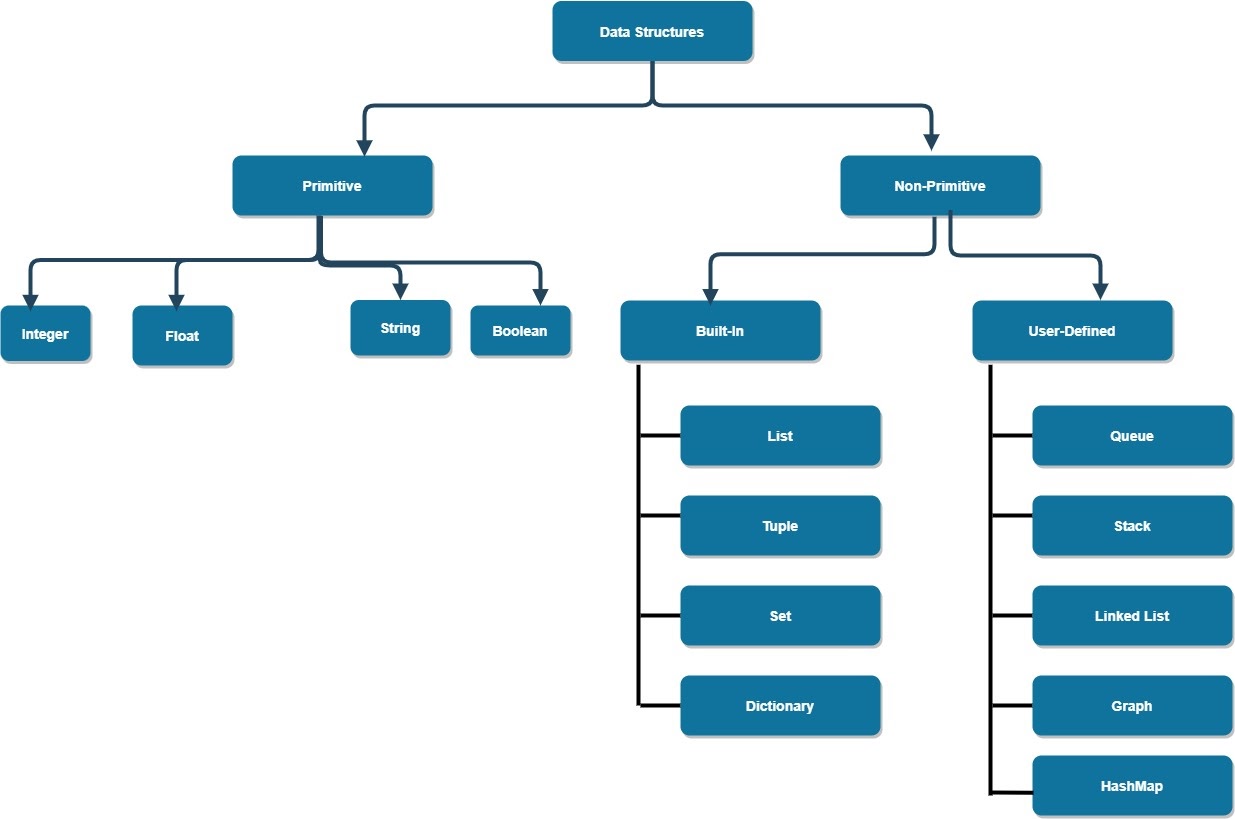
⚙️ Data Types in Python


🔢 Basic Data Types
Image
Image
Image
Image
TypeExample
int10
float3.14
str“Hello”
boolTrue

🧩 Complex Data Types

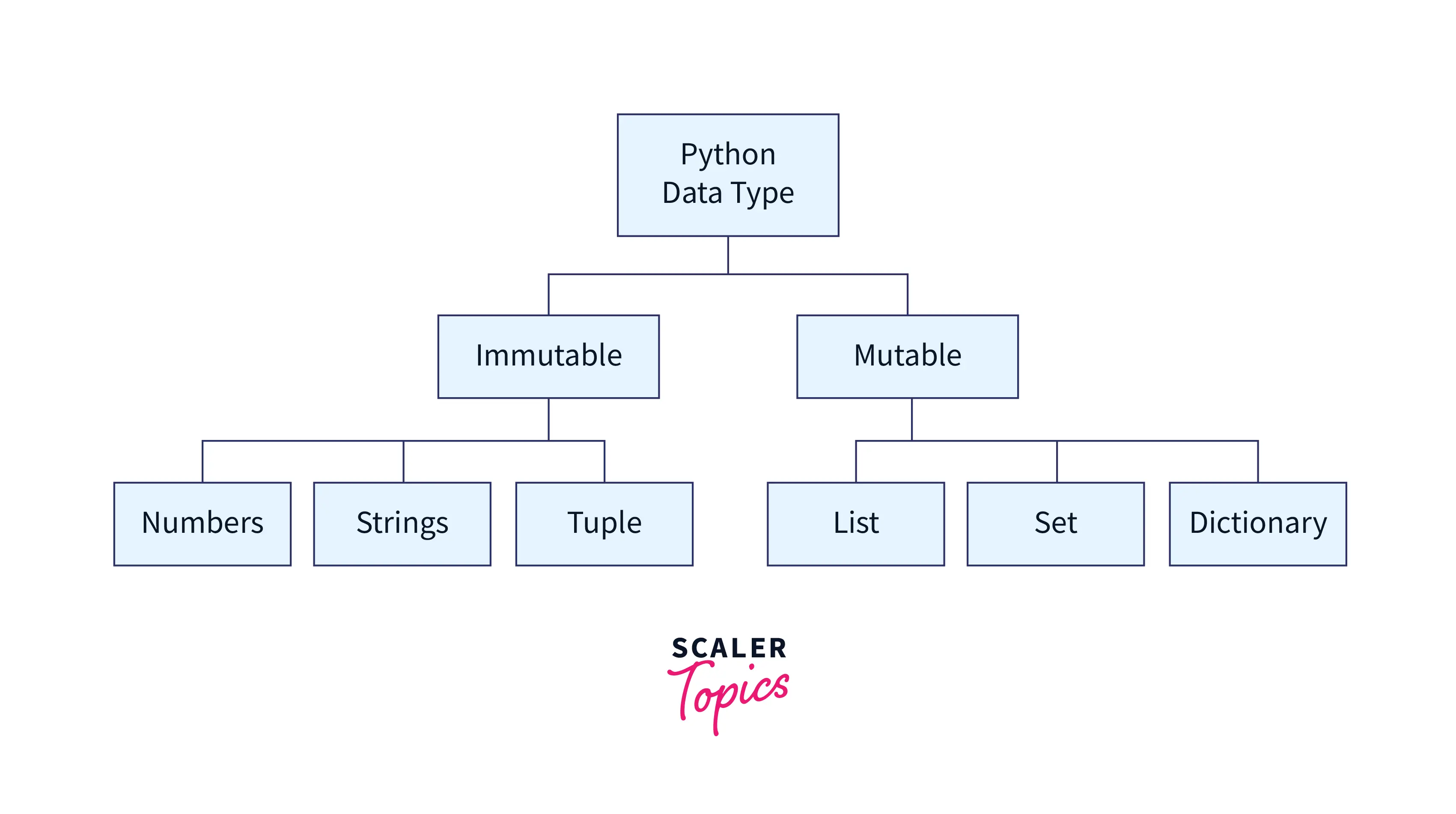
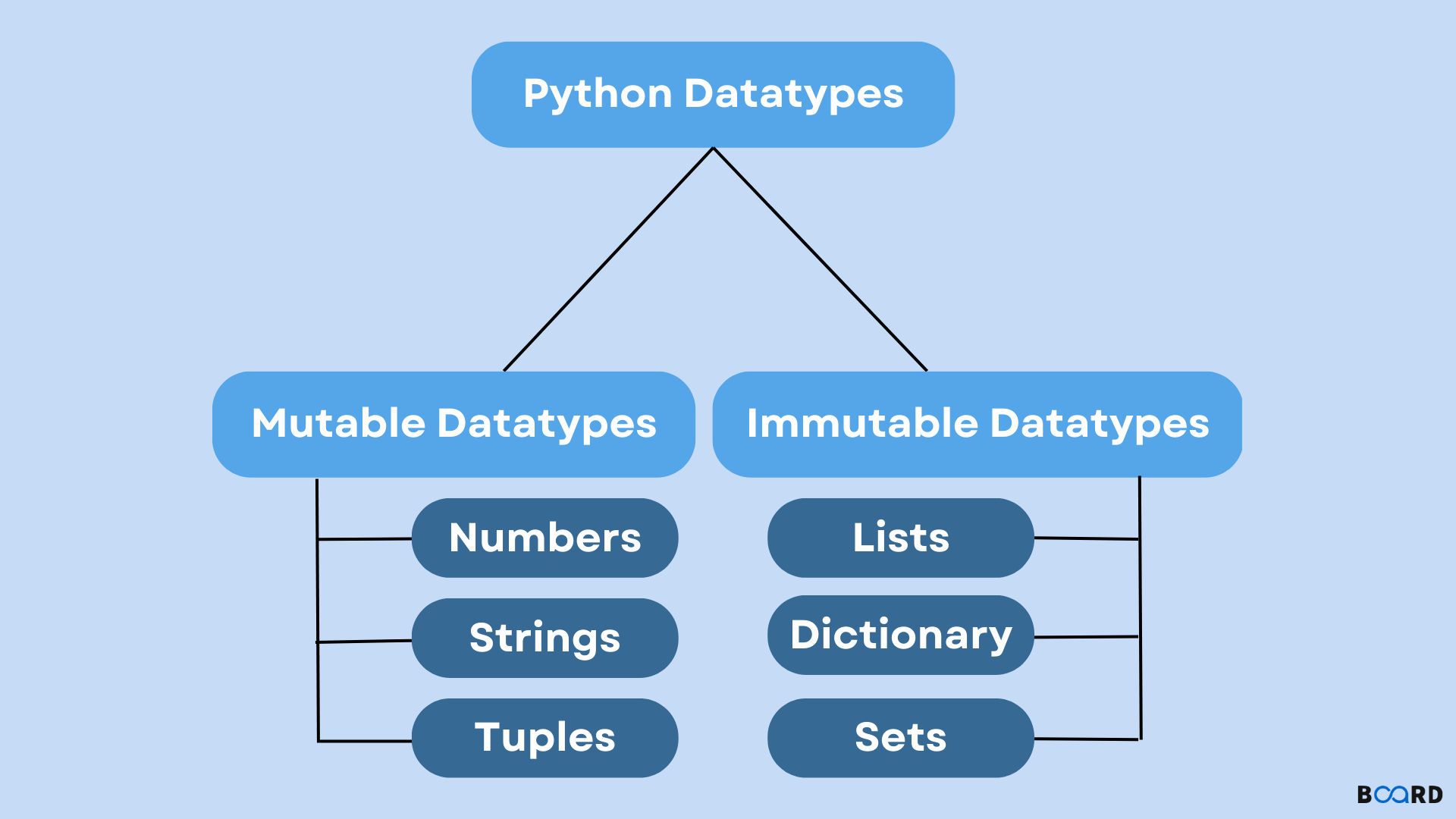
  • List
  • Tuple
  • Dictionary
  • Set

🔤 Variables and Constants


📌 Variables

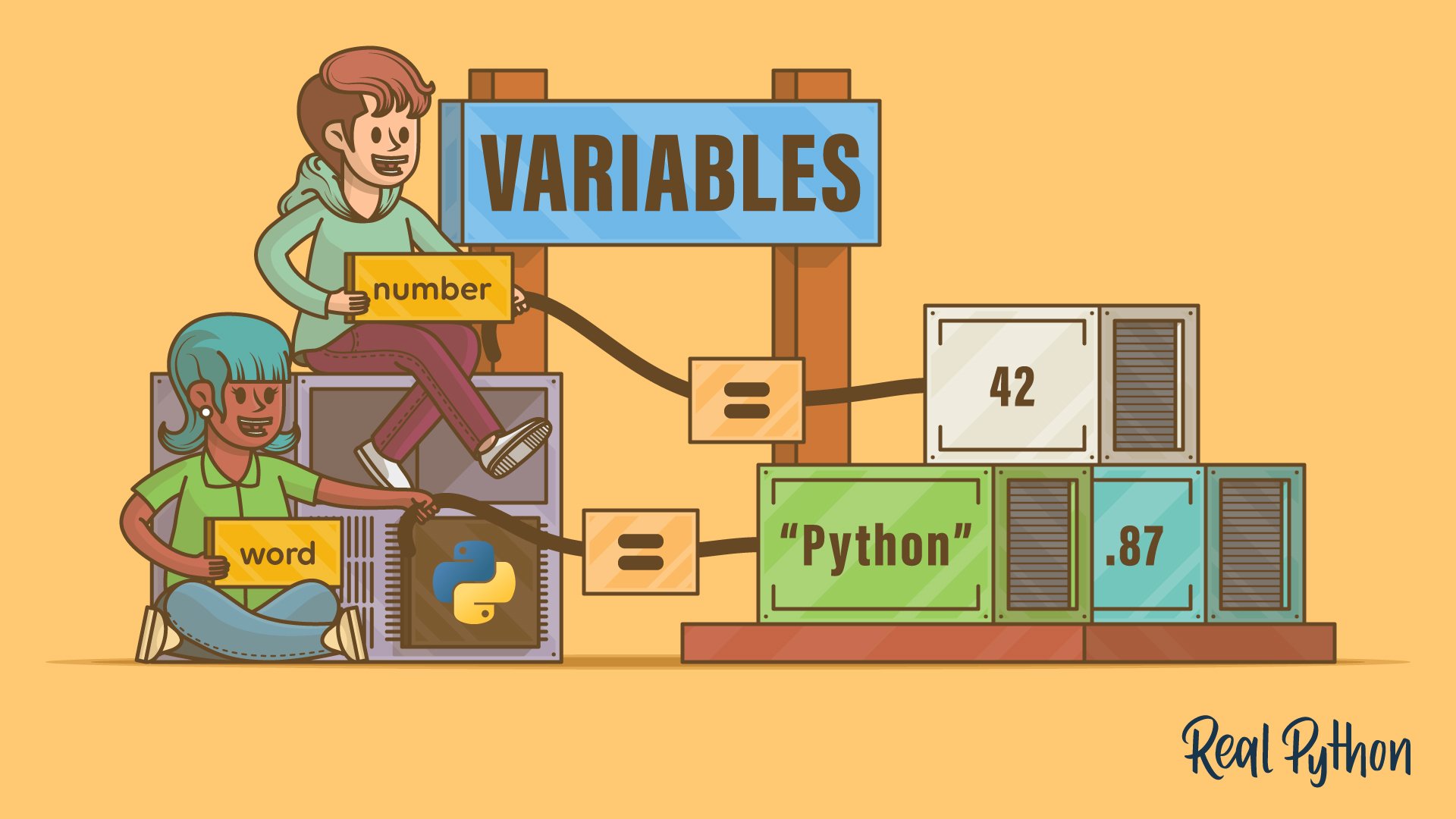
x = 10
name = "Python"

🔒 Constants

Python uses naming conventions:

PI = 3.14

⚙️ Operators in Python


🔢 Types:

  • Arithmetic (+, -, *, /)
  • Relational (==, >, <)
  • Logical (and, or, not)
  • Assignment (=, +=)

🔄 Control Structures


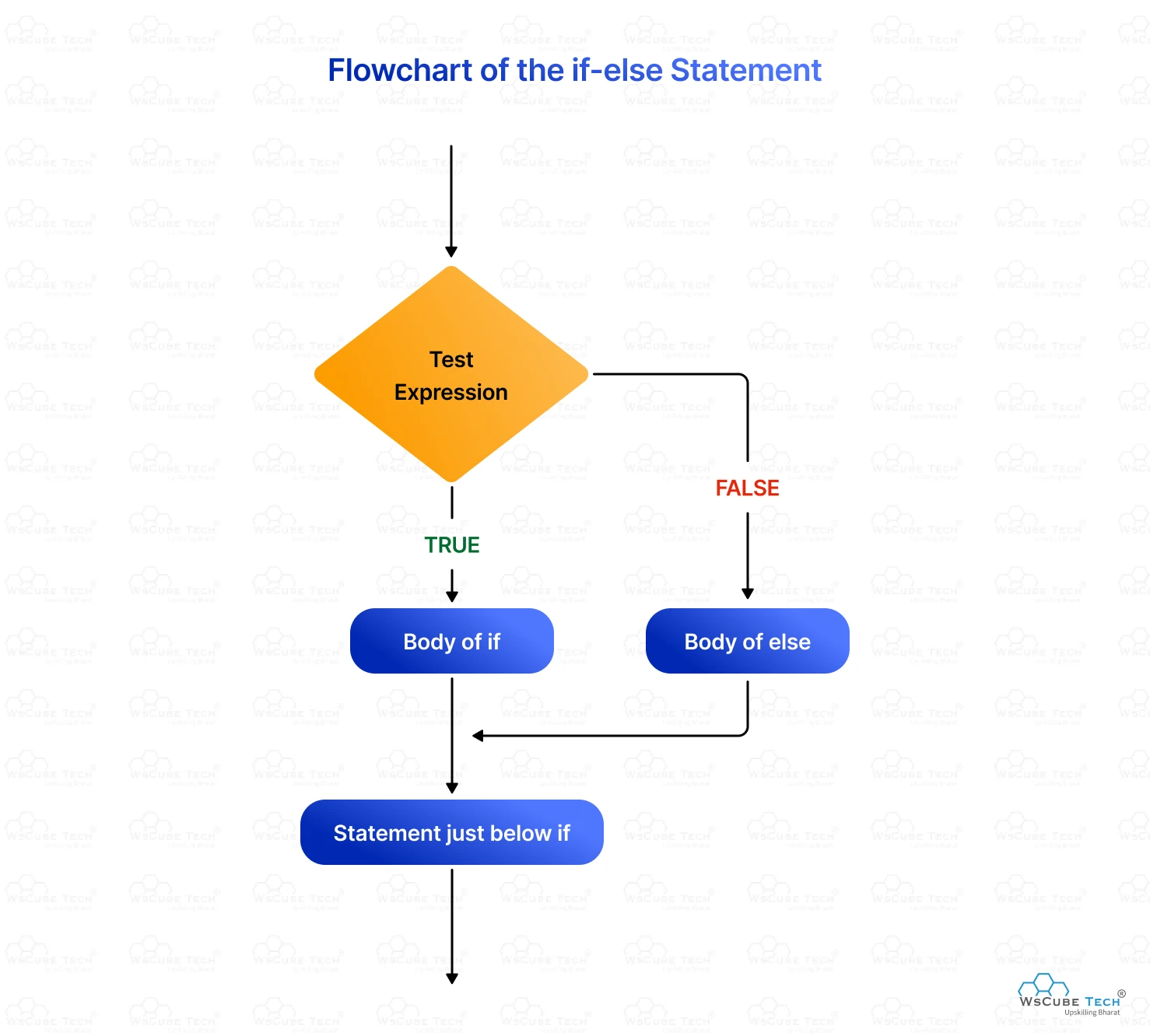
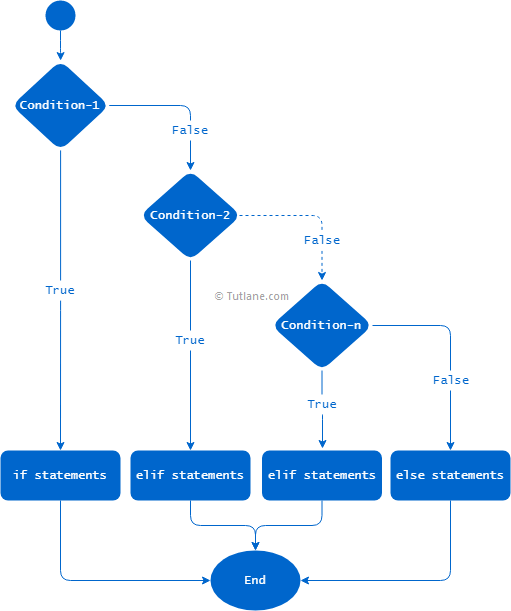
🔀 Conditional Statements
Image
Image
Image
Image
if x > 0:
    print("Positive")

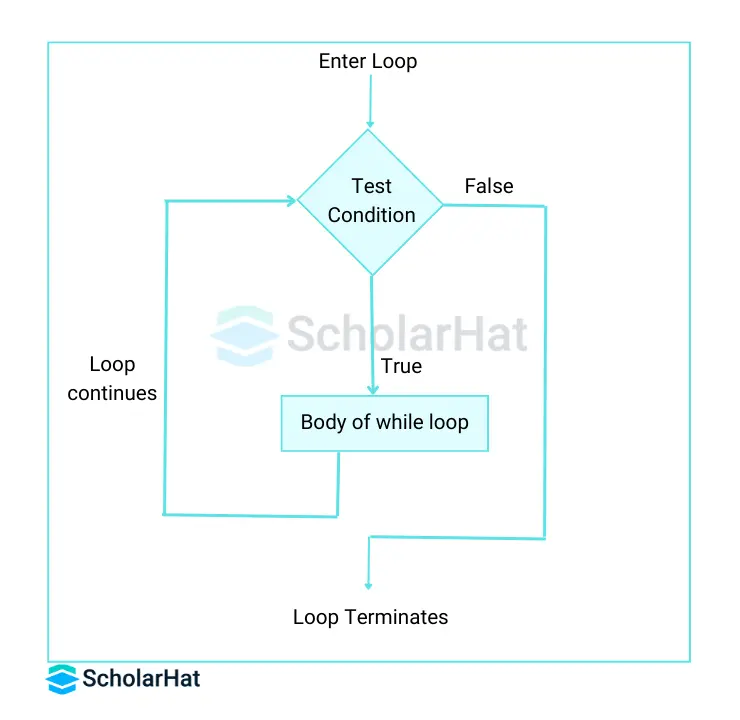
🔁 Loops
Image
Image
Image
Image
  • for loop
  • while loop

🧠 Functions in Python


📌 Definition

def add(a, b):
    return a + b

⚙️ Features:

  • Default arguments
  • Keyword arguments
  • Lambda functions

🧩 Data Structures in Python


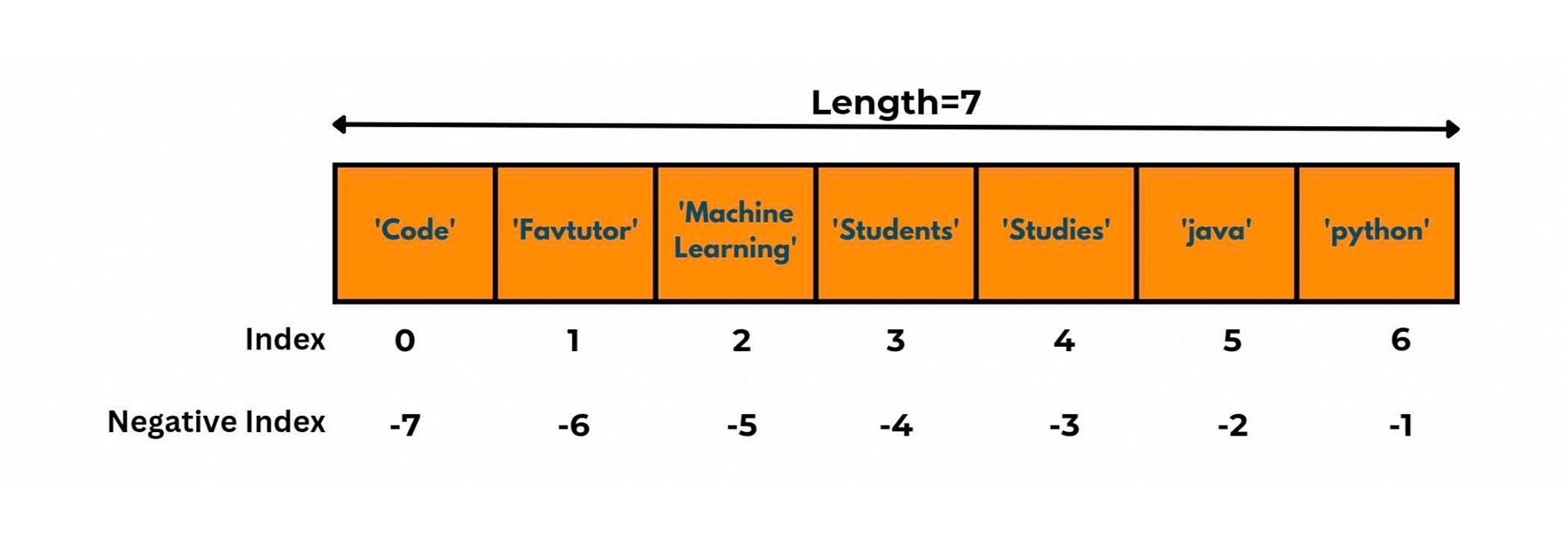
📦 Lists
Image
Image
Image
Image
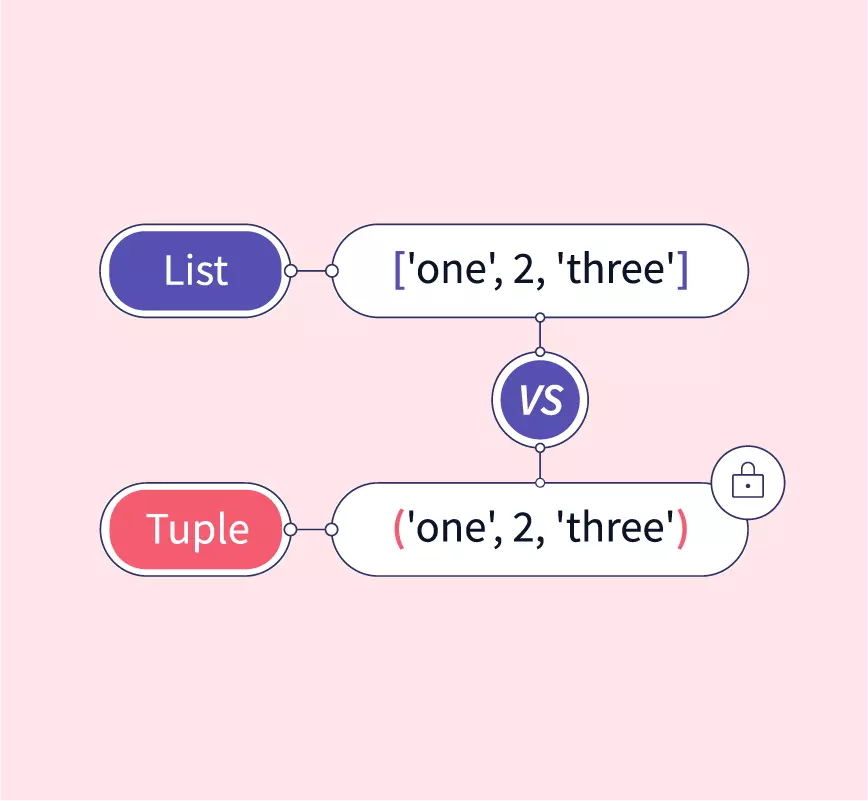
  • Ordered, mutable

🔒 Tuples

Image
Image
Image
Image
  • Ordered, immutable

📚 Dictionaries

Image
Image
Image
Image
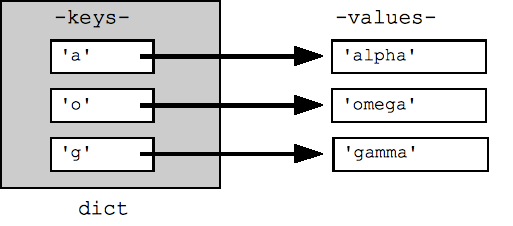
  • Key-value pairs

🔗 Sets

Image
Image
Image
Image
  • Unique elements

🔤 Strings in Python


📌 Features

Image
Image
Image
Image
  • Immutable
  • Supports slicing

🔹 Example:

text = "Hello"
print(text[0])

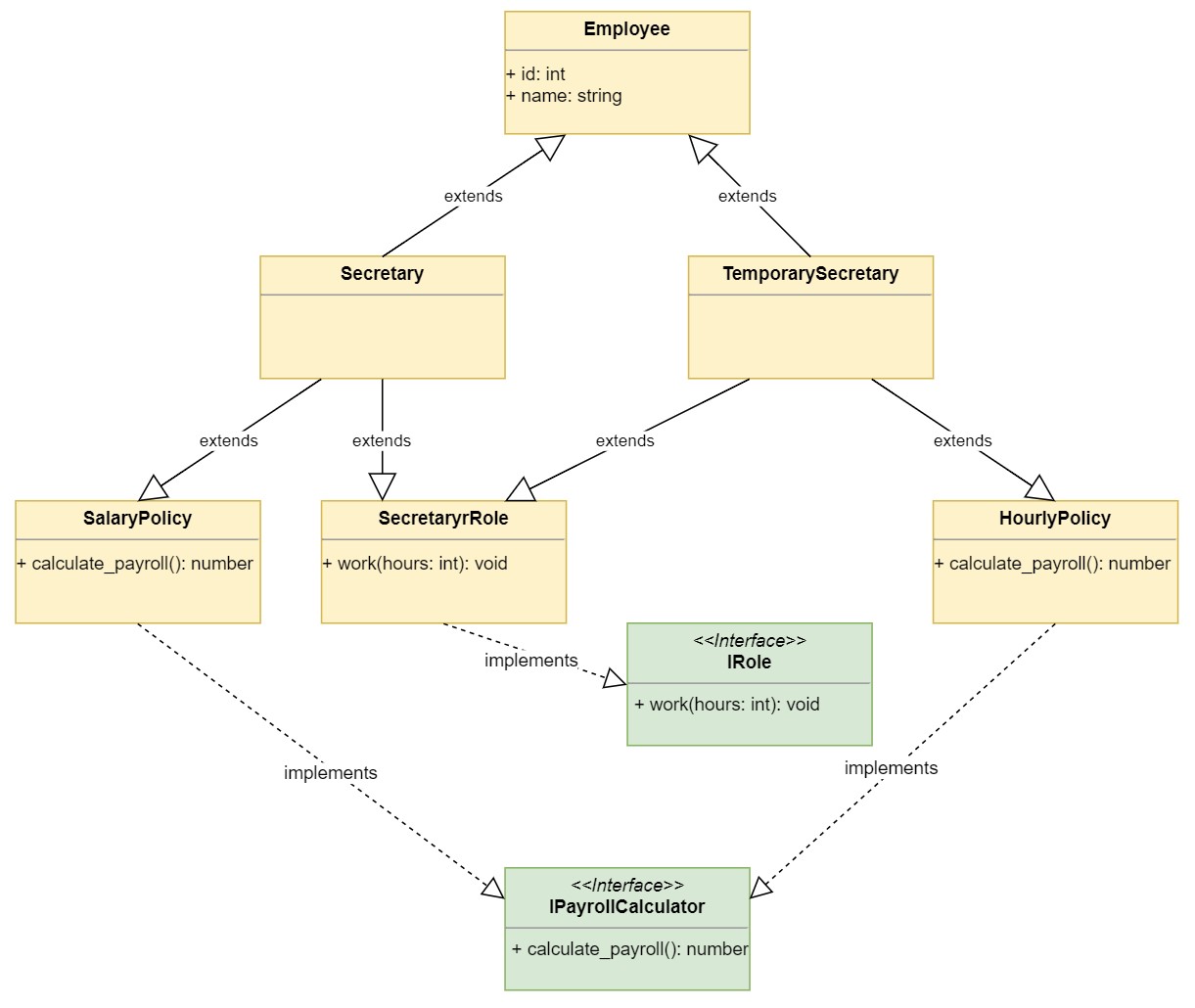
🧠 Object-Oriented Programming in Python


🧩 Concepts
Image
Image
Image
Image

🔹 Class Example

class Car:
    def __init__(self, speed):
        self.speed = speed

💾 File Handling


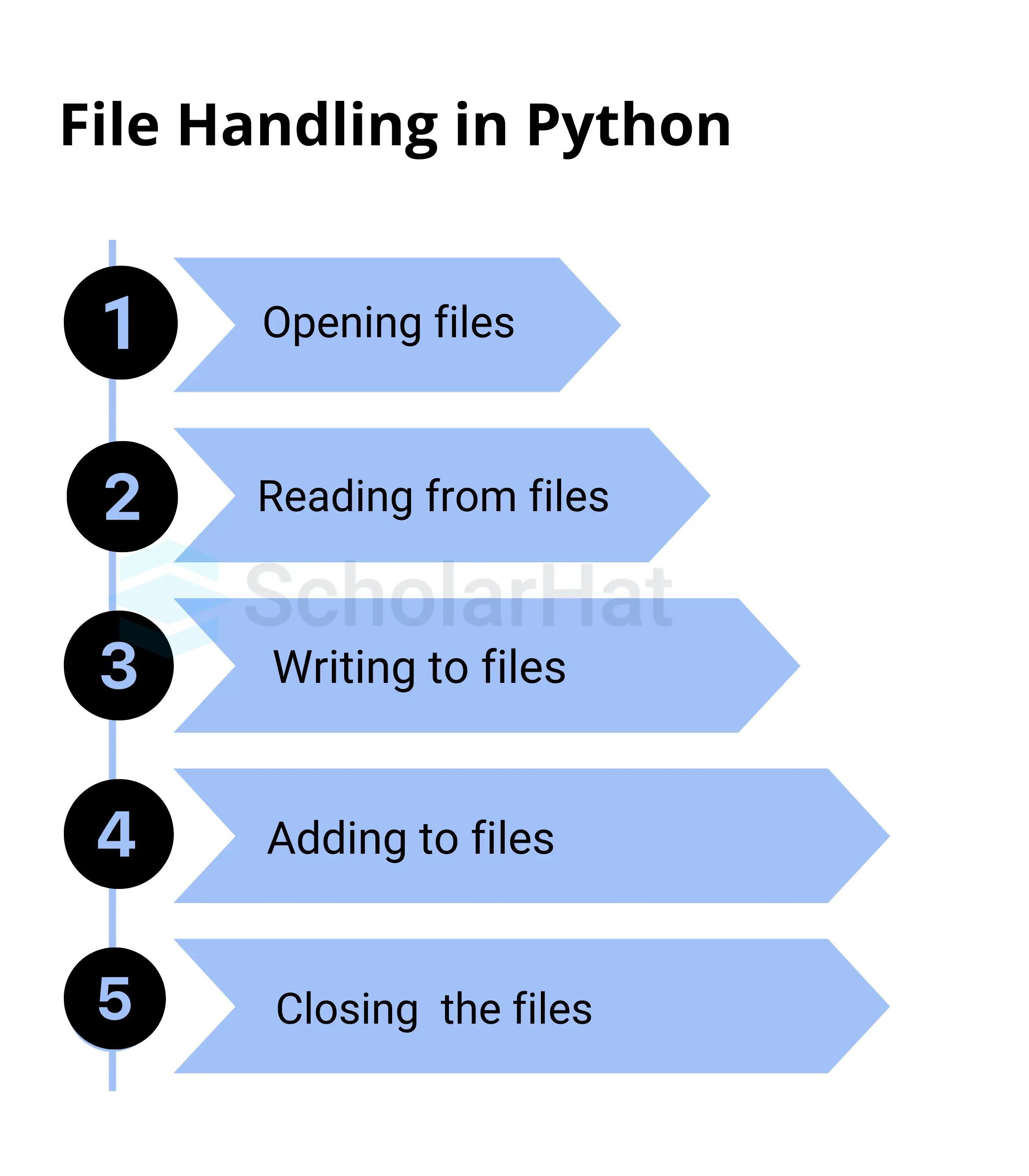
📄 Operations
Image
Image
Image
Image
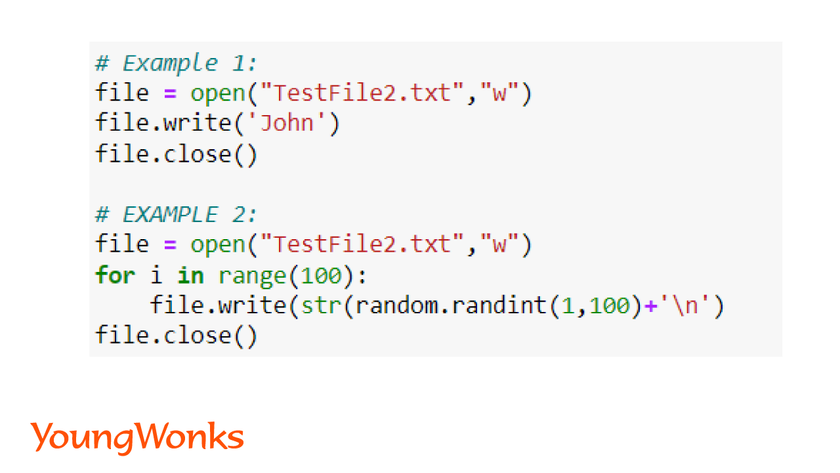
file = open("data.txt", "r")

🧠 Exception Handling


⚠️ Example:

try:
    x = 10 / 0
except:
    print("Error")

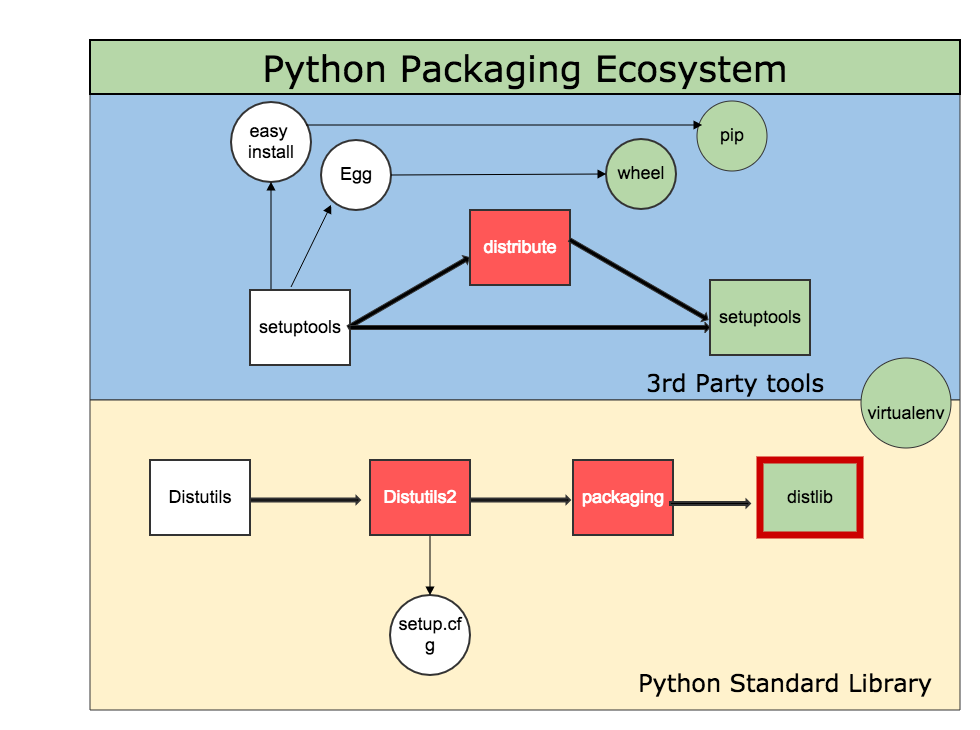
📦 Modules and Packages


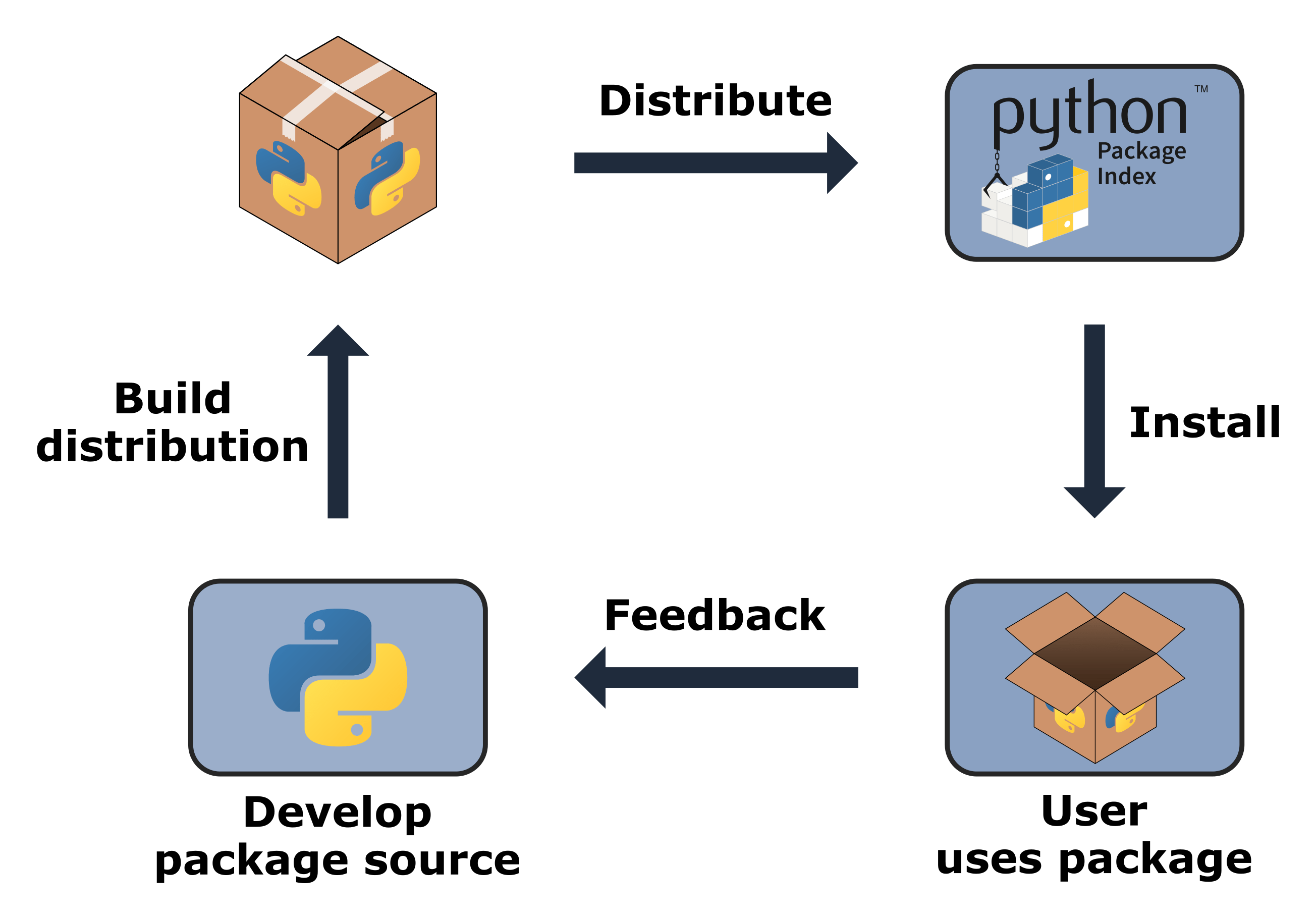
🧩 Concept
Image
Image
Image
Image
  • Modules = single file
  • Packages = collection of modules

🌐 Python in Software Development Context


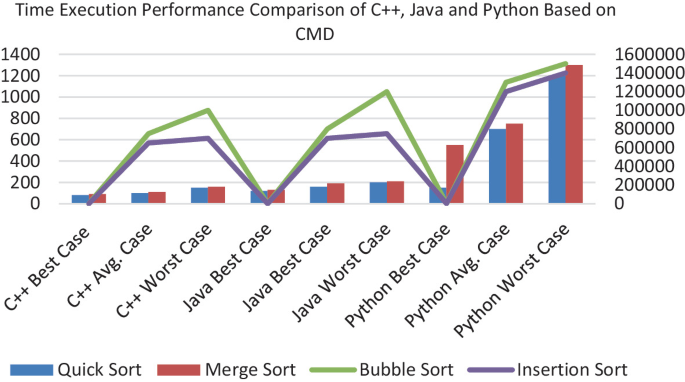
🧠 Role Among Languages
Image
Image
Image
Image

🔹 Compared to Other Languages:

LanguageStrength
PythonEasy, versatile
C++Performance
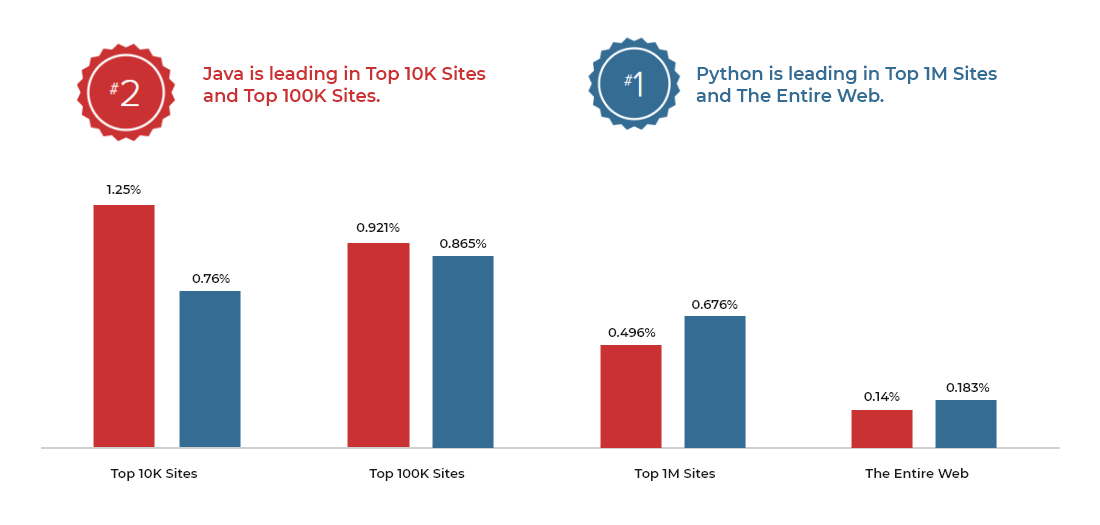
JavaEnterprise

🚀 Applications of Python


🤖 Artificial Intelligence

Image
Image
Image
Image

🌐 Web Development

  • Django
  • Flask

📊 Data Science

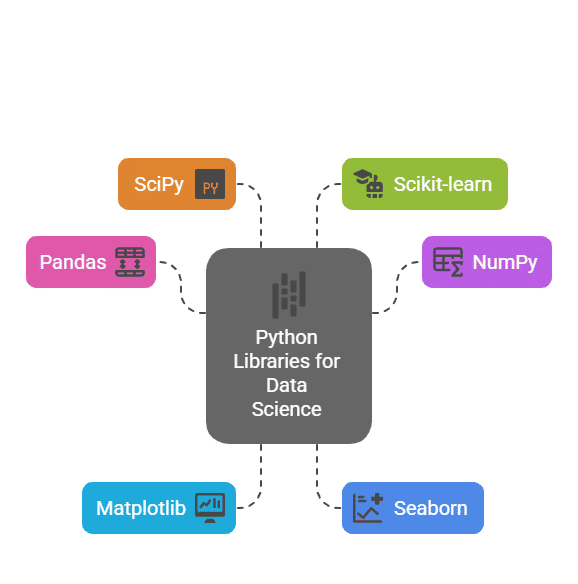
  • Pandas
  • NumPy

🎮 Game Development

  • Pygame

🔐 Cybersecurity

  • Automation tools

⚡ Advantages of Python

  • Easy to learn
  • Large community
  • Cross-platform
  • Rich libraries

⚠️ Limitations

  • Slower than C/C++
  • High memory usage
  • Not ideal for low-level tasks

🚀 Modern Python Trends

Image
Image
Image
Image
  • AI & Machine Learning
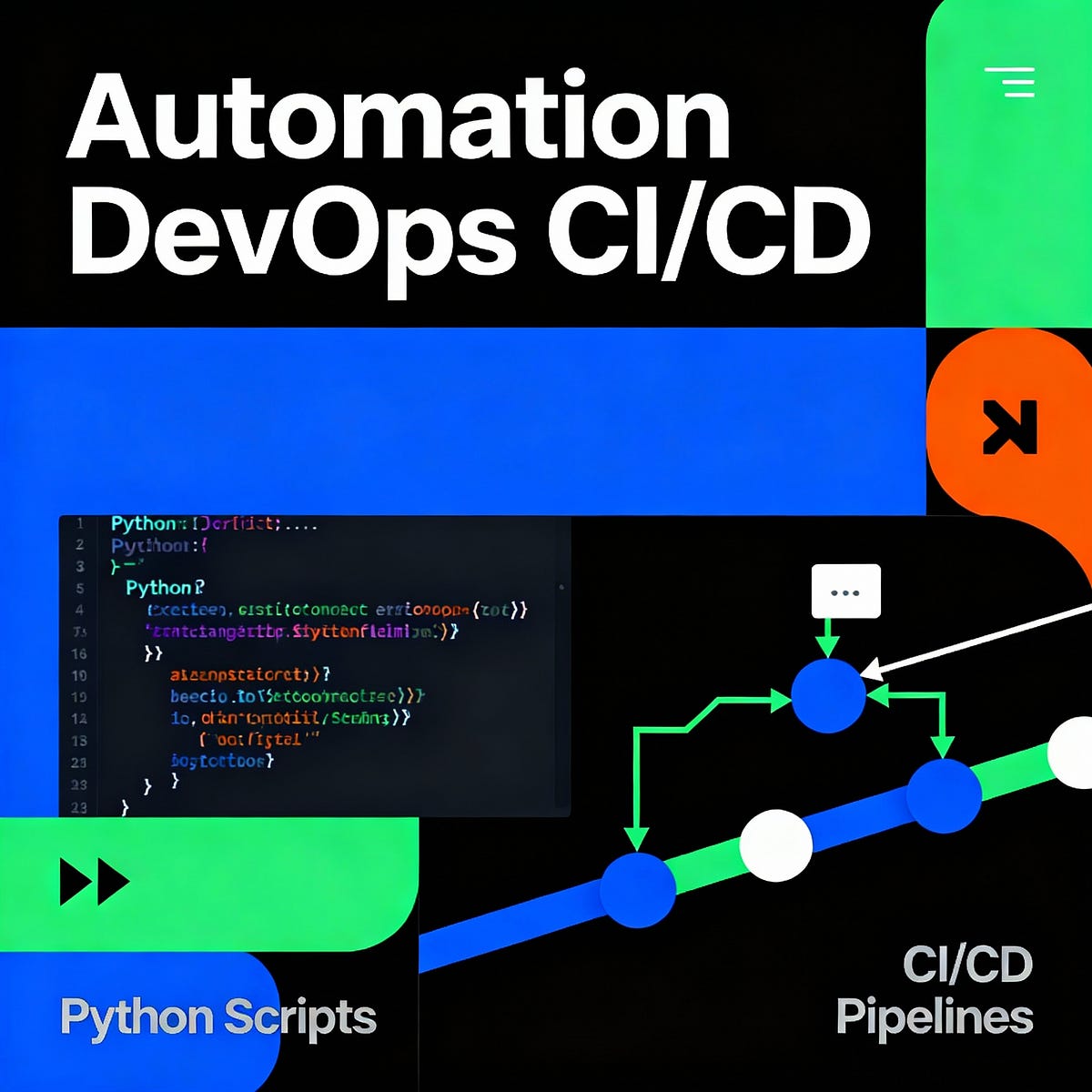
  • Automation
  • Cloud computing
  • IoT

🧾 Conclusion

Python is one of the most powerful and versatile programming languages today. It:

  • Simplifies coding
  • Supports multiple domains
  • Enables rapid development

Learning Python helps in:

  • Software development
  • Data science
  • AI and automation

🏷️ Tags

💻 C++ Programming – Complete Detailed Guide (with Software Development Language Context)


🌐 Introduction to C++ Programming

Image
Image
Image
Image

C++ is a powerful, high-performance programming language that extends the C language by adding object-oriented programming (OOP) features, along with many modern programming capabilities. It is widely used in system software, game development, embedded systems, and high-performance applications.

In simple terms:

C++ = C + Object-Oriented + High Performance

C++ supports multiple programming paradigms:

  • Procedural
  • Object-Oriented
  • Generic (templates)

🧠 Importance of C++

  • Combines low-level and high-level programming
  • Used in performance-critical applications
  • Foundation for many modern technologies
  • Widely used in competitive programming
  • Supports OOP and reusable code

🧩 Basic Structure of a C++ Program


📄 Example Program

#include <iostream>
using namespace std;

int main() {
    cout << "Hello, World!";
    return 0;
}

🧠 Components:

Image
Image
  • #include → Header files
  • namespace → Scope management
  • main() → Entry point
  • cout → Output

⚙️ Data Types in C++


🔢 Basic Data Types

TypeDescription
intInteger
floatDecimal
doubleHigh precision
charCharacter
boolBoolean

🧩 Derived Types

  • Arrays
  • Pointers
  • References

🧠 User-Defined Types

  • struct
  • class
  • enum

🔤 Variables and Constants


📌 Variables

int x = 10;

🔒 Constants

const int MAX = 100;

⚙️ Operators in C++


🔢 Types:

  • Arithmetic (+, -, *, /)
  • Relational (==, >, <)
  • Logical (&&, ||)
  • Bitwise (&, |, ^)
  • Assignment (=, +=)

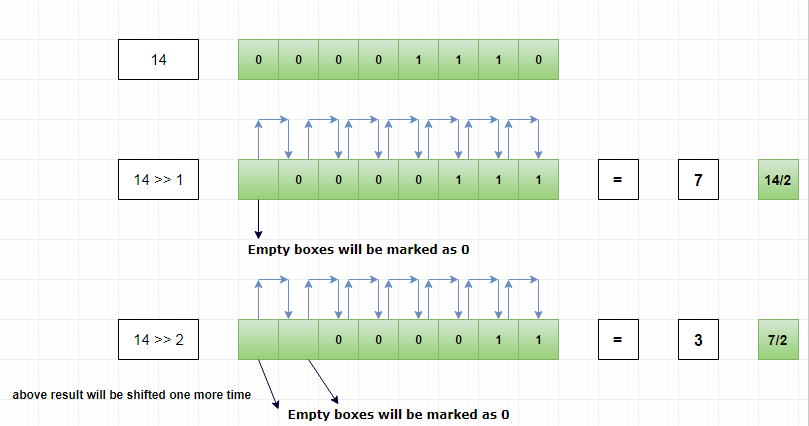
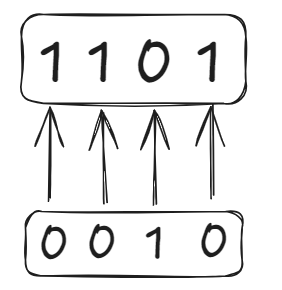
🧮 Bitwise Operations

Image
Image
Image
Image

🔄 Control Structures


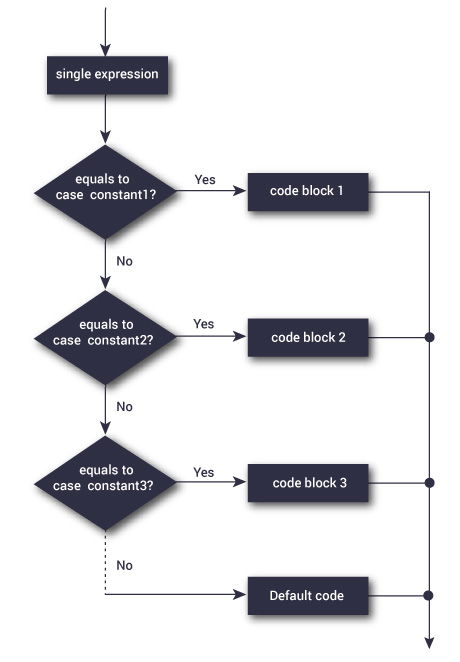
🔀 Decision Making

Image
Image
Image

🔁 Loops

Image
Image
Image
Image

🧠 Functions in C++


📌 Definition

int add(int a, int b) {
    return a + b;
}

⚙️ Features:

  • Function overloading
  • Inline functions
  • Recursion

🧩 Object-Oriented Programming (OOP)


🧠 Core Concepts

Image
Image
Image
Image

🔹 1. Class and Object

class Car {
public:
    int speed;
};

🔹 2. Encapsulation

  • Data hiding
  • Use of access modifiers

🔹 3. Inheritance

Image
Image
Image
Image
  • Reuse of code

🔹 4. Polymorphism

  • Function overloading
  • Operator overloading

🔹 5. Abstraction

  • Hide implementation details

🧠 Arrays in C++

Image
Image
Image
Image
  • Same as C but with enhancements

🔤 Strings in C++


📌 Types:

Image
Image
Image
Image
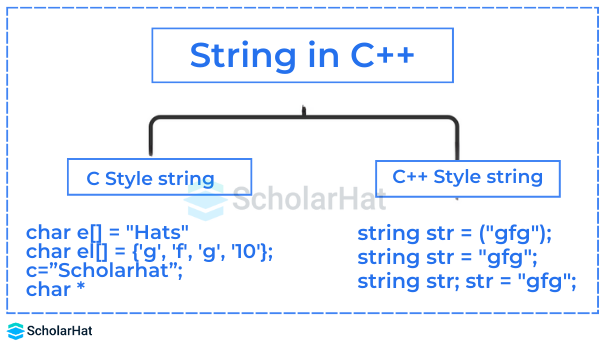
  • C-style strings
  • std::string

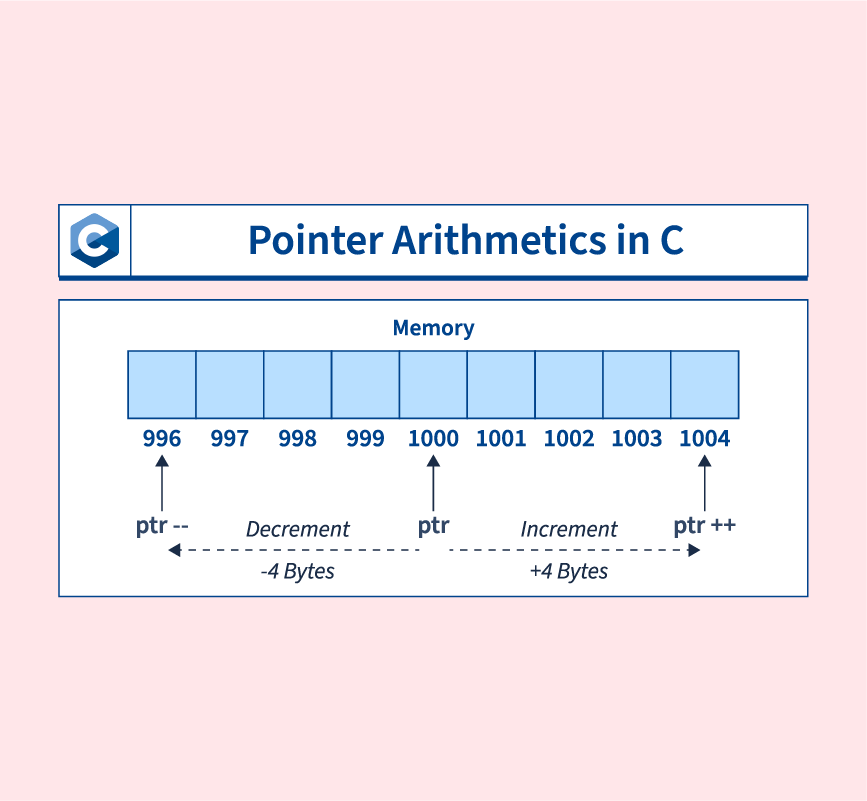
🧠 Pointers and References


📌 Pointers

Image
Image
Image
Image

🔄 References

  • Alias for variables
int &ref = x;

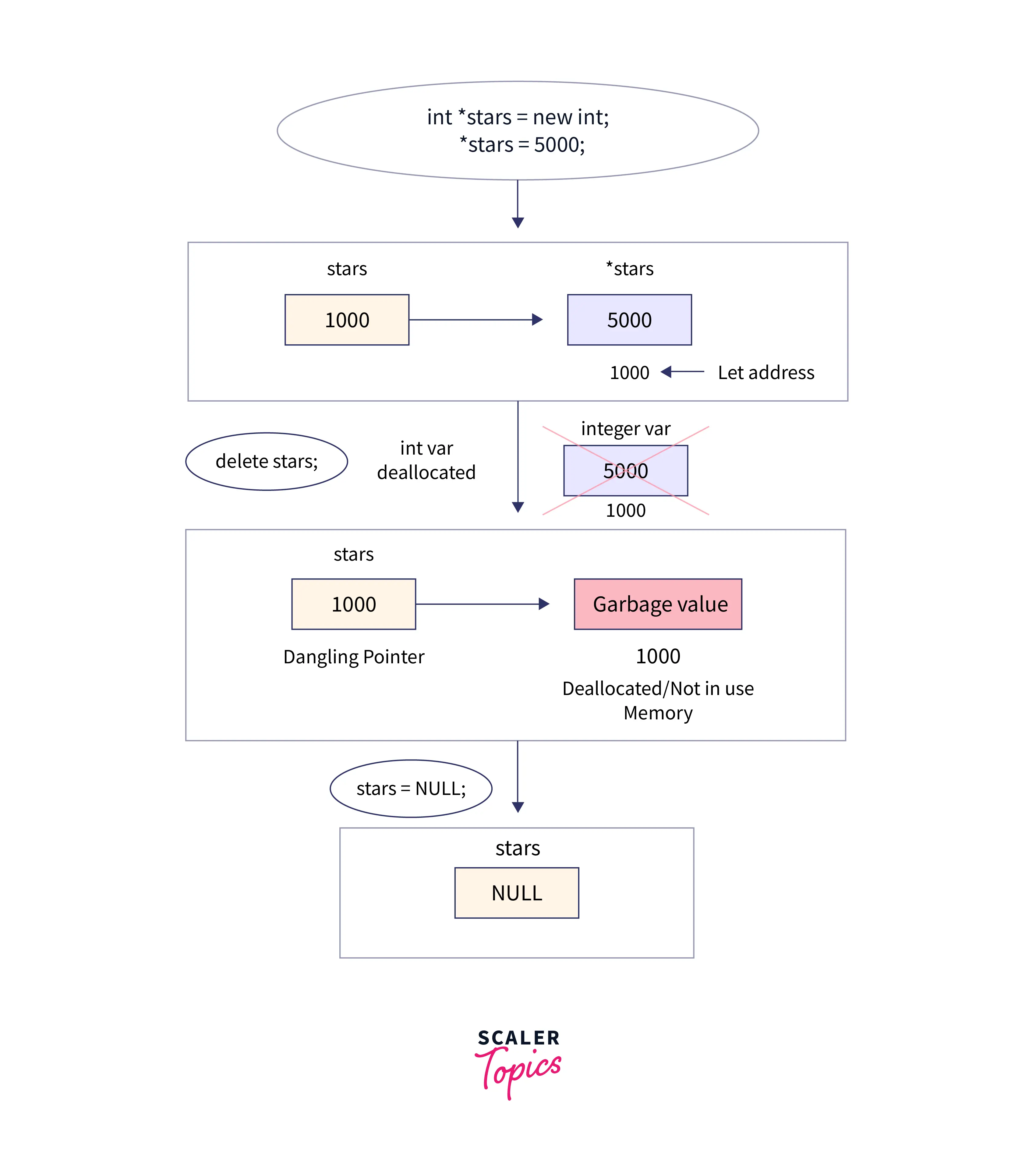
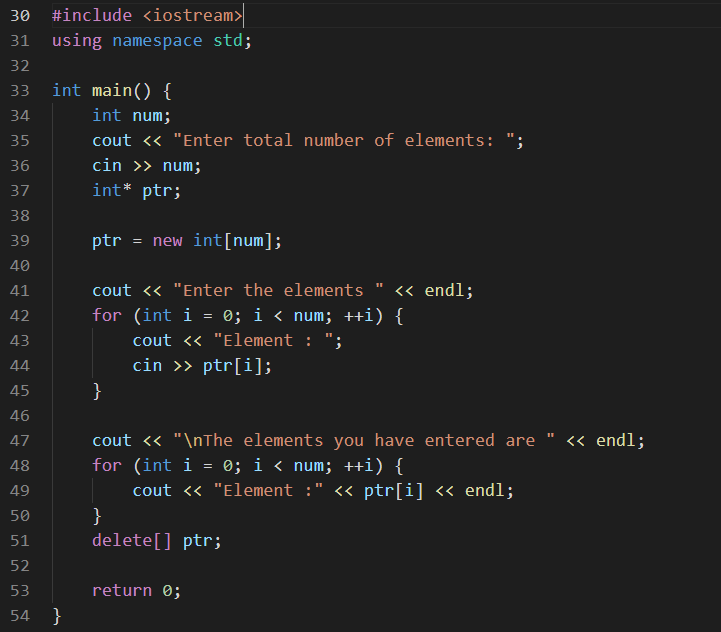
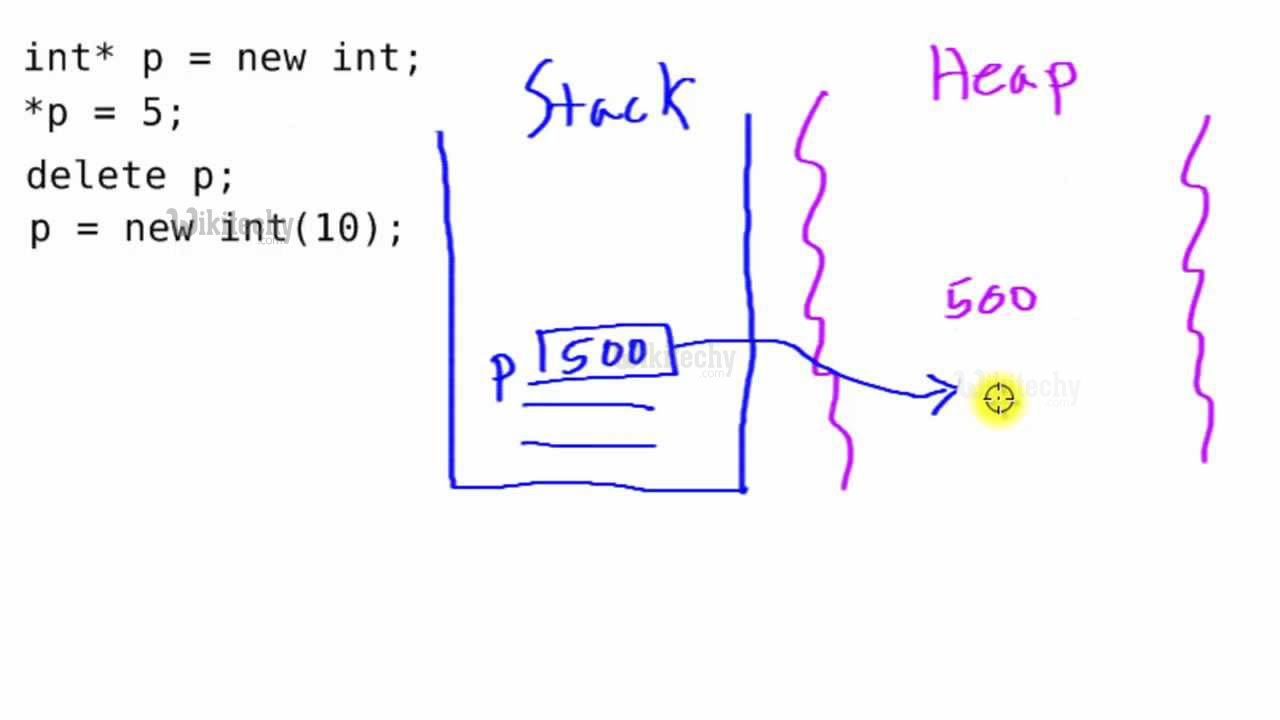
💾 Dynamic Memory Allocation


📦 Operators:

Image
Image
Image
Image
  • new
  • delete

🧩 Structures and Classes


⚖️ Difference:

FeatureStructClass
Default AccessPublicPrivate

📂 File Handling


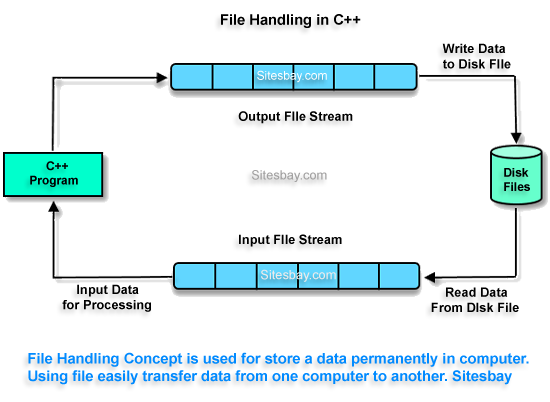
📄 Streams:

Image
Image
Image
Image
  • ifstream
  • ofstream
  • fstream

🧠 Standard Template Library (STL)


📦 Components

Image
Image
Image
Image
  • Containers (vector, list, map)
  • Algorithms (sort, search)
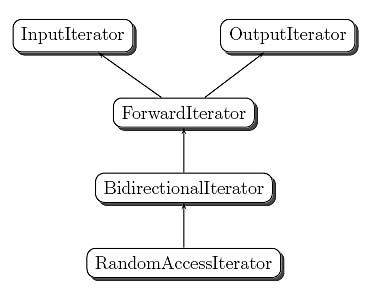
  • Iterators

⚙️ Exception Handling


🔥 Concept:

try {
    // code
} catch (...) {
    // handle error
}

🧠 Templates (Generic Programming)


📌 Example:

template <typename T>
T add(T a, T b) {
    return a + b;
}

🌐 C++ in Software Development Context


🧠 Role Among Languages

Image
Image
Image
Image

🔹 Compared to Other Languages:

LanguageTypeUse
C++OOP + Low-levelSystems, games
PythonHigh-levelAI, scripting
JavaOOPEnterprise

🚀 Applications of C++


🎮 Game Development

Image
Image
Image
Image

⚙️ System Software

  • Operating systems
  • Compilers

🚗 Embedded Systems

  • Robotics
  • Automotive systems

💹 Finance Systems

  • High-frequency trading

⚡ Advantages of C++

  • High performance
  • Object-oriented
  • Flexible
  • Rich libraries

⚠️ Limitations

  • Complex syntax
  • Manual memory management
  • Steep learning curve

🚀 Modern C++ Trends

Image
Image
Image
Image
  • Smart pointers
  • Lambda expressions
  • Multithreading
  • C++20 features

🧾 Conclusion

C++ is a powerful and versatile programming language that:

  • Combines performance with abstraction
  • Supports multiple paradigms
  • Powers modern applications

Learning C++ helps in:

  • Mastering programming fundamentals
  • Building high-performance systems
  • Understanding advanced concepts

🏷️ Tags

💻 C Programming – Complete Detailed Guide (with Software Development Language Context)


🌐 Introduction to C Programming

Image
Image

C programming is one of the most influential and widely used programming languages in the world. Developed in the early 1970s, it is a general-purpose, procedural programming language that provides low-level access to memory and system resources.

In simple terms:

C = powerful language that connects software with hardware

C is often called the mother of modern programming languages because many languages (like C++, Java, Python) are derived from or influenced by it.


🧠 Importance of C Programming

  • Foundation for learning programming
  • Used in operating systems (e.g., Linux kernel)
  • High performance and efficiency
  • Direct memory access using pointers
  • Widely used in embedded systems

🧩 Basic Structure of a C Program


📄 Structure Overview

Image
Image
Image

Example:

#include <stdio.h>

int main() {
    printf("Hello, World!");
    return 0;
}

🧠 Components:

  • Preprocessor directives (#include)
  • Main function (main())
  • Statements and expressions
  • Return statement

⚙️ Data Types in C


🔢 Basic Data Types

TypeDescription
intInteger values
floatDecimal values
charCharacters
doubleHigh precision numbers

🧩 Derived Data Types

  • Arrays
  • Pointers
  • Structures
  • Unions

🧠 User-Defined Types

  • typedef
  • struct
  • enum

🔤 Variables and Constants


📌 Variables

Used to store data:

int x = 10;

🔒 Constants

  • Fixed values
#define PI 3.14

⚙️ Operators in C


🔢 Types of Operators


➕ Arithmetic Operators

  • +, -, *, /, %

⚖️ Relational Operators

  • ==, !=, >, <

🔗 Logical Operators

  • &&, ||, !

🧮 Bitwise Operators

Image
Image
Image
Image
  • &, |, ^, <<, >>

🔄 Control Structures


🔀 Decision Making

Image
if (x > 0) {
    printf("Positive");
}

🔁 Loops

Image
Image
  • for
  • while
  • do-while

🧠 Functions in C


📌 Definition

Functions are reusable blocks of code.

int add(int a, int b) {
    return a + b;
}

⚙️ Types:

  • Library functions
  • User-defined functions

🧩 Arrays in C

Image
Image
Image
Image
  • Store multiple values
  • Indexed structure

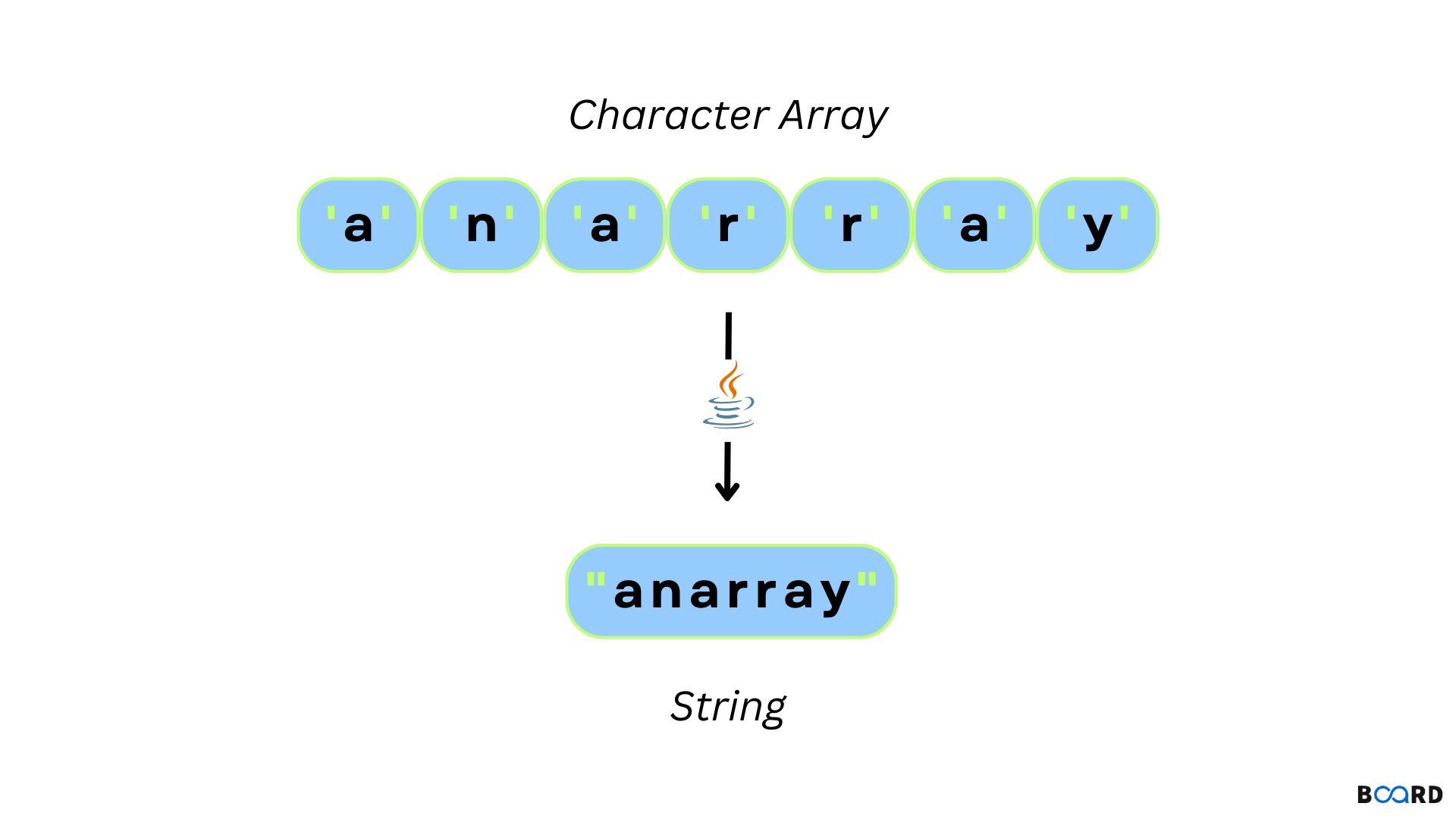
🔤 Strings in C

Image
Image
Image
  • Array of characters
  • Null-terminated

🧠 Pointers in C


📌 Concept

Image
Image
Image
Image

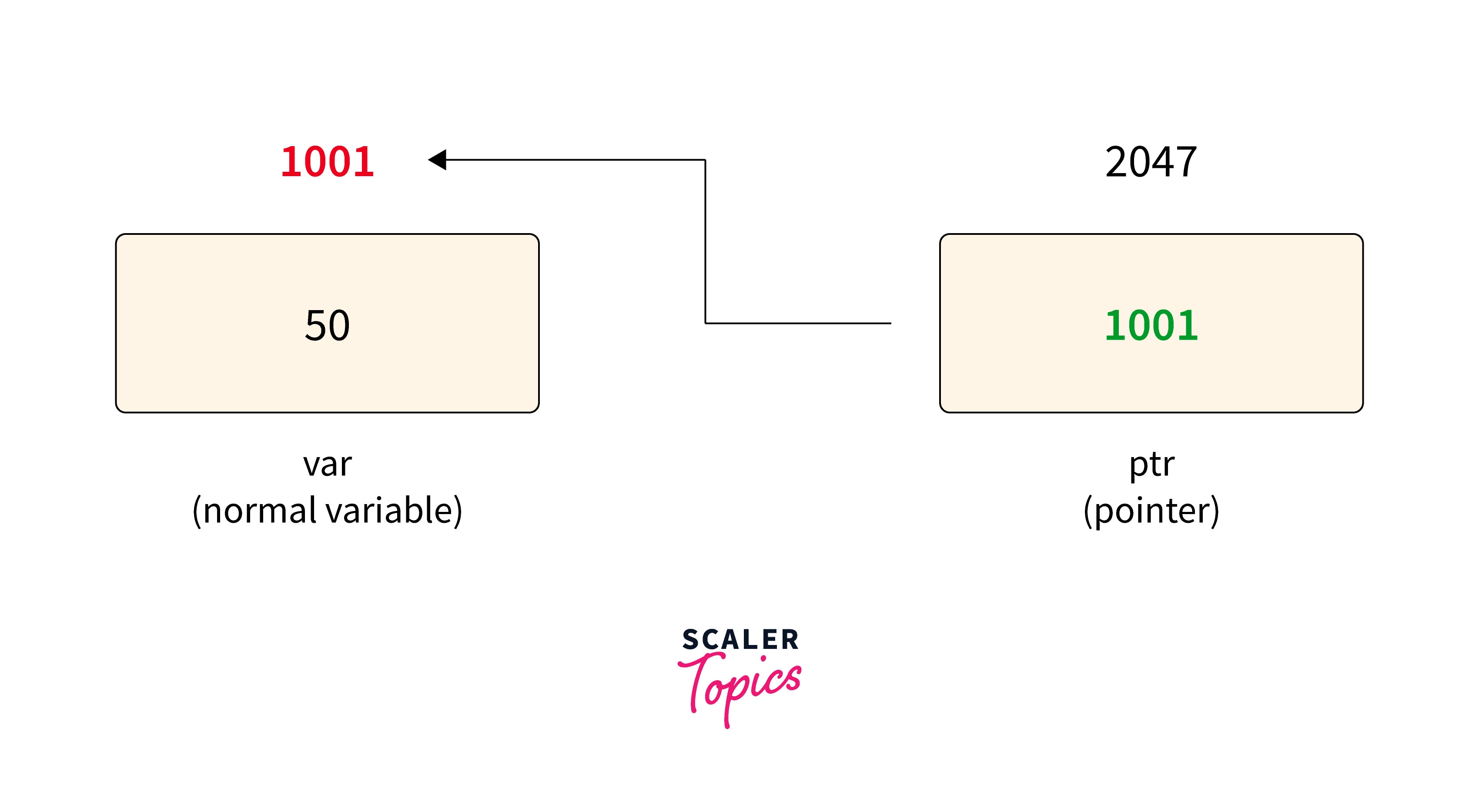
Pointers store memory addresses.

int *ptr;

⚙️ Uses:

  • Dynamic memory allocation
  • Efficient array handling
  • Function arguments

💾 Dynamic Memory Allocation


📦 Functions:

Image
Image
Image
Image
  • malloc()
  • calloc()
  • realloc()
  • free()

🧩 Structures and Unions


📦 Structures

Image
Image
Image
Image
struct Student {
    int id;
    char name[20];
};

🔄 Unions

  • Share memory among variables

📂 File Handling in C


📄 Operations:

Image
Image
Image
Image
  • fopen()
  • fread()
  • fwrite()
  • fclose()

🧠 Preprocessor Directives


🔹 Examples:

  • #include
  • #define
  • #ifdef

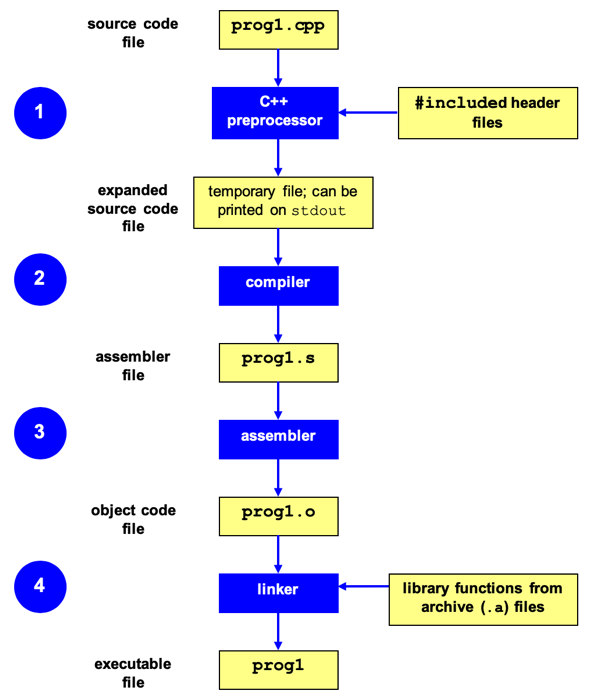
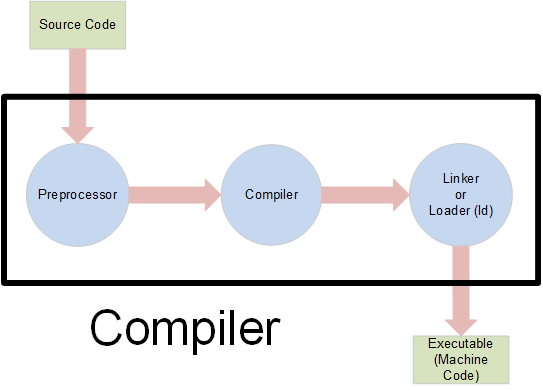
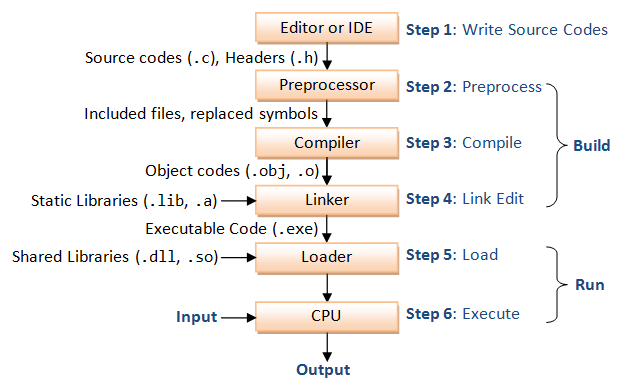
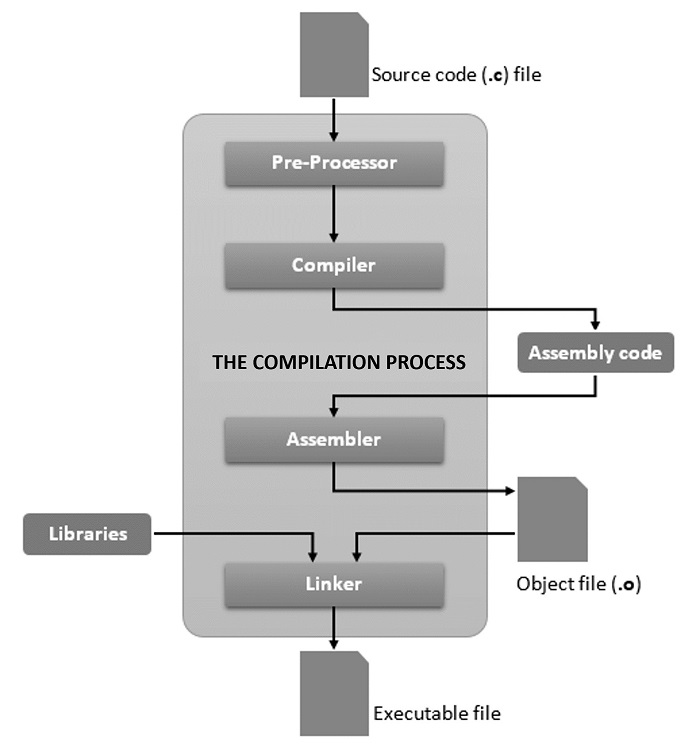
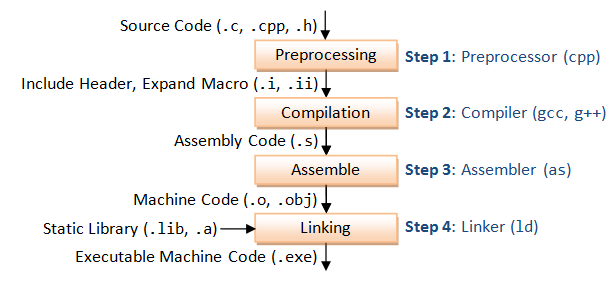
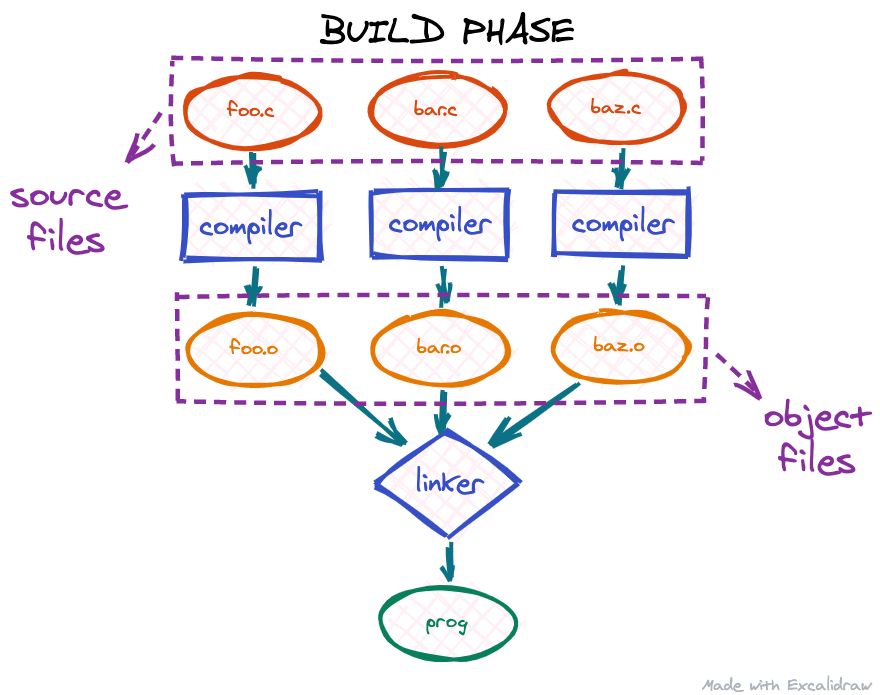
⚙️ Compilation Process


🔄 Steps

Image
Image
Image
Image
  1. Preprocessing
  2. Compilation
  3. Linking
  4. Execution

🧠 Applications of C Programming


💻 System Programming

  • Operating systems
  • Compilers

⚙️ Embedded Systems

  • Microcontrollers
  • IoT devices

🎮 Game Development

  • Performance-critical code

🌐 Networking

  • Protocol implementations

⚡ Advantages of C

  • Fast and efficient
  • Portable
  • Low-level access
  • Rich library support

⚠️ Limitations

  • No built-in OOP
  • Manual memory management
  • Error-prone

🌐 C in Software Development Languages Context


🧠 Role of C Among Languages

Image
Image
Image
Image

🔹 Low-Level Languages

  • C
  • Assembly

🔹 High-Level Languages

  • Python
  • Java
  • JavaScript

🔹 Object-Oriented Languages

  • C++
  • Java

⚖️ Comparison

LanguageTypeUse
CProceduralSystem programming
PythonHigh-levelAI, scripting
JavaOOPEnterprise apps

🚀 Modern Trends


🔬 Developments

Image
Image
Image
Image
  • Embedded systems
  • IoT
  • High-performance computing
  • Kernel development

🧾 Conclusion

C programming is a powerful foundational language that:

  • Teaches core programming concepts
  • Enables system-level programming
  • Forms the base for many modern languages

Learning C helps in:

  • Understanding memory and performance
  • Building efficient applications
  • Mastering advanced programming concepts

🏷️ Tag

🧩 Arrays and Strings – Complete Detailed Guide


🌐 Introduction to Arrays and Strings

Image
Image
Image
Image

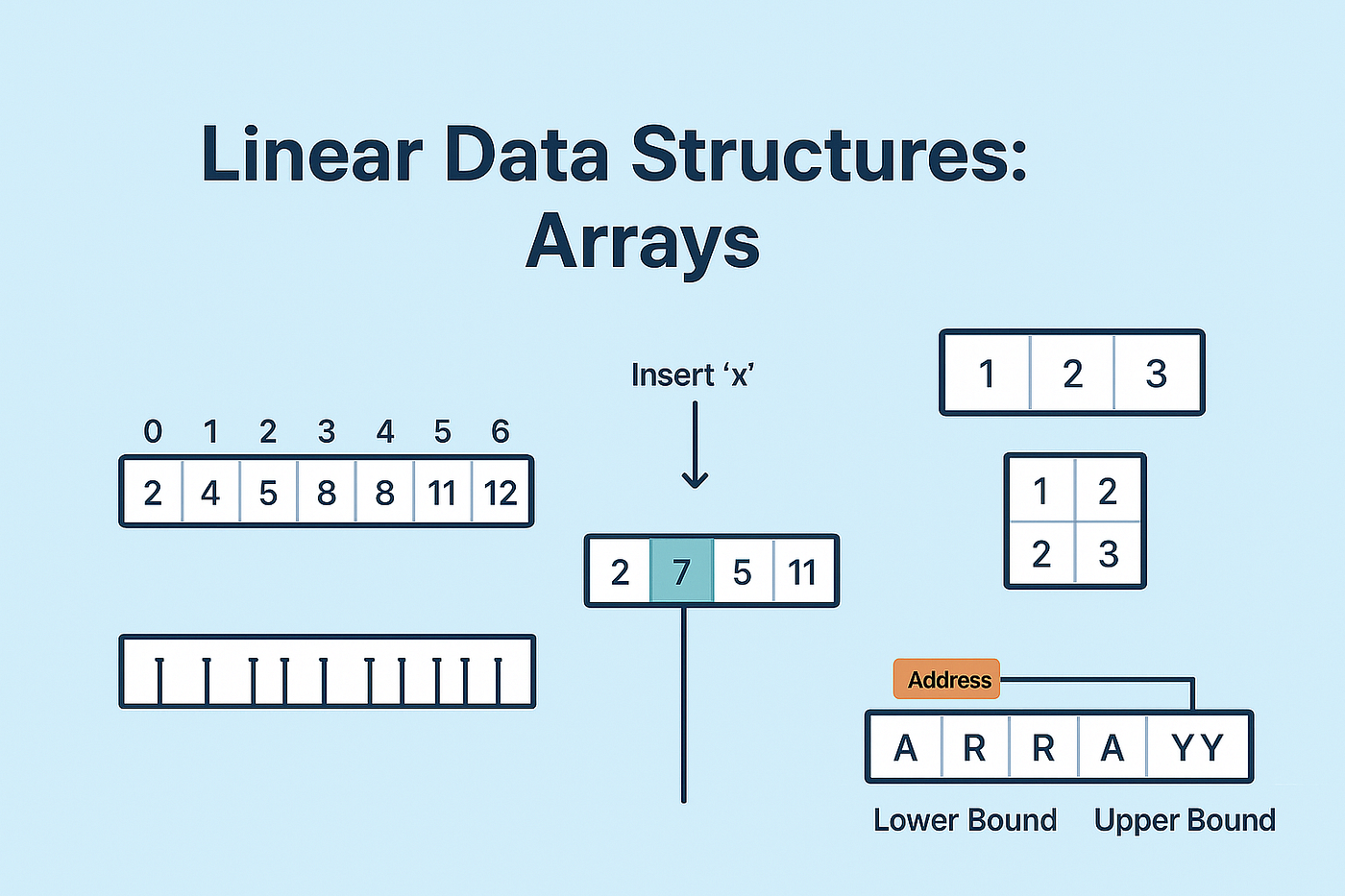
Arrays and strings are among the most fundamental data structures in computer science and programming. They form the building blocks for more complex structures like lists, stacks, queues, trees, and databases.

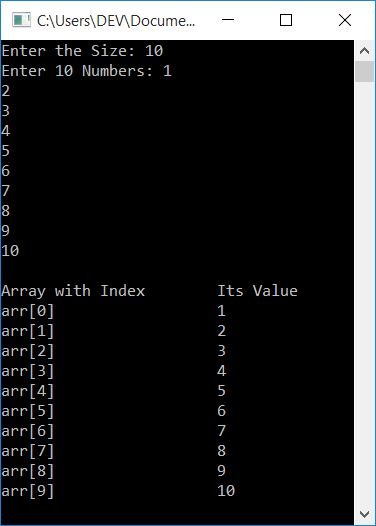
  • Array → Stores a collection of elements of the same data type
  • String → Stores a sequence of characters (text)

In simple terms:

Arrays manage collections of data, while strings manage textual data


🧠 ARRAYS


📌 What is an Array?

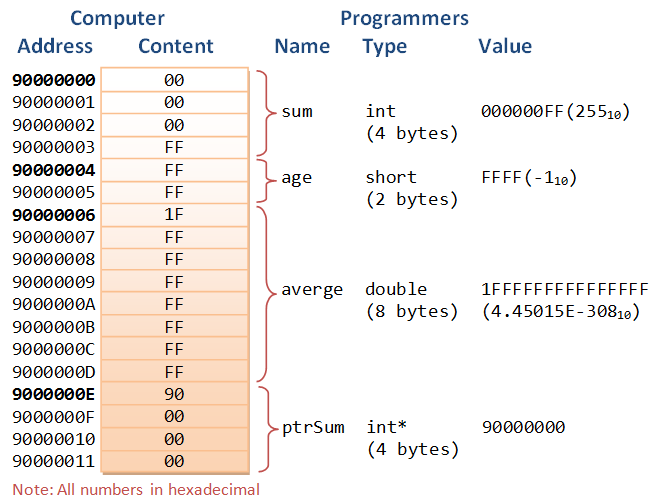
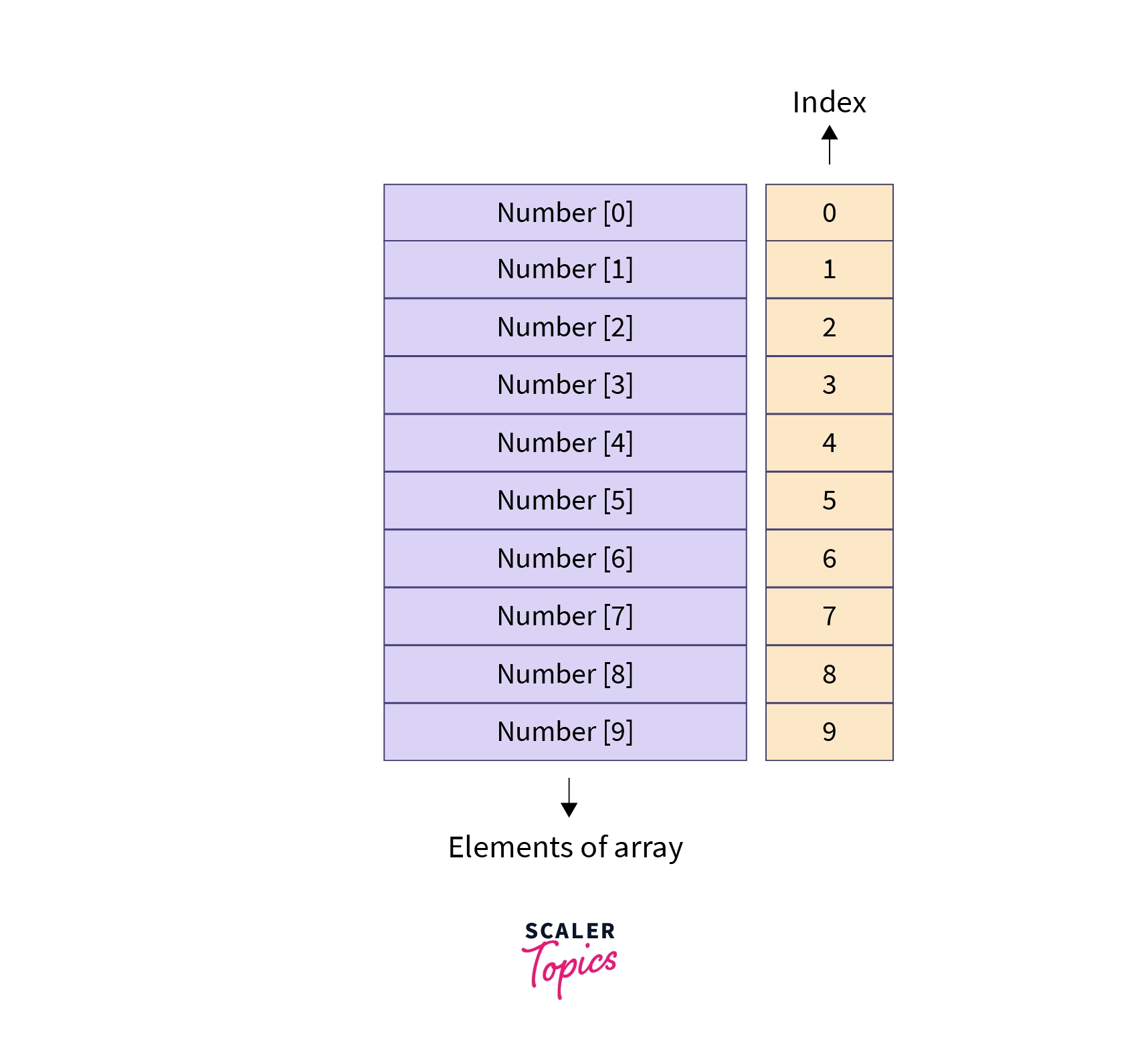
An array is a data structure that stores multiple elements of the same type in contiguous memory locations.

Example:

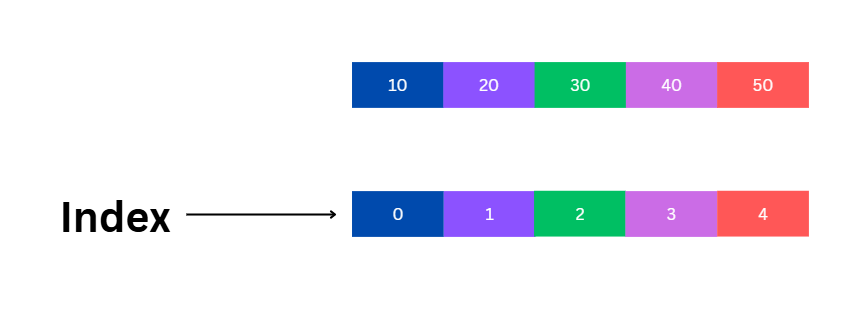
int arr[5] = {10, 20, 30, 40, 50};

⚙️ Characteristics of Arrays

  • Fixed size (in most languages)
  • Homogeneous elements (same type)
  • Indexed access (0-based index)
  • Stored in contiguous memory

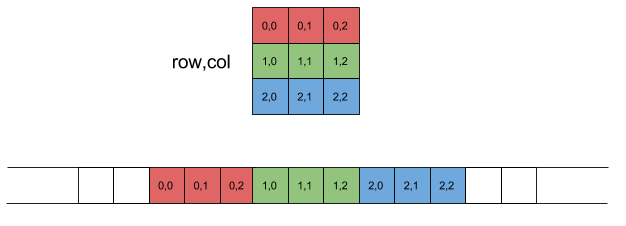
🧩 Array Representation in Memory

Image
Image
Image
Image

Each element is stored sequentially:

Index:   0   1   2   3   4
Value:  10  20  30  40  50

Address calculation:

Address = Base + (Index × Size of element)

🔢 Types of Arrays


🔹 1. One-Dimensional Array

Image
Image
Image
Image
  • Linear structure
  • Single index

🔹 2. Two-Dimensional Array

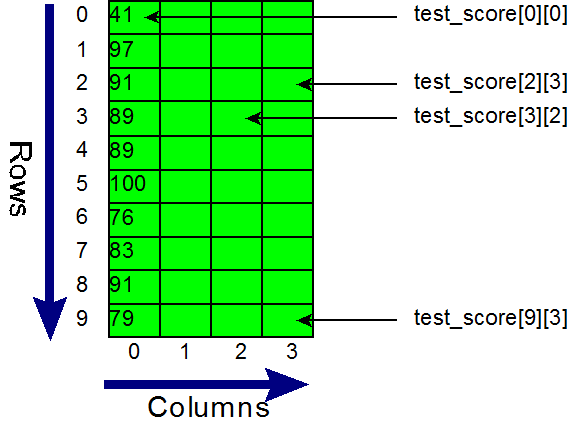
Image
Image
Image
Image
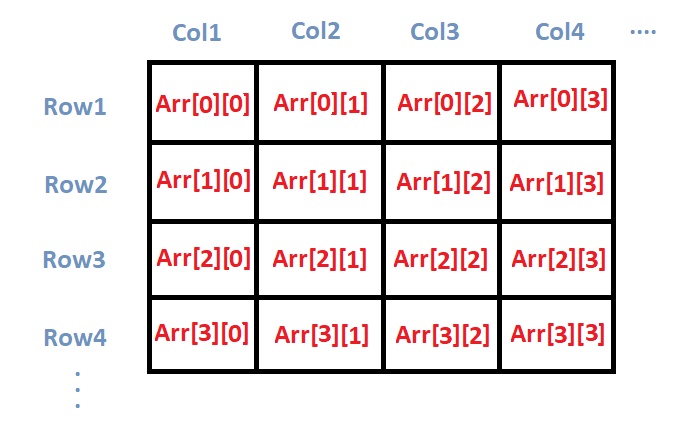
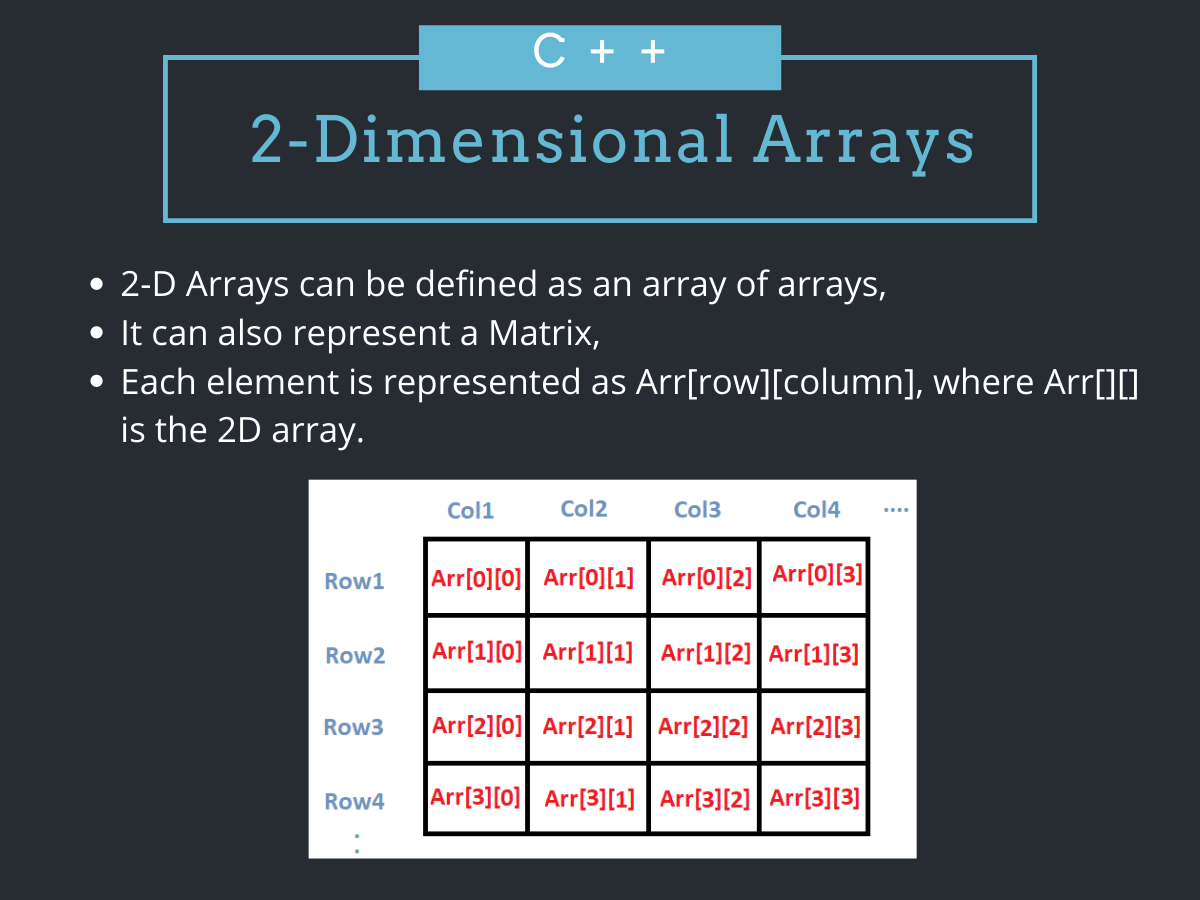
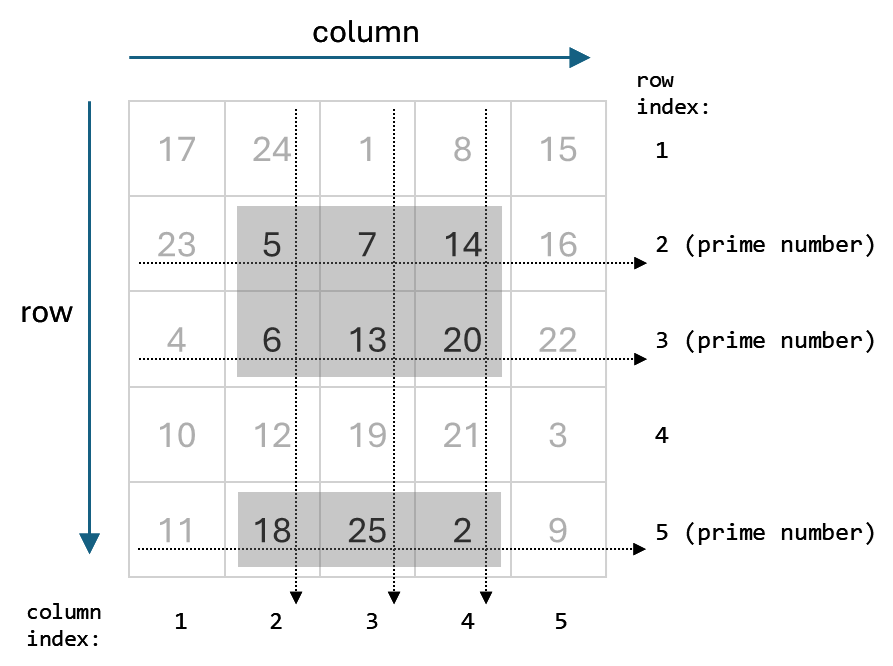
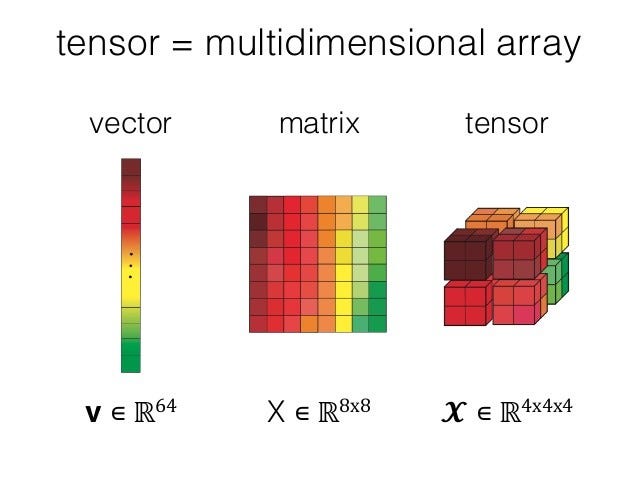
  • Matrix format
  • Rows and columns

Example:

int arr[2][3];

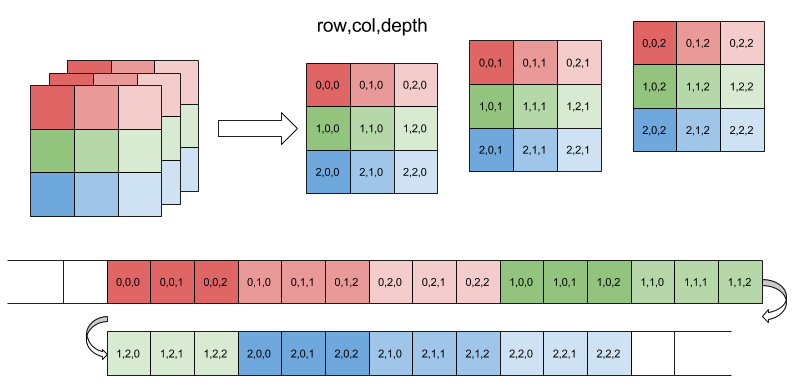
🔹 3. Multi-Dimensional Array

Image
Image
Image
Image
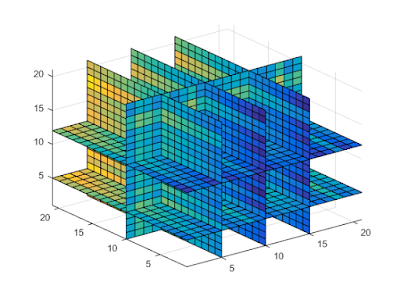
  • Used in scientific computing
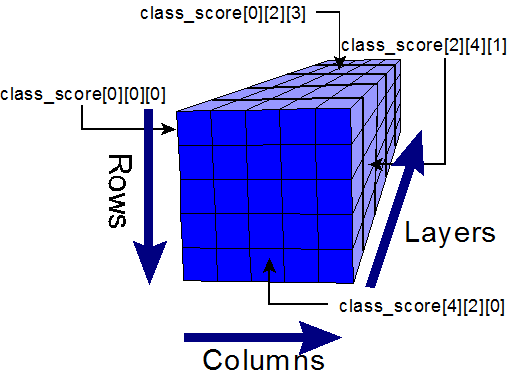
  • Example: 3D arrays

⚙️ Array Operations


🔹 Traversal

  • Access each element

🔹 Insertion

  • Add element (costly if fixed size)

🔹 Deletion

  • Remove element and shift

🔹 Searching

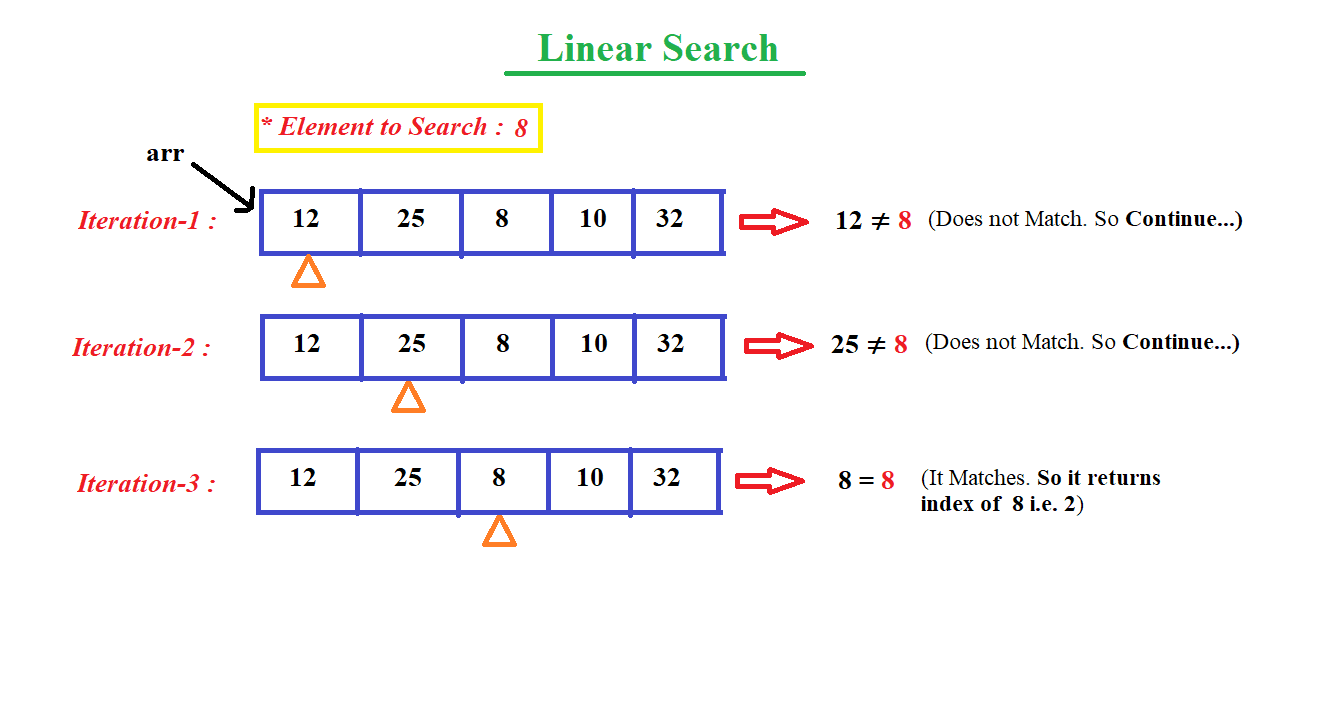
  • Linear search
  • Binary search

🔹 Sorting

  • Bubble sort
  • Merge sort
  • Quick sort

🔍 Searching Techniques

Image
Image
Image
Image

⚡ Advantages of Arrays

  • Fast access (O(1))
  • Simple implementation
  • Efficient memory usage

⚠️ Limitations of Arrays

  • Fixed size
  • Insertion/deletion costly
  • Wasted memory

🔤 STRINGS


📌 What is a String?

A string is a sequence of characters stored in memory.

Example:

char str[] = "Hello";

🧠 String Representation

Image
Image
Image
Image

Stored as:

H  e  l  l  o  \0

(\0 = null terminator)


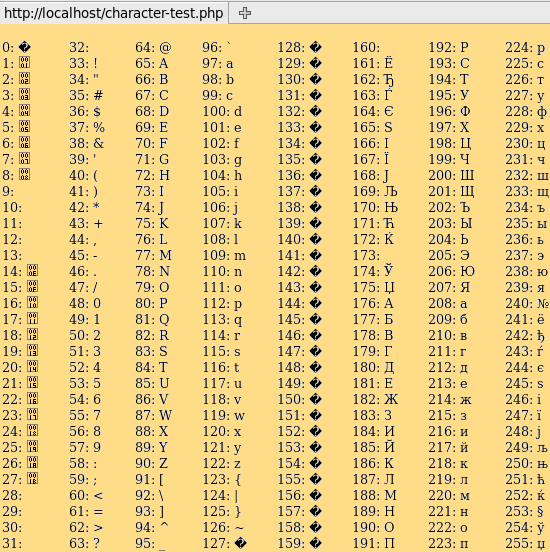
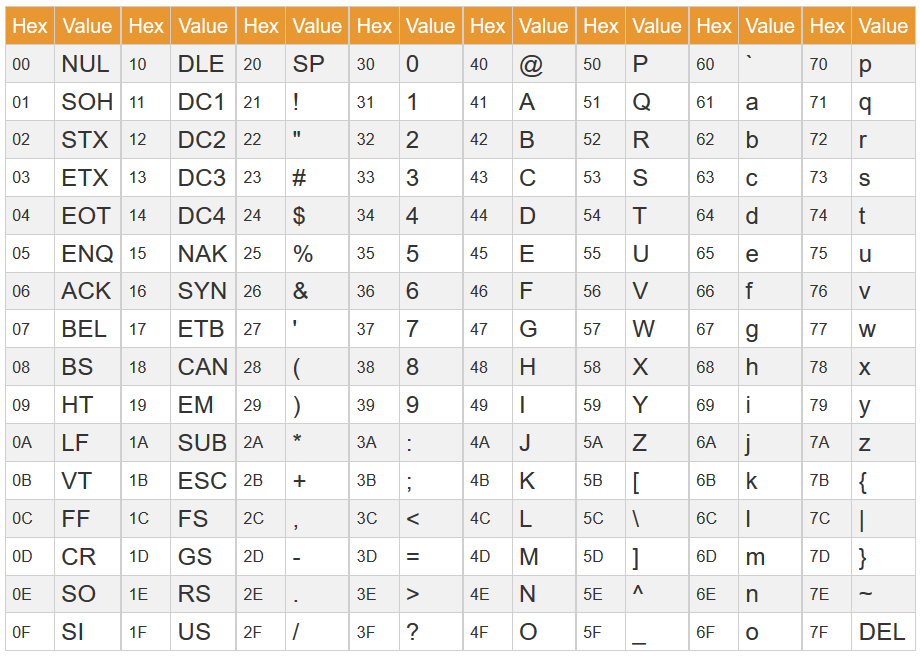
🔤 Character Encoding


🔹 ASCII

Image
Image
Image
Image
  • 7/8-bit encoding
  • Limited characters

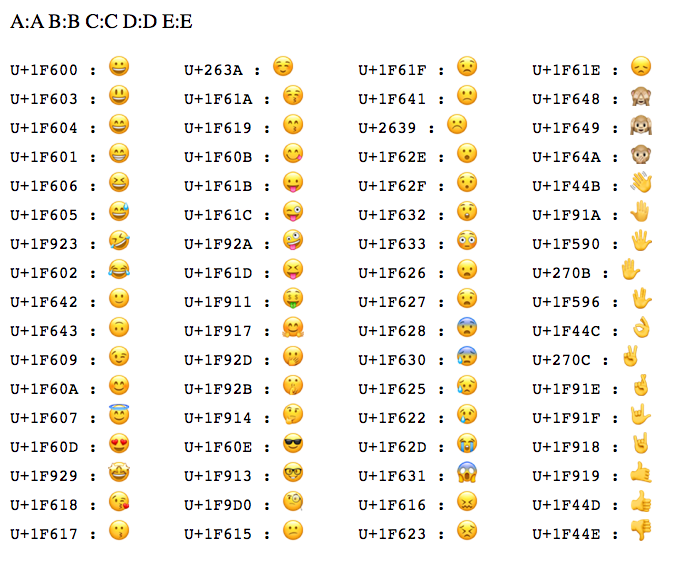
🔹 Unicode

Image
Image
Image
Image
  • Supports global languages
  • UTF-8, UTF-16

⚙️ String Operations


🔹 Basic Operations

  • Length
  • Concatenation
  • Comparison
  • Substring

🔹 Advanced Operations

Image
Image
Image
Image
  • Pattern matching
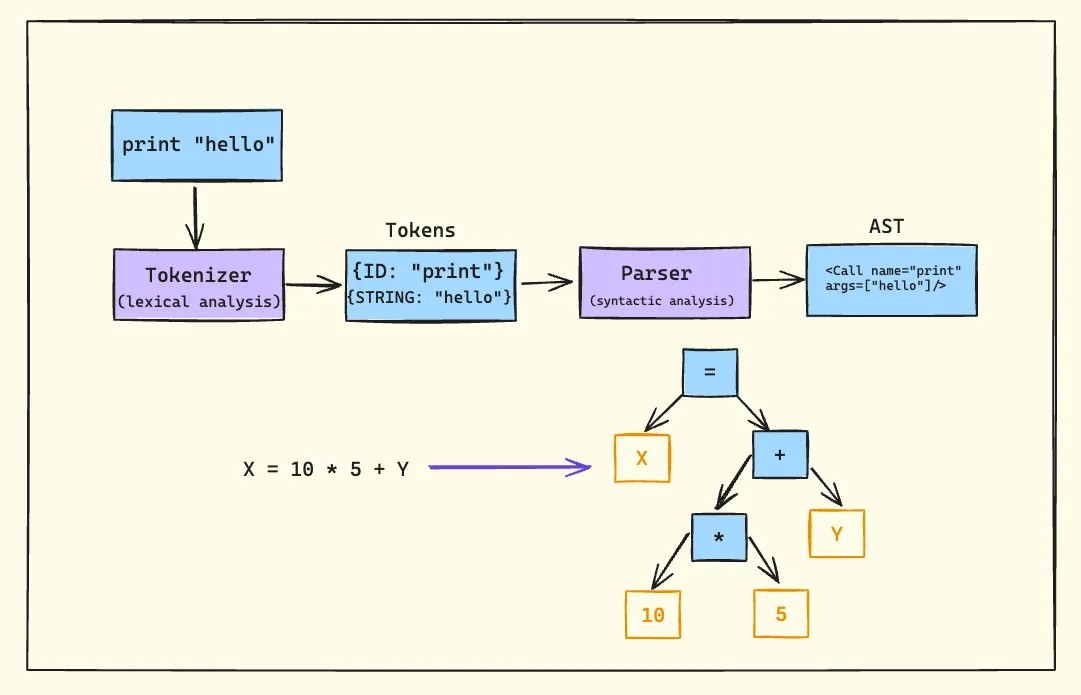
  • Parsing
  • Tokenization

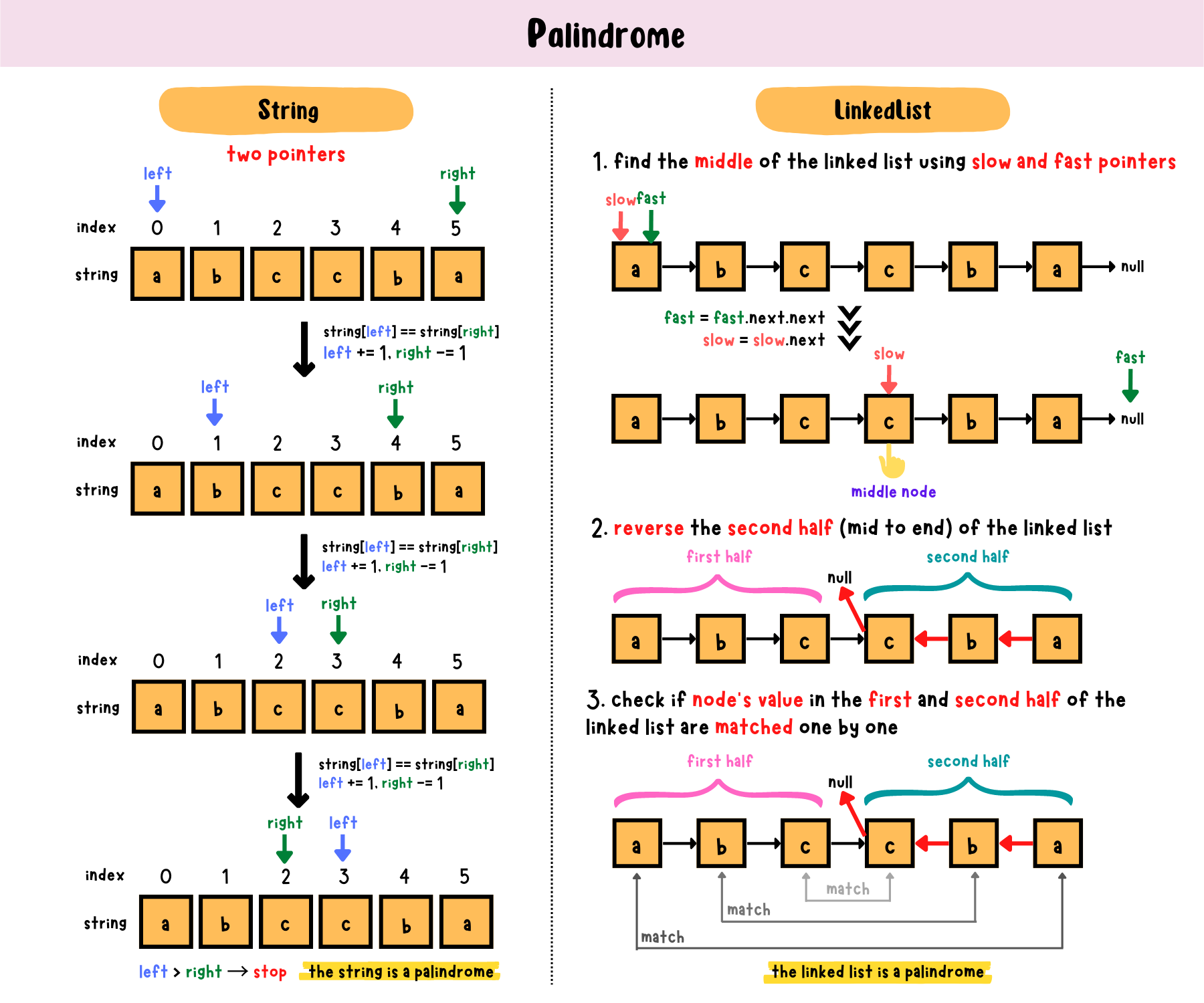
🔍 String Searching Algorithms


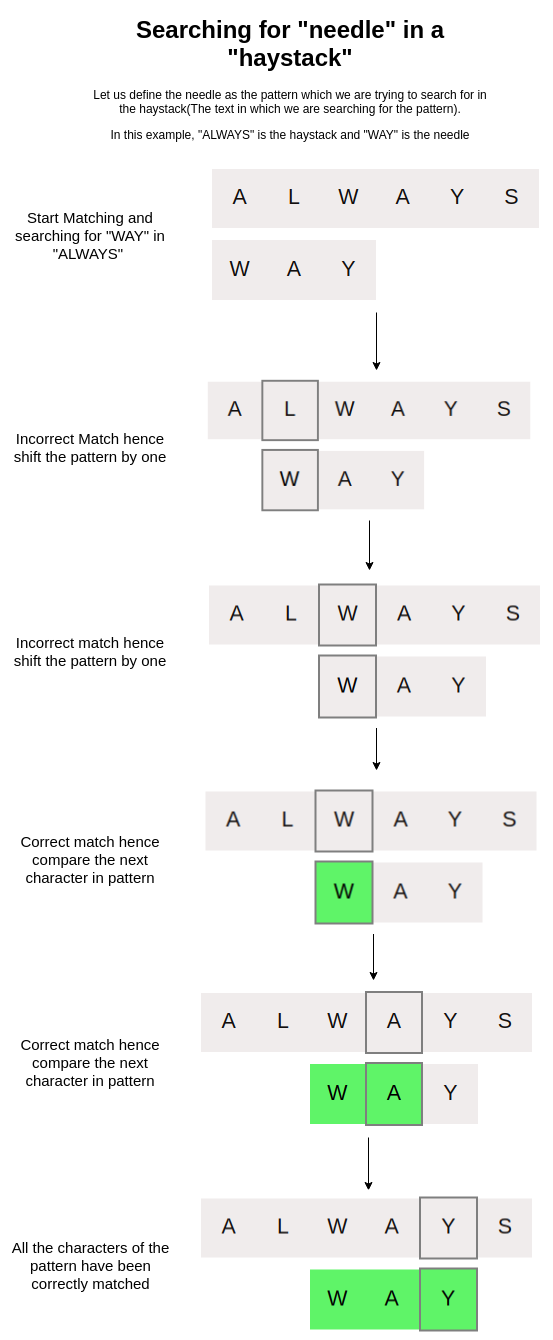
🔹 Naive Algorithm

🔹 KMP Algorithm

🔹 Rabin-Karp Algorithm


🔄 Arrays vs Strings


⚖️ Comparison Table

FeatureArrayString
Data TypeAnyCharacters
SizeFixedVariable
UsageGeneral dataText

🧠 Memory Management


📦 Static vs Dynamic Arrays

  • Static → Fixed size
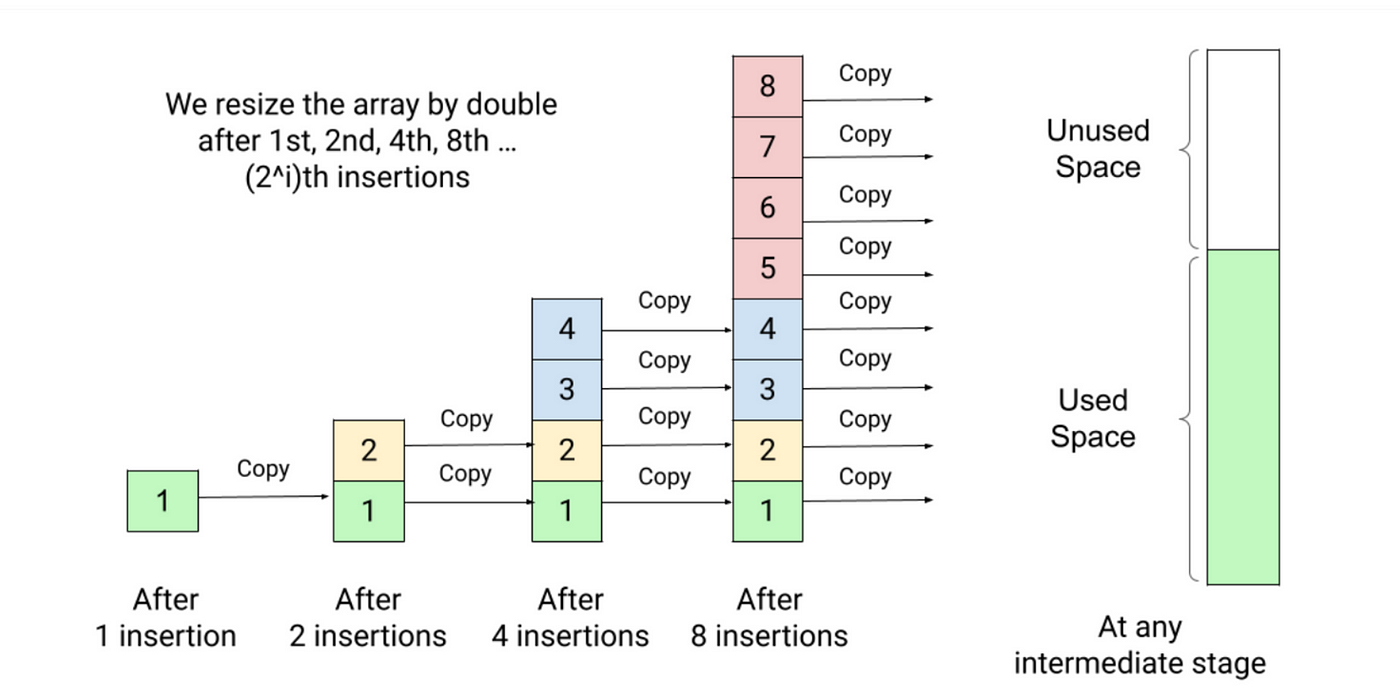
  • Dynamic → Resizable

Example:

  • Python lists
  • Java ArrayList

🧠 Dynamic Strings

  • Strings can be mutable or immutable

⚙️ Multidimensional Strings


🧩 Examples:

  • Array of strings
  • String matrices

🧠 Applications of Arrays and Strings


💻 Programming

  • Data storage
  • Algorithms

🌐 Web Development

  • Text processing
  • Input handling

🤖 AI and Data Science

  • Data representation
  • NLP (Natural Language Processing)

🎮 Gaming

  • Graphics arrays
  • Text rendering

⚡ Advantages


Arrays:

  • Fast access
  • Structured storage

Strings:

  • Easy text manipulation
  • Human-readable

⚠️ Limitations


Arrays:

  • Fixed size
  • Less flexible

Strings:

  • Memory overhead
  • Slower operations

🚀 Advanced Topics

Image
Image
Image
Image
  • Dynamic arrays
  • String hashing
  • Suffix arrays
  • Advanced data structures

🧾 Conclusion

Arrays and strings are core data structures in computing. They:

  • Store and organize data
  • Enable efficient algorithms
  • Form the basis of advanced programming

Understanding them is essential for:

  • Coding interviews
  • Software development
  • Algorithm design

🏷️ Tags

💻 Command Line Interfaces (CLI) – Complete Detailed Guide


🌐 Introduction to Command Line Interfaces

Image
Image
Image
Image

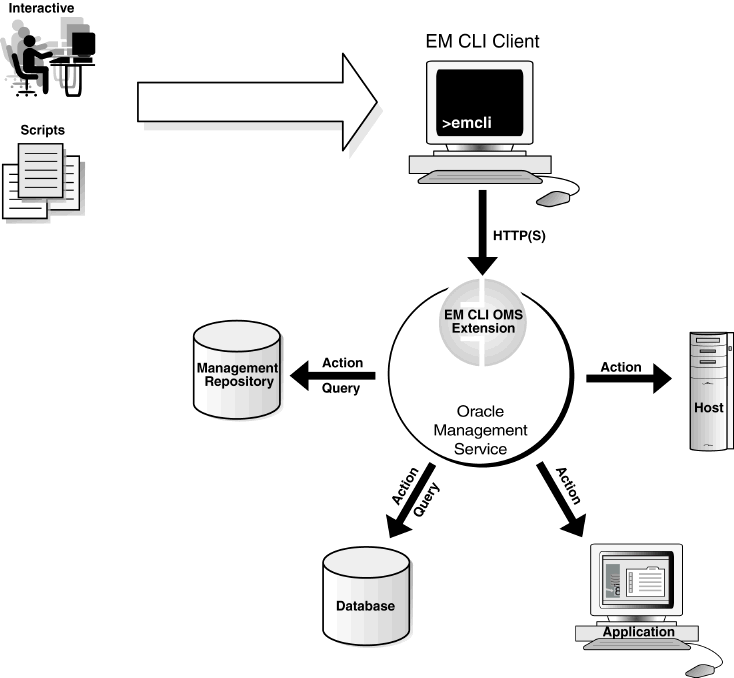
A Command Line Interface (CLI) is a text-based interface that allows users to interact with a computer system by typing commands instead of using graphical elements like buttons or icons.

In simple terms:

CLI = controlling the computer using typed commands

It is widely used in:

  • Operating systems (Windows, Linux, macOS)
  • Programming and development
  • System administration
  • Networking and cybersecurity

🧠 Importance of CLI

  • Faster execution of tasks
  • Greater control over system
  • Automation via scripts
  • Essential for developers and administrators
  • Works efficiently on low-resource systems

🧩 Basic Concepts of CLI


🔤 What is a Command?

A command is an instruction given to the system.

Example:

ls

📁 What is a Shell?

Image
Image
Image
Image

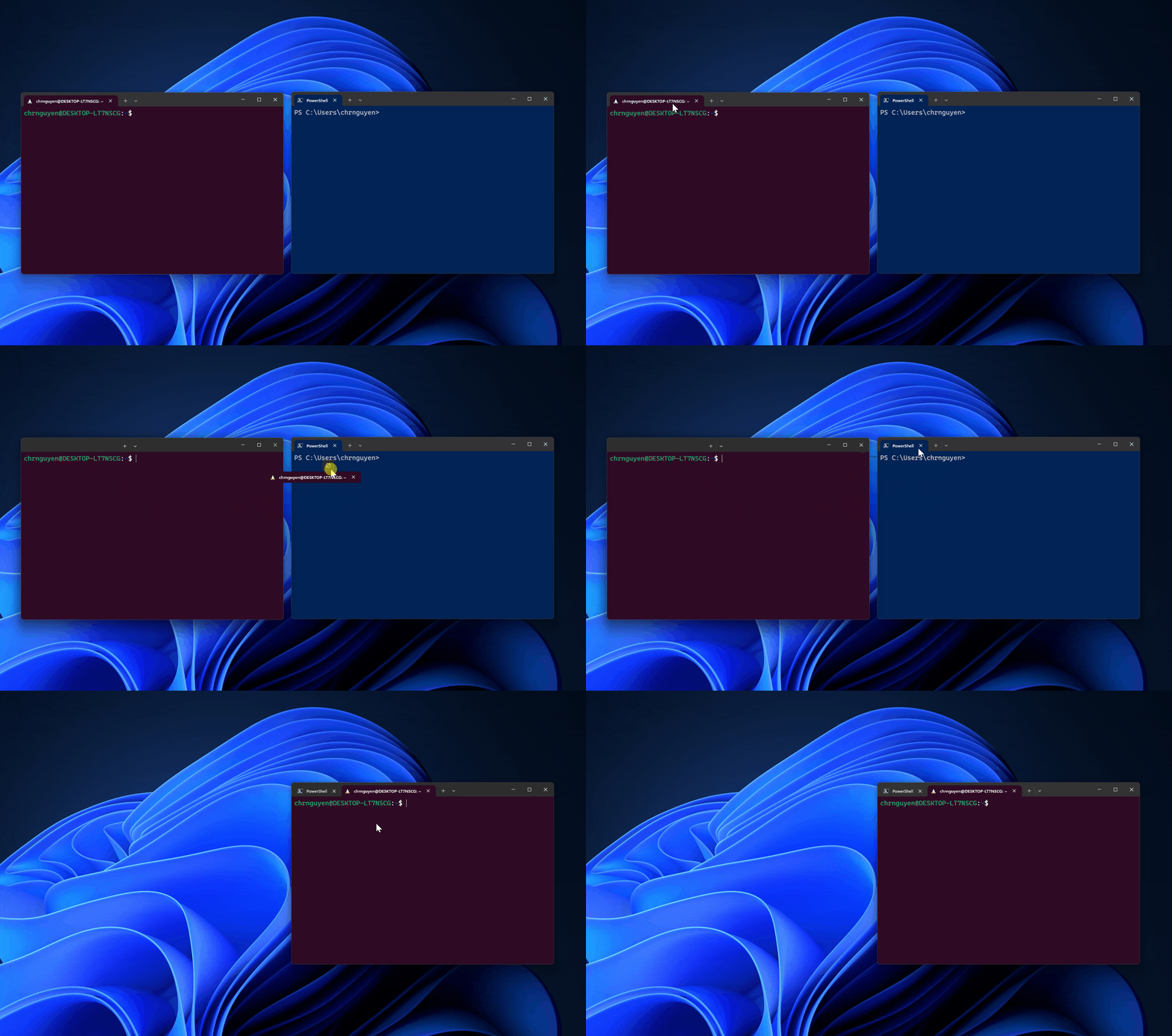
A shell is a program that interprets user commands and communicates with the operating system.

Types of Shells:

  • Bash (Linux/macOS)
  • PowerShell (Windows)
  • Zsh

⚙️ CLI Structure

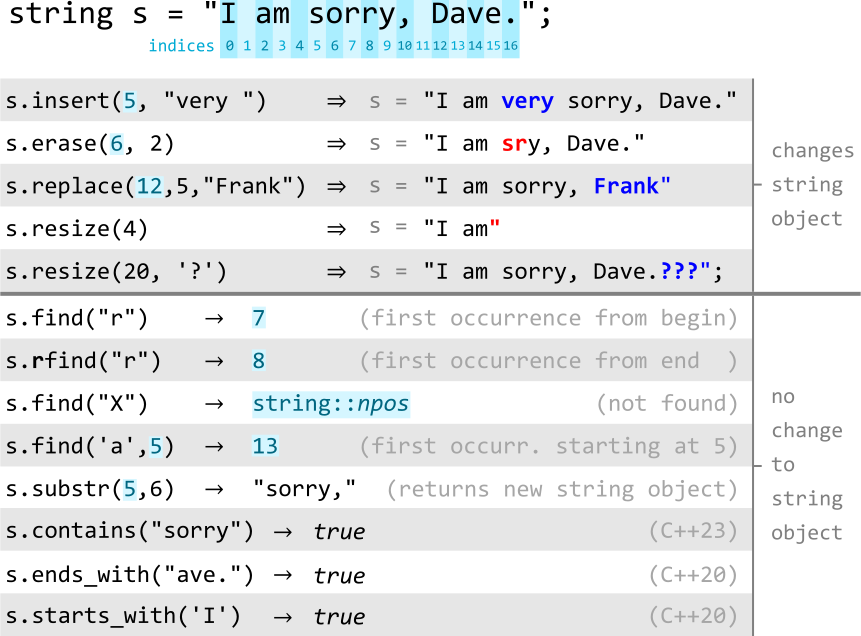
command [options] [arguments]

Example:

ls -l /home

🖥️ CLI in Different Operating Systems


🪟 Windows CLI

Image
Image
Image
Image

Tools:

  • Command Prompt (CMD)
  • PowerShell

Common Commands:

  • dir → list files
  • cd → change directory
  • copy → copy files

🐧 Linux CLI

Image
Image
Image
Image

Features:

  • Powerful and flexible
  • Used by developers and admins

Common Commands:

  • ls → list files
  • pwd → show directory
  • mkdir → create folder

🍎 macOS CLI

Image
Image
Image
Image
  • Based on Unix
  • Uses Bash/Zsh

📂 File and Directory Commands


📁 Navigation

Image
Image
Image
Image
  • cd → change directory
  • pwd → print working directory
  • ls → list contents

📄 File Management

  • cp → copy
  • mv → move
  • rm → delete

🧠 Advanced CLI Concepts


🔁 Pipes and Redirection

Image
Image
Image
Image

Pipes (|)

  • Pass output from one command to another

Redirection:

  • > output
  • < input

🔍 Filters

  • grep → search text
  • sort → sort data
  • wc → count words

🧠 Environment Variables


🌐 Concept

Variables that store system information.

Example:

echo $PATH

🧩 Shell Scripting


📜 What is Shell Script?

Image
Image
Image
Image

A shell script is a file containing multiple commands.


⚙️ Features:

  • Automation
  • Conditional statements
  • Loops

🔤 Example:

#!/bin/bash
echo "Hello World"

🔐 CLI Security


🛡️ Features:

Image
Image
Image
Image
  • Authentication
  • File permissions
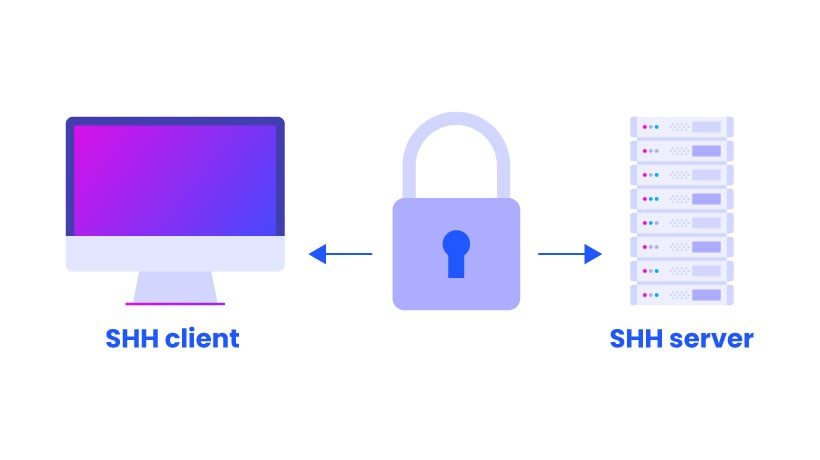
  • Secure shell (SSH)

⚙️ Process Management in CLI


🧠 Commands:

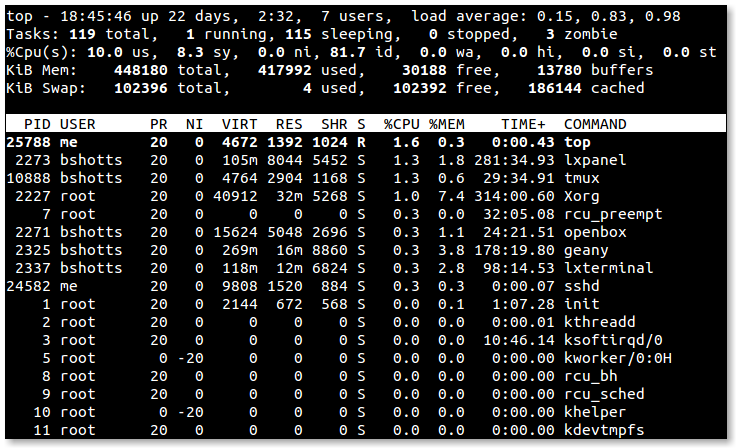
  • ps → list processes
  • top → monitor processes
  • kill → terminate process

🌐 Networking Commands


📡 Examples:

Image
Image
Image
Image
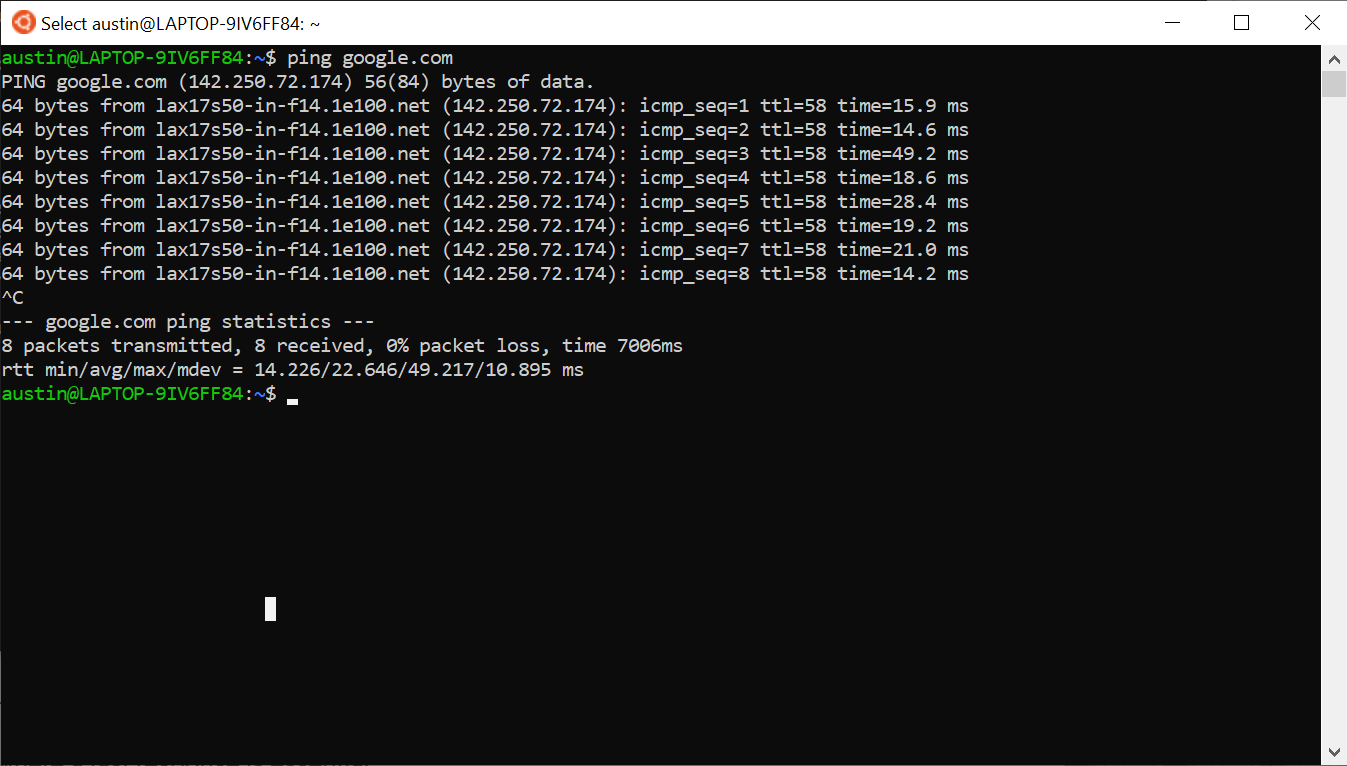
  • ping → test connectivity
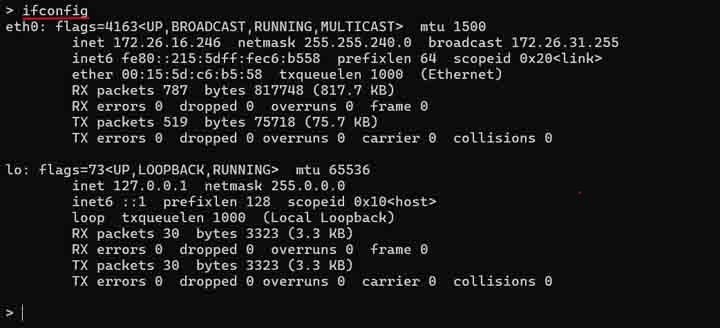
  • ifconfig/ipconfig → network info
  • netstat → connections

🧠 Package Management


📦 Tools:

  • apt (Ubuntu)
  • yum (CentOS)
  • brew (macOS)

⚡ Advantages of CLI

  • Speed and efficiency
  • Automation capability
  • Low resource usage
  • Powerful control

⚠️ Limitations

  • Steep learning curve
  • Error-prone
  • Less user-friendly

🔄 CLI vs GUI


FeatureCLIGUI
InterfaceTextVisual
SpeedFastModerate
Ease of UseDifficultEasy

🚀 Modern CLI Trends

Image
Image
Image
Image
  • Cloud CLIs (AWS, Azure)
  • DevOps automation
  • Container management (Docker)
  • Enhanced terminals

🧾 Conclusion

Command Line Interfaces remain a powerful and essential tool in computing. They provide:

  • Direct system control
  • Efficient automation
  • Advanced functionality

Mastering CLI is crucial for:

  • Developers
  • System administrators
  • Cybersecurity professionals

🏷️ Tags

🖥️ Virtualization


🌐 Introduction to Virtualization

Image
Image
Image
Image

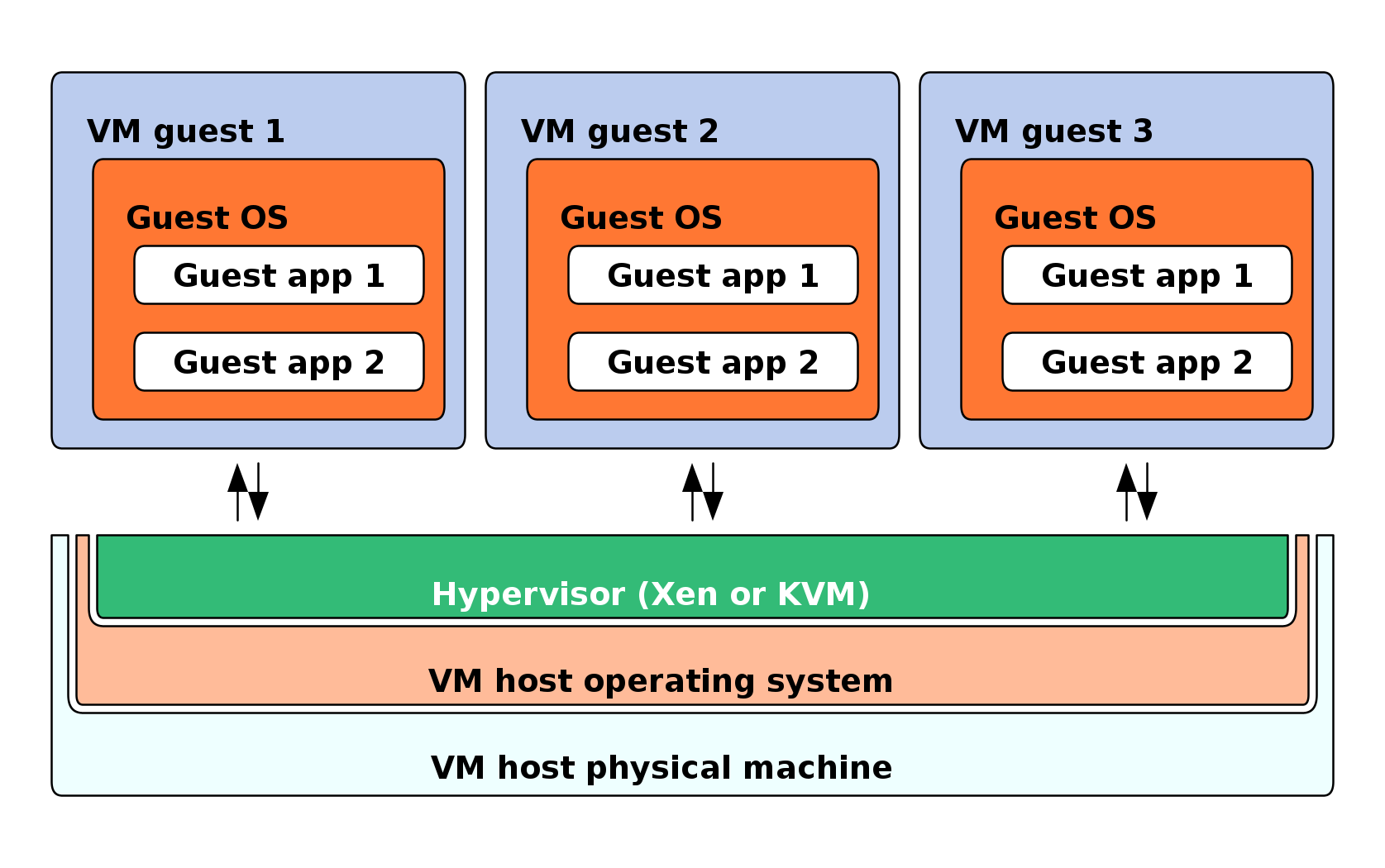
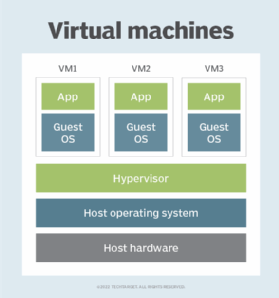
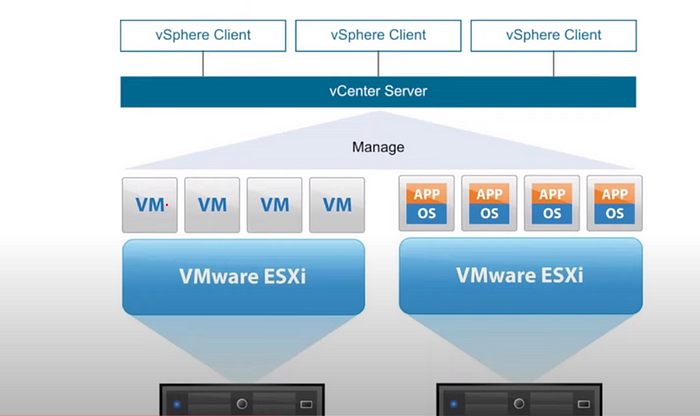
Virtualization is a technology that allows a single physical computer system to run multiple virtual environments (virtual machines) simultaneously. It abstracts hardware resources such as CPU, memory, and storage and allocates them efficiently among multiple users or systems.

In simple terms:

Virtualization = creating virtual versions of physical resources

These virtual versions behave like real systems but operate within a controlled environment.


🧠 Importance of Virtualization

  • Efficient resource utilization
  • Cost reduction (less hardware required)
  • Scalability and flexibility
  • Isolation and security
  • Foundation of cloud computing

🧩 Basic Concepts of Virtualization


💡 What is a Virtual Machine (VM)?

Image
Image
Image
Image

A Virtual Machine (VM) is a software-based emulation of a physical computer.

Components:

  • Virtual CPU
  • Virtual RAM
  • Virtual storage
  • Guest operating system

⚙️ What is a Hypervisor?

Image
Image
Image
Image

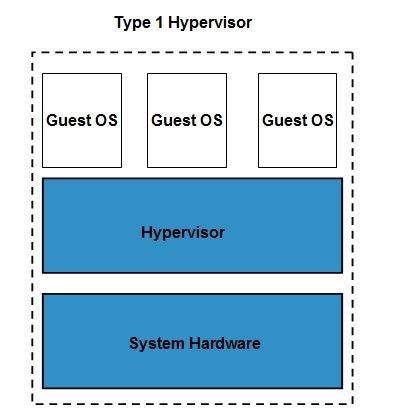
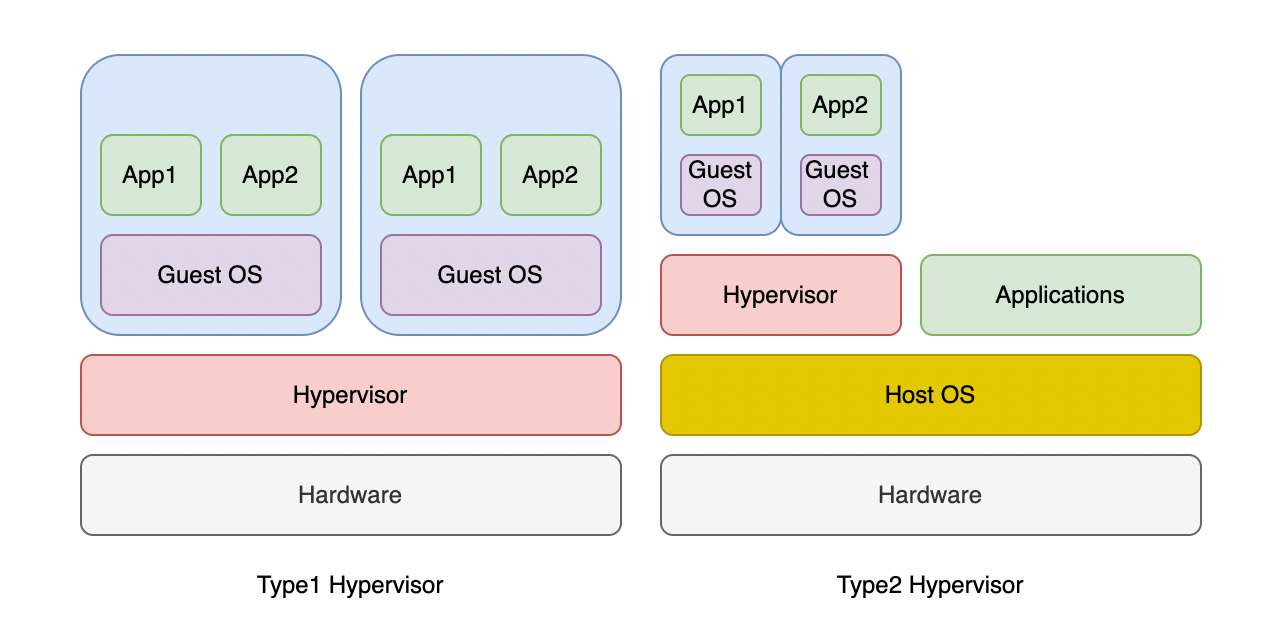
A hypervisor is software that manages virtual machines.

Types:

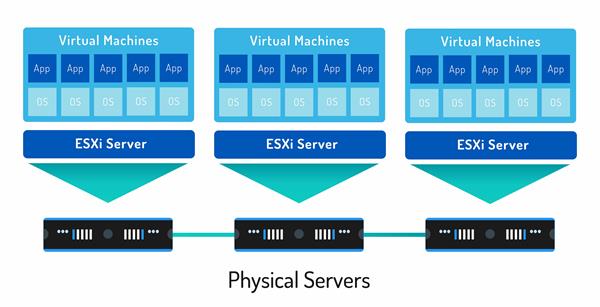
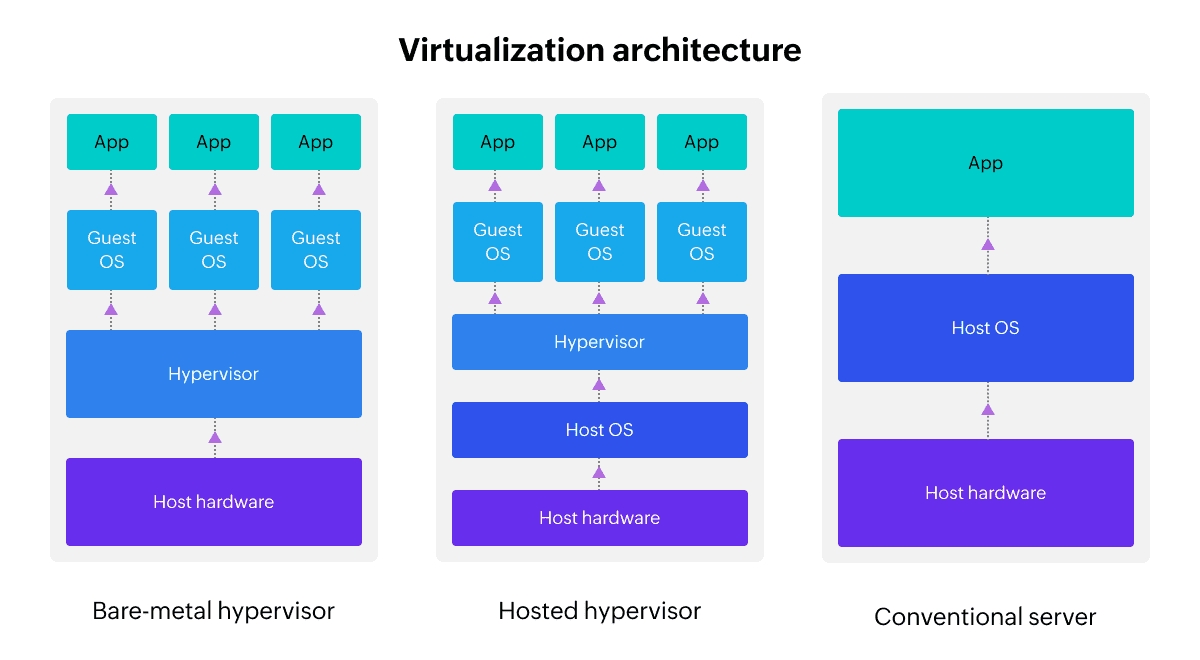
🔹 Type 1 (Bare-metal)

  • Runs directly on hardware
  • Example: VMware ESXi

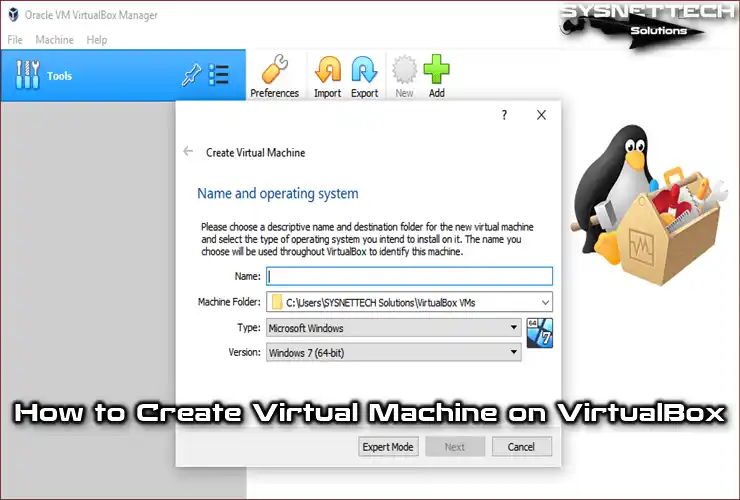
🔹 Type 2 (Hosted)

  • Runs on an OS
  • Example: VirtualBox

🧠 Types of Virtualization


🖥️ 1. Server Virtualization

Image
Image
Image
Image
  • Divides one server into multiple virtual servers

💻 2. Desktop Virtualization

Image
Image
Image
Image
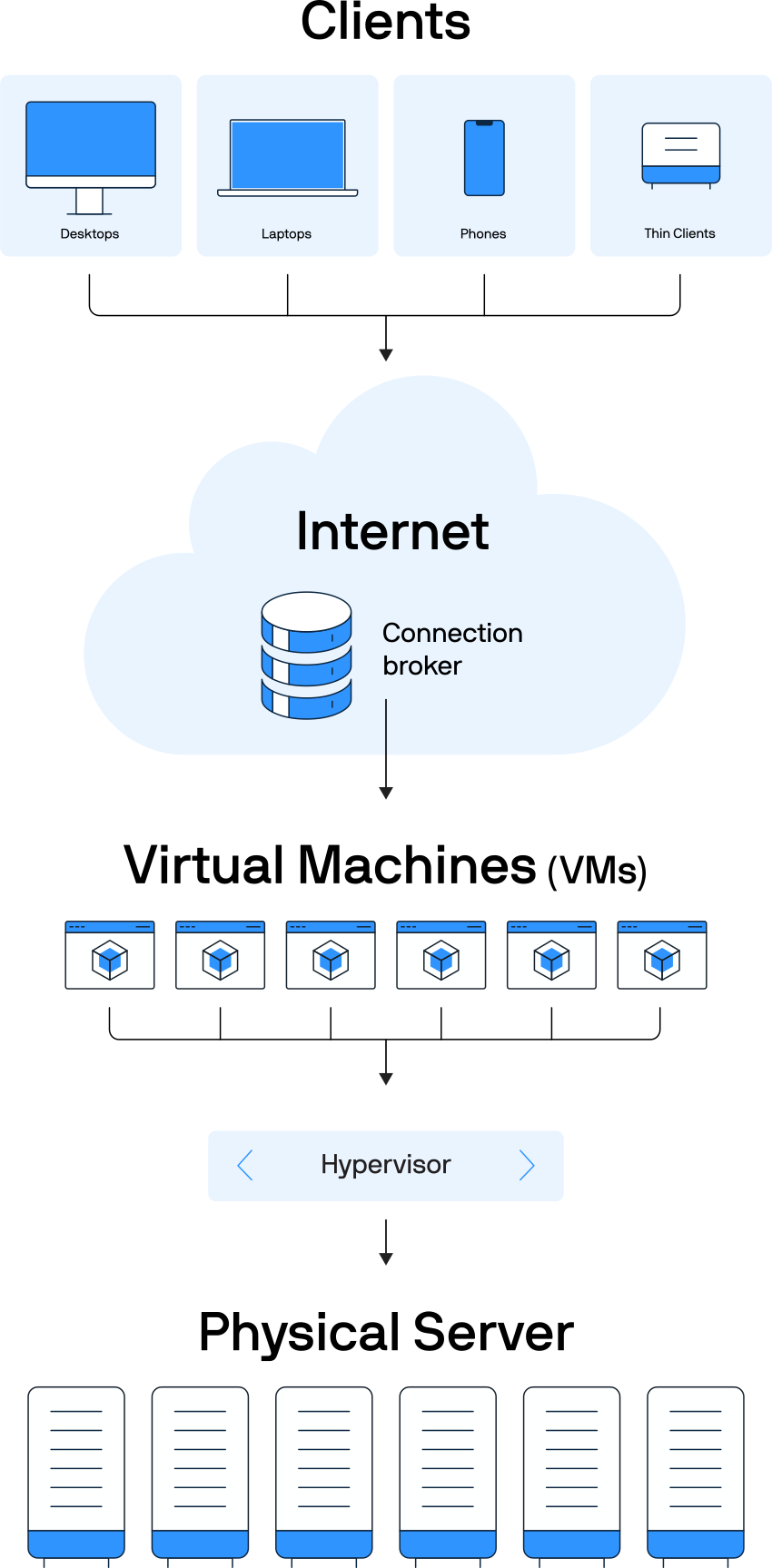
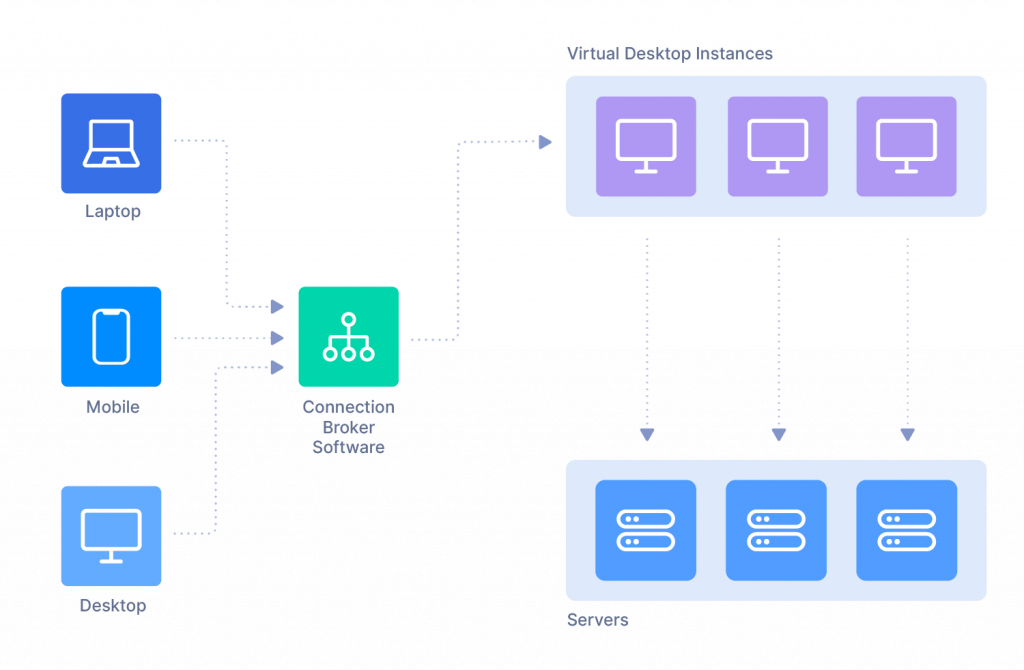
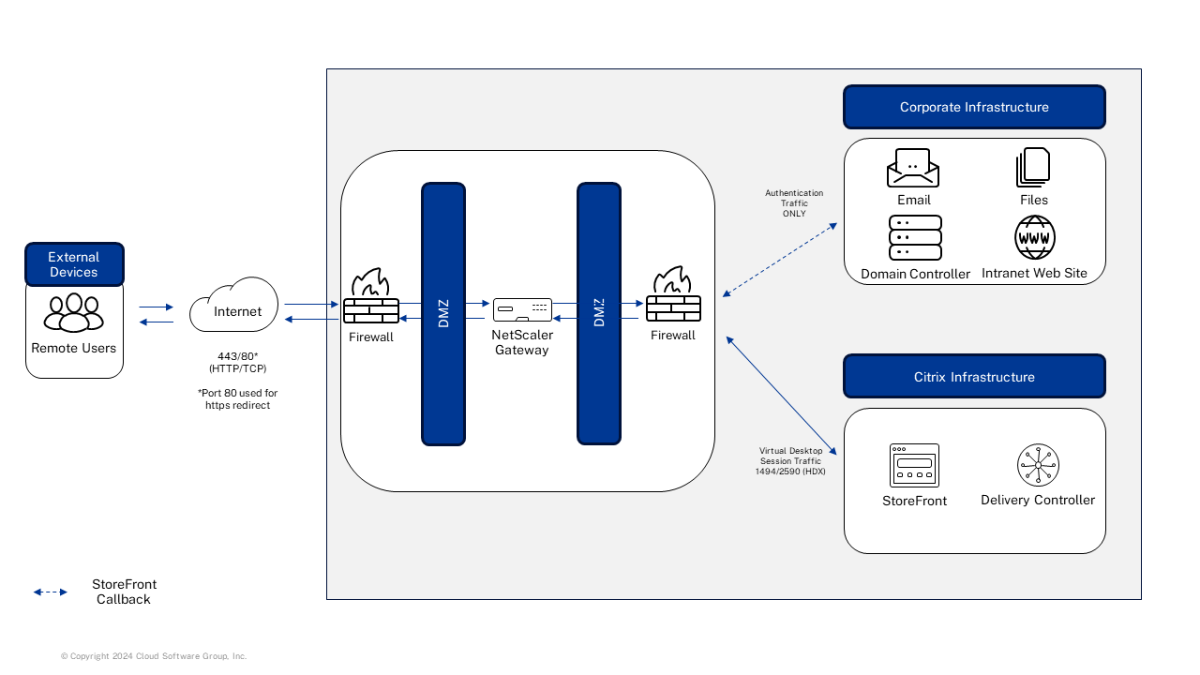
  • Users access desktops remotely

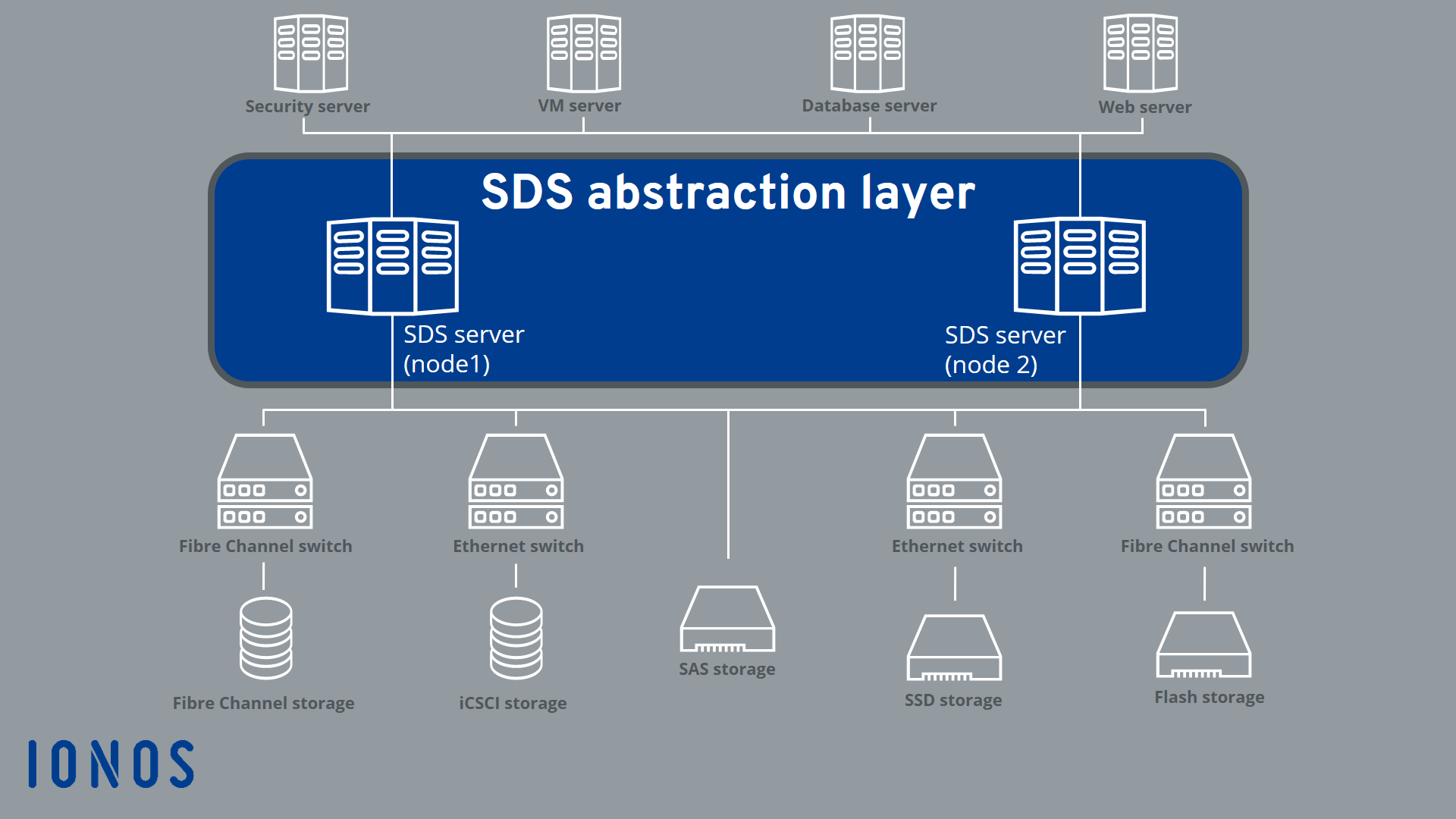
📦 3. Storage Virtualization

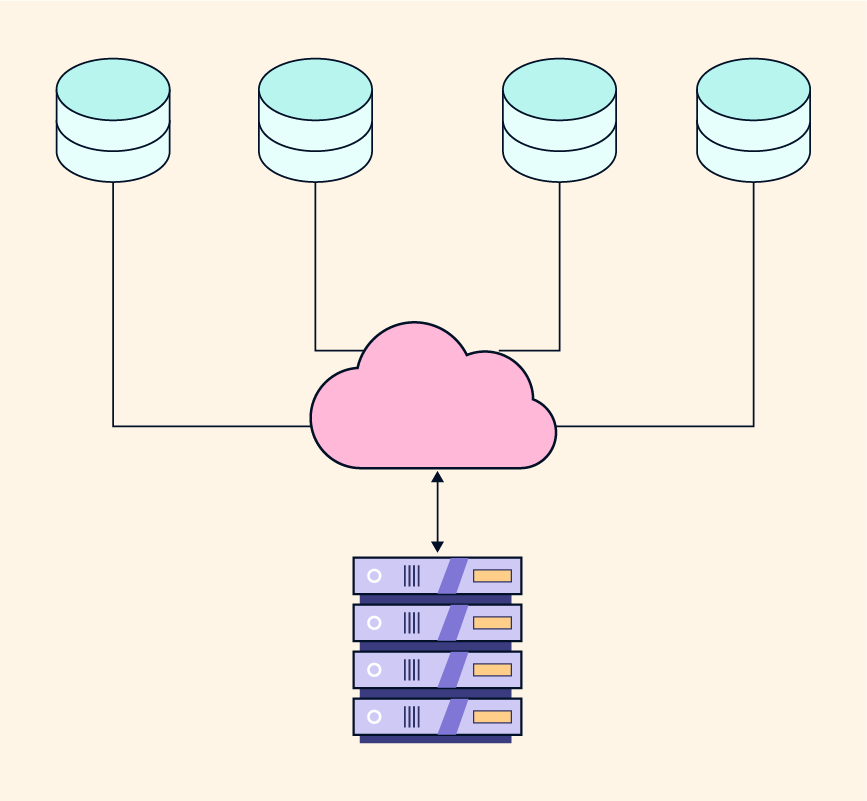
Image
Image
Image
Image
  • Combines multiple storage devices

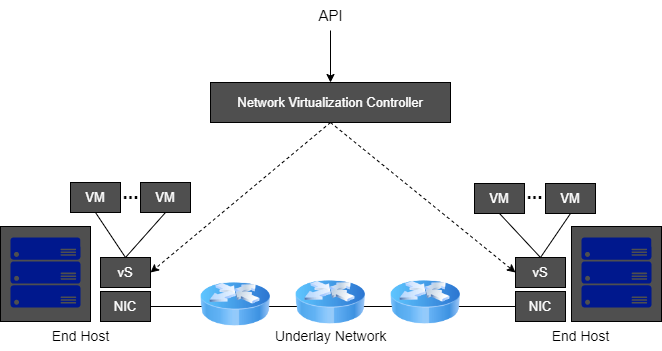
🌐 4. Network Virtualization

Image
Image
Image
Image
  • Creates virtual networks

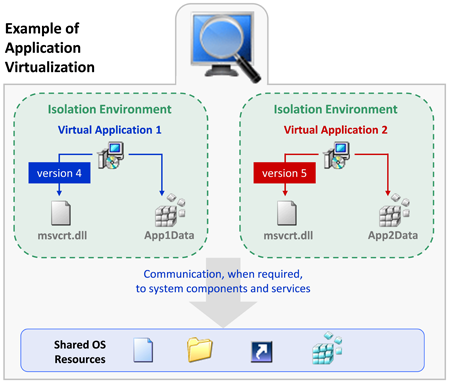
🧠 5. Application Virtualization

Image
Image
Image
Image
  • Runs applications without installing them

📦 6. Containerization

Image
Image
Image
Image
  • Lightweight virtualization
  • Uses shared OS kernel

⚙️ Virtualization Architecture


🧩 Layers:

Image
Image
Image
Image
  1. Physical hardware
  2. Hypervisor
  3. Virtual machines
  4. Applications

🔄 Full Virtualization vs Para-Virtualization


⚖️ Comparison:

FeatureFull VirtualizationPara-Virtualization
OS modificationNot requiredRequired
PerformanceModerateHigh
ComplexityLowHigh

🧠 Virtualization in Cloud Computing


☁️ Cloud Models

Image
Image
Image
Image

🔹 IaaS (Infrastructure as a Service)

  • Virtual machines

🔹 PaaS (Platform as a Service)

  • Development platforms

🔹 SaaS (Software as a Service)

  • Applications over internet

🔐 Security in Virtualization


🛡️ Features:

Image
Image
Image
Image
  • Isolation between VMs
  • Sandboxing
  • Secure hypervisor

⚠️ Risks:

  • VM escape
  • Resource sharing vulnerabilities

⚙️ Resource Management


🧠 Techniques:

  • CPU scheduling
  • Memory allocation
  • Storage management

🔄 Live Migration


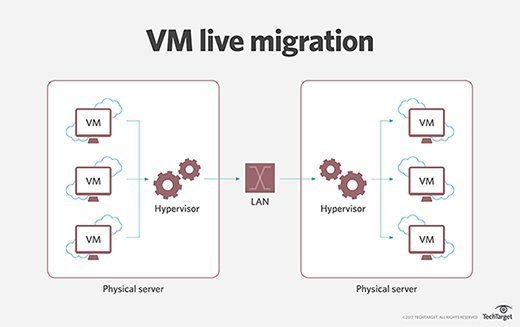
🔁 Concept

Image
Image
Image
Image
  • Moving VMs between hosts without downtime

🧠 Snapshots and Cloning


📸 Snapshot:

  • Saves VM state

📋 Cloning:

  • Creates duplicate VM

⚡ Advantages of Virtualization

  • Cost efficiency
  • Scalability
  • Flexibility
  • Disaster recovery

⚠️ Limitations

  • Performance overhead
  • Complexity
  • Security risks

🚀 Emerging Trends

Image
Image
Image
Image
  • Edge virtualization
  • Serverless computing
  • GPU virtualization
  • Hybrid cloud

🧠 Virtualization vs Containerization


⚖️ Comparison:

FeatureVirtualizationContainerization
OSSeparate OSShared OS
SizeLargeSmall
SpeedSlowerFaster

🧾 Conclusion

Virtualization is a key technology in modern computing, enabling:

  • Efficient use of resources
  • Cloud computing infrastructure
  • Flexible and scalable systems

It plays a critical role in:

  • Data centers
  • Cloud platforms
  • DevOps environments

Understanding virtualization is essential for:

  • System administrators
  • Developers
  • Cloud engineers

🏷️ Tags

💾 Storage Systems – Complete Detailed Guide


🌐 Introduction to Storage Systems

Image
Image
Image
Image

A storage system is a combination of hardware and software used to store, manage, retrieve, and protect digital data. It is a fundamental part of computing systems, enabling everything from simple file saving to complex cloud infrastructures.

In simple terms:

Storage systems = where and how data is stored and accessed

Storage systems are essential for:

  • Operating systems
  • Applications
  • Databases
  • Multimedia content
  • Cloud computing

🧠 Importance of Storage Systems

  • Persistent data storage
  • Fast data access
  • Data backup and recovery
  • Supports large-scale computing
  • Enables cloud and distributed systems

🧩 Types of Storage Systems


📊 1. Primary Storage (Main Memory)

Image
Image
Image
Image

Primary storage is directly accessed by the CPU.

Examples:

  • RAM
  • Cache
  • Registers

Features:

  • Fast access
  • Volatile
  • Limited capacity

💾 2. Secondary Storage

Image
Image
Image
Image

Used for long-term storage.

Examples:

  • HDD
  • SSD
  • USB drives
  • Optical disks

Features:

  • Non-volatile
  • Large capacity
  • Slower than RAM

📦 3. Tertiary Storage

Image
Image
Image
Image

Used for backup and archival purposes.

Examples:

  • Magnetic tapes
  • Cloud storage

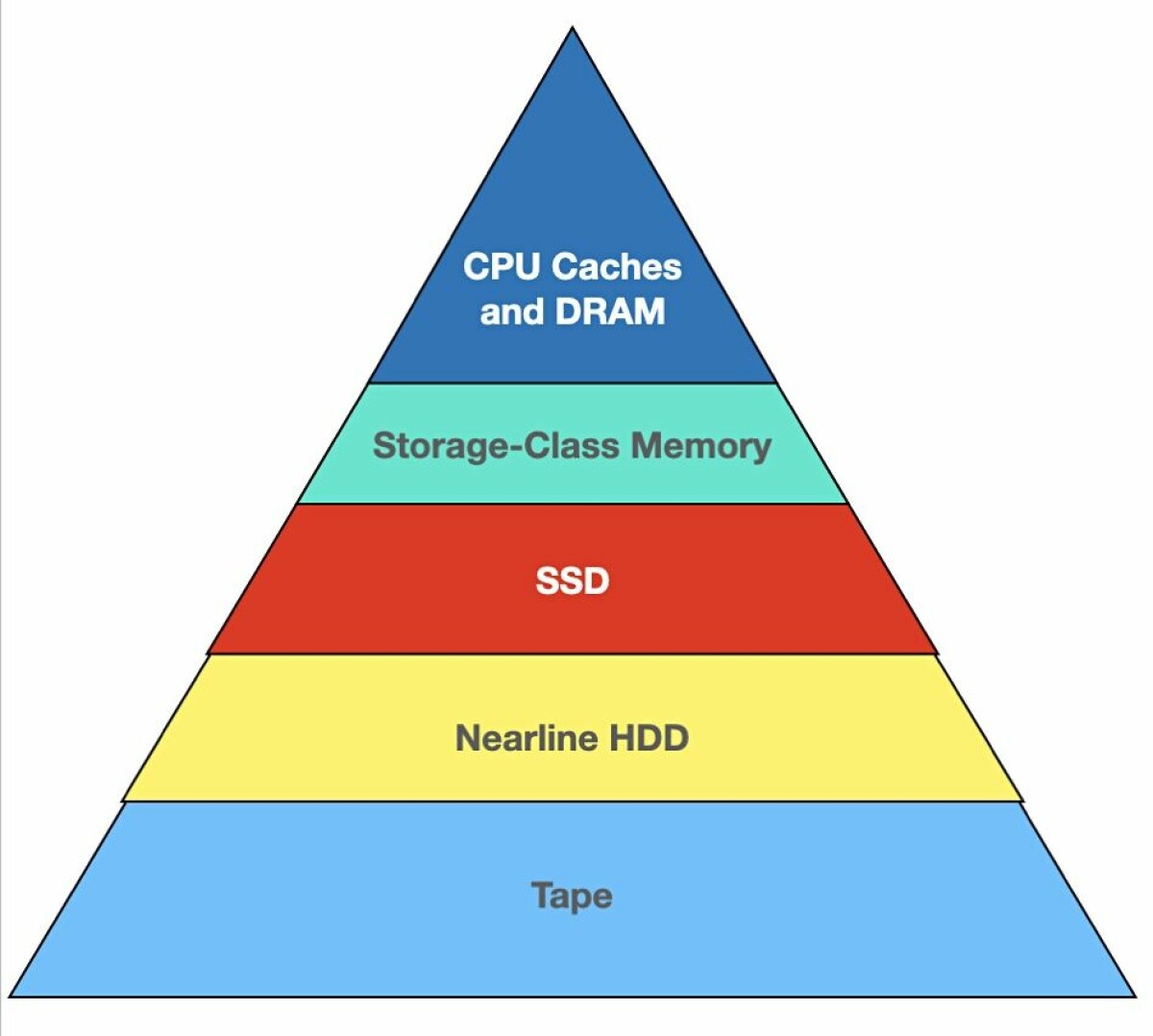
🧠 Storage Hierarchy


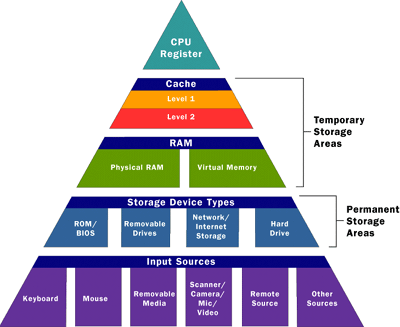
📊 Hierarchy Levels

Image
Image
Image
Image
  1. Registers
  2. Cache
  3. RAM
  4. SSD/HDD
  5. Tape/Cloud

⚖️ Trade-offs

  • Speed vs Cost
  • Capacity vs Performance

⚙️ Storage Devices in Detail


💿 Hard Disk Drive (HDD)

Image
Image
Image
Image

Working:

  • Magnetic storage
  • Rotating platters

Advantages:

  • Large capacity
  • Low cost

Limitations:

  • Slow
  • Mechanical wear

⚡ Solid State Drive (SSD)

Image
Image
Image
Image

Working:

  • Flash memory
  • No moving parts

Advantages:

  • Fast
  • Durable

Limitations:

  • Expensive

🔌 USB Flash Drives

Image
Image
Image
Image
  • Portable storage
  • Plug-and-play

💿 Optical Storage

Image
Image
Image
Image
  • Uses laser technology
  • Examples: CD, DVD, Blu-ray

📼 Magnetic Tape

Image
Image
Image
Image
  • Used for backups
  • Sequential access

🌐 Network and Cloud Storage


☁️ Cloud Storage

Image
Image
Image
Image
  • Data stored on remote servers
  • Accessible via internet

Examples:

  • Google Drive
  • Dropbox

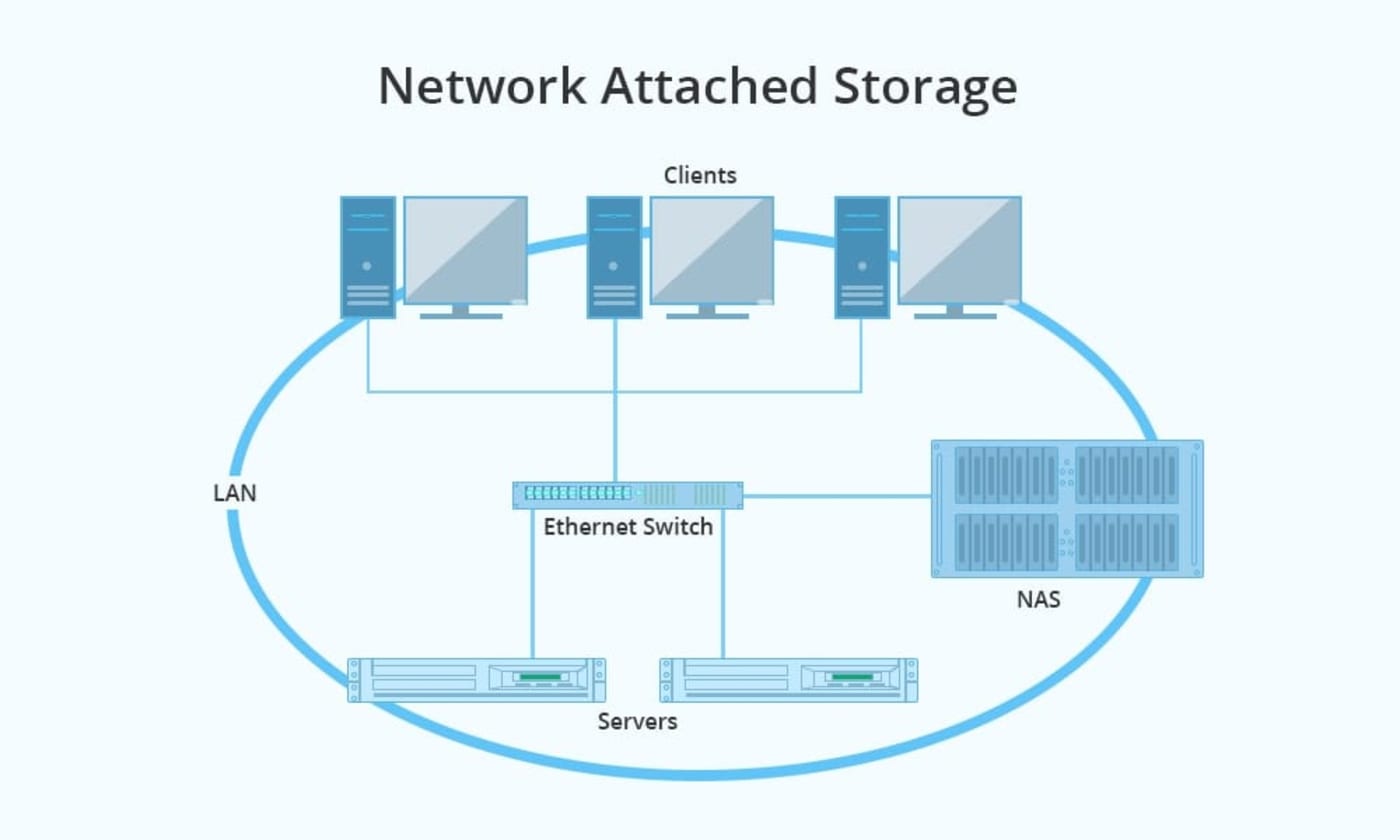
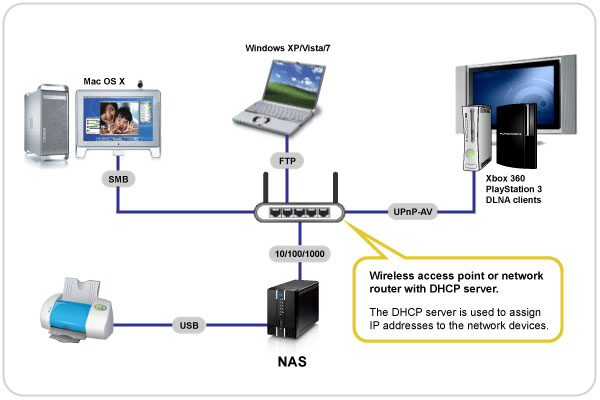
🌐 Network Attached Storage (NAS)

Image
Image
Image
Image
  • Centralized storage in network

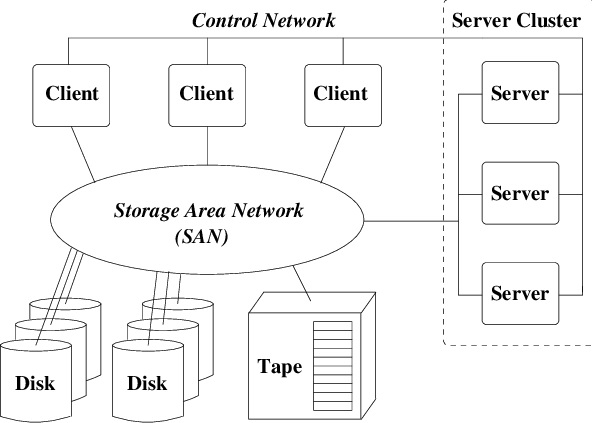
🏢 Storage Area Network (SAN)

Image
Image
Image
Image
  • High-speed storage network
  • Used in enterprises

🧠 RAID (Redundant Array of Independent Disks)


⚙️ Concept

Image
Image
Image
Image

RAID combines multiple disks for:

  • Performance
  • Reliability

🔢 RAID Levels:

  • RAID 0 → Striping
  • RAID 1 → Mirroring
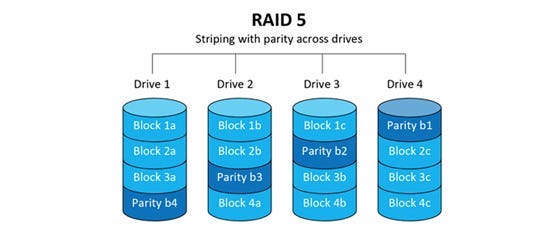
  • RAID 5 → Parity
  • RAID 10 → Combination

🔐 Data Security in Storage


🛡️ Techniques:

Image
Image
Image
Image
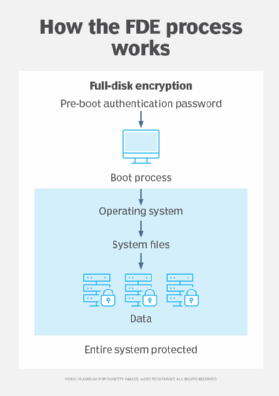
  • Encryption
  • Backup
  • Access control

🔄 Data Backup and Recovery


📦 Backup Types:

  • Full backup
  • Incremental backup
  • Differential backup

🔁 Recovery:

  • Restore data after failure

⚙️ Storage Performance Factors

  • Access time
  • Latency
  • Throughput
  • IOPS

⚠️ Storage Challenges

  • Data loss
  • Hardware failure
  • Security threats
  • Scalability

🚀 Emerging Storage Technologies

Image
Image
Image
Image
  • NVMe storage
  • 3D NAND
  • DNA storage
  • Holographic storage

⚡ Advantages of Storage Systems

  • Persistent data
  • Large capacity
  • Scalability
  • Accessibility

⚠️ Limitations

  • Cost
  • Latency
  • Maintenance
  • Security risks

🧠 Conclusion

Storage systems are essential for modern computing, enabling:

  • Data storage and retrieval
  • Backup and recovery
  • Large-scale data processing

From personal devices to cloud infrastructures, storage systems power the digital world.


🏷️ Tags

🧠 Memory Management


🌐 Introduction to Memory Management

Image
Image
Image
Image

Memory Management is a core function of an operating system (OS) that handles the allocation, organization, and optimization of main memory (RAM) for processes and applications.

In simple terms:

Memory management = efficient use of RAM for program execution

It ensures that each process gets enough memory while maintaining system stability, performance, and security.


🧠 Importance of Memory Management

  • Efficient utilization of memory
  • Supports multitasking
  • Prevents memory conflicts
  • Enhances system performance
  • Provides process isolation and protection

🧩 Basic Concepts of Memory


💾 What is Memory?

Memory is a storage area where data and instructions are kept during processing.


📊 Types of Memory

Image
Image

🔹 Primary Memory

  • RAM
  • Cache
  • Registers

🔹 Secondary Memory

  • HDD
  • SSD

🧠 Memory Hierarchy

  1. Registers (fastest)
  2. Cache
  3. RAM
  4. Secondary storage (slowest)

⚙️ Memory Allocation


🔹 Static Allocation

  • Memory allocated at compile time
  • Fixed size

🔹 Dynamic Allocation

  • Memory allocated at runtime
  • Flexible

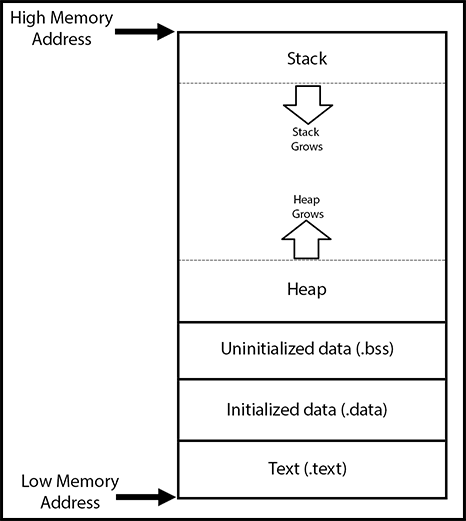
🧠 Process Memory Layout

Image
Image
Image

Each process has:

  • Code segment
  • Data segment
  • Heap
  • Stack

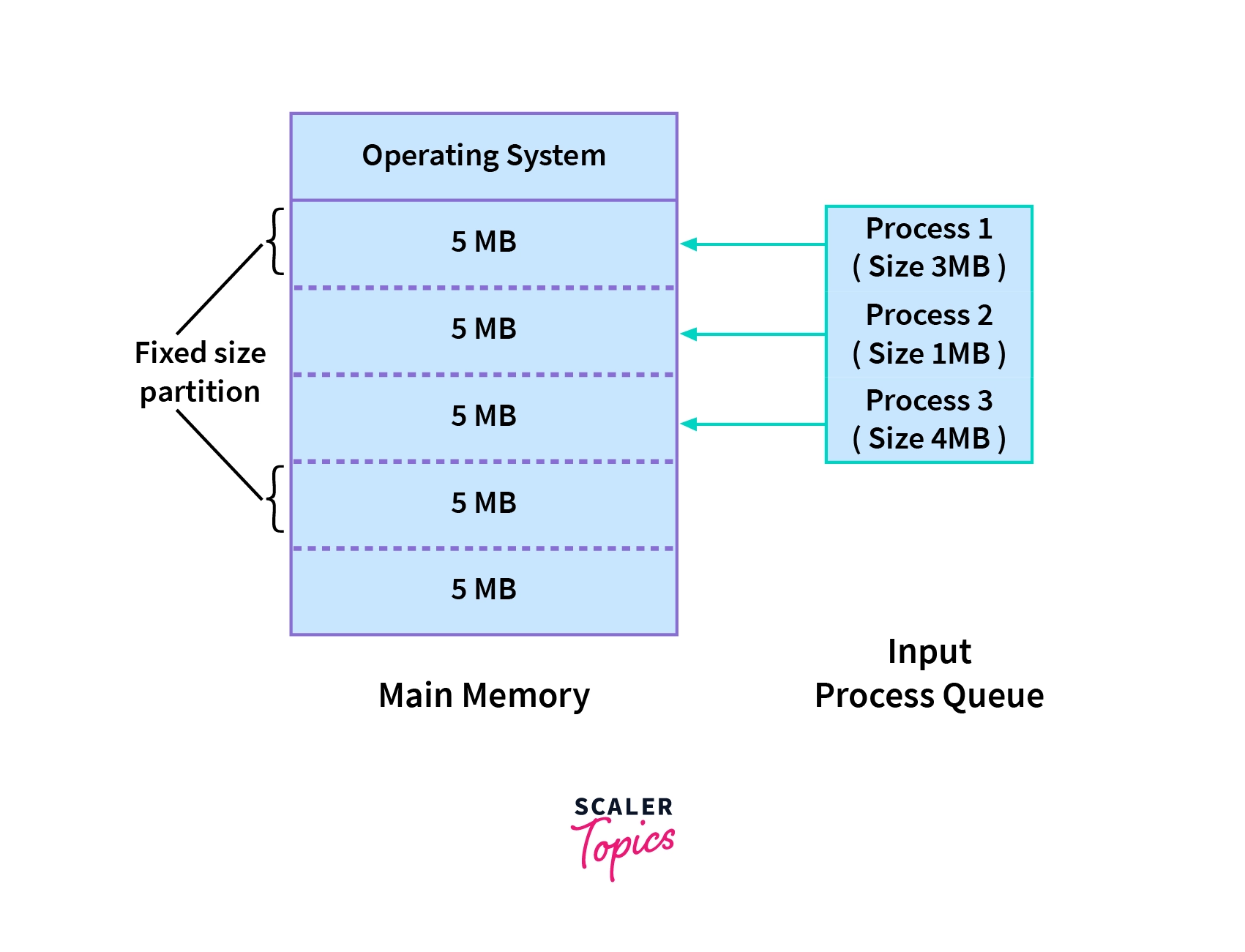
🔄 Contiguous Memory Allocation


📦 Concept

Image
Image
Image
Image

Processes are stored in continuous memory blocks.


⚠️ Fragmentation

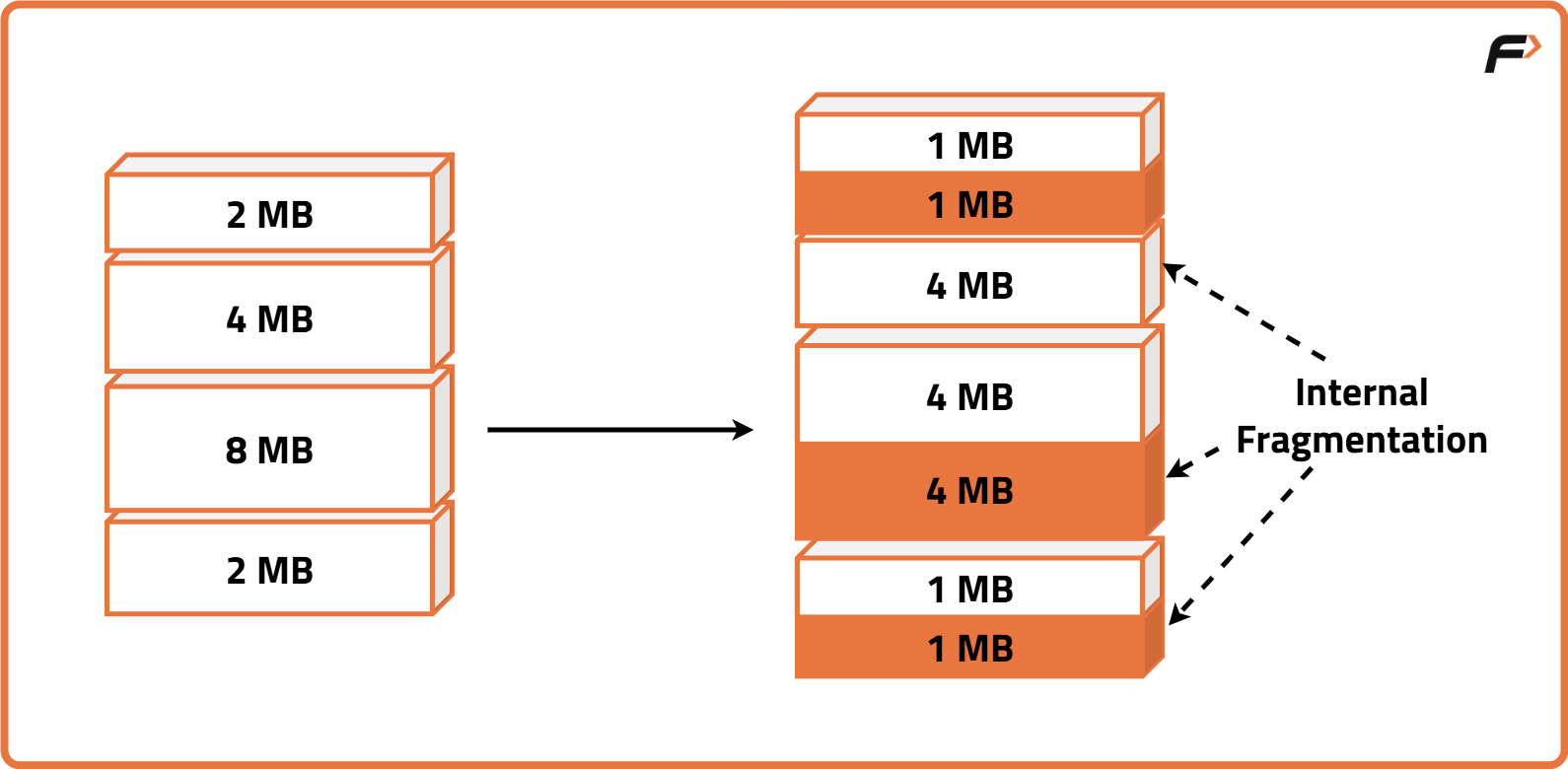
🔹 Internal Fragmentation

  • Unused space inside allocated memory

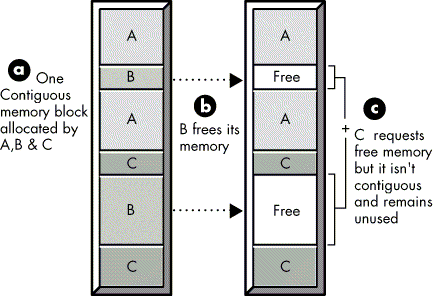
🔹 External Fragmentation

  • Scattered free space

🔄 Allocation Strategies

  • First Fit
  • Best Fit
  • Worst Fit

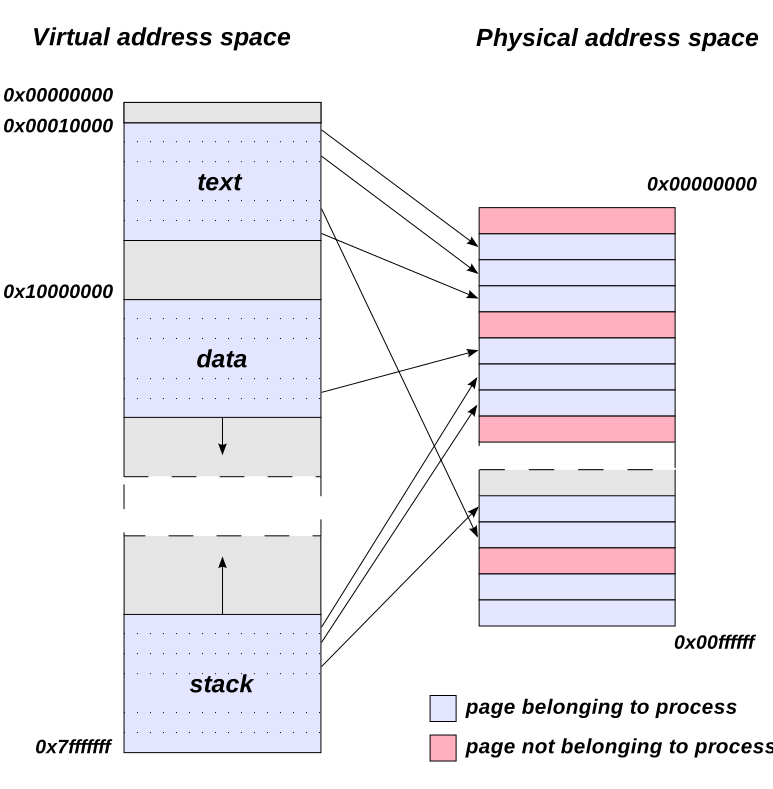
🧠 Paging


📄 Concept

Image
Image
Image
Image

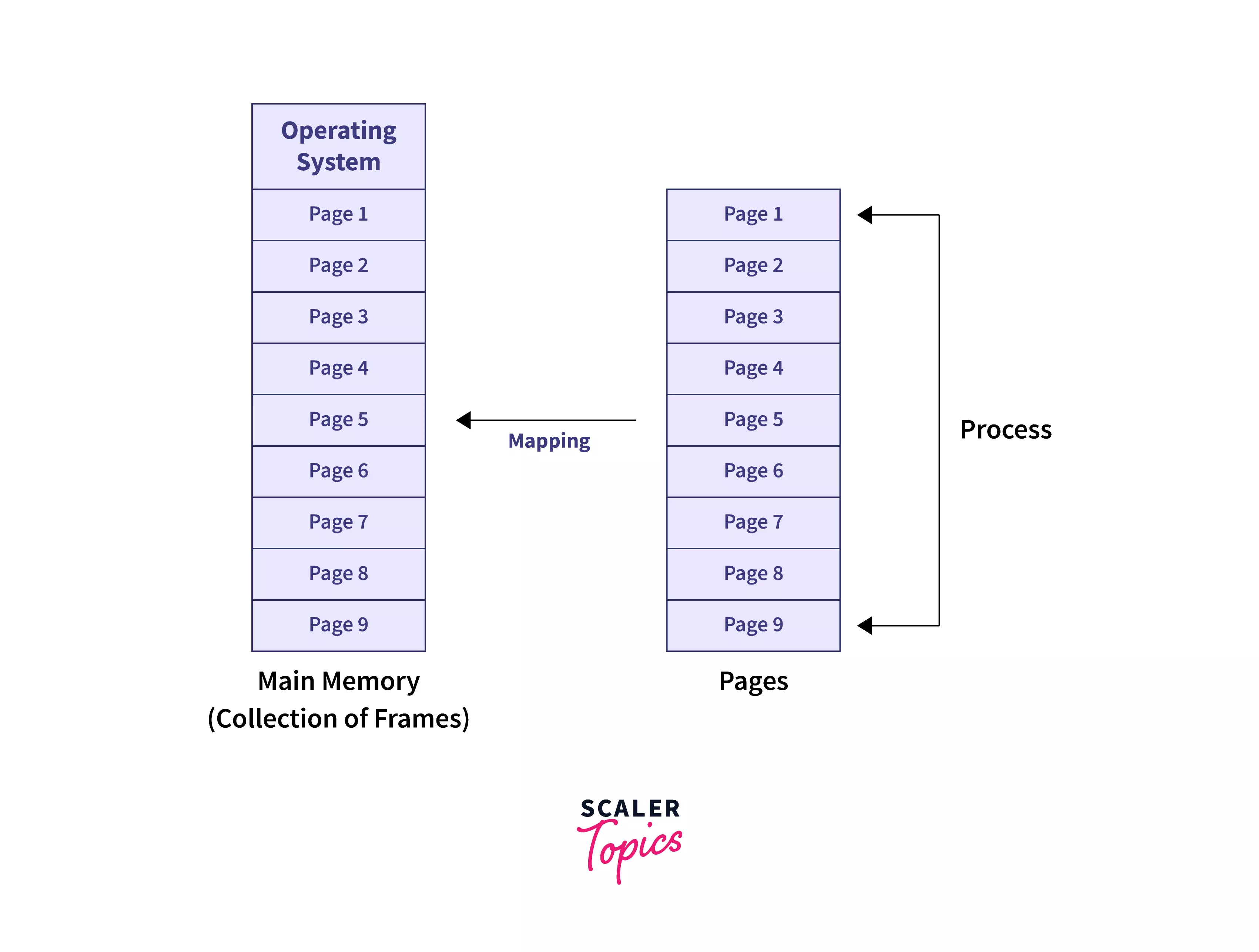
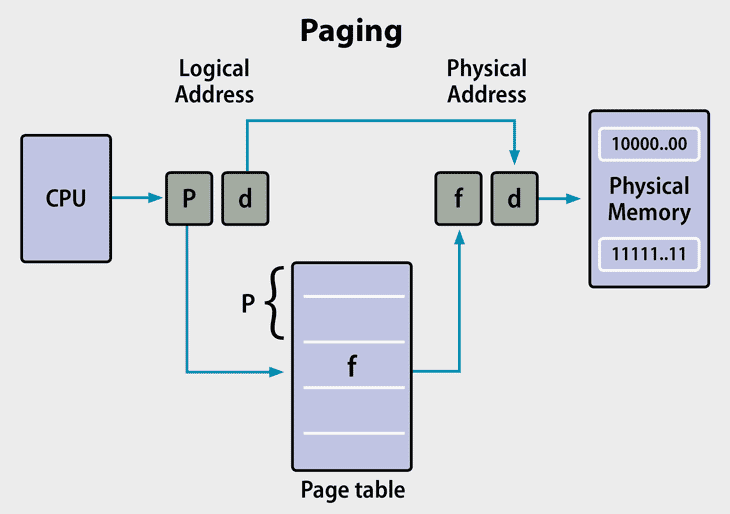
Paging divides memory into:

  • Pages (logical)
  • Frames (physical)

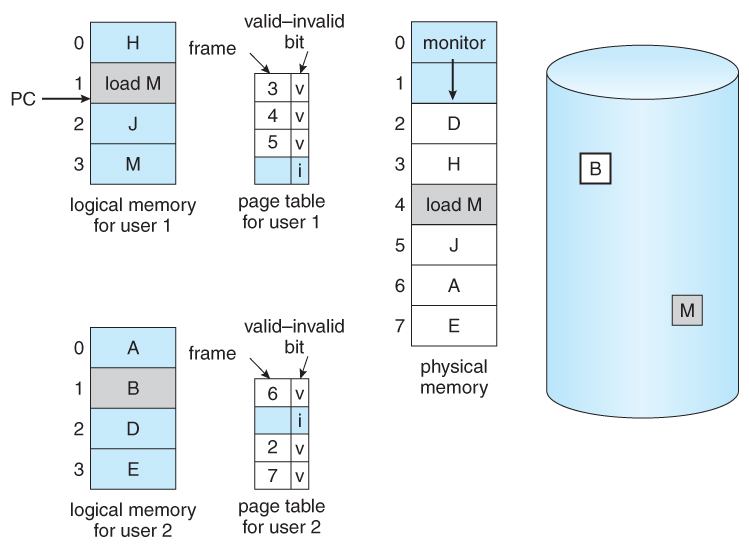
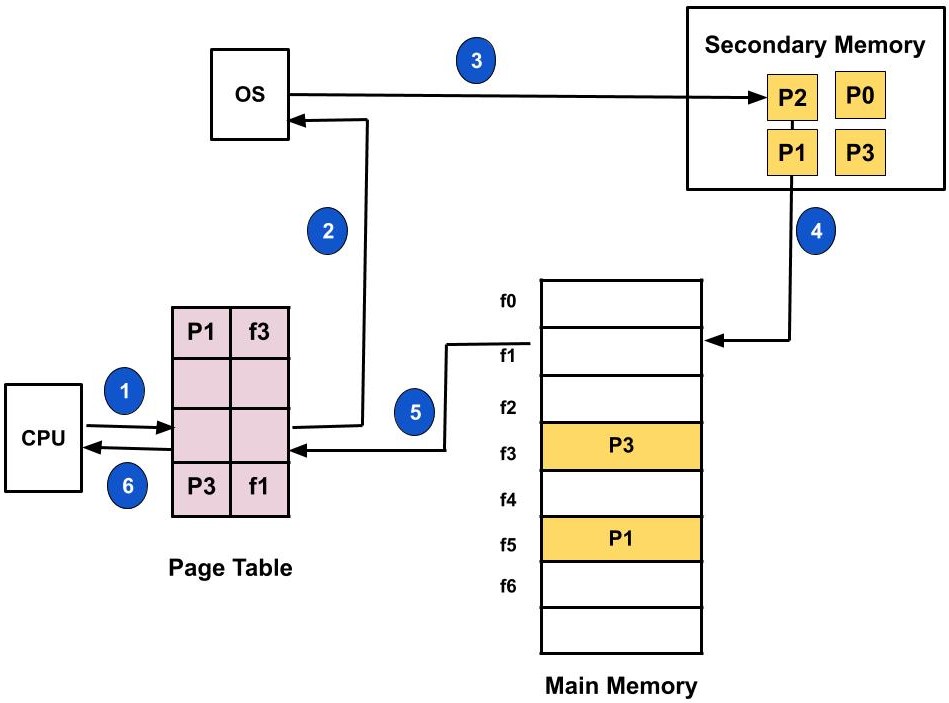
⚙️ Page Table

  • Maps pages to frames

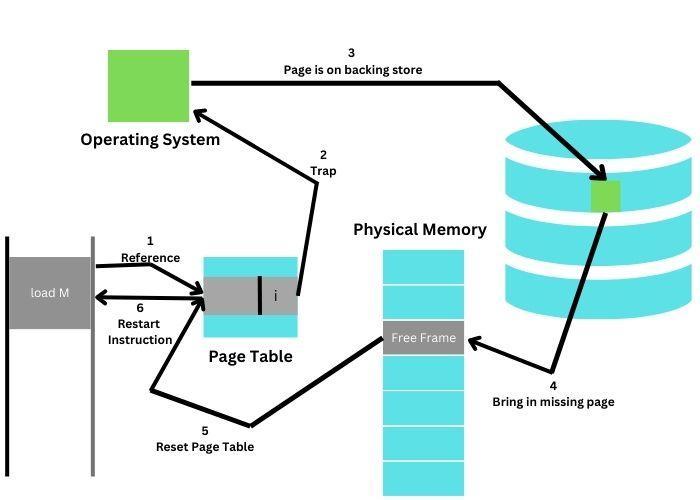
⚠️ Page Fault

Occurs when required page is not in memory.


🧠 Segmentation


📄 Concept

Image
Image
Image

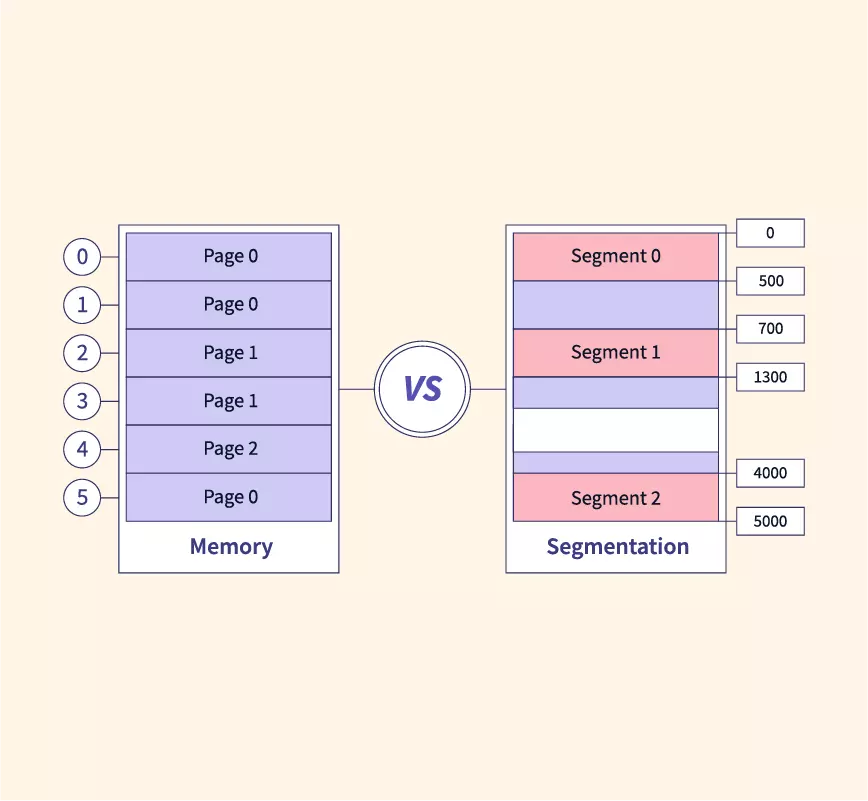
Memory divided into segments:

  • Code
  • Data
  • Stack

⚠️ Issues

  • External fragmentation

🔄 Paging vs Segmentation

FeaturePagingSegmentation
SizeFixedVariable
FragmentationInternalExternal
ComplexityModerateHigh

🧠 Virtual Memory


🌐 Concept

Image
Image
Image
Image

Virtual memory allows programs to use more memory than physically available.


⚙️ Techniques:

  • Demand paging
  • Swapping

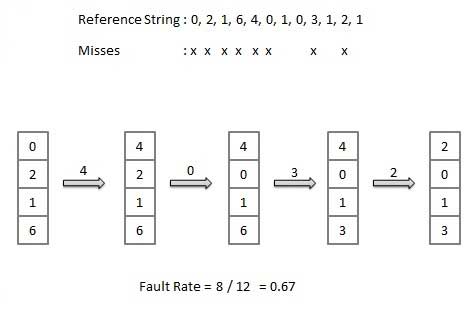
🔄 Page Replacement Algorithms


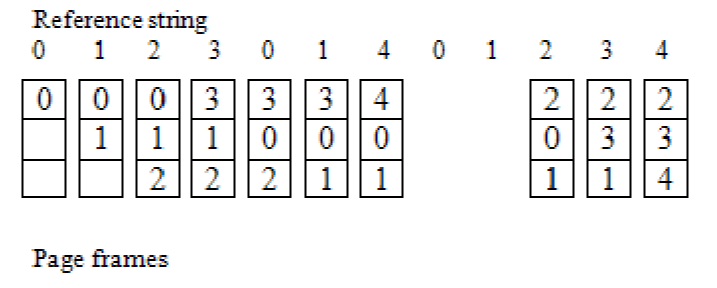
🔹 FIFO (First In First Out)

Image
Image
Image

🔹 LRU (Least Recently Used)

Image
Image
Image
Image

🔹 Optimal Algorithm

Image
Image
Image
Image

🔐 Memory Protection


🛡️ Techniques:

  • Base and limit registers
  • Access control
  • Address binding

🔄 Address Binding


🧠 Types:

  • Compile-time
  • Load-time
  • Execution-time

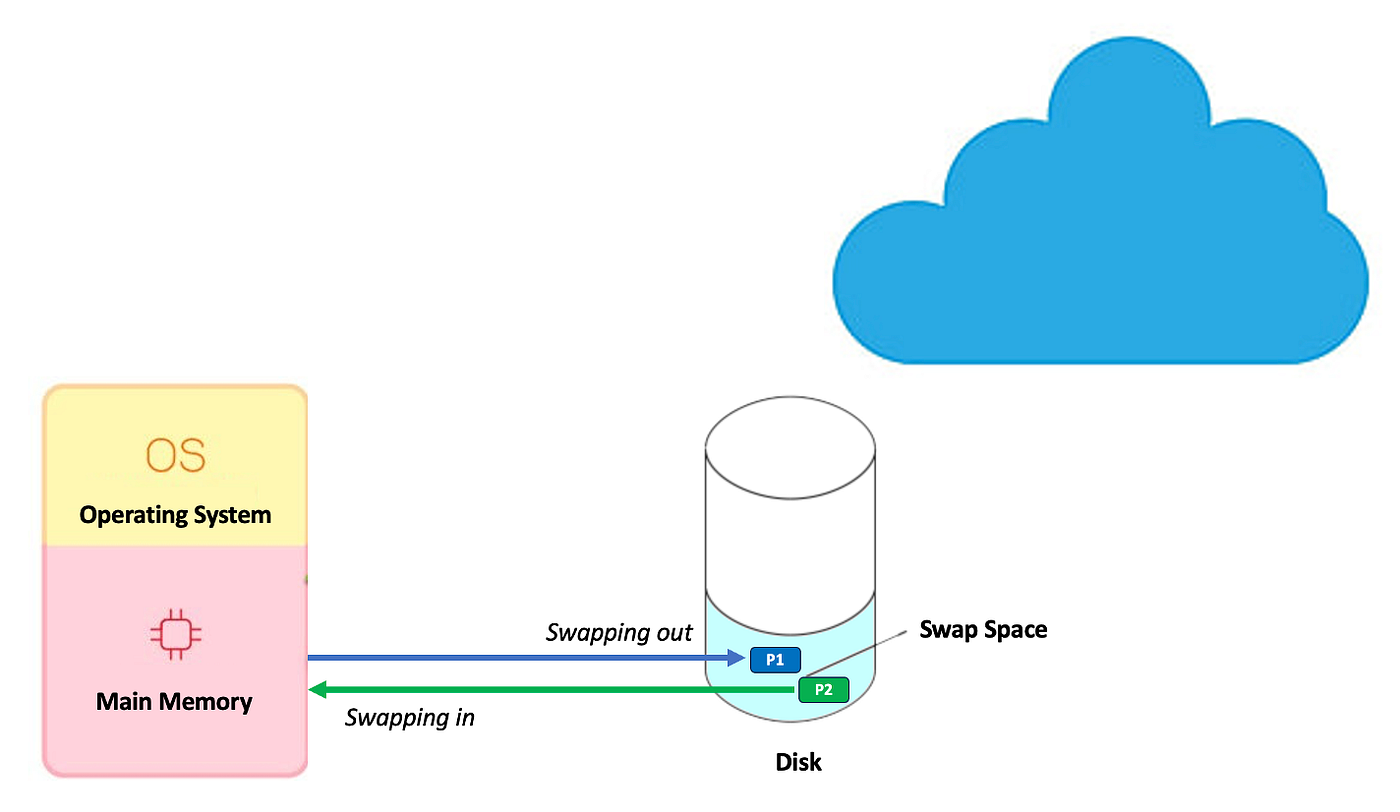
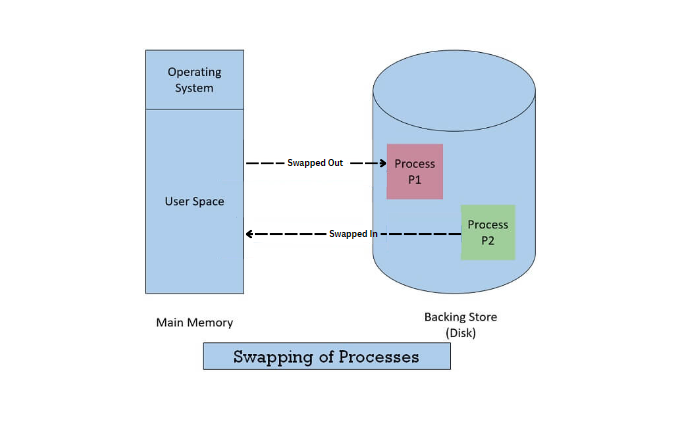
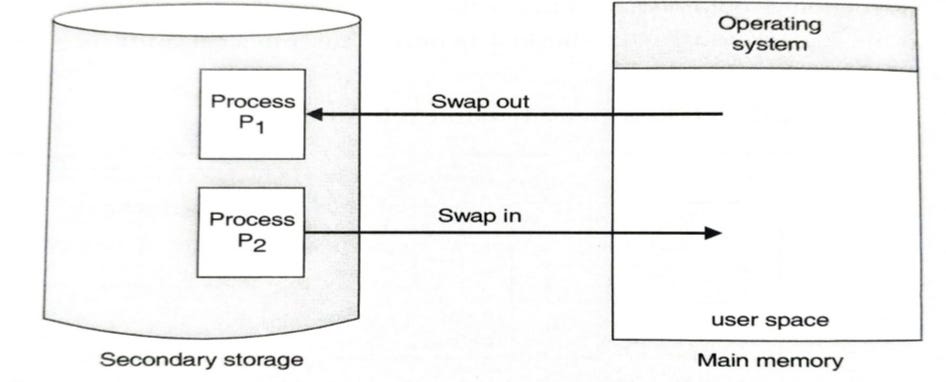
🧠 Swapping


🔄 Concept

Image
Image
Image
Image
  • Moves processes between RAM and disk

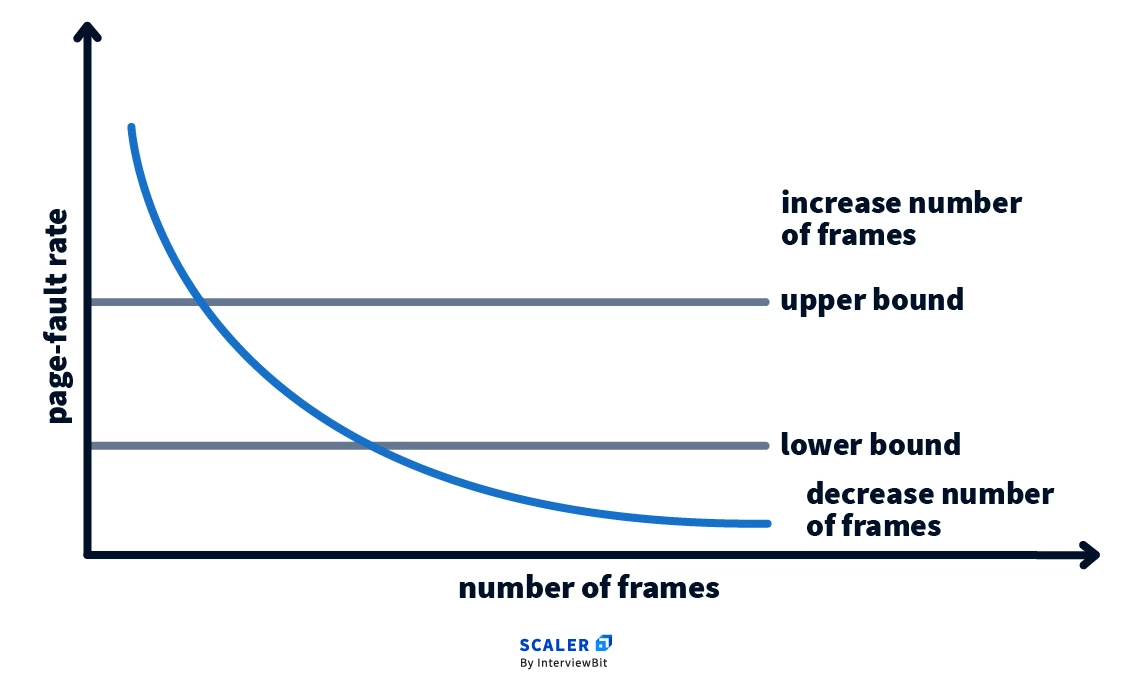
🧩 Thrashing


⚠️ Concept

Image
Image
Image
Image
  • Excessive paging
  • Reduces performance

🧠 Cache Memory Management


⚡ Concept

Image
Image
Image
  • Stores frequently used data
  • Reduces access time

🔄 Cache Mapping Techniques

  • Direct mapping
  • Associative mapping
  • Set-associative mapping

🧠 Modern Memory Management Techniques


🚀 Advanced Concepts

Image
Image
Image
Image
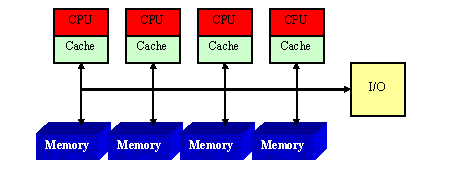
  • NUMA architecture
  • Memory virtualization
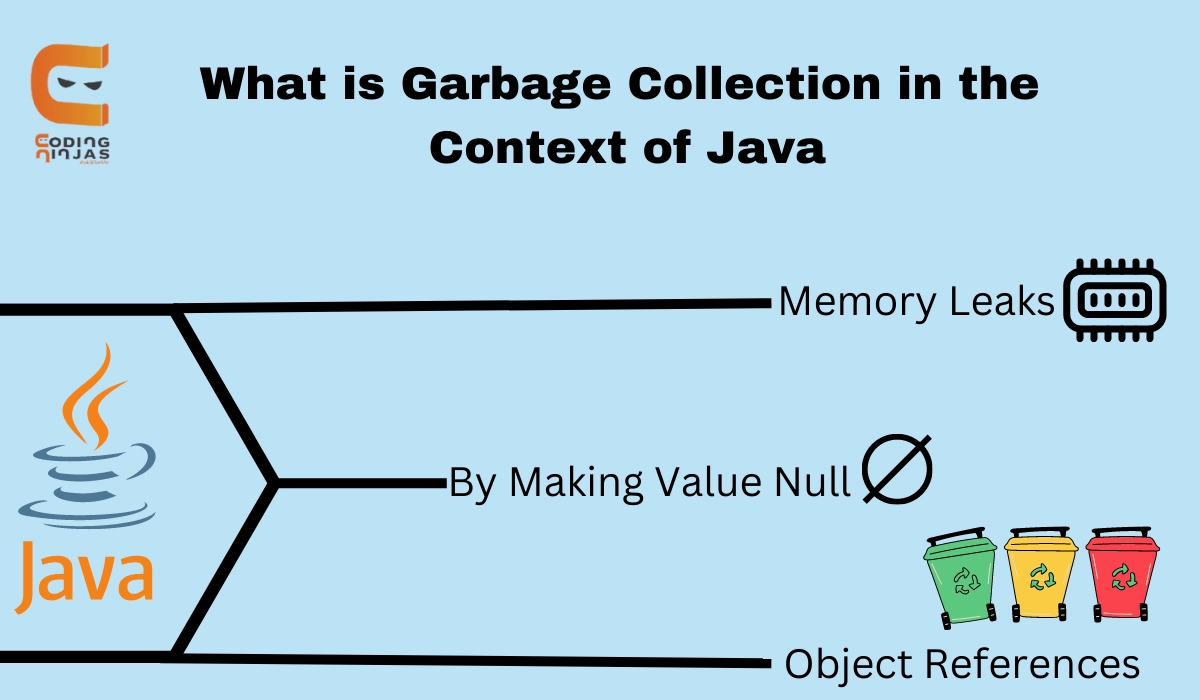
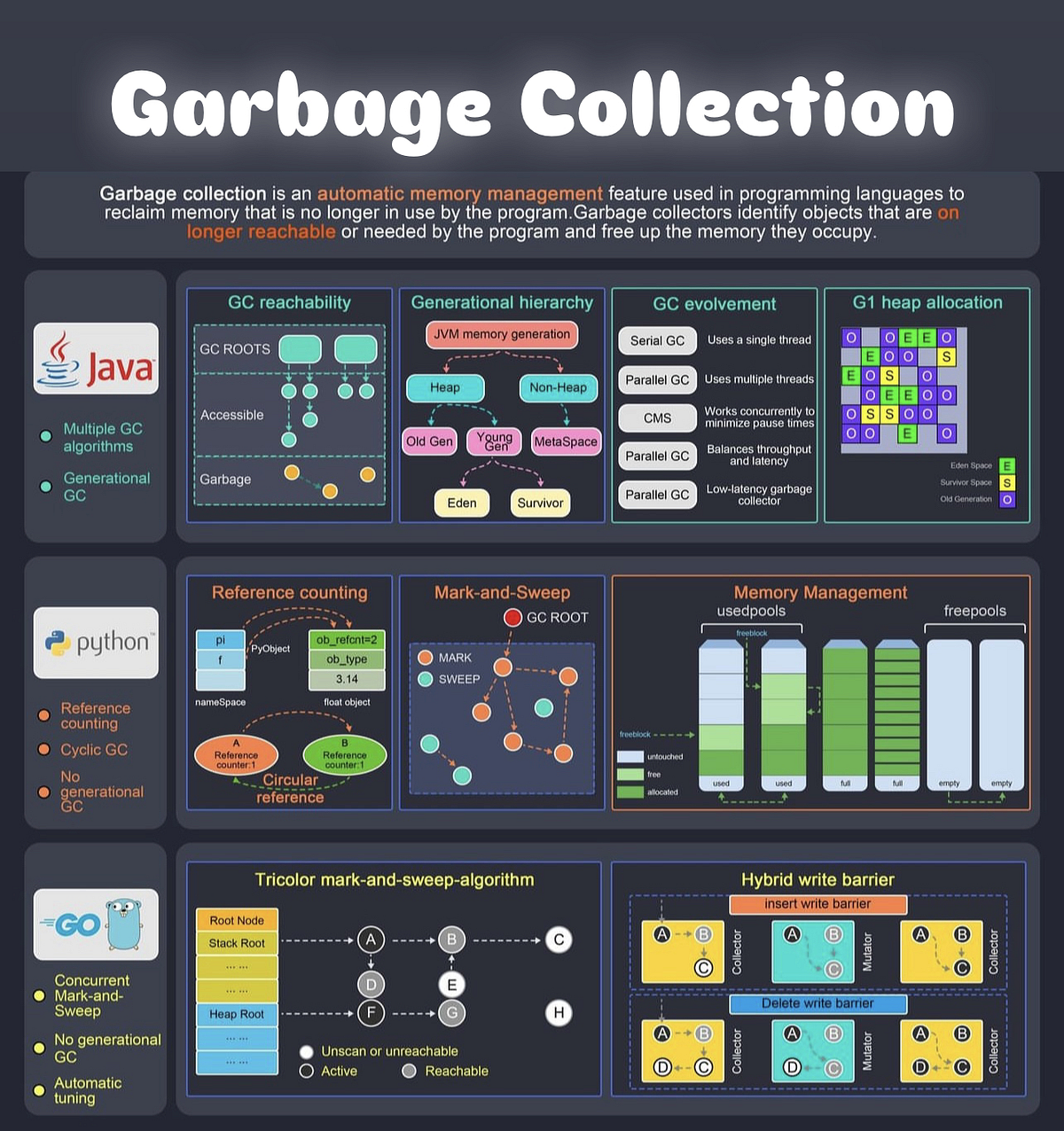
  • Garbage collection
  • Memory compression

⚡ Advantages of Memory Management

  • Efficient resource utilization
  • Improved performance
  • Supports multitasking
  • Ensures security

⚠️ Challenges

  • Fragmentation
  • Thrashing
  • Overhead
  • Complexity

🧠 Conclusion

Memory management is a critical component of operating systems that ensures efficient execution of programs. It enables:

  • Multitasking
  • Efficient memory usage
  • System stability

Understanding memory management is essential for:

  • OS design
  • Software development
  • Performance optimization

🏷️ Tags

⚙️ Process Management


🌐 Introduction to Process Management

Image
Image
Image

Process Management is a fundamental function of an operating system (OS) that handles the creation, scheduling, execution, and termination of processes. It ensures that multiple programs can run efficiently and concurrently on a computer system.

In simple terms:

Process management = controlling and coordinating program execution

A process is a program in execution, including its code, data, and state.


🧠 Importance of Process Management

  • Enables multitasking
  • Optimizes CPU utilization
  • Ensures fair resource allocation
  • Maintains system stability
  • Improves performance

🧩 Basic Concepts


📄 Program vs Process

FeatureProgramProcess
DefinitionStatic codeExecuting program
StatePassiveActive
Example.exe fileRunning application

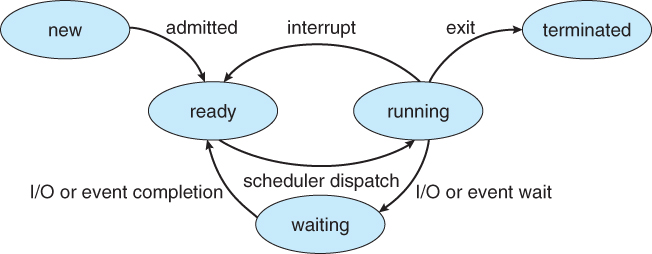
🔁 Process States

Image
Image
Image

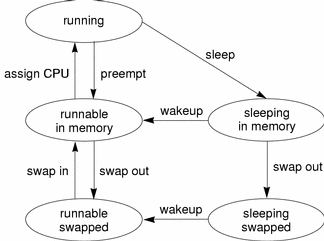
A process moves through different states:

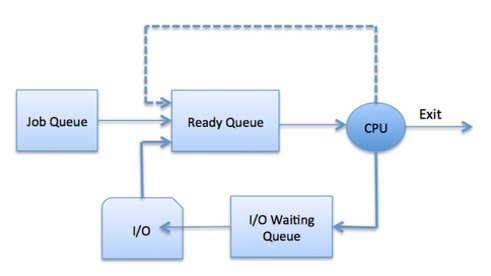
  1. New – Being created
  2. Ready – Waiting for CPU
  3. Running – Executing
  4. Waiting (Blocked) – Waiting for I/O
  5. Terminated – Finished execution

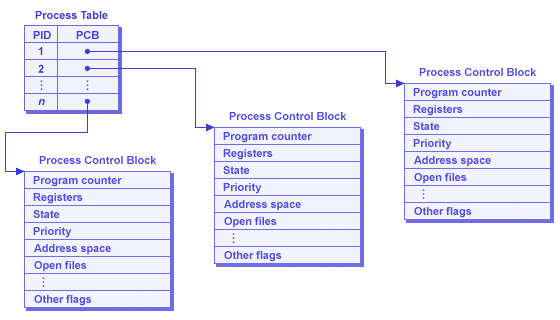
🧠 Process Control Block (PCB)

Image
Image

PCB stores process information:

  • Process ID (PID)
  • Process state
  • CPU registers
  • Memory allocation
  • Scheduling information

⚙️ Process Scheduling


🧠 What is Scheduling?

Image
Image
Image
Image

Scheduling determines which process gets CPU time.


🔁 Types of Schedulers

  1. Long-term scheduler – selects processes
  2. Short-term scheduler – allocates CPU
  3. Medium-term scheduler – swaps processes

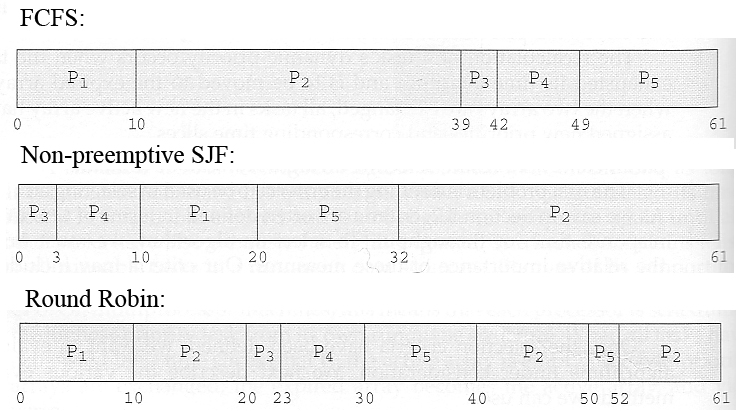
⚡ Scheduling Algorithms


🔹 1. First Come First Serve (FCFS)

Image
  • Processes executed in arrival order

🔹 2. Shortest Job First (SJF)

Image
Image
  • Shortest execution time first

🔹 3. Round Robin (RR)

Image
Image
  • Time-sharing system
  • Each process gets fixed time slice

🔹 4. Priority Scheduling

Image
Image
Image
  • Processes executed based on priority

⚖️ Scheduling Criteria

  • CPU utilization
  • Throughput
  • Turnaround time
  • Waiting time
  • Response time

🔄 Process Synchronization

🧠 Concept

Image
Image
Image
Image

Ensures safe access to shared resources.


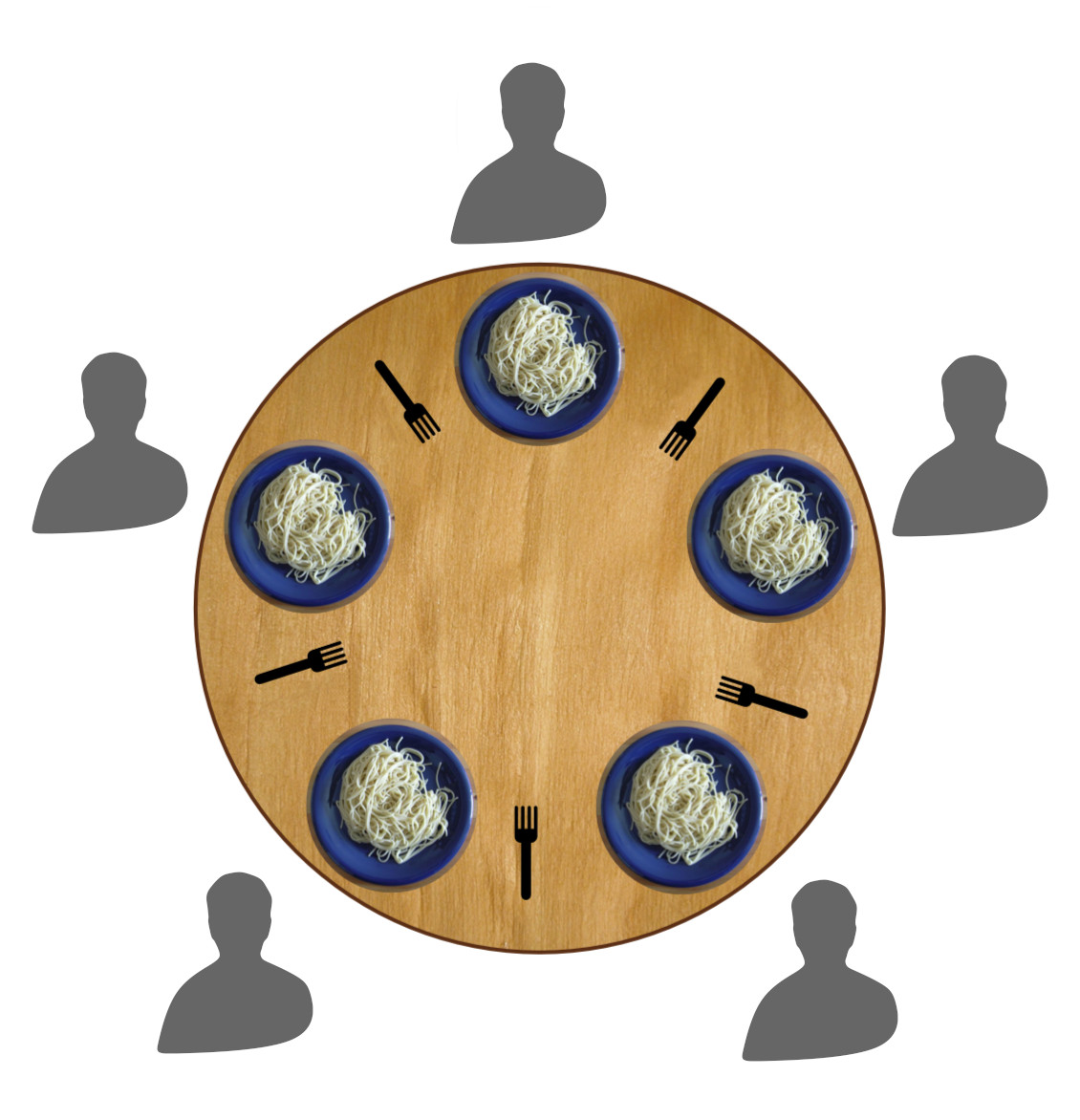
⚠️ Critical Section Problem

  • Section where shared data is accessed
🔒 Solutions:

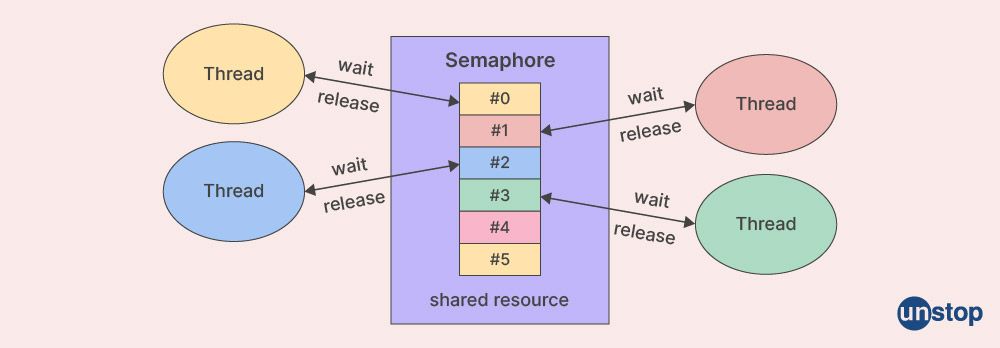
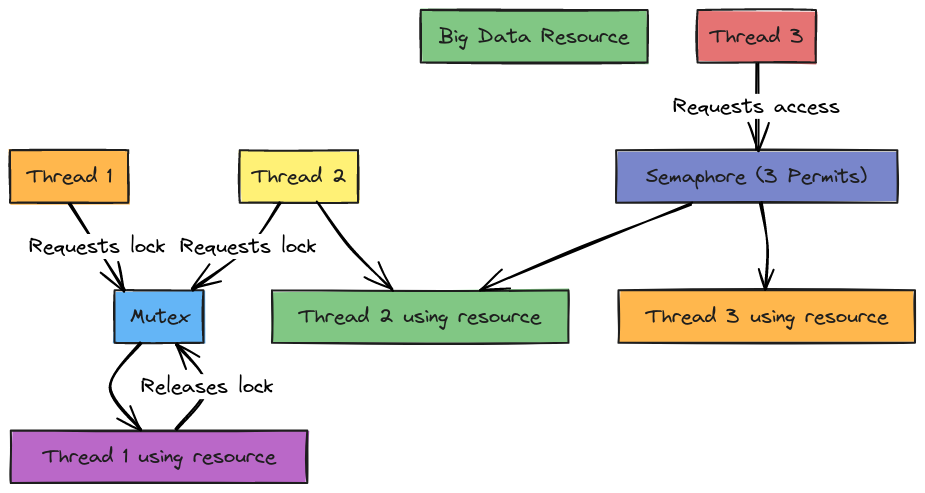
  • Mutex locks
  • Semaphores
  • Monitors

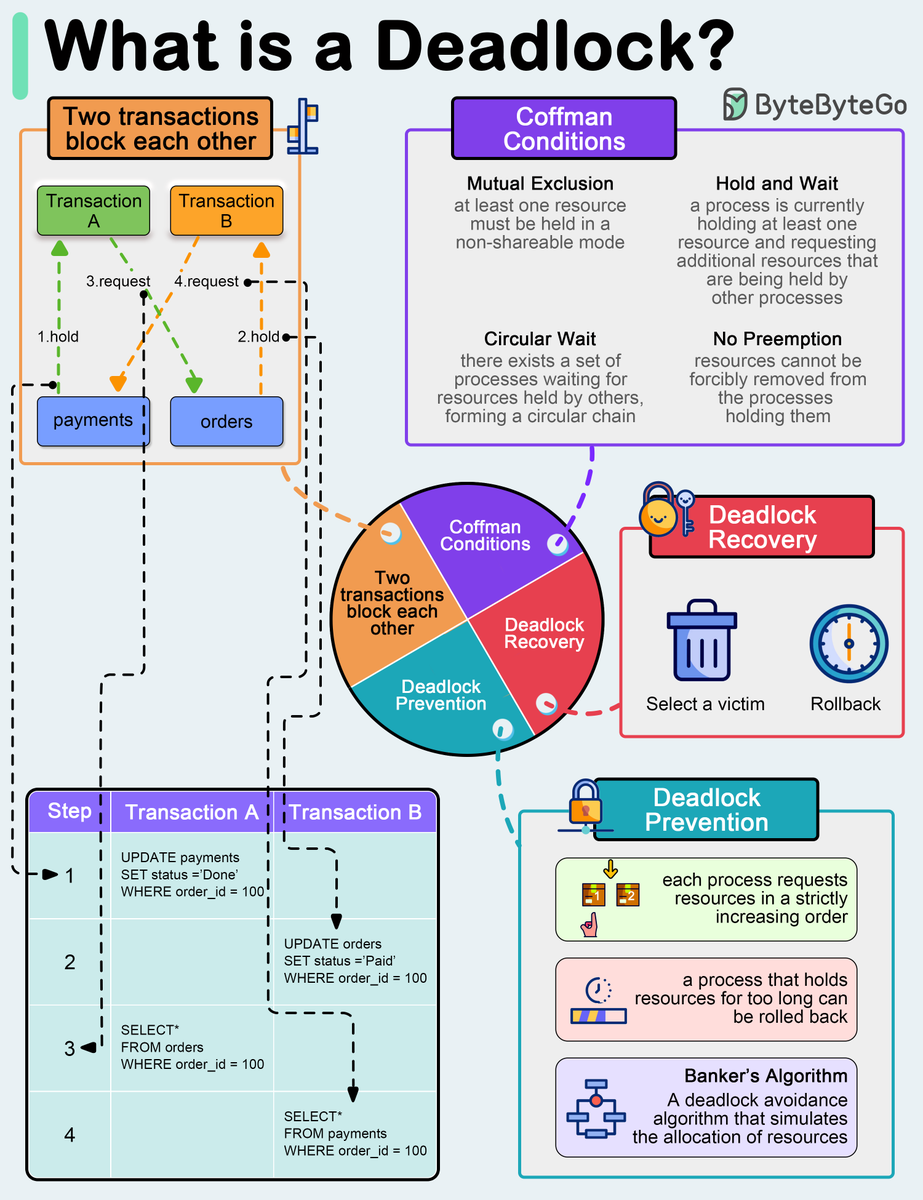
⚠️ Deadlocks


🧠 Definition
Image
Image
Image
Image

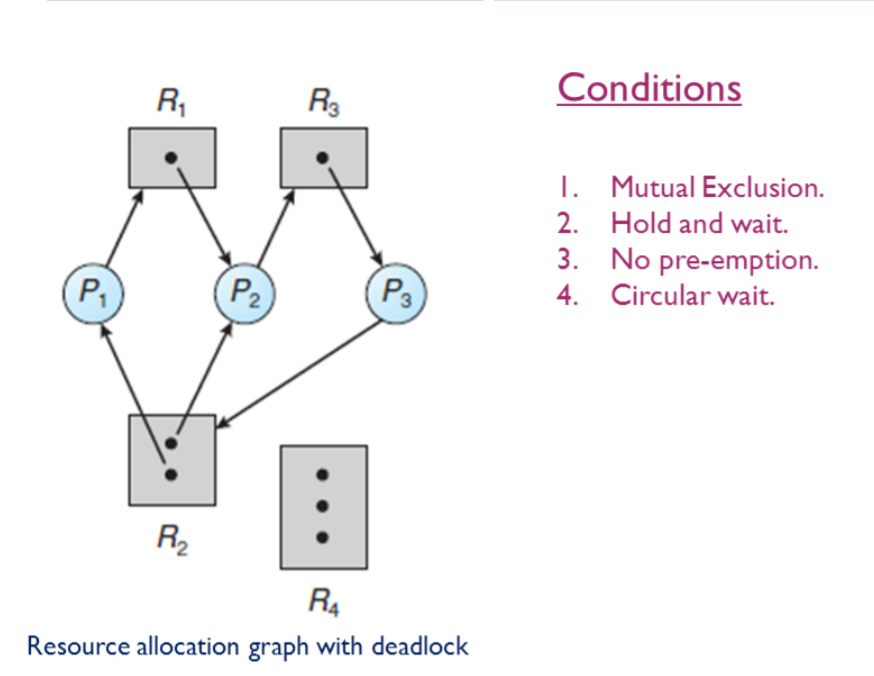
Deadlock occurs when processes wait indefinitely.


🔑 Conditions:

  1. Mutual exclusion
  2. Hold and wait
  3. No preemption
  4. Circular wait

🔄 Handling Deadlocks:

  • Prevention
  • Avoidance
  • Detection and recovery

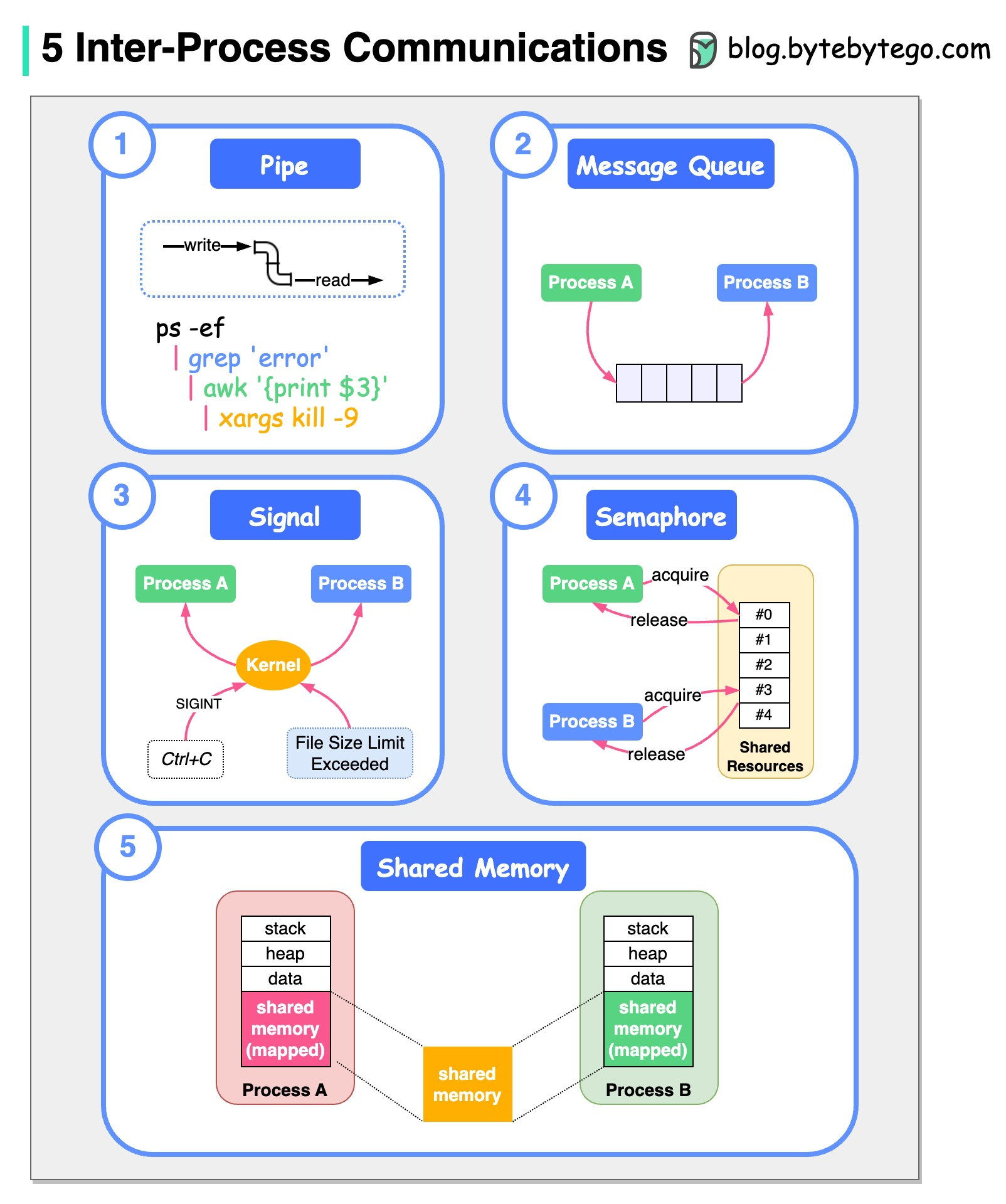
🔁 Inter-Process Communication (IPC)


📡 Methods

Image
Image
Image
  • Shared memory
  • Message passing
  • Pipes
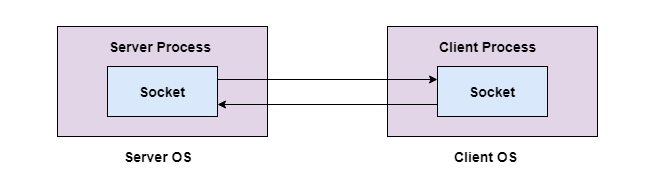
  • Sockets

🧠 Threads and Multithreading


🔹 Threads

Image
Image
  • Lightweight processes
  • Share memory

⚡ Benefits:

  • Faster execution
  • Better resource utilization

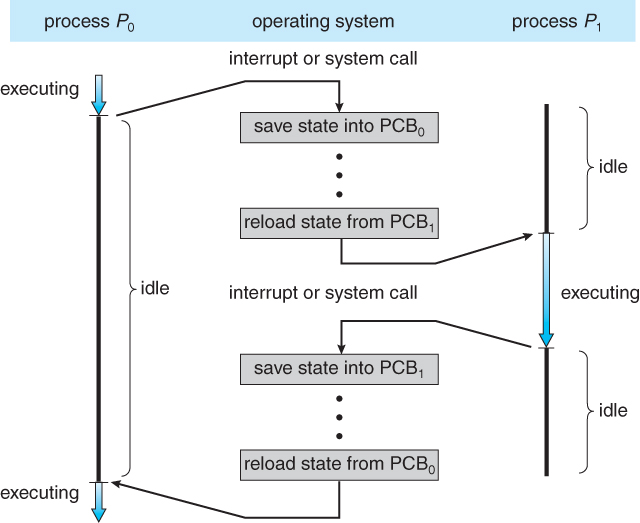
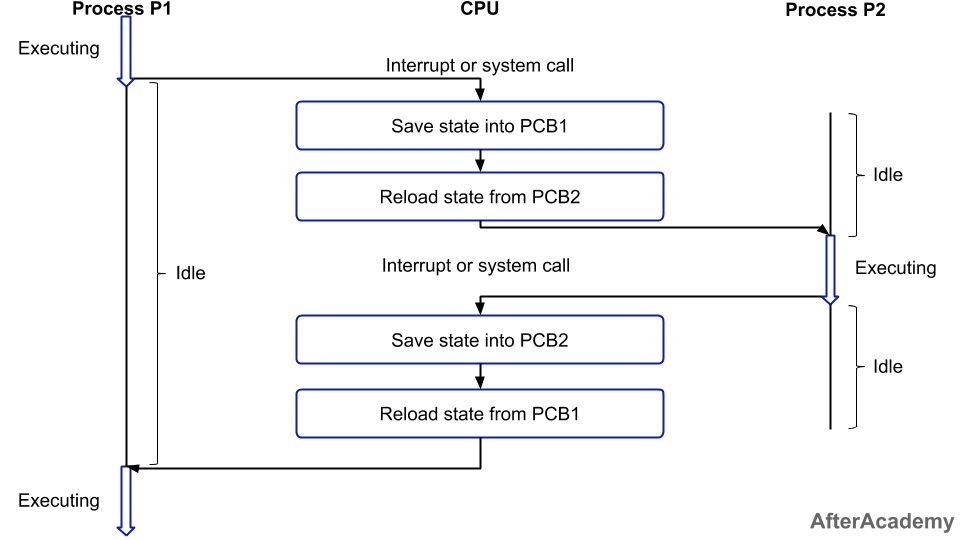
🔄 Context Switching


🧠 Concept

Image
Image
Image
Image
  • CPU switches between processes
  • Saves and loads state

🧩 Process vs Thread

FeatureProcessThread
MemorySeparateShared
OverheadHighLow
SpeedSlowerFaster

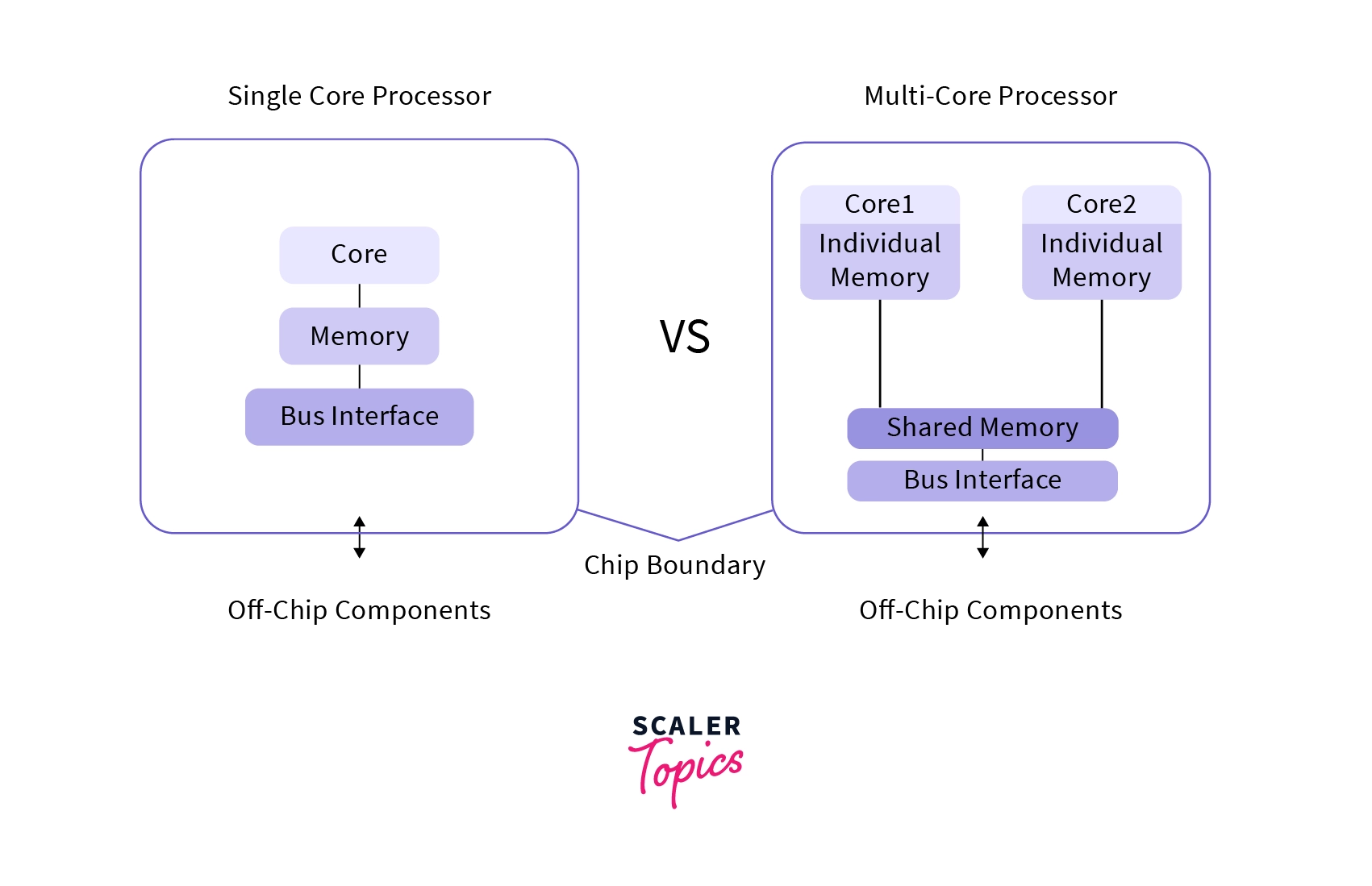
⚙️ Multiprocessing


🧠 Concept

Image
Image
Image
Image
  • Multiple CPUs/cores
  • Parallel execution

🧠 Real-Time Process Management


⚡ Types:

  • Hard real-time
  • Soft real-time

Used in:

  • Robotics
  • Embedded systems

🔐 Process Security


🛡️ Features:

  • Access control
  • Isolation
  • Sandboxing

⚡ Performance Optimization

  • Efficient scheduling
  • Load balancing
  • Minimizing context switches

⚠️ Challenges

  • Deadlocks
  • Starvation
  • Race conditions

🚀 Modern Trends

Image
Image
Image
Image
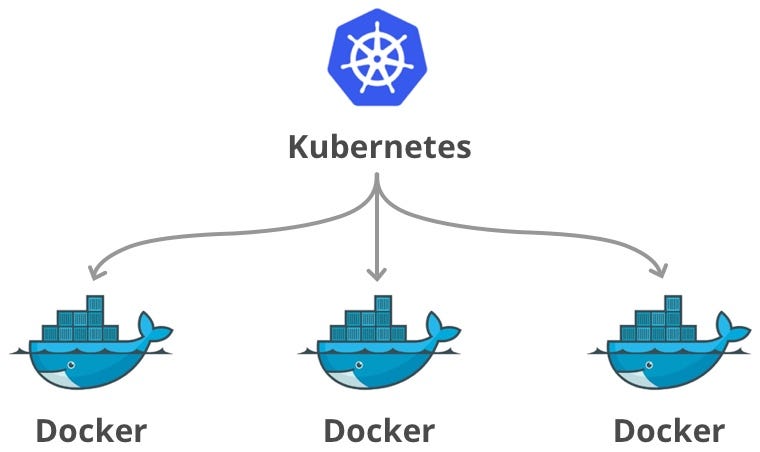
  • Containerization
  • Virtualization
  • Cloud computing
  • Microservices

🧾 Conclusion

Process management is a core function of operating systems that ensures efficient execution of programs. It enables:

  • Multitasking
  • Resource sharing
  • System stability

Understanding process management is essential for:

  • OS design
  • Software development
  • Performance optimization

🏷️ Tags

📂 File Systems – Complete Detailed Guide


🌐 Introduction to File Systems

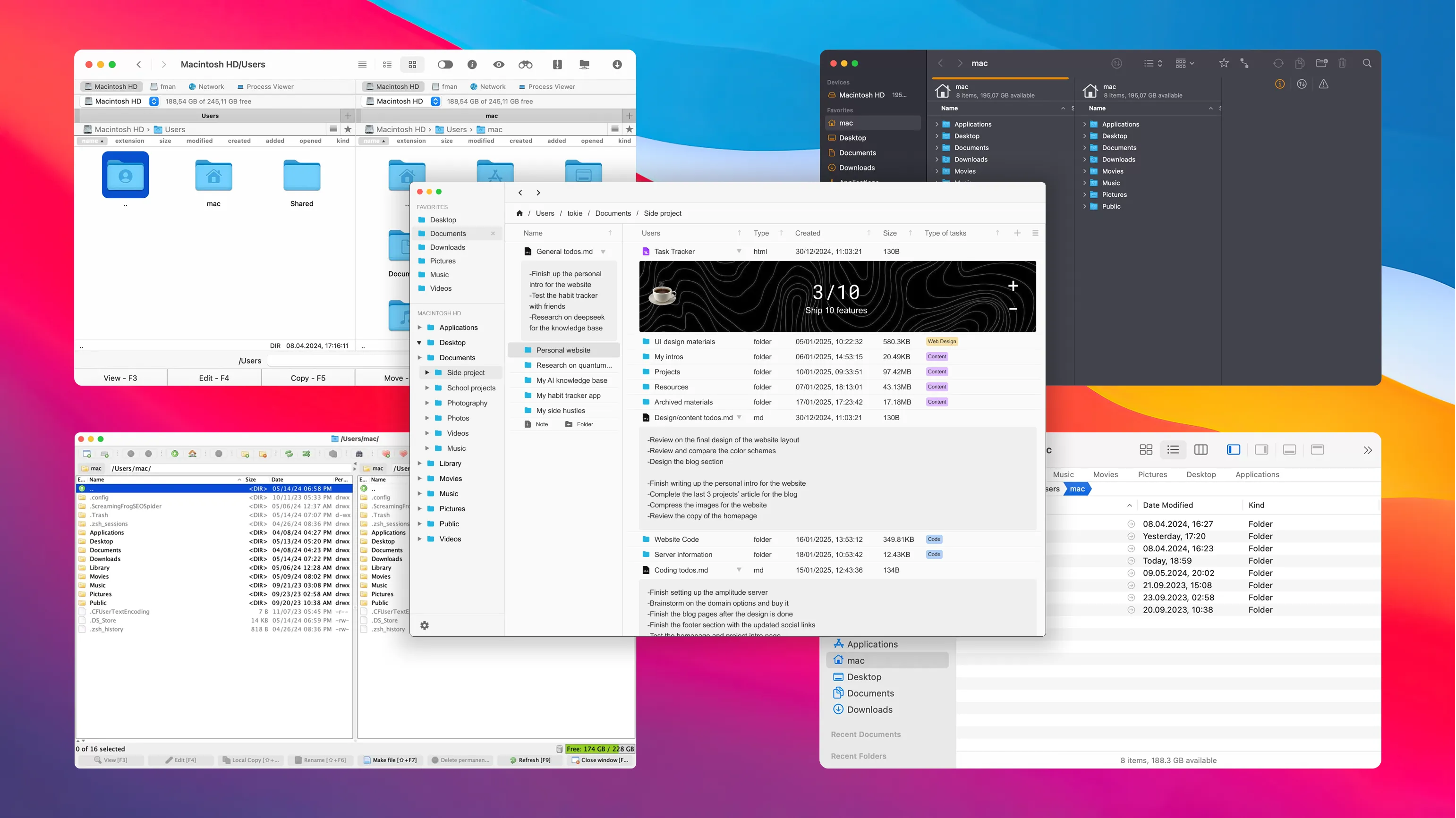
Image
Image
Image
Image

A file system is a method used by an operating system to store, organize, retrieve, and manage data on storage devices such as hard drives, SSDs, and USB drives.

In simple terms:

File system = structure that organizes data into files and folders

Without a file system, data would be stored as raw bits, making it nearly impossible to locate or manage information.


🧠 Importance of File Systems

  • Organizes data efficiently
  • Enables fast access and retrieval
  • Supports file security and permissions
  • Ensures data integrity
  • Facilitates storage management

🧩 Basic Concepts of File Systems


📄 What is a File?

A file is a collection of related data stored as a single unit.

Examples:

  • Text file (.txt)
  • Image file (.jpg)
  • Program file (.exe)

📁 What is a Directory (Folder)?

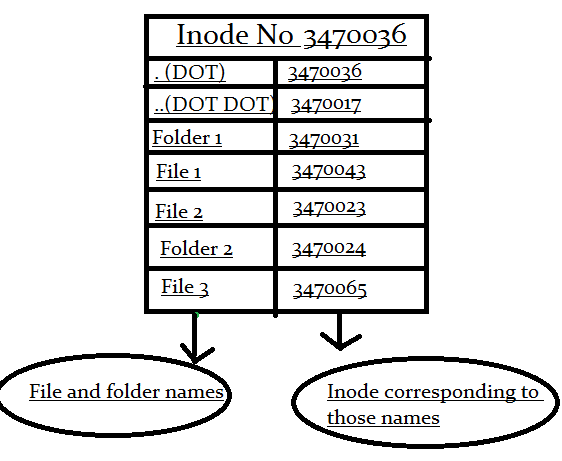
Image
Image
Image
Image

A directory is a container used to organize files.


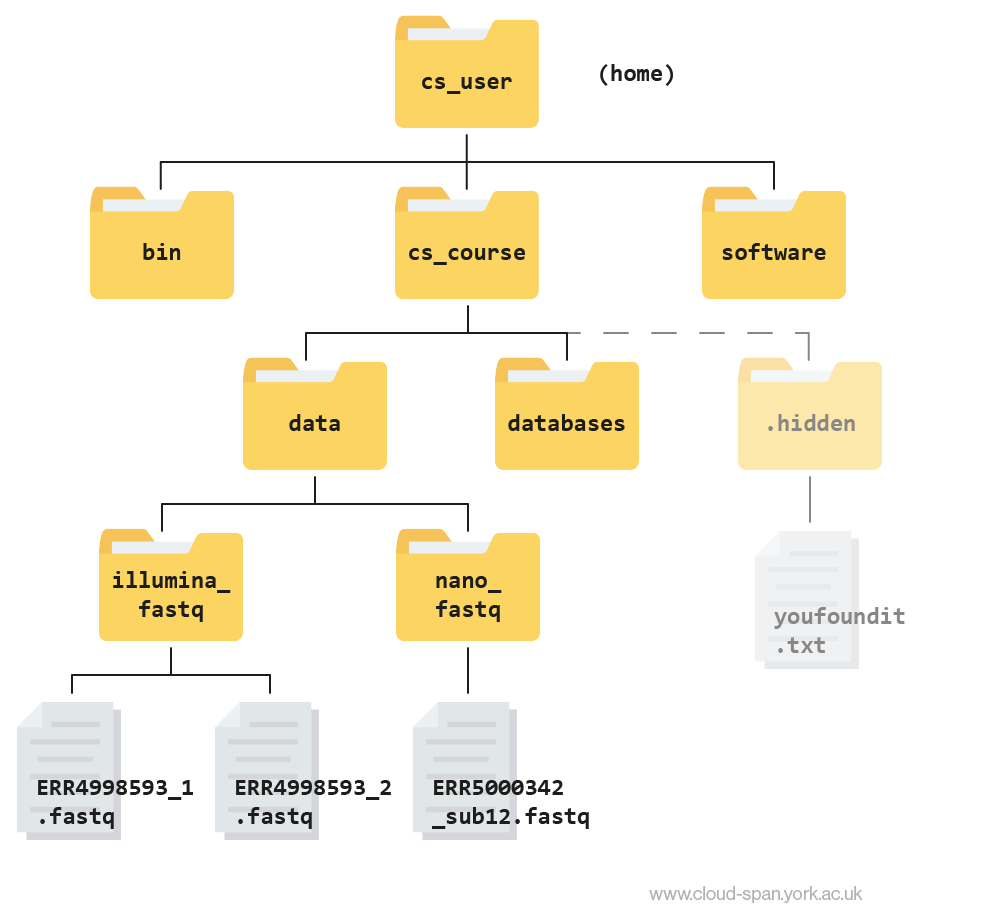
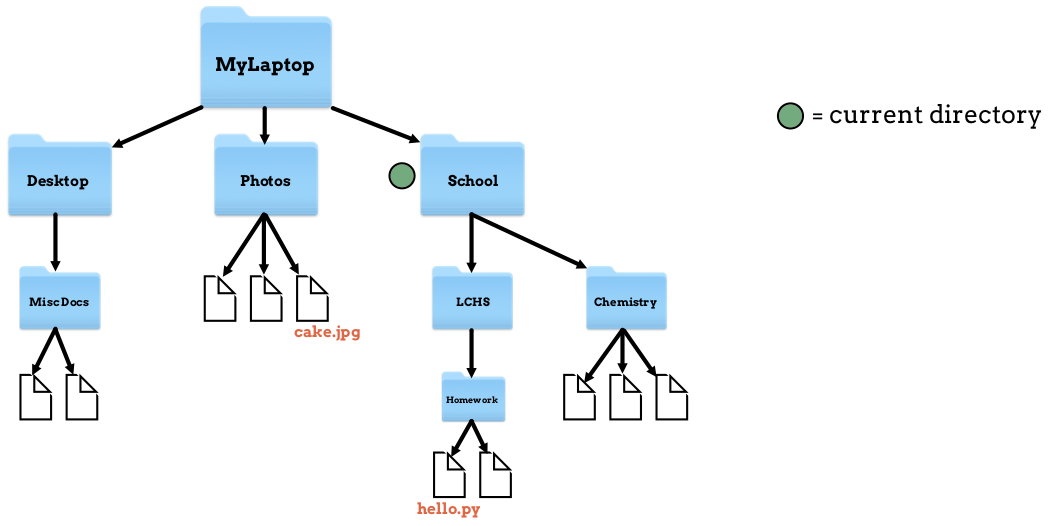
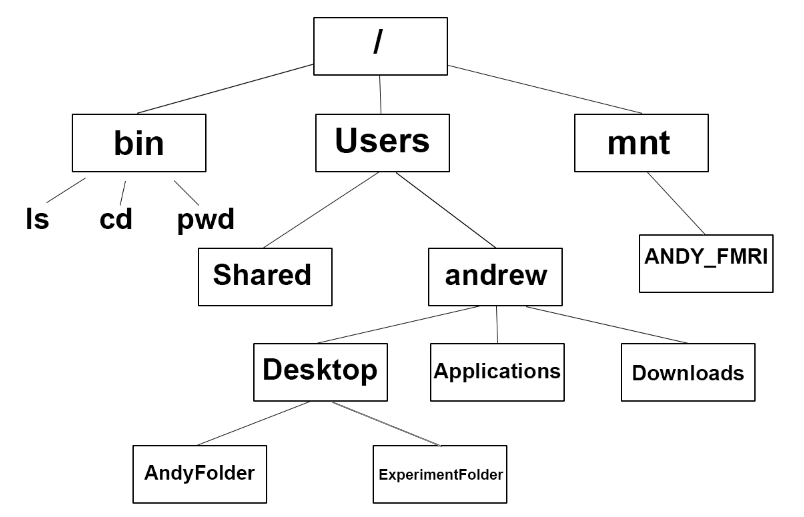
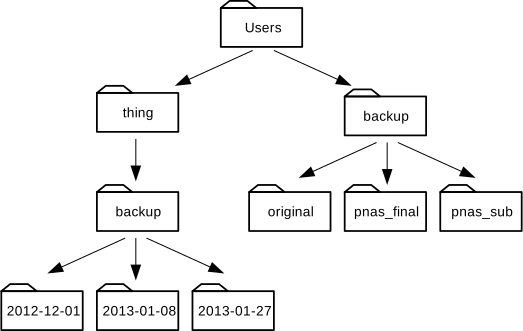
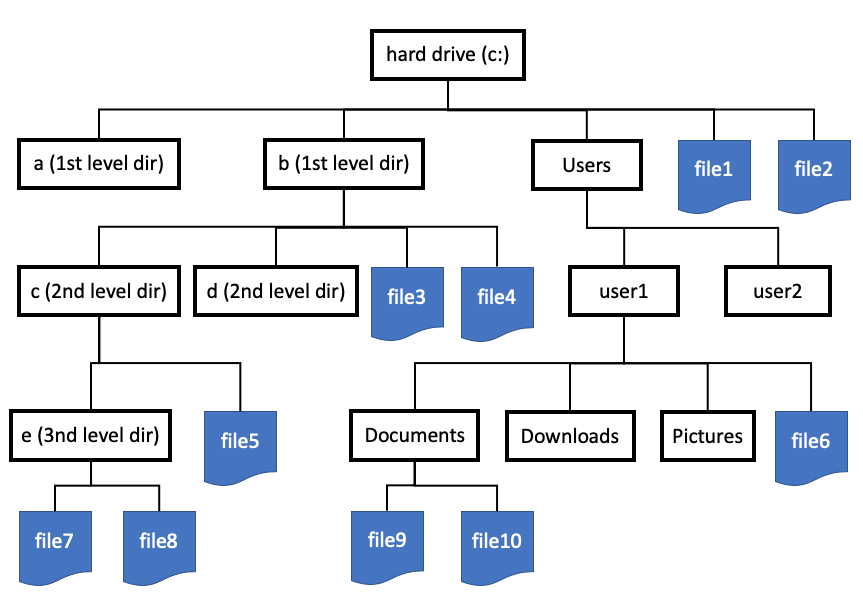
🌳 File System Hierarchy

  • Root directory
  • Subdirectories
  • Files

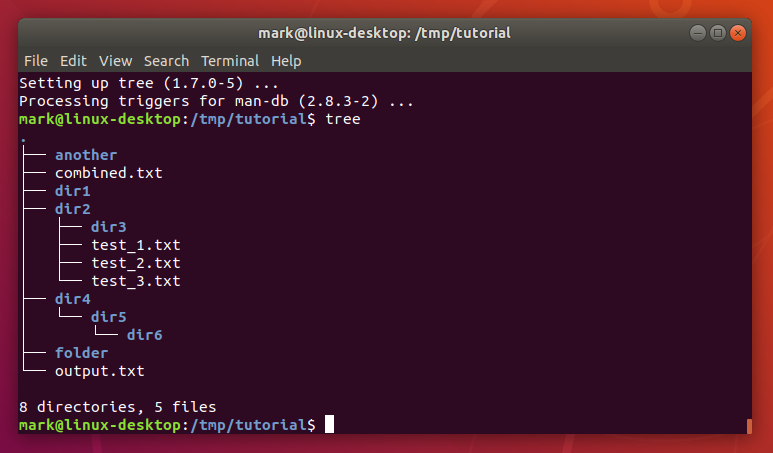
Example:

/ (root)
 ├── home
 ├── documents
 └── files

🧠 File Attributes

Each file has metadata:

  • Name
  • Size
  • Type
  • Creation date
  • Permissions

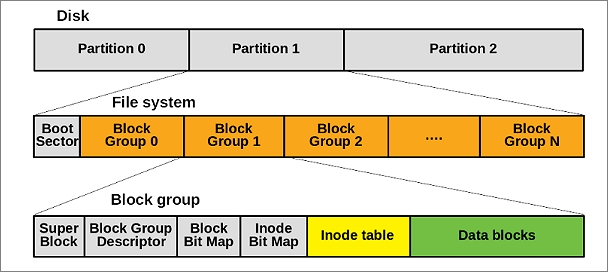
💾 File System Structure


🧩 Disk Layout

Image
Image
Image
Image

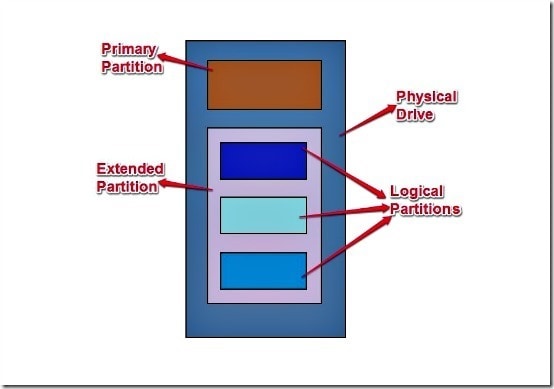
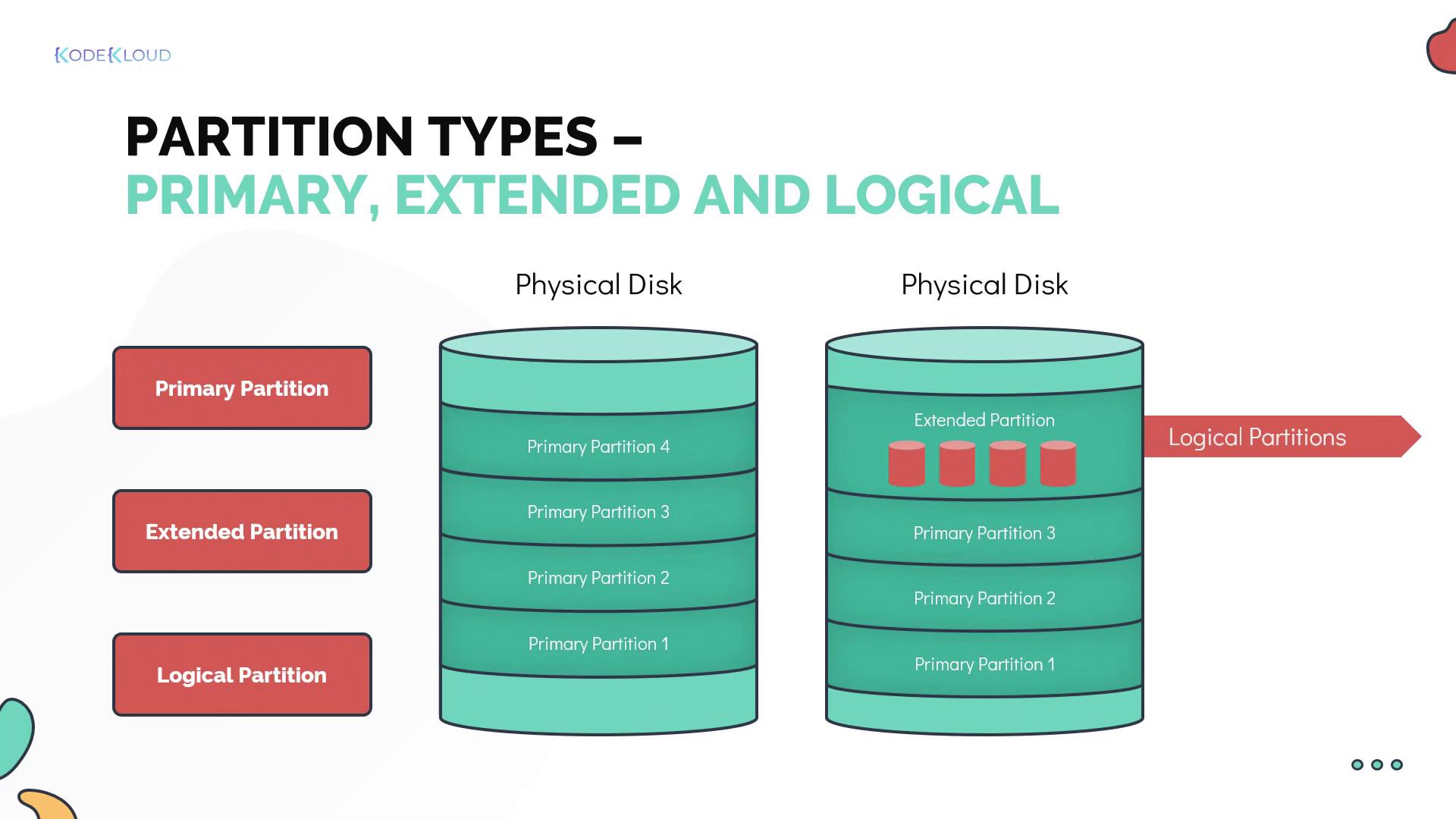
Storage devices are divided into:

  • Tracks
  • Sectors
  • Blocks

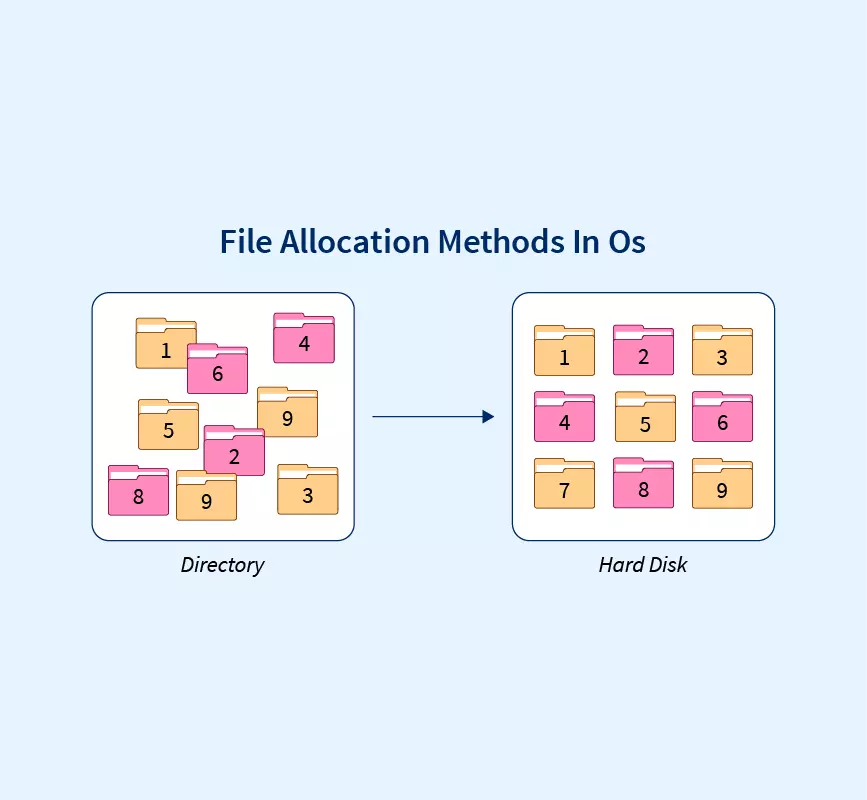
📦 File Allocation Methods


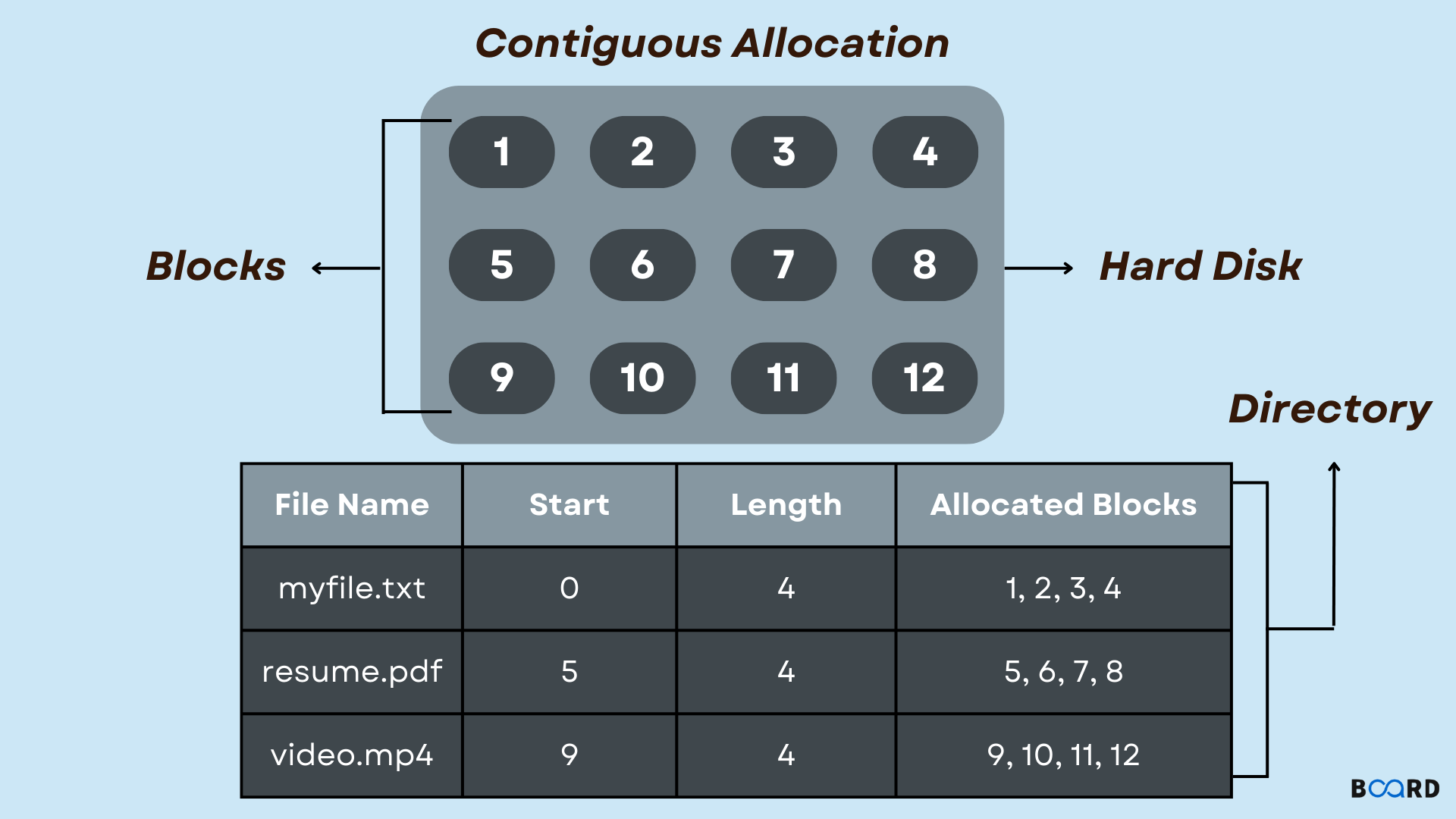
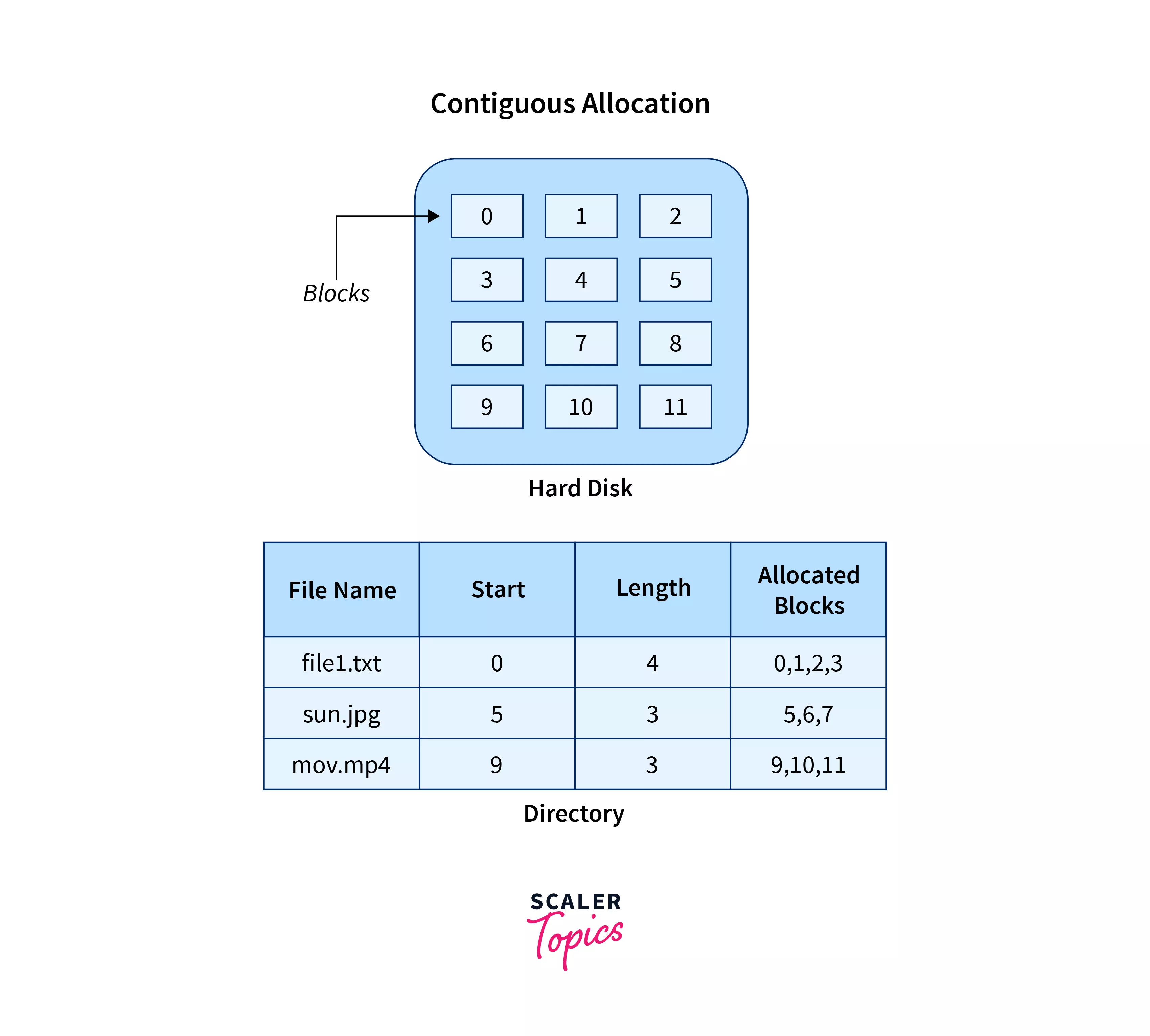
🔹 1. Contiguous Allocation

Image
Image
Image
Image
  • Files stored in continuous blocks
  • Fast access

Limitations:

  • External fragmentation

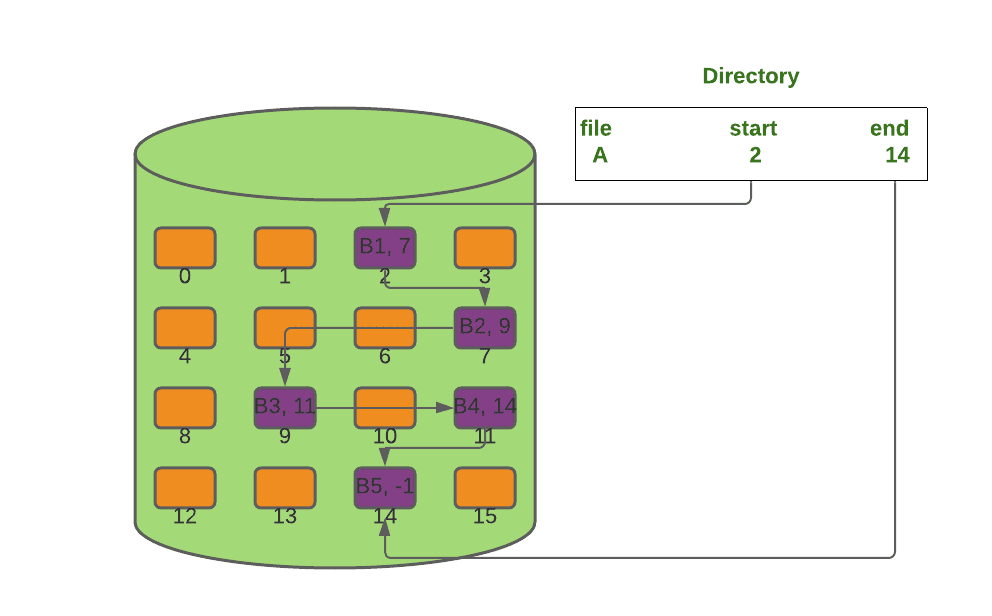
🔹 2. Linked Allocation

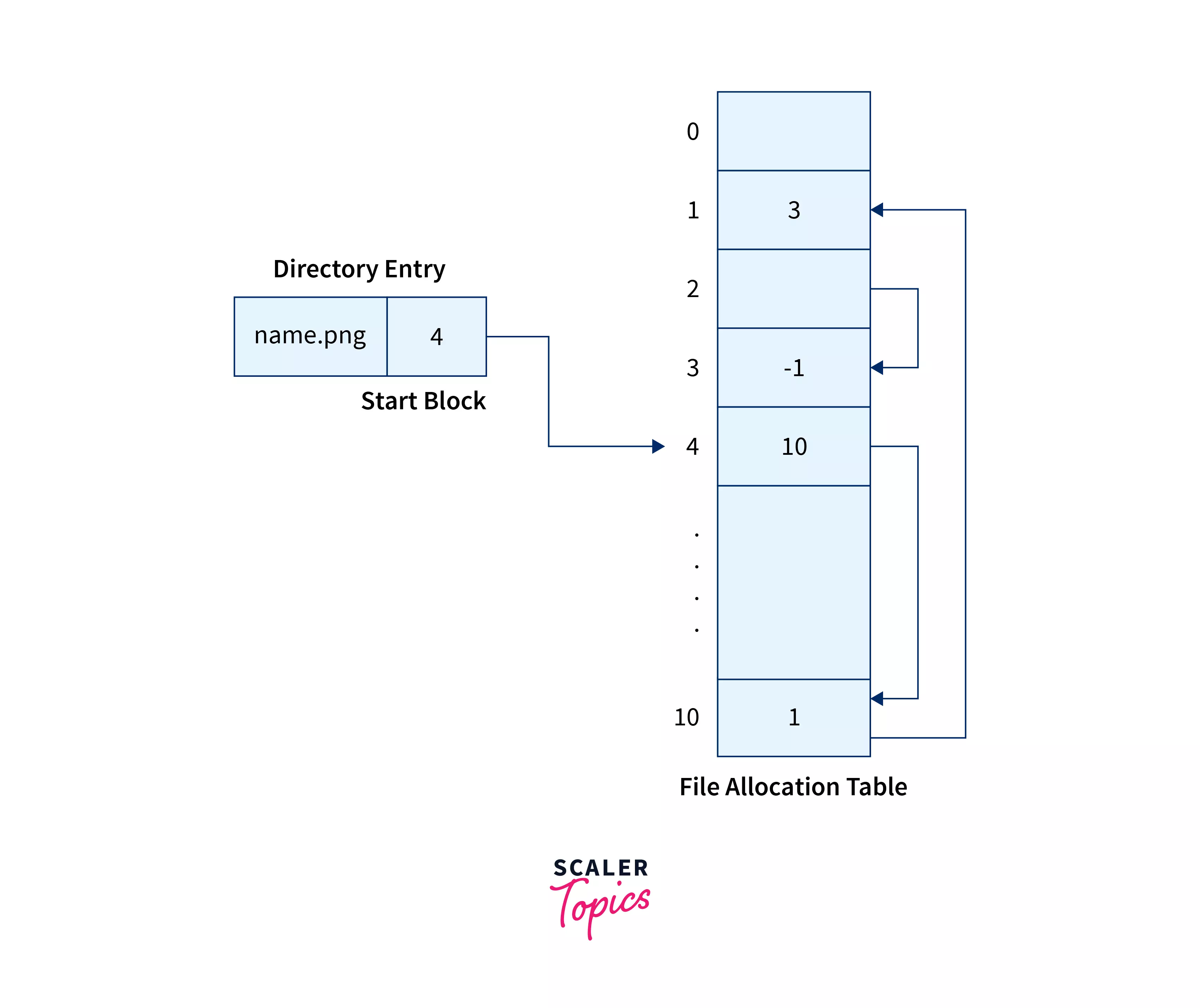
Image
Image
Image
Image
  • Each block points to the next
  • Flexible storage

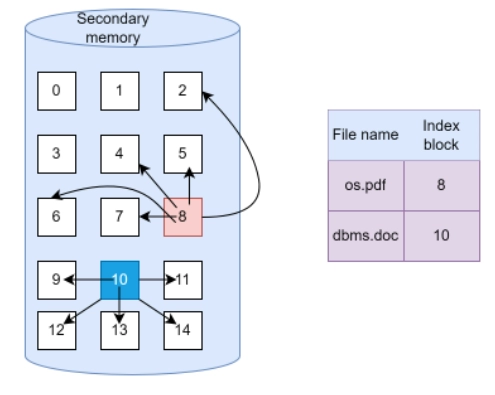
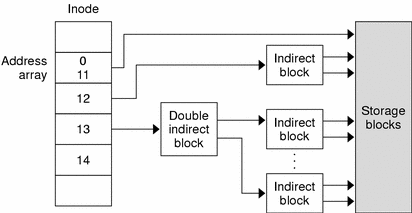
🔹 3. Indexed Allocation

Image
Image
Image
Image
  • Uses index block
  • Efficient access

🧠 Types of File Systems


🪟 1. FAT (File Allocation Table)

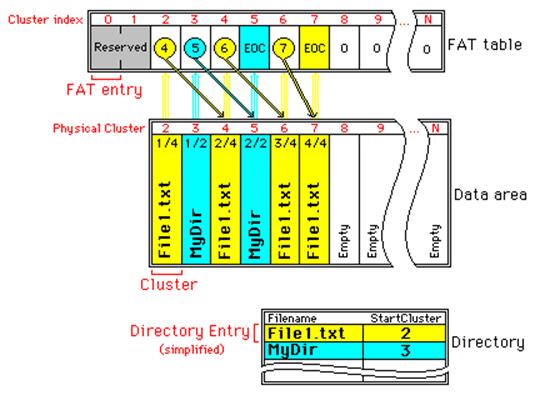
Image
Image
Image
Image
  • Simple and widely used
  • Used in USB drives

Types:

  • FAT12
  • FAT16
  • FAT32

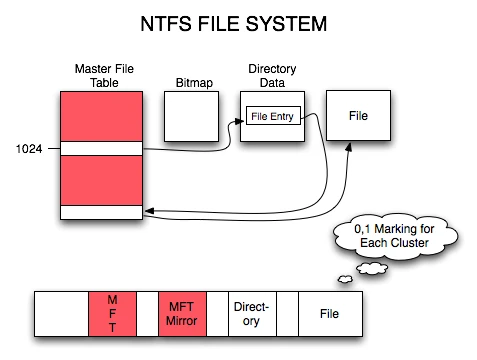
🪟 2. NTFS (New Technology File System)

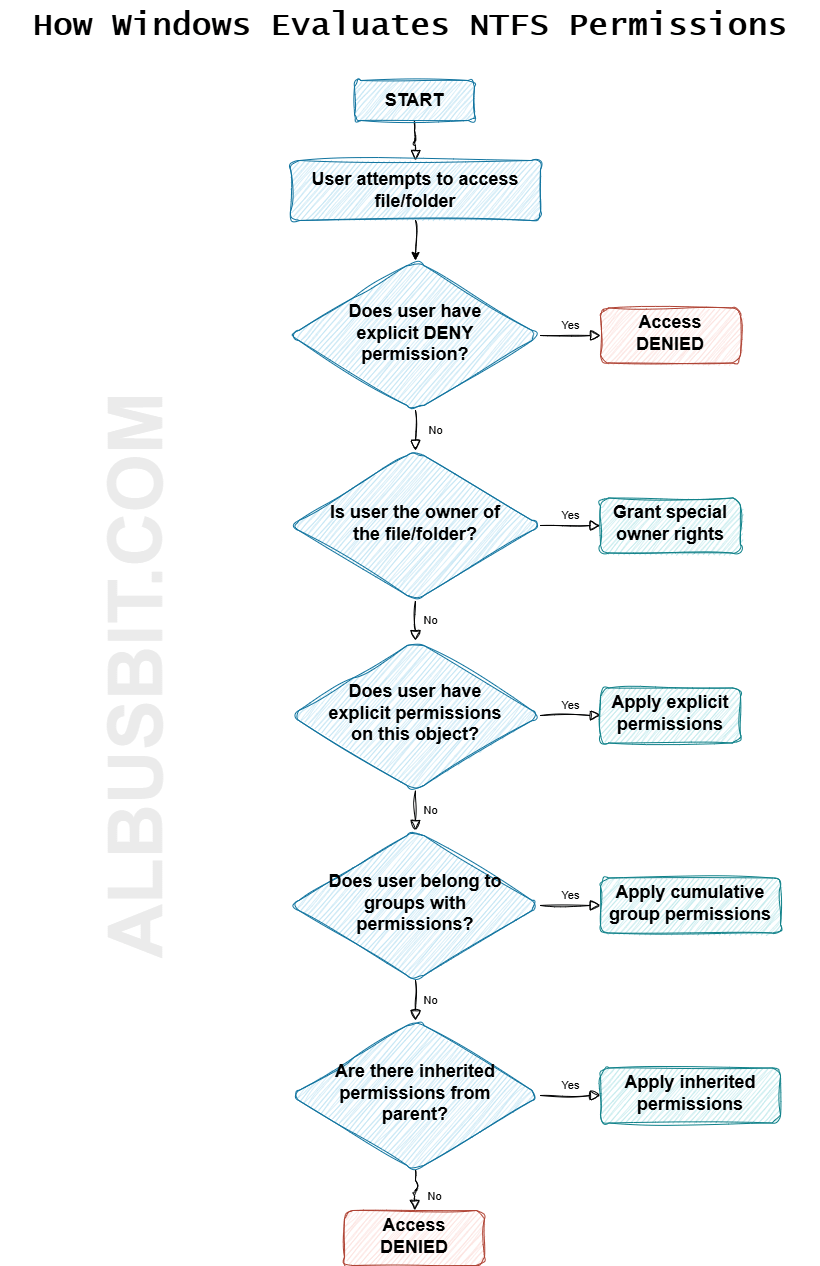
Image
Image
Image
Image
  • Used in Windows
  • Supports large files
  • Advanced security

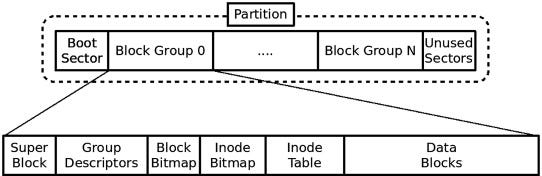
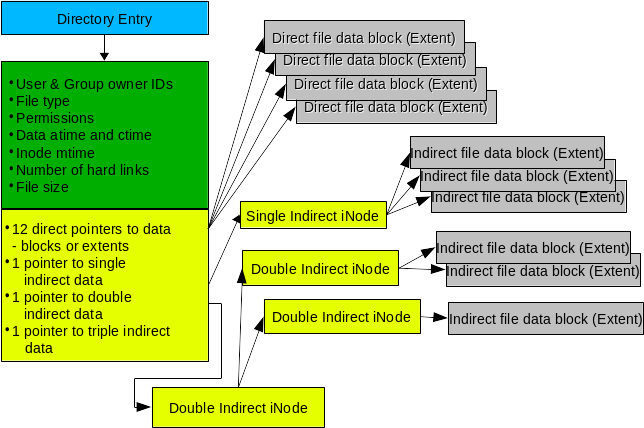
🐧 3. EXT (Extended File System)

Image
Image
Image
Image
  • Used in Linux
  • Versions: EXT2, EXT3, EXT4

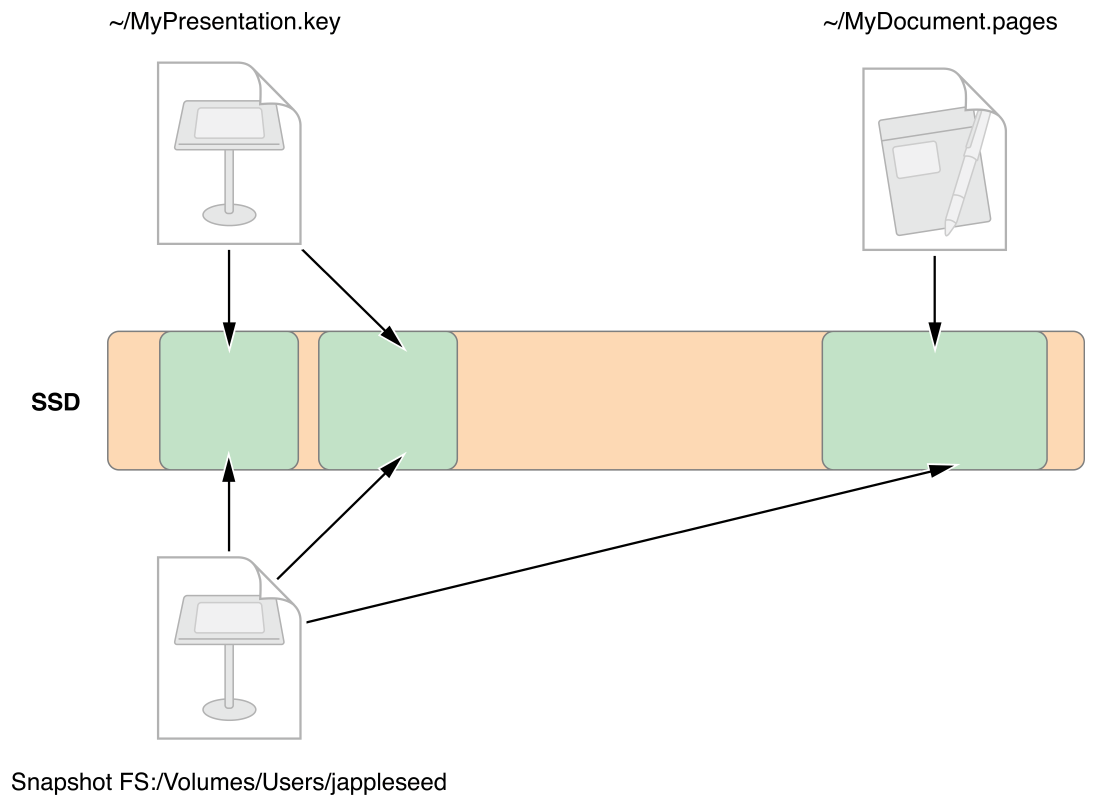
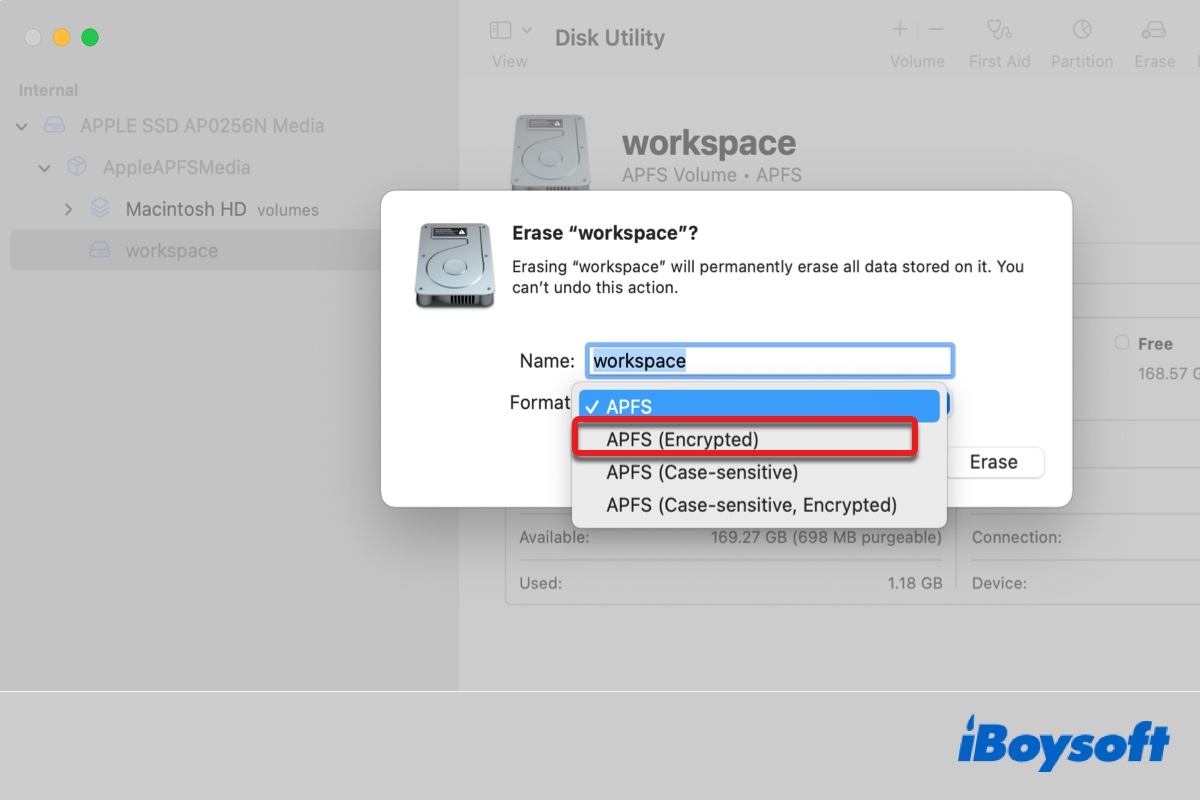
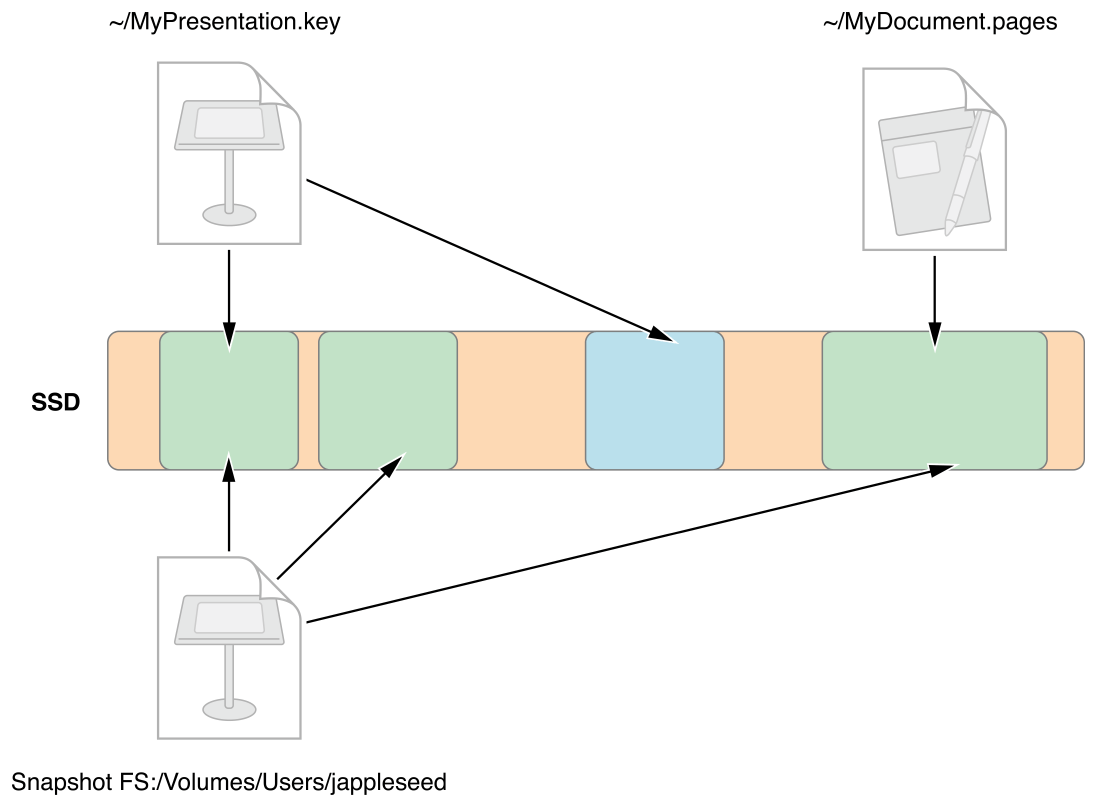
🍎 4. APFS (Apple File System)

Image
Image
Image
Image
  • Used in macOS
  • Optimized for SSDs
  • Supports encryption

🌐 5. Network File Systems

Image
Image
Image
Image
  • NFS
  • SMB
  • Used for shared storage

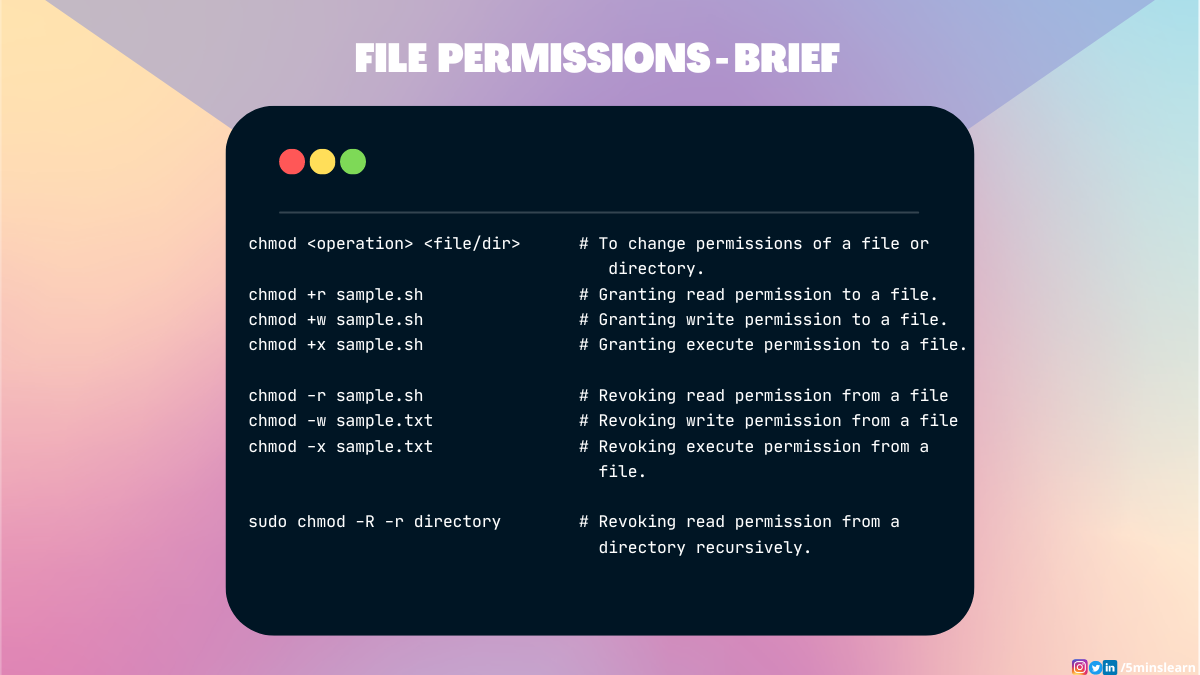
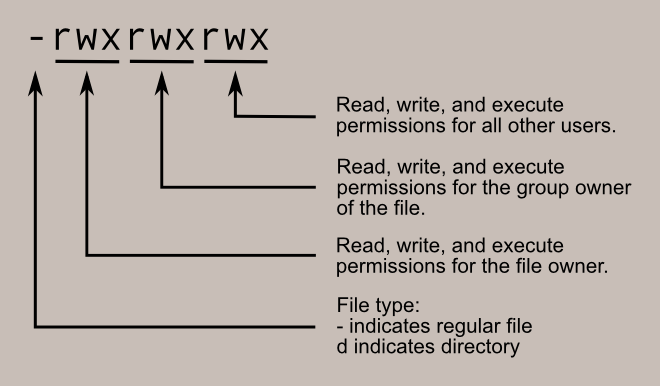
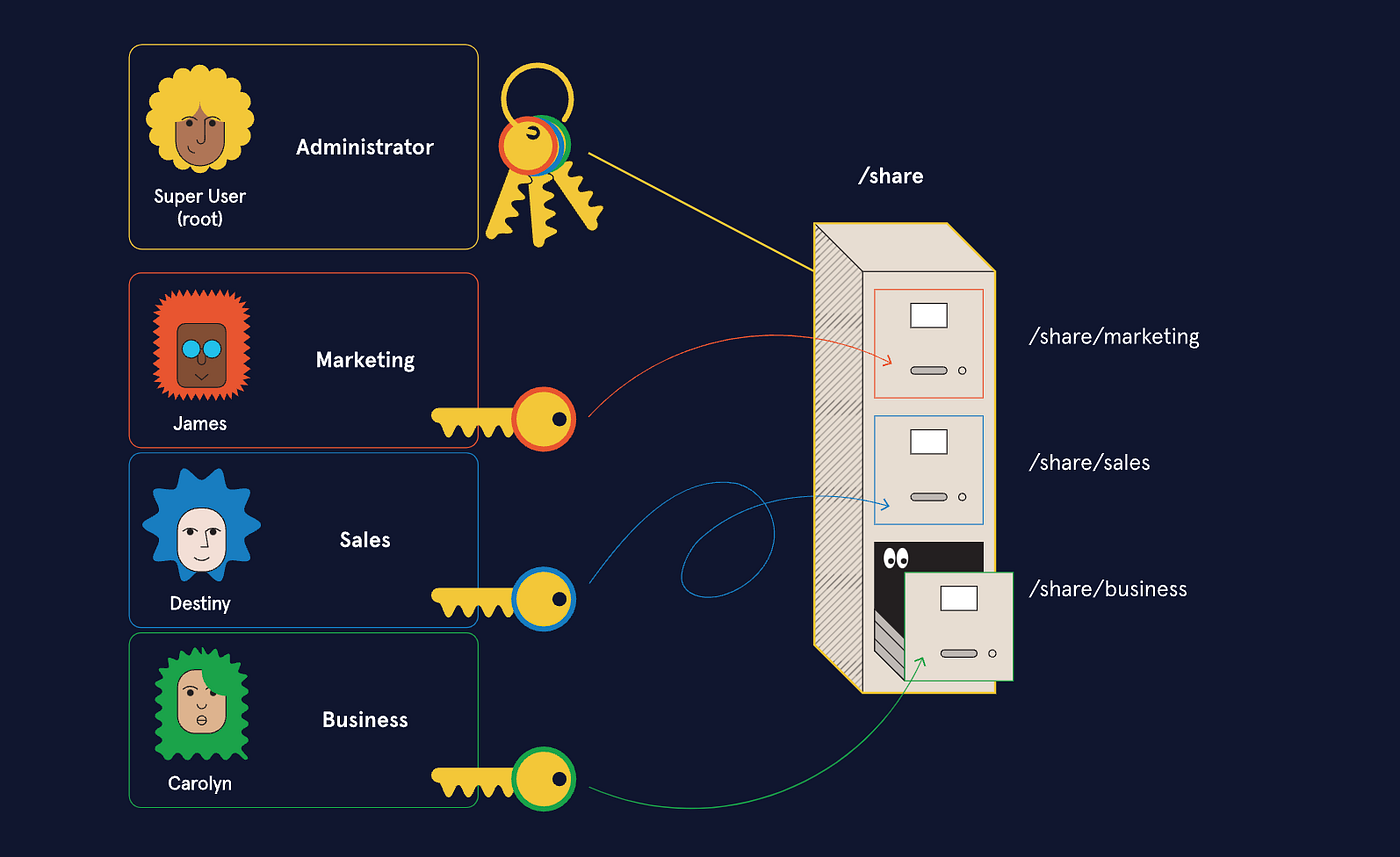
🔐 File Permissions and Security


🛡️ Permissions

Image
Image
Image
Image
  • Read (r)
  • Write (w)
  • Execute (x)

🔐 Security Features

  • Encryption
  • Access control
  • Authentication

🔄 File Operations


📂 Common Operations

  • Create
  • Open
  • Read
  • Write
  • Delete

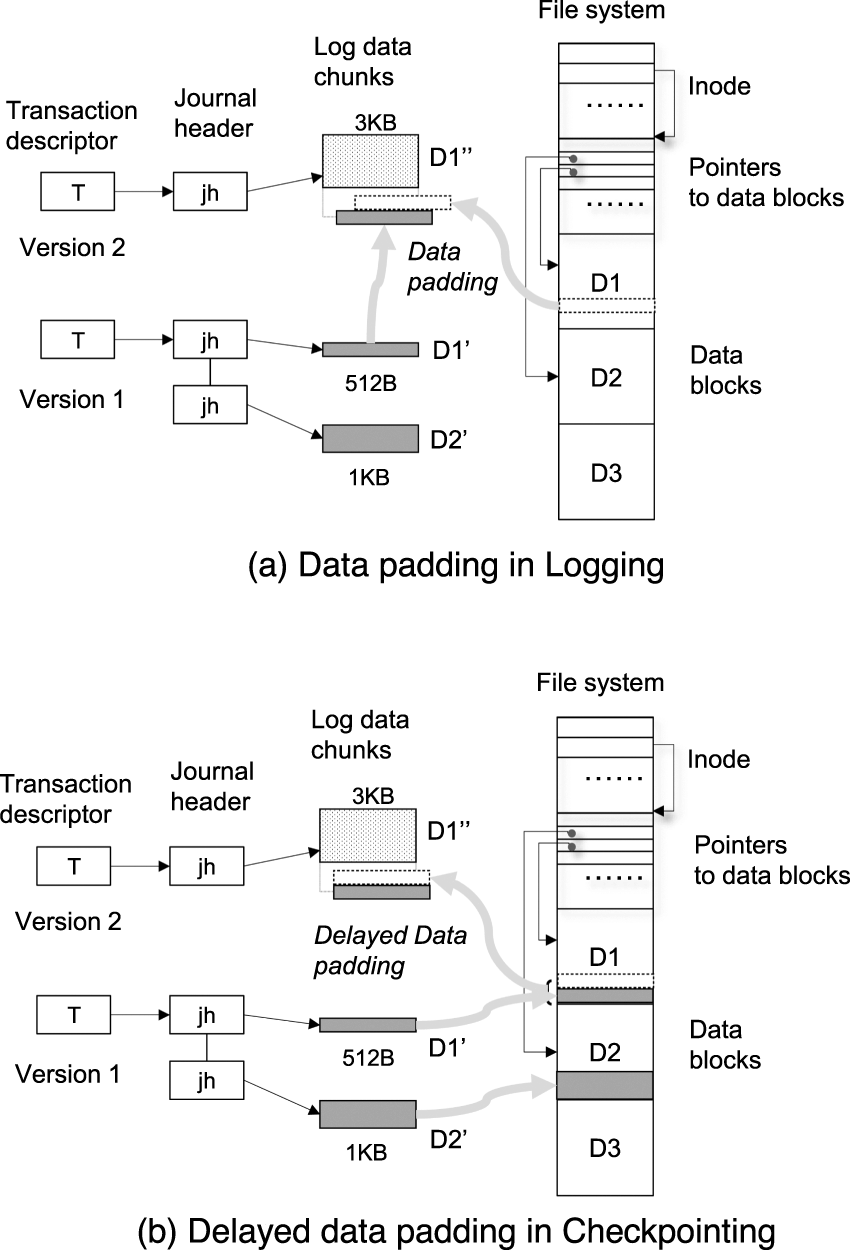
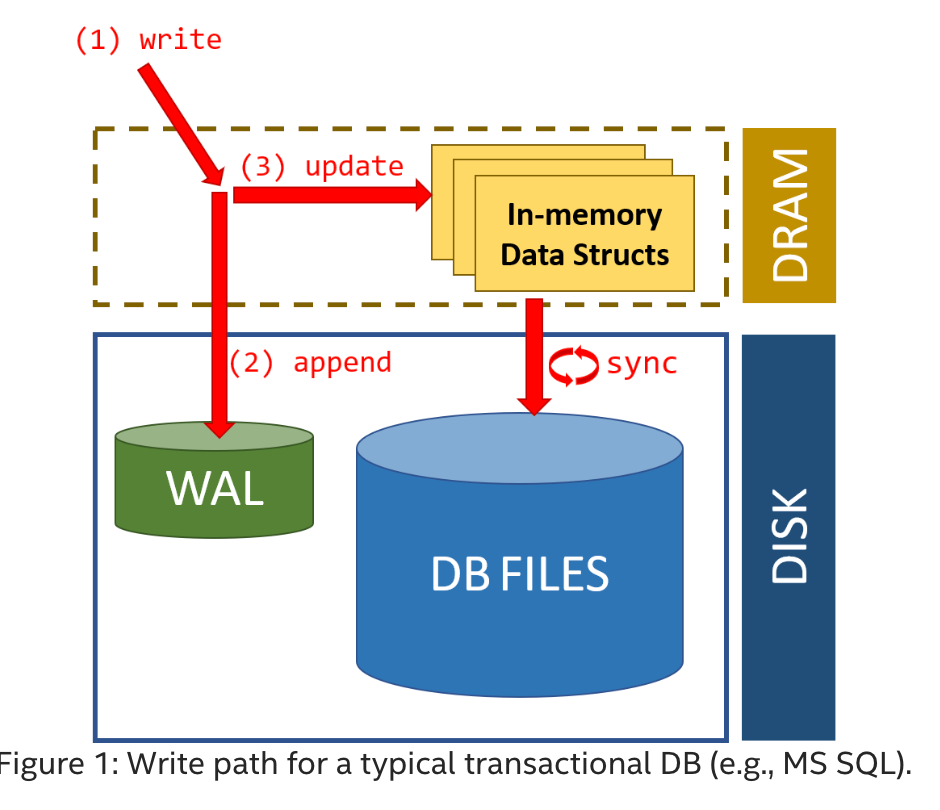
⚙️ Journaling File Systems


🧠 Concept

Image
Image
Image
Image
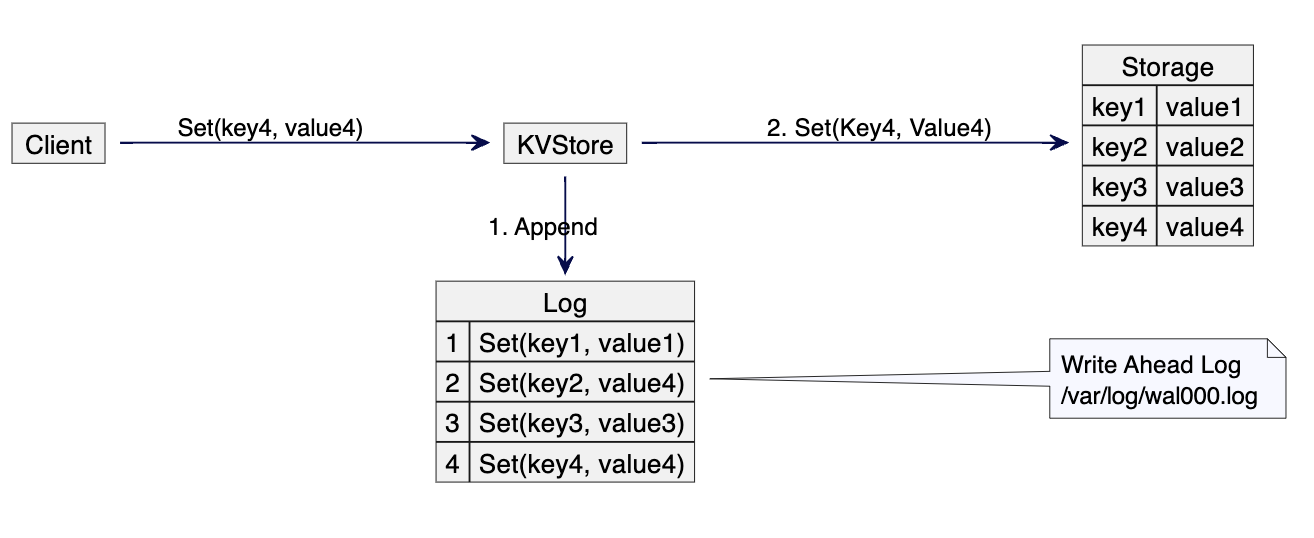
  • Keeps a log of changes
  • Improves reliability

🧠 Virtual File Systems


🌐 Concept

  • Abstract layer over file systems
  • Provides uniform interface

📦 File Compression


🗜️ Types:

  • Lossless
  • Lossy

Used to save space.


⚡ Performance Factors

  • Disk speed
  • File system type
  • Fragmentation
  • Caching

⚠️ Fragmentation


🧩 Types:

Image
Image
Image
Image
  • Internal fragmentation
  • External fragmentation

🔄 File System vs Database

FeatureFile SystemDatabase
StructureSimpleComplex
RedundancyHighLow
SecurityBasicAdvanced

🧠 Modern File System Trends

Image
Image
Image
Image
  • Cloud storage systems
  • Distributed file systems (HDFS)
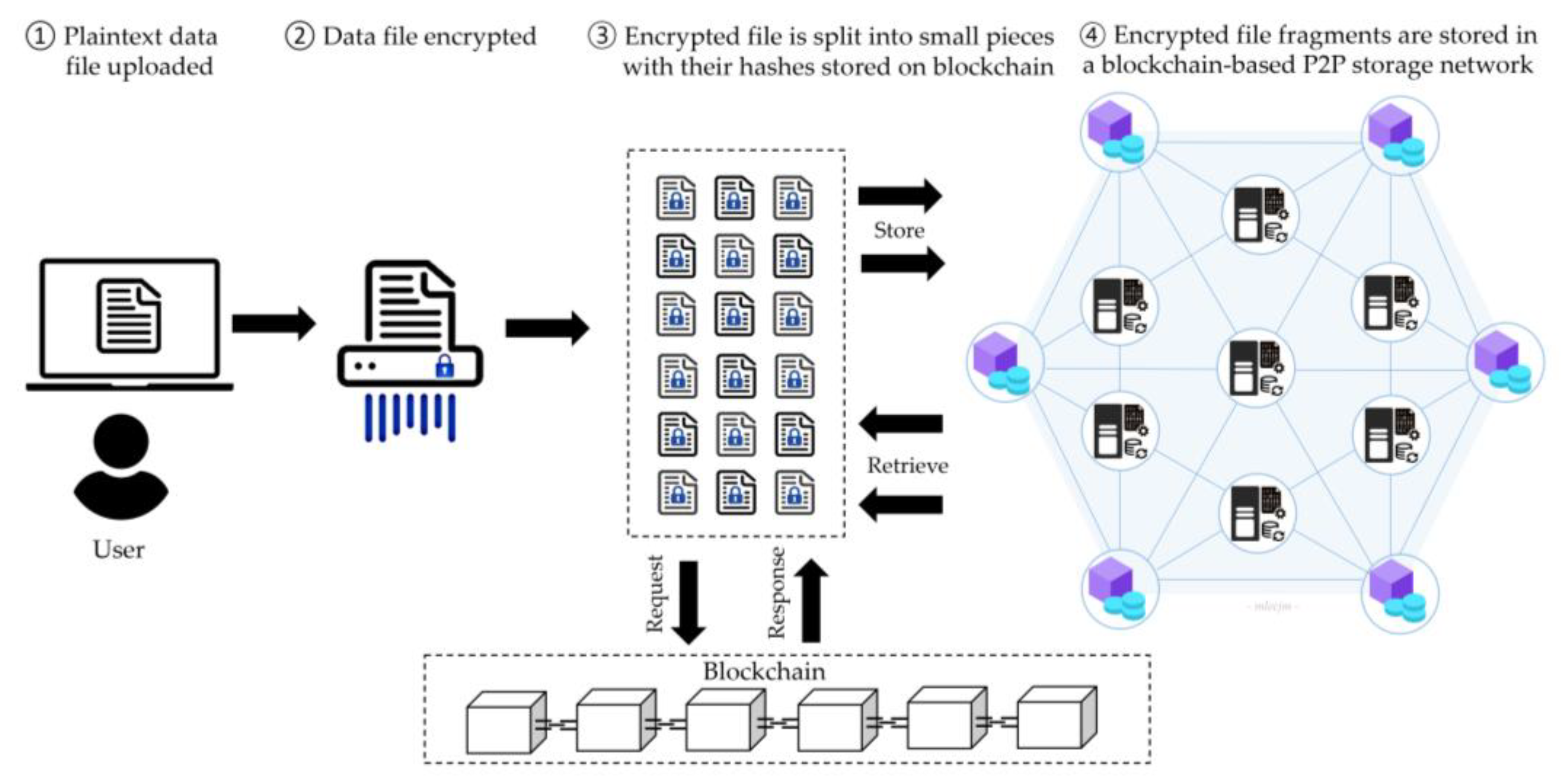
  • Blockchain-based storage
  • SSD-optimized file systems

⚡ Advantages of File Systems

  • Organized storage
  • Efficient access
  • Security and control
  • Data integrity

⚠️ Limitations

  • Fragmentation
  • Complexity
  • Performance issues

🧠 Conclusion

File systems are essential for managing data in modern computing. They:

  • Organize information
  • Enable efficient storage and retrieval
  • Provide security and reliability

Understanding file systems is crucial for:

  • Operating systems
  • Database management
  • Cloud computing
  • Cybersecurity

🏷️ Tags